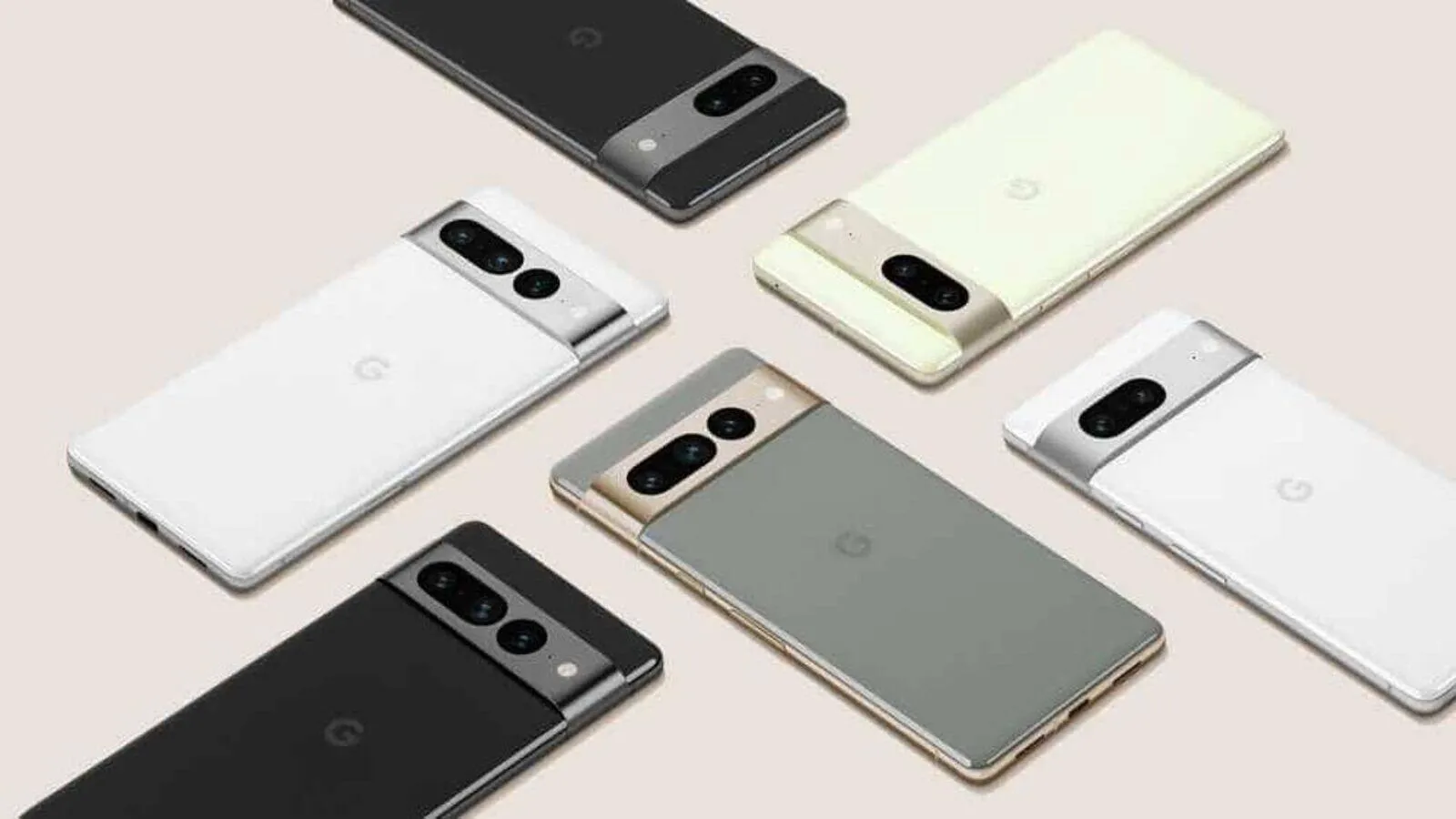
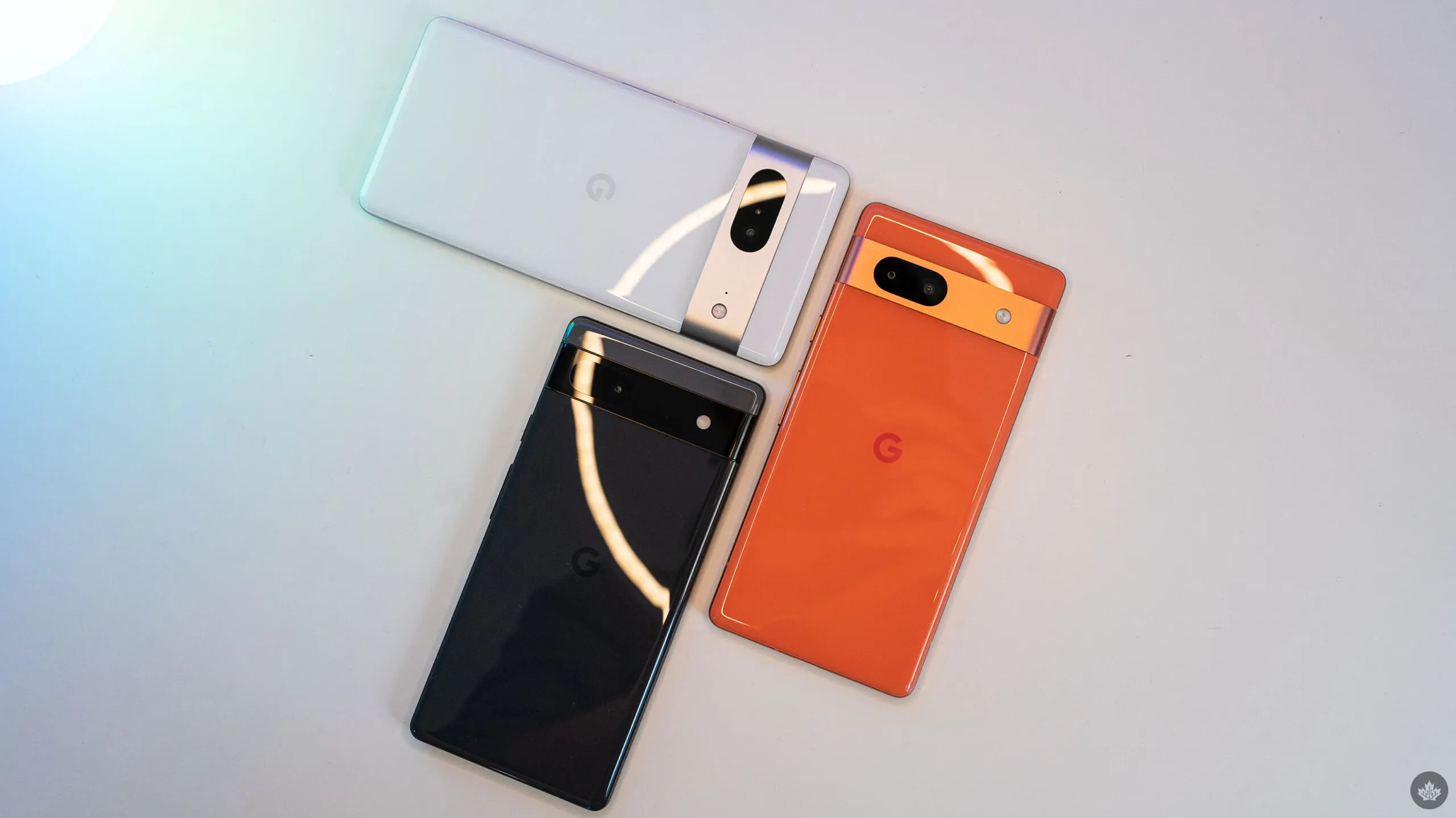
As noted by Mishaal Rahman on Twitter/X, Google appears to be working on updating the Linux kernel on all Tensor-powered Pixels. Specifically, the evidence presented suggests an update to version 6.1, which was released in December 2022 and is the second-to-newest version of the kernel, with 6.6 having been released in October 2023.
Release of new software updates on a regular basis is one of the biggest selling points of a Pixel device, and it appears that Tensor-powered Pixels are about to receive a rare software update that updates the kernel used in the background.
While there’s no word on what a kernel upgrade might change, this is notable for a couple of reasons.
One of the comments mentions that “some Pixel devices” will be released with version 5.15 on “Android V,” which is Android 15. That also suggests that the timeline at play here is not in the immediate future but rather sometime after Android 15’s release. The 5.10 kernel version will see its end-of-life date in December 2026, so it most likely will not be too long after. For starters, this update would put all Tensor-powered Pixels on the same kernel. Pixel 6 and forward all ran on version 5.10 until the launch of Pixel 8, with 8 and 8 Pro running version 5.15.
Updates to the kernel typically do not affect the user experience much, but they can have a significant impact on how your device functions. This includes performance and battery life. Custom kernels were a fairly common feature back when Android modding was more common.
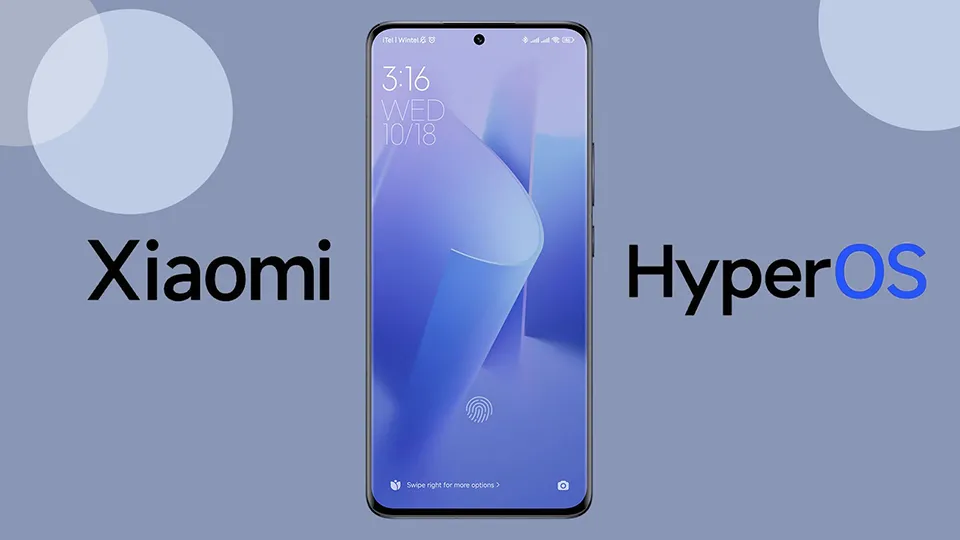
The world’s flagship phone owners can prepare for rollouts beginning early next year, with the newest models receiving priority. Xiaomi has unveiled its exciting HyperOS update, a stable release built on Android 14 for its top-of-the-line devices. However, there is a twist: not all Xiaomi devices will unlock the full spectrum of HyperOS features.
Xiaomi has decided to tailor the update based on different Android versions. Some lucky phones will jump straight to the Android 14-powered HyperOS, while others will receive a version tailored for Android 13.
The selected devices set to experience the Android 14-based HyperOS include Xiaomi Mi Mix Fold 2, 12X, Mi 11X, 11i / Hypercharge, Pad 5, Mi 10S, Redmi K40, Note 11 Pro 5G, Note 11 Pro+ 5G, Note 11 NFC, Redmi Note 11S, Redmi 10 / Prime, Redmi 10C / 10 Power, Poco X3 GT, Poco X4 Pro, Poco M4 Pro 5G, Poco M4 Pro 4G, Poco F4, Poco F3, and Poco F3 GT. This strategic approach ensures that users of specific devices will receive an optimized HyperOS experience tailored to the capabilities of their device and the Android version it operates on.
Xiaomi HyperOS global rollout in early 2024
Xiaomi recently began to roll out HyperOS 1.0, a stable update based on Android 14. This is a major software innovation step forward, bringing a plethora of new features and optimizations. While the initial release of HyperOS was restricted to five particular Xiaomi models in China, the global rollout is scheduled for mid-2024, with a primary focus on the newest flagship devices.
But not every Xiaomi device will go to HyperOS goodies. Xiaomi decided to divide the update according to Android versions, so some devices will get the Android 14-based HyperOS, while others will only get the Android 13 version. This separation is because some HyperOS features require the more sophisticated features that Android 14 brings.
These are the Xiaomi devices that will miss out on HyperOS
Here is a brief overview of the Xiaomi devices deemed worthy of the Android 14-based HyperOS:
Xiaomi Mi Mix Fold 2
Xiaomi 12X
Mi 11X
Xiaomi 11i/Hypercharge
Xiaomi 11i 5G
Xiaomi Pad 5
Xiaomi Pad 5 Pro 5G
Mi 10S
Redmi K40
Redmi K40S
Redmi Note 11 Pro 5G
Redmi Note 11 Pro+ 5G
Redmi Note 11
Redmi Note 11 NFC
Redmi Note 11S
Redmi 10/Prime
Redmi 10C/10 Power
Poco X3 GT
Poco X4 Pro
Poco M4 Pro 5G
Poco M4 Pro 4G
Poco F4
Poco F3
Poco F3 GT
Android13 was a challenge
Good news for owners of older Xiaomi devices: the company plans to release an update called HyperOS, which is based on Android 13, for these devices sometime in the second quarter of 2024. However, if your device receives this version, it will not have all the features that come with the full HyperOS package.
Nevertheless, while some devices will enjoy the full Android 14-based HyperOS experience, others will have to settle for a slightly scaled-down version. Despite the excitement surrounding the future of smartphone technology, not everyone will get to experience it in its entirety.
Hopefully, Xiaomi continues to push boundaries, ensuring that future updates are inclusive, bringing innovation to all corners of their extensive user base. Fans of Xiaomi are eagerly awaiting the HyperOS update, but the split based on Android versions adds some complexity to the situation.
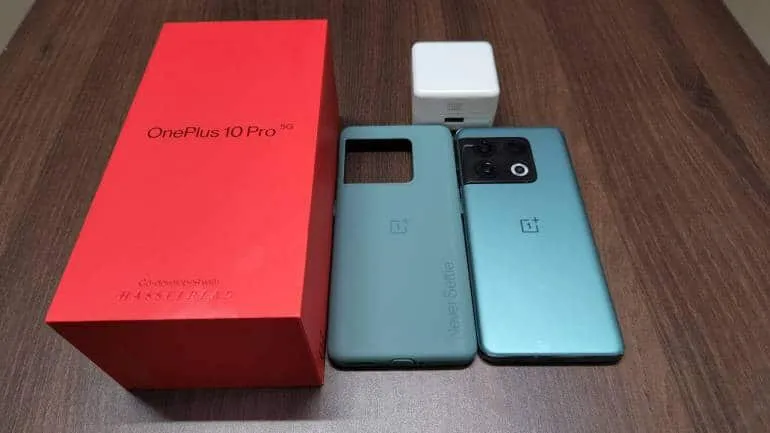
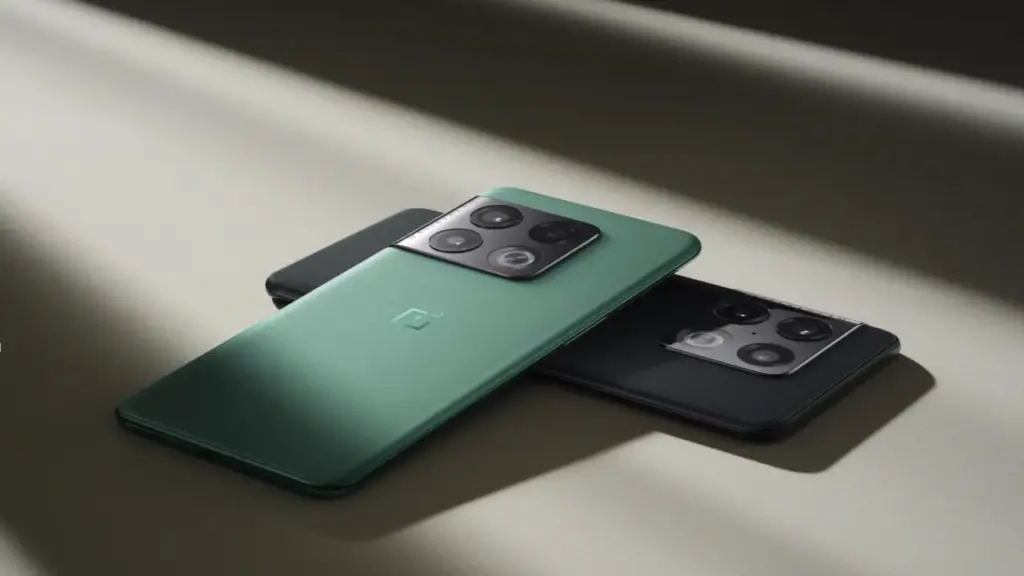
The OxygenOS 14 update, which is based on Android 14, is being rolled out by OnePlus on a number of models. The most recent model to receive this update is the OnePlus 10 Pro, which is currently only available to users in India. It is anticipated that this update will soon be made available to other regions.
As per the official announcement, users who participated in the open and closed beta builds will be the first to receive the stable update, with other users following suit. The build number for the current rollout is NE2211_14.0.0.202(EX01), and the update size is roughly 789 MB.
Keep an eye out for the update in your area as OnePlus keeps spreading OxygenOS 14‘s availability across its devices.
Here is the complete changelog of this new update:
Pantanal Service
• Adds Fluid Cloud, a way of interaction with morphing forms that allows you to view up-to-date information at a glance.
Smart efficiency
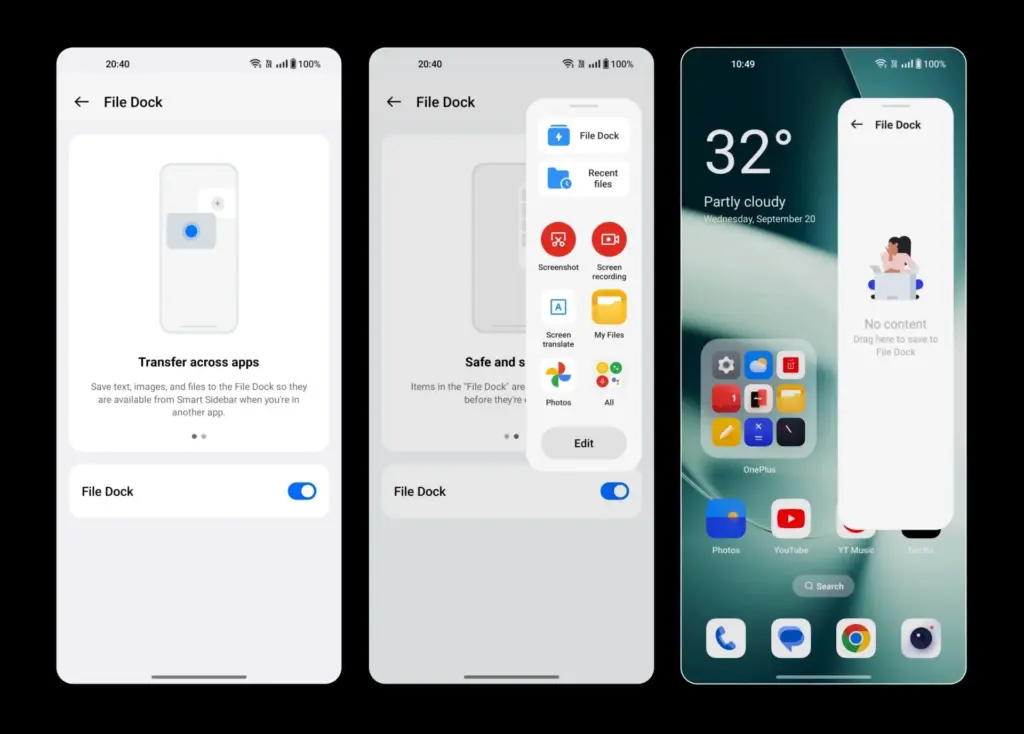
• Adds File Dock, where you can drag and drop to transfer content between apps and devices.
• Adds Content Extraction, a feature that can recognize and extract text and images from the screen with one tap.
• Adds Smart Cutout, a feature that can separate multiple subjects in a photo from the background for copying or sharing.
Cross-device connectivity
• Improves Shelf by adding more widget recommendations.
With the goal of increase user experiences across all of Xiaomi’s products, the company is preparing the release of its much awaited HyperOS 1.0, a cutting-edge integrated system based on Google’s Android 14. This new operating system is meant to accommodate the growing Internet of Things (IoT) ecosystem, seamlessly connecting various devices for enhanced performance and interconnectivity. HyperOS is built on Linux and leverages Xiaomi’s Vela system for enhanced efficiency and resource management. Moreover, Xiaomi is encouraging open-source development by utilizing Xiaomi Vela to create a human-centric ecosystem connecting personal devices, automobiles, and smart home technology.
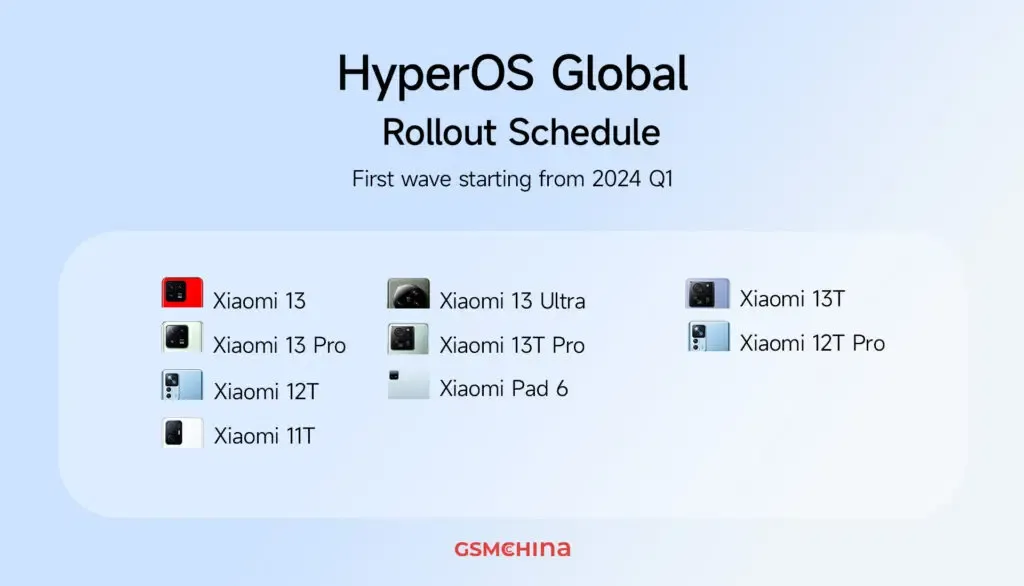
The first wave of updates to HyperOS 1.0 will cover nine devices, including different models from the Xiaomi 13 and 12 series as well as the Xiaomi Pad 6. GSMChina reported that Xiaomi has already published its update roadmap for Chinese models, but for the global audience, the rollout of updates is scheduled to begin in the first quarter of 2024.
Here’s the complete list of nine global devices that are set to receive the HyperOS 1.0
Xiaomi 13 Ultra
Xiaomi 13 Pro
Xiaomi 13
Xiaomi 13T Pro
Xiaomi 13T
Xiaomi 12T Pro
Xiaomi 12T
Xiaomi 11T
Xiaomi Pad 6
The official Xiaomi server has verified these updates, according to GSMChina. Devices that were not included in the initial release should expect updates in later HyperOS 1.0 releases. Xiaomi is currently in the final testing stage, collaborating with its engineering team to make sure HyperOS 1.0 is ready for daily use upon launch. The initial HyperOS domestic release is planned for December 2023 in China, accompanied by a wide array of devices, including smartphones such as the Xiaomi 14 (which comes pre-installed) and Redmi K60 Ultra, the Xiaomi Pad 6 Max 14-inch tablet, the Xiaomi TV S Pro series, the Xiaomi Watch S3, the Xiaomi Sound speaker, and the Xiaomi Smart Camera 3 Pro.
This news item isn’t exactly one of the more dramatic ones. It’s only the most recent upgrade to Google Wallet, though. A recent report claims that the Google Wallet app is now receiving independent notifications.
Although it has a separate app, Google Wallet is not totally independent. Wallet has its own app, however it lacks its own notifications. Indeed, they originate from Google Play Services. When you use Wallet to make a purchase, you’ll receive a notification with a brief description of the transaction. Google believes that it is now appropriate for Google Wallet to go independent.
Google Wallet is getting notifications
We don’t entirely understand the company’s motivations for separating Wallet from Play Services. We do know that Google is developing a new version of the Wallet app. For all we know, Google might be developing a more significant overall overhaul for Wallet. To be sure, we’ll need to wait for additional details on this.
In any event, the Wallet icon will be there next to your notice when it comes from Google Wallet. So, you must use the app’s notifications and not Google Play Services if you wish to turn off the notifications.
Google Wallet is receiving additional updates.
You need to be aware of how Google Wallet uses space before you open it. The app has a great deal of unneeded empty space. The cards are shown in a huge horizontally scrolling carousel that is topped with a sizable NFC icon. You may access the settings by clicking on your profile image in the top right corner of the page. You can see more cards at the bottom of the screen.
Google, however, intends to promote a redesign that will improve the UI’s use of the available space. To begin with, the NFC logo will vanish, and your cards will take its place. You may see your other passes, such as gift cards and reward cards, immediately beneath your cards.
All in all, the cards and passes will better fill out the interface. We’re not sure when Google is going to push this update to more devices, but it shouldn’t take too much time.
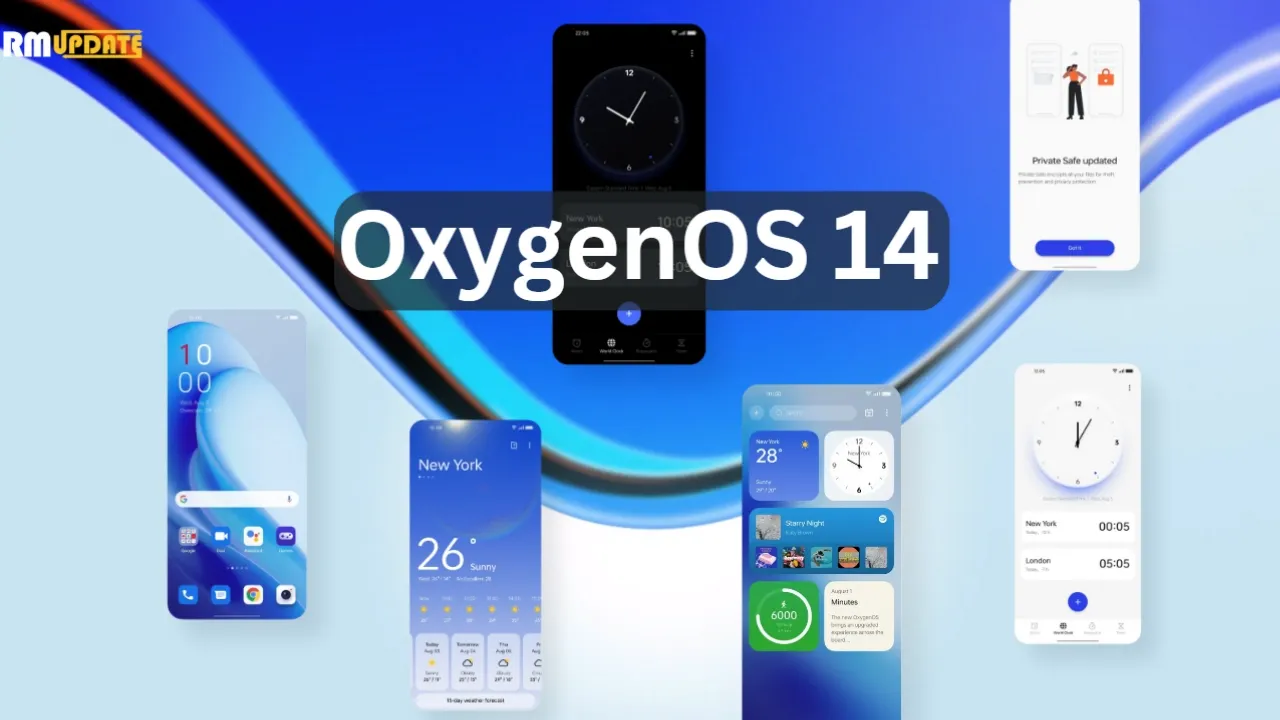
Today, OnePlus officially unveiled OxygenOS 14, the latest iteration of its Android 14 skin. Although OxygenOS 14 isn’t officially available yet, at least not in a stable state, OnePlus wants you to be prepared for it when it does. For the time being, it’s accessible as a second beta for the OnePlus 11 that includes all of the new features.
What new features are those? Truthfully, I’m not sure. Although OnePlus was gracious enough to invite us to a briefing on OxygenOS 14, it was challenging for me to learn much because the verbal word salad used to describe what this skin aims to do is more than my brain can process. This stuff is filled with laughable buzzwords and talking points. I’m fairly certain that it was created by a set of algorithms powered by artificial intelligence (AI) and a microchip inserted into the brain.
I’ll do my best to sum-up what OxygenOS will offer your OnePlus phone.
The Trinity Engine! I have no idea what this is, but OnePlus describes it as a combination of CPU, ROM, and RAM Vitalization, as well as the attachment of the capitalized word HYPER to rendering, touch, and boost. All you need to know is that they are powered by an algorithm…and they should make your phone feel faster and smoother for years to come.
OnePlus Cloud now integrates with Google Photos for backups. Cool.
File Dock “enables collection, analysis, and sharing of global information through the Dock or other applications simply by making gestures.” What? I think that means you have a system-level copy-paste-clipboard feature that works across your phone and tablet and PC. Maybe?
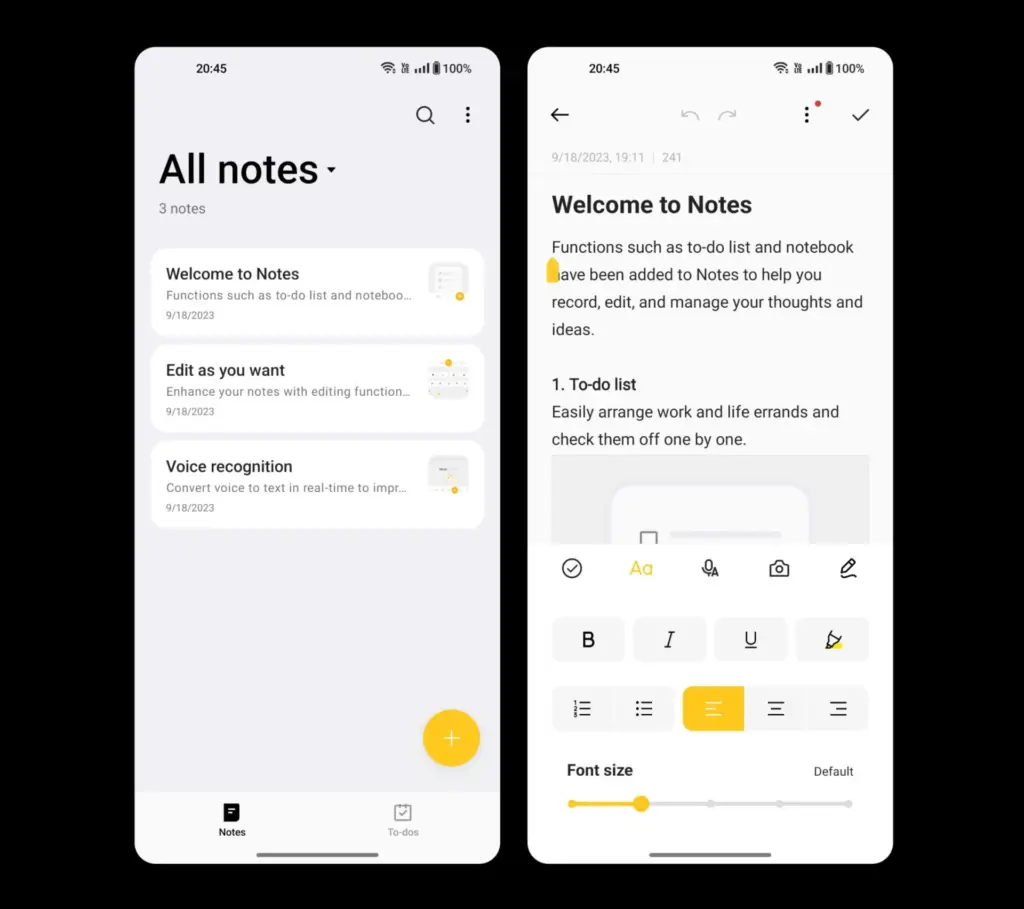
Notes app is more robust with a “touch of personality” that includes color, a creative font, and different sized text or images. You’ll also find note editing using underlines, strikethrough, and split lines, as well as categorization.
Smart Cutout allows you to long-press any person or pet in a full-size image (or on a paused video) to crop them out and then play with them as a wallpaper or poster. In OxygenOS 14, you can now identify up to 3 objects in a single photo.
Multi-Screen Connect 2.0 connects your OnePlus phones running OS 14 with a “faster and more stable” connection.
Clone Phone 2.0 lets you setup a new phone to quickly syncrhonize your network, account, and other basic settings.
Security Center from Android 14 is here, because this is Android 14.
Auto Pixelate 2.0 can now “intelligently detect formats like receipts, screenshots from social apps, car license plates, ID documents, boarding passes and more” to pixelate that sensitive info.
Fluid Cloud is apparently not a cloud service and is instead a new design on information presented through notifications and the status bar. It’s like water and liquid, or something, because it expands on OnePlus’ Aquamorphic Design. I just hope they fixed the way notifications work on the lock screen and in the pulldown.
Sounds from nature have taken over with new ringtones and notification sounds.
Go Green AOD is a new take on the always-on display that tracks your steps as you walk throughout the day to then let you know that you are reducing CO2 in the air because you didn’t drive a car.
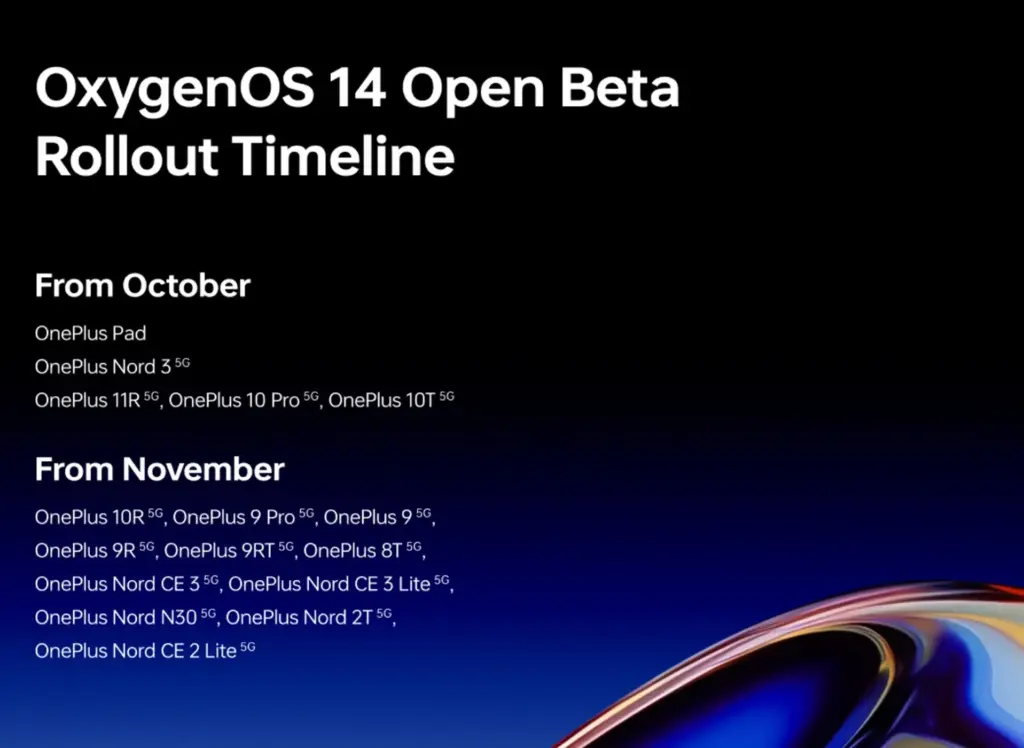
Once more, OxygenOS 14 Beta 2 is now available to OnePlus 11 users. There is no information yet on when it will become stable. You may expect beta builds for devices including the OnePlus Pad, Nord 3, OnePlus 11R, 10 Pro, and 10T in October. In November, beta builds will be released for yet another set of hardware. Below is a list of everything on it.
A significant 0-click vulnerability in the Pixel 6 modem stack was identified by Google’s Android Red Team and has since been patched. This vulnerability allows a skilled attacker to take control of a target’s Android device by making a call to the victim.
Four members of Google’s Android Red Team demonstrated how two Pixel modem vulnerabilities (CVE-2022-20170, CVE-2022-20405) could be combined to first hijack a targeted Pixel’s cellular modem communication to the second-generation (2G) wireless standard with the aid of a cheap $1,000 home-made cellphone base station during the Wednesday Black Hat session.
The aforementioned bugs were first found in 2021 by Android Red Team members. With a CVSS score of 9.8, both modem flaws are now classified as critical. The over-the-air remote code execution bug, designated CVE-2022-20170, was addressed in June 2022. An elevation of privilege (EoP) weakness was discovered in the second vulnerability, tracked as CVE-2022-20405, and it was fixed in August 2022. The EoP bug was deemed to be of moderate severity when it was initially discovered in an Android security bulletin.
If the attack is successful, the enemy will be able to wirelessly execute remote code that is running in the Pixel modem’s privileged context. According to experts, an attacker would then be able to conduct out assaults against the handset, such as launching a DoS attack, performing SMS/RSC (text message) sniffing and spoofing, MFA compromise, and enabling a hacker to switch to the device’s main operating system kernel.
Google claimed that it was not aware of the issues being used in the wild and that internal Alphabet procedures were to blame for the delay in disclosing the technical CVE information.
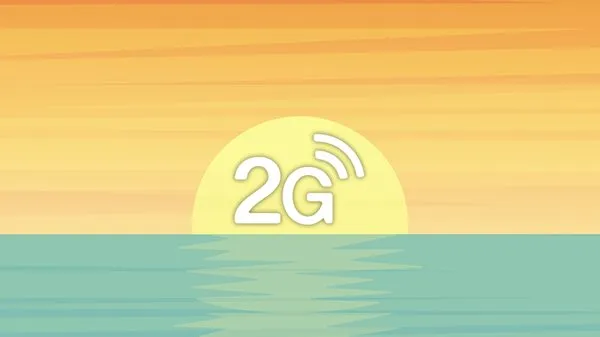
2G is obsolete
The Android Red Team at Black Hat includes Xuan Xing, Eugene Rodionov, Xiling Gong, and Farzan Karimi to demonstrate the assault (see image). Exploiting flaws in the Android Pixel’s cellular data connection to 2G networks is the initial attack vector.
The goal of this attack, according to Karimi, is to downgrade mobile devices to 2G.
The majority of modern cellular modems operate on 4G or 5G frequency bands. Yet, the majority of cellular data modem chipsets continue to support 2G and other dated wireless frequencies. For uncommon use scenarios including outdated wireless network geography, devices cycling down to save handset power consumption, and phones going to international markets where legacy 2G cellular networks are more prevalent, legacy support is required.
Weak encryption between towers and devices is one of the security vulnerabilities with 2G, which attackers may (and have) easily hacked in order to intercept conversations or text messages. Even current phones, according to researchers, occasionally transition to 2G to handle signal congestion, roaming, and network switching better.
The Android Red Team went above and beyond the examples of hackers and government enforcement utilizing fake base stations dubbed ISMI catchers (international mobile subscriber identity) or surveillance tools like Stingray to collect phone ID data, geolocation data, and content. They demonstrated how a vulnerable Pixel phone could be controlled remotely via a $1,000 home-built base station in addition to being used to collect data.
Breaking down the attack
The Android Red Team went above and beyond the examples of hackers and government enforcement utilizing fake base stations dubbed ISMI catchers (international mobile subscriber identity) or surveillance tools like Stingray to collect phone ID data, geolocation data, and content. They demonstrated how a vulnerable Pixel phone could be controlled remotely via a $1,000 home-built base station in addition to being used to collect data.
“When a victim comes in proximity (a range of less than 5 miles) of the malicious base station it will connect to it,” said Karimi. “That allows the adversary to send the exploit payload and establish a foothold on the victim’s modem.”
In more precise terms, the RCE issue is an out-of-band (OOB) write error that happens during the decoding of OTA packets from 2G GSM connection. According to researchers, the EoP fault is caused by an error in the Pixel 6’s modem code, which renders memory space RWX (also known as the read (r), write (w), and execute (x) permissions) and available via signal processing instructions.
“The attacker fully controls up to 255 bytes written into 1-byte buffer in the heap,” researchers said. “CVE-2022-20170 enables us to overwrite heap header of the next adjacent chunk with fully controlled data.”
According to Google, the exploit technique allowed them to “corrupt nearby heap items and put a small amount of controlled bytes in the heap.” Uncertainty surrounds whether any of those items had an effect on the memory management unit (MMU) of the modem, which is essential to the next phase of the attack.
Researchers were able to execute 80 bytes of malicious shellcode via the modem’s (MMU) misconfiguration vulnerability (CVE-2022-20405), giving the attacker access to the affected device.
Google tip: Disable 2G
The 2G-attack method actually poses a threat. There have been reports of temporary 2G base stations popping up close to the hotels Paris Las Vegas and Caesars Palace during what is known as Hacker Summer Camp in Las Vegas, which features three security conferences: BSides, Black Hat, and DEF CON. Participants in DEF CON are renowned for having a habit of exposing cybersecurity experts who expose their digital equipment to a cyberattack.
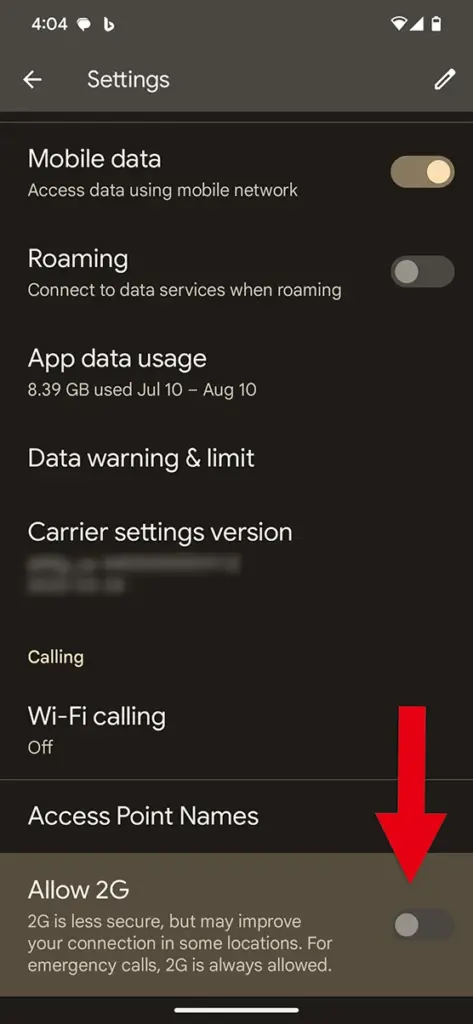
Researchers strongly advised Black Hat attendees to turn off 2G support on their phones. To turn off 2G capability, simply search for 2G in Settings on an Android device.
In related news, Google announced Tuesday a suite of Android 14 advanced cellular security mitigations for enterprises.
“Android 14 introduces support for IT administrators to disable 2G support in their managed device fleet. Android 14 also introduces a feature that disables support for null-ciphered cellular connectivity,” according to a Google Security Blog writeup.
Interesting changes are being made by Google to the Messages homescreen, including the removal of the navigation drawer and the addition of prominent branding to the Android app.
The Google Messages homescreen has undergone another update with beta version 20230717 01 RC00.
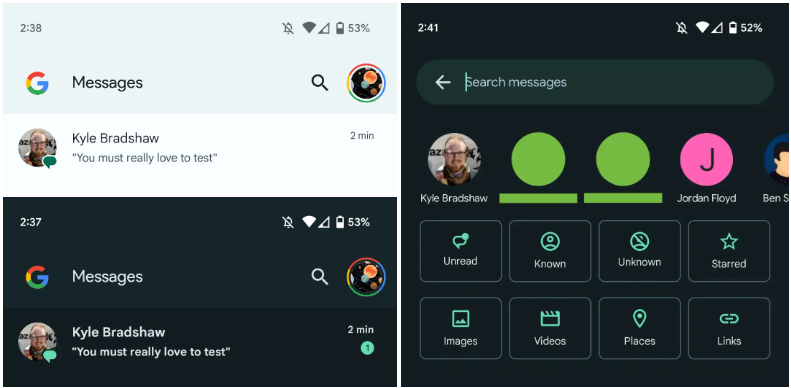
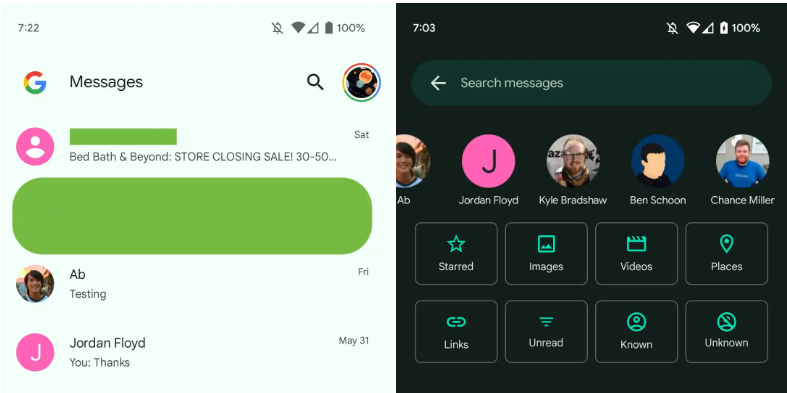
With this redesign, the message organization feature that had recently been enabled for beta users is not present. In the meantime, Google has slightly modified the search filters. This new appearance has not yet been implemented broadly.
You only get a magnifying glass icon in place of a full-width search bar. Google’s four-color “G” logo is in the top-left corner, followed by the word “Messages.
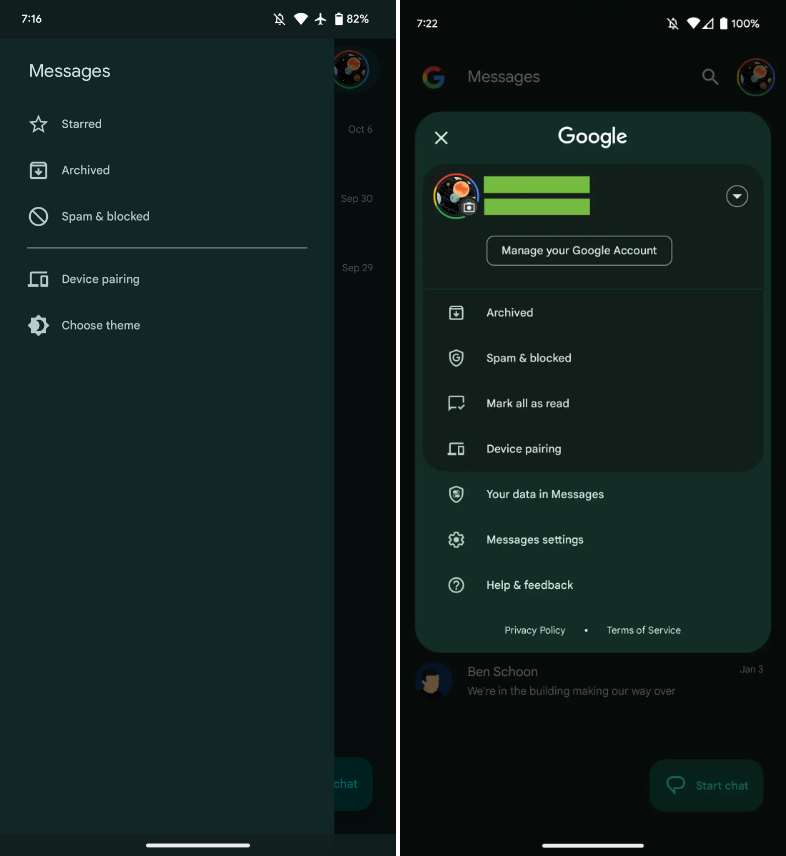
With those settings now under the account menu, the navigation drawer and its hamburger icon have been deleted. Your data in Messages, Messages settings, Help & feedback, Spam & blocked, Mark all as read, and Device pairing are displayed in that order. Google has shifted “Select theme” inside the settings menu in the interim.
Early in 2022, after previously solely using an overflow menu, Messages added a navigation drawer. This was considered to be defying current Google app design trends at the time.
A small change in search sees Google drop the “Categories” carousel for a standard grid that requires less scrolling: Starred, Images, Videos, Places, Links, Unread, Known, and Unknown.
In comparison to programs like Gmail, which has a huge list of categories and labels, and Calendar, Messages’ navigation menu was ineffective, included just a few items, and was unnecessary. This account menu strategy is more effective and is used by other first-party apps like the Google Play Store. The complete search box was likewise superfluous, despite being a Google app hallmark.
More interesting to me is the “G” logo in the top-left corner that serves as very explicit Google branding that denotes how this is how the company wants you to message. It can be seen as part of Google’s ongoing RCS campaign.
We’re seeing this homescreen redesign rolled out with version 20230608_01_RC00 of Google Messages that was released yesterday to the beta channel. This redesign is not yet widely available, but feels like a definite modernization.
The July Pixel update is now available as one of the final Android 13 updates, following the June release of a big quarterly platform update and Pixel Feature Drop that included new functionality and numerous bug fixes. It is anticipated to be somewhat less significant than last month’s and ought to prepare us well for the next Android 14 release.
Prepare your Pixel 4a, Pixel 7 Pro, and Pixel 7a for an update right away. The initial updates for your Pixel Fold or Pixel Tablet should also be available. The fact that new Pixel smartphones are receiving upgrades is huge news, even if it’s just a tiny update. As I type this, a 23.27MB update is downloading to my Pixel Tablet. It is also visible to others who have Pixel phones.
For those in the Android Beta Program, you are not likely to receive an update. When you are in that program, you are on a different software track.
July Google Pixel update builds
Global
Pixel 4a: TQ3A.230705.001
Pixel 4a (5G): TQ3A.230705.001
Pixel 5: TQ3A.230705.001
Pixel 5a (5G): TQ3A.230705.001
Pixel 6: TQ3A.230705.001
Pixel 6 Pro: TQ3A.230705.001
Pixel 6a: TQ3A.230705.001
Pixel 7: TQ3A.230705.001
Pixel 7 Pro: TQ3A.230705.001
Pixel 7a: TQ3A.230705.001
Pixel Fold: TQ3C.230705.001.C1
Pixel Tablet: TQ3A.230705.001.B4
Pixel Watch: RWDC.230705.001
Verizon
Pixel 7: TQ3A.230705.001.A1
Pixel 7 Pro: TQ3A.230705.001.A1
Pixel 7a: TQ3A.230705.001.A1
Pixel Fold: TQ3C.230705.001.B1
T-Mobile
Pixel 6: TQ3A.230705.001.A1
Pixel 6 Pro: TQ3A.230705.001.A1
Pixel 6a: TQ3A.230705.001.A1
Japan
Pixel Fold: TQ3C.230705.001.C2
July Google Pixel update bug fixes
No major bug fixes to report on any device outside of the Pixel Tablet. For Google’s biggest screen, they list the following:
Battery & Charging: General improvements for charging, battery usage or thermal performance in certain conditions
User Interface: Fix for issue occasionally causing lock screen notification text to display behind unlock UI elements
Again, Google should begin pushing these updates shortly over-the-air (Settings>System>System update), but if you don’t want to wait for Google and prefer to update manually, you will find each factory image or OTA file at the links below. For instructions on how to flash a factory image, here you go. For instructions on how to flash an OTA .zip file, here you go.
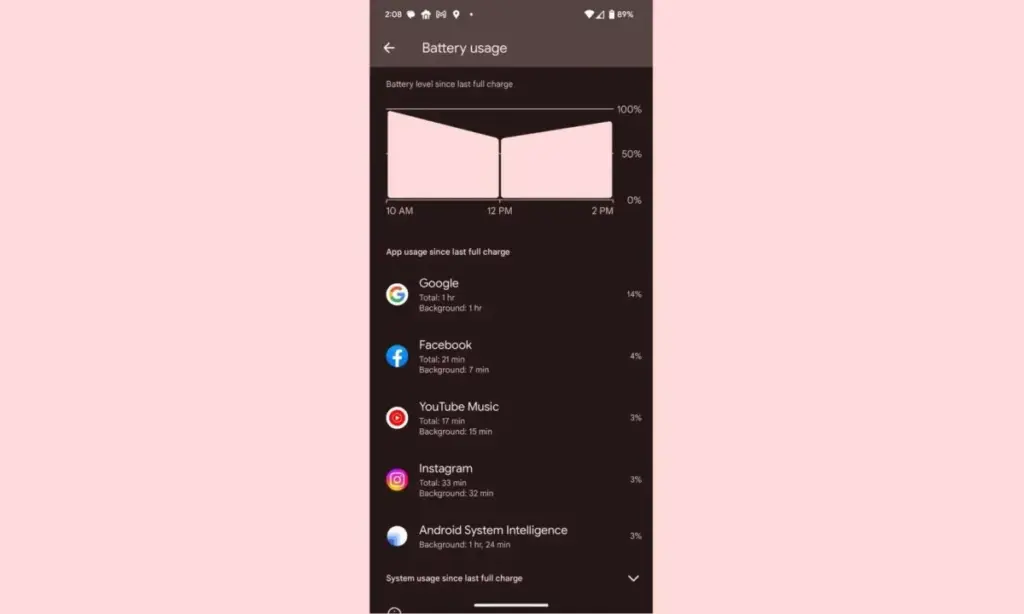
Despite not being the best Android smartphones available, Pixel devices are nonetheless good. Most of the time, hardware limitations of Pixels are overcome by their superior software, which Google delivers together with cutting-edge features that are exclusive to its products. While feature drops and upgrades are regular and often bring exciting improvements, they can occasionally also lead to unanticipated issues. This appears to be the case with the June update, as several customers report that their Pixel devices are depleting their batteries faster than usual.
Many users have commented on Reddit about the June update’s poor battery life, which was picked up by the staff at 9to5Google. Some users report noticing only a slight change, while others report that they now need to charge their cellphones at least twice daily. Others have reported connectivity problems, including short-lived batteries and erratic mobile data signals.
It appears that a variety of Pixel devices are included in the list of affected ones, however upon fast reading through the thread, it is clear that many Pixel 7 and Pixel 6 series smartphones are affected. Even while there are reports of the phones heating up much more than before, which is rather frightening, increasing battery consumption is still a major problem.
While those who are impacted by this are in a lot of suffering, there are some remedies. Some people claim that the issue is resolved by deleting the most recent update for Android System Intelligence in the Reddit thread. Some assert that restarting the device also resolves the problem. Even if some of these fixes might be effective, Google will probably need to release an update. We’ve been in touch with Google in an effort to clarify these matters. We anticipate that the business is aware of the issue and will include a fix in the upcoming version.