Tag: update

  • New ways to flag content that you don’t like on Instagram

    New ways to flag content that you don’t like on Instagram

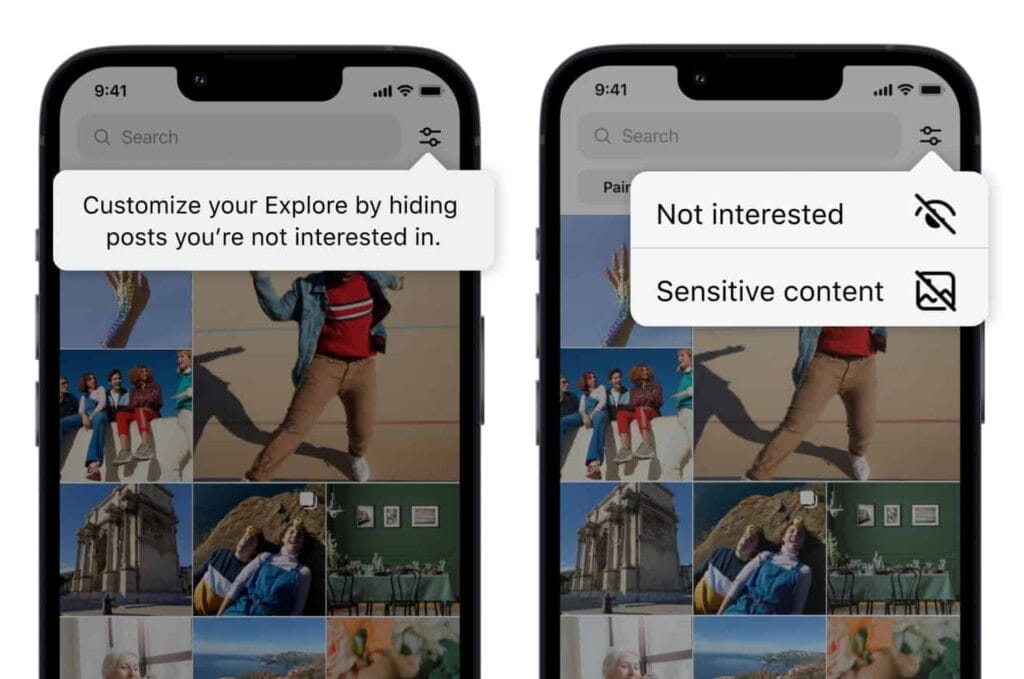
    Users now have more options for managing what they view on Instagram. You can now personalize your Instagram feed with a few of the new features the business has introduced. First off, it is a test of the feature that lets you designate several postings as “uninterested.” In the Explore page, you can choose whatever posts you want to flag for the app at once. The chosen posts are instantly removed from your feed. Additionally, you won’t see any more such content in the future. You may presently only do that for individual postings on the Meta-owned platform. Multiple posts cannot be flagged at once.

    You must tap the new Filter option in the Explore tab, which is located next to the search box, in order to flag multiple posts on Instagram. There are two choices there: Sensitive Content and Not Interested. Decide between the two options, then indicate on the posts. Tap Done to finish the activity at this point. Compared to the present implementation, which calls for you to first open a post, tap on the three-dot menu, and then choose Not Interested, this is far more convenient. For each piece of content you want to filter out, you must repeat these steps.
    instagram not interested content

    Instagram adds new ways to filter content as it becomes more like TikTok

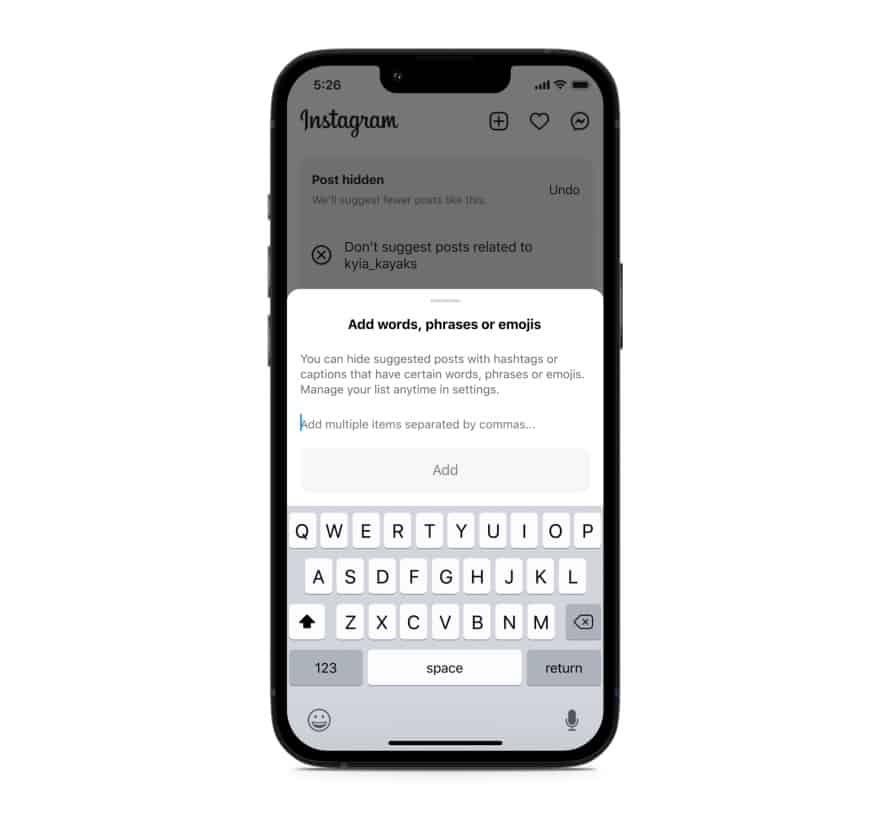
    Instagram will also soon start testing the ability to filter out content based on keywords. You can create a list of words, phrases, and emojis that will trigger this filter. The app will look for those keywords in a post’s caption or hashtags and remove all related posts from your feed. “Whether you’re seeing something that’s not relevant, or have moved on from something you used to like, you can use this feature to stop seeing content that’s not interesting to you,” Meta said in a blog post. TikTok already offers similar keyword-based filtering of posts.

    Instagram started out as a photo-sharing app before later adding video functionality. However, it currently favors short videos akin to TikTok over everything else. Reels is the name of the TikTok-inspired feature that is quickly dominating the site. Users now frequently hide material from their friends and relatives by seeing more Reels from accounts they don’t follow. The CEO of Meta, Mark Zuckerberg, has asserted that interest-based recommended content will dominate Instagram, despite widespread opposition to this notion.

    Instagram is expanding its selection of filters to make sure users don’t see things they don’t want to. In addition to the current options for switching between your Favorites and Following feeds, these two new capabilities will be available soon. You can already designate specific topics as Not Interested, and you can choose to snooze suggested content for 30 days. Additionally, Instagram has modified its filters for delicate content.
    Instagram keyword filter content feed
  • Galaxy S21 family gets One UI 5.0 beta based on Android 13

    Galaxy S21 family gets One UI 5.0 beta based on Android 13

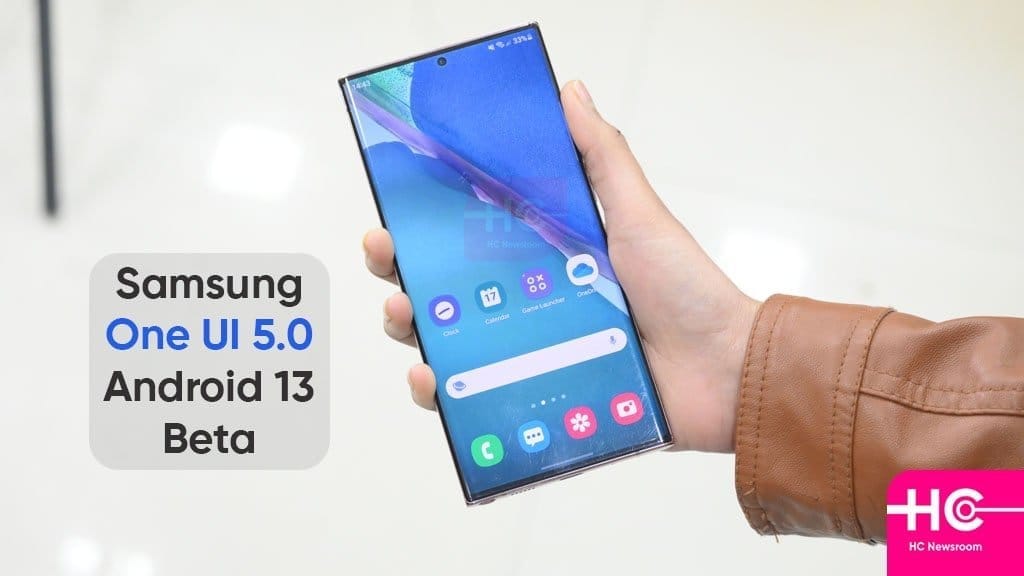
    Samsung launched the One UI 5 public beta earlier this month for the Galaxy S22 series, and as of right now, it is also available for the Galaxy S21 models. One UI 5 is based on Android 13. For these, it appears that the beta testing has already begun in Korea and the UK.

    One UI 5.0

    You must use the Samsung Members app to find the conspicuous One UI 5.0 beta program banner, tap it, and register your information and device to participate. Normally, you won’t have to wait more than a few minutes after that to receive an update message.

    The build number for the beta in question is G99xBXXU5ZVHE, where “x” varies depending on which member of the S21 trio you have. Please take note that the beta is only only accessible for SIM-free, unlocked devices if you’re in the UK and want to give it a shot. When it will appear in operator models is unknown.

    One UI 5.0 will undoubtedly see a ton more beta builds, and if you’re signed up for the testing program, you’ll get each one as soon as it’s available via an OTA update. One UI 5.0’s “stable” final release for the S22 family is anticipated for mid-October. The S21 models presumably won’t receive it at the same time, but it shouldn’t be delayed.

  • Kids Space improved with latest Google System Updates

    Kids Space improved with latest Google System Updates

    The September 2022 Google System updates have started to reach Android devices. These updates differ from OTA (over the air) updates that you get for your phone. Instead, these are updates to various underpinning technologies, such as Google Play Services and the Play Store, which serve as the foundation for the Android OS. For a more dependable and secure user experience, the organization releases updates and adjustments to these systems on a regular basis. Each month, it describes their developments. A few major modifications, including some for Kids Space, are brought about by the most recent round of Google System updates.

    This month’s Google System updates bring notable changes to Kids Space

    kids space

    First off, you can now set up Android tablets to install Google Kids Space on a different account. You can now use your tablet to share with your little siblings or children. To prevent your children from downloading or using undesirable apps, you can also hide suggested apps while configuring Kids Space. On Android smartphones, TVs, tablets, Android Auto, and Wear OS devices, the most recent updates significantly improve Google account syncing and recovery.

    Additionally, the Google Play Store is improving. Play-as-you-download, Google Play billing, Play Protect, Play Pass, and Play Points programs are just a few of the features that are getting some optimization. However, if you looked at the organization’s official update tracker for these monthly releases, you would see the identical entries in the changelog for almost every release.

    Improvements are also being made in the Google Play Store. Some enhancements are being made to features including Play-as-you-download, Google Play billing, Play Protect, Play Pass, and Play Points programs. However, if you looked at the changelog for these monthly releases on the company’s official update tracker, you would see the identical entries almost every month. That’s because Google makes these ongoing adjustments for better user experience in the background.

    As part of these monthly Google System updates, Google frequently pushes new updates to Android OS systems throughout the month. So, in the upcoming weeks, it’s possible that the corporation will add new items to the changelog for the most recent edition. We will undoubtedly let you know about anything significant or significant if it happens.

    The aforementioned improvements are now being released alongside Google Play Store version 31.1 and Google Play services version 35.22. It may take a few days for everyone to notice the improvements brought about by this month’s Google System upgrades because the company just issued the most recent version. Although the updates ought to be installed without your intervention, you can always look for them yourself. To check if you have a Google Play services update available, click this page. The About section of Settings, accessed from your avatar in the top right corner of the Play Store home page, allows you to check for updates for the Play Store.

  • Nothing OS 1.1.3 update brings camera improvements

    Nothing OS 1.1.3 update brings camera improvements

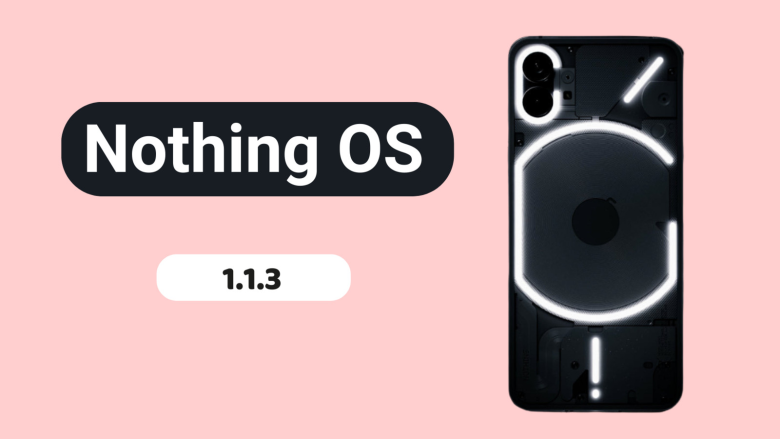
    Nothing released Nothing OS 1.1.2 for the Nothing Phone (1) at the beginning of this month, and today, roughly two weeks later, we receive yet another upgrade.

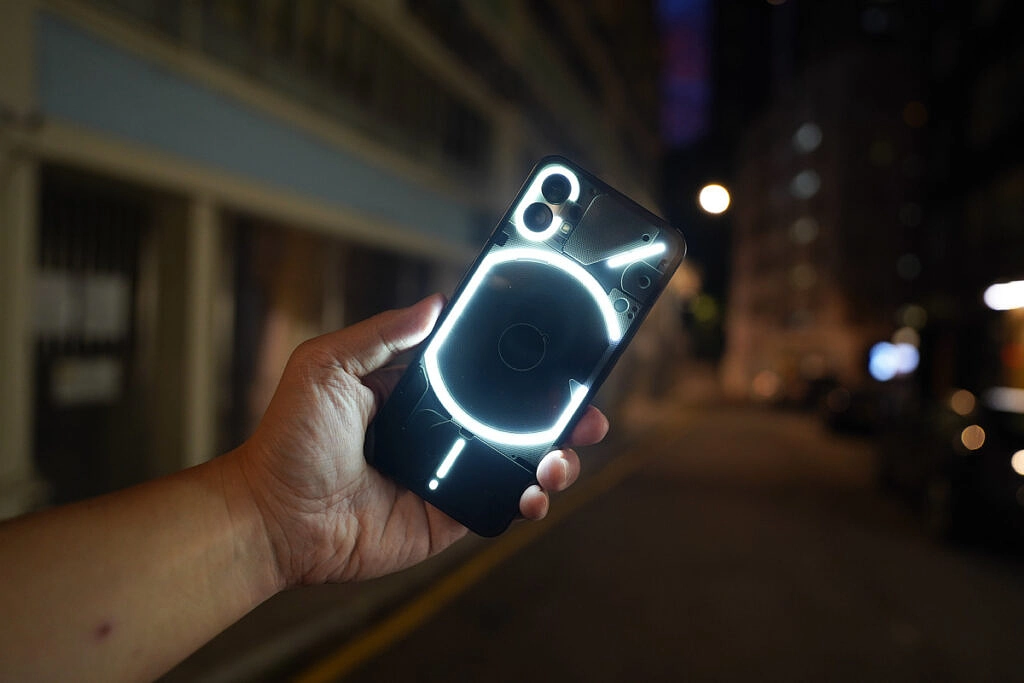
    Nothing OS 1.1.3 is already being sent to Nothing Phone (1) devices all around the world, and it includes numerous bug fixes and camera enhancements.

    nothing os update

    When using the front camera, you can anticipate improved photo clarity, quicker Night Mode and HDR photo processing times, richer color saturation when using the ultrawide, less noise and more sharpness when zooming, and images will automatically be adjusted to “optimal color and brightness” when using Glyph lighting. A further reminder to clean the camera lenses is included.

    The Google Adaptive Battery may now be enabled to “intelligently optimize battery life,” and the fingerprint verification UI for third-party apps has been updated.

    Finally, a number of problems were resolved, including those that resulted in stuttering in apps like Twitter, Play Store, and others, ineffective mobile hotspot functionality, and lock screen crashes after pressing on a notification and attempting to unlock with a fingerprint. Minor UI aspects have also been improved.

    The rollout might be staged, as it usually is with such things, and it might take a few days to reach every Nothing Phone (1) out there. There will be a 64MB download when it does come. Our thorough, in-depth review of the Nothing Phone (1) is available for reading if you’re curious to learn more.

  • Supported Devices, Release Date, and Features for OxygenOS 13

    Supported Devices, Release Date, and Features for OxygenOS 13

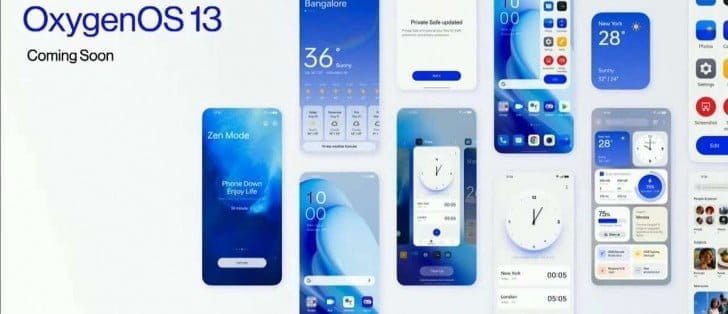
    The latest iteration of the custom OS is being released at this time by smartphone OEMs. And as Android 13 nears general availability, OEMs have already begun conducting internal testing for their new operating system. Speaking of OnePlus, their upcoming operating system will be OxygenOS 13, which is based on Android 13. And since OxygenOS 13 will soon be available, we already know a few things about it. You can learn more about the supported devices, the release date, and the features of OxygenOS 13 here.

    Everyone is familiar with OxygenOS for its UI that is quite similar to stock with some added functionality. However, OnePlus modified the UI and made it more akin to ColorOS from OxygenOS 11. In China, OnePlus even switched to ColorOS. And it got worse with OxygenOS 12. Instead of Warp Charging, even rapid charging on OnePlus is now referred to as Vooc.

    Can OnePlus, however, bring back the pleasure of OxygenOS with OxygenOS 13? Well, that depends on the additions and modifications that OxygenOS 13 will bring. And if you’re interested in learning more about the impending OxygenOS 13, you’ve come to the correct place. The release date will be discussed first.

    OxygenOS 13 release date

    The release of OxygenOS 13 is dependent on Android 13 because it will be based on that operating system. And since everyone is aware that Google recently released the last Android 13 beta, we may assume that the release of the Android 13 stable build is not far off.

    Contrarily, OnePlus is going to reveal OxygenOS 13, which will later be made accessible for beta testing. OxygenOS 13 will be available shortly, according to a tweet from OnePlus from a few days ago. Several reputable news sources claim that OxygenOS 10 and the OnePlus 10T will both be unveiled on August 3.

    According to the statement, OxygenOS 13 will be accessible for beta testing following the occasion. At the event, OnePlus will also introduce new features that will appear in OxygenOS 13. OxygenOS 13 will be accessible for beta testing on the OnePlus 10 Pro up until the stable release.

    We predict that OxygenOS 13 will be released in a stable state in late October or early November. And as was already reported, it will first be made accessible on the OnePlus 10 Pro before moving on to other qualified phones. If you didn’t previously know, OnePlus is testing the Android 13 developer preview on the OnePlus 10 Pro, which does not include OxygenOS 13.

    Features (Expected)

    Most of the users just want to get back the stock experience that OxygenOS was offering before. But there is only a little hope as everything OnePlus doing is the opposite. They even going to take away the alert slider soon.

    As of now, there is very little information available regarding the OxygenOS 13 which makes it hard to guess new features. Well, at least we can expect some of the basic features of Android 13 that includes changes in Privacy and Security, minor UI changes, etc.

    A few days back OnePlus shared a OxygenOS 13 teaser video in a Tweet. It reveals a couple of changes that are coming with ColorOS 13, oh sorry OxygenOS 13. So let’s find out the changes teased in the Tweet.

    New AOD Screen

    The teaser showcased a new AOD design with the Spotify widget and below it are some recommendations or might be the tracks in the Queue. Currently, in OxygenOS 12, it only shows the music icon in AOD. But looks like a big Music Widget can be seen in the OxygenOS 13 AOD. It can also be the Lock screen but as the background is black we are guessing it’s the AOD.

    Canvas AOD

    OxygenOS 13 canva aod

    Next in the Teaser video is the new Canvas AOD effect. In OxygenOS 13, the Canvas will not overlap with the AOD content like Clock and Date. The portion of the Canvas that is overlapping will automatically be cut. And it will look something as mentioned in the image.

    Insight AOD was also shown in the video but it doesn’t reflect any change in that video. Well, we don’t have to wait longer as OxygenOS 13 will be announced on August 3.

    Supported Devices

    All the changes will only be effective and exciting only if OxygenOS 13 is going to be available for your phone. One good thing about OnePlus is they are transparent about the update policy. Update policy includes how many major Android updates and security update a particular OnePlus phone will get since its launch. And so with the help of the update policy and update history, we can guess OxygenOS 13 Eligible Devices list. below you can check the full list.

    • OnePlus 10T
    • OnePlus 10R
    • OnePlus 10 Pro
    • OnePlus 9RT
    • OnePlus 9 Pro
    • OnePlus 9R
    • OnePlus 9
    • OnePlus 8T
    • OnePlus 8 Pro
    • OnePlus 8

    Nord Series:

    • OnePlus Nord 2T
    • OnePlus Nord CE 2 Lite 5G
    • OnePlus Nord CE 2 5G
    • OnePlus Nord 2 5G
    • OnePlus Nord CE 5G

    Other Series:

    • OnePlus Ace
    • OnePlus Ace Racing

    Any OnePlus phone that will release after July 2022 and is not on the list will also get the OxygenOS 13 update.

    So, this was the list of OnePlus devices that will get the OxygenOS 13 based Android 13 update along with the OxygenOS 13 features and its release timeline.

    A good web hosting allows our website to bring you all the news in Android world.

  • Pre-orders start in India for Google Pixel 6a

    Pre-orders start in India for Google Pixel 6a

    Google hasn’t been the greatest when it comes to making its Pixel phones widely available around the globe. In India, for example, the country hasn’t seen a Pixel phone launch since 2020 with the Google Pixel 4a.

    Today, though, that has changed! Pre-orders for the Google Pixel 6a in India are now open. Additionally, the business is running a number of deals to help you save money and receive more Google goods.

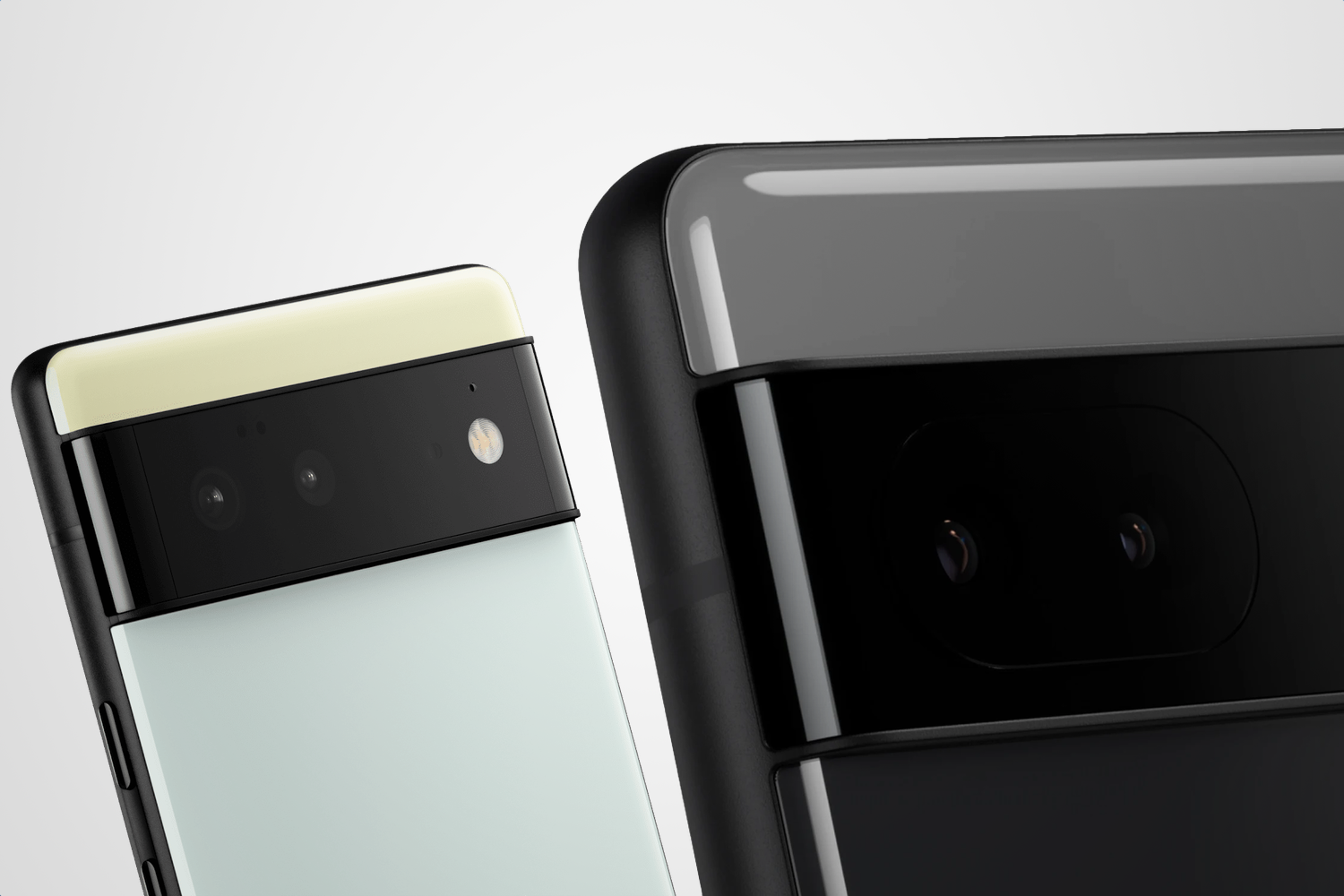
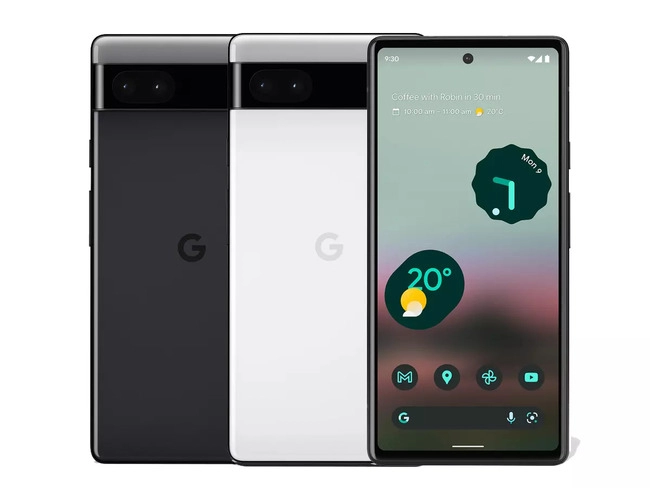
    The price of the Pixel 6a is Rs. 43,999 (about $550). That refers to the sole variant with 6GB of RAM, 128GB of internal storage, and the Google Tensor chip that is currently on the market. There are two color options available: Chalk and Charcoal.

    Google Pixel 6a

    Use Axis Bank Cards with EMI for your purchase if you wish to save some cash. This reduces the cost by Rs. 4,000, or about $500, to Rs. 39,999.

    If you want to save even more, you can exchange a phone during your purchase. Google will offer Rs. 6,000 (~$75) for any Pixel device and some select smartphone models. If you don’t have one of those, you can cut Rs. 2,000 (~$25) off with any other smartphone.

    If you stack the trade-in with the Axis/EMI discount, you could get a Google Pixel 6a India pre-order for just Rs. 33,999 (~$425).

    Finally, Google would love for you to buy some other Google products along with your pre-order. If you toss in a Nest Hub (2nd Gen), Pixel Buds a-series, or Fitbit Inspire 2, you’ll get that secondary item for just Rs. 4,999 (~$62.51).

    Don’t want to pre-order or don’t want to buy from Google? The Pixel 6a will be available from Flipkart starting July 28.

  • Download and install Google Camera for Xiaomi Poco F4 | GCam APK

    Download and install Google Camera for Xiaomi Poco F4 | GCam APK

    Xiaomi Poco F4

    With a Qualcomm Snapdragon 870 SoC and a 6.67-inch full-HD+ AMOLED screen with a 120Hz refresh rate, the Poco F4 5G was introduced in India. The gadget is powered by MIUI 13 on top of Android 12. Triple rear cameras on the Poco F4 include a 64 MP primary sensor, an 8 MP ultra-wide camera, and a 2 MP macro camera.

    We will share the most recent Google Camera for the Poco F4 with you in this article. The Google Pixel’s default camera app is called Google Camera. The camera uses the most recent HDR+ technology, which enhances image quality, particularly on low- and mid-end smartphones. The app also offers slow motion, lens blur, 60 frames per second video, portrait mode, motion photographs, and Night Sight.

    This tutorial is for you if you want to install the Google Camera on your Poco F4. Thank you to a few talented and dedicated developers, namely Arnova8G2, BSG, and Urnyx05, who are working hard to port GCam APK files to the majority of devices out there. The Poco F4 devices now support the Google Camera port.

    Xiaomi Poco F4 Device Overview

    The 6.67-inch AMOLED display on the Xiaomi Poco F4 has a refresh rate of 120 Hz. It has a 20:9 aspect ratio and an FHD+ display with a resolution of 1080 x 2400 pixels. Peak brightness for the screen is 1300 nits. The Qualcomm Snapdragon 870 processor is housed inside and was created using a 7nm manufacturing technique. One Kryo 585 core runs at 3.2 GHz, three Kryo 585 cores run at 2.42 GHz, and four Kryo 585 cores run at 1.8 GHz, making it an octa-core CPU. We have the Adreno 650 to handle activities that require a lot of graphics. The smartphone comes pre-installed with the MIUI 13 skin over Android 12.

    In terms of optics, we have a single selfie camera up front and a triple camera arrangement at the back. The 64 MP primary sensor and f/1.8 lens on the triple rear camera system are joined by an 8 MP ultrawide sensor and f/2.2 lens, and a 2 MP macro sensor and f/2.4 lens. The front-facing selfie camera has a 20 MP main sensor and an f/2.5 lens. The front camera can only record videos in 1080p while the rear camera arrangement can shoot 4K videos at 60 frames per second.

    The smartphone comes in four storage options: 128GB internal storage + 6GB RAM, 128GB internal storage + 8GB RAM, 256GB internal storage + 8GB RAM, and 256GB internal storage + 12GB RAM. We do not get a MicroSD slot for storage expansion. In terms of communications, we get Wi-Fi 802.11 a/b/g/n/ac/6, Bluetooth 5.2, GPS, NFC, Infrared port, and USB Type-C 2.0. And for sensors, we get a side-mounted fingerprint sensor, accelerometer, gyro, proximity, and compass.

    Powering it all is a 4500 mAh battery that can be topped up quickly using a 67W power adapter. The company claims that the phone can go from 0% to 100% in just 38 mins. The smartphone is available in three color options: Moonlight Silver, Night Black, and Nebula Green.

    Download Google Camera Port for Poco F4

    Also Read: Download Google Camera 8.0 APK from Pixel 5 | GCam 8.0 APK Mod

    Steps to install Google Camera on Poco F4

    The Google Camera APK file installation process is as simple as installing any other third-party APK file. You don’t have to root your device for this.

    • Download the GCam APK file from the download link above and tap on it.
    • Make sure that the Unknown Sources option is enabled on your device. To do this, go to the device Settings menu > Security/Privacy > enable it. [If already enabled, skip to the installation]
    • It will launch the package installer and tap on the Install button.
    • Once the installation is done, open and use it.
    • Enjoy!

    Still, if the camera app doesn’t work, enable the Camera2api by using build.prop (Not for every device)

    Persist.vender.camera.HAL3.enable=1

    I hope this guide will help you a lot, and you have now successfully installed the Google Camera ported app on your Poco F4 handset. If you’re facing any trouble, feel free to write it down in the comments below.

  • Free apps for Android, these Pro versions are currently free

    Free apps for Android, these Pro versions are currently free

    Every week, Droid Tools provides you with a selection of excellent deals for Android games and applications that are often purchased but are currently on sale for free on Google Play Store.

    This list of free apps is updated weekly with at least two weekly editions, on Tuesday and Saturday. Between the publication and the moment you consult this article, it is possible that some applications have become paid again. Google Play Store promos on apps are fairly easy to predict, but it’s more complicated with App Store promos since Apple doesn’t specify how long the discount is valid.

    Quick tip: When you find an interesting app, but you can’t really use it yet, install the app anyway, then delete it from your device. This way, the app will become part of your app library and you can install it again for free when you need it. It’s a good way not to miss a short-lived promotion.

    google play apps free

    Temporarily free Android apps on the Google Play Store

    Android productivity/lifestyle apps temporarily free on the Google Play Store

    • Task Destroyer ($1.99): Create tasks by entering the title (or image), health, color-coding, size and type of task. You can then place them anywhere in the space to better organize your to-do list.
    • Los tiempos verbales en inglés ($1.19): A useful tool when learning Spanish or English, using this application you will be able to learn all the active and passive tenses of English with useful tables in English, translations in Russian and Spanish and with zero advertising.
    • Ringtone Scheduler ($.69): Ringtone scheduler allows you to change your ringtone automatically depending on the time and your mood. It also has a nice explorer that helps you quickly create lists of ringtones.
    • Quick Volume Control ($.79 ): A simple tool that allows you to control volume via the notification bar.
    • Memorize: Learn TOEFL Vocabulary ($4.99): Same as the previous one, this application allows you to learn and memorize TOEFL vocabulary.
    • Number to word converter offline ($.69): Have you ever needed to convert numbers into English words, i.e. “929” into “nine hundred and twenty-nine”? This application was designed for that.

    Android mobile games temporarily free on the Google Play Store

    • Dead Bunker 2 HD ($.59): A 3D shooting game in which you have to fight zombies.
    • Kamikazee Dice Score Card ($1,19): A strange dice game.
    • Coin Princess ($.99)A game with a retro look and sound where your goal is to help the kidnapped princess escape from the monsters.
    • Everybody’s RPG ($.99): PvP and single player battles in a traditional 16-bit style RPG.
    • Live or Die: Survival Pro ($1.19): Dive into the heart of this apocalyptic world, complete quests and get fantastic rewards.
    • Pirate Defender Premium ($.59): A tower defense game where you play as a pirate captain and must defend your ship from waves of other… pirates.
  • When will it launch? Android 13

    When will it launch? Android 13

    So far, Google has launched two developer previews and eight betas for Android 13, with the eighth beta landing on July 13. These were early versions of the operating system. However, the latest beta is a release candidate, which means it is very nearly complete.

    Given how far along the program has progressed, you could feel eager for the remainder of the Android 13 timetable and the release date of the stable version.

    We’ve put all the information we currently know about Android 13’s release timetable below.

    The approximate Android 13 schedule you see above was provided to us by Google. Overall, it’s a far quicker schedule than what we observed for Android 12 the previous year. Google has so far adhered closely to the plan, accomplishing each milestone. Therefore, unless there are any small point enhancements that might be released, this month’s beta should be the final.

    If there are no significant setbacks, Android 13’s stable release should occur around August 2022.

    Android 13 schedule

    The stable release of Android 12 took place on October 19, 2021, for comparison’s sake. But there was a big change from Android 11 to Android 12. Given that the transition from Android 12 to Android 13 doesn’t seem to be as severe, it’s extremely likely that Google will move.

    In the meantime, here are the significant Android 13 schedule milestones we’ve seen so far:

    • February 10, 2022
    • March 17, 2022 
    • April 26, 2022
    • May 11, 2022
    • May 26, 2022
    • June 8, 2022
    • June 10, 2022
    • June 16, 2022
    • June 27, 2022
    • July 13, 2022
  • Update time! – Android 13 Beta 3

    Update time! – Android 13 Beta 3

    For your Google Pixel phone with Android 13, today is a huge day: we’ve reached the platform stability stage of the development cycle. The third beta of Android 13 is now available, and things are looking fantastic.

    All app-facing behaviors and APIs are final in this Beta 3 build, which is available on the Pixel 4, Pixel 4a, Pixel 5, Pixel 5a, and Pixel 6 lines. For developers, this means creating apps ready for release while also knowing that nothing will change in the future. For you, the non-developer, this simply implies that we won’t see much changes in terms of features or UI in the future.

    Do you want to try out Android 13 Beta 3 on your phone or tablet? Let’s get started.

    android 13

    How to download Android 13 Beta 3 on your Pixel

    Android 13 Beta 3 is available on the following devices:

    • Pixel 4 and 4 XL
    • Pixel 4a and 4a (5G)
    • Pixel 5 and 5a
    • Pixel 6 and 6 Pro

    Easiest way: If you own one of those devices, the easiest way to get Android 13 Beta 3 on device is to sign-up for the Android Beta Program (here). You’ll simply click the “Opt In” button on that page to join and then sit back and wait for Google to push an update as Android 13 over-the-air.

    Once you have enrolled, you’ll head into Settings>System>Advanced>System update to check for it. Google may not push it immediately and could instead roll it out slowly throughout the day. Either way, feel free to check through there to tell Google you want it after enrolling in the program.

    • UPDATE 6/8 11:20AM: Google pulled all of the Beta 2 image and OTA files and replaced them with a message that reads, “Available soon.” We don’t know if soon means later today or in a couple of days. We’ll update this once the new files go live.
    • UPDATE 6/8 12:47PM: Google still hasn’t posted the files, but the build number for Beta 3 appears to be TPB3.220513.017.
    • UPDATE 6/8 12:56PM: All the files are now live!

    Manual way: Want to get updated faster or would rather flash a factory image or OTA file through adb to feel more techie and important and smart? That’s still an option! I’ll be going the OTA route, but factory images are available too. You’ll find Android 13 Beta 3 factory images here and the OTA files here. For instructions on how to flash a factory image, here you go. For instructions on how to flash an OTA .zip file, here you go.

    Already on an Android 13 Beta 2 build: If you are already on an Android 13 Beta build, Google says that you will receive the Beta 2 update over-the-air. Of course, you can manually flash a factory image or OTA file as well, since the over-the-air process often takes forever to process.

    What’s new in Android 13 Beta 3?

    Release date: June 8, 2022
    Build: TPB3.220513.017
    Emulator support: x86 (64-bit), ARM (v8-A)
    Security patch level: June 2022
    Google Play services: 22.18.19

    We’re diving in now to see what’s new, but Google describes new goodies as follows:

    “There’s a lot to explore in Android 13, from privacy features like the new notification permission and photo picker, to productivity features like themed app icons and per-app language support, as well as modern standards like HDR video, Bluetooth LE Audio, and MIDI 2.0 over USB.”

    Honest, there may not be much else new going forward. Once we hit Beta builds (and this is our third), Google doesn’t change much. It’s looking like Android 13 is a solid bug fixer from the big changes that were introduced in Android 12, and that’s completely fine. We love polish and stability. Let’s hope Android 13 gives that to us.

    Should we see enough stuff to highlight, we’ll work on a separate post. Stay tuned.