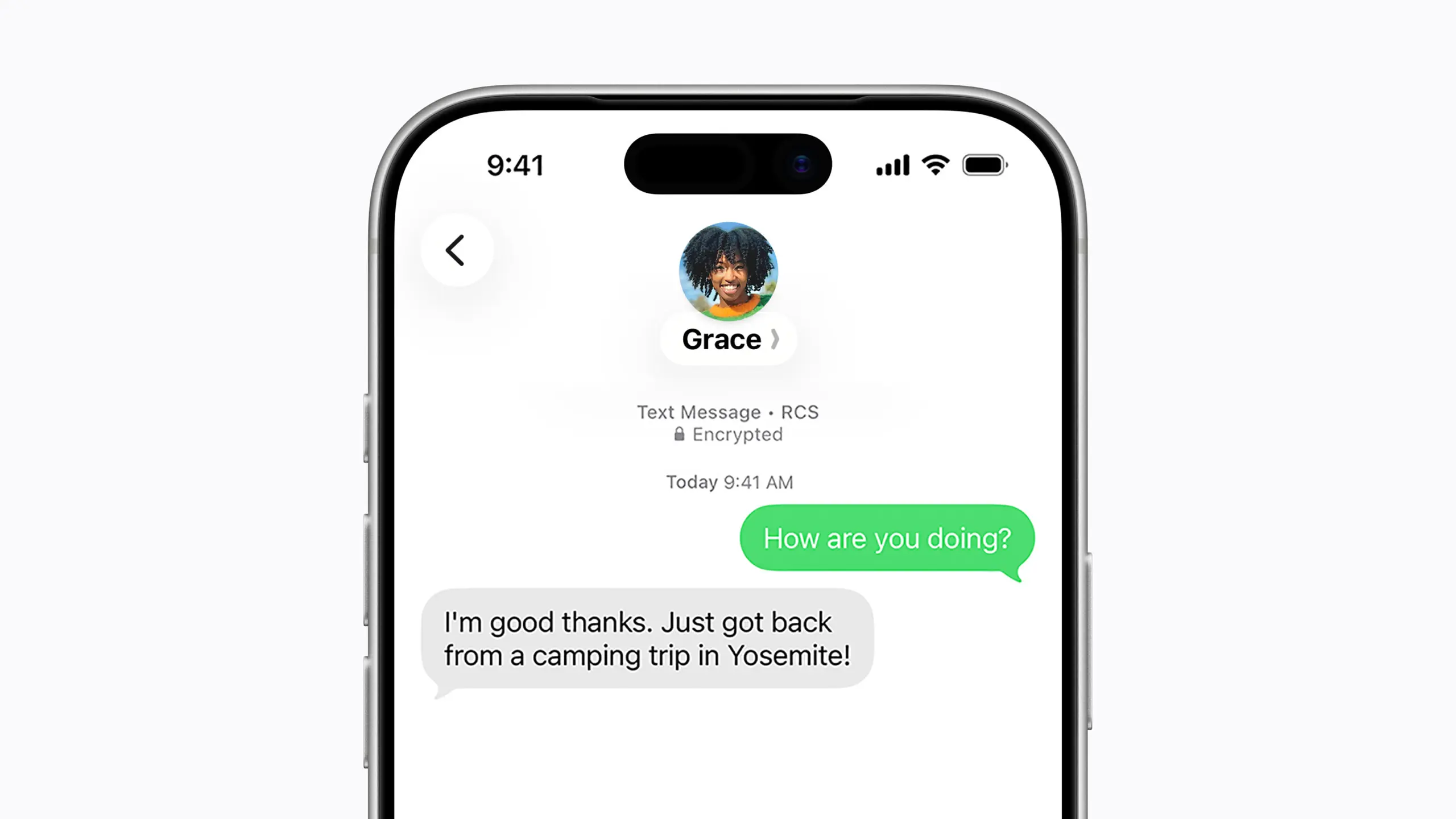
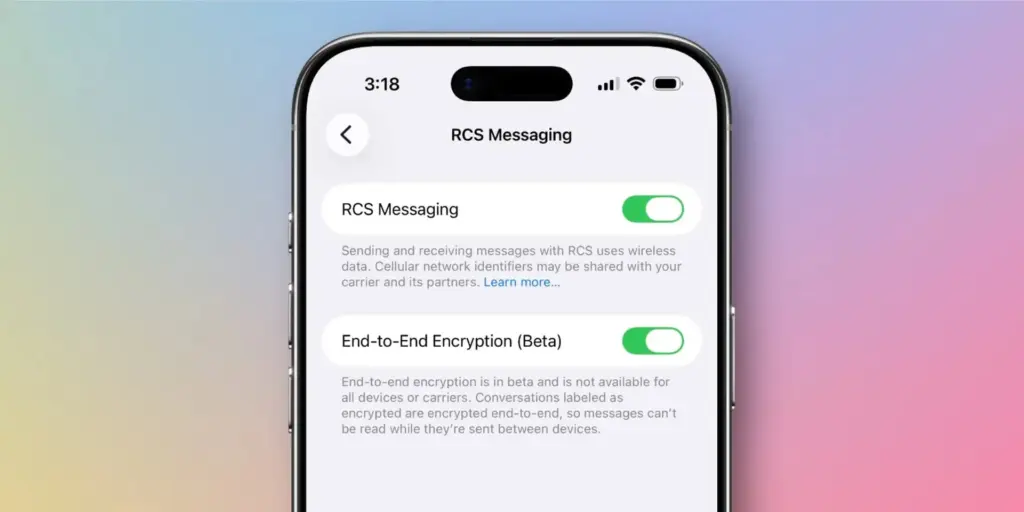
Nearly 18 months after the FBI warned Americans about the security risks of texting between iPhones and Android devices, Apple has introduced end-to-end encrypted cross-platform messaging through iOS 26.5, according to Forbes.
The update enables encrypted RCS messaging between iPhone and Android users for the first time – though Apple has noted that the feature “is not available to all.” Availability depends on both device compatibility and carrier support, meaning some users may not gain immediate access to secure RCS messaging even after installing the update.
The carrier dependency is a key distinction from platforms like WhatsApp, where end-to-end encryption is always active because the app controls both sides of any conversation. Apple’s and Google’s implementation of encrypted RCS, by contrast, relies on carrier infrastructure – which introduces variability depending on the networks connected to both devices at any given moment.
For context, Apple’s iMessage has long offered fully encrypted communication between Apple devices, identifiable by the familiar blue chat bubbles. Messages sent outside that ecosystem — the green bubble conversations – fall back on SMS or RCS protocols. With Google Messages, encrypted RCS has been available when all participants are using updated versions of the app, though users need to verify whether encryption is actually active in any given chat.
Encryped RCS messaging to follow
In its release notes ahead of the update, Apple stated that “end-to-end encrypted RCS messaging (beta) in Messages is available with supported carriers and will roll out over time,” adding that a list of supported carriers would be published on its messaging support page.
Given the carrier dependency, Apple and Android users looking for consistent, reliable encryption may still find services like WhatsApp or Signal more dependable, or simply stay within their respective ecosystems where encryption is guaranteed.
Industry observers had anticipated iOS 26.5 would arrive this week, bringing encrypted RCS alongside broader improvements to performance, battery life, and system stability. German technology outlet Born City reported that Apple’s upcoming iOS updates are partly a response to longstanding criticism of the closed iMessage ecosystem, growing demand for AI features, and rising regulatory pressure. India-based publication Eastern Herald framed the RCS rollout as part of a wider industry effort to reconcile privacy with cross-platform interoperability.
Apple officially launched the encrypted RCS feature in beta on May 11, describing it as a joint initiative with Google aimed at making RCS – the modern successor to SMS – more secure across platforms.
“Starting today,” Apple said, “end-to-end encrypted RCS messaging begins rolling out in beta for iPhone users running iOS 26.5 with supported carriers and Android users on the latest version of Google Messages.”
Users on supported carriers will see a lock icon appear in RCS conversations when encryption is active. Apple confirmed that encryption is enabled by default and will gradually extend to both new and existing RCS conversations over time.
The move represents one of the most significant shifts in text messaging in decades, potentially closing much of the gap between standard cross-platform texting and the kind of security that encrypted messaging apps have offered for years. Analysts, however, point out that it remains to be seen how quickly carriers around the world will adopt the protocol, and whether the change will meaningfully challenge WhatsApp’s grip in markets where it dominates.
What’s clear is that the rollout directly addresses the U.S. government’s earlier concerns about unencrypted cross-platform communication – and delivers what many users have been waiting a long time for.
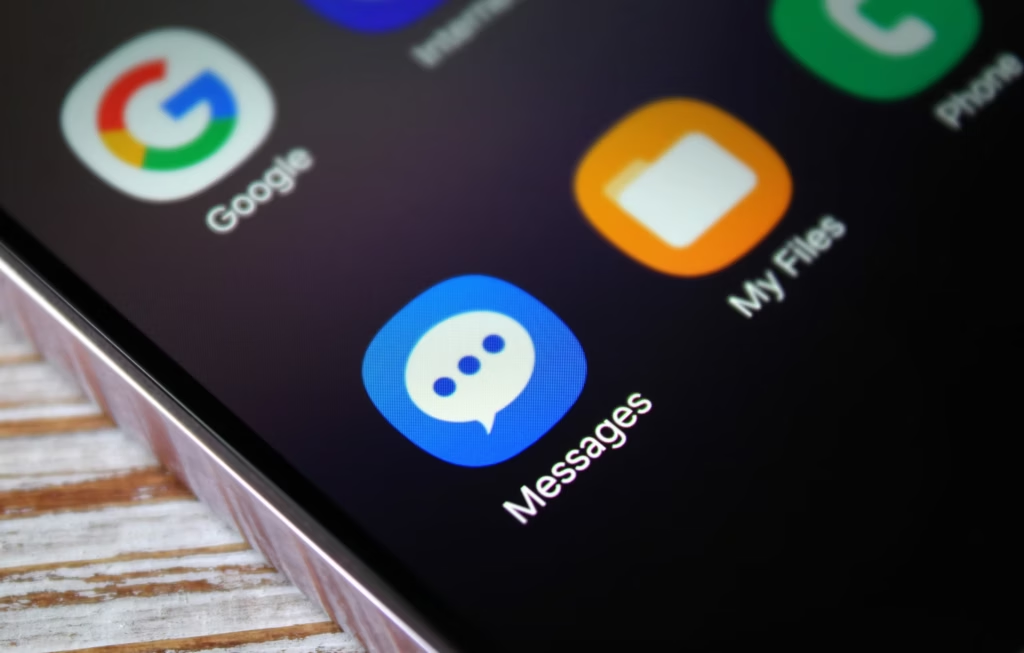
Samsung has officially confirmed what many Galaxy users feared: Samsung Messages is going away. The app will be fully discontinued in July 2026. It’s already been pulled from pre-installation on newer Galaxy devices, including the Galaxy S26 series. Once July hits, you won’t be able to download it from the Galaxy Store either. And shortly after that, sending messages through it will stop working — except to emergency numbers.
If you’ve been using Samsung Messages as your daily driver for SMS and RCS conversations, this is the moment to start thinking about your next move. Not next month. Now.
The good news? There are solid alternatives. The complicated news? None of them are perfect one-to-one replacements. Here’s an honest breakdown.
Why Samsung Messages Shutting Down Is a Bigger Deal Than It Sounds
Across Reddit threads, Galaxy owners have expressed real frustration with this decision. Some have said things like “we might as well get Google Pixels” – because part of what made Samsung phones feel distinct was the software layer on top of Android. Losing Samsung Messages removes one more point of differentiation.
That’s a fair observation. Samsung Messages wasn’t just a texting app – it was a familiar interface for millions of users who had customized their notification sounds, set up message categories, and built habits around a specific UI. Switching costs are real, even for something as seemingly simple as a messaging app.
The other dimension here is RCS. Rich Communication Services — think of it as the modern upgrade to traditional SMS — enables typing indicators, read receipts, high-quality media sharing, and improved group chats. No alternative texting app outside of Google Messages currently has access to RCS. That means if you go with a different app, you’re stepping back to a more basic messaging experience — no read receipts, no high-res photo sharing, and frustrating group conversations.
That’s not a minor inconvenience. That’s a real trade-off.
Google Messages: The Natural Heir (With Some Strings Attached)
The most natural successor to Samsung Messages, especially if you want to keep RCS, is Google Messages. It’s already the default messaging app on most Android phones, and Google has been adding new features consistently to make it more capable.
Google Messages
Google Messages is the official Google app for messaging. Google Messages is revolutionizing how a billion users connect and is powered by Rich Communication Services (RCS), the industry standard for texting that replaces SMS and MMS.
With RCS enabled on Google Messages, you get typing indicators, message reactions, high-quality media sharing, and built-in spam protection. And since iOS 18, iPhones also support RCS – so cross-platform conversations with iPhone users are now much cleaner than the old SMS-green-bubble situation.
From a practical standpoint, the migration is straightforward. All messages and conversations will automatically transfer between Samsung Messages and Google Messages, though the process can take up to approximately 24 hours depending on how much data you have. That’s not a dealbreaker — just plan ahead.
What you’ll miss? Samsung Messages had better message categorization and a more flexible UI for organizing conversations. Google Messages is improving steadily, but it still feels slightly more rigid. And the Gemini AI integration – while genuinely useful for some – might feel intrusive if you just want a clean, minimal texting interface.
Still. If RCS matters to you, this is your best bet. It’s well-maintained, it’s free, and it works.
WhatsApp and Telegram: The Cross-Platform Heavyweights
If you’re open to moving away from traditional SMS entirely, WhatsApp is probably the easiest transition. Most people already have it installed. It works across Android, iPhone, and even desktop. You get voice and video calls, group chats, message reactions, and end-to-end encryption by default.
There have been recent concerns around privacy with WhatsApp, with reports suggesting Meta employees could potentially access private messages – although the company has denied these claims. It’s something worth knowing, even if you decide it doesn’t change your decision.
Telegram is a different beast. It’s faster, more feature-rich than WhatsApp in some ways (channels, bots, large group support, customizable themes), and has a devoted user base. The catch: default chats on Telegram are not end-to-end encrypted – only “Secret Chats” are. That surprises a lot of people who assume Telegram equals private.
Both WhatsApp and Telegram require your contacts to also use the app. There’s a chance many people you know are already on these platforms — it might be worth a quick conversation with friends and family to see which one already has the most traction in your circle.
Signal: For Users Who Actually Care About Privacy
Signal is the gold standard for private messaging. Everything is end-to-end encrypted by default, the organization behind it is a nonprofit, and the app collects almost no metadata. If you’ve ever looked at WhatsApp’s privacy policy and felt uneasy, Signal is the answer.
Signal Private Messenger
Signal is a messaging app with privacy at its core. It is free and easy to use, with strong end-to-end encryption that keeps your communication completely private.
The downside is that it’s not as widely used, and the feature set is more minimal compared to WhatsApp or Telegram. You’d need to convince your close contacts to switch — which isn’t always easy.
Signal also can’t replace SMS for people outside the app. So it works best as a secure messaging layer for a specific group — close friends, family, work contacts who are already privacy-conscious. Not a universal solution, but for what it does, nothing comes close.
The Niche Options: Textra, Fossify, and Others
Here’s where it gets more interesting.
On Reddit, Galaxy owners have been recommending apps like Textra SMS, Handcent Next SMS, Fossify Messages, Pulse SMS, and ZenSMS as alternatives. These apps are primarily SMS-focused, which means they feel a lot closer to the traditional Samsung Messages experience — customizable themes, cleaner UIs, message scheduling on some of them.
The trade-off is clear: none of them support RCS. You lose typing indicators, read receipts, and high-quality media delivery. If your contact list is split between Android and iPhone users and you’ve been enjoying the improved cross-platform experience that RCS brought, you’ll notice the difference immediately.
Textra, specifically, has been around for years and is genuinely well-designed. It’s a solid choice if you value aesthetic customization and don’t have strong feelings about RCS. Fossify Messages is open-source and lightweight — a good pick for users who want minimal data collection and a clean interface.
How to Switch Without Losing Your Messages
One thing people often overlook: the practical mechanics of switching.
To switch to Google Messages manually: open or download Google Messages from the Play Store, tap “Set default SMS app” when prompted, select Google Messages, and confirm. The switch is fairly painless.
A few things to be aware of:
If you’re on an older Samsung device released before 2022, switching apps may temporarily disrupt ongoing RCS conversations. They’ll resume once both sides are on Google Messages.
Older Tizen OS watches (Galaxy Watch3 and earlier) won’t be able to display full message conversation history after the switch — though they’ll still let you read and send texts.
Back up your messages before switching. Samsung Cloud or Google One can handle this — and WhatsApp has its own built-in backup system if you’re going that route.
The transfer itself is largely automatic. Just give it time.
So, Which App Should You Actually Choose?
Honestly? It depends on who you text.
If most of your contacts are on Android and you care about a seamless, modern texting experience — Google Messages. It’s not as customizable as Samsung Messages, but it’s the only real RCS option.
If you text internationally a lot and your social circle is already on it — WhatsApp. The network effect alone makes it worth considering.
If you want something that looks and feels closer to Samsung Messages, and you’re okay giving up RCS — Textra or Fossify Messages.
If privacy is non-negotiable — Signal, used alongside one of the above for regular SMS.
There’s no perfect answer here. Samsung Messages built a loyal user base over years, and its shutdown is a genuine inconvenience. But the replacement options are functional, and in some cases — particularly Google Messages with RCS — objectively more capable.
Start testing your top choice now, before July. Don’t wait until the last moment when the app goes dark.
Frequently Asked Questions
When exactly is Samsung Messages shutting down? Samsung Messages will be discontinued in July 2026 in the US market. Users on Android 11 or lower are not affected by this end-of-service change.
Will I lose my messages when Samsung Messages shuts down? No — your SMS and MMS history is stored on your device, not in the app itself. Switching to a new app won’t delete your messages. RCS chat history may transfer automatically when you move to Google Messages.
Does any alternative support RCS like Samsung Messages did? Currently, Google Messages is the only third-party SMS app with access to RCS. Apps like Textra and other SMS alternatives do not support RCS.
Can I still use Samsung Messages after July 2026? After Samsung Messages is discontinued, sending messages through the app will no longer be possible, except for emergency service numbers or emergency contacts defined on your device.
Google Wallet has grown into one of the most versatile digital wallet solutions available. Beyond storing credit and debit cards, it handles state IDs, passports, event tickets, transit passes, digital car keys, and plenty more – effectively everything you’d normally carry in a physical wallet. Over time, Google has steadily expanded its capabilities, adding features that feel obvious in hindsight but weren’t on anyone’s radar beforehand. One of those is Live Updates, which surfaces real-time data for transit and events directly within the app.
Live flight information, right on your lock screen
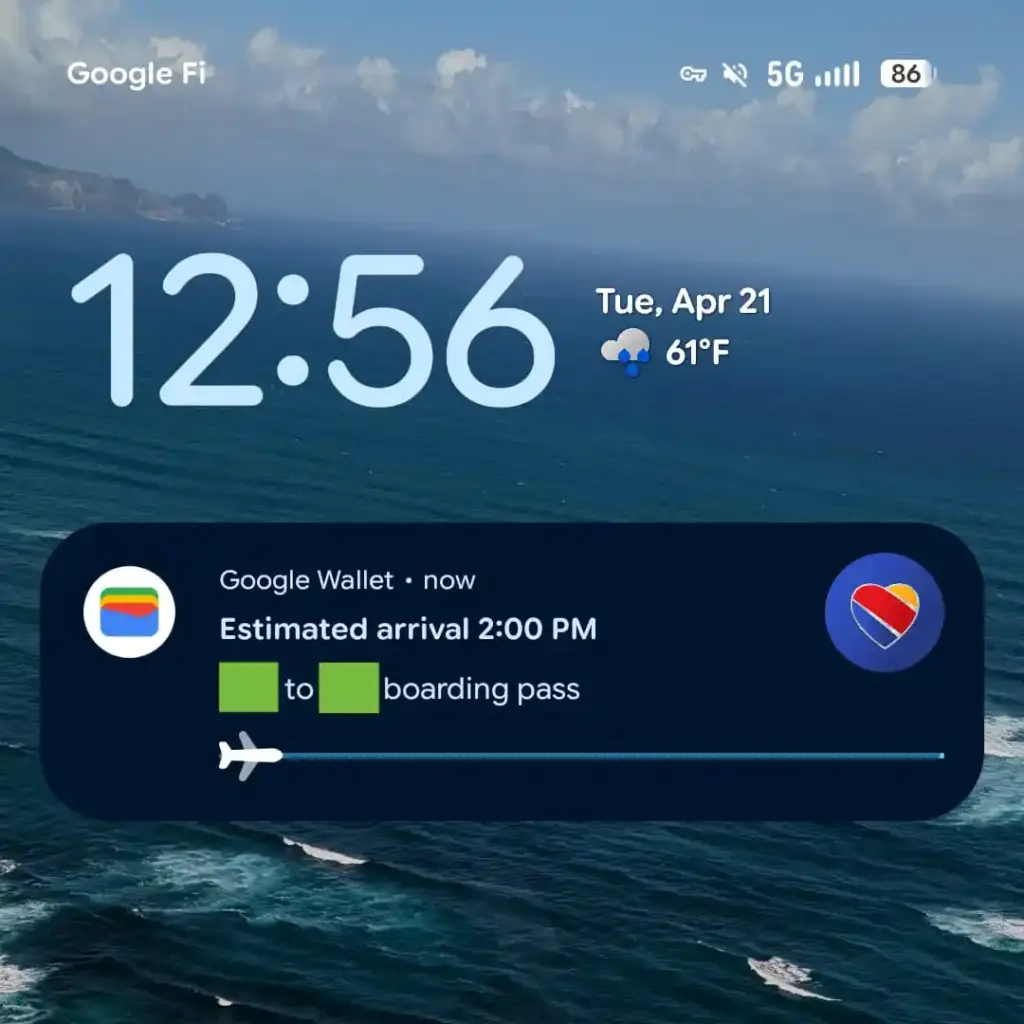
For those unfamiliar with Live Updates, the feature delivers current information about your transit method or upcoming events without requiring you to open a separate app, dig through emails, or hunt down the information yourself. With the latest Google Wallet update, that same convenience now extends to flights, as noted by 9to5Google.
From the moment a flight is booked, Wallet is ready to track it and display the latest status. It also generates an easily accessible QR code for scanning at the gate when the time comes. On devices running Android 16 or later, Wallet will display takeoff time, total flight duration, and an estimated arrival time. All of this appears on the lock screen or always-on display, if that feature is enabled.
That kind of at-a-glance access becomes especially valuable on hectic travel days. The usual routine — checking in hours early, clearing security, settling in at the boarding gate – tends to go smoothly, but flights don’t always cooperate. Delays happen for all sorts of reasons, gates get reassigned, and cancellations aren’t unheard of. Rather than bouncing between airline apps, notification panels, and departure boards, having the key details visible the moment the screen lights up keeps things a lot simpler. It’s also easier to keep travel companions informed without constantly having to look things up.
To get Live Updates for flights working, Android 16 users will need to update Google Wallet along with any associated services. The timing works out well, with the rollout landing just ahead of what’s typically one of the busiest travel periods of the year.
Google Photos has been on a steady update streak lately, picking up long-requested features alongside smaller quality-of-life improvements. The app isn’t slowing down either – Google is now rolling out another update that brings a set of touch-up tools directly into the built-in image editor. The company is framing the addition around the idea that “your photos should capture how you feel in the moment.”
New touch-up tools land in Google Photos’ image editor
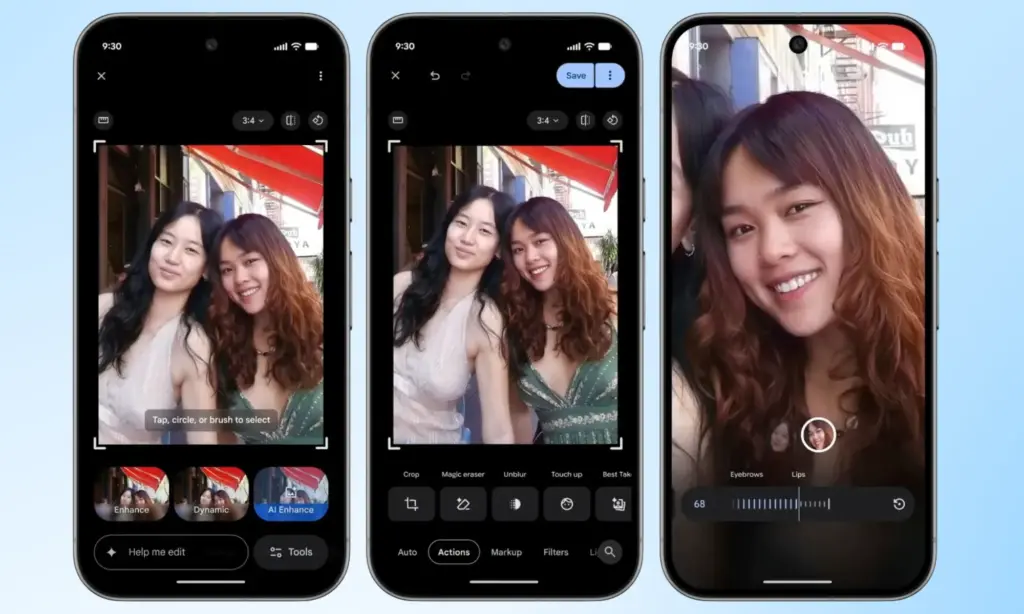
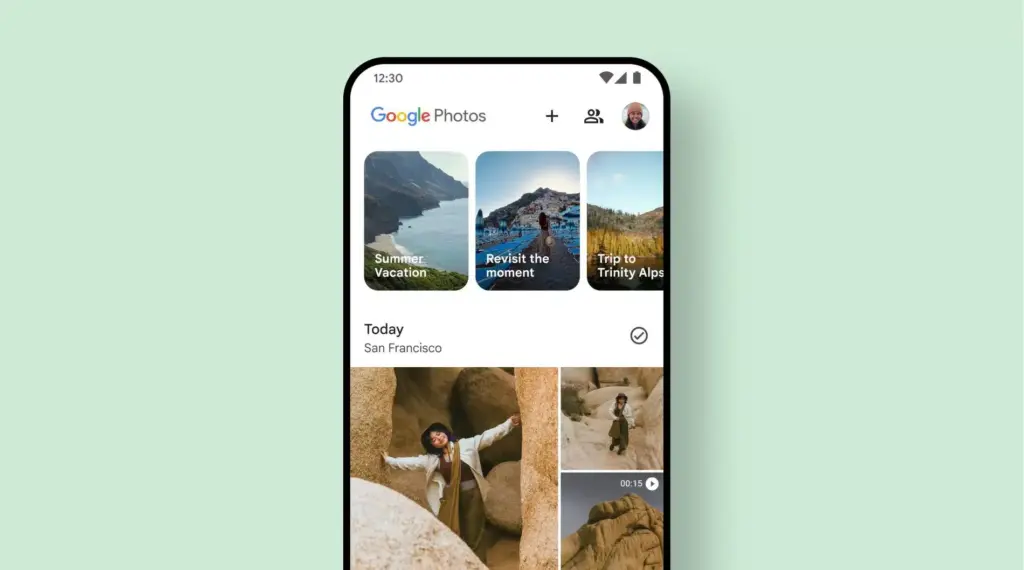
The new tools are designed to apply subtle, targeted enhancements to portrait shots. According to Google, they let users refine skin texture, remove blemishes, brighten eyes, and whiten teeth – all within seconds. The workflow is straightforward: select a face in the photo, then pick from a set of options including heal, smooth, under eyes, irises, teeth, eyebrows, or lips. From there, a slider lets you dial in the intensity of each effect.
Everything renders in real time, so adjustments are visible as they’re made, making it easy to fine-tune before saving. It’s worth noting that many third-party photo editing apps have offered similar tools for years, but Google Photos users now get these capabilities natively, without needing to reach for a separate app.
Rolling out gradually to Android devices with 4GB RAM or more
This feature has had a long road to release. Code strings hinting at its existence were first discovered inside Google Photos back in October last year, but it’s taken until now for Google to push it live. It’s a welcome addition for anyone who likes to put a little polish on their photos before sharing, though those who prefer keeping images untouched can simply skip it entirely.
Google has confirmed the touch-up tools are rolling out gradually on a global basis through the Photos app, targeting Android devices running Android 9.0 or higher with at least 4GB of RAM. Given that the rollout is just getting started, it may take a few days before the update reaches all eligible devices.
Honor is rolling out a new MagicOS 10 update to the Magic 7 series, introducing a range of YOYO AI features alongside broader system improvements. The April 2026 update is now being pushed to devices, with the Magic 7 lineup among the first to receive the firmware.
This release focuses heavily on AI enhancements while also refining the Honor Connect app. Honor has made changes across multiple parts of the system, including the Magic Capsule, home screen, and lock screen. The update also improves overall system stability and strengthens device security.
A key highlight is the expanded YOYO AI functionality. In the Magic Capsule, Honor has added a new “meal pickup code” tool that notifies users when it’s time to collect an order and displays the associated delivery code.
The update also introduces an “Ask YOYO” option within the screenshot interface. Users can upload a screenshot and ask questions about its content, making it easier to extract information directly from images.
Another addition allows users to convert images into documents in just a few steps, further extending the assistant’s practical capabilities.
The update is arriving as MagicOS version 10.0.0.150 for the Honor Magic 7 series.
YOYO AI Features
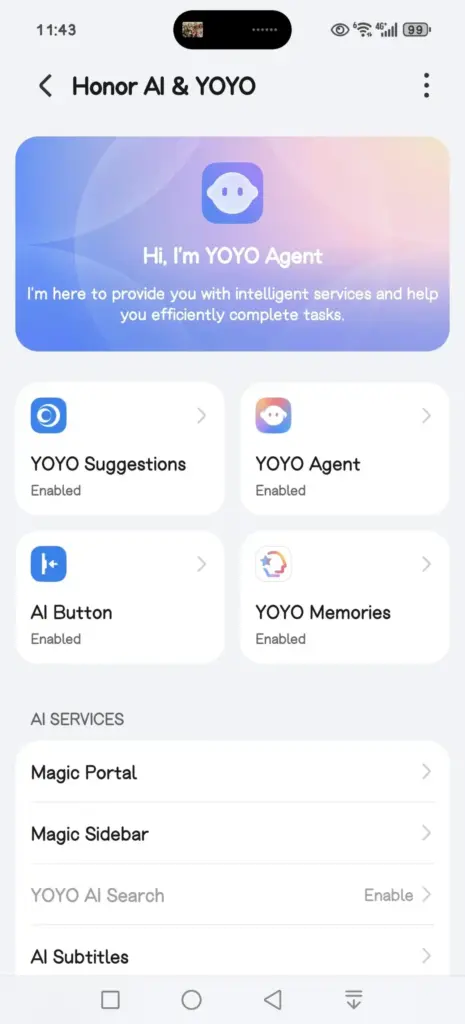
YOYO Suggestions & Smart Capsule now support meal pickup code reminders, providing users with a smart and convenient meal pickup experience.
Turn on Meal Pickup Code Reminder and Automatic Meal Pickup Code Recognition.
YOYO now features a new wake-up screen with a Q&A feature, supporting fingertip selection of screen content for Q&A, text selection for copying and translation, and AI image recognition and interpretation, enhancing your ease of use and usability.
The screenshot feature now includes an “Ask YOYO” feature, allowing users to wake up YOYO with a single click and upload a screenshot for easy content recognition, Q&A, and other operations.
Added YOYO’s photo-to-document feature, allowing users to convert images into editable Word, Excel, and PPT documents with a single click. It highly preserves the accuracy and structural integrity of the original text, achieving a “what you see is what you get” experience, making mobile office work more convenient and efficient.
Added YOYO Helper, supporting simultaneous audio and text recording during online/offline meetings. It can assist with Q&A and provide intelligent reminders during the meeting, and intelligently generate meeting minutes afterward.
System smooth
Added a customizable app transition animation feature, offering three levels of smoothness: gentle, stable, and efficient, allowing you to customize the smooth experience to your liking.
Optimized the real-time blur effect when launching and exiting desktop applications, making your user experience smoother and more fluid.
Home Screen
Added an auto-align icon feature for a neater layout. Access it via: Settings > Desktop & Personalization > Desktop Settings > Auto-align Icons
Added support for one-click folder creation across multiple applications; long-pressing a folder on the desktop allows for one-click unpacking, making folder organization more convenient.
Added support for batch removal and uninstallation of applications, making desktop management more efficient.
Theme
Added a new status bar skinning feature, allowing you to freely change the status bar icon style and personalize your phone’s interface.
Lock screen
Added support for customizable lock screen widgets, providing one-click access to frequently used functions for both convenience and personalization.
Added support for custom fingerprint styles, allowing you to freely combine the lock screen fingerprint icon and fingerprint animation to create your own personalized unlocking experience.
Several new AI services have been added, supporting features such as song recognition, AI subtitles, Honor Any Door, and YOYO Notes, making your daily operations more convenient and efficient.
Honor Connect
Added cross-device file management for Mac, allowing you to easily browse, download, and manage pictures, videos, and other files from your phone on your Mac. Say goodbye to cumbersome transfers and enjoy efficiency and convenience.
Added a new iPhone hotspot feature. After connecting your Honor phone and iPhone, you can easily connect to your phone’s personal hotspot from your iPhone, eliminating cumbersome setup and making internet access more convenient.
Enjoy the bass
Added support for multiple apps, including 29 apps such as Red Fruit Free Short Drama, CCTV News, and Valorant.
Honor Smart Space
Added support for creating and managing multiple pet health records, and supports 24-hour AI-powered pet consultation, providing pet health reports and treatment suggestions to protect your pet’s health.
Power consumption
Optimize power consumption in certain scenarios.
Stability
Improved system stability and optimized some third-party app crashes and unresponsiveness issues, making your phone run more stably.
Security Patch
Includes the Android March 2026 security patch to enhance system security.
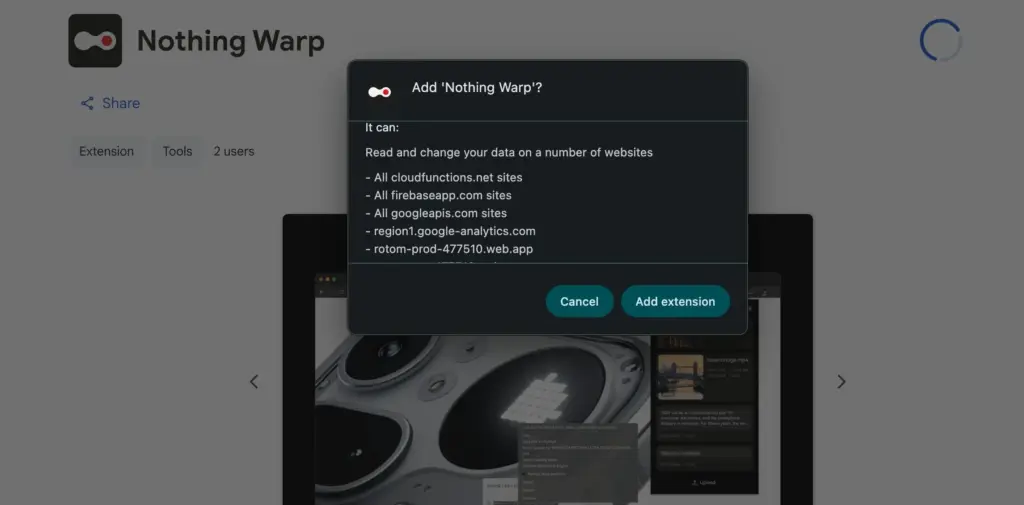
Moving data between an Android phone and a Mac has not been easy for users. Users are frequently forced to rely on third-party products or cloud services due to the absence of a native, dependable bridge. With the goal of making this process much more convenient, Nothing is now stepping in with a new solution called Warp.
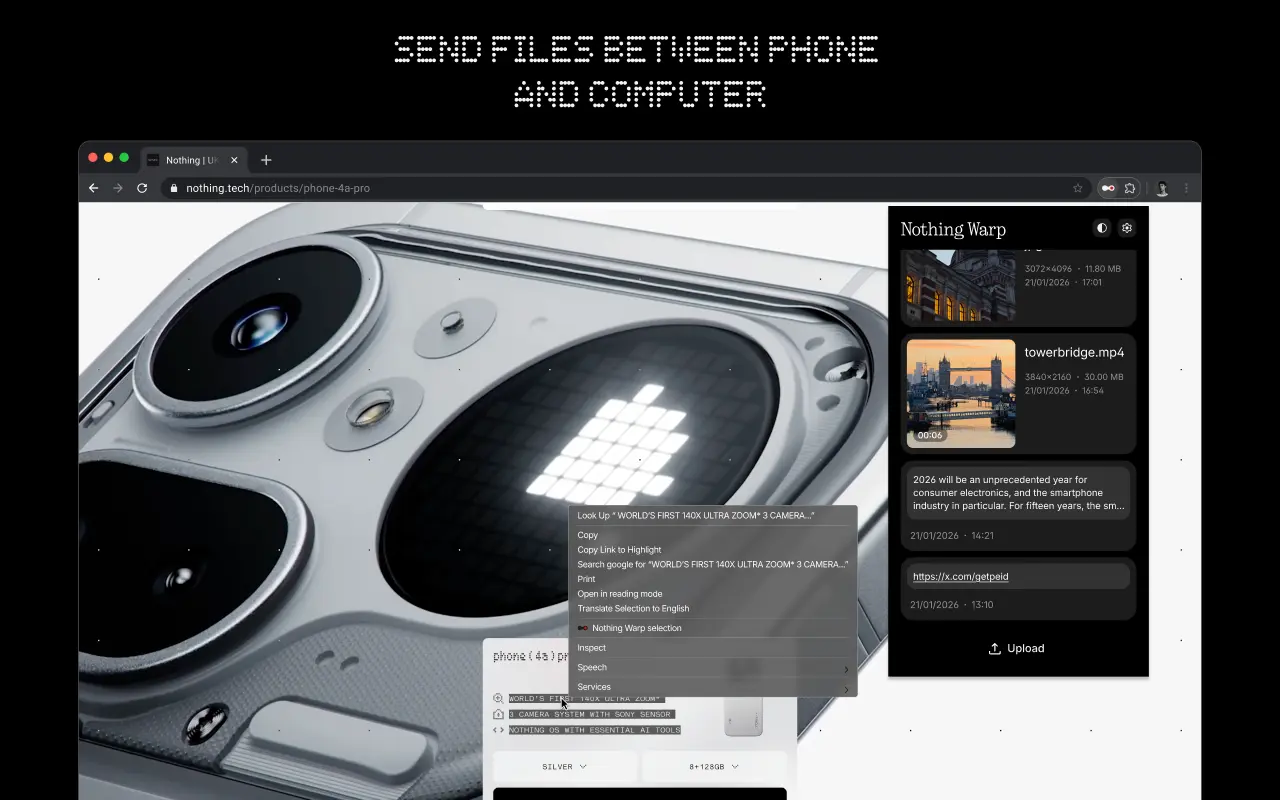
Warp is designed as a two-part solution, consisting of a browser extension and an Android app. Because it operates via a browser, it may be used on Windows and Linux computers as well as macOS, so long as users are using a browser that is based on Chromium. It has an advantage over ecosystem-specific tools due to its broader interoperability.
After installation, Warp appears in Android devices’ default sharing menu. Photos, movies, documents, links, and even plain text can be sent with ease. Similar versatility is available on the computer side thanks to the extension; you can push images from a webpage, email files, and copy text straight to your phone. Nevertheless, it isn’t always effective. Warp could not show up as an option if certain online apps override the browser’s built-in right-click feature.
The ability to handle many devices is a noteworthy feature. It is not necessary for the recipient device to be active at that precise moment in order to deliver material across several devices. Because Warp does not require a direct connection between devices, this is feasible. Rather, it sends files via a download prompt on the other device after briefly uploading them online.
For daily use, this approach is effective, particularly for smaller files. Images and text excerpts move smoothly and swiftly. For larger files, however, this is not the case. For instance, it can take a considerable length of time to upload large videos before they are ready to be seen elsewhere.
Nothing claims that it does not directly handle user files in terms of privacy. Because Google Drive is used to route transfers, customers must link their Google account in order to utilize the service. Although specifics regarding storage consumption and file management are still unclear, the business also asserts that these files do not clog the user’s Drive storage.
Warp is presently free to use and in beta. It provides a useful and more universal approach to exchange content across Android smartphones and Macs without depending on brand-specific capabilities, even though it might not be able to substitute quicker, direct transfer methods for large files.
Samsung recently established a clear schedule for discontinuing Samsung Messages, establishing Google Messages as the default messaging software on Galaxy phones.
While this is ultimately a welcome shift, the fact that Samsung Messages no longer supports RCS has left some longstanding users wanting the customisation tools they were accustomed to.
It appears that Google has taken note and is working on adding some fun features that Samsung Messages users will recognize.
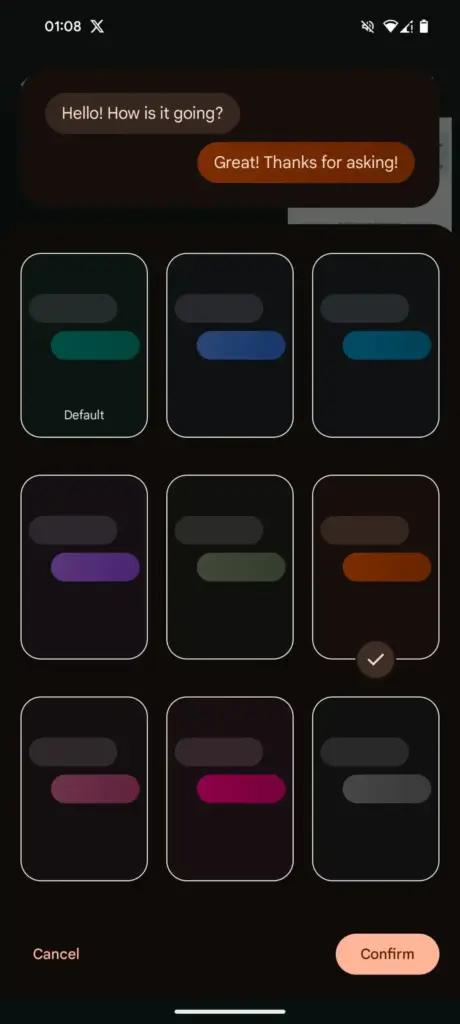
Currently, the only way to modify RCS chats in Google Messages is to use the “Change colors” option from the three-dot menu. This option allows you to alter the backdrop and chat bubble colors simultaneously, but that’s all the personalization you can do in individual or group chats.
In comparison, Samsung Messages supports more advanced customization, such as the option to color and decorate chat rooms using photographs from your phone’s gallery. Using Theme Park (via Samsung’s Good Lock module) provides even more customization options, such as altering bubble colors, modifying contrast, applying wallpaper-based themes, and more.
As Samsung app is being phased out, customers who rely on custom theme packs have begun to express dissatisfaction with Google Messages‘ lack of customisation choices. Google appears to have been paying heed, since a new customisation option for its messaging app is now under development.
More customization coming for Google Messages
In the most recent beta release of Google (messages.android_20260410_02_RC00.phone.openbeta_dynamic), we discovered many additional lines pointing to extended theme controls within the app.
The new strings indicate that Google is planning a full “Custom” theme section, where users may be able to change backdrop patterns, bubble colors, and, most importantly, upload their own photographs to use as chat wallpapers. References to “Upload photo” and “Your photographs” definitely suggest a Google photographs integration, although options such as “Theme Preview” and “Apply” indicate a more involved customization experience.
There are also talks of separate areas for backgrounds and bubble colors, implying that users could mix and match aspects rather than relying on pre-set themes.
If this option becomes available, it would be a significant step toward allowing users greater choice over how their chats appear, which has been glaringly absent from the app thus far.
Samsung has posted an official “End of Service” notice on its website confirming that its native Messages app will go dark sometime in July. The exact shutdown date hasn’t been pinned down yet — Samsung says it will be announced inside the app itself when the time comes. But the message is clear: the company wants its remaining Samsung Messages users to migrate to Google Messages, and it’s not leaving much room for hesitation.
For longtime Samsung users, this might sting a little. Samsung Messages has been around for years, and for many Galaxy owners it’s just… the app they’ve always used. Familiar, reliable, good enough. But good enough doesn’t keep an app alive forever.
This has been coming for a while
To be fair, Samsung has been telegraphing this move for some time. The company quietly stopped pre-loading Samsung Messages on new devices a couple of years ago, starting with the Galaxy Z Fold 6 and Flip 6, and then continuing with the S25 series — all of which shipped with Google Messages installed as the default instead. Samsung Messages remained available on the Galaxy Store for anyone who wanted it, but its days as a first-class citizen were already numbered. This official end-of-service announcement is less of a surprise and more of a formality.
What you’re actually getting with Google Messages
Here’s the thing — the switch isn’t a downgrade. For US users especially, Google Messages brings a meaningfully better messaging experience in several ways.
The biggest upgrade is full RCS support. If you’re not familiar, RCS is essentially what SMS should have been all along — it supports higher-quality photo and video sharing, real-time typing indicators, read receipts, and proper group chats. Crucially, it works across platforms, so the experience doesn’t fall apart when you’re texting someone on an iPhone.
Beyond that, Google Messages has Gemini built in, giving you access to AI tools directly inside your conversations — including the ability to remix and enhance photos before you send them. It’s a genuinely useful addition, not just a checkbox feature.
And if you’re someone who bounces between devices throughout the day, Google Messages handles that well too. Your conversations stay in sync across your phone, tablet, and Galaxy Watch without any manual fiddling.
You will lose a few of Samsung’s customization touches — some color themes, layout tweaks, that sort of thing. But for the vast majority of users, what Google Messages offers in return is a fair trade.
Samsung Messages is technically still available on the Galaxy Store for now, so nobody is forcing your hand this second. But the clock is ticking, and switching on your own terms — before the deadline — beats scrambling when the app suddenly stops working. Get Google Messages set up now, import your contacts, and give yourself a few weeks to settle in. By the time July arrives, you won’t even notice the difference.
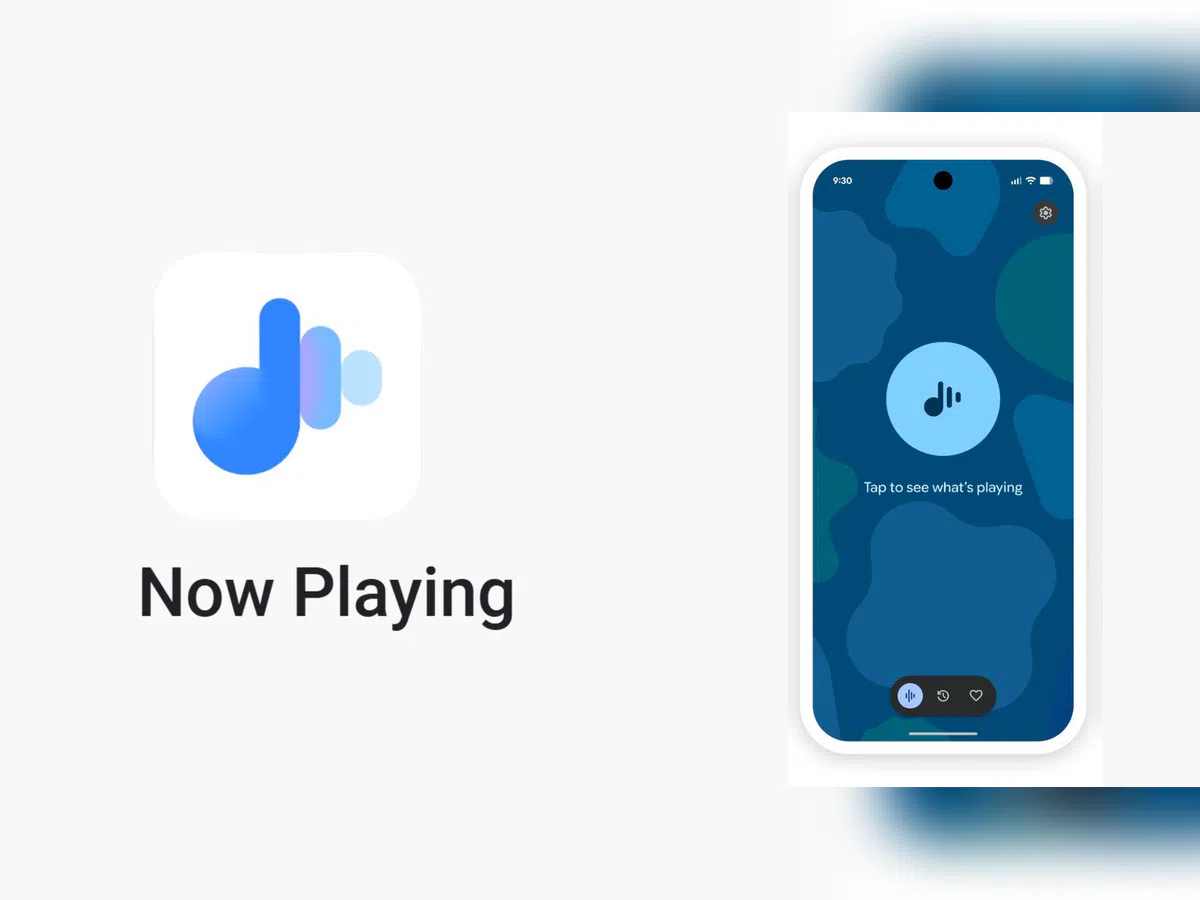
Now Playing has never been the most talked-about Pixel exclusive, but it’s been making headlines lately. Last month, Google gave it a major upgrade by spinning it off into a standalone app — a move that had been telegraphed by leaks well before the official announcement.
The app hasn’t stood still since launch. Shortly after release, it received a visual refresh on the lock screen, and now a fresh update has appeared on the Play Store. While it seems minor on the surface, it may be quietly bringing back something users didn’t realize they’d miss.
A small update with potentially big implications
According to 9to5Google, the Now Playing app was updated to version 2026.03.24.x late Friday, bumping out the previous 2026.03.02.x build. The rollout appears to be gradual — the Play Store still shows the older version as the latest for many users, and the update hadn’t reached all devices as of the report. No obvious new features were found in the update, pointing to mostly behind-the-scenes bug fixes. But a Reddit user claims something notable did return: the “Tap to see what’s playing” prompt on the lock screen.
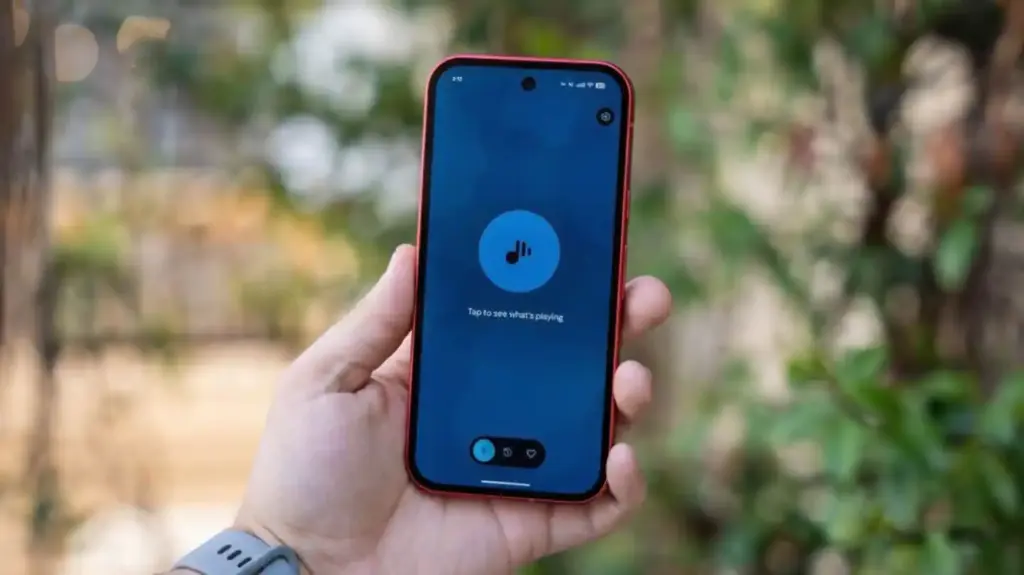
The return of ‘Tap to see what’s playing’
When Now Playing transitioned to a standalone app, most of its functionality came along for the ride — but not everything. One casualty was the “Tap to see what’s playing” prompt, a small but beloved lock screen feature that used to sit just below the fingerprint scanner. For many users, it was a core part of the
Now Playing experience.
According to the Reddit user, after receiving a notification about Now Playing’s new home, the lock screen feature reappeared. Whether this is directly tied to the v2026.03.24.x update isn’t confirmed, though the timing lines up.
It’s also worth noting another change that came with the app transition: Now Playing no longer sends quiet background notifications when it identifies a track. That functionality has been replaced by a Quick Settings tile, which can show the song title and artist — but only when expanded to the larger 2×1 size.
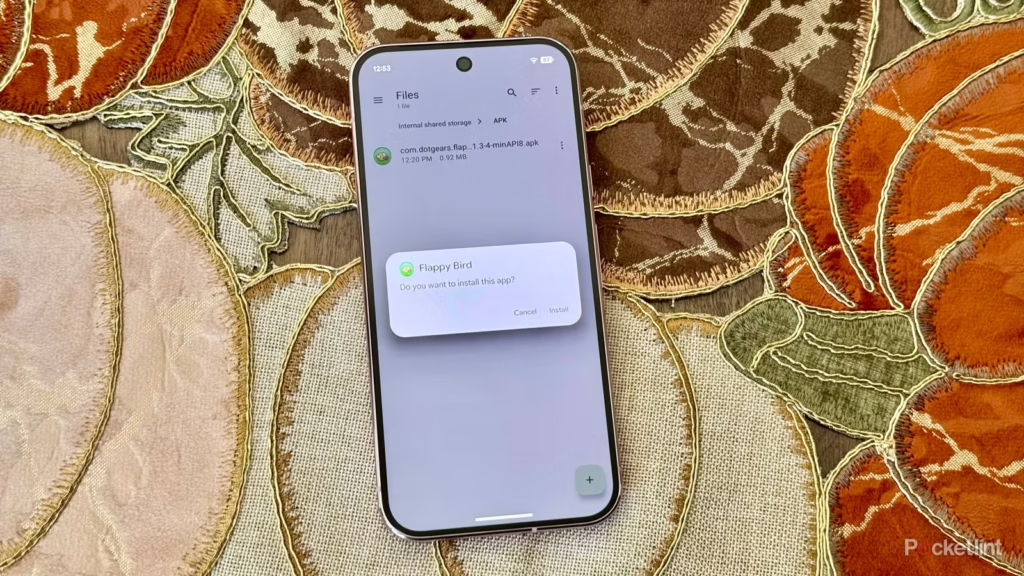
Since its launch, sideloading has been a crucial component of Android, giving it a great deal of flexibility as well as a feeling of freedom and openness. The community (quite understandably) panicked when Google announced it would make significant changes to sideloading. However, since Google has now demonstrated how its new sideloading flow on Android will operate, I’m not only relieved that sideloading won’t completely disappear, but also that Google’s compromise is as close to ideal as I believe we can get.
Some have called “Android Developer Verification” the demise of Android’s open nature. The change, which would require developers to register with Google in order to permit their apps to be installed on Android devices, was introduced by Google last year as a restriction on app installation, including sideloading. At first, Google described this as verifying the “who” of an app, similar to an airport ID check.
Combating scams, such as “convincing” bogus apps, and reducing malware and other harmful attacks—particularly those caused by sideloading from sources outside the Google Play Store—were always the main priorities here. Over the years, Google has been more aggressively combating Android frauds, with some degree of success. One way it has done this is by preventing sideloaded apps that are used in scams.
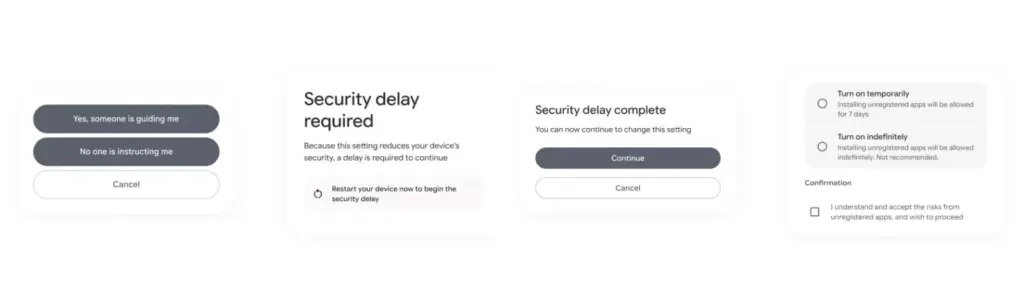
Google officially unveiled the new “advanced flow” this week, which enables users (and developers) to sideload apps that aren’t created by registered developers.After asking the user to certify that “no one is directing me,” the four-step procedure begins a 24-hour delay. In order to initiate the timer, the user must restart their device. After admitting the risks once more, they can resume the sideloading procedure 24 hours later; if they choose to leave it on “indefinitely,” the delay just occurs once. In actuality, this is really a one-time obstacle. Developer options must be enabled, but you can later disable them, which is the largest “headache.”
Google has stated time and time again that a “crackdown” on sideloading is not about taking away freedom or functionality, but rather about protecting users and, most importantly, stopping scams that are common on Android in particular areas. Google doesn’t prevent developers or even consumers from accomplishing what they truly want to do by restricting sideloading as planned, but it puts a huge barrier in the way of con artists.
Scammers frequently use timed pressure and a sense of urgency. A waiting period of twenty-four hours with a few additional warnings? That is a difficult barrier against those kinds of frauds. For people who are being duped by more prevalent scams, it’s also a major inconvenience. For instance, a few weeks ago, after purchasing a low-cost fitness tracker, a family member called me to inquire as to why their homescreen had changed. It turns out that the product needed them to sideload an unidentified software in place of their launcher. I guided them through the uninstall process, but a 24-hour wait and all these extra warning screens? The installation would never have taken place.
It’s a careful method of striking a balance between functionality and user protection. Because developers and enthusiasts who need or want to sideload an app immediately may still utilize the standard ADB tools, whereas the “ordinary Joe” must wait for that 24-hour period to end. Those who truly can’t wait the 24-hour period (which, once again, only needs to be once) still have options, although that is a headache for “regular” users and even more so for fraudsters.
Not to mention that you won’t often have to deal with this anyhow. After developers apply for Google’s developer verification program, sideloading is no longer a problem and there are no waiting times or other “in the way.”
How do you feel about Google’s modifications to Android sideloading? There are undoubtedly still many people who disagree with this, but as previously stated, I don’t think there is a better solution.