Google is significantly raising the security bar for Android devices in 2026 with Android 17. The update delivers a broad sweep of security and privacy improvements targeting some of the most common threats users face today — financial fraud, physical device theft, and invasive app tracking.
Android 17 tackles phone scams at the call level
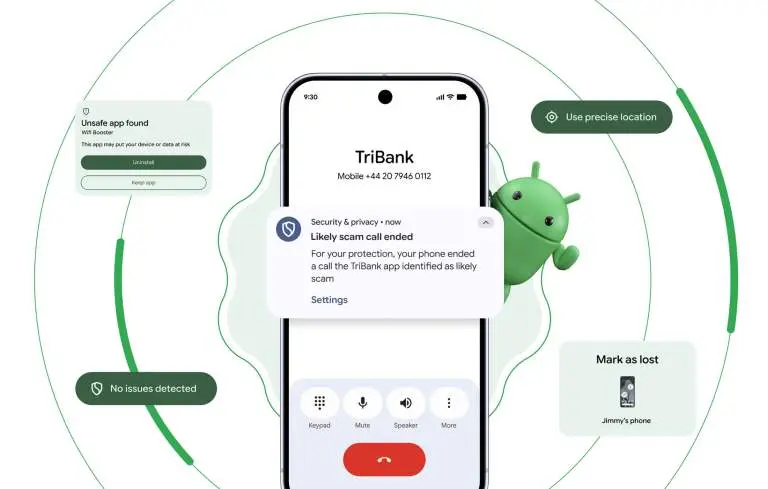
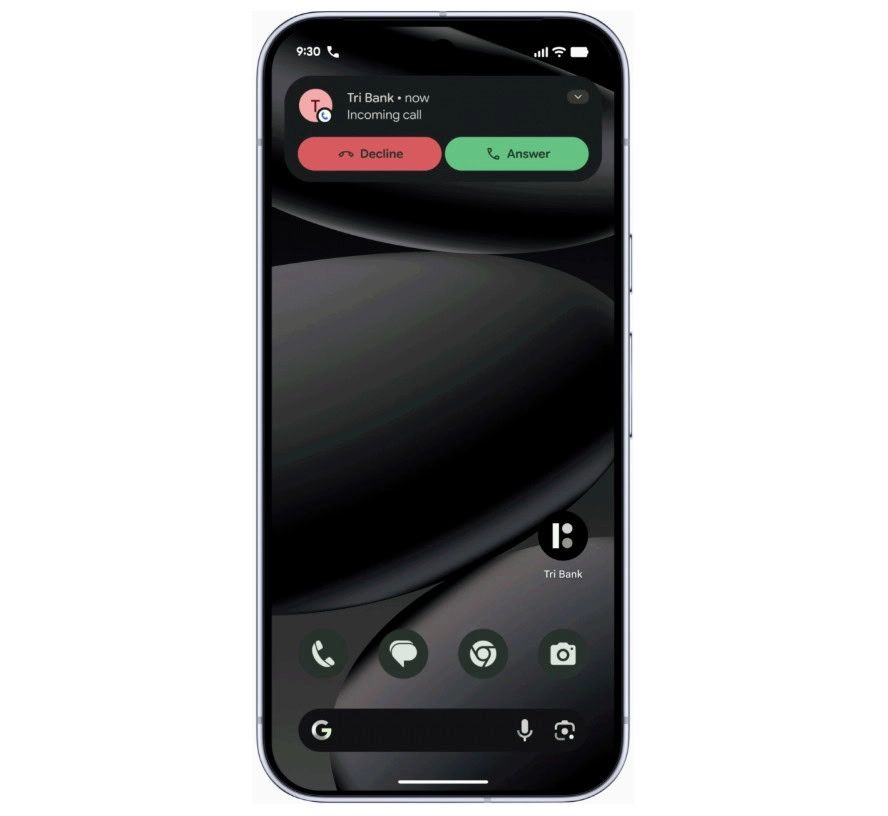
One of the most persistent and costly attack vectors involves caller ID spoofing, where criminals disguise their number to impersonate a legitimate bank. This tactic contributes to nearly $950 million in losses globally every year. Google’s response is verified financial calls.
On devices running Android 11 or higher, the system will work silently in the background alongside banking apps like Revolut and Nubank. When an incoming call arrives, Android checks with the bank to confirm whether the call is genuine. If it isn’t, the call is terminated automatically — before the user even has a chance to answer. The scam is blocked at the source rather than after the damage is done.
Android 17 AI-powered app behavior monitoring
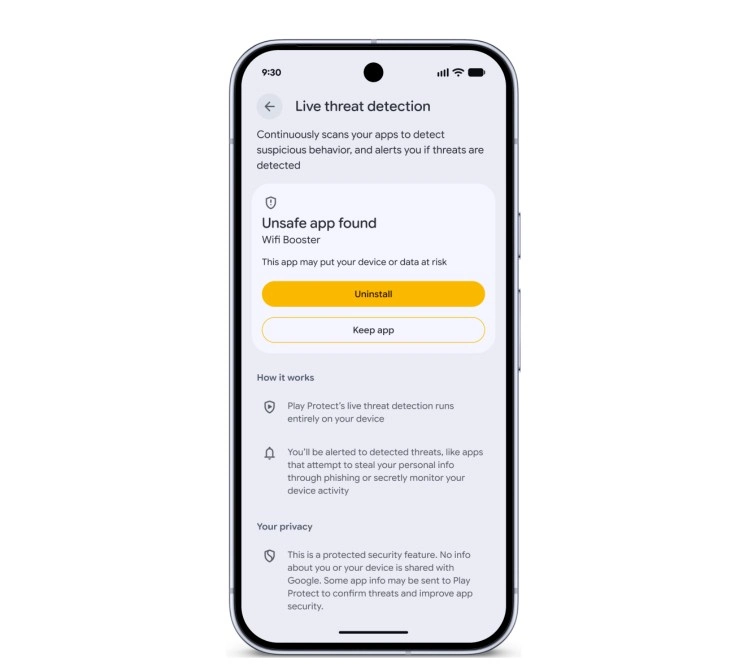
Android 17 also makes the platform significantly better at identifying malicious apps after they’ve been installed. The updated Live Threat Detection uses on-device AI to continuously monitor how apps behave in practice. If an app begins forwarding SMS messages, attempts to conceal its icon, or tries to launch silently from the background, the system flags the suspicious behavior and alerts the user.
Chrome on Android gets a new layer of protection as well. At the moment an APK file is downloaded, Chrome will evaluate it against known malware signatures and issue a warning before the file even reaches local storage.
Stolen phones become far less useful to thieves
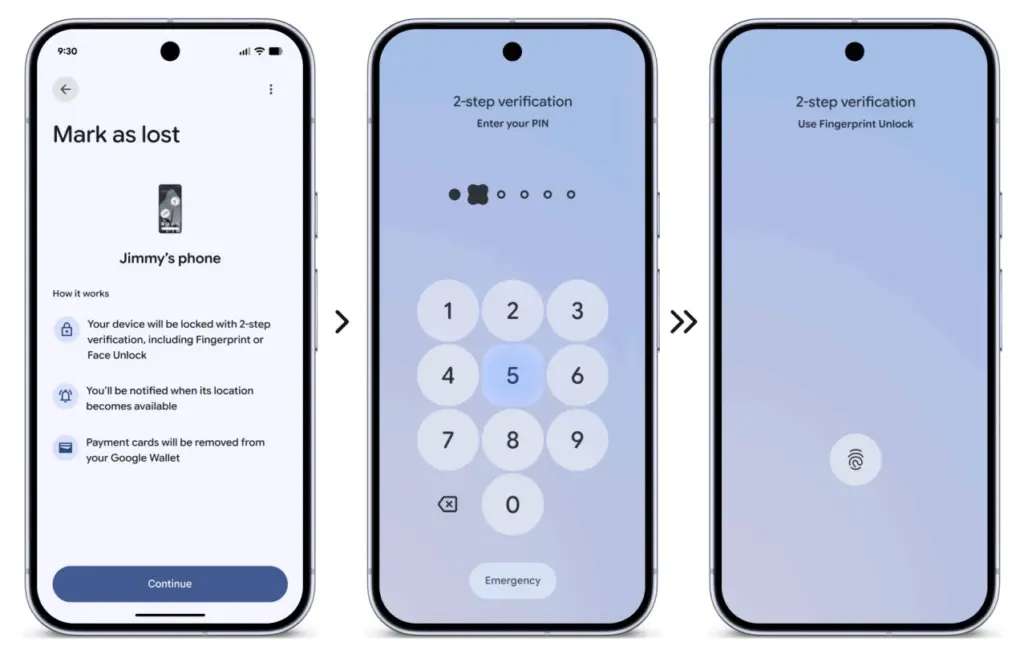
Physical theft isn’t just about losing hardware — the data inside is often worth far more. Android 17 introduces a biometric lock for the “Mark as Lost” feature, meaning a thief who has obtained a user’s passcode still can’t disable tracking or regain access without a fingerprint or face scan.
Google is also expanding its default-on theft protection features globally. New and upgraded devices will automatically enable Remote Lock and Theft Detection Lock, which use onboard sensors to detect when a phone has been grabbed and instantly lock the screen in response.
More granular control over what apps can access
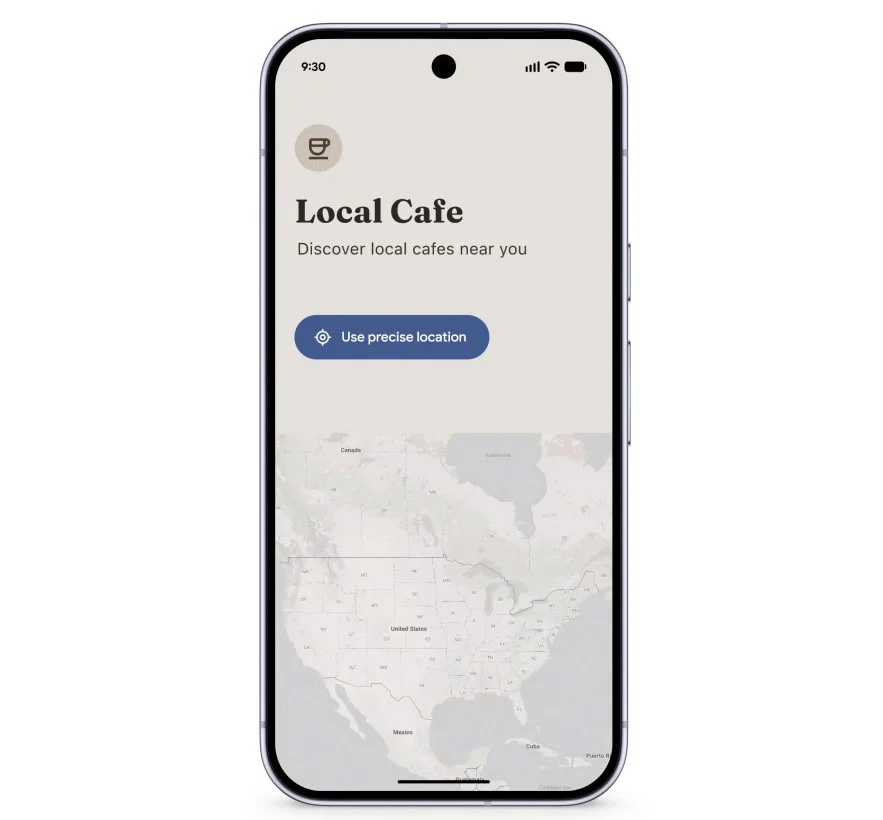
Privacy permissions are getting more precise with Android 17’s new one-time location sharing. Rather than granting a café app permanent GPS access, users can share their precise location only for the current moment while the app is open — and nothing beyond that.
A similar approach is coming to contacts. A new contact picker lets users share only the specific contacts an app needs, rather than handing over full access to the entire address book. Apps get only what’s necessary, nothing more.
Verifying the integrity of Android itself
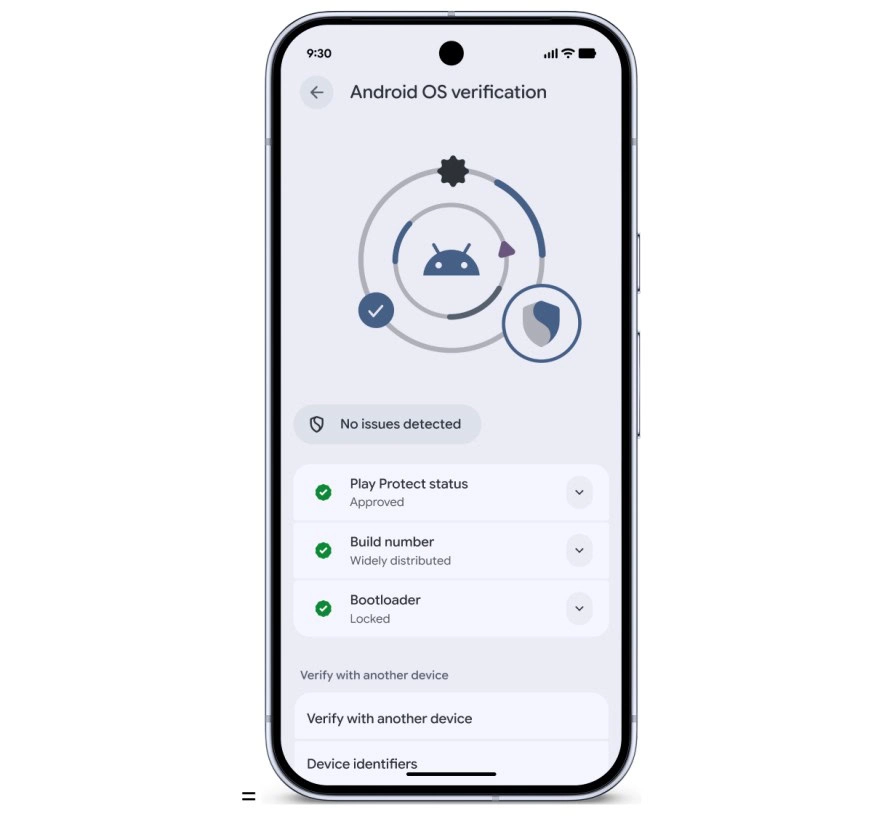
Security also extends to the operating system at its core. Google has observed a rise in unofficial, modified Android builds designed to mimic legitimate software while secretly compromising user data. Android 17 addresses this with Android OS verification, launching initially on Pixel devices.
The feature allows users to confirm that their phone is running an official, widely distributed build of Android. A public, cryptographically verifiable “Source of Truth” ledger provides proof that both the apps and the OS itself are authentic production versions — making it effectively impossible for a fake Android build to hide its intent behind a familiar-looking interface.
Protecting against future threats
Looking further ahead, Android 17 includes protections designed for threats that don’t yet exist at scale. OTPs (one-time passwords) will be hidden from malicious apps, closing off another common attack vector. Google also introduced Post-Quantum Cryptography in March, laying the groundwork for encryption that can withstand the computational power of future quantum systems — a forward-looking measure that reflects how seriously Google is treating long-term platform security.
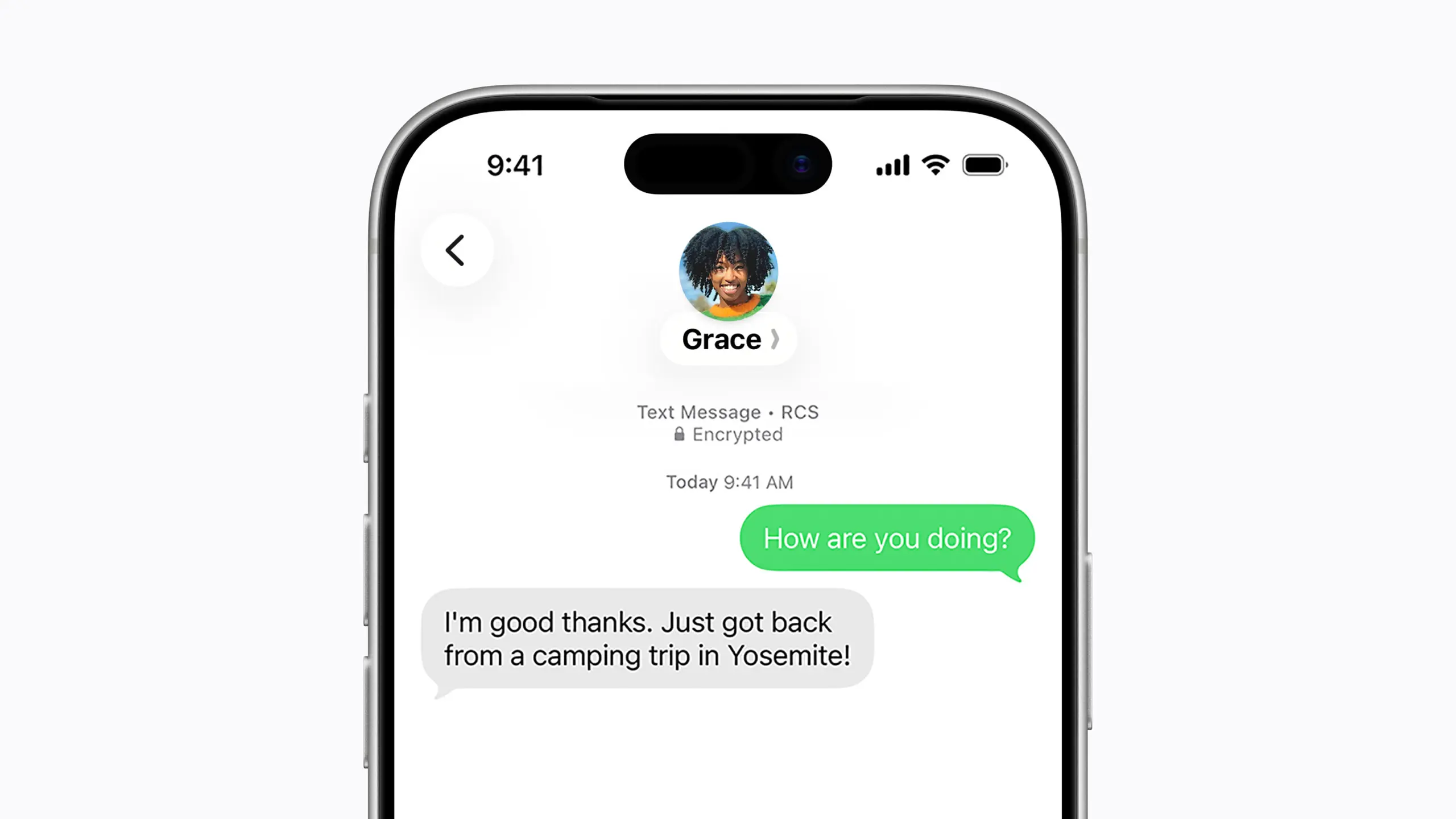
Nearly 18 months after the FBI warned Americans about the security risks of texting between iPhones and Android devices, Apple has introduced end-to-end encrypted cross-platform messaging through iOS 26.5, according to Forbes.
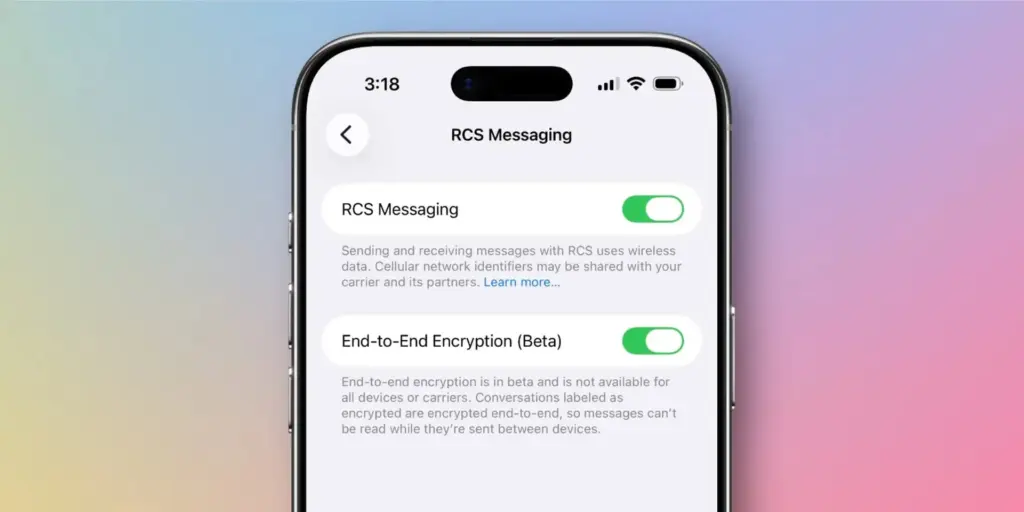
The update enables encrypted RCS messaging between iPhone and Android users for the first time – though Apple has noted that the feature “is not available to all.” Availability depends on both device compatibility and carrier support, meaning some users may not gain immediate access to secure RCS messaging even after installing the update.
The carrier dependency is a key distinction from platforms like WhatsApp, where end-to-end encryption is always active because the app controls both sides of any conversation. Apple’s and Google’s implementation of encrypted RCS, by contrast, relies on carrier infrastructure – which introduces variability depending on the networks connected to both devices at any given moment.
For context, Apple’s iMessage has long offered fully encrypted communication between Apple devices, identifiable by the familiar blue chat bubbles. Messages sent outside that ecosystem — the green bubble conversations – fall back on SMS or RCS protocols. With Google Messages, encrypted RCS has been available when all participants are using updated versions of the app, though users need to verify whether encryption is actually active in any given chat.
Encryped RCS messaging to follow
In its release notes ahead of the update, Apple stated that “end-to-end encrypted RCS messaging (beta) in Messages is available with supported carriers and will roll out over time,” adding that a list of supported carriers would be published on its messaging support page.
Given the carrier dependency, Apple and Android users looking for consistent, reliable encryption may still find services like WhatsApp or Signal more dependable, or simply stay within their respective ecosystems where encryption is guaranteed.
Industry observers had anticipated iOS 26.5 would arrive this week, bringing encrypted RCS alongside broader improvements to performance, battery life, and system stability. German technology outlet Born City reported that Apple’s upcoming iOS updates are partly a response to longstanding criticism of the closed iMessage ecosystem, growing demand for AI features, and rising regulatory pressure. India-based publication Eastern Herald framed the RCS rollout as part of a wider industry effort to reconcile privacy with cross-platform interoperability.
Apple officially launched the encrypted RCS feature in beta on May 11, describing it as a joint initiative with Google aimed at making RCS – the modern successor to SMS – more secure across platforms.
“Starting today,” Apple said, “end-to-end encrypted RCS messaging begins rolling out in beta for iPhone users running iOS 26.5 with supported carriers and Android users on the latest version of Google Messages.”
Users on supported carriers will see a lock icon appear in RCS conversations when encryption is active. Apple confirmed that encryption is enabled by default and will gradually extend to both new and existing RCS conversations over time.
The move represents one of the most significant shifts in text messaging in decades, potentially closing much of the gap between standard cross-platform texting and the kind of security that encrypted messaging apps have offered for years. Analysts, however, point out that it remains to be seen how quickly carriers around the world will adopt the protocol, and whether the change will meaningfully challenge WhatsApp’s grip in markets where it dominates.
What’s clear is that the rollout directly addresses the U.S. government’s earlier concerns about unencrypted cross-platform communication – and delivers what many users have been waiting a long time for.
Being a Pixel owner outside the United States has always come with a catch: a long list of AI features that simply aren’t available in your region. Google has gradually extended some of these to international markets, but the majority remain US-only. That gap may be getting a little smaller, as the company appears to be preparing another Pixel feature for a broader global rollout.
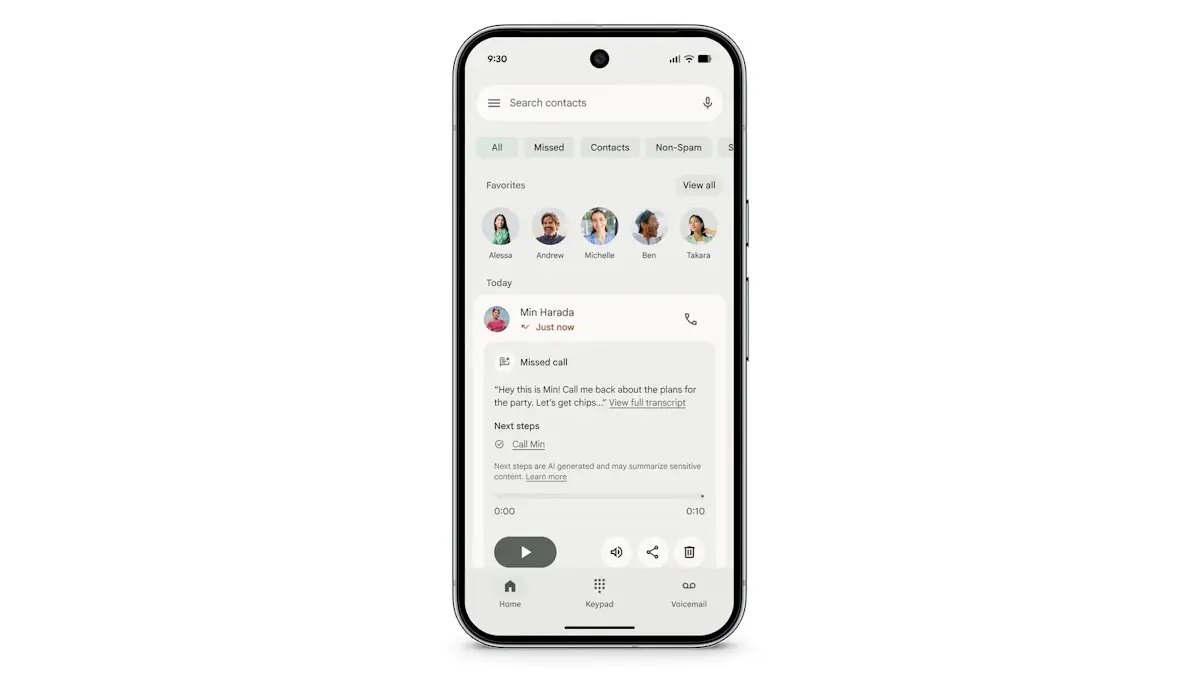
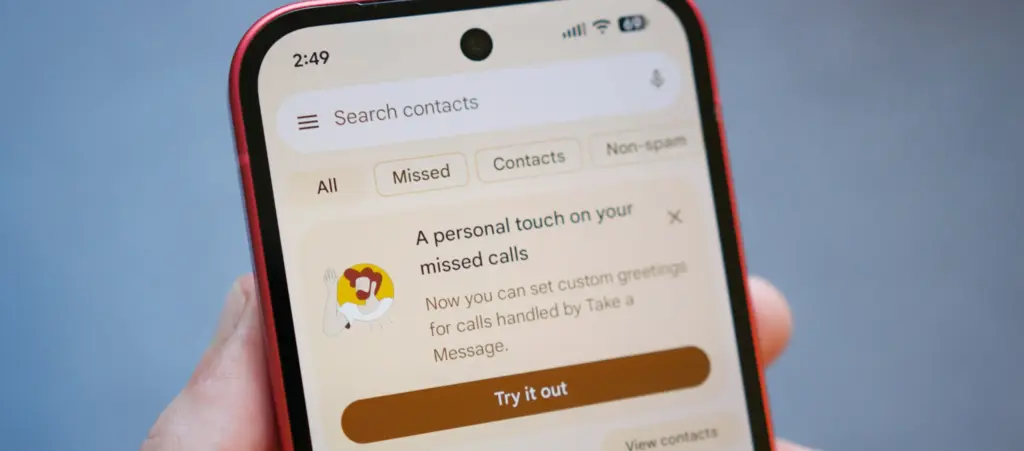
Introduced alongside the Pixel 10 series in 2025, “Take a Message” functions like a smarter take on traditional voicemail. When someone calls and the user can’t pick up, the feature answers on their behalf, takes a message, and displays a real-time transcription as it happens. It’s supported on all eligible Pixels from the Pixel 6 through to the Pixel 10, but availability has been restricted to the US, Australia, Canada, Ireland, and the UK. According to Android Authority, that’s about to change.
Code found in the latest Phone app beta suggests Google is working on a significantly wider rollout. Take a Message could reach a range of Asian and European markets including Austria, Belgium, Finland, Malaysia, Hungary, Latvia, the Netherlands, Norway, Poland, Singapore, Sweden, and Taiwan. Germany, Spain, France, Italy, and Japan may receive the feature with transcription support included. India also appears to be in scope, with country-specific code strings discovered in the same beta build.
Beyond geographic expansion, the report indicates Google is also planning to bring Take a Message to non-Pixel devices – though seemingly without transcription support in that case.
A useful feature that deserves wider reach
Take a Message doesn’t get as much attention as Call Screening or some of Google’s more prominent AI calling tools, but it’s a genuinely practical addition. One of its stronger selling points is that all transcription happens on-device, which makes it a privacy-conscious alternative to cloud-based voicemail systems. For anyone who finds their carrier’s default voicemail setup clunky or impersonal, it offers a noticeably cleaner experience directly from the phone.
The expansion follows a pattern Google has already started exploring. Earlier this year, the company brought Scam Detection – previously a Pixel-exclusive feature – to the Samsung Galaxy S26 series, marking one of the first times a major Pixel AI calling feature landed on a competing Android flagship. A similar rollout strategy seems likely for Take a Message, potentially starting with non-Pixel flagships before spreading to a wider device pool.
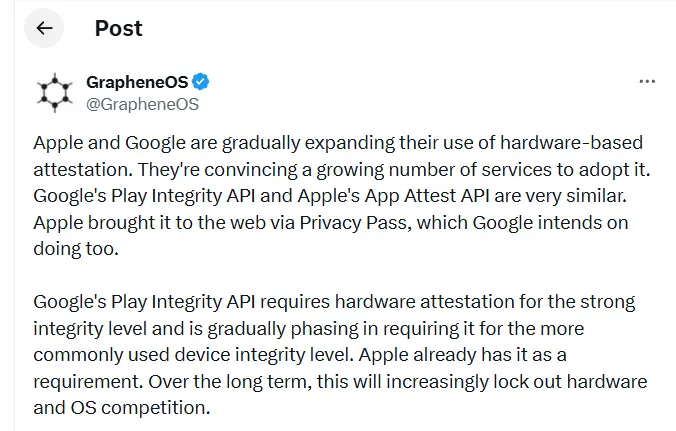
GrapheneOS has published a lengthy thread on X accusing Google and Apple of gradually making the internet and mobile apps more dependent on their own platforms, devices, and software ecosystems.
The project argues that tools like Google’s Play Integrity API and Apple’s App Attest are being marketed as security features when, in practice, they make it significantly harder for users to choose alternative operating systems. A growing number of apps and websites now check whether a user is running a trusted device and approved software before granting access. According to GrapheneOS, this trajectory could hand Google and Apple near-total control over which devices function properly online.
“Over the long term, this will increasingly lock out hardware and OS competition,” GrapheneOS wrote in the thread.
Much of the criticism is directed at Google’s Play Integrity API, which Android apps use to verify whether a device is genuine, running certified software, and considered secure. Banking apps commonly rely on these checks to block rooted phones or devices running modified versions of Android. GrapheneOS argues that the same system also shuts out legitimate alternatives – including its own OS.
“Google’s Play Integrity API bans using GrapheneOS despite it being far more secure than anything they permit,” the post states.
“The purpose of these systems is disallowing people from using hardware and software not approved by Apple or Google,” GrapheneOS added. “This is wrongly presented as being a security feature.”
reCAPTCHA concerns
The thread also raises concerns about reCAPTCHA, Google’s widely deployed CAPTCHA system. GrapheneOS points out that Google’s verification systems require users to confirm their identity using a certified Android or iOS device. In some cases, that means scanning a QR code with a phone just to prove you’re a real person before accessing a site or service. GrapheneOS warns this dynamic could eventually extend to desktop platforms like Windows and Linux as well.
“Control over reCAPTCHA puts Google in a position where they can require having either iOS or a certified Android device to use an enormous amount of the web,” the platform wrote.
GrapheneOS also highlights that governments and financial institutions are increasingly adopting these same verification systems for payments, digital ID apps, and age verification services – deepening the entrenchment of Apple and Google’s gatekeeping role.
“Instead of governments stopping Apple and Google from engaging in egregiously anti-competitive behavior, they’re directly participating in locking out competition via their own services,” GrapheneOS said.
Neither Google nor Apple has publicly responded to the issues raised in the thread.
It rarely makes sense to pay full price for Google’s flagship Pixel Watch 4, since the smartwatch goes on sale often. This is one of those moments. It is not at its lowest-ever price, but the Pixel Watch 4 is currently $40 below its MSRP, and buyers can choose from several band color options, including Lemongrass, Iris, Obsidian, and Porcelain.
Google Pixel Watch 4 (41mm, Wi-Fi) is 11% Off
The Google Pixel Watch 4 (41mm, Wi-Fi) is currently discounted to $309.99 at Amazon, which works out to 11% off and a $40 savings. Price tracking on CamelCamelCamel shows that this is still above the all-time low, as the wearable dropped to $289.99 during much of March and early April. It remains to be seen whether it will fall back to that level again.
Even so, this is still a strong offer. The Pixel Watch 4 features a 1.4-inch Actua 360 AMOLED display with a 456×456 resolution and 3,000 nits of brightness, all protected by Gorilla Glass 5. Inside, it runs on a Qualcomm Snapdragaon W5 Gen 2 (4nm) processor, paired with 2GB of RAM and 32GB of built-in storage. Google says the watch can last up to 30 hours with the always-on display enabled, or up to 48 hours when Battery Saver mode is turned on.
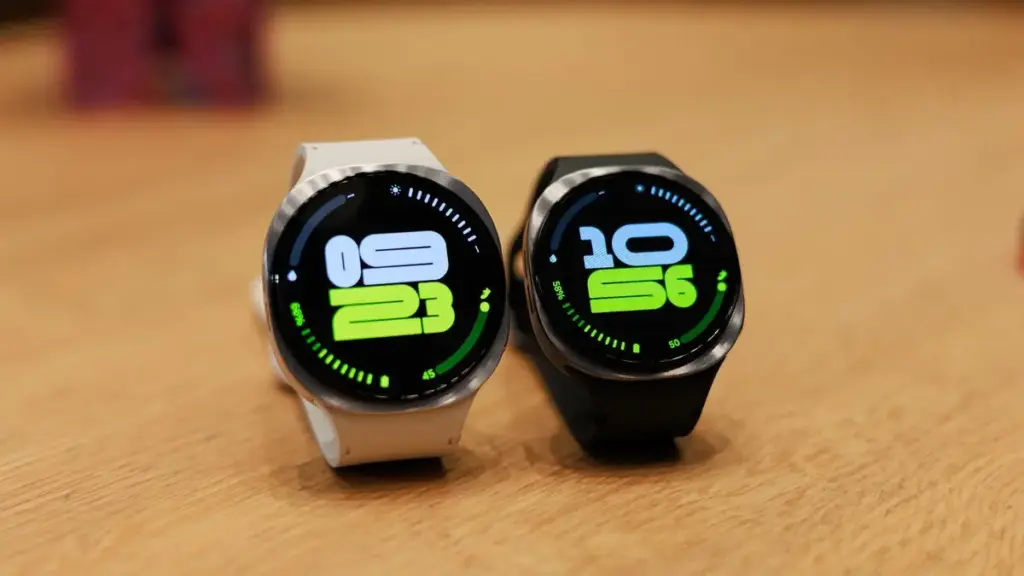
Samsung’s Galaxy Watch 8 (46mm, Wi-Fi) is also discounted, with Amazon listing it at $369.99, or 26% off, for a much larger savings compared with its regular price. This model is also above its all-time low, though only slightly; it briefly reached $349.99 a couple of times since last December.
The Galaxy Watch 8 is thinner, lighter, and brighter than the previous generation. It also introduces a new cushion shape and Dynamic Lug bands, along with a larger battery — 325mAh versus 300mAh — that delivers up to 30 hours of battery life. Google Gemini support is included as well.
Pixel phones are no strangers to the occasional software hiccup, and the latest issue making the rounds is a slow performance bug that has started affecting a growing number of users. Pixel devices have never been the go-to choice for heavy multitasking or gaming, but day-to-day responsiveness has typically been one of their stronger points. For some owners, that snappiness has noticeably faded following recent software updates.
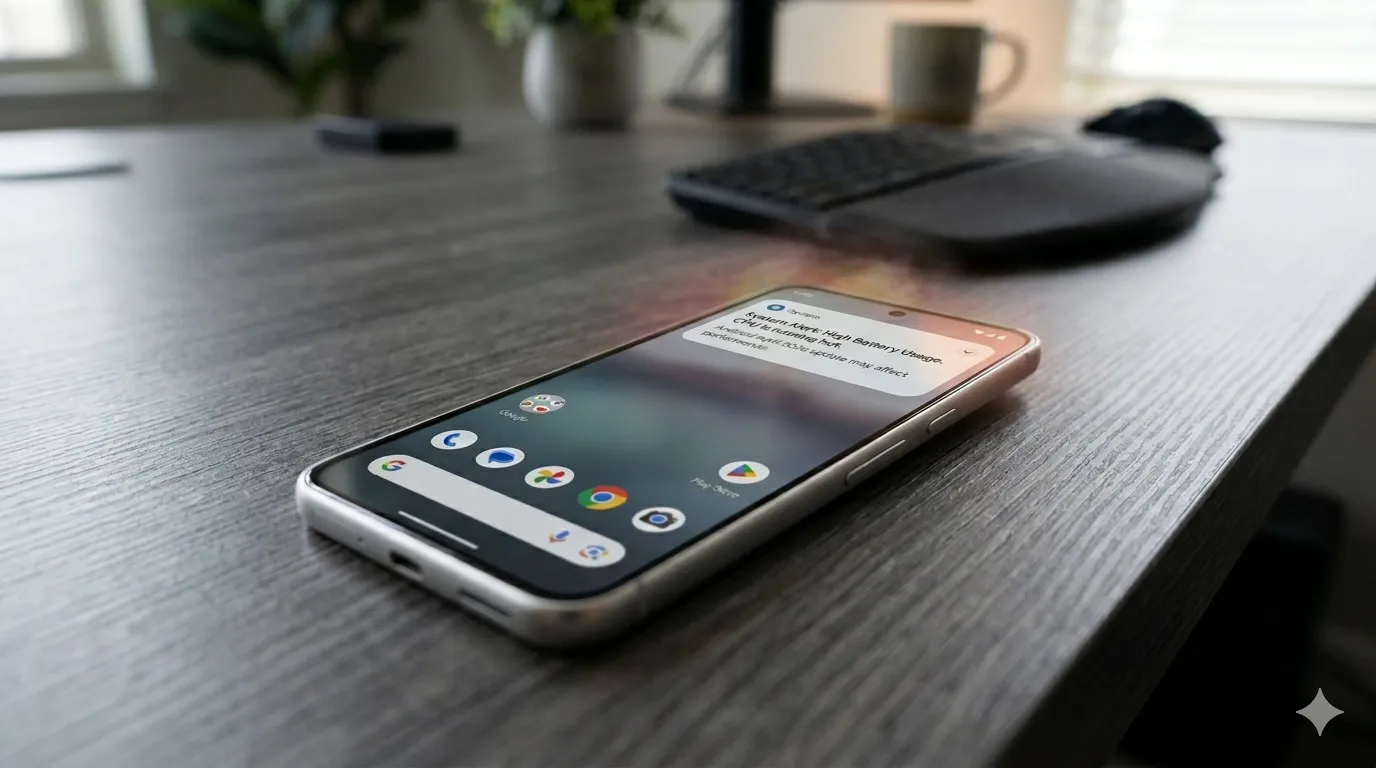
This isn’t the only problem Pixel users have had to deal with lately, either. Earlier this month, complaints surfaced around a battery drain bug tied to the April update that rolled out recently. Before that, a separate issue was causing boot loops after the March update – arguably the most alarming of the bunch. The performance slowdown adds yet another frustration to a string of post-update problems that Pixel owners have had to navigate.
Pixel 8 and Pixel 9 Most Affected
While the bug could potentially be touching older Pixel generations as well, Android Authority reports that the bulk of complaints are coming from Pixel 8 and Pixel 9 owners specifically. Neither of these phones is particularly old, and that matters. Starting with the Pixel 8, Google committed to providing seven years of software updates, meaning a large portion of users will be holding onto these devices for years to come.
That long-term support promise makes it all the more important for Google to address the issue promptly. So far, though, Google hasn’t publicly acknowledged the bug, which means a fix in the near term seems unlikely. It’s also worth noting that the slowdown may not be noticeable to every user. The bug is far from ideal, but depending on the device and usage pattern, some owners may not feel much impact at all.
Samsung has officially confirmed what many Galaxy users feared: Samsung Messages is going away. The app will be fully discontinued in July 2026. It’s already been pulled from pre-installation on newer Galaxy devices, including the Galaxy S26 series. Once July hits, you won’t be able to download it from the Galaxy Store either. And shortly after that, sending messages through it will stop working — except to emergency numbers.
If you’ve been using Samsung Messages as your daily driver for SMS and RCS conversations, this is the moment to start thinking about your next move. Not next month. Now.
The good news? There are solid alternatives. The complicated news? None of them are perfect one-to-one replacements. Here’s an honest breakdown.
Why Samsung Messages Shutting Down Is a Bigger Deal Than It Sounds
Across Reddit threads, Galaxy owners have expressed real frustration with this decision. Some have said things like “we might as well get Google Pixels” – because part of what made Samsung phones feel distinct was the software layer on top of Android. Losing Samsung Messages removes one more point of differentiation.
That’s a fair observation. Samsung Messages wasn’t just a texting app – it was a familiar interface for millions of users who had customized their notification sounds, set up message categories, and built habits around a specific UI. Switching costs are real, even for something as seemingly simple as a messaging app.
The other dimension here is RCS. Rich Communication Services — think of it as the modern upgrade to traditional SMS — enables typing indicators, read receipts, high-quality media sharing, and improved group chats. No alternative texting app outside of Google Messages currently has access to RCS. That means if you go with a different app, you’re stepping back to a more basic messaging experience — no read receipts, no high-res photo sharing, and frustrating group conversations.
That’s not a minor inconvenience. That’s a real trade-off.
Google Messages: The Natural Heir (With Some Strings Attached)
The most natural successor to Samsung Messages, especially if you want to keep RCS, is Google Messages. It’s already the default messaging app on most Android phones, and Google has been adding new features consistently to make it more capable.
Google Messages
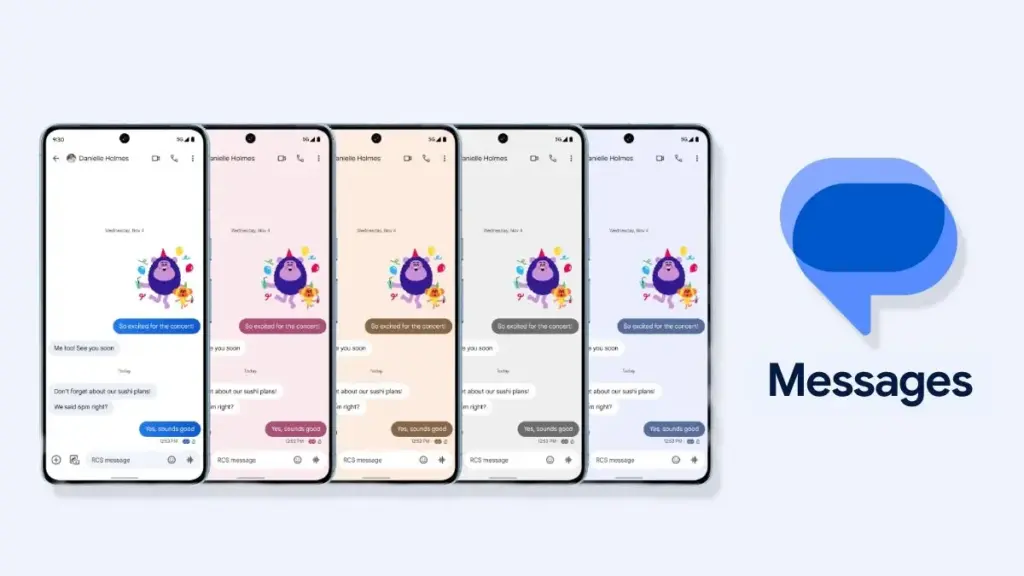
Google Messages is the official Google app for messaging. Google Messages is revolutionizing how a billion users connect and is powered by Rich Communication Services (RCS), the industry standard for texting that replaces SMS and MMS.
With RCS enabled on Google Messages, you get typing indicators, message reactions, high-quality media sharing, and built-in spam protection. And since iOS 18, iPhones also support RCS – so cross-platform conversations with iPhone users are now much cleaner than the old SMS-green-bubble situation.
From a practical standpoint, the migration is straightforward. All messages and conversations will automatically transfer between Samsung Messages and Google Messages, though the process can take up to approximately 24 hours depending on how much data you have. That’s not a dealbreaker — just plan ahead.
What you’ll miss? Samsung Messages had better message categorization and a more flexible UI for organizing conversations. Google Messages is improving steadily, but it still feels slightly more rigid. And the Gemini AI integration – while genuinely useful for some – might feel intrusive if you just want a clean, minimal texting interface.
Still. If RCS matters to you, this is your best bet. It’s well-maintained, it’s free, and it works.
WhatsApp and Telegram: The Cross-Platform Heavyweights
If you’re open to moving away from traditional SMS entirely, WhatsApp is probably the easiest transition. Most people already have it installed. It works across Android, iPhone, and even desktop. You get voice and video calls, group chats, message reactions, and end-to-end encryption by default.
There have been recent concerns around privacy with WhatsApp, with reports suggesting Meta employees could potentially access private messages – although the company has denied these claims. It’s something worth knowing, even if you decide it doesn’t change your decision.
Telegram is a different beast. It’s faster, more feature-rich than WhatsApp in some ways (channels, bots, large group support, customizable themes), and has a devoted user base. The catch: default chats on Telegram are not end-to-end encrypted – only “Secret Chats” are. That surprises a lot of people who assume Telegram equals private.
Both WhatsApp and Telegram require your contacts to also use the app. There’s a chance many people you know are already on these platforms — it might be worth a quick conversation with friends and family to see which one already has the most traction in your circle.
Signal: For Users Who Actually Care About Privacy
Signal is the gold standard for private messaging. Everything is end-to-end encrypted by default, the organization behind it is a nonprofit, and the app collects almost no metadata. If you’ve ever looked at WhatsApp’s privacy policy and felt uneasy, Signal is the answer.
Signal Private Messenger
Signal is a messaging app with privacy at its core. It is free and easy to use, with strong end-to-end encryption that keeps your communication completely private.
The downside is that it’s not as widely used, and the feature set is more minimal compared to WhatsApp or Telegram. You’d need to convince your close contacts to switch — which isn’t always easy.
Signal also can’t replace SMS for people outside the app. So it works best as a secure messaging layer for a specific group — close friends, family, work contacts who are already privacy-conscious. Not a universal solution, but for what it does, nothing comes close.
The Niche Options: Textra, Fossify, and Others
Here’s where it gets more interesting.
On Reddit, Galaxy owners have been recommending apps like Textra SMS, Handcent Next SMS, Fossify Messages, Pulse SMS, and ZenSMS as alternatives. These apps are primarily SMS-focused, which means they feel a lot closer to the traditional Samsung Messages experience — customizable themes, cleaner UIs, message scheduling on some of them.
The trade-off is clear: none of them support RCS. You lose typing indicators, read receipts, and high-quality media delivery. If your contact list is split between Android and iPhone users and you’ve been enjoying the improved cross-platform experience that RCS brought, you’ll notice the difference immediately.
Textra, specifically, has been around for years and is genuinely well-designed. It’s a solid choice if you value aesthetic customization and don’t have strong feelings about RCS. Fossify Messages is open-source and lightweight — a good pick for users who want minimal data collection and a clean interface.
How to Switch Without Losing Your Messages
One thing people often overlook: the practical mechanics of switching.
To switch to Google Messages manually: open or download Google Messages from the Play Store, tap “Set default SMS app” when prompted, select Google Messages, and confirm. The switch is fairly painless.
A few things to be aware of:
If you’re on an older Samsung device released before 2022, switching apps may temporarily disrupt ongoing RCS conversations. They’ll resume once both sides are on Google Messages.
Older Tizen OS watches (Galaxy Watch3 and earlier) won’t be able to display full message conversation history after the switch — though they’ll still let you read and send texts.
Back up your messages before switching. Samsung Cloud or Google One can handle this — and WhatsApp has its own built-in backup system if you’re going that route.
The transfer itself is largely automatic. Just give it time.
So, Which App Should You Actually Choose?
Honestly? It depends on who you text.
If most of your contacts are on Android and you care about a seamless, modern texting experience — Google Messages. It’s not as customizable as Samsung Messages, but it’s the only real RCS option.
If you text internationally a lot and your social circle is already on it — WhatsApp. The network effect alone makes it worth considering.
If you want something that looks and feels closer to Samsung Messages, and you’re okay giving up RCS — Textra or Fossify Messages.
If privacy is non-negotiable — Signal, used alongside one of the above for regular SMS.
There’s no perfect answer here. Samsung Messages built a loyal user base over years, and its shutdown is a genuine inconvenience. But the replacement options are functional, and in some cases — particularly Google Messages with RCS — objectively more capable.
Start testing your top choice now, before July. Don’t wait until the last moment when the app goes dark.
Frequently Asked Questions
When exactly is Samsung Messages shutting down? Samsung Messages will be discontinued in July 2026 in the US market. Users on Android 11 or lower are not affected by this end-of-service change.
Will I lose my messages when Samsung Messages shuts down? No — your SMS and MMS history is stored on your device, not in the app itself. Switching to a new app won’t delete your messages. RCS chat history may transfer automatically when you move to Google Messages.
Does any alternative support RCS like Samsung Messages did? Currently, Google Messages is the only third-party SMS app with access to RCS. Apps like Textra and other SMS alternatives do not support RCS.
Can I still use Samsung Messages after July 2026? After Samsung Messages is discontinued, sending messages through the app will no longer be possible, except for emergency service numbers or emergency contacts defined on your device.
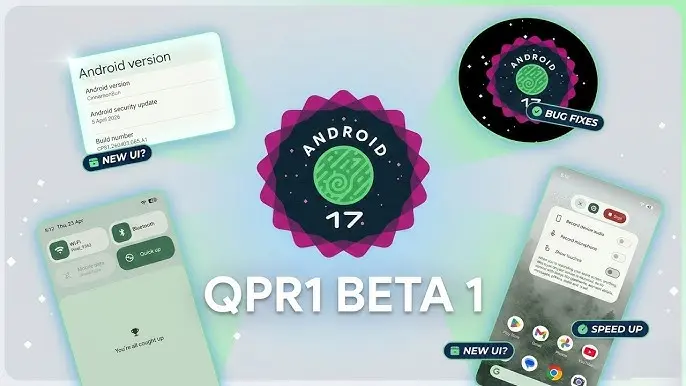
With the final scheduled Android 17 Beta dropping just last week, Google has wasted no time shifting focus — Android 17 QPR1 Beta 1 is already here.
Google describes the release officially as the start of “the next round of Beta updates for our September Feature Drop release,” marking the beginning of the QPR1 cycle ahead of what will become a standalone feature update later in the year.
This build addresses the following issues:
Fixed a crash in the Default Print Service occurring during low ink conditions that prevents users from completing print jobs. (Issue #487545419)
The Terminal app triggers an Application Not Responding (ANR) error that results in the application and device becoming unresponsive. (Issue #497465940)
Resolved an issue where uncontrollable hardware audio processing on the voice communication path caused distortion and phase cancellation in VoIP applications. (Issue #494843726)
Direct audio output may fail to open on devices using the AIDL audio HAL when playing audio streams longer than five seconds. (Issue #372064012)
There are no obvious user-facing changes in this release — it’s primarily a bug-fix drop rather than a feature-forward update.
Pixel users enrolled in the Android Beta program can submit feedback directly through the Android Beta Feedback tool, accessible from the app drawer or Quick Settings, which routes reports straight to the Google issue tracker. The Android Beta community on Reddit is also an active space for discussion and bug reports.
Build number: CP31.260403.005.A1
Android 17 QPR1 Beta 1 system images are now available for the following devices: Pixel 6, Pixel 6 Pro, Pixel 6a, Pixel 7, Pixel 7 Pro, Pixel 7a, Pixel Tablet, Pixel Fold, Pixel 8, Pixel 8 Pro, Pixel 8a, Pixel 9, Pixel 9 Pro, Pixel 9 Pro XL, Pixel 9 Pro Fold, Pixel 9a, Pixel 10, Pixel 10 Pro, Pixel 10 Pro XL, and Pixel 10 Pro Fold, along with the Android Emulator.
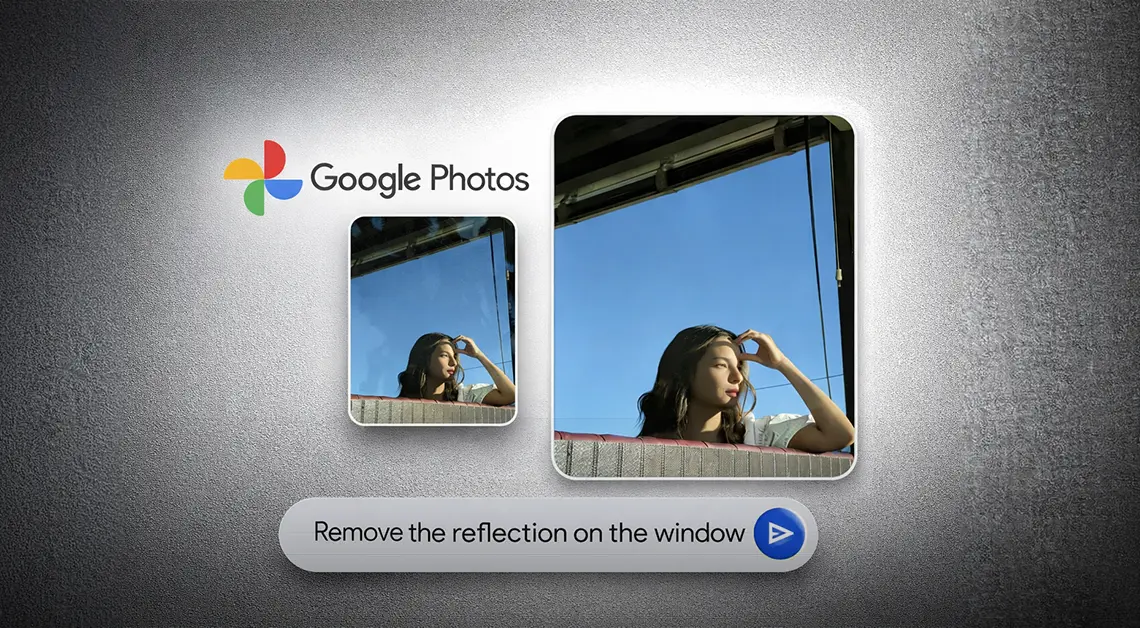
Google Photos has been on a steady update streak lately, picking up long-requested features alongside smaller quality-of-life improvements. The app isn’t slowing down either – Google is now rolling out another update that brings a set of touch-up tools directly into the built-in image editor. The company is framing the addition around the idea that “your photos should capture how you feel in the moment.”
New touch-up tools land in Google Photos’ image editor
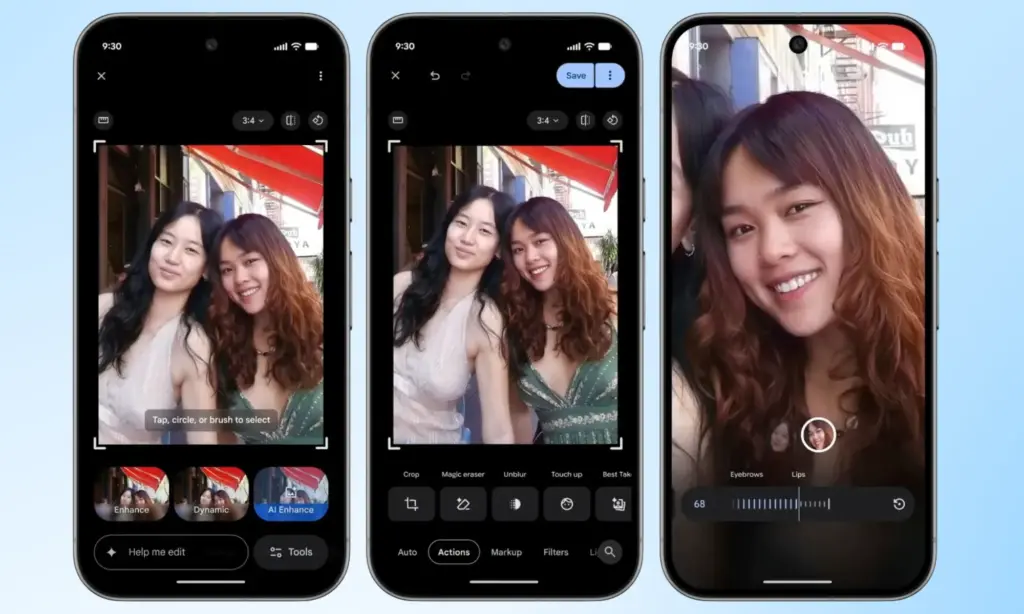
The new tools are designed to apply subtle, targeted enhancements to portrait shots. According to Google, they let users refine skin texture, remove blemishes, brighten eyes, and whiten teeth – all within seconds. The workflow is straightforward: select a face in the photo, then pick from a set of options including heal, smooth, under eyes, irises, teeth, eyebrows, or lips. From there, a slider lets you dial in the intensity of each effect.
Everything renders in real time, so adjustments are visible as they’re made, making it easy to fine-tune before saving. It’s worth noting that many third-party photo editing apps have offered similar tools for years, but Google Photos users now get these capabilities natively, without needing to reach for a separate app.
Rolling out gradually to Android devices with 4GB RAM or more
This feature has had a long road to release. Code strings hinting at its existence were first discovered inside Google Photos back in October last year, but it’s taken until now for Google to push it live. It’s a welcome addition for anyone who likes to put a little polish on their photos before sharing, though those who prefer keeping images untouched can simply skip it entirely.
Google has confirmed the touch-up tools are rolling out gradually on a global basis through the Photos app, targeting Android devices running Android 9.0 or higher with at least 4GB of RAM. Given that the rollout is just getting started, it may take a few days before the update reaches all eligible devices.
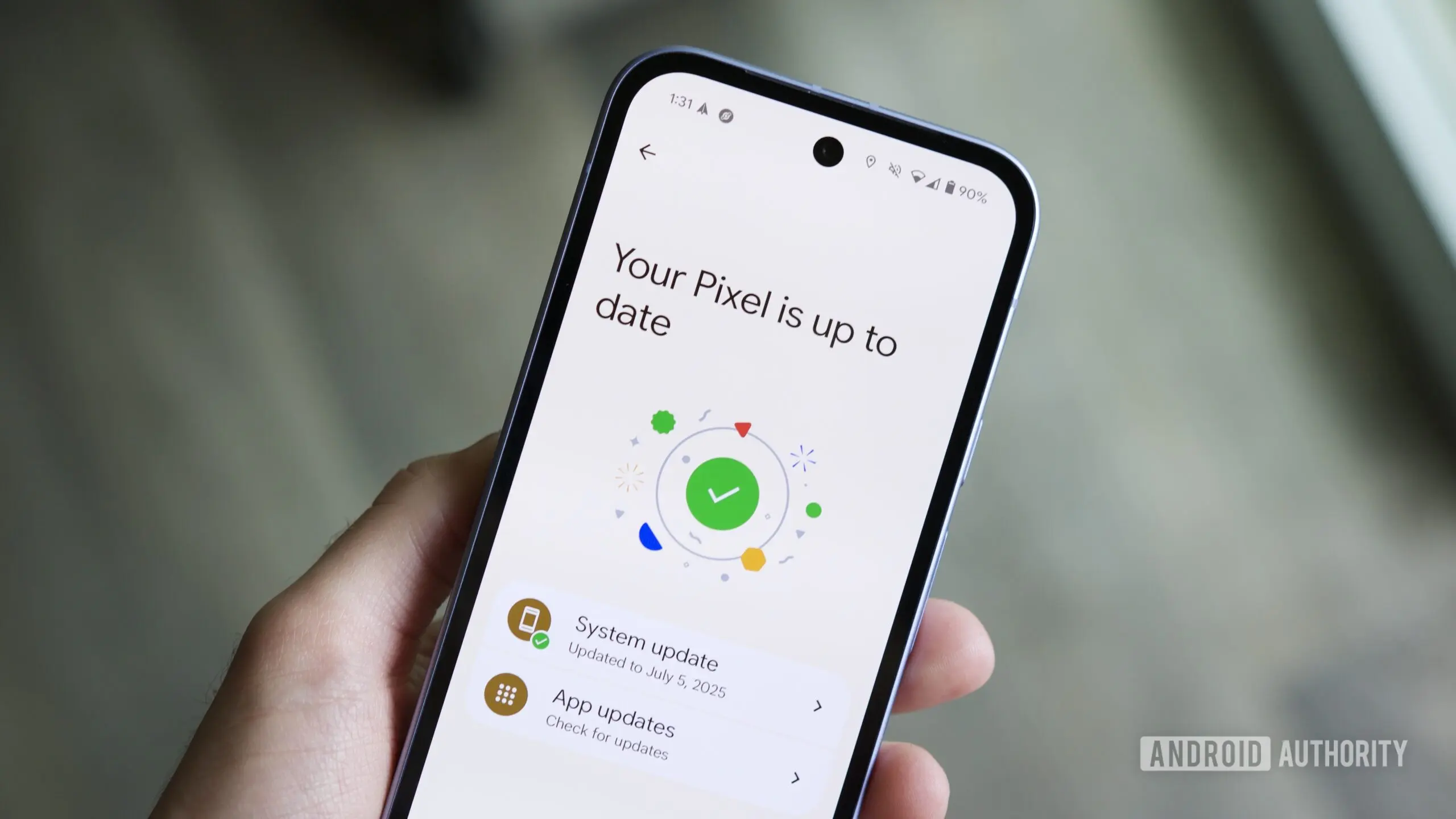
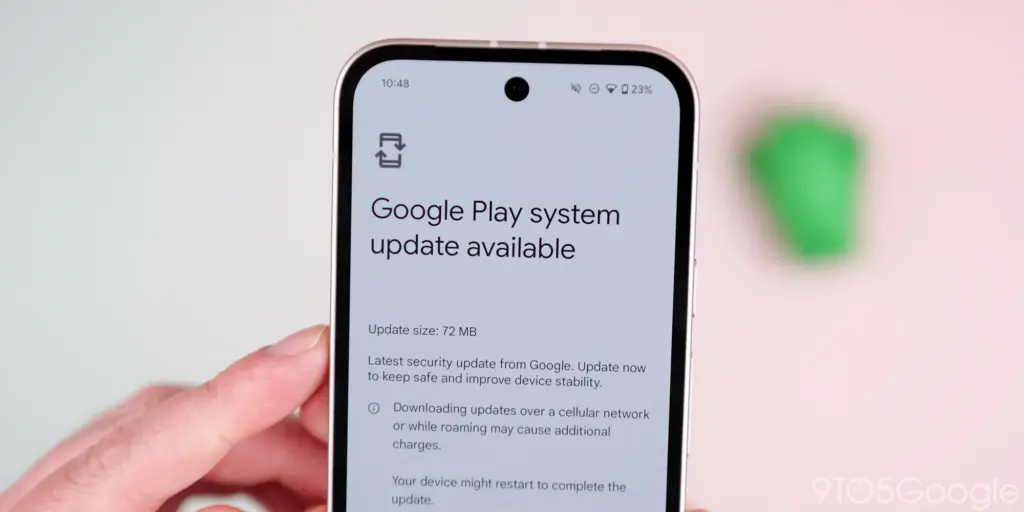
The Play services, Play Store, and Play system update for Android phones and tablets, Wear OS, Google/Android TV, Auto, and PC are the main topics covered in the monthly “Google System Release Notes.” While certain features are intended for developers, others are applicable to end users.
The “Google System” is made up of the following third-party apps:
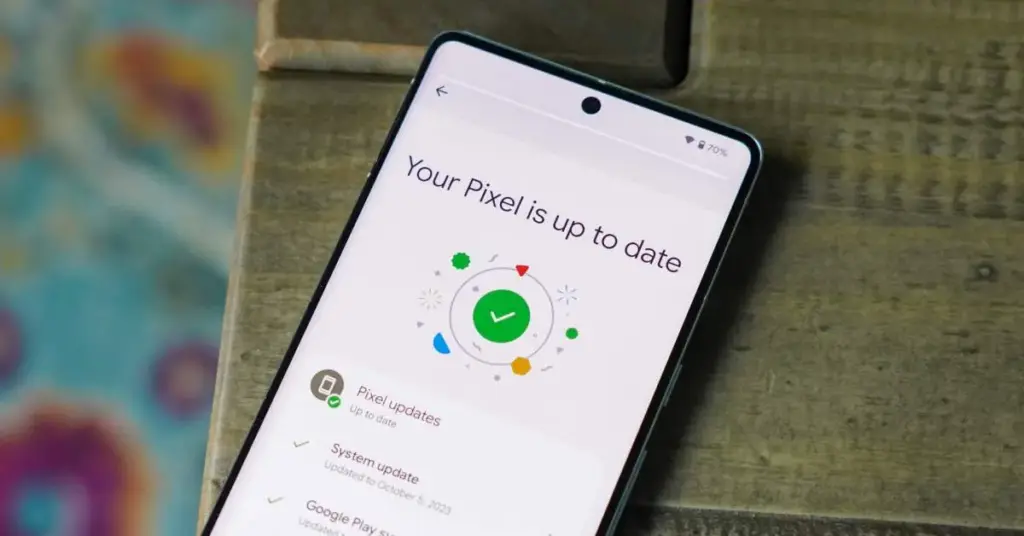
To update, launch the Settings app, press your name at the top of the “Google services” page, then select All services > Privacy & security > System services.
A feature is not necessarily publicly accessible just because it appears in the changelog. The full launch of some capabilities takes months.
Google Play services v26.15 (2026-04-20)
Device Connectivity
[Auto, Phone, Wear] Bug fixes for Device Connections and System Management & Diagnostics related services.
Location & Context
[Phone] Bug fixes for Location Services related services.
Wallet
[Phone] With this update, a message at the bottom of the screen tells the user how to add a card to Wallet.
[Phone] With this update, you’ll get a new entry point for MyCommute.
Android System Intelligence B.24 (2026-04-16)
[Phone] Maintenance changes.
Google Play services v26.14 (2026-04-13)
Account Management
[Phone] With this update, you’ll get a faster way to set up your device when you transfer accounts and settings from an existing device.
System Management
[Auto, PC, Phone, TV, Wear] You can now find open source licenses for Android Pulse in GMS Core.
Wallet
[Phone] You can now control how private passes in Wallet work with other Google services like Autofill through new per-pass privacy settings.
[Phone] You can now use a redesigned Wallet interface for quick access, search, and discovery.
Google Play Store v51.0 (2026-04-13)
[Phone] You can now provide feedback on AI-generated summaries of user reviews.
[Phone] You can now create a Gamer Profile directly from You tab.
[Phone] You can now play some games on the You tab with no install required.
Google Play services v26.13 (2026-04-06)
Account Management
[Auto] When a user signs in to their Google account on Android Automotive devices via QR code, the sign-in confirmation displays the requesting device’s name.
Device Connectivity
[Phone] New developer features for Google and third party app developers to support Device Connectivity related processes in their apps.
Location & Context
[Phone] With this update, Location Sharing APIs are refined and new location requests are introduced.
[Phone] With this update, On-Device Location History Store Visits processes more frequently.
System Management
[Auto, PC, Phone, TV, Wear] Updates to system management services that improve Security and Stability.
Wallet
[Phone] Bug fixes for Wallet related services.
Google Play Store v50.9 (2026-04-06)
[Phone] This update adds download numbers to some app and game ads to help you make informed choices.
[Phone] You can now join and compete in Play Games Leagues directly from the You tab.