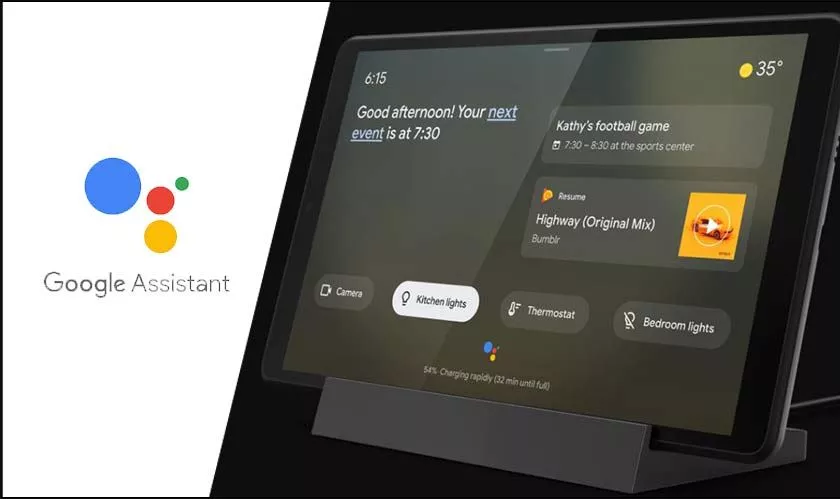
If you are using Google Assistant on your Android phone, you can add interactive features to the lock screen by activating the Ambient mode function.
This is a smart sorts screen that turns on while your phone is charging and replaces the lock screen. Without opening the lock screen, you can view alerts, weather forecasts, play music, display pictures and perform a host of other functions. This article shows how to allow Ambient Mode in Google Assistant.
Activating Ambient Mode
First of all, if you haven’t already, you will need to download and install the Google Assistant app on your phone.
Once Google Assistant is installed, start the app and go to the main page.
Here you will notice the explorer option (the compass icon) near the bottom corner of the page. Tap on the icon.
This will take you to the Explore section of the app – the part where you can configure settings like alarms, the weather forecast, etc.
For now, ignore all the other functions on the Explore page and tap on your profile picture in the top corner.
A new list of options will drop down. Scroll down the list and select the Settings option.
A new page that shows your Google Account profile page will appear.
Scroll left from the page to the Assistant section. Once again, scroll down past the list of options presented to you. Near the bottom, you will find a section entitled “Assistant Devices.” There is a phone option under that section which you need to select.
On the new page that opens, scroll down the options available until you see the one titled “Ambient Mode.” Toggle on this option by tapping on the gray button next to it so that it turns blue.