Tag: google

  • How to connect to Google Home over Bluetooth

    How to connect to Google Home over Bluetooth

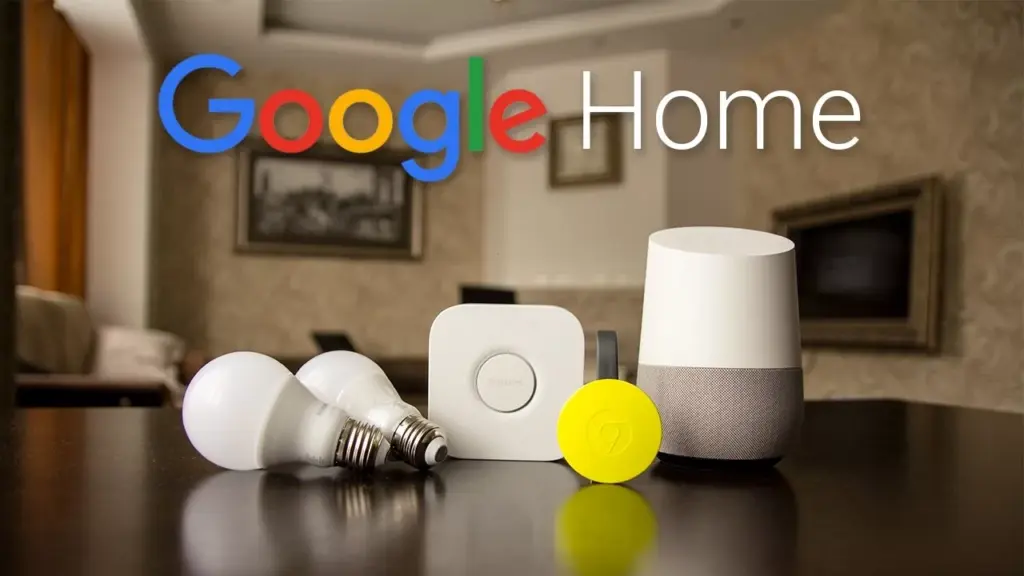
    Back at Google I/O, Google revealed that Bluetooth pairing for Google Home was on the way, paving the way for more flexible music control. Rather than relying on Google’s built-in Chromecast support or waiting for your favorite apps to catch up, you could simply connect your phone to Home via Bluetooth and play like you would with any other Bluetooth unit. It’s a feature that should have been available from the start. Aside from that debate, Bluetooth pairing is now available on Google Home.

    (adsbygoogle = window.adsbygoogle || []).push({});

    We figured we’d guide you through the very boring method of setting up Bluetooth connections because it’s not the easiest thing to do right now (we can’t find a voice command to get this going). It entails using the app to locate a semi-hidden setting, pairing your Home, and connecting through your phone’s Bluetooth settings.

    google home

    Instructions

    1. Open the Google Home app (install it if you don’t have it).

    2. Tap the Devices button in the top right corner of the app’s main screen.

    3. Find the Google Home you want to pair over Bluetooth.

    4. Tap its menu button and choose “Settings.”

    5. Under “Device info” choose “Paired Bluetooth devices.”

    6. Tap “Enable Pairing Mode” in the bottom right corner.

    7. After that, you’ll go into your phone’s Bluetooth settings and look for your Google Home device. It should be there available as a Bluetooth connection option.

    8. Tap on it to connect and allow whichever permissions it asks that you are comfortable with.

    9. And that’s it! You are connected over Bluetooth.

    10. To remove a connected device, you’ll head back into Google Home “Paired Bluetooth devices” and tap the “X” next to devices you want unpaired.

    11. Going forward, as you disconnect and want to reconnect, just look for your Google Home in your Bluetooth settings. It should always be there for connection once you have previously connected.

    (adsbygoogle = window.adsbygoogle || []).push({});
  • Android 12:  Rumors, Leaks, News & Features

    Android 12: Rumors, Leaks, News & Features

    People are eagerly waiting for the Android 12 update especially since the release of a plethora of promising rumors and leaks. Most of what we know has been leaked but some of the information is gathered from the public source code which appeared before the Developer Preview. In light of the upcoming release, we have gathered every detail we could find regarding the Android 12 update and compiled them for you in this article.

    The Desert Name

    Since 2009, a trend can be observed in the naming of each software update. Every major release ever since has been named after a dessert that starts with a successive letter of the alphabet. In 2009 it was Cupcake then Donut then Froyo then Gingerbread and so on. However, this was not the case with Android 10, it seems that publicly Google had abandoned the practice of naming its software updates after deserts but internally the tradition still carried on. Hence Android 11 was “Red Velvet Cake” and Android 12 is reported as “Snow Cone”.

    Design Mockups

    The leaked mockups reveal a comprehensive design, it is worth noting that the actual design could be quite different since the mockups are just providing a visual aid to the leaks. The following images are not screenshots but render from artists of what the design could be.

    Android 12 Beta 4 1200x1200 cropped

    Themes

    After looking at the mockups, it can be observed that Google is going in a different direction with the themes. You can’t find the usually black and white colorways instead a primary color described as “Sand” can be observed. This change in color schemes could be due to an in-depth theming system that is set to debut.  This feature will allow you to customize your theme by choosing from a selected number of primary colors.

    Material NEXT

    The following sets of features are referred to as, “Material NEXT”. It was reported by XDA that there will be various smaller tweaks to the overall interface including notification cards with much rounder corners, new shapes and spacing for quick settings tiles, and more. There may be more features that are under the Material NEXT tag or this could simply point towards the updates to the use of Material Design by Android’s built-in apps and UI.

    New Widgets

    The release of Android 12 could bring, “Conversations Widgets”, which will appear on the home screen. These widgets seem to display missed calls or messages by someone who you haven’t talked to in your while. There are no further details on its functionality but this feature aligns with Google’s aim which is making users more involved in the operating systems.

    One-handed mode

    This feature is directly aimed at those owners who use a foldable device or taller devices. Android 12 will be introducing a native one-handed mode that will decrease your phone’s screen vertically. This will make it easier to use the device with one hand, however, only the height will decrease not the width. 

    Privacy developments

    It seems Google is ready to follow Apple’s stance on privacy, with Android 12 there might be a variety of movements to aid in privacy protection. Reportedly, a feature is in development that will allow users to know if an app is using or has used your camera or microphone recently. Additionally, it has been leaked that Android 12’s Settings app will get a revamped Privacy page where you can outright disable your phone’s camera, microphone, and location sensors.

    Scrolling Screenshots

    This feature is neither a rumor nor a leak, Google confirmed in 2019 that it was working on Scrolling Screenshots. Basically, your phone takes a screenshot, scrolls down, takes another, and stitches the two (or more) together.

    Picture-in-picture upgrades

    When Android 11 was introduced users could resize their floating picture-in-picture window by simply grabbing onto the corner and dragging. According to recent reports, users will now be able to resize with precision or double-tapped to quickly jump to maximum size. There might even be a way for users to “hide” the window so they can see more of their currently active app.

    App Pairs

    App Pairs is another feature that is being introduced due to the usage of foldable phones. This is a split-screen that allows users to operate two different tasks as one in recent apps view hence you will be able to switch from a pair of apps to another single app.

    Game Mode

    This feature will be a massive hit among gamers. There is a rumor that Android 12 may introduce a “game mode” option. As of now, it is called, “GameManager”, which is listed as a “service to manage game-related features.” No specific details have been released hence we are pretty much in the dark about this one.

    Brightness Control

    Android 12 will bring a “Reduce Brightness” tile in the quick settings. This seems to be an accessibility feature aimed at those with visual impairments.

    Apps Hibernation

    Premium flagship phones rarely have a storage issue but not everyone can afford the pricey devices with massive storage. To save storage space, Android 12 could introduce a way for apps to be “hibernated” when they aren’t being actively used. Again, the details on this are a bit vague.

    Third-party app store

    Last year Google assured Android app developers that it was considering their feedbacks and would make it easier to use a third-party app store. This is one of the features that Goggle has been hush-hush about but it is a fair compromise between Google and developers. This will also protect the user’s from malicious malware. 

    What’s next?

    There is no definite release date by Google as of now but it is expected sooner rather than later. This set of features indicate that Google is trying to make its operating system more user-friendly. It is allowing the user to customize and personalize their devices. Additionally, it seems Google agrees with Apple’s privacy policies, to limit data sharing,  which have been the center of controversy ever since its announcement. Many details reading these features are unknown and most of them are just sheer speculation. We’ll have to wait for the build and see how accurate our guesses were based upon the leaks.

  • Google Duo and Messages will not work on uncertified devices soon

    Google Duo and Messages will not work on uncertified devices soon

    Duo and Google Messages are among the best communications apps Google has ever released, so it’s no surprise that they’re incredibly popular even among people whose phones ship without Google apps.

    (adsbygoogle = window.adsbygoogle || []).push({});

    Unfortunately, it looks like those uncertified phones may soon no longer be able to run Duo and Messages. XDA Developers and 9to5Google have uncovered strings that show that apps will soon stop working on unsupported devices.

    google Messages
    <string name="ip_compliance_warning_message">On March 31, Messages will stop working on uncertified devices, including this one.</string>

    The Messages string is as clear as it can be. If Google passes through the certification requirement for Messages, users with uncertified phones may soon see the following message in the app: “On March 31, Messages will stop working on uncertified devices, including this one.” This should only affect a small fraction of Android phones that do not ship with Google apps, such as recent Huawei phones, Chinese ROM phones, and, of course, custom ROMs. XDA Developers suspects that the move will follow the RCS end-to-end encryption roll-out, as the company cannot guarantee that the uncertified device will not be compromised.

    <string name="grace_period_notification_body">"Because you're using an unsupported device, Duo will unregister your account on this device soon. Download your Clips and call history to avoid losing them."</string>
    <string name="grace_period_notification_title">Duo is going away soon</string>

    Google Duo users with uncertified phones will see a similar message saying: “Because you’re using an unsupported device, Duo will unregister your account on this device soon. Download your Clips and call history to avoid losing them.” Even though these strings don’t explicitly mention “uncertified” devices, 9to5Google says that a look at the code reveals that the change is related to “GmsCompilance.” GMS is short for Google Mobile Services, the package responsible for bringing Google’s core apps and important APIs including the Play Services to certified phones. In contrast to Messages, there’s no firm deadline yet.

    (adsbygoogle = window.adsbygoogle || []).push({});

    If Google pulls through with the change, people with uncertified phones will soon have to look for other solutions. Perhaps Signal could be a good replacement for both — it supports sending and receiving SMS in addition to its text and video chat service.

  • 14+ must have apps on your Android smartphone

    14+ must have apps on your Android smartphone

    Have you just got a new Android smartphone for your holidays? It might be a little overwhelming if it’s your first one, so to get you started, here are some apps you should install or set up on a new Android device immediately.

    Alternatively, it might be time to give them a shot if you’re not already using these apps!

    Google Messages (RCS)

    google messages rcs apps

    Messaging has historically been a sore point among Android smartphones in the US at least. Fortunately, Google has been working hard to address that in recent months and now, as of this year, the solution known as RCS (Rich Communication Services) is open to every Android smartphone in the world.

    How can you get your computer with RCS and, more importantly, what’s the advantage? Firstly, the advantage is that RCS is much more capable than SMS/MMS. Better quality photos can be submitted, typing indications, and more all arrive with RCS. Team chats are now having a big update as well. RCS is like Apple’s iMessage, essentially, just for Android phones.

    All you need to do is update Google Messages to get RCS on your Android phone. The free app is an SMS app at its heart, but it can also allow RCS messaging on any carrier and any Android smartphone in select countries, including the US. Just download it, set it as your default SMS app, and wait until the RCS prompt is switched on.

    Telegram & Discord

    telegram and discors

    You should go beyond the standard RCS and SMS if you want an app for even better messaging. One of our favourite messaging apps is Telegram and it functions a lot like the super famous WhatsApp. However, unlike that app, Telegram runs easily on several smartphones or tablets at one time and instantly backs up all your messages. Plus, all is always end-to-end encrypted and you have available both voice and video calls.

    Another great networking option is Discord, which provides private messages and “servers” to host a few friends or hundreds, all with rooms and chat managers. It’s a fantastic experience, and one that’s excellent for gamers in particular.

    Google Duo

    googe duo

    2020 has been a wild year, but sadly, with a pandemic already going on, we are entering 2021. With that in mind, one of the easiest and safest ways to stay in contact with loved ones is still with video calling apps.

    Google Duo is one of the best Android video-calling applications. The totally free app allows starting video calls on Android phones and tablets as well as Chromebooks, laptops, and even iOS devices super fast. Think of it as Facetime for Apple, but not locked up to one ecosystem.

    The app works with your phone number or email address and on certain devices it features fun filters and even screen sharing. However, the best function might be just how well it operates on less-than-ideal connections.

    Zoom

    ne of the most popular video calling/conferencing tools during the pandemic so far has been Zoom. By its popularity alone, this is an app you should have installed. The service offers meetings that you can connect to with just a link or a password, easily connecting with loved ones, friends, or using it for business meetings. Many schools are also using Zoom for remote learning. It’s a powerful app, and one that’s not going to cost you anything unless you’re the one hosting.

    Meet, Skype, Facebook Messenger

    Other great apps for video calling going into 2021 include:

    • Google Meet, an app that works a lot like Zoom but is attached to your Google account and is very popular especially with schools.
    • Skype, one of the original video calling apps that still works great especially for friends and family.
    • Facebook Messenger, a service that lots of people in the US currently use and has an excellent video calling option alongside its messaging features.

    Google Photos

    download

    One of the first things you should install on a new Android smartphone – or an iPhone for that matter – is Google Photos. For the vast majority of Android users, the app will be pre-installed on your device, but you’ll still need to get things set up.

    To do that, simply open the app, sign in with your preferred Google account, and decide on backup options. Photos will automatically backup your pictures and videos in the background, but you’ll need to tell it if you want that done over Wi-Fi only or on cellular data as well.

    From there, you’ll just need to decide on quality. For the next several months, everything is backed up to Google Photos with no limits for “high-quality,” slightly compressed backups, but in June you’ll need a Google One subscription to store anything past 15GB of data.

    If you want to backup your photos outside of Google, one of the best options is Amazon Photos which provides no-frills backups and, for Prime customers, unlimited storage for photos.

    Gboard

    The keyboards pre-installed on a lot of Android smartphones that are most popular today are, well, not nice. In particular, we have particular qualms about LG, but in any case, you can get more features and improved functionality from a different keyboard in many cases.

    Our top selection? Gboard of Google’s own. This keyboard has a fantastic layout that supports features such as gesture/swipe typing, GIF search and input, and so much more, and is convenient for typers of all types. There are also special features, such as the recent inclusion of the “Emoji Kitchen” that can produce some wacky emoji stickers on the fly. You may also subject Gboard to the desire of your heart.

    Put simply, it’s an excellent keyboard that’s totally free and, if it wasn’t already on your phone, it’s one you should absolutely try.

    Find My Device

    Here’s another app that every new Android device should already be loaded on. “Find my device” is an app from Google designed to help you keep track of your smartphone if it is lost. If, for some reason, the app isn’t activated on your computer, it is available through the Play Store.

    When you open Find My Laptop, a Google account will prompt you to sign in and enter your password as well. You’ll be able to see your computer as well as any others connected to your account until that’s completed. Any computer on your account can then ring, lock, or scrub. The same goes for your new phone, some other Android device you own, an Android phone from a friend, or even just a web browser.

    As a side note, in Google Play Services, the key feature of actually locating your phone with this app is on by default, but you can get a little more access using the app as well as being able to locate your other Android devices via the app as well as helping friends find their phones.

    Google One

    google one

    If you do lose or break your phone, you don’t have to lose your data. That’s where Google One comes in handy. With any Google One storage plan (starting at just $2/month), you’ll get improved backups of your phone. By default, Android already backs up core data for free to your Google account, but the One app can back up SMS messages and MMS messages along with your photos and videos.

    ActionDash

    ActionDash provides strategies such as pausing applications to prevent you from using them to help curb your mobile use, restricting how long an app can be used each day and more.

    Everything is done on-device and isn’t uploaded to the cloud and, better yet, the app is free and won’t hurt your battery either. ActionDash is available on Google Play.

    Let’s finally talk about the habits of smartphones. For many, mobile addiction is a major concern, and there are ways to help curb digital well-being apps by moving through a new decade. On your computer, there may already be one enabled, but if not, ActionDash is a free Android smartphone Digital Wellness app that works on almost any device.

    The app monitors how you use your phone during the day, including which applications are used, how many times your smartphone has been activated, and also how many updates you receive.

    Check these waterproof box with actions dash.

    Google’s Digital Wellbeing experiments

    If you really have a smartphone addiction and you want to find a way to guilt yourself into stopping, Google’s collection of Digital Wellbeing experiments might be able to help. These include:

    • Screen Stopwatch, a wallpaper that constantly updates with the amount of time you’ve been using your phone that day.
    • Activity Bubbles, a wallpaper that shows how many times you unlock your phone in a day and how long each “session” lasts.
    • Unlock Clock, a wallpaper that counts how many times you’ve opened up your phone each day.

    Google Keep Notes

    google keep

    By using a note-taking app, keeping track of reminders, lists, and more can be made even easier. Personally, Google Keep Notes is my favorite note-taking app on Android and it’s something that just seems to keep getting better over time.

    Google Keep is totally free and allows you to store in the app notes, lists, and even drawings. These notes are also synced to your Google account, which means that on any other device, including computers, you can access them. You can even use Google Assistant speakers like the Nest Mini to handle a shopping list with a fast setup!

    Microsoft OneNote – Google Keep alternative

    If you want something that’s not from Google and has a few more advanced features, Microsoft OneNote is an excellent option. The app is completely free, though works better with other Microsoft apps using a Microsoft 365 subscription. You can back up notes, drawings, and insert pictures in the app and, like Google’s app, they’ll sync across devices with your Microsoft account.

    A few more …

    • Waze: While Google Maps will do the trick for many, Waze offers crowdsourced live traffic data and reports for speed traps and more.
    • Google News: Especially in these times, keeping up with the latest news is important, and using personalized data, Google News will bring you top stories in a slick app that’s really easy to use.
    • Feedly: Want to keep track of the news using personalized RSS feeds? Feedly is one of the best apps for the job, and it’s free!
    • LastPass: We all have a ton of passwords and online security is important. If you need help managing your passwords, LastPass is an easy, free, and most importantly secure option. 1Password is also an excellent app for this purpose, but it requires a fee.
    • Google Home/Amazon Alexa: Got some smart home speakers or displays? You’ll want to have the Google Home or Amazon Alexa apps installed depending on what devices you own.
    • Get a 3rd-party launcher: Installing a new launcher is a great way to fully customize the homescreen on your new Android phone. Nova Launcher and Action Launcher are great options for this.
  • 25 temporarily free and 44 on-sale apps and games

    25 temporarily free and 44 on-sale apps and games

    Welcome to Friday, everyone. It would appear that today’s sales concentrate primarily on games, and so I have a few standouts to share with everyone. First up is Death Worm, a delightful title all about eating everything and anything as a giant worm. Next is G30 – A Memory Maze, a minimal puzzler that tells a story through each puzzle. Last up is Legends of Andor – The King’s Secret, a deep and engaging board game adaptation that’s easily worth the current asking price. As always, I’ve highlighted all of the interesting titles in bold to make discovery easier. So without further ado, here are 25 temporarily free and 44 on-sale apps and games for the end of the week.

    Free

    Apps

    1. Crypto Helper $0.99 -> Free; Sale ends in 9 hours
    2. Color Wheel $1.99 -> Free; Sale ends in 1 day
    3. English Thesaurus $2.99 -> Free; Sale ends in 2 days
    4. Lecture Notes – Classroom Notes Made Simple $2.99 -> Free; Sale ends in 6 days
    5. Stickers Friends PRO – WAStickerApps $0.99 -> Free; Sale ends in 6 days

    Games

    1. Brothers 3 The Saga Continue $1.49 -> Free; Sale ends in 9 hours
    2. Cartoon Craft $0.99 -> Free; Sale ends in 2 days
    3. Infinity Duels $2.99 -> Free; Sale ends in 2 days
    4. Orisons of Fate: Indie Offline RPG $2.49 -> Free; Sale ends in 4 days
    5. 2048 Puzzle Game $2.99 -> Free; Sale ends in 5 days
    6. Teach Your Monster to Read: Phonics & Reading Game $4.99 -> Free; Sale ends in 5 days
    7. Sweet Candy Blast $0.99 -> Free; Sale ends in 6 days
    8. Theme Solitaire Tripeaks Tri Tower PV $0.99 -> Free; Sale ends in 6 days
    9. Tower of Farming – idle RPG (Soul Event) $0.99 -> Free; Sale ends in 6 days
    10. Cyber Fighters: League of Cyberpunk Stickman 2077 $0.99 -> Free; Sale ends in 7 days
    11. Dead Bunker 3: On a Surface $0.99 -> Free; Sale ends in 7 days
    12. Evertale $0.99 -> Free; Sale ends in 7 days
    13. Terra Fighter 2 Pro $0.99 -> Free; Sale ends in 7 days

    Icon packs & customization

    1. 3D Dollar Sign Live Wallpaper $0.99 -> Free; Sale ends in 2 days
    2. Gear Sun 2 $0.99 -> Free; Sale ends in 2 days
    3. Darko – Icon Pack $1.49 -> Free; Sale ends in 5 days
    4. Darko 2 – Icon Pack $0.99 -> Free; Sale ends in 5 days
    5. Wooden Icons Blue $1.49 -> Free; Sale ends in 5 days
    6. Pixel Cubic 3D – Icon Pack $1.49 -> Free; Sale ends in 6 days
    7. Pixel Net White – Icon Pack $0.99 -> Free; Sale ends in 6 days

    Sale

    Apps

    1. Learn Forex Trading [PRO] Guide – Learn To Trade $1.49 -> $0.99; Sale ends in 3 days
    2. Screen Lock : Pro screen off and lock app $1.99 -> $0.99; Sale ends in 4 days
    3. Password Manager+: Cloud Backup & Fingerprint $4.49 -> $1.99; Sale ends in 5 days
    4. Stellarium Mobile PLUS – Star Map $9.99 -> $5.99; Sale ends in 5 days
    5. Graphing Calculator | Solve| Derivatives $4.49 -> $0.99; Sale ends in 6 days
    6. HSPA+ Optimizer Pro Version $1.99 -> $0.99; Sale ends in 6 days
    7. Learn Japanese Pro $3.49 -> $1.99; Sale ends in 6 days
    8. Learn Korean – Grammar Pro $3.99 -> $1.99; Sale ends in 6 days
    9. Photo Studio PRO $9.99 -> $3.99; Sale ends in 6 days
    10. ColorMeter camera color picker $2.99 -> $0.99; Sale ends in 7 days

    Games

    1. Castles of Mad King Ludwig $7.99 -> $0.99; Sale ends in 2 days
    2. G30 – A Memory Maze $3.99 -> $0.99; Sale ends in 2 days
    3. King Tactics – The Wars of the Roses $2.99 -> $0.99; Sale ends in 2 days
    4. Legends of Andor – The King’s Secret $5.99 -> $3.99; Sale ends in 2 days
    5. Planescape: Torment: Enhanced Edition $9.99 -> $4.49; Sale ends in 2 days
    6. SUBURBIA City Building Game $7.99 -> $0.99; Sale ends in 2 days
    7. Ubongo – Puzzle Challenge $2.99 -> $0.99; Sale ends in 2 days
    8. 1941 Frozen Front Premium $2.99 -> $0.99; Sale ends in 5 days
    9. Devils & Demons – Arena Wars Premium $2.99 -> $0.99; Sale ends in 5 days
    10. Farm Invasion USA – Premium $2.99 -> $0.99; Sale ends in 5 days
    11. Guns’n’Glory WW2 Premium $2.99 -> $0.99; Sale ends in 5 days
    12. Through the Darkest of Times $7.99 -> $4.99; Sale ends in 5 days
    13. Chess Trainer PRO – Repertoire Builder $3.99 -> $0.99; Sale ends in 6 days
    14. Death Worm™ $2.99 -> $0.99; Sale ends in 6 days
    15. Fairy Knights : Story driven RPG $3.99 -> $1.99; Sale ends in 6 days
    16. Funny Veggies! Kids games for girls, boys, babies $2.99 -> $1.49; Sale ends in 6 days
    17. The Last Dream (Full) $4.99 -> $1.99; Sale ends in 6 days
    18. Timen Runner $2.99 -> $0.99; Sale ends in 6 days
    19. BonVoyage! $1.99 -> $0.99; Sale ends in 7 days
    20. CHAMBER $2.49 -> $0.99; Sale ends in 7 days
    21. CRAZY CHICKEN strikes back $3.99 -> $0.99; Sale ends in 7 days
    22. Lovecraft’s Untold Stories $9.99 -> $3.99; Sale ends in 7 days
    23. Lucid Dream Adventure 2 – Story Point & Click Game $2.99 -> $1.49; Sale ends in 7 days
    24. Rule with an Iron Fish: A Pirate Fishing RPG $3.99 -> $1.99; Sale ends in 7 days
    25. Slenderman Origins 1 Full $2.99 -> $0.99; Sale ends in 7 days
    26. Slenderman Origins 2 Saga. Full. Horror Quest. $2.99 -> $0.99; Sale ends in 7 days
    27. SpellKeeper $1.99 -> $0.99; Sale ends in 7 days
    28. Aeon’s End $9.99 -> $4.99; Sale ends in ?
    29. Enigmatis 2: The Mists of Ravenwood (Full) $6.99 -> $1.99; Sale ends in ?
    30. Legends Arcana $2.99 -> $1.99; Sale ends in ?
    31. One Deck Dungeon $6.99 -> $0.99; Sale ends in ?

    Icon packs & customization

    1. None Dark Icon Pack $1.49 -> $0.99; Sale ends in 6 days
    2. NYON – Icon Pack (SALE!!!) $1.49 -> $0.99; Sale ends in 6 days
    3. ARC Launcher® Pro???? 2020 Themes,DIY,Wallpaper,FAST $3.49 -> $0.99; Sale ends in 7 days
  • Google Camera 7.6 available for Pixel 4, 3, 2 devices

    Google Camera 7.6 available for Pixel 4, 3, 2 devices

    Google Camera download

    Google has just launched two new Pixel 5 and 4a 5 G smartphones. The two phones have just launched with intriguing specifications for hardware and software. Although the Pixel 5 is not the flagship phone with the highest hardware configuration, the Snapdragon 700 SoC series still supports 5G. As for the applications, out of the box, both the devices feature Android 11 and some exclusive Pixel apps and services such as the camera app. The stock of older Pixel 4 (XL), 3 (XL), 2 (XL) and 4a and 3a cameras have all been updated to the new Google v7.6 APK camera.

    Sadly, Google has not mentioned what’s new in the latest version of the camera, including v7.6.

    The Play Store listing only mentions the age-old changelog of dual exposure controls to adjust brightness and HDR of your photo, added Astrophotography feature to Night Sight mode for the Pixel 3, 3a, and 4. Top Shot photos feature with touch and hold on the shutter button to capture. Here is the complete changelog from the Play Store listing:

    •  Added dual exposure controls to adjust brightness and HDR of your photo (Pixel 4).
    • Added Astrophotography to Night Sight to allow you take a picture of the Milky Way with one tap (Pixel 3, 3a, and 4).
    • Added Frequent Faces to help you capture Top Shot photos where the people you photograph most are smiling and not blinking (Pixel 4).
    • Added Touch and hold on the shutter button to capture Top Shot photos in the default camera mode (Pixel 2, 3, 3a, and 4).
     camera
    google camera

    We do, however, have a list of features from previous versions of the Pixel camera, such as the Gcam 7.5. “Audio zoom” allows you to capture audio / sound from the microphone in a particular direction with a motion blur effect that provides DSLR-like quality for images of moving objects. The flash intensity allows you to change the flash intensity at will. The video sharing feature now also applies to videos. In Google camera 7.6, we should expect all these features as well.

    On the other hand, Pixel 5 and 4a 5G feature new Google Camera 8.0 out of the box. This camera update didn’t come to the older Pixel series yet. However, you can still install it using our Gcam 8.0 post from here alongside your original camera app. You can expect some of Google camera 8.0 features into the Gcam 7.6 as well. Check out all the Pixel 5 and 4a camera features here.

    Moreover, previous Google Camera 7.4 enables 8X camera zoom for video recording on the current flagships Pixel 4 and 4XL. It also brings a new toggle for changing resolution while video recording in the dropdown menu on the viewfinder. Later, Google released a newer stable Google Camera 7.4.200 APK as well.

    Download Google Camera 7.6 APK

    Here is the latest Google Camera 7.6.008.327100377 original APK available for download for older Pixel series phones including Pixel 4 (XL), Pixel 3 (XL), 2 (XL), OG Pixel 1 (XL). So if you have an older Pixel device and do not see the newest update on the Play Store, then download the APK and simply install it as a normal app. It will only support Android 11 or later.

    APK download

  • Screen sharing for Google Duo is finally here –  how it works?

    Screen sharing for Google Duo is finally here – how it works?

    After years of making (and breaking), Google confirmed earlier this month (then removed the tweet) that its Duo video calling service would soon be available for screen sharing. The feature did not instantly go live, but is finally making its way to users now. My husband’s OnePlus 7 Pro was considered worthy of getting it by the server-side switch gods, but my Pixel 4 XL with Android 11 is not nice enough (no, I’m not bitter). But all you need is for it to be live to do the sharing on one unit, so we took it for a ride. Prepare for the relentless Ritas, you were warned.

    It is as easy to toggle on screen sharing as pressing the overflow button (three dots) at the bottom right of the mid-call Duo screen, then selecting Screen share. Since this is an update from the server side, not everybody has it yet. If you want to reveal confidential information during the call, a pop-up will ask you to choose Start now and you’re good to go. What’s on your screen is going to be shared with another person.

    While you’re still in Duo, the outcome is a funny beginning, but you can quickly back out of the app and use your phone as usual. The PIP window is not activated, so when sharing your screen with them, you can’t see the other person, but that’s all for the better, because you don’t want the PIP to appear on their side and thus further confuse them. The only signs that you are in this mode are the red Chrome icon in the status bar (similar to when the screen is being registered or cast) and the Duo notification with the options to terminate the call or simply interrupt the screenshare. A pop-up will ask if you would like to go back to using your front camera if you select the latter one. (Note: this dialog may be the product of my brother using a OnePlus 7 Pro with a pop-up camera that required confirmation to spring up. It may not be seen by phones with no pop-up cam.)

    At the end of the receiver, when the sender’s screen sharing is enabled, the video will briefly cut off to a blue screen, but if it works, you can see their screen and can follow along with what they do. The only difference is that your own tiny video stream window on the top right is already open to you. This produces another inception-like impact for the first few seconds of the share, of course.

    And that’s the gist of it, basically. In our experience, even though we were on a slow connection, it worked well. When you are both on a good Wi-Fi or 4 G link, the output should be higher.

    Screen sharing is an integral part of any video calling service, not just for those who want to demo stuff to other users, but also if a friend or family member needs to provide fast tech help. For that reason alone, I needed this feature because I’m tired of asking my parents to “describe what you see” or “take a screenshot and send it to me” when trying to help with a problem remotely on their computer. Through this, I should be able to clarify how the screen is shared and I can see all from then on and thus provide anyone involved through rapid and frustration-free support.

    As this is still a server-side rollout, the functionality is not yet available to all. Duo v105.0.331 (APK Mirror) is run by both my husband and I, but he has it and I don’t. Make sure you’re on this or a newer update to boost your chances, and keep testing. Soon we can all have it, hopefully.

    Here below you can download:

  • Google invests in Jio, plans to co-develop smartphone

    Google invests in Jio, plans to co-develop smartphone

    In the past few months, Reliance’s Jio Platforms has been on a funding spree with some major investments coming from Twitter, Qualcomm and other multinational brands. Google is joining this extensive list, which will pick a minority stake in India’s largest telco to build custom software and hardware solutions for India’s increasing smartphone appetite, particularly in the lower-end segment.

    At today’s investor conference, Reliance revealed that after the latter’s 4G-enabled feature phone had seen huge success in the country, Google and Jio are teaming up to make entry-level 4G smartphones. A huge chunk of India’s billion-plus population has so far stuck to 2 G mobile phones, and their first choice is likely to be a cheap Android phone when they decide to turn out. That’s hundreds of millions of potential customers that Google and Jio would like to be able to take in. Down the line the pair can also come out with a 5G-enabled entry-level phone when 5 G is a real thing.

    (adsbygoogle = window.adsbygoogle || []).push({});
    jio google

    Jio also plans to support Google in creating a custom Android-based operating system that presumably isn’t as resource-intensive as the standard version of Android. While Google already has the Android Go Edition program in place to address similar needs, it doesn’t seem to fit the bill for Jio for whatever reason. Officials at the company refrained from revealing any more information about this new App or any of the phones that could be in the pipeline.

    Of the $10 billion fund Google announced last week for the Indian market, $4.5 billion will be invested for 7.7 per cent ownership in Jio Platforms. The Reliance company has raised more than $20 billion in the last few months alone, but much of it is still awaiting regulatory approval, including Google’s portion.

    Additionally, Jio had some major announcements to make, such as his readiness to launch 5 G using the solutions built locally. It even unveiled its AR-enabled Jio Glass (pictured above), which could be used for mixed reality applications and will be available next year at some point. Finally, for most streaming apps, including big names like Netflix, Prime Video, YouTube and Disney+ Hotstar, the JioTV+ app for the company’s media box has received a facelift to enable cross-app search and single sign-in. It has also added social features to live TV, such as content-related polls.

  • Galaxy S20 family supports AR objects in Google Search

    Galaxy S20 family supports AR objects in Google Search

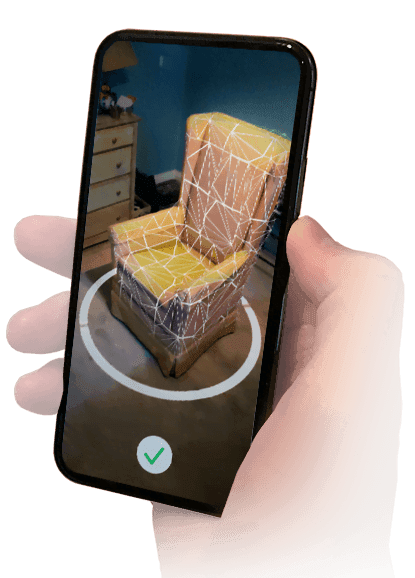
    Google Search helps you to view thousands of 3D models such as objects, pets, skeletons, cells, Neil Armstrong’s spacesuit and much more on many Android devices. You can push these objects into your home by pressing a button, and see them as if they were in the viewfinder of your camera. You can also snap pictures and take videos. The list of supported phones is continuously increasing — devices such as the Sony Xperia 1 II, the Poco X2, the Xiaomi Redmi K30, and the Galaxy Tab S6 Lite from Samsung made the cut we were tested in early June, and now a few more are showing up, including the Galaxy S20 series flagship.

    ar objects

    What’s a big-name phone like that just coming to the ARCore list of Google now? That’s far from unique about how Google handles the file, and similarly, last year, the S10 family only showed up after launch. In addition to the updated list, Google is also expanding it to report compatibility with the new Depth API, our other major news of the day for ARCore itself.

    Here is the complete list of new devices added as of June. Our new additions are daring:

    • LG K61
    • LG Signature Edition 2019
    • LG V50S ThinQ
    • moto g power
    • motorola edge
    • motorola edge plus
    • Oppo realme 6
    • Oppo realme 6 Pro
    • Oppo Reno3
    • Oppo Reno3 5G
    • Oppo Reno3 Pro 5G
    • Samsung Galaxy A31
    • Samsung Galaxy A41
    • Samsung Galaxy S20
    • Samsung Galaxy S20+ 5G
    • Samsung Galaxy S20 Ultra 5G
    • Samsung Galaxy Tab S6 Lite
    • Sony Xperia 1 II
    • Vivo iQOO 3 5G
    • Xiaomi Mi 10
    • Xiaomi Mi 10 Lite 5G
    • Xiaomi Mi 10 Pro
    • Xiaomi Poco X2
    • Xiaomi Redmi K30

    If you own one of these, you should already be able to use ARCore features. The functionality comes as part of Google Play Services for AR, which should be automatically installed on your phone as soon as it’s officially supported.

  • Google Classroom and YouTube Go grow fast in installs

    Google Classroom and YouTube Go grow fast in installs

    youtube go
    YouTube Go

    Android Auto has recently reached 500 million downloads on the Play Store, likely due to its inclusion on most Android 10 shipping phones, and now two more Google made apps have reached major milestones.

    Next, YouTube Go is now in the Play Store hitting 500 million downloads. Google has certainly contributed to that figure, with the app on all Android Go phones, but other Go system applications are still lagging behind — Google Maps is only 100 million, whereas Google Assistant is 50 million. YouTube Go seems to have a small number of organic downloads, presumably because of the data-saving features that are not available in the full YouTube app.

    google go on google play store
    youtube

    Already, Google Classroom has hit a milestone, albeit a smaller one—100 million devices. Classroom is not pre-installed on any computers, and that number is fully downloaded by users and installed by schools / organisations. The app has also returned to an average 4/5 star ranking, despite a review-bombing earlier this year by students hoping to escape remote schooling.

    google classroom