Tag: ai

  • ColorOS 16.1 Rolls Out with Live Space, Redesigned Camera, MindPilot AI, and AirDrop Support

    ColorOS 16.1 Rolls Out with Live Space, Redesigned Camera, MindPilot AI, and AirDrop Support

    OPPO has released ColorOS 16.1, its mid-cycle upgrade that remains based on Android 16 and arrives ahead of the Android 17 update expected for eligible devices later this year. The release is a substantial one, covering everything from a new live activity system and a redesigned camera interface to AI assistant improvements and cross-platform file sharing with Apple devices.

    ColorOS 16.1 is rolling out to the Find X9 series first

    The update is currently making its way to OPPO’s Find X9 lineup, with the Reno 15 series and Find X8 series set to follow. Other flagship and mid-range models are expected to receive it in the near future as well. The Find X9 Ultra and Find X9s will ship with ColorOS 16.1 pre-installed in select regions.

    The most prominent addition in this release is Live Space — a new live activity system displayed as an expandable capsule-style card at the bottom of the lock screen. It surfaces real-time updates for things like timers, music playback, food delivery tracking, and notifications, and users can swipe between active sessions directly from the lock screen without opening any apps. Live Space also integrates with Google Maps, extending its usefulness beyond basic notifications.

    System animations have also been overhauled across the board. App launches, closures, in-app scrolling, and general system interactions all feel smoother and more fluid. The Control Center and notification shade now feature stronger blur effects and cleaner transitions when pulled down, and touch recognition improvements help reduce the scrolling jitter that can creep into app interactions.
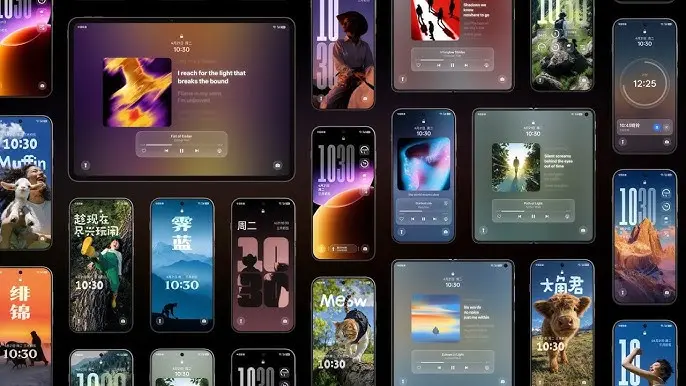
    ColorOS 16.1 update

    Live Space, redesigned camera app, and smoother system animations

    ColorOS 16.1 introduces a Contour Glow effect throughout Settings, adding a subtle shimmer animation around UI elements including Control Center toggles, the lock screen, widgets, and the search bar. A new Audio Sharing feature allows two audio devices — such as earbuds and other supported Bluetooth accessories — to connect simultaneously to the same phone and play audio through both at once.

    The Camera app has been redesigned with a noticeably different visual language, featuring translucent layers, glossy blur effects, floating cards, and bouncy animations throughout the interface. Settings no longer take over the full screen; they open inside pop-up cards instead, keeping the experience less disruptive. Devices like the Find X9 and Find X9 Pro also gain new Lumo-style watermarks within the camera app.

    On the home screen side, ColorOS 16.1 adds AI-assisted organization that automatically arranges apps by category — games, music, social media, and so on — or by icon color. The same color-based sorting is available inside the app drawer as well.
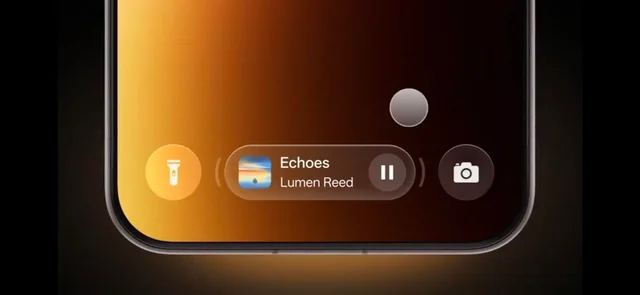
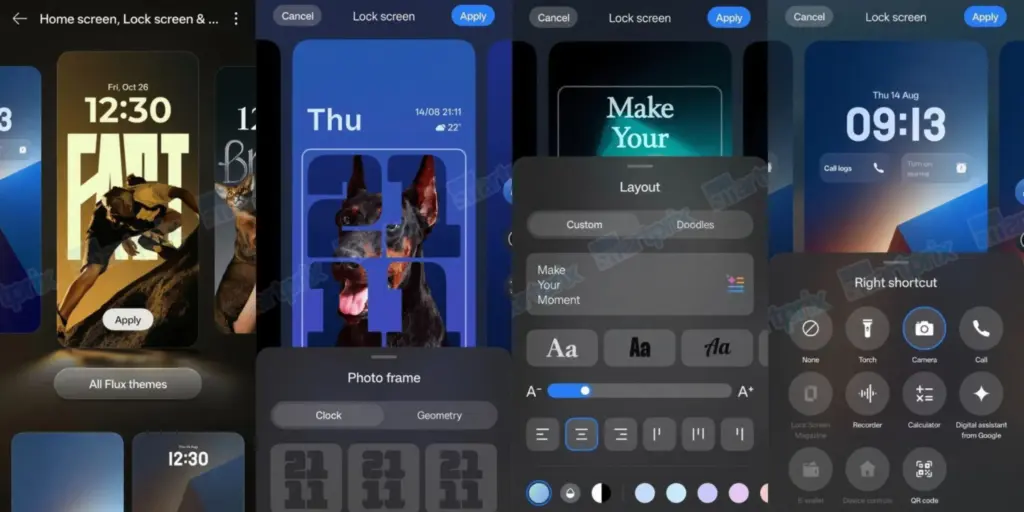
    ColorOS 16.1 lockscreen features

    AI improvements and AirDrop support

    Several AI features have been upgraded or introduced. Mindspace gains a new assistant called MindPilot, which supports ChatGPT, Perplexity, and Gemini directly within the app and responds to natural language queries. A new AI Menu Translation feature uses the camera to scan menus and foreign-language text and translate it on the spot, with the added ability to identify and convert different currencies — a useful tool for travel.

    The AI Bill Manager is a new addition that tracks expenses, income, daily averages, and monthly spending patterns. Users can set spending limits and query their financial data through the AI directly. Document Scanning has also been meaningfully improved — the system now automatically corrects wrinkles, shadows, glare, and blur in scanned images, handles handwriting, long paragraphs, and tables with greater accuracy, and saves documents directly to the Documents app. Multi-page scanning is faster as well.

    ColorOS 16.1 also adds AirDrop compatibility to Quick Share, enabling file transfers to Apple devices without requiring any third-party apps. This feature is currently limited to the Find X9 and Find X9 Pro. Additional changes include Caller ID and spam protection, a speaker equalizer, and OPPO Share.
  • Honor 600 Review: Why Skip the Pro and Save Big on This Mid-Ranger

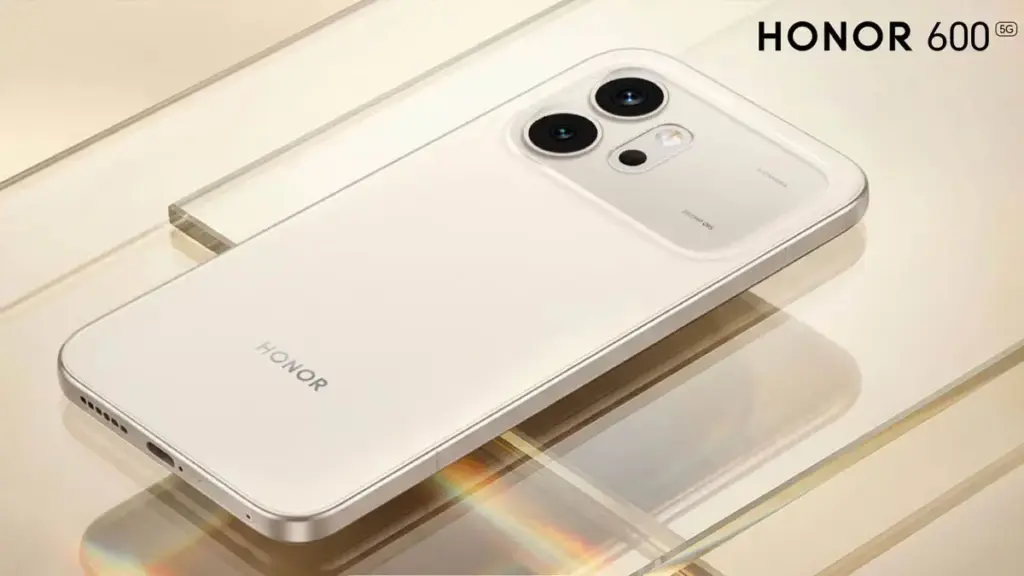
    Honor 600 Review: Why Skip the Pro and Save Big on This Mid-Ranger

    Hands-on testing of the Honor 600 over a full week raises questions about dropping thousands on flagships. This year’s Honor 600 lineup includes both standard and Pro models, but availability tilts heavily toward the base Honor 600 over the pricier Pro variant in most markets. Practical experience suggests sticking with the cheaper option makes sense for many buyers.

    The Honor 600 shares the Pro’s slim-bezel 8,000-nit OLED screen, oversized battery, and rugged design with IP69K rating for drop and crush resistance. With electronics prices climbing sharply, holding onto older phones feels tempting, yet the Honor 600 stands out as a mid-range contender that could change minds. Testing shows it matches or beats rivals in build and certain specs.

    Honor 600 Specs

    CategoryHonor 600
    Operating SystemMagic OS 10 (Android 16). 6 years of OS updates
    Display6.57-inch AMOLED, 1264×2728, 120Hz, 8000 nits peak brightness
    Eye comfort settingsDC dimming, 3840Hz PWM dimming, AI defocus, motion sickness relief, ultra dark mode, low blue light, personalized contrast
    ProcessorSnapdragon 7 Gen 4
    RAM8GB, 12GB
    Storage256GB, 512GB
    Rear Cameras200MP (wide) + 12MP (ultra-wide + macro), color temperature sensor
    Front Camera50MP
    Battery6,800mAh global (7,000mAh China only)
    Charging80W wired, 27W reverse wired, no wireless charging
    BuildMatte metal frame, composite fiber back
    IP RatingIP68, IP69, IP69K
    Weight185g
    Dimensions156 × 74.7 × 7.8 mm
    ColorsBlack, Golden White (our review unit), Orange

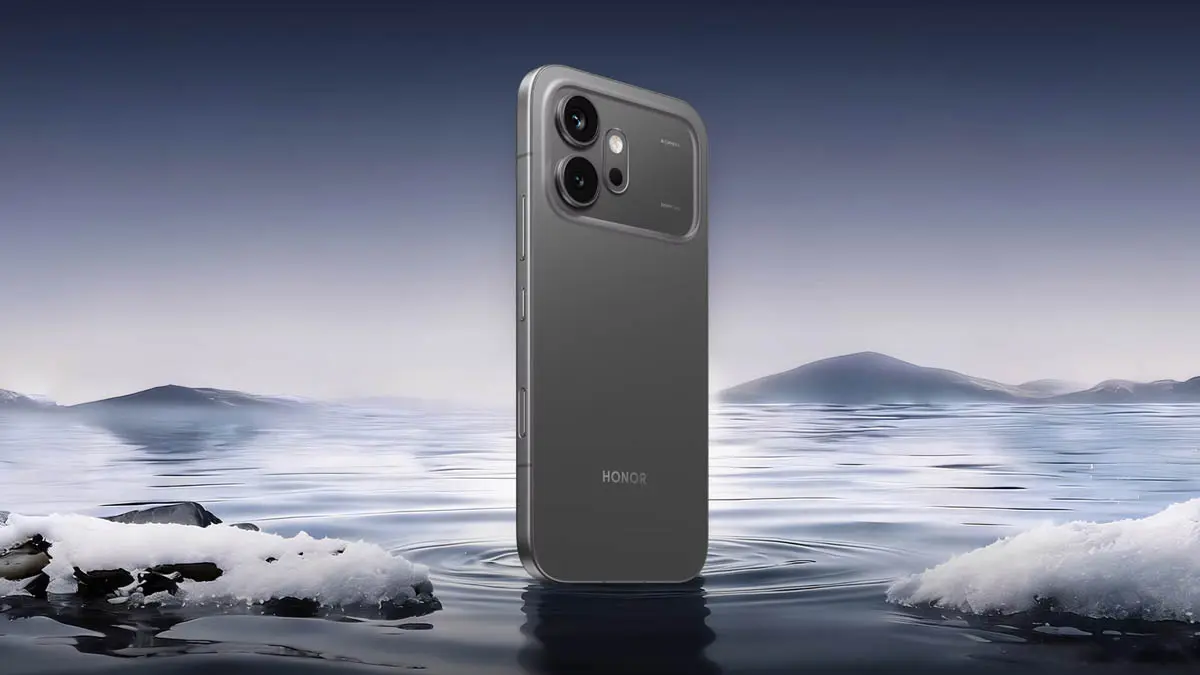
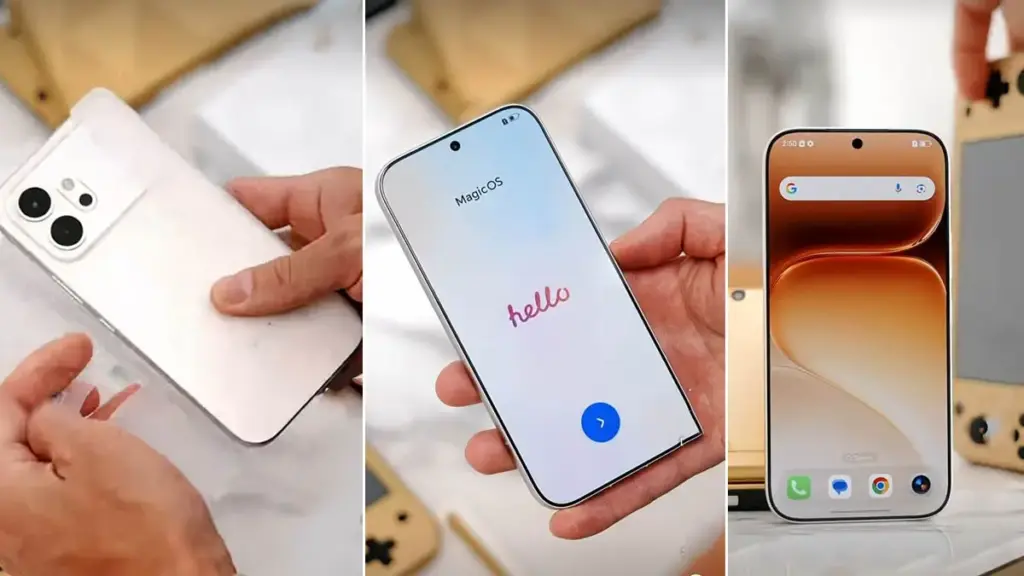
    The IP69K construction ensures durability while keeping a polished appearance over time. An AI button sits below the power key on the right edge, doubling as a customizable camera shutter. The aesthetic echoes the iPhone 17 but swaps Apple’s stark finish for refined elegance. The camera bump uses a distinct composite with a pearlescent, semi-transparent glow against the matte rear panel. Flat edges feel off, though the brushed aluminum texture redeems them. At a compact size and 190g weight, the phone took adjustment but proved refreshing.

    honor 600 review

    The standout element remains the near-bezelless display with the industry’s first sub-1mm bezel at a uniform 0.98mm all around. A mid-ranger claiming this milestone feels unexpected. The true 10-bit panel avoids dithering and packs eye-care tools like DC dimming, 3840Hz PWM, motion sickness reduction, defocus mode, and personalized contrast checks. Full color tweaks cover saturation, contrast, and more options often skipped by others.

    Honor rates peak brightness at 8,000 nits in a limited area. HDR tests hit around 3,000 nits routinely, outshining even Samsung flagships at 2,600 nits. Performance jumps 40 percent over the Honor 400 in Geekbench and 3DMark benchmarks.

    Despite its slim profile and light 190g build, a 6,800mAh battery (7,000mAh in China) delivers multi-day endurance. Charging at 60W adds convenience. Haptics disappoint as usual for Honor—weak enough to disable entirely, though this remains the main drawback.

    honor 600 in white

    Honor pushes AI hard via the side key, which triggers contextual tools on long press for screen-specific actions like screenshot-to-notes in AI memories. Gallery upgrades include AI Photo to Video V2.0, turning up to three images plus a prompt into 3-8 second clips.

    Such gimmicks entertain but rarely prove essential—authenticity in photos and videos holds more appeal, even if execution impresses. Moving Photo Eraser refines object removal while preserving motion in photos, matching top magic eraser tools. Moving Photo Breakout Collage blends stills and motion shots into shareable layouts that shine on social media.

    The 200MP main sensor produces sharp images with solid dynamic range and true-to-life colors. Zoom lacks detail natively, but AI kicks in past 6x to sharpen results effectively, filling gaps left by absent telephoto lenses. Availability proves inconsistent, with no toggle option—users can disable it outright if needed. Motion handling ranks high for the segment, trailing only Honor flagships.

    The Honor 600 builds smartly on the 400 series and holds strong value barring post-launch hikes. It leads mid-rangers in screen, durability, and stamina while challenging flagships selectively. Google, Nothing, and Samsung compete closely, yet Honor edges them on core elements. Rivals promise extra software years, but at this tier, Honor’s reliable updates, battery prowess, fast charging, tough build, and screen comfort tip the scales.

  • Google Photos Adds AI Touch-Ups That Fix Your Selfies Without Looking Fake

    Google Photos Adds AI Touch-Ups That Fix Your Selfies Without Looking Fake

    Google Photos has been on a steady update streak lately, picking up long-requested features alongside smaller quality-of-life improvements. The app isn’t slowing down either – Google is now rolling out another update that brings a set of touch-up tools directly into the built-in image editor. The company is framing the addition around the idea that “your photos should capture how you feel in the moment.”

    New touch-up tools land in Google Photos’ image editor

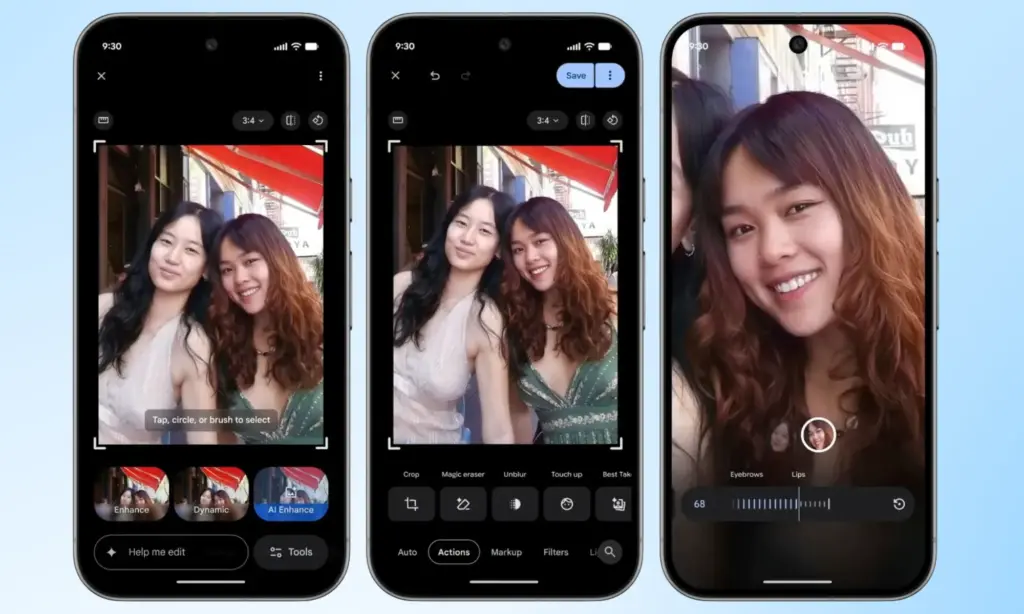
    The new tools are designed to apply subtle, targeted enhancements to portrait shots. According to Google, they let users refine skin texture, remove blemishes, brighten eyes, and whiten teeth – all within seconds. The workflow is straightforward: select a face in the photo, then pick from a set of options including heal, smooth, under eyes, irises, teeth, eyebrows, or lips. From there, a slider lets you dial in the intensity of each effect.

    Google Photos Touch Up feature in action

    Everything renders in real time, so adjustments are visible as they’re made, making it easy to fine-tune before saving. It’s worth noting that many third-party photo editing apps have offered similar tools for years, but Google Photos users now get these capabilities natively, without needing to reach for a separate app.

    Rolling out gradually to Android devices with 4GB RAM or more

    Google Photos Adds AI Touch-Ups

    This feature has had a long road to release. Code strings hinting at its existence were first discovered inside Google Photos back in October last year, but it’s taken until now for Google to push it live. It’s a welcome addition for anyone who likes to put a little polish on their photos before sharing, though those who prefer keeping images untouched can simply skip it entirely.

    Google has confirmed the touch-up tools are rolling out gradually on a global basis through the Photos app, targeting Android devices running Android 9.0 or higher with at least 4GB of RAM. Given that the rollout is just getting started, it may take a few days before the update reaches all eligible devices.

  • Honor Magic 7 Gets Powerful New YOYO AI Tools — Here’s What’s New

    Honor Magic 7 Gets Powerful New YOYO AI Tools — Here’s What’s New

    Honor is rolling out a new MagicOS 10 update to the Magic 7 series, introducing a range of YOYO AI features alongside broader system improvements. The April 2026 update is now being pushed to devices, with the Magic 7 lineup among the first to receive the firmware.

    This release focuses heavily on AI enhancements while also refining the Honor Connect app. Honor has made changes across multiple parts of the system, including the Magic Capsule, home screen, and lock screen. The update also improves overall system stability and strengthens device security.

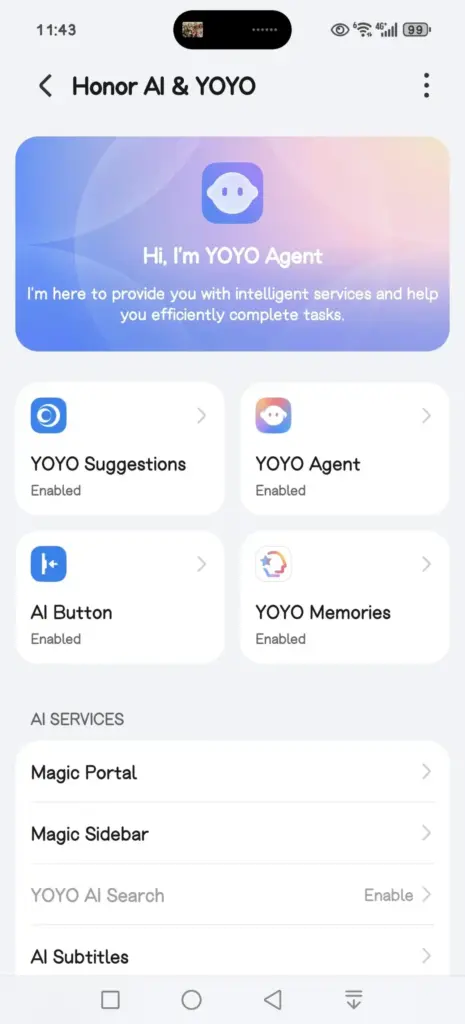
    A key highlight is the expanded YOYO AI functionality. In the Magic Capsule, Honor has added a new “meal pickup code” tool that notifies users when it’s time to collect an order and displays the associated delivery code.

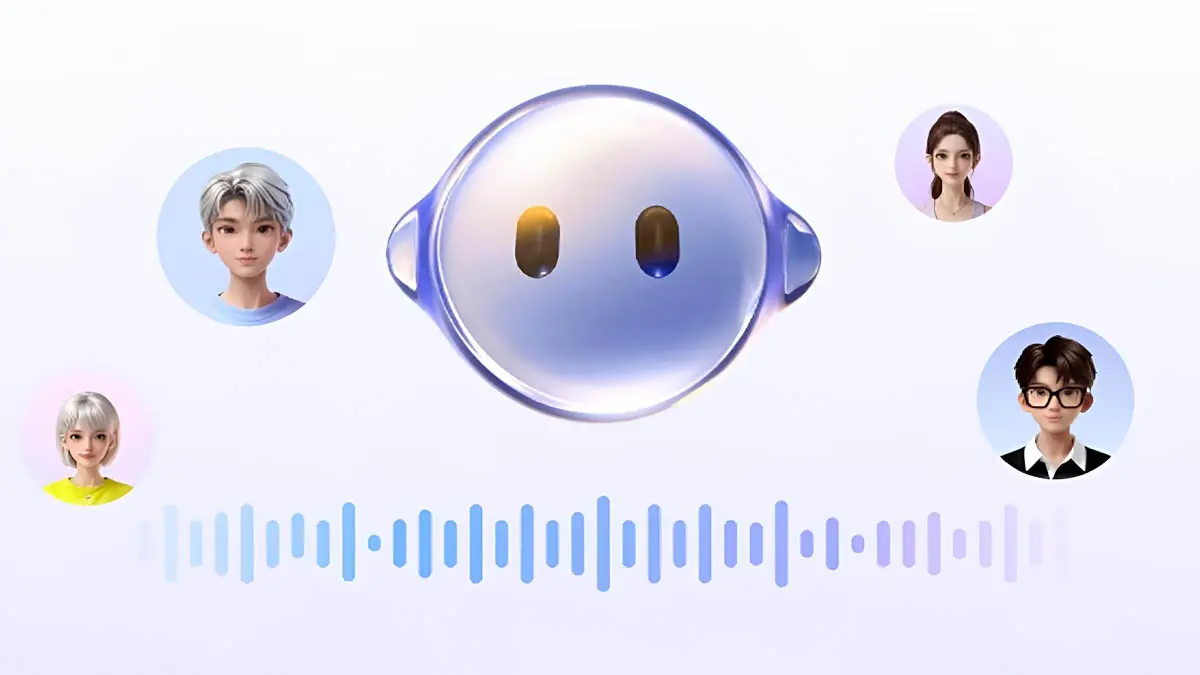
    The update also introduces an “Ask YOYO” option within the screenshot interface. Users can upload a screenshot and ask questions about its content, making it easier to extract information directly from images.

    honor yoyo ai

    Another addition allows users to convert images into documents in just a few steps, further extending the assistant’s practical capabilities.

    The update is arriving as MagicOS version 10.0.0.150 for the Honor Magic 7 series.

    YOYO AI Features

    • YOYO Suggestions & Smart Capsule now support meal pickup code reminders, providing users with a smart and convenient meal pickup experience.
    • Turn on Meal Pickup Code Reminder and Automatic Meal Pickup Code Recognition.
    • YOYO now features a new wake-up screen with a Q&A feature, supporting fingertip selection of screen content for Q&A, text selection for copying and translation, and AI image recognition and interpretation, enhancing your ease of use and usability.
    • The screenshot feature now includes an “Ask YOYO” feature, allowing users to wake up YOYO with a single click and upload a screenshot for easy content recognition, Q&A, and other operations.
    • Added YOYO’s photo-to-document feature, allowing users to convert images into editable Word, Excel, and PPT documents with a single click. It highly preserves the accuracy and structural integrity of the original text, achieving a “what you see is what you get” experience, making mobile office work more convenient and efficient.
    • Added YOYO Helper, supporting simultaneous audio and text recording during online/offline meetings. It can assist with Q&A and provide intelligent reminders during the meeting, and intelligently generate meeting minutes afterward.

    System smooth

    • Added a customizable app transition animation feature, offering three levels of smoothness: gentle, stable, and efficient, allowing you to customize the smooth experience to your liking.
    • Optimized the real-time blur effect when launching and exiting desktop applications, making your user experience smoother and more fluid.

    Home Screen

    • Added an auto-align icon feature for a neater layout. Access it via: Settings > Desktop & Personalization > Desktop Settings > Auto-align Icons
    • Added support for one-click folder creation across multiple applications; long-pressing a folder on the desktop allows for one-click unpacking, making folder organization more convenient.
    • Added support for batch removal and uninstallation of applications, making desktop management more efficient.

    Theme

    • Added a new status bar skinning feature, allowing you to freely change the status bar icon style and personalize your phone’s interface.

    Lock screen

    • Added support for customizable lock screen widgets, providing one-click access to frequently used functions for both convenience and personalization.
    • Added support for custom fingerprint styles, allowing you to freely combine the lock screen fingerprint icon and fingerprint animation to create your own personalized unlocking experience.
    • Several new AI services have been added, supporting features such as song recognition, AI subtitles, Honor Any Door, and YOYO Notes, making your daily operations more convenient and efficient.

    Honor Connect

    • Added cross-device file management for Mac, allowing you to easily browse, download, and manage pictures, videos, and other files from your phone on your Mac. Say goodbye to cumbersome transfers and enjoy efficiency and convenience.
    • Added a new iPhone hotspot feature. After connecting your Honor phone and iPhone, you can easily connect to your phone’s personal hotspot from your iPhone, eliminating cumbersome setup and making internet access more convenient.

    Enjoy the bass

    • Added support for multiple apps, including 29 apps such as Red Fruit Free Short Drama, CCTV News, and Valorant.

    Honor Smart Space

    • Added support for creating and managing multiple pet health records, and supports 24-hour AI-powered pet consultation, providing pet health reports and treatment suggestions to protect your pet’s health.

    Power consumption

    • Optimize power consumption in certain scenarios.

    Stability

    • Improved system stability and optimized some third-party app crashes and unresponsiveness issues, making your phone run more stably.

    Security Patch

    • Includes the Android March 2026 security patch to enhance system security.

  • HONOR 600 Series Teased — A Powerful AI Camera Phone at a Surprising Price

    HONOR 600 Series Teased — A Powerful AI Camera Phone at a Surprising Price

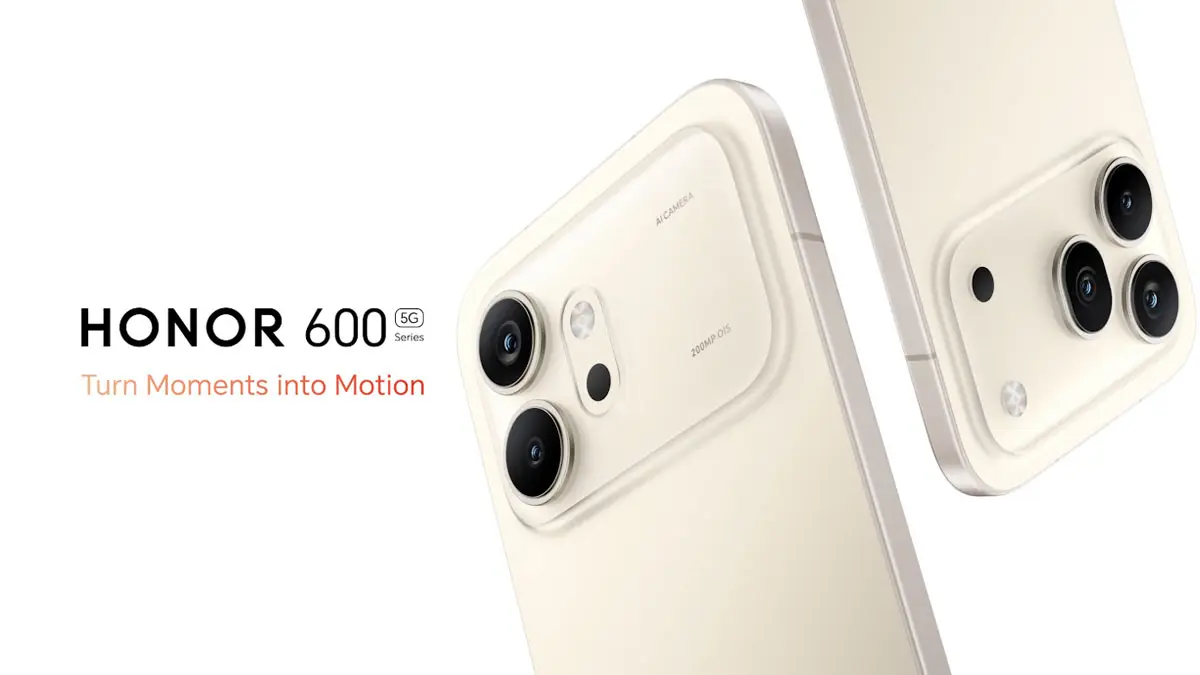
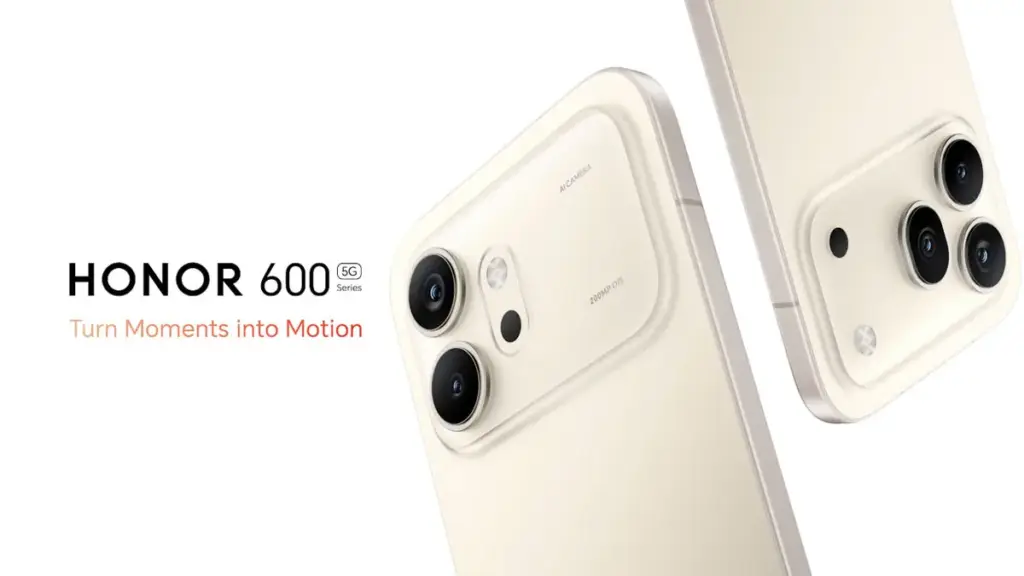
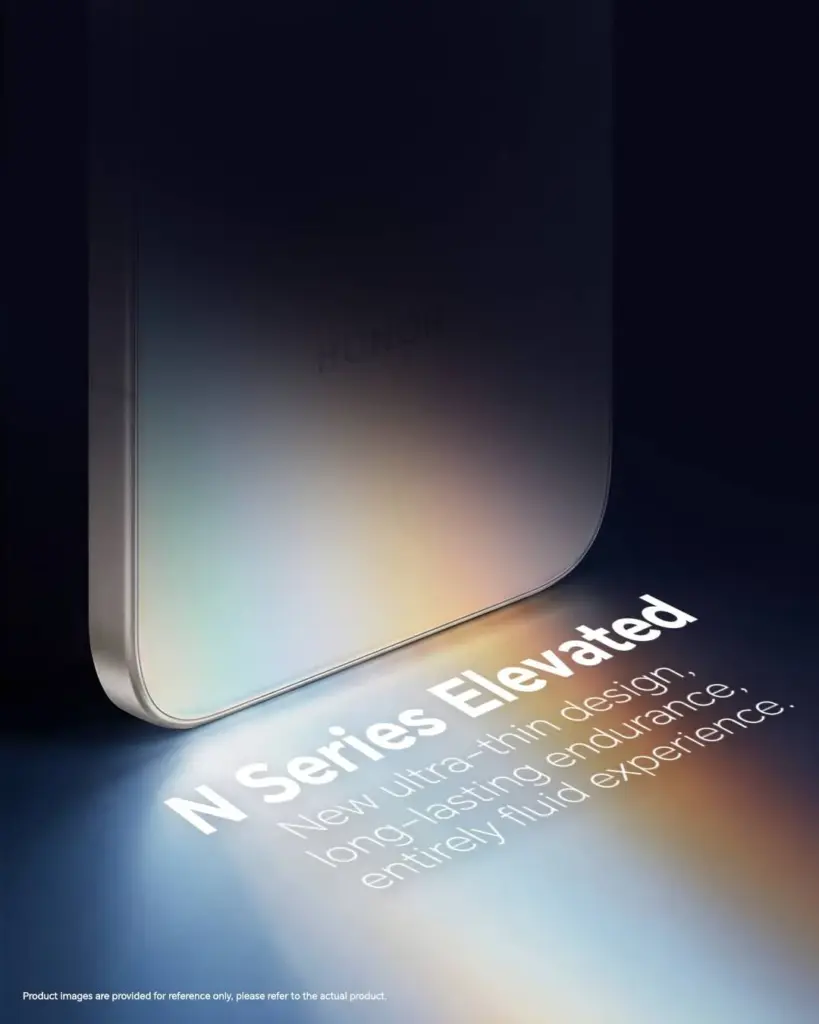
    The first batch of teasers for the Honor 600 Series was just released by HONOR, and the message is immediately apparent. The four pillars being emphasized ahead of the worldwide debut are ultra-thin design, long battery life, flagship processor, and AI-enhanced night photography.

    It’s difficult to overlook the timing of this next generation of the HONOR N Series, which coincides with a larger movement in the industry.

    honor 600 series

    Key Points

    • HONOR 600 Series teasers confirm four key features: ultra-thin build, endurance, night photography, and flagship-grade AI imaging
    • The series represents the next chapter of the HONOR N Series lineup, targeting the accessible flagship segment
    • Counterpoint Research highlights a growing industry shift toward AI-integrated accessible flagships following MWC Barcelona 2026
    • Rising smartphone prices are pushing consumers to demand clearer upgrade value — HONOR is positioning the 600 Series as that answer
    • Full specs, pricing, and global launch date have not been revealed alongside the teaser campaign

    One clear direction for the series

    The combination of ultra-thin and long battery life may seem straightforward, but it is actually very challenging to engineer. The cell will have less physical space if the chassis is thinner. Although the exact dimensions and capacity statistics will demonstrate that when the entire announcement happens, HONOR leading with both shows they’ve addressed that trade-off rather than merely claiming it.

    honor 600 series teaser

    A significant investment in camera gear is indicated by the main feature of night photography. Furthermore, AI imaging skills suggest that computational photography will be able to do more than just apply a beauty filter. The flagship processor that powers everything ensures that there is no performance impact associated with AI processing.

    What consumers wants

    The phrasing of Counterpoint’s MWC 2026 study is worth considering. All smartphone manufacturers are raising their prices; in recent weeks, we have covered several of them. The “accessible flagship” market becomes more competitive and valuable at the same time when component costs drive up the mid-range and budget tiers.

    It’s no coincidence that HONOR placed the 600 Series at that precise spot. There are fewer reliable solutions available to consumers who desire next-generation chipsets and appropriate AI features but cannot afford ultra-premium flagship price. It’s obvious that the 600 Series is being developed to close that gap.

    honor 600 series launch design

    What’s missing

    Teasers provide information. Price, chipset name, display specifications, camera sensor specifics, and battery capacity are not disclosed. That’s all still to come. Additionally, the timing of the global rollout has not been guaranteed.

    HONOR is treating the 600 Series as a market statement rather than a subtle mid-range update, as the first round of posters confirms. That intention is reflected in the campaign’s enthusiasm.

  • Best ai 3d modeling tool 2026

    Best ai 3d modeling tool 2026

    The landscape of digital content creation has shifted dramatically in 2026, moving away from labor-intensive manual sculpting toward automated generative workflows. As demand for immersive content in gaming and spatial computing accelerates, the industry now prioritizes tools that deliver instant text-to-3D and image-to-3D capabilities without compromising topology. This analysis evaluates the current market leaders, specifically examining how Tripo AI positions itself against competitors like Meshy and Hyper. The focus lies on identifying the best AI 3D modeling tool capable of producing professional-grade assets with efficient geometry and high-fidelity textures.

    image 4 1

    Key Insights

    • Speed vs. Quality: Modern algorithms now generate standard “white mold” (geometry-only) models in under 20 seconds, a benchmark set by leading platforms.
    • Topology Control: Professional workflows require more than just a mesh; they demand clean topology and rigging readiness, features now integrated into browser-based studios.
    • Asset Scalability: The ability to upscale textures to 4K resolution is becoming a standard requirement for game development and cinematic rendering.
    • Market Leadership: Data indicates that platforms utilizing large-scale models (200 billion+ parameters) offer superior geometric accuracy compared to earlier generative iterations.

    The Evolution of the Best AI 3D Modeling Tool

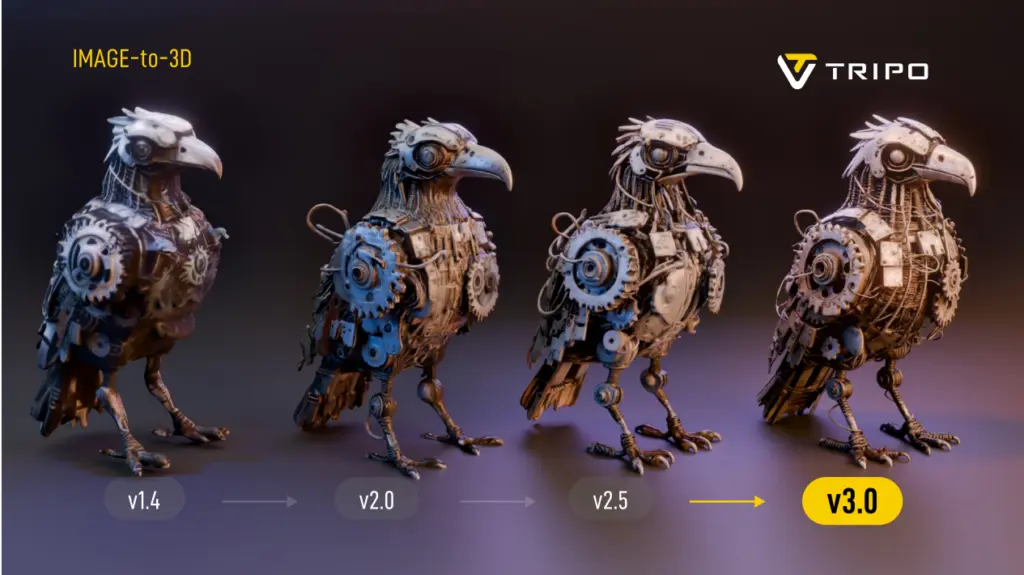
    image 1 1024x575 1

    The definitive AI 3D modeling tool in 2026 is defined by its ability to balance generative speed with the structural integrity required for professional pipelines, moving beyond simple prototyping to final asset delivery.

    The search for the best AI 3D modeling tool has historically been plagued by a trade-off between speed and usability. Early iterations of generative AI often produced “soup-like” meshes—models that looked acceptable from a distance but lacked the edge flow necessary for animation or game engine integration. However, recent advancements have introduced algorithms capable of instant generation with topologically sound structures.

    Tripo has emerged as a significant entity in this space, leveraging a massive 20 billion+ parameter AI model to address these geometry challenges. Unlike basic generators that rely solely on surface approximation, this approach ensures that the output is not just a visual representation but a functional 3D asset. For developers and designers seeking a robust AI 3D Model Generator, the distinction lies in this underlying architectural complexity.

    Instant Text-to-3D and Image-to-3D Generation Capabilities

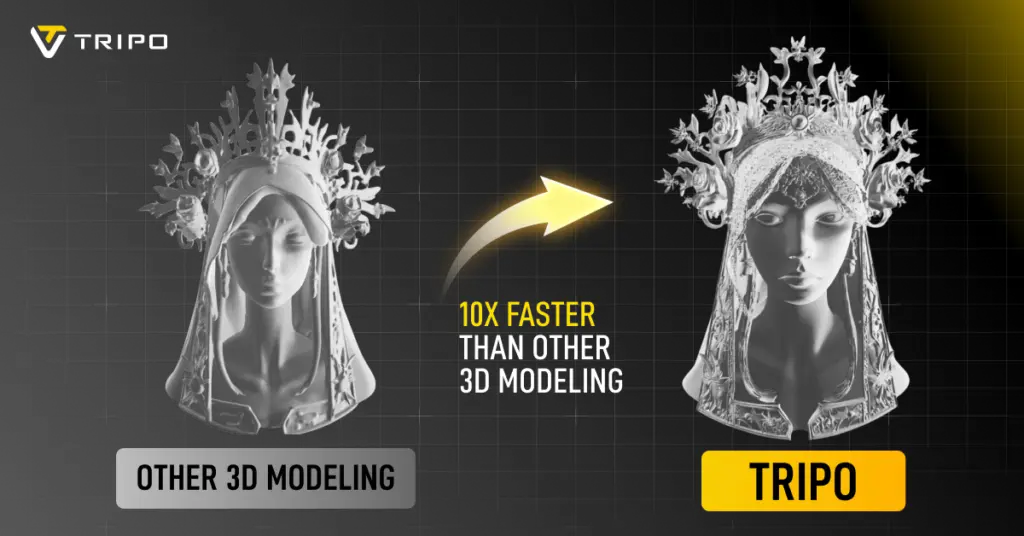
    image 3 1024x613 1

    Efficiency in 2026 is measured by the “20-second rule,” where top-tier tools can transform a simple text prompt or single image into a fully realized spatial object without manual intervention.

    For game developers and rapid prototypers, time is the most critical resource. The industry standard has tightened significantly; waiting minutes for a cloud based generation is no longer competitive. Analysis of Tripo reveals a capability to generate standard models in approximately 20 seconds, supporting rapid iteration cycles. This speed is vital for Text to 3D Model workflows where designers must generate dozens of variations to find the perfect silhouette.

    Furthermore, the Image to 3D Model functionality has evolved to handle multi-view consistency. A major pain point in previous years was the “hallucination” of back-facing geometry—where the AI would guess incorrectly what the back of an object looked like. Current best-in-class solutions utilize multi-view consistency algorithms to ensure that an input image results in a coherent 360-degree model. This allows creators to bypass the modeling phase entirely for static props and background assets.

    Professional Workflows: Topology, Rigging, and Texturing

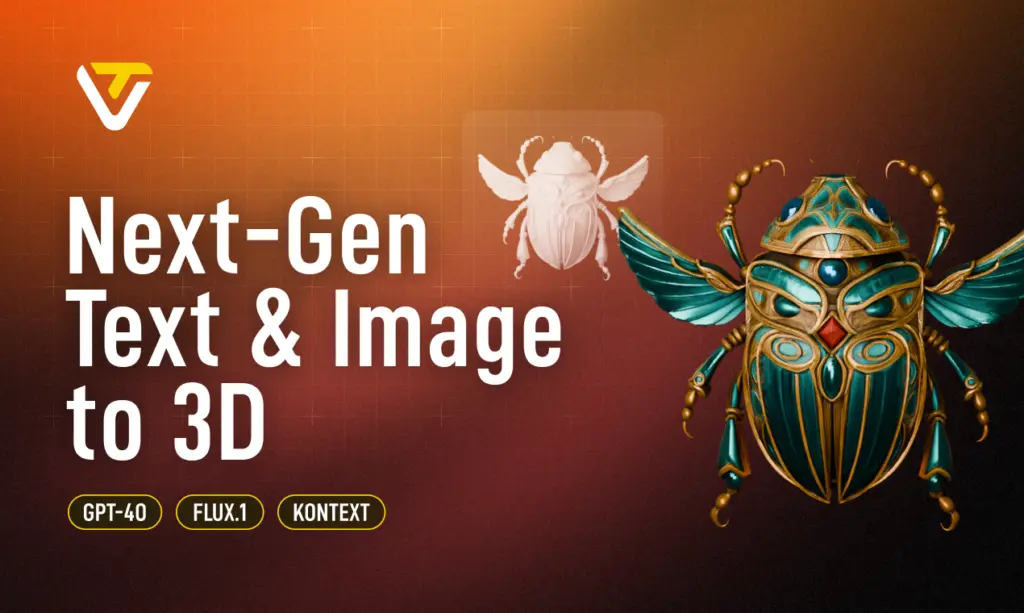
    image 2 1024x575 1

    The “best” tool must extend beyond generation into editing, offering features like auto-rigging, retopology, and PBR material synthesis to fit seamlessly into pipelines like Unity, Unreal Engine, or Blender.

    While generation speed attracts attention, retention in professional circles depends on the “Studio” experience. Digital creators require granular control over the mesh. Tools like Tripo Studio have introduced interactive editing capabilities that allow for fine-tuning of grids, topology control, and component completion. This shift marks the transition from “AI as a toy” to “AI as a workspace.”

    Texture quality is another differentiator. An AI 3D Editor must support high-resolution outputs. Tripo, for instance, supports upscaling models and textures to 4K resolution, ensuring that the visual fidelity holds up on large screens and high-definition renders. Additionally, the integration of Auto-Rigging features significantly reduces the technical barrier for animators, automating the skeletal binding process that traditionally takes hours.

    Comparative Analysis: Tripo vs. Meshy vs. Hyper

    image 1024x536 1

    In the competitive US market, selecting the right tool depends on specific project needs; Tripo excels in geometric precision and asset volume, while competitors have niche strengths.

    The following table breaks down the capabilities of the leading AI generators in 2026.

    Feature SetTripo AIMeshyHyper
    Core StrengthGeometric Precision & SpeedTexture/Material GenerationAvatar/Stylized Characters
    Generation Time~20 Seconds (Fastest)1-2 Minutes2-5 Minutes
    Model Size20 Billion+ ParametersUndisclosedUndisclosed
    WorkflowOnline 3D Studio (Full Edit)Web-based ViewerMobile-First/Web
    Max Resolution4K Textures2K Textures1080p equivalent
    Topology ControlHigh (Retopology supported)MediumLow (Fixed topology)
    Pricing ModelFlexible (Monthly/Yearly)Credit-basedSubscription

    Analysis: While Meshy provides strong competition in purely artistic texturing, Tripo demonstrates a distinct advantage in structural integrity and speed, driven by its larger parameter model. Hyper remains a viable choice for specific character niches but lacks the broad “generalist” capability required for comprehensive game development environments. The sheer volume of the Tripo asset library—numbering in the millions—also provides a significant head start for creators looking for reference assets.

    Conclusion

    As 2026 unfolds, the definition of the best AI 3D modeling tool has solidified around efficiency, compatibility, and quality. The era of manual vertex pushing for background assets is effectively over. Tools that offer a comprehensive suite—from Prompt to Mesh generation to high-res texturing and rigging—are capturing the market. Tripo’s strategic focus on a parameter model and a holistic studio environment positions it as a definitive solution for professionals seeking to leverage 3D Generative AI for tangible production gains.

    FAQ

    What makes Tripo the most efficient AI-powered 3D generator for game development?

    Tripo reduces the asset creation time to approximately 20 seconds for standard models and supports export to standard formats (GLB/USDZ), making it highly compatible with engines like Unity and Unreal.

    Can I use AI tools to convert 2D images into 3D models for printing?

    Yes, the Image to 3D Model feature is designed to interpret depth and volume from 2D inputs, creating watertight meshes suitable for 3D printing enthusiasts and professionals.

    Does the generated 3D model require manual cleanup?

    While older tools required significant cleanup, modern platforms like Tripo Studio offer built-in tools for topology control and component completion, minimizing the need for external software like Blender or Maya.

    How does the pricing of Tripo compare to other professional tools?

    Tripo offers a competitive pricing structure with a Professional annual plan averaging around $11.94 per month, which is generally more cost-effective than per-asset credit systems used by some competitors.

    Is it possible to generate animated 3D models ?

    Yes, advanced studios now include rigging and animation previews as part of the generation pipeline, allowing users to bind skeletons to their generated meshes automatically.

  • HarmonyOS 6 update brings fresh AI camera features soon

    HarmonyOS 6 update brings fresh AI camera features soon

    With the impending HarmonyOS 6.0 versions, Huawei has revealed additional intriguing AI photography features for its devices. Amazing watermarks, an AI color scheme for photos, touch-to-fireworks effects, and many other enhancements are included in the list.

    New AI camera functions for HarmonyOS 6.0 smartphones will soon be available, according to Richard Yu, Executive Director and Chairman of Consumer Business at Huawei.

    In a video posted on Weibo, the chief announced that he would want to share some positive news with Huawei users before to his upcoming business trip to Wuhan.

    HarmonyOS 6 camera update

    harmonyos 6 ai camera features

    According to the information, HarmonyOS 6.0 smartphones will soon get new photo watermarks and unique effects inspired by the forthcoming Spring Festival.

    By the end of this month, version 6.0.0.130 for high-end Huawei phones and tablets may make these additions available. To improve the camera’s effectiveness in low light, the business might incorporate an immersive light-sensing system. Additionally, you may give your New Year’s moments a unique label by using the Spring Festival watermark.

    However, depending on your preferences, the AI coloring could make the pictures much more vivid and bright. The precise function of this feature is currently unknown, although future HarmonyOS 6 versions may provide more information.

    The following devices will get the new HarmonyOS 6.0 AI camera features:

    • Huawei Pura 80 Series
    • Huawei Mate 80 Series
    • Huawei Pura X
    • Huawei Mate XTs
    • Huawei Pura 70 Series
    • Huawei Mate 70 Series

    We might soon learn additional details regarding the new update’s features and compatible devices. To receive new updates on time, we advise keeping your phones up to date with the most recent versions.

  • Artificial Intelligence in Healthcare Software: Practical Use Cases

    Artificial Intelligence in Healthcare Software: Practical Use Cases

    The integration of artificial intelligence into healthcare software has transformed patient care, administrative workflows, and diagnostic procedures. As medical institutions seek to leverage data-driven insights, AI-powered solutions offer unparalleled accuracy, efficiency, and personalization. From predictive risk assessment to automated imaging analysis, these technologies redefine the standards of modern healthcare delivery, bridging gaps between clinicians and patients while optimizing operational costs.

    Enhancing Diagnostic Accuracy with AI Technologies

    Artificial Intelligence in Healthcare Software

    Advancements in deep learning algorithms and neural networks have significantly improved diagnostic precision across various medical fields. By analyzing vast datasets of patient histories, lab results, and imaging scans, AI systems can identify subtle patterns that may elude human observation. This diagnostic accuracy not only accelerates clinical decision-making but also reduces the likelihood of misdiagnosis and subsequent treatment delays.

    Furthermore, real-time integration of AI tools into electronic health record (EHR) platforms enables clinicians to receive instant, data-backed recommendations. The synergy between human expertise and machine-led analysis fosters a collaborative approach, ensuring that critical conditions are detected early. As a result, medical teams gain confidence in their assessments, translating into better patient outcomes and enhanced trust in healthcare technology.

    AI-Powered Patient Monitoring and Management

    Continuous tracking of vital signs and patient behavior through wearables and in-hospital sensors exemplifies the power of remote patient monitoring. Such systems alert clinical staff to anomalies—ranging from heart rate fluctuations to irregular glucose levels—before they escalate. Businesses can partner with itcraftapps.com/healthcare/ for Healthcare Software Development to implement robust monitoring systems that adapt to individual patient needs, ensuring timely interventions and reducing hospital readmissions.

    By aggregating and analyzing longitudinal data, AI platforms support the creation of continuous data-driven care plans. Automated alerts, medication reminders, and personalized health insights enhance patient engagement while reducing manual oversight. The result is a comprehensive management ecosystem that promotes adherence, minimizes complications, and empowers individuals to take an active role in their healthcare journey.

    Streamlining Administrative Tasks in Healthcare

    Implementing AI solutions in administrative domains relieves staff from repetitive and error-prone tasks. From patient intake to billing reconciliation, intelligent automation improves accuracy and turnaround time. Key areas of impact include:

    • Appointment scheduling optimization through predictive slot allocation
    • Medical billing verification with automated claim audits
    • Electronic health records management via natural language processing

    Automation also enhances cost efficiency by reducing manual labor and administrative overhead. Real-time dashboards and reporting tools powered by AI streamline compliance tracking, ensuring that healthcare providers meet regulatory standards without sacrificing productivity. As a result, financial resources can be redirected toward core clinical activities, elevating the overall quality of care.

    Personalized Treatment Plans Driven by AI

    The era of precision medicine is fueled by AI-enabled analysis of genetic, lifestyle, and environmental data. By leveraging genomic data analysis, software platforms can recommend targeted therapies tailored to a patient’s unique profile. This level of personalization enhances treatment efficacy and minimizes adverse effects, marking a shift from one-size-fits-all protocols to individualized care pathways.

    Advanced machine learning models continuously refine treatment recommendations based on patient responses and emerging research findings. Clinicians can adjust dosages, modify drug combinations, or explore novel interventions with confidence, knowing that AI insights are grounded in real-world evidence. Such dynamic care strategies pave the way for more resilient and adaptive healthcare systems.

    Predictive Analytics for Disease Prevention

    Predictive analytics harnesses historical and real-time data to forecast health trends and anticipate potential outbreaks. Utilizing risk prediction algorithms, healthcare organizations can stratify populations according to susceptibility, enabling focused preventive measures. Early identification of high-risk individuals leads to proactive screening and lifestyle interventions that halt disease progression.

    Integrated population health platforms powered by AI support the development of preventive care programs that address chronic conditions such as diabetes, cardiovascular disease, and respiratory disorders. By correlating social determinants of health with clinical metrics, providers design community-centric initiatives that yield measurable improvements in public health outcomes.

    Improving Medical Imaging through Artificial Intelligence

    AI-driven solutions in radiology have revolutionized image interpretation through enhanced image segmentation and feature extraction. Convolutional neural networks excel at detecting anomalies—such as tumors or lesions—within X-rays, CT scans, and MRIs, often achieving accuracy rates comparable to expert radiologists. This augmented analysis accelerates diagnostic workflows and reduces the burden on imaging departments.

    The fusion of AI and computer vision not only streamlines routine examinations but also uncovers subtle indicators of disease at earlier stages. Automated anomaly detection systems flag suspicious regions for further review, allowing radiologists to focus on high-impact cases. Consequently, healthcare institutions deliver faster, more reliable imaging services, strengthening both patient trust and clinical performance.

  • Android Auto update 15.4 quietly rolls out: bug fixes, Gemini AI groundwork & more

    Android Auto update 15.4 quietly rolls out: bug fixes, Gemini AI groundwork & more

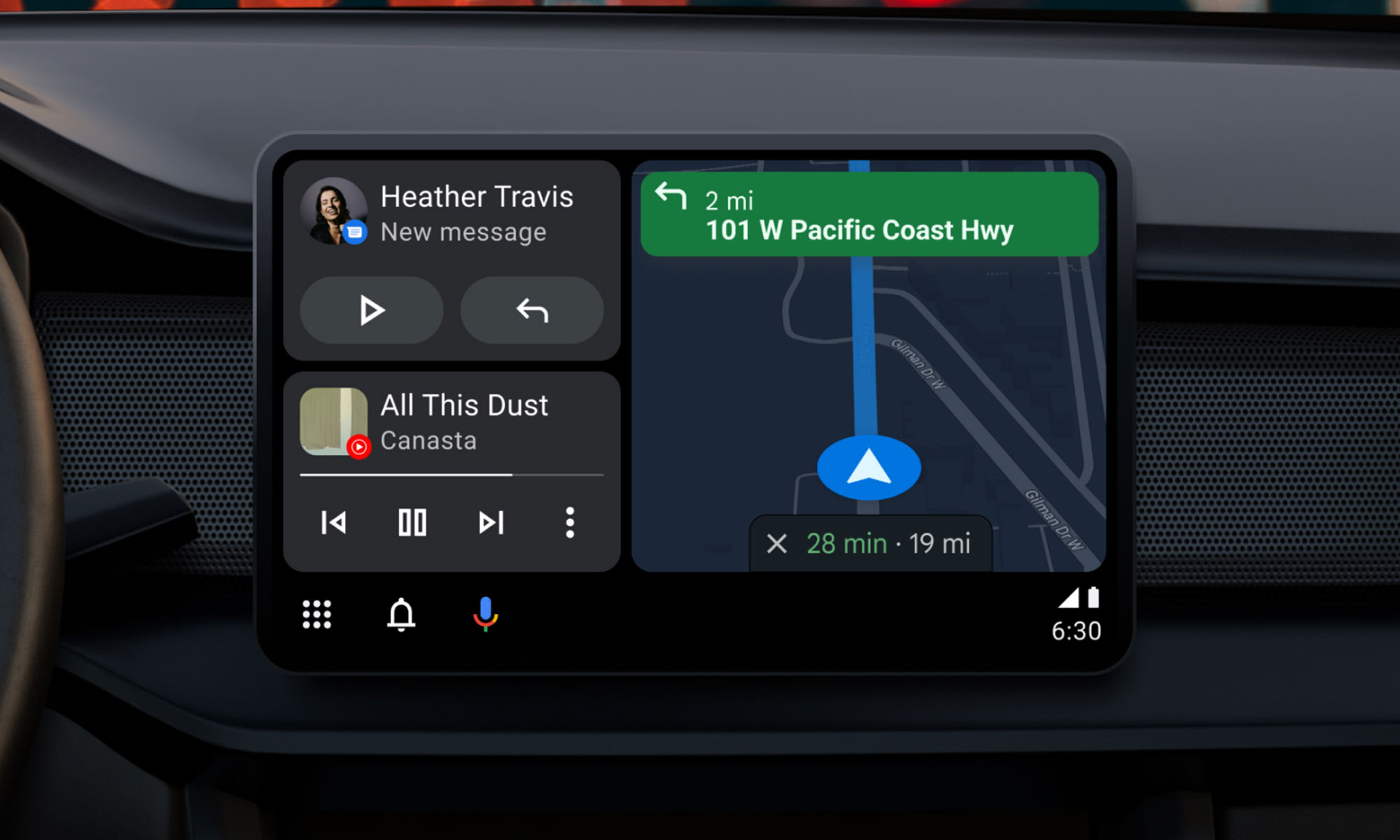
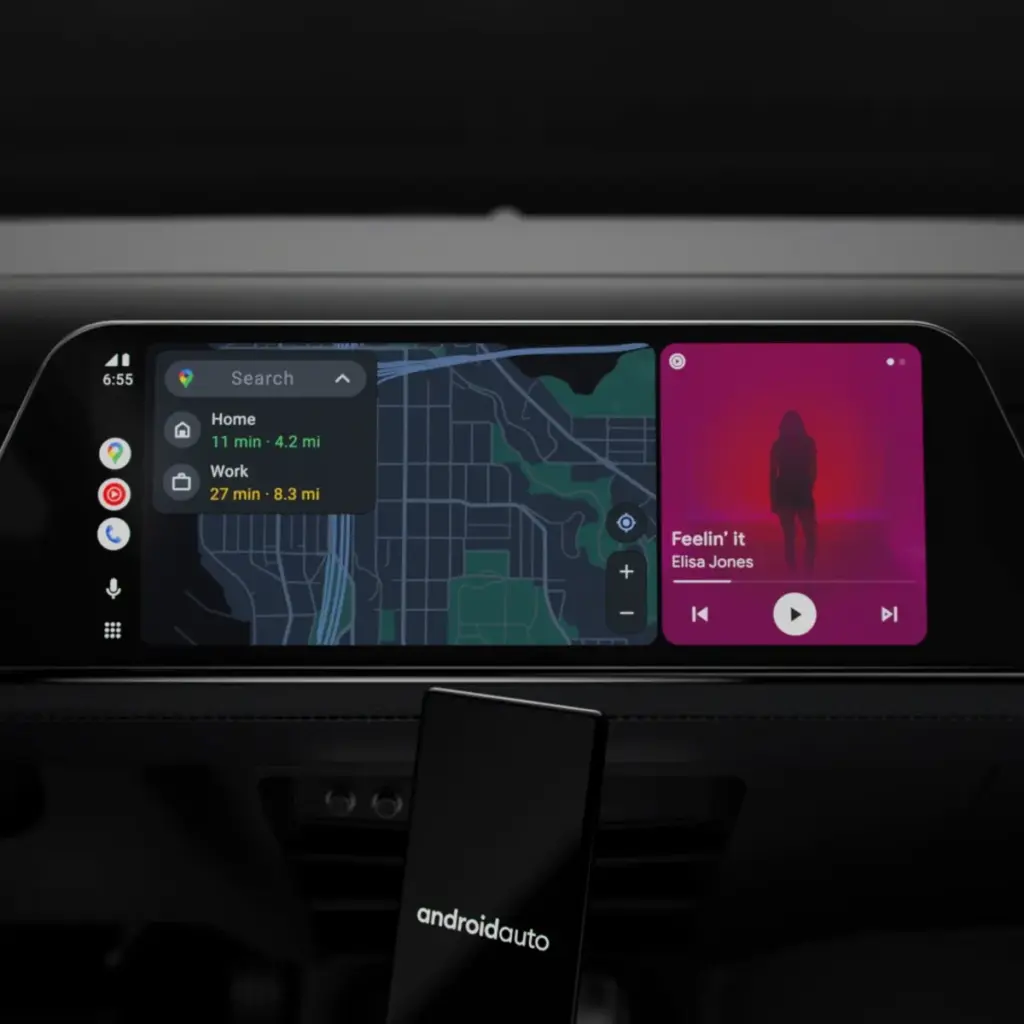
    Google will bring the most recent Android Auto 15.4 update during November, although the company hasn’t spoken anything about it. The most recent version, which was discovered by autoevolution, stands out for remaining in beta for more than a week, which is unusual for Google. The new version is starting to roll out, and sideloading choices are available, but the corporation isn’t offering an explanation.

    The addition of bug fixes that enable Google Pixel 10 devices to connect to Android Auto correctly is one of the most significant changes in 15.4, making this version helpful for people who did not previously have access. Additionally, it seems that this release is aiming toward more significant changes within Android Auto, such as the company’s AI assistant Gemini taking the place of Google Assistant. Following a recent Gemini update that brings some very significant AI features, Google has also been testing new features for Google Maps, including some new color options for users.

    Users will still be awaiting the new Widgets feature, which borrows from Apple CarPlay by enabling users to install application widgets straight to their infotainment screen, even after the new version arrives. It’s also important to note that this update is released prior to Google preventing some Android phones from getting Android Auto updates.

    Android Auto update

    What to expect in Android Auto 15.4

    Android Auto 15.4 is currently gradually making its way to all Android users after launching in Google’s beta program in October. The APK is available to anyone who is prepared to upgrade manually, but the new update is coming in waves for those who can’t wait. On an Android device, just download the APK from APKMirror, choose the file, and then allow it to install.

    By the end of November, Android Auto 15.4 will be available to individuals who are prepared to wait for the latest version. Unfortunately, Google no longer provides release notes for Android Auto, so we are left in the dark about what’s new. The removal of Google Assistant for the AI assistant Gemini—which is already taking place in some GM cars as the company discontinues CarPlay and Android Auto—as well as the addition of new call notes and a new call screen are among the changes anticipated to occur this year, according to autoevolution.

    There are numerous bug improvements in Android Auto 15.4 for devices that are experiencing trouble connecting to Android Auto, particularly the Google Pixel 10. Additionally, the update enables users to apply the accent colors from their phone’s wallpaper on their infotainment screen. Google Maps allows users with smaller infotainment screens to report on traffic, something that was previously exclusive to users with larger panels. Users can report information about construction, traffic accidents, and speed traps, just like with the well-known Waze app.

  • Oppo ColorOS 16: Release date, new features, and list of eligible devices

    Oppo ColorOS 16: Release date, new features, and list of eligible devices

    Oppo’s ColorOS is the operating system that has produced the most feature-rich Android skins. The user experience is now significantly enhanced by the AI tools. Now, Oppo users are looking forward to the release of ColorOS 16. The most recent version of Android 16 will serve as its foundation. More efficiency, more features. This post will be helpful if you are currently considering an Oppo phone, such as the forthcoming Find X9 series. Additionally, this post will assist you in determining whether your current Oppo phone is eligible for the update. Let’s dissect all the information we require.

    ColorOS 16 release date and rollout

    On October 15, 2025, the ColorOS 16 was most recently announced worldwide. It will make its debut alongside the upcoming Find X9 series. Regarding the current devices, they will also progressively get the update. For devices like the Find X8 Pro, beta versions have already begun to roll out in a number of countries, including Malaysia, Indonesia, and India. Most likely, the stable update will be released on October 30, 2025. However, it won’t be accessible in India right away. It will be initially applied to China’s flagship gadgets. In India, the first stable ColorOS 16 upgrade is anticipated in Q1 2026.

    Therefore, in order to avoid the wait when purchasing a new phone, opt for models that come pre-installed with ColorOS 16.

    ColorOS 16 UI changes

    ColorOS 16 Features

    We may claim that the core of Oppo’s ColorOS 16 is “Smart & Smooth” performance. Thus, anticipate speedier daily tasks, simpler multitasking, and assistance for content production. This may indicate that you should get an Oppo cellphone running ColorOS 16 if you want AI integration and smoothness over standard Android.

    Performance

    Oppo has concentrated on creating a sense of instantaneity in interactions. This one also uses ColorOS 15’s Parallel Animation, albeit with a minor improvement. Seamless Animation is a new feature in ColorOS 16. Here, your touch point is the natural starting point for gestures and app transitions.

    It is powered by some important technology, such as:

    • Luminous Rendering Engine: Renders visuals in parallel for lag-free animations.
    • Trinity Engine: Optimises resources for gaming and heavy tasks.
    • Tide Engine: Reduces power use (by 13%) and lowers temperature (by 4.1°C).

    Overall, we get faster boot times, smoother app launches and scrolling, and quicker tap responses.

    Ai integration

    Whether you agree or not, AI has made a significant impact. incorporating time-saving and productivity-boosting tools? Bring it on! If you use your phone for artistic or professional purposes, it will be ideal.

    oppo coloros ai integration e1761766874281
    • AI One-Tap Flash Note: Captures and organises notes from documents, videos, or bills. Also, summarises videos into chapters and automates expense tracking.
    • Xiaobu AI Assistant: Offers personalised briefings (weather, tasks, news). Suggestions based on your habits, real-scene dialogues via voice/gestures. Gives portrait lighting for better photos.
    • Productivity suite: AI Recording for transcriptions, AI Writing for drafts (emails, docs), AI Notes for templates. There’s handwriting conversion, and AI Calendar for task timelines too.

    ColorOS 16’s AI improvements are its highlights. Anyone who believes that these AI tools may simplify their life by taking care of routine duties ought to give this operating system a try.

    Additionally, there are some similarities to Google’s Gemini integration. The only difference is that this one is customized for the Oppo environment.

    UI and Customisation

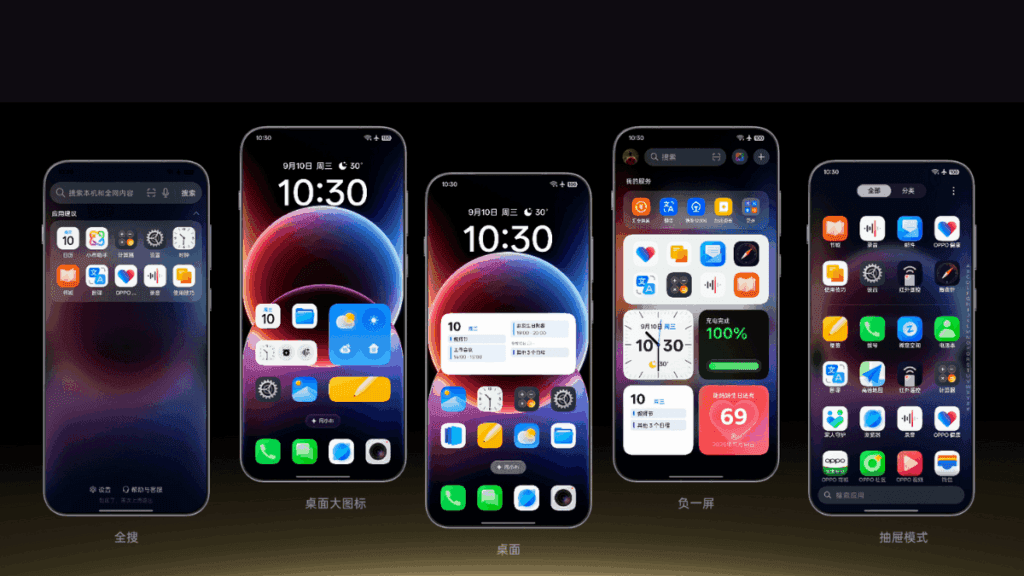
    An OS’s user interface and degree of customization reveal a lot about it. Natural light and shadows served as inspiration for the ColorOS 16. Gradients, halos, and glows are used in the design to create a simple, intuitive appearance.

    coloros 16 ui and customization

    The notable ones are as follows:

    • Flux Home Screen: Resize icons, folders, and cards dynamically. The layout adapts with fluid animations.
    • Full-Screen AOD: View your wallpaper with key info on the always-on display.
    • Personalisation: AI-generated themes, animated wallpapers from static images, and auto-matching icon colours.

    Compared to many other competitors, these alternatives offer greater versatility if you enjoy playing with the look of your phone.

    Photo and Video Editing

    For people interested in photography, ColorOS 16 upgrades the Photos app with:

    • AI Portrait Glow: Enhances low-light portraits by optimising skin tones.
    • Other AI tools: Eraser, Unblur, and Reflection Remover.
    • Video editing: Master Cut for trimming, music, filters, and adjustments.

    For those seeking effortless photography, some enjoyable settings include slow-motion effects, live collages, and collections of human and pet photos.

    Cross-Device Connectivity

    Seamless integration across ecosystems is a highlight:

    • O+ Connect: Manage files and remote control between phone, Mac, or Windows PC.
    • Screen Mirroring: Cast up to five apps and control with a mouse/keyboard.
    • One-Tap Share: Transfer docs, notes, and more, including health data from Apple Watch.

    Additional benefits include PC-level WPS Office, vehicle connectivity, customizable control center, and floating windows for multitasking.

    There will still be seamless connectivity between your various devices if you have a mixed Apple/Android configuration.

    Which Oppo devices are eligible for ColorOS 16?

    Release PeriodSeries / Models
    October 30, 2025Find N5 series: N5, N5 Satellite Find X8 series: X8, X8s, X8s+, X8 Pro, X8 Pro Satellite, X8 Ultra, X8 Satellite OnePlus 13 series
    November 2025Find N3 series Find X7 series Reno14 series Reno13 series Pad 4 Pro Pad 3 Pro OnePlus 12 Ace 3/5 series Pad Pro
    December 2025Find N2 series Find X6 series K13 Turbo series OnePlus 11 Ace 2 series
    Q1 2026Find X5 series Reno12 / 11 / 10 / 9 series (select models) K13 / K12 series Pad 3 / 2 / SE OnePlus 10 Pro Pad series

    Your device might not get ColorOS 16 if it isn’t listed (for example, if it’s older than Find X5 or Reno9). If you truly enjoy them, you might want to upgrade to the newest features.

    coloros 16 on all devices

    ColorOS 16 vs ColorOS 15

    Since the current OS update isn’t that old, many people wonder if it’s worthwhile to upgrade to the next one. Check out the distinctions between ColorOS 16 and its predecessor ColorOS 15 if you’re experiencing the same confusion:

    AspectColorOS 16ColorOS 15
    Base AndroidAndroid 16Android 15
    AnimationSeamless Animation (touch-point flows, Luminous Engine)Parallel Animation (smooth transitions)
    AI FeaturesAI One-Tap Flash Note, Xiaobu (Briefing, Dialogue, Lighting), AI Writing/Notes/CalendarAI Editor (Clarity, Eraser), AI Toolbox, Gemini Integration
    UI CustomisationFlux Home Screen, Full-Screen AOD, AI themesAesthetic upgrades, smoother icons/widgets
    PerformanceTide Engine (13% less power), Project Breeze for entry-levelSnappy responsiveness, fluid multitasking
    Cross-DeviceO+ Connect (Mac/Windows), 5-app mirroringTouch to Share (iOS), basic multitasking
    Photo/VideoAI Portrait Glow, Master CutAI Eraser/Unblur, basic editing

    For deeper AI and efficiency advantages, especially on older hardware, ColorOS 15 is a worthy upgrade.

    Every Oppo user has been waiting for ColorOS 16’s level of novelty. It combines customization, AI tools, and performance in more than subtle ways. Because of this, it is an appealing option for upgraders or new purchasers. For the complete experience, think about smartphones like the Find X9 if you’re in the market. Or upgrade your current gadget to make it last longer. Keep checking back here for more information about devices that qualify.