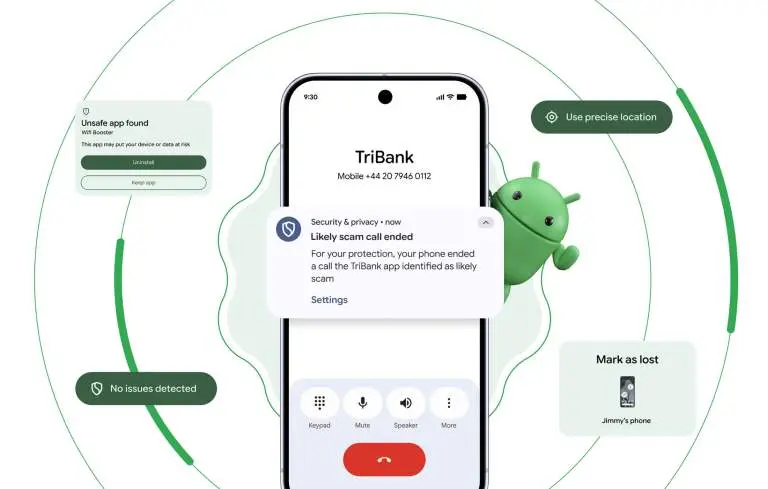
Google is significantly raising the security bar for Android devices in 2026 with Android 17. The update delivers a broad sweep of security and privacy improvements targeting some of the most common threats users face today — financial fraud, physical device theft, and invasive app tracking.
Android 17 tackles phone scams at the call level
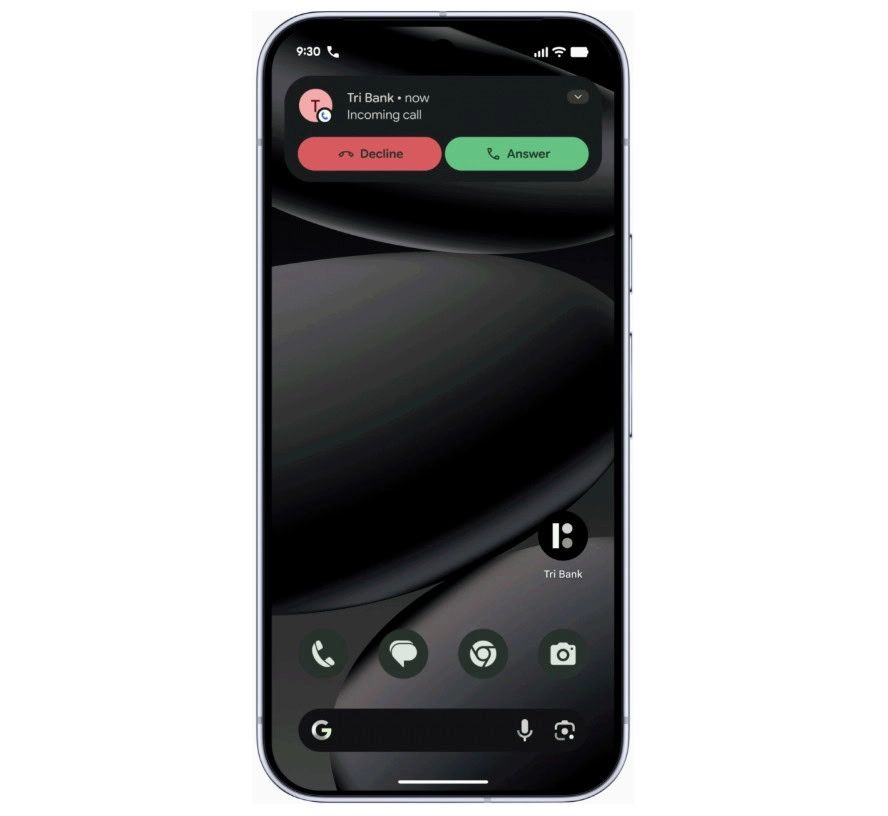
One of the most persistent and costly attack vectors involves caller ID spoofing, where criminals disguise their number to impersonate a legitimate bank. This tactic contributes to nearly $950 million in losses globally every year. Google’s response is verified financial calls.
On devices running Android 11 or higher, the system will work silently in the background alongside banking apps like Revolut and Nubank. When an incoming call arrives, Android checks with the bank to confirm whether the call is genuine. If it isn’t, the call is terminated automatically — before the user even has a chance to answer. The scam is blocked at the source rather than after the damage is done.
Android 17 AI-powered app behavior monitoring
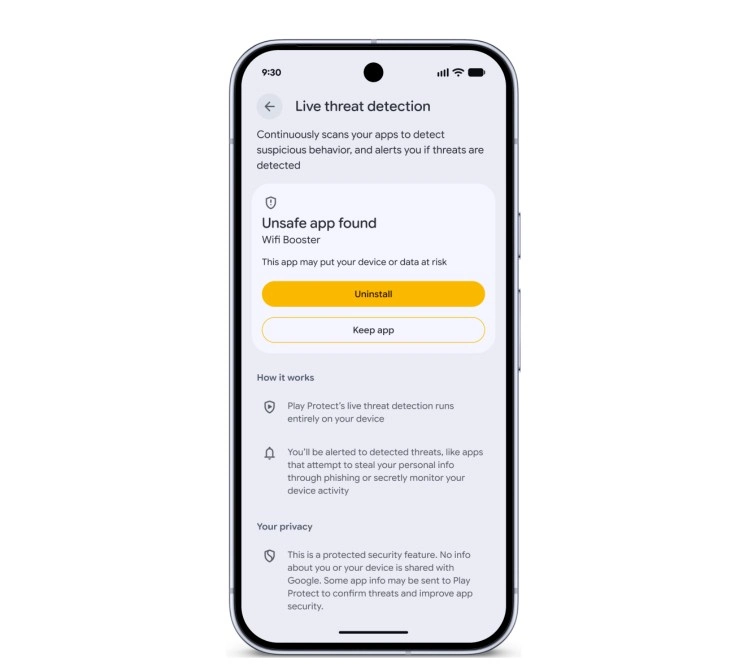
Android 17 also makes the platform significantly better at identifying malicious apps after they’ve been installed. The updated Live Threat Detection uses on-device AI to continuously monitor how apps behave in practice. If an app begins forwarding SMS messages, attempts to conceal its icon, or tries to launch silently from the background, the system flags the suspicious behavior and alerts the user.
Chrome on Android gets a new layer of protection as well. At the moment an APK file is downloaded, Chrome will evaluate it against known malware signatures and issue a warning before the file even reaches local storage.
Stolen phones become far less useful to thieves
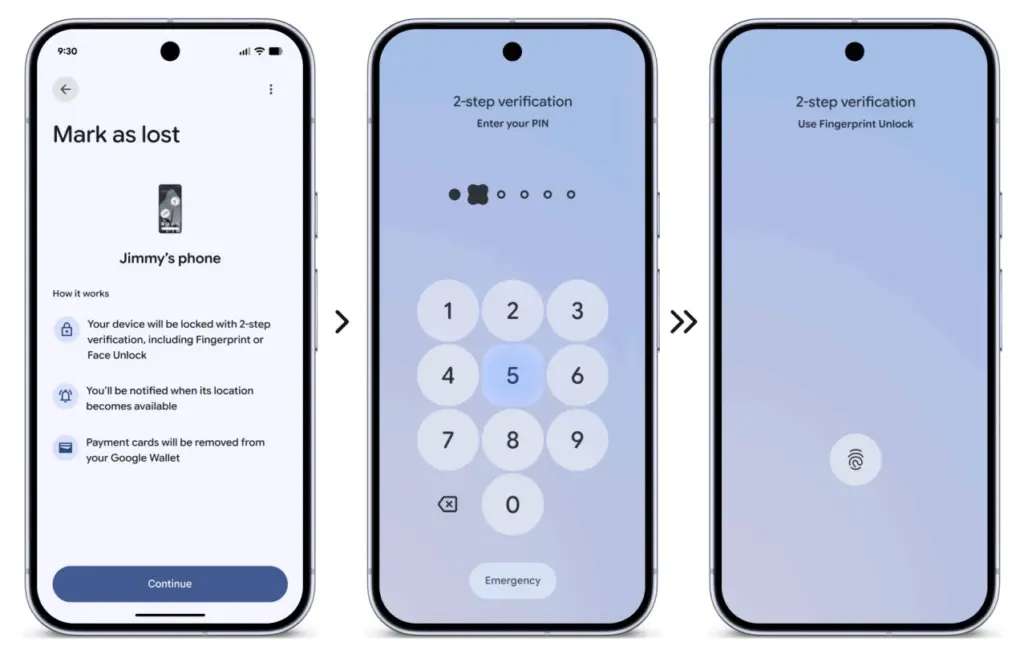
Physical theft isn’t just about losing hardware — the data inside is often worth far more. Android 17 introduces a biometric lock for the “Mark as Lost” feature, meaning a thief who has obtained a user’s passcode still can’t disable tracking or regain access without a fingerprint or face scan.
Google is also expanding its default-on theft protection features globally. New and upgraded devices will automatically enable Remote Lock and Theft Detection Lock, which use onboard sensors to detect when a phone has been grabbed and instantly lock the screen in response.
More granular control over what apps can access
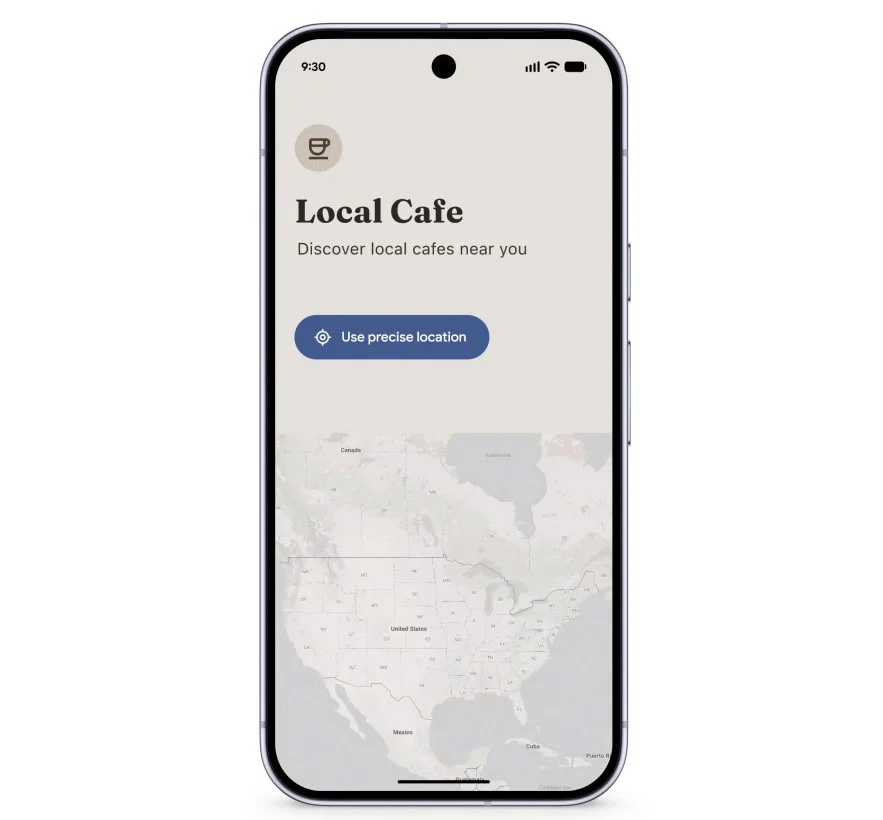
Privacy permissions are getting more precise with Android 17’s new one-time location sharing. Rather than granting a café app permanent GPS access, users can share their precise location only for the current moment while the app is open — and nothing beyond that.
A similar approach is coming to contacts. A new contact picker lets users share only the specific contacts an app needs, rather than handing over full access to the entire address book. Apps get only what’s necessary, nothing more.
Verifying the integrity of Android itself
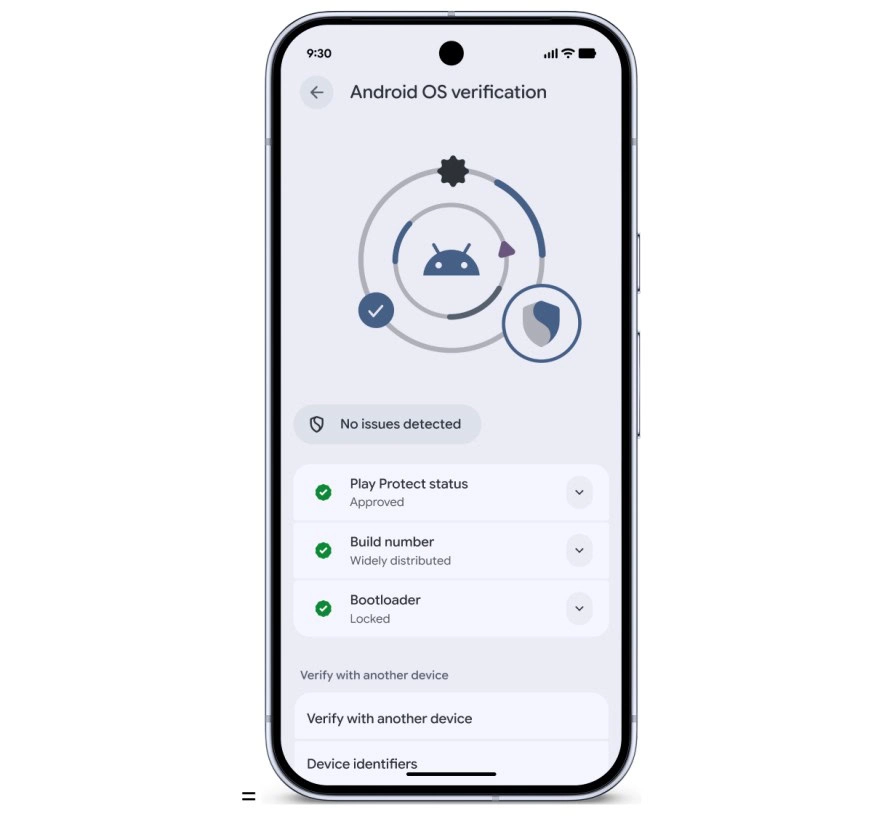
Security also extends to the operating system at its core. Google has observed a rise in unofficial, modified Android builds designed to mimic legitimate software while secretly compromising user data. Android 17 addresses this with Android OS verification, launching initially on Pixel devices.
The feature allows users to confirm that their phone is running an official, widely distributed build of Android. A public, cryptographically verifiable “Source of Truth” ledger provides proof that both the apps and the OS itself are authentic production versions — making it effectively impossible for a fake Android build to hide its intent behind a familiar-looking interface.
Protecting against future threats
Looking further ahead, Android 17 includes protections designed for threats that don’t yet exist at scale. OTPs (one-time passwords) will be hidden from malicious apps, closing off another common attack vector. Google also introduced Post-Quantum Cryptography in March, laying the groundwork for encryption that can withstand the computational power of future quantum systems — a forward-looking measure that reflects how seriously Google is treating long-term platform security.
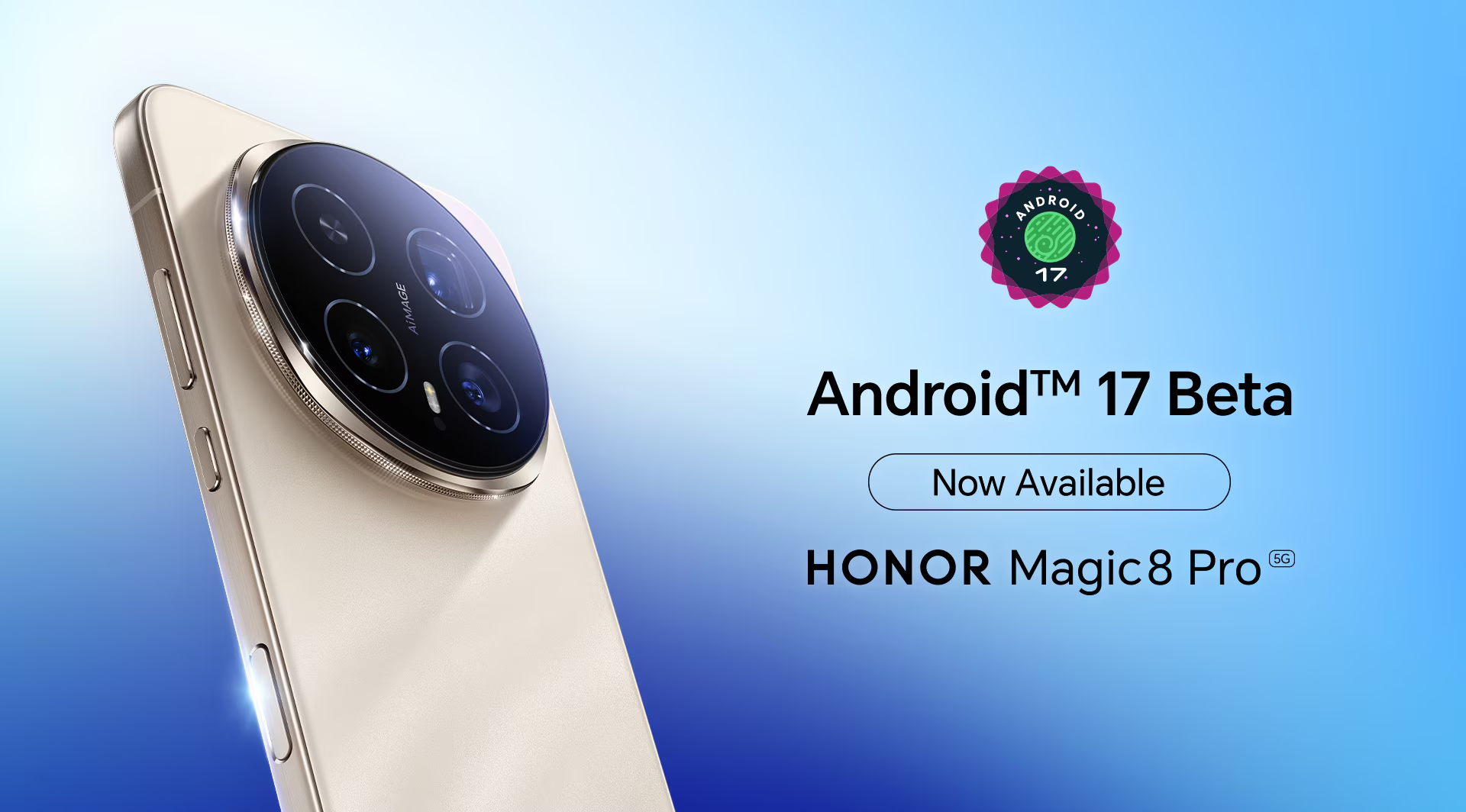
Honor has announced that the Magic 8 Pro flagship is now able to access the first Android 17 Beta, making it the first device in the Honor lineup to get hands-on with the new software generation.
The Magic 8 Pro launched globally with MagicOS 10.0 based on Android 16, and it now takes the lead as the first Honor device to venture into Android 17 territory. At this stage, the beta is aimed at developers and tech enthusiasts — it isn’t open to general users.
The purpose of the beta access is straightforward: give developers the tools to explore the new OS, test how their apps behave on Android 17, improve application performance, and evaluate how well the latest Android 17 features integrate with the hardware. Once they’ve put the software through its paces, developers can share their findings on Honor’s global X page, covering anything from bugs and stability issues to performance observations and feature feedback — all of which feeds into refining the eventual public release.
Honor’s official message to developers was clear: “Get ready! Android 17 Beta is now available for all developers on #HONORMagic8Pro! We are excited to hear your thoughts on the new features. Share your experience.”
As for what Android 17 actually brings, the developer beta includes a range of additions across productivity, customization, AI, camera, and privacy. Multitasking gets a boost through floating bubbles that can now be minimized and reopened independently for individual apps. On the camera side, the new RAW14 image format is set to enhance the AiMAGE experience with improvements to image processing, dynamic range, and color accuracy. Other additions include a customizable UI for a tidier home screen, a redesigned Photo picker with multiple layout options, and updates to the Quick Settings panel, among other changes.
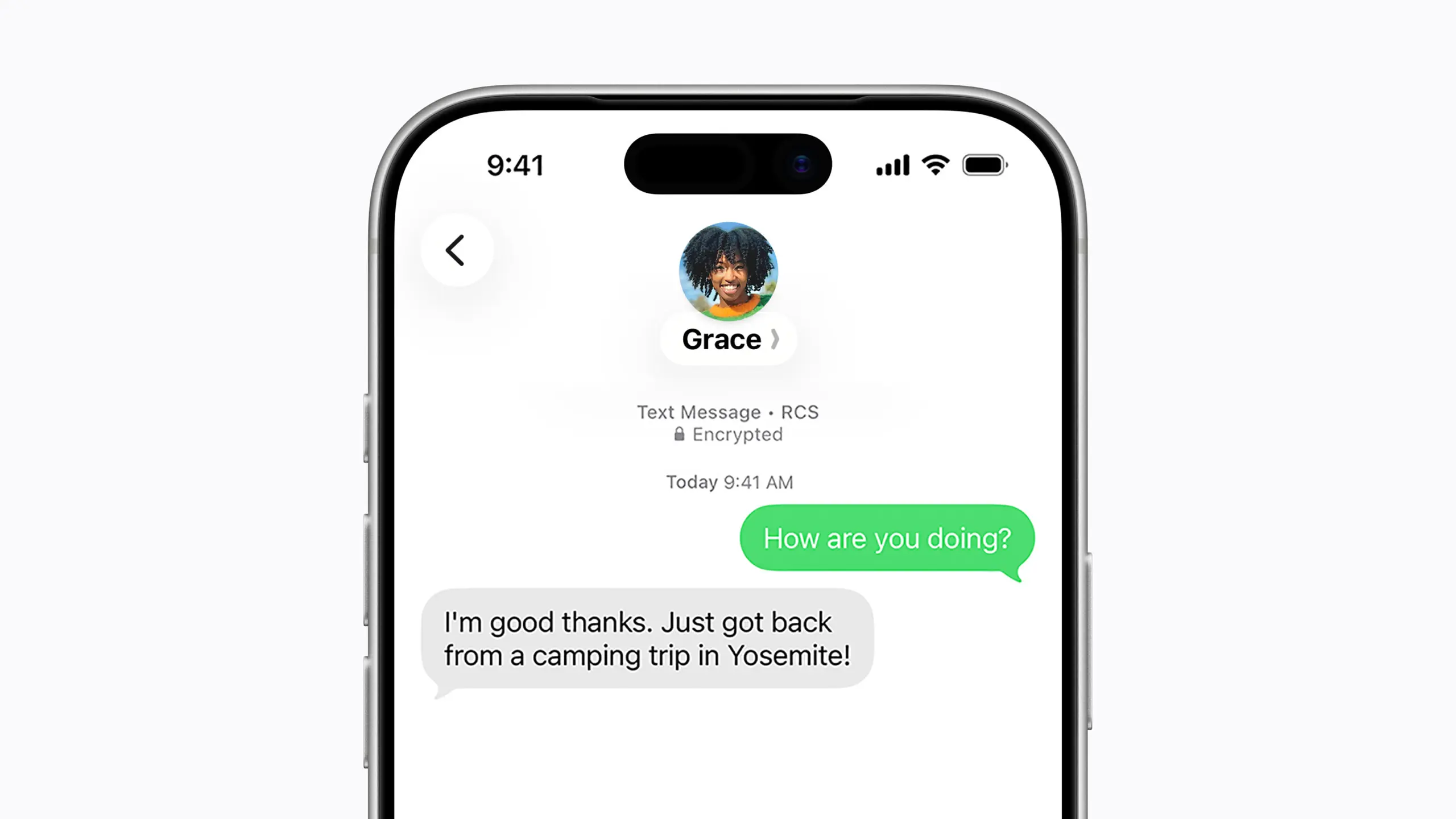
Nearly 18 months after the FBI warned Americans about the security risks of texting between iPhones and Android devices, Apple has introduced end-to-end encrypted cross-platform messaging through iOS 26.5, according to Forbes.
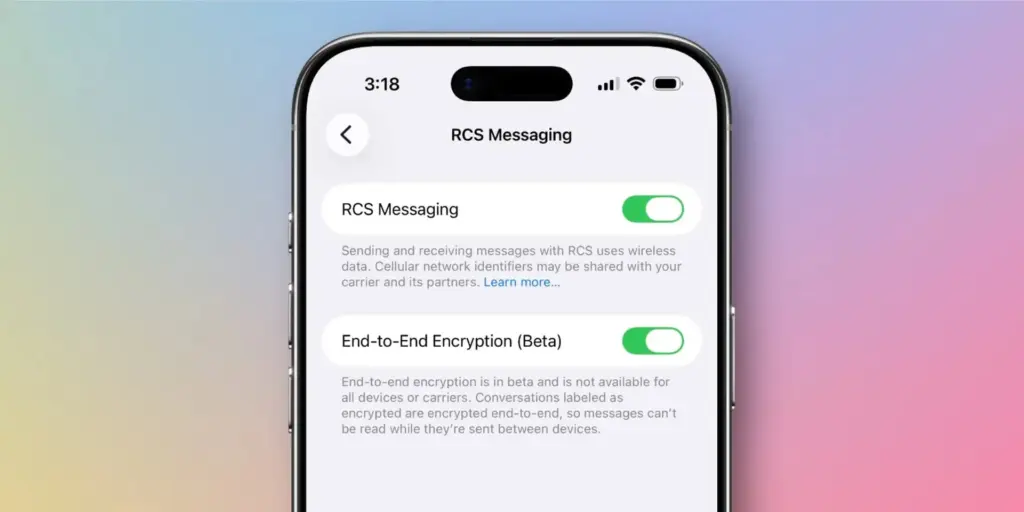
The update enables encrypted RCS messaging between iPhone and Android users for the first time – though Apple has noted that the feature “is not available to all.” Availability depends on both device compatibility and carrier support, meaning some users may not gain immediate access to secure RCS messaging even after installing the update.
The carrier dependency is a key distinction from platforms like WhatsApp, where end-to-end encryption is always active because the app controls both sides of any conversation. Apple’s and Google’s implementation of encrypted RCS, by contrast, relies on carrier infrastructure – which introduces variability depending on the networks connected to both devices at any given moment.
For context, Apple’s iMessage has long offered fully encrypted communication between Apple devices, identifiable by the familiar blue chat bubbles. Messages sent outside that ecosystem — the green bubble conversations – fall back on SMS or RCS protocols. With Google Messages, encrypted RCS has been available when all participants are using updated versions of the app, though users need to verify whether encryption is actually active in any given chat.
Encryped RCS messaging to follow
In its release notes ahead of the update, Apple stated that “end-to-end encrypted RCS messaging (beta) in Messages is available with supported carriers and will roll out over time,” adding that a list of supported carriers would be published on its messaging support page.
Given the carrier dependency, Apple and Android users looking for consistent, reliable encryption may still find services like WhatsApp or Signal more dependable, or simply stay within their respective ecosystems where encryption is guaranteed.
Industry observers had anticipated iOS 26.5 would arrive this week, bringing encrypted RCS alongside broader improvements to performance, battery life, and system stability. German technology outlet Born City reported that Apple’s upcoming iOS updates are partly a response to longstanding criticism of the closed iMessage ecosystem, growing demand for AI features, and rising regulatory pressure. India-based publication Eastern Herald framed the RCS rollout as part of a wider industry effort to reconcile privacy with cross-platform interoperability.
Apple officially launched the encrypted RCS feature in beta on May 11, describing it as a joint initiative with Google aimed at making RCS – the modern successor to SMS – more secure across platforms.
“Starting today,” Apple said, “end-to-end encrypted RCS messaging begins rolling out in beta for iPhone users running iOS 26.5 with supported carriers and Android users on the latest version of Google Messages.”
Users on supported carriers will see a lock icon appear in RCS conversations when encryption is active. Apple confirmed that encryption is enabled by default and will gradually extend to both new and existing RCS conversations over time.
The move represents one of the most significant shifts in text messaging in decades, potentially closing much of the gap between standard cross-platform texting and the kind of security that encrypted messaging apps have offered for years. Analysts, however, point out that it remains to be seen how quickly carriers around the world will adopt the protocol, and whether the change will meaningfully challenge WhatsApp’s grip in markets where it dominates.
What’s clear is that the rollout directly addresses the U.S. government’s earlier concerns about unencrypted cross-platform communication – and delivers what many users have been waiting a long time for.
There comes a point where upgrading your smartphone every year or two just does not make much sense anymore. My Google Pixel 9 Pro from 2024 is still performing well, and unless the next upgrade brings something meaningful, I do not see myself moving to the Pixel 11 Pro either.
The trade-off for keeping a phone longer is that it slowly starts to feel cluttered. You install the apps you need over time, and unlike the old days of swapping to a fresh device, everything accumulates. At this point, I have well over 100 apps on my phone.
The issue is that many of these apps keep running in the background, using RAM and other system resources even when they are not open. That can make your phone feel slower, less responsive, or just not as smooth as before.
Android includes a hidden setting that lets you see exactly how much memory each app is using. It makes it much easier to figure out which apps are worth keeping and which ones are just sitting there eating resources and slowing down your phone.
You need Developer Options first
Before you can check this, you need to enable Developer Options on your device, which is probably why you have never run into this setting before.
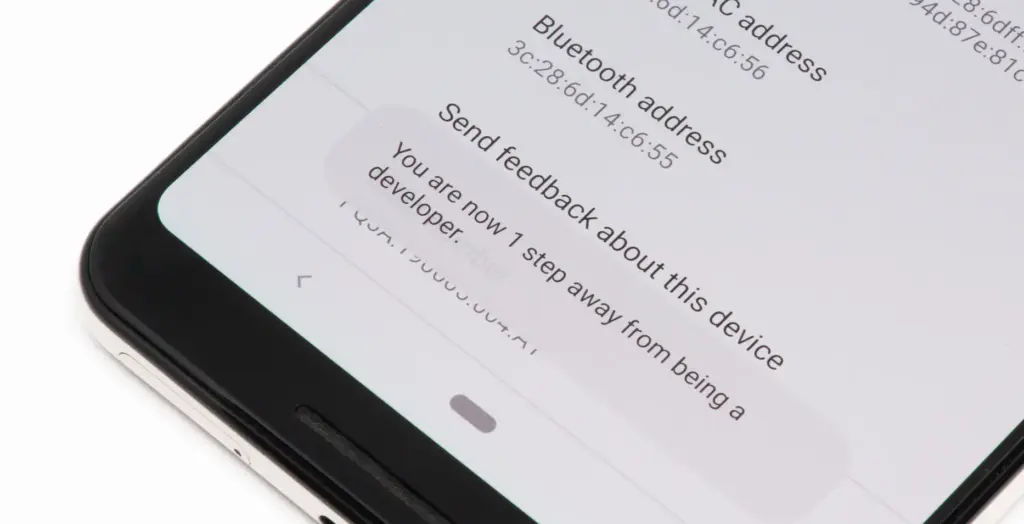
To turn it on, open the Settings app on your phone, then go to the About Phone section. From there, tap the Build number seven times. After a few taps, you should see a message saying, “Developer options have been enabled.”
Once that is done, go back to System settings and open Developer Options. Near the top, you will find a Memory section. On some devices, especially Google Pixel phones, memory usage profiling may not be enabled by default, so you may need to switch it on and restart your device before you can use it.
What the numbers mean
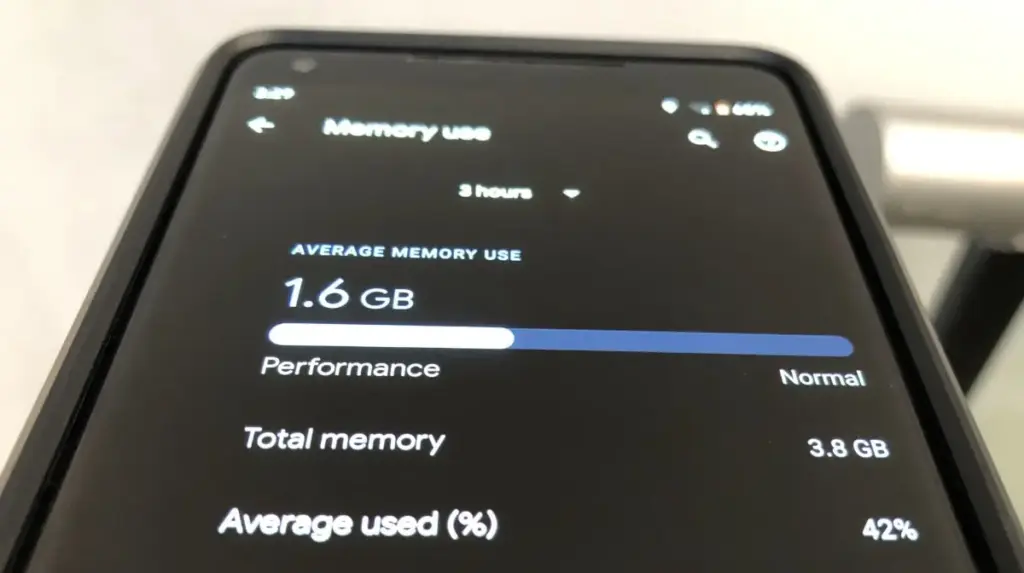
Inside the Memory section, you will see how much RAM your phone has, how much is being used on average, and a general overview of overall performance.
If you want to see which apps are using memory, tap the Memory used by apps option. This section lists apps based on how much RAM they have used over the past three hours by default.
At the top, there is a drop-down menu that lets you change the time frame to three hours, six hours, 12 hours, or one day. In practice, 12 hours or one day gives a much better picture of which apps consistently use the most memory throughout the day.
In most cases, Android OS will appear at the top, and that is completely normal. The system itself runs several background processes, and all of that gets grouped under Android OS.
What matters more is spotting third-party apps that are using more RAM than expected. You can tap any app to see details such as its average and peak memory usage.
For example, I do not currently have a Pixel Watch paired with my Pixel 9 Pro, but the Pixel Watch app and Fitbit app together were using around 250MB of RAM in the background. That is a lot for something I am not even using.
If you notice similar apps on your phone, you can open their info page and use the three-dot menu to force stop them if needed.
RAM use is not always bad
That said, RAM being used is not automatically a problem.
Android is designed to use available RAM to keep apps ready in the background, so it does not always mean your phone is wasting resources. The real goal is to identify what is actually unnecessary.
If you find an app that you do not really use but it is still taking up a lot of memory, you can stop it from this menu. Even better, uninstalling it completely is usually the smarter choice.
Force stopping only works temporarily, since the app will start using memory again the next time you open it. If you no longer use the app at all, removing it entirely ensures it will not keep using RAM in the future.
Recent apps are not enough
If you think the apps in your Recents menu are the only ones using your phone’s resources, closing them will not solve everything.
Those are just the apps that are currently active, but many Android apps continue running background processes that you do not see in Recents or on the screen.
That is exactly why this feature shows average memory usage over the past few hours, giving you a much clearer view of what is really using RAM behind the scenes.
Overall, this tool should help you spot the apps that are using more memory than they actually need. It gives you a clearer sense of what is running in the background and what is worth keeping installed.
If your phone feels slower or the battery is draining faster than usual, there are also other steps you can take to optimize your Android phone and help it last longer.
Android 17 QPR1’s latest beta build is centered almost entirely on bug fixes. Google first released the initial QPR1 beta in the third week of April, and just a couple of weeks later, it has now rolled out Android 17 QPR1 beta 2. Because the gap between the two builds is so short, this release mainly focuses on stability improvements rather than anything flashy.
That said, a long list of fixes does not change the fact that Android 17 QPR1 is still at an early beta stage. Issues are still likely, so users who care most about stability should probably stay on Android 16 on their Pixel. Anyone who wants to test the newer software can still try Android 17 beta, which should be noticeably more stable than QPR1 beta. If you do install Android 17 QPR1 beta, sending bug reports to Google will help those problems get addressed faster.
The OTA is already available for all compatible Pixel devices, starting with the Pixel 6 and running through the Pixel 10 lineup. Users can also download the OTA image and manually sideload it on a Pixel if they prefer that route.
On the user-facing side, there does not seem to be much new on a Pixel 8 Pro, aside from a refreshed Quick Settings edit icon. Google may be holding back the bigger changes for later beta builds or for future QPR releases.
At some point, there’s a good chance you’ll need to create and send a PDF from your Android phone. The instinct is usually to head straight to the Google Play Store — but with ongoing reports of malicious apps turning up on both Android and iOS, that search can quickly become a security minefield. Before downloading anything unfamiliar, it’s worth checking what’s already on the device.
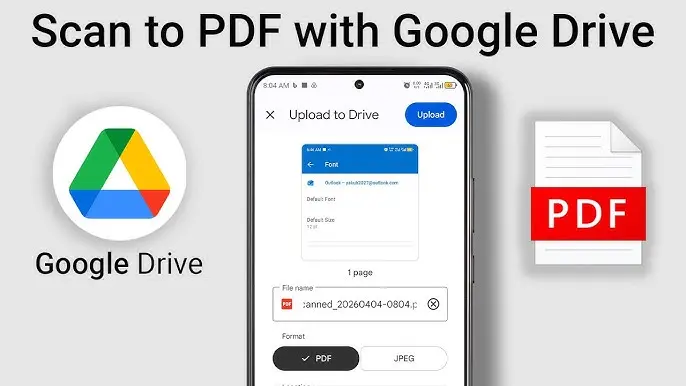
As it turns out, scanning paper documents and saving them as PDFs on Android requires no third-party software at all. The feature is built directly into the Google Drive app, which comes preinstalled on most Android devices. Here’s how to use it.
How to turn scanned documents into PDFs on Android
What you’ll need: The Google Drive app on your Android phone — which should already be there out of the box.
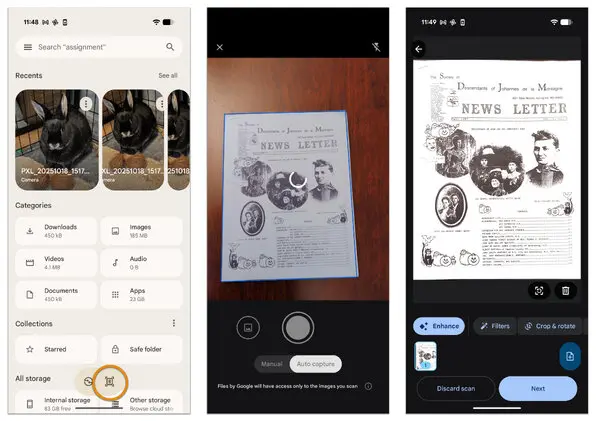
1. Open Google Drive Launch the Google Drive app from the home screen or the App Drawer.
2. Select Scan Tap the + button in the bottom-right corner, then select Scan from the menu that appears.
3. Scan your documents Point the camera at the first page of the document. After scanning it, repeat the process for each additional page. Once all pages have been captured, tap the right-pointing arrow button at the bottom right of the screen.
4. Enhance if necessary The next screen offers basic editing tools — filters, crop/rotate controls, and a cleaning tool to tidy up the scan. Make any adjustments needed, then tap Next.
5. Name and upload Give the file a name, make sure PDF is selected as the format, and upload it. To save directly to a specific folder, tap the drop-down and choose the destination within Google Drive.
The scan will now be available in the selected Google Drive folder, ready to share from within the app. The clarity of the results tends to be better than expected.
One important thing
Google Drive doesn’t offer the option to encrypt or password-protect scanned files, which is worth keeping in mind for anything sensitive. The PDF will also sit in the Google Drive account until manually removed. A sensible practice: delete the file from Drive once it’s been shared, rather than leaving sensitive documents sitting in cloud storage indefinitely.
On the upside, scanned PDFs aren’t saved locally to the device, so there’s no storage impact to worry about. It’s a straightforward, no-cost solution that works well for everyday document scanning needs.
Google’s Pixel smartphones offer one of the cleanest Android experiences available. Current-gen models ship with the latest version of Android, get updates before anyone else, and enjoy seven years of software support — a level of longevity that makes them a genuine alternative to the iPhone, which similarly prioritizes long-term support. For a direct comparison with Apple’s best, the Pixel 10 Pro is the model to consider if you’re chasing an experience comparable to the iPhone 17 Pro.
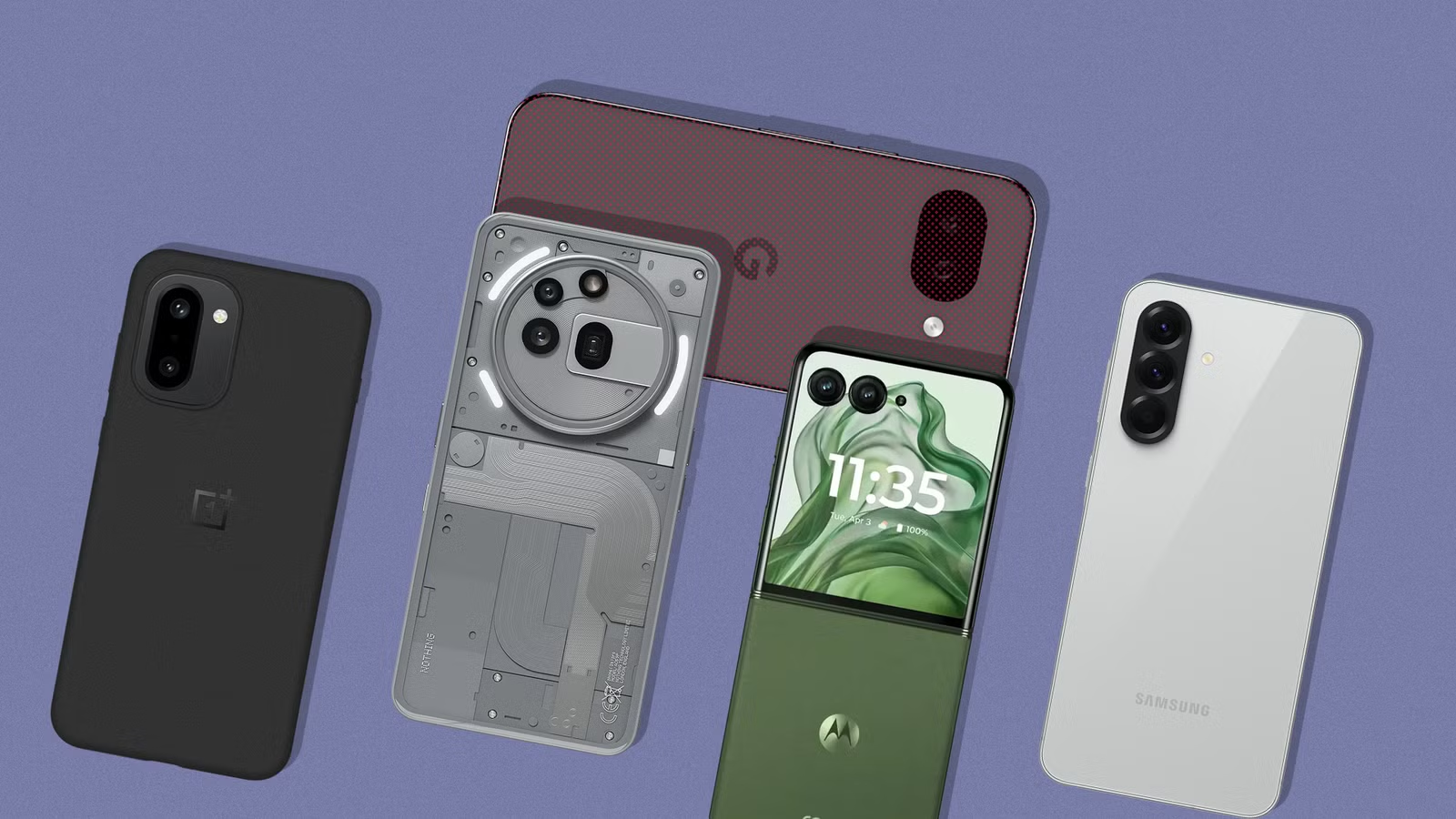
That said, Google also plays in the budget space, and its answer to the sub-$500 market is the Pixel 10a. Powered by last year’s Tensor G4 SoC with 8GB of RAM and a capable dual-camera system on the back — as explored in a full review of the Pixel 10a — it’s a reasonable choice for cost-conscious shoppers. But it does make compromises to hit that price, and raw performance is one of the more noticeable ones. There are several compelling alternatives that outpace it in that department. Five of them are highlighted below. A few of these picks aren’t officially sold in the U.S., and while importing through trusted channels is an option, carrier compatibility isn’t guaranteed.
Samsung Galaxy S25 FE
Samsung Galaxy S25 FE
Enjoy every scroll, swipe and stream on a stunning 6.7” wide display that’s as smooth for scrolling as it is immersive.
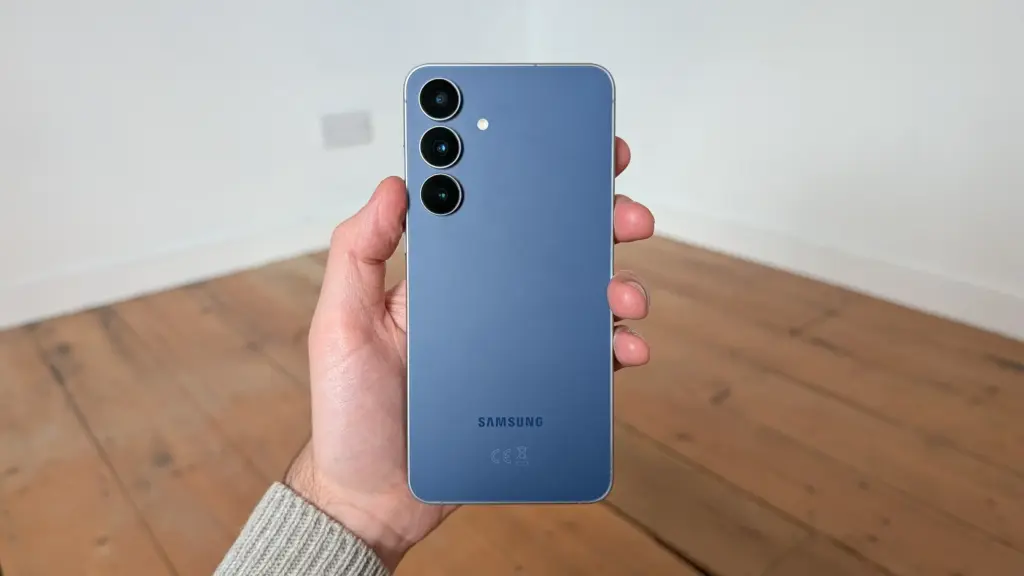
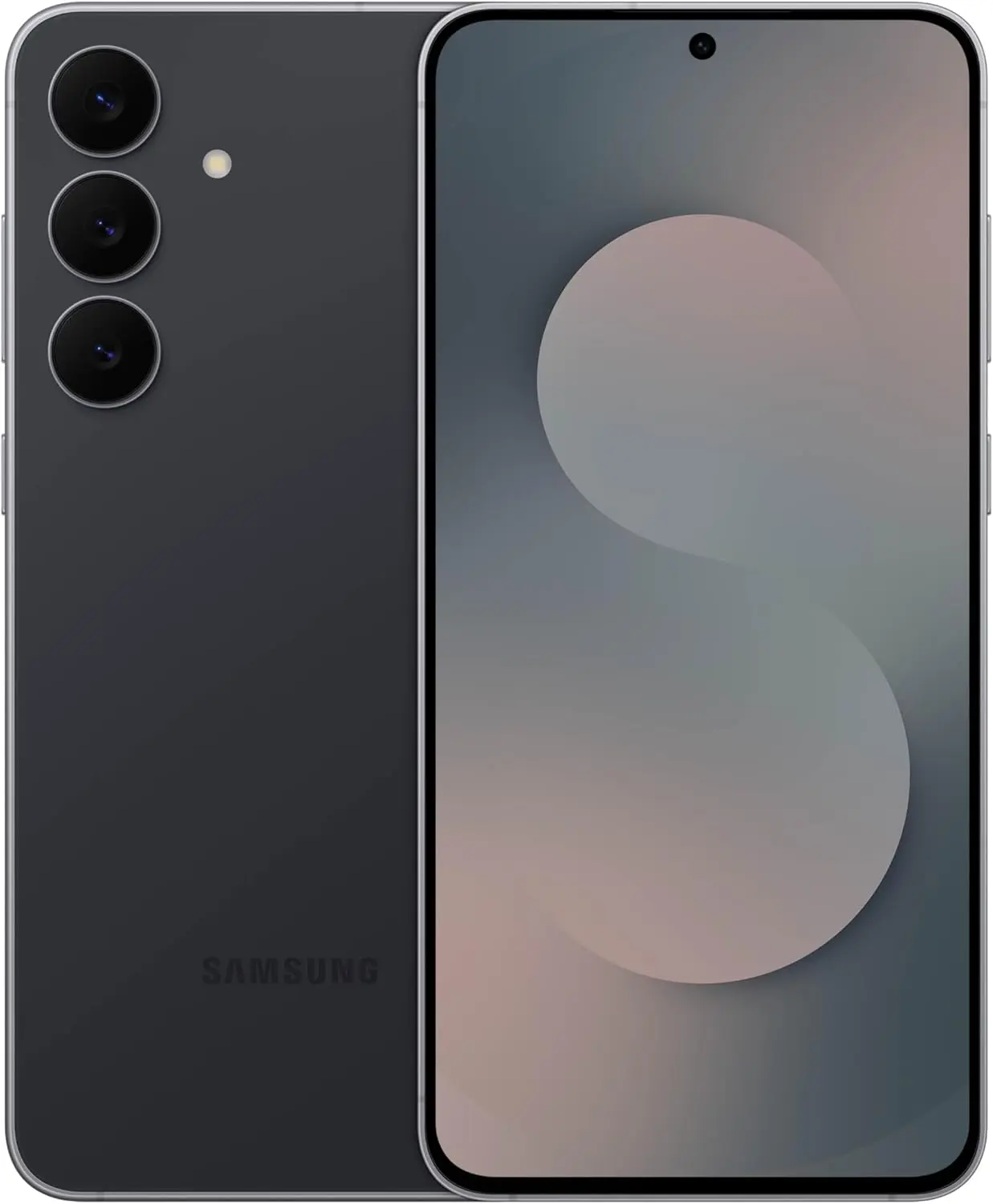
Samsung is the world’s largest Android manufacturer, and while the flagship Galaxy S series gets most of the spotlight, the company’s mid-range catalog is equally well-stocked. The Galaxy S25 FE sits in the upper mid-range tier, delivering a near-flagship experience by trimming a select few premium extras to land at a lower price point.
Under the hood is Samsung’s in-house Exynos 2400 SoC, which according to NanoReview offers noticeably better performance than the Tensor G4 inside the Pixel 10a. RAM is matched at 8GB, and the suite of AI features remains intact. One UI, which previously had a reputation for being bloated, has grown considerably leaner over the years and now runs without any real sluggishness. The display is a 6.7-inch LTPO AMOLED with a 120Hz refresh rate and up to 1,900 nits of peak brightness.
Samsung matches Google’s seven-year OS update promise on the S25 FE. The camera system includes a 50-megapixel wide, a 12-megapixel ultrawide, and an 8-megapixel 3x telephoto lens. Wired charging maxes out at 45W, which handles the 4,900mAh battery reasonably quickly. The base 128GB model retails at $650, though it can regularly be found under $600 through deals on Amazon and similar marketplaces.
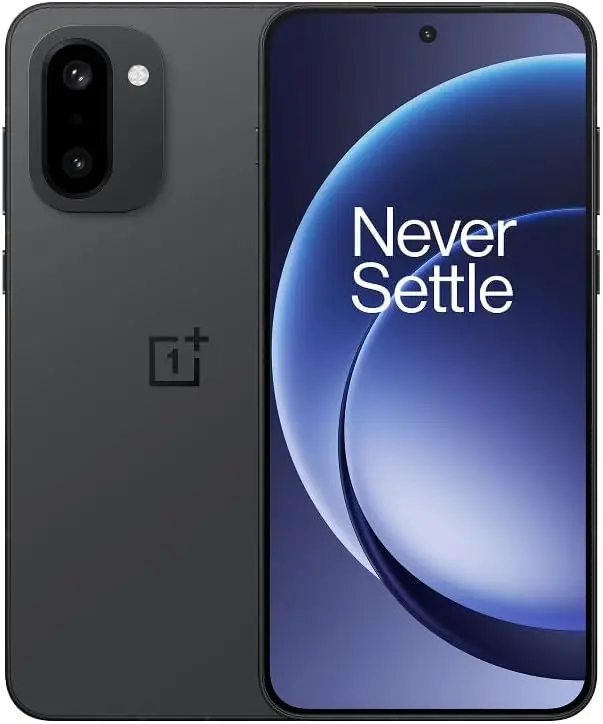
OnePlus 15R
OnePlus 15R
Powered by the Snapdragon 8 Gen 5, plus a custom Wi-Fi chip and dedicated Touch Response chip, you get lightning-fast speeds, stable connections, and ultra-responsive touch control.
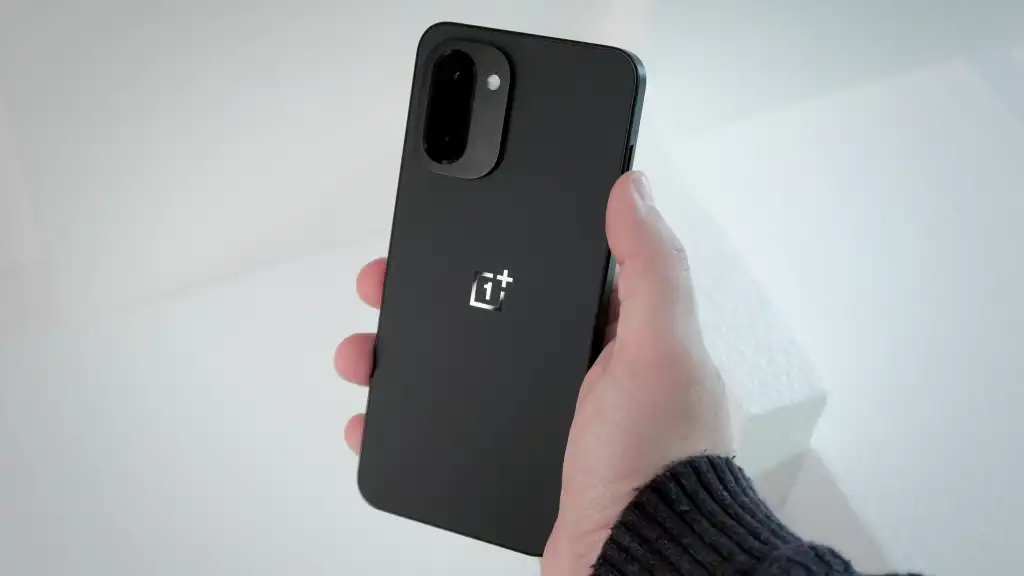
At $700, the OnePlus 15R costs more than the 256GB Pixel 10a — but considering what it delivers, that $100 premium is hard to argue with. The phone runs on the Snapdragon 8 Gen 5, which sits just below the 8 Elite Gen 5 in Qualcomm’s hierarchy and comfortably outpaces the Tensor G4, a chip that was already trailing the competition at launch. The performance gap here is substantial.
RAM steps up to 12GB, which keeps more apps active in the background and handles AI-driven tasks more effectively over time. The screen is a 6.83-inch AMOLED panel with up to 165Hz in supported games and a peak brightness of 3,600 nits in HDR scenarios. Slimmer bezels and a smaller hole-punch cutout make for a noticeably better multimedia display than the Pixel 10a.
Battery life is where the OnePlus 15R really pulls ahead. Its 7,400mAh cell offers roughly 50% more capacity than mainstream flagships, and the review of the OnePlus 15R confirmed the exceptional endurance that capacity suggests. Charging tops out at 80W with the included adapter, so refueling is fast when needed.
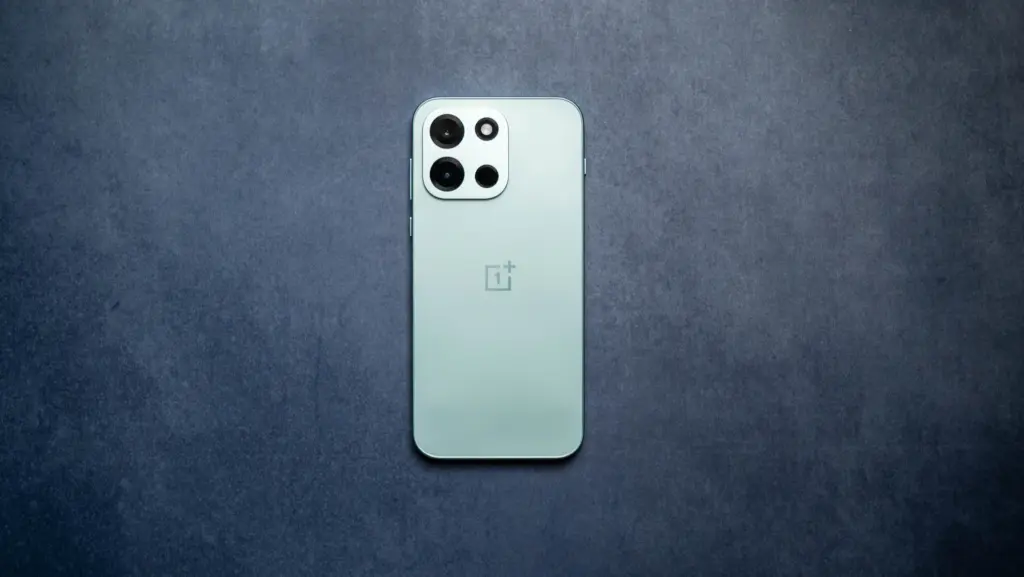
OnePlus Nord 6
OnePlus Nord 6
Flagship Performance with Snapdragon 8s Gen 4/: Couple this with the latest LPDDR5X RAM and UFS 4.1 ROM storage, Nord 6 is engineered to outperform nearly every flagship, allowing unprecedented ‘Gaming PC-level’ 165 FPS BGMI, CODM and Free Fire MAX steady-smooth gaming, and relentless everyday speed for the next 6 years.
Despite recent speculation about market exits and a potential global pullback, OnePlus has continued shipping competitive hardware. The Nord 6 is the latest from the brand’s budget-focused lineup, and it brings serious performance for the price. The Snapdragon 8s Gen 4 SoC comfortably outperforms the Tensor G4 across the board, and configurations go up to 12GB of RAM with 256GB of UFS 4.1 storage.
Gaming is clearly a core target for the Nord 6. Its 6.78-inch AMOLED display supports refresh rates up to 165Hz in compatible titles — similar to what the OnePlus 15 offers — and a 3,840Hz touch sampling rate makes on-screen input feel exceptionally sharp. The dual rear camera covers wide and ultrawide angles, but the real talking point is the 9,000mAh silicon carbon battery with 80W wired charging support, which is a remarkable combination at this price.
OxygenOS handles the software side, with OnePlus committing to four years of OS updates. Pricing converts to roughly $415 for the 8GB RAM variant. The catch: the Nord 6 is an India-exclusive. In China, the same device is sold under the OnePlus Turbo 6 name. U.S. buyers would need to import it, with carrier compatibility being a potential sticking point.
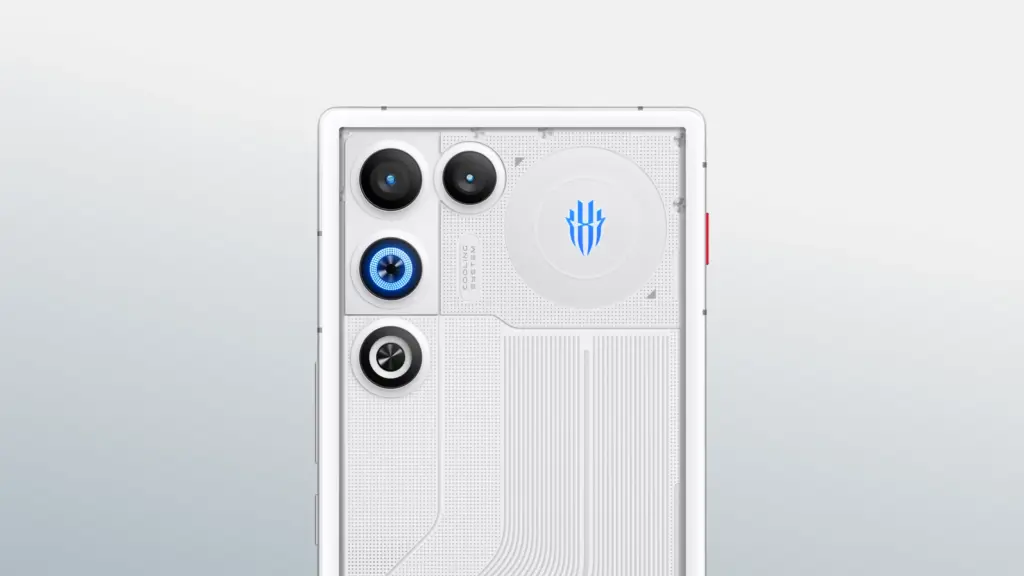
RedMagic 11 Air
For those specifically after a gaming phone that’s actually available in the U.S., RedMagic is the go-to. The RedMagic 11 Air matches the Pixel 10a’s $500 price tag but packs considerably more horsepower. The Snapdragon 8 Elite SoC powering it is, on paper, more than twice as fast as the Tensor G4. Even as a generation-old chip at this point, it handles any modern mobile title at maxed settings with high frame rates without breaking a sweat.
A few hardware touches set it apart from the standard mid-range crowd. Capacitive shoulder triggers on the frame offer additional physical controls in supported games. The 6.8-inch 144Hz AMOLED display is completely notch-free, providing an uninterrupted viewing surface — a trade-off that costs the phone a front camera, which may or may not matter depending on priorities. Active cooling via a built-in fan and vapor chamber keeps thermals in check during extended sessions.
RAM comes in at 12GB, and storage doubles what the Pixel 10a offers in its base configuration. The 7,000mAh silicon carbon battery earned a multi-day usage assessment from TechRadar’s review under moderate conditions, and an 80W adapter is included in the box. An 80W adapter is also included. Stepping up to 16GB of RAM and 512GB of storage adds just $100 to the asking price, and the RedMagic 11 Air’s distinctive design language makes it one of the more visually interesting options on this list.
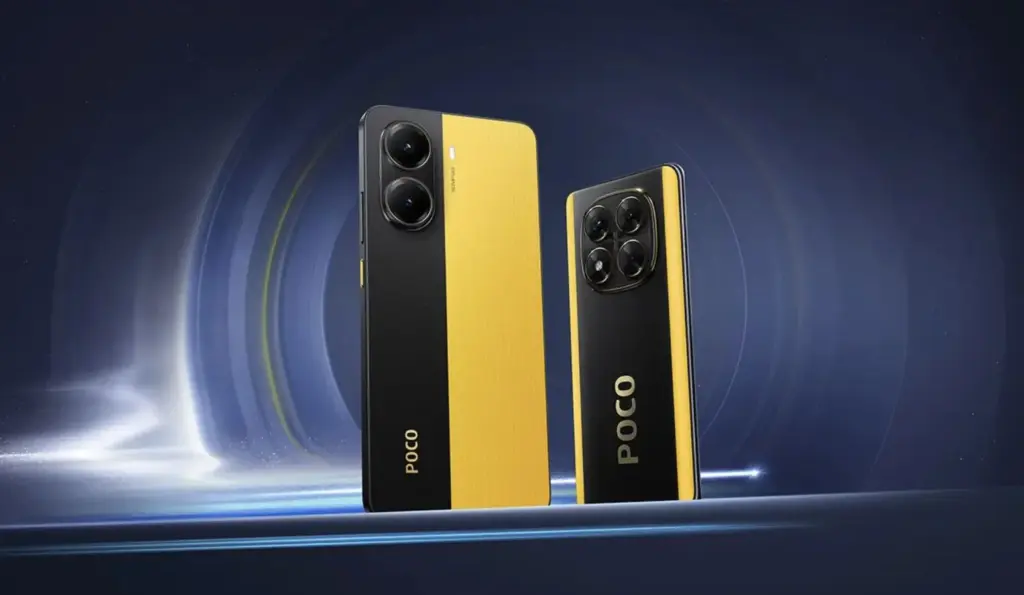
Poco X7 Pro
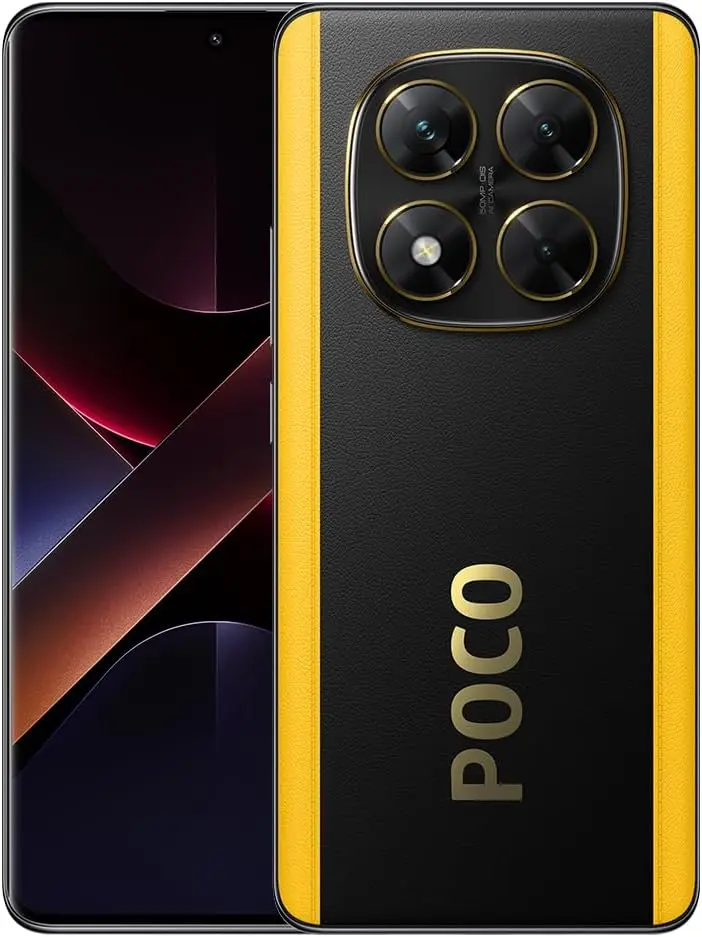
Poco X7
Full speed ahead Powerful Dimensity 7300-Ultra CrystalRes 1.5K 120Hz AMOLED curved display 50MP main camera with OIS IP68 dust and water resistance 5110mAh (typ) large battery
Xiaomi has built a reputation for delivering strong value in the flagship space, and its Poco sub-brand attacks the mid-range segment with the same aggression. The Poco X7 Pro is a gaming-focused device powered by the MediaTek Dimensity 8400 Ultra SoC, posting AnTuTu benchmark scores roughly 40% higher than the Tensor G4.
The display is a 6.67-inch AMOLED panel with a 120Hz refresh rate and an impressive 1,920Hz touch sampling rate. Camera hardware consists of a 50-megapixel wide and an 8-megapixel ultrawide – GSMArena described the imaging output as “mostly mediocre,” though the same review awarded the phone 4.2 stars overall and called it the most powerful device in its price category. The global variant carries a 6,000mAh silicon carbon battery with 90W wired charging.
Software is HyperOS, Xiaomi’s customized take on Android 15, with at least three major OS updates and four years of security patches promised. At $410, the phone ships with 12GB of RAM and 256GB of storage. While Xiaomi’s retail presence in the U.S. is limited, the Poco X7 Pro is available through Amazon. Carrier support exists for select networks, but verifying band compatibility with a specific provider before purchasing is strongly recommended.
Kaspersky ICS CERT has publicly detailed a critical hardware vulnerability hitting a wide array of Qualcomm Snapdragon chipsets. The exploit, presented at Black Hat Asia 2026 on April 23 and tracked as CVE-2026-25262, has rattled the security community. First confirmed by Qualcomm in April 2025, full technical details are now available, exposing a backdoor capable of total device takeover and data destruction.
The Sahara Protocol and BootROM Flaw
The issue lies deep in the BootROM, the silicon-hardcoded firmware that runs first when a device powers up. Because this code is etched into the hardware itself, standard OTA software updates can’t touch it, making patches nearly impossible.
Researchers uncovered a major weakness in Qualcomm‘s Sahara protocol handling. For those who work with device flashing, Sahara manages low-level communication in Emergency Download (EDL) mode to load critical software before the main OS starts.
With just a few minutes of physical access, attackers can exploit this to sidestep the entire secure boot chain. Once inside the application processor, they gain the ability to:
Install persistent backdoors that survive reboots.
Pull sensitive data like passwords, files, contacts, and real-time location.
Take over device sensors for covert camera and microphone access.
The malware even fakes a system reboot to throw off users. Clearing the infection often requires draining the battery completely to wipe volatile memory, and detection remains extremely challenging.
Affected Chipsets and Devices
While newer flagships like Snapdragon 8 Elite have stronger defenses, this flaw hits many older and mid-range chips still in widespread use.
Vulnerable Qualcomm Chipsets:
MSM8916 (Snapdragon 410) (Xiaomi REDMI 2)
SDX50 (Xiaomi Mi MIX 3 5G and Mi 9 Pro 5G)
MDM9x07
MDM9x45 (Xiaomi Mi 5, Mi 5s, Mi 5s Plus, Mi Note 2, Mi MIX)
MDM9x65
MSM8909
MSM8952
Real-World Impact
Physical access requirements limit mass remote attacks, but the risk to supply chains, repair shops, and targeted users remains severe. Compromised devices turn into perfect surveillance tools. With hardware deployed across consumer REDMI phones to industrial IoT systems, the potential fallout spans far beyond typical mobile threats.
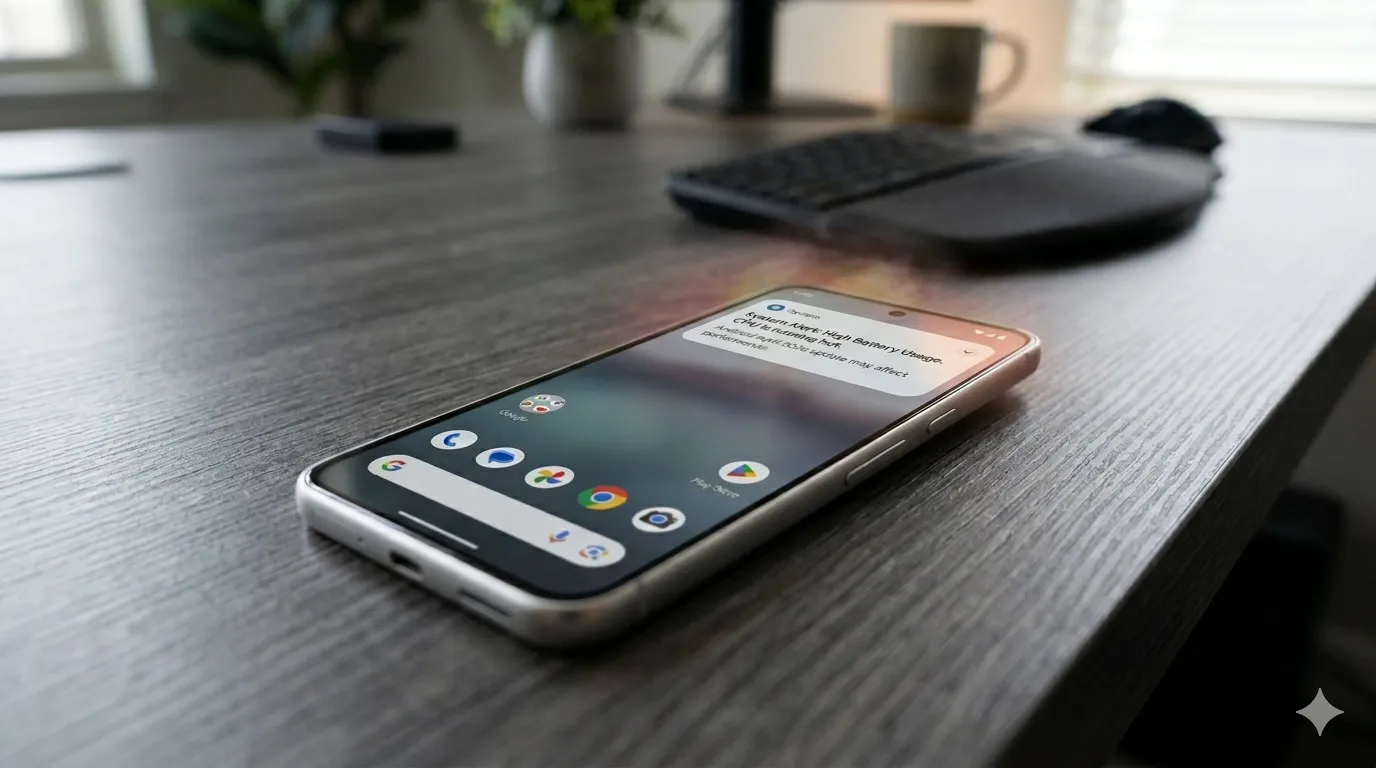
Pixel phones are no strangers to the occasional software hiccup, and the latest issue making the rounds is a slow performance bug that has started affecting a growing number of users. Pixel devices have never been the go-to choice for heavy multitasking or gaming, but day-to-day responsiveness has typically been one of their stronger points. For some owners, that snappiness has noticeably faded following recent software updates.
This isn’t the only problem Pixel users have had to deal with lately, either. Earlier this month, complaints surfaced around a battery drain bug tied to the April update that rolled out recently. Before that, a separate issue was causing boot loops after the March update – arguably the most alarming of the bunch. The performance slowdown adds yet another frustration to a string of post-update problems that Pixel owners have had to navigate.
Pixel 8 and Pixel 9 Most Affected
While the bug could potentially be touching older Pixel generations as well, Android Authority reports that the bulk of complaints are coming from Pixel 8 and Pixel 9 owners specifically. Neither of these phones is particularly old, and that matters. Starting with the Pixel 8, Google committed to providing seven years of software updates, meaning a large portion of users will be holding onto these devices for years to come.
That long-term support promise makes it all the more important for Google to address the issue promptly. So far, though, Google hasn’t publicly acknowledged the bug, which means a fix in the near term seems unlikely. It’s also worth noting that the slowdown may not be noticeable to every user. The bug is far from ideal, but depending on the device and usage pattern, some owners may not feel much impact at all.
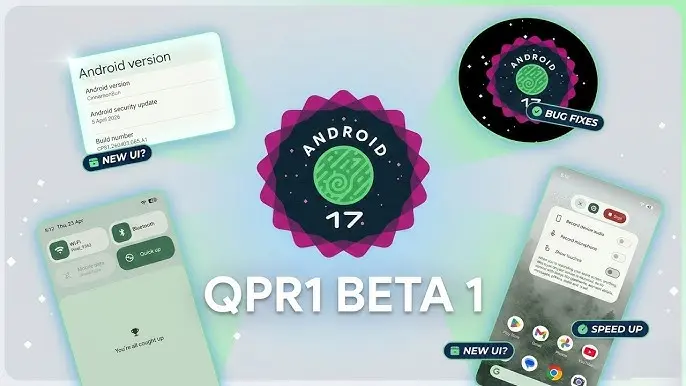
With the final scheduled Android 17 Beta dropping just last week, Google has wasted no time shifting focus — Android 17 QPR1 Beta 1 is already here.
Google describes the release officially as the start of “the next round of Beta updates for our September Feature Drop release,” marking the beginning of the QPR1 cycle ahead of what will become a standalone feature update later in the year.
This build addresses the following issues:
Fixed a crash in the Default Print Service occurring during low ink conditions that prevents users from completing print jobs. (Issue #487545419)
The Terminal app triggers an Application Not Responding (ANR) error that results in the application and device becoming unresponsive. (Issue #497465940)
Resolved an issue where uncontrollable hardware audio processing on the voice communication path caused distortion and phase cancellation in VoIP applications. (Issue #494843726)
Direct audio output may fail to open on devices using the AIDL audio HAL when playing audio streams longer than five seconds. (Issue #372064012)
There are no obvious user-facing changes in this release — it’s primarily a bug-fix drop rather than a feature-forward update.
Pixel users enrolled in the Android Beta program can submit feedback directly through the Android Beta Feedback tool, accessible from the app drawer or Quick Settings, which routes reports straight to the Google issue tracker. The Android Beta community on Reddit is also an active space for discussion and bug reports.
Build number: CP31.260403.005.A1
Android 17 QPR1 Beta 1 system images are now available for the following devices: Pixel 6, Pixel 6 Pro, Pixel 6a, Pixel 7, Pixel 7 Pro, Pixel 7a, Pixel Tablet, Pixel Fold, Pixel 8, Pixel 8 Pro, Pixel 8a, Pixel 9, Pixel 9 Pro, Pixel 9 Pro XL, Pixel 9 Pro Fold, Pixel 9a, Pixel 10, Pixel 10 Pro, Pixel 10 Pro XL, and Pixel 10 Pro Fold, along with the Android Emulator.