Tag: android

  • Google’s Latest System Update Improves Android in Subtle Ways You’ll Notice

    Google’s Latest System Update Improves Android in Subtle Ways You’ll Notice

    The Play services, Play Store, and Play system update for Android phones and tablets, Wear OS, Google/Android TV, Auto, and PC are the main topics covered in the monthly “Google System Release Notes.” While certain features are intended for developers, others are applicable to end users.
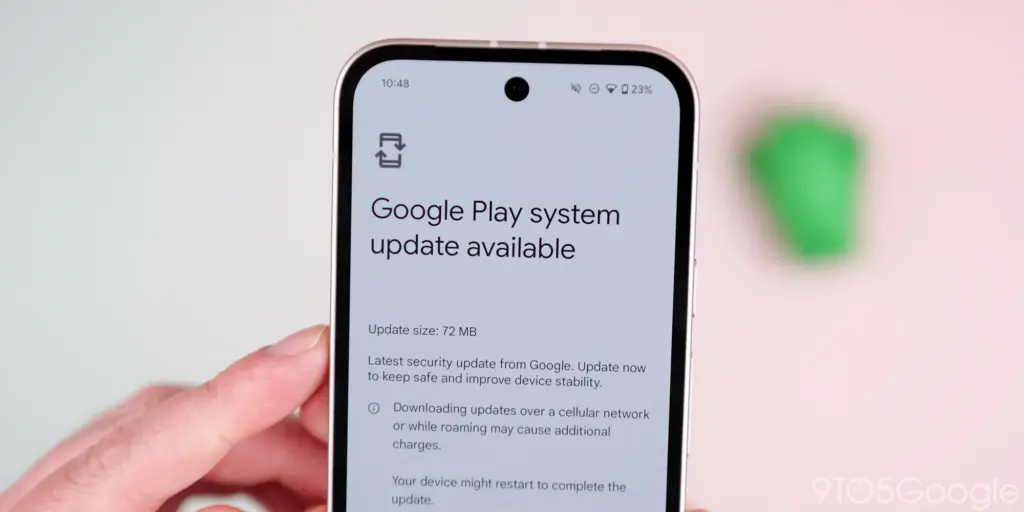
    Google Play System update 3

    The “Google System” is made up of the following third-party apps:

    To update, launch the Settings app, press your name at the top of the “Google services” page, then select All services > Privacy & security > System services.

    A feature is not necessarily publicly accessible just because it appears in the changelog. The full launch of some capabilities takes months.

    Google Play services v26.15 (2026-04-20)

    Device Connectivity

    • [Auto, Phone, Wear] Bug fixes for Device Connections and System Management & Diagnostics related services.

    Location & Context

    • [Phone] Bug fixes for Location Services related services.

    Wallet

    • [Phone] With this update, a message at the bottom of the screen tells the user how to add a card to Wallet.
    • [Phone] With this update, you’ll get a new entry point for MyCommute.

    Android System Intelligence B.24 (2026-04-16)

    • [Phone] Maintenance changes.

    Google Play services v26.14 (2026-04-13)

    Account Management

    • [Phone] With this update, you’ll get a faster way to set up your device when you transfer accounts and settings from an existing device.

    System Management

    • [Auto, PC, Phone, TV, Wear] You can now find open source licenses for Android Pulse in GMS Core.

    Wallet

    • [Phone] You can now control how private passes in Wallet work with other Google services like Autofill through new per-pass privacy settings.
    • [Phone] You can now use a redesigned Wallet interface for quick access, search, and discovery.

    Google Play Store v51.0 (2026-04-13)

    • [Phone] You can now provide feedback on AI-generated summaries of user reviews.
    • [Phone] You can now create a Gamer Profile directly from You tab.
    • [Phone] You can now play some games on the You tab with no install required.

    Google Play services v26.13 (2026-04-06)

    Account Management

    • [Auto] When a user signs in to their Google account on Android Automotive devices via QR code, the sign-in confirmation displays the requesting device’s name.

    Device Connectivity

    • [Phone] New developer features for Google and third party app developers to support Device Connectivity related processes in their apps.

    Location & Context

    • [Phone] With this update, Location Sharing APIs are refined and new location requests are introduced.
    • [Phone] With this update, On-Device Location History Store Visits processes more frequently.

    System Management

    • [Auto, PC, Phone, TV, Wear] Updates to system management services that improve Security and Stability.

    Wallet

    • [Phone] Bug fixes for Wallet related services.

    Google Play Store v50.9 (2026-04-06)

    • [Phone] This update adds download numbers to some app and game ads to help you make informed choices.
    • [Phone] You can now join and compete in Play Games Leagues directly from the You tab.
  • Google Rolls Out Android 17 Beta 4 With Crucial Fixes Before Stable Release

    Google Rolls Out Android 17 Beta 4 With Crucial Fixes Before Stable Release

    Android 17 Beta 4 is now rolling out to Pixel devices, and Google says it is the “last scheduled beta of this release cycle.” After the larger Beta 3 update brought new features and platform stability, this release appears focused on final refinements ahead of a stable launch later this quarter.

    To install Android 17 Beta 4, Pixel users can enroll through the Android Beta program and wait for the over-the-air update. Those who prefer the manual route can also flash a factory image or OTA file.

    android 17 beta update

    The latest build details are below:

    Release date: April 16, 2026
    Build: CP21.260330.008
    Emulator support: x86 (64-bit), ARM (v8-A)
    Security patch level: 2026-04-05
    Google Play services: 26.11.36

    Android 17 Beta 4 supports Pixel devices back to the Pixel 6 lineup.

    Developer changes

    One of the main additions in Android 17 Beta 4 is conservative app memory limits, which are meant to improve system stability. If an app is killed because of these limits, ApplicationExitInfo.getDescription will return “MemoryLimiter.” Developers can also use trigger-based profiling with TRIGGER_TYPE_ANOMALY to capture heap dumps when the limits are reached.

    Google has also tightened background audio rules. Starting in Android 17, the audio framework restricts background interactions such as audio playback, audio focus requests, and volume change APIs. Some changes were made after feedback from beta 2, including targetSDK gating for while-in-use FGS enforcement and exemptions for alarm audio.

    Bug fixes

    Android 17 Beta 4 also includes a long list of bug fixes:

    • An issue where webpage URLs were automatically included when sharing screenshots from the capture preview, causing unwanted links to be shared with image files. (Issue #444631269)
    • An accessibility issue caused the device to become completely unresponsive and unusable. (Issue #484755628)
    • An issue where the media control widget could disappear or fail to navigate between multiple active media sessions. (Issue #457008153, Issue #466760800, Issue #497131275, Issue #499041878)
    • An issue where dream services failed to correctly process key events, trigger keyguard bouncer prompts, or execute service lifecycle callbacks. (Issue #485661973)
    • An issue that prevented users from successfully downloading and applying cinematic or local weather wallpaper effects. (Issue #475924636)
    • An issue where the device would freeze and spontaneously restart while typing in messaging applications. (Issue #478417840)
    • A critical system instability issue that causes the device to hang and crash during normal usage. (Issue #427436873, Issue #428838049)
    • An issue causing devices to experience significantly reduced charging speeds when approaching the 80% battery limit, resulting in long delays before the device reaches its target charge and enters bypass mode. (Issue #485148344, Issue #490178498)
    • A rendering issue that caused multicolored horizontal lines to randomly obscure the device display. (Issue #478953060, Issue #478177624, Issue #483765859, Issue #487263076)
    • Pulling down the notification drawer while a feedback report is in progress can cause a System UI crash and device freeze. (Issue #488920581)
    • Critical system components including Pixel Launcher and navigation may crash or become unresponsive for several minutes after a device reboot. (Issue #317282987, Issue #316689583, Issue #316188779)
    • An accessibility issue that prevents users from properly interacting with apps after minimizing and returning to a split-screen view. (Issue #490735259)
    • An issue that prevented Bluetooth from being re-enabled after it was turned off via the system settings or quick settings panel. (Issue #498320401)
    • Notifications marked with setSilent(true) may unexpectedly play alert sounds on Android 16 when multiple notifications are present in the shade. (Issue #467164528)
    • Wi-Fi analyzer applications fail to detect any available Wi-Fi signals, preventing network scanning and signal monitoring.

    Source: Google

  • iPhone 17e vs OnePlus 15R: Premium Feel Meets a Surprisingly Better Deal

    iPhone 17e vs OnePlus 15R: Premium Feel Meets a Surprisingly Better Deal

    Let me be clear: the iPhone 17e is a genuinely good phone. MagSafe, 256GB storage as standard, and deep integration with the Apple ecosystem — it’s everything last year’s iPhone 16e should have been, and it makes total sense if your family, your friends, and your life are already Apple-shaped.

    But I review phones for a living. I’m also, for better or worse, an Apple obsessive. And after a week with the OnePlus 15R, I’d be doing you a disservice if I didn’t tell you what your money can actually buy right now.

    OnePlus 15R black

    The OnePlus 15R makes the battery debate embarrassing

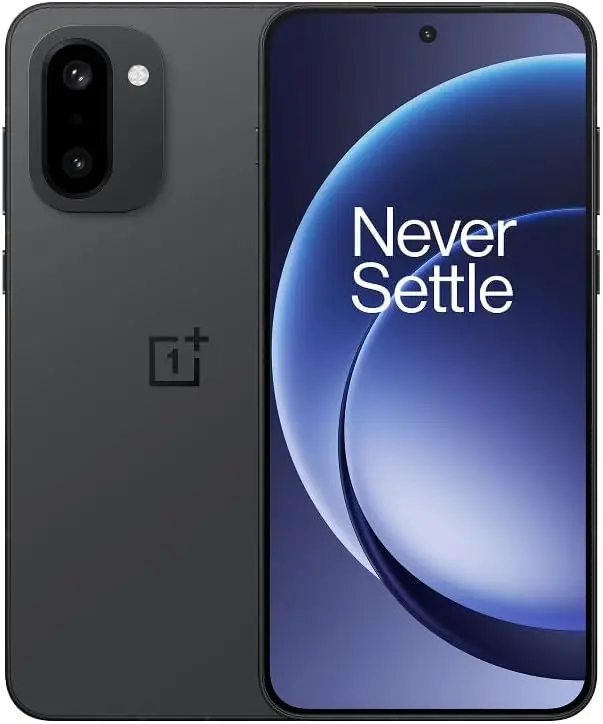
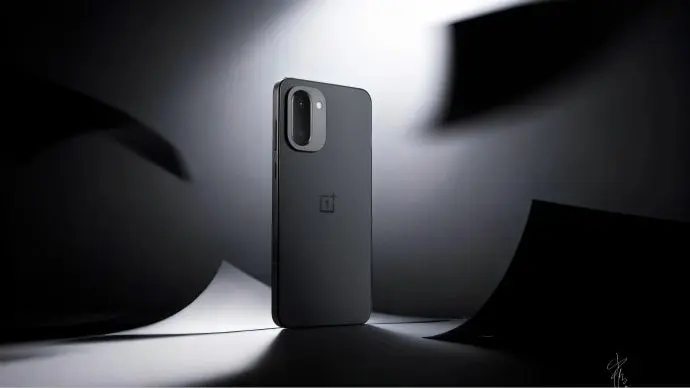
    The OnePlus 15R costs $699. It has a 7,400mAh battery. I’ve been getting two full days of use before reaching for a charger.

    61Xcw6JVu1L. AC SL1500

    OnePlus 15R

    Powered by the Snapdragon 8 Gen 5, plus a custom Wi-Fi chip and dedicated Touch Response chip, you get lightning-fast speeds, stable connections, and ultra-responsive touch control.

    $799.99Amazon

    I’ve spent years automatically toggling Low Power Mode on my iPhone 16 during heavy days — it’s just become muscle memory. Using the OnePlus 15R reminded me that this is not a universal smartphone experience. It’s an Apple-specific compromise I’d stopped questioning.

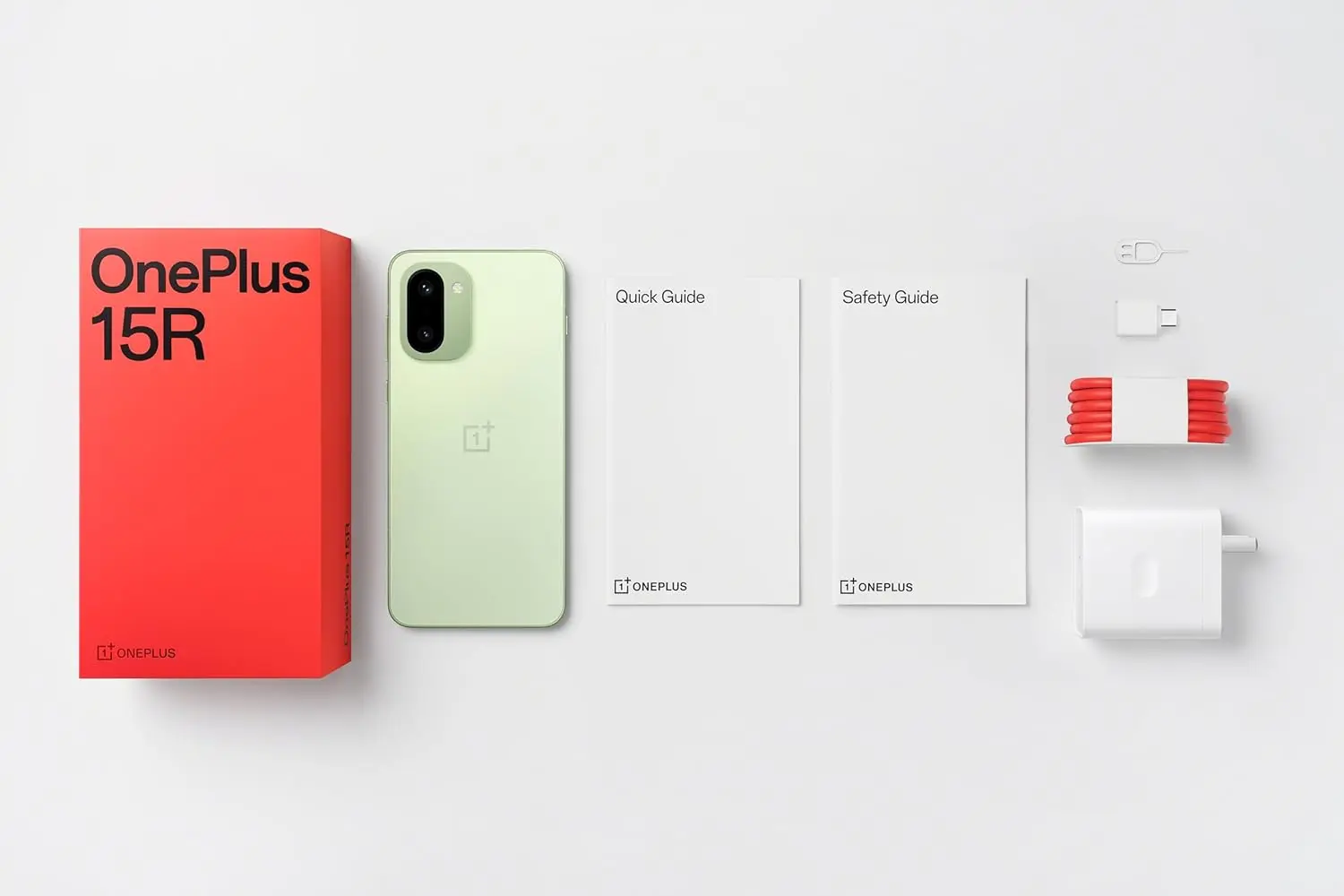
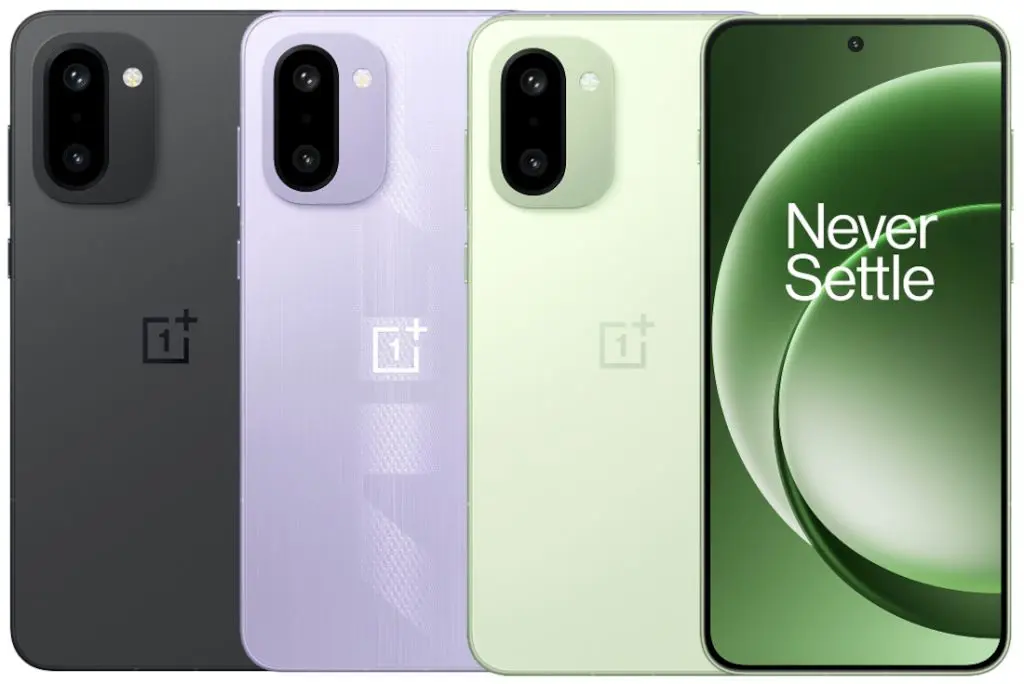
    Battery life aside, the OnePlus 15R earns its price in other ways: a 165Hz display, a 6.83-inch screen, the Snapdragon 8 Gen 5 chipset, and OxygenOS that’s as clean and intuitive as Android gets. Side-by-side multitasking, heavy app switching, gaming — no hesitation, no hiccups. Oh, and the Mint Green colorway is so good I refuse to put a case on it. With IP66, IP68, IP69, and IP69K certifications, it doesn’t need one anyway.

    It’s not just OnePlus

    The OnePlus 15R is the most dramatic example, but it’s not alone.

    The Samsung Galaxy S25 FE surprised me. Built on the same Exynos 2400 chipset that powered the once-flagship Galaxy S24, it delivered a full day’s battery without concern and a 6.7-inch display vivid enough to make Netflix feel like an event. Not a compromise phone — a capable one.

    Then there’s the Nothing Phone (4a) Pro, which I tested before launch and came away genuinely impressed. Its design makes most flagship phones look conservative, and Nothing’s OS is as considered as its hardware. It has a triple-camera array including a 3x telephoto lens. It costs $100 less than the iPhone 17e, which ships with a single rear camera.

    Let that sit for a moment.

    OnePlus 15R color variants

    The honest truth

    If you’re standing at the crossroads of a mid-range upgrade and you haven’t looked at what Android offers in 2026 – you’re making a decision without the full picture.

    The iPhone 17e is a great iPhone. Whether it’s a great phone for the money is a different question entirely.

    61Xcw6JVu1L. AC SL1500

    OnePlus 15R

    Powered by the Snapdragon 8 Gen 5, plus a custom Wi-Fi chip and dedicated Touch Response chip, you get lightning-fast speeds, stable connections, and ultra-responsive touch control.

    $799.99Amazon
  • Nothing Just Fixed Android-to-Mac File Sharing – Warp Makes It Effortless

    Nothing Just Fixed Android-to-Mac File Sharing – Warp Makes It Effortless

    Moving data between an Android phone and a Mac has not been easy for users. Users are frequently forced to rely on third-party products or cloud services due to the absence of a native, dependable bridge. With the goal of making this process much more convenient, Nothing is now stepping in with a new solution called Warp.

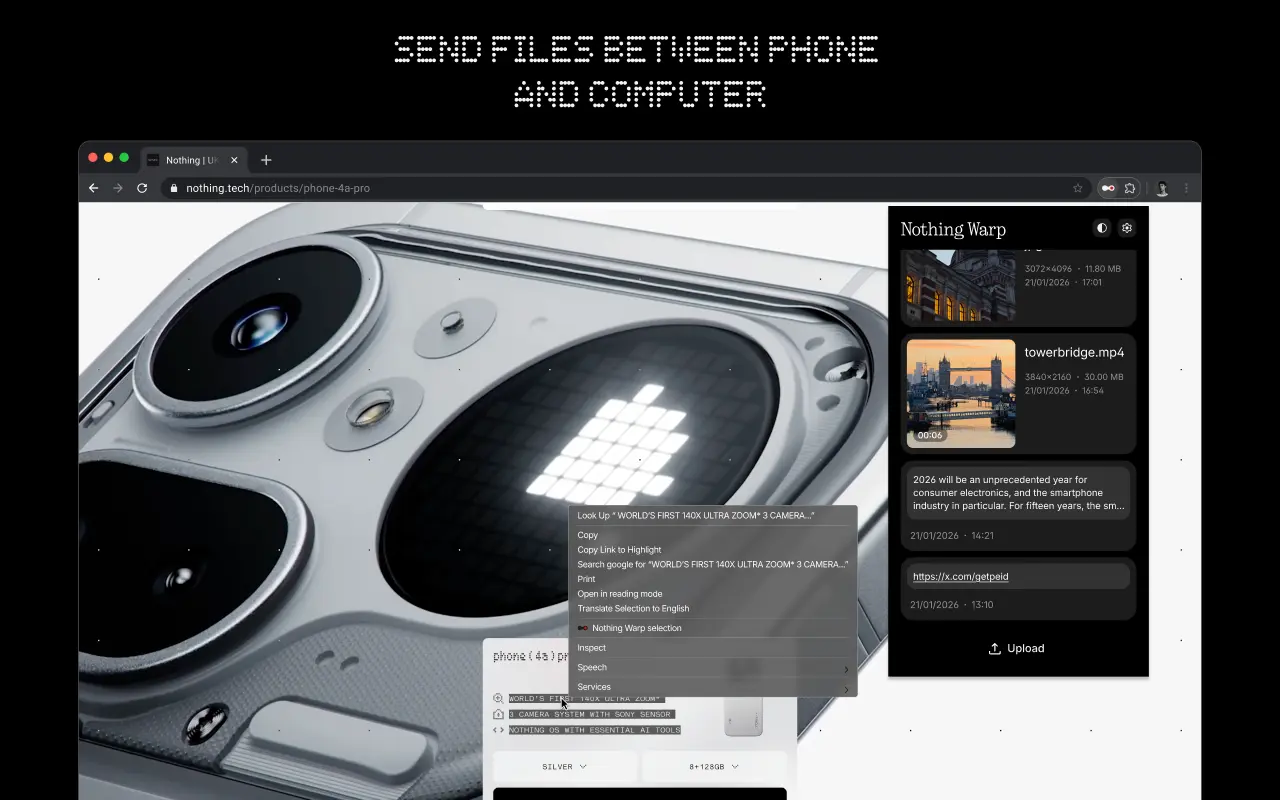
    Warp is designed as a two-part solution, consisting of a browser extension and an Android app. Because it operates via a browser, it may be used on Windows and Linux computers as well as macOS, so long as users are using a browser that is based on Chromium. It has an advantage over ecosystem-specific tools due to its broader interoperability.

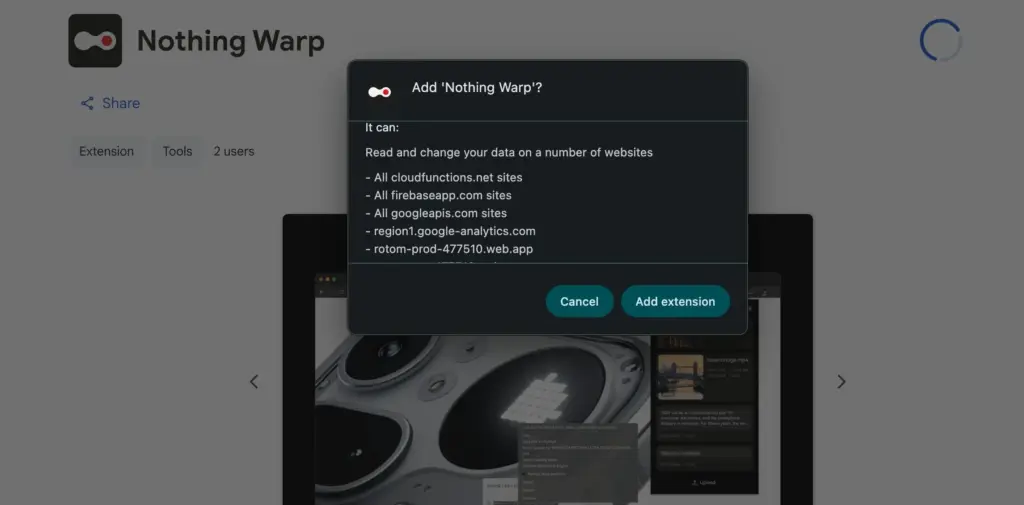
    Nothing Warp Chrome Browser Extension Permissions

    After installation, Warp appears in Android devices’ default sharing menu. Photos, movies, documents, links, and even plain text can be sent with ease. Similar versatility is available on the computer side thanks to the extension; you can push images from a webpage, email files, and copy text straight to your phone. Nevertheless, it isn’t always effective. Warp could not show up as an option if certain online apps override the browser’s built-in right-click feature.

    The ability to handle many devices is a noteworthy feature. It is not necessary for the recipient device to be active at that precise moment in order to deliver material across several devices. Because Warp does not require a direct connection between devices, this is feasible. Rather, it sends files via a download prompt on the other device after briefly uploading them online.

    For daily use, this approach is effective, particularly for smaller files. Images and text excerpts move smoothly and swiftly. For larger files, however, this is not the case. For instance, it can take a considerable length of time to upload large videos before they are ready to be seen elsewhere.

    Nothing claims that it does not directly handle user files in terms of privacy. Because Google Drive is used to route transfers, customers must link their Google account in order to utilize the service. Although specifics regarding storage consumption and file management are still unclear, the business also asserts that these files do not clog the user’s Drive storage.

    Warp is presently free to use and in beta. It provides a useful and more universal approach to exchange content across Android smartphones and Macs without depending on brand-specific capabilities, even though it might not be able to substitute quicker, direct transfer methods for large files.

  • Google Rolls Out Android 16 April Patch With Key Pixel Fixes You’ll Notice Instantly

    Google Rolls Out Android 16 April Patch With Key Pixel Fixes You’ll Notice Instantly

    The Pixel 6, 6 Pro, 6a, 7, 7 Pro, 7a, Tablet, Fold, 8, 8 Pro, 8a, 9, 9 Pro, 9 Pro XL, 9 Pro Fold, 9a, Pixel 10, Pixel 10 Pro, Pixel 10 Pro XL, Pixel 10 Pro Fold, and Pixel 10a are all receiving the April 2026 security patch for Android 16 QPR3.

    The Android 16 April patch, dated 2026-04-01, fixes one security problem and four for 2026-04-05. Vulnerabilities might be classified as high or critical.

    Android 16

    There are no other security updates listed in the bulletin specifically for Google devices.

    Global

    • Pixel 6:                     CP1A.260405.005
    • Pixel 6 Pro:              CP1A.260405.005
    • Pixel 6a:                   CP1A.260405.005
    • Pixel 7:                     CP1A.260405.005
    • Pixel 7 Pro:              CP1A.260405.005
    • Pixel 7a:                   CP1A.260405.005
    • Pixel Tablet:            CP1A.260405.005
    • Pixel Fold:               CP1A.260405.005
    • Pixel 8:                    CP1A.260405.005
    • Pixel 8 Pro:             CP1A.260405.005
    • Pixel 8a:                  CP1A.260405.005
    • Pixel 9:                    CP1A.260405.005
    • Pixel 9 Pro:             CP1A.260405.005
    • Pixel 9 Pro XL:       CP1A.260405.005
    • Pixel 9 Pro Fold:    CP1A.260405.005
    • Pixel 9a:                  CP1A.260405.005
    • Pixel 10:                  CP1A.260405.005
    • Pixel 10 Pro:           CP1A.260405.005
    • Pixel 10 Pro XL:     CP1A.260405.005
    • Pixel 10 Pro Fold:  CP1A.260405.005
    • Pixel 10a:                CP1A.260405.005

    Australia

    • Pixel 6:                    CP1A.260405.003.A1
    • Pixel 6 Pro:             CP1A.260405.003.A1
    • Pixel 6a:                  CP1A.260405.003.A1

    Use the following device key to interpret the Pixel’s Android 16 April update changelog:

    *[1] Pixel 6, Pixel 6 Pro, Pixel 6a, Pixel 7, Pixel 7 Pro, Pixel 7a, Pixel 8, Pixel 8 Pro, Pixel 8a, Pixel Fold, Pixel Tablet, Pixel 9, Pixel 9 Pro, Pixel 9 Pro XL, Pixel 9 Pro Fold, Pixel 9a, Pixel 10, Pixel 10 Pro, Pixel 10 Pro XL, Pixel 10a

    *[2] Pixel 6, Pixel 6 Pro, Pixel 6a, Pixel 7, Pixel 7 Pro, Pixel 7a, Pixel 8, Pixel 8 Pro, Pixel 8a, Pixel Fold, Pixel Tablet

    *[3] Pixel 9, Pixel 9 Pro, Pixel 9 Pro XL, Pixel 9 Pro Fold

    *[4] Pixel 10, Pixel 10 Pro, Pixel 10 Pro XL, Pixel 10a

    Apps

    • Fix for an issue where the Backup menu was missing from System settings in certain conditions*[2]
    • Fix for an issue that causes certain banking and third-party apps to crash in certain conditions*[1]

    Display & Graphics

    • Fix for some games to crash in certain conditions*[4]

    User Interface

    • Fix for an issue where the quick search bar is sometimes missing from the home screen in certain conditions*[1]

    WiFi

    • Fix for Quick Share to crash during file transfers in certain conditions*[3]
  • Your Galaxy Watch Is Sluggish? Here’s the Fix That Actually Works

    Your Galaxy Watch Is Sluggish? Here’s the Fix That Actually Works

    Your Galaxy Watch has a lot in common with a cluttered desk. The longer you use it – jumping between apps, running things in the background, switching modes – the more it accumulates invisible junk that slows everything down. Frozen screens, laggy responses, battery that drains faster than it should. Sound familiar?

    The good news: you almost certainly don’t need a new watch. Nine times out of ten, the culprit is a bloated cache, and clearing it is one of the easiest things you can do.

    What’s a cache, and why does it matter?

    Your watch stores temporary data – bits of information from apps and processes – to help things run faster in the moment. Over time, that pile grows. What was meant to speed things up starts doing the opposite, and your watch starts feeling like it’s running through mud.

    Samsung says the Galaxy Watch handles memory optimization automatically in the background, but that doesn’t mean you can’t give it a nudge yourself. Sometimes it needs one.

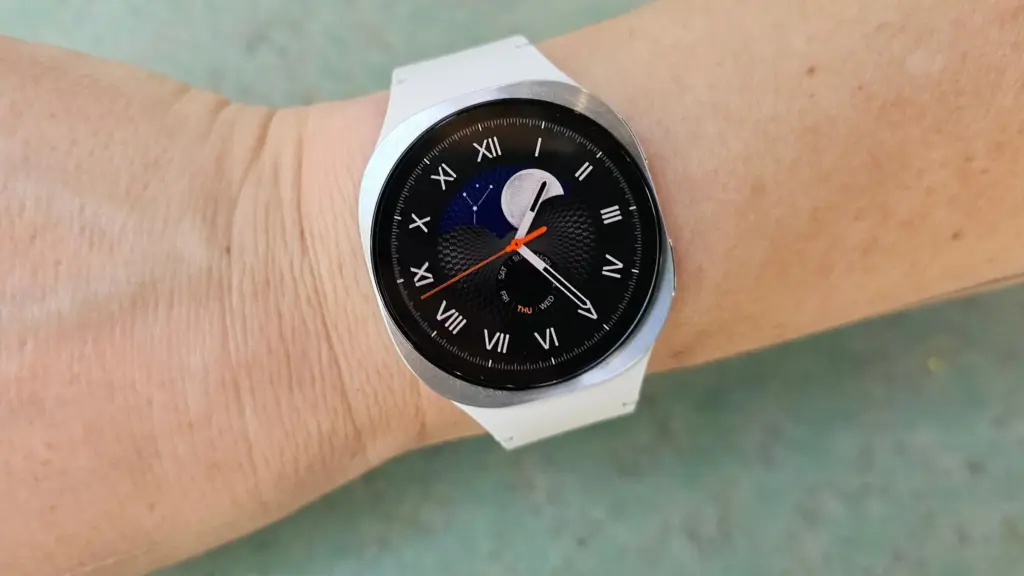
    samsung galaxy watch 8

    How to clear your Galaxy Watch cache

    Clear your recent apps

    Swipe up from the watch face and tap the Recent apps icon. Hit Close all to shut everything down at once.

    If you want to be more selective, open Recent apps again and tap Active in background. You’ll see which apps are running silently and can close whichever ones you don’t need.

    Clean up the watch’s memory

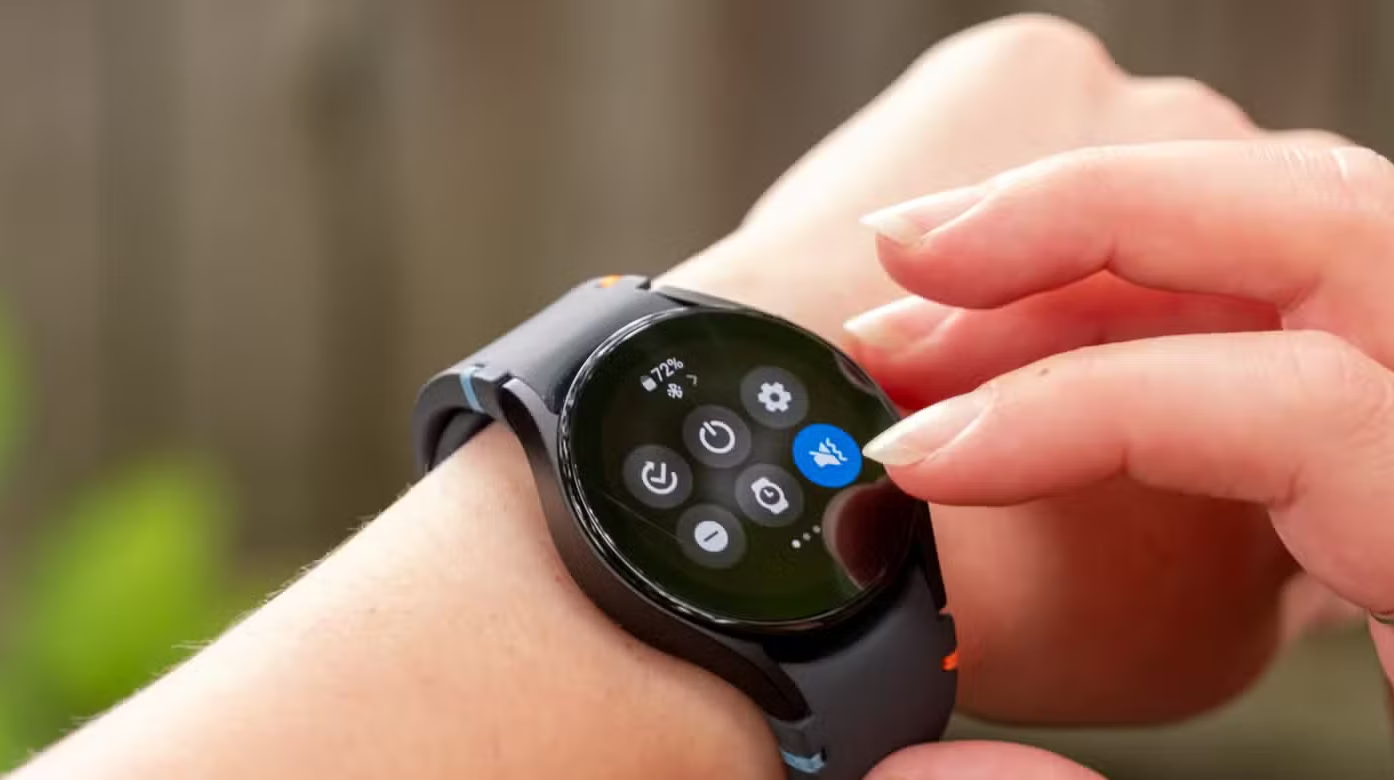
    Go to Settings > Device Care > Memory, then tap Clean Now. That’s it – your watch will free up whatever space it can.

    Do both of these and you’ll likely notice a difference right away. Faster app launches, smoother navigation, better battery life. If your watch has been frustrating you lately, start here before assuming it’s time to upgrade. It usually isn’t.

  • Android 16’s Best Security Feature Is Just One Tap Away – Here’s How to Turn It On

    Android 16’s Best Security Feature Is Just One Tap Away – Here’s How to Turn It On

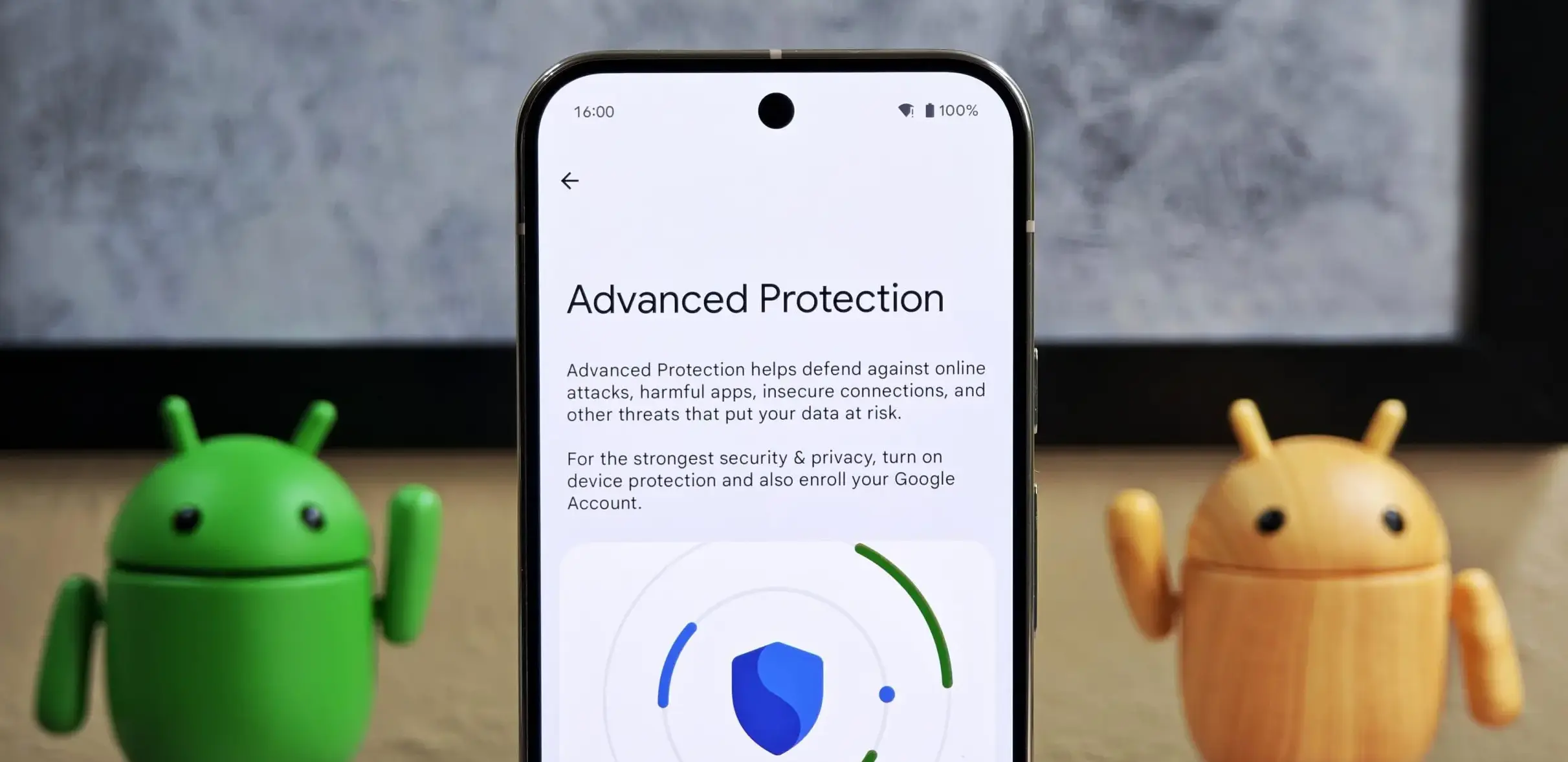
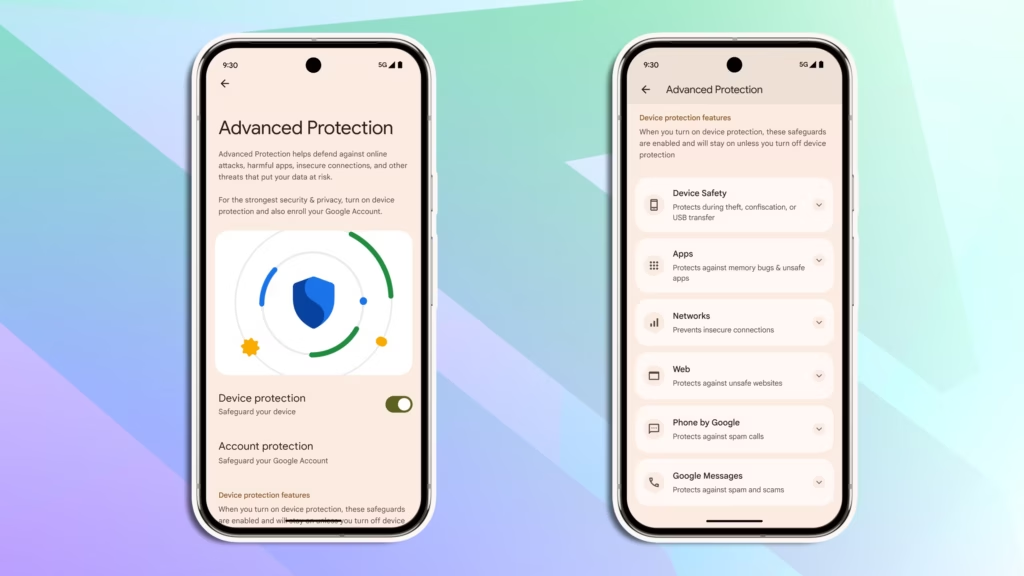
    Android 16 quietly shipped with a feature called Advanced Protection, and it’s the closest thing Android has to a panic button for your privacy. Instead of digging through a maze of settings menus to harden your phone, you flip one switch — and Google activates its strongest security defenses all at once.

    Think of it like Apple’s Lockdown Mode, but for Android. It protects you against theft, shady apps, unsecured networks, scam texts, and spam calls. The reason it’s off by default? It’s deliberately strict. There’s some friction involved. But if you actually care about who’s watching your data, that friction is worth it.

    Here’s how to turn it on.

    android 16 advanced protection

    What you need first

    Advanced Protection only works on Android 16. Before you do anything, check that your phone is up to date: go to Settings > System > Software update (or System update, depending on your device) and install anything pending. Android 16 is available on most Pixel phones and major Android models. You’ll also need a screen lock set up.

    anable Android 16 Advanced Protection feature

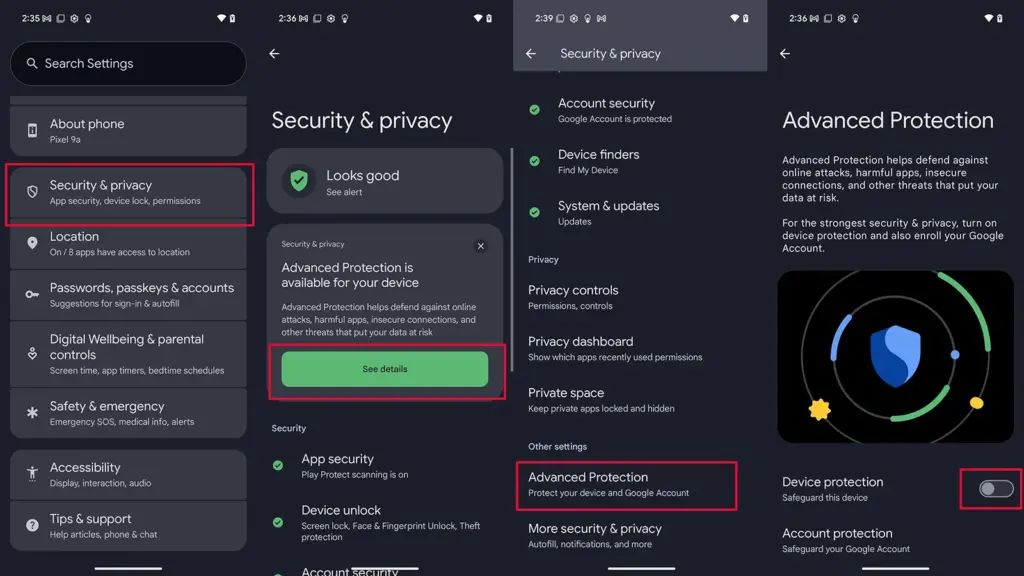
    Step 1 — Find the setting

    1. Open Settings
    2. Tap Security and privacy
    3. Select Advanced Protection (on some devices it’s tucked under Other settings)

    Step 2 — Turn it on

    1. Under Advanced Protection, toggle on Device protection
    2. Tap Turn on
    3. Restart your phone if prompted

    That’s it. One switch activates a stack of protections: always-on malware scanning, a block on sideloading unknown apps, theft and offline device locks, spam and scam text filters, a block on weak 2G connections, tighter call screening, and stronger Chrome security settings — among other things.

    Step 3 (optional) — Protect your Google account too

    Turning on Advanced Protection for your device secures what’s on your phone. But your Google account — Gmail, Drive, Docs, Photos — is a separate story.

    Google’s Advanced Protection Program is an opt-in service that locks down your account with stronger sign-in requirements, like passkeys or physical security keys, and limits which third-party apps can touch your data. If you’re a journalist, activist, executive, or anyone else with a good reason to be more cautious online, this is worth setting up.

    To enroll:

    1. Go to Advanced Protection in your Google Account settings and sign in
    2. Follow the on-screen steps — you’ll likely be asked to set up a passkey or security key, and add a backup phone number and email
    3. Tap Enroll to finish

    To unenroll later: tap your Google Account profile photo > Manage your Google Account > Security > Advanced Protection Program > Manage Advanced Protection, then select Unenroll.

    For most people, enabling device-level protection alone is a meaningful upgrade. If you want the full picture, pair it with account-level enrollment. Either way, it takes about two minutes — and it’s two minutes well spent.

  • Honor’s lock screen widgets are here — these devices get them first

    Honor’s lock screen widgets are here — these devices get them first

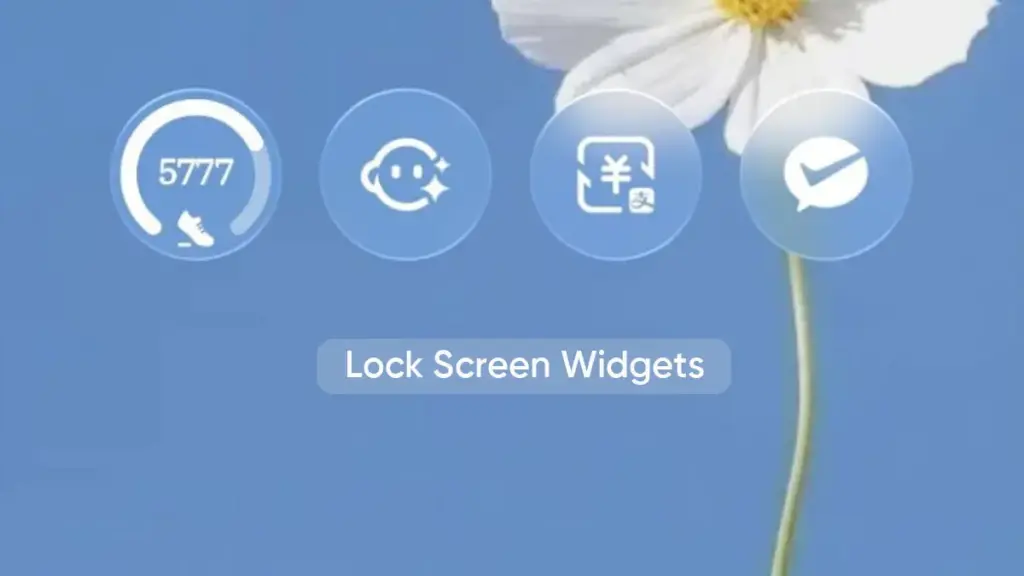
    For the initial batch of devices, Honor will start distributing new lock screen widgets today. The company has formally declared that a new version of the MagicOS smartphones would have intriguing additions and modifications in the near future.

    The business will release new lock screen widgets for Honor devices running MagicOS 10.0.0.150, according to official information. The MagicOS 10.0.0126 build version will provide customers of Magic V6 foldables with the most recent improvements.

    According to the business, the new lock screen widgets will be installed on the initial batch of devices on April 1st. Later on, the new modifications will be applied to the other devices.

    Honor's lock screen widgets are here

    Honor described the new rollout as follows:

    “First of all, thank you for your continued attention to the lock screen widgets. This feature will be supported in MagicOS version 10.0.0.150 in April and will be rolled out to everyone gradually. We will answer your questions in advance.”

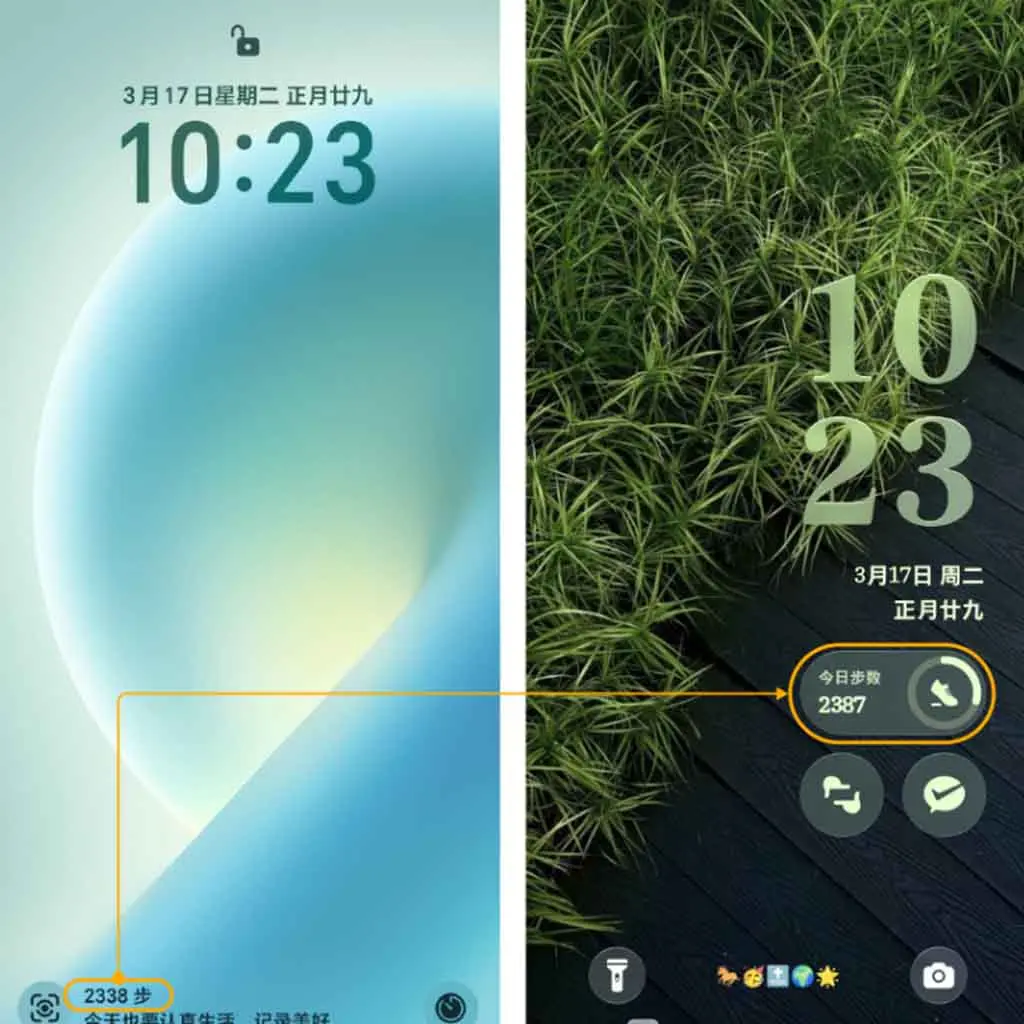
    Additional information indicates that more than 20 lock screen widgets will be supported by the initial batch of smartphones. Real-time weather, air quality, UV index, timetable, alarm clock, YOYO (a fitness app), battery level, WeChat, and Alipay capabilities are all included in the list.

    honor lockscreen widgets

    Users can try upgrading the relevant app, such as the clock, weather, and others, if a widget is absent from the settings or widget panel. Additionally, the lower left corner of the screen displays the step count statistics and other health-related information.

    According to Honor, the official software team moved the lock screen step count to a unique step count widget and improved the overall visual appeal.

    The business also stated that it will keep considering user input and offer more crucial widgets in the future. Currently, Honor Music, Notes, Calculator, Voice Recorder, Timer, and Stopwatch are among the widgets being developed. Third-party widgets might soon be added to the lock screen as well.

  • Google strikes a smart compromise instead of removing Android sideloading

    Google strikes a smart compromise instead of removing Android sideloading

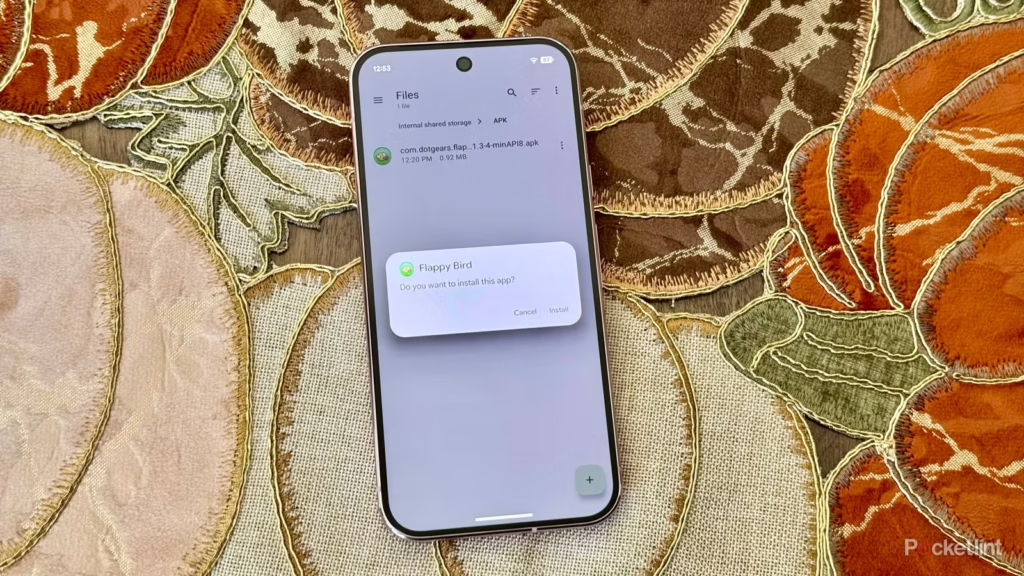
    Since its launch, sideloading has been a crucial component of Android, giving it a great deal of flexibility as well as a feeling of freedom and openness. The community (quite understandably) panicked when Google announced it would make significant changes to sideloading. However, since Google has now demonstrated how its new sideloading flow on Android will operate, I’m not only relieved that sideloading won’t completely disappear, but also that Google’s compromise is as close to ideal as I believe we can get.

    android sideloading an app

    Some have called “Android Developer Verification” the demise of Android’s open nature. The change, which would require developers to register with Google in order to permit their apps to be installed on Android devices, was introduced by Google last year as a restriction on app installation, including sideloading. At first, Google described this as verifying the “who” of an app, similar to an airport ID check.

    Combating scams, such as “convincing” bogus apps, and reducing malware and other harmful attacks—particularly those caused by sideloading from sources outside the Google Play Store—were always the main priorities here. Over the years, Google has been more aggressively combating Android frauds, with some degree of success. One way it has done this is by preventing sideloaded apps that are used in scams.

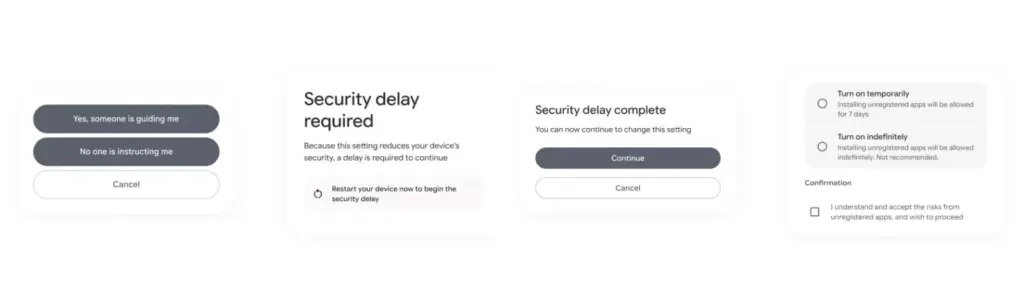
    Google officially unveiled the new “advanced flow” this week, which enables users (and developers) to sideload apps that aren’t created by registered developers.After asking the user to certify that “no one is directing me,” the four-step procedure begins a 24-hour delay. In order to initiate the timer, the user must restart their device. After admitting the risks once more, they can resume the sideloading procedure 24 hours later; if they choose to leave it on “indefinitely,” the delay just occurs once. In actuality, this is really a one-time obstacle. Developer options must be enabled, but you can later disable them, which is the largest “headache.”

    activate android apk sideloading

    Google has stated time and time again that a “crackdown” on sideloading is not about taking away freedom or functionality, but rather about protecting users and, most importantly, stopping scams that are common on Android in particular areas. Google doesn’t prevent developers or even consumers from accomplishing what they truly want to do by restricting sideloading as planned, but it puts a huge barrier in the way of con artists.

    Scammers frequently use timed pressure and a sense of urgency. A waiting period of twenty-four hours with a few additional warnings? That is a difficult barrier against those kinds of frauds. For people who are being duped by more prevalent scams, it’s also a major inconvenience. For instance, a few weeks ago, after purchasing a low-cost fitness tracker, a family member called me to inquire as to why their homescreen had changed. It turns out that the product needed them to sideload an unidentified software in place of their launcher. I guided them through the uninstall process, but a 24-hour wait and all these extra warning screens? The installation would never have taken place.

    It’s a careful method of striking a balance between functionality and user protection. Because developers and enthusiasts who need or want to sideload an app immediately may still utilize the standard ADB tools, whereas the “ordinary Joe” must wait for that 24-hour period to end. Those who truly can’t wait the 24-hour period (which, once again, only needs to be once) still have options, although that is a headache for “regular” users and even more so for fraudsters.

    Not to mention that you won’t often have to deal with this anyhow. After developers apply for Google’s developer verification program, sideloading is no longer a problem and there are no waiting times or other “in the way.”

    How do you feel about Google’s modifications to Android sideloading? There are undoubtedly still many people who disagree with this, but as previously stated, I don’t think there is a better solution.

  • Android 17 Beta is now available for Pixel phones — here’s how to try it

    Android 17 Beta is now available for Pixel phones — here’s how to try it

    Google has finally released Android 17 for Pixel phones, following a brief tease yesterday afternoon. This morning, Google said that Android 17 Beta 1 will be available to developers without a Pixel as pictures in Android Studio and as an over-the-air upgrade in the Android Beta Program.

    You might be wondering why we aren’t receiving a Developer Preview build first or why this seems so early. We no longer receive developer preview builds, therefore it’s different. You may obtain these new beta builds earlier than ever before since Google is using the Android Canary track, which was released last year, as a developer preview moving forward.

    Android 17 Beta

    Regarding scheduling, Google declared that Android releases would alter toward the end of 2024. Google shifted to a two-release Android strategy for 2025, with the primary and largest Android 16 release stabilizing by the middle of the year and a secondary release occurring before the year’s conclusion. Android 17 will follow the same timetable. A Platform Stability release is scheduled for sometime in March, although the first release has already begun and will stabilize rather fast. Similar to what happened with Android 16 last year, a small SDK update is scheduled for Q4 of this year.

    We will explore all of the exciting new features that Android 17 offers on your own device in a separate post that will be published soon. However, as of right now, Google has simply disclosed the modifications that developers should be aware of. There are various performance enhancements (such as new garbage collection and notification constraints), more professional-grade camera capabilities and media experiences, a redesigned print dialog for improved usability, and restrictions on screen resizability so that apps can run on all devices.

    You may receive Android 17 on your Pixel device immediately by signing up for the Android Beta Program. System images are also available to developers (here).