A new Android-based spyware that leverages NFC technology to make illegal ATM cash withdrawals and empty victims’ bank accounts was examined by the Polish Computer Emergency Response Team (CERT Polska).
Researchers discovered that the software, known as NGate, allows attackers to use banking information stolen from victims’ phones to withdraw money from ATMs (Automated Teller Machines, or cash machines) without actually taking the cards.
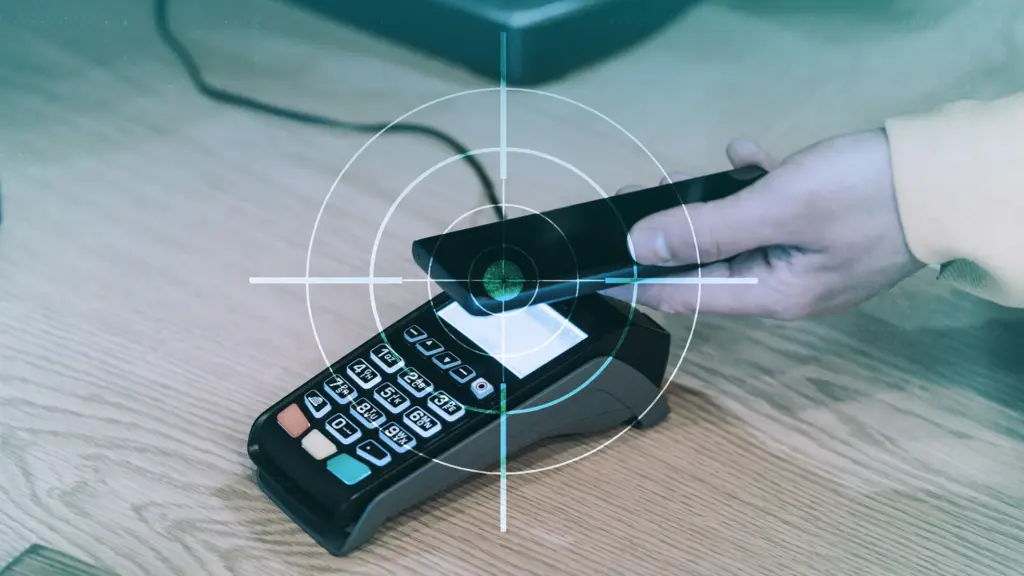
NFC is a wireless technology that enables close-quarters communication between gadgets like terminals, cellphones, and payment cards. Therefore, rather of stealing your bank card, the attackers use a mobile phone infected with the NGate virus to record NFC (Near Field Communication) activities and send that transaction data to ATM equipment. Instead of being relayed just via radio, the stolen data in NGate’s situation is transmitted over the network to the attackers’ servers.
There are several “flavors” of NFC. Some generate a static code, like the card that opens the door to my apartment complex. I can use a gadget like my “Flipper Zero” to open the door by just copying that type of signal. However, dynamic codes are used by sophisticated contactless payment cards, such as your Visa or Mastercard debit and credit cards. Your card’s chip creates a unique, one-time code (commonly referred to as a cryptogram or token) each time you use the NFC. This code is unique and cannot be reused.
That’s why the NGate malware is more advanced. It does more than just pick up a signal from your card. The victim must be duped into entering their PIN and completing a tap-to-pay or card-verification activity after the phone has been compromised. When that occurs, the app records every piece of information required for an NFC transaction, including the card number, new one-time codes, and other information created at that same moment.
All of the NFC data, including the PIN, is then immediately sent to the attacker’s handset via the virus. The attacker uses the codes right away to mimic your card at an ATM because they are newly produced and only valid for a brief period of time. The accomplice at the ATM displays the collected data using a card-emulating device, such as a phone, smartwatch, or bespoke hardware.
However, as you may guess, social engineering and preparation are necessary to be prepared at an ATM when the data arrives.
Attackers must first infect the victim’s device with malware. They usually send prospective victims phishing emails or SMS messages. They frequently try to create anxiety or urgency by claiming that there is a technical or security problem with their bank account. Occasionally, they make a follow-up call while posing as representatives of the bank. These calls or texts instruct victims to download a phony “banking” app from an unofficial source, like a direct link rather than Google Play.
After installation, the software requests permissions and guides users through fictitious “card verification” procedures. While an accomplice waits at an ATM to cash out, the objective is to persuade victims to act swiftly and trustingly.
Stay safe:
NGate only functions when your phone is compromised and you are duped into entering your PIN and starting a tap-to-pay action on the phony banking app. Therefore, the greatest defense against this infection is to protect your phone and be on the lookout for social engineering:
Stick to trusted sources. Download apps only from Google Play, Apple’s App Store, or the official provider. Your bank will never ask you to use another source.
Protect your devices. Use an up-to-date real-time anti-malware solution like Malwarebytes for Android, which already detects this malware.
Do not engage with unsolicited callers. If someone claims to be from your bank, tell them you’ll call them back at the number you have on file.
Ignore suspicious texts. Do not respond to or act upon unsolicited messages, no matter how harmless or urgent they seem.
Malwarebytes Mobile Security
Malwarebytes is an anti-malware software for Windows, macOS, ChromeOS, Android, and iOS that finds and removes malware.
Malwarebytes for Android detects these banking Trojans as Android/Trojan.Spy.NGate.C; Android/Trojan.Agent.SIB01022b454eH140; Android/Trojan.Agent.SIB01c84b1237H62; Android/Trojan.Spy.Generic.AUR9552b53bH2756 and Android/Trojan.Banker.AURf26adb59C19.
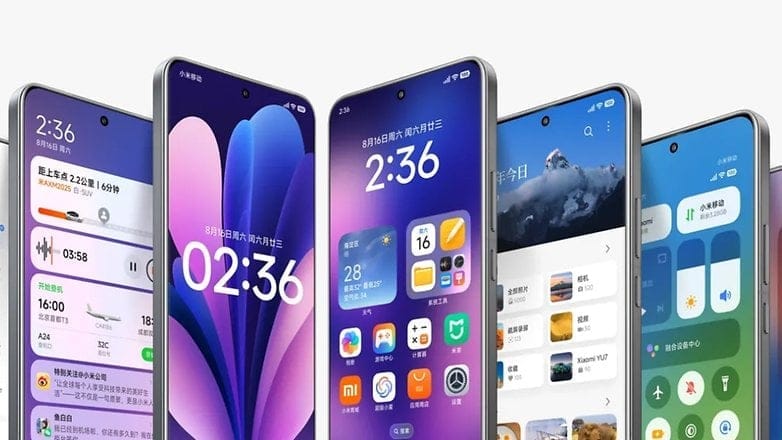
Based on both Android 15 and Android 16, Xiaomi is preparing for the release of HyperOS 3. This will be the final update for many of its older smartphones that receive HyperOS 3, which is based on Android 15. There won’t be any more HyperOS 3.1 updates. In an effort to deploy the newest operating system on a large number of devices, Xiaomi is currently internally testing the HyperOS 3 version based on Android 15 on a few smartphones. This is a significant step in the company’s software development process.
On certain of their smartphones, Xiaomi has already begun testing Hyper OS 3, which is based on Android 15. For some smartphones, this release will be the final significant update, so users should be prepared for some limitations in subsequent updates. The list of devices that are believed to be in the first wave of updates, according to the testing process, first batch include the REDMI Note 13 5G, the POCO F5 Pro, and the Xiaomi 13 Lite, which may be receiving the update to the HyperOS 3 on the Android 15 platform firstly.
Initial Worldwide Rollout of Android 15-based HyperOS 3
The Redmi Note 13 5G is among the first smartphones to get the global upgrade for Android 15-based HyperOS 3, according to data from the Mi community testing logs. The following smartphones will also get the update:
Xiaomi 13 Lite / Civi 2 (EEA – OS3.0.0.1.VLLEUXM)
POCO F5 Pro / Redmi K60 (China – OS3.0.0.4.VMNCNXM | Global – OS3.0.0.1.VMNMIXM)
POCO X6 Neo / Redmi Note 13 5G / Redmi Note 13R Pro (China – OS3.0.0.4.VNQCNXM | Turkey – OS3.0.0.2.VNQTRXM | Global – OS3.0.0.2.VNQMIXM | EEA – OS3.0.0.2.VNQEUXM)
Based on preliminary testing schedules, the Redmi Note 13 5G seems to be the front-runner for the Android 15-based HyperOS 3 Global update. Our list indicates that Xiaomi has yet to begin testing HyperOS 3, which is based on Android 15, on these devices:
Xiaomi 12S
Xiaomi 12S Pro
POCO F5 5G
POCO M6 Pro
Redmi Note 12 Turbo
Xiaomi 12T
HyperOS 3 based on Android 15 is not anticipated to be released on any devices other than those specified above.
With the release of the HyperOS 3, consumers of the Xiaomi lineup with compatible phones will have access to an even more feature-rich interface thanks to Android 15’s optimization. Customers will be happy to hear that some older versions will also receive updates, but they will stop after that. Users are advised to stay informed about the updates to make sure their phones will be among those receiving the most recent versions due to Xiaomi’s ongoing commitment to deliver the most recent changes.
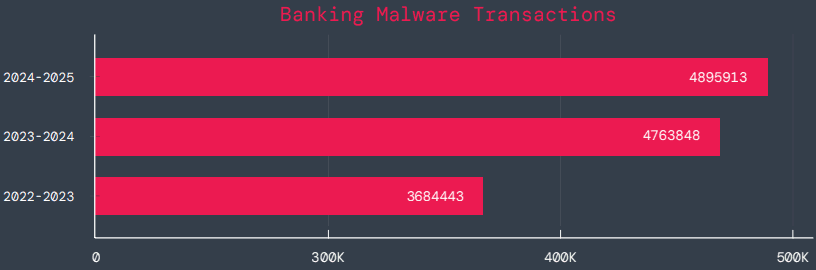
According to a survey by cloud security firm Zscaler, hundreds of malicious Android apps on Google Play were downloaded over 40 million times between June 2024 and May 2025.
The company saw a 67% year-over-year increase in malware that targeted mobile devices during that time, with banking trojans and spyware being the most common threats.
According to telemetry data, threat actors are leveraging phishing, smishing, SIM-swapping, and payment frauds to take advantage of mobile payments instead of traditional card fraud.
The shift to social engineering assaults can be explained by the widespread use of mobile payments and enhanced security standards like chip-and-PIN technology.
According to Zscaler, “to carry out these assaults, fraudsters use phishing trojans and malicious programs designed to steal financial information and login passwords.”
Zscaler estimates that it has found 239 harmful apps in the official Android store, with a total of 42 million downloads, compared to 200 malware apps on Google Play last year.
The emergence of adware as the most significant threat in the Android ecosystem, which now accounts for over 69% of all detections—nearly twice as many as the previous year—is another noteworthy trend observed at that time.
After leading with 38% the previous year, the Joker info-stealer is currently in second position with 23%.
The SpyNote, SpyLoan, and BadBazaar families—which are used for identity theft, extortion, and surveillance—were the primary drivers of the notable 220% year-over-year (YoY) increase in spyware.
Geographically speaking, 55% of all attacks were directed towards the United States, Canada, and India. Attacks against Israel and Italy also showed substantial increases, ranging from 800% to 4000% YoY, according to Zscaler.
Malicious Android apps and malware
In its annual study, Zscaler identifies three malware families that significantly affected Android users. The first is Anatsa, a banking trojan that occasionally enters Google Play through productivity and utility apps and receives hundreds of thousands of downloads each time.
Since its discovery in 2020, anatsa has undergone continuous evolution. The most recent version is capable of stealing data from bitcoin sites, more than 831 financial institutions, and new areas like South Korea and Germany.
The second is Android Void (Vo1d), a backdoor malware that targets Android TV boxes and has infected at least 1.6 million devices with out-of-date Android Open Source Project (AOSP) versions, mostly in Brazil and India.
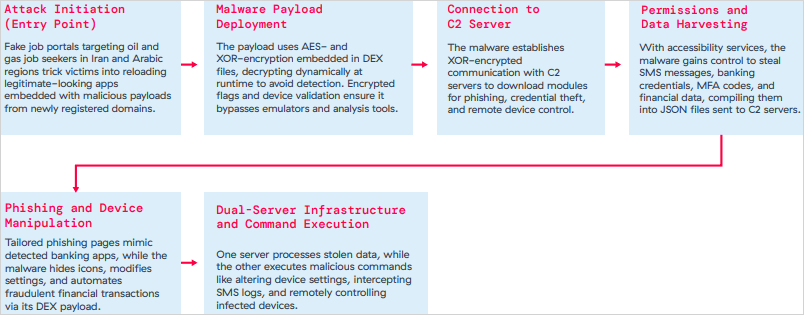
The third is Xnotice, a brand-new Android remote access trojan (RAT) that specifically targets job seekers in the oil and gas sector in Iran and Arabic-speaking areas.
Xnotice propagates via applications that are disseminated through phony employment websites and pose as tools for registering for exams or applying for jobs.
Through overlays, multi-factor authentication (MFA) codes, SMS messages, and screenshots, the spyware targets banking credentials.
Users are encouraged to install security updates, only trust reliable publishers, reject or restrict accessibility permissions, refrain from downloading unnecessary apps, and routinely run Play Protect scans in order to protect themselves from Android malware threats, including those from Google Play.
Routers continued to be the most targeted IoT equipment this year, according to Zscaler’s study. Hackers added routers to botnets or used them as proxies to spread malware by taking advantage of command injection flaws.
The majority of IoT attacks took place in the United States, with rising hotbeds in Hong Kong, Germany, India, and China following, suggesting that attackers are targeting devices throughout a larger geographic area.
The cybersecurity company advises businesses to harden IoT and cellular gateways by keeping an eye out for anomalies and implementing firmware-level protections, as well as to deploy zero-trust solutions for key networks.
Strict application control guidelines, security against phishing attacks, and monitoring SIM-level communications for anomalies should all be part of mobile endpoint protections.
It might be difficult to switch between an Android phone and an iPhone, especially for novice users. App settings seldom ever survive the changeover, half of your logins are lost, and saved game data is erased. However, Apple may be changing that at last.
Developers discovered a new framework called AppMigrationKit in the iOS 26.1 beta. It is intended to assist apps in moving data from the iPhone to other platforms, such as Android. Although it isn’t currently available to the public, it suggests that Apple is covertly creating a more adaptable migration system that doesn’t totally entail you in its ecosystem.
Developers that choose to support the toolkit can utilize it to enable the transfer of offline files, saved preferences, and game progress while configuring a new phone. It expands on Apple’s Move to iOS functionality, but it does it in reverse this time, possibly enabling Android users to transfer their data back to iOS.
According to reports, a “Transfer to iPhone” feature will be included in Android’s upcoming version, beginning with eSIM data. When taken as a whole, they imply that both digital behemoths are at last embracing the concept of seamless cross-platform switching, something consumers have long desired.
AppMigrationKit is currently only in early testing, and how quickly developers accept it will determine how widely it is used. Support will probably be released update by update and app by app. However, if Apple continues on its current path, switching phones may soon no longer feel like a fresh start in the digital world.
AppMigrationKit may be the first step toward a more transparent Apple, one that acknowledges that users may come and go. Additionally, it allows developers to maintain privacy while controlling what data is transferred and how. If it performs as advertised, you may finally be able to stop losing your digital footprint whenever you change phones.
Now, the question is whether Apple’s competitors and app developers will act quickly enough to make switching ecosystems as simple as switching devices.
iQOO fans have been anticipating this for weeks, and it’s understandable why. Numerous rumors, teasers, and leaks have been made about the company’s next flagship, the iQOO 15. With rumors of a fresh look and the promise of cutting-edge gaming performance, this gadget appears poised to challenge the Android industry’s titans. Now that the Chinese launch date is quickly approaching, it seems like we’re finally getting a glimpse of what iQOO has been working on.
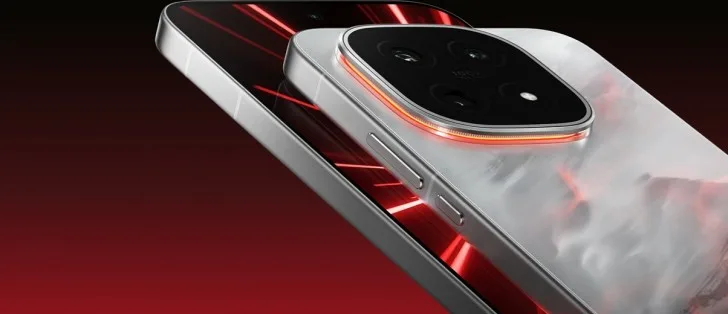
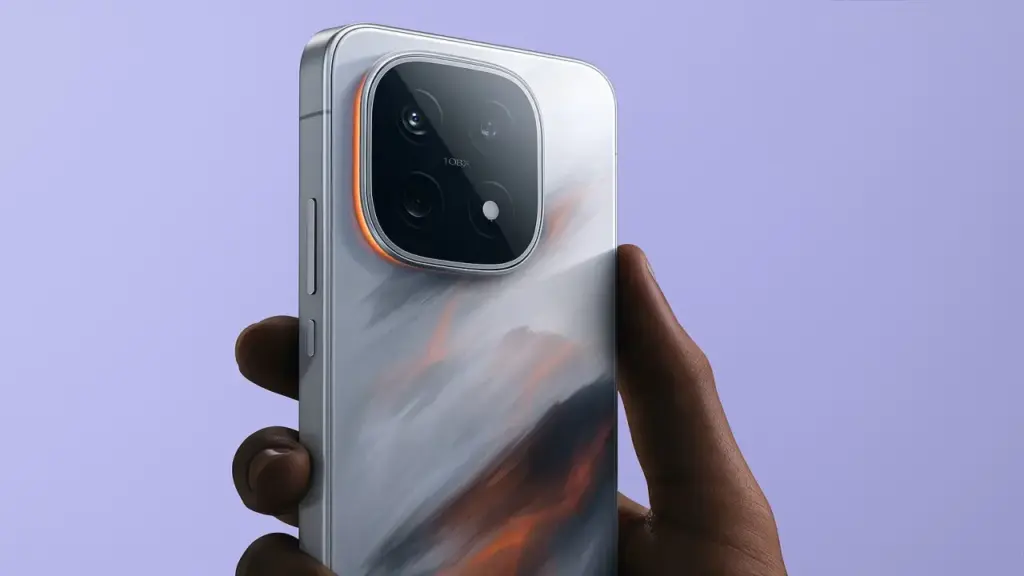
In terms of appearance and power, the iQOO 15 is anticipated to represent a significant improvement over its predecessor, the iQOO 13. Leaked images and teasers suggest a revised rear design, replete with a sleek circular camera module that feels more in keeping with today’s flagship design language, even though the company hasn’t made all the details public.
A huge 6.85-inch 2K 8T LTPO Samsung “Everest” display with a refresh rate of 144 Hz and a maximum brightness of 6,000 nits is rumored to be on the front; if accurate, this would make it one of the brightest smartphone screens available. Its overall flagship appeal is reportedly increased by the addition of wireless charging, an IP69 grade for water and dust protection, and a 3D ultrasonic fingerprint sensor.
The Snapdragon 8 Elite Gen 5 CPU, Qualcomm’s newest and most potent chipset to yet, is anticipated to be the engine behind the hood. This would place the iQOO 15 on par with OnePlus, Xiaomi, and Samsung’s future flagships and make it one of the first phones in the world to arrive with the new chipset.
It’s interesting to note that iQOO is reportedly combining this processor with its own Q3 gaming chip, which may maximize frame rates and regulate heat for extended gaming sessions.
Speaking of heat, the company’s new 8K vapour chamber (VC) Dome cooling system is said to deliver up to 47% greater cooling than the iQOO 13 thanks to a second layer of high-conductivity graphite. That’s significant for gamers and heavy users, particularly when using the phone to its full potential.
Regarding the camera, the rumors still present an intriguing picture. A dual 50-megapixel camera combination, comprising a huge 1/1.5-inch primary sensor and a periscope telephoto lens for sharp zoom images, may be included in the iQOO 15. If verified, this would represent a significant improvement in the brand’s photography, bringing it closer to the level of high-end Android rivals like the Xiaomi 15 Pro and Galaxy S24 Ultra, but perhaps at a more affordable price.
Another area that may use better is battery life. Although the iQOO 13’s 6,000 mAh battery and 120 W fast charging has made an impression, the upcoming model is rumored to surpass 7,000 mAh and allow wireless charging, a long-desired feature. For even greater defense against water and dust, it is anticipated to have IP69 certification, which is uncommon for non-ultra-rugged electronics.
Regarding the exact release date, the iQOO 15 and iQOO Pad 5e are scheduled to debut in China on October 20. After that, it appears that India will make its debut somewhere between November 15 and 25. Although a precise date has not yet been established, Nipun Marya, the CEO of iQOO India, has previously alluded to a November timeline on X.
Introducing the all-new #iQOO15, crafted for those who don’t wait for the future – they race towards it. Experience performance that keeps you in the lead. Save the date for November 26th. What are you most hyped to experience? Tell us below! #iQOO15#BeTheGOATpic.twitter.com/KbNNZECaE0
According to price leaks, the iQOO 15 may launch for ₹59,999 ($683), which is little more than the base iQOO 13’s launch price of ₹54,999 ($626). A minor uptick like that seems to be expected given the significant hardware changes, improved cooling, and new display technology. However, until the official announcement, it is best to use these details with caution as they are yet unconfirmed.
All things considered, the iQOO 15 appears to be one of the most potent Android smartphones of the year—a flagship that prioritizes performance without sacrificing high-end features.
And if these preliminary leaks are any guide, iQOO may be in possession of its most alluring smartphone to date. To find out how much of this excitement is real, all that’s left to do is wait for the formal launch.
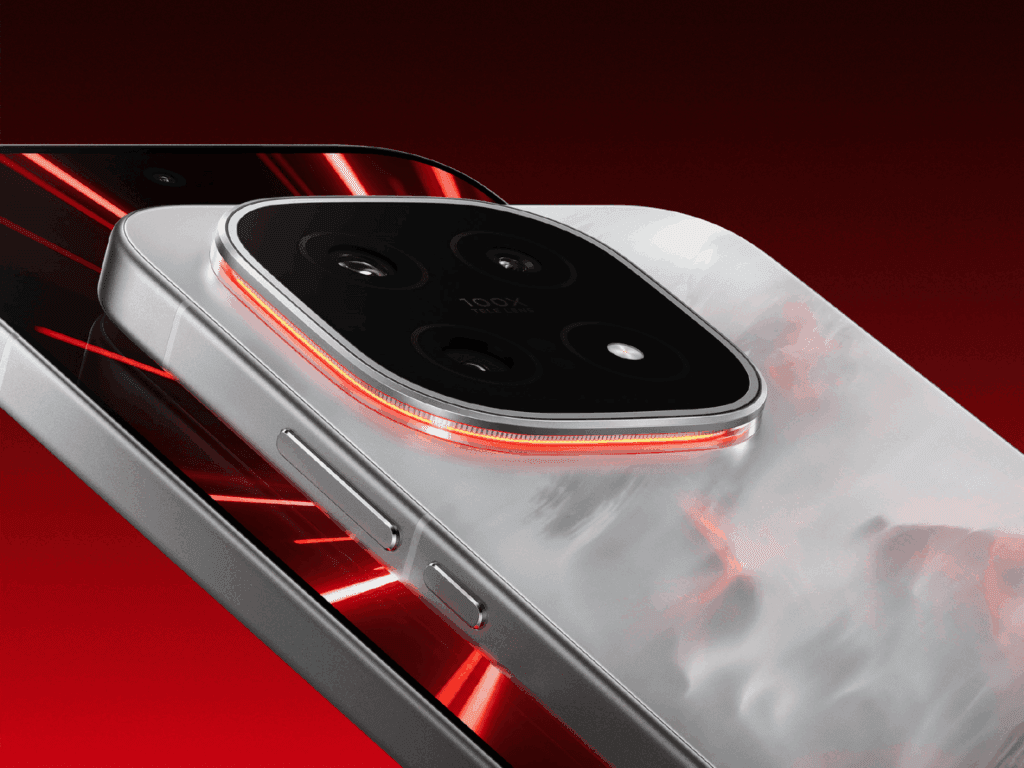
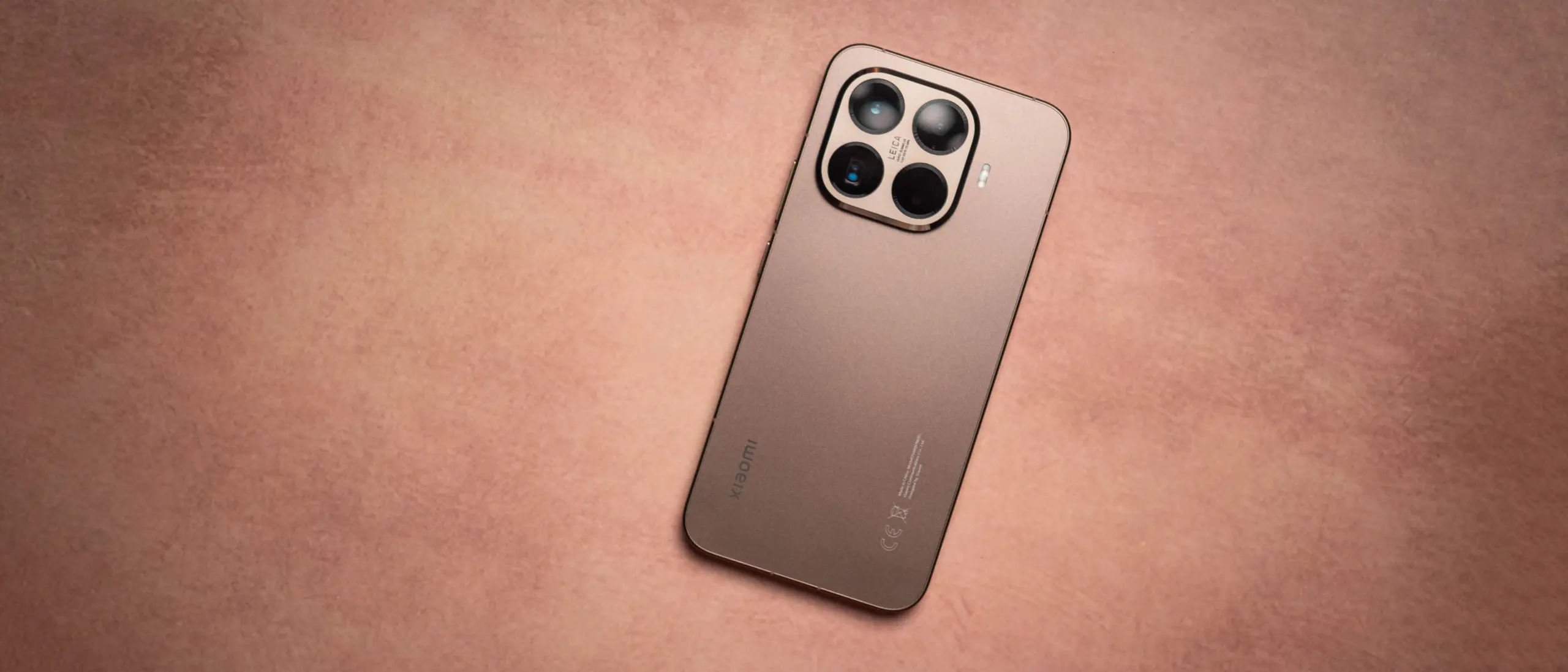
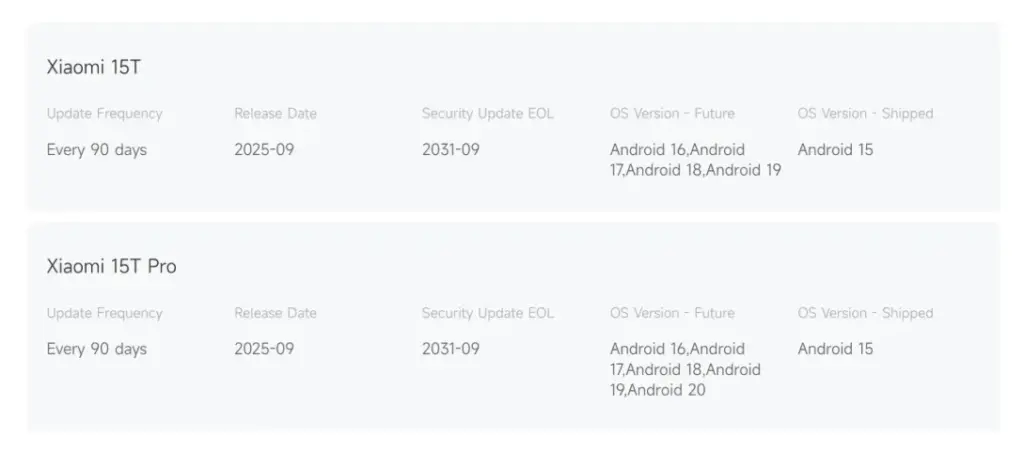
Xiaomi is acting bravely. According to reports, the Xiaomi 15T Pro will run Android 20, while the basic 15T would only run Android 19. Up to September 2031, system and security updates will be provided for both models. The majority of Android phones can only hope for seven years of support.
Seven Years of Updates — Really?
Seven years, indeed. The majority of top Android devices receive three or even four big updates. It’s obvious that Xiaomi is attempting to reinterpret what long-term support means. For consumers, that means their phone will remain quick, safe, and up to date for over ten years. Less travel to upgrade your device, let’s face it? That benefits the environment and your pocketbook.
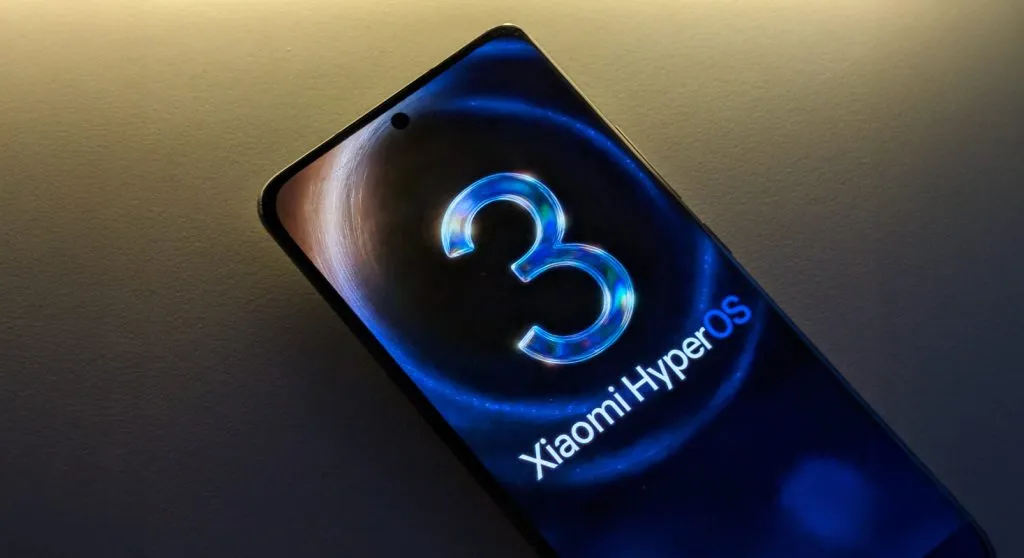
Xiaomi’s ecosystem software, HyperOS 2.2, is installed on both 15T models. For these devices, HyperOS 3, which promises faster multitasking, more AI capabilities, and improved battery economy, is quickly approaching. In actuality, this implies that years later, your phone may still feel responsive. (Isn’t that good for an Android device?) It’s a smart move in comparison to other brands. It’s similar to Apple’s iOS strategy, but it’s used on a high-end Android phone. This might be a significant selling advantage for European and other markets where lifespan and resale value are important considerations.
Why is this important?
There is more to this than just updates. People’s perceptions of improvements are altered by phones that stay safe, quick, and feature-rich for seven years. In essence, you’re purchasing a gadget that will last. Xiaomi markets the 15T Pro as a high-end phone that fulfills its long-term durability guarantee.
The October 2025 security patch was formally released by Xiaomi for 23 models, including well-known gadgets like the Xiaomi 12 series, Redmi Note 14 Pro+, POCO F7, and Xiaomi 14T. The EEA region is currently experiencing the deployment, which began early on Monday. Other global versions will follow shortly. Updates may be viewed via HyperOSUpdates.com, our MemeOS Enhancer app on Google Play, or the Settings → About phone → System updates.
The update improves overall device stability and fortifies system security throughout Xiaomi’s tablet and smartphone lines. The complete list of devices that are part of this wave is provided below:
Tablets: Redmi Pad Pro 5G, Redmi Pad SE, Redmi Pad 2
The new version is mostly being made available for the EEA region, but it will also be available in the future weeks for the India and global versions.
What’s New in the October 2025 Update
The main goals of the October 2025 security patch are to improve HyperOS performance stability, address vulnerabilities found, and strengthen the device’s system-level protection. Customers will notice more seamless speed and memory management improvements, particularly on premium smartphones like the Xiaomi 13 Ultra and POCO F7, even though there aren’t any significant visual or functional upgrades.
Along with connectivity improvements to Xiaomi HyperConnect devices, the update also provides productivity software compatibility improvements for devices like the Redmi Pad Pro 5G and POCO Pad.
I have six computers of different sizes and specs, but lately I’ve noticed that I use my Chromebook more frequently. It has one amazing feature that I can’t live without, despite its obviously poor performance and small 11-inch footprint: full-fledged Android app support. I’m not just saying this because I write for Android Authority; having access to smartphone apps that don’t have a true PC equivalent is revolutionary.
Unfortunately, earlier this year Microsoft ended the Windows Subsystem for Android (WSA) experiment, which enabled the use of Android apps on Windows 11. Additionally, Phone Link is still in use, although it just lets you mirror the screen of your smartphone. Furthermore, the Pixel and the great majority of other devices still do not have screen sharing enabled by Microsoft. Therefore, I have to decide between using an emulator or a Chrome OS device if I want the finest Android experience on my PC.
The sole issue? At best, Android emulators on PC provide a mediocre experience. Performance is lost due to emulation costs, and even the best Android emulators, such as BlueStacks, have crowded interfaces and advertisements designed for particular applications, like gaming. On Chrome OS, however, the experience is far more seamless: you may open individual Android apps, and they coexist peacefully with native apps.
Waydroid
Waydroid brings all the apps you love, right to your desktop, working side by side your Linux applications.
Is it possible to accomplish this Android-PC harmony without installing Chrome OS and forfeiting the ability to use a conventional desktop environment? Yes, but the only catch is that Linux is needed. Nevertheless, I believe it’s totally worth it, and Microsoft’s growing hostility against Windows privacy is just one more reason to think about switching.
Why running Android apps on PC matters more than ever
I enjoy having access to Android’s extensive app store on my PC for a number of reasons, including my investing portfolio tracker and other smart home apps. I frequently think that Android services are simply superior to their web or PC versions. For instance, WhatsApp for PC keeps me from scaling the window to my preferred size. In particular, it feels like a needless waste of screen space because it won’t shrink any smaller than a quarter of my screen.
Apps for smartphones, on the other hand, are made to fit on almost any screen size. Therefore, the window size should be much more adjustable if you can figure out how to run them on a computer. Additionally, you may already understand the appeal if you have ever tried multitasking on a computer with a single display.
Try using a web browser to launch Google Maps and minimizing the window size (see below). As soon as you click on a business, the sidebar will occupy all of the available space, leaving you with nothing except the search box. Without ignoring this sidebar, you are unable to move about the map.
You can see how much smaller the windows for the Android versions of WhatsApp and Google Maps can get on the right. This discrepancy is not the fault of Meta or any other developer; desktop applications are made to work on reasonable screen sizes, and my smaller windows don’t precisely meet that requirement.
Nevertheless, the difference is clearly noticeable on a 24-inch screen, such as the monitor on my gaming PC. I’ve considered purchasing a second monitor, but my desk isn’t large enough to fit one. I must therefore use every available inch of screen real estate for the time being. Aside from density considerations, I occasionally like mobile apps because of their simple user interfaces. For instance, AI mobile apps respond far more quickly than the web version, which is useful when I only need a brief response to a small query.
Because of my propensity for multitasking, I usually find myself using two chat apps (WhatsApp and Telegram) in addition to a full-featured web browser and possibly one other program, such as Maps or a social media app like X/Twitter. Normally, switching between the different full-screen windows would require a lot of Alt+Tab. However, with top-notch Android app support, I can use many windows simultaneously.
Android apps on PC without emulation
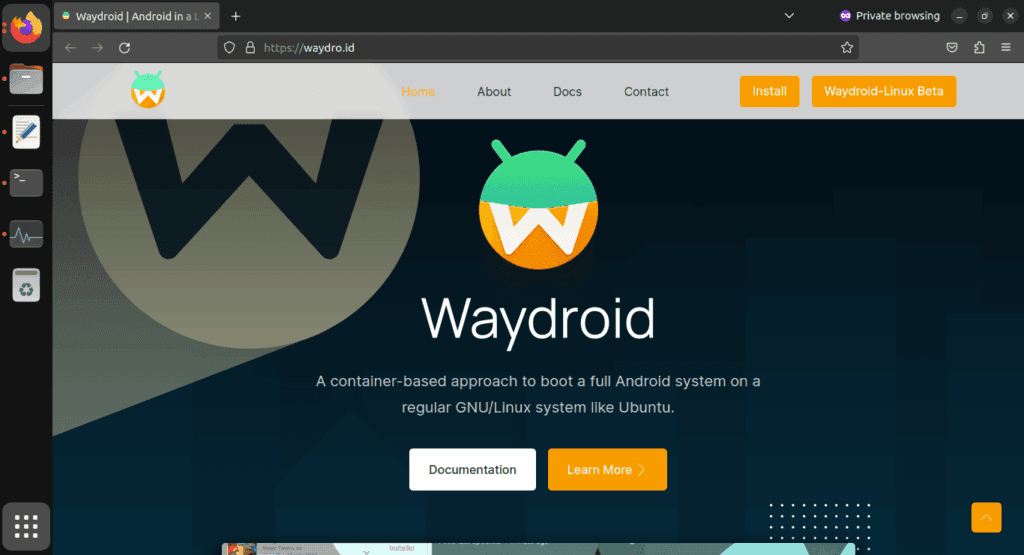
I came found Waydroid, an open source project that lets you run Android apps on a PC. Waydroid doesn’t simulate a whole Android device in a virtual machine, in contrast to Android emulators like BlueStacks or Genymotion, which you may already be familiar with. Rather, it shares the host OS’s kernel and makes use of Linux namespaces. In summary, it runs an entire Android system directly on Linux using a container-based methodology. This results in near-native performance with no overhead or performance penalty associated with virtualization.
Admittedly, installing Waydroid is more complicated than just downloading the installer for an emulator and repeatedly selecting Next, as is the case with Windows. However, it merely required entering two simple commands into the terminal, and Waydroid is available in the app stores of many distributions. It wasn’t a problem for me because I already use Linux on a daily basis, but I would advise you to give the operating system a try if you haven’t used it recently. Stable versions, such as Ubuntu, are largely similar to Windows and require no tweaking.
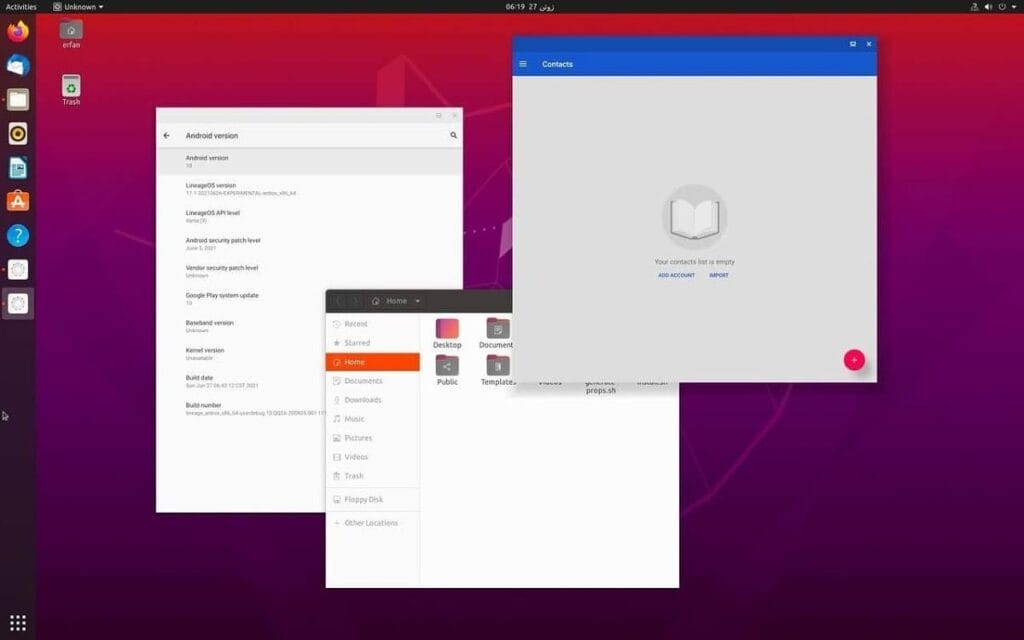
Returning to the topic of Waydroid, there are two builds available: one with Google apps (GApps) and one without. I chose the former, which included a minimum build of Android 13 based on LineageOS along with the Play Store and Google Play Services framework.
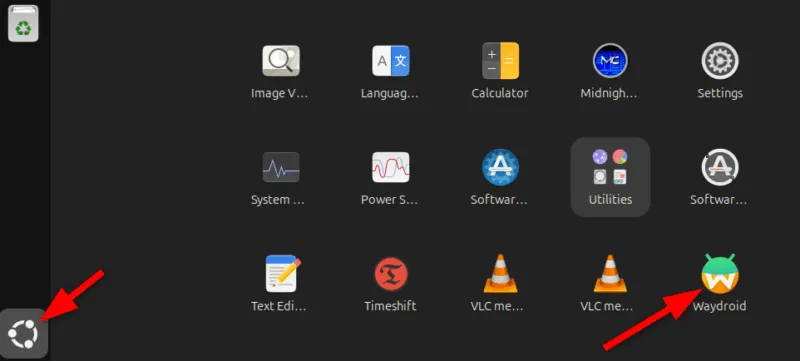
After installation, Waydroid displays installed Android apps in the application menu of your computer, complete with taskbar entries and unique icons, just like native programs. Additionally, you may enable multi-window mode, which lets each program open in a separate window, by changing one setting.
Is using Waydroid pleasant?
Waydroid
Waydroid brings all the apps you love, right to your desktop, working side by side your Linux applications.
Despite being an open-source, community-built program, Waydroid feels quite well-designed. With the exception of a few configurable configuration changes (such as turning off the on-screen keyboard), the main experience is identical to that of an Android tablet. I can use my monitor without even using my keyboard and mouse because it allows touch input.
I was pleasantly happy to discover that practically every software I wanted to run on Waydroid worked without any issues, despite my initial concerns about compatibility. You must first take a moment to register your Waydroid installation with Google Play Protect, but I could download everything from the Play Store. Of course, you may also utilize other app stores like F-Droid or sideload apps. Compared to Windows Subsystem for Android, which was formally restricted to the Amazon App Store, this is already a significant improvement.
We tested all of my favorite apps, including Telegram, YouTube, and Google Maps, and they all functioned perfectly without a single frame loss. Even my Chromebook, which runs Android apps less effectively, stands in sharp contrast to this. You see, with the release of Chrome OS 109 in 2023, Google shifted to a virtualization-based strategy for running Android. Since then, a lot of Chromebooks with lower specs have had trouble running Android apps.
The term “way” alludes to Waydroid, a crucial part of the graphics infrastructure of contemporary Linux that enables even hardware acceleration and fluid input. Even though I have AMD hardware, as the project suggests, I tested a few simple games and they ran perfectly. Allowing Waydroid to utilize your PC’s built-in graphics or switching to software rendering are two workarounds for NVIDIA’s lack of official support.
That’s not to imply that Waydroid doesn’t have drawbacks. You’ll soon discover that you can’t view incoming notifications when you run programs in multi-window mode. Apps lack the ability to send notifications outside of the container they reside in, in contrast to Chrome OS. If you install the appropriate desktop application and use a forwarding app, such as KDE Connect, you can easily get around this.
Additionally, Waydroid shields a large portion of your device’s hardware from Android apps. For example, the camera input is broken, which is really important if you care about video calls. Similarly, apps are inherently unable to directly access Bluetooth or GPS. However, this only truly matters in ancillary use scenarios, such as when attempting to configure a smart home device straight from Waydroid.
Overall, Waydroid fills the void better than anything else available at the moment, although it doesn’t completely replace my Pixel or even my detachable Chromebook. I can highly recommend Waydroid if you’re among the numerous folks who either use an emulator or wish that Windows Subsystem for Android would come back.
Waydroid
Waydroid brings all the apps you love, right to your desktop, working side by side your Linux applications.
Free apps are a welcome anomaly in a world when nothing really comes free! Today, we’re exploring a carefully chosen collection of free apps for iOS and Android smartphones that come in a range of categories, such as games and other practical utilities. Remember that these offers are temporary, and their availability may change at any time, so make sure to take advantage of the chance while it lasts.
From free to paid options, the Google Play Store and Apple’s App Store each provide an amazing assortment of apps that appeal to a wide range of interests. It may come as a nice surprise to many customers to learn that some premium apps periodically go free during exclusive sales. Some of the most interesting apps available for free right now have been hand-picked by us.
Android apps
Burning Sky VIP($2.49) – An entertaining 90’s arcade-style shooter that offers cool, fast-paced graphics that do not let up on the action. This retro vertically scrolling shooter game delivers loads of adrenaline in a modern dogfight style, where you and your reflexes go up against insane bosses as they rain bullet hell on you.
My Medicine Pro – Health Log($1.99) – Do you find it difficult to keep track of all your medication details? I would like this app to help simplify my life as I grow older. It is an all-in-one solution to manage my health and wellness needs. This app was designed to ensure nobody ever misses a dose, an appointment, or an important health update again.
Empire Warrior: Tower Defense($0.99) – Rather than just having a bunch of towers shooting enemies down from afar, in the hope that they do not breach your defenses, you also now have the help of heroes who are mobile. Control these heroes to turn the tide of the seemingly overwhelming battle.
iOS apps
Pentris($1.99) – OK, so this is basically the same game premise as Tetris, albeit in a different name. You line up blocks of various sizes into rows to ‘delete’ them, and the game is over when the screen is filled to the top with rows as you fail to clear your lines.
Palette Hunt($0.59) – Do you have an eye for design? If so, discover the fun of creating perfect color palettes with Palette Hunt. I am sure designers, artists, or anyone who loves colors will find exploring shades to be an inspiring experience, as this app lets you transform existing photos into ready-to-use color palettes.
Eat the Rainbow Food Journal($2.99) – They say the best diet is one whose food is filled with many colors. Well, I am quite sure nutritionists and dietitians do not mean having nothing but Fruit Loops for all your meals. Rather, eat a variety of foods with different colors, and this journal helps you keep track of that.
At the time this post was published, all of the apps we are showcasing here were free to download. Regretfully, developers frequently fail to indicate the duration of these offers. Don’t hesitate to download an app if you enjoy it.
However, you should always check the app page in the store before downloading a free program. Because there are occasionally unnoticed obstacles that you should be mindful of.
The majority of free apps either offer in-app purchases or have advertisements. But some apps that cost money also accomplish this. It is crucial to give these factors the consideration they require, particularly if the game is meant for young players.
Many apps gather user information and frequently sell it to outside parties. Therefore, make sure you only give the program the rights it truly requires if you want to be safe. For instance, a flashlight shouldn’t be interested in your location information, and an alarm clock doesn’t require access to your contacts or cameras.
The Mountain View tech giant has more good news for Android users than just the recent announcement that call recording will be available in all areas where Pixel phones are sold.
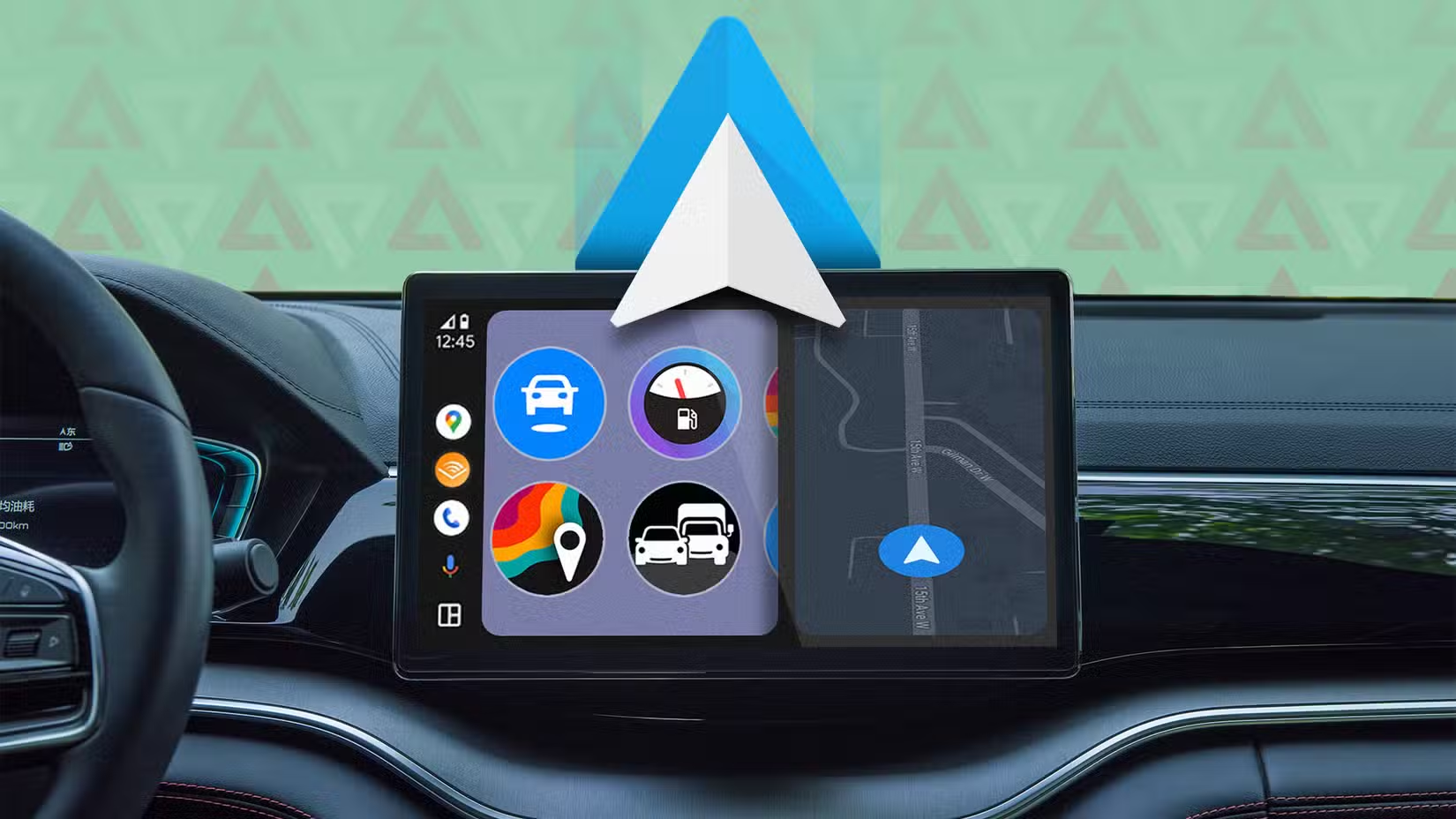
Android Auto gets Call Screening and Call Notes in latest update
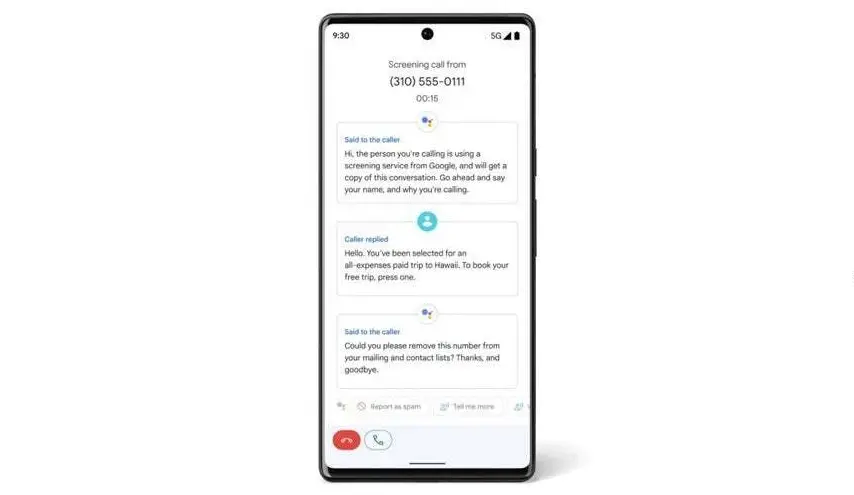
Android Auto can now screen calls in your car using your phone thanks to a recent upgrade. Later this year, Call Notes will also be available on Android Auto for crucial talks in which you are unable to take notes since you are ostensibly driving at the time.
These two Android Auto improvements are quite useful. Particularly useful is call screening, which can spare you time by preventing you from taking pointless calls while operating a motor vehicle.
Unknown callers and those not on your contact list can use the service. After it asks the caller who they are and why they are calling, you will receive this information. In this manner, you have the option to accept or reject the call.
Conversely, Call Notes generates a text synopsis of your conversation. The Pixel 9 series was the first to implement the functionality. If it’s a business call, this Android Auto feature will be quite useful.
Call Screening is becoming a must-have feature for smart car systems
These two new features make it even more practical. Apple, Google’s primary rival, has the Call Screening feature on its most recent iPhone models (which come with the just released iOS 26). The feature is compatible with CarPlay, Apple’s technology for connecting your phone to your vehicle’s infotainment system.
The ability to screen calls is quite helpful, particularly when driving. Bravo to Google for introducing it to Android Auto, as it removes annoying calls without requiring you to answer or handle them.
I’m thrilled that Google is adding these two fantastic new capabilities to Android Auto. In fact, I believe they are far more helpful for Android Auto than for your phone, and the same is true for Apple’s version. When I’m driving, I would absolutely appreciate these two features. I now hope that things will function well and without any issues.