Tag: android

  • Limited-time: download premium apps free before prices return

    Limited-time: download premium apps free before prices return

    Even while there isn’t such a thing as a free lunch, there is such a thing as free apps! We’ll look at a selection of free apps for iOS and Android phones today, which includes games and other kinds of apps. Please be aware that you must act immediately because these offers are time-sensitive and we are unsure of when they may end.

    A wide variety of programs, from free to premium solutions, are available in the Google Play Store and Apple App Store, respectively. Many customers may be surprised to learn that during promotional events, a number of paid apps are frequently made temporarily available for free. We’ve put together a list of some of the most interesting apps available for free right now.

    Free premium apps (Android)

    • Reminder Pro ($3.49) – If you ever need a second brain like me, then this is the app to go for. It is a reminder app that will definitely come in handy, giving you alerts and various options to be notified, so that you know what’s next on your “To Do” list without falling behind on deadlines.
    • Resume Builder – CV Maker ($4.99) – Ever wanted to conjure a resume while you are on the move? If you have answered in the affirmative, you can do so on the move with this nifty little app. Of course, some of us might use other apps, but this is rather comforting for old school folks like me. 
    • Age Calculator Pro ($0.49) – If you are poor in math, just like me, then this age calculator app might be just the thing! It is ideal to calculate my age and discover the total years, months, days, weeks, hours, minutes, and seconds between two dates! Of course, this is also nifty to find the date difference between important events like marriage anniversaries, work anniversaries, birthdays, festivals, and holidays, among others. 

    Free premium apps (iOS)

    • Lego Duplo Doctor (S4.99) – What do you think your little one is going to grow up to be? Well, let’s not pressure the tiny tots just yet and let them play. And who does not like Lego? Duplo can be said to be the introductory doorway to the world of Lego, and this game squarely places them into a hospital environment.
    • BJJ Old Man Style ($19.99) – Check out this instructional app that features a 1 hour 45 minute video, where Jiu Jitsu black belt Rick Ellis showcases how he approaches the BJJ game as an older athlete. Rick emphasizes developing your game into systems of attack and defense, opening up various options when faced with different opponents. 
    • Pixel Thoughts ($0.99) – I would highly recommend using this app with a pair of headphones, as it lets you enjoy meditation by placing your thoughts into a star. Just focus on what’s boggling your mind and meditate to gain some perspective in a more focused manner. 

    At the time this post was published, all of the apps we are showcasing here were free to download. Regretfully, developers frequently fail to indicate the duration of these offers. Don’t hesitate to download an app if you enjoy it.

    However, you should always check the app page in the store before downloading a free program. Because there are occasionally unnoticed obstacles that you should be mindful of.

    The majority of free apps either provide in-app purchases or have advertisements. But some apps that cost money also accomplish this. It is crucial to give these factors the consideration they require, particularly if the game is meant for young players.

    Many apps gather user information and frequently sell it to outside parties. Therefore, make sure you only give the program the rights it truly requires if you want to be safe. For instance, a flashlight shouldn’t be interested in your location information, and an alarm clock doesn’t require access to your contacts or cameras.
  • Simple tips to extend your phone’s lifespan

    Simple tips to extend your phone’s lifespan

    The Samsung Galaxy S25 Ultra and iPhone 17 Pro are two of the greatest phones available right now because of their incredible cameras and powerful processors. Even though these high-end flagships could be the best mobile devices available right now, getting them will cost you a fortune. Even phones that are affordable, like the Google Pixel 9A, are still expensive, and since people’s budgets are getting tighter everywhere, it’s more crucial than ever to get the most out of your purchases. Instead of updating more frequently, the simplest approach to achieve that is to just stay using your phone longer, spreading out that expensive purchase across the years.

    Not only is it better for your wallet, but it’s also much better for the environment. If you upgrade your phone less frequently, fewer phones will be made and distributed, and fewer old phones will wind up in landfills. The good news is that manufacturers such as Apple, Google, Samsung, and others are extending the support period for their phones’ software updates, so the phone you purchase today will continue to be safe to use for many years to come.

    You are responsible for the remainder. It takes some work, a lot of attention, and a few crucial tactics to keep your phone in good operating order for the seven or eight years of software support it may receive.

    Therefore, these are the best ways to extend the life of your phone.

    Update the software

    Avoid using a phone that isn’t receiving security upgrades since it’s just not safe. Phones like the Google Pixel 9 series now come with seven years of software support, whereas before it was typical for many Android manufacturers to support new phones for only two to three years. Unfortunately, some less expensive phones, such as the recently released OnePlus Nord CE4 Lite, only get upgrades for a few years. When purchasing a new phone, be sure to inquire about its support duration since this will provide you with greater value during the phone’s lifetime.

    best brands for android updates

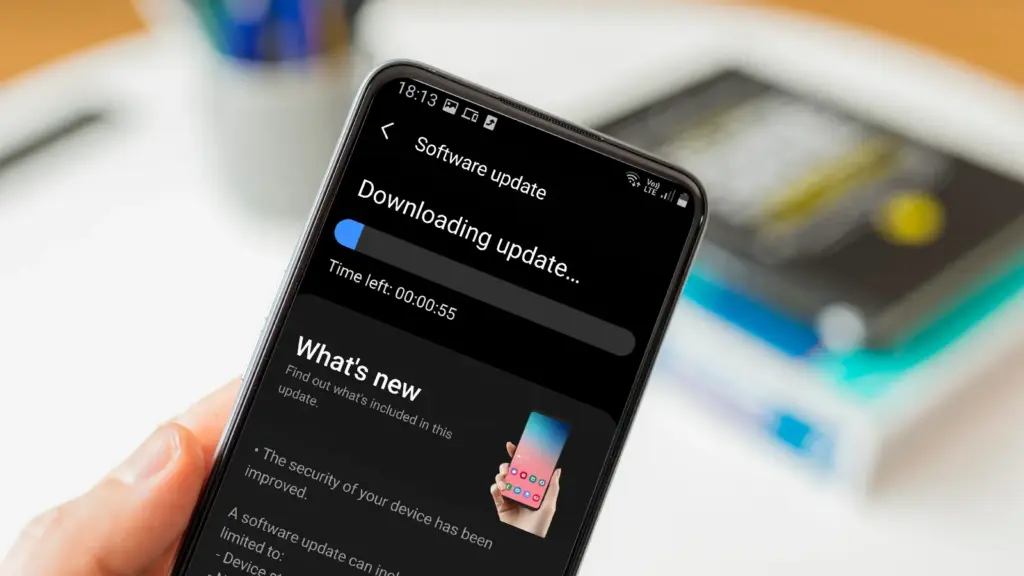
    Keeping your phone up to date with the most recent security update will help prevent hackers and remove any dangerous software that might infiltrate and cause your phone to lag. If you have an older phone, go to the settings menu, scroll down to Software Update, and click to see if there is an update available. Most phones will automatically ask you to install the most recent upgrades, and you sh

    This also applies to your apps, which must be updated to stay compatible with the iOS or Android version you’re using. Allowing apps to update automatically in the background is a good idea, but if you don’t, make sure you’re running the most recent versions by going into your preferred app store.

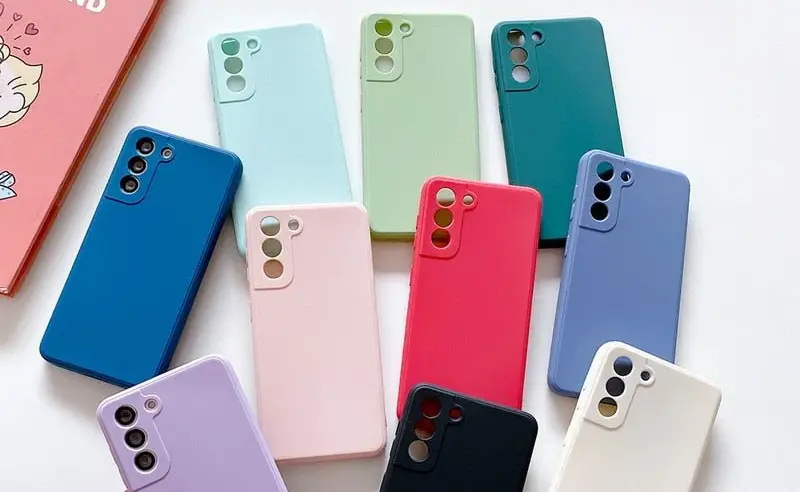
    Protect it with a case

    If you recently purchased a brand-new iPhone, installing a case right away is the best way to preserve it physically. In addition to protecting it in the event that you drop it, it will also assist prevent it from absorbing tiny scratches from your pocket’s coins or keys.

    matte silicone samsung galaxy a series phone case 521848 e1758974780610

    Since there isn’t much you can do to repair your phone’s screen after it becomes damaged, a screen protector is also a smart option. You can easily change a screen protector if it gets a severe scratch, keeping the phone itself looking brand new for many years to come. When it’s time to update, keeping your phone looking new could help you sell it for more money on the used market, even if you don’t intend to keep it for many years.

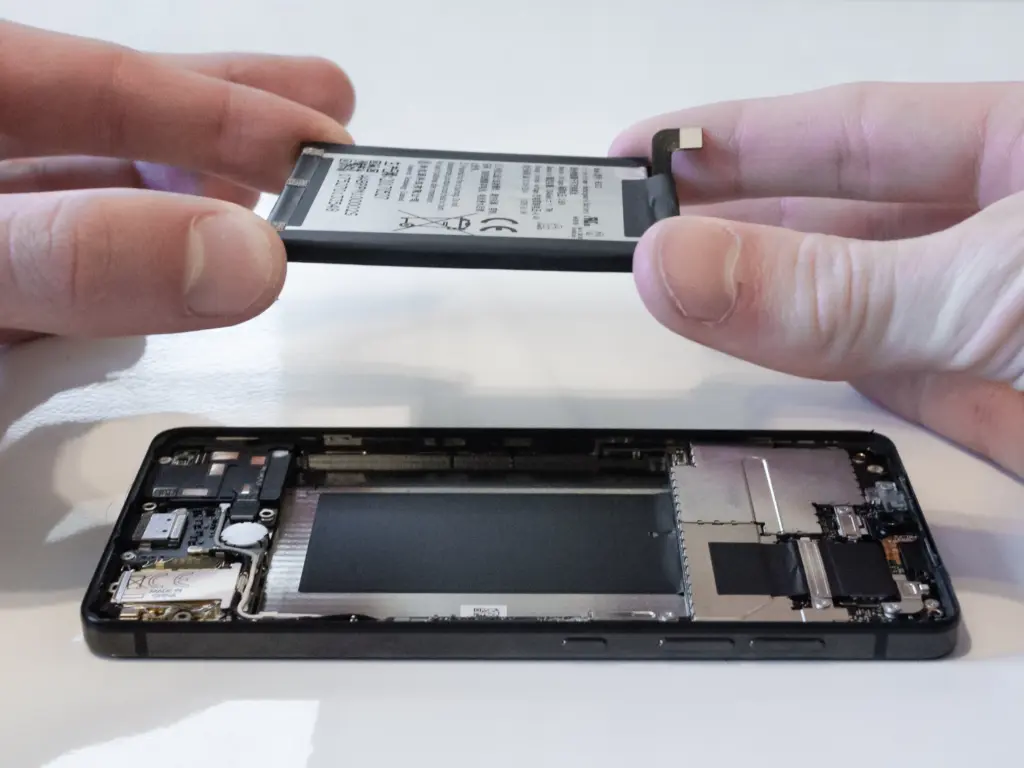
    Replace the battery

    Over time, the battery in your phone will progressively degrade, giving it less life between charges than it did when it was brand-new. All phones are like this. Batteries in certain older phones might only provide 50% of their previous capacity. Your phone may even alert you when it senses that your battery isn’t providing enough power, in which case it may limit your processor to make up for it.

    replace battery on a nothing phone

    Don’t worry; most phones have a battery that is rather simple to change on your own to give it a fresh lease on life. If your battery is about to die, it could be worth trying to repair it yourself. iFixit offers a wide range of kits and third-party replacement batteries to fit a large number of phones.

    If you’re not very confident with your screwdriver skills, this might be a nice alternative to think about. There are a number of places you can take your phone to have your battery replaced, or even other components like a broken screen. However, not all of them are really legitimate.

    Remove old apps that you are not using anymore

    Your phone is probably cluttered with thousands of pictures of your friends, pets, or the plates of food you’ve consumed over the years if you’ve owned it for a long time. You probably have a number of outdated apps and games that you downloaded on the spur of the moment, played for a few bus rides, and then switched to the newest mobile gaming craze.

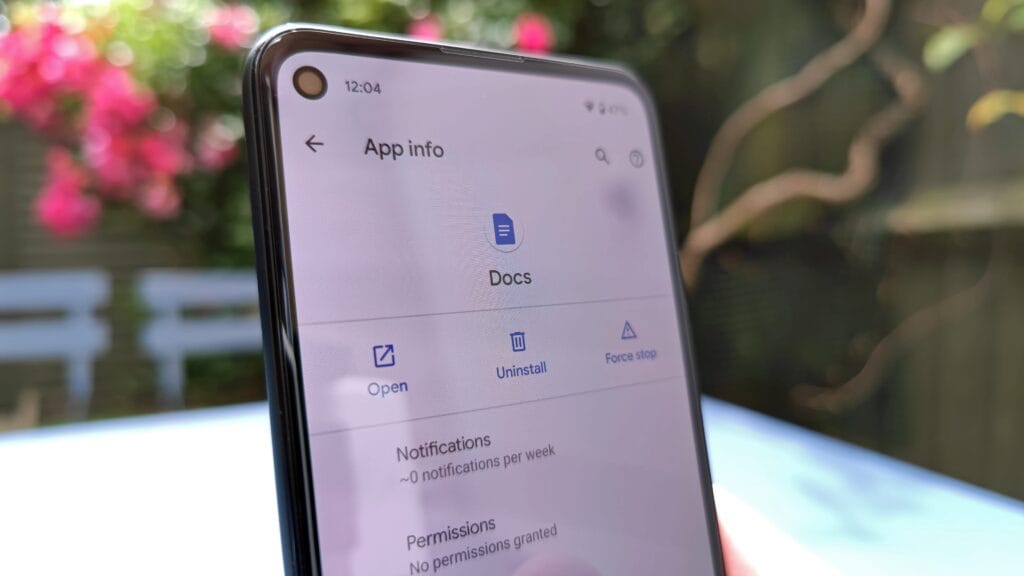
    remove old apps on Android phone

    In addition to negatively impacting your phone’s general performance, a shortage of storage may also make it more difficult to install important software updates. It’s worthwhile to look through your archives, remove anything from your phone that is wasting space, and backup any pictures and movies you wish to store to the cloud.

    It might even be worth backing up all of your crucial data and performing a complete factory reset, starting over, and only installing the necessary apps if your phone has been slow for a long period.

    Clean out your ports

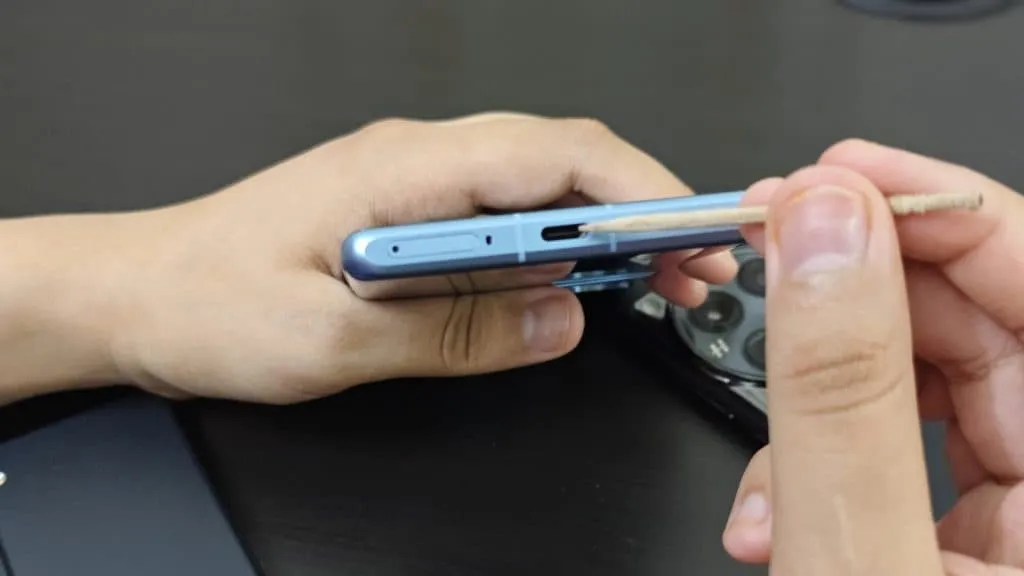
    Last but not least, cleaning your phone can offer unexpected benefits. Your phone may suffer greatly from pocket fluff, especially when it comes to the charging connector, which frequently becomes clogged with bits of junk. As a result, your phone won’t charge when you plug in your charger because it can’t connect completely.

    cleaning charging port

    It’s tempting to assume that something has broken, like the cable or the charging port itself, but it could just be that the port is overflowing with lint. To make sure your charger fits without requiring forceful wriggling, occasionally insert a wooden toothpick into the area and try to ease out any dirt or debris you notice.

    To make sure you can clearly hear—and be heard—during your phone calls, it’s also worthwhile to carefully brush away any debris you may discover near the speakers and microphones with an old toothbrush that has been cleaned and dried.

  • Xiaomi confirms HyperOS 3 rollout with Android 16: full schedule and device list

    Xiaomi confirms HyperOS 3 rollout with Android 16: full schedule and device list

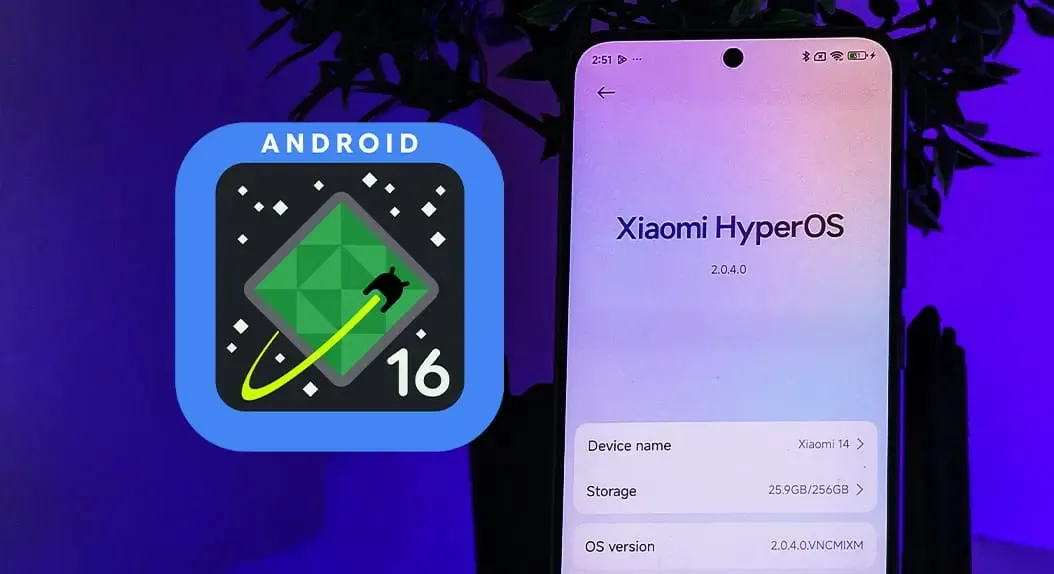
    A complete list of devices and a schedule are already available, and Xiaomi’s Android 16 update is official. HyperOS 3 is scheduled to launch in October.

    Xiaomi’s Android skin receives a few new improvements from HyperOS 3, including:

    Xiaomi claims you won’t have to wait long, so there’s a good deal to look forward to.

    Android 16 release today

    In October, HyperOS 3 will begin to roll out on the Xiaomi 15T series, with the Xiaomi 15 following shortly after. After that, the rollout lasts until March 2026. The following is Xiaomi’s schedule, which may change over time.

    Xiaomi HyperOS 3 (Android 16) Rollout Schedule

    October/November 2025

    Phones

    • Xiaomi 15T Pro
    • Xiaomi 15T
    • Xiaomi 15 Ultra
    • Xiaomi 15
    • Xiaomi MIX Flip
    • REDMI Note 14 Pro+ 5G
    • REDMI Note 14 Pro 5G
    • REDMI Note 14 Pro
    • REDMI Note 14
    • POCO F7 Ultra
    • POCO F7 Pro
    • POCO F7
    • POCO X7 Pro Iron Man Edition
    • POCO X7 Pro
    • POCO X7

    Tablets

    • Xiaomi Pad Mini
    • Xiaomi Pad 7 Pro
    • Xiaomi Pad 7

    Wearables

    • Xiaomi Watch S4 41mm (Available now)
    • Xiaomi Smart Band 10 Glimmer Edition (Available now)
    • Xiaomi Smart Band 10 Ceramic Edition
    • Xiaomi Smart Band 10

    November/December 2025

    Phones

    • Xiaomi 14 Ultra
    • Xiaomi 14
    • Xiaomi 14T Pro
    • Xiaomi 14T
    • REDMI Note 13 Pro
    • REDMI 15
    • REDMI 14C
    • REDMI 13
    • REDMI 13x
    • POCO F6 Pro
    • POCO F6
    • POCO X6 Pro
    • POCO M7
    • POCO M6 Pro
    • POCO M6
    • POCO C75

    Tablets

    • Xiaomi Pad 6S Pro 12.4
    • REDMI Pad 2 Pro 5G
    • REDMI Pad 2 Pro
    • REDMI Pad 2 4G
    • REDMI Pad 2

    December 2025 through March 2026

    Phones

    • Xiaomi 13 Ultra
    • Xiaomi 13 Pro
    • Xiaomi 13
    • Xiaomi 13T Pro
    • Xiaomi 13T
    • Xiaomi 13 Lite
    • Xiaomi 12 Pro
    • Xiaomi 12
    • Xiaomi 12T Pro
    • POCO F5 Pro
    • POCO F5
    • POCO X6
    • POCO M7 Pro 5G
    • POCO C85
    • REDMI Note 14 5G
    • REDMI Note 145
    • REDMI Note 13 Pro+ 5G
    • REDMI Note 13 Pro 5G
    • REDMI Note 13 5G
    • REDMI 15 5G
    • REDMI 15C 5G
    • REDMI 15C

    Tablets

    • REDMI Pad Pro 5G
    • REDMI Pad Pro
    • REDMI Pad SE 8.7 4G
    • REDMI Pad SE 8.7
    • POCO Pad
  • Speed up your Android device: 4 settings that can transform performance

    Speed up your Android device: 4 settings that can transform performance

    The first thing you should do if your Android phone has become sluggish is to wipe off its storage. Here are some tips for speeding up your outdated Android phone if you’re not sure where to start.

    Delete unused apps

    Phones can accumulate a large number of unused apps over time, leaving your device looking crowded. You may have used an outdated photo editing app or a QR scanner app from a restaurant on your previous trip. Uninstalling these apps is the best way to free up space on your Android phone.

    speed up android device

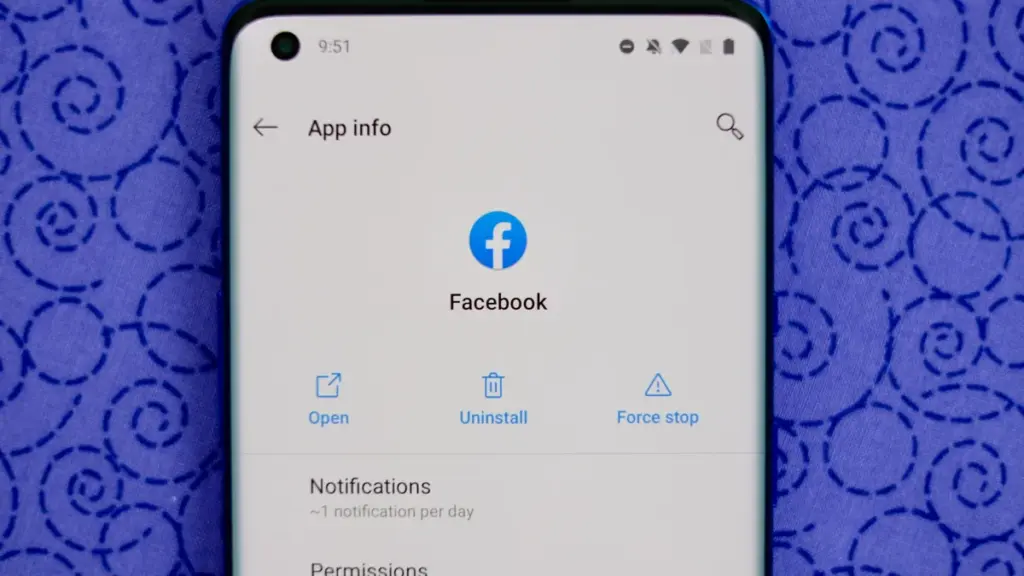
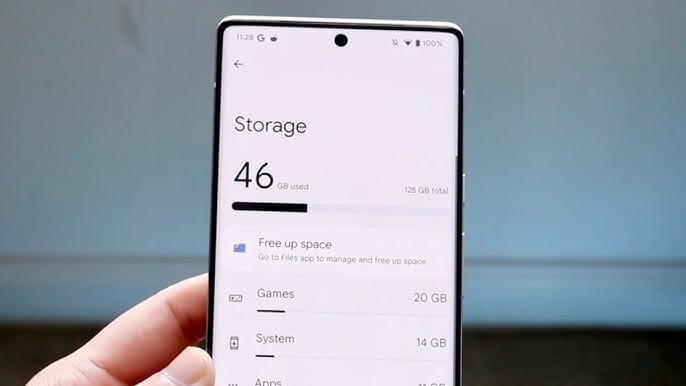
    Because your Android phone won’t have to spend resources on apps that aren’t being used, decluttering it can speed it up. Removing these APKs will improve resource management and make your phone quicker. To view the list of installed apps and remove those you no longer require, navigate to Settings > Storage > Apps. You may also long-press on these forgotten apps on the app screen to get App Info > Uninstall.

    Clear storage

    Files and long-forgotten pictures of school notes are just two examples of the trash that accumulates on old Android phones. Following the removal of unnecessary apps, you should try to free up space on your Android phone by browsing through the stored files and images.

    speed up android device - clean storage

    To see what’s saved, open the File app on your phone. The majority of garbage, including long-forgotten PDF files, images, etc., is frequently found in the Downloads folder. You should check two more areas to make sure the storage is clear.

    • Offload photos from your phone and save them to an external drive or the cloud. This helps create a backup of your memories and clear space on your old Android phone.
    • Clear the app cache. For the unaware, cache is bits of data that an app saves so it is quicker to operate the next time you open it. I recommend clearing the cache for less-used apps with no saved login information. You can go to Settings > Storage > App > Clear Cache to save more space.

    Check for updates

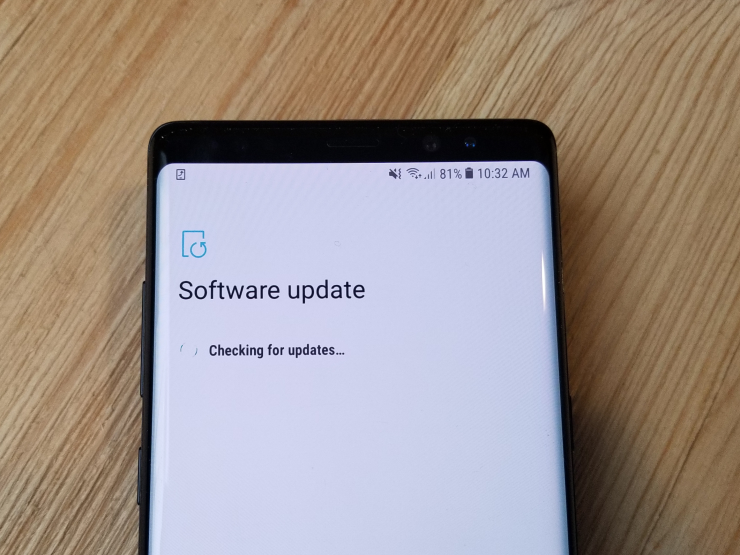
    Verify that the operating system on your Android phone is up to date. Updating it will install the most recent security procedures and make it snappier. To verify and install the most recent software version, navigate to Settings > General > System Update.

    20171204 103326

    After updating your old Android phone to the most recent OS version and removing the uninstalled apps, you should update the remaining apps from the Google Play Store. To get the newest features, enhanced security, and faster performance, it’s critical to utilize the most recent versions of these programs.

    Adjust the animation speed

    A few features, such as Developer options to alter the animation speed, can be enabled or disabled to make your phone feel faster. This can make your phone feel much faster, but it’s a little trickier than the other settings discussed above.

    How to Change Animation Speed on Android

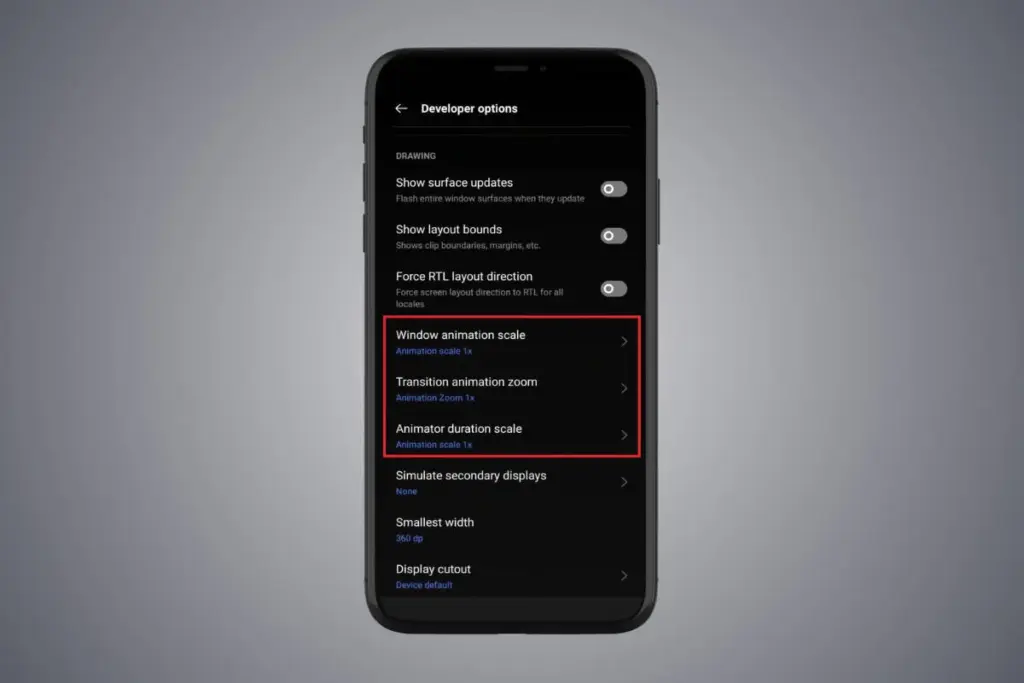
    Go to Settings > About phone > Tap on Software details >, then tap your Build number seven times to enable Developer options. You should now be able to access various animation scale parameters as this should activate the Developer options.

    Next, locate the Window animation scale by scrolling down in the Drawing section of the Developer settings. To make apps and window pop-ups run faster, tap on it and adjust the animation to 0.5x.

    To reduce the speed at which you move between home screen panels and within apps, you may also change the Transition animation scale. Additionally, reduce the Animator duration scale to speed up typical UI motions like unlocking the phone and opening and closing apps.

    You may breathe fresh life into your aging Android phone by adjusting these settings. After adjusting, it ought to feel quicker and have more zip when performing daily tasks. If you want to give it a refresh, I recommend tinkering around with your home screen, changing the wallpaper, and modifying extra settings to help it stay longer.

  • Huawei’s HarmonyOS leads over iOS in China for 6th quarter running

    Huawei’s HarmonyOS leads over iOS in China for 6th quarter running

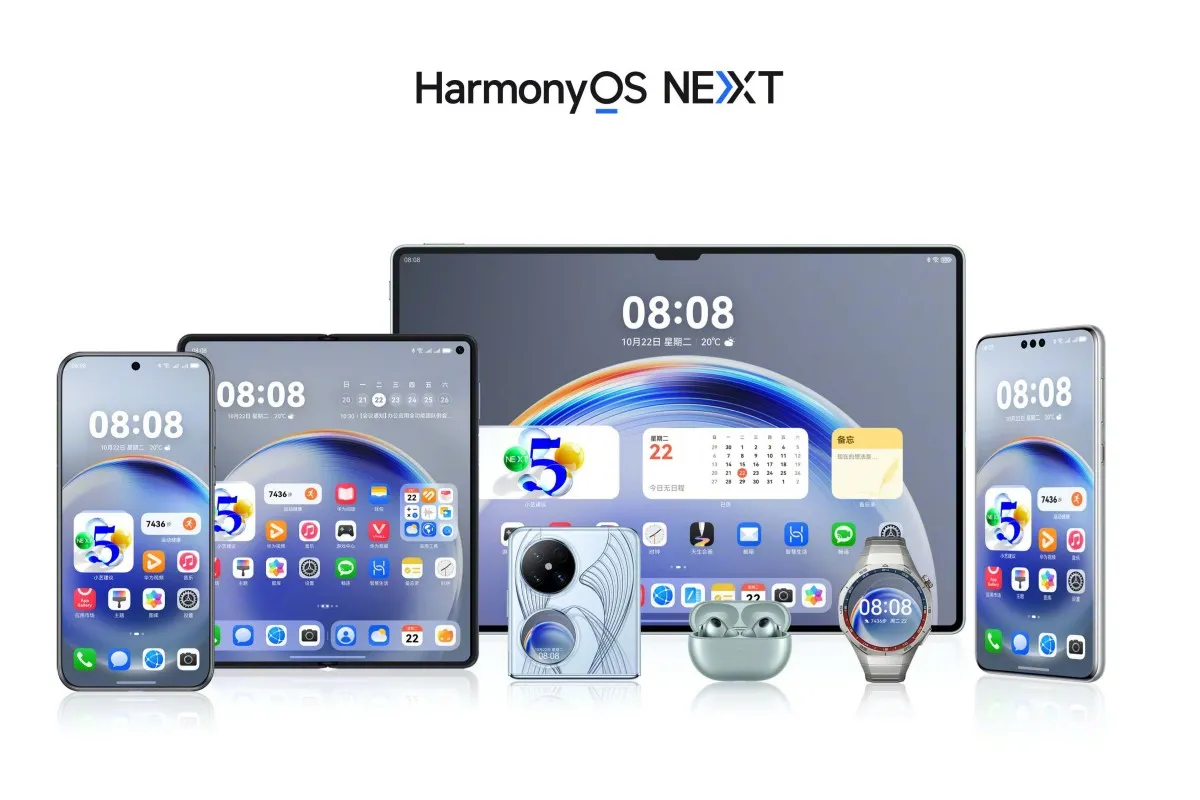
    With its proprietary HarmonyOS, Huawei is gaining ground in the mobile operating system market and has overtaken iOS in China for the sixth consecutive quarter. It now seeks to displace Android as the market leader for mobile operating systems.

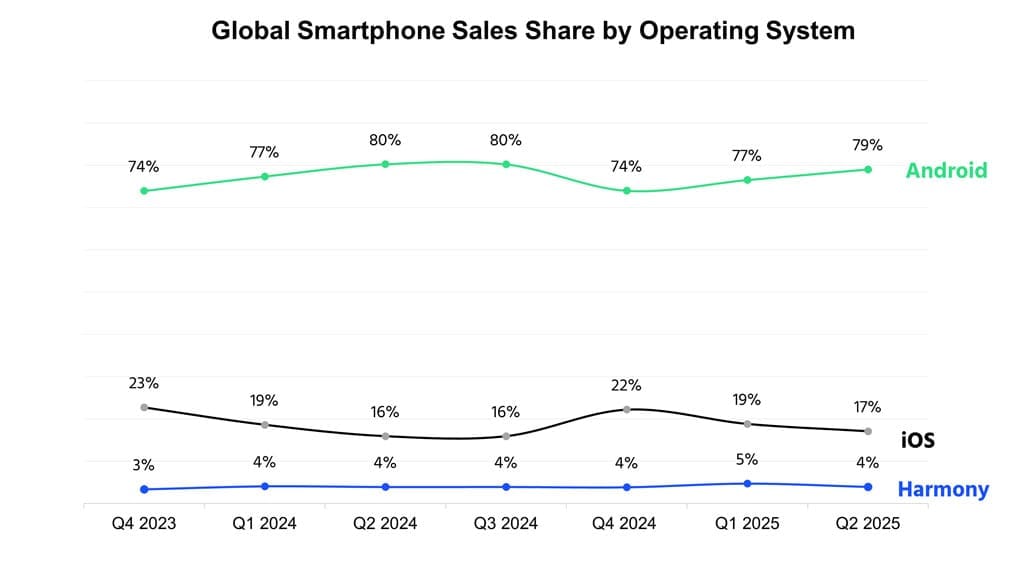
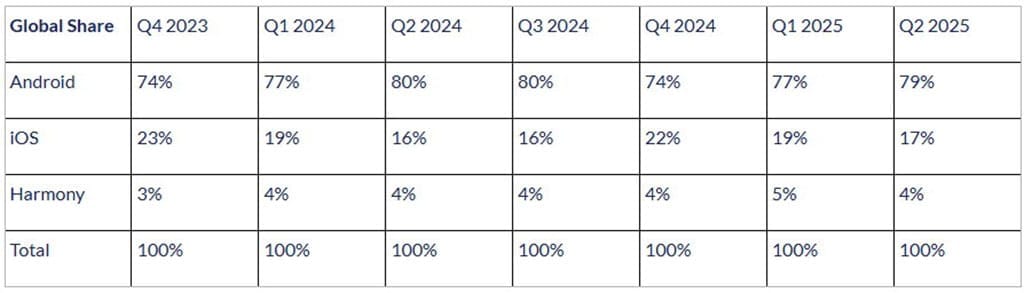
    At the moment, Android dominates the worldwide smartphone operating system market. Globally, it holds 79% of the shares. Huawei, however, intends to outperform this US-based competitor with its “NEXT” offering.

    According to the operating system report for Q2 2025, Counterpoint holds a share of the worldwide smartphone sales market. Despite gaining a sizable portion of the market, Android is losing ground in China as a result of HarmonyOS‘s quick ascent there.

    According to the research organization, Android is mostly restricted in China because of the escalating rivalry, and in India because of premiumization. However, the OS has been supported by companies like Vivo, Samsung, Motorola, and Honor during the quarter.

    For the 6th quarter, Huawei HarmonyOS stays ahead

    OS

    However, iOS also saw a 1% growth in its market share worldwide. It has performed admirably in a number of markets, including Brazil, the Middle East, and India.

    Because of the affordable iPhones and the recently released iOS 26 build version, iOS has also had the highest upgrade rate in the second quarter of this year.

    However, for the sixth straight quarter, Huawei’s HarmonyOS has pushed iOS further back in China. The legendary Pura X foldable and the latest Nova 14 versions deserve a lot of praise. Both models have attracted a lot of interest.

    The first device to release the stable HarmonyOS NEXT was the Pura X. Eye-tracking and a super Celia AI assistant were among the intriguing technologies it brought in.

    In order to provide a more dependable user experience, the Nova 14 series was the first conventional phone device to be pre-installed with the stable HarmonyOS 5.0.

    “HarmonyOS continues to grow in China and remains the second largest smartphone OS in the country for the sixth consecutive quarter. Huawei’s Nova series smartphones contributed heavily, and the foldable Pura X was also received well, keeping the brand competitive.” – said Counterpoint.

    Following this, Huawei plans to provide HarmonyOS 5.0 to the global market, initially with wearables and then with tablets. It would be interesting to observe when the operating system would overtake Android as the dominant player in the global smartphone market.

    global share1
  • TCL unveils Q10M Ultra RGB Mini LED TV with cutting-edge display tech

    TCL unveils Q10M Ultra RGB Mini LED TV with cutting-edge display tech

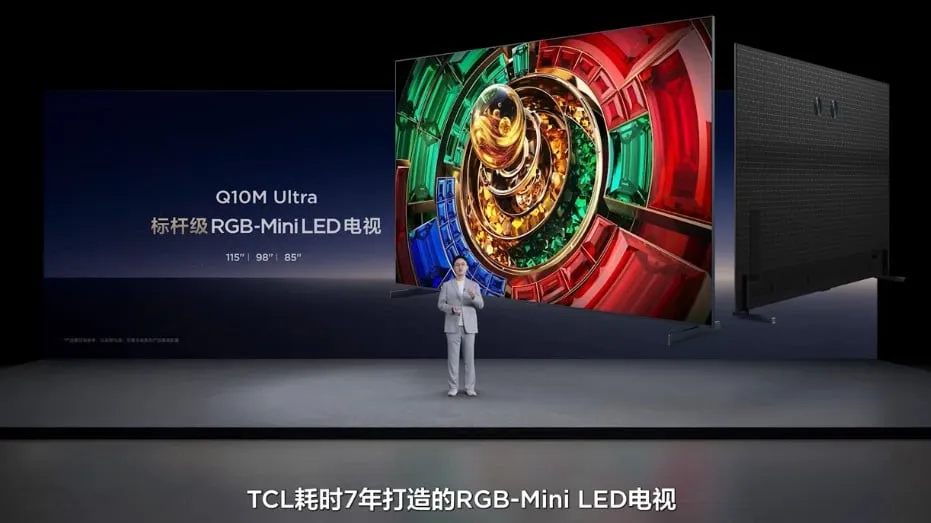
    In China, the TCL Q10M Ultra and RGB Mini LED 4K TV were unveiled. This device, which comes in three sizes up to 115 inches, is claimed to have industry-leading color accuracy and brightness of up to 9,000 nits XDR. Additional features include four HDMI connections, Wi-Fi 6 connectivity, and built-in Bang & Olufsen speakers.

    In China, TCL has revealed the Q10M Ultra RGB Mini LED 4K TV. The model was referred to as a benchmark model when it was introduced at the 2025 TCL Mini LED TV Fall New Product Launch Conference in China.

    TCL Q10M Ulta TV

    TCL Q10M Ultra comes with micro RGB TV tech

    According to reports, the TCL Q10M offers color accuracy that leads the market. It is compatible with Samsung’s Micro RGB TV technology and covers the entire BT.2020 color gamut. Three sizes of the TV will be offered: 85-, 98-, and 115-inch. These provide local dimming zones of 8,736, 11,520, and 16,848 RGB, respectively. With a maximum XDR brightness level of 9,000 nits on the largest model, each variation features a TCL CSOT WHVA Pro panel.

    TCL’s Q10M, which is equipped with a MediaTek 9655+ CPU and 4GB + 128GB of storage, will run the company’s custom operating system in China. It will include four HDMI 2.1 connectors, one USB 3.0 port, Bang & Olufsen speakers, and Wi-Fi 6 compatibility. There will be a lighted remote control with personalized shortcut keys included with this model. Additionally, it is advertised as a wall-mounted, ultra-thin model with concealed cable organization.

    tcl v6c 4k qled tv scaled 1

    The TCL Q10M Ultra RGB Mini LED TV 85-inch model costs CNY 27,999 (about $3,930) at retail in China. CNY 49,999 (~$7,018) and CNY 99,999 (~$14,036) will be the selling prices of the 98-inch and 115-inch models, respectively. Although it is uncertain when it will offer models with its newest technology in international markets, TCL recently displayed one of its new RGB Mini LED TVs at IFA 2025.

  • Premium apps free for a limited time on Android and iOS

    Premium apps free for a limited time on Android and iOS

    Users of iOS and Android, take note! You currently have the opportunity to download several premium apps for free. But act quickly—these amazing deals aren’t around for long, so take advantage of them before these apps revert to their premium editions.

    With a wide range of programs to suit all your needs, the Google Play Store and the Apple App Store are overflowing. Many of the alternatives are free, while some have a cost. The sporadic promotional events where a variety of paid apps are available for free download are sometimes overlooked. We’ve compiled a fascinating list of some of the most intriguing apps available for free at the moment.

    Even if you don’t require an app right away, install it if it piques your curiosity. It will be added to your app library and marked as “bought” as a result. After that, you may uninstall the app straight from your phone and get it back for free anytime you need it.

    android and ios apps

    Android

    Free Android Apps

    • DJ Music Mixer ($9.99): Have a bunch of MP3s or audio files on your phone and want to play DJ? Do so with this app!
    • Equalizer & Bass Booster Pro ($2.49): Get better-sounding audio from the software perspective with this app. Oh yes, a kick of bass doesn’t hurt, either.
    • Volume Booster & Sound Booster ($2.99): Just when you think that the music is not loud enough, this app comes to the rescue.
    • Clean Wave Water Eject Pro ($2.49): Even if your phone is waterproof or water resistant, why not remove unwanted water from its speaker area with this app that claims to do so? We have not tried it, so it’s your call! 

    Free Android Games

    • Brain App Daily Training ($7.99): Our brain is also an organ that would benefit from mental exercises, so why not give this game a spin?
    • Grow Zombie ($1.99): What kind of grotesque creation do you think you can come up with in this zany zombie-growing game?
    • Neo Monsters ($0.99): Collect monsters, train them, take care of them, send them out to fight, and watch them grow more powerful!
    • Heroes Legend: Epic Fantasy ($0.99): Train heroes up and equip them with better weapons and gear as you progress in the game to grow even more powerful. 
    • Sky Wings ($0.99): An intense, fast-paced shoot ’em up that is set in space. Do you have the reflexes to take down your enemies?

    iOS

    Free iOS Apps

    • Alarmix ($3.99): Waking up to a jarring alarm clock can be disturbing, but the good thing is that this alarm app does so gently.
    • Air ShareWifi File Transfer ($4.99): An easy way to transfer music, videos, documents, photos, heck—any files from the PC or Mac to an iOS device over Wi-Fi by simply dragging and dropping.
    • Bed Time Large Clock ($0.49): The regular clock doesn’t have a large enough font for you to see? Good thing there’s an app for that. 
    • iDousyn ($6.99): An app that transforms the iPhone or iPad into a professional music production powerhouse wherever you go, with its touch-based interface. 
    • The Jiu Jitsu Class Volume 1 ($19.99): While you cannot download kung-fu modules like Neo in The Matrix, you can still learn Jiu Jitsu from an app…

    Free iPhone games

    • Get Gabbin’ ($1.99): I guess this is more of a game, offering conversational topics so that no date or meet-up will be awkward, ever again.
    • Puffin Rock Music! ($1.99): An educational game for the little ones, where they embark on an adventure with a group of puffins and create their own music.
    • Pro Wrestling Manager ($3.99): Time to make a career out of wrestlers, as you manage them well and make them superstars.
    • Axion Run ($0.99): A game that tests your reflexes, as you try to break free from gravity in an intense competition with friends.
    • Sky Master ($0.99): A beautiful shoot ’em up that is set in space, where you take down enemy ships in intense space dogfights.

    Even if you don’t require an app right away, install it if it piques your curiosity. It will be added to your app library and marked as “bought” as a result. After that, you may uninstall the app straight from your phone and get it back for free anytime you need it.

    As of the date of publication, the deals were active. Please share any expired deals you come across in the comments section below.

    We advise you to review the app’s details in the Play Store or App Store before downloading any of the aforementioned apps. This is crucial as some of these free apps can offer unique features or drawbacks of their own.

    Both free and paid apps should be avoided since they could have unnoticed in-app purchases and adverts. This is especially important while downloading kid-friendly games.

  • Xiaomi update list: 31 phones won’t go beyond Android 15

    Xiaomi update list: 31 phones won’t go beyond Android 15

    For owners of some well-known models, Xiaomi’s upgrade timeline is not good news. Android 16 will not be available for thirty-one Xiaomi, Redmi, and POCO phones. Rather, the last significant update for these smartphones will be HyperOS 3, which is based on Android 15. Support will then be restricted to minor fixes and security patches.

    In the universe of Android, this is not uncommon. Major updates are typically offered by brands for two to three years, with newer flagships receiving longer support. The similar pattern applies to Xiaomi’s choice, which focuses on enhancing HyperOS for the devices that are still eligible.

    POCO devices at the end of the line

    The POCO lineup losing future Android updates includes some well-known mid-range performers:

    • POCO C65
    • POCO F5 5G
    • POCO F5 Pro
    • POCO M6 Pro
    • POCO X6 Neo

    For these phones, HyperOS 3 will be the last major software release.

    Redmi phones stopping at HyperOS 3

    Numerous models in the Redmi series also stop supporting Android 15. The Redmi K lineup, low-cost gadgets, and even several Note series favorites are included in the list:

    • Redmi 12, 12 5G, 13C, 13C 5G, 13R
    • Redmi K50 Ultra, Redmi K60
    • Redmi Note 12 (4G, NFC 4G, 12R, 12S, 12T Pro, 12 Turbo)
    • Redmi Note 13 (4G, 4G NFC, 5G, 13R Pro)

    This marks the end of updates for several phones that were popular in markets like India and Southeast Asia.

    Xiaomi flagships are nearing the limit of updates.

    Not even expensive gadgets are exempt. Android 16 will not be available for a number of Xiaomi 12 series phones, such as the 12 Pro, 12S Ultra, and 12T Pro. This is also where the Civi 3 and MIX Fold 2 complete their lifetime.

    Full flagship list:

    • Xiaomi 12, 12 Pro, 12S, 12S Pro, 12S Ultra
    • Xiaomi 12T, 12T Pro
    • Xiaomi Civi 3
    • Xiaomi MIX Fold 2

    Android 15 is not the end of the story for these devices. It is anticipated that HyperOS 3 would come with a new interface that is modeled after Apple’s renowned “liquid glass” design. Users should anticipate improved system speed, additional customization choices, and a redesigned control center editor.

    Although it’s the final significant update for these phones, the distribution is scheduled to start in September 2025 and provides them a more upscale appearance before updates formally cease.

  • Does charging your battery to 80% really extend its lifespan?

    Does charging your battery to 80% really extend its lifespan?

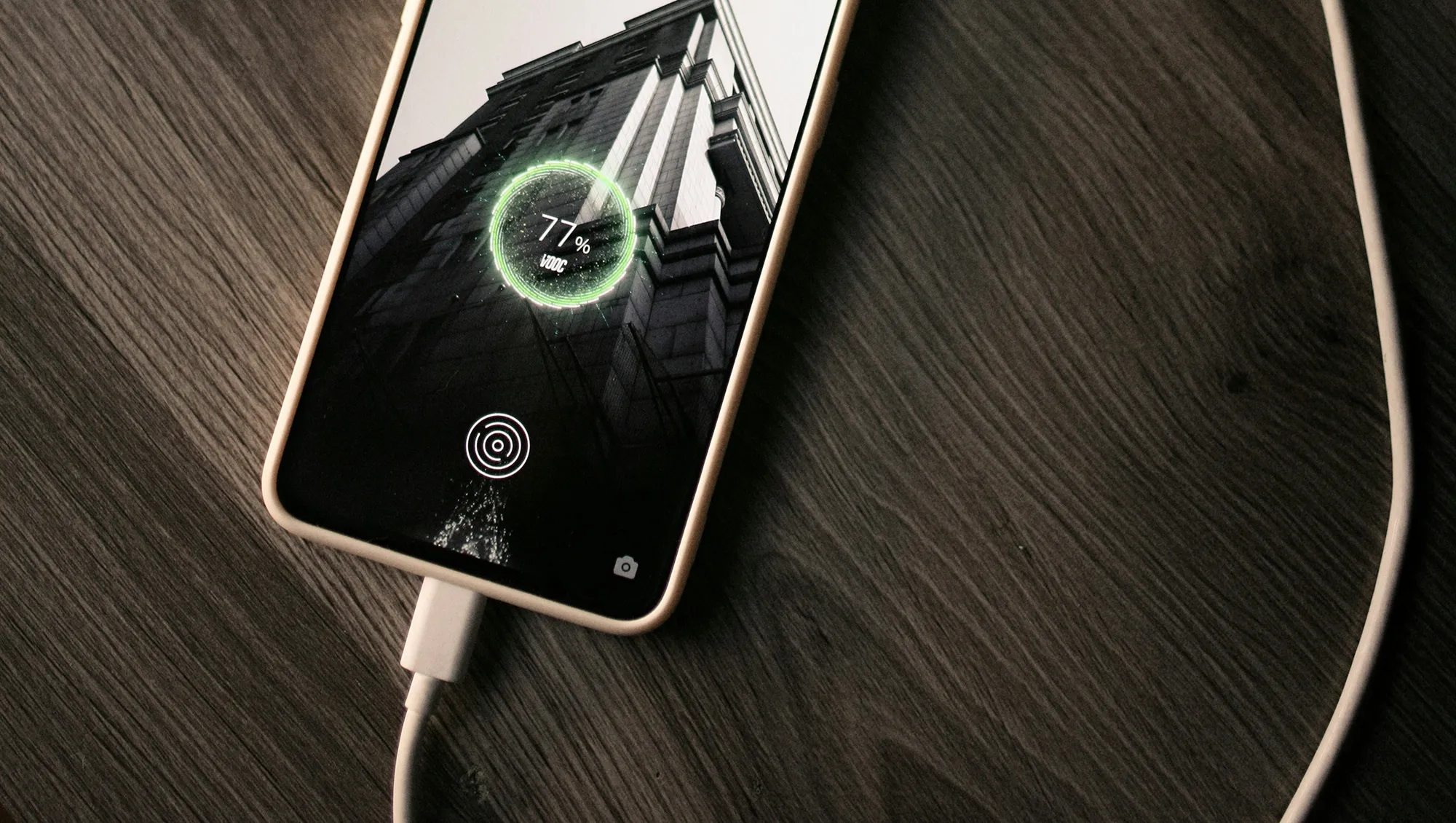
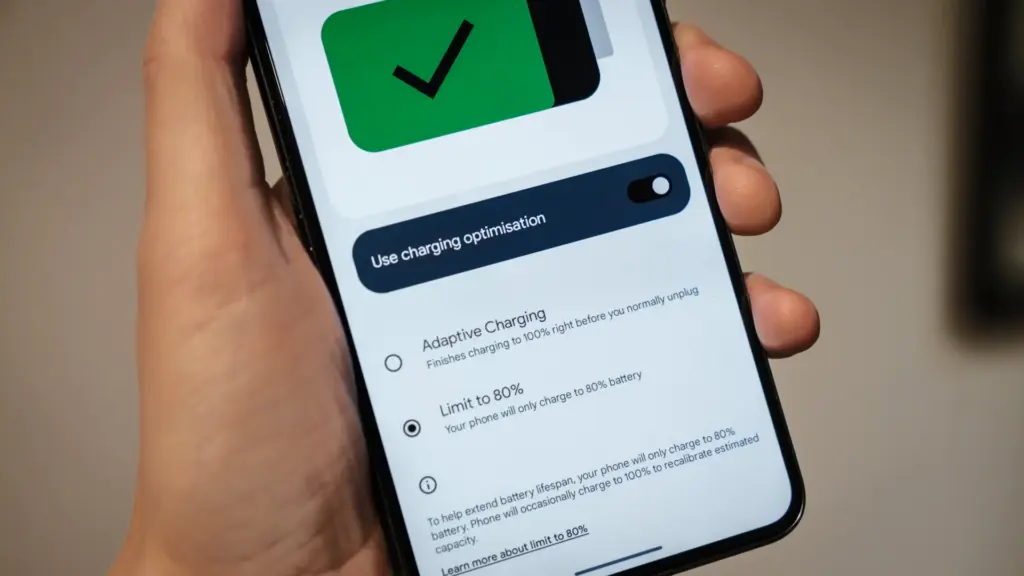
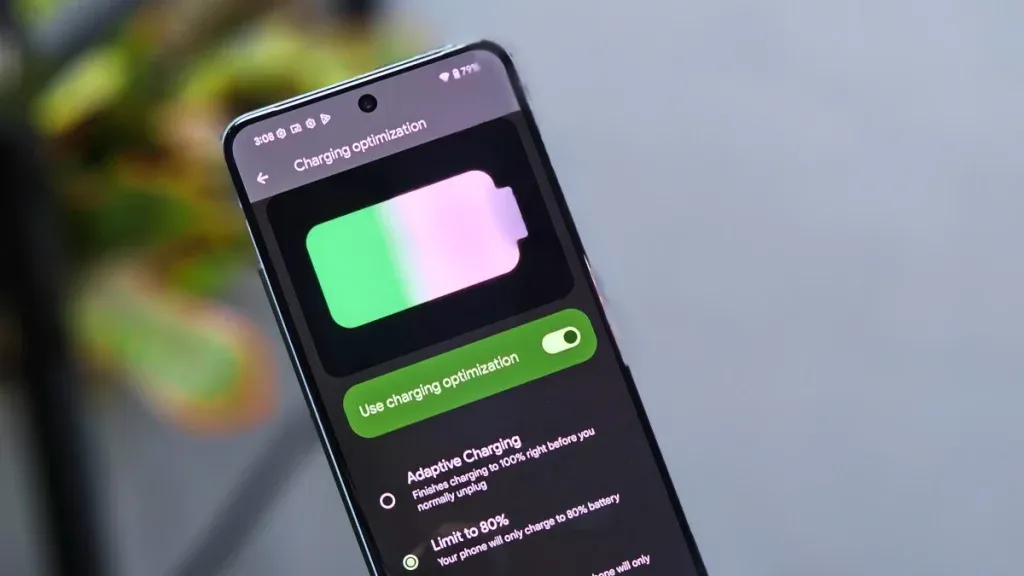
    Manufacturers are beginning to realize that battery health is a major concern for contemporary smartphones due to longer update commitments. In an effort to extend battery life, Android 15 added an optional 80% charging limit in addition to long-standing features like adaptive charging. Similar features were first introduced by Apple with the iPhone 15, and many Android phones now have them as well.

    However, doesn’t 80% seem like a pretty arbitrary number? Why would you want to cap yourself below your maximum capacity? It’s time to go through more fiction and truths about batteries. Here are some things to be aware of.

    Keeping batteries healthy for longer

    Heat and voltage are the two main enemies of battery health. Keeping your phone off of a hot dashboard, avoiding charging it beneath your pillow, and using slower charging when you don’t need a quick top-up are the main ways to manage the former. However, the user cannot effectively regulate voltage wear; voltage stress is merely a consequence of battery charging.

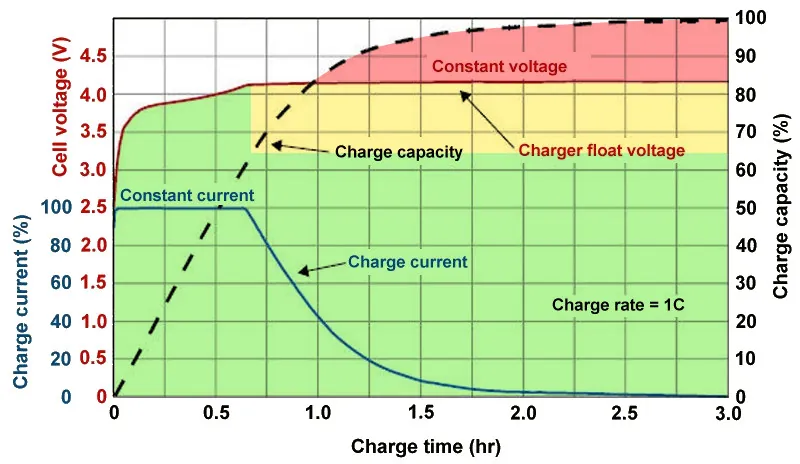
    As you can see, the voltage of a nearly depleted battery is lower than that of a full one. Because there is some wiggle area below the peak voltage, which increases tolerance for voltage peaks brought on by large currents, this voltage gap can actually be exploited to accelerate charging. Many lightning-fast charging solutions operate in this way without damaging your battery. There is less tolerance between the immediate and maximum voltages, though, because a battery’s voltage rises as it fills up. Li-ion batteries will explode if their rated voltage is ever exceeded! To fully charge a battery, you must go slowly and carefully.

    Battery Charge Voltage vs Time.jpg

    Although charging engineers take precautions to prevent battery explosions, wear can still happen simply by raising the battery’s voltage. The battery’s available lithium capacity eventually decreases due to anode saturation. When electrolytes are highly charged, they can also slowly break down into gases, and the cathode of the battery can also dissolve into the electrolyte. In a single case, none of this is concerning and is partly inevitable nevertheless, but over time, the additional wear accumulates and causes the battery’s capacity to gradually decrease more quickly than is ideal.

    The first 60% of a battery’s voltage usually increases the fastest, after which it gradually increases until it reaches full. Stopping at around 80% is a nice halfway house because the battery is sufficiently charged to last for hours even if it isn’t quite at its peak voltage, which is where the most harm happens. The seemingly arbitrary 80% measure has a lot of sound research behind it, but is it truly helpful in real-world situations?

    Should I only charge my phone to 80%?

    increase battery life charrge to 80%

    The truth is that no matter what you do, your phone’s battery will ultimately deteriorate; the best way to handle this gradual decline will depend on your demands. The most careful chargers who maintain their phone’s temperature and adhere to the 80% rule may be able to increase the battery’s life by a year or more, which is unquestionably valuable. Whether artificially restricting oneself to 80% now is worth the long-term benefits is a personal decision.

    Let’s examine the worst scenario. While many of today’s higher-end smartphones have ratings of 1,000 or even 2,000 cycles, modern smartphone batteries are typically rated for at least 500 charge cycles before depleting to 80% of their initial capacity. In the worst scenario, that amounts to about a year and a half of charging your phone every day from empty to full—a modest routine—and for longer-lasting phones, it may continue for several years. The majority of customers will most likely wait two to three years before detecting a decline in battery life, and much longer before it becomes a serious issue. And that’s assuming no additional safety measures are taken.

    A year or more could pass before you need to replace your battery if you limit yourself to 80% charge.

    Fortunately, most modern phones come with some built-in assistance. Taking your phone from the plug as soon as possible helps prevent stress from idle charging because phones tend to trickle charge for a time after displaying the completely charged notification, so the 100% charged notification is rarely actually quite full. By maintaining the battery at a reduced capacity and voltage until just before you normally unplug your phone in the morning, using Adaptive Charging or Optimized Charging—depending on the manufacturer of your phone—will help even more. Maintaining healthy habits like this could help your battery reach the three-year mark with ease.

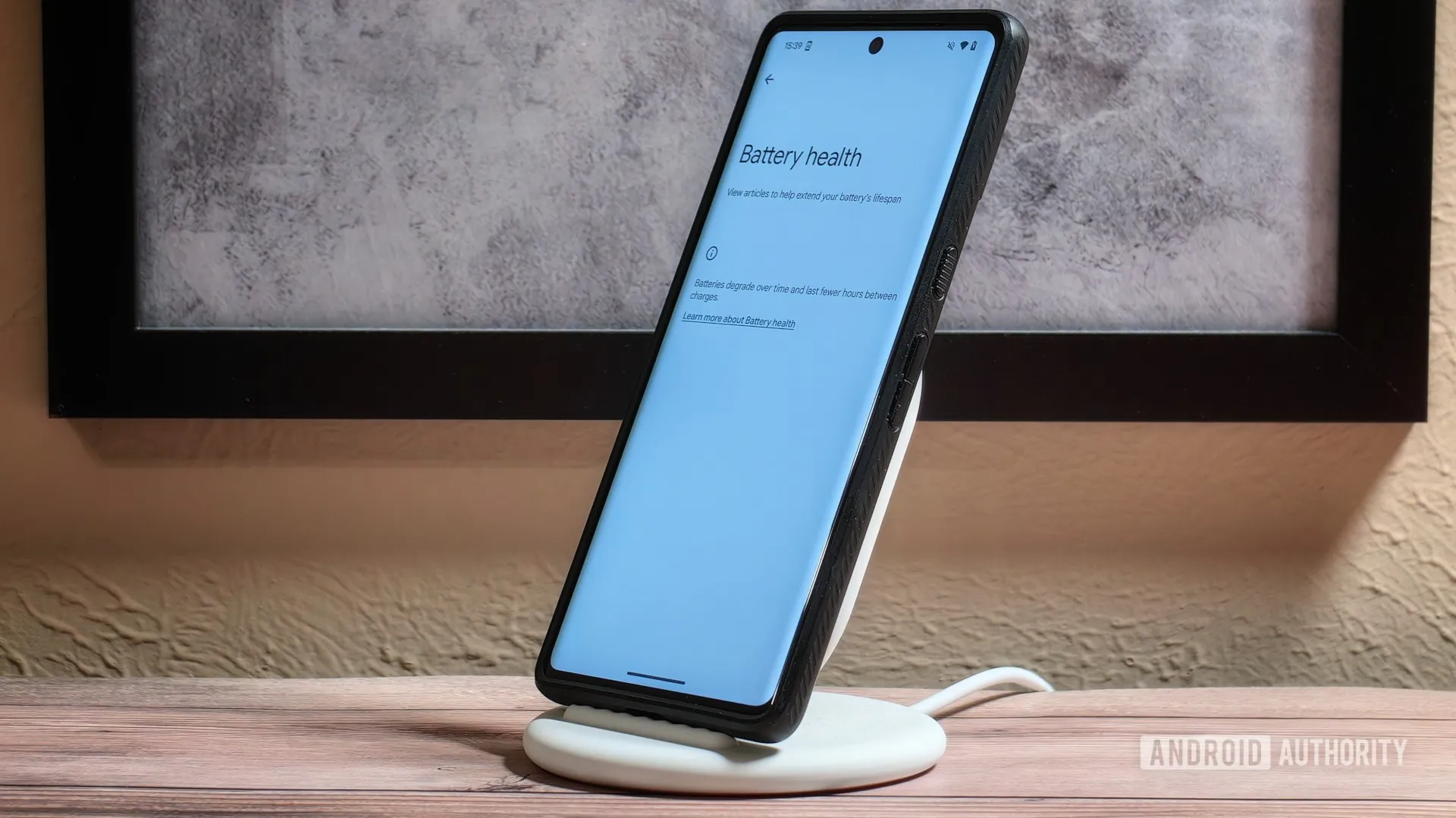
    Google’s latest Pixels go one step further, using Battery Health Assistance to gradually limit charging pace and battery capacity in software to keep a lid on long-term health and safety.

    battery life

    However, many people without extremely demanding workloads could still benefit from just charging their laptops, phones, and other devices to 80% charge (where possible) if they truly want to extend the life of their batteries. This can help you get through a normal day while also enhancing battery health. However, if you want to use your phone for the entire day, I wouldn’t advise unplugging it from the charger before 70%.

    Worrying about an 80% restriction isn’t worth the battery concern if you frequently run out of juice by the end of the day, play a lot of games, or (like me) have strange charging patterns where your phone is rarely full anyway. In order to further customize the maximum restriction to your requirements, certain phones additionally provide 85%, 90%, and 95% settings. In any event, use your phone whatever you like, but be mindful that the battery will need to be changed after a few years. Don’t worry, you will need a new battery for your phone whether you intend to keep it for five, six, or seven years.

    Fortunately, even for older phones, Apple, Google, and Samsung all have competitive battery replacement programs. It’s not awful to spend about $80 to keep a phone functional for many more years. However, in some areas, you may have to pay more than you should, and other brands’ availability and costs differ significantly.

    With long-term ownership, these expenses are unavoidable; the only question is how many months you can try to avoid them. Adhering to the 80% rule will undoubtedly be beneficial.

  • Xiaomi announces S Pro Mini LED 2026 TVs with HyperOS 3, 330 Hz refresh rate, with 5200 nits of brightness.

    Xiaomi announces S Pro Mini LED 2026 TVs with HyperOS 3, 330 Hz refresh rate, with 5200 nits of brightness.

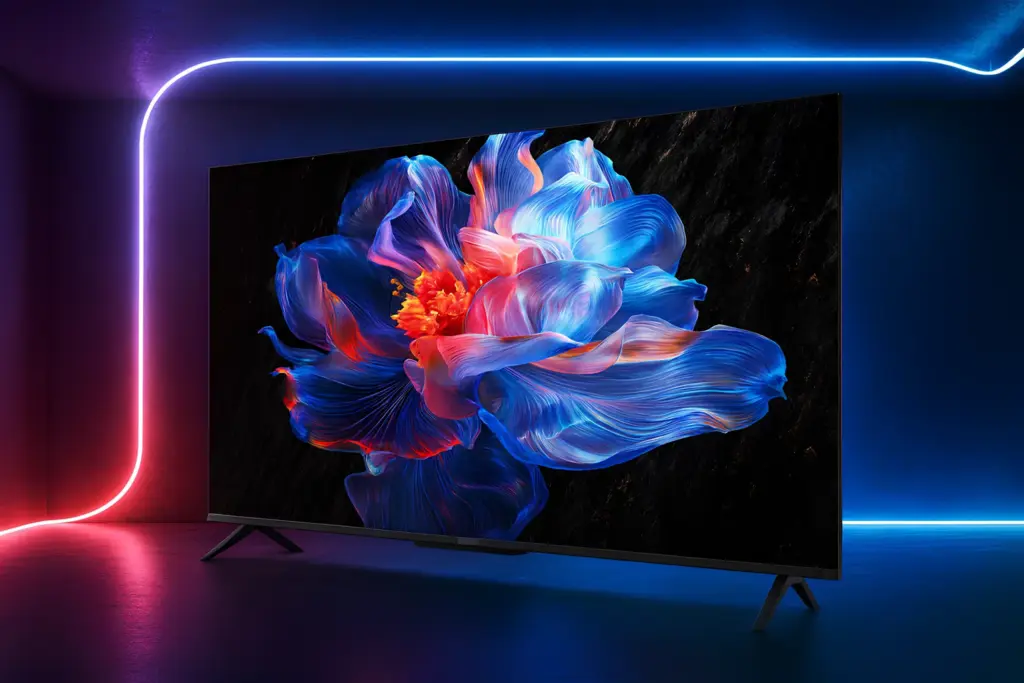
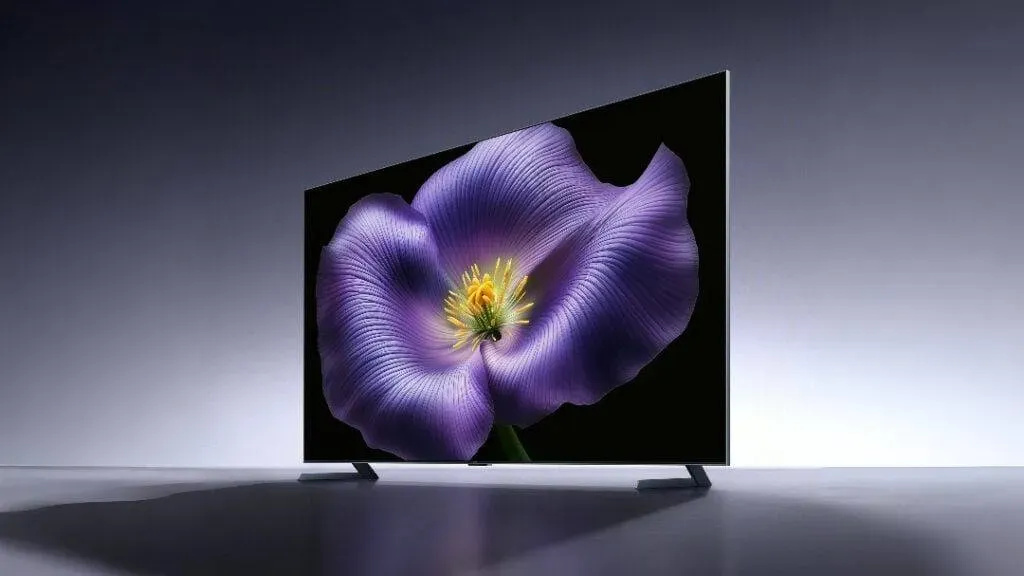
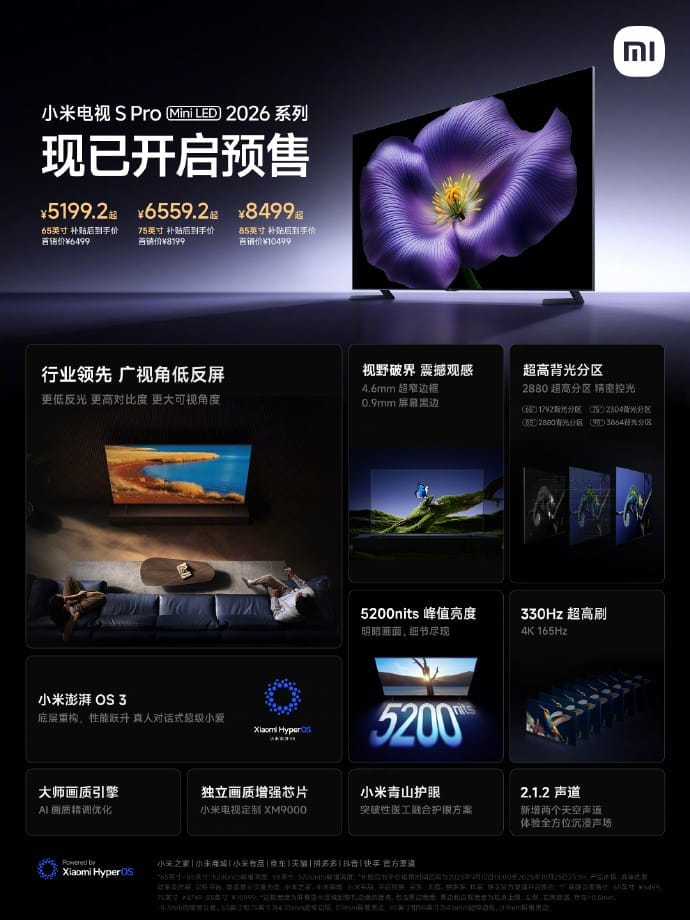
    Pre-sales for Xiaomi’s next TV S Pro Mini LED 2026 series have formally begun in China. The versions in the lineup are 65, 75, and 85 inches in size, and their respective launch costs are 6,499 yuan ($909), 8,199 yuan ($1,147), and 10,499 yuan ($1,469). A 98-inch model is also listed on Xiaomi’s official website for 19,999 yuan ($2,799), though it’s unclear if that price is set in stone.

    Xiaomi TV S Pro Mini LED 2026 specs

    Building on the Mini LED base from the previous year, the 2026 series offers significant improvements in brightness, display performance, and intelligent capabilities. Xiaomi stated that all models have a 330Hz refresh rate mode for gaming and support 4K resolution at 165Hz.

    Xiaomi announces S Pro Mini LED 2026 TVs with HyperOS 3, 330 Hz refresh rate, with 5200 nits of brightness.

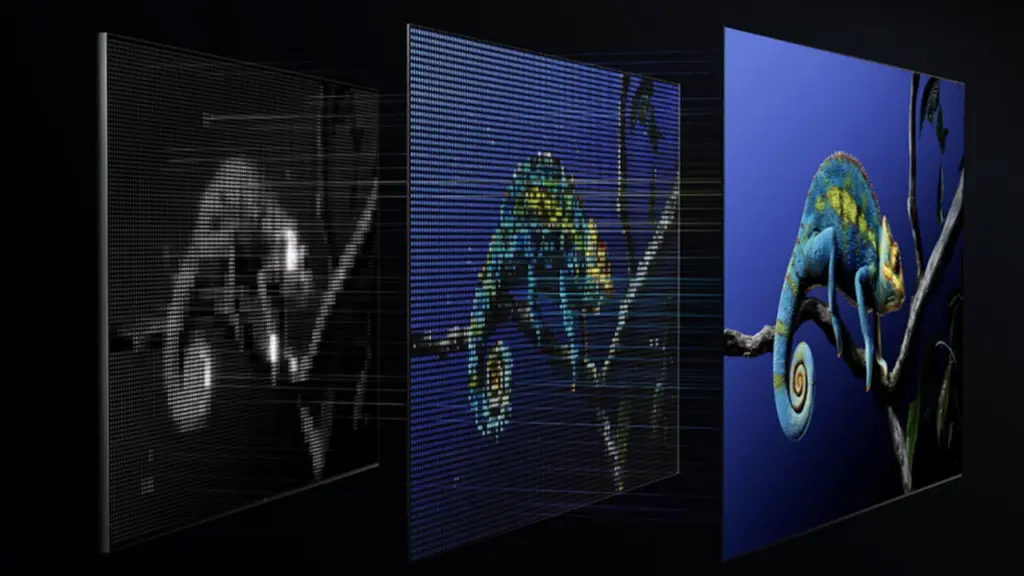
    The panels’ maximum brightness is 5,200 nits, while the 98-inch model’s local dimming zones vary from 3,864 to 1,792. Each display boasts a professional-grade ΔE≈1 color accuracy rating, 10.7 billion colors, and a 95% DCI-P3 color gamut.

    With a WHVA base and a unique anti-glare coating, the TVs’ low-reflection wide-angle display lowers surface reflectance to just 0.5%. Xiaomi claims that this provides better off-angle contrast than traditional displays and enhances visibility in bright areas. Aiming for an immersive viewing experience, the chassis incorporates a 0.9mm black border and an ultra-slim 4.35mm bezel.

    A MediaTek 9655 chipset with a quad-core Cortex-A73 CPU, 4GB RAM, and 64GB storage powers Xiaomi‘s most recent HyperOS 3 operating system, which is compatible with all models. Xiaomi’s Super XiaoAi voice assistant, a 4K user interface, and dynamic scene modifications utilizing ambient light sensors are all supported by the operating system.

    Xiaomi TV S Pro Mini LED 2026 1

    Motion compensation, AI-based upscaling, and real-time color tweaking are all handled by Xiaomi’s proprietary XM9000 image processor and Master Image Engine. Dolby Vision, HDR10+, Filmmaker Mode, VRR, MEMC, and FreeSync Premium Pro are also supported by the TVs.

    Two upward-firing units for Dolby Atmos surround effects and a 2.1.2-channel speaker system with 61W output, adjusted by Harman, power the audio. Xiaomi has not verified whether the new, incredibly thin silver remote control is made of metal, but it does come with a dual-height metal stand with the TVs.

    The TVs have three HDMI 2.1 connections (one with eARC), USB 2.0 and 3.0, optical out, AV in, LAN, and antenna input for connectivity. Bluetooth 5.2 and Wi-Fi 6 are supported by the TVs.

    Additionally, Xiaomi included a millimeter-wave radar device that uses proximity to trigger eye-care alerts in Kids Mode. The TVs allow multi-screen sports streaming and are integrated into Xiaomi’s Mi Home platform.

    In related news, AKAI has released its PowerView Series TVs in India with prices starting at ₹13,990, while TCL has unveiled the QM9K QD-Mini LED TV with Google Gemini and 6,500 nits of brightness.