Tag: android

  • Temporarily free apps and games for both iOS and Android – check them now!

    Temporarily free apps and games for both iOS and Android – check them now!

    Why not look through our carefully selected list to find any hidden gems that could be the ideal complement to your library of apps? Keep in mind that these deals are only available for a short time, so act quickly!

    We cannot guarantee that these deals will be available on the Google Play Store or the Apple App Store for an extended period of time, so please be aware that they are time-sensitive. Downloading and installing them as soon as you can is advised. Additionally, watch out for potential subscription traps, in-app purchases, and adverts.

    Even if you don’t require an app right away, install it if it piques your curiosity. It will be added to your app library and marked as “bought” as a result. After that, you may uninstall the app straight from your phone and get it back for free anytime you need it.

    Android Apps and Games

    Apps

    • Warwil Pink Icon Pack ($0.99): Love Barbie and everything pink? This icon pack will get you started.
    • Rigoletto Squircle Icon Pack ($1.49): Want to get your icons looking not much like a circle and neither is it a square? This icon pack has got you covered.
    • Clear Wave – Water Eject Jet ($2.49): Want to remove water from your phone’s speakers? This app will play your speakers as loudly as possible.

    Games

    • Cooking Quest ($0.99): Running a food business is never easy, and can get quite stressful at times. Do you have what it takes? 
    • Warriors Market Mayhem ($0.99): Send a party of heroes to get rid of horrible monsters that are plaguing the city. 
    • Heroes Legend ($0.99): Assemble a team of heroes to overcome various enemies standing in your way.
    • Spelling Pro! ($1.49): Train both spelling and language skills, in addition to your memory in an entertaining manner.
    • Grow Zombie ($1.99): Want to create your own zombies? Merge different types and see what kind of results you get!

    iOS Apps and Games

    Apps

    • Pin Points Distance Calculator ($0.99): Want to know the distance between two points? This app will get you up to speed in no time at all.
    • Instant Noodles: Original ($4.99): Do you tend to create quotes or make notes on the fly? This app adds an artistic flair to it.
    • Chain Timer ($0.99): Boost your productivity with this app by having focused sessions, making it useful for work, studying, and staying on track. 
    • Compound Interest Calculator ($1.99): If you work at a bank or deal with mortgages and loans, having a compound interest calculator is always handy.
    • Rasa Music Visualizer ($1.99): Enjoy music while having beautiful visuals to accompany it.

    Games

    • Starry Night Interactive ($0.99): Here’s your chance to interact with this historical artwork without destroying it. 
    • Cut the Buttons ($1.99): This is a classic game that continues to entertain new fans. Get it now for free!
    • Ace Academy Visual Novel ($9.99): Here’s a visual novel that really tickles your imagination as you progress deeper into the story.
    • Axion Run ($0.99): It is up to you to assist the brave axion to break gravity and get away from his evil twin, with the hope of achieving the highest score.
    • The Bug Butcher ($0.99): An intense side-scrolling action shooter that requires lightning-fast reflexes to navigate tricky levels.

    As of the date of publication, the deals were active. In the comments section below, please let us know if you find a bargain that has expired.

    We advise reviewing the app’s details in the Play Store or App Store before to downloading any of the aforementioned apps. This is crucial as some of these free apps can offer unique features or drawbacks of their own.


  • Made by Google 2025 – how to watch and what to expect

    Made by Google 2025 – how to watch and what to expect

    For Google, the Pixel 9 series marked a significant turning point. With a fresh design, robust software support, and an extensive array of practical AI functions, it signaled the company’s transition into a reputable flagship smartphone manufacturer.

    But the Pixel 9 has been out for about a year now. The Pixel 10 series is now ready to take center stage.

    The Pixel 10 series is anticipated to be introduced at Google’s Made by Google event on August 20, 2025, which Google formally confirmed on Wednesday, July 16, 2025.

    Here’s how to watch the Pixel 10 launch event live, along with the precise time, date, location, and announcements to anticipate.

    When and how to watch the Google Pixel 10 launch event

    On August 20, 2025, Google’s Pixel 10 series launch event will begin at 1 PM ET (10 AM PT).

    Google used to release Pixel smartphones in September, following Apple’s iPhone event. Nevertheless, the firm shifted its calendar to August with the Pixel 9, and the Pixel 10 is now operating on the same timetable.

    For those of us who can’t make it, Google will broadcast the unveiling, even though it will take place in person.

    Here is a list of global time zones so you know exactly when to tune in, even though the event starts at 1 PM ET in New York:

    Time zoneStart timeDate
    New York (ET)1:00 PMAugust 20, 2025
    Los Angeles (PT)10:00 AMAugust 20, 2025
    London (BST)6:00 PMAugust 20, 2025
    Central Europe (CEST)7:00 PMAugust 20, 2025
    India (IST)10:30 PMAugust 20, 2025
    China (CST)1:00 AMAugust 21, 2025
    Japan (JST)2:00 AMAugust 21, 2025
    Sydney (AEST)3:00 AMAugust 21, 2025

    You may watch the event on any of your devices, including laptops, gaming consoles, cellphones, and smart TVs, since Google will be livestreaming it on YouTube as usual.

    You can either tap the Notify me button to receive a reminder or save the keynote to your Watch Later playlist when the YouTube page goes live. A few minutes prior to the commencement of the event, you will receive a notification from the YouTube app.

    Your local time for the event will also be displayed in the stream listing. When the official keynote video is live, we’ll embed it above, so be sure to return.

    What we can anticipate from the Made by Google this year

    made by google 2024 products

    The new Pixel 10 series will undoubtedly be the main attraction.

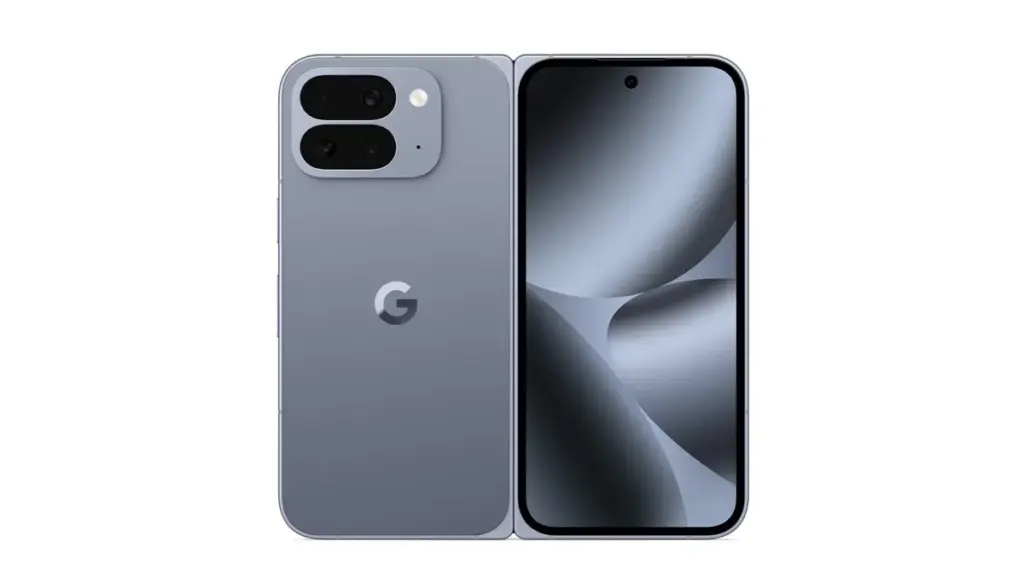
    The Pixel 10, Pixel 10 Pro, Pixel 10 Pro XL, and Google’s third-generation foldable smartphone, the Pixel 10 Pro Fold, are all anticipated to be part of the same range as the Pixel 9.

    The Pixel 10 lineup isn’t anticipated to receive a significant visual makeover, as Google has already updated the Pixel’s design language with the Pixel 9 series. Instead, the phones’ designs will probably stay similar to those of the previous year.

    But some significant improvements are anticipated.

    Most importantly, it has been speculated that the base Pixel 10 would (finally) include a telephoto zoom lens, something that Pixel owners have long wanted.

    This implies that a triple-camera configuration – possibly comprising a 50MP primary sensor, a 12MP ultra-wide, and a 10.8MP telephoto lens – will probably be included in the base model.

    A larger 4,970 mAh battery (up from 4,700 mAh on the Pixel 9) and somewhat quicker cable charging at 29W (a tiny increase from 27W on the previous generation) are other anticipated features of the Pixel 10.

    Speaking of batteries, it is anticipated that the Pixel 10 Pro and Pixel 10 Pro XL would come with bigger cells than previous models. It has been reported that the Pixel 10 Pro XL will have the largest battery in a Pixel phone, with a capacity of 5,200 mAh.

    The Pro models might start at greater base storage tiers this time around, even if the camera systems are anticipated to mostly stay the same as the previous generation.

    The Pixel 10 Pro XL may cost $100 more than its predecessor, according to certain speculations.

    It looks like Google is working on some significant improvements for the Pixel 10 Pro Fold.

    Although there are rumors that it may have a larger 6.4-inch cover display, the smartphone will feel exactly as small in the hand because of a better hinge.

    Additionally, a larger battery and an IP68 rating are anticipated for the foldable. However, the Tensor G5 processor will probably be the most significant improvement throughout the whole Pixel 10 family.

    Pixel 10 Pro Fold official rende

    According to reports, Google and TSMC have teamed up to produce the Tensor G5 for the Pixel 10 series.

    According to reports, the chipset is based on the 3nm technology, which should increase efficiency over Samsung’s Tensor G4.

    This might seem like a small change, but it could have a big impact on sustained performance and power efficiency.

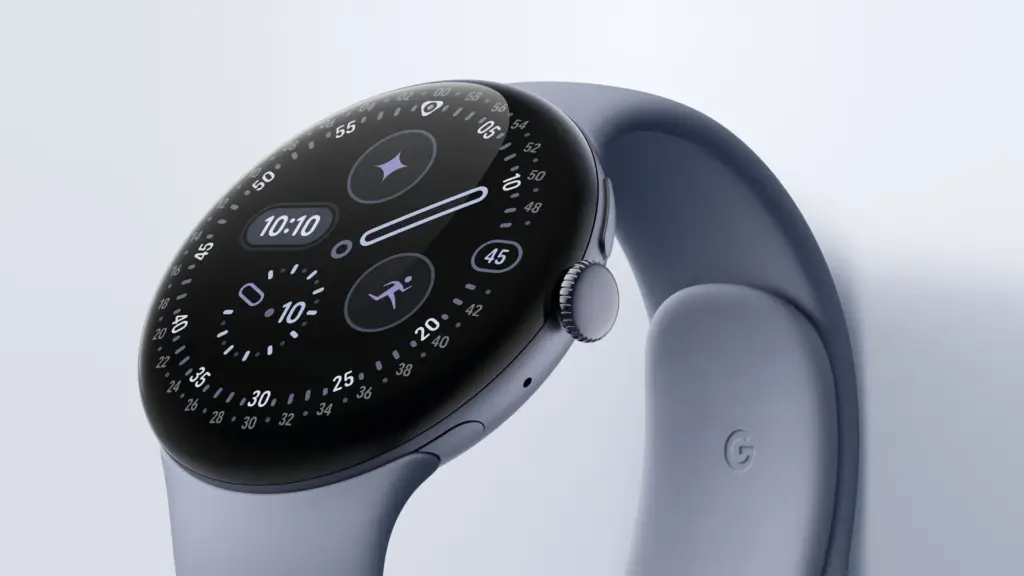
    At the Made by Google event, Google is anticipated to reveal the Pixel Watch 4 in addition to the Pixel 10 series.

    According to reports, the Pixel Watch 4 will have new buttons and even smaller bezels than the Pixel Watch 3, while yet maintaining the same spherical appearance.

    More significantly, the Pixel Watch 4 series is expected to provide a much-needed advance in strength training, complete with Workout Builder and real-time workout coaching.

    pixel watch 4 Made by Google event

    This would at last establish the Pixel Watch as a viable choice for athletes seeking a specialized health-tracking gadget.

    There are reports that Google may release the Pixel Buds 2a to complete the product lineup.

    The first Pixel Buds A were released more than four years ago, and it appears that Google is now prepared to update its reasonably priced earbuds.

    Better ANC, longer battery life, and four color options are possible features of the Pixel Buds 2a.

    Overall, it looks like Google will have a crowded event for the second year in a row.

    Expect news on Gemini and Android 16 features, like as the upgrade that makes Material 3 Expressive available on all devices, as is customary with Google keynotes.
    ,

  • 5 smartphones leading the way with silicon-carbon battery technology

    5 smartphones leading the way with silicon-carbon battery technology

    The silicon-carbon phones that are officially available for purchase in the West are examined in depth here, along with their significance.

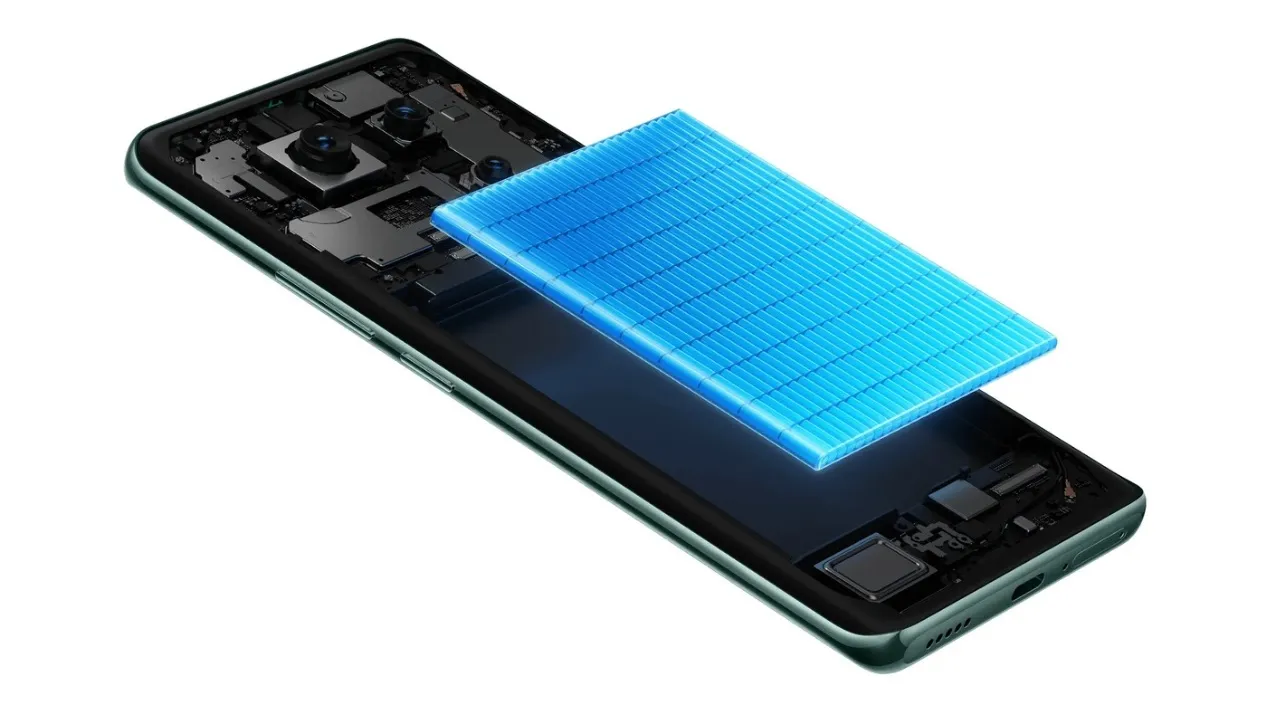
    The competition for smartphones in 2025 will involve more than simply megapixels, AI capabilities, and display brightness. It’s also about the battery, especially, which is located beneath the hood. Silently revolutionizing endurance and charging speeds, silicon-carbon battery technology is no longer just available in domestic Chinese markets.

    In Western countries, a number of prominent companies have begun to provide silicon-carbon smartphones, giving customers in North America and Europe access to a new level of battery performance.

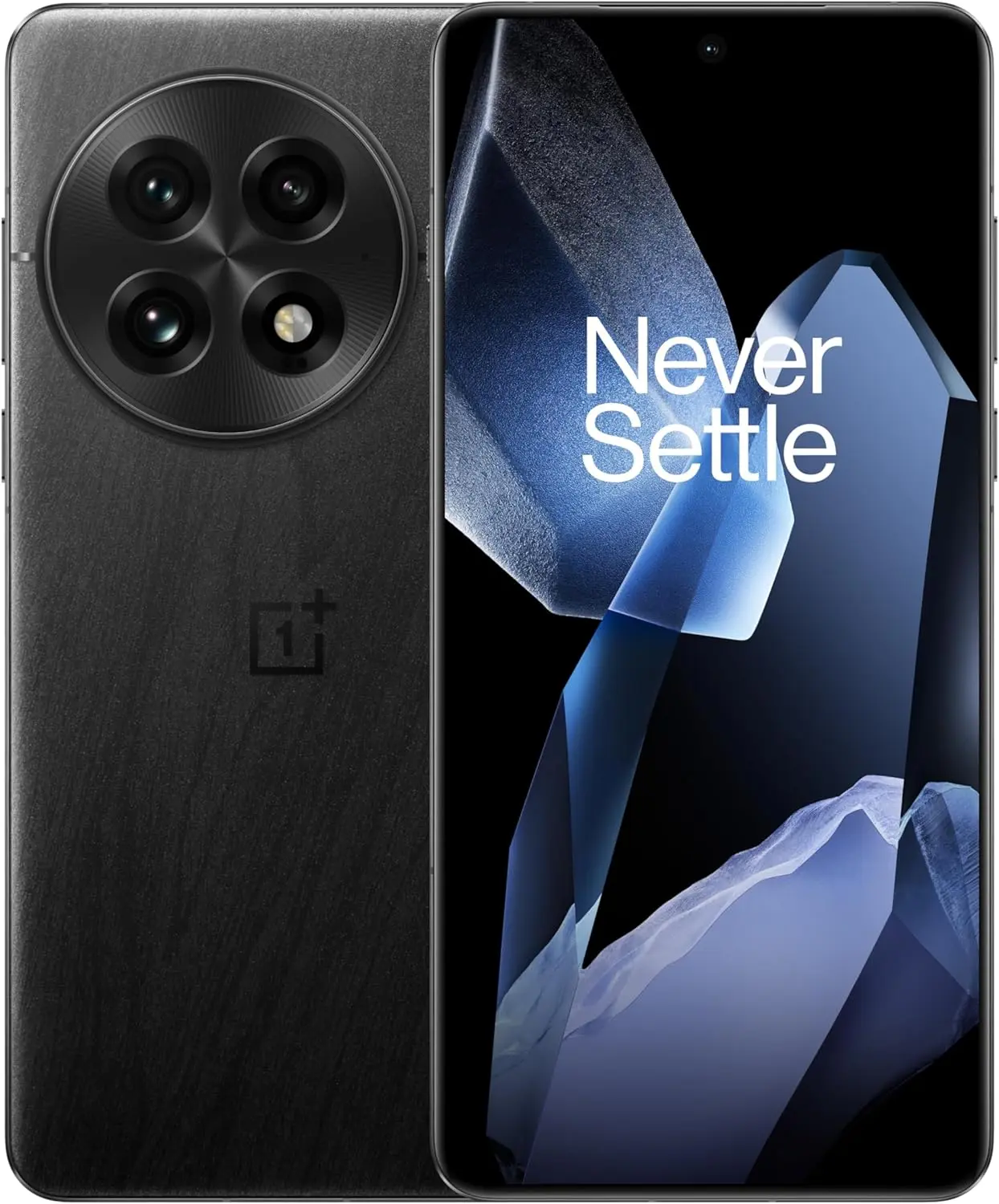
    OnePlus 13

    Oneplus 13 silicon–carbon battery technology

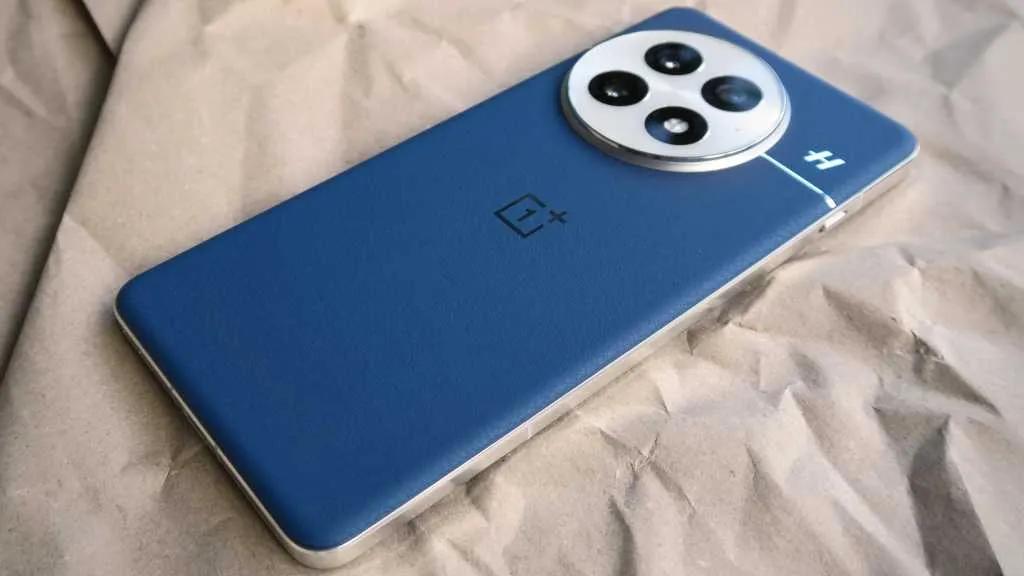
    The OnePlus 13’s 6000mAh dual-cell silicon-carbon battery, the largest in a OnePlus flagship to yet, further advances the company’s leadership in battery advancements. With one of the highest energy densities for a dual-cell configuration (805Wh/L), it keeps the device relatively small while significantly increasing battery life.

    Additionally, charging is not neglected. In addition to 50W wireless charging and 100W SuperVOOC wired charging, the phone now offers magnetic wireless charging—a first for OnePlus. A Snapdragon 8 Elite chipset, a gorgeous 2K BOE X2 LTPO AMOLED screen with a peak brightness of 4500 nits, and a triple 50MP camera configuration with a new tri-prism periscope lens are all included to match this power.

    OnePlus 13 with silicon-carbon battery

    OnePlus 13

    Lightning-Fast Snapdragon 8 Elite Processor: Powered by the latest Qualcomm Snapdragon 8 Elite chipset, enjoy exceptional speed, efficiency, and performance for gaming, multitasking, and productivity.

    $999Amazon

    Honor Magic 7 Pro

    honor magic 7 pro lineup

    With a 5850mAh cell and 100W wired and 80W wireless charging, the Honor Magic 7 Pro goes all out rather than relying solely on silicon-carbon batteries. The battery easily outlasts the majority of other flagships in its class, and it represents a significant improvement over the standard 5000mAh configurations.

    The Magic 7 Pro boasts an impressive array of specifications, including a variable aperture primary sensor, a Snapdragon 8 Elite chip, a 200MP periscope telephoto with 100x magnification, and up to 1TB of UFS 4.0 storage. The top-tier devices also include satellite messaging, which is another feature that looks forward for customers in the West.

    Xiaomi 15 and Xiaomi 15 Ultra

    Xiaomi 15 Ultra

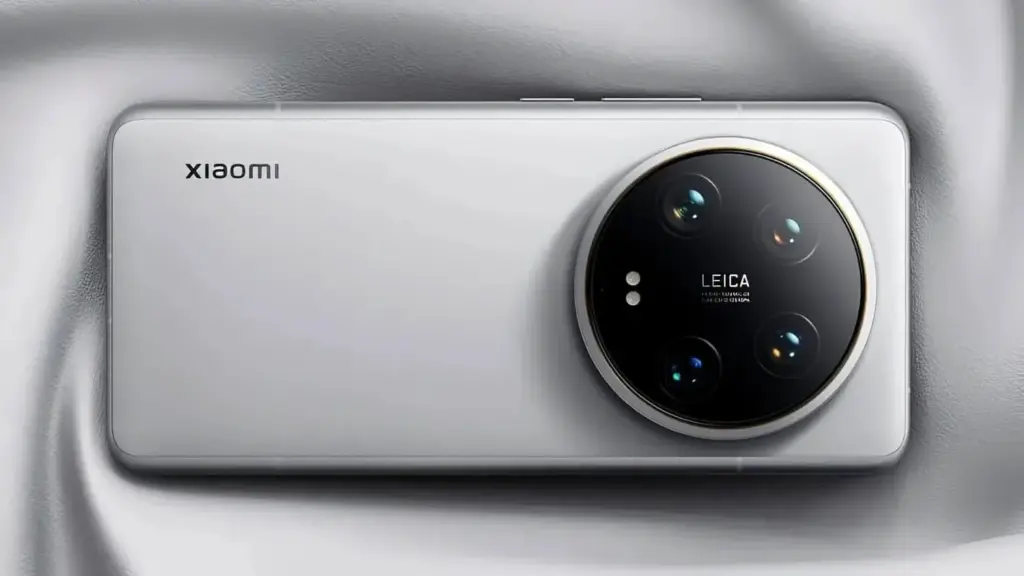
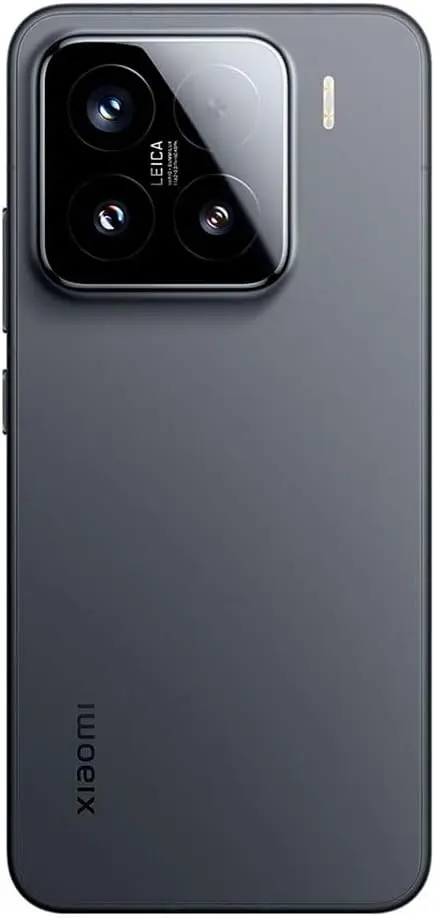
    Although more subdued, Xiaomi’s silicon-carbon implementation is just as stunning. The Xiaomi 15‘s body is only 8.08 mm thick, and it houses a 5240mAh battery. With Xiaomi’s Surge P3 and G1 chips controlling heat and power supply, it enables both 50W wireless and 90W cable charging.

    But the Xiaomi 15 Ultra is the tipping point. It incorporates a 200MP Leica periscope telephoto, a 1-inch primary sensor, a 5410mAh battery with the same charging configuration, and support for cutting-edge videography features like 10-bit log capture for all four rear cameras.

    xiaomi 15 silicon carbon battery

    Xiaomi 15

    Dual SIM (nano SIM + nano SIM or nano SIM + eSIM, eSIM + eSIM). 6.36″ 3200 nits ultra-bright displayCrystalRes AMOLEDAlways-active DisplayResolution: 2670 x 1200, 460 ppiRefresh rate: 1-120HzTouch sampling rate: Up to 300Hz*Touch sampling rate may vary according to the content on your display.Color gamut: DCI-P3Color depth: 68 billion colorsPeak brightness: 3200 nits covering 25% display areaDimming: DC dimmingOriginal color ProPro HDRWet touch technologyHDR10, HDR10+, Dolby VisionTÜV Rheinland Low Blue Light (Hardware Solution) CertifiedTÜV Rheinland Flicker Free CertifiedTÜV Rheinland Circadian Friendly Certified

    $919.50Amazon

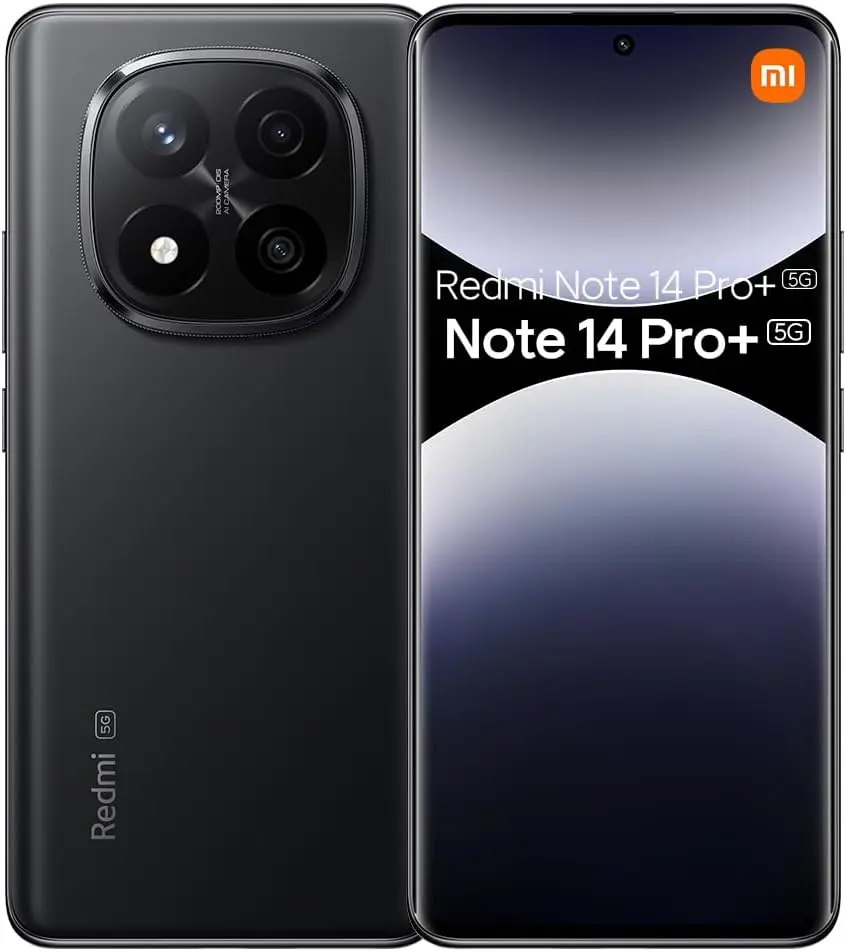
    Redmi Note 14 Pro+

    Xiaomi Redmi Note 14 Pro

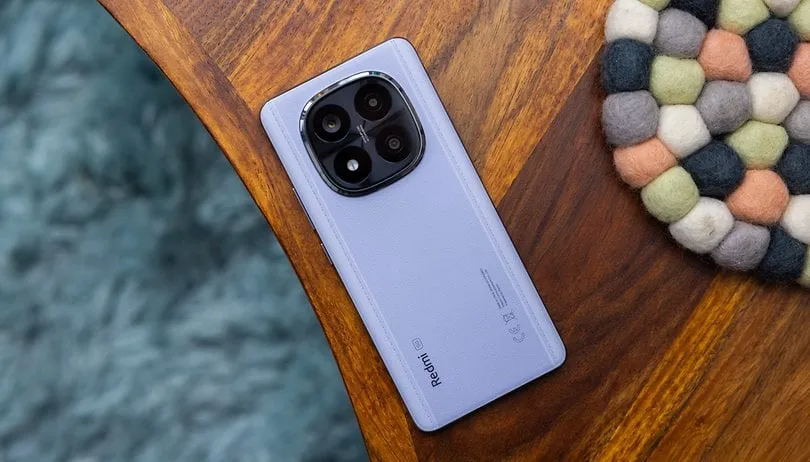
    Perhaps the most reasonably priced entry point into the world of silicon-carbon smartphones is the Redmi Note 14 Pro+. Supported by Xiaomi’s Surge P2 and G1 CPUs, it has a 6200mAh battery, one of the biggest in any popular phone this year. Despite its enormous capacity, the phone can be charged in less than 40 minutes using a 90W fast charging method.

    It’s not only a matter of endurance. The phone also features a 50MP triple-camera configuration with a 2.5X telephoto lens, a 1.5K OLED display with a maximum brightness of 3000 nits, and a Snapdragon 7s Gen 3 processor. It also has a stylish Victus 2 glass design and complete IP69 protection.

    redmi note 14 pro plus

    6.67″ CrystalRes AMOLED displayResolution: 2712 x 1220 (1.5K resolution)Refresh rate: Up to 120HzTouch sampling rate: Up to 480HzBrightness: 3000nits peak brightnessColor depth

    Oppo Find X8 Pro

    oppo find x8 pro

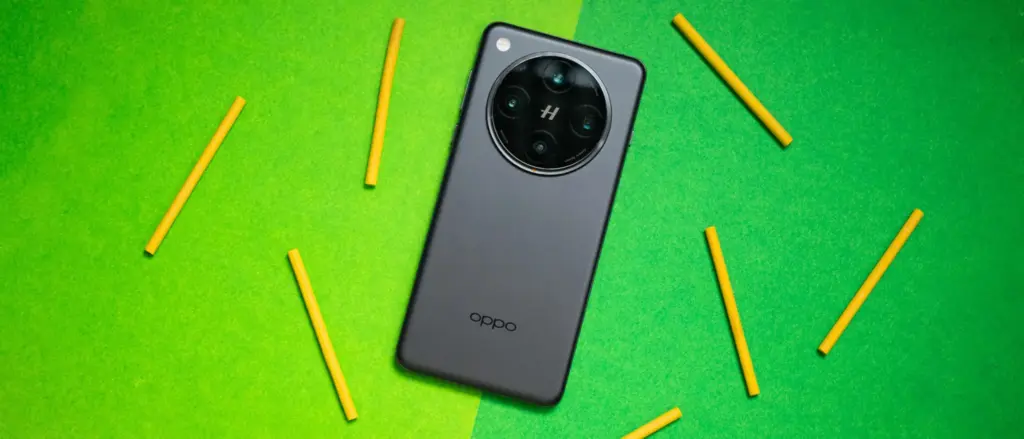
    The Find X8 Pro from Oppo is a prime illustration of how flagship-tier features and silicon-carbon batteries can coexist without sacrificing style. 80W wired, 50W wireless, and 10W reverse wireless charging are all supported by the 5910mAh battery. One of the most durable flagships Oppo has ever produced, the endurance advantage is evident.

    Its internal components include a strong quad 50MP camera system with dual periscope lenses that provide up to 6x optical zoom, a powerful Dimensity 9400 processor, and compatibility for up to 1TB of UFS 4.0 storage. In addition, the phone has an industry-leading AMOLED panel with a maximum brightness of 4500 nits and IP69 certification.


    Silicon–carbon batteries are quickly becoming the next big leap in smartphone power technology, and the OnePlus 13, Honor Magic 7 Pro, Xiaomi 15, and Redmi 14 Pro Plus are just the beginning. With higher energy density, faster charging, and improved longevity compared to traditional lithium-ion cells, these devices showcase how the industry is evolving to meet our growing performance demands. As more manufacturers adopt silicon–carbon solutions, we can expect even slimmer designs, longer battery life, and fewer compromises — signaling an exciting new era for mobile technology.

  • Honor Phone Clone app now compatible with Android, iOS and HarmonyOS

    Honor Phone Clone app now compatible with Android, iOS and HarmonyOS

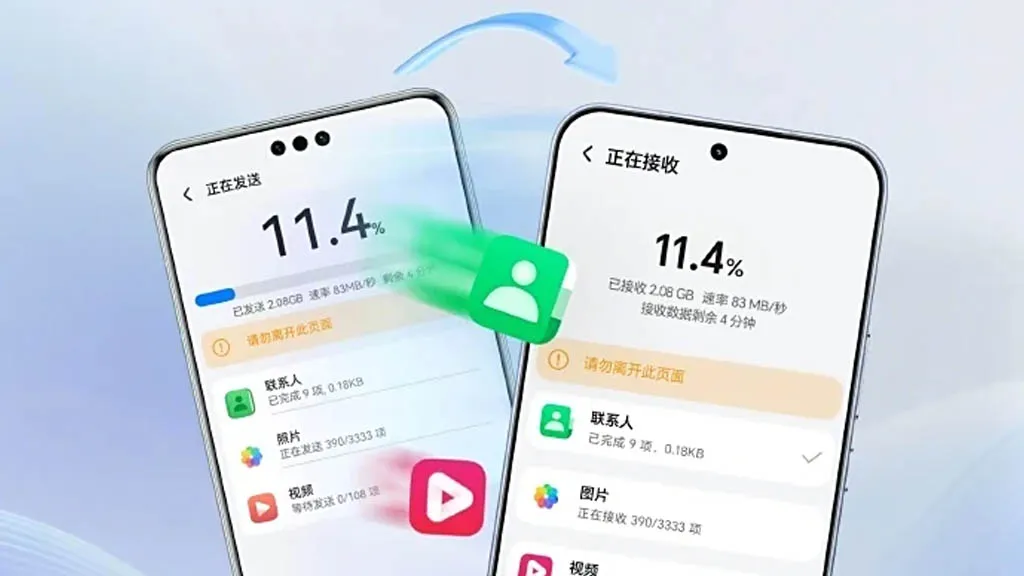
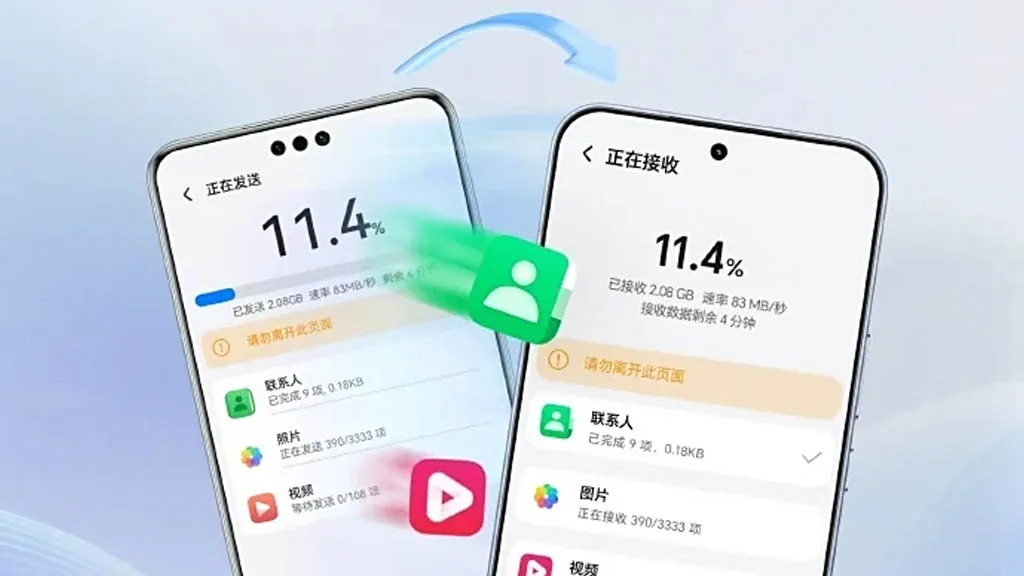
    A few months ago, Honor unveiled AI Connect, a technology that allows wireless file sharing between Honor and iOS devices from Apple. The company has now developed a new device cloning capability that is compatible with Huawei’s HarmonyOS Next, iOS, and Android.

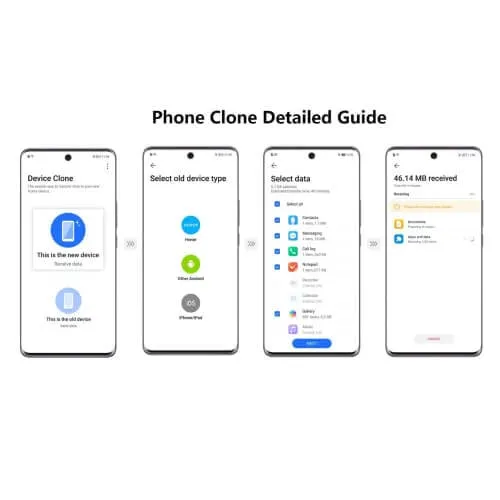
    To enable device cloning with devices running the three smartphone operating systems listed above, Honor has updated its Device Clone software. Through cloning, users will be able to effortlessly move data between devices without the need for extra gear or attachments.

    Device Clone 1

    Honor is the first brand to offer HarmonyOS Next data transmission as a result of this advancement. Users of Honor smartphones can download and install the “Device Clone” app from the official app store on both new and old devices in order to clone an old device.

    Next, open the Settings menu on the new smartphone and select Device Clone. Select Updates & System > Select Device Clone. Select the “This is a new device” option. Choose the “HarmonyOS” device type.

    blog mb

    On the old device, repeat the previous steps, but choose “This is an old device” rather than “This is a new device.” Next, link the two devices by scanning the QR code on the new device with the old one. Next, choose the data that needs to be moved to the new device and click “Next.”

  • UX lessons from Android that apply to Web Design

    UX lessons from Android that apply to Web Design

    When someone lands on your website, their experience matters – more than most businesses realise. In fact, user experience (UX) can make or break whether a visitor turns into a customer.

    While UX might seem like a tech-heavy concept, it simply means this: how easy and enjoyable your website is to use. And one of the best sources of UX insight comes from a place you might not expect – Android, the world’s most widely used mobile operating system.

    With billions of users worldwide, Android has mastered the art of intuitive, user-friendly design. And many of the principles it follows can – and should – be applied to your business website. A professional web design agency can help translate these UX lessons into a high-performing website that attracts, engages, and converts your visitors.

    Let’s take a look at some of the most valuable UX lessons from Android that your website could benefit from – and why working with the right agency makes all the difference.

    1. Consistency Builds Trust

    Android keeps things familiar. Whether you open a messaging app or a banking app, core elements behave in ways users expect – same buttons, similar layouts, predictable actions.

    How this applies to your website:
    Your customers don’t want to relearn how to use your website on every page. Consistent navigation, button styles, fonts, and branding build trust and reduce frustration.

    A good web design agency ensures every part of your site feels cohesive, guiding users smoothly through your content and towards the actions you want them to take.

    2. Design Should Be Clear, Not Clever

    Android’s Material Design guidelines focus on simplicity, clarity, and depth. Visuals aren’t just attractive – they help users understand what to do next.

    For your business:

    Clever design may win awards, but clear design wins customers. A cluttered or confusing website drives people away.

    3. Your Website Must Work on Every Device

    Android powers phones, tablets, TVs, and more. Its designers had to master responsive layouts – ensuring everything works no matter the screen size.

    The takeaway:

    Your customers are on the go. If your website doesn’t work seamlessly on their phone, they’re not sticking around.

    4. Speed Matters More Than You Think

    On Android, slow apps get uninstalled. People simply don’t have time for delays – and the same is true for websites.

    What this means for your site:
    If your pages take more than a few seconds to load, you’re losing business.

    5. Users Expect Feedback

    On Android, every tap, swipe, and interaction provides some kind of response – a visual cue, animation, or message that says “yes, we’ve received your input.”

    Your website should do the same:
    When someone clicks a button or submits a form, they expect an immediate reaction. Without feedback, they may assume something’s gone wrong.

    6. Accessibility Isn’t Optional

    Android takes accessibility seriously, making sure users with different needs can still navigate, read, and interact with apps and devices.

    How this affects your business:
    Your website needs to work for everyone – including those with visual, hearing, or motor impairments. An experienced web design agency will follow accessibility standards (like WCAG) so your site is inclusive, legally compliant, and open to a wider audience.

    7. Whitespace Is Powerful

    Android’s design avoids clutter. It uses spacing strategically, letting important elements stand out and giving users a sense of calm and focus.

    What this means for your site:
    You don’t need to cram everything above the fold. Clean, spacious layouts are easier to read and more engaging.

    8. Start with the User – Not the Business

    Perhaps the most valuable lesson from Android is this: design everything around the user’s needs. Every screen, every button, every action is designed to make things easier for the person using it.

    That’s how your website should work, too.
    A professional web design agency will begin by understanding your customers – their goals, pain points, behaviours, and expectations. From there, they’ll create a site tailored to your audience, not just your internal preferences.

    Why Work With a Web Design Agency?

    It’s tempting to think that anyone can build a website using a drag-and-drop tool. But while DIY platforms can create something that “looks okay”, they rarely offer the performance, polish, and strategy that a professionally designed site delivers.

    Here’s how a web design agency helps you apply these UX lessons in a way that drives results:

    • Strategic Planning – They’ll start by understanding your business goals, ideal customers, and competitors.
    • Custom Design – No templates here. Your site will reflect your brand, tone, and market position.
    • Responsive & Accessible – Your site will look great and work flawlessly on any device, for any user.
    • Optimised for Speed & SEO – Every detail is considered to maximise performance and search visibility.
    • Ongoing Support – Post-launch updates, security, and advice keep your site evolving with your business.

    UX Isn’t Just for Tech Giants

    Android’s design success wasn’t accidental – it was built on years of refining how people interact with technology. Those same principles can transform your website into a tool that not only looks good but works hard for your business.

    Great UX isn’t just for apps. It’s for your business website, too – and the right agency can help you get there.

  • Official Android 16 support list from Xiaomi

    Official Android 16 support list from Xiaomi

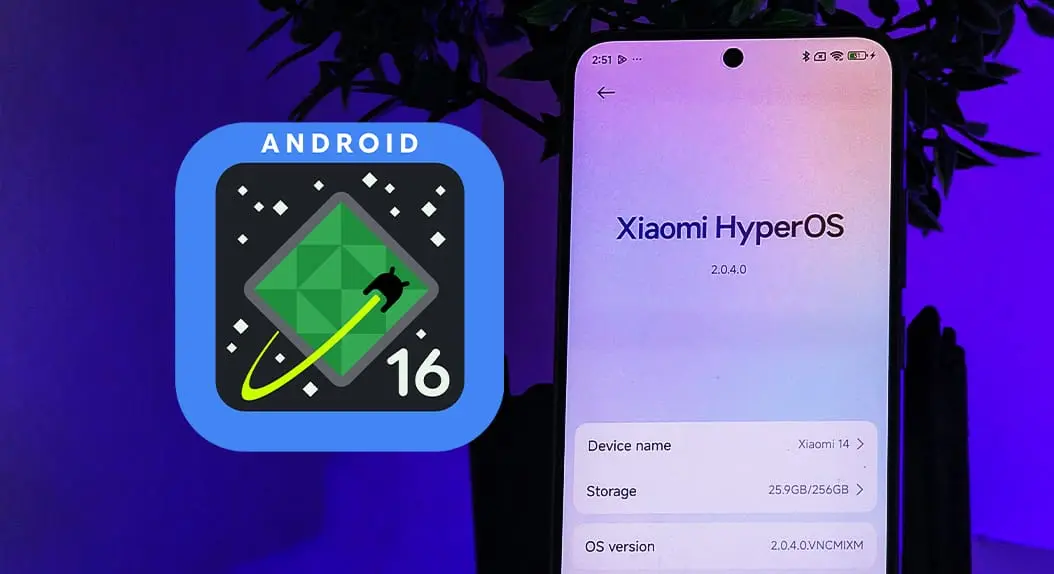
    Many computer fans are surprised by Google’s recent statement that it will release two Android SDK updates per year. Thus, Android 16 can be released much in advance of this cycle, before June 2025. All devices are currently receiving Android 15 upgrades, but Xioami is preparing for the next major step—integrating Android 16 capabilities into their next HyperOS.

    The complete list of Xiaomi, Redmi, and POCO devices that could receive the update to HyperOS, an Android 16-based operating system, is provided below. It is easily grouped for your review.

    Official Android 16 support list from Xiaomi

    Current Android 16 released Devices

    Android 16 is currently released based on HyperOS 2.3.

    • Xiaomi 15
    • Xiaomi 14T Pro
    • REDMI K70 Ultra

    Xiaomi Flagship Devices

    Currently, high-end models with great performance and features are taking center stage in Xiaomi’s update plans:

    • Xiaomi 13 (fuxi)
    • Xiaomi 13 Lite (ziyi)
    • Xiaomi 13 Pro (nuwa)
    • Xiaomi 13 Ultra (ishtar)
    • Xiaomi 13T (aristotle)
    • Xiaomi 13T Pro (corot)
    • Xiaomi 14 (houji)
    • Xiaomi 14 CIVI (chenfeng)
    • Xiaomi 14 Pro (shennong)
    • Xiaomi 14 Ultra (aurora)
    • Xiaomi 14T (degas)
    • Xiaomi 14T Pro (rothko)
    • Xiaomi 15 (dada)
    • Xiaomi 15 Pro (haotian)
    • Xiaomi 15 Ultra (xuanyuan)
    • Xiaomi 15S Pro (dijun)
    • Xiaomi CIVI 5 Pro (luming)
    • Xiaomi Civi 2 (ziyi)
    • Xiaomi Civi 4 Pro (chenfeng)
    • Xiaomi MIX FLIP (ruyi)
    • Xiaomi MIX FLIP 2 (bixi)
    • Xiaomi MIX FOLD 4 (goku)
    • Xiaomi Mix Fold 3 (babylon)
    • Xiaomi Pad 6 Max 14 (yudi)
    • Xiaomi Pad 6 Pro (liuqin)
    • Xiaomi Pad 6S Pro 12.4 (sheng)
    • Xiaomi Pad 7 (uke)
    • Xiaomi Pad 7 Pro (muyu)
    • Xiaomi Pad 7 Ultra (jinghu)
    • Xiaomi Pad 7S Pro 12.5 (violin)

    Redmi Devices

    Known for good-level performance at competitive prices

    • REDMI K Pad (turner)
    • REDMI K80 (zorn)
    • REDMI K80 Pro (miro)
    • REDMI K80 Ultra (dali)
    • REDMI Pad 2 (taiko)
    • REDMI Pad 2 4G (koto)
    • REDMI Turbo 4 (rodin)
    • REDMI Turbo 4 Pro (onyx)
    • Redmi 13 (moon)
    • Redmi 13 5G (breeze)
    • Redmi 13X (moon)
    • Redmi 14C (lake)
    • Redmi A3 Pro (lake)
    • Redmi A4 (warm)
    • Redmi K60 Pro (socrates)
    • Redmi K60 Ultra (corot)
    • Redmi K70 (vermeer)
    • Redmi K70 Pro (manet)
    • Redmi K70 Ultra (rothko)
    • Redmi K70E (duchamp)
    • Redmi Note 13 Pro (garnet)
    • Redmi Note 13 Pro+ (zircon)
    • Redmi Note 13R (breeze)
    • Redmi Note 14 (beryl)
    • Redmi Note 14 4G (tanzanite)
    • Redmi Note 14 Pro (malachite)
    • Redmi Note 14 Pro 4G (obsidian)
    • Redmi Note 14 Pro+ (amethyst)
    • Redmi Note 14S (emerald_r)
    • Redmi Pad Pro (dizi)
    • Redmi Pad Pro 5G (ruan)
    • Redmi Pad SE 8.7 Wi-Fi (flare)
    • Redmi Turbo 3 (peridot)
    • Xiaomi Redmi Pad (yunluo)

    POCO Devices

    • POCO C75 (lake)
    • POCO C75 5G (warm)
    • POCO F6 (peridot)
    • POCO F6 Pro (vermeer)
    • POCO F7 (onyx)
    • POCO F7 Pro (zorn)
    • POCO F7 Ultra (miro)
    • POCO M6 (moon)
    • POCO M6 Plus 5G (breeze)
    • POCO M7 Pro 5G (beryl)
    • POCO Pad (dizi)
    • POCO X6 5G (garnet)
    • POCO X6 Pro (duchamp)
    • POCO X7 (malachite)
    • POCO X7 Pro (rodin)

    What to expect from Android 16:

    With HyperOS’s integration of Android 16, we can expect:

    Xiaomi makes sure that its devices remain competitive and feature-rich with regular Android updates as it keeps innovating. When Android 16 is released before the middle of 2024, the Xiaomi, Redmi, and POCO devices on the list will have access to the most advanced features of the most recent Android SDK. Once Xiaomi begins to push out the HyperOS improvements to these devices, more information will be released.

  • 2 ways to check your battery health on any Android phone

    2 ways to check your battery health on any Android phone

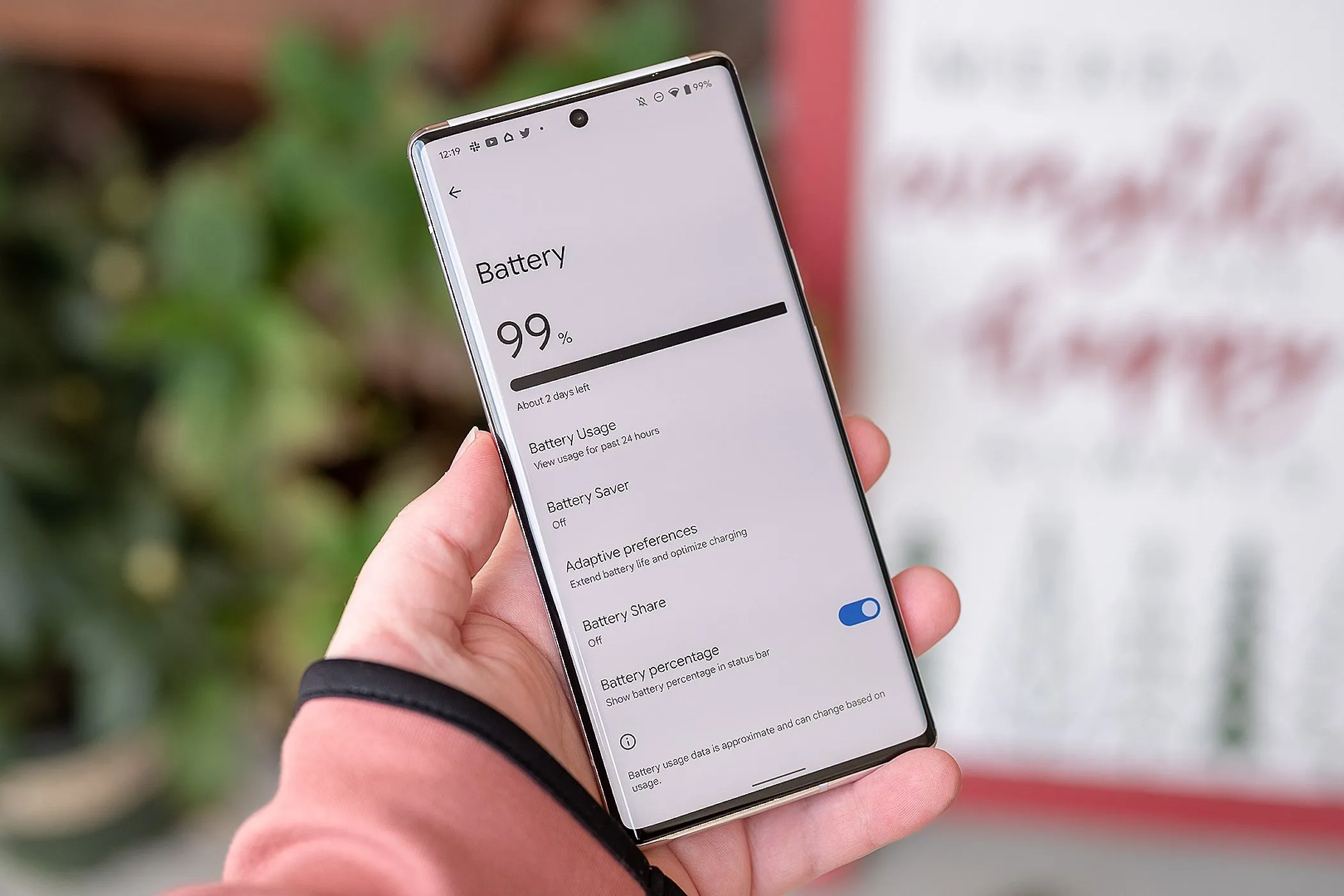
    It’s likely that you carry an Android phone in your pocket if you’re not using an iPhone. Google’s mobile operating system, Android, powers a variety of phones, including the Google Pixel and Samsung Galaxy. The lithium-ion battery is a feature shared by almost all Android phones. Only when these batteries are in good health can they be strong and effective. Your phone may start to drain more quickly, take longer to charge, or even shut down without warning as it ages or wears out. Because of this, monitoring the condition of your battery is more crucial than you may imagine.

    You can check the condition of your Android phone’s battery in two major ways. You can access your phone’s diagnostics by dialing a code. But not every phone can use this dial code. You can also utilize a third-party or internal app, such as Samsung’s Members app, to keep an eye on the condition of your phone’s battery.

    Using a dial code to check the battery health

    A dial code is a string of characters and digits that you enter as though you were making a phone call. You can access an automated system that gives you a summary of your phone’s diagnostics by dialing a code on compatible phones. This will cover the temperature and condition of the battery.

    Enter ##4636## on the dial screen of your phone. After that, access your battery health diagnostics by navigating through the menu. In the menu, this is typically called Battery Information. Depending on the phone kind you own, the options could change.

    Regretfully, not all Android smartphones are compatible with this code. Some are in favor of it, while others are not. You can determine whether the model of your phone supports this dial code in advance if you still have the manual or can get it online. However, just dialing it and seeing what happens might be quicker.

    Using an app to check the battery health

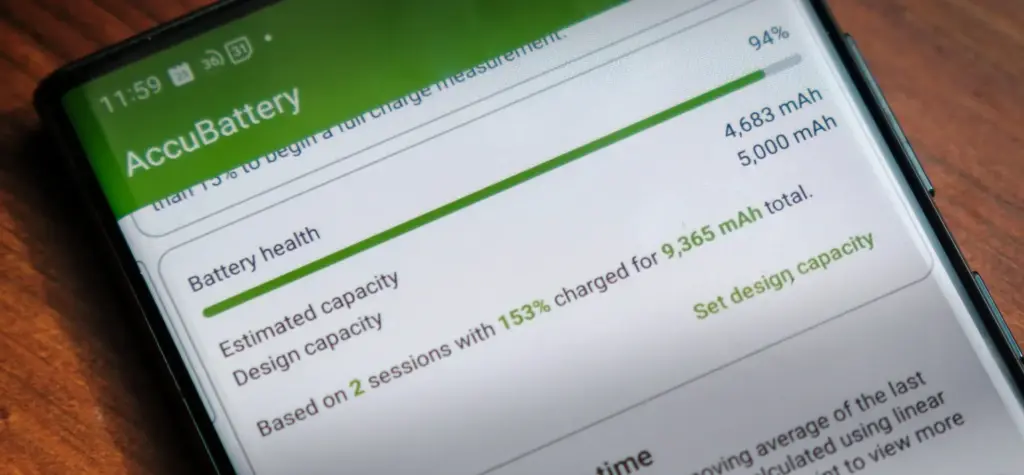
    AccuBattery Battery Health App e1754229139525

    To check the health of the battery, several Android phones offer a personal app option. The Samsung Members app is available from Samsung. You navigate to Support and then Phone Diagnostics using that app. From there, you can test the phone’s battery and other systems.

    acubattery battery logo

    Accu​Battery

    Accu​Battery displays battery usage information, and measures battery capacity (mAh) based on science.

    Another option is to use a third-party app, such as AccuBattery. AccuBattery can be downloaded from the Google Play Store. To demonstrate how well the battery is charging, it has a health monitor. Additionally, it offers up-to-date information about the battery life of your phone. This can help you maximize the battery’s performance and extend its lifespan.

    Maintaining the health of your Android’s battery is essential to its long-term functionality. The dial code is a fast way to check the battery, but not all phones can use it. By downloading an app, you can keep an eye on the condition of your battery and receive real-time reports to improve battery performance. With these resources at your disposal, you can properly care for your phone.

  • How to locate and remove “Stalkerware” from your device

    How to locate and remove “Stalkerware” from your device

    Even though your mobile device has many built-in safeguards to preserve your privacy and keep your data safe, it could still be subject to snooping if someone you know gains access to your accounts or installs hidden programs, or stalkerware, that follow you about. These malicious apps may spy on you by taking use of permissions and built-in capabilities on your Android or iPhone. Here’s how to find stalkerware on your smartphone and get rid of it.

    What is a stalkerware?

    Stalkerware is a type of malware that tracks and monitors your device’s activities, including messages, images, and location in real time, without your permission. Most frequently, stalkerware is an app that is downloaded straight to your device. It can be hidden from your home screen or masqueraded as something normal to make it harder for you to spot anything fishy. TechCrunch points out that Cocospy, Spyic, and TheTruthSpy are examples of popular stalkerware applications. Stalkerware can be installed or side-loaded from unapproved sources other than the Apple and Google Play stores.

    Large data usage on your device, a warmer or slower-than-normal phone, a faster-than-normal battery drain, an increase in screen time, and odd alerts are some potential indicators of stalkerware (and other dangerous programs). But stalkerware can exist without any of these problems. The Coalition Against Stalkerware claims that a typical indicator of monitoring isn’t really related to your phone’s technological features: Instead, it’s the stalker’s altered conduct or awareness of your actions.

    Keep in mind that although stalkerware apps are one way for someone to secretly monitor you, other phone settings, such backups, location sharing, and Google and Apple accounts that are controlled or accessible by someone else, can also be misused.

    If you think your phone may be compromised, you should consult Cornell University’s Clinic to End Tech Abuse (CETA), which offers comprehensive resources for detecting and eliminating stalkerware as well as other security measures to protect your device from eavesdropping.

    Create a safety plan first

    You must have a safety plan in place before trying to remove stalkerware from your device or alter shared access to your accounts and apps. The danger of abuse or harassment may rise if monitoring applications are removed or permissions are updated, alerting the person who installed them. A list of organizations and services for survivor aid in various nations may be found on the Coalition Against Stalkerware.

    Eliminating stalkerware also has the potential to destroy any evidence you might need to provide to law police if you intend to report the occurrence. You might want to record your experiences in a journal.

    stalkerware

    Check for unrecognized apps

    Even without an icon on the home screen, you can still access installed apps in your device’s settings. This can be found in the settings app on both iOS and Android, under the Apps or App management option. (On iOS, you have to scroll all the way to the bottom of the list to see hidden apps.) Keep an eye out for anything unfamiliar.

    You should look for any apps listed under this section of your settings because stalkerware on Android may exploit the access granted by your device’s accessibility mode. You can have a harmful program installed if you don’t use accessibility features or don’t identify an app. Device admin settings may potentially be exploited by stalkerware. Go to Device Admin App under Settings > Security. Nothing should be included here for the majority of personal devices.

    Review app permissions and settings

    Because stalkerware may misuse access to your device’s data, permissions are another approach to spot questionable programs. In your settings, you can view permissions for each individual app, including location, camera, microphone, and keyboard access. TechCrunch advises carefully examining which third-party apps on Android have access to your notifications, as this permits monitoring of your messages and alerts (check your device settings for Special app access).

    To control permissions and sharing with people and apps, utilize Apple’s Safety Check feature (Settings > Privacy & Security > Safety Check) if you’re running iOS 16 or later. Among other settings, you can update your passcode, reset system privacy permissions, switch devices linked to your Apple account, and verify who you are sharing information with. There is a Quick Exit button in case you need to exit with a single push, as well as an Emergency Reset option that will instantly stop transmitting all data from your device.

    Use this CETA guide to iOS safety if you don’t have Safety Check installed on your device or if you want to look into specific phone settings that might be sharing your data with someone else, such Family Sharing or text message forwarding.

    How to remove stalkerware from your device

    Getting a new phone, which you can and should lock down with a new PIN to stop someone with physical access to your device from installing dangerous apps, is the most drastic action you can take to avoid stalkerware.

    A factory reset is an additional choice that will remove all data and programs from your smartphone. This may be found in the Settings app on Android and Settings > General > Transfer or Reset iPhone on iOS (you can find the exact path on your device manufacturer’s support website). Keep in mind that any data that isn’t backed up, such contacts, messages, and pictures, will be lost. Even if you’re not positive whether your phone has a stalkerware program installed, a factory reset can be helpful. However, it could not resolve the problem if the spy still has access to the Google account or Apple ID linked to your device.

    Additionally, you can manually remove or uninstall programs from your device and utilize an antivirus app from a reliable provider to check for hidden and harmful apps (Google Play Protect can also do this on Android).

    After deleting stalkerware, make sure your device has a new lock screen passcode that is difficult for someone with physical access to figure out. You should also take precautions to secure your email and other accounts by using two-factor authentication and using strong, one-of-a-kind passwords.

  • Get almost 60% off for the Galaxy Watch 6 Classic LTE

    Get almost 60% off for the Galaxy Watch 6 Classic LTE

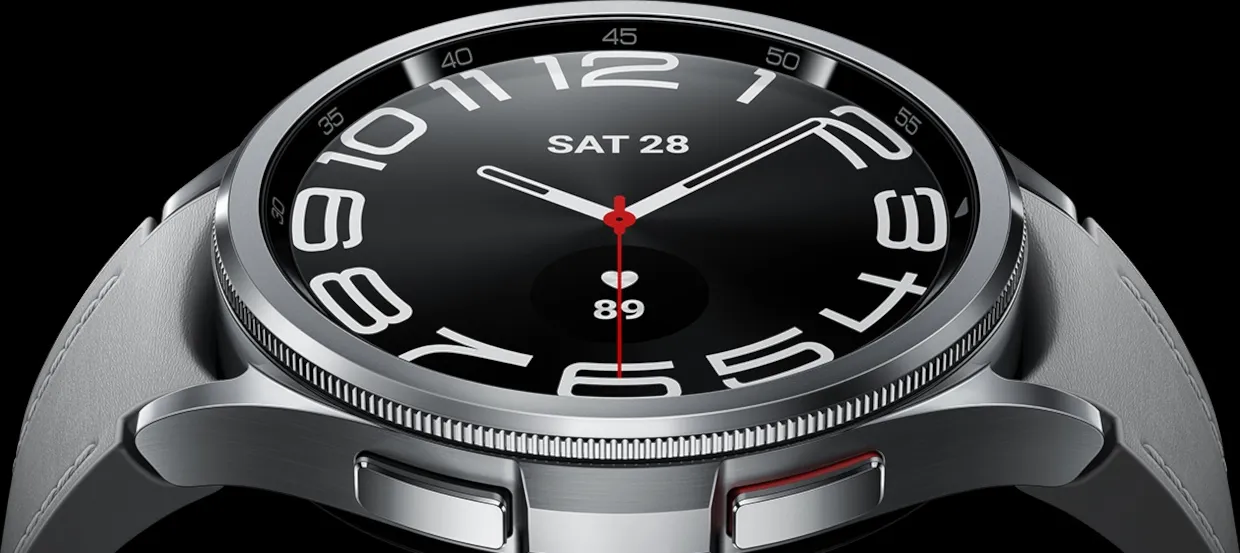
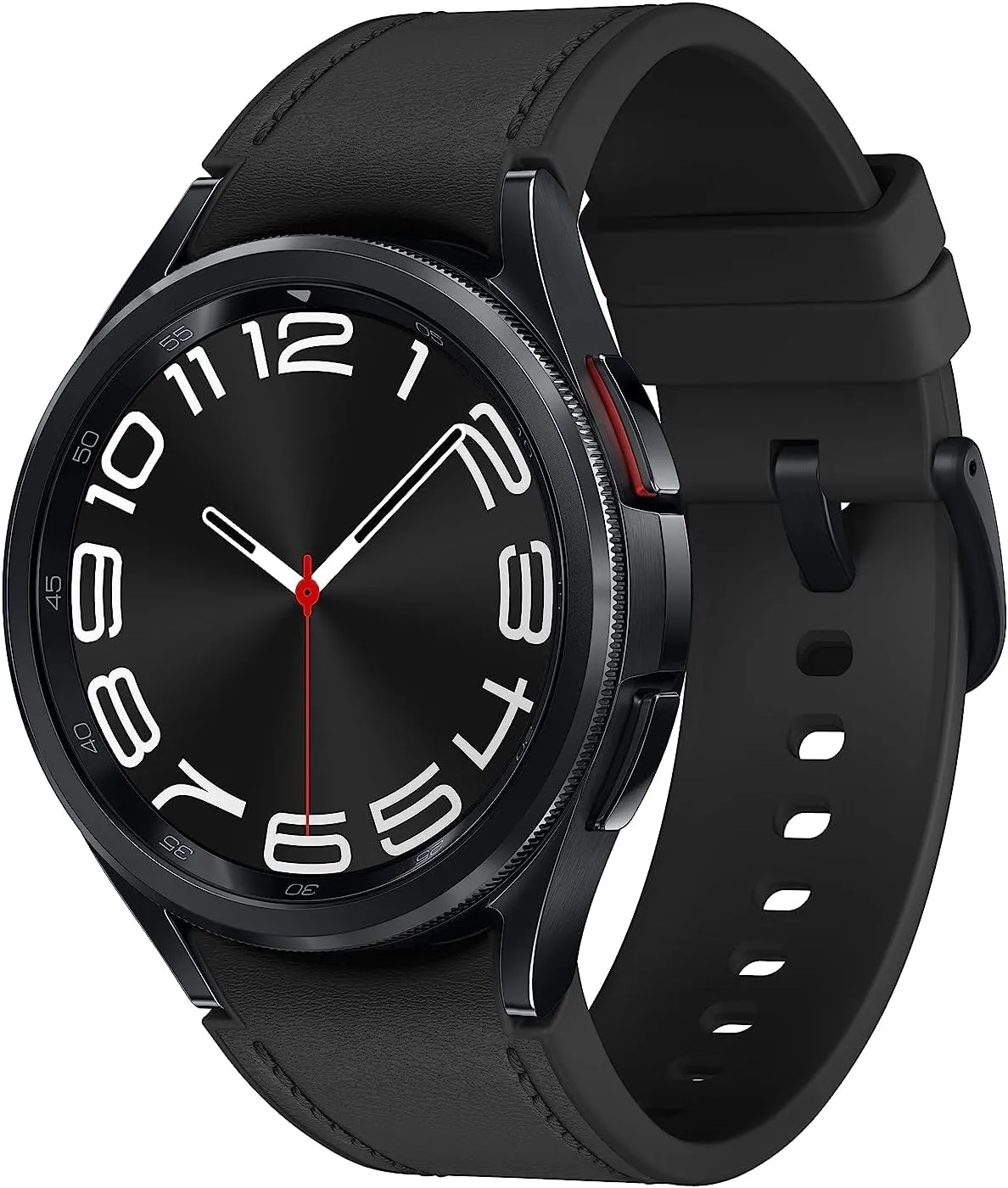
    The Pixel Watch 2 for Android users is the primary competitor of the Samsung Galaxy Watch 6, which debuted in 2023 with excellent specifications and features. By 2025, both of these smartwatches – made by Samsung and Google, respectively—remain viable choices for users in those ecosystems. If you’re searching for a good price on a reliable wristwatch and you use Samsung or Android, the Galaxy Watch 6 Classic is now only $180.99 (was $449.99) thanks to an almost 60% reduction from Best Buy. For comparison, the current price of this model on Amazon is $329.99.

    The 1.3-inch, 2,000-nit brilliant AMOLED screen of the Watch 6 features a digital bezel that allows for fast menu navigation. Best Buy also offers the larger 47mm screen with LTE for $240.99 (was $479.99) if that’s what you’re looking for.

    watch6classic 16

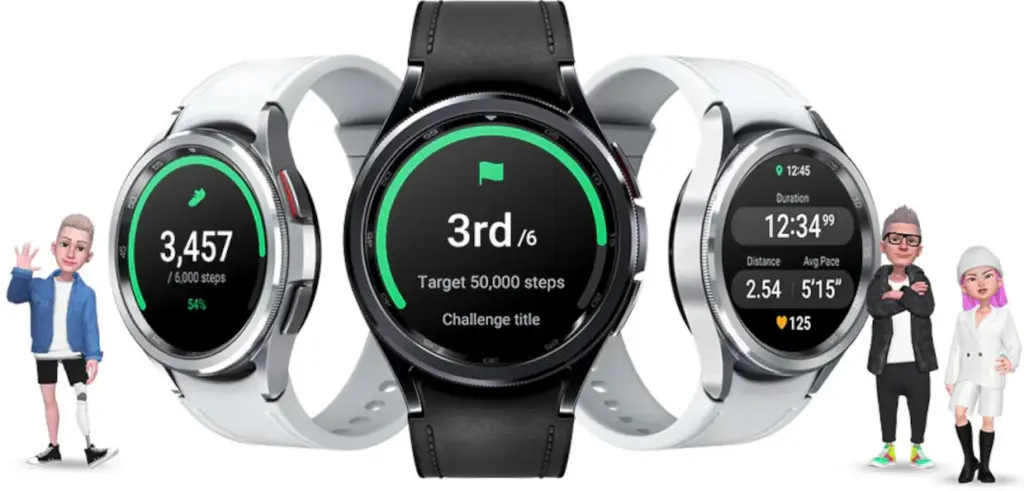
    All of the newest Wear OS features are available to you if you have an Android smartwatch. The Watch 6 has a number of unique functions, such as a temperature sensor, heart rate monitor, blood oxygen monitor, GPS tracking, and an accelerometer for measuring speed. Whether or whether your Android phone is within Bluetooth range, the Galaxy Watch 6 also lets you make and receive calls from it.

    galaxy watch 6 classic lte

    Samsung Galaxy Watch 6

    Galaxy Watch6 Classic features a timeless, iconic look and a bezel that just clicks with your style; It not only looks great, but it also rotates to give you easy access to all your apps

    $449.99$180.99Best Buy

    The Galaxy Watch 6 is “outstanding,” according to PCMag, which also named it the top 2023 wristwatch that works with Android. Yes, that was nearly two years ago, but for the price, Samsung customers still have a good choice. The main drawback will be the battery’s short lifespan of 22 hours, depending on usage.

    The Galaxy Watch 6 Classic is a cost-effective way to monitor your body composition, calendar, daily activities, heart rate, sleep, stress, weather, and exercises. Even though it was only released this month, the Galaxy Watch 8 is also on sale right now if you want the newest model.

  • Nothing CMF Buds Pro 2

    Nothing CMF Buds Pro 2

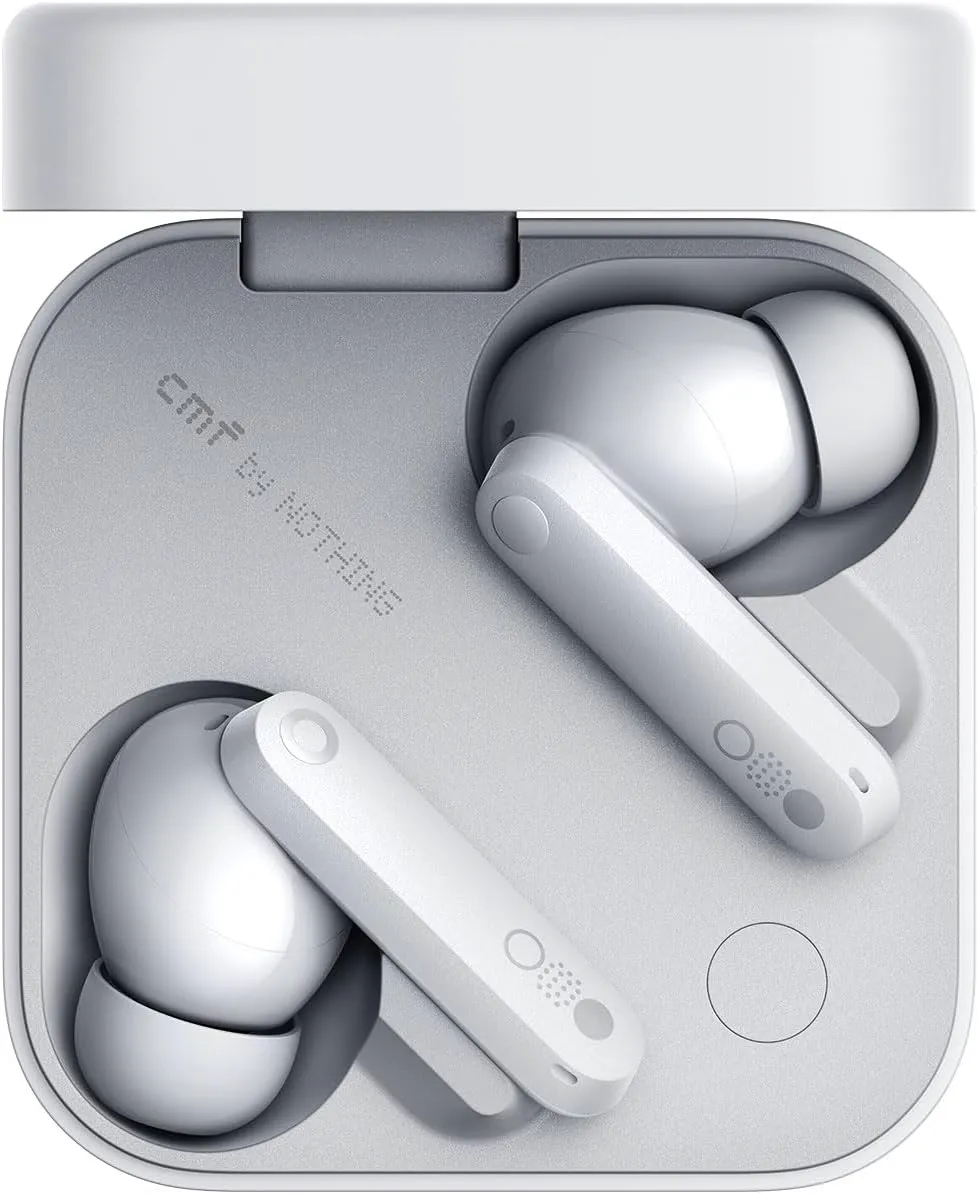
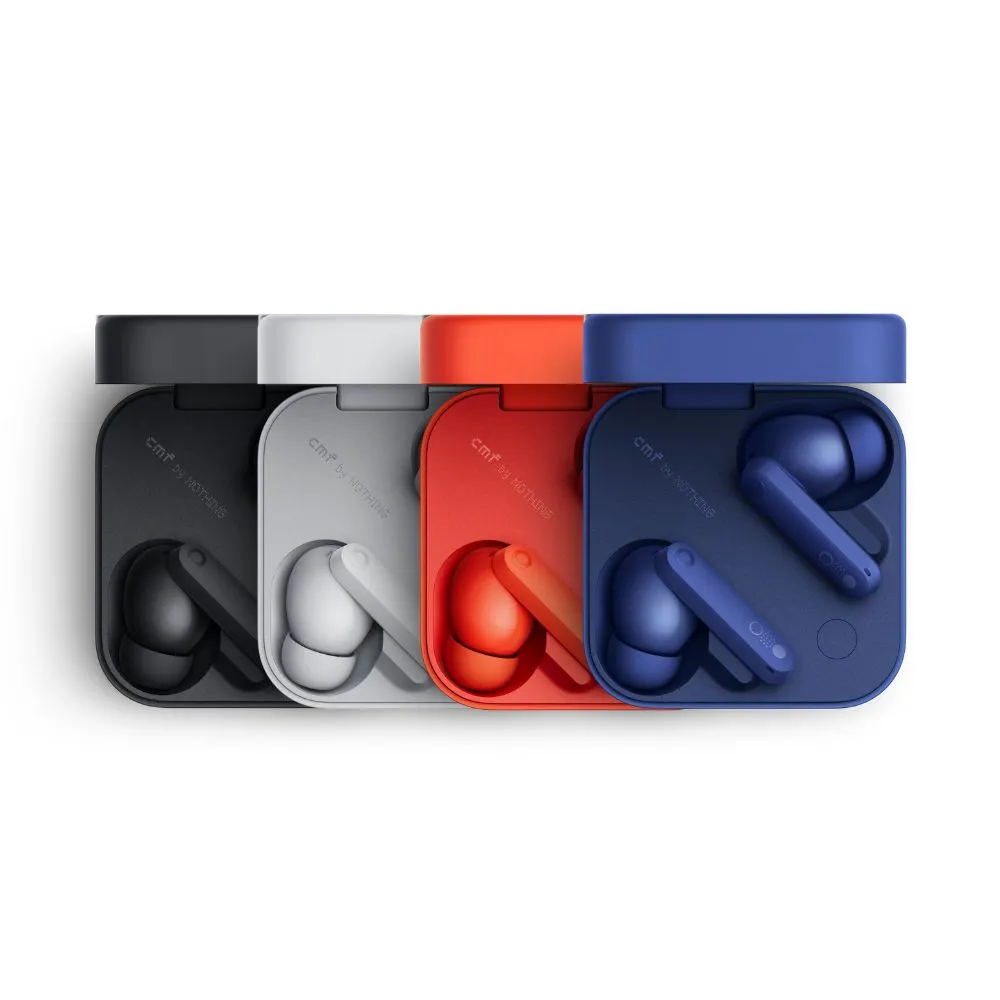
    One of my recent faves is Nothing, a new tech company from the UK that produces devices including phones, smartwatches, and headphones. Its products have distinctive designs and features, and they are reasonably priced. Price-tracking tools show that Nothing’s CMF Buds Pro 2 earbuds are currently the lowest priced item ever, at just $47 (originally $69). For those seeking affordable earphones that deliver on quality, this is a fantastic choice.

    Nothing CMF Buds Pro 2

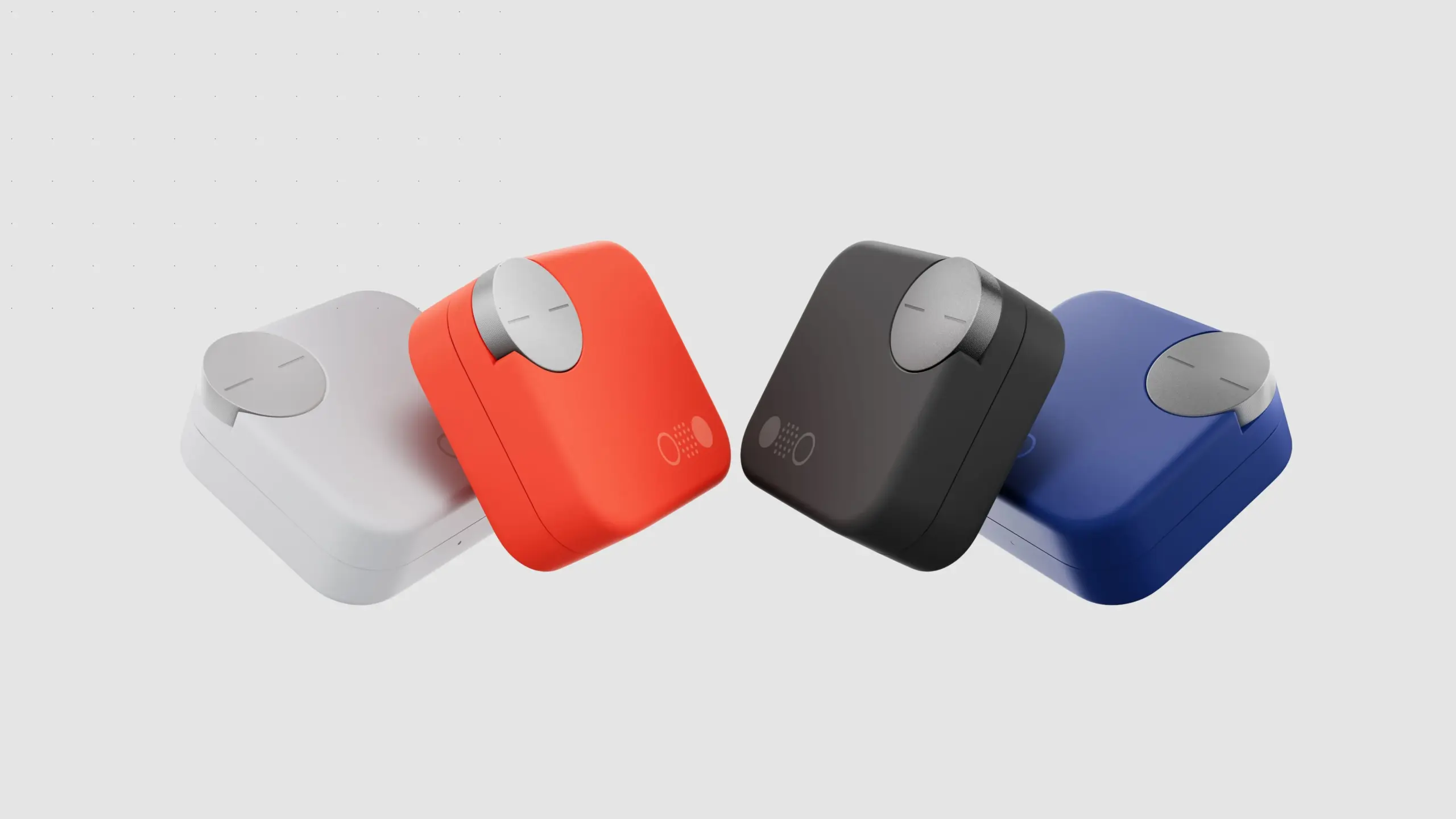
    Nothing’s earbuds, which retail for less than $50, provide superior features and audio quality compared to its more expensive rivals. To begin, you can control the earbuds using the “Smart Dial” on the charging case. I’ve never been a fan of the touch controls on the earphones, and it appears that the folks from Nothing aren’t either. You can adjust the volume, pause or play, skip music, and more by turning the dial. The dial is yours to utilize whatever you see fit.

    CMF Nothing Buds Pro 2 white

    Nothing CMF Buds Pro 2

    Enjoy pristine audio clarity and uninterrupted focus with advanced Hybrid Active Noise Cancellation of up to 50 dB and an expansive frequency range of up to 5000 Hz.

    $69.00$47.00Amazon

    ChatGPT’s AI support straight from your earbuds is another unexpected feature that other Nothing products have. For the price of these earbuds, you get good active noise cancellation (ANC), which is unexpected. You may wear them to the gym and they will hold up even if you are caught in the rain because they are also P54 rated for dust and splash protection. In-ear recognition, which automatically pauses your music when you take out an earbud and resumes when you put it back in, is another awesome function that most high-end earbuds include. Well done.

    Triband EQ, Ultra Bass mode, and dial and touch control customisation are just a few of the helpful features of the Nothing app, which is compatible with both iOS and Android.

    CM BUDS PRO 2 NEW TMT