Tag: android

  • Limited-time free apps for Android and iPhone – don’t miss out!

    Limited-time free apps for Android and iPhone – don’t miss out!

    Searching for fantastic apps that don’t cost a dime? Every day, a number of high-end iOS and Android apps are made available for free for a brief period of time, either as part of a platform-wide offer or a developer promotion. Since these deals don’t last long, it’s the ideal chance to test out premium programs that you would otherwise need to purchase.

    We’ve put together a new list of mobile apps that are now available for free download, ranging from games and utilities to productivity tools and photo editors. Take quick action because these offers could end within a few hours!

    Android Apps and Games Available for Free–Limited Time Offer

    Top Free Android Apps for Productivity and Lifestyle

    • Countdown Widget: Granted, every self-respecting smartphone today has a countdown timer, but still, if you want a dedicated app…
    • Number to Word Convert: This app is useful for anyone learning English, as it converts numbers to words.
    • Contacts Widget: If you’re still making calls instead of messaging, having a quick dial widget on hand can be useful.
    • Video Cutter Pro: Here’s an app that lets you edit videos on the fly to come up with something entirely new.
    • Dreamscape Wallpapers: Looking to have interesting and beautiful wallpapers adorn your smartphone’s screen? This fits the bill perfectly.

    Free Android Games

    • Burning Sky VIP: It is up to you once again to save the world against an invading alien force by shooting them down from the skies.
    • Food Fever Restaurant: Running a restaurant is no mean task, and this game pushes you to the edge with each passing moment.
    • ECO Inc.: A game that has the fate of the world in your hands, ecologically speaking. Each action has a direct consequence.
    • Crafterok: Lords of Survival: Craft your life into existence on an island as you survive both day and night dangers.
    • FASTAR VIP: A rhythm-based game that tests your sense of timing. If you’re not musically inclined like me, you’ll find it to be a challenge.

    iOS Apps and Games Available for Free–Limited Time Offer

    Top Free iOS Apps for Productivity and Lifestyle

    • DC Metro Board: This app is more localized for the Washington area, concerning public transportation.
    • AI Poster Maker & Ad Creator: Want to create posters or even an ad on the fly? This app gets the job done.
    • Fame: YT Thumbnail Maker: Sometimes, a good thumbnail for your video can make all the difference between a click and missing out on one.
    • My Battery Health: This app is designed for EV and hybrid car owners who want to monitor their vehicle’s battery health levels. 
    • Darbuka Beats: Want some authentic Middle Eastern beats at the tip of your fingers? Try this app out!

    Free iPhone games

    • Cypher Vocab: Strengthen your vocabulary as you prepare for the verbal section of the GRE in this cool game.
    • Wind Wings: A space shooter set in a bullet hell environment that requires plenty of skill and reflexes.
    • Axion Run: Do you have what it takes to break gravity in a contest against friends? Let’s see how fast your reflexes are.
    • Space Clutter: A game with simple sprites that requires timing and reflexes, set in space.
    • Eyka: A relaxing puzzle game where there is no stress in a race against time, leaving you to harmonize colors at your own pace.

    Even if you don’t need every app right away, downloading them while they’re free means you can keep them in your library for future use — without paying a cent. Once claimed, most apps will remain available in your account even after the promotion ends, so it’s a smart way to build your app collection over time.

    However, keep in mind that not all free apps are created equal. Always check reviews, permissions, and developer reputation before installing — especially when it comes to apps that request access to sensitive data. Free or not, your privacy is always worth protecting.

    Take advantage of these temporary deals, but stay informed, stay secure — and enjoy exploring your new apps!
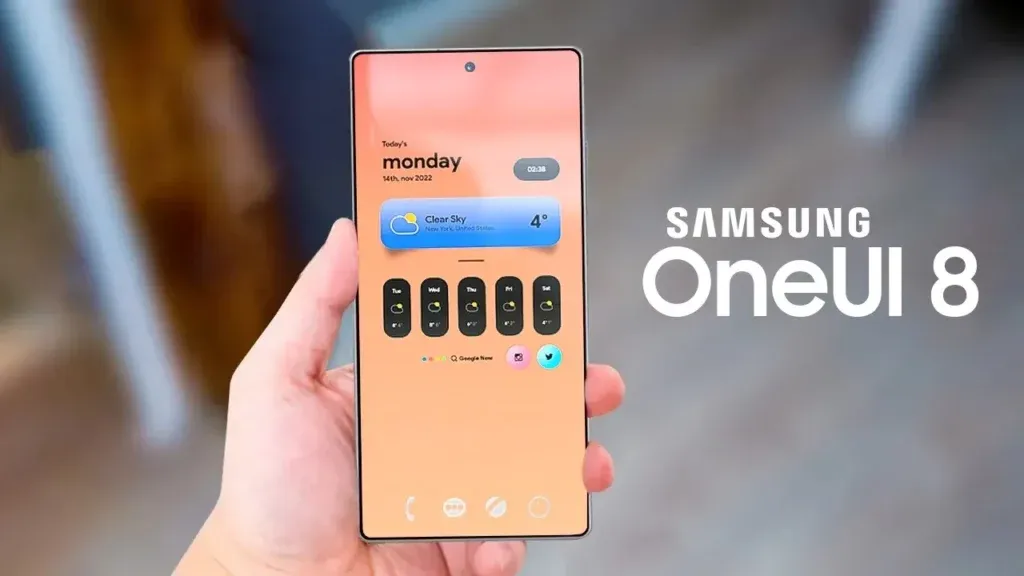
  • Samsung OneUI 8 to be released – we could see major Android 16 software update soon

    Samsung OneUI 8 to be released – we could see major Android 16 software update soon

    One of the main features that sets Samsung’s Galaxy phones and tablets apart is its One UI. Now that One UI 7 is available to customers, focus is turning to OneUI 8, the upcoming chapter. Exciting new features will be available for Samsung handsets with the next software update, which is based on Android 16.

    The release date, the beta testing program, which devices will receive OneUI 8 in accordance with Samsung’s update policy, and the implications for Galaxy users will all be covered in this article.

    oneui 8 1

    OneUI 8 Release Date

    Samsung’s major One UI releases have historically coincided with the yearly cycle of Android updates, usually occurring in the fourth quarter, around October or November, after Google’s stable Android release. One UI 6, for example, made its debut on October 30, 2023, and One UI 7, which was much later, appeared on April 7, 2025. But OneUI 8 is totally deviating from this trend.

    At Samsung’s Galaxy Unpacked event on July 9, 2025, the Android 16-based One UI 8 was formally unveiled. Arriving in July, months ahead of Samsung’s customary fall upgrade timetable, the company successfully met its ambitious summer 2025 stable release timeline.

    According to Samsung, the update will be progressively made available to additional Galaxy devices that are compatible, guaranteeing a wider distribution within its ecosystem.

    In mid-August 2025, the Galaxy S25 series has the best probability of receiving the stable One UI 8 update for current devices. With a staggered deployment to guarantee stability, the update for additional devices, like as the Galaxy S24, S23, and previous foldables, is probably going to begin in late August 2025.

    Samsung OneUI 8 Beta Program

    Beginning with the Galaxy S25, S25+, and S25 Ultra in Germany, Korea, the UK, and the US, Samsung formally began the OneUI 8 beta program on May 28, 2025. India and Poland are now part of the Beta program.

    Through the Samsung Members app, users of the Galaxy S25, S25+, and S25 Ultra can apply to install the One UI 8 beta by following the revised sign-up procedure that Samsung has announced. With Beta 1 launching on May 28, Beta 2 on June 12, and Beta 3 on June 30, 2025, Samsung launched the beta program without making any significant formal announcements.

    As is customary for Samsung, the beta program began with flagship devices. Samsung has expanded the One UI 8 Beta 3 program to include the Galaxy Watch 7 and Ultra after successfully launching it for the Galaxy S25 series. According to the Samsung Korea Moderator, the fourth beta build has been confirmed and will be available next week.

    almost everything new in one ui 1

    OneUI 8 Eligible Devices

    We can use Samsung’s official software update policy to determine which devices are assured of receiving the upgrade, even though the company hasn’t formally confirmed the OneUI 8 device list. Along with five years of security updates for certain models, Samsung now provides up to seven years of operating system upgrades for some flagship handsets (beginning with the Galaxy S24 series) and four years for others. The following devices are unquestionably qualified for OneUI 8 based on this guideline and the verified OneUI 7 rollout:

    • Galaxy S Series:
      • Galaxy S25 Edge, S25, S25+, S25 Ultra, Galaxy S24, S24+, S24 Ultra, S24 FE, Galaxy S23, S23+, S23 Ultra, S23 FE, Galaxy S22, S22+, S22 Ultra.
    • Galaxy Z Series:
      • Galaxy Z Fold7, Z Flip7, Flip7 FE (Launched with OneUI 8), Galaxy Z Fold6, Z Flip6, Galaxy Z Fold5, Z Flip5, Galaxy Z Fold4, Z Flip4.
    • Galaxy Tab Series:
      • Galaxy Tab S10+, Tab S10 Ultra, Galaxy Tab S9, S9+, S9 Ultra, Galaxy Tab S8, S8+, S8 Ultra.

    The four-year policy may also apply to mid-range devices such as the Galaxy A55 and A35. The Galaxy S21 series and other older devices might not be able to use OneUI 8 since their four-year support might expire before it does.

    OneUI 8’s release coincided perfectly with the July 9, 2025, release of Samsung’s new foldables, the Galaxy Z Fold7, Z Flip7, and Z Flip7 FE. OneUI 8, based on Android 16, comes preinstalled on these devices. Samsung made a big shift with this, releasing a big update far earlier than many had anticipated.

  • Does fully charging your Android device damage the battery?

    Does fully charging your Android device damage the battery?

    Although charging your Android phone to 100% seems like a sensible approach to make sure it lasts you the entire day, doing so may be harming your phone over time. This is due to the fact that lithium-ion batteries, which power the majority of Android smartphones, deteriorate with time. Because your phone battery is always maintained at a high voltage, charging it to full can hasten its chemical aging. Compared to charging your battery to a smaller level, like 90%, this can gradually degrade its capacity by 10-15% more quickly.

    Thus, you may eventually have a reduced battery life and require a replacement sooner if you’re always charging to 100%.Fortunately, you can preserve the best possible battery health by changing the way you charge your devices.

    However, the majority of modern phones have excellent battery life, so occasionally using a full charge is unlikely to cause any issues. Therefore, topping up to 100% is not an issue if you have a very busy day or if you require a constant supply of movies and music to keep you from becoming bored while traveling.

    It can decrease the overall capacity

    an android with a dead battery c

    To keep your Android phone in top condition, top manufacturers recommend that you keep it charged above 50% most of the time. The life of your phone can be shortened by repeatedly letting it run completely dead, but it can also be shortened by always charging it to 100%. Therefore, until batteries that hardly degrade become commonplace, the sweet spot is to maintain your battery charged between 50 and 80% whenever possible.

    The good news is that majority of modern smartphones come equipped with functions that optimize battery health. For example, several Samsung models come with the “Protect battery” feature, which automatically sets the charging limit at 85%. Similar to this, “Charging optimization” on a lot of Google Pixel phones can be adjusted to limit charging to 80%. By cutting down on the amount of time spent at full charge, these features aid in reducing battery wear.

    Another element that affects battery health is extremely high or low temperatures. The battery of your phone will deteriorate more quickly if you often use it in extremely hot or cold temperatures. For the same reason, many Android phones include the really handy option of quick charging, which over time may harm battery health because of the increased heat generation.

    Extreme temperatures – both hot and cold – can actually be worse for battery health than fully charged. The ideal range of outside temperatures to preserve the battery life of your phone is 32 to 95 degrees Fahrenheit (or 0 to 35 degrees Celsius).

    A good solution

    Developing more intelligent charging practices, such as maintaining the battery at its ideal temperature and range, can significantly extend the life of your Android phone’s battery.Additionally, utilize certified or original chargers for your phone. Although third-party or generic ones could be less expensive, they run the danger of damaging voltage fluctuations or overheating your battery.

    You can get more battery life during the day by making a few minor adjustments if you’re seeing that your battery isn’t lasting as long. For example, you may extend the life of your phone’s battery by lowering the screen brightness, using dark mode, and shutting off Bluetooth and location services when not in use.When your phone’s battery is low and you don’t have access to a charger, you can temporarily activate the battery saving feature on many phones to reduce background tasks.

    It’s a good idea to update your apps to the most recent versions to prevent problems like a certain program draining your battery life.You can check the general health of your phone’s battery and see which apps use the most juice by opening the settings.

    battery life
  • Temporarily free apps and games for Android and iOS

    Temporarily free apps and games for Android and iOS

    We are unable to guarantee how long they will be available on the Apple App Store or Google Play Store. As a result, downloading them as soon as possible is advised. Just watch out for any possible subscription traps, in-app purchases, and advertisements.

    Even if you don’t need an app right away, install it if it piques your curiosity. It will be added to your app library and marked as “bought” as a result. After that, you may uninstall the app straight from your phone and get it back for free anytime you need it.

    Android Apps and Games

    Free Android Apps

    • Sound Meter & Noise Detector: The name says it all. Register sound levels wherever you are, with recordings, graphs, and statistics.
    • Simple App Locker: Protect apps from prying eyes by hiding them behind a pin code or biometric authentication.
    • Reminder Pro: Already featured in other editions, set reminders quickly that are easily reachable with a widget, with lots of controls for frequency, alerts, and more!
    • Smart Navigation Bar: Still using the classic navbar? Customize it with a background theme, animations, and even text messages.

    Free Android Games

    • Avalar: Shadow War: An action RPG with a strong Diablo influence. Fight the monsters and boost your abilities to (guess what) save the world!
    • Space Survivor: Mars RPG: Collect resources and boost your defenses to survive on Mars after being stranded on the red planet.
    • Shadow Knight: Ninja Fighting): Hack and slash your way through the darkness, defeating monsters with increasingly powerful attacks filled with special effects.
    • Summoners Era: If you are still into the idle RPG trend, try this pixel-art alternative 

    iOS Apps and Games

    Free iOS Apps

    • Touch Notation: Write music on your iPhone or iPad, with this award-winning app for creating and editing musical notations.
    • Doodle Lens: Bring life to your doodles with the power of augmented reality. Create short videos and share them.
    • Merge Voice Memos: Just as the title says. Mix and match different sound recordings on your device 
    • Weather: It is Nice Outside: Get a second opinion on the weather forecast, with data on humidity, wind, visibility, pressure, and more. 

    Free iPhone games

    • Wheels of Aurelia: A road trip through Italy, what is not to like? However, not everything is “dolce vita” in the 1970’s, and you must uncover the secrets of Lella’s past.
    • btw- puzzle maze: Pick all the circles on the board by switching the colors in this minimalistic puzzle game.
    • Chess: The classic board game with ELO-simulated computer players, and without the drama and controversies of today’s grandmasters.
    • Castle Ramble: A roguelike platformer with charming pixel art graphics in which you battle the pig invaders to recover your castle. 

    As of the date of publication, the deals were active. Please share any expired deals you come across in the comments section below. We advise you to review the app’s details in the Play Store or App Store before downloading any of the aforementioned apps. This is crucial since some of these free apps can have unique features or drawbacks of their own.

    Follow us on X @droid_tools, like our page on Facebook, check out our updates on Instagram, and follow us on Google News for real-time news, device tips, and mobile tech insights.

  • Google makes its whole Pixel 10 lineup public.

    Google makes its whole Pixel 10 lineup public.

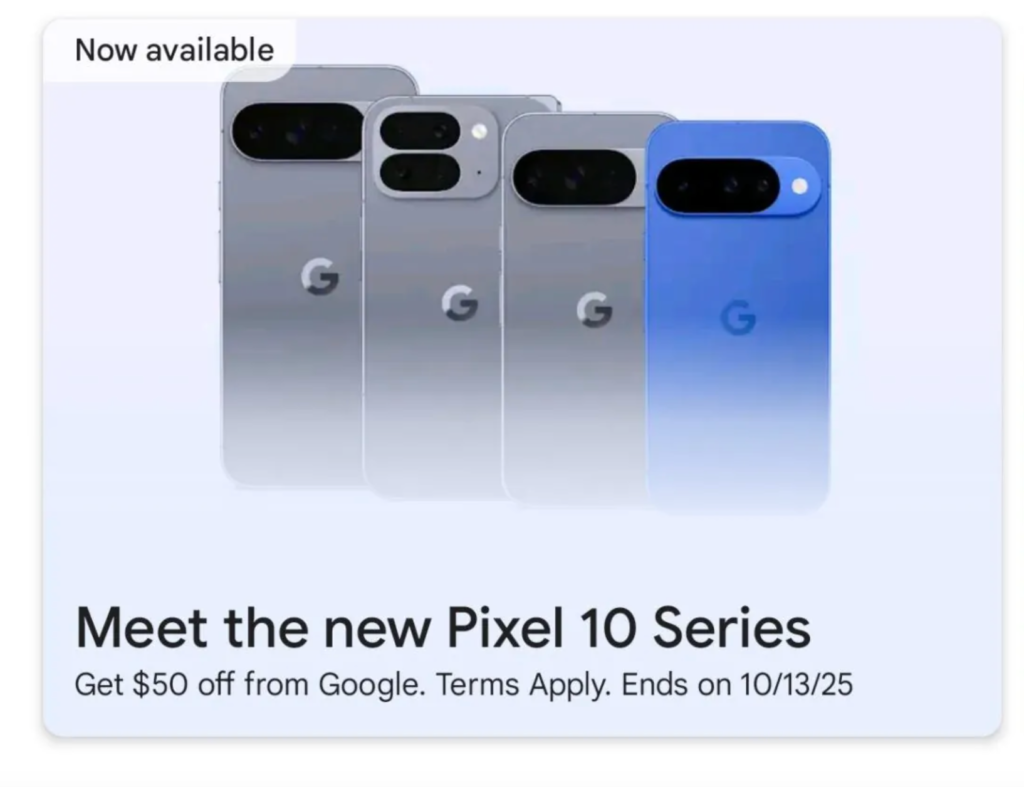
    Less than a month before the Pixel 10’s launch, Google appears to have unveiled the full lineup. While “poking around” on the Google Play Store on Android on Wednesday, Android Authority claimed to have discovered a banner showing the Pixel 10, 10 Pro, 10 Pro XL, and 10 Pro Fold. Since the banner isn’t now visible directly on the Play Store, Android Authority probably had to take further measures to make it available.

    Nevertheless, the words “Meet the new Pixel 10 Series” are displayed prominently alongside all four devices. The original Pixel 10 is displayed in brilliant blue, whereas the Pixel 10 Pro XL, 10 Pro Fold, and 10 Pro look to be in the silver-blue “Moonstone” hue.

    pixel 10 google play banner

    The devices featured in the banner’s shapes and colors complement the flurry of leaks that have surfaced in recent weeks, including the teaser that Google itself released. Additionally, the banner advertises a $50 discount deal on the smartphones that is valid through October 13.

    According to rumors, Google plans to improve the Pixel 10 series in a number of ways, like as dustproofing the Pixel 10 Pro Fold, adding a third camera to the regular Pixel 10, and increasing the specifications of the Pixel 10 Pro. On August 20, Google will unveil its Pixel 10 lineup at its Made by Google event.

    Stay connected with the latest from Droid Tools—follow us on X @droid_tools, like our page on Facebook, check out our updates on Instagram, and follow us on Google News for real-time news, device tips, and mobile tech insights.

  • Pixel 10 Pro will come with a new color: Moonstone

    Pixel 10 Pro will come with a new color: Moonstone

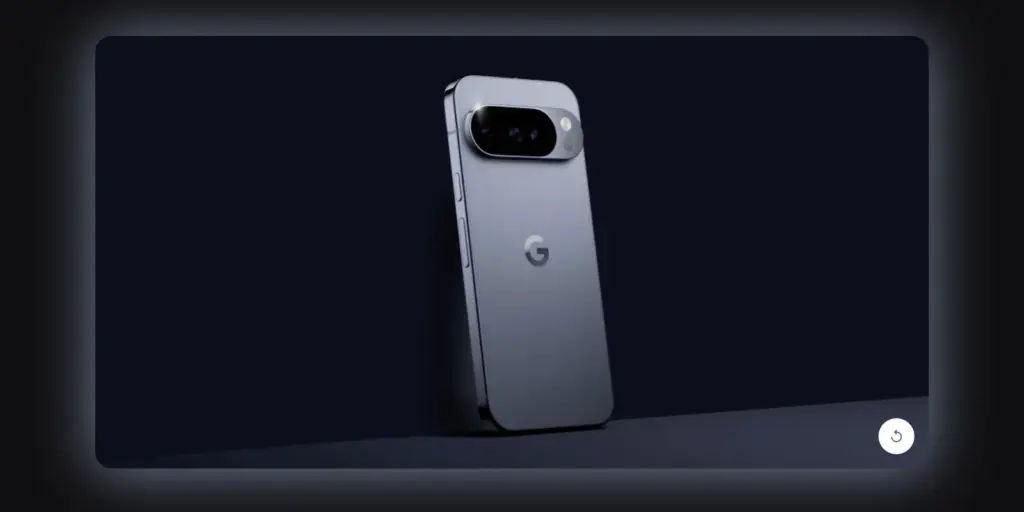
    Prior to its major August 20 launch, Google has provided us with our first official look at the new Pixel 10 Pro. On the Google Store website, a brief 13-second animation demonstrates how the number “10” transforms into the phone’s camera bar. With a temperature sensor beneath the flash, it is obvious that this is the Pixel 10 Pro.

    The phone’s new color, “Moonstone,” is revealed in the teaser. Compared to last year’s Hazel green, it appears to be a little more vibrant shade of blue-gray. Shiny side rails, which give the phone a high-end, polished appearance, are also seen in the video.

    pixel 10 pro

    Google Pixel 10 will be available on August 20

    Google is giving new email subscribers a bonus offer in addition to the teaser. You will receive a coupon code that you can use on the Google Store beginning August 20 if you register on the Pixel 10 page. Until September 4, 2025, or while supplies remain, the code is in effect.

    The promotion may only be used once per customer on a Pixel 10 device that qualifies, and it is only available to new customers. It is not possible to use the discount code on other Google services or products. Given that this deal is available everywhere, the Pixel 10 series may launch globally.

    Many people are excited to see if the Pixel 10 Pro can rival Samsung’s newest Galaxy devices as the launch approaches. We won’t know everything until the event on August 20.

    Stay connected with the latest from Droid Tools—follow us on X @droid_tools, like our page on Facebook, check out our updates on Instagram, and follow us on Google News for real-time news, device tips, and mobile tech insights.

  • Xiaomi devices that will get HyperOS 3 but without Android16

    Xiaomi devices that will get HyperOS 3 but without Android16

    The advantages of the HyperOS build, which is based on Android 16, will soon be available on Xiaomi handsets, however at least 31 models might not receive them. There are some benefits, but a new piece of information shows how many devices will not get the next big software update.

    According to XiaomiTime, the Android 16 (HyperOS) distribution schedule would not include 31 Xiaomi devices. Redmi, POCO, and flagship phones are on the list.

    For flagship phones, the Chinese phone manufacturer provides three or four years of major operating system updates and three or four years of security updates. Redmi models receive security fixes for three to six years and two to four significant Android OS upgrades. POCO receives three years of security patches and two years of OS.

    These findings indicate that the major OS upgrade cycle for some devices appears to be coming to an end. Here’s some good news, though. These phones will benefit from HyperOS 3, which is based on the Android 15 version, even if they do not receive Android 16.

    Indeed, HyperOS 3 will be the last update for smartphones now running Android 15. As a result, you can still use your phone for a year.

    Indeed, HyperOS 3 will be the last update for smartphones now running Android 15. As a result, you can still use your phone for a year.

    hyperos 3 without Android13 Xiaomi

    XiaomiTime claims that since HyperOS 3 will still be available, “missing out on Android 16 shouldn’t cause anxiety.” In addition, compared to previous software releases, the next OS has few innovations and just minor UI changes.

    Conversely, HyperOS 3.0 will enable your device to have new features and minor adjustments. We don’t yet know the precise features. Check on the models until then:

    These 31 Xiaomi devices will not get Android 16 but they will get HyperOS 3:

    Xiaomi phones

    • Xiaomi 12
    • Xiaomi 12 Pro
    • Xiaomi 12S
    • Xiaomi 12S Pro
    • Xiaomi 12S Ultra
    • Xiaomi 12T
    • Xiaomi 12T Pro
    • Xiaomi Civi 3
    • Xiaomi MIX Fold 2

    Redmi Devices

    • Redmi 12
    • Redmi 12 5G
    • Redmi 13C
    • Redmi 13C 5G
    • Redmi 13R
    • Redmi K50 Ultra
    • Redmi K60
    • Redmi Note 12 4G
    • Redmi 12 NFC 4G
    • Redmi Note 12R
    • Redmi Note 12S
    • Redmi Note 12T Pro
    • Redmi Note 12 Turbo
    • Redmi Note 13 4G
    • Redmi Note 13 4G NFC
    • Redmi Note 13 5G
    • Redmi Note 13R Pro

    POCO Models

    • POCO C65
    • POCO F5 5G
    • POCO F5 Pro
    • POCO M6 Pro
    • POCO X6 Neo

    Stay connected with the latest from Droid Tools—follow us on X @droid_tools, like our page on Facebook, check out our updates on Instagram, and follow us on Google News for real-time news, device tips, and mobile tech insights.

  • Do you plan to purchase a phone that uses a silicon-carbon battery? The catch is this:

    Do you plan to purchase a phone that uses a silicon-carbon battery? The catch is this:

    We can never have enough battery life. The older generation still longs for the days when a single charge was sufficient to power your feature phone through a hectic week, even if the majority of smartphones from the last few years will easily last you a day or perhaps even two.

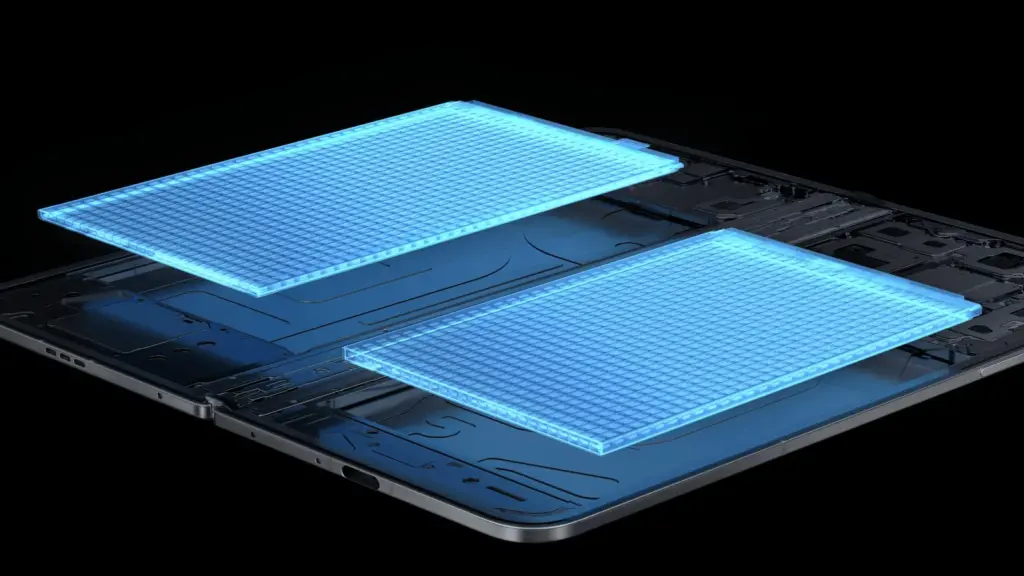
    Many of the top flagship smartphones of today come with innovative silicon carbon batteries thanks to the efforts of battery engineers. Because of this, they may promise even greater battery capacities without having a larger or thicker chassis. What a huge victory.

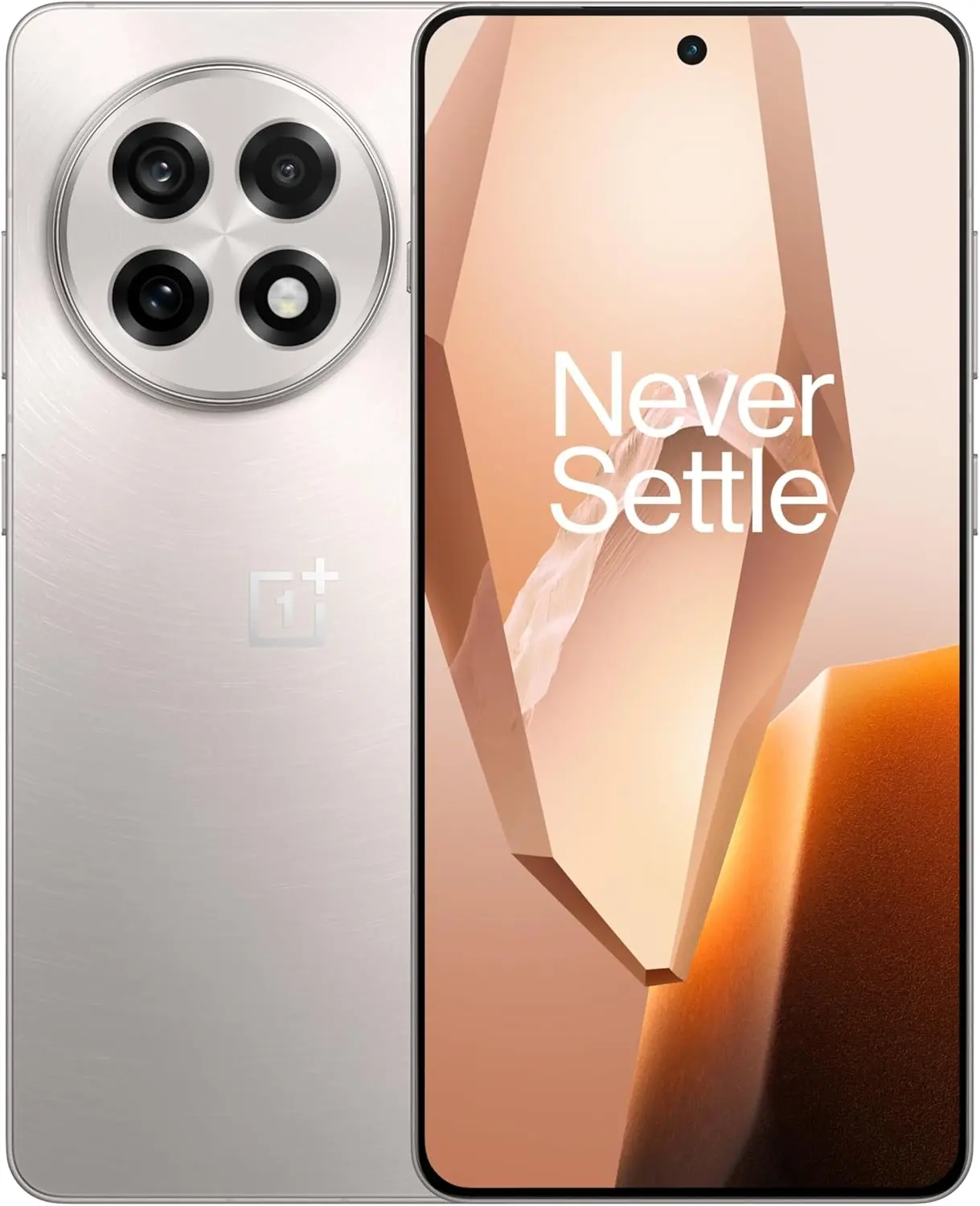
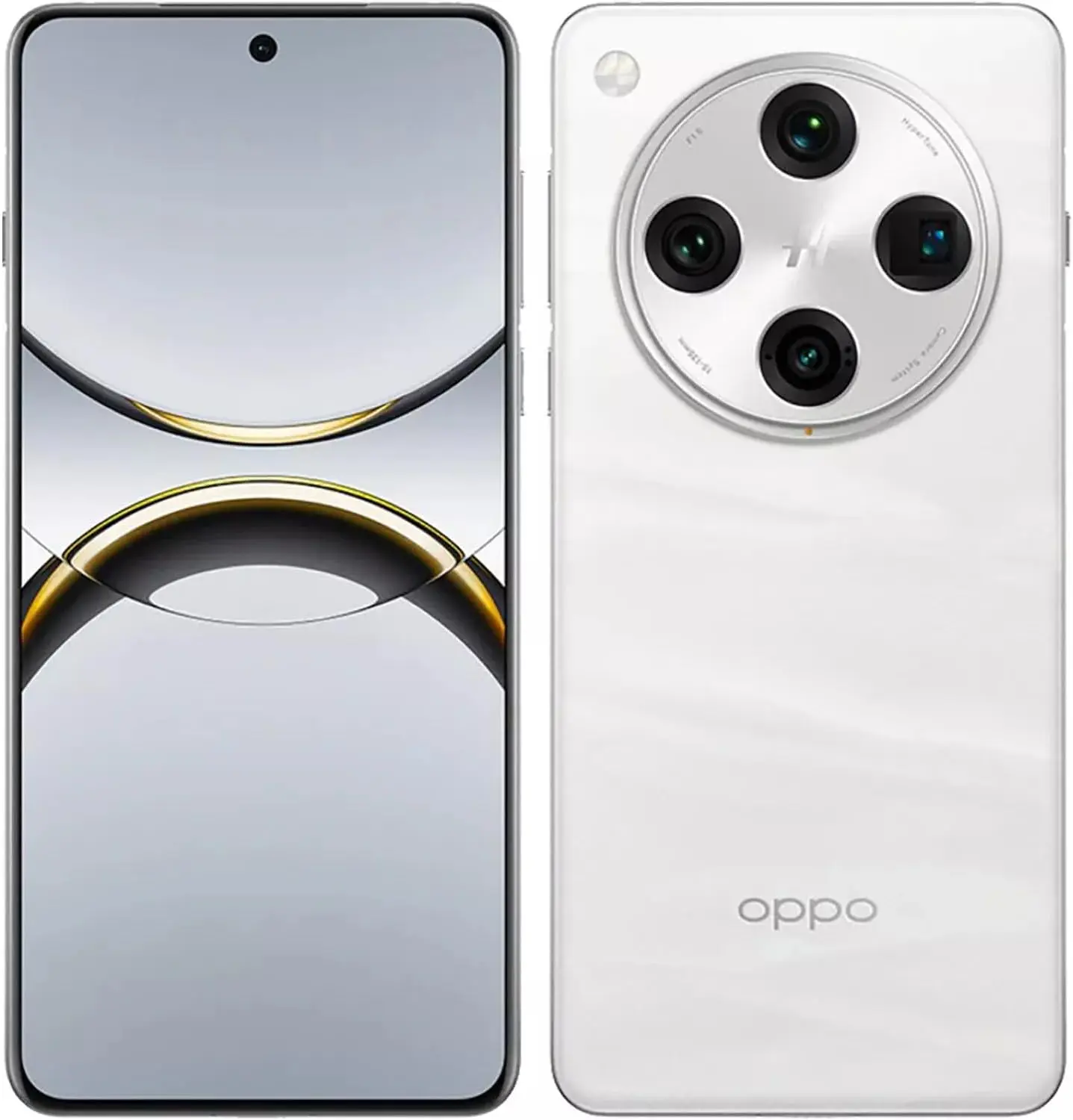
    For instance, the OnePlus 13 has a 6,000mAh silicon-carbon battery, which is more than the 5,400mAh cell from the previous year. In China, the Xiaomi 15 Ultra has a massive 6,000mAh battery capacity, up from 5,400mAh the year before (and a still respectable 5,400mAh for worldwide markets, up from 5,000mAh). The smaller variants also enjoy comparable improvements. The vivo X200 series, OPPO Find X8, and Honor Magic 7 Pro are all brand-new flagship devices with silicon power cells. The technology has here in full force already.

    Unfortunately, silicon-carbon battery technology hasn’t yet been included into the newest devices from Apple, Google, or Samsung. Maybe by 2026, we’ll see these brands go on board. However, is it better to remain with the more recognizable Lithium-ion models or to jump right in and purchase a phone with a silicon carbon battery?

    silicon-carbon battery

    What differentiates Li-ion batteries from silicon carbon batteries?

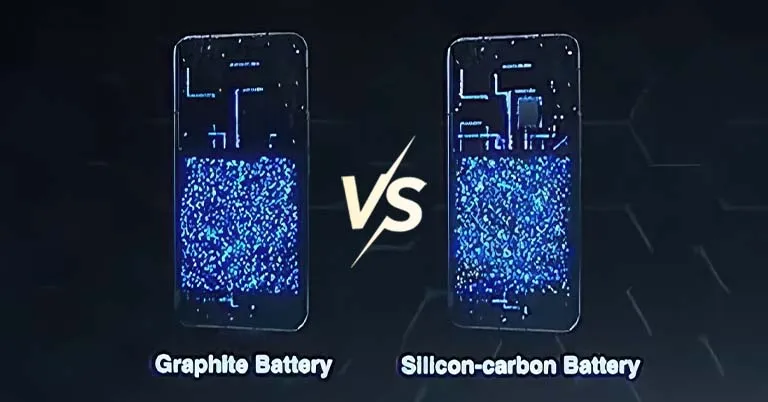
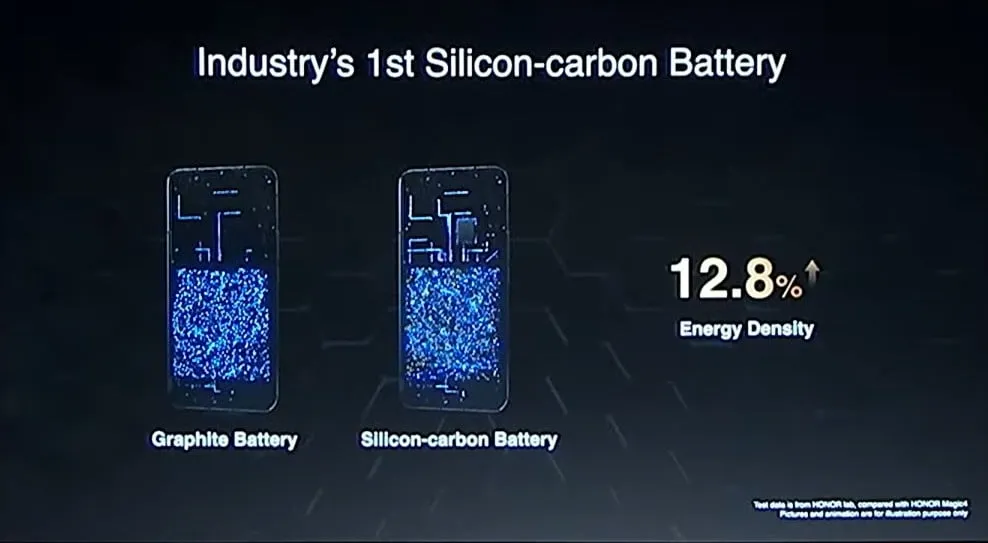
    Rather of being a completely novel idea, today’s silicon-carbon (Si/C) Li-Ion batteries are essentially an advancement of conventional lithium-ion technology. By adding silicon, which has a substantially higher energy storage capacity than graphite (372 mAh/g compared to about 4200 mAh/g for pure silicon), they alter the traditional graphite anode. Because of this, silicon has long been a promising material for increasing battery capacity.

    Pure silicon anodes, however, face many difficulties. Extreme expansion is the most troublesome; when fully charged, the structure can inflate by up to 300%. The battery experiences extreme mechanical stress as a result, shortening its lifespan and leading to structural breakdown.

    Over time, lithium loss and decreased capacity result from silicon’s strong reaction with the electrolyte, which breaks and reforms the Solid Electrolyte Interphase (SEI) layer with each cycle. The aggressive expansion exacerbates this. Another drawback for battery longevity is that silicon has lesser electrical conductivity than graphite, which can reduce charge and discharge rates and increase losses from internal resistance. This can lead to increased heat.

    To address these problems, a silicon-carbon (Si/C) composite is utilized rather than pure silicon. The SEI layer is stabilized and its expansion is lessened by the structural support that carbon offers. Depending on its silicon concentration, a well-designed Si/C battery may restrict swelling to just 10–20% during charge cycles, whereas conventional graphite anodes only increase by about 10%. Additionally, carbon increases electrical conductivity, which guarantees better lithium-ion flow and higher efficiency.

    The trade-off is that Si/C anodes are unable to fully realize the 10x capacity improvement of pure silicon. Rather, depending on the silicon percentage, they provide a very modest energy density increase of 10–20%. Si/C batteries are an engineering problem since higher Si content enhances capacity but also causes swelling and complicates manufacture. There are restrictions and trade-offs associated with Si/C batteries, but there is no such thing as a free lunch.

    The benefits and cons of batteries made on silicon carbon

    battery 1600x900 1

    Any increase in smartphone battery capacity is obviously beneficial, and Si/C batteries are a godsend for power users who want devices that can endure much longer than a single day of intensive usage. It should come as no surprise that so many of the most potent flagship phones available this year have the technology.

    After more than a month of everyday use, I can vouch for the OPPO Find X8 Pro’s 5,910mAh Si/C Li-ion battery’s exceptional longevity. I frequently get two days of moderate use out of a single charge, have plenty of fuel left over after a day of chasing the kids, and in lighter weeks, I’ve occasionally gone far into 48 hours without needing a charger.

    On the other hand, Si/C is advantageous for thinner gadgets, such lightweight and foldable phones. Thin or small smartphones could surely benefit from this new battery type to maintain decent capacities in more constrained form factors, even though the Galaxy S25 Edge might not be Samsung’s first Si/C smartphone. The technology has already been used to fit a sizable 5,700mAh battery into a 5.2mm folding design in the Vivo X Fold 3 Pro. Despite being 5.6 mm thick, Samsung’s Z Fold 6 only contains a standard 4,400mA battery. This trend toward higher capacities has also been embraced by the latest Chinese clamshell phones.

    Whether silicon-carbon batteries will outlast their more conventional lithium equivalents is the main question that remains. It is evident from the foregoing trade-offs that Si/C will not outlast the most robust graphite-based Li-ion cells now available on the market. Lower silicon concentration can nonetheless provide batteries with a marginally larger capacity that have a comparable lifespan to conventional Li-ion cells. With only a slight but welcome increase in capacity to control the silicon content, this appears to be what we’re seeing in today’s most advanced smartphones.

    Because Si/C batteries are pushing the limits of energy density and charge rates, smartphone manufacturers may also be becoming more cautious when it comes to fast-charging temperatures in an effort to prolong battery lifespans. In other words, manufacturers are merely attempting to make sure their phones can withstand the promised updates for the next five or more years.

    However, because of its increased capacity, stronger diffusivity of lithium, and decreased chance of plating the anode, Si/C is actually a godsend for faster charging. Additionally, bigger capacities make it easier to follow the 80% charge guideline without worrying about running out of juice in the middle of the day. If you want to keep your phone for many years to come, silicon need not be a negative thing.

    Do you want to purchase a phone that uses a silicon-carbon battery?

    The newest smartphones will undoubtedly benefit from Si/C Li-ion batteries, which will also likely extend the battery life of your wearables, tablets, laptops, and even electric cars. The most cutting-edge phones of today already heavily rely on silicon cells, which allow for even greater capacities or slimmer form factors without sacrificing battery life.

    But at the moment, you’ll need to look around at Chinese companies to find one, like the OnePlus 13, which is really amazing. Apple, Google, and Samsung, three US giants, have not yet embraced this new battery technology. We may have to wait until their 2026 flagships or even later before they join the celebration, as they might not even get around to it this year.

    However, if you intend to retain your smartphone for more than five years, it might be wise to wait and see how the longevity issue develops. Any long-term purchase will eventually require battery replacements, but Si/C Li-ion cells may require more frequent replacements, particularly when fast charging is used. This can turn out to be an unwanted extra expense for early adopters because they are more costly to make. We will need to wait and find out.

    Similarly, if you’re on a tighter budget, it might not be worth it to buy a phone just because it contains a Si/C Li-ion battery. The technology is mostly limited to premium smartphones and innovative form factors due to its trickier production process, and it may take a few years before it makes its way into the mid-range market. Although silicon carbon batteries provide advantages, a 12% increase in capacity is not always worth the extra $100.

    Stay connected with the latest from Droid Tools—follow us on X @droid_tools, like our page on Facebook, check out our updates on Instagram, and follow us on Google News for real-time news, device tips, and mobile tech insights.

    OnePlus 13 – 512GB
    $999.99$929.99Amazon
    OPPO Find X8 Pro Dual
    $1,579.00Amazon

  • M3 Expressive just landed on WearOS phone app

    M3 Expressive just landed on WearOS phone app

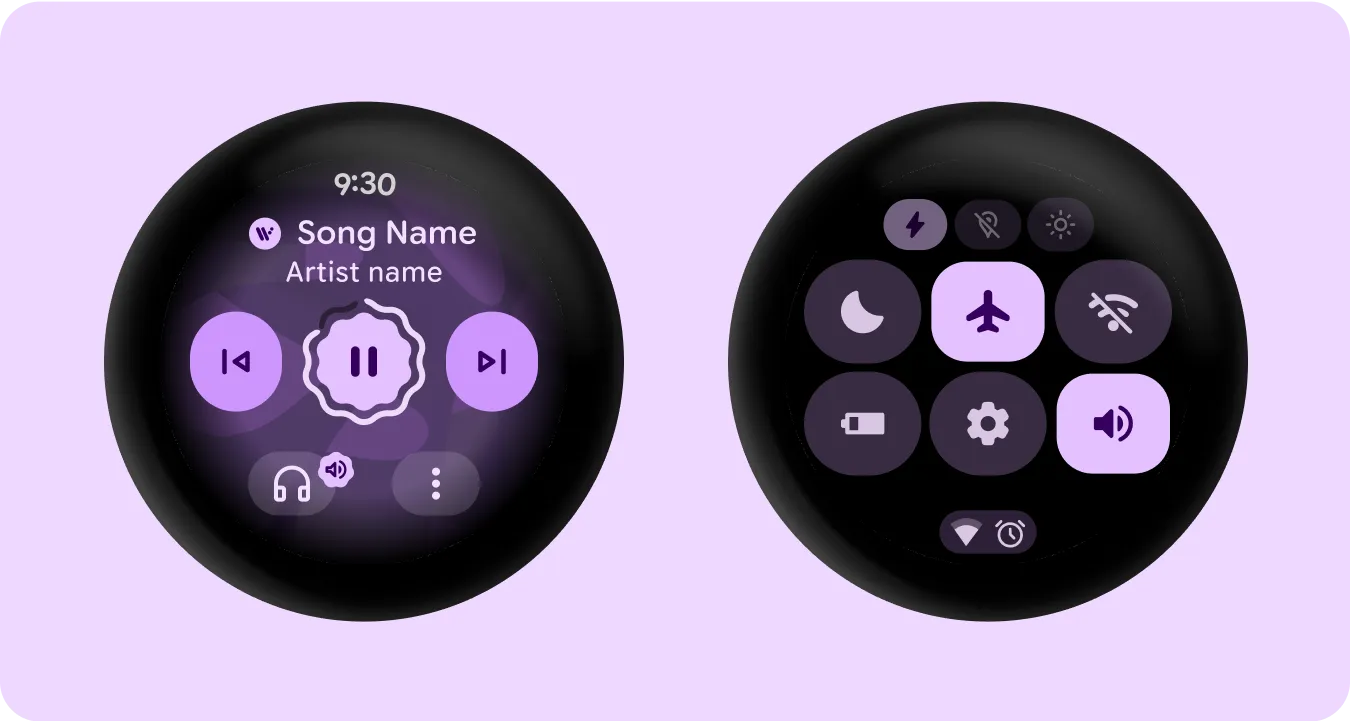
    The Phone by Google app is receiving an M3 Expressive overhaul on WearOS, much like it does on Android.

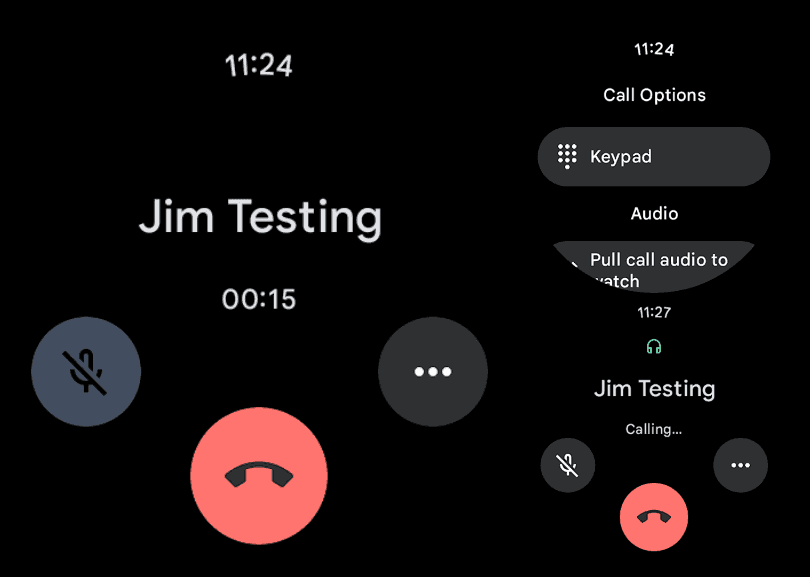
    The in-call screen has been updated for users to see. The end call button clings to the display’s lower border. For a larger touch target that is useful on this small screen, it is larger than the current circle.

    The call duration appears at the center of the same line, while the mute and three-dot overflow buttons are positioned farther up the screen.

    wearos phone app

    Similar updates occur when you dial a number. Presumably, M3 Expressive will also be added to the Google Phone Wear OS homescreen. On the watches we looked at today, this is not currently generally available.

    These are minor updates that match the phone’s redesigned in-call screen. Although it is no longer a grid, the “More” menu is now a list similar to Call Assist. The incoming call screen, which allows users to choose between a left/right slide or buttons to answer calls, is the most significant improvement.

    expressive ui showing up on pixe

    While some beta users already have the Home, Keypad, and Voicemail bottom bar, others have Material 3 Expressive’s complete redesign.

    Google Pixel Watch 3

    The Google Pixel Watch 3 is designed for performance, with advanced fitness from Fitbit; the 45mm screen is twice as bright and 40% larger than before, making it easier to see your stats and info

    $399.99$349.00Get It Now

    Stay connected with the latest from Droid Tools—follow us on X @droid_tools, like our page on Facebook, check out our updates on Instagram, and follow us on Google News for real-time news, device tips, and mobile tech insights.

  • Some of the best Android Launchers in 2025

    Some of the best Android Launchers in 2025

    The top Android launchers are the best resources for making your Android experience unique. One of the best features of the Android ecosystem has always been user choice, and launchers make it even better. They allow you to customize the greatest Android phones in ways that Google and stock launchers could only imagine.

    While some of the top launchers are made for a more minimalist experience, others allow you to customize nearly every aspect of Android. If you’re not like that, however, there are launchers that offer a rainbow of colors that rivals the hardware store’s painting section.

    Whatever you decide, a launcher is the ideal option to update the appearance and feel of your phone without having to spend money on a new device. The only thing left to do is choose one, and we’ve been evaluating the top Android launchers to assist you in doing so.

    Nova Launcher

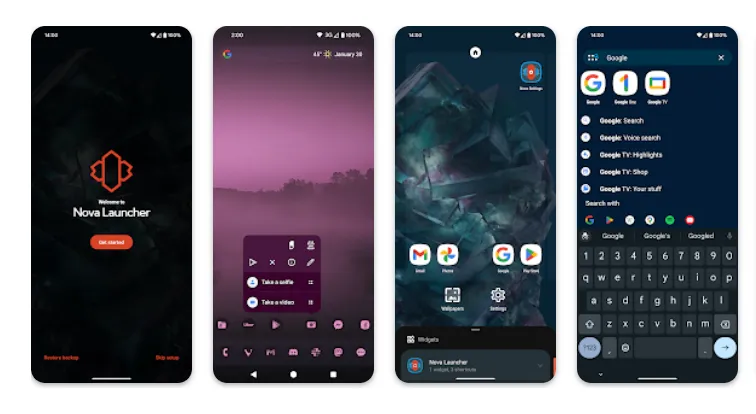
    android launcher - nova launcher

    It would be impossible to discuss the top Android launchers without mentioning Nova Launcher. Nova Launcher is quick, svelte, and incredibly customizable. It strikes a compromise between a wide range of utility and look customizations and a low performance impact, allowing you to customize your home screen without sacrificing speed.

    Color themes, icon packs, scrollable docks, app drawer modifications, folder settings, and endless scrolling are just a few of the many possibilities available. Sesame Shortcuts, animations, and other enhancements are just a few of the new features that the Nova team is constantly developing since they are never satisfied with what they have.

    Choose Nova Launcher Prime, a $4.99 edition that has more functionality than the free download, if you want the most potent features.

    Download Nova Launcher: Play Store

    AIO Launcher

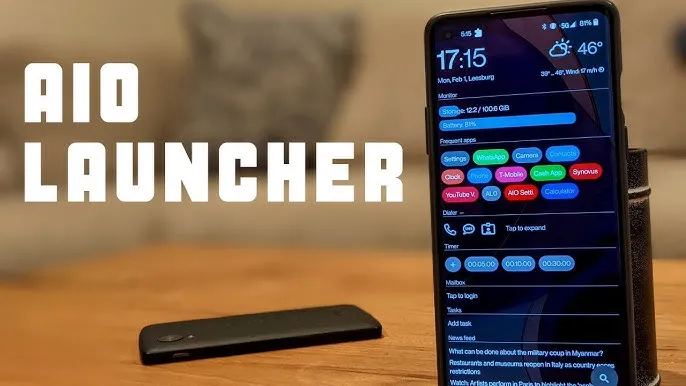
    AIO Launcher for Android

    AIO Launcher focuses on packing as much information as possible into a comparatively simple format on your screen, while other launchers could include decluttering cosmetic changes.

    In addition to system statistics, recently received calls, texts, and emails, the app shows your most used apps, upcoming calendar events, and more.

    on-app purchases enable additional features like widget support, app icons, and Android notifications on the home screen stream, even though AIO Launcher is free. Even if it doesn’t have the most user-friendly design among the top Android launchers, if you don’t mind information density, it’s still a compelling option.

    Download AIO Launcher: Play Store

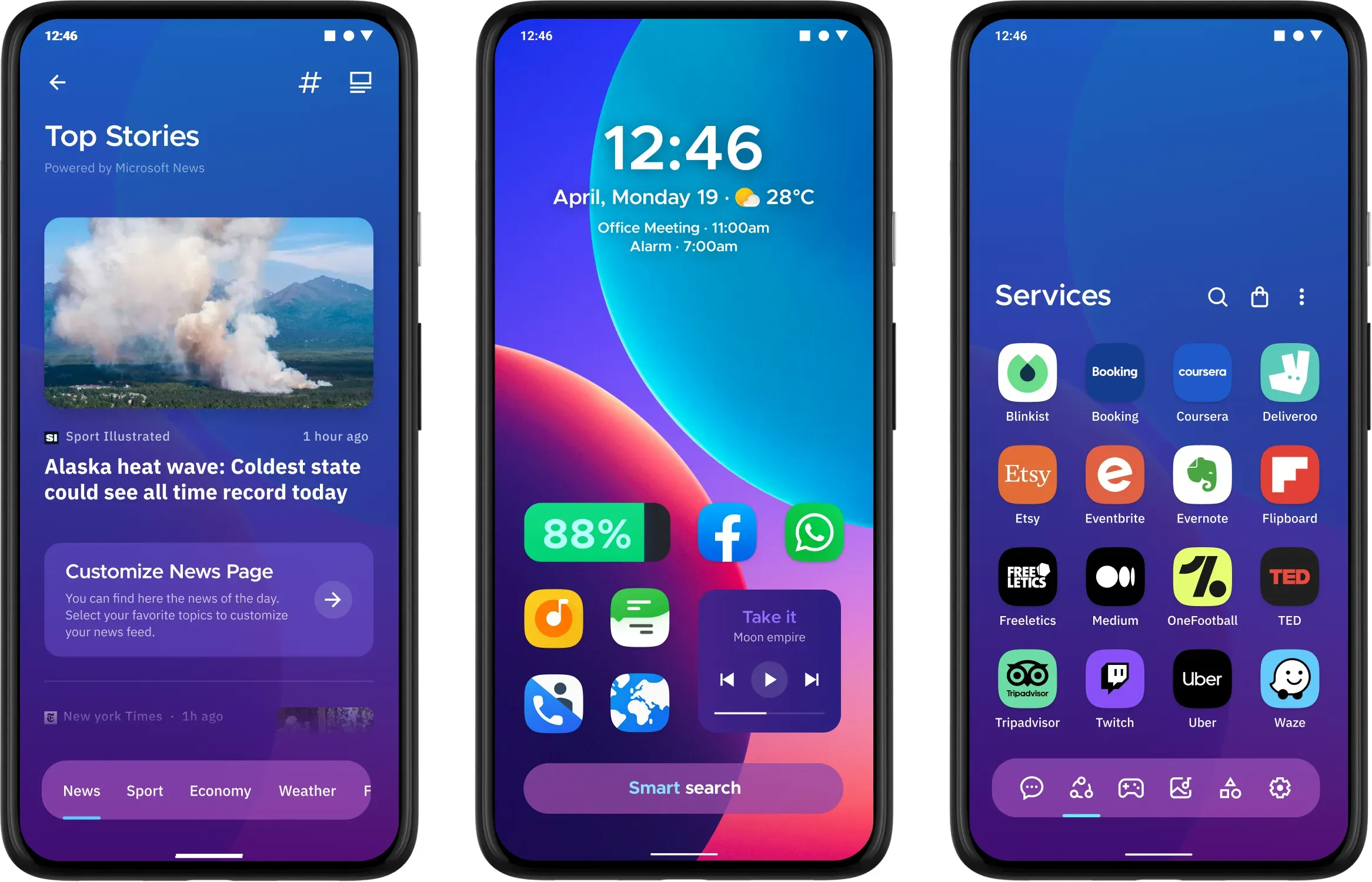
    Microsoft Launcher

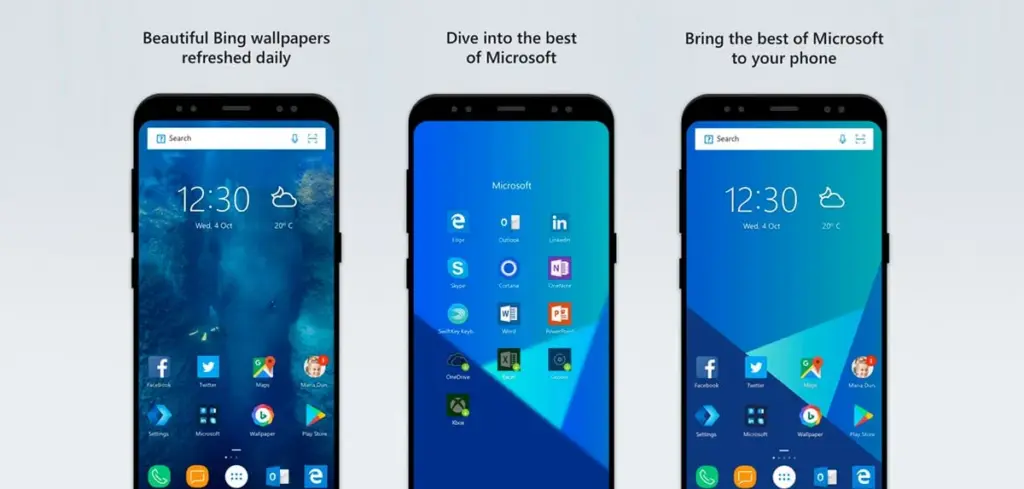
    microsoft launcher

    In addition to retaining Arrow’s small, context-sensitive app pages and customisable feed, Microsoft rebranded their fantastic Arrow Launcher as the Microsoft Launcher. The company is also aiming to enhance the interaction between your Android phone and Windows computer.

    In addition to opening online links from mobile devices to PC Edge, users may rapidly take pictures with their phones and view them on their desktop. They can also begin editing Office 365 documents on their PC and continue while on the road using their mobile device.

    This is all on top of Microsoft’s adjustable themes, universal search bar, and gesture controls.

    Download Microsoft Launcher: Play Store

    Square Home

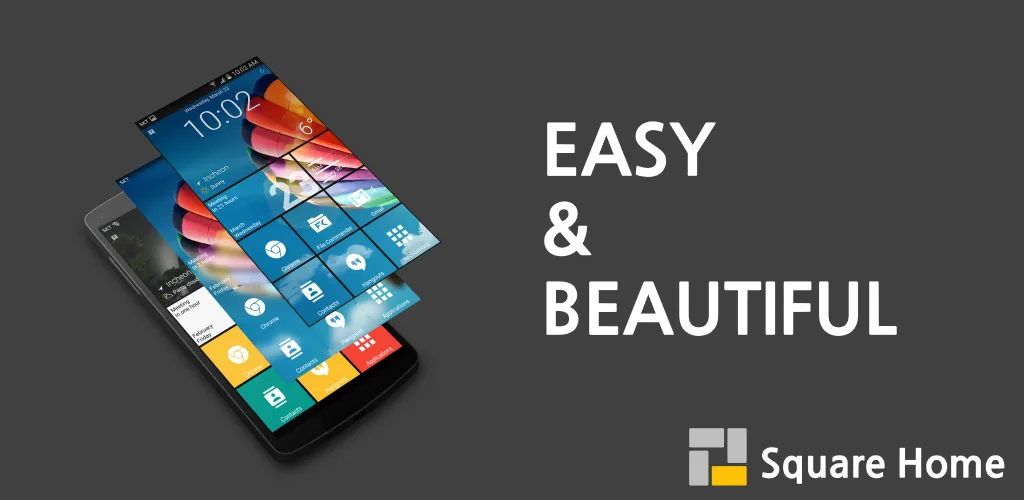
    square home android launcher

    Square Home might be for you if you want a more traditional, or perhaps we should say Microsoft-inspired, mobile experience. Although its design isn’t exactly the same as Windows Phone 8, it does include a squared-off grid structure that should bring back fond memories of Microsoft’s doomed handsets.

    If Microsoft hadn’t discontinued Windows Phone ten years ago, I like to think this is how it may have looked. For those of you who miss that specific design element, there is support for Live Tiles, home screen widgets, and a “Tiles on a Cube” system that allows you to swipe between tiles in a manner similar to twisting the top of a Rubik’s cube. Even better, it works with both foldables and Android tablets.

    The downside? It’s not free for more than 2 weeks. After your 14-day trial you’ll be asked to unlock the full version of the app with even more features — which is a one-off $5 payment.

    Download Square Home: Play Store

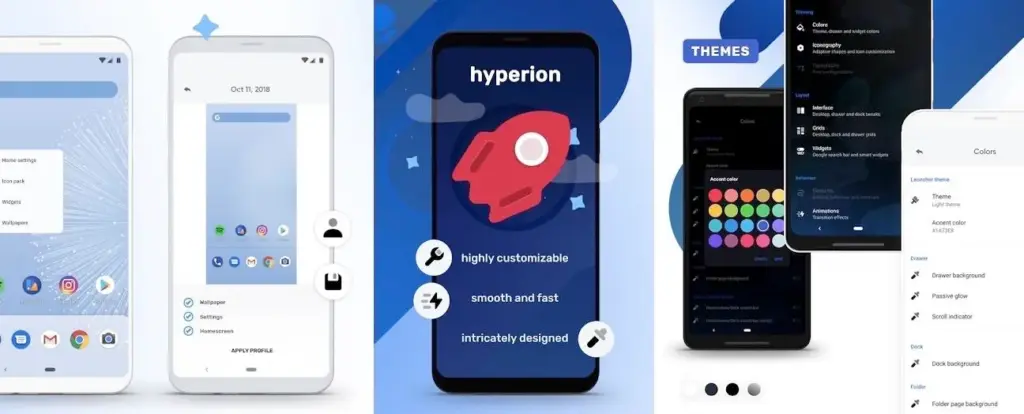
    Hyperion Launcher

    hyperios launcher Android

    The developers of the well-known Substratum theming engine created Hyperion Launcher, a Pixel-like Android launcher that offers a wide range of customization options.

    Users can customize a wide range of options for themes, folders, transparencies, animations, icon packs, and adaptive icons in addition to the normal wallpapers and widgets. Many of Hyperion’s features are available for free, while the Pro edition requires an in-app purchase to enable others, such as launcher-level font changes and custom gestures.

    Download Hyperion Launcher: Play Store

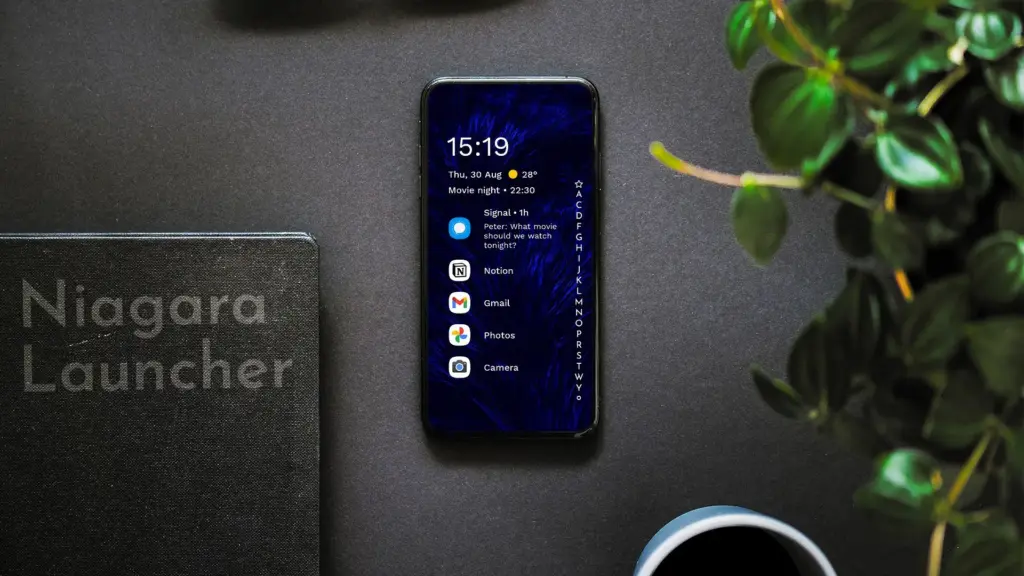
    Niagara Launcher

    niagara launcher

    Niagara is a slim Android launcher made to minimize other distractions while emphasizing your apps and alerts. Spam and persistent notifications are automatically filtered out of the notifications that are shown on your home screen. In addition to offering convenient alphabetical shortcuts, the app drawer instantly brings up your preferred apps.

    However, because of Niagara’s extreme simplicity, you shouldn’t anticipate any of the odd visual extras and features that you might anticipate from the majority of third-party launchers. It has a lot of promise and is often updated.

    Download Niagara Launcher: Play Store

    Is the stock launcher for you?

    We evaluated each launcher on this list using a variety of criteria during our hands-on experience with them. In particular, their features, design decisions, and genuine comparisons to standard Android versions.

    However, launchers are highly individualized, and what suits one user might not suit another. Therefore, ranking these rockets according to our perceptions and experiences was not the aim. Rather, we concentrated on the launcher’s goals and how successfully it achieved them.

    Giving the user as much functionality and autonomy as they like is the main goal of several launchers, such as Nova. Others, such as Square Home, are designed to provide a very particular experience; whether or not that is effective depends on the individual’s preferences.

    These launchers are ultimately just a small sampling of what is available. However, they do provide a great deal of choice and functionality in a number of areas. That’s why they’re so attractive. However, you are the only one who can decide which one is best for you, so make sure to try a few out for yourself.