Tag: update

  • Xiaomi HyperOS 3.1 Rollout Tops 85% Globally – Which Devices Are Still Waiting?

    Xiaomi HyperOS 3.1 Rollout Tops 85% Globally – Which Devices Are Still Waiting?

    Xiaomi has hit a significant milestone in its software rollout, with HyperOS 3.1 distribution now surpassing 85% globally. Built on Android 16, the update has reached nearly all eligible devices across the Xiaomi, REDMI, and POCO lineups — making it one of the fastest deployment cycles the company has executed to date.

    Every Android 16-capable Xiaomi device has received HyperOS 3.1, with only a handful of entry-level and mid-range models still in the queue. The speed of the rollout reflects Xiaomi’s broader push toward software consistency across its increasingly large device portfolio.

    What HyperOS 3.1 Brings

    This isn’t a minor maintenance update. HyperOS 3.1 delivers several system-level changes spanning the UI, connectivity, and multitasking experience.
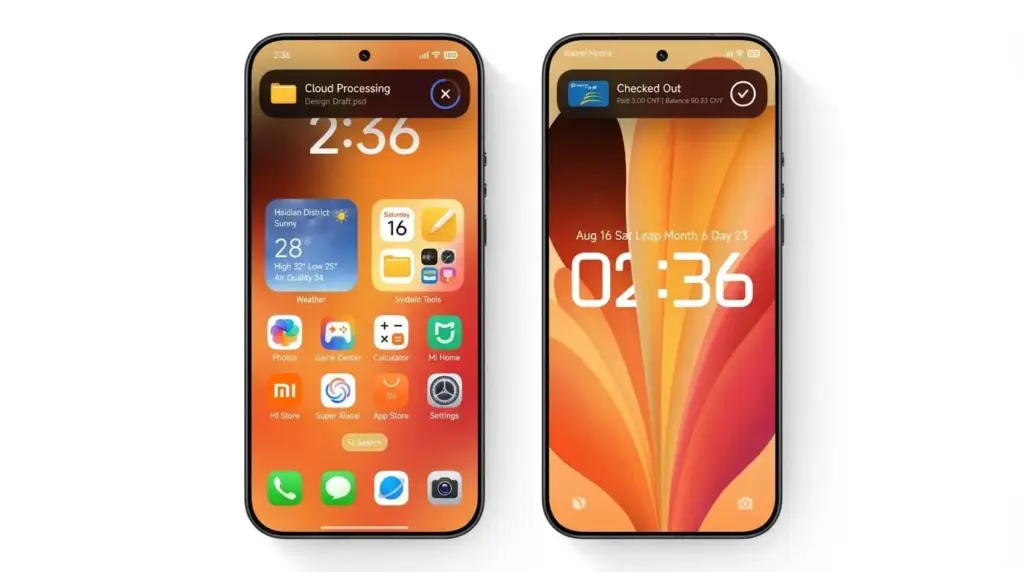
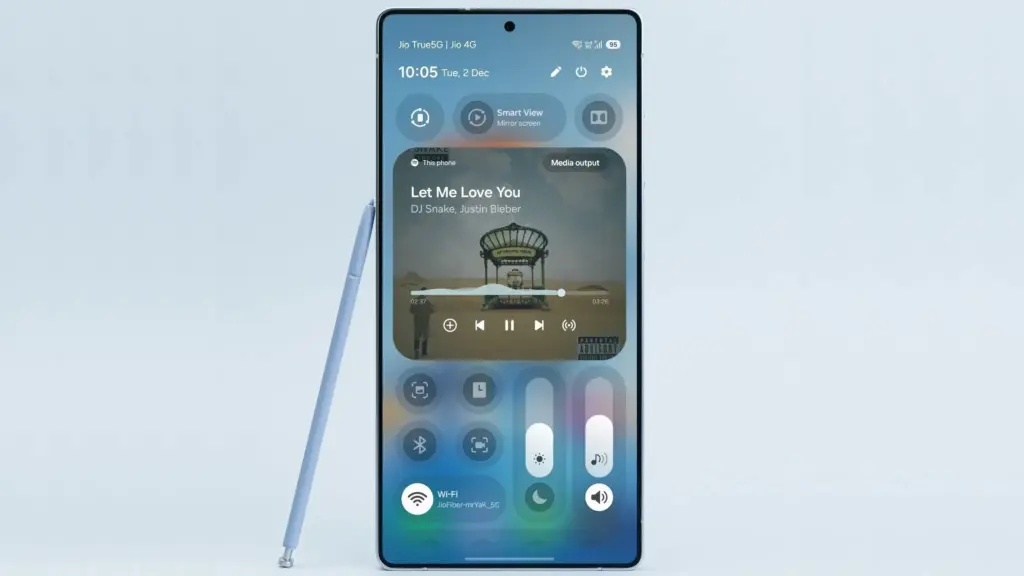
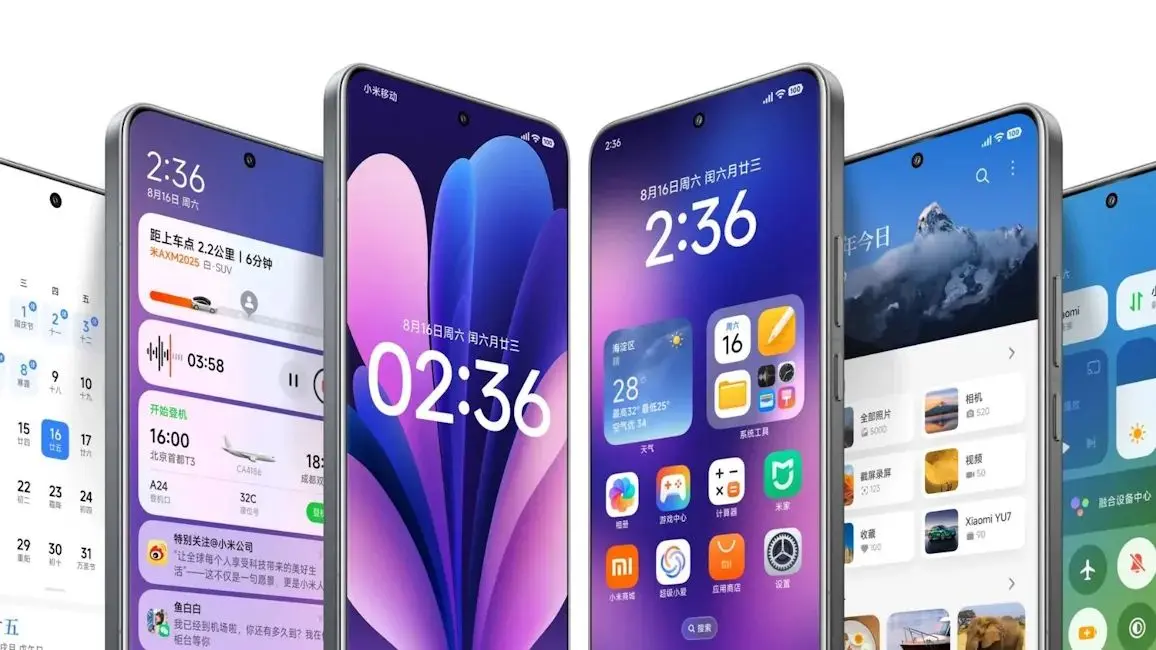
    HyperOS 3.1 visual changes

    Advanced HyperIsland Interface

    The HyperIsland notification layer has been further developed, now supporting real-time activity tracking for calls, timers, and media playback. Animations and transitions have been refined, and third-party app compatibility has been expanded. The result is a more dynamic and interactive notification system that positions HyperIsland as Xiaomi’s take on the kind of live activity UI that competing ecosystems have popularized.

    Enhanced Xiaomi HyperConnect

    Cross-device functionality gets a meaningful upgrade in HyperOS 3.1. File transfers between devices are faster, latency in device syncing has been reduced, and multi-device control — covering phones, tablets, and wearables — is more responsive. For users invested in the Xiaomi ecosystem across multiple device categories, this update makes the connected experience noticeably more reliable.

    iOS-Inspired Recent Apps Interface

    The Recent Apps menu has been redesigned with a horizontal, card-based layout that draws clear inspiration from iOS. Gesture navigation is smoother, and memory management is more visually transparent. The change fits into Xiaomi’s ongoing UI modernization effort under the HyperOS platform.

    Devices Still Waiting for HyperOS 3.1

    Despite the broad rollout, the following devices have not yet received the update:

    • REDMI 14C
    • REDMI A3 Pro
    • REDMI 13
    • REDMI 13X
    • REDMI Note 14 Pro 4G
    • REDMI Pad 2 Pro 5G
    • REDMI Pad SE 4G
    • REDMI Pad 2
    • REDMI Note 14 4G
    • REDMI A4
    • POCO C75 5G
    • POCO M6
    • POCO C75
    • POCO Pad M1
    • POCO C85 4G
    • POCO M7 4G
    • REDMI Note 15 Pro 4G

    These models are expected to receive HyperOS 3.1 in the final rollout phases. The delays are likely down to a combination of hardware optimization requirements, regional firmware certification timelines, and the additional tuning often needed for entry-level chipsets.

    With HyperOS 4 already on the horizon, the pace and breadth of the HyperOS 3.1 rollout points to a clear strategic shift – Xiaomi is no longer treating software updates as a routine obligation, but as a core part of building a unified ecosystem across its entire device range.
  • Xiaomi Reveals Android 17 HyperOS Rollout Timeline – Stable Builds Expected This Summer

    Xiaomi Reveals Android 17 HyperOS Rollout Timeline – Stable Builds Expected This Summer

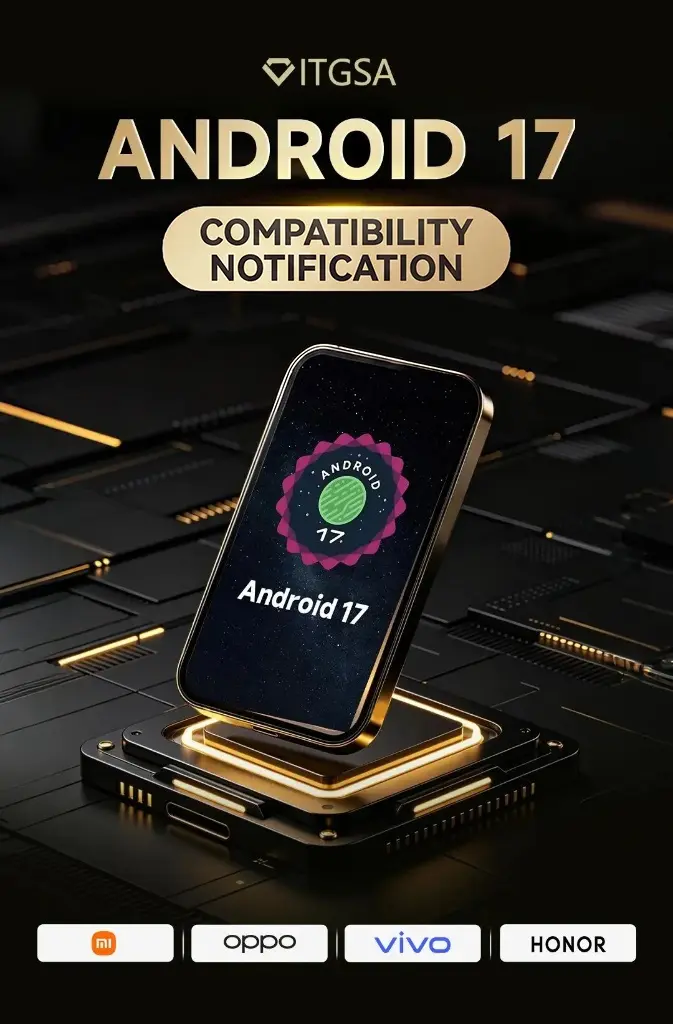
    Xiaomi has officially stepped up its Android 17 transition after publishing a developer adaptation announcement that appears to have indirectly revealed the company’s rollout roadmap. The notice urges developers to wrap up Android 17 compatibility work before July 1, 2026 — a deadline that strongly implies stable Xiaomi HyperOS builds based on Android 17 are arriving much sooner than most anticipated. The move puts Xiaomi alongside OPPO, vivo, and Honor as one of the most aggressive Android manufacturers in preparing their ecosystems for the new platform.

    hyperos android 17 update

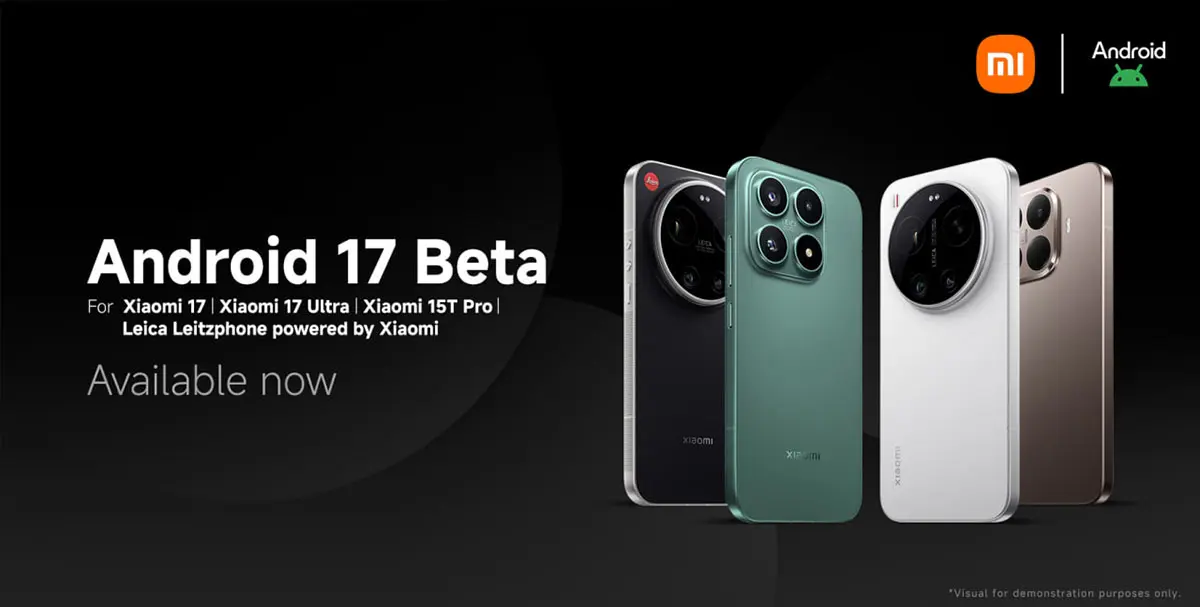
    Xiaomi already testing Android 17 Beta 2 on the Xiaomi 17 series

    According to Xiaomi’s official developer notice, developers with access to the Xiaomi 17 Ultra, Xiaomi 17 Ultra Leica Edition, and Xiaomi 17 can now install Xiaomi HyperOS 3.3 Developer Preview firmware based on Android 17 Beta 2. This is one of the clearest signals yet that Xiaomi’s Android 17 development has moved into an advanced stage. The company is pushing application developers to complete adaptation work before July 1, 2026, to ensure full compatibility with upcoming HyperOS builds.

    What the July 1 deadline says about Xiaomi’s roadmap

    Xiaomi hasn’t formally announced a stable Android 17 release date, but the adaptation deadline paints a fairly clear picture of what’s coming and when. Based on the company’s previous software release patterns, the likely Android 17 roadmap looks something like this:

    Expected Xiaomi Android 17 Timeline

    • May–June 2026 — Android 17 Beta testing phase, developer adaptation period, and internal HyperOS optimization
    • July 2026 — Final application compatibility verification, system stability improvements, and carrier and ecosystem preparation
    • Mid-July to August 2026 — First stable Xiaomi HyperOS 3.3 or 4 Android 17 builds, with an initial rollout targeting flagship Xiaomi devices
    • Q3–Q4 2026 — Wider rollout across Xiaomi, REDMI, and POCO devices globally

    The timeline makes clear that Xiaomi intends to keep HyperOS among the fastest-updated Android platforms in the industry.

    Xiaomi HyperOS Android 17 rollout expected to start with the Xiaomi 17 series

    The Xiaomi 17 lineup is shaping up to be the first stable Android 17 HyperOS platform. With Android 17 Beta 2 developer firmware already being distributed for these devices, the series is effectively serving as Xiaomi’s primary validation hardware for the new Android version. This mirrors Google’s own Pixel beta rollout strategy, where new flagship devices act as the initial optimization platform before broader expansion begins.

    Android 17 brings significant system-level changes

    The urgency behind the developer adaptation push also suggests Android 17 introduces platform behavior changes substantial enough to require early preparation. The likely changes include stricter background activity limitations, enhanced permission management, improved battery optimization, new security sandboxing features, updated notification behavior, advanced AI framework integration, and better optimization for large-screen and foldable devices.

    Apps that don’t adapt in time risk crashes, background execution failures, notification delays, or UI instability on Android 17 hardware. That’s precisely why Xiaomi and other major manufacturers are pressing developers to act well ahead of stable releases.

    android 17 compatibility

    OPPO, vivo, and Honor join the Android 17 adaptation push

    The ecosystem preparation extends well beyond Xiaomi. OPPO, vivo, and Honor have each published official Android 17 adaptation notices with the same July 1, 2026 deadline for developers. OPPO has gone furthest in spelling out the consequences, warning developers that apps failing to meet adaptation requirements could face search warning labels, device compatibility restrictions, and potential removal from app stores. That’s a strong signal of how seriously Android manufacturers are treating ecosystem stability ahead of what promises to be one of the more significant Android platform transitions in recent years.

    Via

  • Garmin Venu 4 Beta 17.25 Update Fixes Recovery Mode Bug and Improves Battery Estimates

    Garmin Venu 4 Beta 17.25 Update Fixes Recovery Mode Bug and Improves Battery Estimates

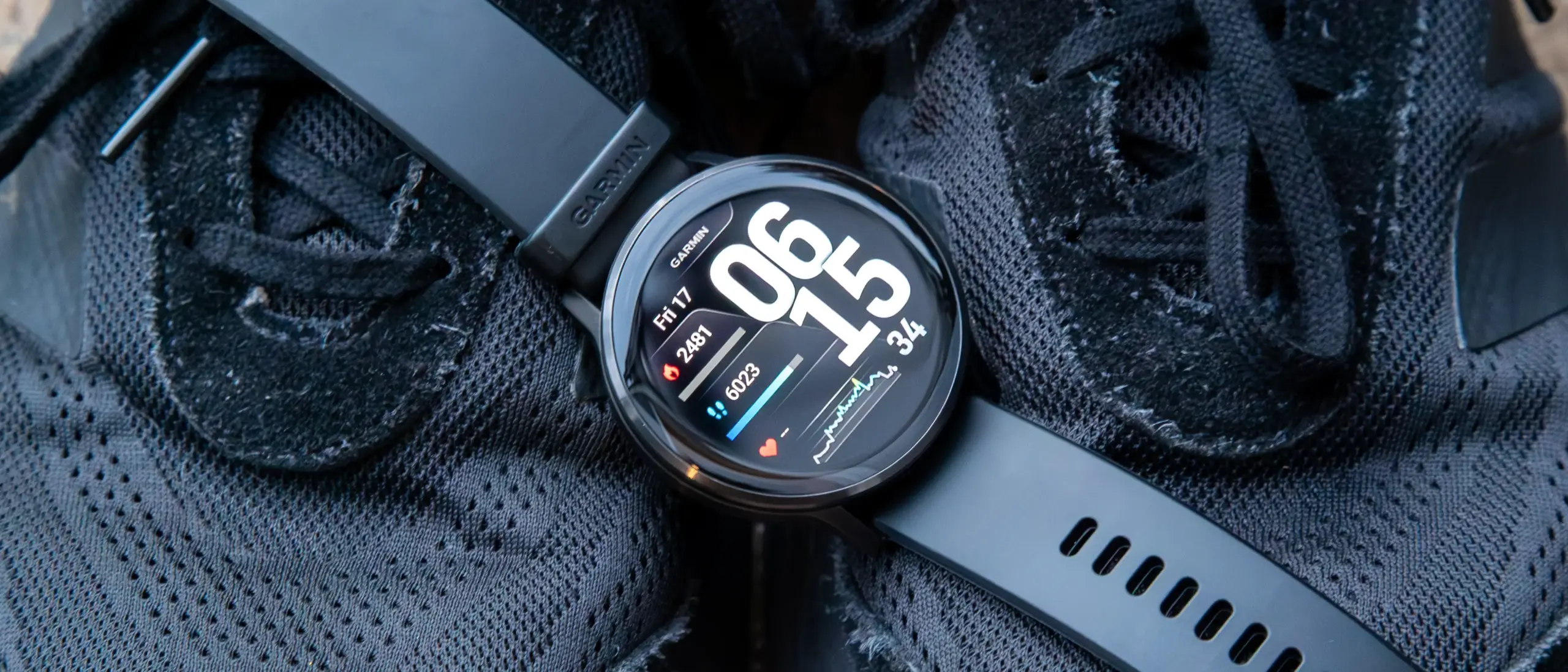
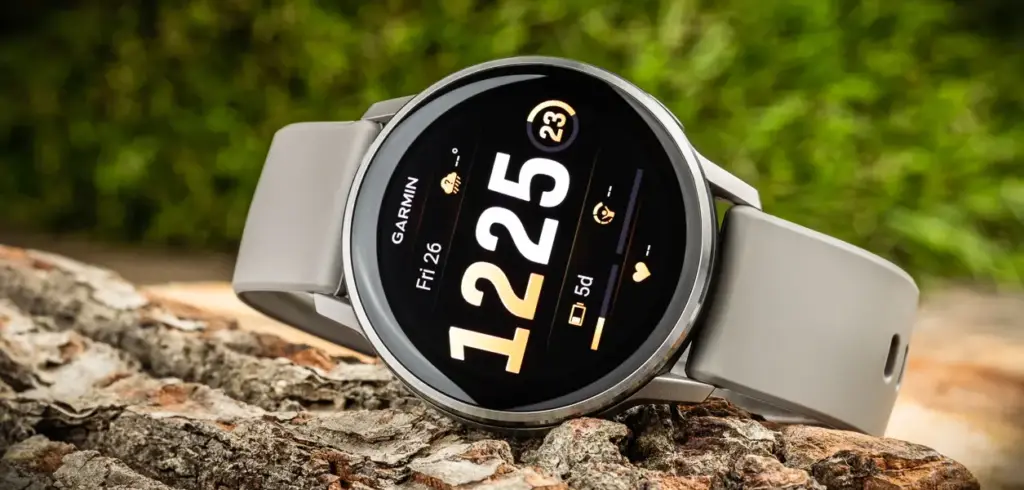
    Garmin has rolled out another beta update for the Venu 4, delivering over a dozen fixes and refinements to the mid-range smartwatch. Beta 17.25 is available globally through Garmin’s Beta Program and tackles a notable bug that could cause the watch to enter recovery mode during a software update, among several other improvements.

    The update arrives a day after Garmin pushed comparable beta builds to the Venu X1, Vivoactive 6, Forerunner 570, and Forerunner 970. The Venu 4 (currently $499 on Amazon) now gets its own update in the form of Beta 17.25, which Garmin says brings 13 changes to the device, including updated translations. The release also coincides with Garmin Connect Mobile picking up additional translations through its own v3.90 update.

    garmin venu 4 45mm silver silver gray silicone band

    There are no new features in this build – the focus is squarely on stability and accuracy. Beyond the recovery mode fix, Beta 17.25 resolves two separate issues that were causing device resets on earlier builds, and it also addresses a problem with battery estimate accuracy when switching power modes during activities. A few other quality-of-life fixes round out the changelog.

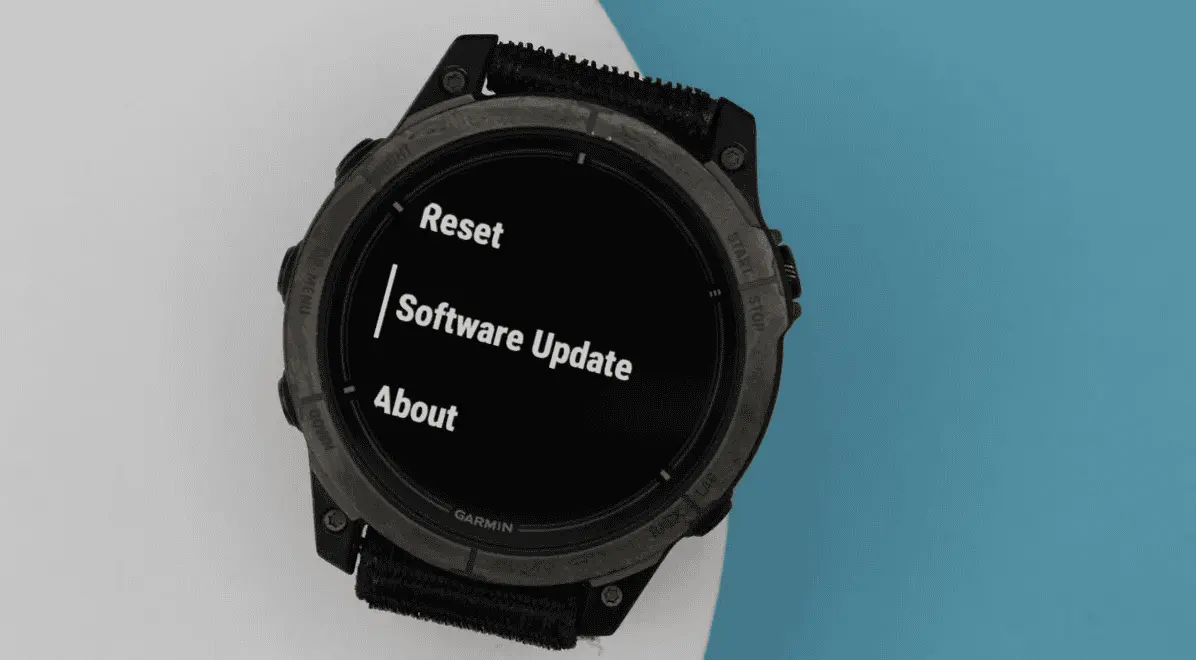
    To install Beta 17.25, users enrolled in Garmin’s Beta Program need to trigger the update manually. The path is: Main Menu → Settings → System → Software Update → Check for Updates.

    The full changelog from Beta 17.19 to Beta 17.25 is as follows:

    • Fixes a possible crash when routing back to start.
    • Fixes an issue that could cause the device to enter recovery mode during a software update.
    • Fixes an issue that could cause the device to reset when adding apps via Garmin Connect Mobile.
    • Fixes an issue that could cause the device to reset when viewing the evening report.
    • Fixes an issue that could result in counting reps incorrectly during strength training activities.
    • Fixes an issue that could result in the post-activity summary map being centered incorrectly for multisport activities.
    • Fixes an issue where the duration could be missing from the workout card in the morning report.
    • Fixes battery estimates when switching power modes for activities.
    • Fixes other minor bugs.
    • Fixes various other issues that could cause the device to reset.
    • Fixes weather app not updating when you enter the app.
    • GCM Translations – 3.90
    • Updates translations.
  • Honor Magic 8 Pro Becomes First Honor Device to Access Android 17 Beta

    Honor Magic 8 Pro Becomes First Honor Device to Access Android 17 Beta

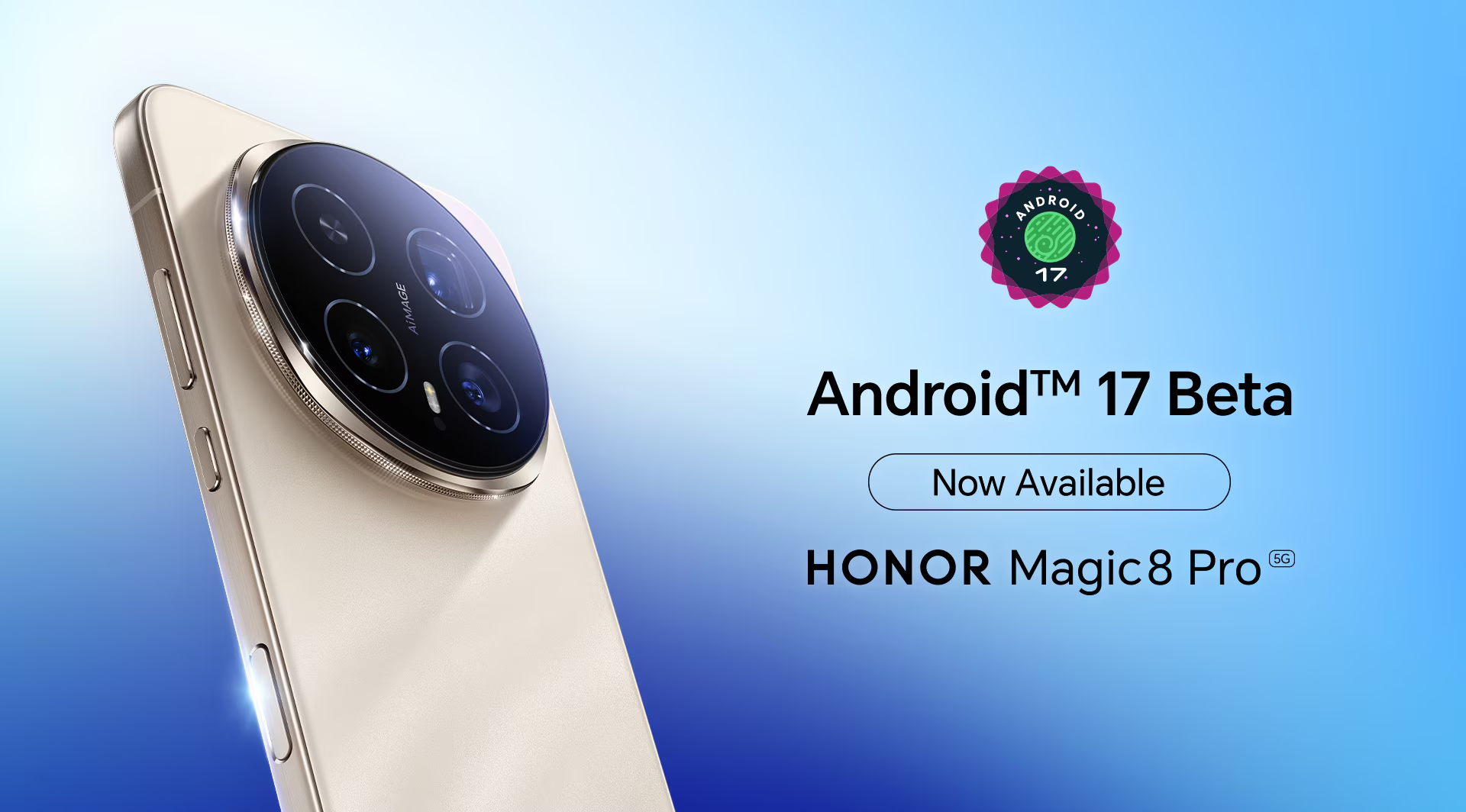
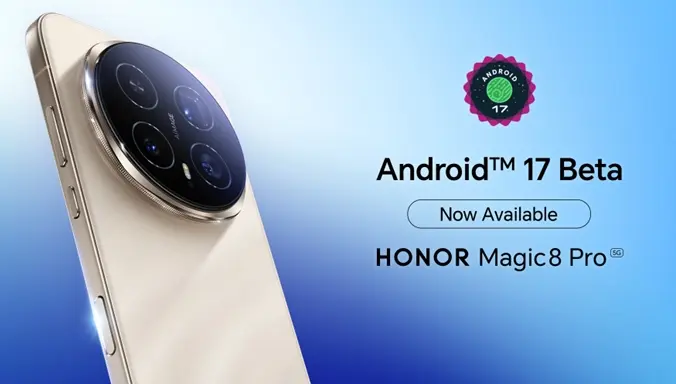
    Honor has announced that the Magic 8 Pro flagship is now able to access the first Android 17 Beta, making it the first device in the Honor lineup to get hands-on with the new software generation.

    The Magic 8 Pro launched globally with MagicOS 10.0 based on Android 16, and it now takes the lead as the first Honor device to venture into Android 17 territory. At this stage, the beta is aimed at developers and tech enthusiasts — it isn’t open to general users.

    The purpose of the beta access is straightforward: give developers the tools to explore the new OS, test how their apps behave on Android 17, improve application performance, and evaluate how well the latest Android 17 features integrate with the hardware. Once they’ve put the software through its paces, developers can share their findings on Honor’s global X page, covering anything from bugs and stability issues to performance observations and feature feedback — all of which feeds into refining the eventual public release.

    Honor Magic 8 Pro Becomes First Honor Device to Access Android 17 Beta

    Honor’s official message to developers was clear: “Get ready! Android 17 Beta is now available for all developers on #HONORMagic8Pro! We are excited to hear your thoughts on the new features. Share your experience.”

    As for what Android 17 actually brings, the developer beta includes a range of additions across productivity, customization, AI, camera, and privacy. Multitasking gets a boost through floating bubbles that can now be minimized and reopened independently for individual apps. On the camera side, the new RAW14 image format is set to enhance the AiMAGE experience with improvements to image processing, dynamic range, and color accuracy. Other additions include a customizable UI for a tidier home screen, a redesigned Photo picker with multiple layout options, and updates to the Quick Settings panel, among other changes.

  • Google Pixel’s “Take a Message” Feature May Soon Expand to More Countries and Non-Pixel Devices

    Google Pixel’s “Take a Message” Feature May Soon Expand to More Countries and Non-Pixel Devices

    Being a Pixel owner outside the United States has always come with a catch: a long list of AI features that simply aren’t available in your region. Google has gradually extended some of these to international markets, but the majority remain US-only. That gap may be getting a little smaller, as the company appears to be preparing another Pixel feature for a broader global rollout.

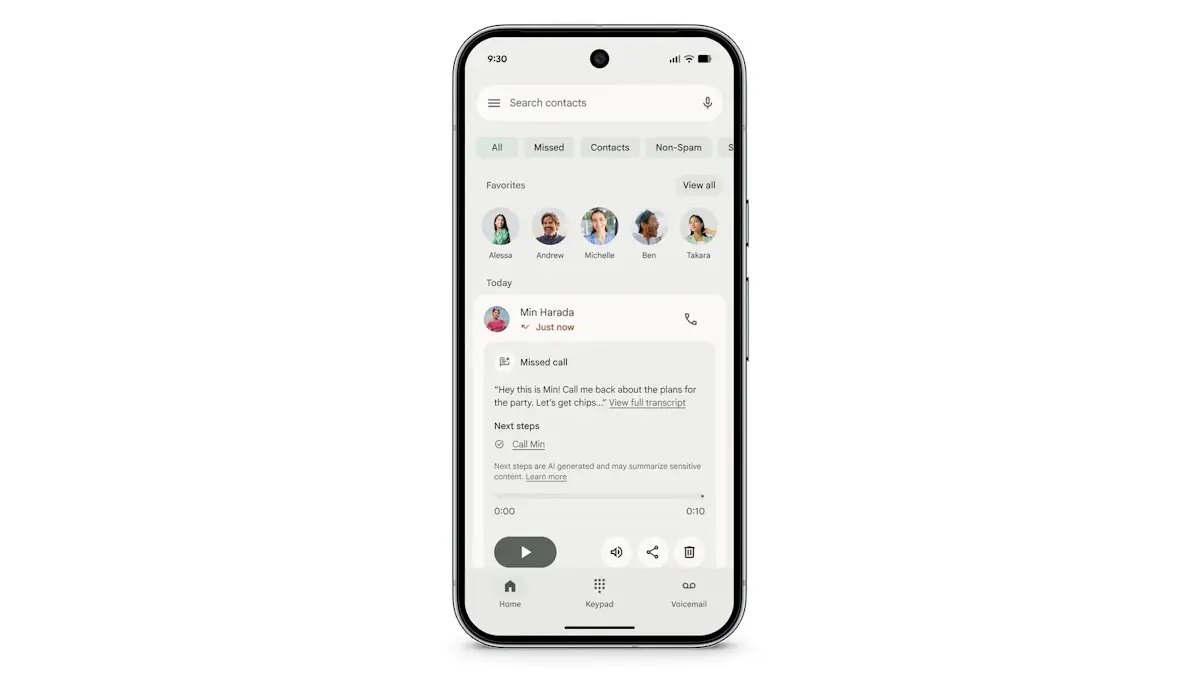
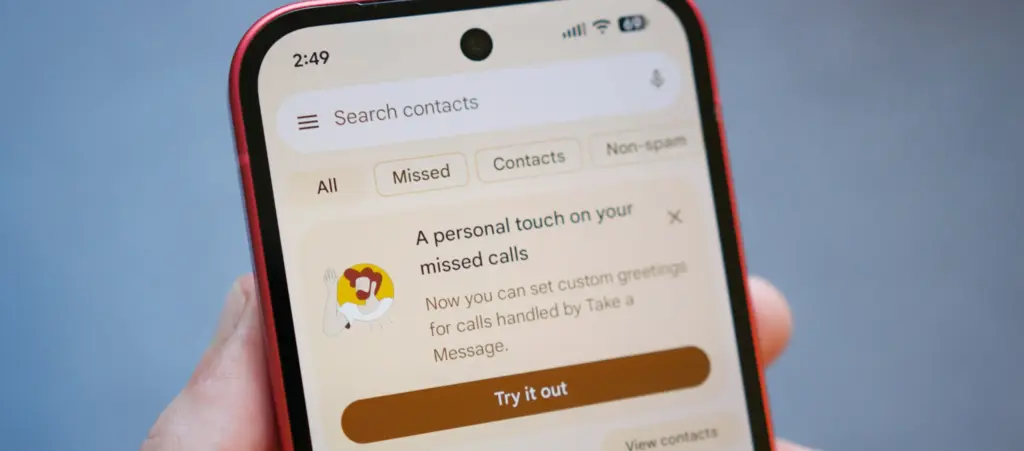
    Introduced alongside the Pixel 10 series in 2025, “Take a Message” functions like a smarter take on traditional voicemail. When someone calls and the user can’t pick up, the feature answers on their behalf, takes a message, and displays a real-time transcription as it happens. It’s supported on all eligible Pixels from the Pixel 6 through to the Pixel 10, but availability has been restricted to the US, Australia, Canada, Ireland, and the UK. According to Android Authority, that’s about to change.

    Code found in the latest Phone app beta suggests Google is working on a significantly wider rollout. Take a Message could reach a range of Asian and European markets including Austria, Belgium, Finland, Malaysia, Hungary, Latvia, the Netherlands, Norway, Poland, Singapore, Sweden, and Taiwan. Germany, Spain, France, Italy, and Japan may receive the feature with transcription support included. India also appears to be in scope, with country-specific code strings discovered in the same beta build.

    Beyond geographic expansion, the report indicates Google is also planning to bring Take a Message to non-Pixel devices – though seemingly without transcription support in that case.

    custom take a message google phone

    A useful feature that deserves wider reach

    Take a Message doesn’t get as much attention as Call Screening or some of Google’s more prominent AI calling tools, but it’s a genuinely practical addition. One of its stronger selling points is that all transcription happens on-device, which makes it a privacy-conscious alternative to cloud-based voicemail systems. For anyone who finds their carrier’s default voicemail setup clunky or impersonal, it offers a noticeably cleaner experience directly from the phone.

    The expansion follows a pattern Google has already started exploring. Earlier this year, the company brought Scam Detection – previously a Pixel-exclusive feature – to the Samsung Galaxy S26 series, marking one of the first times a major Pixel AI calling feature landed on a competing Android flagship. A similar rollout strategy seems likely for Take a Message, potentially starting with non-Pixel flagships before spreading to a wider device pool.

  • One UI 8.5 Starts Rolling Out to Samsung Galaxy S25 in the US – Here’s What’s New

    One UI 8.5 Starts Rolling Out to Samsung Galaxy S25 in the US – Here’s What’s New

    After months of beta testing, One UI 8.5 has begun rolling out to Samsung Galaxy S25 phones in the United States, bringing the 2024 flagship lineup up to speed with the features that debuted on the Galaxy S26 (via Android Authority).

    The update delivers a significant package of previously S26-exclusive features to S25 owners, including Agentic AI through Bixby, a series of visual changes, and an enhanced Quick Share app. Perhaps just as notable: the rapid arrival on S25 hardware – only a week after the update launched in Samsung’s home market of South Korea – suggests other eligible devices in the first rollout wave may not be far behind.

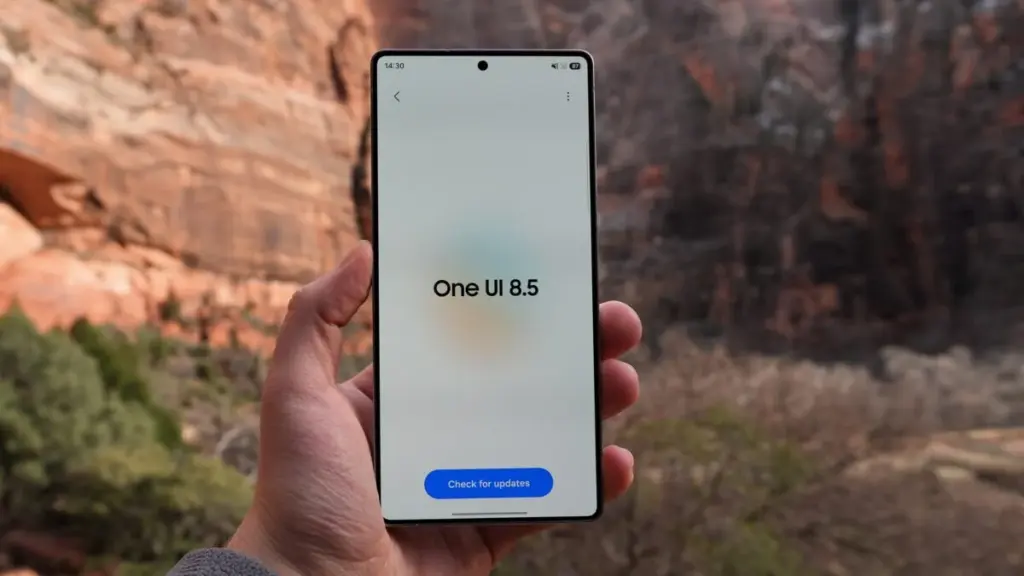
    One UI 8.5 Starts Rolling Out to Samsung Galaxy S25

    One UI 8.5 is a long-awaited upgrade for a wide range of Samsung phones

    Beyond the Galaxy S25 family (which includes the upcoming S25 FE), Samsung has confirmed the following devices are part of the first phase of the One UI 8.5 rollout:

    • Galaxy S24, S24 Plus, S24 Ultra, and S24 FE
    • Galaxy Z Fold 7, Flip 7
    • Galaxy Z Fold 6, Flip 6
    • Galaxy Tab S11, Tab S11 Ultra
    • Galaxy Tab S10, Tab S10 Plus, Tab S10 Ultra

    Owners of those devices should watch for notifications over the coming days, as the update is likely to follow shortly.

    On the technical side, the update weighs in at 4,408.31 MB and also bundles the April security patch – a little late, but the sheer volume of additions makes that easy to overlook.

    The One UI 8.5 excitement has been building for a while, and the end result justifies it. Despite not being a full version number bump, this update delivers what One UI 8 arguably should have been at launch. The headlining addition is Agentic AI, which finally brings AI-powered call screening to Samsung’s phones alongside the ability to edit images through text prompts and expanded AI Select functionality.

    Bixby also makes a meaningful return, now powered by Perplexity – a significant upgrade that makes Samsung’s long-running assistant considerably more capable than any previous iteration. The overhauled Quick Share app rounds out the major additions.

    One UI 8.5 has been a long time coming for anyone outside the S26 range, and with the rollout now picking up pace, it won’t be long before a much broader set of Samsung devices gets to experience it firsthand.

  • Android 17 QPR1 Beta 2 Arrives with a Focus on Bug Fixes

    Android 17 QPR1 Beta 2 Arrives with a Focus on Bug Fixes

    Android 17 QPR1’s latest beta build is centered almost entirely on bug fixes. Google first released the initial QPR1 beta in the third week of April, and just a couple of weeks later, it has now rolled out Android 17 QPR1 beta 2. Because the gap between the two builds is so short, this release mainly focuses on stability improvements rather than anything flashy.

    Android 17 QPR1 beta 2 lands for Pixel phones with bug fixes, OTA support, and a small Quick Settings tweak on Pixel 8 Pro.

    That said, a long list of fixes does not change the fact that Android 17 QPR1 is still at an early beta stage. Issues are still likely, so users who care most about stability should probably stay on Android 16 on their Pixel. Anyone who wants to test the newer software can still try Android 17 beta, which should be noticeably more stable than QPR1 beta. If you do install Android 17 QPR1 beta, sending bug reports to Google will help those problems get addressed faster.

    The OTA is already available for all compatible Pixel devices, starting with the Pixel 6 and running through the Pixel 10 lineup. Users can also download the OTA image and manually sideload it on a Pixel if they prefer that route.

    On the user-facing side, there does not seem to be much new on a Pixel 8 Pro, aside from a refreshed Quick Settings edit icon. Google may be holding back the bigger changes for later beta builds or for future QPR releases.

  • Garmin Beta 17.19 Update Rolls Out to Venu 4 and Vivoactive 6 with Bug Fixes and New Features

    Garmin Beta 17.19 Update Rolls Out to Venu 4 and Vivoactive 6 with Bug Fixes and New Features

    Garmin has pushed out another beta update for two of its recent mid-range smartwatches. Beta 17.19 is the second update the company has issued to the Venu 4 and Vivoactive 6 during the current v17.xx development cycle, building on the two dozen or so changes that arrived with the first release in this round. Based on how Garmin has handled previous beta cycles, at least another two to three updates are likely before the company promotes v17.xx to its stable software branch.

    Beta 17.19 brings eight changes shared across both the Venu 4 and Vivoactive 6 (currently $249 on Amazon). Among the fixes, Garmin has resolved an issue where the turn arrow would disappear during course navigation — a fairly disruptive bug for anyone relying on the watch for outdoor routing. The update also improves UI responsiveness when starting a timer, which should make the experience feel snappier during workouts.

    The Venu 4 gets three additional changes on top of the shared fixes. A bug that prevented the watch from accepting incoming calls has been squashed, as has another that caused the back and down keys to stop functioning during bouldering and indoor climb activities. Garmin has also adjusted how the mute setting behaves — it will now only stay active for the duration of the current phone call rather than persisting indefinitely afterward.

    The full changelogs for both devices are below.

    Venu 4 & Vivoactive 6 changelog

    • Adds support for Approach CT1 club sensors.
    • Allows LiveTrack to be enabled automatically on a per activity type basis.
    • Fixes an issue that could cause the turn arrow to be missing when navigating a course.
    • Fixes other minor bugs.
    • Fixes send off time not vibrating during swim workouts.
    • Fixes various issues that could cause the device to reset.
    • GCM Translations – 3.80
    • Improves responsiveness when starting the timer.
    • Prevents automatic track detection during trail run activities.

    Venu 4 specific changelog

    • Updates mute setting to only persist for the current phone call.
    • Fixes a possible issue where the back and down key would not work for indoor climb and bouldering activities.
    • Fixes an issue that could result in not being able to accept an incoming call on the watch.
  • Samsung One UI 9 Leak Reveals New Adaptive Clock Font for Lock Screen

    Samsung One UI 9 Leak Reveals New Adaptive Clock Font for Lock Screen

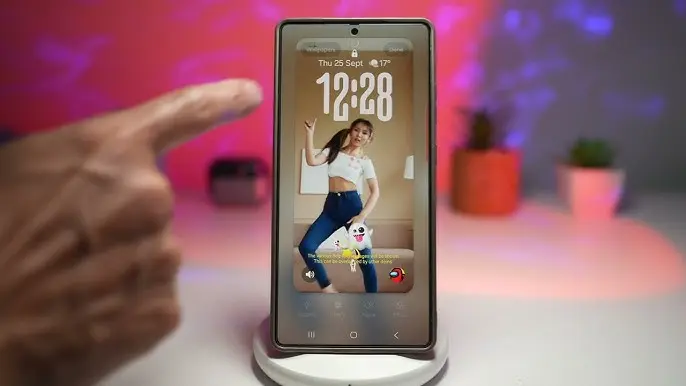
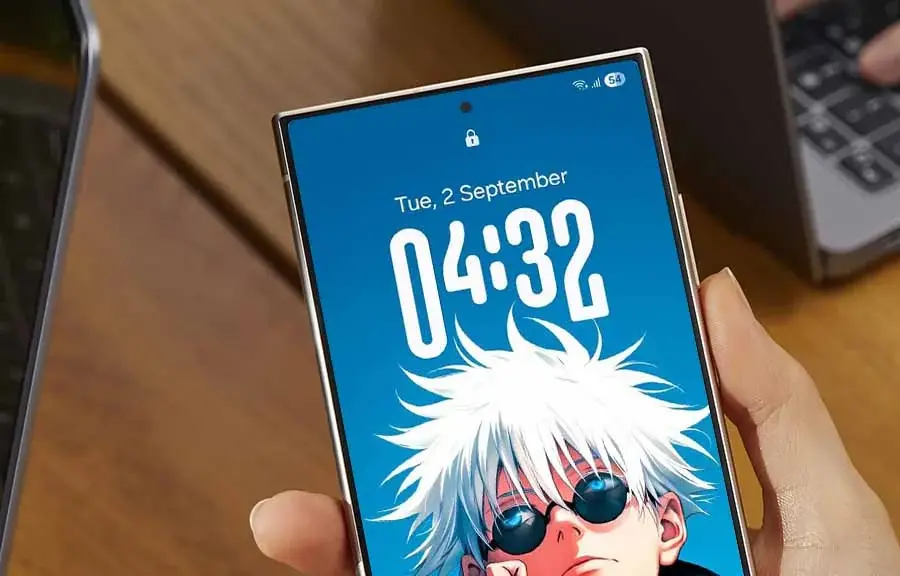
    Adaptive Clock was one of the standout additions in One UI 8, and an early look at Samsung’s One UI 9 suggests the feature is getting a notable upgrade with a brand-new font style.

    Samsung is currently working internally on One UI 9, which will be based on Android 17. It follows the One UI 8.5 rollout, expected to kick off later this month, with a Beta Program for One UI 9 likely arriving sometime in the second half of May 2026.

    X user Kailash shared an image showing off the updated Adaptive Clock in One UI 9. Where the current version adapts to wallpapers featuring a distinct object, the newer iteration extends that behavior to landscapes and regular wallpapers as well, broadening its reach considerably.

    samsung one ui 9 adaptive clock

    The clock itself appears in HH:MM format, with the new font applied to the two middle characters. Rather than a fixed style, the design shifts its appearance based on whatever wallpaper is set on the lock screen.

    Visually, the new Adaptive Clock font bears a resemblance to an existing clock style already available on One UI — the key difference being that the current one is static. The addition makes it clear Samsung wants to give users even more ways to personalize their lock screen experience.

    The new font has already been spotted in an internal build of One UI 9 and appears to be functioning as intended, making its inclusion in the official release look likely. That said, adjustments could still happen throughout the Beta testing phase.

    One UI 9 is built on Android 17 and will make its public debut on the Galaxy S26 series. A Beta Program will precede the wider rollout, with the stable version set to arrive alongside Samsung’s next-generation foldables, the Z Fold 8 and Z Flip 8.

  • Samsung One UI 8.5 Stable Update Starts April 30 – Full Eligible Galaxy Device List

    Samsung One UI 8.5 Stable Update Starts April 30 – Full Eligible Galaxy Device List

    After months of beta testing and a longer wait than many expected, Samsung’s One UI 8.5 stable rollout finally has a confirmed launch date. Samsung hasn’t officially published an eligible devices list, but based on the beta program’s reach and how past major releases have played out, every Galaxy device that received One UI 8.0 is expected to be covered.

    Why One UI 8.5 Is a Bigger Deal Than Usual

    Samsung’s point-five updates have historically been modest affairs – incremental patches targeting flagship Z and S series handsets. One UI 8.5 breaks from that tradition in a meaningful way. The rollout stretches down to Galaxy A, M, and F budget devices, which signals that Samsung is using this update to push Android 16 across its full portfolio instead of saving it for a major version increment. That strategic shift explains why the eligible device list this time around is notably longer than usual.

    Samsung galaxy One UI 8.5 update

    The visual changes are the first thing users will notice. Ambient Design brings blur effects to system UI elements and refreshed stock apps, continuing an aesthetic direction Samsung has been developing quietly across the past two generations. On the AI front, Bixby now integrates Perplexity’s search-focused model in place of Samsung’s own LLM back-end — a candid acknowledgment of where Bixby has consistently fallen short.

    Features That Actually Matter Day to Day

    Audio Eraser deserves more attention than it’s getting. It applies real-time background noise reduction across the entire system – covering YouTube, Instagram, and other third-party apps during playback, not just Samsung’s native software. That addresses a long-standing frustration that most users have simply accepted. Call Screening takes the work out of handling unknown callers by automating the process. Photo Assist picks up text prompt support, extending Samsung’s AI-assisted photo editing toolkit further.

    Full List of Eligible Galaxy Devices

    Galaxy S Series
    Galaxy S25, S25+, S25 Ultra, S25 FE, and S25 Edge
    Galaxy S24, S24+, S24 Ultra, and S24 FE
    Galaxy S23, S23+, S23 Ultra, and S23 FE
    Galaxy S22, S22+, and S22 Ultra
    Galaxy S21 FE

    Galaxy Z Series
    Galaxy Z TriFold
    Galaxy Z Fold Special Edition
    Galaxy Z Fold 7, Z Flip 7, and Z Flip 7 FE
    Galaxy Z Fold 6 and Z Flip 6
    Galaxy Z Fold 5 and Z Flip 5
    Galaxy Z Fold 4 and Z Flip 4

    Galaxy Tab Series
    Galaxy Tab S11 and S11 Ultra
    Galaxy Tab S10+, Tab S10 Lite, Tab S10 Ultra, Tab S10 FE, and Tab S10 FE+
    Galaxy Tab S9, Tab S9+, Tab S9 Ultra, Tab S9 FE, and Tab S9 FE+
    Galaxy Tab S8, Tab S8+, and Tab S8 Ultra
    Galaxy Tab S6 Lite (2024)
    Galaxy Tab A11 and Tab A11+
    Galaxy Tab A9 and Tab A9+
    Galaxy Tab Active 5 and Active 5 Pro

    Galaxy A Series
    Galaxy A73
    Galaxy A56, A55, A54, and A53
    Galaxy A36, A35, A34, and A33
    Galaxy A26, A25, and A24
    Galaxy A17 (4G & 5G), A16 (4G & 5G), and A15 (4G & 5G)
    Galaxy A07 (4G & 5G) and A06 (4G & 5G)

    Galaxy M Series
    Galaxy M56, M55, M55s, and M53
    Galaxy M36, M35, M34, and M33
    Galaxy M17, M17e, M16, and M15
    Galaxy M07 and M06

    Galaxy F Series
    Galaxy F07e
    Galaxy F56, F55, and F54
    Galaxy F36 and F34
    Galaxy F17, F16, and F15
    Galaxy F07 and F06

    Galaxy XCover Series
    Galaxy XCover 7 Pro and XCover 7
    Galaxy XCover 6 Pro

    Rollout Schedule

    Galaxy S25 series goes first – April 30 in Korea, May 4 for international markets. Galaxy Z Fold 7 and Z Flip 7 follow shortly after, possibly within the same April window. Galaxy S24 series along with Z Fold 6 and Z Flip 6 should arrive in early-to-mid May. Galaxy S23, S22, and mid-range A, M, and F devices can expect their updates through May and June. The full rollout should wrap up before Samsung kicks off One UI 9 beta testing, which is anticipated for the Galaxy S26 series later in 2026.