Tag: update

  • Xiaomi 15 Gets Stable HyperOS 3.1 Based on Android 16 in EEA

    Xiaomi 15 Gets Stable HyperOS 3.1 Based on Android 16 in EEA

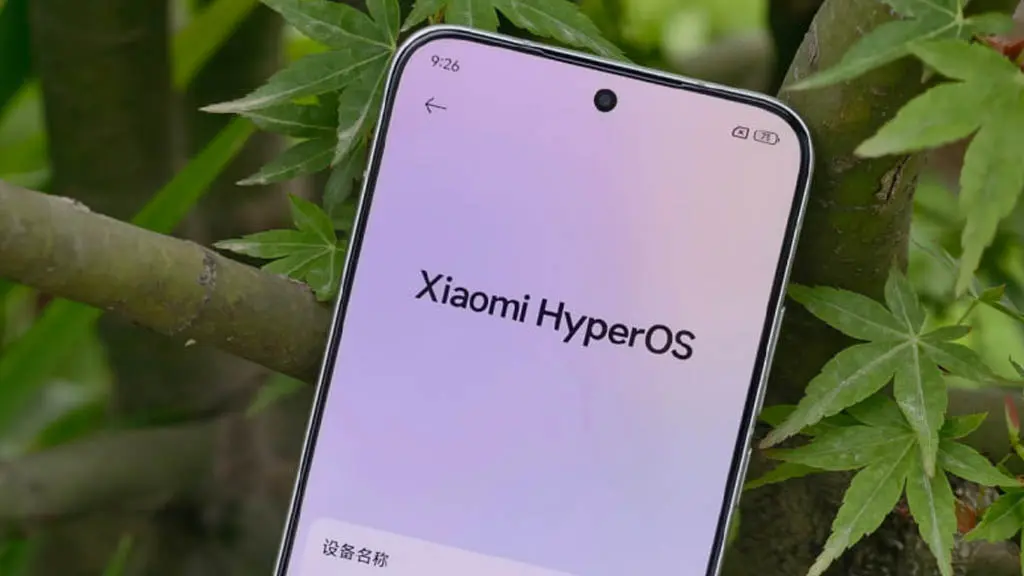
    The long-awaited Android 16 phase has now officially started for Xiaomi’s flagship family. Today, the stable Xiaomi HyperOS 3.1 update began rolling out to Xiaomi 15 users in the European Economic Area (EEA). This major release is an important step in Xiaomi’s software progress, moving beyond earlier beta builds and delivering a fully public, stable version directly through the Updater app.
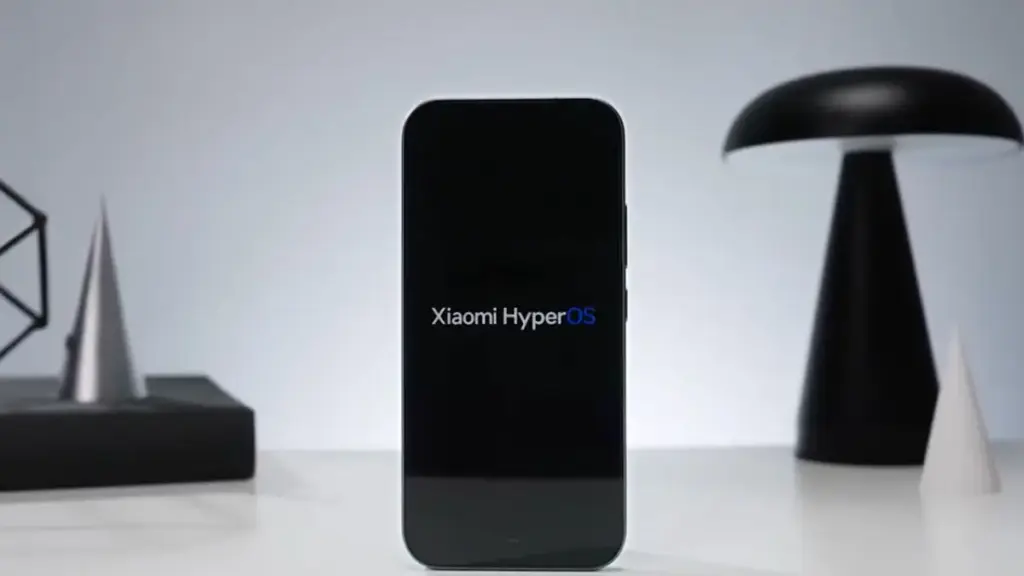
    Xiaomi 15 starts receiving stable HyperOS 3.1 with Android 16 in EEA

    System Architecture & New Features

    This update brings a major refresh to the system interface, the underlying code structure, and the company’s cross-platform ecosystem features. Here is the technical breakdown of the main additions in HyperOS 3.1:

    • Advanced Hyper Island System: The dynamic notification and system status area has been noticeably refined, with smoother animations and richer, more interactive live activities around the camera cutout.
    • Enhanced iOS Connectivity: Xiaomi has significantly improved its cross-platform workflow, making it easier to share files, sync clipboards, and interact between the Xiaomi 15 and Apple’s iOS ecosystem.
    • iOS-Style Stacked Recent Apps: The multitasking menu has been redesigned with a stacked, card-based layout similar to iOS, making background app navigation quicker and the visual presentation more intuitive.
    • Rust-Based System Applications: In a major move toward security and memory safety, several core system applications have been rewritten entirely in the Rust programming language, cutting system overhead and reducing the risk of memory leak vulnerabilities.

    Update Details

    Device Name: Xiaomi 15
    Device Codename: dada
    Target Region: EEA (Europe)
    OS Version: OS3.0.301.0.WOCEUXM
    Android Version: Android 16
    Release Type: Stable (Publicly available via the system Updater)

    For everyday users, the move to Android 16 and HyperOS 3.1 should make the phone feel noticeably smoother and more responsive. The Rust-based system apps help memory allocation work more efficiently, which should reduce the chances of the UI dropping frames during heavy multitasking.

    The upgraded iOS connectivity is also likely to be especially useful for users working across mixed-device setups. It removes much of the friction involved in moving media or documents between a Xiaomi flagship and an iPad or Mac, which should make day-to-day file sharing feel far less tedious.
  • Pixel Users Report Massive Slowdowns – Recent Update May Be to Blame

    Pixel Users Report Massive Slowdowns – Recent Update May Be to Blame

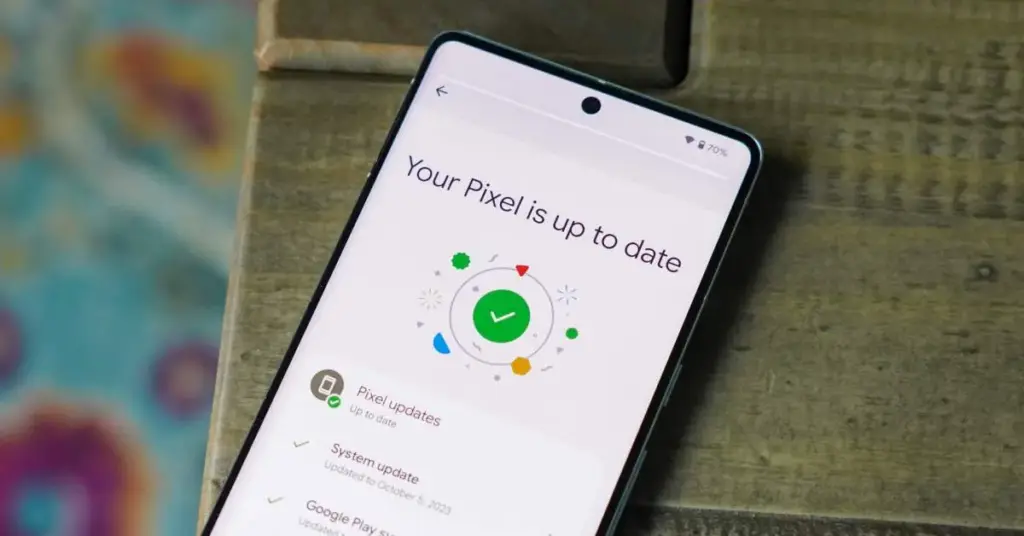
    Pixel phones are no strangers to the occasional software hiccup, and the latest issue making the rounds is a slow performance bug that has started affecting a growing number of users. Pixel devices have never been the go-to choice for heavy multitasking or gaming, but day-to-day responsiveness has typically been one of their stronger points. For some owners, that snappiness has noticeably faded following recent software updates.

    This isn’t the only problem Pixel users have had to deal with lately, either. Earlier this month, complaints surfaced around a battery drain bug tied to the April update that rolled out recently. Before that, a separate issue was causing boot loops after the March update – arguably the most alarming of the bunch. The performance slowdown adds yet another frustration to a string of post-update problems that Pixel owners have had to navigate.

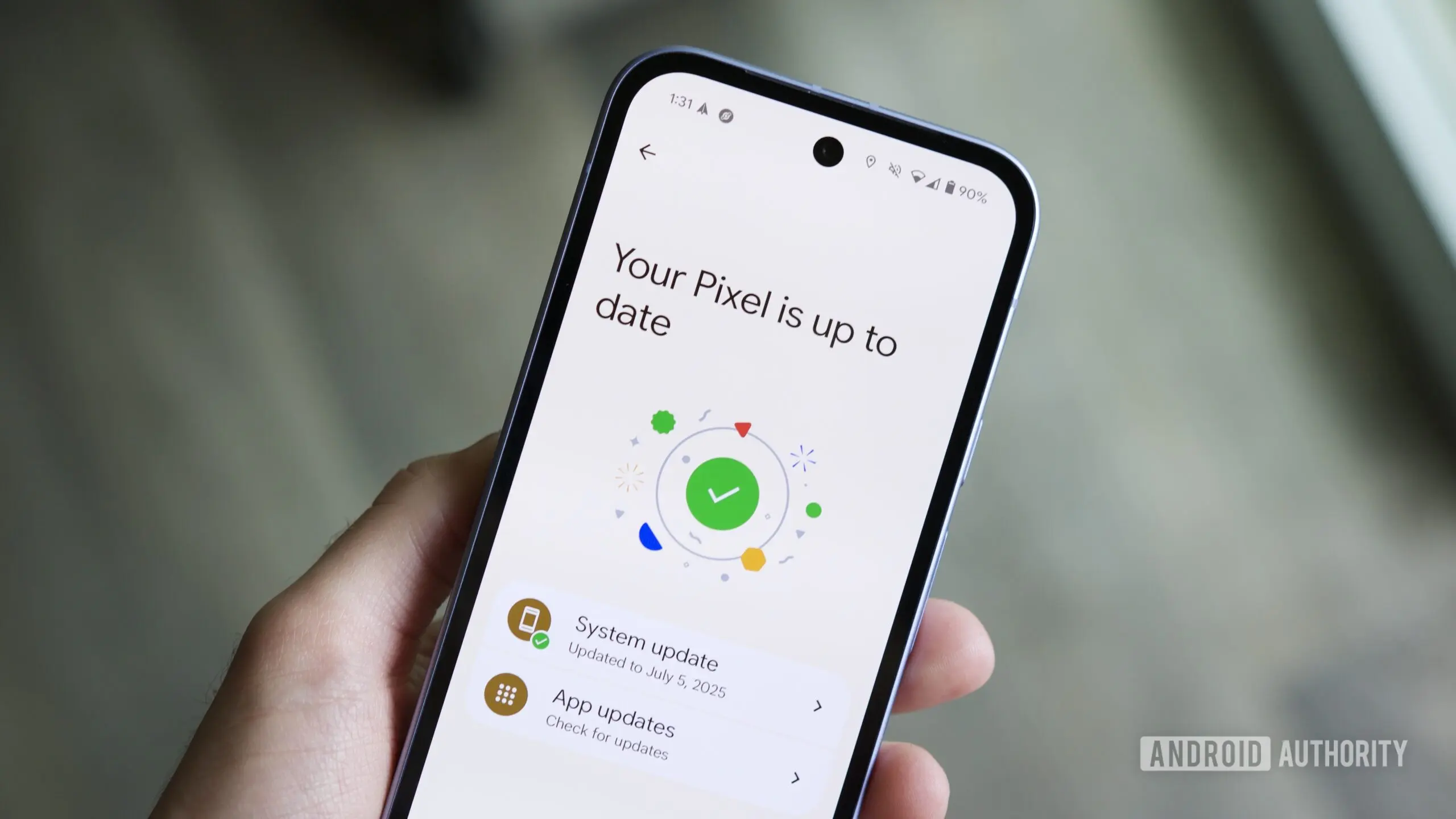
    New Pixel Software Updates 1 2 1200x628 1

    Pixel 8 and Pixel 9 Most Affected

    While the bug could potentially be touching older Pixel generations as well, Android Authority reports that the bulk of complaints are coming from Pixel 8 and Pixel 9 owners specifically. Neither of these phones is particularly old, and that matters. Starting with the Pixel 8, Google committed to providing seven years of software updates, meaning a large portion of users will be holding onto these devices for years to come.

    That long-term support promise makes it all the more important for Google to address the issue promptly. So far, though, Google hasn’t publicly acknowledged the bug, which means a fix in the near term seems unlikely. It’s also worth noting that the slowdown may not be noticeable to every user. The bug is far from ideal, but depending on the device and usage pattern, some owners may not feel much impact at all.

  • Android 17 QPR1 Beta 1 Is Now Available for Pixel Devices

    Android 17 QPR1 Beta 1 Is Now Available for Pixel Devices

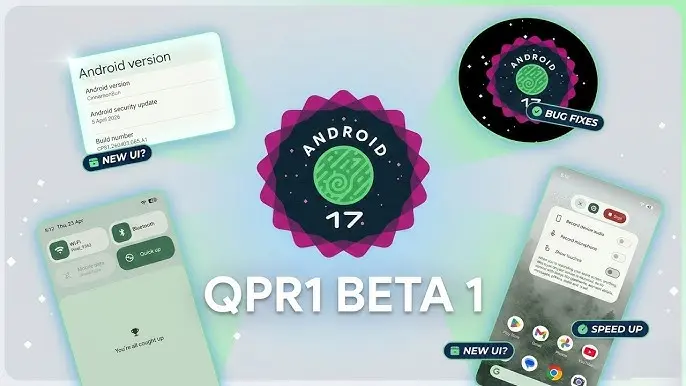
    With the final scheduled Android 17 Beta dropping just last week, Google has wasted no time shifting focus — Android 17 QPR1 Beta 1 is already here.

    Google describes the release officially as the start of “the next round of Beta updates for our September Feature Drop release,” marking the beginning of the QPR1 cycle ahead of what will become a standalone feature update later in the year.

    Android 17 QPR1 Beta 1 beta released for Pixel

    This build addresses the following issues:

    • Fixed a crash in the Default Print Service occurring during low ink conditions that prevents users from completing print jobs. (Issue #487545419)
    • The Terminal app triggers an Application Not Responding (ANR) error that results in the application and device becoming unresponsive. (Issue #497465940)
    • Resolved an issue where uncontrollable hardware audio processing on the voice communication path caused distortion and phase cancellation in VoIP applications. (Issue #494843726)
    • Direct audio output may fail to open on devices using the AIDL audio HAL when playing audio streams longer than five seconds. (Issue #372064012)

    There are no obvious user-facing changes in this release — it’s primarily a bug-fix drop rather than a feature-forward update.

    Pixel users enrolled in the Android Beta program can submit feedback directly through the Android Beta Feedback tool, accessible from the app drawer or Quick Settings, which routes reports straight to the Google issue tracker. The Android Beta community on Reddit is also an active space for discussion and bug reports.

    Build number: CP31.260403.005.A1

    Android 17 QPR1 Beta 1 system images are now available for the following devices: Pixel 6, Pixel 6 Pro, Pixel 6a, Pixel 7, Pixel 7 Pro, Pixel 7a, Pixel Tablet, Pixel Fold, Pixel 8, Pixel 8 Pro, Pixel 8a, Pixel 9, Pixel 9 Pro, Pixel 9 Pro XL, Pixel 9 Pro Fold, Pixel 9a, Pixel 10, Pixel 10 Pro, Pixel 10 Pro XL, and Pixel 10 Pro Fold, along with the Android Emulator.

    You can easily join via the Android Beta Program to get an on-device OTA.

  • Google Wallet Just Became a Must-Have Travel Tool With This Smart New Feature

    Google Wallet Just Became a Must-Have Travel Tool With This Smart New Feature

    Google Wallet has grown into one of the most versatile digital wallet solutions available. Beyond storing credit and debit cards, it handles state IDs, passports, event tickets, transit passes, digital car keys, and plenty more – effectively everything you’d normally carry in a physical wallet. Over time, Google has steadily expanded its capabilities, adding features that feel obvious in hindsight but weren’t on anyone’s radar beforehand. One of those is Live Updates, which surfaces real-time data for transit and events directly within the app.

    Live flight information, right on your lock screen

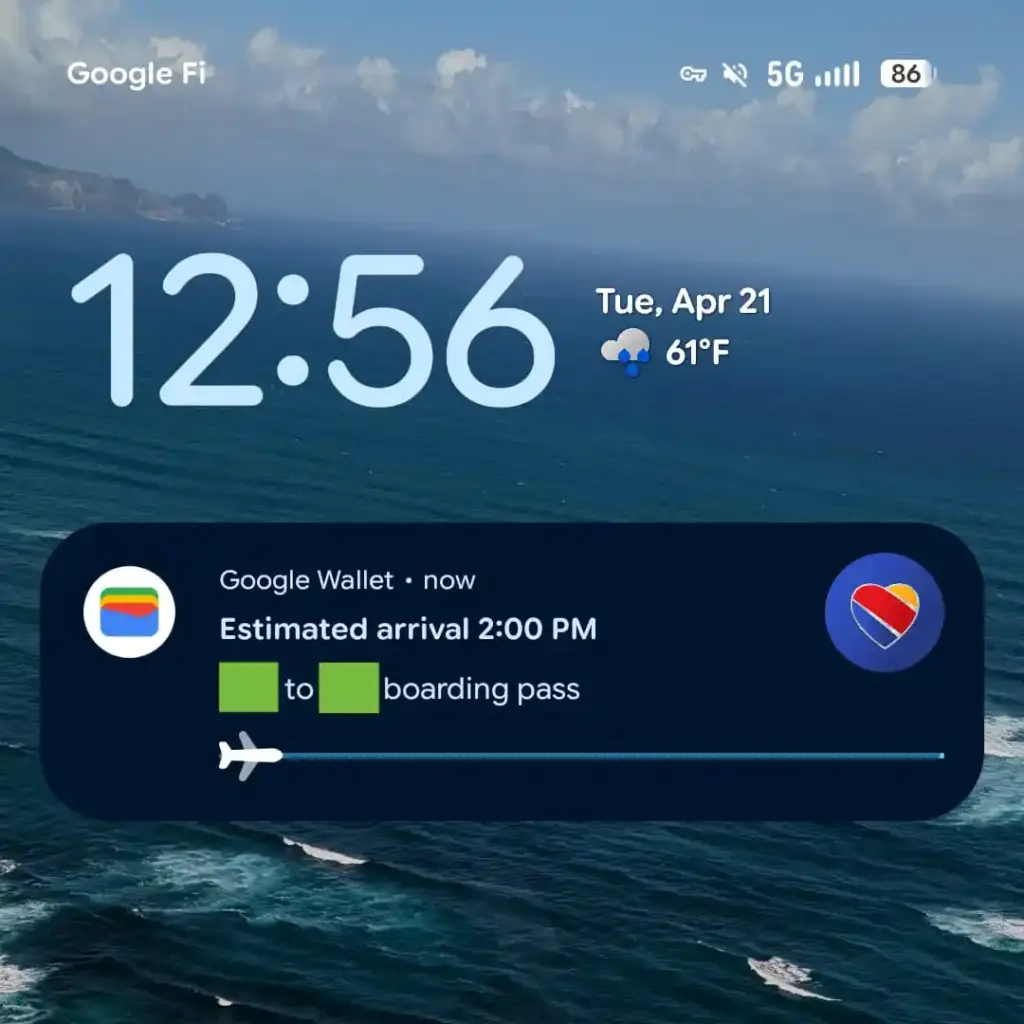
    For those unfamiliar with Live Updates, the feature delivers current information about your transit method or upcoming events without requiring you to open a separate app, dig through emails, or hunt down the information yourself. With the latest Google Wallet update, that same convenience now extends to flights, as noted by 9to5Google.

    Google Wallet live update on lockscreen

    From the moment a flight is booked, Wallet is ready to track it and display the latest status. It also generates an easily accessible QR code for scanning at the gate when the time comes. On devices running Android 16 or later, Wallet will display takeoff time, total flight duration, and an estimated arrival time. All of this appears on the lock screen or always-on display, if that feature is enabled.

    That kind of at-a-glance access becomes especially valuable on hectic travel days. The usual routine — checking in hours early, clearing security, settling in at the boarding gate – tends to go smoothly, but flights don’t always cooperate. Delays happen for all sorts of reasons, gates get reassigned, and cancellations aren’t unheard of. Rather than bouncing between airline apps, notification panels, and departure boards, having the key details visible the moment the screen lights up keeps things a lot simpler. It’s also easier to keep travel companions informed without constantly having to look things up.

    To get Live Updates for flights working, Android 16 users will need to update Google Wallet along with any associated services. The timing works out well, with the rollout landing just ahead of what’s typically one of the busiest travel periods of the year.

  • Google’s Latest System Update Improves Android in Subtle Ways You’ll Notice

    Google’s Latest System Update Improves Android in Subtle Ways You’ll Notice

    The Play services, Play Store, and Play system update for Android phones and tablets, Wear OS, Google/Android TV, Auto, and PC are the main topics covered in the monthly “Google System Release Notes.” While certain features are intended for developers, others are applicable to end users.

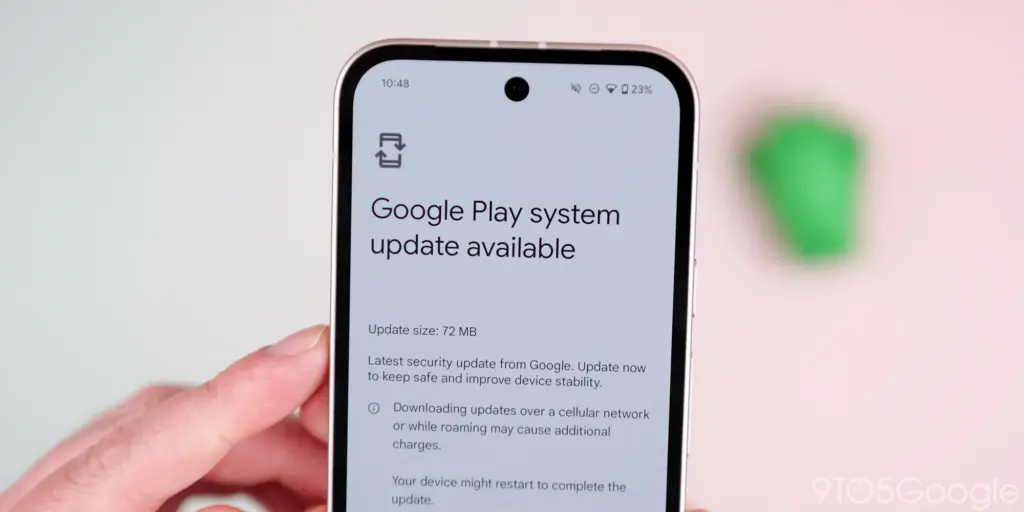
    Google Play System update 3

    The “Google System” is made up of the following third-party apps:

    To update, launch the Settings app, press your name at the top of the “Google services” page, then select All services > Privacy & security > System services.

    A feature is not necessarily publicly accessible just because it appears in the changelog. The full launch of some capabilities takes months.

    Google Play services v26.15 (2026-04-20)

    Device Connectivity

    • [Auto, Phone, Wear] Bug fixes for Device Connections and System Management & Diagnostics related services.

    Location & Context

    • [Phone] Bug fixes for Location Services related services.

    Wallet

    • [Phone] With this update, a message at the bottom of the screen tells the user how to add a card to Wallet.
    • [Phone] With this update, you’ll get a new entry point for MyCommute.

    Android System Intelligence B.24 (2026-04-16)

    • [Phone] Maintenance changes.

    Google Play services v26.14 (2026-04-13)

    Account Management

    • [Phone] With this update, you’ll get a faster way to set up your device when you transfer accounts and settings from an existing device.

    System Management

    • [Auto, PC, Phone, TV, Wear] You can now find open source licenses for Android Pulse in GMS Core.

    Wallet

    • [Phone] You can now control how private passes in Wallet work with other Google services like Autofill through new per-pass privacy settings.
    • [Phone] You can now use a redesigned Wallet interface for quick access, search, and discovery.

    Google Play Store v51.0 (2026-04-13)

    • [Phone] You can now provide feedback on AI-generated summaries of user reviews.
    • [Phone] You can now create a Gamer Profile directly from You tab.
    • [Phone] You can now play some games on the You tab with no install required.

    Google Play services v26.13 (2026-04-06)

    Account Management

    • [Auto] When a user signs in to their Google account on Android Automotive devices via QR code, the sign-in confirmation displays the requesting device’s name.

    Device Connectivity

    • [Phone] New developer features for Google and third party app developers to support Device Connectivity related processes in their apps.

    Location & Context

    • [Phone] With this update, Location Sharing APIs are refined and new location requests are introduced.
    • [Phone] With this update, On-Device Location History Store Visits processes more frequently.

    System Management

    • [Auto, PC, Phone, TV, Wear] Updates to system management services that improve Security and Stability.

    Wallet

    • [Phone] Bug fixes for Wallet related services.

    Google Play Store v50.9 (2026-04-06)

    • [Phone] This update adds download numbers to some app and game ads to help you make informed choices.
    • [Phone] You can now join and compete in Play Games Leagues directly from the You tab.
  • Google Rolls Out Android 17 Beta 4 With Crucial Fixes Before Stable Release

    Google Rolls Out Android 17 Beta 4 With Crucial Fixes Before Stable Release

    Android 17 Beta 4 is now rolling out to Pixel devices, and Google says it is the “last scheduled beta of this release cycle.” After the larger Beta 3 update brought new features and platform stability, this release appears focused on final refinements ahead of a stable launch later this quarter.

    To install Android 17 Beta 4, Pixel users can enroll through the Android Beta program and wait for the over-the-air update. Those who prefer the manual route can also flash a factory image or OTA file.

    android 17 beta update

    The latest build details are below:

    Release date: April 16, 2026
    Build: CP21.260330.008
    Emulator support: x86 (64-bit), ARM (v8-A)
    Security patch level: 2026-04-05
    Google Play services: 26.11.36

    Android 17 Beta 4 supports Pixel devices back to the Pixel 6 lineup.

    Developer changes

    One of the main additions in Android 17 Beta 4 is conservative app memory limits, which are meant to improve system stability. If an app is killed because of these limits, ApplicationExitInfo.getDescription will return “MemoryLimiter.” Developers can also use trigger-based profiling with TRIGGER_TYPE_ANOMALY to capture heap dumps when the limits are reached.

    Google has also tightened background audio rules. Starting in Android 17, the audio framework restricts background interactions such as audio playback, audio focus requests, and volume change APIs. Some changes were made after feedback from beta 2, including targetSDK gating for while-in-use FGS enforcement and exemptions for alarm audio.

    Bug fixes

    Android 17 Beta 4 also includes a long list of bug fixes:

    • An issue where webpage URLs were automatically included when sharing screenshots from the capture preview, causing unwanted links to be shared with image files. (Issue #444631269)
    • An accessibility issue caused the device to become completely unresponsive and unusable. (Issue #484755628)
    • An issue where the media control widget could disappear or fail to navigate between multiple active media sessions. (Issue #457008153, Issue #466760800, Issue #497131275, Issue #499041878)
    • An issue where dream services failed to correctly process key events, trigger keyguard bouncer prompts, or execute service lifecycle callbacks. (Issue #485661973)
    • An issue that prevented users from successfully downloading and applying cinematic or local weather wallpaper effects. (Issue #475924636)
    • An issue where the device would freeze and spontaneously restart while typing in messaging applications. (Issue #478417840)
    • A critical system instability issue that causes the device to hang and crash during normal usage. (Issue #427436873, Issue #428838049)
    • An issue causing devices to experience significantly reduced charging speeds when approaching the 80% battery limit, resulting in long delays before the device reaches its target charge and enters bypass mode. (Issue #485148344, Issue #490178498)
    • A rendering issue that caused multicolored horizontal lines to randomly obscure the device display. (Issue #478953060, Issue #478177624, Issue #483765859, Issue #487263076)
    • Pulling down the notification drawer while a feedback report is in progress can cause a System UI crash and device freeze. (Issue #488920581)
    • Critical system components including Pixel Launcher and navigation may crash or become unresponsive for several minutes after a device reboot. (Issue #317282987, Issue #316689583, Issue #316188779)
    • An accessibility issue that prevents users from properly interacting with apps after minimizing and returning to a split-screen view. (Issue #490735259)
    • An issue that prevented Bluetooth from being re-enabled after it was turned off via the system settings or quick settings panel. (Issue #498320401)
    • Notifications marked with setSilent(true) may unexpectedly play alert sounds on Android 16 when multiple notifications are present in the shade. (Issue #467164528)
    • Wi-Fi analyzer applications fail to detect any available Wi-Fi signals, preventing network scanning and signal monitoring.

    Source: Google

  • Honor Magic 7 Gets Powerful New YOYO AI Tools — Here’s What’s New

    Honor Magic 7 Gets Powerful New YOYO AI Tools — Here’s What’s New

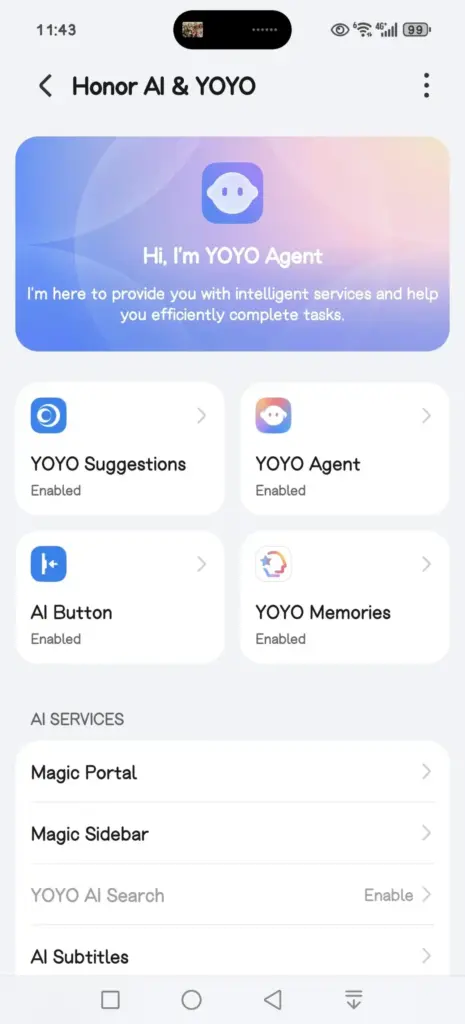
    Honor is rolling out a new MagicOS 10 update to the Magic 7 series, introducing a range of YOYO AI features alongside broader system improvements. The April 2026 update is now being pushed to devices, with the Magic 7 lineup among the first to receive the firmware.

    This release focuses heavily on AI enhancements while also refining the Honor Connect app. Honor has made changes across multiple parts of the system, including the Magic Capsule, home screen, and lock screen. The update also improves overall system stability and strengthens device security.

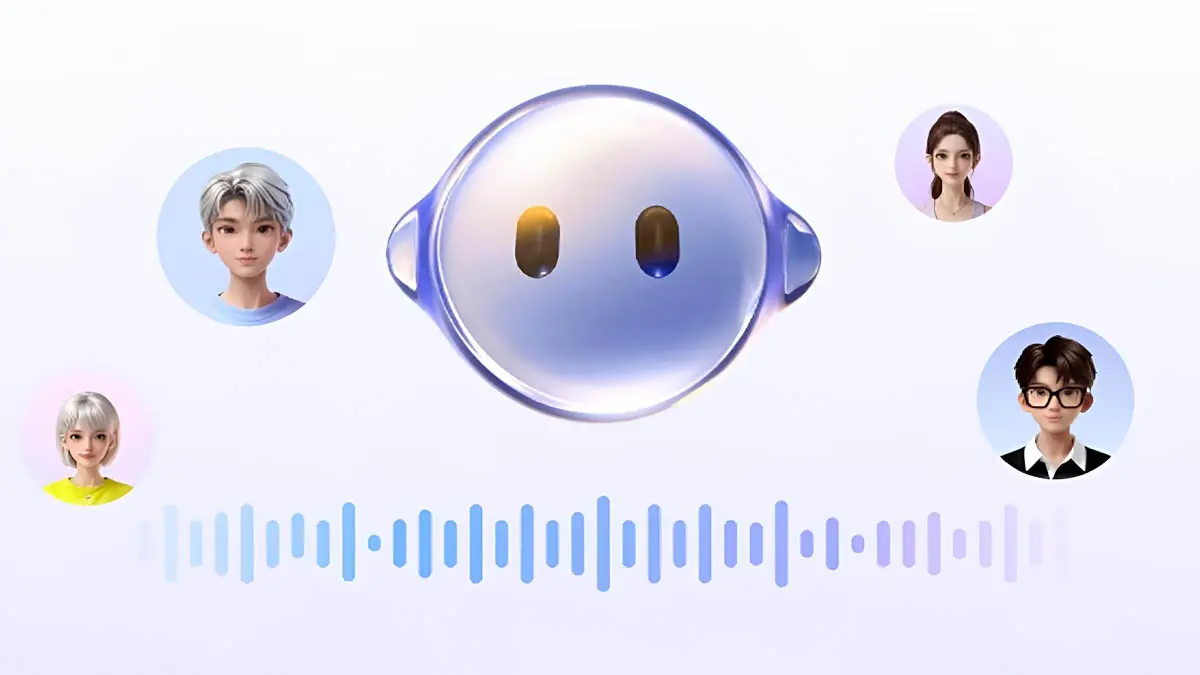
    A key highlight is the expanded YOYO AI functionality. In the Magic Capsule, Honor has added a new “meal pickup code” tool that notifies users when it’s time to collect an order and displays the associated delivery code.

    The update also introduces an “Ask YOYO” option within the screenshot interface. Users can upload a screenshot and ask questions about its content, making it easier to extract information directly from images.

    honor yoyo ai

    Another addition allows users to convert images into documents in just a few steps, further extending the assistant’s practical capabilities.

    The update is arriving as MagicOS version 10.0.0.150 for the Honor Magic 7 series.

    YOYO AI Features

    • YOYO Suggestions & Smart Capsule now support meal pickup code reminders, providing users with a smart and convenient meal pickup experience.
    • Turn on Meal Pickup Code Reminder and Automatic Meal Pickup Code Recognition.
    • YOYO now features a new wake-up screen with a Q&A feature, supporting fingertip selection of screen content for Q&A, text selection for copying and translation, and AI image recognition and interpretation, enhancing your ease of use and usability.
    • The screenshot feature now includes an “Ask YOYO” feature, allowing users to wake up YOYO with a single click and upload a screenshot for easy content recognition, Q&A, and other operations.
    • Added YOYO’s photo-to-document feature, allowing users to convert images into editable Word, Excel, and PPT documents with a single click. It highly preserves the accuracy and structural integrity of the original text, achieving a “what you see is what you get” experience, making mobile office work more convenient and efficient.
    • Added YOYO Helper, supporting simultaneous audio and text recording during online/offline meetings. It can assist with Q&A and provide intelligent reminders during the meeting, and intelligently generate meeting minutes afterward.

    System smooth

    • Added a customizable app transition animation feature, offering three levels of smoothness: gentle, stable, and efficient, allowing you to customize the smooth experience to your liking.
    • Optimized the real-time blur effect when launching and exiting desktop applications, making your user experience smoother and more fluid.

    Home Screen

    • Added an auto-align icon feature for a neater layout. Access it via: Settings > Desktop & Personalization > Desktop Settings > Auto-align Icons
    • Added support for one-click folder creation across multiple applications; long-pressing a folder on the desktop allows for one-click unpacking, making folder organization more convenient.
    • Added support for batch removal and uninstallation of applications, making desktop management more efficient.

    Theme

    • Added a new status bar skinning feature, allowing you to freely change the status bar icon style and personalize your phone’s interface.

    Lock screen

    • Added support for customizable lock screen widgets, providing one-click access to frequently used functions for both convenience and personalization.
    • Added support for custom fingerprint styles, allowing you to freely combine the lock screen fingerprint icon and fingerprint animation to create your own personalized unlocking experience.
    • Several new AI services have been added, supporting features such as song recognition, AI subtitles, Honor Any Door, and YOYO Notes, making your daily operations more convenient and efficient.

    Honor Connect

    • Added cross-device file management for Mac, allowing you to easily browse, download, and manage pictures, videos, and other files from your phone on your Mac. Say goodbye to cumbersome transfers and enjoy efficiency and convenience.
    • Added a new iPhone hotspot feature. After connecting your Honor phone and iPhone, you can easily connect to your phone’s personal hotspot from your iPhone, eliminating cumbersome setup and making internet access more convenient.

    Enjoy the bass

    • Added support for multiple apps, including 29 apps such as Red Fruit Free Short Drama, CCTV News, and Valorant.

    Honor Smart Space

    • Added support for creating and managing multiple pet health records, and supports 24-hour AI-powered pet consultation, providing pet health reports and treatment suggestions to protect your pet’s health.

    Power consumption

    • Optimize power consumption in certain scenarios.

    Stability

    • Improved system stability and optimized some third-party app crashes and unresponsiveness issues, making your phone run more stably.

    Security Patch

    • Includes the Android March 2026 security patch to enhance system security.

  • Google May Bring Back One of Android’s Most Missed Features With the Pixel 11 – Pixel Glow

    Google May Bring Back One of Android’s Most Missed Features With the Pixel 11 – Pixel Glow

    Pixel Glow Is a Real Thing, and It’s Coming

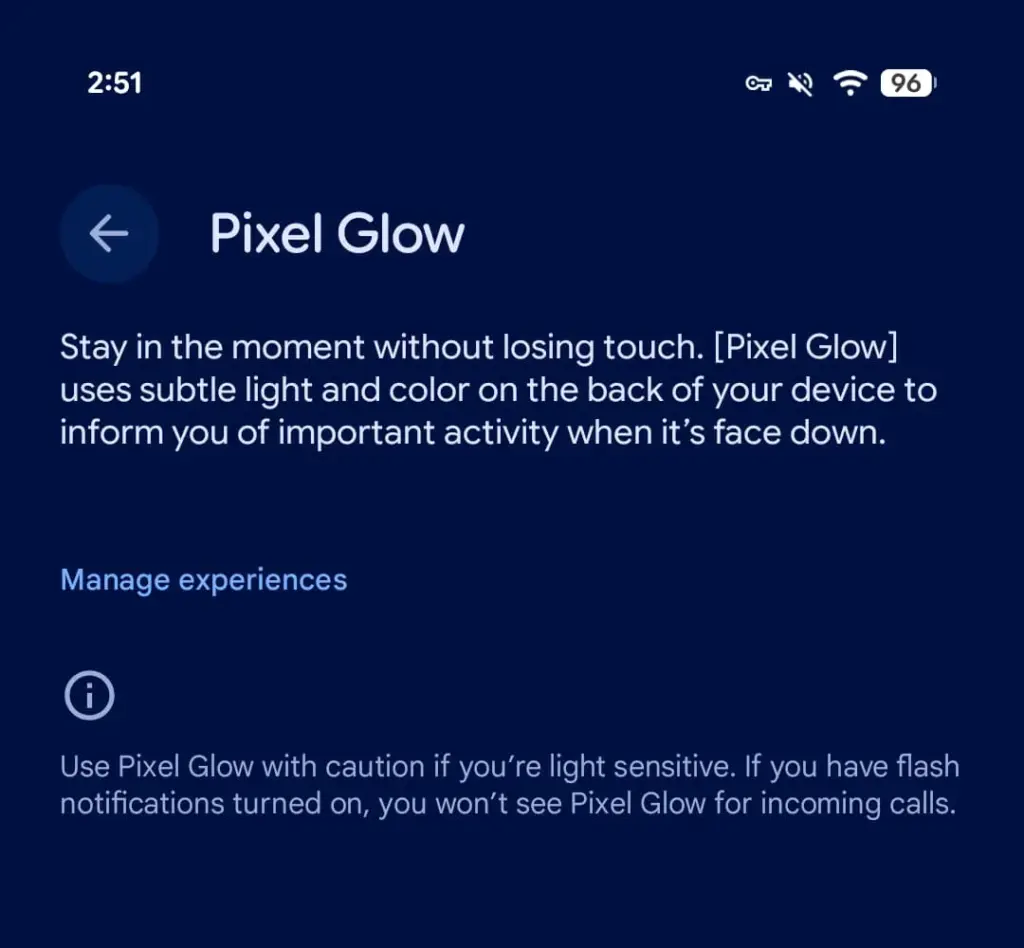
    Android 17 Beta 4, released today, contains explicit references to a new hardware feature called Pixel Glow. The description is straightforward: subtle light and color on the back panel of the device, designed to notify users of important activity when the phone is face down.

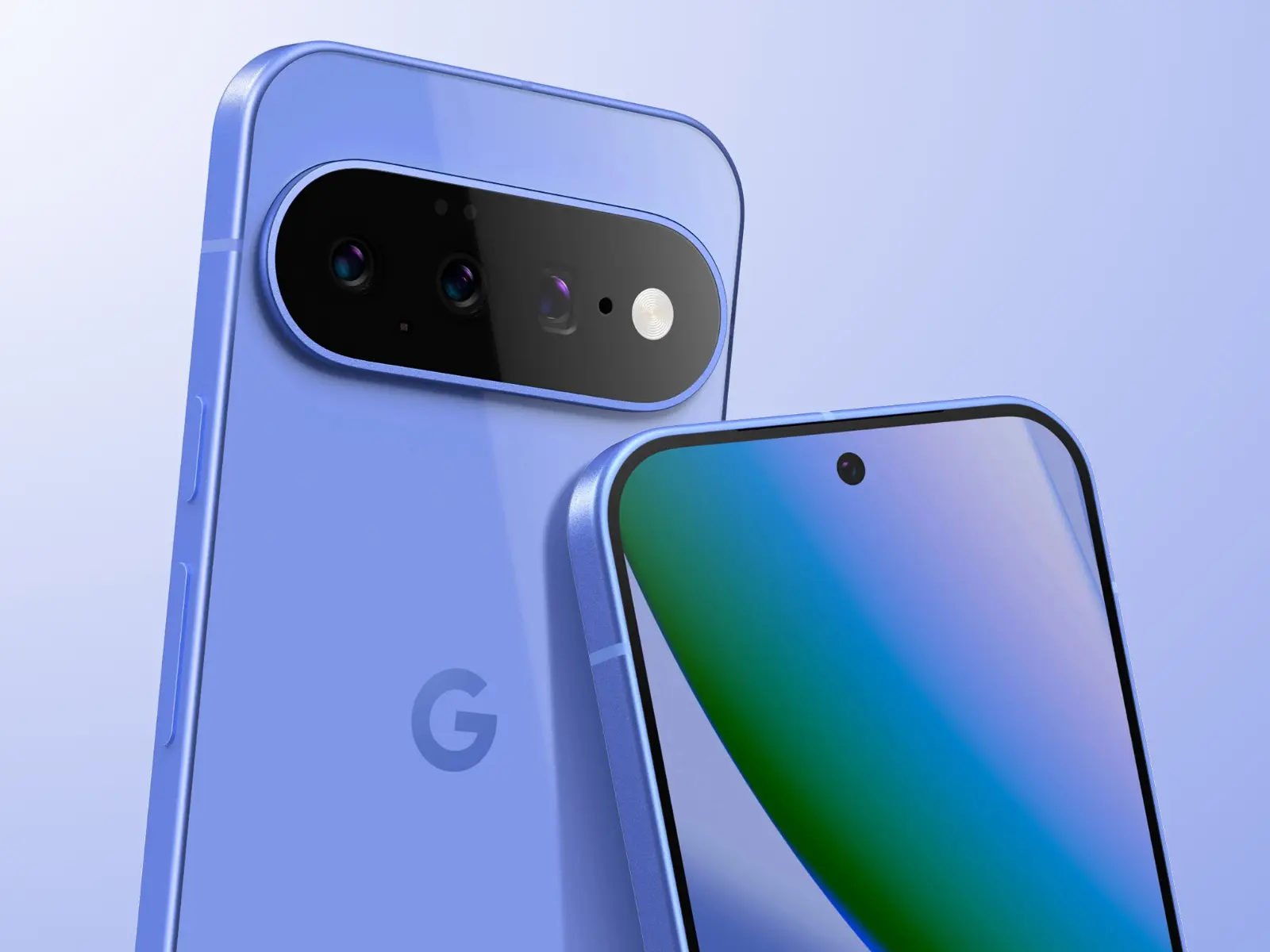
    This isn’t a software animation or an always-on display trick. Pixel Glow appears to be dedicated hardware — which strongly suggests it’s headed to at least some Pixel 11 models later this year.

    pixel glow feature

    More Than Just a Notification Light

    Google isn’t positioning this as a simple LED revival. According to a description spotted by 9to5Google, Pixel Glow is being developed as part of the Digital Wellbeing suite, with a specific goal: helping users “stay in the moment without losing touch.”

    In practice, that means:

    • Incoming calls from favorite contacts will trigger the light — but only if flash notifications are turned off
    • Gemini integration — the lights will activate during AI interactions and may enable hands-free, visual-feedback-driven conversations
    • Individual controls — each use case can be enabled or disabled separately from Settings

    Where Would the Light Actually Go?

    Here’s the interesting part: the leaked renders of the Pixel 11 lineup don’t show any obvious cutout or housing for Pixel Glow. That leaves two realistic options.

    The first is the Camera Bar — the redesigned horizontal strip on the back. A Pixel 11 Camera Bar with built-in ambient lighting would make Google’s signature design element genuinely functional, not just aesthetic.

    The second option is the Google logo on the back panel. A glowing “G” would immediately draw comparisons to the iconic backlit Apple logo on older MacBooks — which, depending on who you ask, is either a great or a terrible thing.

    The Notification LED Is Back — Sort Of

    Let’s call this what it is. Around 2019, the industry-wide race to ultra-thin bezels killed off the notification LED — a small, power-efficient light that millions of Android users relied on daily to check notifications without touching their phones. Manufacturers quietly dropped it, and nobody really asked for that.

    Pixel Glow looks like Google’s answer to the void that’s been there ever since. It’s smarter, more context-aware, and integrated with AI — but the core idea is the same: a light on your phone that tells you something important is happening, without demanding your full attention.

    Always-on displays have never fully replaced that. For many users, Pixel Glow could.

  • Oppo Prepares Major ColorOS 16.1 Release – Surprising Features Leaked

    Oppo Prepares Major ColorOS 16.1 Release – Surprising Features Leaked

    Oppo is getting set to release a little update based on Android 16 that offers intriguing visual enhancements and quality-of-life changes, even though it has already started its Android 17 beta program. It is officially announced that ColorOS 16.1 will be released this month.

    You might be wondering if the ColorOS 16.1 update is compatible with your Oppo device and what new features or improvements to anticipate. Here is what we currently know.

    ColorOS 16.1 release date

    ColorOS 16.1 will be available on April 16, 2026, according to Oppo. For the Chinese market, this is the release date. For international markets, the corporation has not made the same announcement.

    The first phones to come pre-installed with the new ColorOS 16.1 software will be the Oppo Find X9s Pro and Find X9 Ultra, which will debut in China on April 21.

    The company may start releasing the ColorOS 16.1 update to older handsets in late April if previous rollouts are any guide, and the global rollout may start in May 2026.

    Oppo ColorOS 16.1 Release

    Which devices will get the update?

    The Find X9s Pro and Find X9 Ultra will launch with ColorOS, according to Oppo. It hasn’t said which older devices will get the upgrade, though.

    It’s safe to assume that the most recent Find X-series phones will be the first to receive the update. When the software is published next week, we’ll have more information about the devic

    What’s new?

    Oppo has released a video ahead of the release date that highlights ColorOS 16.1’s exciting enhancements and new features. It displays a redesigned stacked notification center and updated Live Activities.

    Additionally, the video verifies that the recorder, timer, flashlight, maps, and ongoing calls will all be supported by the new Live Activities. Additionally, the new software adds a media player for the lock screen that is similar to iOS.

    Additionally, ColorOS 16.1 has a pill-shaped user interface piece at the bottom of the lock screen that resembles Samsung’s Now Bar in both appearance and functionality. The software will also have a redesigned camera user interface and new AI functions.

  • Huawei Rolls Out New Optimization Update for Watch GT 5 Pro Global Units

    Huawei Rolls Out New Optimization Update for Watch GT 5 Pro Global Units

    Huawei is pushing out a fresh firmware update for global variants of the Watch GT 5 Pro, bringing a wave of under-the-hood improvements to one of the brand’s most premium wearables. This latest release builds on the momentum of the major HarmonyOS 6.0 upgrade the device received earlier this year, signaling that Huawei continues to invest in refining the smartwatch experience long after the headline update has landed.

    A strong foundation gets even better

    Roughly two months ago, the Huawei Watch GT 5 Pro global lineup made a significant leap forward with the arrival of HarmonyOS 6.0. That update was packed with exciting additions — stunning new watch faces, a revamped quick settings panel, and a host of other enhancements that brought the wearable’s software experience to a whole new level. Now, Huawei is doubling down on that foundation with targeted refinements aimed at making day-to-day usage even more seamless.

    Huawei Rolls Out New Optimization Update for Watch GT 5 Pro Global Units

    What’s in the new update for Huawei GT 5 Pro?

    The latest firmware for the Watch GT 5 Pro arrives under version HarmonyOS 6.0.0.23, weighing in at a modest 87.04 MB — small enough for a quick download, but packed with meaningful improvements. While Huawei hasn’t spotlighted any headline-grabbing new features in this release, the update focuses on what truly matters for a reliable daily driver:

    • Smoother overall performance — operations across the watch’s interface feel more fluid and responsive
    • Enhanced Bluetooth stability — the connection between your smartwatch and paired device is more consistent and less prone to interruptions
    • Bug fixes — various internal issues identified in the previous firmware version have been addressed and resolved
    • System stability improvements — the watch handles certain situational loads better, reducing the chances of unexpected behavior during app use

    If you’ve noticed any minor hiccups, freezes, or inconsistencies while navigating apps or using features on your Watch GT 5 Pro, this update is well worth installing.

    Staged rollout — patience required

    As is standard practice for Huawei, this firmware is being distributed in batches across global markets. This means not all eligible devices will receive the notification at the same time. If you haven’t seen the update prompt yet, there’s no cause for concern — it will make its way to your unit in due course. You can also manually check for updates through the Huawei Health app or directly in the watch’s settings menu.

    Before you update — a few important tips

    To ensure the installation goes smoothly and without any complications, keep the following in mind before initiating the upgrade:

    • Battery level: Make sure your Watch GT 5 Pro has at least 20% battery remaining before starting the update process. A low battery mid-installation could interrupt the process and potentially cause software issues.
    • Storage space: Confirm that the device has enough free storage to accommodate the new firmware package.
    • Stable connection: Ensure that the Bluetooth connection between your smartwatch and the paired smartphone is stable and uninterrupted throughout the update. A dropped connection during installation may result in an incomplete or failed upgrade, which could require additional troubleshooting steps to resolve.

    Once all conditions are met, the update should install quickly and smoothly, leaving you with a Watch GT 5 Pro that runs better than ever.