Tag: android17

  • Android 17 Security Features: Anti-Scam Calls, Theft Protection, and Privacy Controls Explained

    Android 17 Security Features: Anti-Scam Calls, Theft Protection, and Privacy Controls Explained

    Google is significantly raising the security bar for Android devices in 2026 with Android 17. The update delivers a broad sweep of security and privacy improvements targeting some of the most common threats users face today — financial fraud, physical device theft, and invasive app tracking.

    Android 17 tackles phone scams at the call level

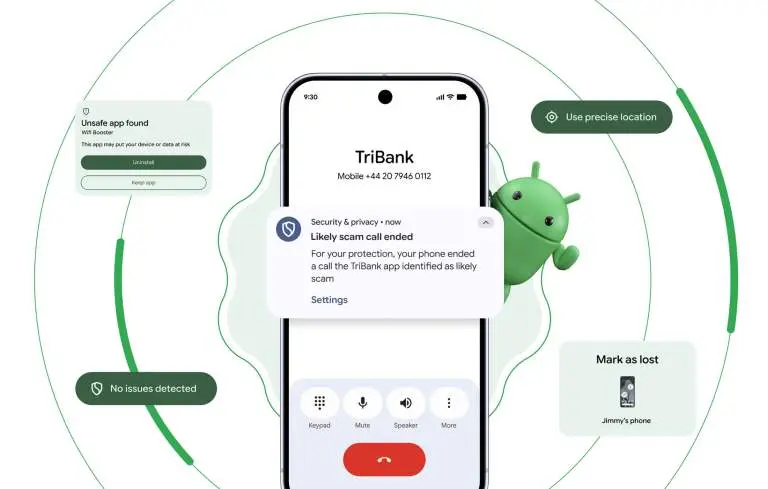
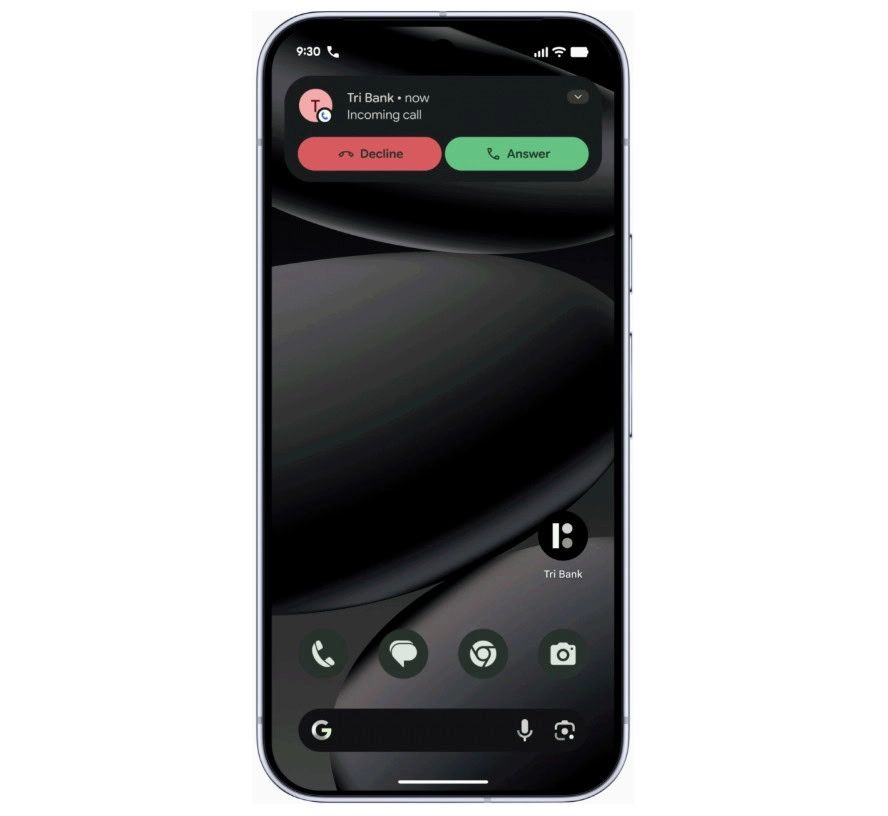
    One of the most persistent and costly attack vectors involves caller ID spoofing, where criminals disguise their number to impersonate a legitimate bank. This tactic contributes to nearly $950 million in losses globally every year. Google’s response is verified financial calls.
    android 17 scam protection

    On devices running Android 11 or higher, the system will work silently in the background alongside banking apps like Revolut and Nubank. When an incoming call arrives, Android checks with the bank to confirm whether the call is genuine. If it isn’t, the call is terminated automatically — before the user even has a chance to answer. The scam is blocked at the source rather than after the damage is done.

    Android 17 AI-powered app behavior monitoring

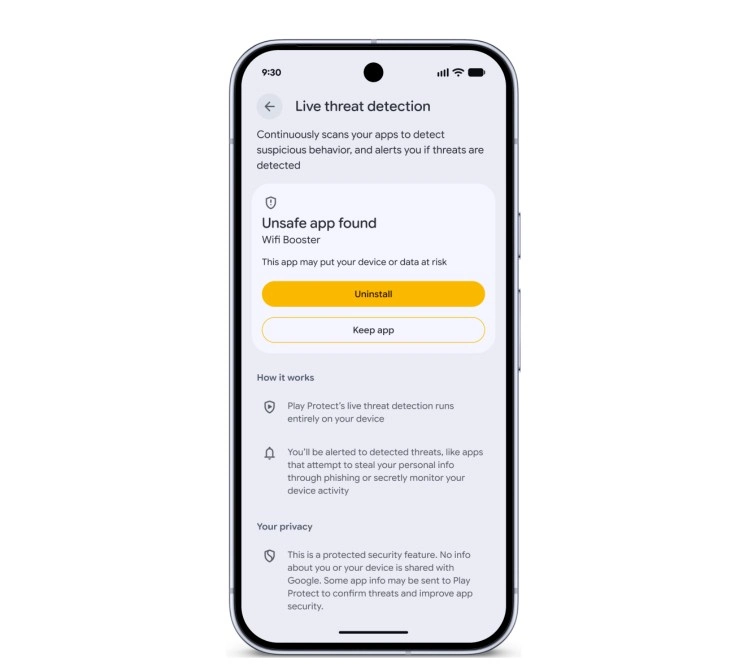
    Android 17 also makes the platform significantly better at identifying malicious apps after they’ve been installed. The updated Live Threat Detection uses on-device AI to continuously monitor how apps behave in practice. If an app begins forwarding SMS messages, attempts to conceal its icon, or tries to launch silently from the background, the system flags the suspicious behavior and alerts the user.
    android 17 app protection

    Chrome on Android gets a new layer of protection as well. At the moment an APK file is downloaded, Chrome will evaluate it against known malware signatures and issue a warning before the file even reaches local storage.

    Stolen phones become far less useful to thieves

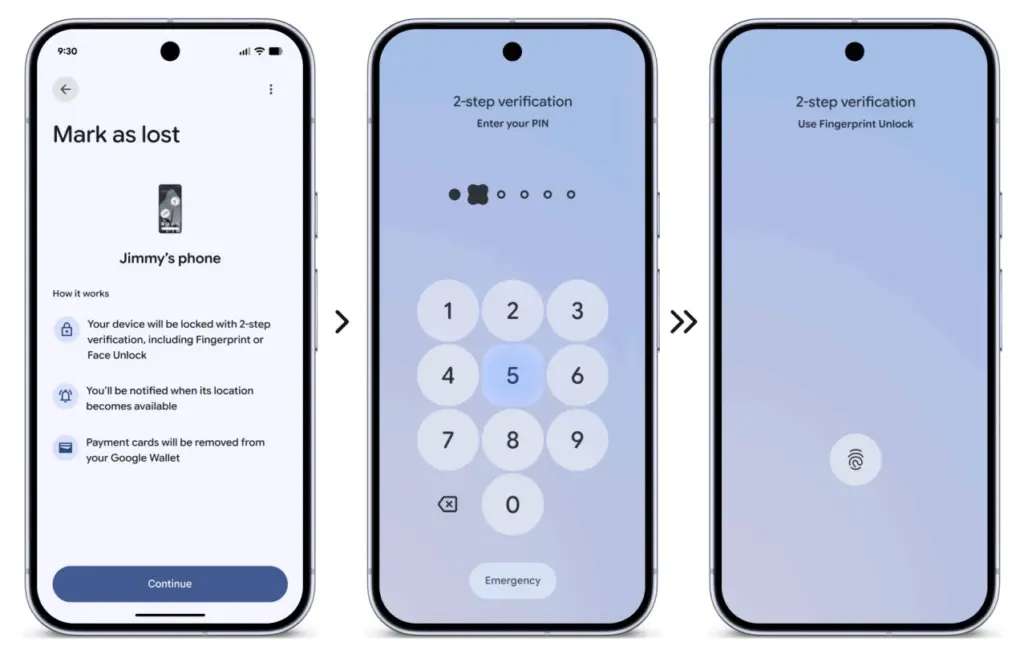
    Physical theft isn’t just about losing hardware — the data inside is often worth far more. Android 17 introduces a biometric lock for the “Mark as Lost” feature, meaning a thief who has obtained a user’s passcode still can’t disable tracking or regain access without a fingerprint or face scan.
    android 17 theft protection

    Google is also expanding its default-on theft protection features globally. New and upgraded devices will automatically enable Remote Lock and Theft Detection Lock, which use onboard sensors to detect when a phone has been grabbed and instantly lock the screen in response.

    More granular control over what apps can access

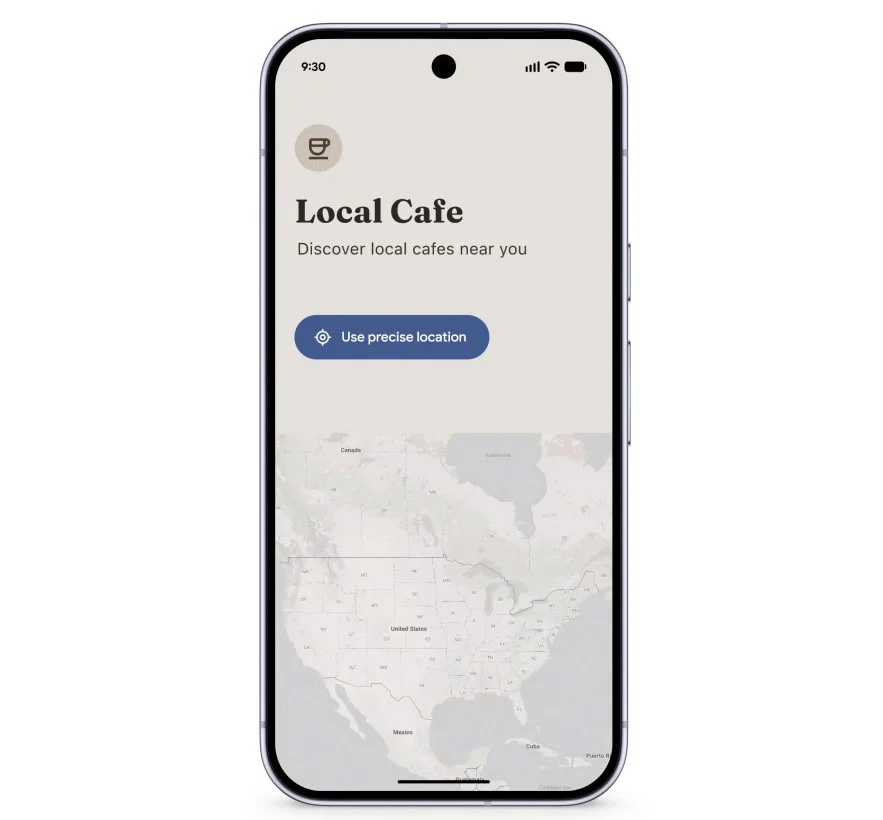
    Privacy permissions are getting more precise with Android 17’s new one-time location sharing. Rather than granting a café app permanent GPS access, users can share their precise location only for the current moment while the app is open — and nothing beyond that.
    android 17 apps acces

    A similar approach is coming to contacts. A new contact picker lets users share only the specific contacts an app needs, rather than handing over full access to the entire address book. Apps get only what’s necessary, nothing more.

    Verifying the integrity of Android itself

    Security also extends to the operating system at its core. Google has observed a rise in unofficial, modified Android builds designed to mimic legitimate software while secretly compromising user data. Android 17 addresses this with Android OS verification, launching initially on Pixel devices.
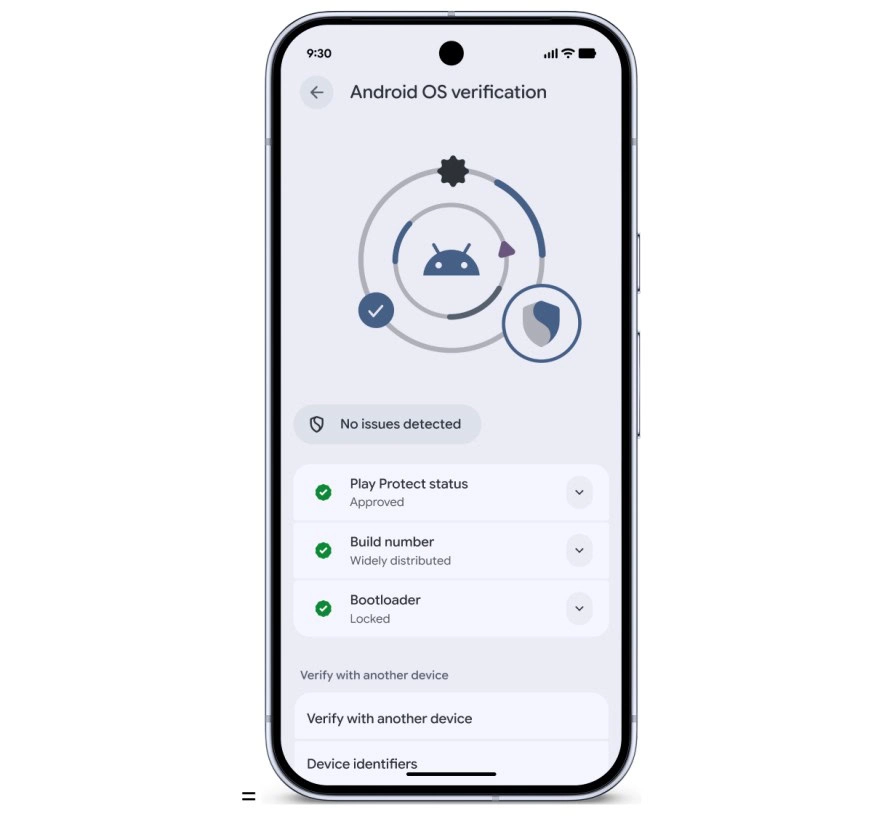
    android 17 protection

    The feature allows users to confirm that their phone is running an official, widely distributed build of Android. A public, cryptographically verifiable “Source of Truth” ledger provides proof that both the apps and the OS itself are authentic production versions — making it effectively impossible for a fake Android build to hide its intent behind a familiar-looking interface.

    Protecting against future threats

    Looking further ahead, Android 17 includes protections designed for threats that don’t yet exist at scale. OTPs (one-time passwords) will be hidden from malicious apps, closing off another common attack vector. Google also introduced Post-Quantum Cryptography in March, laying the groundwork for encryption that can withstand the computational power of future quantum systems — a forward-looking measure that reflects how seriously Google is treating long-term platform security.
  • Xiaomi Reveals Android 17 HyperOS Rollout Timeline – Stable Builds Expected This Summer

    Xiaomi Reveals Android 17 HyperOS Rollout Timeline – Stable Builds Expected This Summer

    Xiaomi has officially stepped up its Android 17 transition after publishing a developer adaptation announcement that appears to have indirectly revealed the company’s rollout roadmap. The notice urges developers to wrap up Android 17 compatibility work before July 1, 2026 — a deadline that strongly implies stable Xiaomi HyperOS builds based on Android 17 are arriving much sooner than most anticipated. The move puts Xiaomi alongside OPPO, vivo, and Honor as one of the most aggressive Android manufacturers in preparing their ecosystems for the new platform.

    hyperos android 17 update

    Xiaomi already testing Android 17 Beta 2 on the Xiaomi 17 series

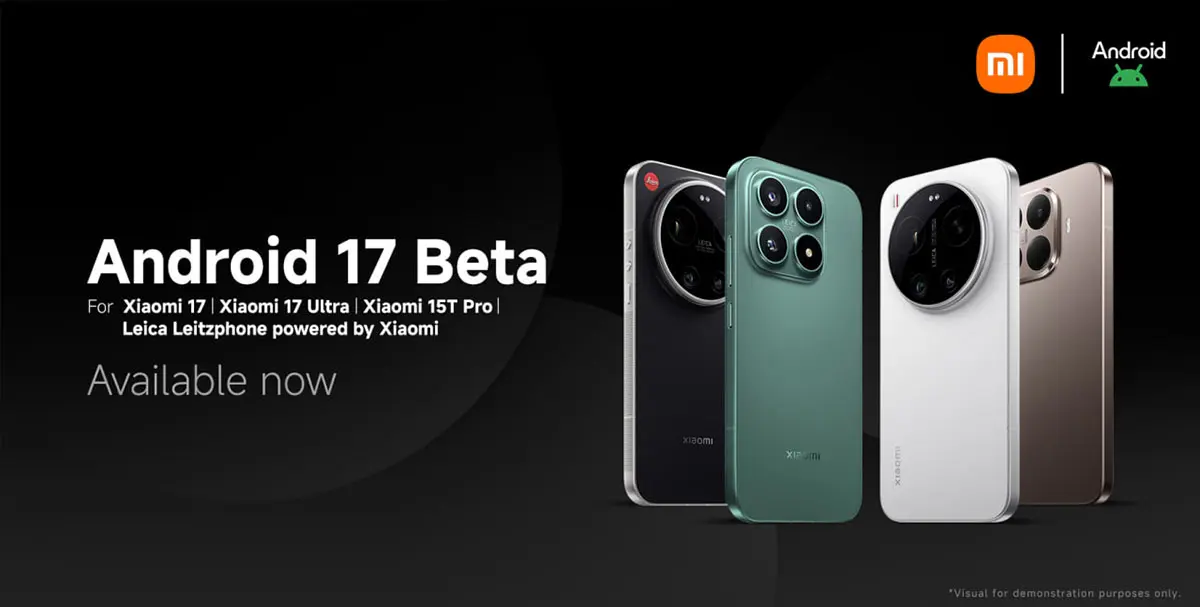
    According to Xiaomi’s official developer notice, developers with access to the Xiaomi 17 Ultra, Xiaomi 17 Ultra Leica Edition, and Xiaomi 17 can now install Xiaomi HyperOS 3.3 Developer Preview firmware based on Android 17 Beta 2. This is one of the clearest signals yet that Xiaomi’s Android 17 development has moved into an advanced stage. The company is pushing application developers to complete adaptation work before July 1, 2026, to ensure full compatibility with upcoming HyperOS builds.

    What the July 1 deadline says about Xiaomi’s roadmap

    Xiaomi hasn’t formally announced a stable Android 17 release date, but the adaptation deadline paints a fairly clear picture of what’s coming and when. Based on the company’s previous software release patterns, the likely Android 17 roadmap looks something like this:

    Expected Xiaomi Android 17 Timeline

    • May–June 2026 — Android 17 Beta testing phase, developer adaptation period, and internal HyperOS optimization
    • July 2026 — Final application compatibility verification, system stability improvements, and carrier and ecosystem preparation
    • Mid-July to August 2026 — First stable Xiaomi HyperOS 3.3 or 4 Android 17 builds, with an initial rollout targeting flagship Xiaomi devices
    • Q3–Q4 2026 — Wider rollout across Xiaomi, REDMI, and POCO devices globally

    The timeline makes clear that Xiaomi intends to keep HyperOS among the fastest-updated Android platforms in the industry.

    Xiaomi HyperOS Android 17 rollout expected to start with the Xiaomi 17 series

    The Xiaomi 17 lineup is shaping up to be the first stable Android 17 HyperOS platform. With Android 17 Beta 2 developer firmware already being distributed for these devices, the series is effectively serving as Xiaomi’s primary validation hardware for the new Android version. This mirrors Google’s own Pixel beta rollout strategy, where new flagship devices act as the initial optimization platform before broader expansion begins.

    Android 17 brings significant system-level changes

    The urgency behind the developer adaptation push also suggests Android 17 introduces platform behavior changes substantial enough to require early preparation. The likely changes include stricter background activity limitations, enhanced permission management, improved battery optimization, new security sandboxing features, updated notification behavior, advanced AI framework integration, and better optimization for large-screen and foldable devices.

    Apps that don’t adapt in time risk crashes, background execution failures, notification delays, or UI instability on Android 17 hardware. That’s precisely why Xiaomi and other major manufacturers are pressing developers to act well ahead of stable releases.

    android 17 compatibility

    OPPO, vivo, and Honor join the Android 17 adaptation push

    The ecosystem preparation extends well beyond Xiaomi. OPPO, vivo, and Honor have each published official Android 17 adaptation notices with the same July 1, 2026 deadline for developers. OPPO has gone furthest in spelling out the consequences, warning developers that apps failing to meet adaptation requirements could face search warning labels, device compatibility restrictions, and potential removal from app stores. That’s a strong signal of how seriously Android manufacturers are treating ecosystem stability ahead of what promises to be one of the more significant Android platform transitions in recent years.

    Via

  • Honor Magic 8 Pro Becomes First Honor Device to Access Android 17 Beta

    Honor Magic 8 Pro Becomes First Honor Device to Access Android 17 Beta

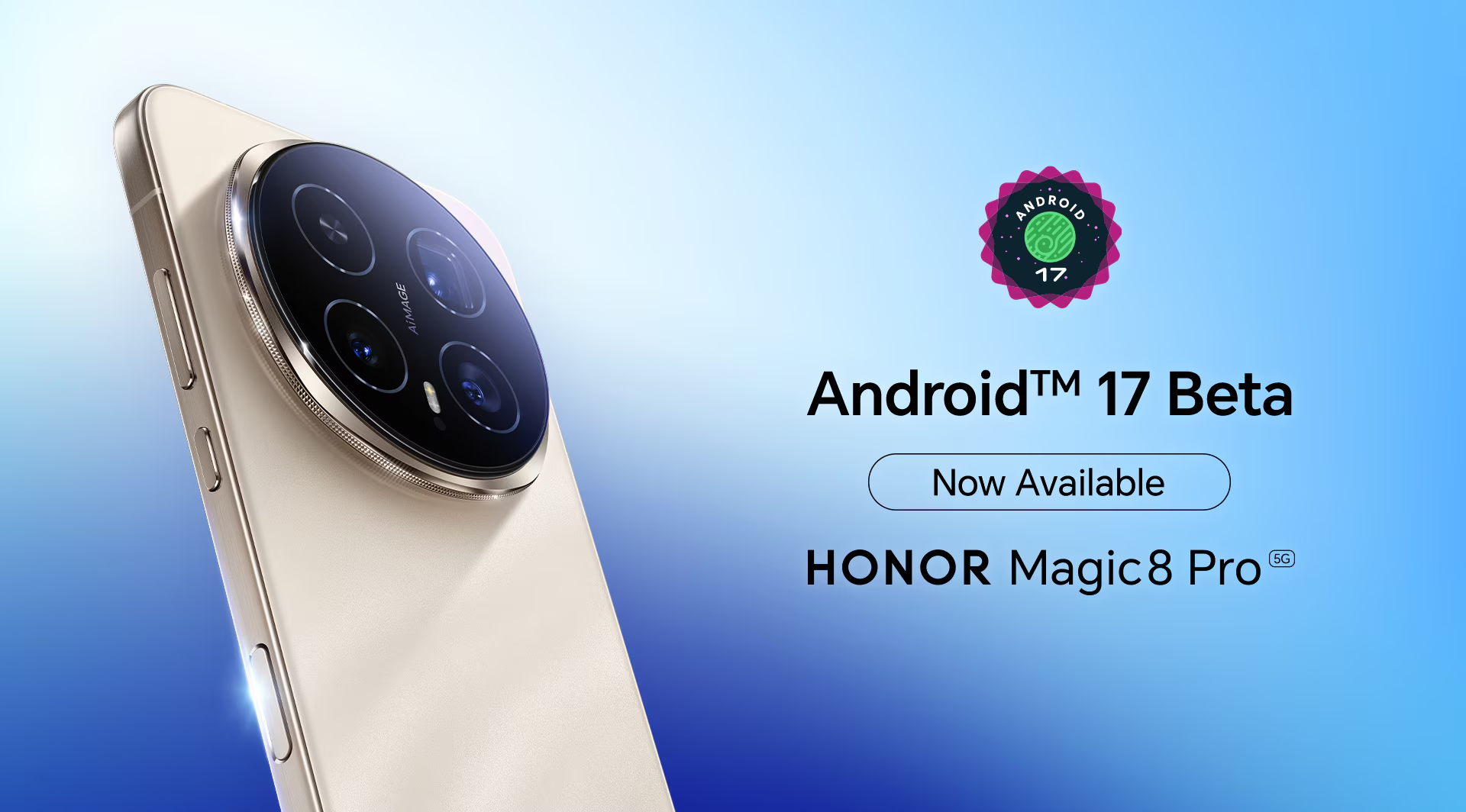
    Honor has announced that the Magic 8 Pro flagship is now able to access the first Android 17 Beta, making it the first device in the Honor lineup to get hands-on with the new software generation.

    The Magic 8 Pro launched globally with MagicOS 10.0 based on Android 16, and it now takes the lead as the first Honor device to venture into Android 17 territory. At this stage, the beta is aimed at developers and tech enthusiasts — it isn’t open to general users.

    The purpose of the beta access is straightforward: give developers the tools to explore the new OS, test how their apps behave on Android 17, improve application performance, and evaluate how well the latest Android 17 features integrate with the hardware. Once they’ve put the software through its paces, developers can share their findings on Honor’s global X page, covering anything from bugs and stability issues to performance observations and feature feedback — all of which feeds into refining the eventual public release.

    Honor Magic 8 Pro Becomes First Honor Device to Access Android 17 Beta

    Honor’s official message to developers was clear: “Get ready! Android 17 Beta is now available for all developers on #HONORMagic8Pro! We are excited to hear your thoughts on the new features. Share your experience.”

    As for what Android 17 actually brings, the developer beta includes a range of additions across productivity, customization, AI, camera, and privacy. Multitasking gets a boost through floating bubbles that can now be minimized and reopened independently for individual apps. On the camera side, the new RAW14 image format is set to enhance the AiMAGE experience with improvements to image processing, dynamic range, and color accuracy. Other additions include a customizable UI for a tidier home screen, a redesigned Photo picker with multiple layout options, and updates to the Quick Settings panel, among other changes.

  • Android 17 QPR1 Beta 2 Arrives with a Focus on Bug Fixes

    Android 17 QPR1 Beta 2 Arrives with a Focus on Bug Fixes

    Android 17 QPR1’s latest beta build is centered almost entirely on bug fixes. Google first released the initial QPR1 beta in the third week of April, and just a couple of weeks later, it has now rolled out Android 17 QPR1 beta 2. Because the gap between the two builds is so short, this release mainly focuses on stability improvements rather than anything flashy.

    Android 17 QPR1 beta 2 lands for Pixel phones with bug fixes, OTA support, and a small Quick Settings tweak on Pixel 8 Pro.

    That said, a long list of fixes does not change the fact that Android 17 QPR1 is still at an early beta stage. Issues are still likely, so users who care most about stability should probably stay on Android 16 on their Pixel. Anyone who wants to test the newer software can still try Android 17 beta, which should be noticeably more stable than QPR1 beta. If you do install Android 17 QPR1 beta, sending bug reports to Google will help those problems get addressed faster.

    The OTA is already available for all compatible Pixel devices, starting with the Pixel 6 and running through the Pixel 10 lineup. Users can also download the OTA image and manually sideload it on a Pixel if they prefer that route.

    On the user-facing side, there does not seem to be much new on a Pixel 8 Pro, aside from a refreshed Quick Settings edit icon. Google may be holding back the bigger changes for later beta builds or for future QPR releases.

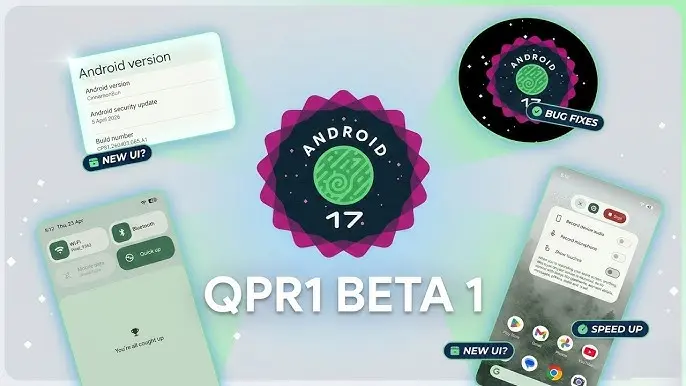
  • Android 17 QPR1 Beta 1 Is Now Available for Pixel Devices

    Android 17 QPR1 Beta 1 Is Now Available for Pixel Devices

    With the final scheduled Android 17 Beta dropping just last week, Google has wasted no time shifting focus — Android 17 QPR1 Beta 1 is already here.

    Google describes the release officially as the start of “the next round of Beta updates for our September Feature Drop release,” marking the beginning of the QPR1 cycle ahead of what will become a standalone feature update later in the year.

    Android 17 QPR1 Beta 1 beta released for Pixel

    This build addresses the following issues:

    • Fixed a crash in the Default Print Service occurring during low ink conditions that prevents users from completing print jobs. (Issue #487545419)
    • The Terminal app triggers an Application Not Responding (ANR) error that results in the application and device becoming unresponsive. (Issue #497465940)
    • Resolved an issue where uncontrollable hardware audio processing on the voice communication path caused distortion and phase cancellation in VoIP applications. (Issue #494843726)
    • Direct audio output may fail to open on devices using the AIDL audio HAL when playing audio streams longer than five seconds. (Issue #372064012)

    There are no obvious user-facing changes in this release — it’s primarily a bug-fix drop rather than a feature-forward update.

    Pixel users enrolled in the Android Beta program can submit feedback directly through the Android Beta Feedback tool, accessible from the app drawer or Quick Settings, which routes reports straight to the Google issue tracker. The Android Beta community on Reddit is also an active space for discussion and bug reports.

    Build number: CP31.260403.005.A1

    Android 17 QPR1 Beta 1 system images are now available for the following devices: Pixel 6, Pixel 6 Pro, Pixel 6a, Pixel 7, Pixel 7 Pro, Pixel 7a, Pixel Tablet, Pixel Fold, Pixel 8, Pixel 8 Pro, Pixel 8a, Pixel 9, Pixel 9 Pro, Pixel 9 Pro XL, Pixel 9 Pro Fold, Pixel 9a, Pixel 10, Pixel 10 Pro, Pixel 10 Pro XL, and Pixel 10 Pro Fold, along with the Android Emulator.

    You can easily join via the Android Beta Program to get an on-device OTA.

  • Google Rolls Out Android 17 Beta 4 With Crucial Fixes Before Stable Release

    Google Rolls Out Android 17 Beta 4 With Crucial Fixes Before Stable Release

    Android 17 Beta 4 is now rolling out to Pixel devices, and Google says it is the “last scheduled beta of this release cycle.” After the larger Beta 3 update brought new features and platform stability, this release appears focused on final refinements ahead of a stable launch later this quarter.

    To install Android 17 Beta 4, Pixel users can enroll through the Android Beta program and wait for the over-the-air update. Those who prefer the manual route can also flash a factory image or OTA file.

    android 17 beta update

    The latest build details are below:

    Release date: April 16, 2026
    Build: CP21.260330.008
    Emulator support: x86 (64-bit), ARM (v8-A)
    Security patch level: 2026-04-05
    Google Play services: 26.11.36

    Android 17 Beta 4 supports Pixel devices back to the Pixel 6 lineup.

    Developer changes

    One of the main additions in Android 17 Beta 4 is conservative app memory limits, which are meant to improve system stability. If an app is killed because of these limits, ApplicationExitInfo.getDescription will return “MemoryLimiter.” Developers can also use trigger-based profiling with TRIGGER_TYPE_ANOMALY to capture heap dumps when the limits are reached.

    Google has also tightened background audio rules. Starting in Android 17, the audio framework restricts background interactions such as audio playback, audio focus requests, and volume change APIs. Some changes were made after feedback from beta 2, including targetSDK gating for while-in-use FGS enforcement and exemptions for alarm audio.

    Bug fixes

    Android 17 Beta 4 also includes a long list of bug fixes:

    • An issue where webpage URLs were automatically included when sharing screenshots from the capture preview, causing unwanted links to be shared with image files. (Issue #444631269)
    • An accessibility issue caused the device to become completely unresponsive and unusable. (Issue #484755628)
    • An issue where the media control widget could disappear or fail to navigate between multiple active media sessions. (Issue #457008153, Issue #466760800, Issue #497131275, Issue #499041878)
    • An issue where dream services failed to correctly process key events, trigger keyguard bouncer prompts, or execute service lifecycle callbacks. (Issue #485661973)
    • An issue that prevented users from successfully downloading and applying cinematic or local weather wallpaper effects. (Issue #475924636)
    • An issue where the device would freeze and spontaneously restart while typing in messaging applications. (Issue #478417840)
    • A critical system instability issue that causes the device to hang and crash during normal usage. (Issue #427436873, Issue #428838049)
    • An issue causing devices to experience significantly reduced charging speeds when approaching the 80% battery limit, resulting in long delays before the device reaches its target charge and enters bypass mode. (Issue #485148344, Issue #490178498)
    • A rendering issue that caused multicolored horizontal lines to randomly obscure the device display. (Issue #478953060, Issue #478177624, Issue #483765859, Issue #487263076)
    • Pulling down the notification drawer while a feedback report is in progress can cause a System UI crash and device freeze. (Issue #488920581)
    • Critical system components including Pixel Launcher and navigation may crash or become unresponsive for several minutes after a device reboot. (Issue #317282987, Issue #316689583, Issue #316188779)
    • An accessibility issue that prevents users from properly interacting with apps after minimizing and returning to a split-screen view. (Issue #490735259)
    • An issue that prevented Bluetooth from being re-enabled after it was turned off via the system settings or quick settings panel. (Issue #498320401)
    • Notifications marked with setSilent(true) may unexpectedly play alert sounds on Android 16 when multiple notifications are present in the shade. (Issue #467164528)
    • Wi-Fi analyzer applications fail to detect any available Wi-Fi signals, preventing network scanning and signal monitoring.

    Source: Google

  • Google May Bring Back One of Android’s Most Missed Features With the Pixel 11 – Pixel Glow

    Google May Bring Back One of Android’s Most Missed Features With the Pixel 11 – Pixel Glow

    Pixel Glow Is a Real Thing, and It’s Coming

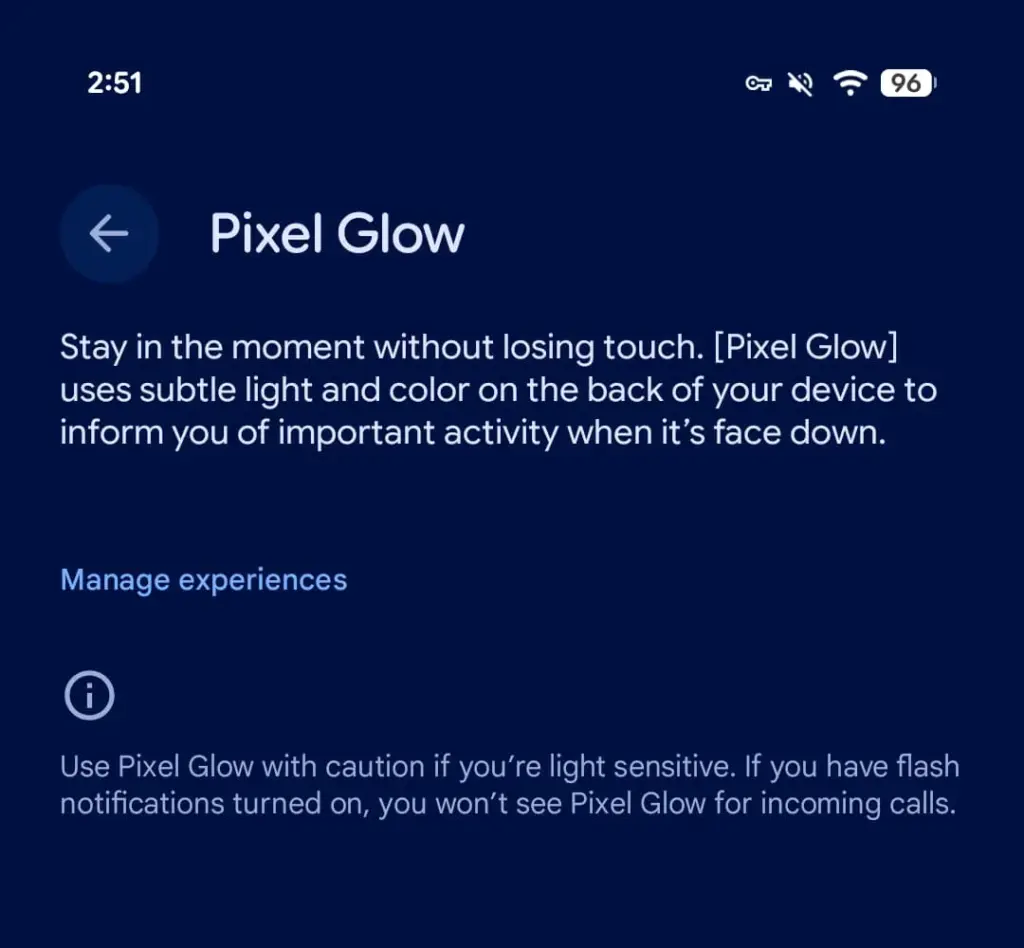
    Android 17 Beta 4, released today, contains explicit references to a new hardware feature called Pixel Glow. The description is straightforward: subtle light and color on the back panel of the device, designed to notify users of important activity when the phone is face down.

    This isn’t a software animation or an always-on display trick. Pixel Glow appears to be dedicated hardware — which strongly suggests it’s headed to at least some Pixel 11 models later this year.

    pixel glow feature

    More Than Just a Notification Light

    Google isn’t positioning this as a simple LED revival. According to a description spotted by 9to5Google, Pixel Glow is being developed as part of the Digital Wellbeing suite, with a specific goal: helping users “stay in the moment without losing touch.”

    In practice, that means:

    • Incoming calls from favorite contacts will trigger the light — but only if flash notifications are turned off
    • Gemini integration — the lights will activate during AI interactions and may enable hands-free, visual-feedback-driven conversations
    • Individual controls — each use case can be enabled or disabled separately from Settings

    Where Would the Light Actually Go?

    Here’s the interesting part: the leaked renders of the Pixel 11 lineup don’t show any obvious cutout or housing for Pixel Glow. That leaves two realistic options.

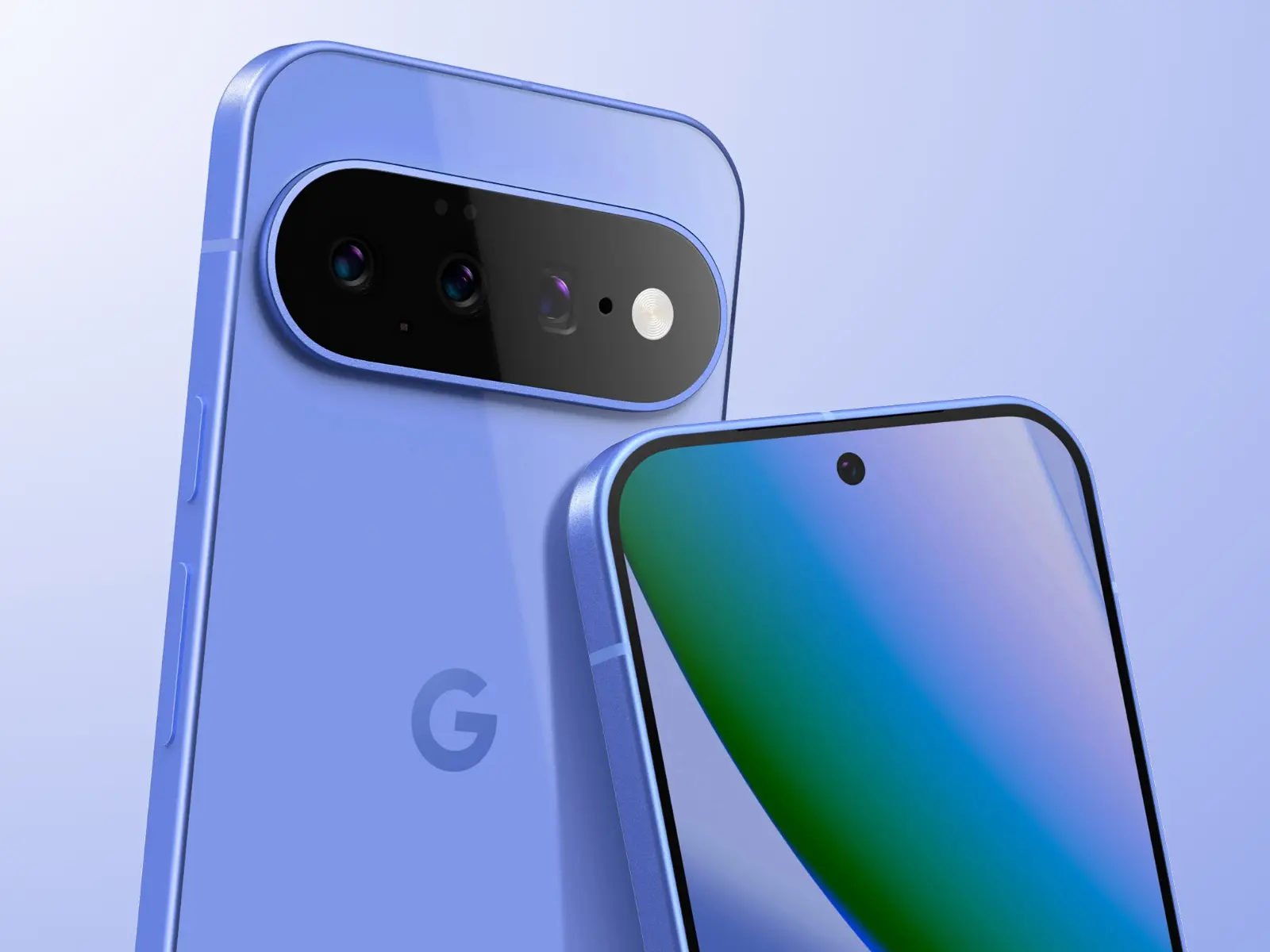
    The first is the Camera Bar — the redesigned horizontal strip on the back. A Pixel 11 Camera Bar with built-in ambient lighting would make Google’s signature design element genuinely functional, not just aesthetic.

    The second option is the Google logo on the back panel. A glowing “G” would immediately draw comparisons to the iconic backlit Apple logo on older MacBooks — which, depending on who you ask, is either a great or a terrible thing.

    The Notification LED Is Back — Sort Of

    Let’s call this what it is. Around 2019, the industry-wide race to ultra-thin bezels killed off the notification LED — a small, power-efficient light that millions of Android users relied on daily to check notifications without touching their phones. Manufacturers quietly dropped it, and nobody really asked for that.

    Pixel Glow looks like Google’s answer to the void that’s been there ever since. It’s smarter, more context-aware, and integrated with AI — but the core idea is the same: a light on your phone that tells you something important is happening, without demanding your full attention.

    Always-on displays have never fully replaced that. For many users, Pixel Glow could.

  • Android 17 Beta is now available for Pixel phones — here’s how to try it

    Android 17 Beta is now available for Pixel phones — here’s how to try it

    Google has finally released Android 17 for Pixel phones, following a brief tease yesterday afternoon. This morning, Google said that Android 17 Beta 1 will be available to developers without a Pixel as pictures in Android Studio and as an over-the-air upgrade in the Android Beta Program.

    You might be wondering why we aren’t receiving a Developer Preview build first or why this seems so early. We no longer receive developer preview builds, therefore it’s different. You may obtain these new beta builds earlier than ever before since Google is using the Android Canary track, which was released last year, as a developer preview moving forward.

    Android 17 Beta

    Regarding scheduling, Google declared that Android releases would alter toward the end of 2024. Google shifted to a two-release Android strategy for 2025, with the primary and largest Android 16 release stabilizing by the middle of the year and a secondary release occurring before the year’s conclusion. Android 17 will follow the same timetable. A Platform Stability release is scheduled for sometime in March, although the first release has already begun and will stabilize rather fast. Similar to what happened with Android 16 last year, a small SDK update is scheduled for Q4 of this year.

    We will explore all of the exciting new features that Android 17 offers on your own device in a separate post that will be published soon. However, as of right now, Google has simply disclosed the modifications that developers should be aware of. There are various performance enhancements (such as new garbage collection and notification constraints), more professional-grade camera capabilities and media experiences, a redesigned print dialog for improved usability, and restrictions on screen resizability so that apps can run on all devices.

    You may receive Android 17 on your Pixel device immediately by signing up for the Android Beta Program. System images are also available to developers (here).