Tag: update

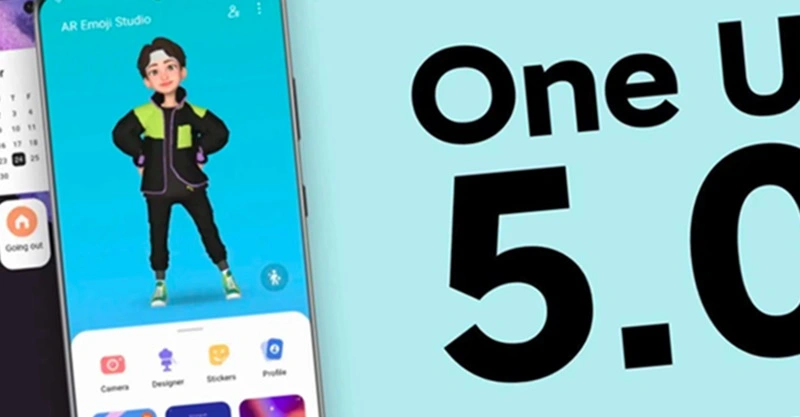
  • One UI 5 Smoother and Faster

    One UI 5 Smoother and Faster

    The launch of Samsung’s One UI in 2018 was undeniably a watershed moment for phone user interfaces. While the initial iPhone had shortcomings, it was clear that it had won the hearts and minds of the globe when everyone from OnePlus to Google copied much of its design. We’ve been fans since the beginning, but there’s one area where it’s always been difficult to look at, and that’s animations.

    Samsung’s One UI is a mix of openness and closeness. Things are continually speeding, flowing, expanding, and contracting to an extreme degree. In fact, the animation bloat was so awful that Samsung included a feature named “Reduce Animations” at one time, almost as if they realized it was excessive.

    samsung one ui 5.0

    It’s difficult to quantify how much that feature lowered everything, but we always advised you to enable it. Then Samsung took it down one day! If you wish to lessen animations, you must first activate developer options and alter the phone’s animation scales. That’s not tough, but we don’t like the fact that Samsung removed our earlier straightforward option.

    Anyway, SamMobile believes that Samsung is set to dramatically increase the UI speed in One UI 5.0, which is positive and relevant news. One of the primary issues on the One UI 5 agenda, according to their sources, will be to improve UI navigation speeds and animations so that they are smoother.

    We don’t have an official debut date for One UI 5, however Samsung usually releases new One UI updates alongside the latest Android version. For example, we were able to test One UI 4 with Android 12 before it was rolled out to all of Samsung’s finest phones by the end of 2021. If Samsung holds another developer conference in the fall, it could be a nice opportunity to preview the new One UI.

    Finally, while we have someone in Samsung’s orbit’s attention, can we get a vertical app drawer already? For us, Samsung, it’s long past time to make the switch.
  • Realme Q5 Pro, Q2, and V5 getting May security patch

    Realme Q5 Pro, Q2, and V5 getting May security patch

    Realme is still providing the security patch for its handful of smartphones, but it’s not the latest one. The May 2022 security patch is rolling out for Realme Q5 Pro, Realme Q2, and Realme V5 5G in China.

    The latest update for Realme Q5 Pro, Q2, and V5 seeding with build numbers C.07, C.17, and C.17, respectively. The update Optimizes system stability and improves user experience.

    However, the changelog of Realme Q5 Pro is large and mentions camera and changing improvements – Optimize the blurred effect of the front portrait, the green and blue effects of video imaging, the clarity of night scene imaging.

    Changelog:

    Realme Q5 Pro 5G

    • System
      • Optimize system stability and improve user experience
    • Camera
      • Optimize the blurred effect of the front portrait
      • Optimize camera performance in some scenarios
      • Optimize the green and blue effects of video imaging
      • Optimize the clarity of night scene imaging
    • Charging
      • Optimize charging protection and charging icon display logic for individual scenarios
    • Security

    Realme Q2 and Realme V5

    • [System]
      • Fix some known problems and improve system stability
    • [Security]
      • Update Android Security Patch (2022#5)
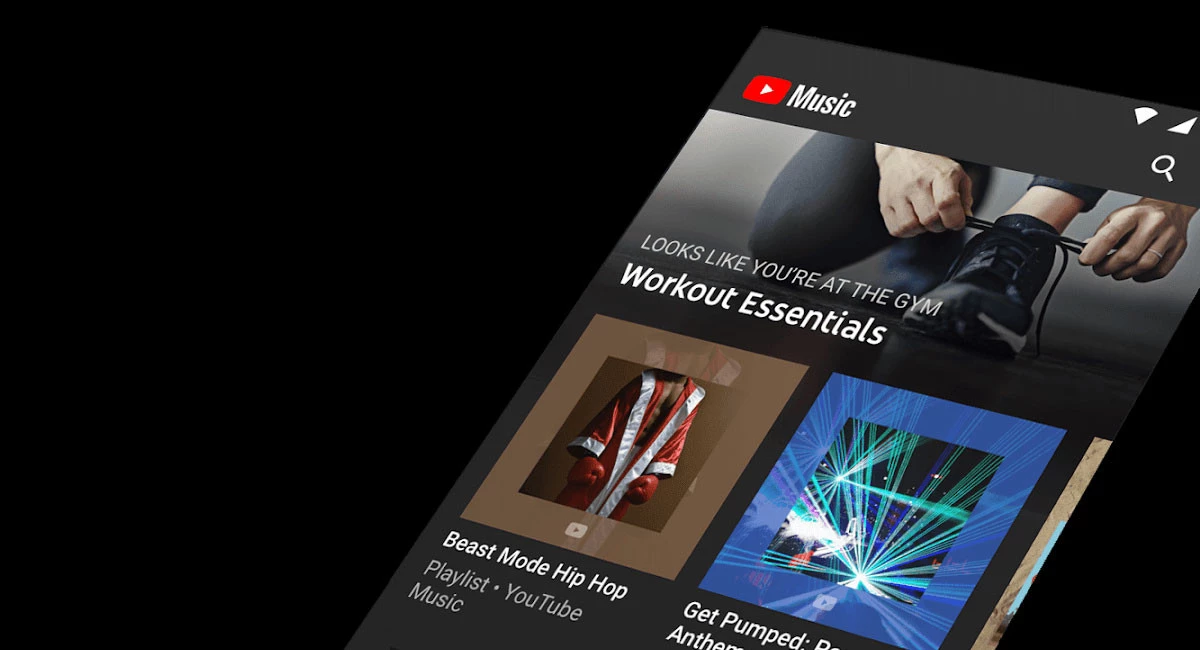
  • Updated setting tabs for Youtube Music

    Updated setting tabs for Youtube Music

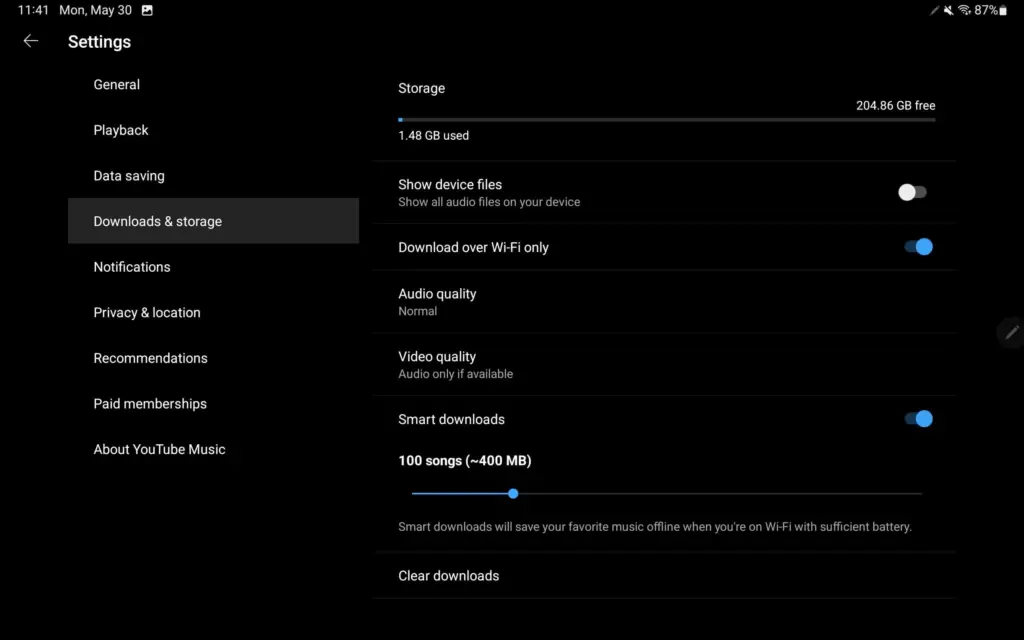
    YouTube Music upgraded its Home feed for tablets at the start of this year, promising additional UI improvements, particularly for playlists. On Android, YouTube Music now has a more user-friendly settings structure.

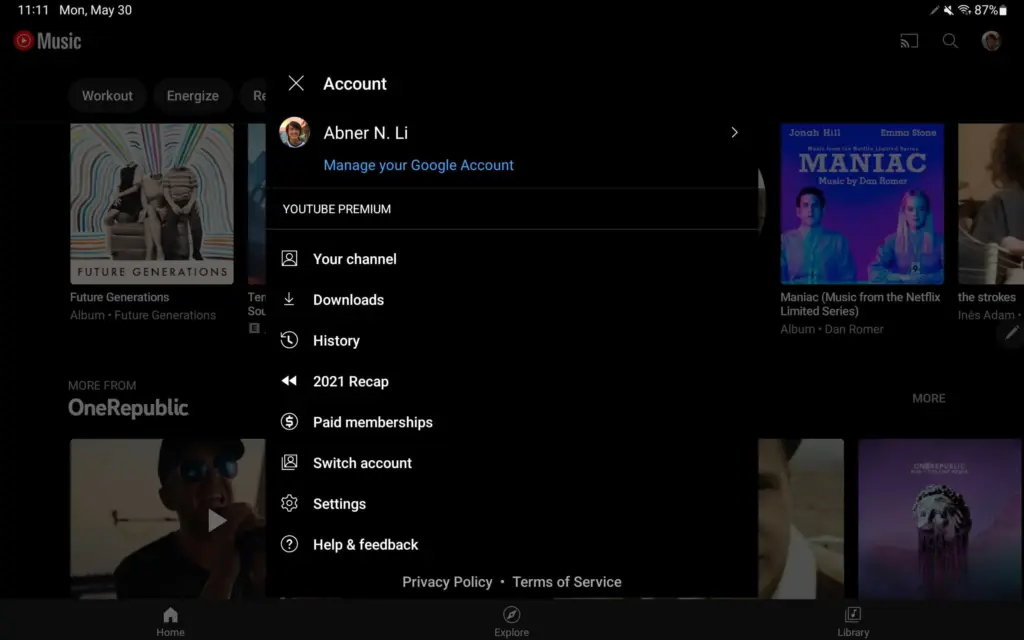
    Instead of the fullscreen page available on phones, visiting the Account menu on Android tablets (and Chromebooks) initiates a pop-up (keeping navigation context).

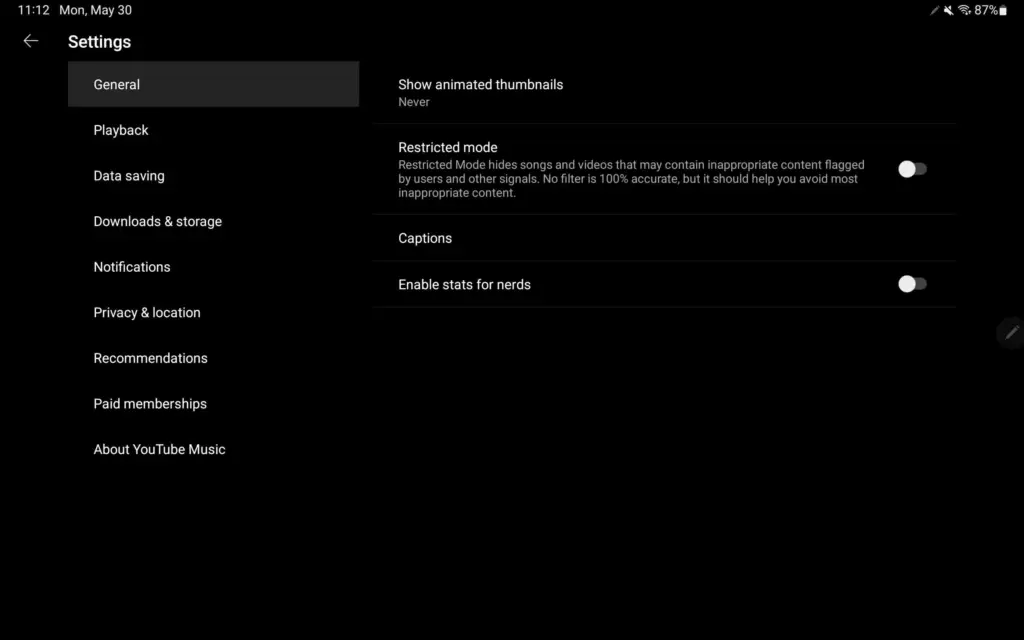
    Settings now has a two-column UI, which is common among first-party Android apps like Google Search, Gmail, YouTube, and others. The real controls are on the right, while the available options are listed on the left.

    This is a much better approach as settings for YouTube Music have been unwieldy for some time now as more things were added. We’re not encountering it on Android phones today, but YouTube Music offers a similar list approach on iPhone and iPad, though with different groupings. It could also be coming to smaller Android screens as a result.

    This is a much better method, as YouTube Music settings have been unmanageable for a long time as more features have been added. We haven’t seen it on Android phones yet, but YouTube Music on iPhone and iPad has a similar list structure, though with different groups. As a result, it’s possible that it’ll be available on smaller Android screens as well.

  • Multitasking improvements and more on the new update for OnePlus 9 series

    Multitasking improvements and more on the new update for OnePlus 9 series

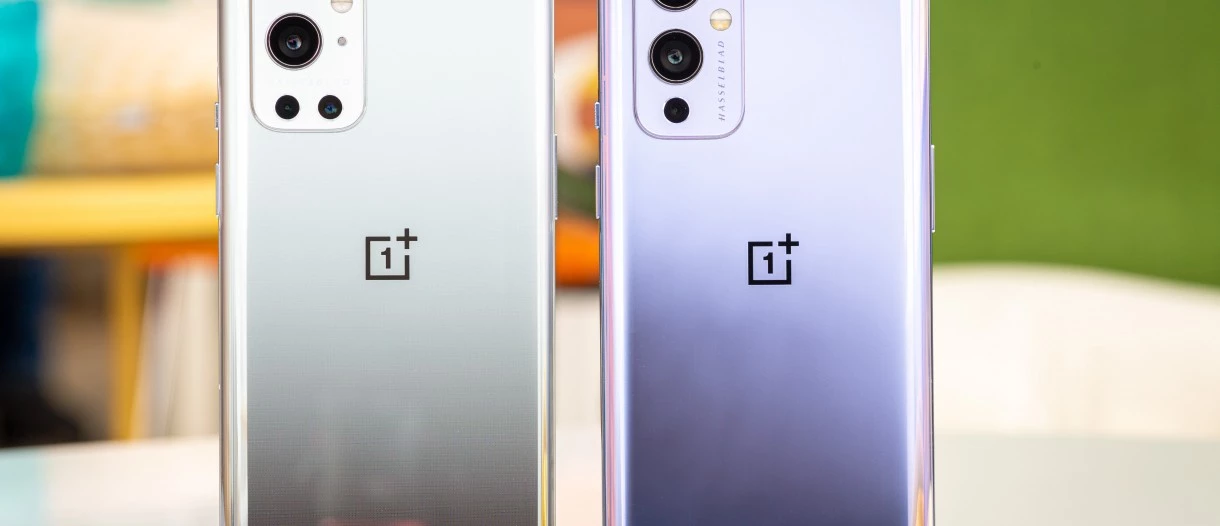
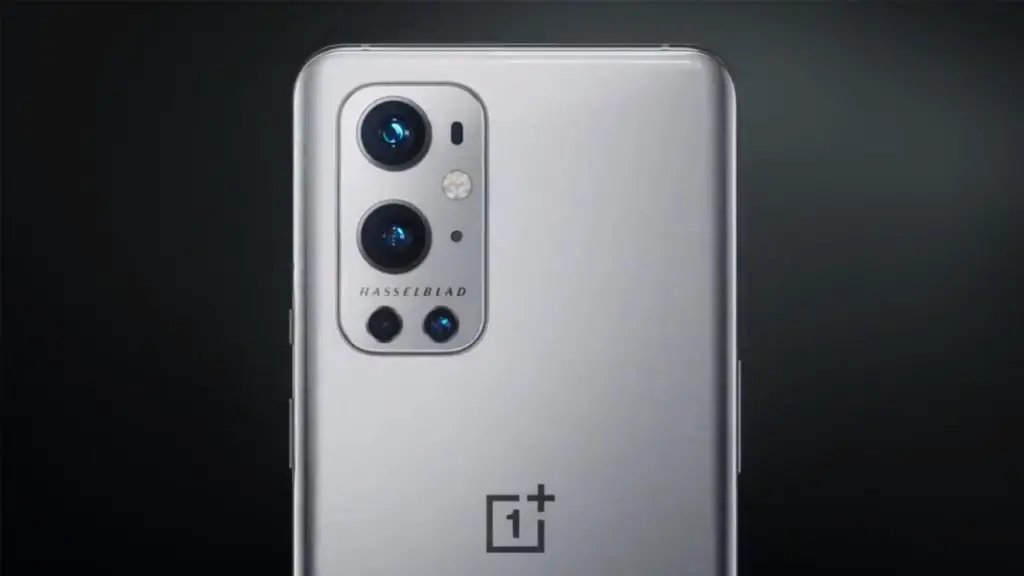
    May 19, 2022: OnePlus has released a new system update for the OnePlus 9 series (via XDA Developers). It has version C.60 and is over 1.5GB in size.

    The most recent OTA update improves multitasking and adds some connection and gaming features. The May security patch, however, is still unavailable for the phones. The complete changelog is available below.

    oneplus 9 series

    Convenience & efficiency

    • You can now open up to 3 apps in floating windows at the same time in Split-screen mode and switch between Floating window and Split screen modes
    • You can now use the Clock app in Quick Return

    Connectivity

    • You can now open up to 3 phone windows on your PC

    Games

    • Adds the HyperBoost end-to-end frame rate stabilizer
    • Heterogenous graphics: Reduces gaming loads and power consumption (only for some games)

    As always, this OTA will be incremental. It will reach a small percentage of users initially. A broader rollout should start in a few days.

    To check if an update is available, head to Settings > System > System updates on your device.

    Previous OnePlus 9 and 9 Pro updates

    • April 18, 2022: OnePlus rolled out a new system update for the OnePlus 9 and 9 Pro. The update carried Oxygen OS 12 version C.48 and went out to the flagships in India, North America, and Europe. There were no new features added with the update. However, it brought the April 2022 security patch to the phones. The changelog also mentioned system stability improvements.
    • March 21, 2022: OnePlus pushed out the stable Oxygen OS 12 update to the OnePlus 9R. The update was rolled out to users who were previously running the open beta version of the software. The OnePlus 9 and 9 Pro also got the incremental OxygenOS 12 update C.47 in North America and Europe. It optimized the stability of communication, fixed issues causing the operator’s name to be displayed incorrectly, improved system stability and camera fluency, and brought the March 2022 security patch.
    • March 10, 2022: OnePlus pushed out the Oxygen OS 12 C.46 update to the OnePlus 9 and 9 Pro. The company noted that the build will not release in North America due to specific country-related limitations. The firmware brought a bunch of improvements. However, the major change was the addition of the February security patch.
    • January 21, 2022: OnePlus rolled out update LE2125_11.C.44_1440_202201182114 (or 115) to the OnePlus 9 and 9 Pro in January. This update brought plenty of fixes for performance, display issues, cameras, and more. It also included the January 2022 security patch.
    • December 30, 2021: The OnePlus 9 and 9 Pro received Oxygen OS 12 C.40, which initially rolled out to global and Indian variants. The update fixed a few issues that the second Oxygen OS 12 release missed.
    • December 6, 2021: After a months-long beta program, the OnePlus 9 and OnePlus 9 Pro started getting a stable version of Oxygen OS 12, based on Android 12. However, due to intensely negative feedback to the update’s many bugs, OnePlus pulled it. The update restarted a week later.
    • November 25, 2021: Oxygen OS 11.2.10.10 rolled out to the OnePlus 9 and OnePlus 9 Pro. The update brought the November security patch and a few bug fixes but no significant changes.
    • September 17, 2021: OnePlus is rolling out a new Oxygen OS update (11.2.9.9) to the OnePlus 9 and 9 Pro. The update adds the September 2021 security patch and also brings the brand new Hasselblad XPan camera mode. There is also a slew of camera-related tweaks and other miscellaneous bug fixes.
    • July 29, 2021: OnePlus is rolling out Oxygen OS 11.2.4.4 to the OnePlus 9R. The update adds the July security patch to the phone and also brings the Bitmoji AOD feature that lets users place an avatar on their always-on display screen which changes based on activity and other factors. Fixes for “known issues” are bundled in the update alongside the updated GMS package.
    • July 19, 2021: OnePlus rolled out Oxygen OS 11.2.8.8 to the OnePlus 9 and OnePlus 9 Pro. It added one big feature for Ambient Display users — Bitmoji AOD. This lets users place an avatar on their always-on display screen which changes based on activity and other factors. The update also Fixed some “known issues” and added the July 2021 Android security patch.
    • June 6, 2021: The OnePlus 9 and 9 Pro gained Oxygen OS 11.2.7.7 which brought power consumption improvements, and camera tweaks, including an HDR option for video recording on the OnePlus 9 Pro.
  • 6 Useful Tips to Secure Your Android Device

    6 Useful Tips to Secure Your Android Device

    Russia has been invading Ukraine for over a month, and concerns about cybersecurity are growing. Even before the invasion, US officials blamed Russia for cyberattacks on Ukraine’s Ministry of Defense and two banks.

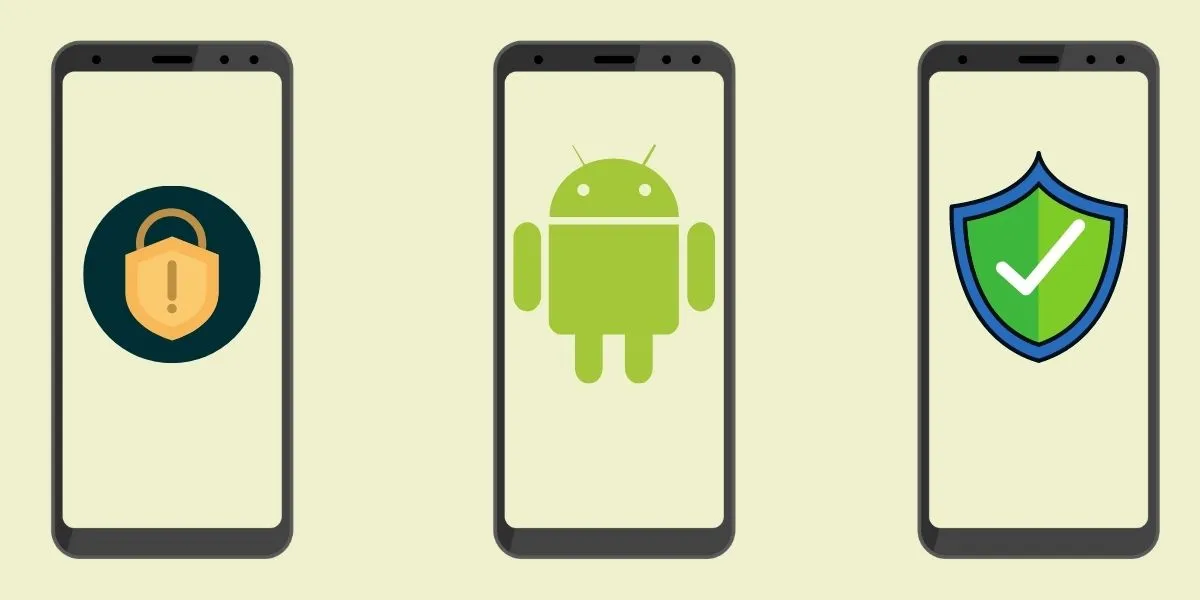
    While the US Cybersecurity and Infrastructure Security Agency has stated that there are no particular or credible cyberthreats aimed at the US, it has also stated that hypothetical cyberattacks are more likely to target infrastructure. CISA advises that everyone be ready in case something goes wrong. When it comes to cyberdefense, safeguarding your mobile device is a smart place to start. Here are six things Android users may do to keep their data safe.

    android secutiry 1

    Always update you OS

    Updating your operating system can resolve issues and repair known security risks. If you don’t update to the current version, you and your device are vulnerable to security weaknesses that could expose sensitive information to unscrupulous actors. Some individuals put off updating their operating system to avoid dealing with early glitches, but waiting too long can destroy your PC. Here’s all you need to know about Android 12.

    Use two-factor authentication

    In the event that your password is compromised, two-factor authentication, or 2FA, adds a second layer of security to your Android account. When you use 2FA, a second message is sent to another device after you enter your password, requesting you to confirm that you are trying to log in. It takes a little longer to log in, but the added degree of protection is well worth it. Here’s how to enable two-factor authentication.

    Password manager

    A password manager can assist you if you’re having problems remembering several passwords and creating unique passwords for each account. These tools can be used in conjunction with 2FA to securely store passwords and fill login pages automatically. They can also protect you from phishing schemes, which ask you to input your password on a phony website. Check out CNET’s reviews of password managers Bitwarden, LastPass, and 1Password for additional information.

    Encrypt your device

    Beginning in 2015, Google mandated that all Android smartphones be encrypted out of the box. After your device has been encrypted, every data saved on it is protected by a PIN number, fingerprint, pattern, or password that only the owner knows. Even Google won’t be able to unlock your device without the key. You may learn how to encrypt your phone here.

    Remove data from Google

    Because Android is a Google product, unencrypted device data may end up on a Google server. You can check with Google to see what data it has about you and request that it be deleted. It’ll take some time, but it’ll be worth it because your information can’t be stolen if it’s not in the system to begin with. Here’s how you ask Google to remove your data, but keep in mind that Google does not guarantee that it will comply with your request.

    Last option – reset/delete your phone

    You can remotely wipe your phone if you lose it or it is stolen. If you need to do this, our Android settings guide includes a walkthrough. Because this deletes all data from your phone, you should make a habit of backing it up on a second device if you have anything important on it.


    For more information on securing your phone, check out these eight apps to protect your phone’s privacy, what information digital security experts wish you knew and how to stop your phone from tracking you.

  • DMs on Instagram get better on last update

    DMs on Instagram get better on last update

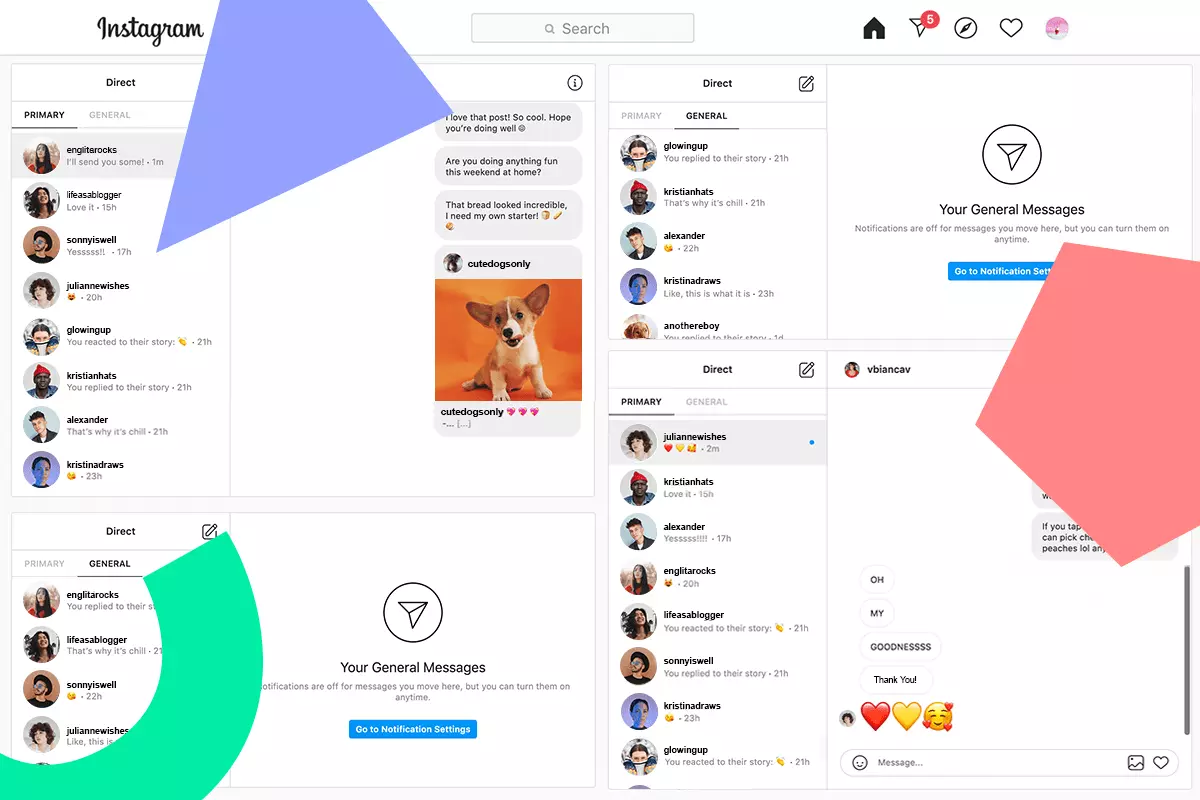
    Meta is delivering a plethora of new capabilities for Instagram, after major messaging enhancements for WhatsApp and Messanger. The new features will make it easy to share content and respond to conversations from anywhere.

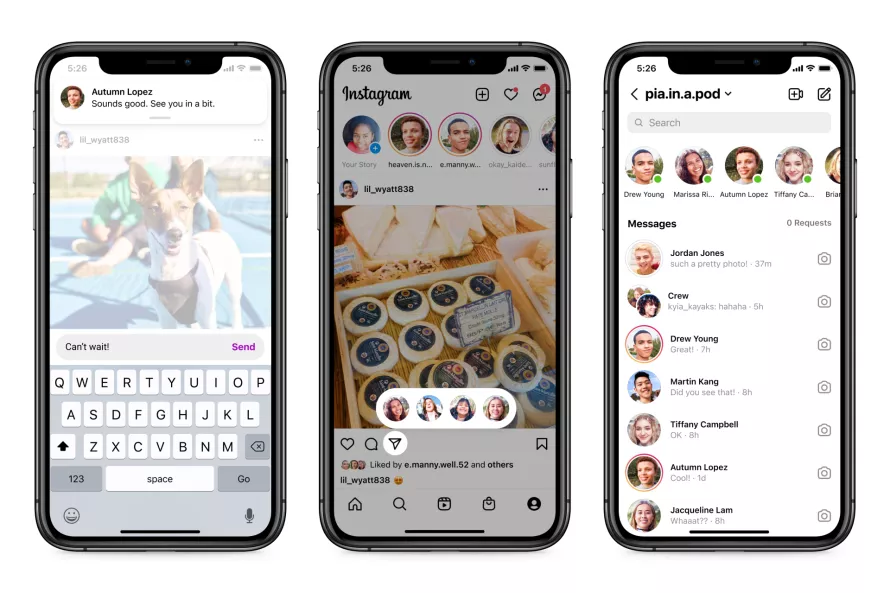
    The option to respond to fresh messages while browsing Instagram DMs is a welcome addition. Instead of disrupting your surfing activity, users will receive a new in-app notice that will allow them to respond quickly without having to go to the inbox.

    Additionally, you may now share a post more quickly by hitting and holding the “send” button when you locate one you wish to share. This will bring up a list of “your closest friends” with whom you may instantly share the post — all while continuing to browse. If you’re in your inbox, Meta is showing how a row at the top of your inbox — similar to Messenger — will show you who is online and accessible to speak.

    In addition, Meta is bringing a new function to Instagram that was previously only available on Messenger. Silent messages allow you to communicate your friends without causing them to receive a notification, which is very useful if you’re sending a message late at night or simply don’t want to bother them.

    instagram dm

    In a nod to Messenger, Instagram is also adding a new lo-fi chat style and the ability to post votes in group messaging.

    Thanks to integrations with some of the top music streaming services like Spotify, Amazon Music, and Apple Music, users will soon be able to share previews of their favorite tunes. Users will be able to listen to up to 30 seconds of a song immediately in the chat, which could be useful for music discovery.

    These enhancements come only one day after Meta revealed a raft of improvements to WhatsApp’s voice messaging feature, demonstrating that the firm is on a roll with new features to improve its messaging apps. Instagram’s new features are now being rolled out in “certain countries,” with intentions to expand them globally in the near future.

    These enhancements come only one day after Meta revealed a raft of improvements to WhatsApp’s voice messaging feature, demonstrating that the firm is on a roll with new features to improve its messaging apps. Instagram’s new features are now being rolled out in “certain countries,” with intentions to expand them globally in the near future.

  • #beta – Paranoid Android Sapphire available for the OnePlus 9 and OnePlus 9 Pro

    #beta – Paranoid Android Sapphire available for the OnePlus 9 and OnePlus 9 Pro

    The first beta build of the Paranoid Android Sapphire ROM for the OnePlus 9 and OnePlus 9 Pro has just been released by the Paranoid Android team. For quite some time, an Alpha version of the Android 12 based ROM has been available for both phones. The new beta version, on the other hand, offers a more stable software experience.

    The Paranoid Android Sapphire Beta is now available for the OnePlus 9 and OnePlus 9 Pro, as announced by XDA Recognized Developer arter97. Several device-specific enhancements are included in the latest build, including redesigned blobs, improved sleep mode, fingerprint scanner improvements, and a transition to arter97’s kernel. Repainter integration, improvements from ProtonAOSP, a burn-in protection feature for devices with OLED panels, the latest f2fs tools, and more have all been added to the Paranoid Android platform.

    Paranoid Android Sapphire available for the OnePlus 9 and OnePlus 9 Pro

    The beta release still has a few known faults. These include delayed mobile data activation after reboot, Wi-Fi not working after a few reboots, and less-than-ideal pocket recognition, which can wake up the smartphone or activate gestures by accident.

    If you wish to try out the Paranoid Android Sapphire Beta on your OnePlus 9/Pro, head over to the forum mentioned below. It includes a download link for the ROM as well as step-by-step instructions for flashing it. Although the beta build can be flashed onto a current Sapphire Alpha system, the developer recommends “a clean flash.”

    Download Paranoid Android Sapphire Beta for the OnePlus 9 / OnePlus 9 Pro

    Full update changelog:

    Here are some device-specific highlights:

    • Prebuilt blobs are revamped to fix various issues (audio, video, NFC, etc)
    • Sleep mode is changed to fix excessive idle battery drain
    • VRR implementation is now working, which will improve battery life a lot
    • Corner masks are now done properly
    • Fingerprint improvements
    • Kernel switched to a customized version of arter97 kernel

    Here are platform-wise highlights:

    • Latest CAF tag merged
    • kdrag0n’s Repainter service integrated
    • Optimized bionic, memory routines (ported by xboxfanj)
    • Latest f2fs-tools
    • Few optimizations merged from kdrag0n’s ProtonAOSP
    • Burn-in protection feature added

    Device issues

    • Mobile network will initialize a bit slowly after boot
    • Wi-Fi may not work on a few reboots. You may have to reboot multiple times for Wi-Fi to work
    • Pocket-detection is less than ideal, it may result in accidental wake-ups or ignored gestures
    • Bootanimation will pause for a split second. This is a known issue from the kernel


    There are likely many other issues, these are just the most prominent to me. Don’t come into this with the expectation any issue you come across will be fixed in a timely manner.

    Requirements


    Make sure you are coming from any Android 11 based OxygenOS build, stable is recommended.

    Downloads

    You can always get our Alpha builds from ourTelegram Group or directly download them from here:
    OnePlus 9 Pro – Beta 1
    (Note, OP9 & Pro builds are no longer unified)

    Note: Custom kernels are not supported unless the kernel says it supports AOSPA and GMS is included!

    How to install

    1. Download the latest fastboot zip we released (hint: it has an -img appended to zip name)
    2. Reboot to bootloader.
    3. Wipe userdata with the command “fastboot -w”
    4. Flash the fastboot zip with “fastboot update aospa-*-image.zip”
    5. Reboot.

    Changelog

    • Prebuilt blobs are revamped to fix various issues (audio, video, NFC, etc)
    • Sleep mode is changed to fix excessive idle battery drain
    • VRR implementation is now working, which will improve battery life a lot
    • Corner masks are now done properly
    • Fingerprint improvements
    • Kernel switched to a customized version of arter97 kernel

    Here are platform-wise highlights:

    • Latest CAF tag merged
    • kdrag0n’s Repainter service integrated
    • Optimized bionic, memory routines (ported by xboxfanj)
    • Latest f2fs-tools
    • Few optimizations merged from kdrag0n’s ProtonAOSP
    • Burn-in protection feature added

    Starting with Beta 1, you must clean flash due to recent commits related to userdata.

    Important / Useful links
    Paranoid Android Twitter
    Paranoid Android Channel (Telegram)
    Paranoid Android Community (Telegram)
    Paranoid Android OnePlus 9 Family (Telegram

  • Stable Android 12 update for the ROG Phone 5 and ROG Phone 5S are live

    Stable Android 12 update for the ROG Phone 5 and ROG Phone 5S are live

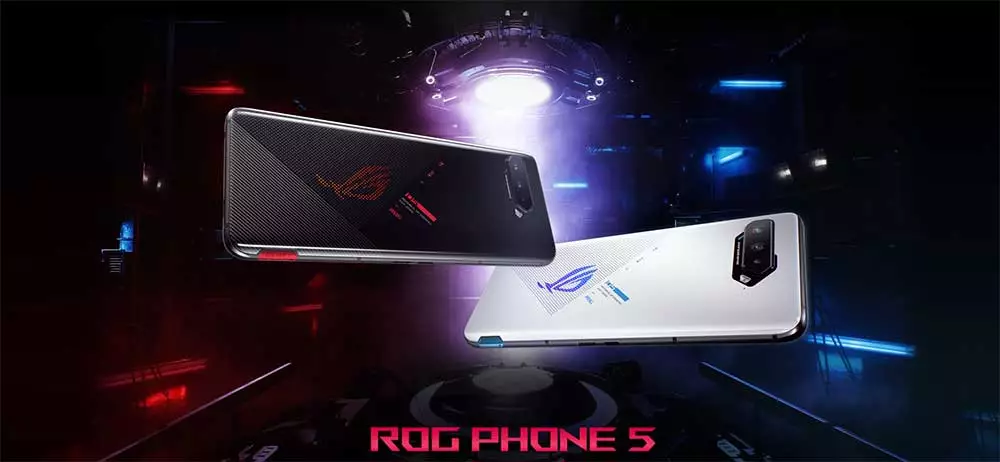
    Following the release of a solid Android 12 update for the ZenFone 8 in December, ASUS is now bringing Android 12 update to two more of its phones: the ROG Phone 5 and ROG Phone 5S. ASUS has previously stated that both phones would be updated to Android 12 in Q1 2022, and the firm is following through on that promise.

    ASUS has begun pushing out a stable Android 12 upgrade to the ROG Phone 5 and ROG Phone 5S, according to announcements on ZenTalk forums. All of Android 12’s notable features are included, including a revised Quick Settings panel and volume selector, Privacy Dashboard, camera, microphone, and location indications, and redesigned home screen widgets.

    On top of that, users can also look forward to ASUS’s own additions, such as a redesigned ROG UI, revamped system apps, improved One-handed mode, new splash screen animations, a dual control feature for AirTriggers, and more.

    asus rog phone  android update

    Download Android 12 stable update

    The Android 12 update for the ROG Phone 5 carries software version 31.0810.1226.57 and weighs around 3.4GB. M

    The Android 12 update for the ROG Phone 5 carries software version 31.0810.1226.57 and weighs around 3.4GB. Meanwhile, the ROG Phone 5S update bumps the software version to 31.0810.1226.57. The automatic OTA rollout has already started. If you want to skip the queue, ASUS has also provided direct download links to help you manually install the update.

    Download Android 12 update for the ROG Phone 5

    Download Android 12 update for ROG Phone 5S

    The official update changelog is as follows:

    • Please back up your data before upgrading to Android 12. If you want to downgrade the software version to Android 11 using the official software package, it will erase all data from your device.
    • Upgraded system to Android 12
    • Introduced new ROG UI design
    • Revamped Mobile Manager, Contacts, Phone, File Manager, Calculator, Clock, Gallery, Weather, Sound recorder, Settings, Data Transfer, Local backup, Setup wizard and System update apps
    • Merge Wi-Fi and mobile network settings to Internet settings
    • Added extra dim setting, the Drones of Detection theme pack, and AirTriggers’ dual control feature
    • Adjusted Quick Settings panel, notification tray, and volume panel to Android 12 design
    • Adjusted the Classic style of the power menu to match Android 12 design. Separated device control and Wallet to independent pages.
    • Added the Shortcut option in the Security & lock screen settings menu
    • Added privacy dashboard, camera and microphone indicators, show clipboard access, approximate location access, and microphone access features
    • Replaced ASUS Safeguard with Android 12 Emergency SOS
    • One-handed mode integrates Android 12 design and supports more options.
    • Removed search option in OptiFlex setting
    • Introduced a new widget page design in Launcher. Adjusted the position of the screenshot option and removed the hotseat app icons in the Overview page.
    • Added the Swipe to invoke assistant option to Gesture settings
    • Removed the Quick Settings layout option from Display settings
    • Added splash screen animations when launching apps
    • ASUS Phone removed SIP calling support as Android 12 does not natively support SIP calling
    • Added the “Draw overlay permission request” dialog when launching Game Genie for the first time
    • Removed the function of swiping up from any position of Launcher, holding, and releasing to enter the Overview page when using gesture navigation
    • Added the function of going back to the main screen in Launcher by swiping up from the bottom when using gesture navigation
    • Added the “Convert videos to AVC” option in the USB preferences page
    • Some third party apps are not compatible with Android 12 yet
    • Modified the color of the icons in the 1st-layer Settings to Android 12 black and white design

    Did you update?

  • Google updates its apps recently. Full list here!

    Google updates its apps recently. Full list here!

    The Android operating system requires frequent updates. They include security patches and other bug fixes in addition to new designs and features. However, OS updates aren’t the only thing that matters; apps require attention as well.

    With that in mind, there have been a slew of improvements to major Google apps in recent months. Some of them have already been discussed, such as Messages’ solution to the vexing problem of iMessage reactions appearing as duplicated texts. However, a few have slipped between the cracks.

    We now have a complete list of some of the most important app upgrades that Google has released recently, thanks to Google. Some of these are completely new features, while others are simply changes to existing ones. In any case, if you’re curious about what’s new with your Google apps, here is a fantastic place to start.

    google apps update

    Messages

    • iMessage reactions: Reactions from iMessage users will now be displayed as emojis on text messages. This prevents the old problem of getting texts back that just said: “Liked [full original text message here].”
    • Categories: You can now easily view Personal and Business texts with the tap of the various categories at the top of your inbox.
    • OTP cleanup: You also have the option to automatically delete one-time passwords 24 hours after receipt.
    • Nudges: Quick reminders to reply to messages that you may have missed.
    • Birthday reminders: If you have a contact in Google’s Contacts app with a birthday listed, you’ll see a reminder that day when you open Messages or enter a conversation with them.
    • Photos integration: Google is further integrating one of its other super popular Google apps into Messages. Now, you can share your videos in high quality with your iOS friends, too. Messages will send videos as Google Photos links.
    • YouTube previews: You can see a preview of the video right in the conversation.

    Gboard

    • Grammar Correction: Gboard’s Grammar Correction will correct your spelling and grammar as you type. It works entirely on-device to preserve privacy. This was originally released to Pixel users but is now available to all of Android.
    • Emoji Kitchen: Google’s popular sticker creation tool now has over 2,000 new mashups.

    Photos

    • Portrait Blur: If you subscribe to Google One and/or own a Pixel device, you’ll soon have access to Portrait Blur on more subjects. These will include pets, food, and plants. You can even retroactively add blur to photos that didn’t have the effect when you took them

    Other Google apps

    • Google TV: A new feature called Highlights will bring together the latest stories about your favorite TV shows.
    • Android Auto: You can now pay for parking using only your voice.
    • Nearby Share: It is now possible to share something with multiple people at the same time.
    • Widgets: A new screen time widget helps people stay on top of their digital consumption.
    • Live Transcribe: This feature now works without an internet connection.
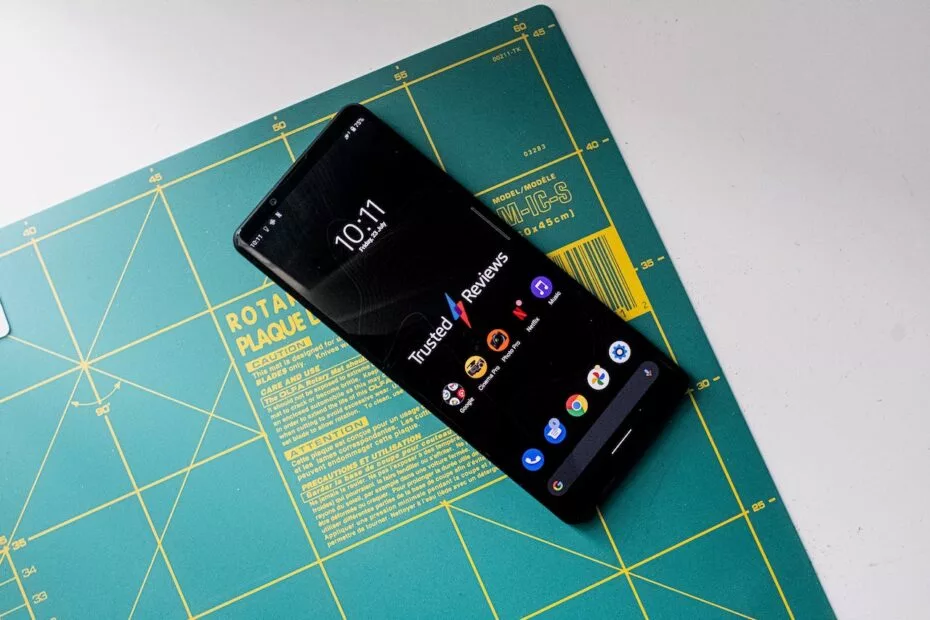
  • Sony releases Android 12 stable for Xperia 1 III and Xperia 5 III

    Sony releases Android 12 stable for Xperia 1 III and Xperia 5 III

    Samsung, Xiaomi, Oppo, OnePlus, and Motorola, among others, have already revealed their Android 12 rollout plans, with Samsung in particular updating its massive smartphone array across geographies at a breakneck speed. Sony has entered the party with their own schedule (if you can call it that), albeit without any precise device timelines. Regardless, the stable Android 12 release for the Xperia 1 III and Xperia 5 III flagships is now available.

    Sony releases Android 12 stable for Xperia 1 III and Xperia 5 III

    The Sony Xperia 1 III and Xperia 5 III are among the most recent devices to receive Android 12, with build version 61.1.A.1.149 and the December 2021 security patch instead of the one for this month (per XDA-Developers). According to reports, the update is presently being given out in Russia, but only to Asian dual-SIM editions of the Xperia 1 III and Xperia 5 III with version numbers XQ-BC72 and XQ-BQ72, respectively.

    We’ll have to wait and watch when other regions get the upgraded firmware because Sony failed to release a thorough global distribution strategy. The update does not yet have a device-specific changelog, but you can reasonably assume that it includes all of the new features listed on the company’s rather generic Android 12 support page.

    ezgif.com gif maker 7

    For those unfamiliar, Sony’s version of Android is minimal and only makes a few tweaks to the AOSP build Google distributes to Android OEMs. The company does, however, improve the experience by using a unique 21:9 aspect ratio.

    If you have an Xperia 1 III or Xperia 5 III and haven’t received the OTA update yet, go to Settings > Software update to manually check for it. Long screenshots, one-hand mode, increased privacy and security, and, of course, Material You should all be available after you upgrade your handset to Android 12.

    Source: Sony