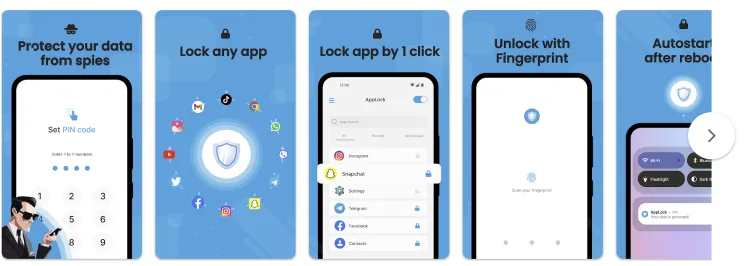
Tag: security

  • How to lock apps on Android without third-party apps

    How to lock apps on Android without third-party apps

    Want to lock apps without downloading extra software? Learn how to use built-in tools on Samsung, Xiaomi, OnePlus, and other Android phones to secure your apps with passwords or biometrics – no third-party apps required.

    Why Lock Apps on Android?

    Your smartphone contains plenty of personal information, including images, bank accounts, social network profiles, and private messages. Locking specific apps provides an additional layer of security, particularly when sharing your device or preventing unintentional snooping.

    Most people jump straight to third-party app lockers. But these:

    • May ask for invasive permissions
    • Show ads or collect data
    • Drain battery and storage

    That’s why using built-in features is often the smarter, safer move.
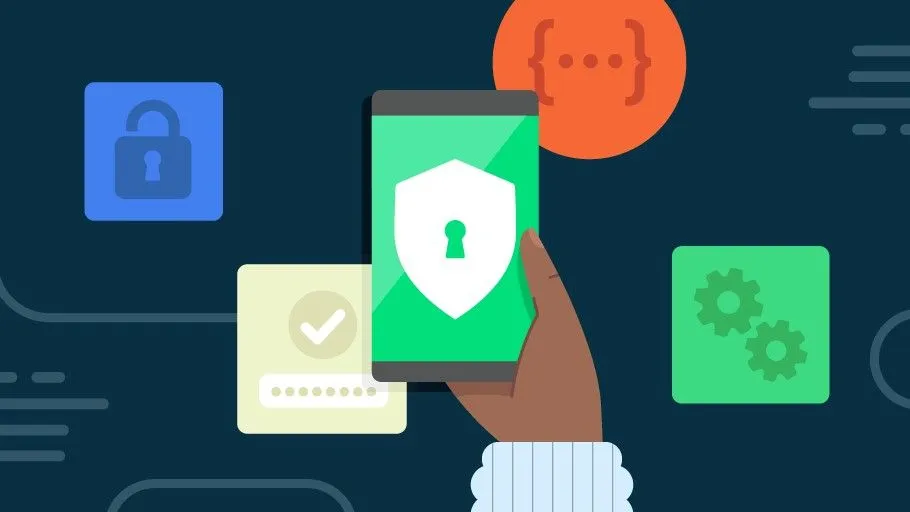
    lock apps on Android devices

    Samsung Devices (One UI) – Use Secure Folder

    Samsung includes a powerful privacy tool called Secure Folder, protected by Samsung Knox.

    How to use:

    1. Open Settings
    2. Tap Biometrics and security
    3. Select Secure Folder and sign in with your Samsung account
    4. Set up a lock type (PIN, password, fingerprint, etc.)
    5. Add apps or files to your Secure Folder

    Bonus Tip: You can also hide the Secure Folder icon from the app drawer to keep it totally invisible.

    Xiaomi / Redmi / POCO Devices (MIUI) – Use App Lock

    MIUI has a built-in App Lock feature that is super easy to set up.

    Steps:

    1. Open Settings
    2. Go to Apps > App Lock
    3. Set a privacy password (or use your existing phone lock)
    4. Choose which apps to lock
    5. Optionally enable fingerprint unlock for convenience

    This works for apps like WhatsApp, Facebook, Instagram, Gmail, and more.

    OnePlus Devices (OxygenOS) – Use App Locker

    OnePlus provides App Locker, a native feature that locks your apps and hides their notifications.

    How to enable:

    1. Open Settings
    2. Scroll to Utilities > App Locker
    3. Tap Add Apps and select the apps you want to lock
    4. Enable Fingerprint Unlock for fast access
    5. Toggle Hide Notification Content to prevent preview leaks

    App Locker can even keep apps locked in the background, offering persistent protection.

    Realme / Oppo Devices (ColorOS) – Use App Lock

    These brands offer similar features under the Privacy menu.

    Steps:

    1. Go to Settings > Privacy > App Lock
    2. Set a privacy password (separate from your phone unlock)
    3. Select apps you want to lock
    4. Enable Face or Fingerprint Unlock

    You’ll be asked for verification each time the app is opened.

    Huawei / Honor Devices (EMUI) – Use App Lock

    Huawei’s App Lock is baked into the EMUI interface.

    To set it up:

    1. Open Settings
    2. Tap Security & Privacy > App Lock
    3. Set a password
    4. Select apps to protect

    This feature integrates well with fingerprint unlock, so you won’t have to type the password every time.

    Your phone does not have App Lock?

    If your phone’s Android version or manufacturer doesn’t include app locking, here are a few alternatives:

    • Screen Pinning: Locks your phone to one app.
      • Settings > Security > Screen Pinning
      • Useful for letting kids watch YouTube without leaving the app
    • Multiple Users / Guest Mode:
      • Settings > System > Multiple Users
      • Create a guest profile for others using your phone
    • Trusted Third-Party Apps (as a last resort):

    If you go this route, always read reviews and limit permissions.

    Pro Tips to Enhance App Security

    • ✅ Enable biometric unlock for locked apps
    • ✅ Hide notification previews (especially for messaging and banking apps)
    • ✅ Use Strong screen locks (PIN, pattern, or fingerprint)
    • ✅ Keep your phone’s software updated for security patches
    • ✅ Be cautious about sharing your device or leaving it unlocked

    Locking apps without third-party apps is easier, more effective, and safer than you might expect. Whether you utilize Samsung’s Secure Folder, Xiaomi’s App Lock, or OnePlus’ App Locker, you can protect your important data with a few touches.

    So, before you download another app, check your phone’s settings as you may already have all you need to keep your digital life private and secure.
  • Samsung discontinues software updates 5 Galaxy phones.

    Samsung discontinues software updates 5 Galaxy phones.

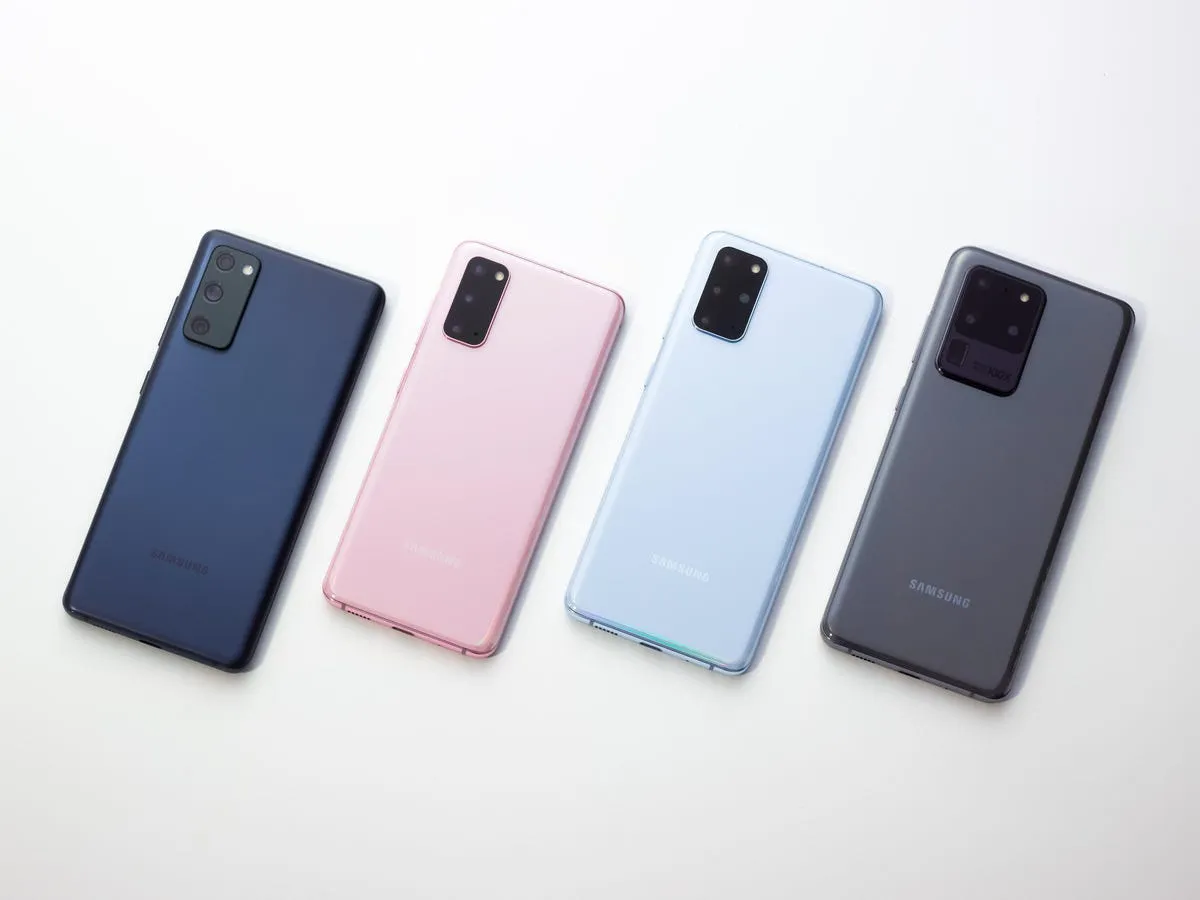
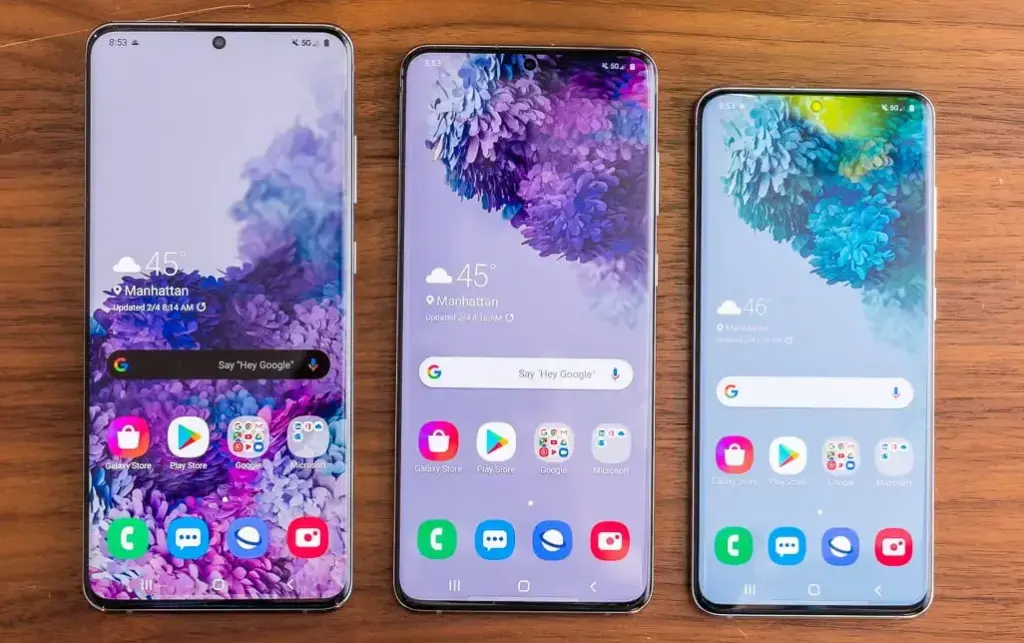
    This month delivers bad news to the owners of various vintage Galaxy cellphones. The Galaxy S20, Galaxy S20+, and Galaxy S20 Ultra, Samsung’s first game-changing flagships, will no longer receive software updates going forward.

    The Galaxy A52 5G and Galaxy A72, two additional game-changing Galaxy smartphones, will also no longer receive software updates. These were among the first mid-range devices to provide flagship-level features such as high refresh rate displays, dual speakers, 5G connectivity, and faster charging at a lower cost.

    galaxy s20 series e1744227734197

    Samsung has discontinued support for the Galaxy A52 5G Enterprise Edition. The normal edition, as well as the Galaxy A52 and Galaxy A52s, stopped receiving updates quite some time ago. The Galaxy A52 and A52s enterprise variants will still receive upgrades.

    In addition to the Galaxy S20, S20+, S20 Ultra, A52 5G, and A72, Samsung will no longer provide updates for the Galaxy A32. Support for the S20 series will terminate after five years, and for mid-range devices after four years.

    Samsung may provide an update that was already in the works for these devices before support ended, but if you possess one of them, you should upgrade if you want to continue receiving software updates.

    Upgrade now

    Galaxy S25 ultra

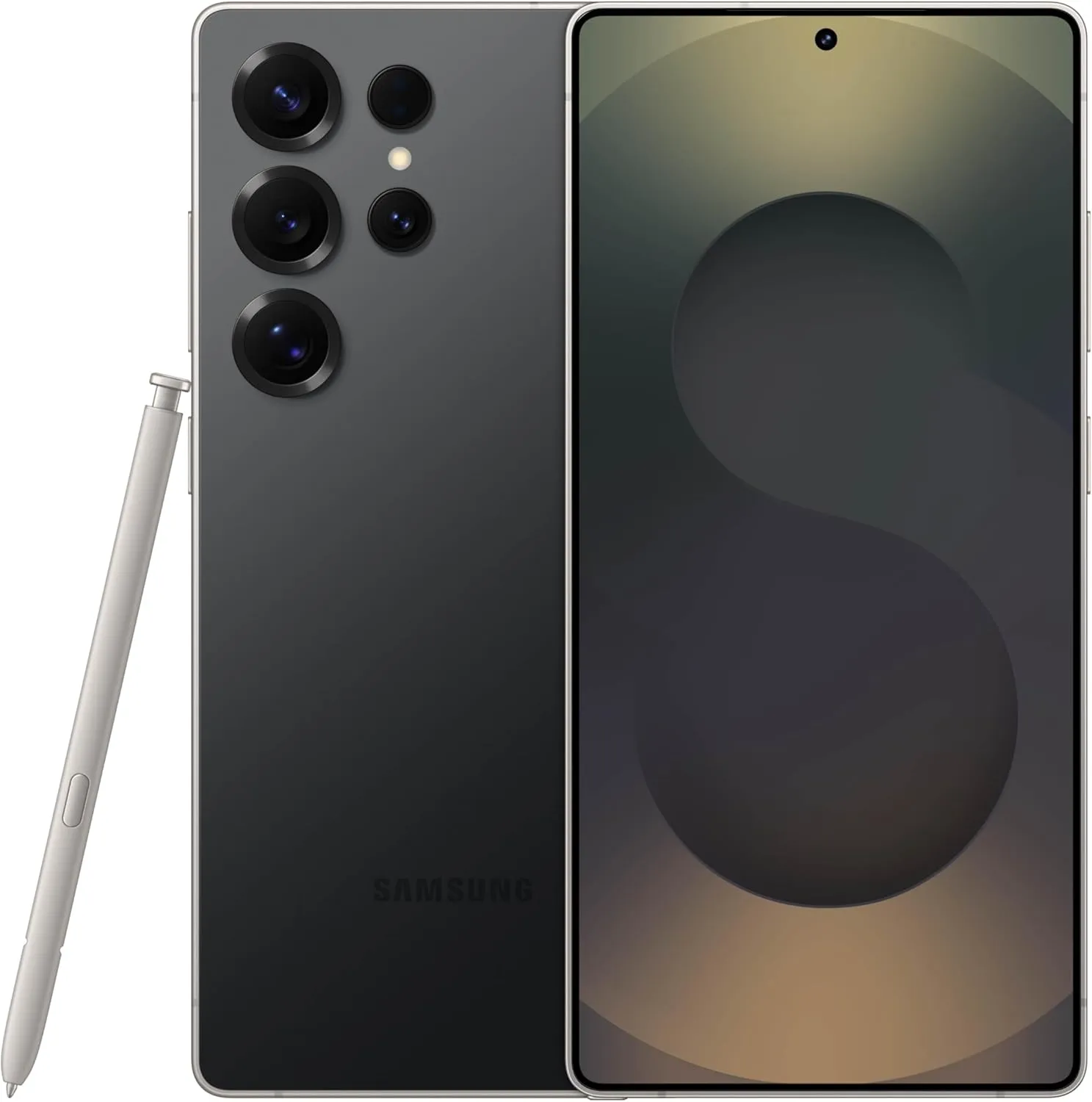
    SAMSUNG Galaxy S25 Ultra

     Streamline your day with an assistant that gets you. Ask it to Google search for a pet-friendly vegan restaurant nearby and text it to your friend— your Galaxy S25 Ultra handles multiple tasks with a single ask.

    Best choice
    $1,419.99$1,219.74See It
  • Crocodilus malware takes Android users’ crypto wallet keys

    Crocodilus malware takes Android users’ crypto wallet keys

    Using a warning to backup the key to prevent losing access, a recently identified Android malware known as Crocodilus deceives users into entering the seed phrase for the bitcoin wallet.

    Despite being a recent banking malware, Crocodilus has fully functional capabilities to remotely control, take over the device, and collect data.

    According to researchers at the fraud prevention firm ThreatFabric, the malware is disseminated by a custom dropper that gets around security measures in Android 13 and later.

    crypto

    The dropper circumvents Accessibility Service limitations and installs the virus without activating Play Protect.

    Crocodilus is unique because it uses social engineering to force victims to divulge their crypto-wallet seed phrase.

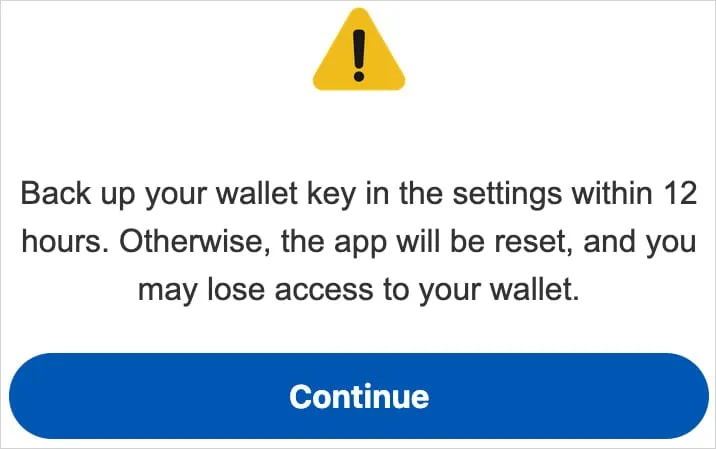
    A screen overlay alerting users to “back up their wallet key in the settings within 12 hours” or risk losing your wallet is how it accomplishes this.

    “This social engineering trick guides the victim to navigate to their seed phrase (wallet key), allowing Crocodilus to harvest the text using its Accessibility Logger,” ThreatFabric explains.

    “With this information, attackers can seize full control of the wallet and drain it completely,” the researchers say.

    Crocodilus was seen to target customers in Spain and Turkey, including bank accounts from those two nations, during its initial operations. Based on the debug messages, it seems that the infection originated in Turkey.

    Although the exact mechanism of the first infection is unknown, users are usually duped into downloading droppers by malicious websites, phony SMS or social media advertisements, and third-party app shops.

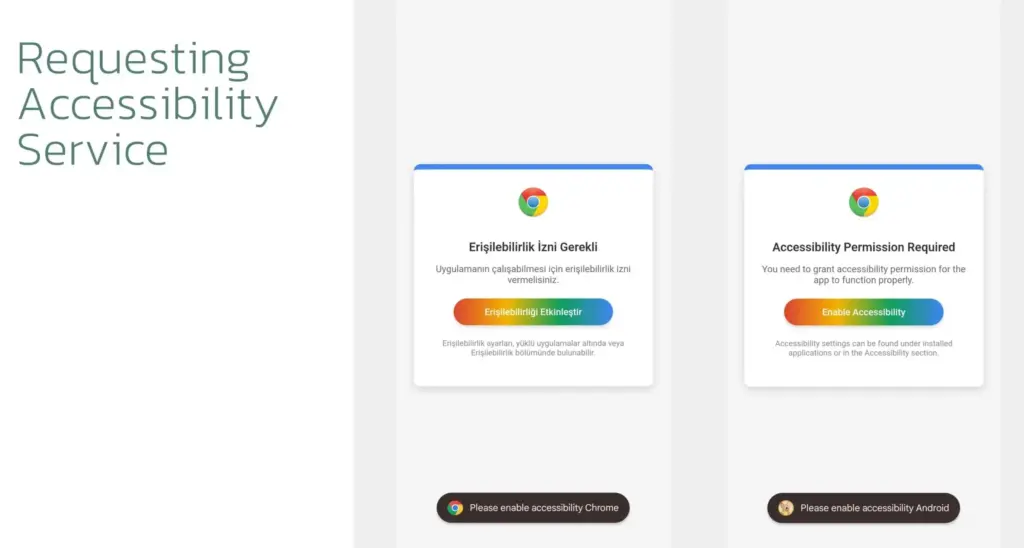
    When Crocodilus is launched, it has access to Accessibility Services, which are typically designated for helping individuals with disabilities. These services allow Crocodilus to make navigation motions, monitor for app launches, and unlock screen content.

    crocodilus malware

    Crocodilus puts a phony overlay over the legitimate app when the victim accesses a targeted banking or cryptocurrency app in order to obtain the victim’s login information.

    The bot component of the malware supports a set of 23 commands that it can execute on the device, including:

    • Enable call forwarding
    • Launch a specific application
    • Post a push notification
    • Send SMS to all contacts or a specified number
    • Get SMS messages
    • Request Device Admin privileges
    • Enable a black overlay
    • Enable/disable sound
    • Lock screen
    • Make itself the default SMS manager

    Additionally, the malware has remote access trojan (RAT) capabilities that let its operators swipe, tap, and browse the user interface, among other things.

    To collect one-time password codes used for two-factor authentication account protection, a specific RAT command is also available to snap a screenshot of the Google Authenticator application.

    To conceal the activity from the victim and give the impression that the device is locked, Crocodilus operators can mute the device and activate a black screen overlay while doing these tasks.

    Crocodilus may soon expand its activities and add more apps to its target list, even if it currently seems to be targeting only Spain and Turkey.

    It is recommended that Android users make sure Play Protect is constantly enabled on their devices and refrain from downloading APKs from sources other than Google Play.

  • BadBox 2.0 more than 1 million Android devices infected – how to stay safe

    BadBox 2.0 more than 1 million Android devices infected – how to stay safe

    Together with Google, Trend Micro, The Shadowserver Foundation, and other partners, researchers from HUMAN’s Satori Threat Intelligence team were able to take down BadBox 2.0, the biggest network of compromised connected TV sets.

    The BadBox malware typically comes pre-installed on TV streaming boxes, smart TVs, tablets, digital projectors, or smartphones, and it infects a botnet of off-brand Android devices. As a backup backdoor distribution method, threat actors in this instance also ran hundreds of versions of well-known programs. Thankfully, 24 malicious “evil twin” apps that were distributing this virus were found and taken down from the Google Play Store by HUMAN’s researchers.

    They were successful in sink-holing communications to the malicious domains used by the hackers behind this effort, disrupting the botnet on more than 500,000 Android devices in total. In order to stop the compromised devices from contacting the command-and-control (C2) servers that the hackers have set up, the researchers have taken control of thousands of these BadBox 2.0 domains. This allows them to keep an eye on the connections and collect information on the botnet.

    badbox malware

    What is BadBox 2.0?

    BadBox 2.0 is a malware-based botnet that commits fraud and other criminal activities using less expensive, off-brand Android handsets. In October 2023, the original BadBox virus was disabled or rendered dormant, having infected 74,000 devices.

    This new version, BadBox 2.0, has infected more than 1 million devices according to HUMAN. The majority of the infections appear to be focused on Brazil (37.6%), followed by the U.S. (18.2%), Mexico (6.3%) and Argentina (5.3%).

    The compromised devices, which include, among other things, video projectors, smartphones, tablets, smart TVs, and Android TV streaming boxes, frequently come with malware pre-installed by the manufacturer. Alternatively, malicious “evil twin” software or firmware downloads infect them and add them to the botnet. “The infected devices are Android Open Source Project devices, not Android TV OS devices or Play Protect certified Android devices,” HUMAN said in a blog post.

    How to protect yourself from BadBox 2.0

    Google has already established a Play Protect enforcement rule to alert users and prevent the installation of apps linked to BadBox 2.0 on any certified Android devices, as well as deleted the dangerous apps found by HUMAN’s researchers from the Play Store.

    BadBox cannot be completely removed, though, because the search engine behemoth is unable to disinfect Android devices that are not Play Protect. The very bottom of Human’s report, which is mentioned above, has a list of devices that are known to be impacted by the current version of BadBox. It is unlikely that you will be able to upgrade your gadget with clean firmware if it is on that list. Disconnecting that gadget from the internet or, better yet, switching it out for a certified device from a reliable manufacturer is your safest course of action.

    “If a device isn’t Play Protect certified, Google doesn’t have a record of security and compatibility test results.” a Google spokesperson explained in a statement to BleepingComputer. “Play Protect certified Android devices undergo extensive testing to ensure quality and user safety. Users should ensure Google Play Protect, Android’s malware protection that is one by default on devices with Google Play Services, is enabled.”

    Avoid purchasing AOSP-based Android devices, such as off-brand TV boxes, that do not officially support Google Play Services if you want to be safe. Additionally, on whatever top streaming device you are using right now, always be sure to keep your firmware updated and apply the most recent security updates as soon as they are released.

    Additionally, you should only use apps from the Google Play Store and other official app shops and refrain from sideloading them. Similarly, while not in use, Android TV devices can be made offline by disabling their remote access functions. If your devices have unintentionally joined a botnet, this might offer an additional layer of protection to safeguard your data and equipment.

    Investing in one of the top mesh Wi-Fi systems with integrated security software or one of the best Wi-Fi routers may also be worthwhile.

  • Xiaomi stops providing security updates for some devices.

    Xiaomi stops providing security updates for some devices.

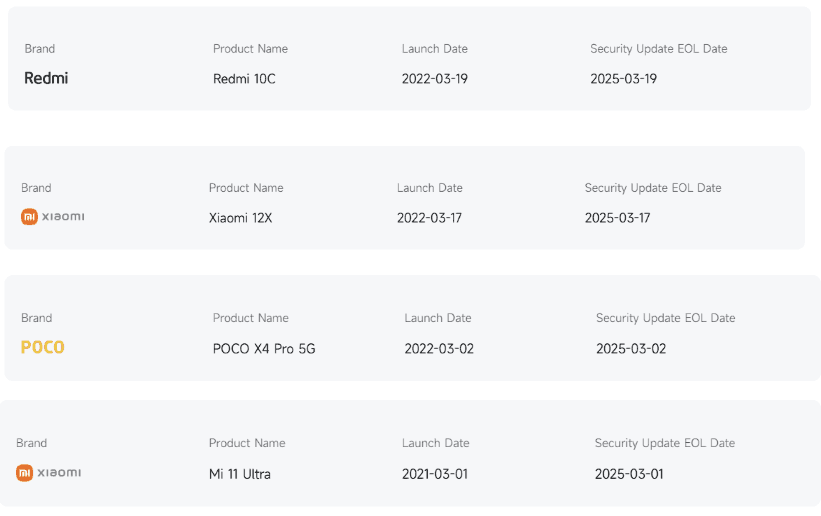
    According to their Product Software Support Information page, Xiaomi has officially announced the end of security updates for some of its most popular products, marking a significant milestone for its fans throughout the world.

    Although there is a strange silver lining for Xiaomi 11 Ultra customers, this move affects thousands of users who have been using these smartphones for their everyday digital demands. The decision represents the latest development in Xiaomi’s ongoing controversy surrounding its software support policy, which is ongoing despite the company’s success in maintaining older devices while giving priority to newer product lines.

    Xiaomi devices reaching EOS

    The Redmi 10C and Redmi 10 that have attained end-of-life (EOL) status running MIUI 14 based on Android 13 are among the devices on the list that would no longer receive security updates. For most users, that means they are no longer protected against recently found vulnerabilities, which may raise questions about long-term device security.

    In a similar vein, HyperOS 1 based on Android 13 has reached the end of life (EOL) of the Redmi Note 11 Pro 5G, Redmi Note 11E Pro, Redmi Note 11 Pro+ 5G, and POCO X4 Pro 5G. Updates in the form of security patches will no longer be available for mid-range phones, which were highly popular when they were first released due to their great specifications at low costs.

    image

    The impact on Xiaomi 12X

    The Xiaomi 12X, which was marketed as a lightweight flagship model, is now among the phones that will not be receiving any more security updates. The 12X ends its update cycle with HyperOS 1, which is based on Android 13, just as the previously mentioned Redmi Note 11 series. Despite being ready for an upgrade, the Xiaomi 12 Lite will not get the HyperOS 2 update.

    Xiaomi 11 Ultra Receives HyperOS 2

    However, Xiaomi has revealed that the Xiaomi 11 Ultra would receive HyperOS 2 even though it has stopped receiving regular security upgrades, which is a welcome surprise for the majority of Mi enthusiasts. With the impending Android 15, this 2021 flagship luxury device—which was praised for its superb camera setup and high-end specs—will receive an update based on Android 14, but not HyperOS 2.

    The terms for Xiaomi’s update strategy are called into doubt by this special treatment of the 11 Ultra. The fact that the 11 Ultra comes with HyperOS 2 indicates that Xiaomi may be offering prolonged software support for its flagship premium phones, maybe to keep its premium user base happy, even though the majority of the devices on the list are mid-range or low-cost phones.

    It is advised that users of the impacted devices take extra security precautions, include exercising more caution when downloading apps from unidentified sources and maintaining strict protection for sensitive data.

  • NFC mobile payments are abused in the new Ghost Tap exploit to steal money.

    NFC mobile payments are abused in the new Ghost Tap exploit to steal money.

    Cybercriminals have created a brand-new technique called “Ghost Tap,” which transmits NFC card information to money mules all around the world, to profit from stolen credit card information connected to mobile payment systems like Apple Pay and Google Pay.

    The strategy expands on techniques used by mobile viruses such as NGate, which were reported by ESET in August and involved using payment card Near Field Communication (NFC) signals. Ghost Tap employs money mules at several remote places connecting with Point of Sale (PoS) terminals, is more obfuscated and difficult to detect, and does not require the victim’s mobile or card. It also does not require constant victim interchange.

    121d article 220614 ghost touch

    Ghost Tap was found by mobile security company Threat Fabric, which cautions about the growing potential and adoption of the novel method. Threat Fabric told Droid Tools that it has recently observed an increase in the use of Ghost Tap in the field.

    An overview of Ghost Tap and a comparison with NGate

    The attack starts by stealing payment card information and intercepting the one-time passwords (OTP) required to register for a virtual wallet on Google Pay and Apple Pay. Payment card information can be stolen via phishing websites, keylogging, or banking malware that shows overlays that seem like digital payment apps.

    Malware that tracks text messages or social engineering are two ways that OTPs can be stolen. Previously, NGate-based assaults required the use of specialist software to mislead the victim into scanning their card via the NFC mechanism on their device.

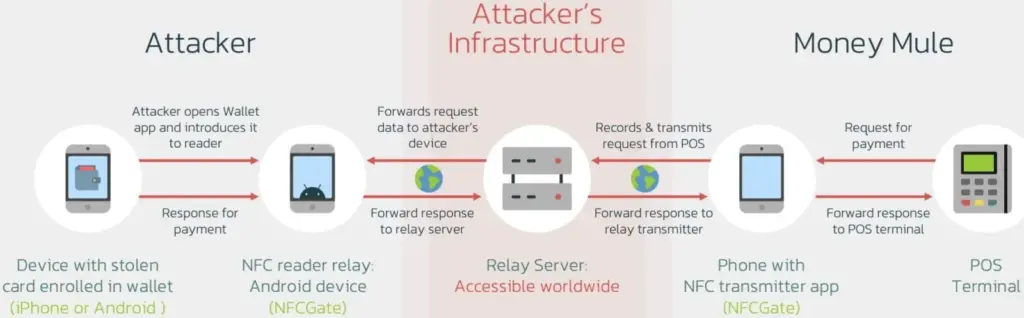
    Payment card information is still transmitted using the NFCGate tool. But in the interim, a relay server is set up to transmit the information to a vast network of money mules while hiding their true locations. Using the NFC chip on their cellphone, the mules then make large-scale, multi-location retail purchases, making it challenging to identify the main attacker or map the fraud network.

    Threat actors were restricted to making minor contactless payments and ATM withdrawals during the NGate attacks, which jeopardized their identity and occasionally resulted in arrests.

    The threat actors have stopped making ATM withdrawals as a result of the new Ghost Taps operation. Rather, they merely carry out cash outs at the time of sale and distribute them around a vast global network of mules. This just endangers the mules by obscuring the path to the primary perpetrators of the nefarious conduct.

    diagram

    Defending Against Ghost Tap

    Threat Fabric cautions that because the transactions seem authentic and take place across several locations, the new strategy is difficult for financial institutions to identify and halt.

    The researchers claim that although many banks’ anti-fraud systems identify purchases made in odd places, as when visiting another nation, the many tiny payments might evade these detections.

    “The new tactic for cash-outs poses a challenge for financial organisations: the ability of cybercriminals to scale the fraudulent offline purchases, making multiple small payments in different places, might not trigger the anti-fraud mechanisms and might allow cybercriminals to successfully buy goods that can be further re-sold (like gift cards),” explains ThreatFabric.

    If the attack is used widely, the total amount lost might be substantial even though all of these tiny transactions seem to have originated from the same device (connected to the same Apple Pay or Google Pay account). The mules switched their handsets to “airplane mode,” which still permits the NFC system to operate normally, in order to avoid being tracked.

    Banks may only prevent Ghost Tap by flagging transactions made using the same card at locations that are physically impossible to visit in between charges. For instance, carrying out a fraudulent transaction in Cyprus 10 minutes after completing one in New York.

    From the standpoint of the customer, keeping an eye out for fraudulent transactions and promptly reporting them to your bank is essential for freezing the card and reducing losses.

  • Chrome’s cookie encryption has been broken by the new Glove infostealer malware.

    Chrome’s cookie encryption has been broken by the new Glove infostealer malware.

    The new Glove Stealer malware can collect browser cookies by getting past Google Chrome’s Application-Bound (App-Bound) encryption. This information-stealing virus is “very simple and contains limited obfuscation or protective features,” suggesting that it is most likely still in its early stages of development, according to Gen Digital security researchers who first discovered it when looking into a recent phishing attempt.

    During their attacks, the threat actors used social engineering tactics similar to those used in the ClickFix infection chain, where potential victims get tricked into installing malware using fake error windows displayed within HTML files attached to the phishing emails.

    Glove Stealer

    Cookies from Firefox and Chromium-based browsers (such as Chrome, Edge, Brave, Yandex, and Opera) can be extracted and exfiltrated by the Glove Stealer.NET virus.

    Additionally, it can collect password information from Bitwarden, LastPass, and KeePass, cryptocurrency wallets from browser extensions, 2FA session tokens from Google, Microsoft, Aegis, and LastPass authenticator apps, and emails from mail programs like Thunderbird.

    “Other than stealing private data from browsers, it also tries to exfiltrate sensitive information from a list of 280 browser extensions and more than 80 locally installed applications,” said malware researcher Jan Rubín.

    “These extensions and applications typically involve cryptocurrency wallets, 2FA authenticators, password managers, email clients and others.”

    Glove Stealer bypasses Google’s App-Bound encryption cookie-theft safeguards, which were implemented by Chrome 127 in July, in order to steal credentials from Chromium web browsers. It accomplishes this by employing a supporting module that decrypts and recovers App-Bound encrypted keys using Chrome’s own COM-based IElevator Windows service (running with SYSTEM rights), as outlined by security researcher Alexander Hagenah last month.

    To install this module in the Program Files directory of Google Chrome and utilize it to recover encrypted keys, the virus must first obtain local administrator capabilities on the infected PCs.

    However, despite its attractive appearance, Glove Stealer is still in its early stages of development since, as researcher g0njxa told BleepingComputer in October, it is a simple technique that most other information thieves have already accomplished to collect cookies from all Google Chrome versions.

    Russian Panda, a malware analyst, previously told BleepingComputer that Hagenah’s technique resembles early workarounds used by other viruses following Google’s introduction of Chrome App-Bound encryption.

    When Google told BleepingComputer last month that “this code [xaitax’s] requires admin credentials, which shows that we have successfully upped the degree of access required to properly pull off this type of assault,” Unfortunately, the number of active information-stealing malware campaigns has not decreased significantly despite the requirement for administrator access to circumvent App-Bound encryption.

    Attacks have only increased since July when Google first implemented App-Bound encryption, targeting potential victims via vulnerable driverszero-day vulnerabilitiesmalvertising, spearphishingStackOverflow answers, and fake fixes to GitHub issues.

  • Top VPN software for your Android device

    Top VPN software for your Android device

    We are using our mobile devices for more and more of our everyday internet browsing. Therefore, having a fantastic VPN that functions properly on your phone is more crucial than ever. While some services are more effective on Windows, others are especially good on Android smartphones. To help you choose the best option for your needs, I have put together a list of our favorites.

    We take into account a number of factors when deciding what constitutes a solid VPN for Android. First and foremost, its complete OS functionality is essential. Additionally, I test these apps over several days to examine service stability and speed because Wi-Fi can occasionally be erratic. Lastly, I thought about the Android app itself and how user-friendly it was, along with other factors like cost and how many devices each account could have at once. The top Android VPNs listed below are determined in part by each of these parameters.

    Here are our picks for the top VPNs for Android without further ado.

    NordVPN

    Easily one of the most well-known VPN providers available is NordVPN. The organization has more than 6,000 servers spread across more than 110 nation locations. Additionally, it guarantees that its service will be compatible with Netflix. Although it does not provide dedicated servers for this purpose, Netflix is meant to function regardless of the server you are on, and it consistently did so in our tests.

    nordvpn for android

    NordVPN

    The Android software is among the most user-friendly and straightforward I have ever seen, in addition to offering all the fantastic features that come with a top service like NordVPN.

    Best choice

    Similar to the desktop app, Nord’s Android app allows you to choose a place using a map of the same layout. With a complete list of countries below and a movable carousel of well-known destinations, the remainder of the app is incredibly mobile-friendly. Additionally, Meshnet, multi-hop VPNs, and Nord’s specialized servers for P2P file sharing are supported via the Android app. In addition, NordVPN has excellent security features including virus protection, ad filtering, a link checker, and a new password manager.

    With the completion of its fourth successful audit of its no-logs policy earlier this year, NordVPN has maintained its stellar privacy record. Despite being more expensive, this VPN is quick and packed with features. Nord is the fastest VPN available, maintaining about 72% of the base internet speed during our tests.

    NordVPN should be at the top of the list for anyone looking for a VPN and owning an Android phone or other device. The Android software is among the most user-friendly and straightforward I have ever seen, in addition to offering all the fantastic features that come with a top service like NordVPN.

    NordVPN should be at the top of the list for anyone looking for a VPN and owning an Android phone or other device.

    nordvpn for android

    NordVPN

    The Android software is among the most user-friendly and straightforward I have ever seen, in addition to offering all the fantastic features that come with a top service like NordVPN.

    Best choice

    CyberGhost

    CyberGhost from Kape Technologies is another excellent option for novices. The design of this VPN’s Android app is incredibly user-friendly and intuitive. The tile where you can select the nation location is located beneath the app’s straightforward on/off button at the top. When you tap on the country location option, a list of servers that are ideal for streaming, gaming, or torrenting appears. You may also select a connection based on the country. During my tests, CyberGhost maintained respectable speeds for the most of tasks you would want to accomplish with a VPN, including streaming and web browsing.

    cyberghost vpn for Android

    CyberGhost

    Beginners and VPN novices will appreciate how simple it is to use CyberGhost’s Android app. Additionally, it is less expensive than some options, so you will not have to worry about shelling out more money for specialized features you might never use.

    Good choose

    More capabilities, including split-tunneling, have recently been added to CyberGhost, but if you only want the essentials, you do not need to play around with them. This software is a great choice for beginners because it does not offer much more than that. CyberGhost provides monthly, one-year, and two-year programs; the longer-term plans are significantly less expensive.

    ProtonVPN

    Along with ProtonMail, ProtonCalendar, and ProtonDrive, this service is only one component of a broader portfolio of offerings. Although ProtonVPN is a stand-alone service, you do not have to subscribe to anything. However, if you choose the premium plan, you also get access to ProtonDrive.

    protonVPN for android

    ProtonVPN

    The fact that you must register using an email address and that anonymous cash transactions are not an option is the only significant distinction between this and Mullvad VPN. However, aside from that, ProtonVPN is a very trustworthy service that does an excellent job of safeguarding your privacy and anonymity.

    A good choice

    ProtonVPN kept about 57% of the base speed during our tests. It offers a large selection of countries, a privacy policy that fulfills all of its promises, and support for P2P on the majority of servers, TOR over VPN, and Netflix streaming. Additionally, it provides multi-hop connections with its Secure Core feature, which is a much-needed additional layer of obfuscation for privacy-conscious users. Long-term subscription plans make ProtonVPN more inexpensive, but its monthly subscriptions are on the pricey side at around $10.

    Another excellent choice for those who are concerned about their privacy is ProtonVPN.

    ExpressVPN

    ExpressVPN’s outstanding speeds and user-friendliness make it a fantastic option for everyone. ExpressVPN maintained a remarkable 72.14 percent of the base speed during my tests, earning it a place among our fastest VPNs.

    express vpn

    ExpressVPN

    Additionally, ExpressVPN is a fantastic choice for people who own a variety of devices running various operating systems and wish to be safe across them all because it supports almost every device you can think of.

    Simply touching on the tile beneath the on/off button at the top will switch places. The background of the application is red when the VPN is not in use and green when it is.

    Split tunneling, auto-connect, and a kill switch are other features that ExpressVPN for Android offers to assist protect privacy in the event that the VPN connection is lost.

    This VPN just missed out on the top slot since it is a little more expensive and less user-friendly than NordVPN. In any case, if you also have other non-Android devices, it is still a great choice with broad support. For the first 15 months, Express VPN’s multi-device membership costs roughly $100.

    ExpressVPN, like NordVPN, is a great choice for almost everyone, in my opinion.

  • Google describes a 0-click modem problem in the Pixel 6: encourages people to turn off 2G

    Google describes a 0-click modem problem in the Pixel 6: encourages people to turn off 2G

    A significant 0-click vulnerability in the Pixel 6 modem stack was identified by Google’s Android Red Team and has since been patched. This vulnerability allows a skilled attacker to take control of a target’s Android device by making a call to the victim.

    Four members of Google’s Android Red Team demonstrated how two Pixel modem vulnerabilities (CVE-2022-20170, CVE-2022-20405) could be combined to first hijack a targeted Pixel’s cellular modem communication to the second-generation (2G) wireless standard with the aid of a cheap $1,000 home-made cellphone base station during the Wednesday Black Hat session.

    The aforementioned bugs were first found in 2021 by Android Red Team members. With a CVSS score of 9.8, both modem flaws are now classified as critical. The over-the-air remote code execution bug, designated CVE-2022-20170, was addressed in June 2022. An elevation of privilege (EoP) weakness was discovered in the second vulnerability, tracked as CVE-2022-20405, and it was fixed in August 2022. The EoP bug was deemed to be of moderate severity when it was initially discovered in an Android security bulletin.

    If the attack is successful, the enemy will be able to wirelessly execute remote code that is running in the Pixel modem’s privileged context. According to experts, an attacker would then be able to conduct out assaults against the handset, such as launching a DoS attack, performing SMS/RSC (text message) sniffing and spoofing, MFA compromise, and enabling a hacker to switch to the device’s main operating system kernel.

    Google claimed that it was not aware of the issues being used in the wild and that internal Alphabet procedures were to blame for the delay in disclosing the technical CVE information.

    2G is obsolete

    The Android Red Team at Black Hat includes Xuan Xing, Eugene Rodionov, Xiling Gong, and Farzan Karimi to demonstrate the assault (see image). Exploiting flaws in the Android Pixel’s cellular data connection to 2G networks is the initial attack vector.

    The goal of this attack, according to Karimi, is to downgrade mobile devices to 2G.

    The majority of modern cellular modems operate on 4G or 5G frequency bands. Yet, the majority of cellular data modem chipsets continue to support 2G and other dated wireless frequencies. For uncommon use scenarios including outdated wireless network geography, devices cycling down to save handset power consumption, and phones going to international markets where legacy 2G cellular networks are more prevalent, legacy support is required.

    Weak encryption between towers and devices is one of the security vulnerabilities with 2G, which attackers may (and have) easily hacked in order to intercept conversations or text messages. Even current phones, according to researchers, occasionally transition to 2G to handle signal congestion, roaming, and network switching better.

    The Android Red Team went above and beyond the examples of hackers and government enforcement utilizing fake base stations dubbed ISMI catchers (international mobile subscriber identity) or surveillance tools like Stingray to collect phone ID data, geolocation data, and content. They demonstrated how a vulnerable Pixel phone could be controlled remotely via a $1,000 home-built base station in addition to being used to collect data.

    Breaking down the attack

    The Android Red Team went above and beyond the examples of hackers and government enforcement utilizing fake base stations dubbed ISMI catchers (international mobile subscriber identity) or surveillance tools like Stingray to collect phone ID data, geolocation data, and content. They demonstrated how a vulnerable Pixel phone could be controlled remotely via a $1,000 home-built base station in addition to being used to collect data.

    “When a victim comes in proximity (a range of less than 5 miles) of the malicious base station it will connect to it,” said Karimi. “That allows the adversary to send the exploit payload and establish a foothold on the victim’s modem.”

    In more precise terms, the RCE issue is an out-of-band (OOB) write error that happens during the decoding of OTA packets from 2G GSM connection. According to researchers, the EoP fault is caused by an error in the Pixel 6’s modem code, which renders memory space RWX (also known as the read (r), write (w), and execute (x) permissions) and available via signal processing instructions.

     “The attacker fully controls up to 255 bytes written into 1-byte buffer in the heap,” researchers said. “CVE-2022-20170 enables us to overwrite heap header of the next adjacent chunk with fully controlled data.”

    According to Google, the exploit technique allowed them to “corrupt nearby heap items and put a small amount of controlled bytes in the heap.” Uncertainty surrounds whether any of those items had an effect on the memory management unit (MMU) of the modem, which is essential to the next phase of the attack.

    Researchers were able to execute 80 bytes of malicious shellcode via the modem’s (MMU) misconfiguration vulnerability (CVE-2022-20405), giving the attacker access to the affected device.

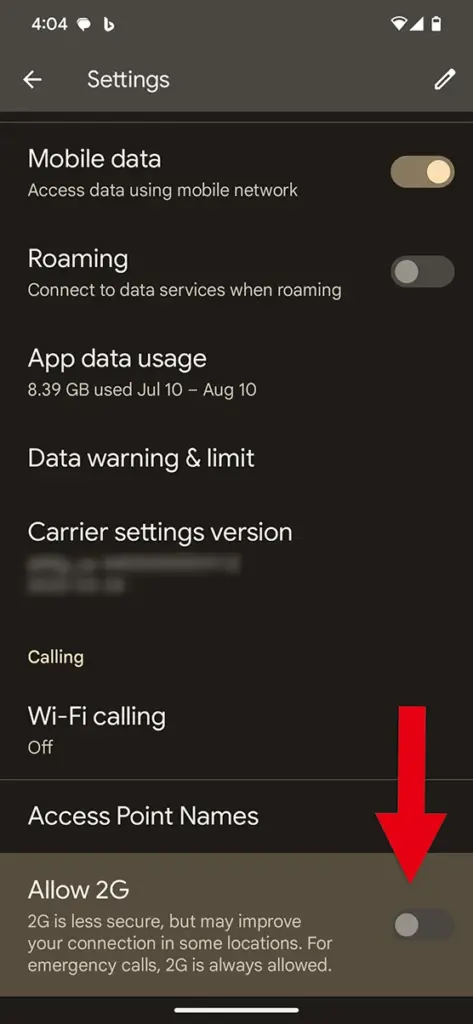
    Google tip: Disable 2G

    disable 2g

    The 2G-attack method actually poses a threat. There have been reports of temporary 2G base stations popping up close to the hotels Paris Las Vegas and Caesars Palace during what is known as Hacker Summer Camp in Las Vegas, which features three security conferences: BSides, Black Hat, and DEF CON. Participants in DEF CON are renowned for having a habit of exposing cybersecurity experts who expose their digital equipment to a cyberattack.

    Researchers strongly advised Black Hat attendees to turn off 2G support on their phones. To turn off 2G capability, simply search for 2G in Settings on an Android device.

    In related news, Google announced Tuesday a suite of Android 14 advanced cellular security mitigations for enterprises.

    “Android 14 introduces support for IT administrators to disable 2G support in their managed device fleet. Android 14 also introduces a feature that disables support for null-ciphered cellular connectivity,” according to a Google Security Blog writeup.

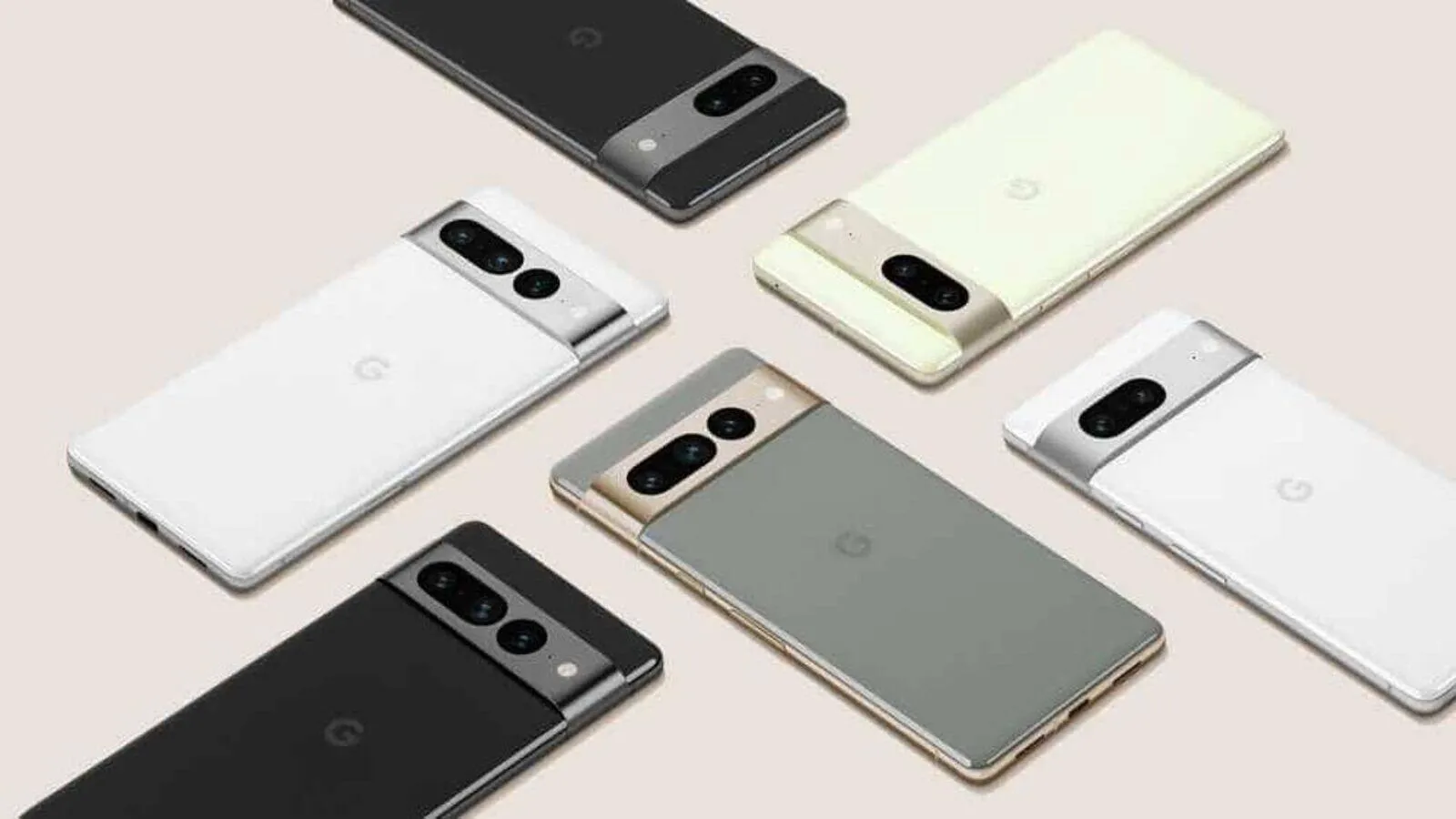
  • July Android security update Google Pixel devices

    July Android security update Google Pixel devices

    The July Pixel update is now available as one of the final Android 13 updates, following the June release of a big quarterly platform update and Pixel Feature Drop that included new functionality and numerous bug fixes. It is anticipated to be somewhat less significant than last month’s and ought to prepare us well for the next Android 14 release.

    Prepare your Pixel 4a, Pixel 7 Pro, and Pixel 7a for an update right away. The initial updates for your Pixel Fold or Pixel Tablet should also be available. The fact that new Pixel smartphones are receiving upgrades is huge news, even if it’s just a tiny update. As I type this, a 23.27MB update is downloading to my Pixel Tablet. It is also visible to others who have Pixel phones.

    For those in the Android Beta Program, you are not likely to receive an update. When you are in that program, you are on a different software track.

    how to update google pixel am ah

    July Google Pixel update builds

    Global

    • Pixel 4a: TQ3A.230705.001
    • Pixel 4a (5G): TQ3A.230705.001
    • Pixel 5: TQ3A.230705.001
    • Pixel 5a (5G):  TQ3A.230705.001
    • Pixel 6: TQ3A.230705.001
    • Pixel 6 Pro: TQ3A.230705.001
    • Pixel 6a: TQ3A.230705.001
    • Pixel 7: TQ3A.230705.001
    • Pixel 7 Pro: TQ3A.230705.001
    • Pixel 7a: TQ3A.230705.001
    • Pixel Fold: TQ3C.230705.001.C1
    • Pixel Tablet: TQ3A.230705.001.B4
    • Pixel Watch:  RWDC.230705.001

    Verizon

    • Pixel 7: TQ3A.230705.001.A1
    • Pixel 7 Pro: TQ3A.230705.001.A1
    • Pixel 7a: TQ3A.230705.001.A1
    • Pixel Fold: TQ3C.230705.001.B1

    T-Mobile

    • Pixel 6: TQ3A.230705.001.A1
    • Pixel 6 Pro: TQ3A.230705.001.A1
    • Pixel 6a: TQ3A.230705.001.A1

    Japan

    • Pixel Fold: TQ3C.230705.001.C2

    July Google Pixel update bug fixes

    No major bug fixes to report on any device outside of the Pixel Tablet. For Google’s biggest screen, they list the following:

    • Battery & Charging: General improvements for charging, battery usage or thermal performance in certain conditions
    • User Interface: Fix for issue occasionally causing lock screen notification text to display behind unlock UI elements

    Again, Google should begin pushing these updates shortly over-the-air (Settings>System>System update), but if you don’t want to wait for Google and prefer to update manually, you will find each factory image or OTA file at the links below. For instructions on how to flash a factory image, here you go. For instructions on how to flash an OTA .zip file, here you go.

    Links: