Tag: security

  • Quishing #alert – FBI warns smartphone users about fake QR codes stealing money

    Quishing #alert – FBI warns smartphone users about fake QR codes stealing money

    Smartphone users are now being alerted by the FBI and cybersecurity organizations to a new fraud called “Quishing,” which includes malicious or phony QR codes. Particularly vulnerable are those who often utilize QR codes for logins or payments; some victims have lost thousands of dollars. Here’s what you should know and how to protect yourself.

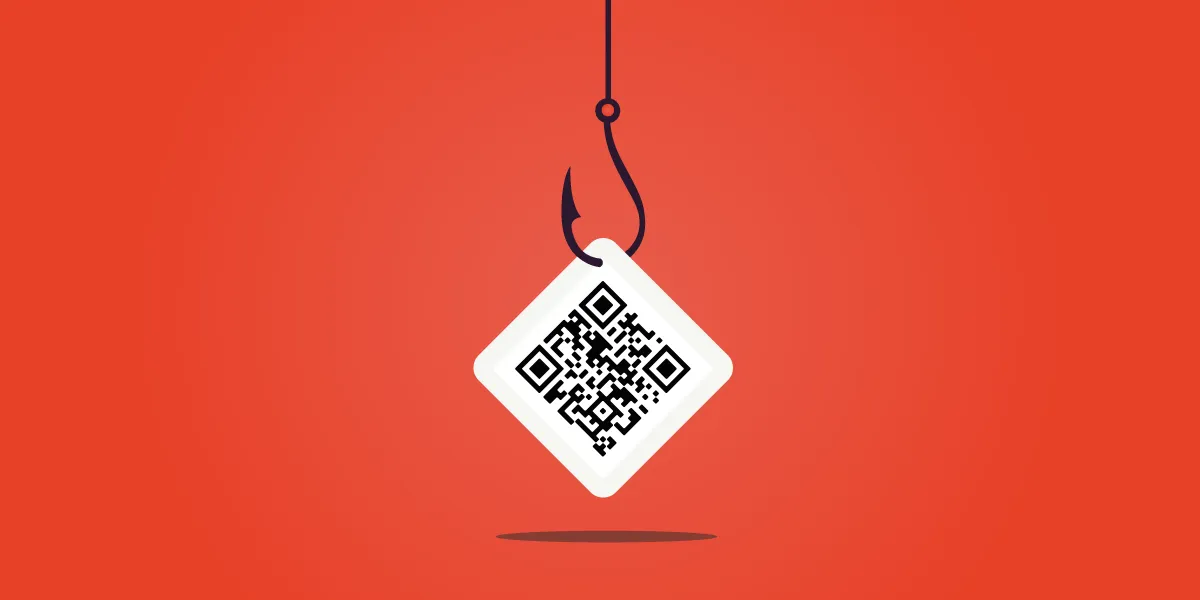
    The FBI and other federal authorities have recently expressed concern over the increase in QR scam attacks, sometimes known as quishing, in which unwanted parcels show up at people’s doorsteps. These packages frequently contain QR codes that, when read by the camera on mobile phones, cause victims to install malware or be redirected to phony websites. Your device may be compromised as a result, and your personal information may be taken.
    Quishing scam alert

    Online retailers are targeted by Quishing

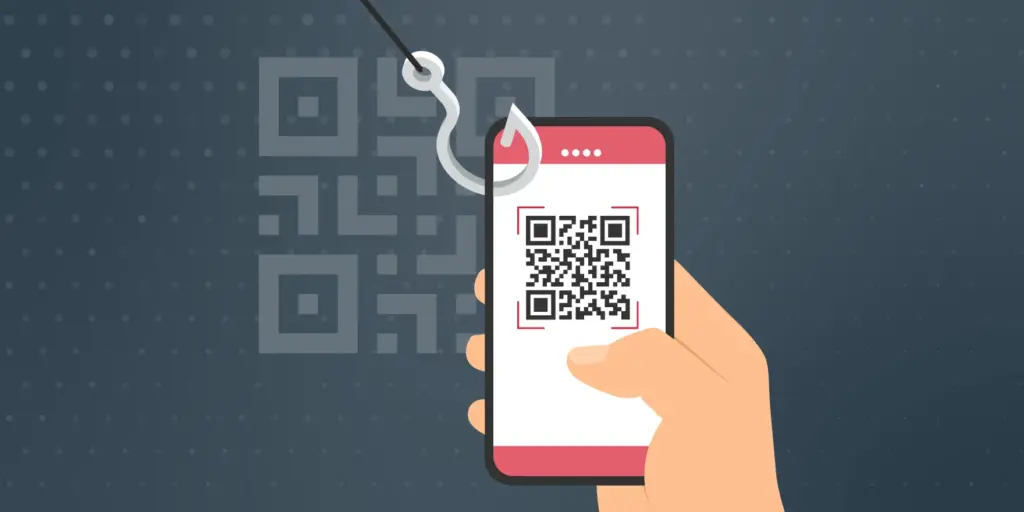
    The most recent worry centers on these frauds that prey on people who frequently transact online. In order to steal your data, attackers are creating QR codes that point to dubious websites. These scams can also compromise your bank accounts and phone, enabling scammers to steal your money, according to the Brandenburg Consumer Advice Centre (VZB).

    In one scenario, scammers pose as legitimate customers interested in buying a product. They ask the seller to scan a QR code to start the transaction rather than giving money straight to the seller. By directing the victim to a phony PayPal login screen, this code may fool them into inputting their account information. This strategy is a type of phishing on websites.

    With zero-click tactics that don’t involve any user engagement, some attacks are become even more hazardous. Usually, high-profile people like politicians, journalists, attorneys, and activists are the target of these.

    Cyber Security Coach Online security specialist Alex East cautions that hackers might post phony QR codes in both public and private areas, such convenience store payment terminals or gas pumps. During normal transactions, these codes have the ability to reroute customers to malicious websites.
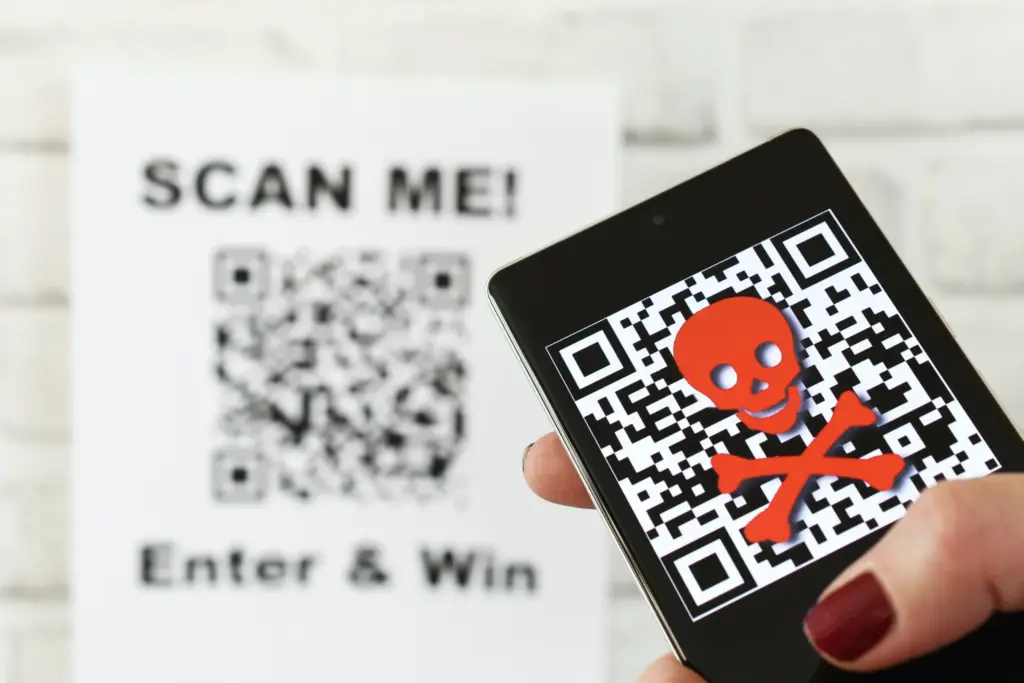
    Quishing alert - warning

    Ways to stay safe

    VZB recommends users to exercise caution when making digital transactions to prevent becoming victims of QR code frauds. It’s crucial to confirm that the vendor is the one displaying the QR code before paying, as opposed to scanning one that has been supplied by another party. Always look for indications of questionable activity on the website you are sent to, such as misspelled domain names or odd layouts.

    Scanning QR codes from unwanted parcels, email attachments, or public places should generally be done with caution as they may direct users to fraudulent websites. It’s even better to stay away from scanning QR codes completely unless you know exactly where they came from.

    It’s also strongly advised to strengthen account security using two-factor authentication (2FA), particularly when money is involved. Consider using passkeys, a more secure login option that is already supported by many websites and apps, for even more security.

    Security features on both iPhones and Android smartphones, such as warnings for phony websites and fraud detection in calls and messages, can aid in spotting scammers. To get the most protection, make sure these features are turned on.

  • Update Now! the fix for critical WhatsApp bug that allows hackers to spy on iPhones is live

    Update Now! the fix for critical WhatsApp bug that allows hackers to spy on iPhones is live

    You should be aware that not everyone using WhatsApp is safe. Meta has alerted users to a significant security vulnerability that hackers used to launch a sophisticated, focused malware campaign that compromised dozens of WhatsApp accounts. This is why it’s important and why you should upgrade the app right now.

    In order to fix a vulnerability that was exploited in conjunction with another weakness in Apple devices, WhatsApp declared on Friday that it has released an emergency patch for its messaging program on iOS and Mac. According to reports, a week before WhatsApp’s upgrade, Apple resolved the security flaw in its devices.

    whatsapp bug fix

    Why is this so dangerous?

    Hackers reportedly used a well-known zero-click attack—a technique that compromises a device without requiring user interaction—to successfully exploit both vulnerabilities. In certain situations, a victim might get a link or image from an attacker, who might then take control of the device and run malicious code to spy on or steal private data without the victim having to click.

    Meta acknowledged notifying dozens of people it thought were the campaign’s target. A copy of the alert message, which detailed the reason for the warning and the next steps, was posted on X by the head of the security company Amnesty Tech. The notification suggested that victims reset their device to factory defaults.

    We’ve made changes to prevent this specific attack from occurring through WhatsApp. However, your device’s operating system could remain compromised by the malware or targeted in other ways.
    To best protect yourself, we recommend a full device factory reset. We also strongly urge you to keep your devices updated to the latest version of the operating system, and ensure that your WhatsApp app is up to date.

    Meta

    These kinds of advertisements have already targeted WhatsApp users. Similar zero-day exploits have been connected in the past to monitoring operations targeting prominent people, such as journalists and politicians.

    What should you do to be safe?

    Even though only a small percentage of WhatsApp users were impacted, others should still be concerned about this attack. Installing the most recent security update for your Apple device and updating WhatsApp on your Mac and iPhone are highly advised.

    Even while Android users aren’t being targeted by this operation, they could still be at risk due to the same WhatsApp flaws. They should also install the most recent Android security patch and update to the most recent version of WhatsApp. Users who believe they may be in danger can manually activate new features like Advanced Device Protection, which provide an additional layer of security.

  • Android 16 will be the final major upgrade for these Realme devices

    Android 16 will be the final major upgrade for these Realme devices

    Google launched Android 16 more than two months ago, yet no Realme phone has received the upgrade as of yet. However, the company claims to be one of the first to roll out Android 16 on premium phones. The deployment of mid-range and low-cost phones should also happen sooner than normal as a result.

    Realme plans to update a number of phones in various pricing ranges to Android 16. However, it will mark the end of significant upgrades for several of them. In other words, no significant updates beyond Android 16 will be available for those devices, which will continue to run the same OS for the remainder of their lifetimes. We’ve put together a list of these gadgets. Check it out below to see if you’ll soon need to upgrade your smartphone.

    Android 16 – the final major upgrade

    • Realme GT 5
    • Realme GT 5 240W
    • Realme GT 3
    • Realme 14x
    • Realme 14 Pro Lite
    • Realme 13 (LTE/5G)
    • Realme 13+
    • Realme 13 Pro
    • Realme 13 Pro+
    • Realme 12 (LTE/5G)
    • Realme 12+
    • Realme 12 Pro
    • Realme 12 Pro+
    • Realme 12x
    • Realme 12 Lite
    • Realme Narzo 70
    • Realme Narzo 70 Pro
    • Realme Narzo 70x
    • Realme Narzo 70 Turbo
    • Realme Narzo N65
    • Realme C75 4G
    • Realme C67 4G
    • Realme C65
    • Realme C65 4G
    • Realme C63 5G
    • Realme C63
    • Realme C61
    • Realme P2 Pro
    • Realme P1
    • Realme P1 Pro
    • Realme P1 Speed
    • Realme Note 60
    • Realme Note 60x

    The list was created using the update policy and previous rollouts as a guide. Even while it ought to be largely correct, I still advise verifying with the official announcement for the last word.

    realme devices

    When will the Android 16 update be released by Realme?

    A release date for Android 16 has not yet been disclosed by Realme. But the company has previously stated that the Realme GT 7 Pro will be the phone running Android 16’s Realme UI 7.0 update. Soon after, the GT 7 and GT 7T will join the celebration.

    Starting with the GT 6 and GT 6T, the company will introduce the stable Realme UI 7.0 to the GT 6 series after the Realme GT 7 series. Other Realme devices that qualify will thereafter progressively receive the update.

    The company has not commented on the Android 16 release, but given that competitors like Oppo, OnePlus, and Samsung are also doing so for their own Android skins, it must be getting ready for a Realme UI 7.0 beta release shortly. Realme is anticipated to begin hiring beta testers for Realme UI 7.0 in a few days, with the stable rollout probably starting in September.

  • Xiaomi halts HyperOS 2 updates to speed up next-gen development

    Xiaomi halts HyperOS 2 updates to speed up next-gen development

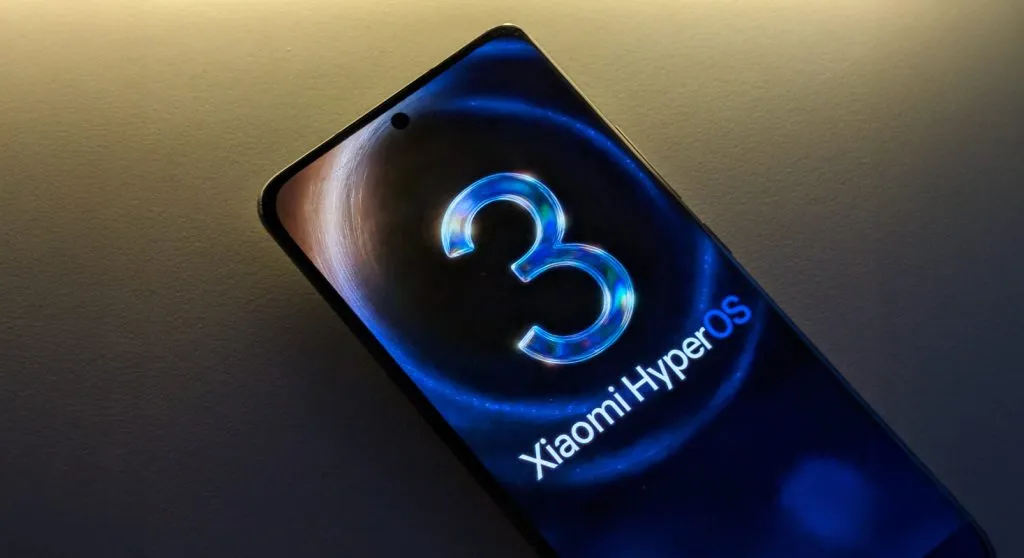
    Are users of Xiaomi smartphones getting the August 2025 update? If not, it might be because Xiaomi is still getting ready for HyperOS 3.0. According to a new input, the corporation has purposefully stopped the latest security patch release.

    Following the HyperOS 3 preparations, the Chinese phone manufacturer has ceased releasing the August 2025 update to Xiaomi, Redmi, and POCO handsets, as first reported by XiaomiTime.

    The company has suspended the distribution of HyperOS 2, 2.1, and 2.2 software versions in addition to the security fixes. However, the explanation is sound.

    This halt may have gone unnoticed by you thus far. However, this hint indicates that the business is attempting to concentrate on the significant improvements. Xiaomi released 250 upgrades in the first 10 days last month; this month, that number is 40.

    This decrease implies that the OEM is focusing entirely on creating HyperOS 3. It appears to be getting ready to provide updated animations that will make each segment’s transitions more seamless and engaging.

    Xiaomi is giving the user interface a dynamic facelift by improving visual feedback and implementing AI-driven adjustments. The company has halted security rollouts because it is focused on developing a more sophisticated and engaging software platform.

    However, Xiaomi will soon resume its normal security patch deployment schedule, so don’t panic. You can attempt to manually check your device’s update section to see if there is a new version available for download in the interim.

    We advise keeping your device updated and making sure you have enough capacity on your phone so you can install the next big software updates without any problems.

  • How to locate and remove “Stalkerware” from your device

    How to locate and remove “Stalkerware” from your device

    Even though your mobile device has many built-in safeguards to preserve your privacy and keep your data safe, it could still be subject to snooping if someone you know gains access to your accounts or installs hidden programs, or stalkerware, that follow you about. These malicious apps may spy on you by taking use of permissions and built-in capabilities on your Android or iPhone. Here’s how to find stalkerware on your smartphone and get rid of it.

    What is a stalkerware?

    Stalkerware is a type of malware that tracks and monitors your device’s activities, including messages, images, and location in real time, without your permission. Most frequently, stalkerware is an app that is downloaded straight to your device. It can be hidden from your home screen or masqueraded as something normal to make it harder for you to spot anything fishy. TechCrunch points out that Cocospy, Spyic, and TheTruthSpy are examples of popular stalkerware applications. Stalkerware can be installed or side-loaded from unapproved sources other than the Apple and Google Play stores.

    Large data usage on your device, a warmer or slower-than-normal phone, a faster-than-normal battery drain, an increase in screen time, and odd alerts are some potential indicators of stalkerware (and other dangerous programs). But stalkerware can exist without any of these problems. The Coalition Against Stalkerware claims that a typical indicator of monitoring isn’t really related to your phone’s technological features: Instead, it’s the stalker’s altered conduct or awareness of your actions.

    Keep in mind that although stalkerware apps are one way for someone to secretly monitor you, other phone settings, such backups, location sharing, and Google and Apple accounts that are controlled or accessible by someone else, can also be misused.

    If you think your phone may be compromised, you should consult Cornell University’s Clinic to End Tech Abuse (CETA), which offers comprehensive resources for detecting and eliminating stalkerware as well as other security measures to protect your device from eavesdropping.

    Create a safety plan first

    You must have a safety plan in place before trying to remove stalkerware from your device or alter shared access to your accounts and apps. The danger of abuse or harassment may rise if monitoring applications are removed or permissions are updated, alerting the person who installed them. A list of organizations and services for survivor aid in various nations may be found on the Coalition Against Stalkerware.

    Eliminating stalkerware also has the potential to destroy any evidence you might need to provide to law police if you intend to report the occurrence. You might want to record your experiences in a journal.

    stalkerware

    Check for unrecognized apps

    Even without an icon on the home screen, you can still access installed apps in your device’s settings. This can be found in the settings app on both iOS and Android, under the Apps or App management option. (On iOS, you have to scroll all the way to the bottom of the list to see hidden apps.) Keep an eye out for anything unfamiliar.

    You should look for any apps listed under this section of your settings because stalkerware on Android may exploit the access granted by your device’s accessibility mode. You can have a harmful program installed if you don’t use accessibility features or don’t identify an app. Device admin settings may potentially be exploited by stalkerware. Go to Device Admin App under Settings > Security. Nothing should be included here for the majority of personal devices.

    Review app permissions and settings

    Because stalkerware may misuse access to your device’s data, permissions are another approach to spot questionable programs. In your settings, you can view permissions for each individual app, including location, camera, microphone, and keyboard access. TechCrunch advises carefully examining which third-party apps on Android have access to your notifications, as this permits monitoring of your messages and alerts (check your device settings for Special app access).

    To control permissions and sharing with people and apps, utilize Apple’s Safety Check feature (Settings > Privacy & Security > Safety Check) if you’re running iOS 16 or later. Among other settings, you can update your passcode, reset system privacy permissions, switch devices linked to your Apple account, and verify who you are sharing information with. There is a Quick Exit button in case you need to exit with a single push, as well as an Emergency Reset option that will instantly stop transmitting all data from your device.

    Use this CETA guide to iOS safety if you don’t have Safety Check installed on your device or if you want to look into specific phone settings that might be sharing your data with someone else, such Family Sharing or text message forwarding.

    How to remove stalkerware from your device

    Getting a new phone, which you can and should lock down with a new PIN to stop someone with physical access to your device from installing dangerous apps, is the most drastic action you can take to avoid stalkerware.

    A factory reset is an additional choice that will remove all data and programs from your smartphone. This may be found in the Settings app on Android and Settings > General > Transfer or Reset iPhone on iOS (you can find the exact path on your device manufacturer’s support website). Keep in mind that any data that isn’t backed up, such contacts, messages, and pictures, will be lost. Even if you’re not positive whether your phone has a stalkerware program installed, a factory reset can be helpful. However, it could not resolve the problem if the spy still has access to the Google account or Apple ID linked to your device.

    Additionally, you can manually remove or uninstall programs from your device and utilize an antivirus app from a reliable provider to check for hidden and harmful apps (Google Play Protect can also do this on Android).

    After deleting stalkerware, make sure your device has a new lock screen passcode that is difficult for someone with physical access to figure out. You should also take precautions to secure your email and other accounts by using two-factor authentication and using strong, one-of-a-kind passwords.

  • Advanced Protection mode will come in Samsung’s One UI 8

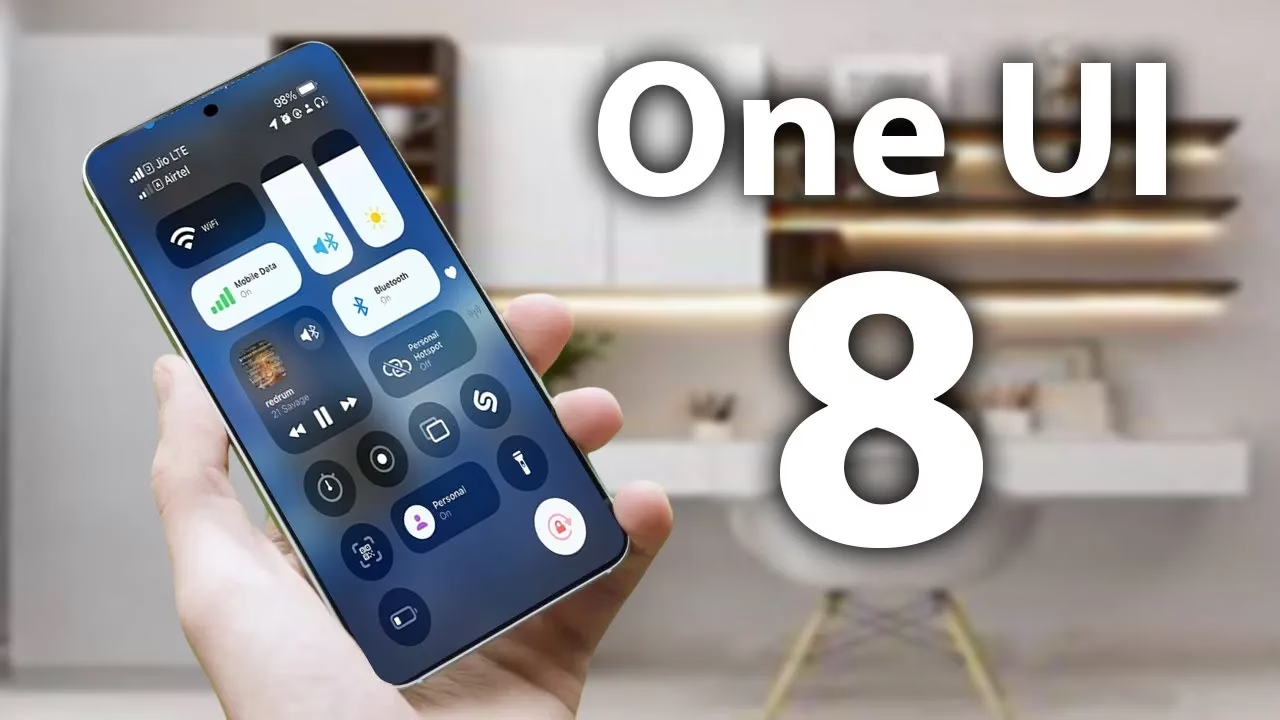
    Advanced Protection mode will come in Samsung’s One UI 8

    From strong, integrated security features like Samsung Knox to optional anti-theft settings that you must manually activate, Samsung phones come with an extensive array of security safeguards. It can be difficult to find and activate all of these security toggles, but the upcoming major One UI update offers a simpler method to increase the security of your device.

    Advanced Protection mode

    An optional Advanced Protection security mode, a one-click toggle that turns on a number of system and app-level security protections, will be included in the One UI 8 update. It permits, for instance, USB data protection, 2G network protection, and sideloading protection. Advanced Protection is available to anyone who want to better protect their data, even though it is intended for high-risk customers who might be the target of skilled attackers.

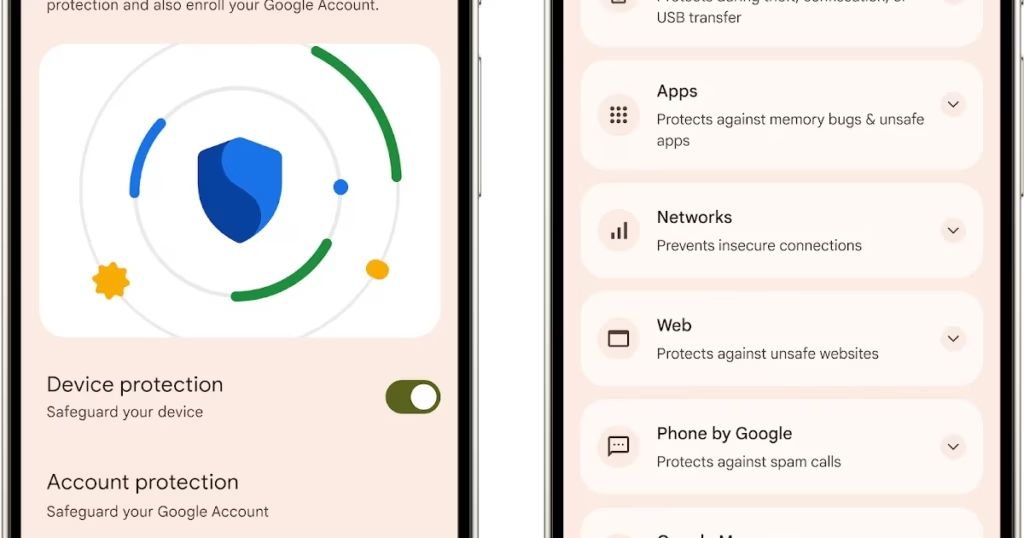
    Advanced Protection feature comes in Android16

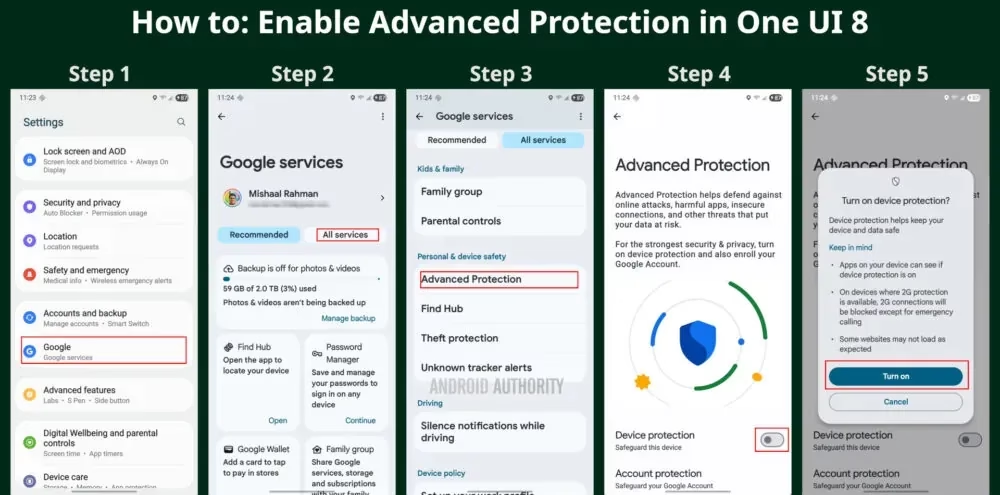
    To turn on Advanced Protection, follow these steps on your Samsung phone running One UI 8:

    1. Open Settings and select Google
    2. Tap the All services tab
    3. Scroll down to the Personal & device safety category and open Advanced Protection
    4. Toggle “Device protection
    5. Tap Turn on
    How to enable Advanced Protectio mode
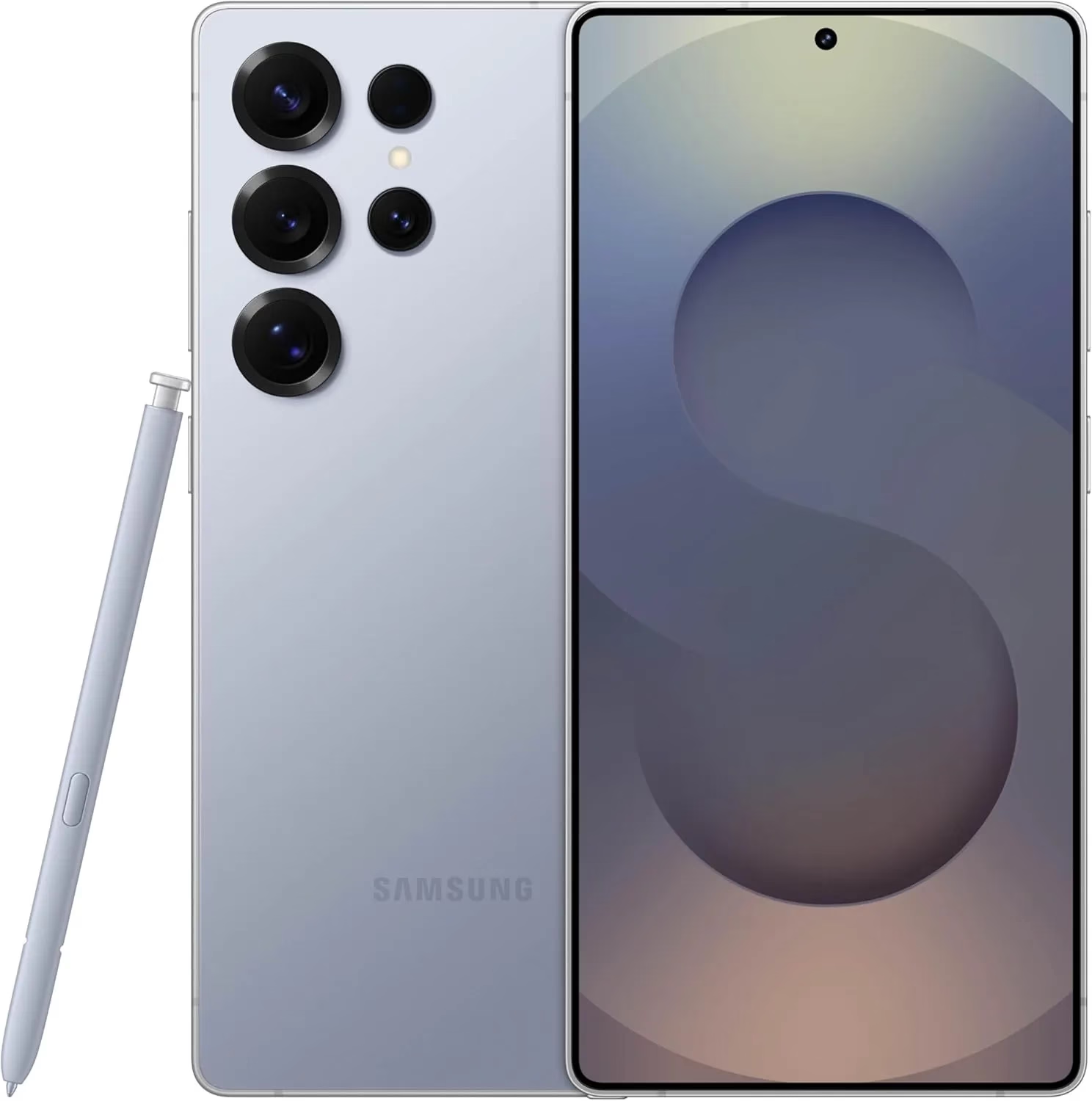
    galaxy s25 ultra

    Samsung Galaxy S25 Ultra, 512GB

    Streamline your day with an assistant that gets you. Ask it to Google search for a pet-friendly vegan restaurant nearby and text it to your friend— your Galaxy S25 Ultra handles multiple tasks with a single ask.

    Best Android choice
    $1,419.99$1,208.38Get It Now

    Building on Google’s Advanced Protection Program, which offers further protections against unwanted account access for high-risk users, this new mode is a feature of Android 16. While Advanced Protection does not yet handle any of Samsung’s unique security settings, it does activate the functions stated on its page. That might alter, though, if Samsung incorporates the Advanced Protection API, which enables third-party services and apps to verify whether the mode is enabled and activate their own security features.

    Stay connected with the latest from Droid Tools—follow us on X @droid_tools, like our page on Facebook, check out our updates on Instagram, and follow us on Google News for real-time news, device tips, and mobile tech insights.

  • If apps are secretly reading your messages or using your camera, One UI 8 will alert you.

    If apps are secretly reading your messages or using your camera, One UI 8 will alert you.

    According to a tip from Android Authority and an APK breakdown, Samsung is included a new security tool in the next One UI 8 update. The “Alert Center,” a new feature, is supposed to provide customers with a more comprehensive alerting system for security and privacy issues.

    When an app uses the camera or microphone on an Android device, users typically notice a green dot on the status bar’s edge. However, Alert Center will go one step farther and alert consumers to possible privacy and security threats.

    It is said to provide notifications for a variety of problems, such as when applications read messages or get unauthorized access to the user’s camera or microphone. Gemini, turn away. Additionally, it will alert users to malware, insecure accounts, out-of-date software, and biometric security setup reminders. These alerts, which are directly related to the fix, assist users in acting promptly.

    Additionally, Google revealed Android 16’s enhanced security features, which include a new protection mode to thwart attackers and keep gadgets safe.

    No specific date has been set for the Alert Center’s launch.

    Stay connected with the latest from Droid Tools—follow us on X @droid_tools, like our page on Facebook, check out our updates on Instagram, and follow us on Google News for real-time news, device tips, and mobile tech insights.

  • Make your phone hackproof with Advanced Protection feature

    Make your phone hackproof with Advanced Protection feature

    Google has released the Material 3 Expressive design language for Android 16 QPR1 Beta. In addition to the new UI changes, it comes with a new Advanced Protection feature, which is a collection of security measures intended to keep Android users safe. Here’s how to activate it and when you should think about activating it.

    The Advanced Protection feature was included in the Android 16 QPR1 update for Pixel devices, but it is anticipated that the final stable update will make it available on further devices in the future.

    What is Advanced Protection?

    Advanced Protection, as the name implies, is a new mode that gives your Android device and linked Google account overall increased security. When you believe there are security risks or breaches, you can activate it.

    It combines and activates a number of current and future Android features, despite sounding like a brand-new security feature. Put differently, it’s a feature that combines multiple protections in one location and activates them all at once when required. This is especially helpful when you just want to make sure your device and account are as safe as possible but are unable to pinpoint a threat or assault.

    This features enable different security tools

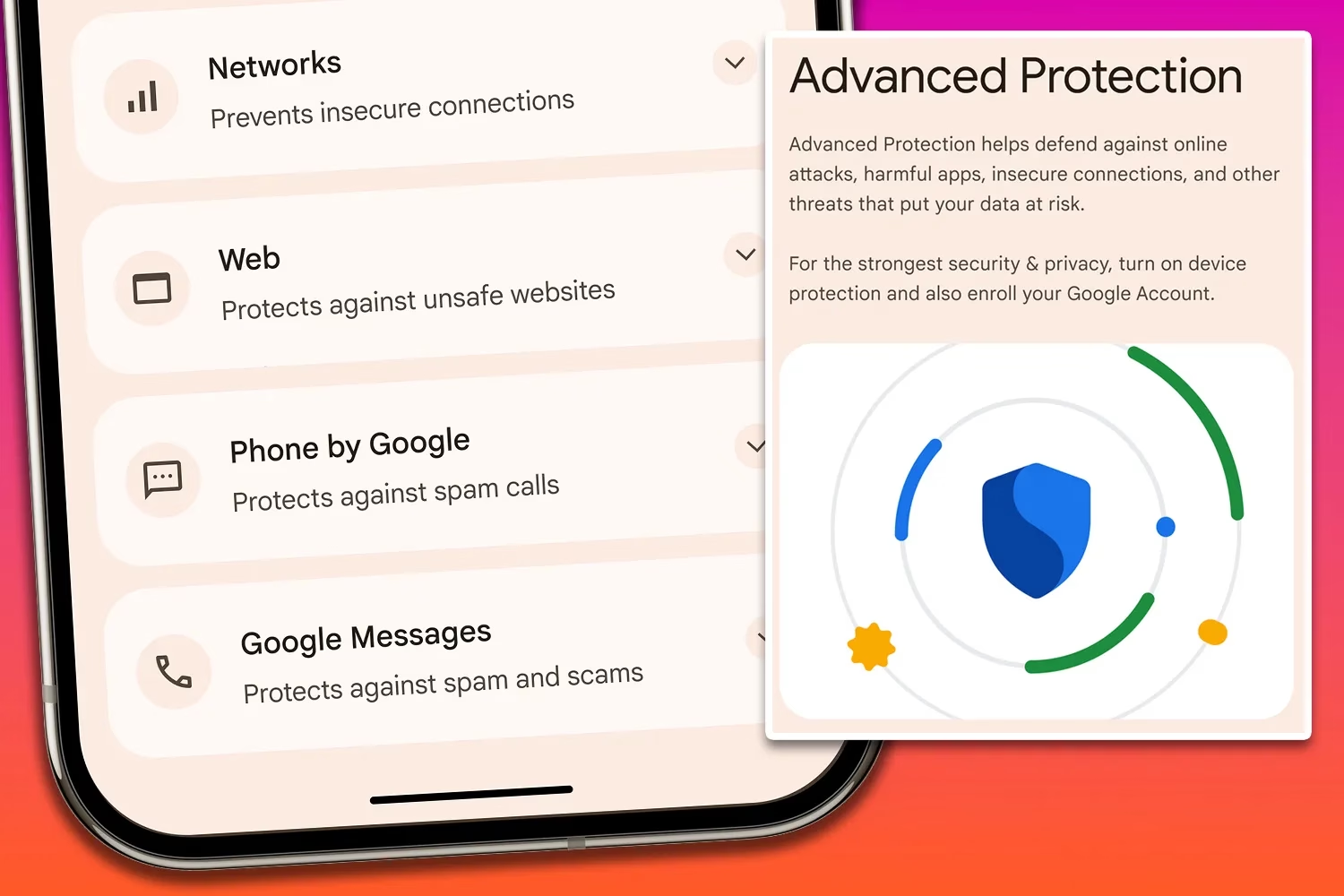
    Device theft, app, network, browser, and phone protections are among the options available in Pixels’ Advanced Protection mode.

    In order to further prevent access to stored data, device theft prevention, an anti-theft feature for stolen phones that is already commonly present on the majority of contemporary Android smartphones, will immediately lock the device and compel a restart if it stays locked for three days. Additionally, it will prevent unwanted USB access.

    App protection, meanwhile, checks for memory problems in apps, screens for malware and dangerous apps, and prevents installations from unreliable developers and sources. At the same time, the network tool prevents the device from using 2G, which is based on a less secure protocol, and requires it to utilize 3G and newer networks.

    These protections apply to browsing as well as making and receiving calls and messages. While the Phone by Google and Messages applications check numbers during calls and chats to determine whether they are spam or real businesses using Google’s scam detection, the web blocker prevents non-HTTPS and malicious websites.

    How to Enable Advanced Protection

    Advanced Protection feature on Android 16

    Once enabled, the feature is located in the Security & Privacy section of the settings on your Google Pixel or compatible Android smartphone. To turn it on, follow these steps:

    1. Go to Settings > Security & Privacy.
    2. Scroll down and look for Other security settings.
    3. Tap on Advanced Protection.
    4. Toggle on Device protection.
    5. Confirm the step.
    6. Restart your device.

    To disable it again after it has been enabled, you must authenticate using biometrics or your password and PIN.

    Stay connected with the latest from Droid Tools—follow us on X @droid_tools, like our page on Facebook, check out our updates on Instagram, and follow us on Google News for real-time news, device tips, and mobile tech insights.

  • How antivirus software secures your Android data from theft and loss 

    How antivirus software secures your Android data from theft and loss 

    Android devices are extremely popular, mainly due to their open-source model, wide range of device options, and affordability, which makes them appealing to a broad demographic and accessible to people from diverse incomes.  

    However, due to its popularity, it makes Android devices an easy target for attacks, resulting in multiple risks associated with storing sensitive data on mobile devices.  

    This is why it is important to secure Android devices and data against theft and loss, especially in the current digital landscape.  

    Threats that Android users face 

    If you haven’t installed a suitable antivirus for Android, you are opening yourself to multiple cybersecurity threats to your private data, which can result in the theft and loss of confidential information that can lead to financial losses. 

    Malware Threats 

    These include viruses, spyware, ransomware, and trojans, among other malware. They are harmful for a number of reasons, which sometimes overlap with each other. 

    • They are sometimes disguised as legitimate apps.
    • Monitor activity and collect data to send to attackers
    • They can steal sensitive information like banking credentials 
    • They can intercept communications to access confidential information 
    • It locks or encrypts files to demand a ransom in order to restore access. 

    Phishing attacks

    • These attackers can create apps that mimic legitimate ones or fake overlay screens to trick users into entering their credentials.
    • They can disguise themselves as popular services which are distributed through unofficial app stores, bypassing Google Play’s protections 
    • They can send deceptive messages that come from seemingly trusted sources to click on malicious links or input sensitive information. 
    • Some phishing apps can read information from the Android notification bar and access information like one-time passcodes, which can help bypass multifactor authentication.  

    Biggest data concerns for Android users 

    • Widespread privacy concerns: Android users actively seek ways to configure privacy settings on their devices. This is due to the majority of privacy-related concerns reflecting anxiety on how personal data is handled by the OS and popular apps.  
    • Excessive Data Collection and Sharing: Android devices often collect and share large amounts of user data with third parties, sometimes they don’t offer users a way to opt out. Google tracks Android phones using cookies, identifiers, and other data stores, often without user awareness. 
    • Security Vulnerabilities and Exploits: Android’s open nature and fragmented update system expose users to high-severity vulnerabilities. This includes zero-day exploits that lead to privilege escalation and remote code execution. 
    • Malicious Apps and Sideloading Risks: Android users are at risk of malicious apps, especially those installed outside of the official Google Play Store, which can bypass Google’s security checks. These apps can introduce malware, spyware, and stalkerware that compromise device security and user privacy.  
    • Insecure App Permissions and Poor Passcode Hygiene: Many users grant excessive permissions to apps, which increases the risk of data misuse or leakage. Weak or reused passwords and simple device passcodes make it easier for attackers to gain unauthorised access. 
    • Biometric and financial data exposure: Vulnerabilities in Android can put biometric data, like fingerprints, and financial information, like credit card details, leaving many devices exposed to known vulnerabilities for extended periods.  

    Built-in Android security features 

    Android devices come with their own set of security features that attempt to protect data stored on them.  

    • Google Play Protect: The official store for downloading apps, scans apps and actively monitors for malware and prompts users to uninstall apps that may be harmful. It also blocks apps from untrusted sources.  
    • Safe browsing and permission management: Alerts users when they attempt to visit dangerous sites, suspicious links, or files that may be harmful.  
    • Encryption and authentication: The devices come with encryption by default, which ensures all data is stored securely, and only someone with the PIN, password, or authentication can access the data and protect it if the device is lost or stolen. 
    • Find My Device: For locating or erasing data on lost devices. It prevents unauthorised access to personal data. 

    Why Additional Measures are Needed 

    There are several gaps in Android’s native security, such as delayed security updates from manufacturers and the risks of sideloading apps and using public Wi-Fi. This is why additional protection, such as antivirus software, is needed.  

    Scenarios where antivirus is especially important 

    • Handling sensitive data such as banking, work files, and personal information. 
    • Frequent connection to unsecured networks. 
    • Downloading apps from third-party sources. 

    How anti-virus software protects your data

    • Real-time malware protection and detection, and removal of these threats. 
    • This software blocks ransomware before device lockout occurs. 
    • It scans for phishing URLs and fraudulent websites before users access them. 
    • Conducts privacy audits to monitor app permissions and data access. 
    • Monitors for identity theft protection and aids with secure online payments. 
    • Some software has VPN and secure browsing features. 
    • Has in place a remote device location, lock, or wipe in case of loss or theft.

    What to be wary of

    • With Antivirus Software: Some apps contain vulnerabilities, like exposing the address book or allowing attackers to disable the antivirus software itself. Some also track user data and end up creating new risks instead of eliminating them. 
    • Google Play Protect: These and other official store apps are not always foolproof;  malicious apps are able to slip through the vetting process, and antivirus software that scans before and after installation can add a layer of defence. 
    • Making the Choice: When choosing the right software for you, you want a comprehensive malware detection, real-time protection and updates, privacy controls, app permission management, and additional tools like VPN, anti-theft, backup, and Data Loss Prevention (DLP). 

    DLP and Advanced Security Features of Antivirus Software 

    • It encrypts data in transit and at rest. 
    • Separates personal and corporate data for business users. 
    • Centralised password and access management. 
    • Remote wipe and selective data erasure for lost or stolen devices. 
    • App and domain whitelisting to restrict access. 

    Practices for Maximising Android Security

    • Keep operating system and apps updated: Install the latest Android OS and app updates to patch vulnerabilities and protect against new threats. 
    • Regular review app permissions: Check which permissions each app has and revoke those that are unnecessary. Only grant essential permissions for app functionality.  
    • Avoid downloading from untrusted sources: Download apps from the Google Play Store or reputable sources. Avoid third-party app stores, which are more likely to host malicious apps.  
    • Use strong passwords and enable biometric authentication: Use a strong PIN pattern for the lock screen, and use fingerprint or face access for added security. 
    • Enable remote tracking: Enables wiping features if devices are lost or stolen to protect confidential information. 

    Conclusion

    Installing antivirus software on Android devices helps protect the device’s data from being compromised and open to cyber threats. To make the most of your protection attempts, make use of built-in features in conjunction with a reputable antivirus solution for comprehensive protection.

  • April brings critical system app updates for HyperOS 2.2

    April brings critical system app updates for HyperOS 2.2

    For optimal performance and user experience, it is imperative to keep your Xiaomi smartphone updated, especially with the new HyperOS ecosystem. Five essential system apps will receive significant updates in April 2025 that enhance their usability, security, and appearance. All Xiaomi phones will offer a better, more potent experience thanks to these updates, which are made to work perfectly with HyperOS 2.1.

    HyperOS Launcher

    Updated on HyperOS Launcher was overhauled in full with many enhancements:

    • Improved Animations: Better folder animations bring a more refined, pleasing aesthetic experience
    • Enhanced Readability: Large fonts on the top drawer bar improve readability
    • MIUIX V3 UI Library: Implements modern design language for a fresher appearance with more uniform features
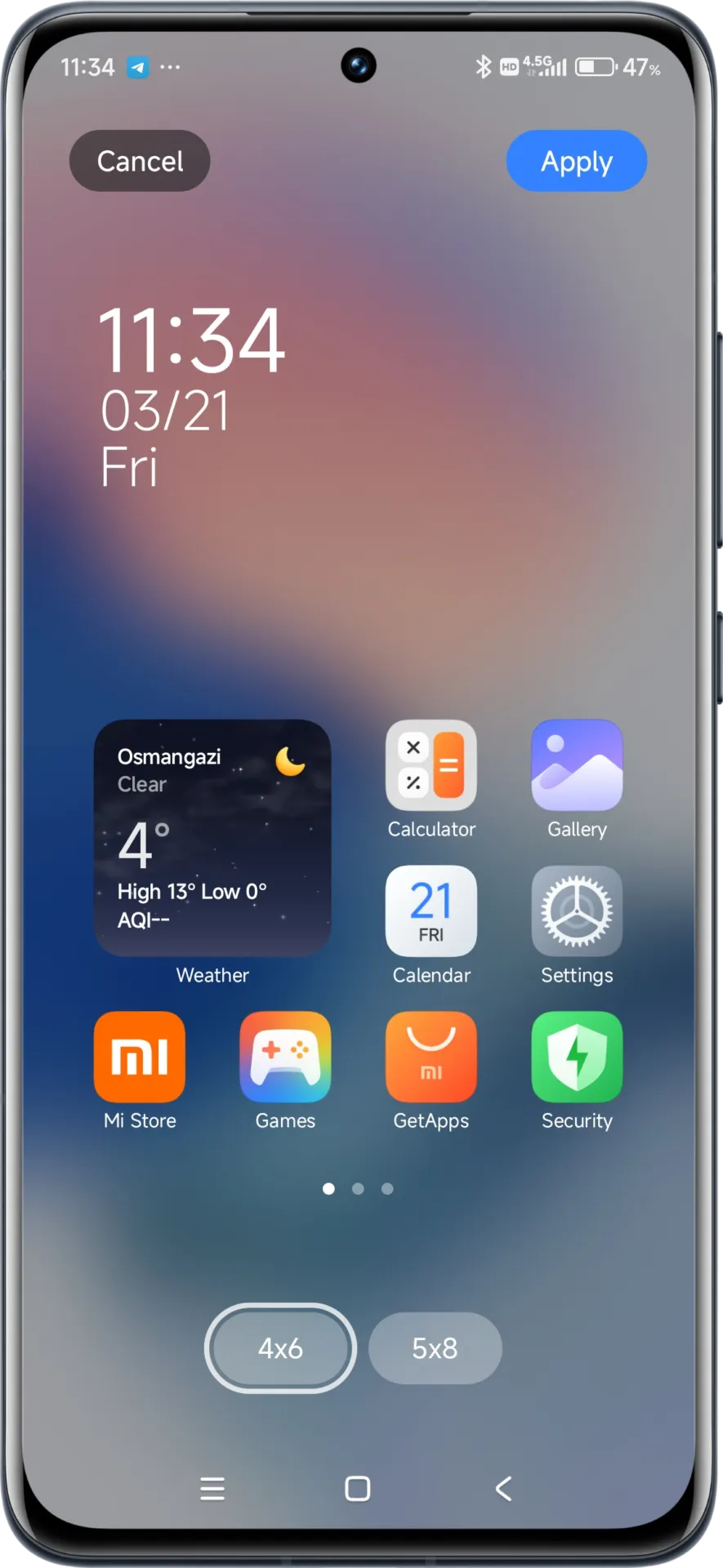
    • Adjustable Layout Options:
      • 4×6 layout with search box 4×7 layout without search box
      • 5×8 layout with search box
      • 5×9 layout without search
    • Revamped Menus: Enhanced desktop grid layout, gesture, app vault, and folder edit interfaces
    • 2K Screen Optimization: Popup UI now scaled correctly for high-resolution screens
    hyperos launcher

    The update to the launcher is centered on aesthetics and functionality, resulting in an improved user experience that still offers high performance.

    HyperOS Themes

    The updated HyperOS Themes has a better, more streamlined user interface. The update makes device customisation more comprehensive and accessible, allowing users to alter their gadgets to better reflect their own unique style.

    With improved previewing and classifying capabilities, the simplified interface makes it possible to find and use new themes more quickly and easily.

    HyperOS Security

    The HyperOS Security updated for brings essential enhancements to gaming performance and device protection:

    • Turbocharged Game Performance: All-out performance enhancements with advanced optimization capabilities
    • Security Improvements: Several behind-the-scenes updates improve system and data security
    • Performance Optimizations: Enhanced resource allocation to ensure seamless performance even on high-intensity tasks
    • Privacy Controls: Broader choice for controlling app permissions and data access
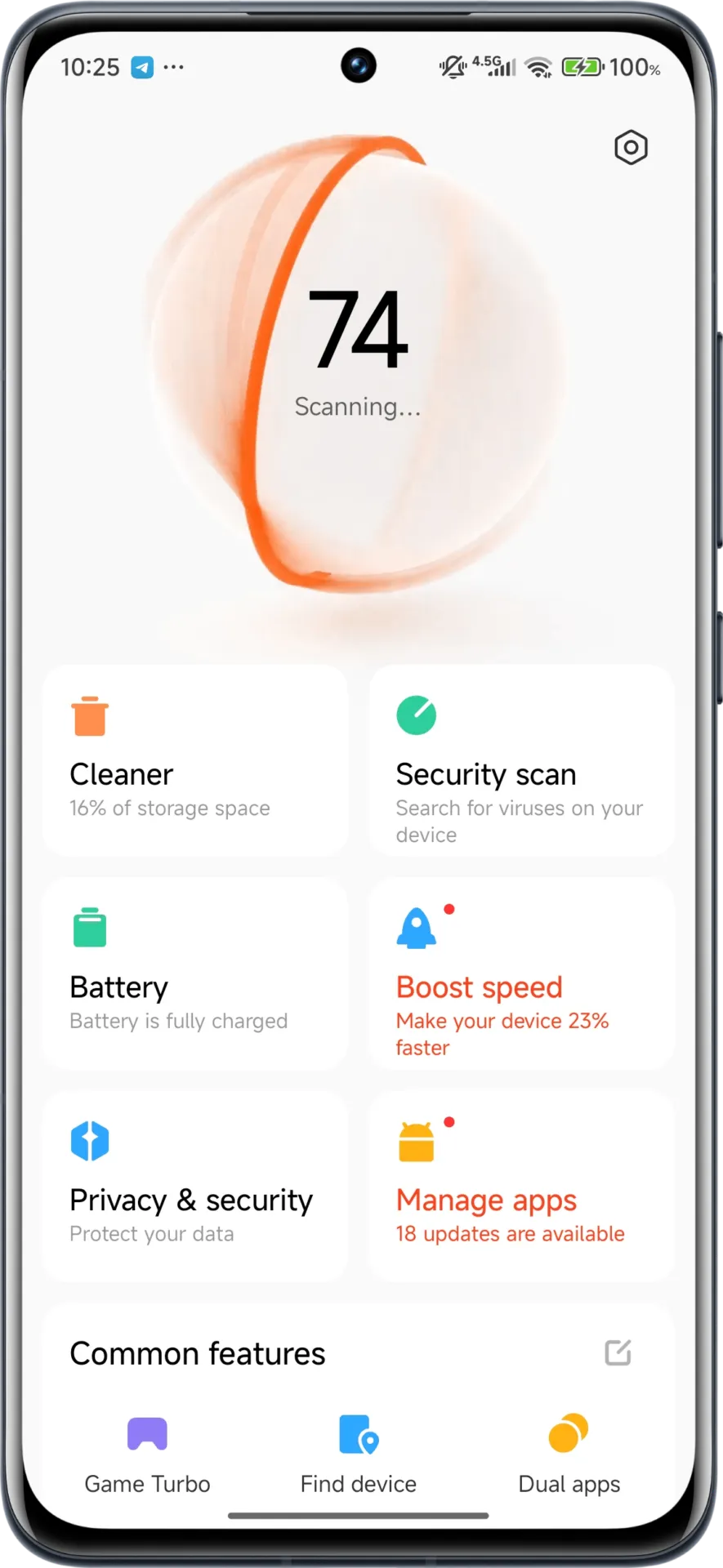
    hyperos security app

    These security enhancements play a crucial role in shielding personal data while providing stable system performance.

    HyperOS Wallpaper

    Updated on April. This new version emphasizes fixing bugs and performance enhancements. This update also solves problems that were causing lock screen and home screen wallpapers to:

    • Improved fluidity in switching wallpapers Improved stability throughout system transitions
    • Enhanced resource management for reduced battery usage
    • Improved integration with dynamic wallpaper features
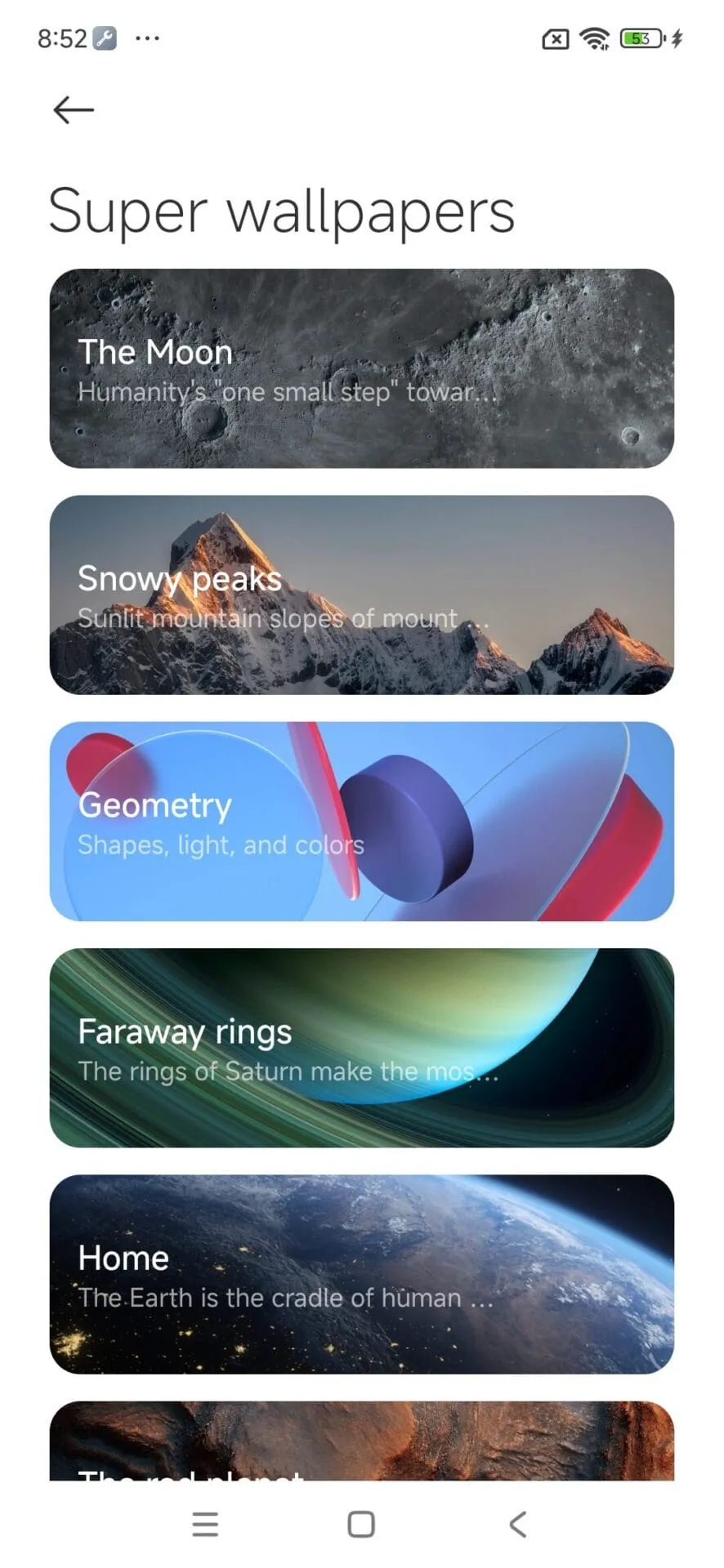
    hyperos wallpaper app

    Though mostly an update for maintenance, these changes considerably improve overall Wallpaper experience.

    How to update HyperOS system apps

    For an optimized upgrading process, Xiaomi users have an available HyperOS Downloader app:

    1. Download and install MemeOS Enhancer or directly from HyperOSUpdates.com
    2. Utilize the MemeOS Enhancer function for all installed HyperOS apps
    3. Get early updates before most other users
    4. Find more tools such as GCam integration
    5. Enable secret system features that cannot be accessed via default settings
    6. Updating these five core system apps is the basis for keeping your Xiaomi device in top condition with access to new features plus security upgrades.
    7. Get the latest updates today to unlock HyperOS 2.1’s full capabilities.