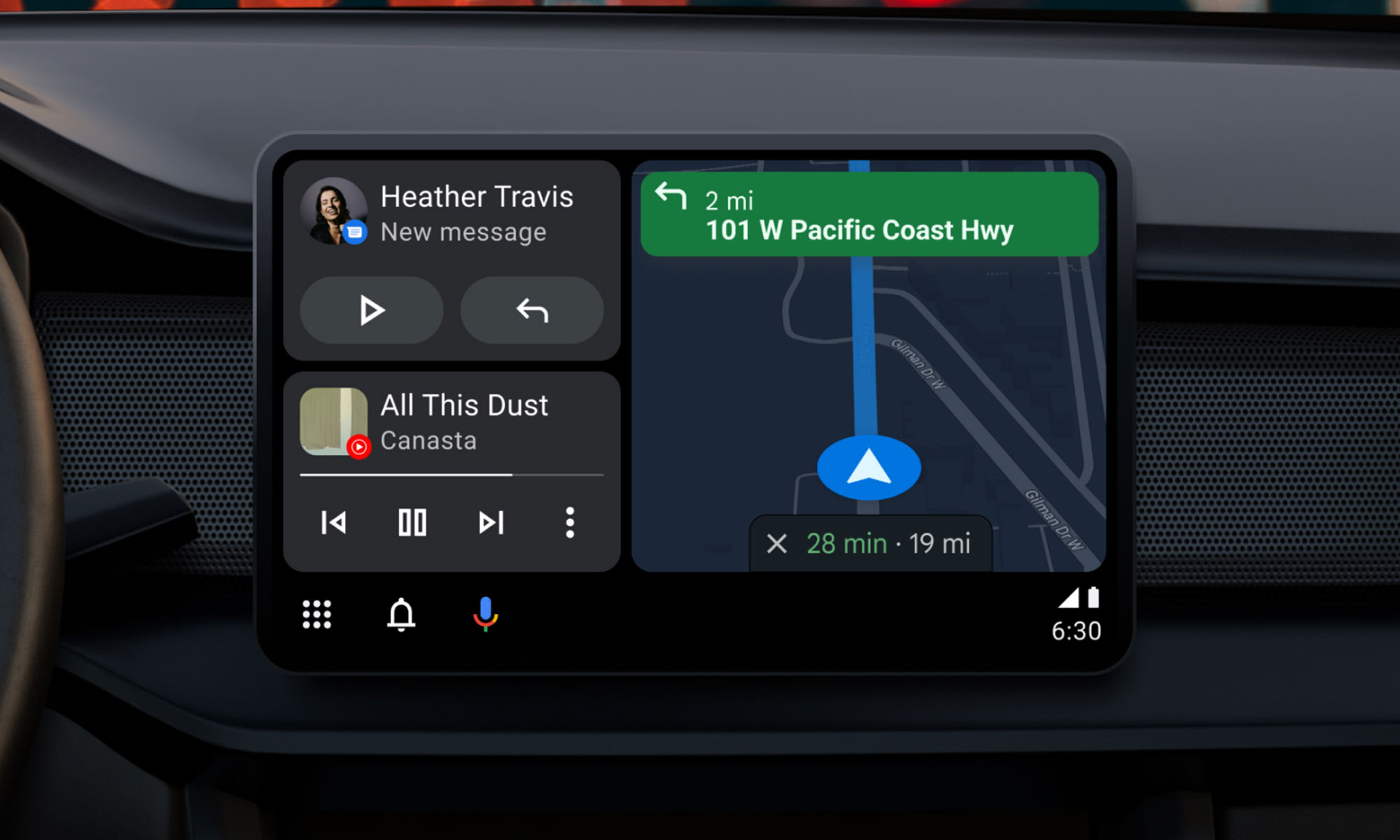
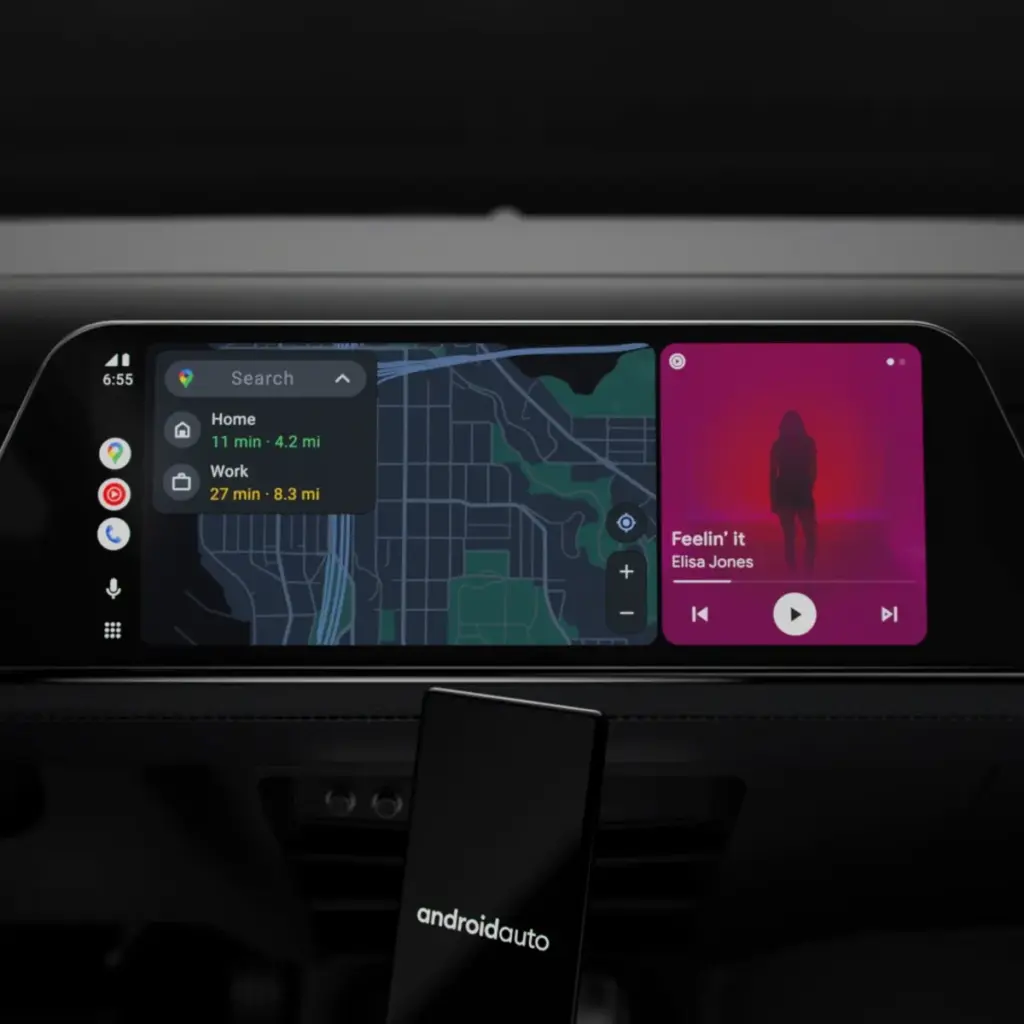
Google will bring the most recent Android Auto 15.4 update during November, although the company hasn’t spoken anything about it. The most recent version, which was discovered by autoevolution, stands out for remaining in beta for more than a week, which is unusual for Google. The new version is starting to roll out, and sideloading choices are available, but the corporation isn’t offering an explanation.
The addition of bug fixes that enable Google Pixel 10 devices to connect to Android Auto correctly is one of the most significant changes in 15.4, making this version helpful for people who did not previously have access. Additionally, it seems that this release is aiming toward more significant changes within Android Auto, such as the company’s AI assistant Gemini taking the place of Google Assistant. Following a recent Gemini update that brings some very significant AI features, Google has also been testing new features for Google Maps, including some new color options for users.
Users will still be awaiting the new Widgets feature, which borrows from Apple CarPlay by enabling users to install application widgets straight to their infotainment screen, even after the new version arrives. It’s also important to note that this update is released prior to Google preventing some Android phones from getting Android Auto updates.
What to expect in Android Auto 15.4
Android Auto 15.4 is currently gradually making its way to all Android users after launching in Google’s beta program in October. The APK is available to anyone who is prepared to upgrade manually, but the new update is coming in waves for those who can’t wait. On an Android device, just download the APK from APKMirror, choose the file, and then allow it to install.
By the end of November, Android Auto 15.4 will be available to individuals who are prepared to wait for the latest version. Unfortunately, Google no longer provides release notes for Android Auto, so we are left in the dark about what’s new. The removal of Google Assistant for the AI assistant Gemini—which is already taking place in some GM cars as the company discontinues CarPlay and Android Auto—as well as the addition of new call notes and a new call screen are among the changes anticipated to occur this year, according to autoevolution.
There are numerous bug improvements in Android Auto 15.4 for devices that are experiencing trouble connecting to Android Auto, particularly the Google Pixel 10. Additionally, the update enables users to apply the accent colors from their phone’s wallpaper on their infotainment screen. Google Maps allows users with smaller infotainment screens to report on traffic, something that was previously exclusive to users with larger panels. Users can report information about construction, traffic accidents, and speed traps, just like with the well-known Waze app.
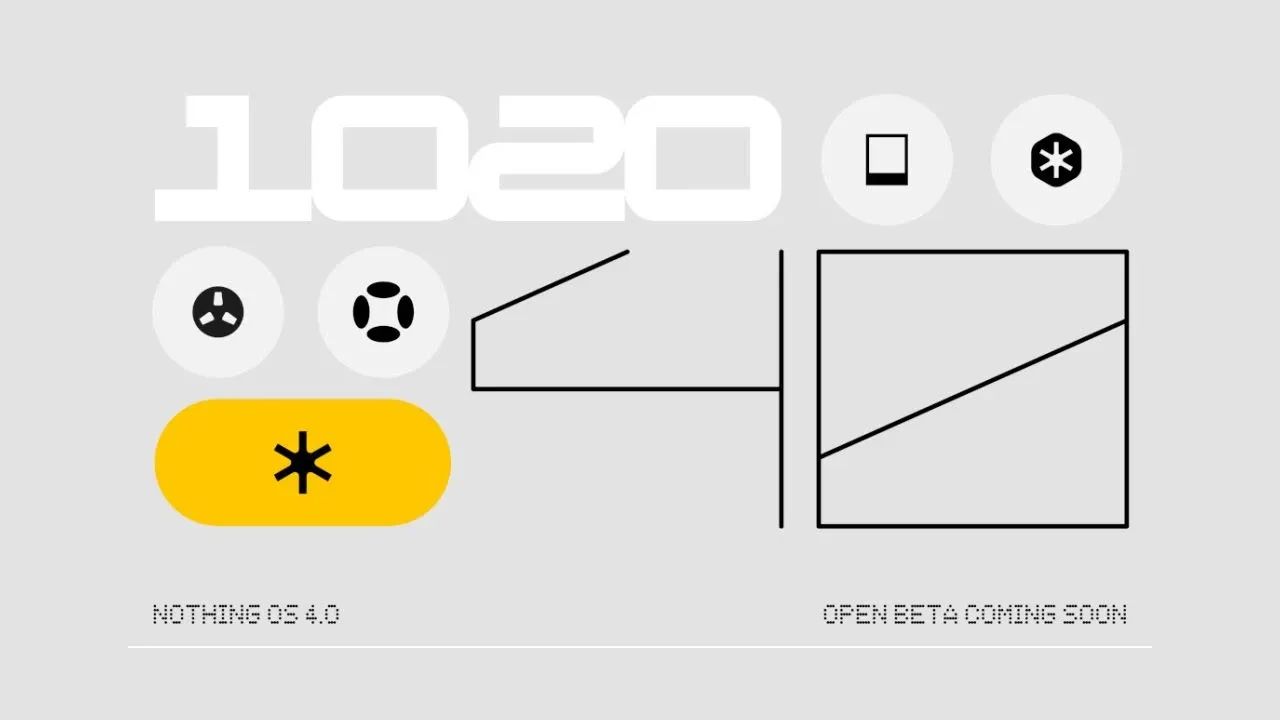
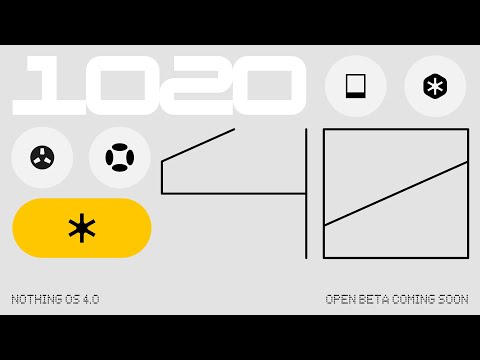
Nothing is showcasing its Android 16 update, Nothing OS 4.0, as well as its new features and designs, ahead of its open beta launch that is “coming soon.”
Earlier this year, the Phone (3) and Nothing OS 4.0 were announced, although the design hasn’t been revealed yet. However, nothing explains the new features of its Android 16 version in a recent post and video.
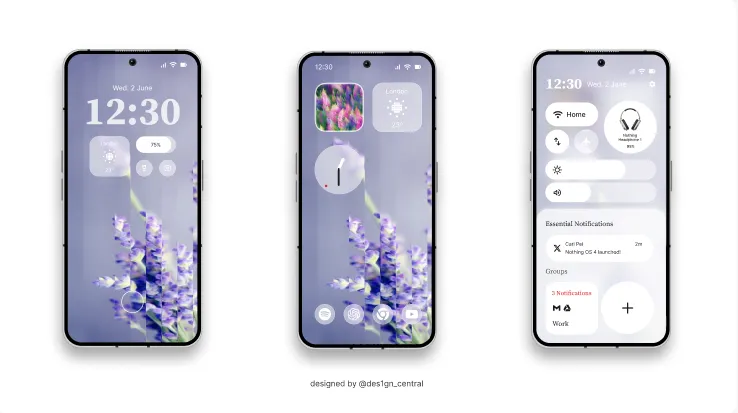
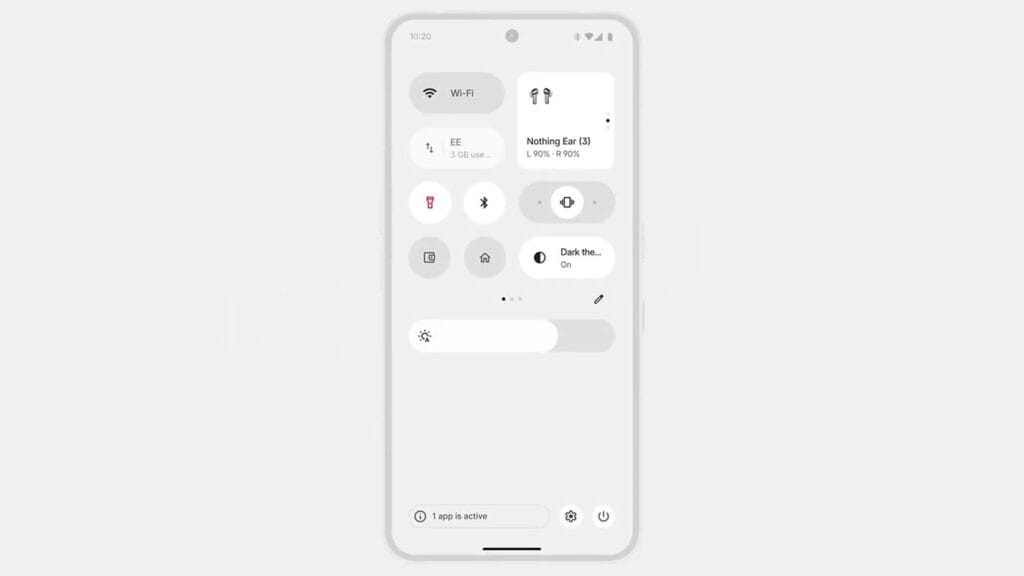
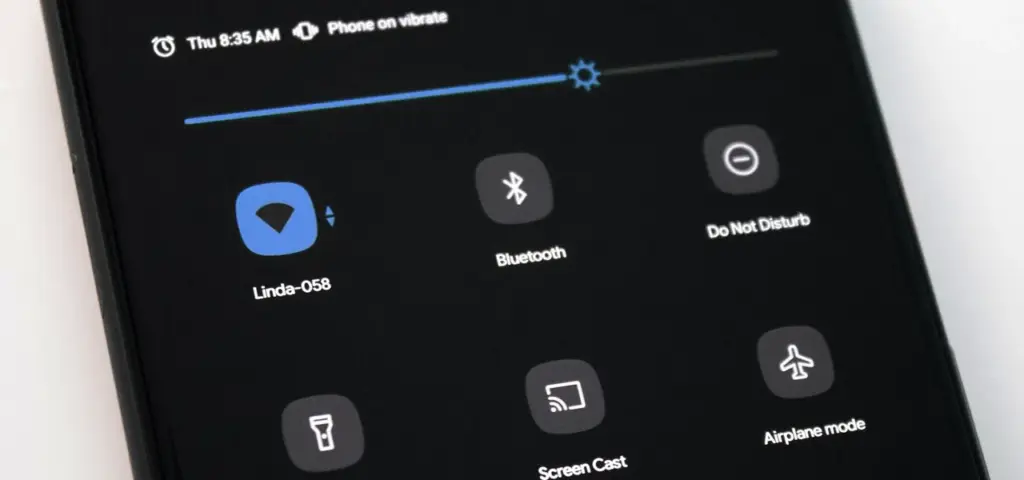
The primary visual upgrade of Nothing OS 4.0 is a “sharper, more deliberate design across every layer.” Specifically mentions an improved Quick Settings panel, new lock screen clocks, and other changes across Nothing’s apps.
In contrast to Android’s usual dark grey theme, there is a new “Extra Dark” theme that is completely black.
The floating app icons improve multitasking, yet nothing indicates that the camera or overall performance would be improved—the latter due to the “TrueLens Engine.
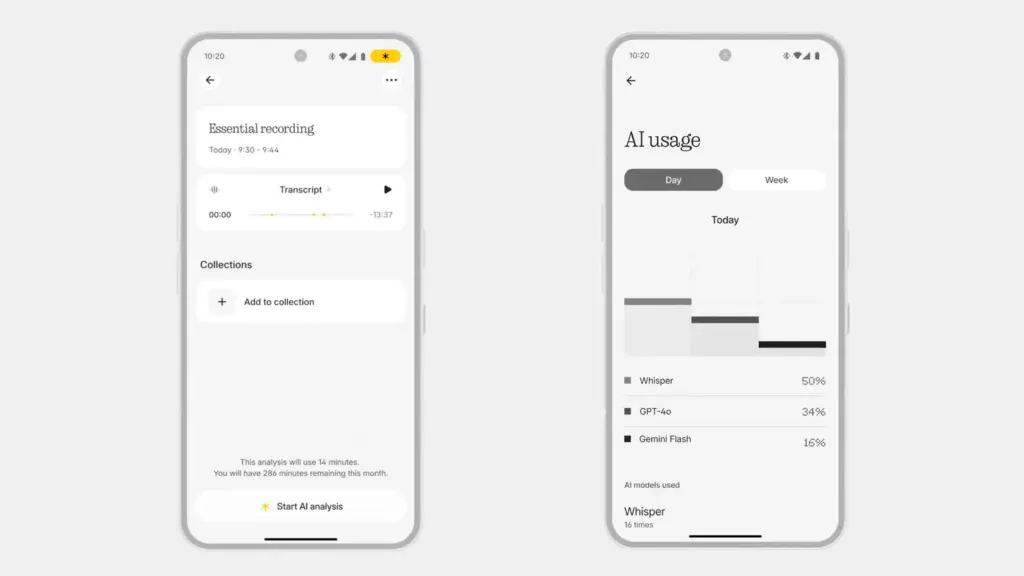
Lastly, a brand-new AI dashboard that analyzes your usage of Nothing’s AI capabilities has been introduced. In particular, it deconstructs the AI models that Nothing’s AI features—such as Whisper, GPT-4o, and Gemini Flash—use.
The release date for OS 4.0 is not specified, but it is stated that it will happen “soon.” According to Nothing’s existing support promises, the update will eventually reach Phone (2), Phone (2a), Phone (3a), and CMF phones, though it is likely to begin on Phone (3).
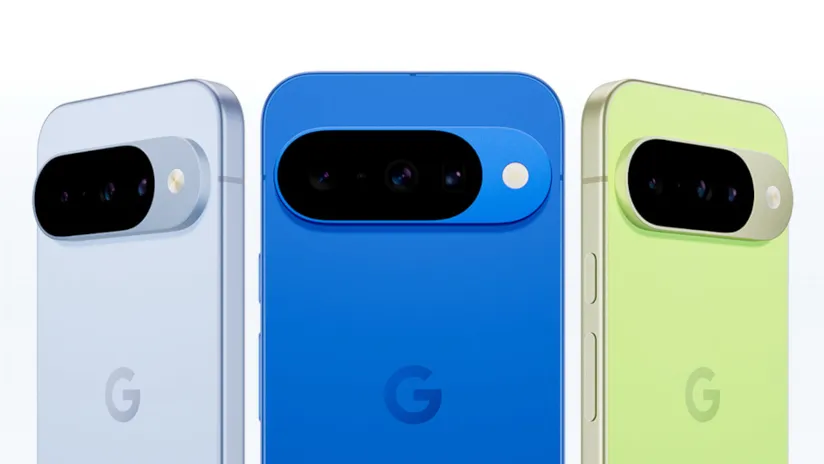
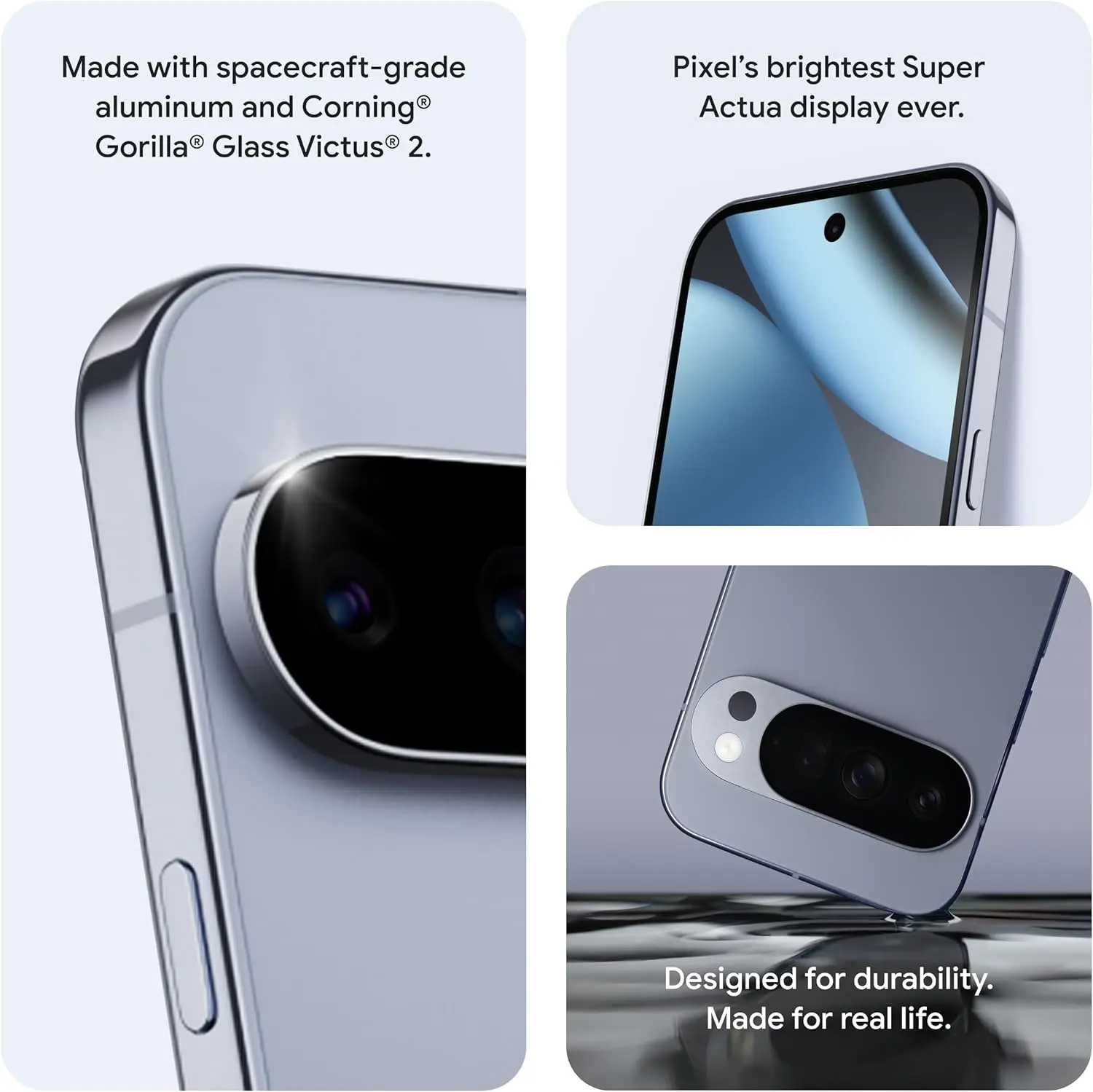
The Google Pixel 10 Pro XL is a major advancement in smartphone design, emphasizing improved utility and more intelligent software integration over drastic hardware changes. This device is designed to improve your everyday interactions with features including wireless charging, camera technology, widgets, software automation, and performance improvements. We examine its top features below, highlighting the reasons the Pixel 10 series is unique in the crowded smartphone market.
Google Pixel 10 Pro with $200 Amazon Gift Card
Order the new Google Pixel 10 Pro and get an Amazon Gift Card. Valid 8/20/2025 until 9/4/2025 at 11:59pm PT, while supplies last and subject to availability
As the first significant Android smartphone to use the Qi2 wireless charging standard, the Pixel 10 series raises the bar for compatibility and ease of use. This method greatly increases charging efficiency by using magnets for exact alignment. It also makes it possible for MagSafe accessories to work seamlessly, so you can connect magnetic wallets, power banks, or stands without the need for additional cases or adapters.
This integration increases the phone’s functionality while also making charging easier. The Qi2 standard makes sure your gadget is always charged and prepared to fit your needs, whether you’re at home, at work, or on the go. This feature is a unique addition to the Pixel 10 series since it combines efficiency and ease.
Innovative Camera System in Pixel 10 series
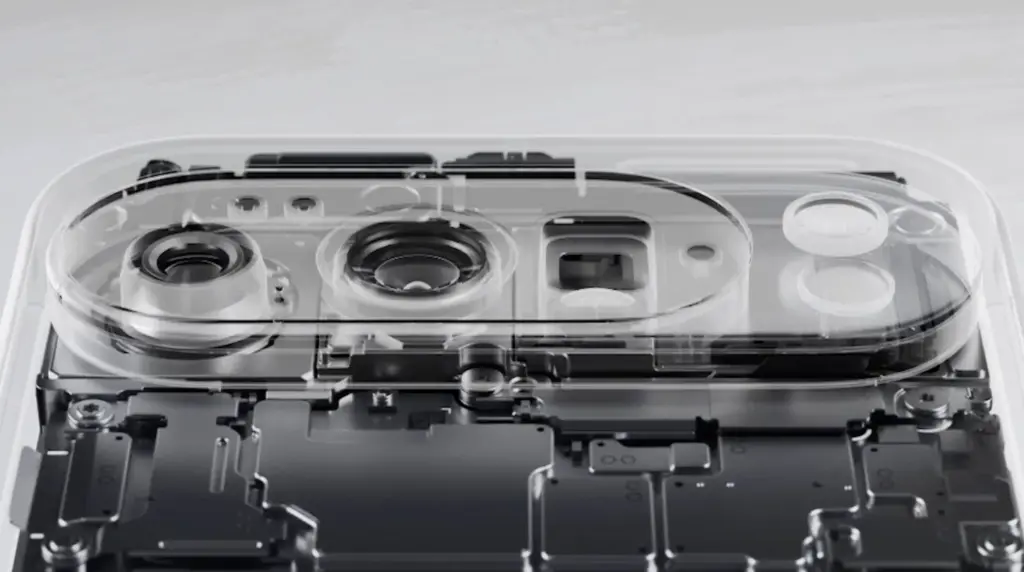
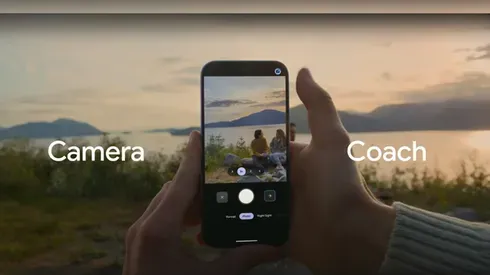
With its Gemini Eye technology, the Pixel 10 Pro XL elevates smartphone photography to a new level. A “Camera Coach,” which offers real-time advice on lighting, framing, and other settings to help you effortlessly take professional-quality photos, is a feature of this cutting-edge device. Even when photographing distant scenes, the 11-megapixel telephoto lens and up to 20x super-res zoom guarantee that your images stay crisp and clear.
The Gemini Eye technology makes it simpler to get amazing results, whether you’re a casual user taking short pictures or a photography fanatic striving for perfection. The Pixel 10 Pro XL is now a top option for those who are camera-focused thanks to these improvements, which demonstrate Google’s dedication to providing an excellent shooting experience.
Intelligent Automation with Magic Cue Assistant
The Magic Coup Assistant is another example of how Google is pushing the limits of software innovation. This tool automates repetitive chores and provides contextual recommendations by using machine learning to understand your preferences and behaviors. Magic Coup Assistant is made to make your life easier, from scheduling to changing settings according to your activity or location.
For instance, it can remind you of crucial deadlines, recommend routes depending on traffic, or automatically turn off messages during meetings. The Pixel 10 Pro XL is a sensible option for people who value efficiency and convenience because of this degree of personalization, which shows Google’s commitment to making the experience more intuitive and user-friendly.
Smarter Widgets with Gemini Space
Gemini Space, a development of Google’s “At a Glance” function, offers a major improvement to the Pixel 10 Pro XL’s widgets. This utility adds real-time updates from programs like Docs, Maps, and Gmail straight to your home and lock displays. Gemini Space keeps you focused and organized without requiring you to launch numerous apps by giving you access to real-time information at a glance.
Keeping track of appointments, managing hectic calendars, and remaining informed about critical activities are all made easier with this tool. It is a minor but significant innovation that improves the user experience overall because it might simplify your everyday routine. The Pixel 10 Pro XL provides a more user-friendly method of interacting with your smartphone with Gemini Space.
Google Pixel 10 Pro with $200 Amazon Gift Card
Order the new Google Pixel 10 Pro and get an Amazon Gift Card. Valid 8/20/2025 until 9/4/2025 at 11:59pm PT, while supplies last and subject to availability
The Google Pixel 10 Pro XL places a high priority on significant upgrades that boost speed and usability. This smartphone is made to satisfy the demands of the customers, from a more potent Tensor G5 chip to the cutting-edge Gemini Eye camera system and the creative Qi2 wireless charging. The experience is further enhanced by features like the Magic Cue Assistant and Gemini Space widgets, which provide a smooth fusion of convenience and functionality.
These well-considered improvements show Google’s dedication to providing a feature-rich gadget that fits your needs. Whether you’re a photography enthusiast, tech enthusiast, or someone looking for a dependable and effective smartphone, the Pixel 10 Pro XL provides an alluring blend of innovation and usefulness.
Google is releasing Gemini 2.5, another major AI update, just months after releasing the Gemini 2.0 Flash Thinking model. Gemini 2.5 Pro Experimental, the first model based on this new technology, is currently accessible to Gemini AI Studio and Advanced users.
Infused with reasoning
Google describes version 2.5 as its “most intelligent” AI model to date in a news release. It is the second of its kind and falls into the same category as Gemini 2.0 Flash Thinking, which is a thinking model. Gemini 2.5 differs from previous models in that it can use contextual intelligence, draw well-reasoned conclusions, and make educated decisions, going beyond the conventional “classification and prediction” method used by non-thinking models.
The Gemini 2.5 model, which was created as an improved version of Gemini 2.0 Flash Thinking, has a better base and more sophisticated post-training. Additionally, Google has shown ambitions to integrate Gemini 2.5’s reasoning capabilities into its non-thinking models.
New benchmark in AI reasoning
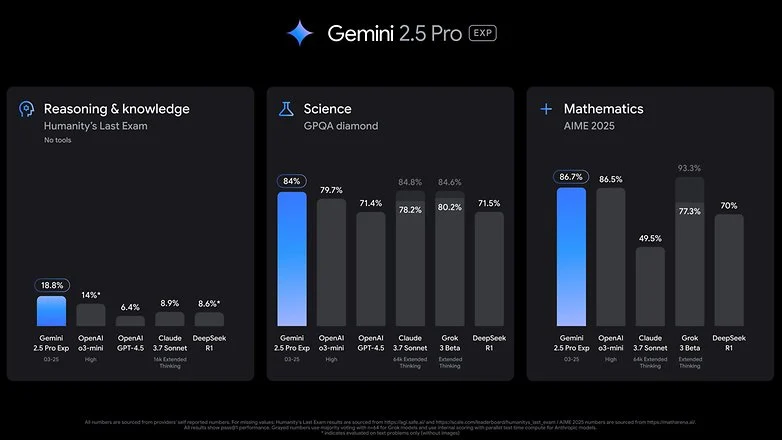
Gemini 2.5 Pro Experimental, the first product to use 2.5 version, is offered as a model option within Google’s AI services. Google claims that in the Humanity’s Last Exam test, which is a standard for AI knowledge and reasoning, The2.5 Pro Experimental has fared better than top reasoning models like OpenAI’s o3-mini and Claude 3.5 Sonnet. Furthermore, Gemini 2.5 Pro outperformed rivals like OpenAI’s GPT-4.5 and X’s Grok 3 Beta in math and science benchmarks.
With Gemini 2.5 Pro, Google also highlights improvements in software creation and coding. Coders, editors, and developers can use the concept to create “agentic applications and web apps.” It demonstrated its capabilities by creating a game from a single line of prompt in a demonstration video.
Currently, business and educational plans, as well as Advanced subscribers under One AI Premium, can access Gemini 2.5 Pro. Additionally, it can be accessed through Gemini Studio, and Vertex AI will soon be available as well. Google has said that it will shortly reveal the cost of extended access, even though usage is still restricted.
The release of 2.5 comes after Google opened up the Gemini 2.0 Flash and Deep Research models, as well as Gemini Live screen sharing, which was previously only available to subscribers. It is probable that the AI may soon be widely available due to this tendency.
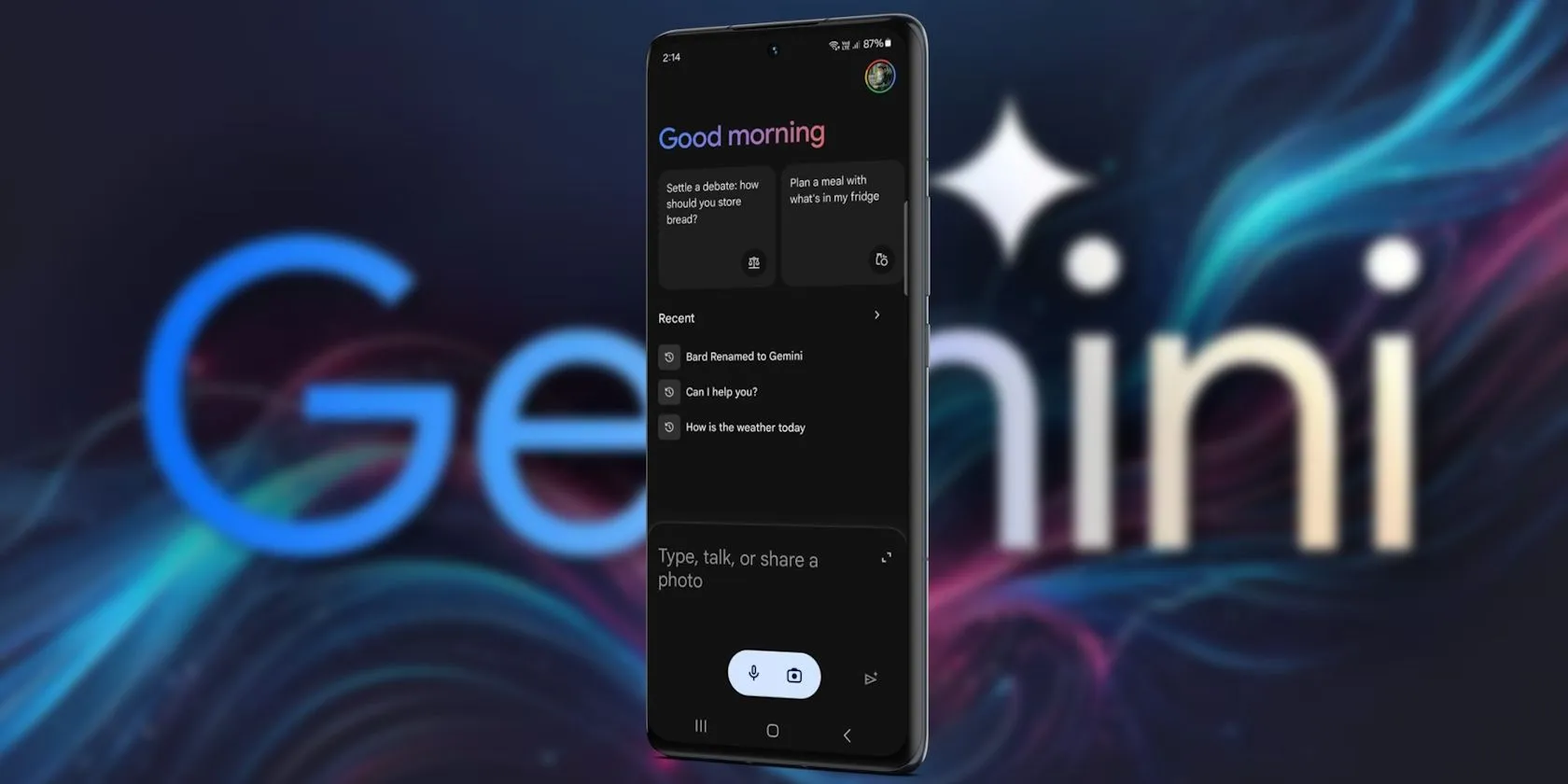
Since its debut in 2016, Google Assistant has been a feature of the Android operating system. It is accessible by uttering the “OK Google” hot word, as a sticky widget in the dock, or in the news stream on the left side of your home screen. However, the assistant needed a makeover because AI was a key component of almost every phone that was released in the previous year.
Google Gemini’s shortcomings were noted by early adopters, who said it could not execute jobs that Google Assistant could. With Gemini’s increased capabilities, a lot has changed. Here are some useful applications for it on an Android phone.
Use Gemini from Messages
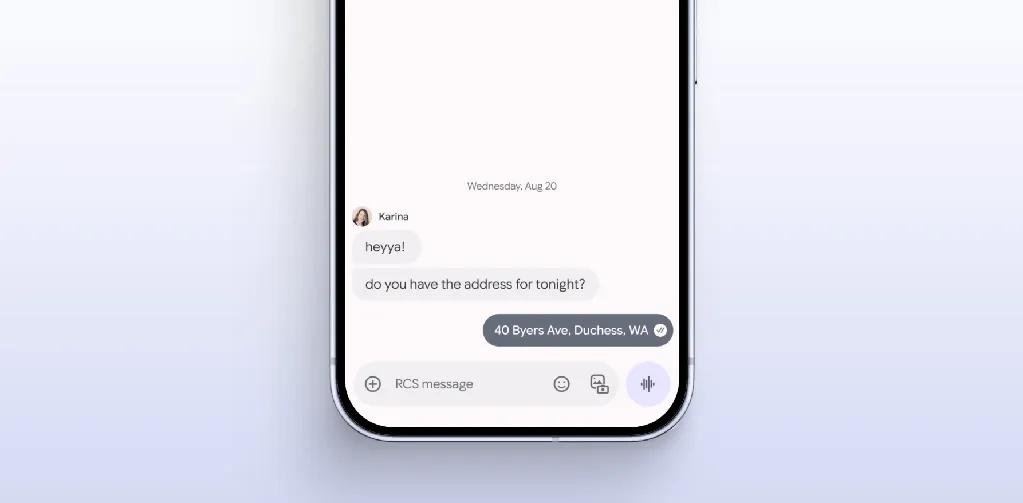
Following Hangouts’ sunsetting and an unsuccessful attempt with Allo, Google finally figured out how to make texting work on Android. Google Messages is a fantastic way to interact with loved ones because of its many capabilities, especially when it comes to chats that use RCS.
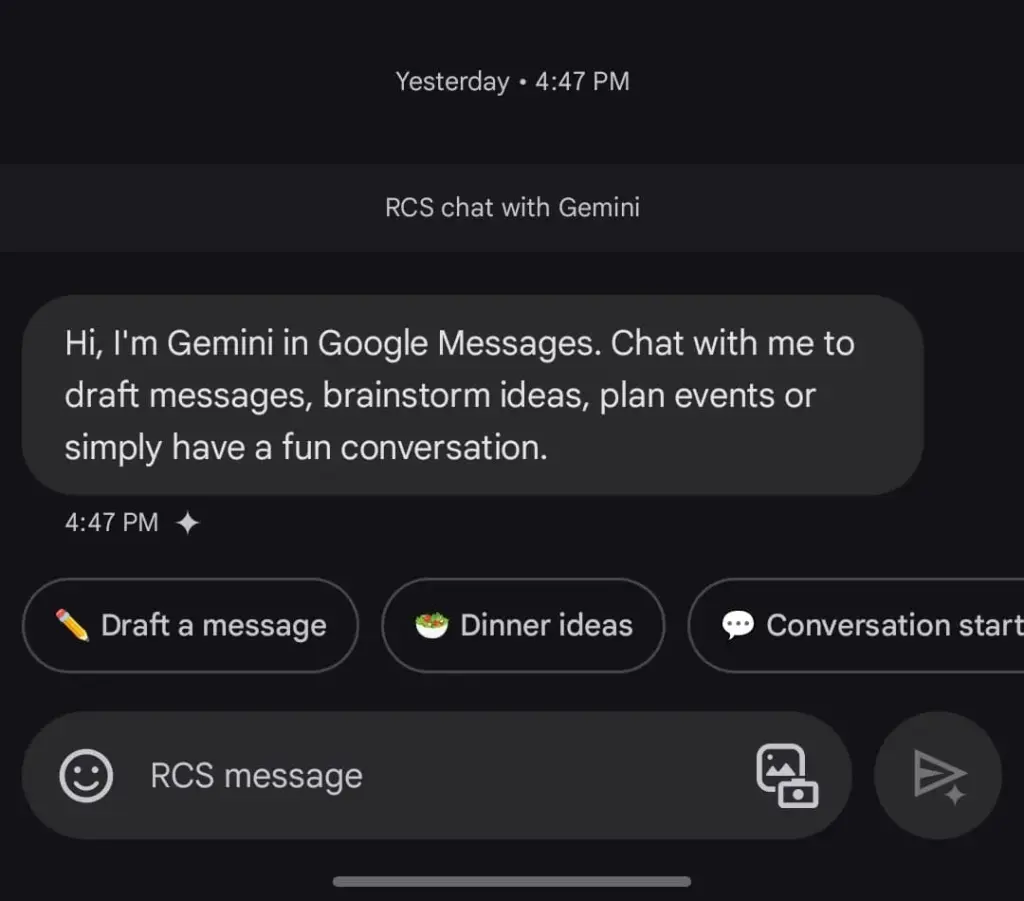
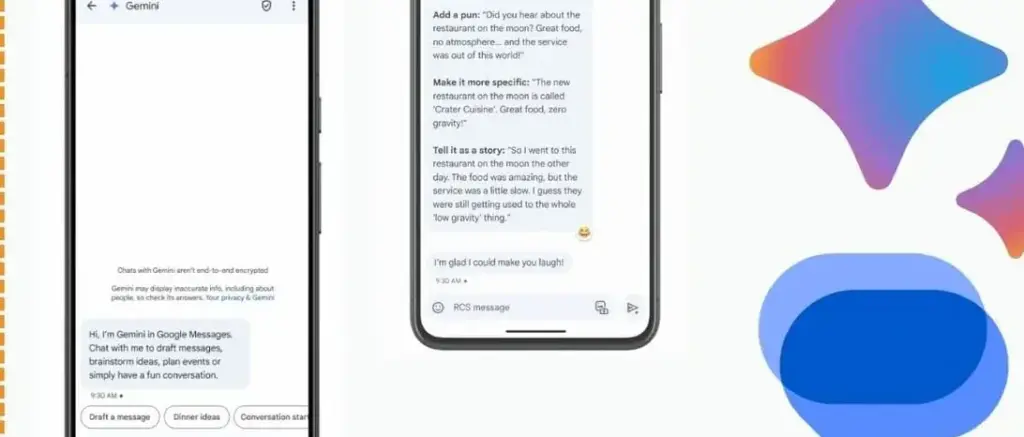
The option to talk with Gemini will appear if you open Google Messages and tap the Start chat icon. This allows you to use Gemini’s conversational side in a chat window. You can ask it to create images, recite poems, or write a birthday message.
Gemini in Google Messages is incompatible with other apps and is unable to manage device settings. It does, however, provide a more conventional method of communicating with the assistance. It does not answer questions using pictures of individuals, but you can send it pictures of food, clothing, and other objects.
Also, Gemini cannot be asked to send a message through Google Messages. You can use the Gemini app specifically for that purpose. Furthermore, Gemini may be used to call contacts or look up the phone numbers of nearby businesses, just like Google Assistant. But you can not use your friendship with someone to make calls or send SMS. It is possible that saying, “Hey Google, call my mom,” will ring another contact with the name “mom.”
Control device settings
Gemini has the ability to switch off your Wi-Fi, but in order to utilize the assistant again, you will need to manually activate it. Bluetooth, location, auto-brightness, and flashlight settings are among the more practical device controls.
A series of instructions, such as “turn off auto-rotate and then turn on mobile data,” can be requested, but Gemini can be picky. Routine tasks, such as turning off alarms or setting a timer, function well.
Controlling my phone’s music playback is one of my favorite applications of this feature. You may ask Gemini to rewind a song by 30 seconds, but it can still play, pause, and skip songs as normal.
Also, you may use a custom timer to instruct Gemini to take a picture. On the other hand, when I ran the identical query on my iPhone using Apple Intelligence, it set a five-second timer labeled “picture.” Regards, Apple.
A conversational tool
For years, we have been able to use voice commands to activate Google Assistant; however, typically, a specific action or question is required. By tapping the button next to the camera symbol in the Gemini Live app, you can initiate an unstructured chat.
As long as the conversation does not violate the AI’s guidelines, you can talk about anything and get pertinent responses. It was a little unsettling to speak into my phone aloud and hear responses that seemed natural, but I eventually adapted. Gemini Live excels at having back-and-forth conversations, but you may also ask closed-ended questions.
During a discussion, Gemini can be interrupted by tapping the screen or talking over it. When you use Live mode, you can choose from a small selection of voices. I use Gemini Live to practice talks, generate ideas, and learn new languages. This is an intriguing approach to employ an AI assistant on your phone because of its convincing and real-time responses.
Use Gemini with Google Workspace
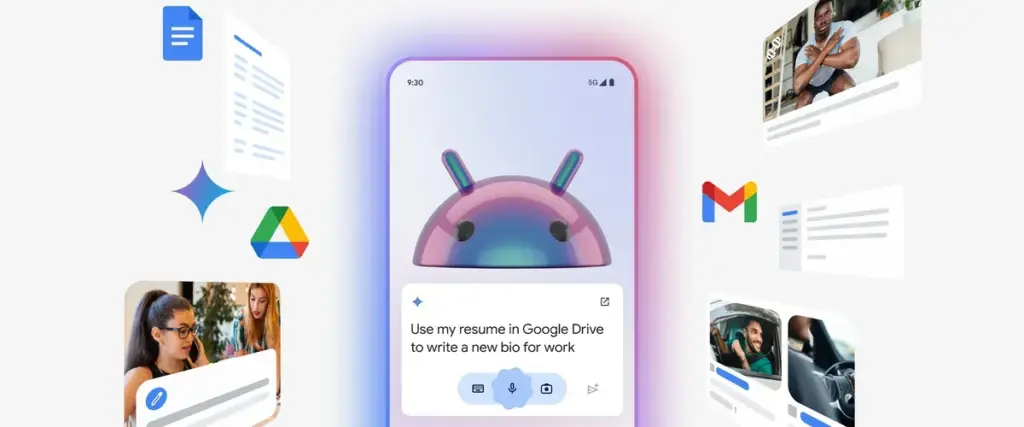
With a subscription, Gemini may be used with Google Workspace applications such as Docs, Gmail, and Slides. You may retrieve and condense emails, tasks, and other items linked to your Google account on an Android phone by using the Google Workspace extension, which is available for free with Gemini.
Gemini can filter emails by sender name or transmit a list of your most recent emails. It is unable to access attachments, though. Asking Gemini to summarize papers is a helpful tool, as I utilize Google Docs for the most of my class notes. In order to locate an event you have been searching for, it can also scan your calendar.
Gemini can be asked to save notes or tasks. In the Google Keep app, entries filled in this manner display a Gemini tag. Additionally, it cleverly names notes according to their substance.
Connect it with third-party apps
Gemini extensions allow you to access and manage additional features on your device. It is cool to connect to Google Workspace, and more third-party apps should soon be compatible with Gemini. Without opening the app and looking for a playlist, you can play songs from your playlists by connecting to your Spotify account. Media playback control then assists you in selecting the ideal song for the situation.
You may use voice commands on Google Gemini to send messages or make a call to a contact if you are one of the three billion WhatsApp users globally. You cannot, however, request that Gemini read your WhatsApp chats or attach anything to them.
Compared to its first day, Gemini now does more. Because device controls are compatible with the AI assistant, you are no longer forced to pick between it and Google Assistant. Additionally, when Gemini is unable to complete a task, it will sometimes rely on the Google Assistant extension. Your time with a Gemini is not going to be a happy one. It still has hallucinations and is a huge language model.
Even though it is capable of performing things like “turning on Bluetooth,” it occasionally refuses to do so. Starting a fresh chat is a good strategy to get good answers in these situations. You must unlock your phone’s screen in order to use the majority of its useful commands. Even with its limitations, Gemini keeps getting new features, such as the ability to operate smart home appliances with the Google Home extension.
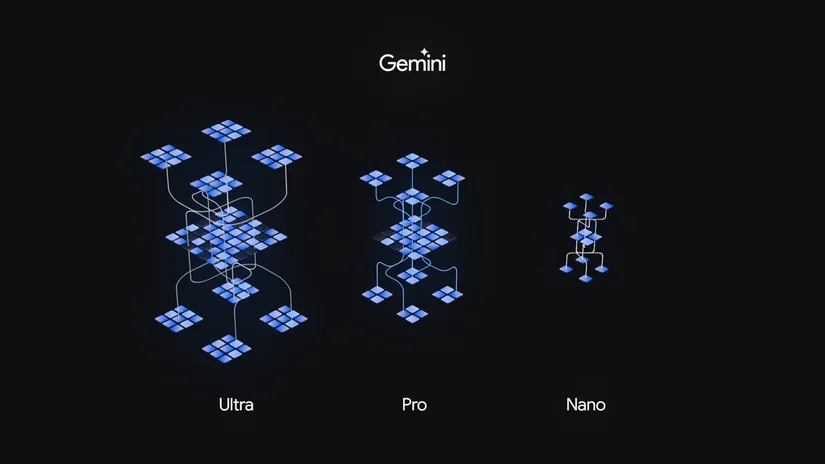
With training data at their disposal, IT companies including as Google, Anthropic, OpenAI, and Meta are racing to develop the best large language model (LLM) in order to produce valuable services that attract investors, businesses, and consumers. Some businesses offer smaller versions of their LLMs that can run locally on mobile devices, as the most capable of these LLMs require processing power that simply is not accessible on the little smartphones we carry in our pockets.
Currently accessible on a few Android phones, Gemini Nano is the mobile optimized version of Google’s LLM. Google only offered Gemini Nano on the Pixel 8 Pro smartphone when it first launched it in December. After a month, it was made available for Samsung’s Galaxy S24 series, bringing an end to Pixel’s brief exclusivity for the AI model.
Google began to push out the Gemini Nano variant to a few more Pixel and Samsung devices in 2024. However, Google ultimately introduced the AI model on a smartphone made by Xiaomi, a different manufacturer, last week.
However, it appears that the Xiaomi 14T was only the beginning, as Google has let loose and begun to add support for Gemini Nano to a wide range of new smartphones. This covers both phones from established Nano backers like Samsung and phones from recent Nano entrants like Motorola and Realme.
What phones support Gemini Nano?
Devices that support Gemini Nano
Google Pixel 8
Google Pixel 8 Pro
Google Pixel 8a
Motorola Edge 50 Ultra
Motorola Razr 50 Ultra
Samsung Galaxy S24
Samsung Galaxy S24+
Samsung Galaxy S24 Ultra
Samsung Galaxy S24 FE
Samsung Galaxy Z Flip 6
Samsung Galaxy Z Fold 6
Realme GT 6
Xiaomi 14T
Xiaomi 14T Pro
Xiaomi MIX Flip
Devices that support the latest Gemini Nano with multimodality
Google Pixel 9
Google Pixel 9 Pro
Google Pixel 9 Pro XL
Google Pixel 9 Pro Fold
What differentiates the most recent Gemini Nano versions from one another?
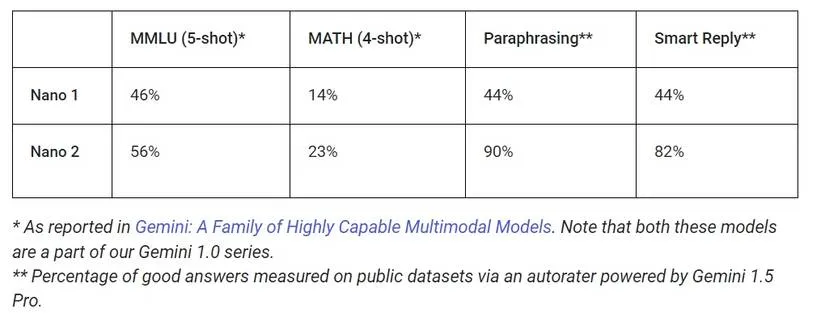
While Gemini Nano and its multimodal variant are both members of the Gemini 1.0 family of LLMs, the multimodal version supports input formats other than text, such as image, speech, and audio. Google claims that the updated version of Nano performs far better in real-world applications and academic benchmarks, and it is roughly twice as big as the previous version.
Gemini Nano’s latest version with multimodality is currently only available on the Google Pixel 9 series, with no word on when or if it’ll come to other devices.
Which AI functionalities does Gemini Nano support?
The AI functions in the Pixel Screenshots, Talkback, Pixel Recorder, Phone by Google, and Pixel Weather applications are powered by the new Gemini Nano, which has multimodality on the Google Pixel 9 series. Pixel Screenshots analyzes your screenshots locally using multifunctional Gemini Nano. TalkBack makes use of it to produce visual descriptions. It is used by Pixel Recorder to condense transcripts of audio recordings. It is used by Google Phone to transcribe phone conversations. Finally, it is used by Pixel Weather to produce a weather summary for the day.
Because of its smaller size and support for text-only input, the previous Gemini Nano on the Google Pixel 8 series has a few extra limitations. In approved messaging apps, it aids in the Gboard app’s generation of intelligent responses. (Smart answers in Gboard are powered by Gemini on the Google Pixel 9, and there are no discernible differences.) It also facilitates the generation of transcript summaries for the Pixel Recorder app, however it is limited to 15 minutes of audio recording.
Currently, the older Gemini Nano model powers only one AI feature on non-Pixel devices, which is Magic Compose in Google Messages. This function suggests possible responses for you to send to a contact based on the context of the last 20 messages in a discussion. Your texts never leave your device because this is all done on-device.
Hopefully, this will not remain the case for long, even if Magic Compose is presently the only Gemini Nano-powered function that is compatible with all devices that utilize the AI model. Indeed, Google has now made the AI Edge SDK, which enables apps to leverage Gemini Nano, available for experimental use.
However, as this experimental access is merely “for development purposes,” third-party app developers are unable to utilize Gemini Nano for AI capabilities at this time. Furthermore, most devices are not included in this project because developers can only use the newer Gemini Nano with multimodality for text-to-text prompting through this experimental access.
In any case, it is evident that Google is committed to making Gemini Nano available on more Android smartphones. Currently, Gemini Nano is supported by 15 Android phones, and the latest Gemini Nano with multimodality is supported by an additional 4. Hopefully, as Google rolls out the AI model to more phones, developers will be more inclined to create innovative and engaging applications that leverage it.