The Japanese giant Sony may have decreased its expectations for its mobile business, but that doesn’t imply it has ceased making new devices. We’re getting fewer phones every year because Sony had to reduce its mobile division in response to the strong competition on the smartphone market.
Positively, it should make it possible for Sony to deliver Android OS updates considerably more quickly than in the past. Sadly, that doesn’t always happen, but at least devoted followers continue to receive updates on occasion.
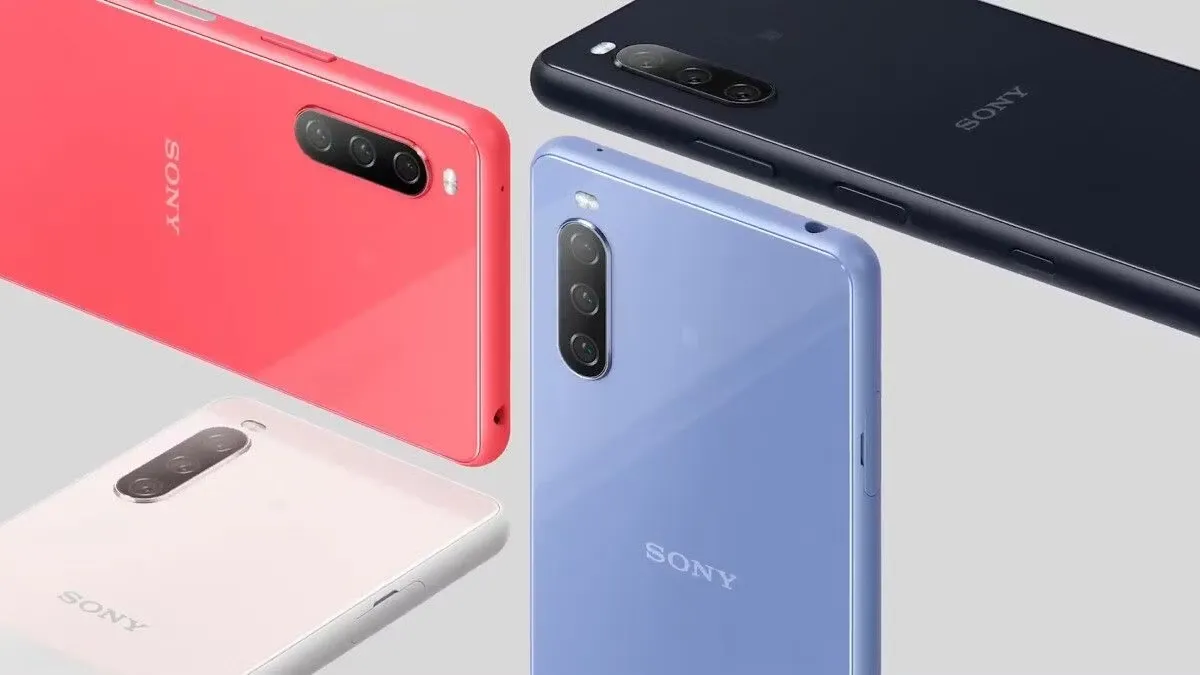
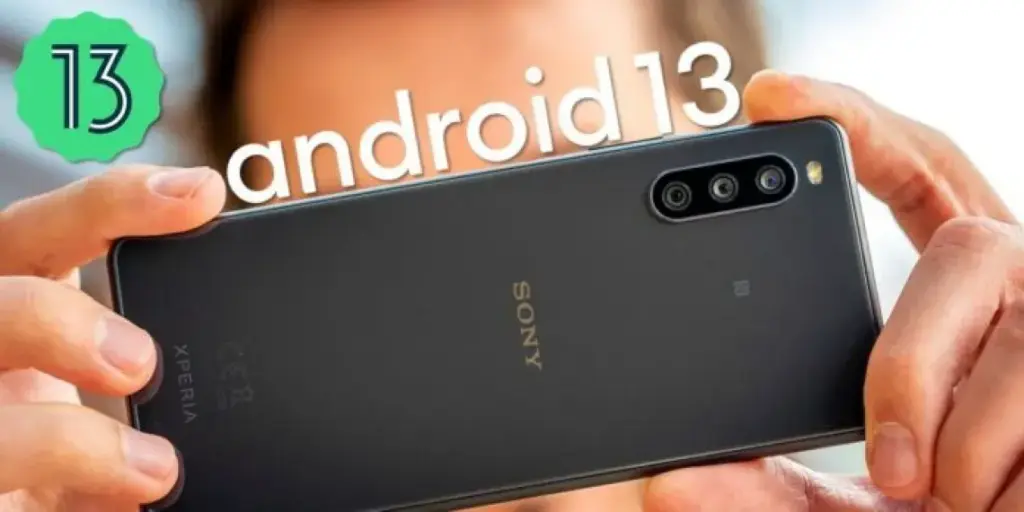
Sony has made some work on updating all of its eligible phones to Android 13, although some devices are still awaiting the upgrade. Up until recently, one of those gadgets was the Xperia 10 III. According to XDA Developers, the Sony Xperia 10 III is currently receiving an upgrade with firmware version 62.2.A.0.367 in a few European and Asian nations.
The global dual-SIM (XQ-BT52) is eligible for this update, although release dates in various areas might vary. There are a lot more updates coming to the phone, but the changelog verifies that the upgrade includes the January 2023 security patch.
For instance, Sony Xperia 10 III devices will soon have a new lock screen, a brand-new Quick setting panel, and various improvements to the Camera app. Be sure to read Sony’s summary of some of the changes included in the Android 13 release.
The Xperia 10 III’s excellent 6-inch OLED display, which supports HDR and 1B colors, makes it one of the most intriguing mid-range smartphones on the market. The Xperia 10 III, which was first released in 2021, is quite likely to get one more significant Android OS update before Sony stops supporting the device.
If you plan to upgrade your Xperia 10 III to Android 13, keep in mind that your user data shouldn’t be affected by the software update. However, going back to a previous software version after upgrading to Android 13 will no longer be possible, at least not through official means.
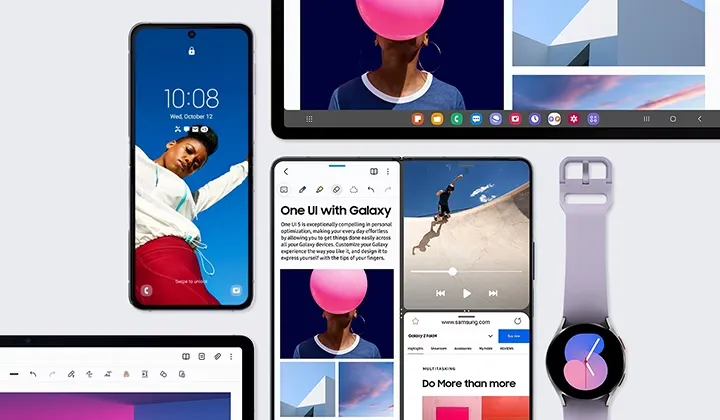
Snoopy Tech, a Twitter tipster, has published a number of documents that appear to be original Samsung docs. The sites add to the previously disclosed material we revealed in the original post below by listing the complete One UI 5.1 changelog.
The information in the tweets below also includes some existing OneUI 5 features, but the new ones are marked with “5.1” next to their description. Features market with the number “1” are those that’ll be exclusive to the Galaxy S23 series, S21 Ultra, Note 20 Ultra, S20 Ultra, Z Fold 4, Z Fold 3, and Z Fold 2.
Samsung’s flagship Galaxy S23 devices with OneUI 5.1 will go on sale. Older Galaxy flagships are also anticipated to receive the new software, although initially, it appears that the Galaxy S23 series will get some special features.
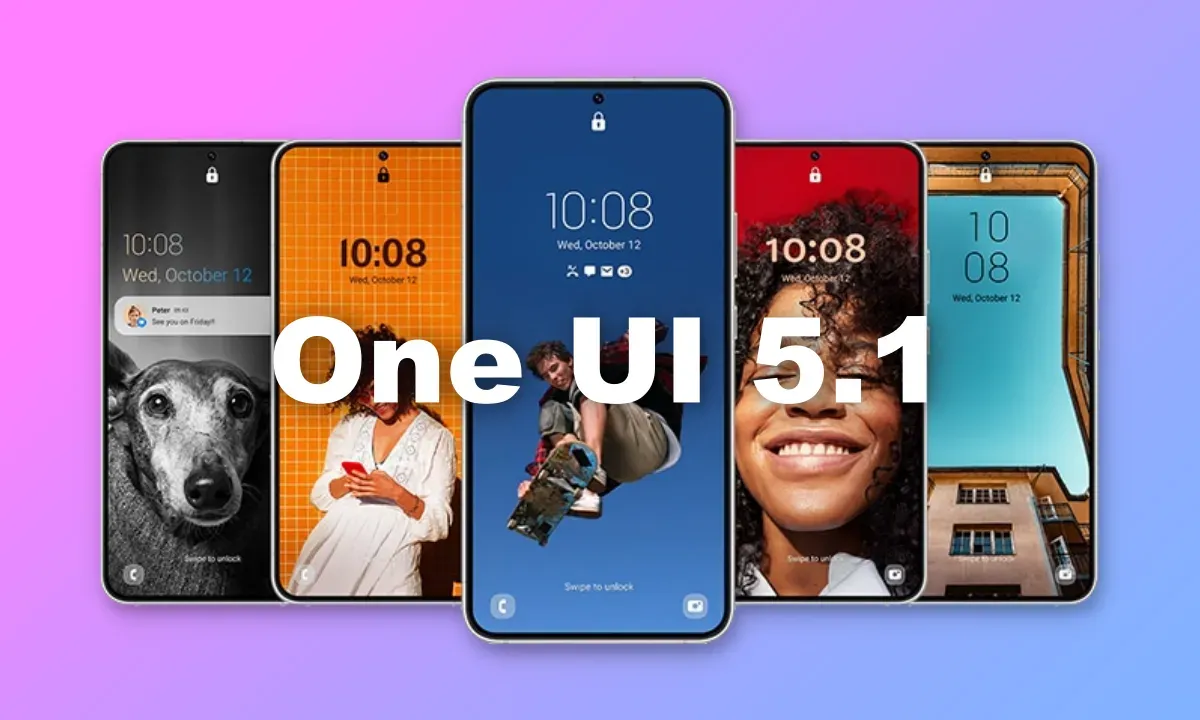
The new OneUI 5.1 features and updates are now clear to us thanks to a thorough leak from WinFuture. Instead of making substantial design modifications, the program will introduce a variety of functional enhancements. The entire OneUI 5.1 changelog has been placed at the end of this article. Let’s discuss some of the most noticeable modifications that the new software is expected to make for the time being.
What’s new?
With OneUI 5.1, the Gallery app is expected to receive the most new features. Now, you may share albums with your loved ones. By utilizing AI to recognize family members’ faces, the app will suggest images to add to your family albums. For what it’s worth, this function is already available in Google Photos. Up to six family members will each receive 5GB of free media storage from Samsung.
Additionally, the Gallery app’s search function is getting more practical. Now, you can look up multiple people at once. Instead of utilizing their tagged names, you may also search for people by looking up their faces.
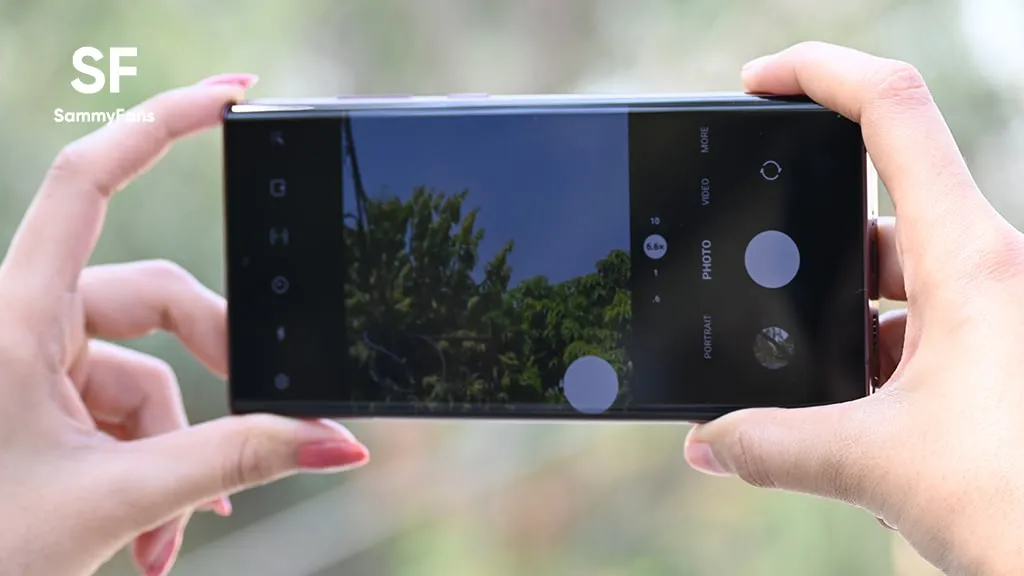
With the Effects button on the side of the screen in the Camera app, OneUI 5.1 will make it simple to alter the color of selfies. The Advanced menu now makes it simple to use the Expert RAW app as well.
With OneUI 5.1, the AR Emoji Camera also gains greater functionality. Now, you can use Mask mode to take pictures of up to three people and swap out their faces for emojis.
OneUI 5.1 also has a new battery widget. From your home screen, you can check the battery life of your phone and any Galaxy devices that are connected to it, including your Galaxy Watch, Galaxy Buds, and more.
Depending on the phone mode you’ve selected, you can also set alternative backgrounds for the lock screen and home screen. As a result, by selecting several modes, you can have various backdrops for business, sports, and more.
If you’re migrating from an earlier Galaxy or another Android phone, one Galaxy S23-only feature will make it simpler to set up your new phone. By scanning a QR code on your previous device, it uses Bluetooth Low energy to assist you in moving your Wi-Fi networks, Samsung account, and Google account to the new device. According to the source, the Galaxy S23 series will have “AI Restoration,” another new OneUI 5.1 feature. It isn’t specifically mentioned in the changelog, though.
One UI 5.1 features
Camera
Changing the hue for a selfie just got easier: Easily change the hue of your selfies with the Effects button on the side of the screen.
Quick access to Expert RAW: The Expert RAW app allows you to capture high-quality images without any processing or compression, perfect for those who want to edit their photos later. Accessing Expert RAW is now easier from the Advanced menu.
Gallery
Common family album: With Shared Family Album, sharing photos with your family is easier than ever. Gallery recommends photos to add to your shared family album by recognizing your family members’ faces. You also get 5GB of storage per family member (up to 6 people).
Improved handling: Processing automatically removes shadows and reflections to make your photos look great. You can also recreate GIFs for better resolution and clarity.
Convenient information display: If you swipe up when viewing a picture or video in your gallery, you can see at a glance when and where the picture was taken, on which device, where it’s stored, and more.
Search has become more powerful: You can now search for more than one person or item at a time. You can even search for people without tagging their names, just by clicking on their faces.
Choose a location to save screenshots: Now you can save screenshots and screen recordings in a folder of your choice by setting it up in the advanced features.
AR Zone and AR Emoji
Use 3 Emojis in AR Emoji Camera: Take fun photos and videos with friends (up to 3 people) in mask mode. You can replace your friends’ faces with other characters by clicking the emoji.
Layout and editing improvements in AR Doodles: The brushes are now available on the main AR Doodle screen for quicker access. You can also resize and move drawings after you create them, and the new eraser tool lets you erase just a portion of your drawings without completely erasing them.
Widgets
New battery widget: With the new battery widget you can check the battery level of your Galaxy devices. Right from the home screen, you can see how much battery your smartphone, Galaxy Buds, Galaxy Watch and other supported devices have left.
Intuitive weather widget: The new illustration style and a summary of the current weather conditions make it easy to know the weather information, whether it’s sunny, cloudy, raining or snowing.
Modes and Scenarios
Different wallpapers depending on the mode: Set different wallpapers on the lock screen and the home screen depending on your current activities. Choose a background for work, one for sport and more by setting different modes.
More conditions and actions for scenarios: Run scripts automatically when you turn on airplane mode or mobile hotspot. Scripts can now open some apps, adjust left/right audio balance, and more. New actions now let you control Quick Share and touch sensitivity, as well as change the ringtone and font style.
Connectivity
Collaboration in Samsung Notes: Create a shared note that multiple people can edit at the same time. Write a report with colleagues, take notes for a study group, or draw a picture with a friend. The possibilities are endless.
Inviting to shared apps made easy: Now you can easily invite people to shared albums, notes, and calendars using a link that can be shared across apps like messenger, email, and social networks.
Advanced multiple controls between Galaxy Book and smartphone: Now you can use your Galaxy Book’s mouse, keyboard, or trackpad not only with your Galaxy tablet, but also with your Galaxy smartphone. You can easily copy and paste text and drag and drop images from one device to another as if it were the same device.
Media output for WiFi speakers: If you want to continue listening to music on Wi-Fi speakers via Spotify Connect and the built-in Chromecast™, simply open the media output from the quick access toolbar, not the music apps.
Continue surfing on the PC: If you surf the Internet on your smartphone with Samsung Internet and then continue browsing on your PC, you can find the websites you opened on your smartphone and continue browsing them with the PC browser.
Samsung Dex
Improved multitasking in DeX: In split screen mode, you can now drag the splitter in the middle of the screen to resize both windows. You can also snap a window to one of its corners so that it takes up a quarter of the screen.
Settings
Settings suggestions: Suggestions are now displayed at the top of the settings screen, letting you know about useful features to try or settings that need your attention so you can enable or try them right away.
Samsung Internet
Improved search: You can now search by folder name in bookmarks or by group name in tabs. Improved search logic allows you to find what you’re looking for, even if something is misspelled.
Setup Wizard
Faster and easier initial setup of your new Galaxy: If you’re switching to a new Galaxy from a Galaxy or other Android device, simply scan the QR code on your old device to automatically migrate your Wi-Fi networks, Samsung account, and Google account to the new one Device to transfer without typing anything.
Weather
Detailed weather information at a glance: Useful weather information is now displayed on the main screen of the Weather app. You can check severe weather alerts, daily weather reports, hourly precipitation and color temperature charts.
Calls
Bixby text calls: Use Bixby text calls to automatically answer calls and find out the purpose of the call. You’ll see what the caller is saying in a text chat, and you can tap or type replies to have them read aloud to the caller. Bixby text calls are only available in English and Korean.
OneUI 5.1 availability
According to information accidentally put out by Samsung itself, One UI 5.1 would be coming to “flagship models released after Galaxy S20 and Galaxy Z Flip.” This means the update should be headed to the Galaxy S21 series, Galaxy S22 series, and nearly all of Samsung’s foldables, including the Galaxy Z Fold 2, Galaxy Z Fold 3, Galaxy Z Fold 4, Galaxy Z Flip 5G, Galaxy Z Flip 3, and Galaxy Z Flip 4.
Since the software will debut with the Galaxy S23 series in February, it should start showing up on older Galaxy phones by March.
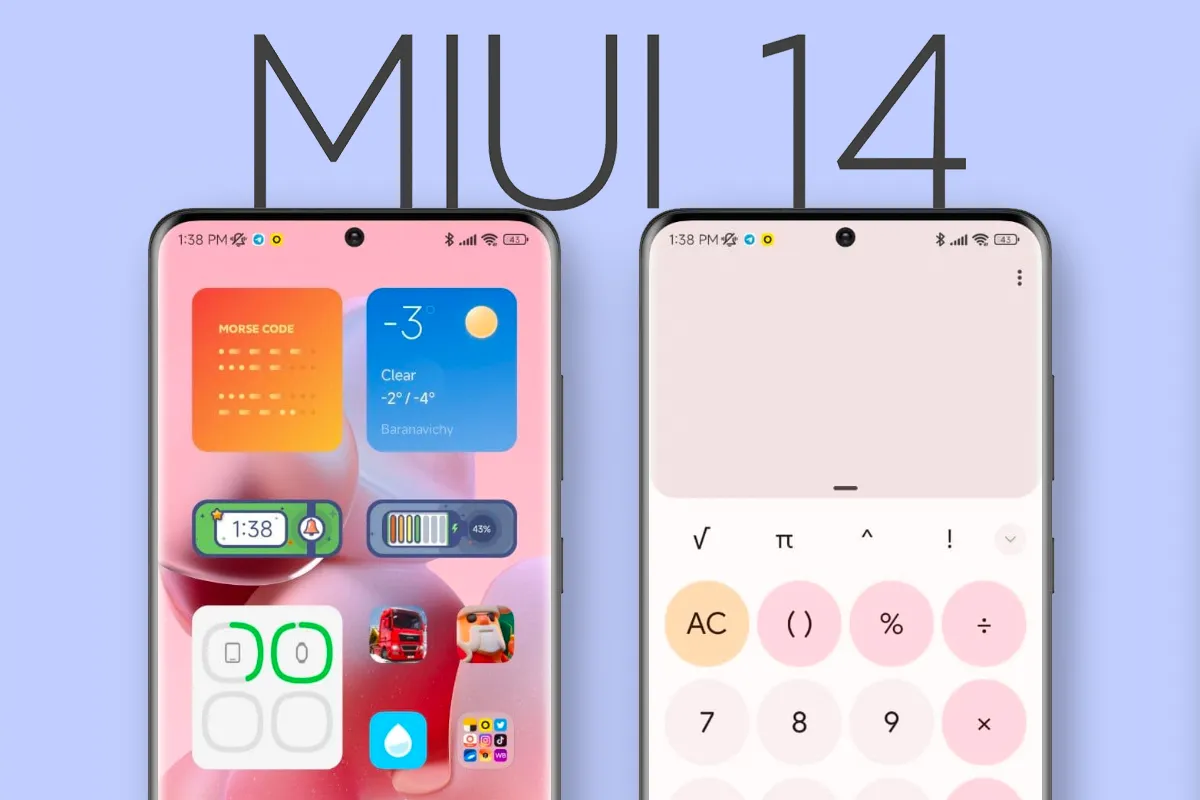
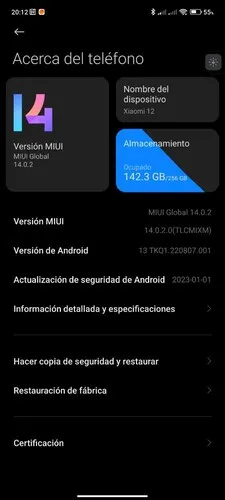
Despite Xiaomi’s official presentation of MIUI 14 in December, the OS update has not yet been widely released. At the time, Xiaomi stated that the OS update would be made available for the Xiaomi 12 series starting in January 2023, and it followed through with the Xiaomi 12 Lite. The Xiaomi 12 has now been added to the short list of devices that can download MIUI 14 in one way or another. Before February is up, the Xiaomi 12 Pro, MIX Fold 2, Xiaomi 12S series, and Redmi K50 series are all scheduled to receive MIUI 14.
Currently, Xiaomi has only made MIUI 14 available to Xiaomi 12 devices that have been accepted into the Mi Pilot Program. The build number suggests that Xiaomi issued MIUI 14 as MIUI 14.0.2.0 to the Xiaomi 12 at this early stage of the OS’s lifecycle, according to The Update Box. For perspective, the update is 4.45 GB in size and comes with the January 2023 set of Android security updates. Before switching from MIUI 13 to MIUI 14, Xiaomi advises users to create a complete backup. The following is the URL to download MIUI 14.0.2.0:
Unless Xiaomi finds any significant flaws, Mi Pilot Program builds typically take a few weeks before they are released to a larger audience. Even though MIUI 14 is a hefty download, once loaded, the OS should use less storage space than MIUI 13 did. In addition, MIUI 14 offers more system program uninstall options than MIUI 13 provides, which when combined with an automatic duplicate file finder can help users use built-in storage more efficiently. It is claimed that MIUI 14 consumes up to 22% less power than MIUI 13 while loading apps up to 60% faster. However, it is unknown whether all the advancements featured in the Chinese version of MIUI 14 will be included in the international release.
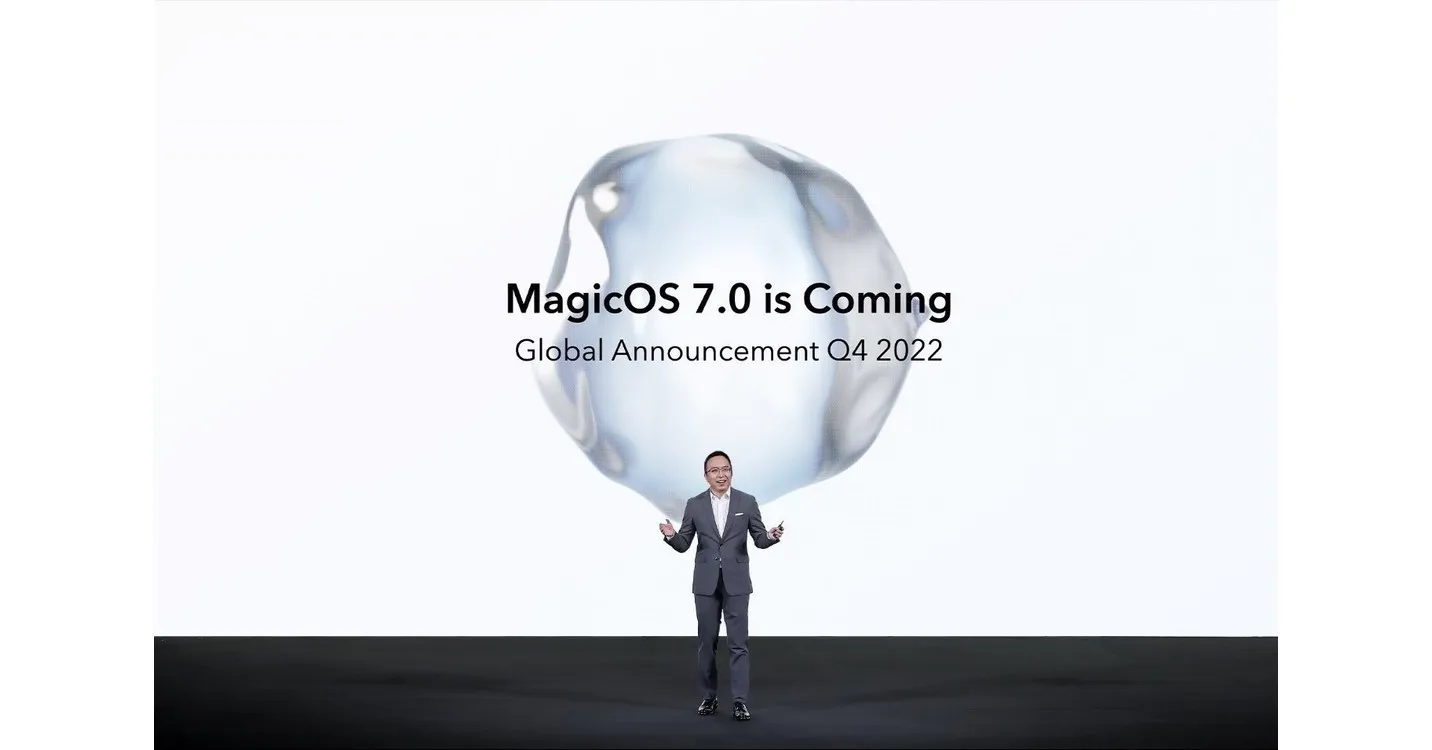
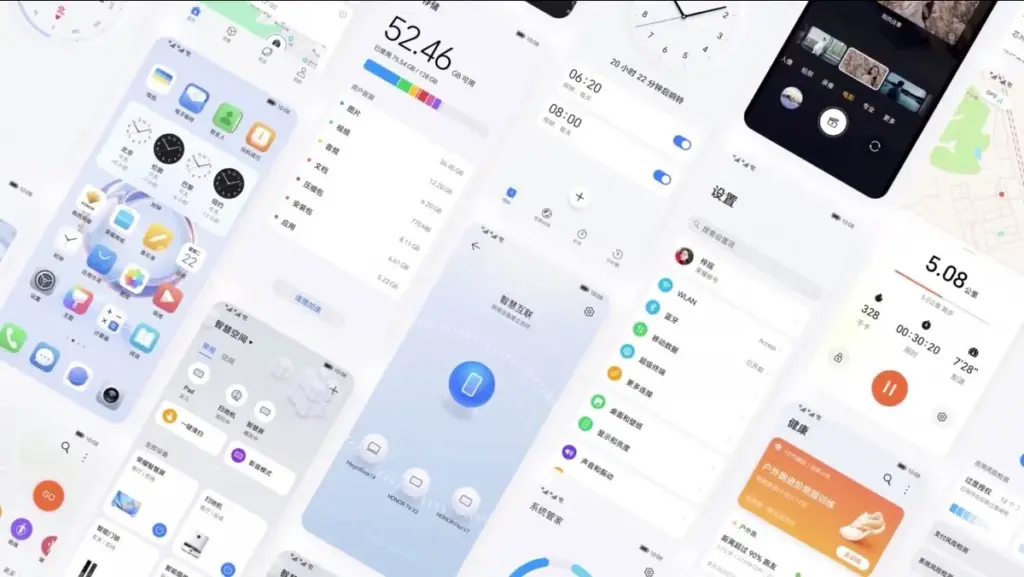
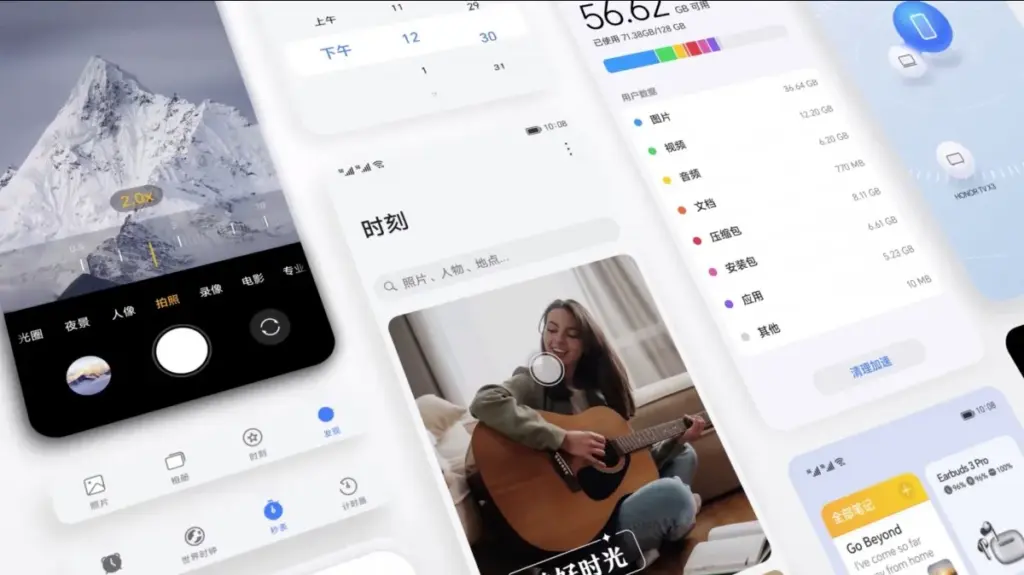
A day before the Honor 80 series and foldable Magic Vs were officially unveiled, Honor unveiled MagicOS 7.0, which is based on Android 13. The new version, which replaces Magic UI 6.2, will be available on all incoming Honor smartphones. MagicOS offers an aesthetic makeover along with a number of remarkable features.
Flat icons, fluid animations, and the new Honor Sans font are all part of MagicOS 7.0’s more streamlined design. Larger, more accessible folders are now housed on the home screen. A more individualized experience is made possible by the new widgets. A new built-in video editor was also unveiled by Honor.
The smooth file transfers, smart clipboard, call management, and notification handling between MagicOS devices and other Honor laptops and tablets are now known as MagicRing, according to Honor. A split-screen keyboard, smart widgets, and task manager support are further advantages for foldables. Another novelty, Magic Text, lets users scan and save text to PDF while also identifying text in photos.
Faster app launches and improved system-level power consumption management are promised by Honor OS TurboX, while MagicGuard takes care of system, privacy, and financial security concerns as well as malware protection for devices.
A preliminary list of the devices that will get the MagicOS 7.0 update in China was also released by Honor. The China-specific device list will be shared in due course, along with the global rollout schedule and list.
The Android 13 October update is releasing now and contains nine fixes in front of upcoming Pixel phones.
This second update boasts nine enhancements across Audio, Connectivity, User Interface, and Wi-Fi after only five changes were made last month.
The Android 13 UI is the focus of this month’s updates, which also address empty Quick Settings tiles and widget compatibility issues. As well as fixing a device crash when playing audio from local storage, there is a fix for several programs that don’t display an icon in the media player.
Use the following device key to interpret the Android 13 Pixel changelog:
*[1] Included on Pixel 4, Pixel 4 XL, Pixel 4a, Pixel 4a (5G), Pixel 5 and Pixel 5a (5G)
(This only applies to the first issue under Audio, with everything else in the October update benefiting all Android 13 Pixel devices.)
Audio
Fix for issue occasionally causing audible humming or noise artifacts during calls while using wired headsets *[1]
Fix for issue preventing device volume controls in media player notification to work under certain conditions
Connectivity
Fix for issue causing launcher crash when connecting to VPN in certain conditions
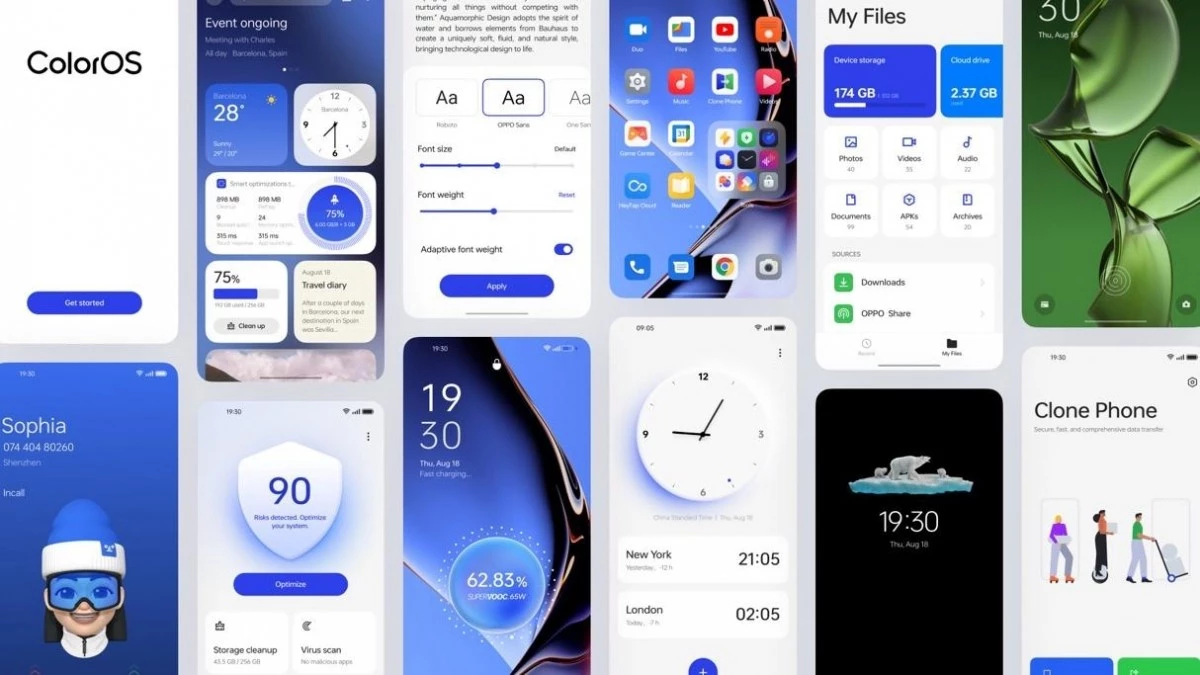
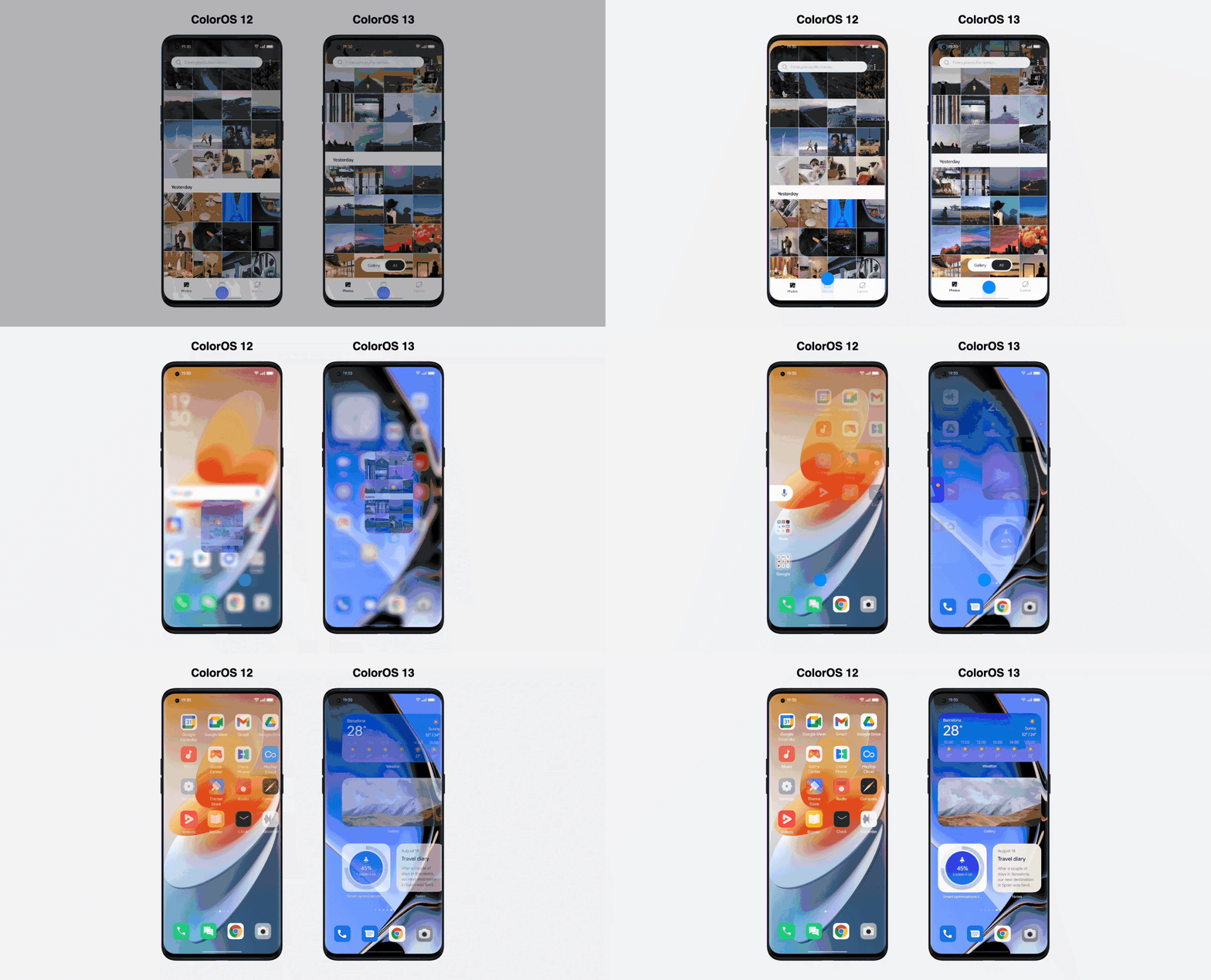
Android 13 is here, and with it, OPPO has revamped ColorOS not only with Google’s latest update but a selection of new and better in-house features. ColorOS 13 has been updated for maximum efficiency and introduces cutting-edge smart capabilities to make the most of your apps and the technology in your phone, in addition to improved graphics and sophisticated customization tools.
Here’s what you need to know about how OPPO’s latest technologies empower system performance and useful features in ColorOS 13.
Dynamic Computing Engine
High performance is now frequently taken for granted thanks to powerful processors and quick displays, but if recent chips are any indication, getting silky smooth performance still frequently comes at a cost to power consumption. The introduction of the Dynamic Computing Engine, an internal initiative to increase task scheduling effectiveness to boost performance and lower battery consumption, is one of OPPO’s key enhancements with ColorOS 13.
More power
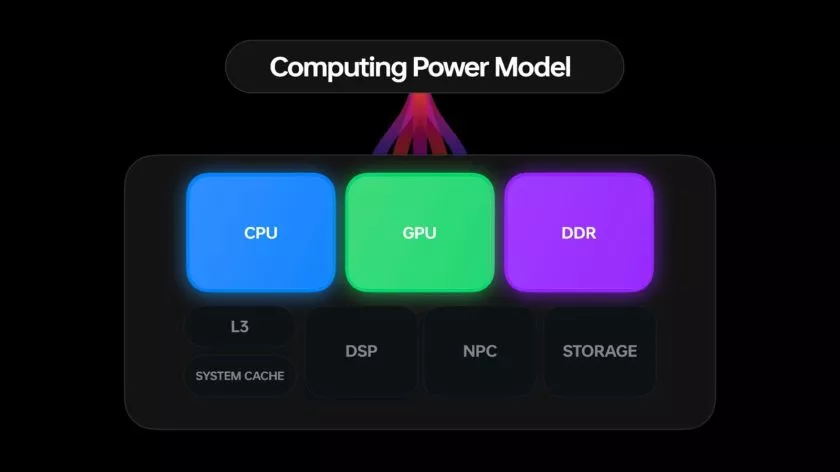
Through what is referred to as OPPO’s computing power paradigm, the first half of the Dynamic Computing Engine strives to enhance common task scheduling. Three tiers of CPU cores seek peak performance, sustained performance, and low power consumption in today’s multi-core smartphone chipsets. Performance and power consumption of a phone are influenced by how apps and tasks are distributed around CPU cores.
For example, running a background task on a large, powerful CPU would make it run more rapidly, but since it is a background process, you would only notice the increased power usage. So these kinds of operations should ideally be done on the lower power cores. To ensure responsiveness, it is best to use a strong CPU while starting a new app. The situation becomes trickier when balancing loads from multiple apps, all demanding CPU, GPU, and other resources at once.
The developers at OPPO spent three years simulating millions of similar situations in an effort to remedy the situation. OPPO is able to precisely plan computational resources from hardware, such as CPU, GPU, and DDR, using a computing power model. To ensure snappy apps and all-day battery life, the resulting scheduling processing power model achieves the perfect combination of high performance and low power consumption.
The proof is in the pudding: OPPO reports that its Find X5 Pro, equipped with this feature through ColorOS 13, can top an impressive 34 hours of battery life for doing everyday things. Their lab tests also showcase scenarios during which the Find X5 Pro can support up to 22 hours of video playback, 9 hours of continual gaming, and 8 hours of video calling.
More speed
The second aspect of the issue is performance limitations caused by running many apps simultaneously. The parallel processing engine developed by OPPO attempts to eliminate lag and interruptions brought on by memory use disputes. Processes must wait until the memory is free to access because “memory contention,” also known as locks, happens when many CPU threads attempt to access the same block of memory at the same time. This is a particularly troublesome bottleneck in multithreaded workloads and when releasing and swapping huge blocks of data into and out of RAM, like when relocating an outdated app to a swap partition to free up memory.
The Dynamic Computing Engine has two approaches to this. First, OPPO parallelizes operations, such memory allocation and reclaim, breaking huge locks into smaller locks and helping apps to recover from a stall more rapidly. Second, the engine delays shifting programs to swap storage for a longer period of time, which reduces the possibility of massive locks in the first place. Therefore, the smartphone can now maintain multiple programs in the background, and users can switch between apps without experiencing slowness or losing the status of an app.
Additional computing technologies, such as Parallel Computing, High-Performance Computing, Intelligent Computing, and Device-Could Collaborative Computing, will be added to the Dynamic Computing Engine in upcoming versions. The Dynamic Computing Engine will continue to provide comprehensive enhancement to the fundamental experience in the upcoming years as a system-level technical solution.
More Features
It’s not just about making daily activities more fluid, effective, and battery-friendly with Color OS 13. It also makes use of these technological advancements to introduce some brand-new, sparkling features!
Privacy is a priority
Performance is excellent, of course, but a premium modern smartphone experience consists of much more than performance. Today, privacy is equally crucial, and ColorOS 13 offers some interesting new capabilities in this area as well.
With ColorOS 13’s new Auto Pixelate feature, OPPO protects privacy with a self-created on-device AI system. Without access to the contents of your communications, Auto Pixelate can detect and automatically blur profile images and names in screenshots taken from Messenger and WhatsApp. Excellent if you want to share screenshots with contacts while maintaining user anonymity.
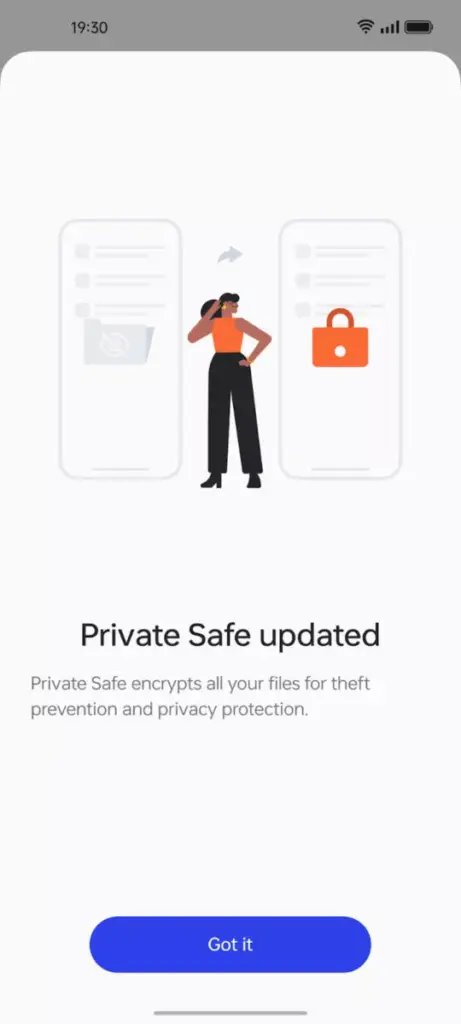
Likewise, OPPO’s Private Safe for keeping critical documents, images, and videos is more secure than ever. The industry-standard AES algorithm now protects Private Safe directories. ColorOS 13 is OPPO’s most secure operating system to date when combined with Android 13’s built-in auto-clearing clipboard, Wi-Fi location concealing, and other privacy features.
Improved always-on display
If you think all of that is fairly clever, ColorOS 13 has a few other clever features in store that are intended to utilize the hardware and software of OPPO’s smartphone.
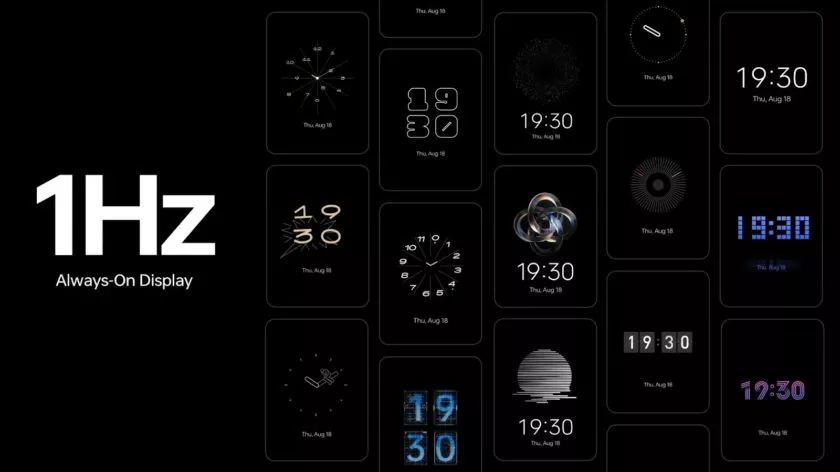
The advantages of LTPO display technology have previously been demonstrated by OPPO’s premium smartphones, which can dynamically drop refresh rates to conserve performance while still offering silky smooth high refresh rates upon request. OPPO is utilizing LTPO2.0 with Always-On Display in ColorOS 13 to lower refresh rates to just 1Hz. Through Smart Always-On Display, you can still quickly check your notifications and use apps like Spotify without turning on your display. But in comparison to non-dynamic refresh rates, power consumption is further decreased by up to 30%.
New UI
ColorOS 13 also boasts improvements to OPPO’s Quantum Animation Engine. The introduction of behavioral gesture prediction allows ColorOS to anticipate multi-gesture operations, improving responsiveness for more complex interactions and ensuring a fluid and intuitive UI experience.
New file transfer
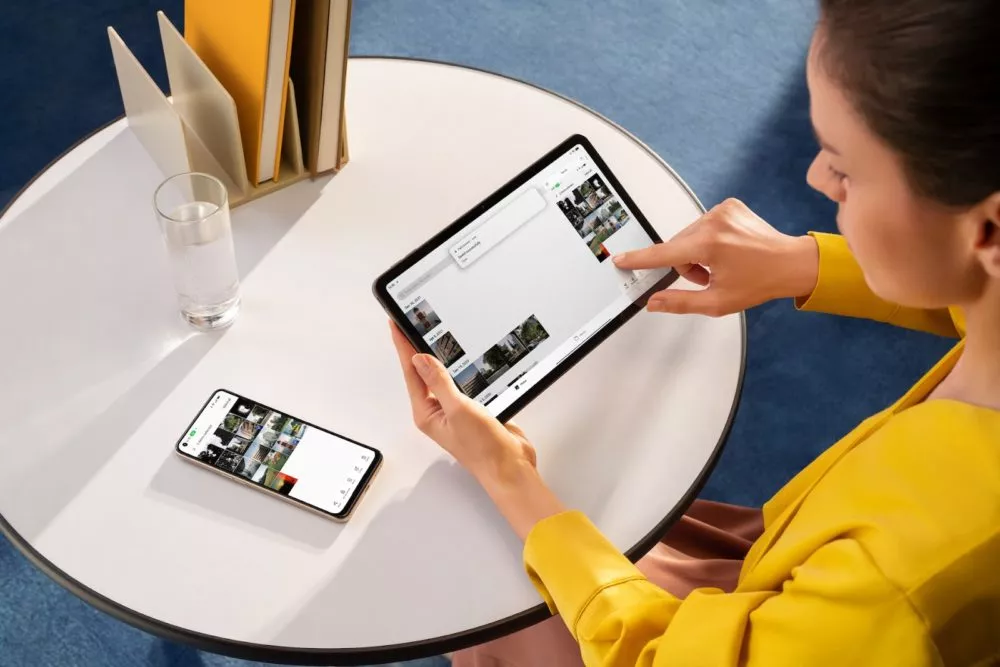
Additionally, OPPO Share has been improved to support a large number of additional file kinds without using up your data plan. Files can now be transferred between devices using OPPO Share as part of Multi-Screen Connect, regardless of their format or the hardware of smartphones. Users who use numerous devices might increase productivity by sharing their clipboards. Aside from supporting smooth communication between your smartphone and PC, Multi-Screen Connect also offers connectivity between your smartphone and the OPPO Pad Air.
Overall, OPPO’s Dynamic Computing Engine promises to enhance not just the performance of individual apps but also crucial multitasking and power consumption characteristics.
OPPO is rapidly establishing a distinctive personality for its Android handsets, as evidenced by ColorOS 13, which is much more than just an Android 13 upgrade. There is enough of innovation for consumers to get their teeth into with under-the-hood technological advancements and optimizations for peak performance and battery life, combined with user-facing improvements to multitasking, privacy, and the UI.