Tag: update

  • Why a Pixel 9a is a good buy? Beside the price

    Why a Pixel 9a is a good buy? Beside the price

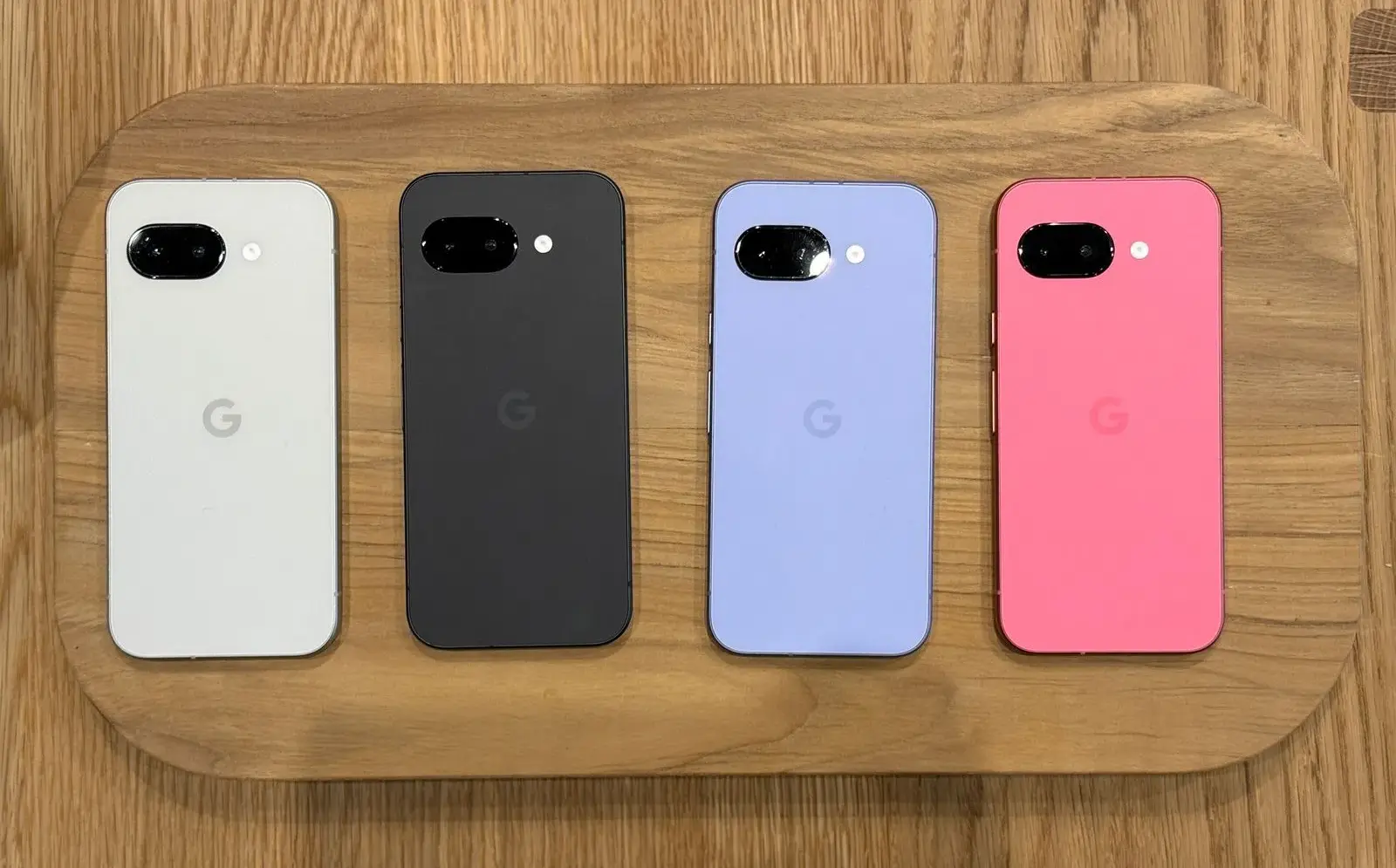
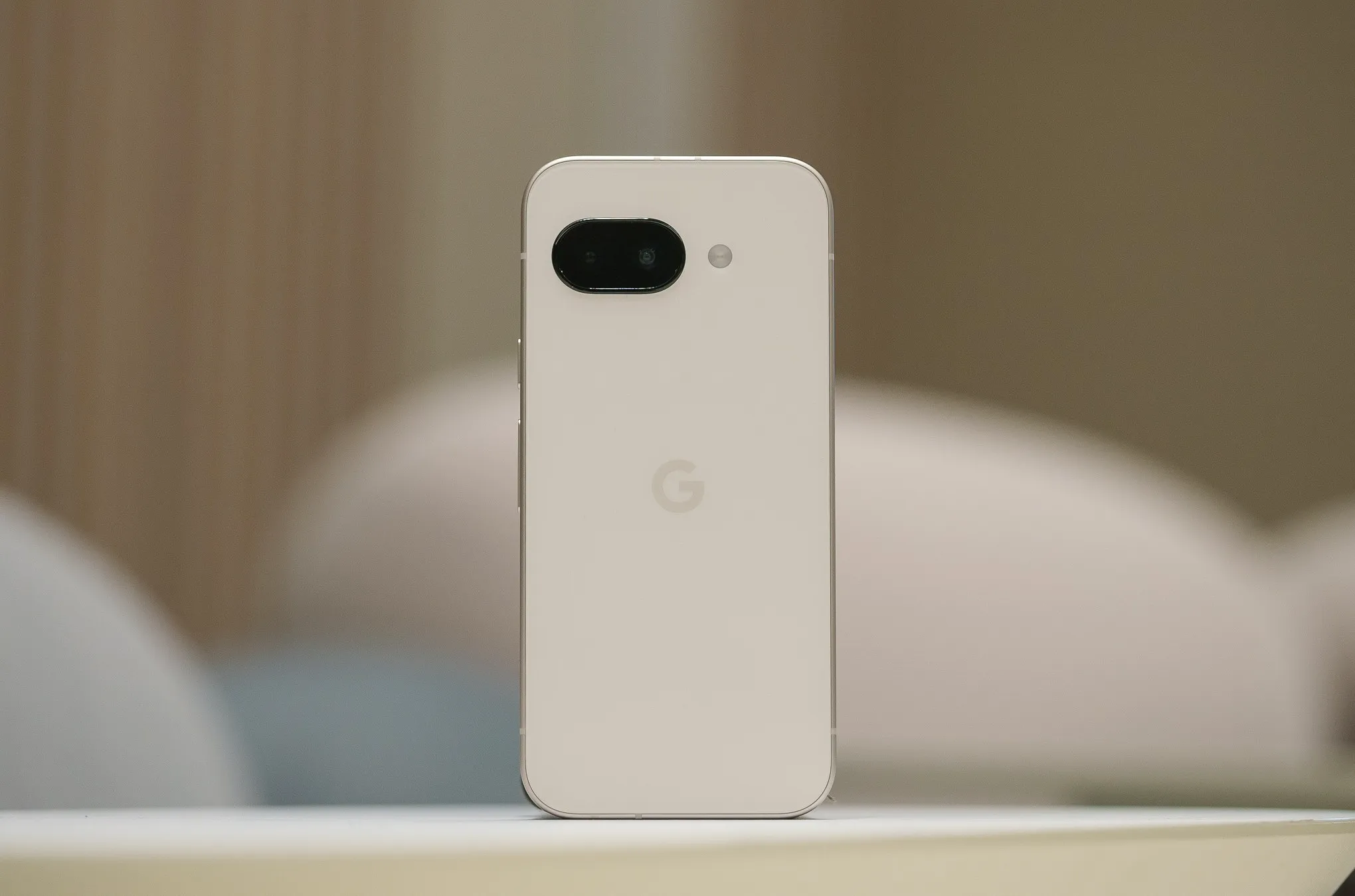
    Despite a minor delay, the Pixel 9a is now available for purchase beginning today. I am still testing the phone myself, but so far, I am really impressed with what is clearly Google’s best A-series entry to date. Regardless of how you feel about the camera bar-less design or any of the missing functionality, the Pixel 9a has made me very enthused about Google’s latest value proposition. In fact, I believe it is the best Android phone to buy right now. Here’s why.
    Google Pixel 9a

    Google Pixel 9a with Gemini

    Google Pixel 9a is engineered by Google with more than you expect, for less than you think; like Gemini, your built-in AI assistant, the incredible Pixel Camera, and an all-day battery and durable design

    Good choice

    A solid camera quality

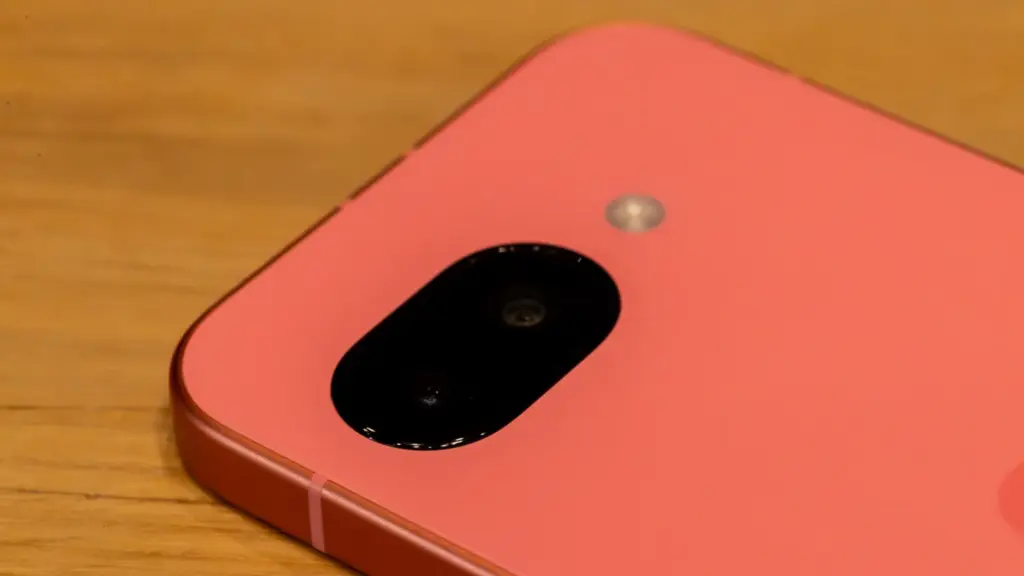
    When I originally bought the Pixel 9a, I noticed myself resting my middle and forefinger on the bottom of the camera pill as a habit. I have since adjusted and do not touch the lens cover, which is reported to be slightly domed and inspired by “nature and water droplets,” similar to the Pixel Watch.
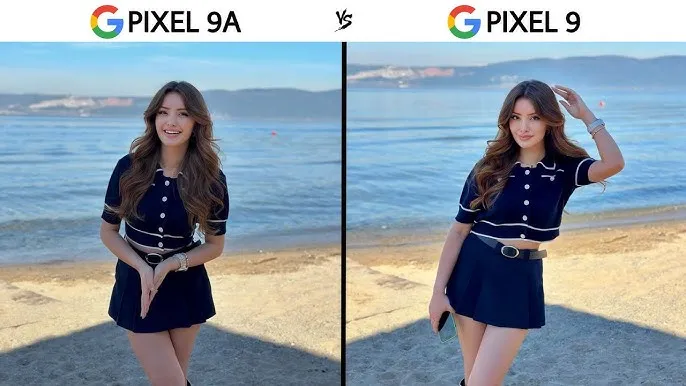
    Google pixel 9A vs Pixel 9 camera comparasion
    Image credit: KT Reviews

    The new 48MP sensor is comparable to the one used in the Pixel 9 Pro Fold, but it is significantly smaller. It is a Pixel Camera, as detailed in our video review.

    In our tests, we found that the Pixel 9a takes crisper photographs than the 8a from last year. This is most likely owing to an enhanced main camera sensor. While most people will not use both phones side by side or compare photographs in this manner, our gallery shows that the Pixel 8a has more contrast, whilst the 9a is pin sharp throughout the frame.

    A lesser camera bump

    Look, this is a minor request, but my request from late last year was completely successful. I had not realized how much I missed having a bump-free smartphone until I started using this one. While the elevated camera lip causes it to rattle somewhat on a table — strangely, it is perhaps the most a Tensor-powered Pixel has ever rocked on a table, excepting the Pixel 9 Pro Fold – it helps to make the phone seem so much more comfortable in everyday use.v
    pixel 9a camera

    Look, this is a minor request, but my request from late last year was completely successful. I had not realized how much I missed having a bump-free smartphone until I started using this one. While the elevated camera lip causes it to rattle somewhat on a table — strangely, it is perhaps the most a Tensor-powered Pixel has ever rocked on a table, excepting the Pixel 9 Pro Fold – it helps to make the phone seem so much more comfortable in everyday use.

    A great Google experience

    This is the most loaded A-series Pixel we have seen thus far. It is strange to think that the Pixel 7a, a device that felt cheaper to handle than its price tag suggested, was released only two years ago. No one will mistake the Pixel 9a for a flagship smartphone, but the handset itself feels excellent in the hand. The matte polycarbonate back improves on the already superb build quality of the Pixel 8a, and the flat frame feels just as wonderful as it did on the original Pixel 9.
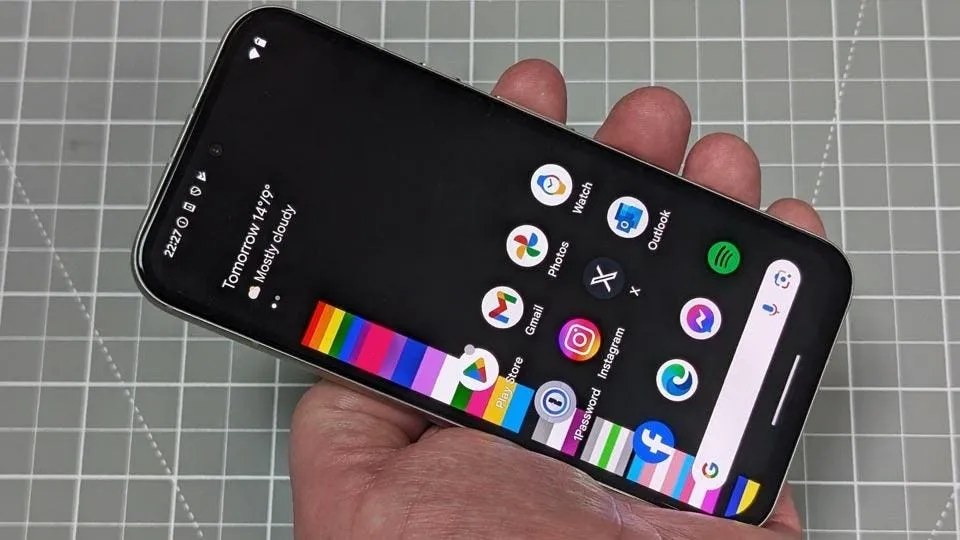
    pixel 9a stock experience
    Google Pixel 9a

    Google Pixel 9a with Gemini

    Google Pixel 9a is engineered by Google with more than you expect, for less than you think; like Gemini, your built-in AI assistant, the incredible Pixel Camera, and an all-day battery and durable design

    Good choice

    But, in my opinion, what truly counts is the display. While it is still protected by Gorilla Glass 3 — and yes, when you use as many different smartphones in a year as I do, you can really notice the difference in newer Corning glass applications — it is as good as the panel found on the ordinary Pixel 9. Hell, it may be the same panel used in the Pixel 9, as almost every specification, from size to brightness ratings, is similar. Regardless, it is one of the nicest screens I have seen on a $500 smartphone.

    However, the rest of the phone is equally impressive. The speakers are solid, the haptics are good, and the buttons are satisfyingly clicky—all of this adds up to a surprisingly durable smartphone. Sure, it lacks some of the more modern features of Google’s flagships, like as the ultrasonic fingerprint sensor and the extra 4-8GB of RAM, but for $500, this is the most complete package we have ever seen from this firm.

    A good design

    Okay, I get it. I was not sold on the design from the time I saw it, whether in leaked renders or hands-on photographs from our staff. The choice to remove the camera bar in favor of a flat (or largely flat) back irritated many people in this sector, as many viewed the Pixel team abandoning an iconic design for no apparent reason. Combined with the wider bezels and flat frame, I was not sure how I would react when the Pixel 9a arrived in my hands.
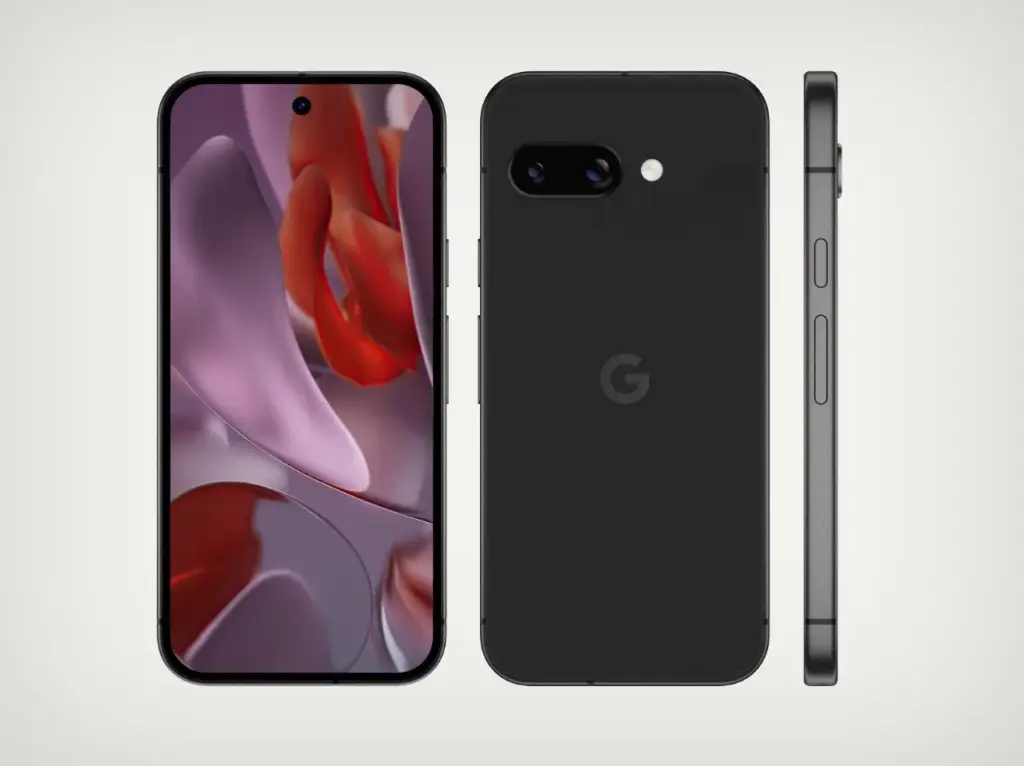
    pixel 9a design from all sides

    The answer, of course, is “totally fine,” as I truly enjoy the design Google chose here. It seems funny to celebrate something as easy as slipping a phone into your pocket, but the lack of a camera bar makes a significant difference here — it never got snagged on the lip of a jeans pocket, for example, and felt considerably smaller in my pants as a result. In our hands-on images, the wider bezels appeared to be exacerbated by the flat frame, but once the device was turned on, I stopped noticing the bezels almost immediately.

    Obviously, the look and feel of any phone will be determined by personal preference. But if, like me, you never quite clicked with the Pixel 9a no matter how many times it appeared in various leaks and renders, I would recommend that you check see the phone in person before dismissing it completely. And I would be negligent if I did not mention the colors – I love the Iris color on my unit, and the Peony looks excellent as well.

    Missing ai features? not many that you will use

    Due to its limited 8GB of RAM, the Pixel 9a lacks a number of AI-powered capabilities seen in the mainline Pixel 9 series. Apps like Pixel Screenshots are completely vanished, while Call Notes has been removed from the Phone app altogether. While Google’s 2024 flagships shipped with its on-device Gemini Nano XS LLM, the Pixel 9a has a modified “XXS” model that removes multimodal capabilities in favor of text-only inputs. The end result is a lower-quality experience, but I doubt most people will notice.

    Pixel Screenshots is a nice app, and I hope Google continues to improve the experience on the Pixel 10 and future. But I would be lying if I said I would been using it or Call Notes on the ordinary Pixel 9 for the past eight months. Your mileage may vary, of course, but I do not believe the absence of these apps is very noticeable in day-to-day use. Most people will get their AI experience via apps like Gemini or ChatGPT, which work wonderfully on the Pixel 9a.

    Overall a pretty great phone

    Google Pixel 9a

    Google Pixel 9a with Gemini

    Google Pixel 9a is engineered by Google with more than you expect, for less than you think; like Gemini, your built-in AI assistant, the incredible Pixel Camera, and an all-day battery and durable design

    Good choice

    It is easy to dismiss a $500 smartphone as wonderful, but in my opinion, this is something to rejoice. Google’s efforts with the Pixel 9a feel like the culmination of several years of work to elevate the A-series from “surprisingly good for the price” to simply excellent.

    Obviously, there are reasons to choose the Pixel 9 over this device — and if the prices are close enough, going with the older, more powerful smartphone feels like the right move — but at its core, this is a fantastic smartphone that will only improve if and when (tariff madness pending) it sees deals throughout the rest of 2025. For me, that is sufficient.
  • Easily install Android 16 Beta on Xiaomi devices

    Easily install Android 16 Beta on Xiaomi devices

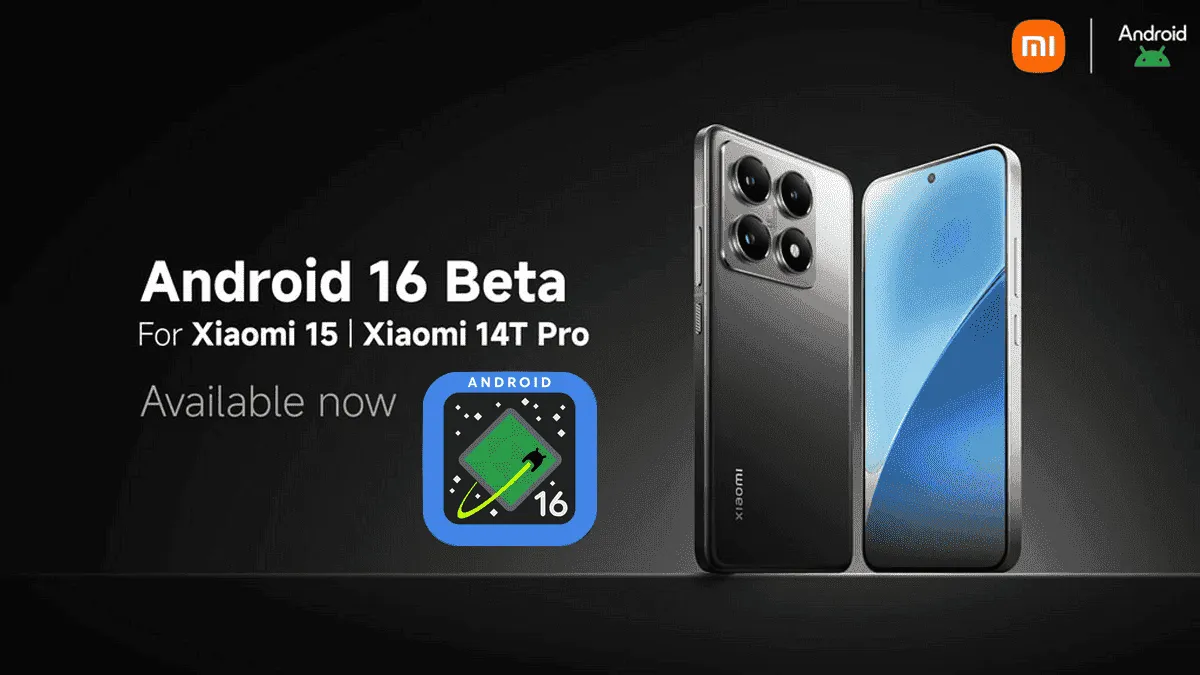
    After being first released in China, the exciting HyperOS 2 for some Xiaomi devices running Android 16 Beta 2 is now available globally. The most recent features and improvements are now available to consumers worldwide on the Xiaomi 15 and Xiaomi 14T Pro, which is the international version of China’s Redmi K70 Ultra.

    If you are eager to obtain Google’s most recent operating system and cannot wait for the final release, which is scheduled for June 2025, this comprehensive installation guide will walk you through the process.

    Supported Devices and Build Numbers

    Check your device compatibility before proceeding with the installation and record the correct build number:

    Method 1: Local Update

    This method is based on your device having at least the following software version:

    1. Check that your Xiaomi 15 is running OS2.0.109.0
    2. Make sure your Xiaomi 14T Pro is running on OS2.0.103.0
    3. Key steps to take Back up your data as you are about to erase the contents of your phone
    • Download the suitable Android 16 Beta build for your device
    • Copy the ROM package into your phone storage
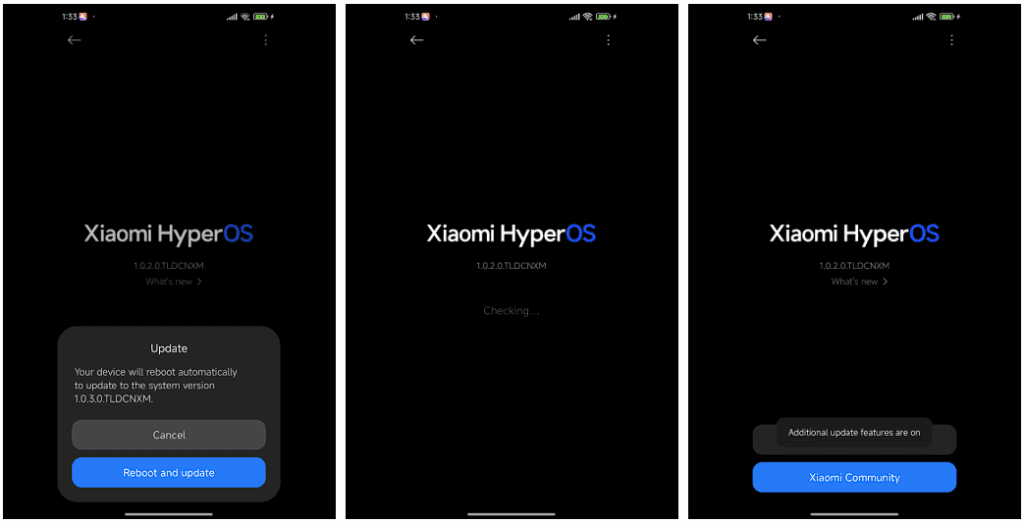
    • Settings → About phone → Tap on “OS version” 10 times in order to enter developer mode
    • Go back to Settings → About phone → Tap on the system icon → Tap on the three-dots icon → Tap on “Choose update package”
    • Select the ROM package in order to initiate the upgrade
    android16 beta 4 on xiaomi devices
    HyperOS Manual Update 4

    Method 2: Fastboot Update

    For experts who are familiar with bootloader unlocks:

    1. Seek out and obtain bootloader unlock approval
    2. Back up your data
    3. Download the Android 16 beta build for your device
      1. Xiaomi 15
      2. Xiaomi 14T Pro
    4. Follow the tutorial for Fastboot Update

    Fastboot Recovery Option

    To restore using Fastboot mode:

    1. Turn off your device
    2. Press Volume-down + Power buttons simultaneously for 4-5 seconds
    3. Restore factory settings as indicated on-screen
    4. Keep in mind that beta software can have bugs as well as performance issues.
  • How to speed up your Android device in just minutes

    How to speed up your Android device in just minutes

    You are not dreaming if your Android phone used to be blazing fast but suddenly feels slow. Android devices naturally slow down over time for a number of reasons, the majority of which are entirely resolvable without the need for third-party apps or technical know-how.

    Why Android is getting slower?

    📦 1. App Cache Buildup

    An application, such as Instagram, YouTube, or your web browser, saves small amounts of temporary data (called cache) each time you use it so that it loads more quickly the following time. Although useful when used sparingly, this cache accumulates over time, depleting storage and occasionally making the program (or even your phone) slow.

    Example: Chrome can build up hundreds of MBs in cache after a few weeks of browsing. Clearing it can noticeably improve speed.

    ⚙️ 2. Background Processes Piling Up

    Applications do not simply launch when you use them. Multiple apps keep running in the background, syncing data, giving notifications, and even tracking position. This depletes the battery and RAM (your phone’s memory), which can affect speed.

    Tip: Social media and messaging apps are the biggest offenders. If you’ve got 10+ apps running in the background, expect a performance dip.

    📲 3. Unused or Pre-installed Apps

    Bloatware is the term for the numerous apps that are pre-installed on your phone and frequently continue to run in the background even if you have never used them. You end up with a cluttered, overloaded system when you include the apps you downloaded, used once, and then forgot about.

    You don’t have to delete everything, but disabling or uninstalling apps you don’t use makes a big difference.

    🔁 4. Software Updates and Feature Overload

    Software updates can be bulky, yet they are necessary for security and new functionality. Updates for apps and newer Android versions are gradually tailored for more modern hardware. This implies that all of the new features and animations may be too much for your outdated device to handle.

    Ever noticed how a major Android update seems to slow your phone a bit? That’s usually why.

    🗄️ 5. Low Internal Storage

    For Android to function properly, it requires a buffer of free space. Your phone may begin to crawl if it is overloaded with pictures, movies, downloads, and residual program data for background processing.

    Rule of thumb: Keep at least 4 GB free at all times. If you’re below that, expect slowdowns.

    ✅ The Good News?

    You don’t need root access, expensive cleaner apps, or a trip to the repair shop. Most speed issues can be solved in just a few minutes using built-in settings.

    📍 In the next section, we’ll walk through the exact steps you can take right now to get your Android device running like new again.

    how to speed up android phone wi

    ✅ 1. Restart Your Phone

    Why it matters: Restarting your phone clears temporary files, ends frozen background processes, and resets system performance. It’s like giving your phone a fresh breath of air.

    What to do:

    • Hold the Power button until the menu appears
    • Select Restart (or Power Off, then turn it back on)

    📌 Do this at least once a week — it can fix lag, crashes, and battery issues instantly.


    🧹 2. Clear App Cache (Not Data!)

    Apps store cache to improve loading times, but too much of it can cause lag, glitches, or even crashes.

    Here’s how to clear cache:

    1. Go to Settings > Apps
    2. Tap on an app like Chrome, TikTok, or Instagram
    3. Tap Storage & Cache
    4. Tap Clear Cache

    ⚠️ Important: Don’t tap Clear Storage/Data unless you want to log out or reset the app.

    🧠 Pro Tip: Clear cache for your most-used apps once every 2–3 weeks.


    📦 3. Uninstall or Disable Unused Apps

    Apps you never use can:

    • Take up precious storage
    • Run silently in the background
    • Slow down boot times

    To remove them:

    • Long-press the app icon > tap Uninstall
    • OR go to Settings > Apps > [App Name] > Uninstall

    If an app can’t be uninstalled:

    • Tap Disable — it won’t run or consume resources anymore.

    🔇 Example: Carrier apps, pre-installed games, or assistant tools you never asked for.


    🛠️ 4. Reduce Animations (Developer Options)

    Android’s transitions and animations may look sleek — but they can delay actions on older or budget phones.

    Here’s how to disable or reduce animations:

    1. Go to Settings > About Phone
    2. Tap Build Number 7 times to unlock Developer Options
    3. Go back to Settings > System > Developer Options
    4. Scroll down to:
      • Window Animation Scale
      • Transition Animation Scale
      • Animator Duration Scale
    5. Change all three to 0.5x or Animation Off

    📈 Expect a noticeable speed boost — especially on devices with less RAM.


    🗃️ 5. Free Up Storage Space

    Storage nearing full = a major performance killer. Your phone needs free space to install updates, load files, and run background tasks.

    Quick ways to free up space:

    • Open Files by Google > Clean to remove junk, large files, and duplicates
    • Go to Gallery > Albums > Downloads and delete old files
    • Offload videos/photos to Google Photos or an SD card

    💾 Aim to keep 15–20% of your total storage free (e.g. at least 4–6 GB on a 32 GB phone).


    🔋 6. Disable Background Sync & Battery Hogs

    Many apps sync data constantly — even when you’re not using them.

    To limit background activity:

    • Go to Settings > Battery > App usage
    • Tap on heavy apps (Facebook, Gmail, etc.)
    • Restrict background use or set to “Battery Optimized”

    For syncing:

    • Go to Settings > Accounts > Auto-sync Data
    • Turn it off for accounts you rarely use

    💡 This saves RAM and battery life — a win-win.


    🔄 7. Update Android & Your Apps

    Updates contain bug fixes and performance improvements. If you’re behind, you could be missing important optimizations.

    Update system:

    • Settings > System > System Update > Check for updates

    Update apps:

    • Open Google Play Store
    • Tap your profile icon > Manage apps & device
    • Tap Update All

    🔄 Do this monthly, especially if you notice app crashes or slowness.


    🧩 8. Use Lite Versions of Apps

    Heavy apps = more RAM, more battery, more lag.

    Try these alternatives:

    • Facebook Lite instead of Facebook (saves over 500 MB!)
    • Messenger Lite instead of Messenger
    • YouTube Go (lighter on data and resources)
    • Twitter Web via browser instead of the app

    You’ll free up space and speed up daily use.


    🖼️ 9. Use Static Wallpapers

    Live wallpapers constantly run behind the scenes, draining battery and processing power.

    Change it:

    • Long press on the home screen > Wallpaper & Style
    • Choose a static image from your gallery or system wallpapers

    🌓 Tip: Dark wallpapers also save battery on AMOLED/OLED screens.


    🧠 10. Try a Lightweight Launcher

    Your phone’s default launcher (like Samsung’s One UI or Xiaomi’s MIUI) can be bloated and animation-heavy.

    Better options:

    • Nova Launcher (fast, customizable)
    • Niagara Launcher (minimalist & smooth)
    • Smart Launcher 6 (lightweight & sleek)

    Switching to one of these can reduce memory use and simplify your experience.

    speed up android
  • HyperOS 2.2 Beta changelog released by Xiaomi

    HyperOS 2.2 Beta changelog released by Xiaomi

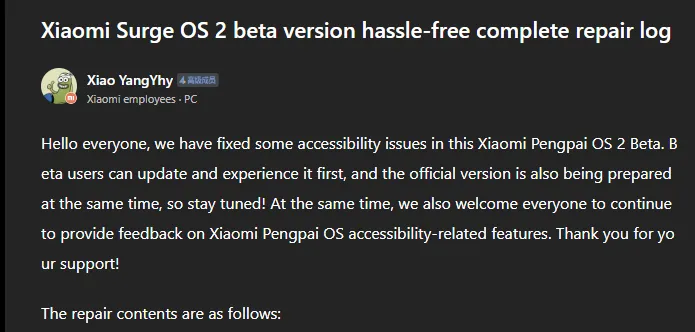
    Xiaomi has taken a huge step in making its devices more inclusive by releasing a comprehensive accessibility repair log for HyperOS 2.2 Beta. Xiaomi employee @小杨Yhy shared a complete update in the Xiaomi Community, addressing accessibility concerns across the system, including basic controls, SMS functioning, and TalkBack improvements. This massive accessibility upgrade underscores Xiaomi’s dedication to create a more inclusive user experience, ensuring that their devices are usable by people with a variety of disabilities.

    HyperOS 2.2 Beta change log

    Common control enhancements in HyperOS

    The accessibility update addresses a number of typical control issues that previously limited users with impairments. These improvements significantly improve the system’s overall user experience.

    Key enhancements to standard controls are:

    • Corrected password control choices in the input fields
    • Resolved index bar operation and selection issues
    • Corrected focus problems with bubbles showing up when entering pages
    • Corrected switch control focus redundancy
    • Corrected wrong reading of switches as checkboxes
    • Included proper labeling to jump buttons in lists
    • Fixed reading problems with search and input boxes
    • Fixed focus and labeling problems with back buttons
    • Enhanced notifications of selection status
    • Provided proper labels to progress bar buttons

    These fundamental upgrades will make the process more natural for users who rely on accessibility capabilities, particularly those who use screen readers or voice commands.

    Communication and messaging enhancements

    All users must be able to communicate, and the latest update significantly improves the SMS and phone accessibility capabilities. These changes make messaging and phoning more accessible to handicapped people.

    Notable SMS and phone accessibility fixes include:

    • Correct labeling of satellite map SMS broadcasts
    • Addressed incorrect messaging in SMS multi-select action
    • Fixed the checkbox selection issue in message feedback.
    • Removed unnecessary blank focus fields in message details
    • Resolved incoming call number labeling issues
    • Fixed the dial pad focus and selection problems.

    The new update also resolves several contact-related accessibility challenges to allow users greater control over their contact list and dialing irrespective of disability.

    Control Center and System Settings Accessibility

    System settings and the Control Center both benefit from extensive accessibility enhancements, making the management of the device more accessible to everyone.

    Key improvements are:

    • Resolved focus penetration problems in the Control Center
    • Fixed switch status reporting issues
    • Included proper labeling throughout the Control Center
    • Fixed-coordinate position reporting during icon ordering adjustment
    • Enhanced focus of notification center and labeling
    • Fixed switch reading problems in settings
    • Added proper control type announcements

    These enhancements guarantee that the users with disabilities can efficiently navigate and control their device settings without the presence of accessibility barriers.

    Specific accessibility features for apps

    The update also introduces several accessibility improvements to some of the Xiaomi apps, such as the CalculatorCalendarWeatherNotesRecorderFile Manager, Xiaomi Video, and Browser. These improvements work to achieve consistent accessibility within the entire Xiaomi ecosystem. TalkBack users stand to benefit most from the fixed volume adjustment problem and touch failure issues that previously hindered screen reader performance.

  • HyperOS 2.2 just got some exciting new features

    HyperOS 2.2 just got some exciting new features

    With a remarkable array of new features in HyperOS 2.2, Xiaomi is once again redefining smartphone innovation. These recent advancements further cement Xiaomi’s position as a mobile technology behemoth by spanning the domains of photography, artificial intelligence, and automotive connection. Explore the exciting new features that will completely transform your Xiaomi experience.

    Photo and video editing capabilities

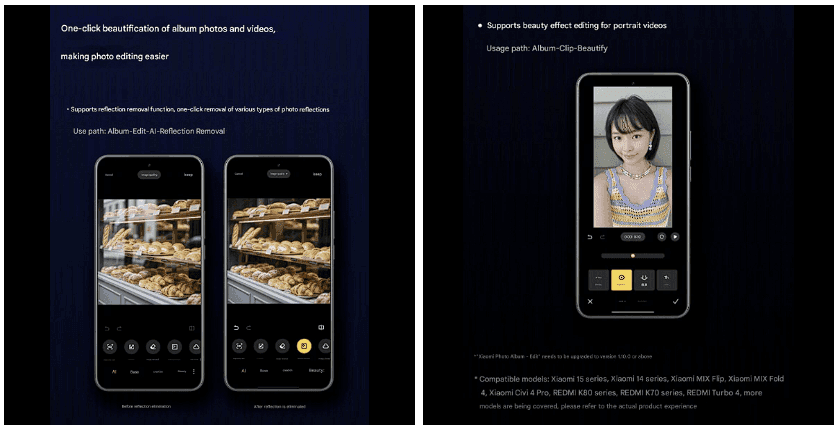
    With HyperOS 2.2, you may alter your visual memories in a whole new way. The new anti-glare feature, which can instantly remove reflections from your photos, is its main attraction. Getting those pictures in the window or in difficult lighting situations is now easier than ever thanks to this technology, which adjusts to various kinds of reflections.

    The update offers video enthusiasts beauty editing features specifically designed for altering portrait videos. With this tool, you can retouch your video recordings to the same level of personalization that was previously only possible with images. The Album app offers immediate access to these editing features through the Album-Clip-Beauty path for films and the Edit-AI-Anti-glare path for images.

    xiaomi hyperos photo and video editing

    These advanced editing capabilities will come to high-end Xiaomi models, including the Xiaomi 15 series, Xiaomi 14 series, Xiaomi MIX Flip, Xiaomi MIX Fold 4, Xiaomi Civi 4 Pro, REDMI K80 series, REDMI K70 series, and REDMI Turbo 4.

    AI-Powered schedule management

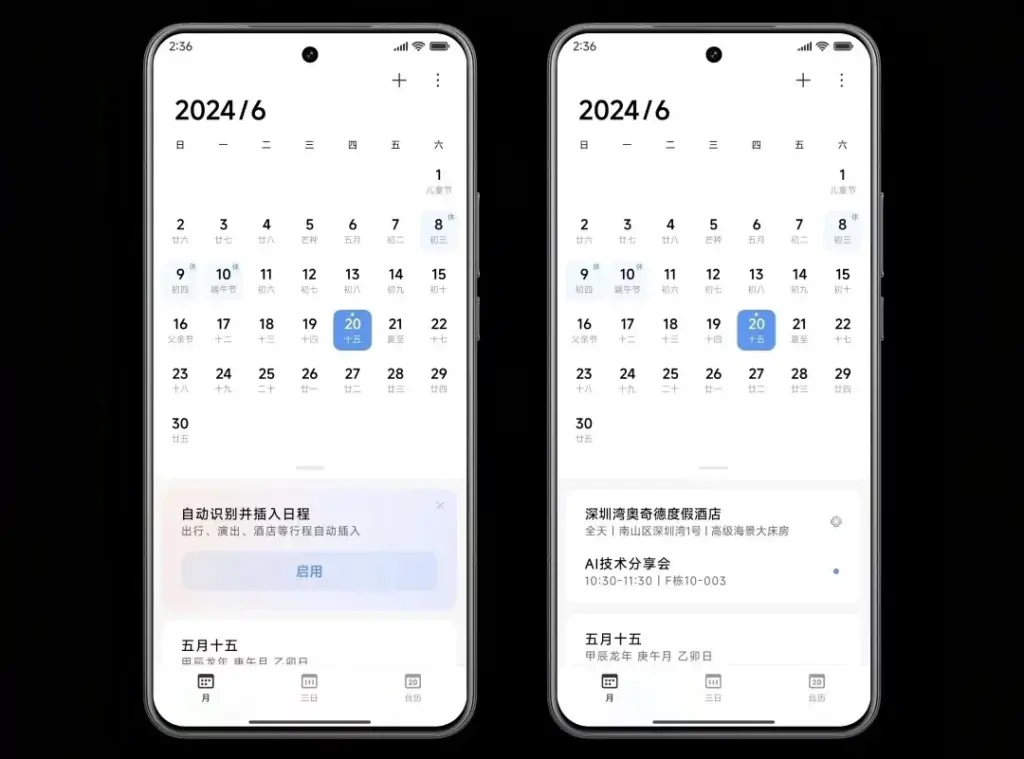
    The AI scheduling clever extraction tool is one of HyperOS 2.2’s most useful enhancements. Instead of requiring you to manually enter scheduling information, this function will identify and display it in your text messages.

    The system accommodates a variety of schedule types, including:

    • Train reservations
    • Flight information
    • Hotel booking
    • Restaurant reservations
    • Performance tickets
    • Movie tickets

    To turn on this handy functionality, simply go to Calendar-Settings and turn on “AI Schedule Extraction.” Be aware that the feature is only supported on Xiaomi HyperAI-enabled models.

    AI-Powered schedule management

    Enhanced CarWith functionality

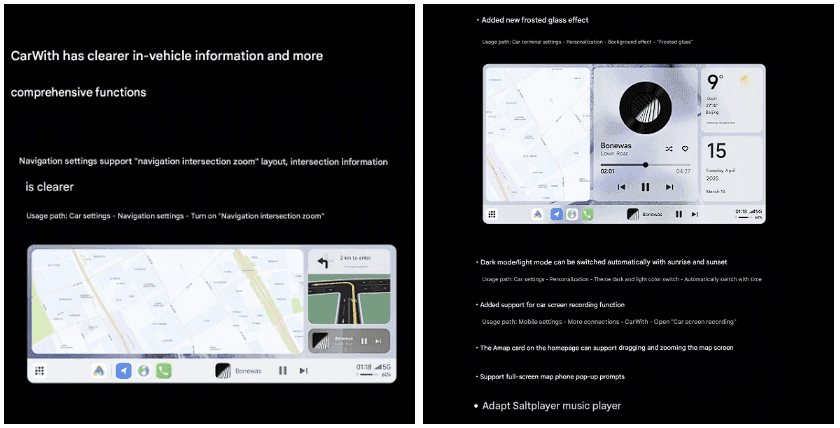
    HyperOS 2.2 significantly improves CarWith, transforming Xiaomi users’ in-car experiences. A new “Navigation intersection zoom” style improves navigation by making information at road intersections easier to read and making it simpler to understand turns and exits up ahead.

    A new frosted glass design further improves the visual experience, giving the car terminal a high-end aspect and feel. The dark mode/light mode can also switch automatically with dawn and sunset for added convenience, reducing eye strain both throughout the day and at night.

    Additional improvements to car connectivity are:

    • Car screen recording capability
    • Map dragging and zooming on the homepage card of Amap
    • Full screen map phone notifications Compatibility with the music player Saltplayer
    xiaomi CarWith

    System-Wide optimizations

    Beyond these major improvements, HyperOS 2.2 includes several quality-of-life enhancements throughout the system:

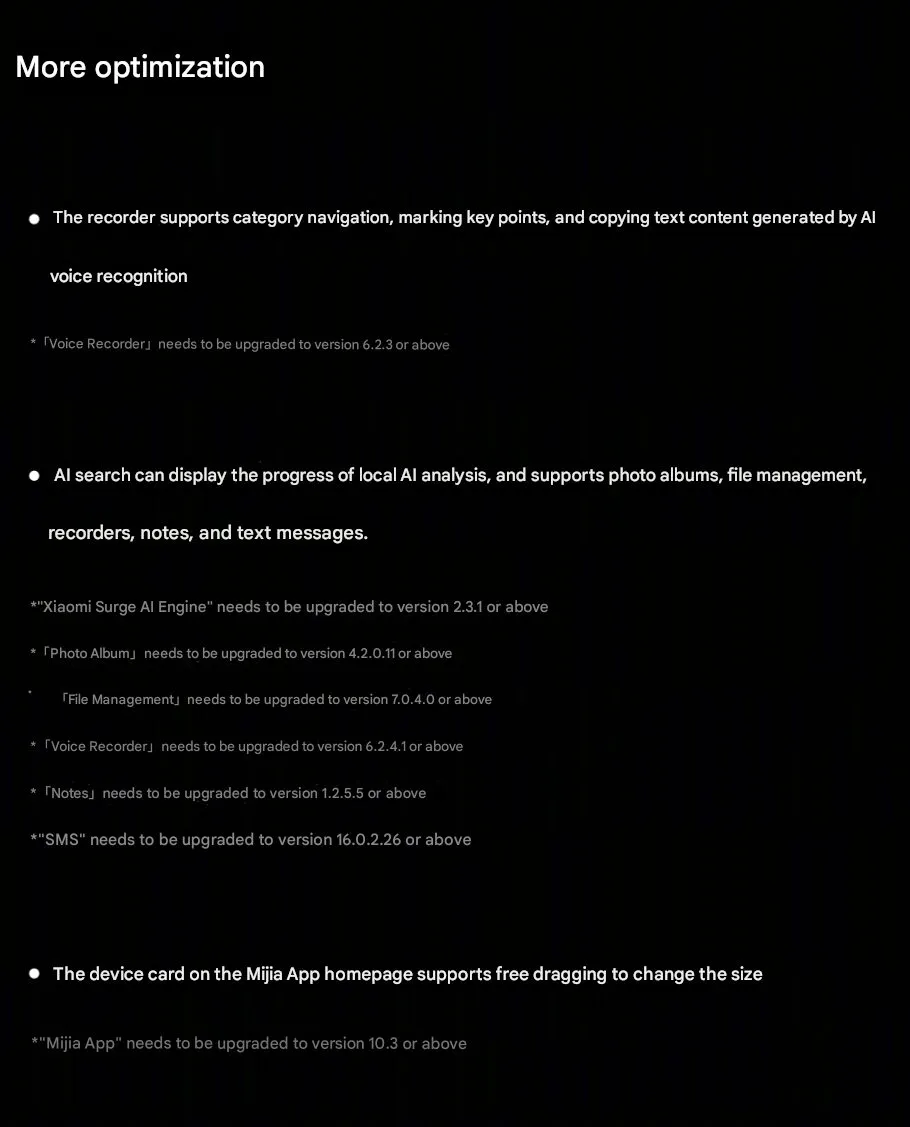
    • Recorder app includes support for category browsing, highlighting of key points, and copying of text created by AI voice recognition
    • AI search shows activity of local AI processing and provides support to photo albums, file management, recorders, notes, and texts
    • Mijia App homepage device cards are now free to drag and resize
    Hyperos 2.2 System-Wide optimizations

  • Loss of Pulse Detection was launched in US for Pixel Watch 3

    Loss of Pulse Detection was launched in US for Pixel Watch 3

    Google is now implementing Loss of Pulse Detection in the US after yesterday’s April 2025 OTA update and Scam Detection.

    Google is officially launching Loss of Pulse Detection in the US after receiving FDA approval, which was initially anticipated at the end of March. Last year, it became available throughout Europe.

    Make sure your Pixel Watch 3’s Personal Safety Wear OS software is up to date before turning it on. 2025.03.19.x is the most recent version that is available on the Play Store.

    Afterwards, go to the Pixel Watch companion app on your phone (version 3.4+) > Safety & emergency > Loss of Pulse Detection to start the set-up process.

    Google tells us that it’s beginning to roll out today and will be fully available over the coming weeks.

    loss of pulse
    Pixel Watch 3 1

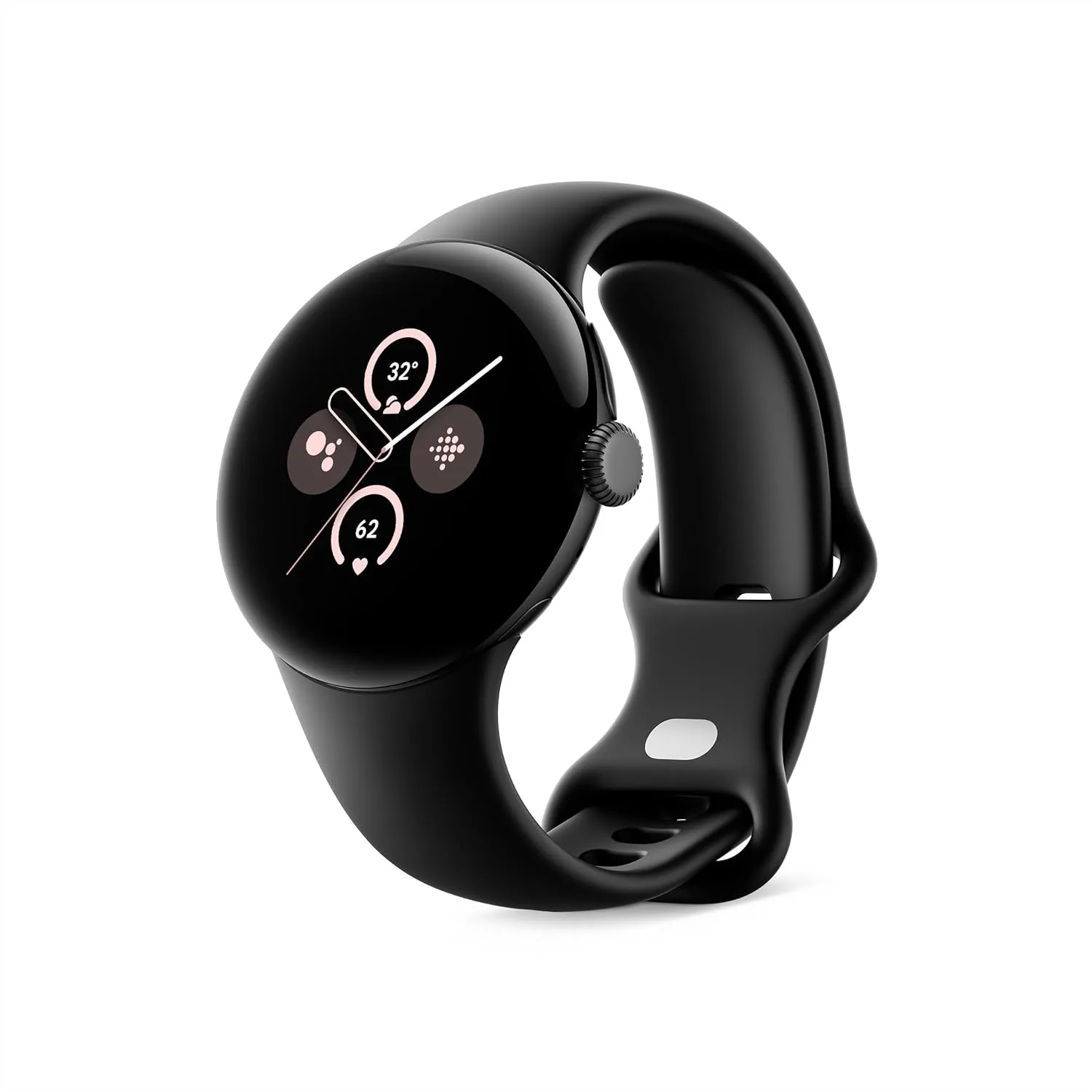
    Google Pixel Watch 3 (45mm)

    The Google Pixel Watch 3 is designed for performance, with advanced fitness from Fitbit; the 41mm screen is twice as bright and 10% larger than before, making it easier to see your stats and info[

    Best choice
    $399.99See It

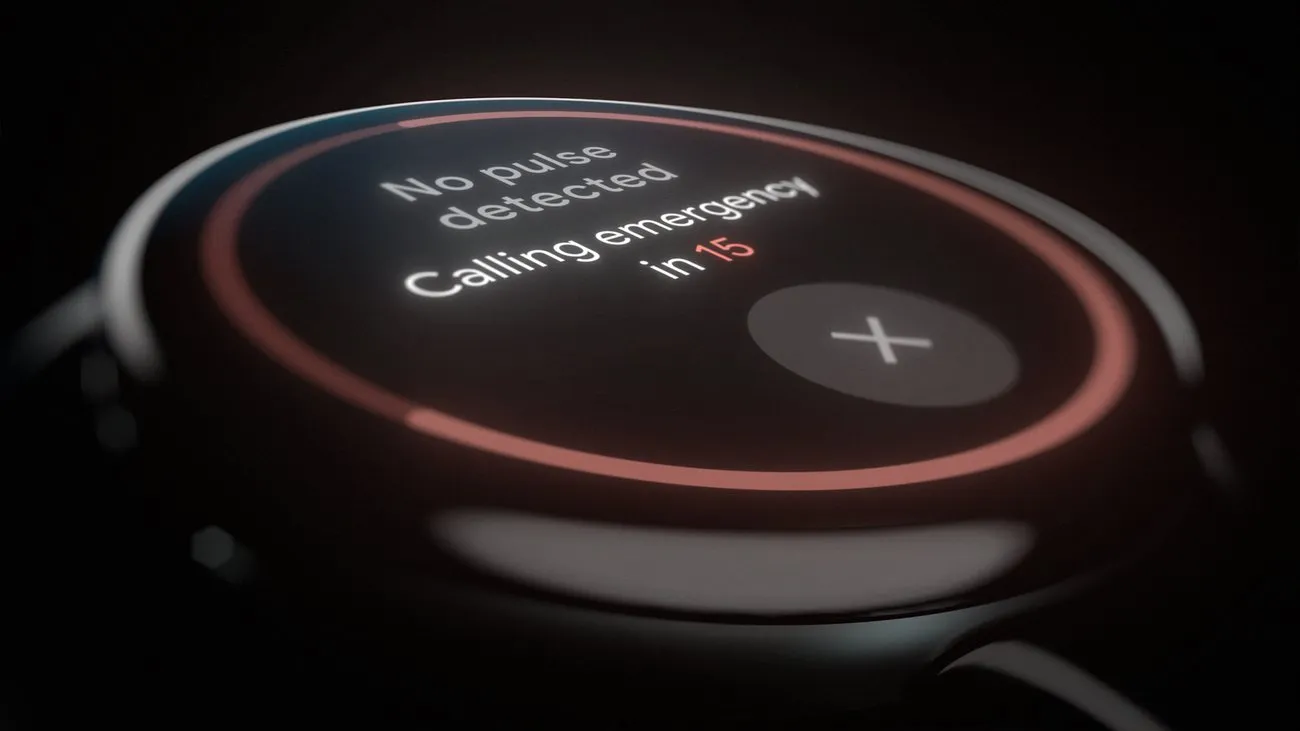
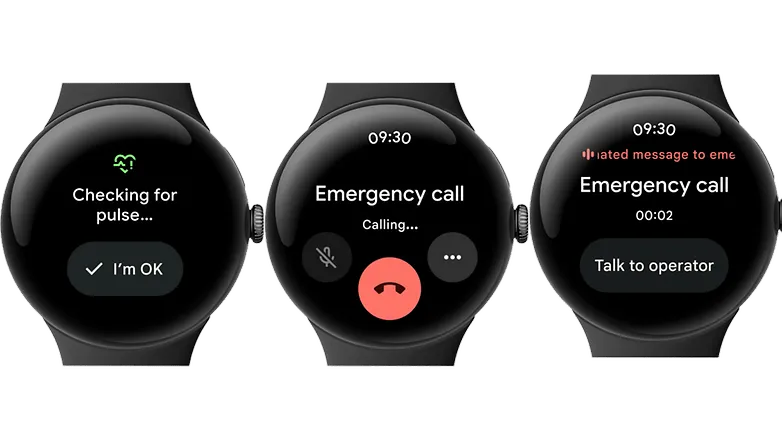
    A loss-of-pulse event is when your heart stops beating, which can happen during a cardiac arrest, respiratory or circulatory failure, overdose, or poisoning. Similar to Fall and Car Crash Detection, the Pixel Watch 3 will ask users to certify their safety when it detects something.

    In the event that there is no reaction (or movement), the wearable will notify emergency personnel, give your location, and provide information about what is going on. The Pixel Watch 3‘s multipath heart rate monitor, additional sensors, and a “multi-check, AI-based algorithm” are all used by Loss of Pulse Detection.

    According to the official statement, “Loss of Pulse Detection may not detect every instance of a loss of pulse and is not intended for users who require cardiac monitoring or who have pre-existing heart conditions.” It does not offer follow-up care or diagnose or treat any medical conditions.

    Pixel Watch 3 1

    Google Pixel Watch 3 (45mm)

    The Google Pixel Watch 3 is designed for performance, with advanced fitness from Fitbit; the 41mm screen is twice as bright and 10% larger than before, making it easier to see your stats and info[

    Best choice
    $399.99See It
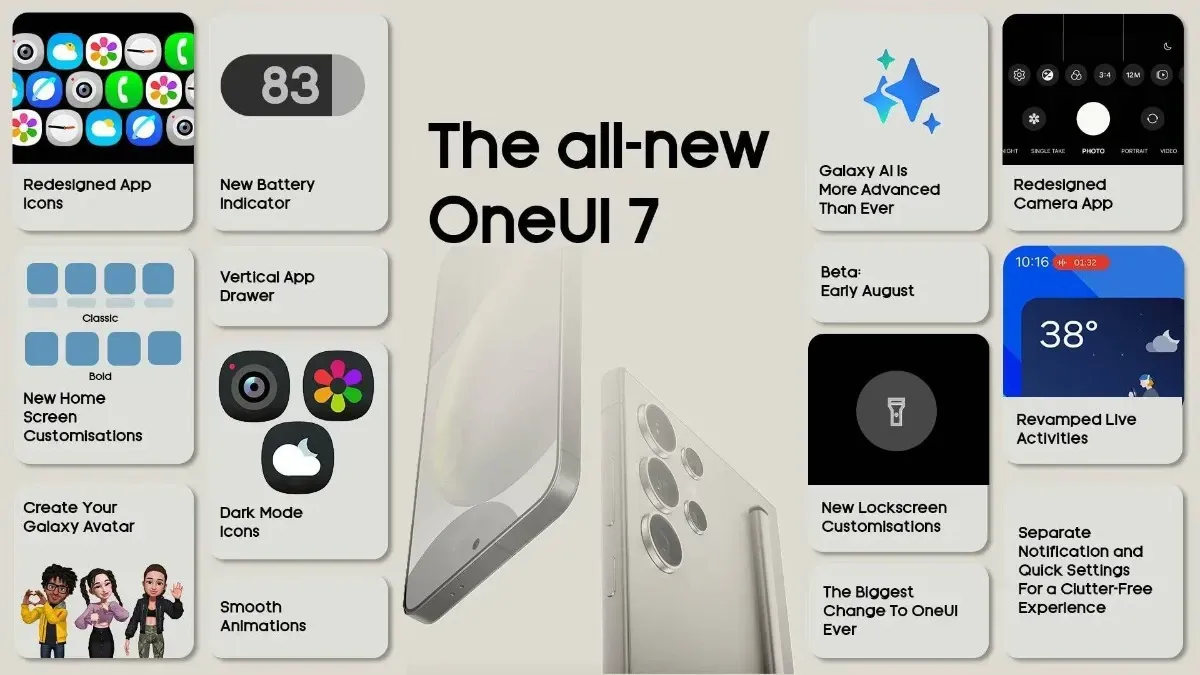
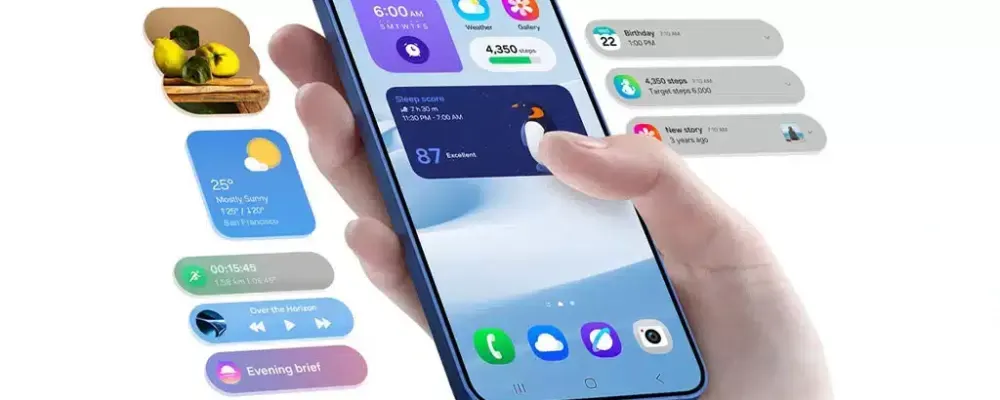
  • Samsung announced One UI 7 release schedule

    Samsung announced One UI 7 release schedule

    Samsung released the release schedule (via Tarun) for numerous other devices that qualify for the upgrade shortly after beginning the deployment of the official One UI 7 update for the Galaxy S24 series, the Galaxy Z Fold 6, the Fold SE, and the Flip 6.

    Our dread has been realized: the April update will only be available for flagship devices released within the last two years. In May and June, the update will be released for other devices.

    samsung reveals one ui 7 release

    The complete list of devices and the month they will get the update is as follows:

    • April: Galaxy S24/S24+/S24 Ultra, Z Fold 6, Z Flip 6, Z Fold Special Edition, Galaxy Z Fold 5, Z Flip 5, Tab S10+/S10 Ultra, S23/S23+/S23 Ultra, S24 FE
    • May: Galaxy Z Fold 4, Z Flip 4, Tab S9/S9+/S9 Ultra, S23 FE, Z Fold 3, Z Flip 3, A34, A35, S22/S22+/S22 Ultra, Tab S8/S8+/S8 Ultra, S21/S21+/S21 Ultra, Galaxy A16, Galaxy Quantum 5, Galaxy Quantum 4
    • June: Galaxy Tab S9 FE/S9 FE+, Galaxy A53, A33, A25, A24, A15, Quantum 3, Jump 3, Jump 2, Buddy 3, Galaxy Tab A9/A9+, Tab Active 5, Tab Active 4 Pro, Wide 7

    Although the Korean market was the focus of this plan, most smartphones in other countries should receive the update at roughly the same time. Notably, some devices, such as the Galaxy S21 FE and the Galaxy A73, are not on the list because they were not released in Korea, and we are unable to predict when they will receive the update until Samsung releases the release timetable for other nations.

    Although we will have to wait and see if the firm can truly do that, we are crossing our fingers that Samsung will finish the rollout for all eligible devices by the end of June. Working on One UI 8, which will be preloaded on the Galaxy Z Fold 7 and Galaxy Z Flip 7, may be Samsung’s only option.

  • Xiaomi Android 16 tracker: is your device eligible for update?

    Xiaomi Android 16 tracker: is your device eligible for update?

    Google’s recent announcement to release two Android SDK updates every year has raised many concerns among technology enthusiasts. As a result, Android 16 could be released before June 2025, far ahead of schedule. While the events of Android 15 updates continue across all devices, Xioami is preparing to take the next significant step by integrating Android 16 capabilities into their next HyperOS.

    The following is a comprehensive list of Xiaomi, Redmi, and POCO devices that may receive an update to Android 16-based HyperOS, which is simply categorized for review.

    Xiaomi Android 16 tracker

    Current Android 16 Internal Tested Devices

    Android 16 is currently being tested on HyperOS 2. It is not known when the internal test versions will be released.

    • Xiaomi 15
    • Xiaomi 15 Pro
    • REDMI K70 Ultra
    • Xiaomi Pad 7 Pro

    Xiaomi Flagship Devices

    Currently, high-end models with great performance and features are taking center stage in Xiaomi’s update plans:

    • Xiaomi 13 Lite/Xiaomi Civi 2 (ziyi)
    • Xiaomi 13 Pro (nuwa)
    • Xiaomi 13 (fuxi)
    • Xiaomi 13 Ultra (ishtar)
    • Xiaomi 14 (houji)
    • Xiaomi 14 Pro (shennong)
    • Xiaomi 14 Ultra (aurora)
    • Xiaomi 13T Pro (corot)
    • Xiaomi 13T (aristotle)
    • Xiaomi Pad 6 Pro (liuqin)
    • Xiaomi Civi 3 (yuechu)
    • Xiaomi Pad 6 Max 14 (yudi)
    • Xiaomi Mix Fold 3 (babylon)
    • Xiaomi MIX FLIP (ruyi)
    • Xiaomi MIX FOLD 4 (goku)
    • Xiaomi 14 CIVI/Xiaomi Civi 4 Pro (chenfeng)
    • Xiaomi Pad 6S Pro 12.4 (sheng)
    • Xiaomi 14T (degas)
    • Xiaomi 14T Pro (rothko)
    • Xiaomi 15 Ultra  (xuanyuan)
    • Xiaomi 15 (dada)
    • Xiaomi 15 Pro (haotian)

    Redmi Devices

    Known for good-level performance at competitive prices

    • Redmi K80 (zorn)
    • Redmi K80 Pro (miro)
    • Redmi A4 5G (warm)
    • Redmi Turbo 4 (rodin)
    • Redmi K60 Pro (socrates)
    • Redmi K60 (mondrian)
    • Redmi Note 13 Pro (garnet)
    • Redmi Note 13 Pro+ (zircon)
    • Redmi K70 Pro (manet)
    • Redmi K70E (duchamp)
    • Redmi K70 (vermeer)
    • Redmi 13R/Redmi 13C 5G (air)
    • Redmi K60 Ultra (corot)
    • Redmi Note 13 Pro 4G (emerald)
    • Redmi Turbo 3 (peridot)
    • Redmi 13 5G/Redmi Note 13R (breeze)
    • Redmi 13 (moon)
    • Redmi Pad Pro 5G (ruan)
    • Redmi Pad Pro (dizi)
    • Redmi 14R 5G (flame)
    • Redmi 14C/Redmi A3 Pro (lake)
    • Redmi Pad SE 4G (spark)
    • Redmi Pad SE 8.7 Wi-Fi (flare)
    • Redmi K70 Ultra (rothko)
    • Redmi Note 14 (beryl)
    • Redmi Note 14 Pro (malachite)
    • Redmi Note 14 Pro+ (amethyst)
    • Redmi Note 14 Pro 4G (tanzanite)
    • Redmi 14C/Redmi A3 Pro (lake)

    POCO Devices

    • POCO F7 (zorn)
    • POCO F7 Ultra (miro)
    • POCO X7 Pro (rodin)
    • POCO X7 (malachite)
    • POCO C75 5G (warm)
    • POCO F5 Pro (mondrian)
    • POCO X6 5G (garnet)
    • POCO X6 Pro (duchamp)
    • POCO F6 Pro (vermeer)
    • POCO M6 Pro 4G (emerald)
    • POCO F6 (peridot)
    • POCO M6 Plus 5G (breeze)
    • POCO M6 (moon)
    • POCO Pad (dizi)
    • POCO C75 (lake)

    What we will get along with Android 16?

    With Android 16 integrated into HyperOS, users can expect:

    • Enhanced multitasking by improving window management and application performance. Advanced AI features like improved accessibility, translation, and on-device processing.
    • Polished UI/UX with smoother animations and further personalization.
    • Better privacy and security settings to complement those updates made by Google.

    Xiaomi continues to innovate, ensuring that its devices remain competitive and feature-rich through frequent Android updates. With the release of Android 16 before mid-2024, the aforementioned Xiaomi, Redmi, and POCO devices will gain access to the latest Android SDK. More information will be released once Xiaomi begins handing out the HyperOS updates to these devices.

  • Xiaomi temporarily halts new HyperOS updates.

    Xiaomi temporarily halts new HyperOS updates.

    Millions of customers who depend on weekly beta upgrades have been impacted by Xiaomi’s unexpected break from their usual update schedule. The majority of tech businesses, including Xiaomi headquarters, take a short break around the Qingming Festival, a significant traditional Chinese holiday, to give their employees time to spend with their families. Users have been reassured by the corporation that all recent comments and recommendations would be taken into consideration and released as soon as the break is ended.

    Instead of keeping people waiting for upgrades that will not be accessible during the holiday season, Xiaomi’s development team decided to make the announcement ahead of time. Xiaomi’s continuous efforts to inform users are shown in the transparency.

    xiaomi hyperos ui

    What Does this Imply for Xiaomi Users

    To those of you installing beta updates on a regular basis, here is the lowdown:

    • There will be no beta this week
    • Regular update schedule will resume after the Qingming Festival
    • All of the user feedback is currently being processed
    • No user action is required during this period

    Tomb Sweeping Day, also known as the Qingming Festival, is a Chinese custom that usually takes place in the first part of April. In order to respect the cultural significance of the day, the majority of Chinese businesses operate with little to no workers at this period.

    Some beta testers may find the pause disappointing, but the development team has promised that it is being used to improve and incorporate user feedback. The upcoming update may provide even greater improvements as a result of the strategic pause.

    As a testament to the company’s cultural heritage and respect for tradition despite its status as a global technological behemoth, the Xiaomi team concluded their statement with Christmas pleasantries.

    After the Qingming Festival concludes, Xiaomi will restart regular updates with new enhancements based on community feedback. Stay tuned for that opportunity.

  • HyperOS 2.2 receives one more update in March

    HyperOS 2.2 receives one more update in March

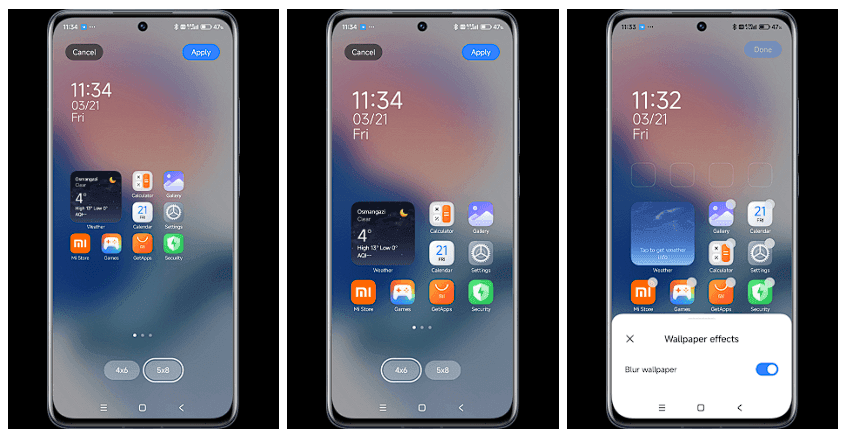
    The Xiaomi community is ecstatic with the latest HyperOS update, which offers users’ devices an abundance of customization options and AI-powered capabilities. With a number of notable enhancements that demonstrate Xiaomi’s focus on user experience and creative design, tech enthusiasts and fans are busy testing out the March update version RELEASE-5.39.40.10843-03212137. The upgrade demonstrates the company’s continuous attempts to combine the newest technology with functionality.

    Key updated:

    The March update brings with it some noteworthy enhancements that will delight Xiaomi users:

    Desktop Grid Options Resurrection

    Grid layout options have been restored, offering greater personalization to the users:

    • 4×6 grid pattern
    • 4×7 grid layout
    • 5×9 grid pattern

    A groundbreaking feature that elevates the search experience:

    • Smart responses right in search results
    • Interpreting search queries contextually
    • Enhanced app discovery (Note: May not be available globally)

    Wallpaper Customization

    A new level of aesthetics has been added to device personalization:

    • New blur effect for wallpapers has been added
    • Enhanced visual customization options
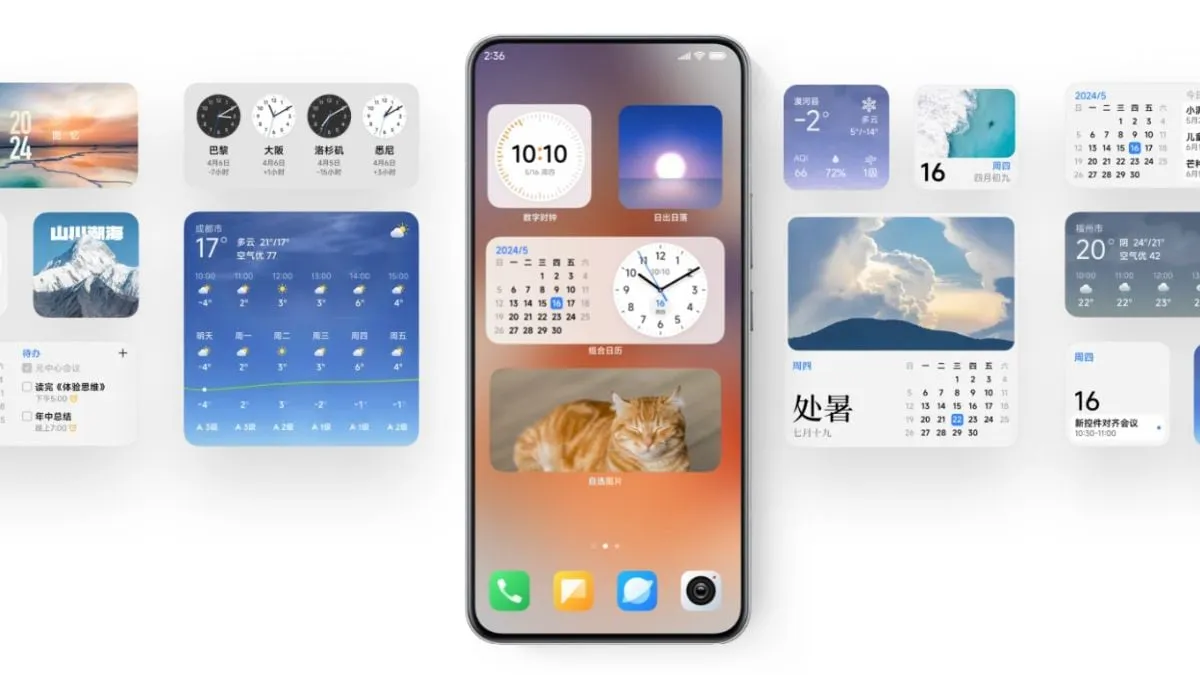
    image 3

    These updates give users more power and customization, which is consistent with Xiaomi‘s user-centric philosophy. While the AI-powered search is intended to make app discovery more straightforward and intuitive, the reinstated grid layouts allow for greater freedom in app arrangement.