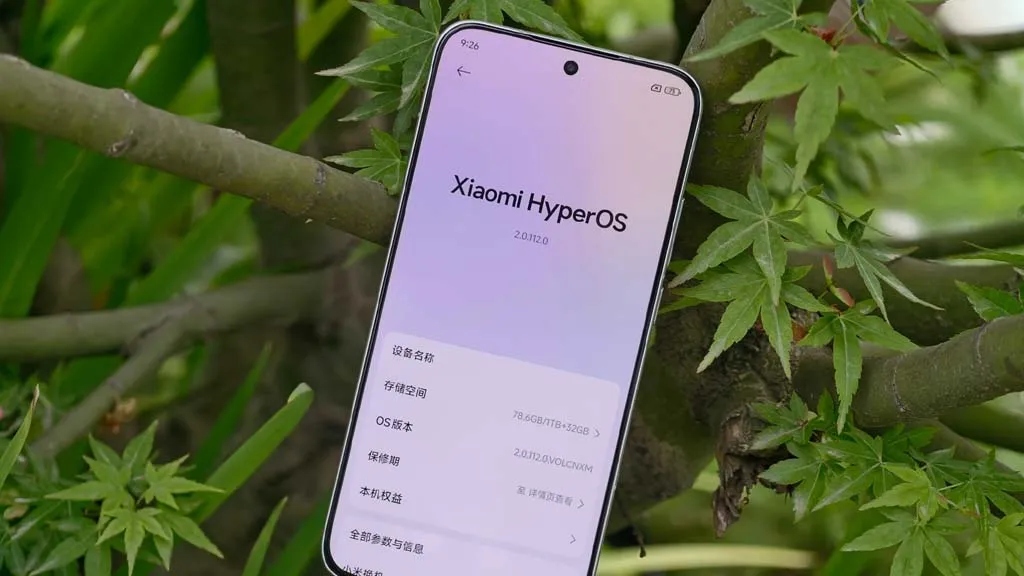
Here are seven devices that might miss out on this opportunity and get their final upgrade next month while Xiaomi is busy testing the new HyperOS 2.2 version for the flagship models. Examine the list and determine whether your phone is included in this group.
Upgrades to HyperOS include a number of sophisticated, AI-powered capabilities that aren’t compatible with all models. In order to concentrate on the most efficient smartphones, Xiaomi used to remove some devices and mark them as EOL (End Of Life).
The company has officially revealed the EOL devices for June 2025 and identified seven Xiaomi models that will receive their final HyperOS upgrade, according to XiaomiTime.
The majority of the phones on the list are Redmi and POCO models that might soon stop supporting security rollouts, feature patches, and new HyperOS updates.
According to inputs, the POCO C40’s final HyperOS update is scheduled for June 17. In February 2024, it received the most recent significant update, MIUI 13, which was based on Android 11.
It should be noted that these models will not receive any system optimizations, new features, or security fixes that address problems or issues that currently exist.
Therefore, we advise switching to a new device as soon as possible to take advantage of the most recent camera improvements, AI capabilities, and HyperOS 2.2 features.
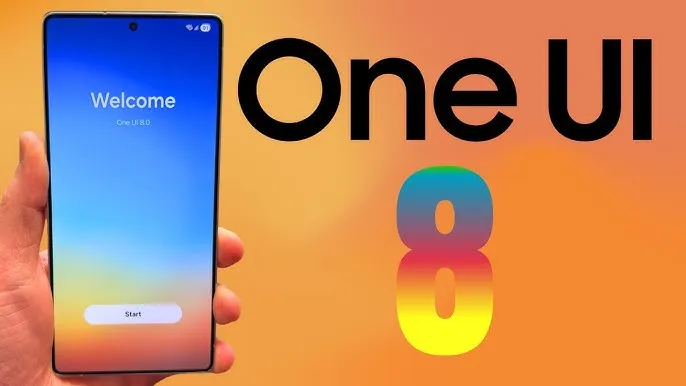
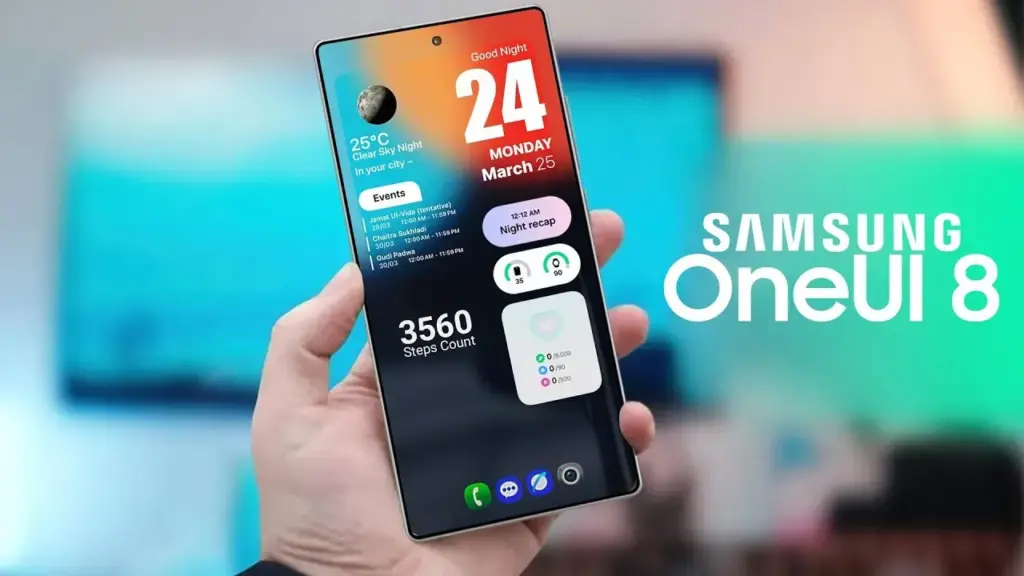
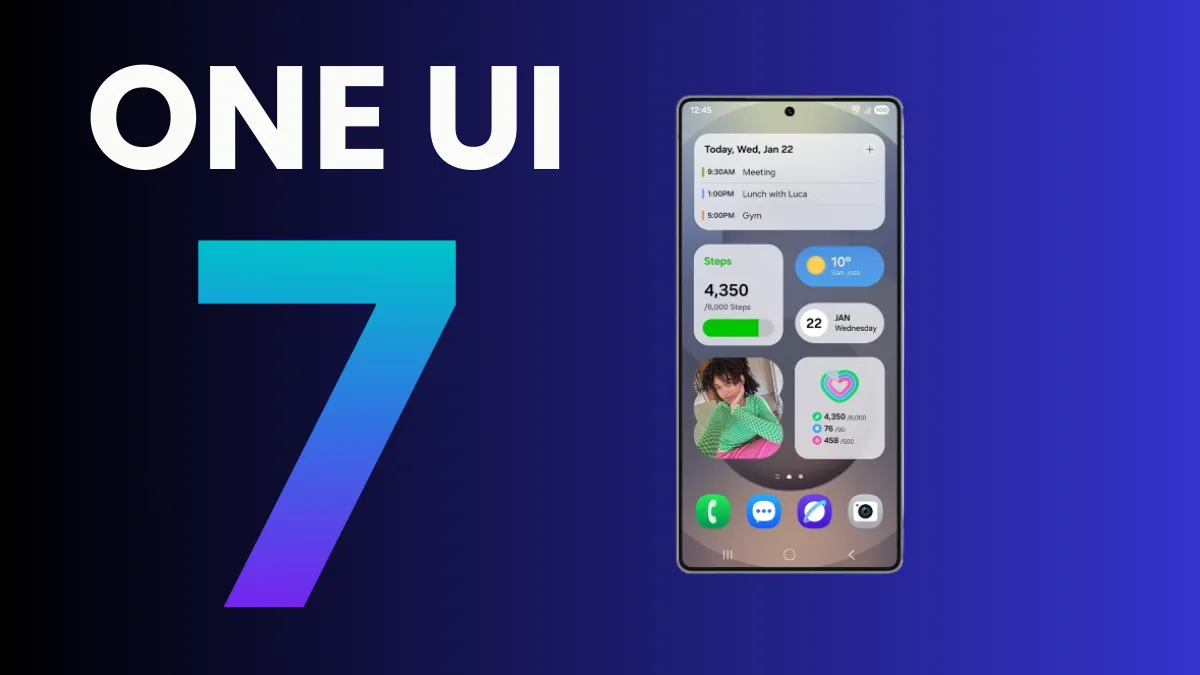
Samsung’s One UI is a significant element of what distinguishes Galaxy phones and tablets. With One UI 7 finally available to consumers on April 7, 2025, attention has shifted to the next chapter: One UI 8. This future software upgrade, which is likely to be based on Android 16, should add some intriguing new features to Samsung devices.
There is speculation that it will be released sooner than usual, altering Samsung’s standard software update release schedule. In this post, we’ll go over the release date, the beta testing program, which devices will receive One UI 8 based on Samsung’s update policy, and what this may mean for Galaxy customers.
One UI 8 release
Historically, Samsung’s big One UI releases have coincided with the annual Android upgrade cycle, arriving in the fourth quarter, around October or November, following Google’s stable Android release. For example, One UI 6 debuted on October 30, 2023, whereas One UI 7, which was severely delayed, launched on April 7, 2025. However, reports in the IT world claim that One UI 8 may break this pattern.
One UI 8, which is based on Android 16, will be released in the summer of 2025. This update, confirmed by Google, represents a considerable increase in Samsung’s update cycle, with the goal of closely aligning with Google’s roadmap.
One UI 8 beta program
Samsung’s One UI beta programs allowed fans to try out new features early on, and One UI 8 should continue to do so. Considering how things generally proceed and the predicted July 2025 release, the One UI 8 beta should begin in late May or early June 2025.
The beta normally begins with Samsung’s top phones, such as the Galaxy S series, and then progresses to foldables and lower-cost devices. One UI 7 testing began on December 5, 2024, with the Galaxy S24, and was expanded to include the S23, Z Fold 6, Z Flip 6, and others by March 2025.
If Samsung follows this step-by-step plan, the One UI 8 beta would most likely debut with the Galaxy S25, followed by foldables such as the Z Fold6 and Z Flip6. You’ll most likely join up through the Samsung Members app in countries such as the United States, United Kingdom, India, Germany, and South Korea, allowing users to test out new features before they become official.
One UI 8 eligible devices
While Samsung has not officially confirmed the One UI 8 device list, we can use its official software update policy to determine which devices are assured to receive the upgrade. Samsung now provides up to seven years of OS upgrades for select flagship handsets (beginning with the Galaxy S24 series), four years for others, and five years of security updates for numerous models. According to this policy and the confirmed One UI 7 rollout, the following devices are sure to be qualified for One UI 8:
Mid-range devices, such as the Galaxy A55 and A35, may also qualify for the four-year program. Older smartphones, like as the Galaxy S21 series, may miss out since their four-year support period may expire before One UI 8 is released.
The Summer 2025 debut of One UI 8 suggests a significant change for Samsung, potentially providing a substantial update much sooner than fans think. If this happens on time, Galaxy owners may receive Android 16 features with the next round of foldable phones, demonstrating how Samsung can change things up and keep improving.
While we wait for Samsung to make an official announcement, the prospect of a quicker One UI 8 release thrills Galaxy fans—could this be Samsung’s biggest software step yet?
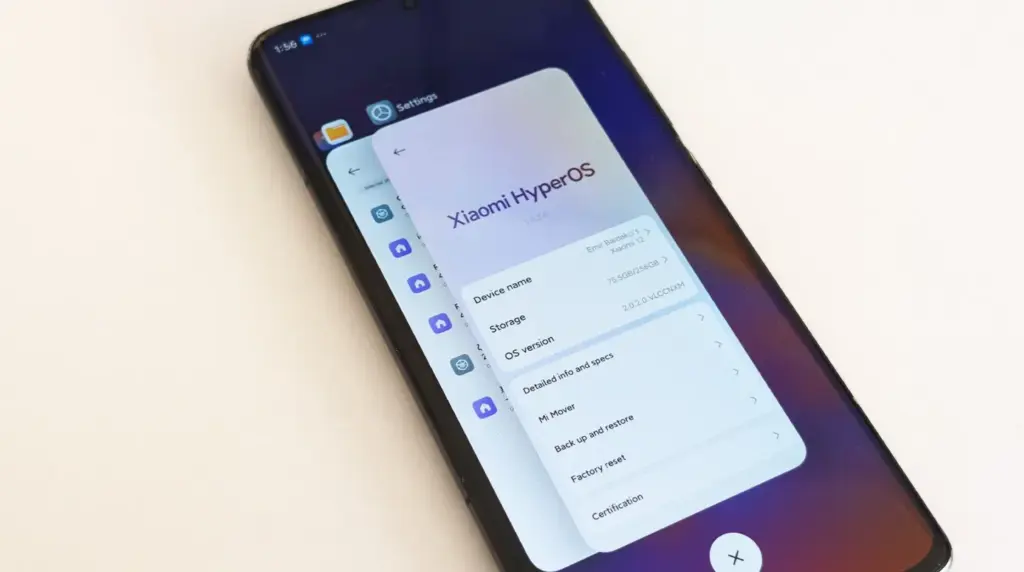
Users of Xiaomi should rejoice since the stable HyperOS 2.2 update is currently planned for four new devices. The software is now available on Xiaomi’s servers and is awaiting final staff testing before going public. As Xiaomi continues to roll out its most recent OS to an increasing number of devices across its wide range of products, this step marks another milestone in the company’s aggressive HyperOS rollout strategy.
Xiaomi‘s emphasis on providing frequent software updates and keeping its ecosystem up to speed with the newest features is further highlighted by the new update, which promises to improve performance, battery life, and user experience for compatible phones.
HyperOS 2.2 family has four new members.
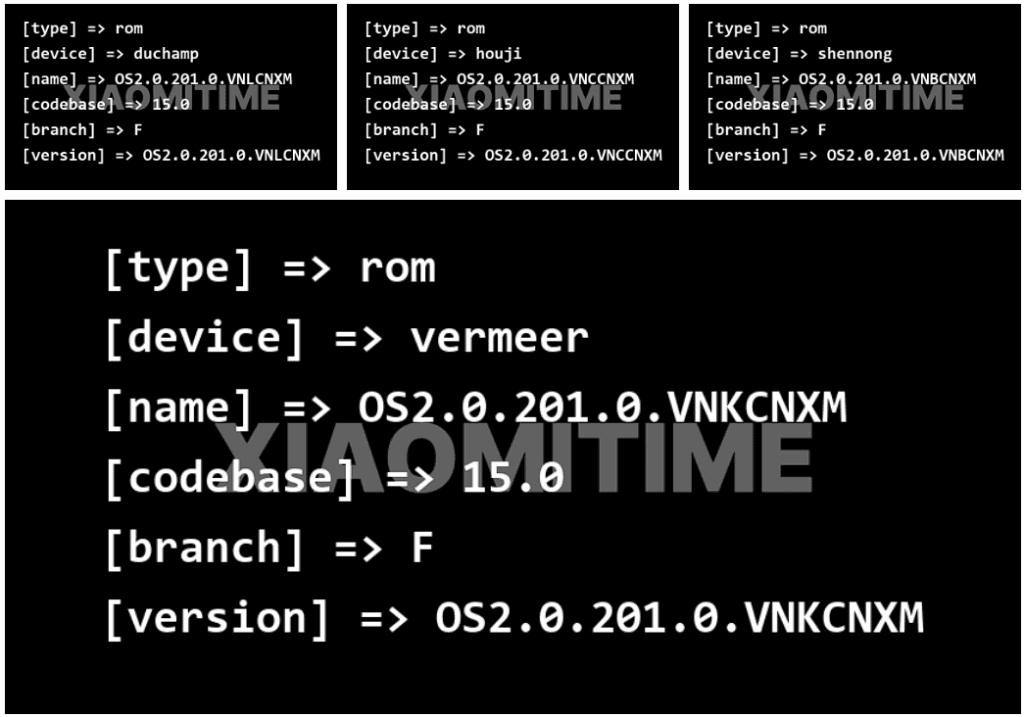
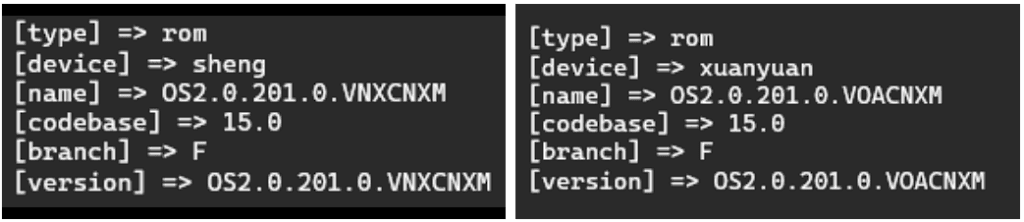
Based on data found on Xiaomi’s update servers, the following devices are now set to upgrade to the stable HyperOS 2.2 update:
Redmi K70E: OS2.0.201.0.VNLCNXM
Redmi K70: OS2.0.201.0.VNKCNXM
Xiaomi 14 Pro: OS2.0.201.0.VNBCNXM
Xiaomi 14: OS2.0.201.0.VNCCNXM
These builds are being tested by Xiaomi employees for the final time ahead of release, providing users everywhere with a smooth and bugless experience when the upgrade is rolled out.
Previously Confirmed Devices
The four new devices add to a number of already confirmed devices for which the HyperOS 2.2 stable update was announced:
Xiaomi 14
Xiaomi 14 Ultra
Xiaomi 15
Xiaomi 15 Pro
Xiaomi 15 Ultra
Xiaomi Pad 6S Pro 12.4
This extended rollout reflects Xiaomi’s commitment to providing its most recent flagship models, as well as last generation models, with the most current software features.
What HyperOS brings?
The HyperOS 2.2 update features a number of significant upgrades for supported devices:
Enhanced system stability for all programs
Optimized battery management for increased usage hours
Smoother animation transitions across the interface
In order to make Xiaomi smartphones competitive in the rapidly evolving smartphone market, these improvements build upon the strong basis of HyperOS 2, improving the user experience and adding new functions. For people who want to view the available updates,
A number of Samsung handsets are getting UI 7, and as the final significant update, certain Galaxy A phones will get it as well. Along with many new features and design modifications, software updates also reach a support milestone.
Samsung is progressively rolling out the One UI 7 upgrade for Galaxy smartphones. With the most recent OS update, flagship smartphone users have joined the party. Nonetheless, the expansion will last until this year’s July.
One UI 7 was the most recent OS update for the Galaxy S21 series, Z Flip3, and Z Fold3. It’s a significant firmware that adds new features and design modifications. It’s worth the remaining time to use One UI 7.
This also applies to other lineups, such as the Galaxy A series. The availability will vary depending on hardware capabilities and optimization stage, but the majority of the design improvements and essential OS features will be offered.
One UI 7 is the last major upgrade for these Galaxy A phones
Galaxy A14
Galaxy A14 5G
Rollout is expected in June 2025.
Released in 2023 with Android 13, the Galaxy A14 and A14 5G are expected to receive two significant updates (Android 14 and 15), making One UI 7 their last version. For security enhancements, these devices might get additional quarterly or biannual patches.
Therefore, One UI 7 is not a concern if you own a Galaxy A14 or its 5G version. Samsung is dedicated to offering the Android 15 update with as many features and modifications as feasible while still satisfying hardware requirements.
While there won’t be any significant UI changes in the impending Android 16 update for Pixel devices, it will finally provide a long-awaited feature: support for Auracast. Devices can initiate or listen to adjacent audio streams thanks to the Bluetooth LE Audio standard’s Auracast functionality, which is the marketing name for broadcast audio. Despite Google’s announcement that the latest Pixel smartphones will support Auracast in Android 16, if you install the beta, the capability is not yet available. Here’s how to turn on Auracast on an Android 16 beta-powered Pixel device.
To put things in perspective, Google said in March that owners of Pixel 9 devices could receive Auracast broadcasts straight to their hearing aids. The Pixel 9 must be running the Android 16 beta and have LE Audio-compatible headphones in order to use this feature. Google emphasized the accessibility advantages of Auracast, although the capability works with any audio device that can receive LE Audio broadcasts, not only hearing aids.
Auracast isn’t actually enabled in the current Android 16 Beta 4 version, even though Google previously stated that it will work on Pixel 9 devices running the Android 16 beta. The “Audio Sharing” page was missing from Settings after I factory reset my own Pixel 9 and updated it to this beta. I know how to make this settings page available, but I’m not sure why it’s hidden by default.
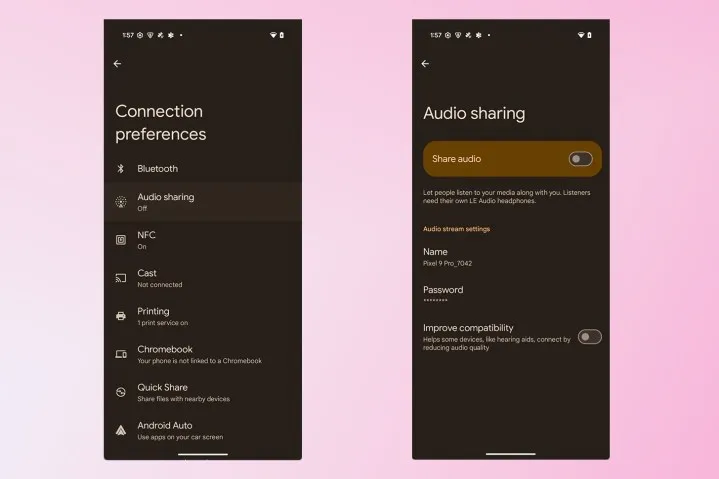
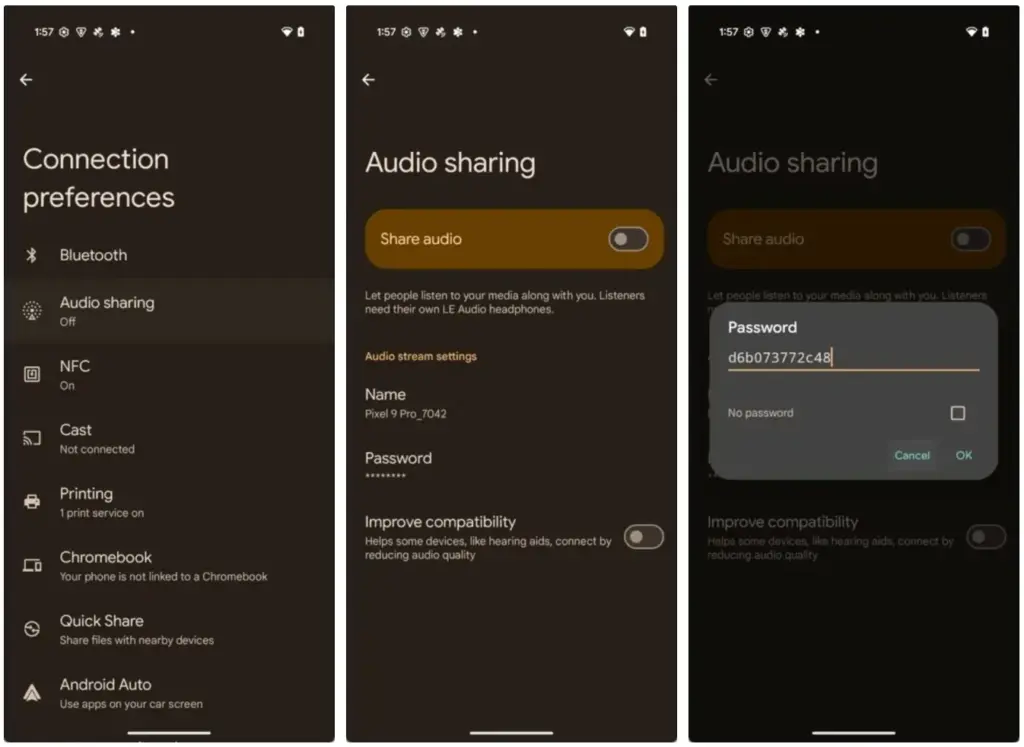
To activate Audio Sharing on your Pixel device, you need to first enable Developer Options. Then, navigate to Settings > System > Developer options and scroll down until you find “Enable Bluetooth LE Audio Broadcast UI preview.” Toggle this setting on, and then reboot your phone. Once your phone boots back up, go to Settings > Connected devices > Connection preferences, where you’ll find the “Audio sharing” page.
By connecting a headset that supports Auracast and turning on the “share audio” feature from this page or the Bluetooth panel, you can now begin an audio broadcast. You can set a password for your broadcast to keep undesirable listeners from joining. Tap the “find an audio stream” option to look for streams in your area if you would prefer to listen in on a broadcast.
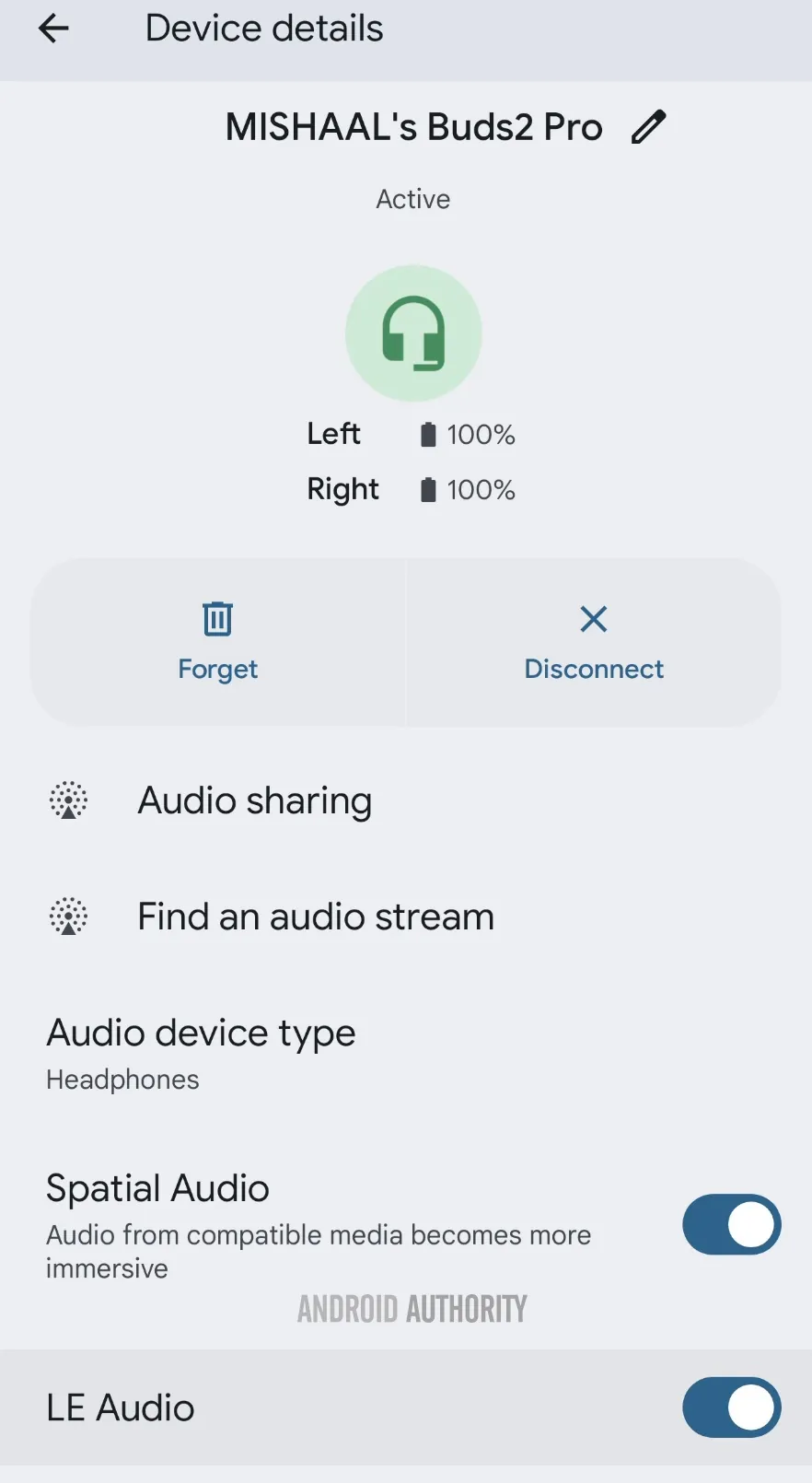
Make sure Bluetooth LE Audio is turned on for that particular device if Android still prevents you from starting or listening to adjacent broadcasts even when you have an Auracast-capable audio device connected. You may need to manually activate LE Audio via the Bluetooth device details page for a lot of audio items. As an alternative, you can compel Android to automatically enable Bluetooth LE Audio for any compatible audio device by turning on the “bypass Bluetooth LE Audio Allowlist” toggle in Developer Options.
Finally, your Pixel device does not support Auracast if you do not see the “Enable Bluetooth LE Audio Broadcast UI preview” toggle in Developer Options. At the moment, the Pixel 8, Pixel 8 Pro, Pixel 9, Pixel 9 Pro, Pixel 9 Pro XL, and Pixel 9 Pro Fold are compatible with Auracast.
This toggle won’t show up for devices like the Pixel 7 series, Pixel Tablet, Pixel Fold, Pixel 8a, and Pixel 9a, even though they theoretically support Bluetooth LE Audio. However, they don’t support Auracast. Since the Pixel 6 series does not support LE Audio, it does not meet the requirements to use Auracast and will not display the toggle.
Remarkably, the most recent stable version of Android 15 for Pixel smartphones with Auracast support does have the “Enable Bluetooth LE Audio Broadcast UI preview” button. Accordingly, installing the Android 16 beta is not strictly required in order to utilize the Audio Sharing feature. You might anticipate that Audio Sharing would be enabled by default in the Android 16 beta, given Google’s announcement, but it might not be the case with the next stable release of Android 16. Google is anticipated to release the stable Android 16 version next month, so we’ll have to wait and see.
There are some new features to look forward to with each Android update. Some updates include more new features than others, of course, because not all upgrades are made equal. There are a lot of exciting (rumored) features in Android 16 that are making me eager for its impending release.
Note that I used the word “rumored.” This is because, with each release, there are online speculations about what people “think” will be included in Google’s newest and greatest upgrade. You never know what will make the final cut, so you should be skeptical of this list.
However, I tested the Android 16 beta and searched the internet for all the best features that might be released this summer with Android 16 (using reputable websites like Android Authority, Android Police, Engadget, Android Developers, Business Today, Android Headlines, GSMArena, Android Update Tracker, and numerous forums), and here they are.
Desktop Windowing
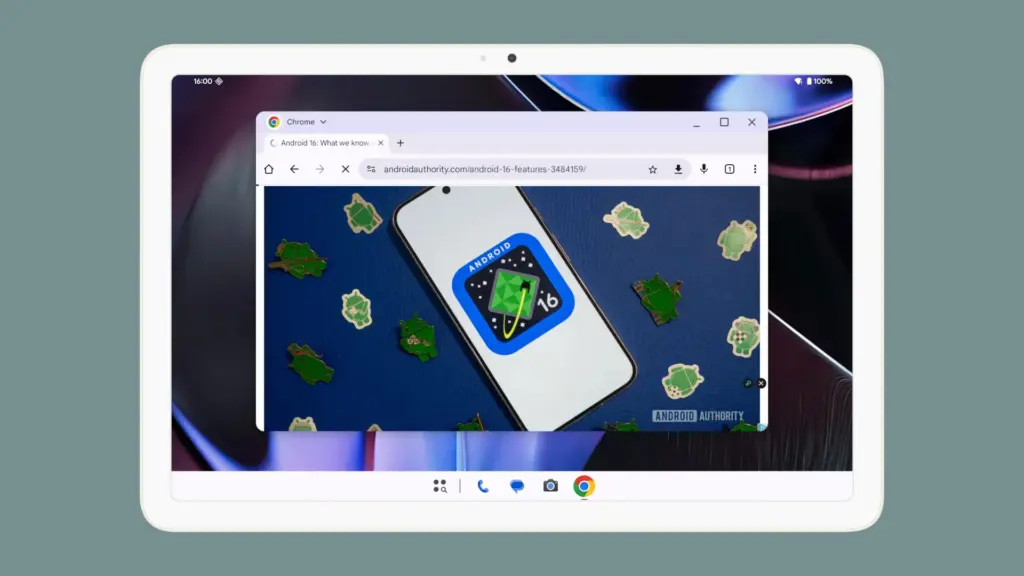
When I see it, I’ll trust the rumors about this feature. The Samsung DeX, which enables users to connect an Android phone to an external display (through USB-C) and utilize a desktop-like interface that includes a top status bar, bottom taskbar, resizable, movable, snappable app windows, drag-and-drop support between apps, minimized windows, and physical keyboard and mouse support, will be mirrored by Desktop Windowing, which will bring desktop mode to Android phones.
App drawer blur
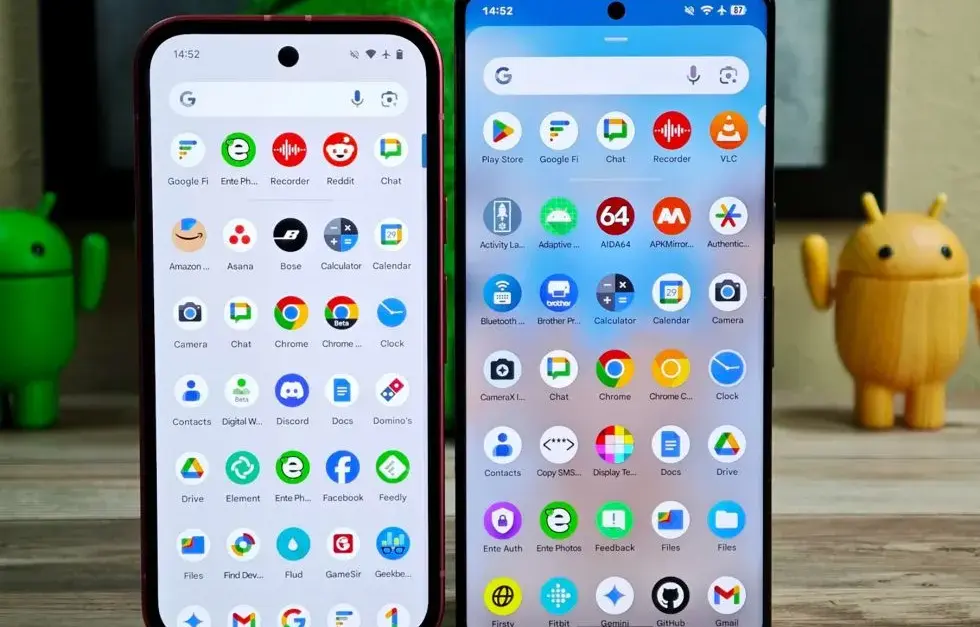
Neither your phone’s performance nor your efficiency with it will improve as a result of this. But I’ve always found the Android app drawer to be rather dull. When you pull it down, the background is either black or white. While some home-screen launchers do let you change the appearance of the app drawer, the default home-screen launcher does not offer this feature. According to rumors, Android 16 will alter everything and give the app drawer a lovely backdrop blur.
Although I acknowledge that not everyone believes that aesthetics are as significant as other factors, including performance and dependability, the iPhone’s UI aesthetics are one of the main factors contributing to its popularity. The Android user interface will be on a level playing field with iOS if Google implements a great app drawer blur.
Live updates
According to rumors, Android 16 will also provide a new class of real-time notifications that are intended to tell you of ongoing operations like food delivery, ridesharing updates, and navigation. These real-time updates will show up as dynamic “chips” in the status bar that show current data, like ridesharing arrival times or delivery ETAs.
To keep you updated, a comprehensive notification pop-up displays beneath the status bar when you tap one of the live-update chips. Live updates are displayed above all other alerts (apart from the media player) under the Notification Shade.
Auracast Broadcast audio support
The inclusion of Auracast broadcast audio would be fantastic, so hopefully this rumor is accurate. Auracast broadcast audio is a Bluetooth LE Audio feature that enables devices such as earphones and hearing aids to receive direct audio broadcasts from TVs, public spaces, or announcement systems, in case you were unaware.
Anyone who uses LE Audio earbuds or hearing aids frequently finds oneself in awkward situations, such busy or noisy places where announcements are essential (like train stations, airports, or concerts). By pairing your earphones or hearing aids with Auracast Broadcast support, you can tune into the broadcast and hear everything much more clearly.
Hybrid Auto Exposure in the camera
If you love taking pictures, you’ll love this function. You’ll have more control over the camera’s exposure settings with the hybrid auto-exposure. You will have the option to manually change the ISO or exposure time (shutter speed) or rely on the auto-exposure algorithm, rather than relying solely on full manual or auto exposure.
You will still have the simplicity and dependability of auto-exposure for everything else, but you will be able to adjust ISO to cut down on noise or select a precise shutter speed to get truly creative with your photos. Additionally, the Android 16 Camera app has enhanced support for high-quality image formats including HEIC and Ultra HDR, as well as accurate color-temperature and tint adjustments.
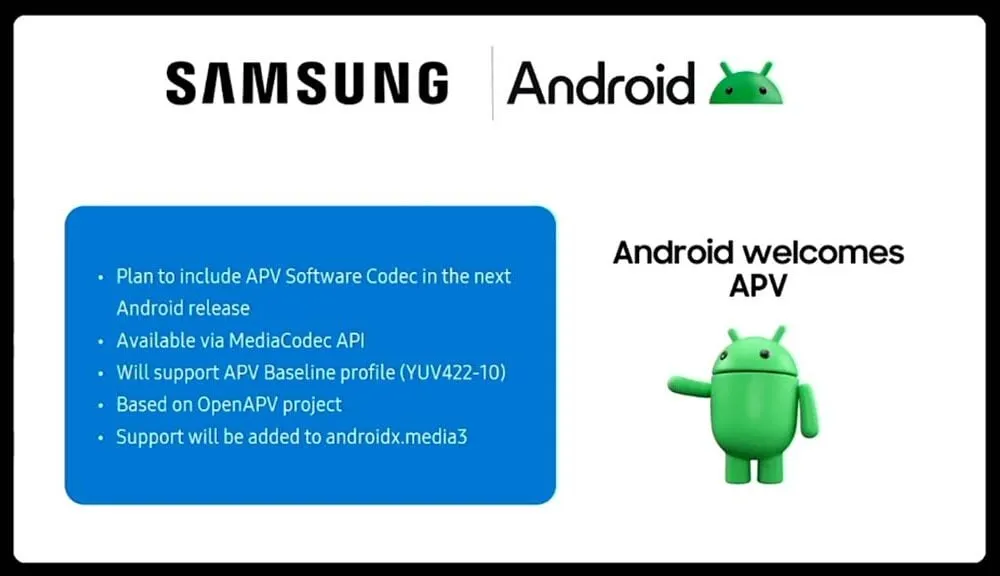
APV Codec support
Additionally, there are reports that Android 16 will support the APV codec. A professional-grade video format (created by Samsung) is included with the new native support for the Advanced Professional Video (APV) codec, enabling high-quality video recording, editing, and post-production.
Frame tiling (to provide immersive content and parallel encoding/decoding for efficient processing), intra-frame-only coding (for simpler editing workflows and lower processing demands), high bit-rate support (2K, 4K, and 8K resolutions), and lossless video quality (nearly raw footage) are some of APV’s cool features.
Once more, Google has been promising this feature for a very long time, so I will believe it when I see it. If they were to ever implement this functionality, Android would become one of the most flexible operating systems available, which would be really awesome.
Keep in mind that these are simply rumors, but I do think that most of the features mentioned above will be included in the final version of Android 16, which is also expected to be released in June 2025.
Since official release dates for a number of flagship models have been revealed, brand fans who have been eagerly awaiting the debut of HyperOS 2.2 can now relax. This significant upgrade adds new AI functions, interface adjustments, and other performance enhancements to Xiaomi’s premium lineup. The information was taken directly from the Xiaomi community forums, where an odd story about how community input influenced the rollout was told. This is one of the most well-planned rollouts the company has ever witnessed, with multiple device series distributing the update around one another.
Schedule updated
The timelines for HyperOS 2.2 have been confirmed for three significant device families:
REDMI K80 Series: May 12th, Monday
REDMI K70 Series: May 13th, Tuesday
Xiaomi 13 Series: Thursday, May 15th
According to DaWangLe, a reliable source from the Xiaomi community, the first goal was to highlight the K80 and K70 series. However, the company changed its approach and eventually released upgrades for all three device lines consecutively as a result of enthusiastic voting and feedback from Xiaomi 13 consumers.
These first 200 beta versions have undergone an exceptionally rigorous testing procedure that has required additional time and resources. In order to synchronize with internal testing and have the updates ready for public release, the Xiaomi team reportedly worked through the weekend.
Beta recruitment
For customers willing to use the new update, the process will function as:
REDMI K80/Pro users can begin applying for beta recruitment from next Monday
Upon approval, the selected individuals will get the update immediately Redmi K70/Pro consumers will have direct availability from Tuesday
The owners of the Xiaomi 13 series will get their update this Thursday
It’s worth noting that these update dates are applicable only to devices in China. Schedules for international rollouts have not yet been released but are usually several weeks behind the China release.
Update available for more devices
Besides the principal release timeline, two additional flagship devices already have update bundles in place:
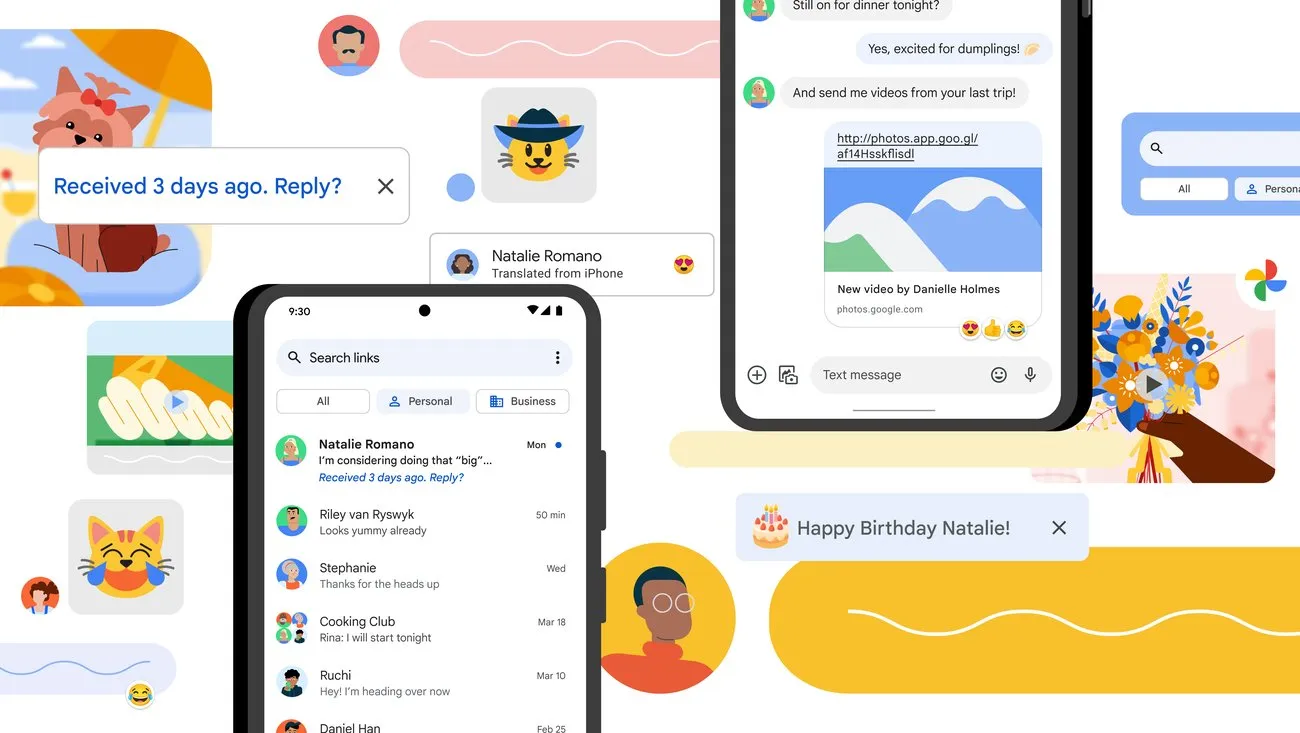
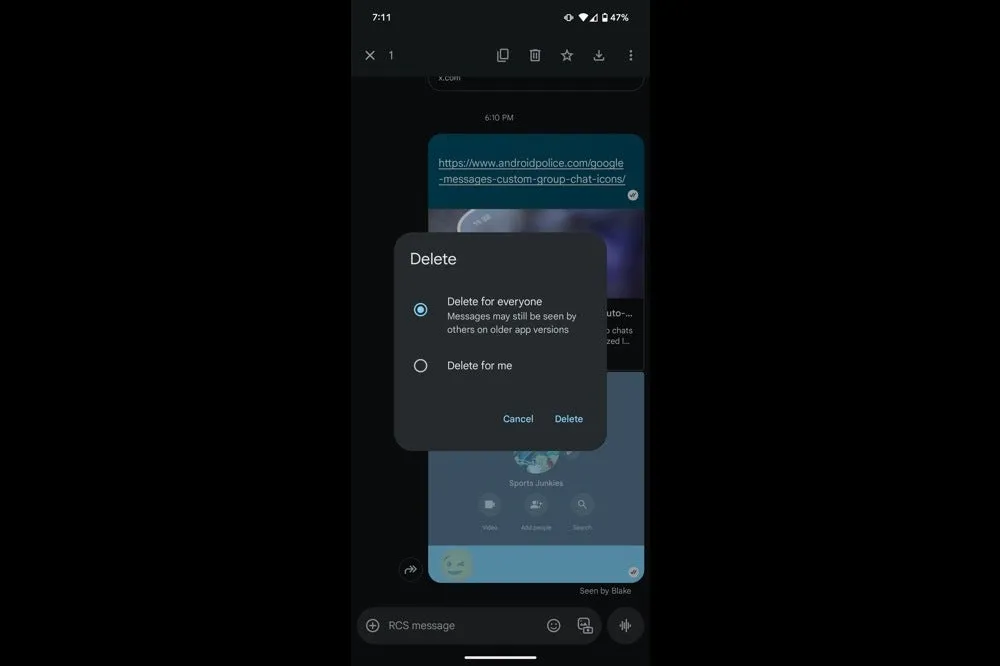
In order to provide Android users a 15-minute opportunity to remove an RCS text that shouldn’t have ever left the phone in the first place, Google Messages is now testing a “Delete for everyone” option. The most recent beta version has led to early complaints that when you long press on a message, two options would appear: “Delete for everyone” and “Delete for me.” When the first option is selected, the chat replaces the text with a tiny label that reads “Message removed,” which is visible to all participants.
The feature is currently limited to chats in large groups. While the option remained hidden in smaller groups and one-on-one talks, one tester was successful in a thread with twelve participants. Even though it’s in beta, it’s good to see this feature finally being released after it was first discovered in March.
It should be mentioned that the recall is dependent on RCS Universal Profile 2.7, therefore all conversation participants must have the most recent version of Google Messages installed, else the delete request would silently fail. Furthermore, it appears that Google is already turning off its servers for a small group of beta users to ensure the system is stable before expanding.
Google Messages
Safety starts with understanding how developers collect and share your data. Data privacy and security practices may vary based on your use, region, and age. The developer provided this information and may update it over time.
It is not surprising that the rollout was so limited. This safety net has been provided by rival apps for years, and each one has its own boundaries. For a generous two days, WhatsApp allows you to retrieve a message. You have fifteen minutes to modify and two minutes to undo in iMessage. Telegram takes one step further by enabling users to delete texts whenever they want without leaving any evidence behind. Google’s 15-minute limit is tiny when compared to that lineup, but it still fills the largest hole in its flagship chat service.
Given that Apple intends to switch to the same RCS profile that supports these additional functions later this year, the timing is crucial. Google has also been working hard to improve Messages’ quality of life features, such as AI reply suggestions, reaction effects, and a long-overdue edit button that took four months to move from beta to stable last year. By the end of 2025, delete for everyone could reach the majority of phones if the firm keeps up its current pace.
When you consider the time that comes with Apple’s release, I think this is a significant move. Android owners will have the same peace of mind that WhatsApp and iPhone users currently have while keeping their chats organized if Google expands support prior to the stable release.
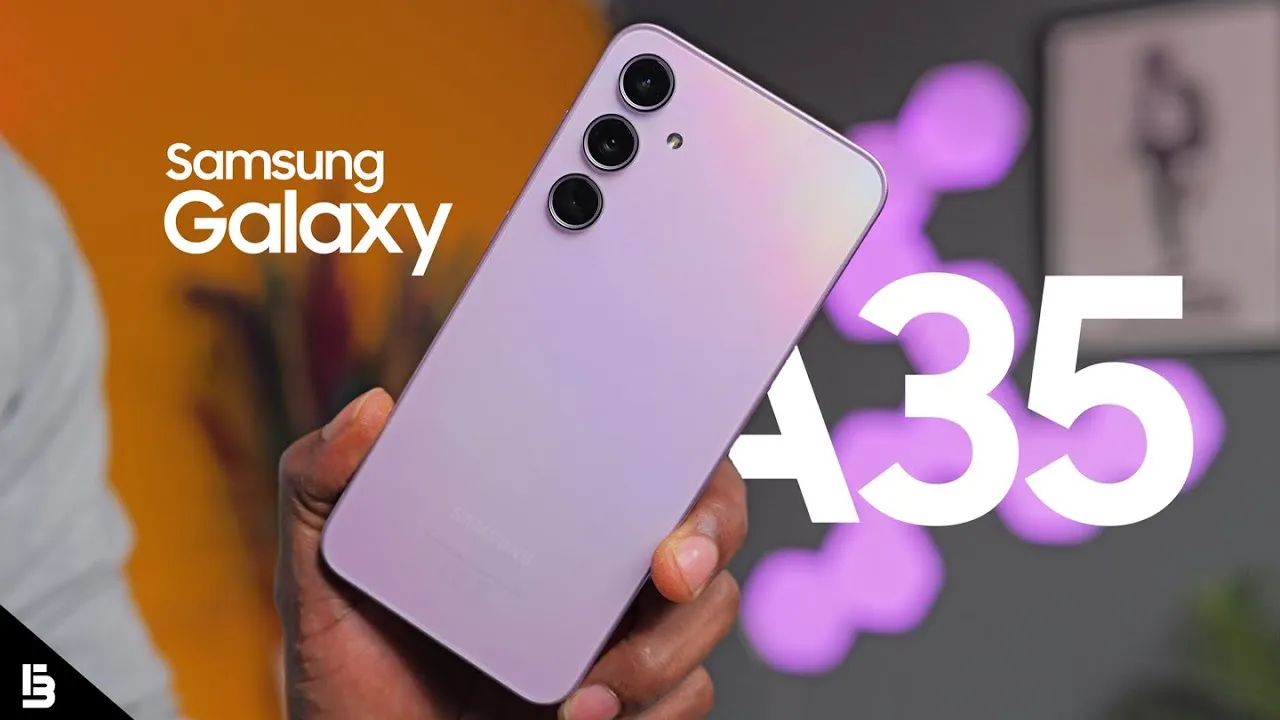
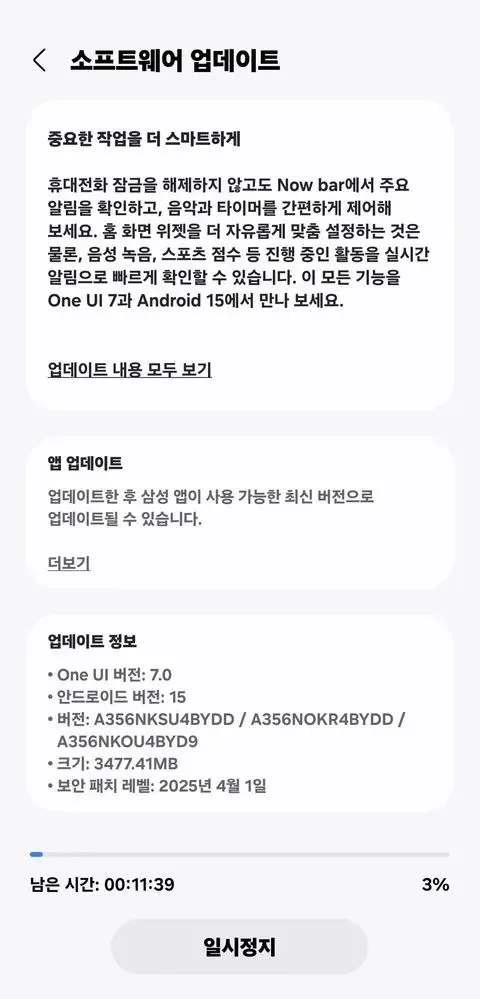
Samsung appears to be looking forward to bringing the next Android 15-based One UI 7 update to more Galaxy smartphones around the world. Samsung has already delivered the upgrade to major flagships, but it is now time for previous generation devices, including the A portfolio, as Galaxy A35 phones have lately begun receiving the software.
More precisely, Samsung has initiated a solid rollout for the Galaxy A35 models in its native country of South Korea, with wider availability coming soon. The device’s upgrade is identifiable by the build number A356NKSU4BYDD.
Meanwhile, the update contains a number of fascinating improvements and changes, including better AI-powered functionality in the form of Awesome Intelligence, a scaled-down version of the full-fledged Galaxy AI suite.
It includes a sophisticated user interface, highly customizable home screen widgets, and a new Now Bar feature that allows users to access all key information such as sports scores, health-related information, alerts, and more without unlocking the device, all while improving overall productivity, creativity, and security.
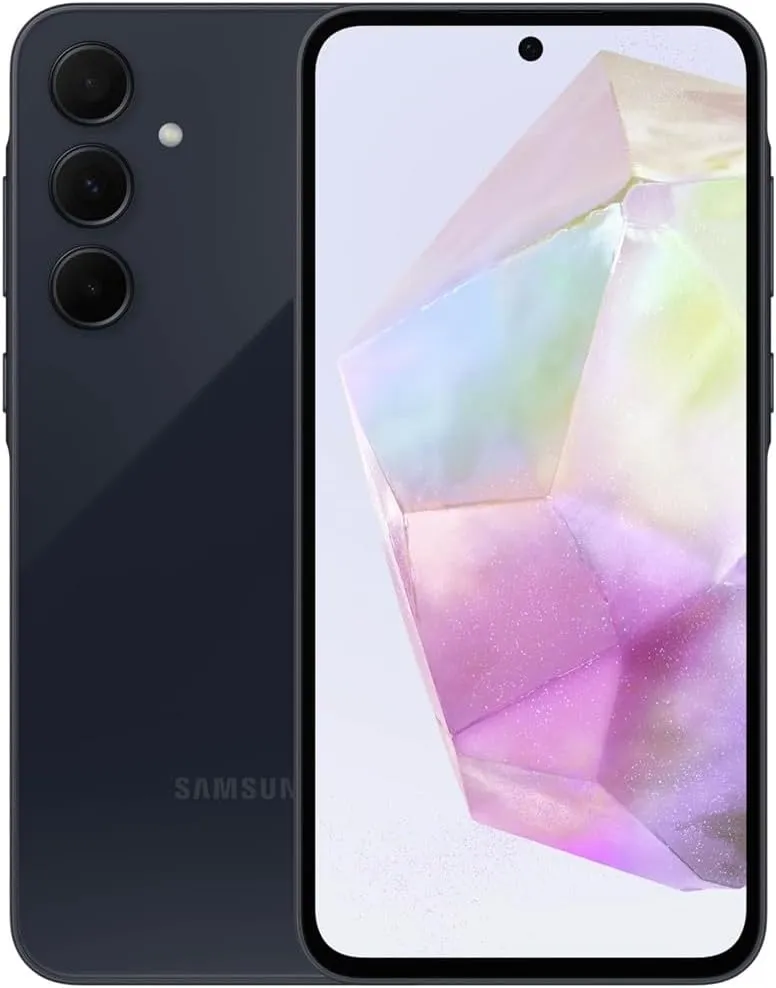
Samsung Galaxy A35 5G
6.6” FHD+ Super AMOLED Infinity-O, 120Hz Adaptive Refresh Rate, 1080×2340 pixels, 1000unit (Peak), 389ppi, 5000mAh Battery, Bluetooth 5.3
At the same time, the update further integrates the April security patch, which focuses on improving the device’s overall security and core functionality that provides a more secure, smooth and efficient user experience.
Given that Google is probably going to release stable Android 16 at Google I/O in a few weeks, I had a sneaking suspicion that we would not see the customary May Android 15 security update for Pixel devices. That aspect of me was incorrect because Google released the May 2025 Pixel update today.
The list of devices receiving the May Pixel update includes the Pixel 6 and 6 Pro, Pixel 6a, Pixel 7 and 7 Pro, Pixel 7a, Pixel 8 and 8 Pro, Pixel 8a, Pixel Fold, and Pixel Tablet, as well as the Pixel 9, Pixel 9 Pro, Pixel 9 Pro XL, and Pixel 9 Pro Fold. The Pixel 9a is seeing a fresh update as well.
According to Google, the May update will start to roll out today and should continue to do so in stages throughout the course of the following week. Your carrier – whether it is Verizon, AT&T, T-Mobile, or prepaid like Google Fi – often determines the date.
Below is the list of the May Android update builds for your particular Pixel smartphone, broken down by worldwide, country, and carrier.
Global
Pixel 6: BP1A.250505.005
Pixel 6 Pro: BP1A.250505.005
Pixel 6a: BP1A.250505.005
Pixel 7: BP1A.250505.005.B1
Pixel 7 Pro: BP1A.250505.005.B1
Pixel 7a: BP1A.250505.005.B1
Pixel Tablet: BP1A.250505.005
Pixel Fold: BP1A.250505.005.B1
Pixel 8: BP1A.250505.005.B1
Pixel 8 Pro: BP1A.250505.005.B1
Pixel 8a: BP1A.250505.005.B1
Pixel 9: BP1A.250505.005
Pixel 9 Pro: BP1A.250505.005
Pixel 9 Pro XL: BP1A.250505.005
Pixel 9 Pro Fold: BP1A.250505.005
Pixel 9a: BD4A.250505.003
Taiwan+EMEA
Pixel 9: BP1A.250505.005.A1
Pixel 9 Pro: BP1A.250505.005.A1
Pixel 9 Pro XL: BP1A.250505.005.A1
Pixel 9 Pro Fold: BP1A.250505.005.A1
Verizon
Pixel 9: BP1A.250505.005.D1
Pixel 9 Pro: BP1A.250505.005.D1
Pixel 9 Pro XL: BP1A.250505.005.D1
Pixel 9 Pro Fold: BP1A.250505.005.D1
Deutsche Telekom
Pixel 9: BP1A.250505.005.C1
Pixel 9 Pro: BP1A.250505.005.C1
Pixel 9 Pro XL: BP1A.250505.005.C1
Pixel 9 Pro Fold: BP1A.250505.005.C1
2025 May Pixel Update Bug Fixes
Regarding bug patches, Google has made three significant adjustments that affect all Pixel devices that are still supported. Google is fixing issues with quick settings, Bluetooth, and audio.
Audio
Fix for degraded microphone recording quality in certain apps
Bluetooth
Fix for Bluetooth pairing issues with certain smartwatches under certain conditions
Framework
Fix for secondary language displayed in quick settings under certain conditions
Again, Google (and its carrier partners like Verizon, T-Mobile, and AT&T) will begin pushing these updates over-the-air shortly (Settings>System>System update), but if you don’t want to wait for Google and prefer to update manually, you will soon find each factory image or OTA file at the links below.