Tag: rcs

  • Apple Brings End-to-End Encrypted RCS Messaging to iPhone and Android with iOS 26.5

    Apple Brings End-to-End Encrypted RCS Messaging to iPhone and Android with iOS 26.5

    Nearly 18 months after the FBI warned Americans about the security risks of texting between iPhones and Android devices, Apple has introduced end-to-end encrypted cross-platform messaging through iOS 26.5, according to Forbes.

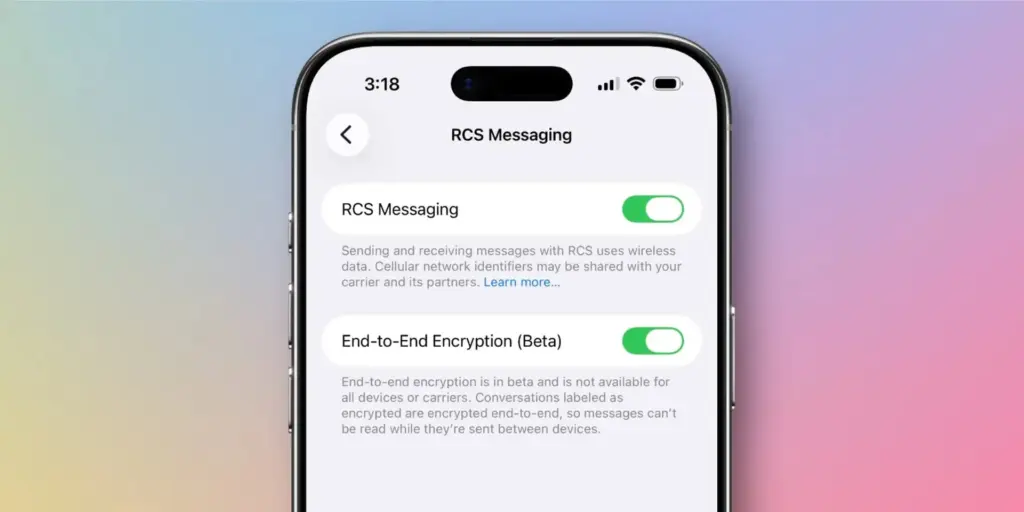
    The update enables encrypted RCS messaging between iPhone and Android users for the first time – though Apple has noted that the feature “is not available to all.” Availability depends on both device compatibility and carrier support, meaning some users may not gain immediate access to secure RCS messaging even after installing the update.

    The carrier dependency is a key distinction from platforms like WhatsApp, where end-to-end encryption is always active because the app controls both sides of any conversation. Apple’s and Google’s implementation of encrypted RCS, by contrast, relies on carrier infrastructure – which introduces variability depending on the networks connected to both devices at any given moment.
    Apple Brings End-to-End Encrypted RCS Messaging to iPhone and Android

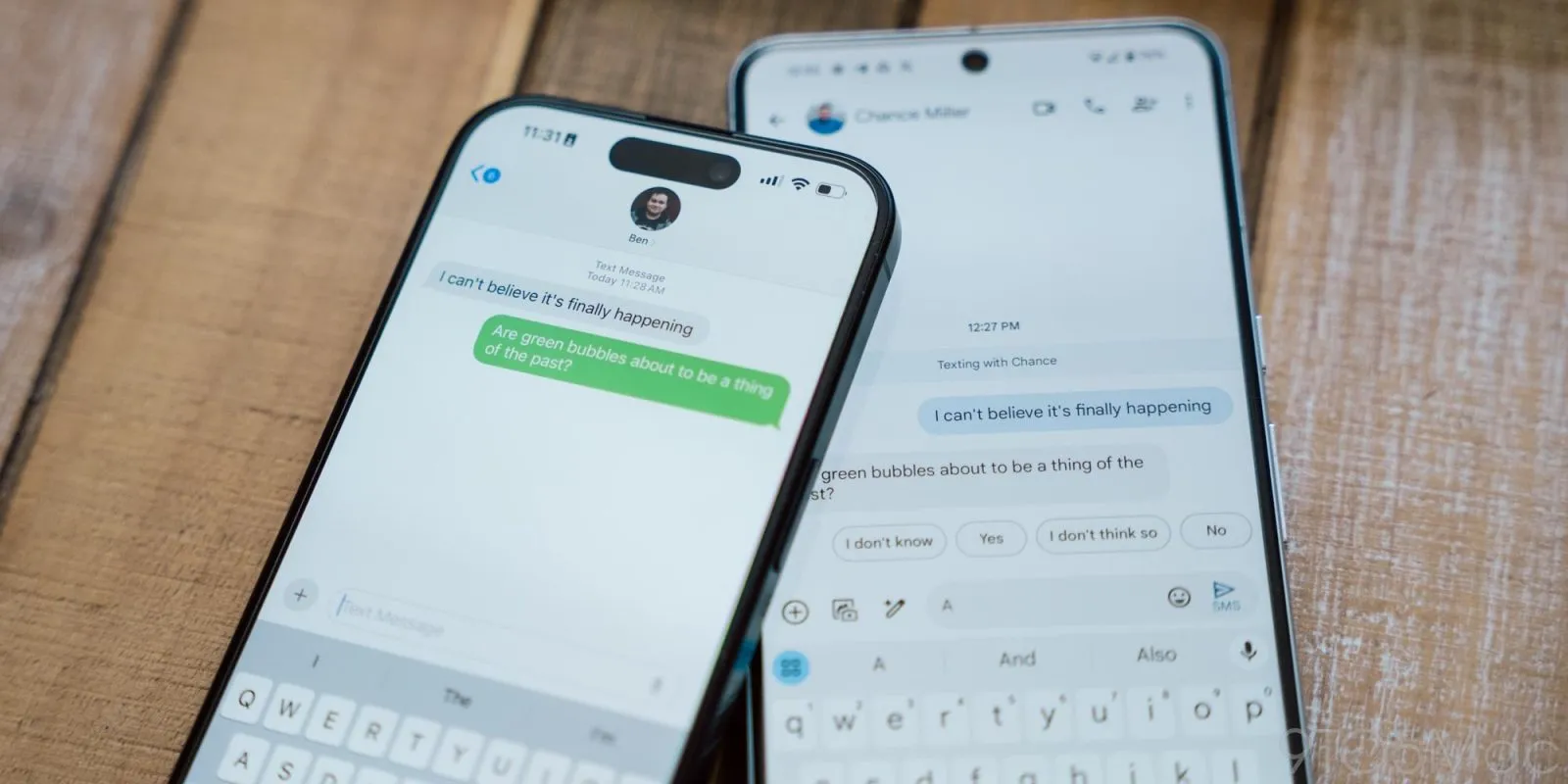
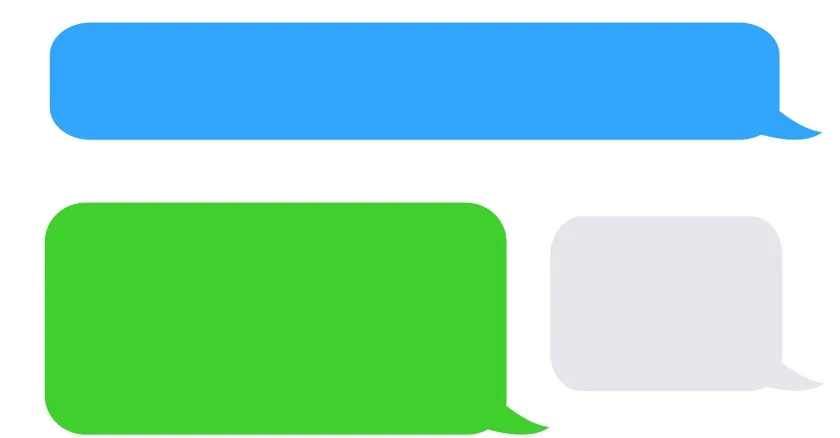
    For context, Apple’s iMessage has long offered fully encrypted communication between Apple devices, identifiable by the familiar blue chat bubbles. Messages sent outside that ecosystem — the green bubble conversations – fall back on SMS or RCS protocols. With Google Messages, encrypted RCS has been available when all participants are using updated versions of the app, though users need to verify whether encryption is actually active in any given chat.

    Encryped RCS messaging to follow

    In its release notes ahead of the update, Apple stated that “end-to-end encrypted RCS messaging (beta) in Messages is available with supported carriers and will roll out over time,” adding that a list of supported carriers would be published on its messaging support page.

    Given the carrier dependency, Apple and Android users looking for consistent, reliable encryption may still find services like WhatsApp or Signal more dependable, or simply stay within their respective ecosystems where encryption is guaranteed.

    Industry observers had anticipated iOS 26.5 would arrive this week, bringing encrypted RCS alongside broader improvements to performance, battery life, and system stability. German technology outlet Born City reported that Apple’s upcoming iOS updates are partly a response to longstanding criticism of the closed iMessage ecosystem, growing demand for AI features, and rising regulatory pressure. India-based publication Eastern Herald framed the RCS rollout as part of a wider industry effort to reconcile privacy with cross-platform interoperability.

    Apple officially launched the encrypted RCS feature in beta on May 11, describing it as a joint initiative with Google aimed at making RCS – the modern successor to SMS – more secure across platforms.

    “Starting today,” Apple said, “end-to-end encrypted RCS messaging begins rolling out in beta for iPhone users running iOS 26.5 with supported carriers and Android users on the latest version of Google Messages.”

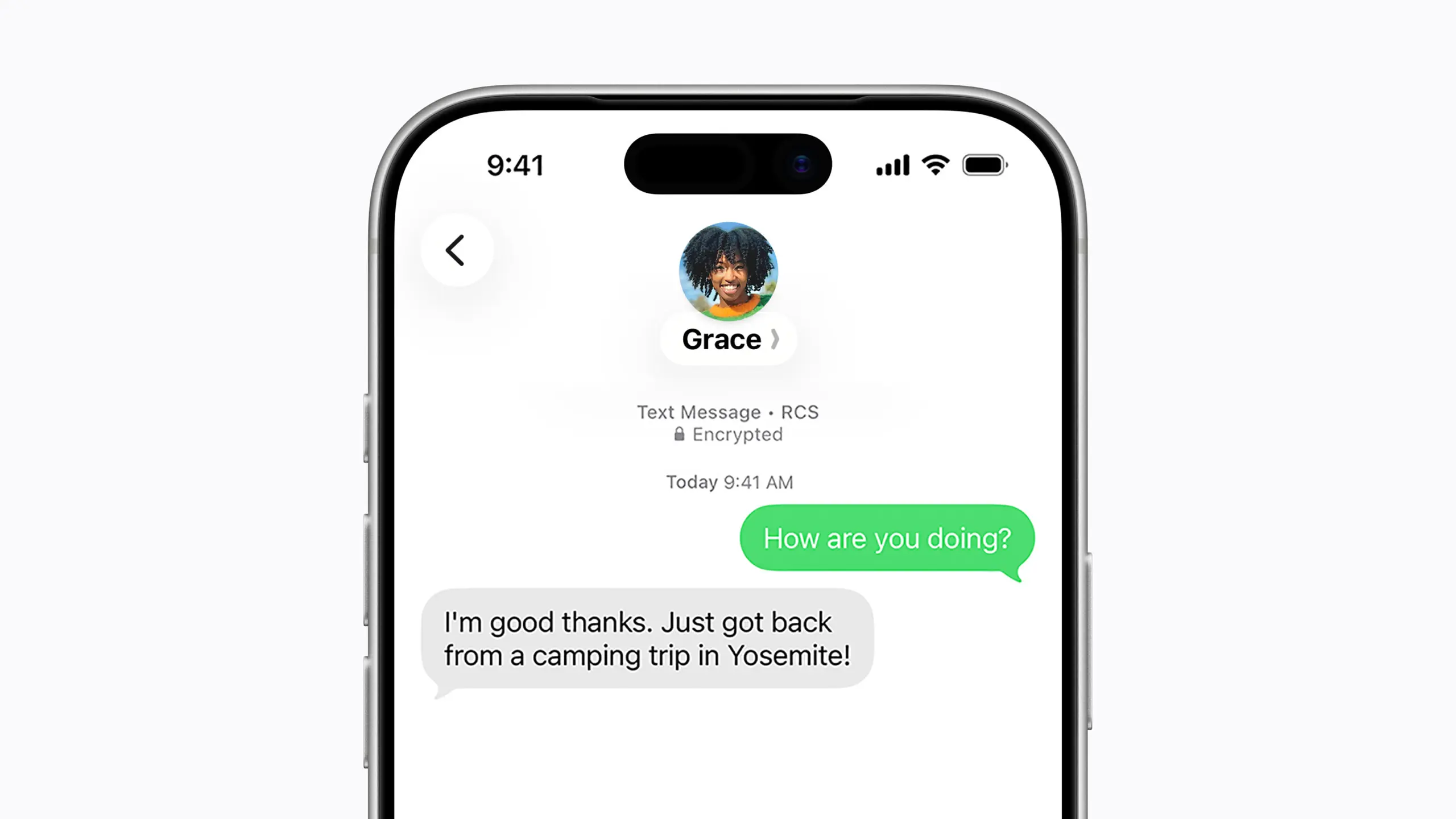
    Users on supported carriers will see a lock icon appear in RCS conversations when encryption is active. Apple confirmed that encryption is enabled by default and will gradually extend to both new and existing RCS conversations over time.

    The move represents one of the most significant shifts in text messaging in decades, potentially closing much of the gap between standard cross-platform texting and the kind of security that encrypted messaging apps have offered for years. Analysts, however, point out that it remains to be seen how quickly carriers around the world will adopt the protocol, and whether the change will meaningfully challenge WhatsApp’s grip in markets where it dominates.

    What’s clear is that the rollout directly addresses the U.S. government’s earlier concerns about unencrypted cross-platform communication – and delivers what many users have been waiting a long time for.

  • Google Messages Prepares a Feature Samsung Users Have Been Waiting For

    Google Messages Prepares a Feature Samsung Users Have Been Waiting For

    Samsung recently established a clear schedule for discontinuing Samsung Messages, establishing Google Messages as the default messaging software on Galaxy phones.

    While this is ultimately a welcome shift, the fact that Samsung Messages no longer supports RCS has left some longstanding users wanting the customisation tools they were accustomed to.

    It appears that Google has taken note and is working on adding some fun features that Samsung Messages users will recognize.

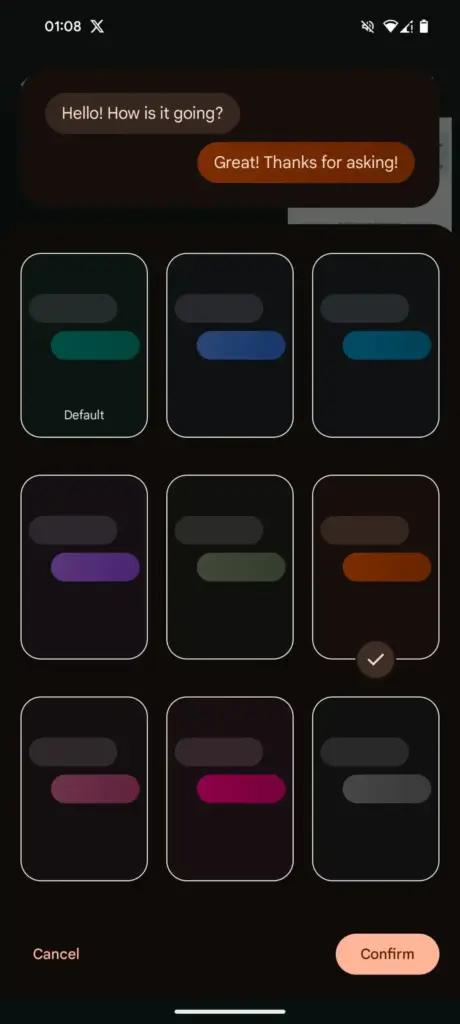
    Currently, the only way to modify RCS chats in Google Messages is to use the “Change colors” option from the three-dot menu. This option allows you to alter the backdrop and chat bubble colors simultaneously, but that’s all the personalization you can do in individual or group chats.

    In comparison, Samsung Messages supports more advanced customization, such as the option to color and decorate chat rooms using photographs from your phone’s gallery. Using Theme Park (via Samsung’s Good Lock module) provides even more customization options, such as altering bubble colors, modifying contrast, applying wallpaper-based themes, and more.

    Google Messages Prepares a Feature Samsung Users Have Been Waiting For

    As Samsung app is being phased out, customers who rely on custom theme packs have begun to express dissatisfaction with Google Messages‘ lack of customisation choices. Google appears to have been paying heed, since a new customisation option for its messaging app is now under development.

    More customization coming for Google Messages

    In the most recent beta release of Google (messages.android_20260410_02_RC00.phone.openbeta_dynamic), we discovered many additional lines pointing to extended theme controls within the app.

    <string name="custom_theme_add_photos">Upload photo</string>
    <string name="custom_theme_your_photos">Your photos</string>
    <string name="custom_theme_preview">Theme Preview</string>
    <string name="custom_theme_title">Theme UI</string>
    <string name="custom_theme_custom">Custom</string>
    <string name="custom_theme_backgrounds">Backgrounds</string>
    <string name="custom_theme_bubble_color">Bubble Color</string>
    <string name="custom_theme_apply">Apply</string>

    The new strings indicate that Google is planning a full “Custom” theme section, where users may be able to change backdrop patterns, bubble colors, and, most importantly, upload their own photographs to use as chat wallpapers. References to “Upload photo” and “Your photographs” definitely suggest a Google photographs integration, although options such as “Theme Preview” and “Apply” indicate a more involved customization experience.

    There are also talks of separate areas for backgrounds and bubble colors, implying that users could mix and match aspects rather than relying on pre-set themes.

    If this option becomes available, it would be a significant step toward allowing users greater choice over how their chats appear, which has been glaringly absent from the app thus far.

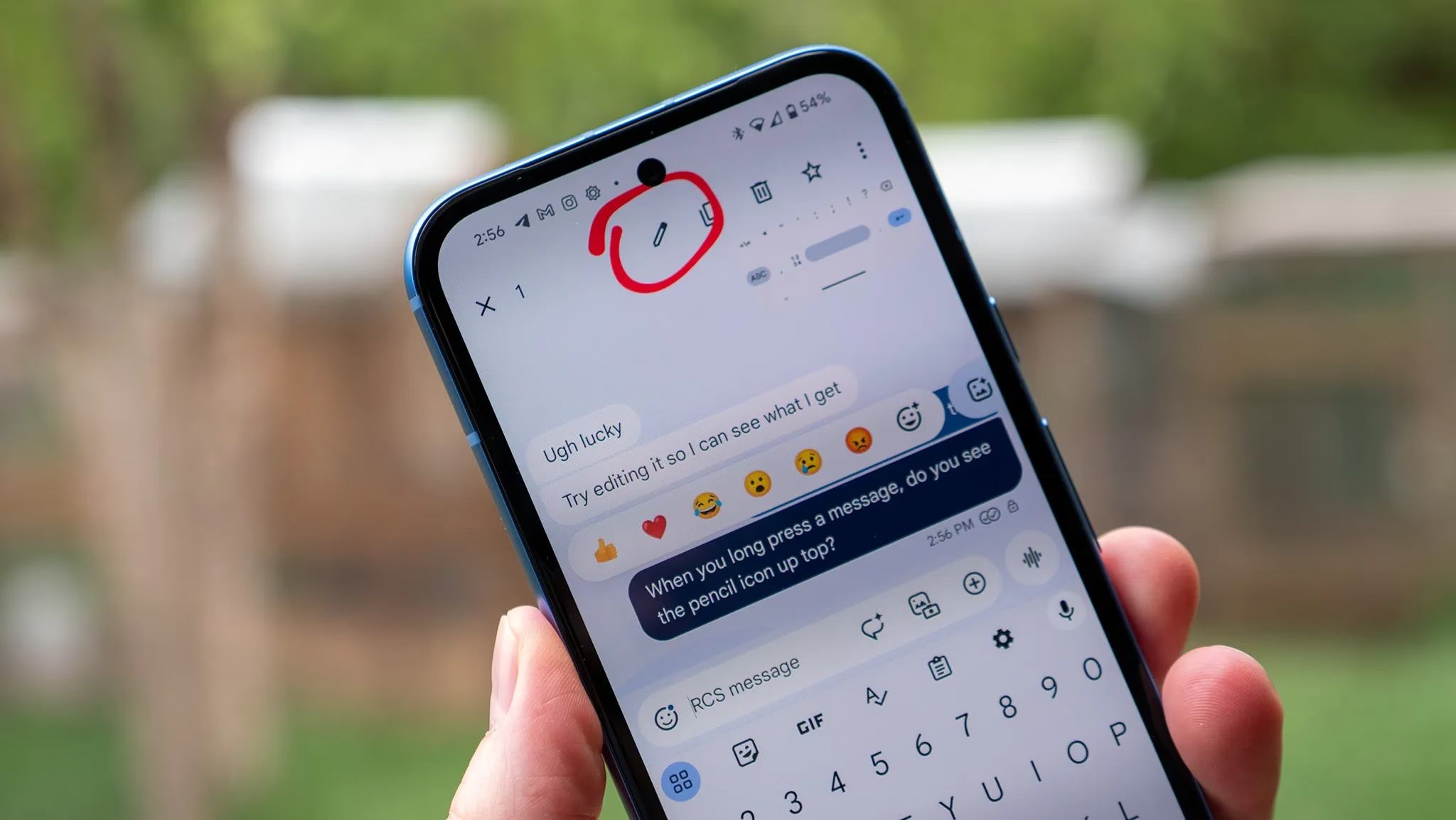
  • Editing RCS Messages sent to iPhones is now possible for some Android users

    Editing RCS Messages sent to iPhones is now possible for some Android users

    Text communications between iOS and Android users has historically proven more often than not problematic. However, new modifications are facilitating communication between the two platforms. After years of Google trying to convince Apple to adopt the new communications standard, RCS, the company is finally doing so.

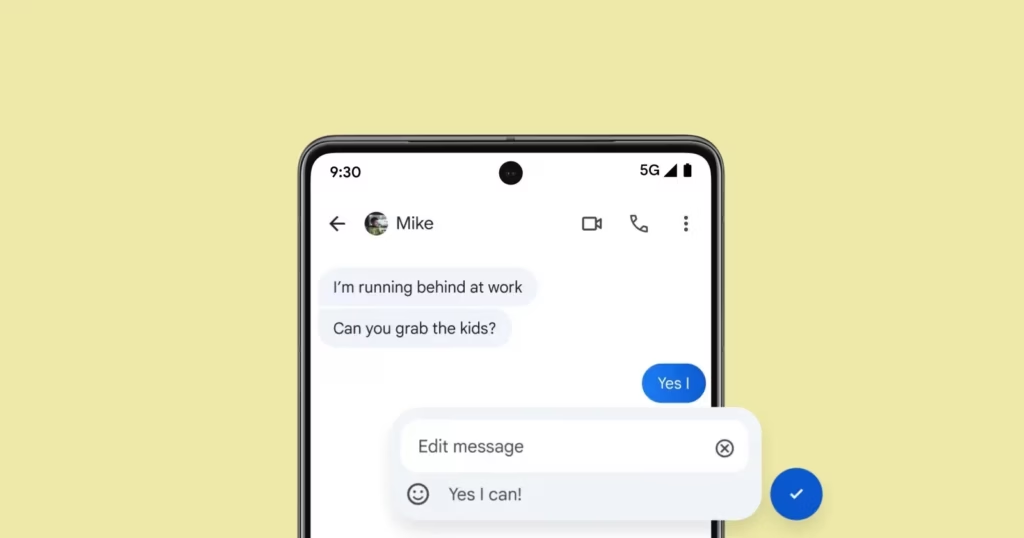
    Users on both systems can share high-quality media, be “seen” when messages are read, and detect typing activity thanks to RCS. However, up until now, there hasn’t been a way to alter messages sent from an Android device to an iPhone. According to Android Authority, some Android users are now starting to notice it.

    edit rcs message

    Apple recently added RCS support

    For over a year, editing messages has been possible for Android-to-Android chats using RCS and iPhone-to-iPhone chats using iMessage. Because message editing was not included in the official RCS standard, Universal Profile 2.4, this feature was not available between iOS and Android. The standard was embraced by Apple, but this resulted in cross-platform conversations lacking the edit option.

    The GSM Association published Universal Profile 3.0 earlier this year, which includes end-to-end encryption and message editing. As a result, if the iPhones are running iOS 18.5 or later, including the iOS 26 beta, some Android users can now edit messages sent to iPhone users.

    It operates by requiring modifications to be performed within a 15-minute interval. Since Apple’s Messages app does not yet fully support this feature, the updated message appears on iPhones as a new message with an asterisk.

    Stay connected with the latest from Droid Tools—follow us on X @droid_tools, like our page on Facebook, check out our updates on Instagram, and follow us on Google News for real-time news, device tips, and mobile tech insights.

  • Google Messages ads RCS label in contact list

    Google Messages ads RCS label in contact list

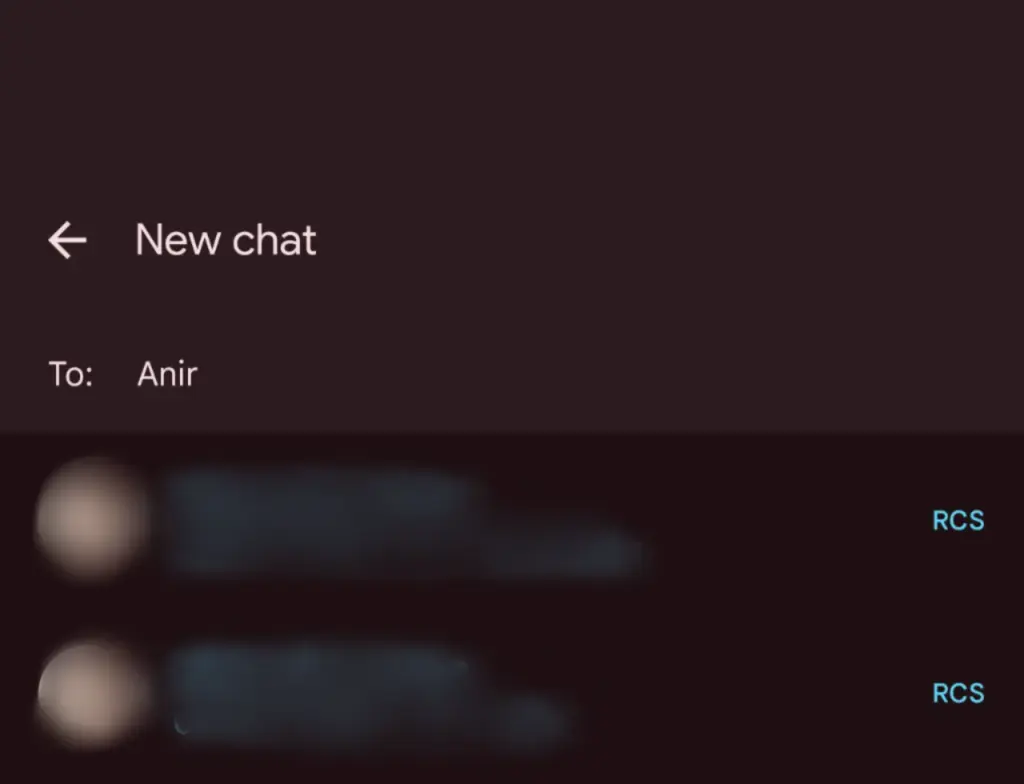
    Google Messages’ RCS texting feature isn’t as efficient as it could be. You can’t tell whether someone has RCS messaging enabled unless you start a chat with them. With a new RCS indication in Google Messages, Google is permanently resolving this issue.

    The “RCS” badge will appear on the right of numbers that support the upgraded texting experience (via Reddit) when you compose a new message and navigate through your contact list in Google Messages. The label won’t show up next to a saved contact if they are not able to send RCS texts.

    In addition to the label, dynamic color theming is used to further draw attention to RCS-enabled contacts. Regular numbers are shown in either white or black. Google Messages will show RCS availability for each number if a contact has more than one.

    google messages rcs label

    Even though this might not seem like much, it will contribute to a more reliable RCS experience. Now, you can easily check if a contact has RCS enabled. This modification should only serve to increase the uptake of RCS.

    Before, you had to begin writing a message with them in order to find out. In April of this year, Google was initially observed working on this Google Messages update.

    According to 9to5Google, there are further minor modifications. The “New conversation” title that was previously displayed on the screen that comes after tapping the “Start chat” button has been replaced with the “New chat” heading.

    Some users of the most recent Google Messages for Android beta (20250527_01_RC00) are seeing the RCS label. Since none of my phones have the label yet, it looks like this is a restricted server-side rollout.

    Google brings many features to Messages

    To its credit, Google has been working diligently on Google Messages, addressing numerous issues and incorporating new features to level it up with its rivals. The business merits recognition, even though there is still much to be done.

    Testing has revealed several planned Google Messages enhancements, such as threaded answers, a huge compose box for seeing your lengthy texts, and a new landscape style.

    If you want the latest Droid Tools news, follow us on X @droid_tools and like our page on Facebook to stay updated.

  • US Carriers that enabled RCS messaging for iPhones

    US Carriers that enabled RCS messaging for iPhones

    This week, Apple unveiled iOS 18, which includes a number of improvements, including the long-awaited Rich Communication Services, or RCS. The iPhone 16 was also announced alongside iOS 18. Since carrier activation is necessary for the messaging service to function, not all American networks will offer it at launch. The most recent list of carriers that support RCS on iPhones can be found on Droid Tools.

    Since Google originally implemented RCS on iPhones a few years ago, it has been a frequently desired feature. This messaging protocol was created to take the place of SMS and MMS on mobile or cellular phones. This has several capabilities including sending and receiving high-resolution photos, read receipts, typing indicators, and improved group chat management, even if it does not eliminate the green bubbles from Android messages.

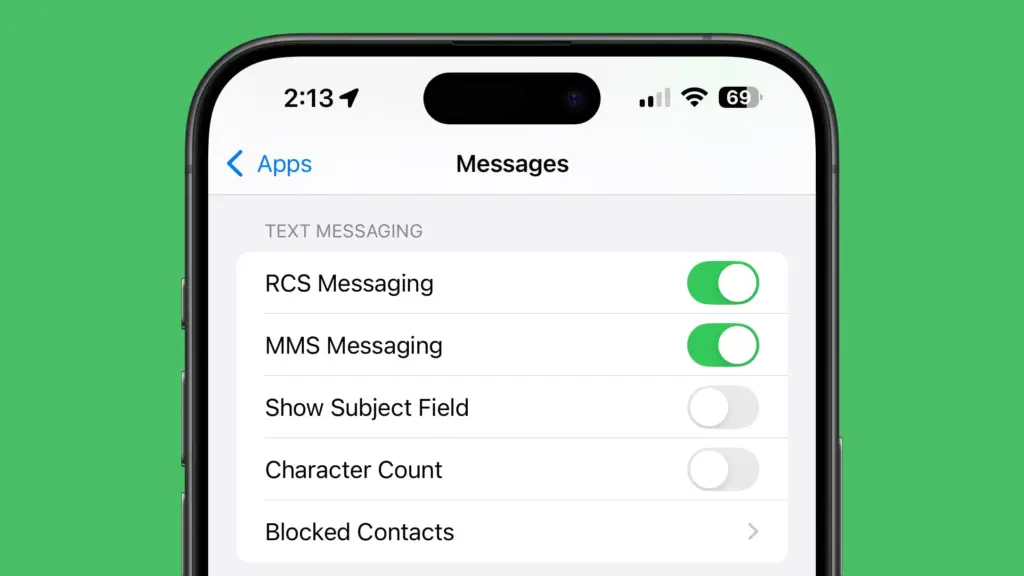
    How to turn on RCS on an iPhone

    Even after updating to iOS 18, RCS messaging is disabled by default. Users of upgraded iPhones will need to activate it through the settings. How to do it is as follows:

    1. Open the Settings app on your iPhone.
    2. Scroll down and tap Apps.
    3. Select Messages from the menu.
    4. Toggle on RCS.
    5. Exit the window to save changes.
    RCS messaging

    Which US carriers offer RCS for iPhones?

    Only a few carriers have enabled RCS since iOS 18 was released for compatible iPhones. Major carriers have been on the list, nevertheless, since the beginning. The carriers listed below provide RCS for iPhones.

    1. AT&T
    2. T-Mobile
    3. Verizon
    4. Metro by T-Mobile
    5. U.S. Cellular
    6. Cricket
    7. Spectrum
    8. TracFone
    9. Straight Talk
    10. Xfinity Mobile
    11. C Spire
    12. Consumer Cellular
    13. FirstNet
    14. PureTalk
    15. Red Pocket
    16. Visible

    There is no confirmation yet when other telco operators like Mint and Boost will enable RCS on their network.

    Which Canadian carriers offer RCS for iPhones?

    If you’re residing in Canada or traveling there, most major carriers there offer RCS on iPhones as well. You can find the list below.

    1. Bell
    2. Rogers
    3. Telus
    4. Fido
    5. Virgin Mobile
    6. Freedom Mobile
    7. Koodo
    8. Lucky Mobile
    9. Videotron
    10. Chatr

    If you would rather see it in a more organized manner, Apple’s support page has a list of several wireless providers in various nations and areas that have already integrated RCS into their networks.

  • RCS is now officially compatible with iPhones

    RCS is now officially compatible with iPhones

    Although we have known it was coming for almost a year, today is the day we have been waiting for: RCS compatibility is giving the texting experience between the stock messaging apps on Android and iPhone a significant boost. Rich conversations have long been supported by Android texting apps such as Google Messages, Samsung Messages, and many carrier apps, but iPhones may now use the protocol designed to replace SMS and MMS since Apple officially released iOS 18.

    With the formal release of iOS 18 to the public channel, iPhone users worldwide will begin to receive an upgrade starting today. After installing the updated firmware, users will be able to receive RCS messages sent to their phone number via iMessage’s parent app, Apple Messages.

    The official Android account on Twitter/X highlighted some of the features you may now take use of in a series of tweets to commemorate the milestone. Among the advantages you will probably notice are the ability to send high-quality images and videos, respond to messages with emoticons, and add and remove members in group chats at will.

    “Apple is starting to #GetTheMessage and upgrade to RCS,” the Android account jokes, making fun of the green bubble issue and Google’s push to force Apple to adopt RCS.

    Green bubbles are becoming more similar to blue bubbles.

    Through the iOS 18 beta program, we had the opportunity to test the new RCS capabilities. Although there were still some bugs at the time, the standard features of an instant messaging client, such as read receipts, message replies, and higher file sizes, were all present. On iPhones, however, messages from Android devices continue to appear as green bubbles; only discussions between iMessage and iMessage are blue.

    ios rcs support
    71jbE08QOLL. AC SL1500

    SAMSUNG Galaxy S24+ Plus – DEAL

    SAMSUNG Galaxy S24+ Plus Cell Phone, 256GB AI Smartphone, Unlocked Android, 50MP Camera, Fastest Processor, Long Battery Life, US Version 2024 Cobalt Violet

    $798See It

    RCS messaging between Android and iPhone enable in-transit encryption to assist prevent message interception, as Apple states in its documentation for the capability, but end-to-end encryption is not yet available for these messages.

    It is confusing to note that Android-to-Android RCS chats do support E2EE because Google’s Jibe backend is used by both Samsung and Google’s Messages apps, which layered Signal’s encryption protocol over the RCS Universal Profile foundation. However, Apple’s RCS implementation only makes use of the Universal Profile standard’s functionalities. Although its incorporation into the Universal Profile is not assured, Google Messages was recently seen adding support for MLS, a new industry standard, to help with this.

    Carrier assistance is an additional challenge to consider. A Google Fi representative clarified in a statement to 9to5Google that the iPhone manufacturer has not yet turned on its Google Fi MVNO and that “only Apple has the power to activate RCS compatibility for iPhone consumers” with certain mobile service providers. Nevertheless, iPhone RCS is currently available on all of the main US carriers, including AT&T, T-Mobile, and Verizon. We have also observed the service activating on Canadian carriers.

    To start chatting over RCS with friends on iOS, you can set Google Messages as your default texting app, then make sure the other person has RCS enabled on their iPhone under Settings → Apps → Messages → RCS Messaging.

    unnamed

    Google Messages

    Safety starts with understanding how developers collect and share your data. Data privacy and security practices may vary based on your use, region, and age. The developer provided this information and may update it over time.