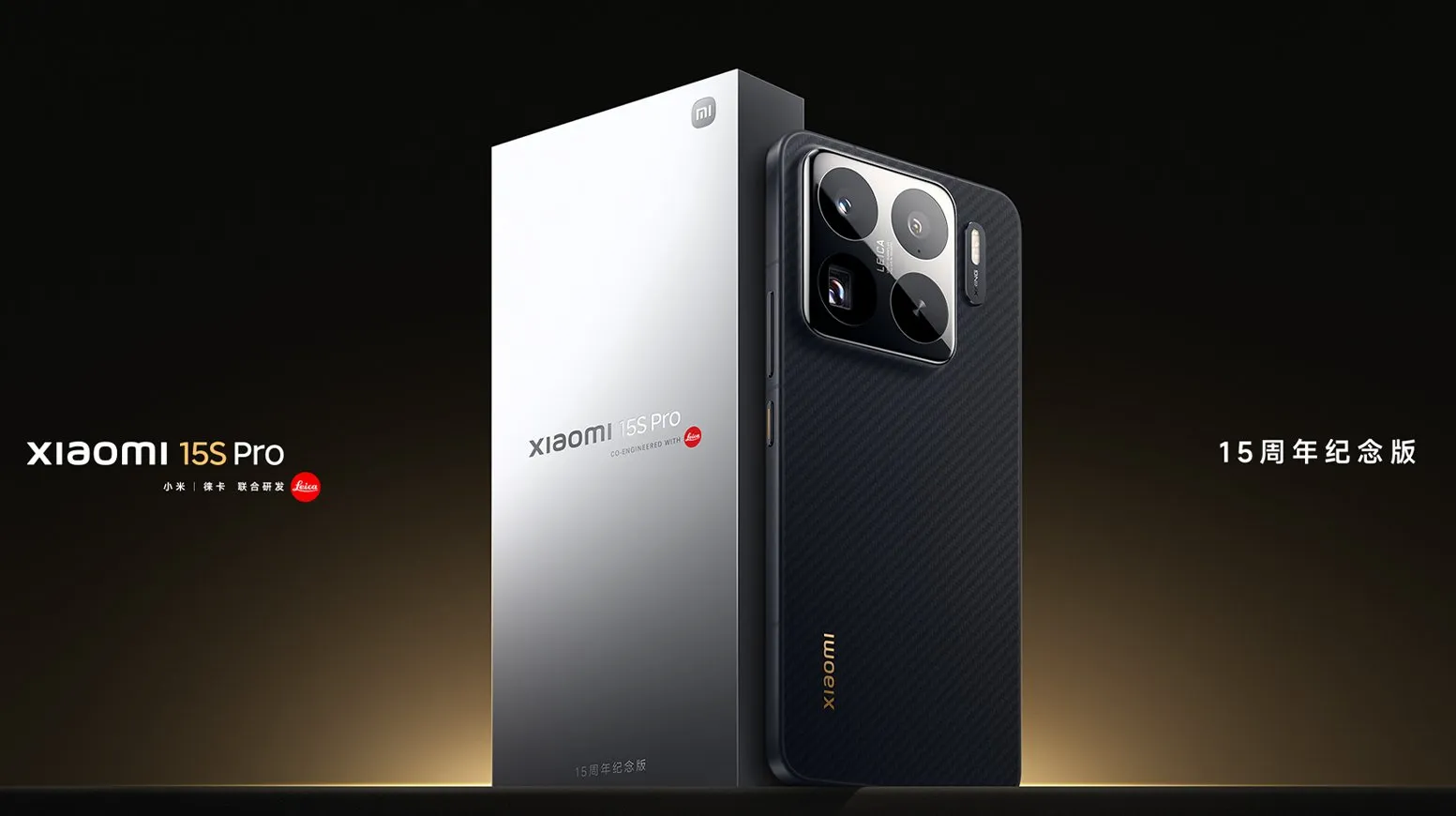
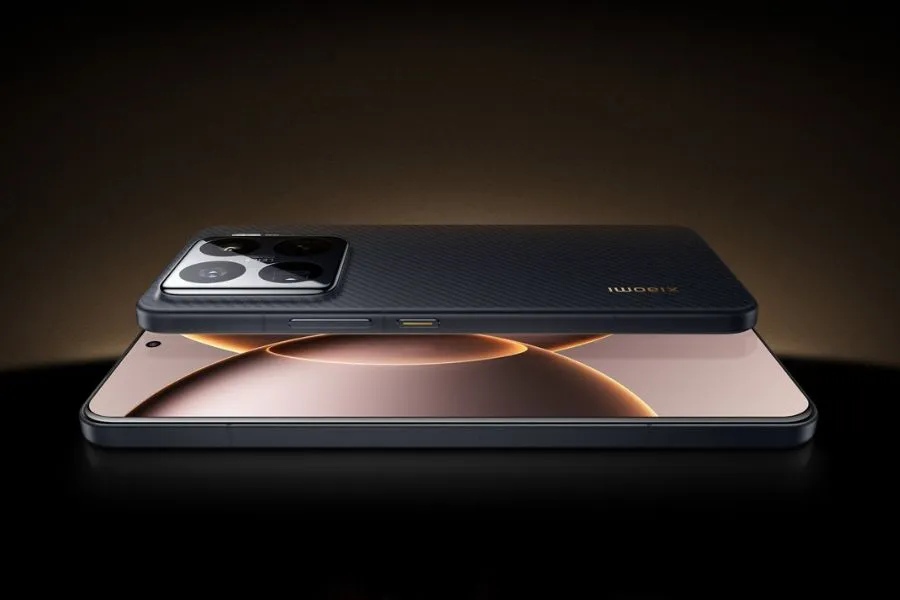
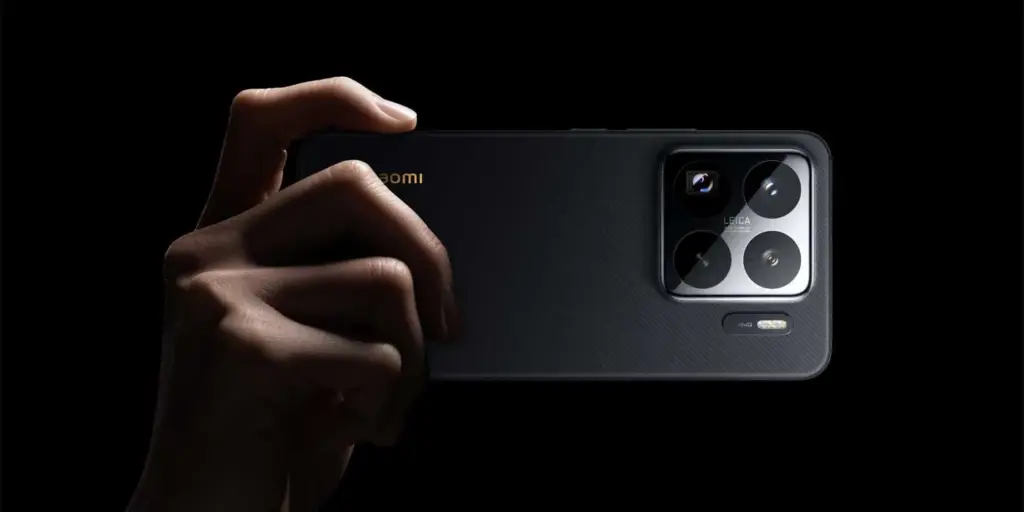
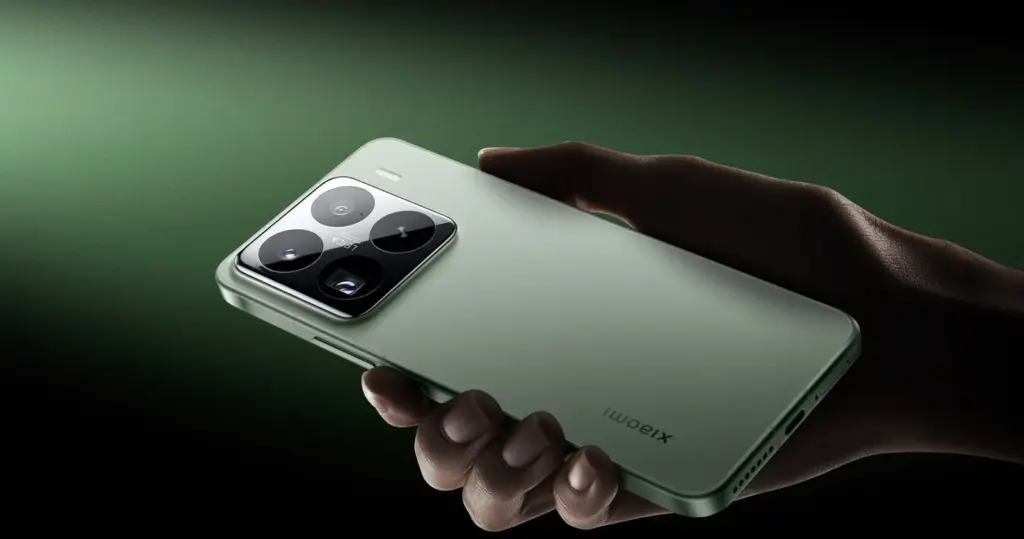
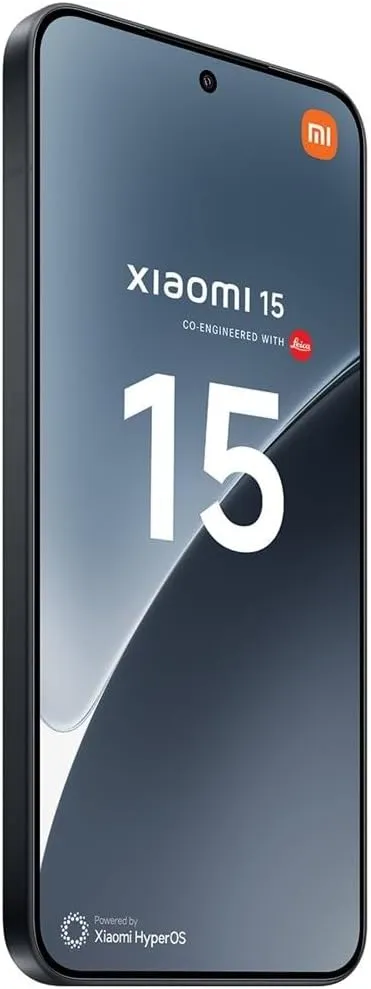
This week, the Xiaomi 15S Pro was launched in China. The Chinese OEM’s first phone to employ its proprietary 3nm 10-core XRING 01 chipset is this one. The phone comes with HyperOS 2.0, which is based on Android 15, and supports 16GB of LPDDR5X RAM in addition to up to 1TB of UFS 4.0 built-in storage. A 50-megapixel triple rear camera set with a 50-megapixel periscope telephoto shooter is included with the Xiaomi 15s Pro. With compatibility for both wired and wireless fast charging, it has a 6,100mAh battery.
The 16GB + 512GB RAM and storage version of the Xiaomi 15S Pro costs CNY 5,499 (about Rs. 65,500) in China, while the 16GB + 1TB model costs CNY 5,999 (approximately Rs. 71,500). The phone is available in Far Sky Blue and Dragon Scale Fibre Version finishes. The official e-store is now the place to buy the phone in the nation.
Xiaomi 15S Pro specs
The Xiaomi 15S Pro has a 6.73-inch 2K (3,100 x 1,440 pixel) OLED LTPO screen with a refresh rate of up to 120 Hz, a maximum brightness level of 3,200 nits, a PWM dimming rate of 1,920 Hz, and protection from Xiaomi’s Ceramic Glass 2.0. Dolby Vision and HDR10+ are also supported by the screen. The company’s latest 3nm 10-core XRING 01 chipset, which has an Immortalis-G925 GPU, 16GB of LPDDR5X RAM, and up to 1TB of UFS 4.0 onboard storage, powers the phone. Xiaomi’s HyperOS 2.0, which is based on Android 15, comes pre-installed.
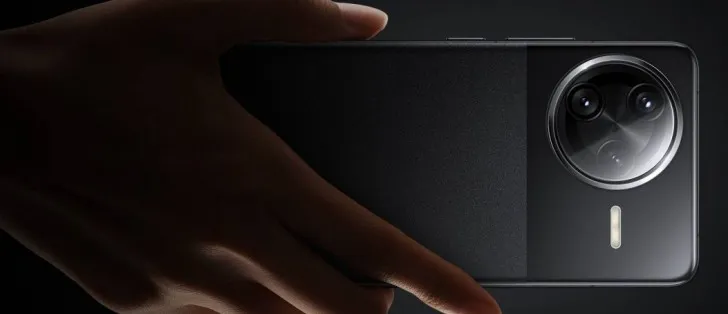
The Xiaomi 15S Pro boasts a triple rear camera set with Leica backing, which includes a 50-megapixel, 1.31-inch Light Fusion 900 primary sensor with an f/1.44 aperture and support for optical image stabilization (OIS). A 50-megapixel Sony IMX858 periscope telephoto shooter with 5x optical zoom, 10x in-sensor lossless zoom, f/2.5 aperture, and OIS support is also included in the camera setup, along with a 50-megapixel Samsung S5KJN1 sensor and a 115-degree ultra-wide angle lens with an f/2.2 aperture and macro capabilities. Additionally, the smartphone has a 32-megapixel OV32B40 front camera with an f/2.0 aperture for video calls and selfies.
The 6,100mAh battery of the Xiaomi 15S Pro supports both 90W wired and 50W wireless fast charging. The phone incorporates an in-display fingerprint sensor for security. 5G, dual 4G VoLTE, Wi-Fi 7, Bluetooth 5.4, Beidou, Galileo, GLONASS, GPS, NavIC, NFC, and a USB Type-C 3.2 Gen 1 connector are among the connectivity possibilities. The phone’s construction is water and dust resistant, with an IP68 rating. Additionally, it features dual speakers that enable Dolby Atmos. The smartphone weighs 216g and has dimensions of 161.3×75.3×8.33mm.
If you want the latest Droid Tools news, follow us on X @droid_tools and like our page on Facebook to stay updated.
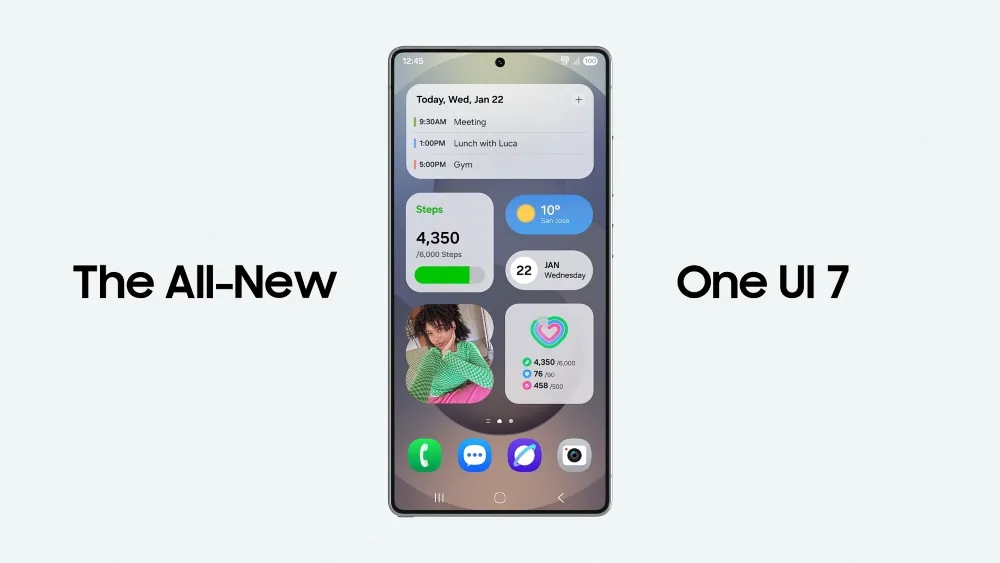
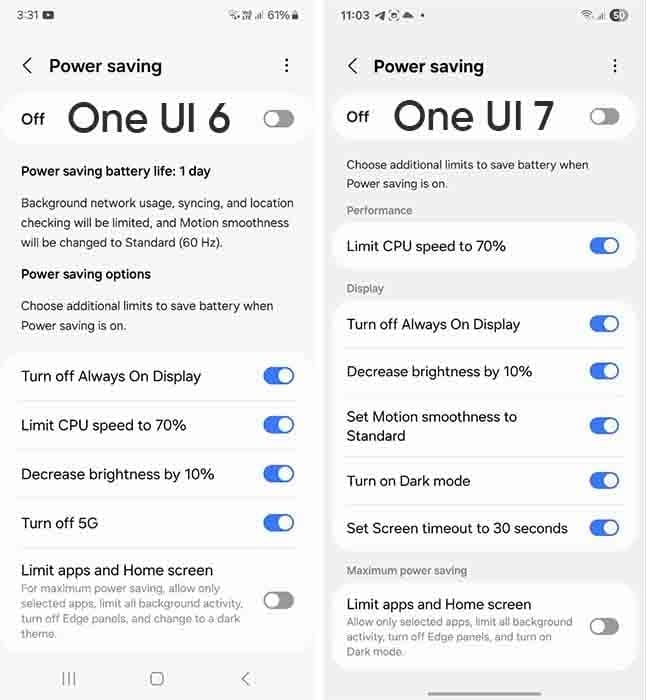
Samsung devices include a power-saving mode; while this feature is similar to all smartphones around the world, One UI 7.0 makes it more customisable.
Android and iOS smartphones have had a power saving mode for some time, but you may only be able to enable or disable it. Smartphones, by default, limit background processes such as network usage, synchronization, and location, as well as reducing the high refresh rate to 60 Hz, and you may not be able to adjust the power saving mode.
However, Samsung devices provide you with more control over this capacity due to extra limitations. This power saver can be enabled from either the fast settings panel or the battery settings. Additional power-saving settings from One UI 6.x are listed below:
Turn off Always on Display
Limit CPU speed to 70%
Decrease brightness by 10%
Turn off 5G
Limit apps and the Home screen
You can control these options with the toggle button in front.
Moving on, One UI 7.0 device users will now see three additional power saving limits, including:
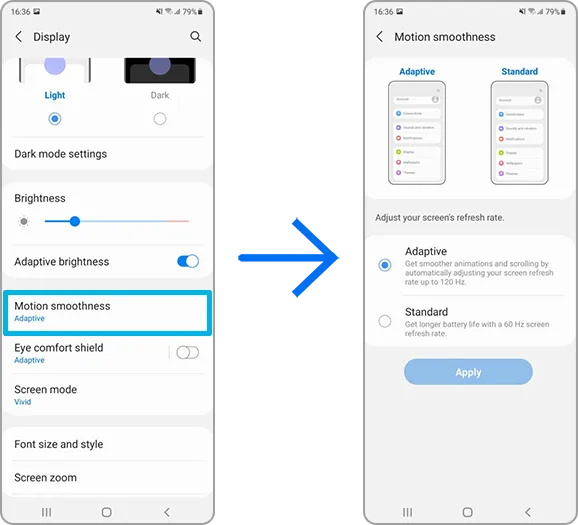
Set motion smoothness to standard
Turn on Dark mode
Set screen timeout to 30 seconds
The refresh rate was previously deactivated automatically during power saving mode, but you can now set its limits. Similarly, Dark mode and screen timeout help to conserve power.
If you wish to maximize power efficiency, enable “Limit apps and Home screen”. It only permits certain apps, restricts background activity, disables Edge panels, and activates Dark Mode.
If you do not want to employ any of these additional power-saving features, you may click the toggle button to return to the system’s normal power usage restrictions. When you disable the high refresh rate option, the 70% CPU limit is reduced automatically. Additional power-saving limits can be found in Settings > Battery > Power saving.
Because of their full of features and efficient software, Samsung’s Galaxy smartphones are among the best Android phones on the market right now. However, the majority of Samsung phones, particularly premium models like the Galaxy S25 Ultra, Galaxy Z Fold 6, and Z Flip 6, include extravagant features that you might not utilize on a regular basis. There are ways to maximize what you have without degrading the user experience if your new Galaxy phone is not able to last a full day between charges.
Here are seven ways to extend your Galaxy phone‘s battery life. Do not worry, I will not be Captain Obvious and suggest that you use your phone at a lower refresh rate or lower the screen resolution. The suggestions on this list ought to enhance your quality of life while optimizing the functionality of your phone.
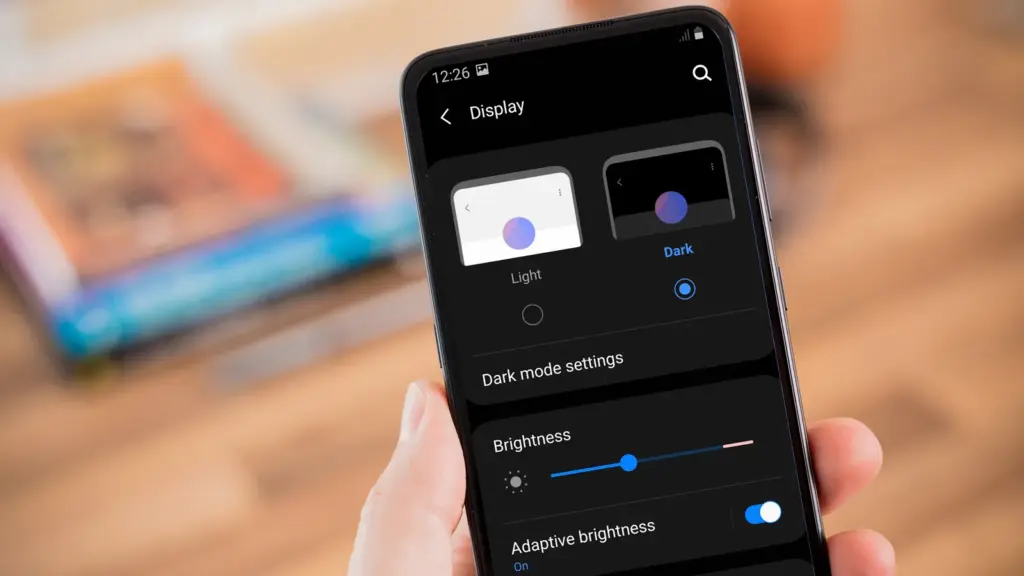
Use Dark Mode
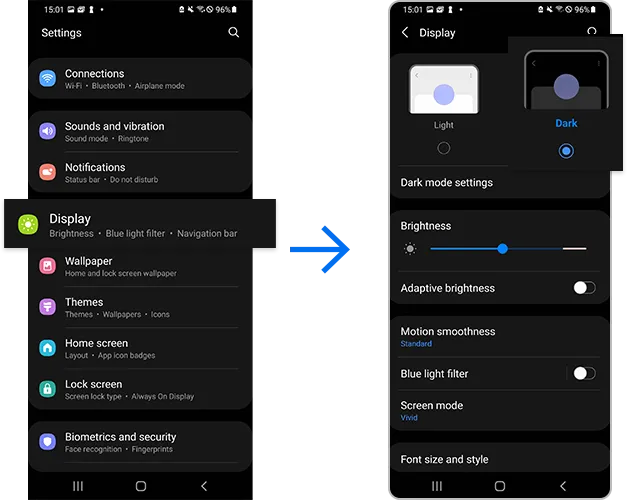
AMOLED screens, which can light individual pixels, are seen on the majority of Samsung phones. Therefore, the area of the screen that must remain black will not activate those pixels when you choose a dark theme or dark wallpaper. As a result, your screen uses less power and your battery lasts a little longer.
How to do it: Go to Settings > Display. Two cards for Light and Dark will be dealt to you. Press the Dark option. Changing the system wallpaper and sticking with the light theme is an alternative, but it will not have the same impact on energy life as switching to dark mode.
Use Adaptive Brightness
Although this feature should ideally be turned on by default, some individuals disable it because it is not always reliable. Nonetheless, the quality of Samsung’s ambient light sensor has increased over time. Your Galaxy phone is capable of accurately detecting ambient illumination and adjusting the screen brightness on its own. By doing this, you can make sure your display is more effective and not overly bright.
Toggle on Adaptive Brightness by going to Settings > Display. Although it should function in most settings, you can use the Quick Settings panel to slide down to change the brightness if necessary.
Force stop or uninstall power-draining apps
Many applications, including Facebook, Microsoft 365, OneDrive, and numerous Samsung and Google apps, are pre-installed on Samsung devices. To stop them from running in the background, find the ones you do not need and either remove them or force-disable them.
For instance, not everyone requires OneDrive or the Samsung Smart TV app. I remove those two apps along with others like Facebook, Outlook, Microsoft 365, Tutor, and more when I set up a new Galaxy phone.
How to: Tap and hold the app you want to uninstall. A pop-up menu will appear. Tap Uninstall. As a result, none of these non-required apps will use your battery.
Identify power-draining apps
Depending on your location, 5G connectivity, and background usage, some apps need more power. To assist you reduce unnecessary battery usage, Samsung allows you to recognize certain power-hungry programs.
By selecting Settings > Battery and Device care > Battery > Background usage limits, you may find and disable power-draining apps on your device.
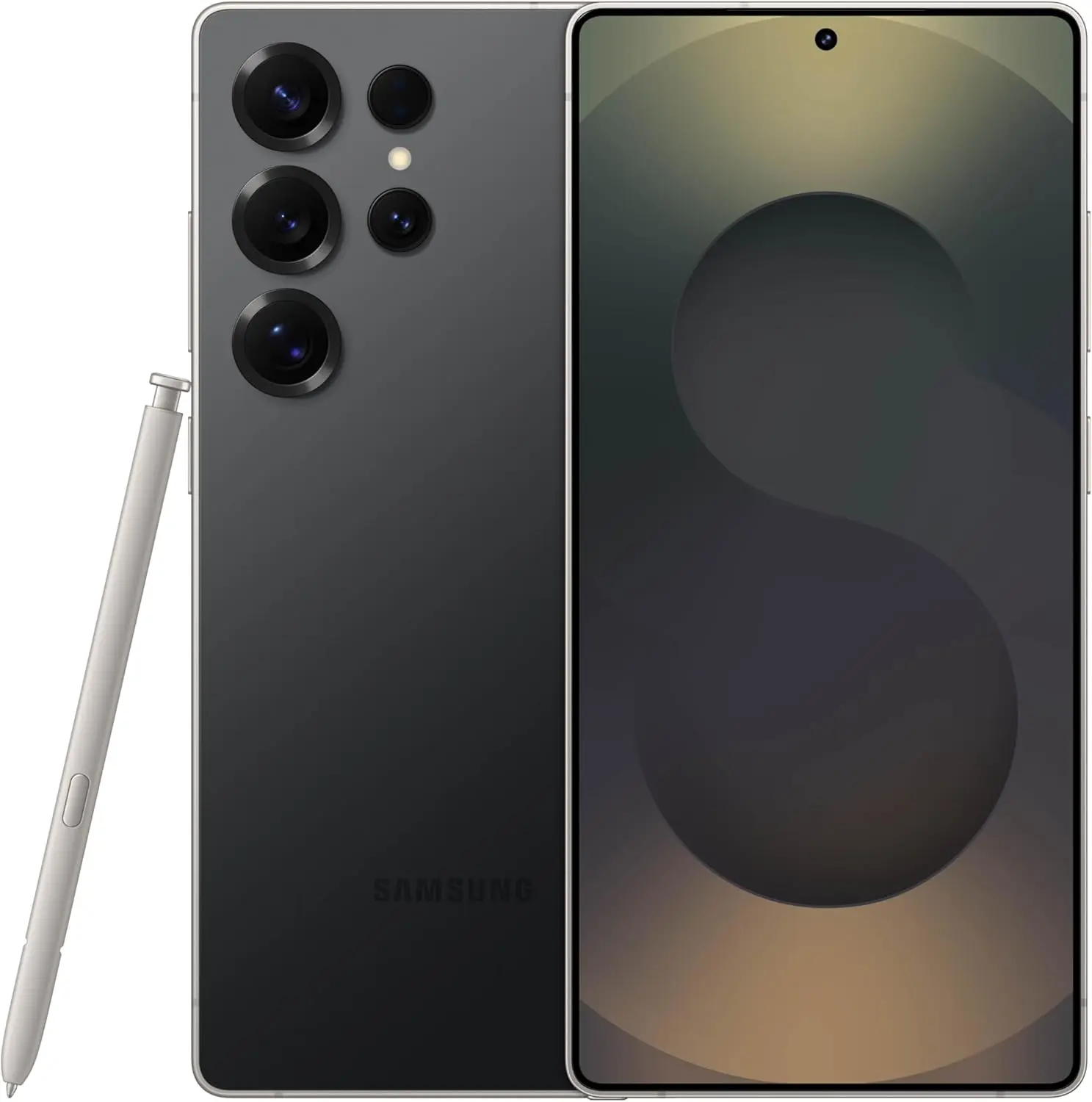
Samsung Galaxy S25 Ultra
Streamline your day with an assistant that gets you. Ask it to Google search for a pet-friendly vegan restaurant nearby and text it to your friend – your Galaxy S25 Ultra handles multiple tasks with a single ask.
I like my Galaxy S25 Ultra’s Always-On Display (AOD). For efficiency, its LTPO display lowers to 1Hz, which is useful for functions like AOD. Using AOD may not be as effective if your Galaxy phone is midrange and has a minimum refresh rate of 60 Hz. You can use it wisely, though, by planning AOD for when it is required.
How to: Go to Settings > Lock Screen and AOD > Tap on Always On Display > When to show > As scheduled. While you’re at it, also turn off the Show lock screen wallpaper within AOD settings.
Use Performance profile
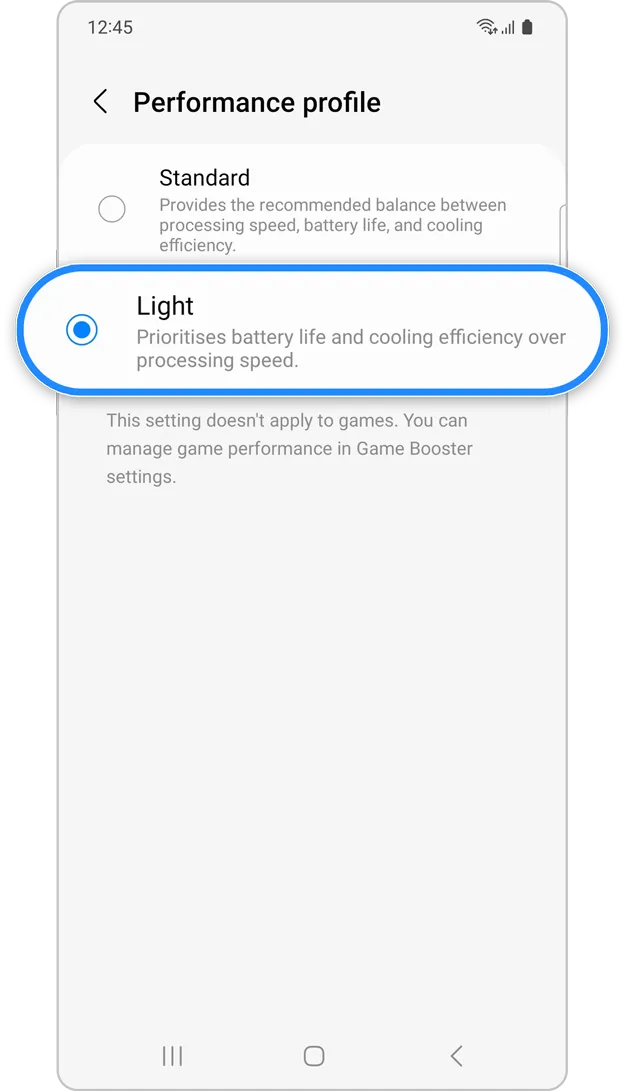
Samsung lets you select a performance profile according on how you use it. The Light Performance profile is a better option than the Standard if you do not play games and use your phone mostly for everyday activities like surfing and making calls. It will put cooling and battery life ahead of processing performance.
How to: Open the Settings app and go to Device care > Performance profile and select Light. This is ideal for average phone users.
Download offline content before travel
It is a good idea to download such stuff offline if you listen to the same podcasts and playlists or travel the same path every day. Google Maps and the majority of streaming apps use a lot of battery power over 5G and LTE. It may also cause your phone to feel warm to the touch when you are outside. With a little advance forethought, you can handle this: Before you leave the house, use Wi-Fi to download your favorite music or maps.
How to: Go to the streaming apps you want to download content from and follow the in-app steps. For instance, YouTube has a download button on videos, and Spotify lets you download complete playlists.
What should you do if the battery on Galaxy phone runs low?
The seven settings above will not hinder your user experience and will retain the best Galaxy phone features. However, if you’re out and your phone is low on battery, you should:
Turn on Power Saving
Toggle off data roaming
Turn off location services
Switch off AOD altogether
When your phone’s battery is less than 15% and you are still a few hours away from a charger, I advise activating these options. The Samsung settings listed above will also help you get the most out of your Galaxy phone’s battery.
Samsung Galaxy S25 Ultra
Streamline your day with an assistant that gets you. Ask it to Google search for a pet-friendly vegan restaurant nearby and text it to your friend – your Galaxy S25 Ultra handles multiple tasks with a single ask.
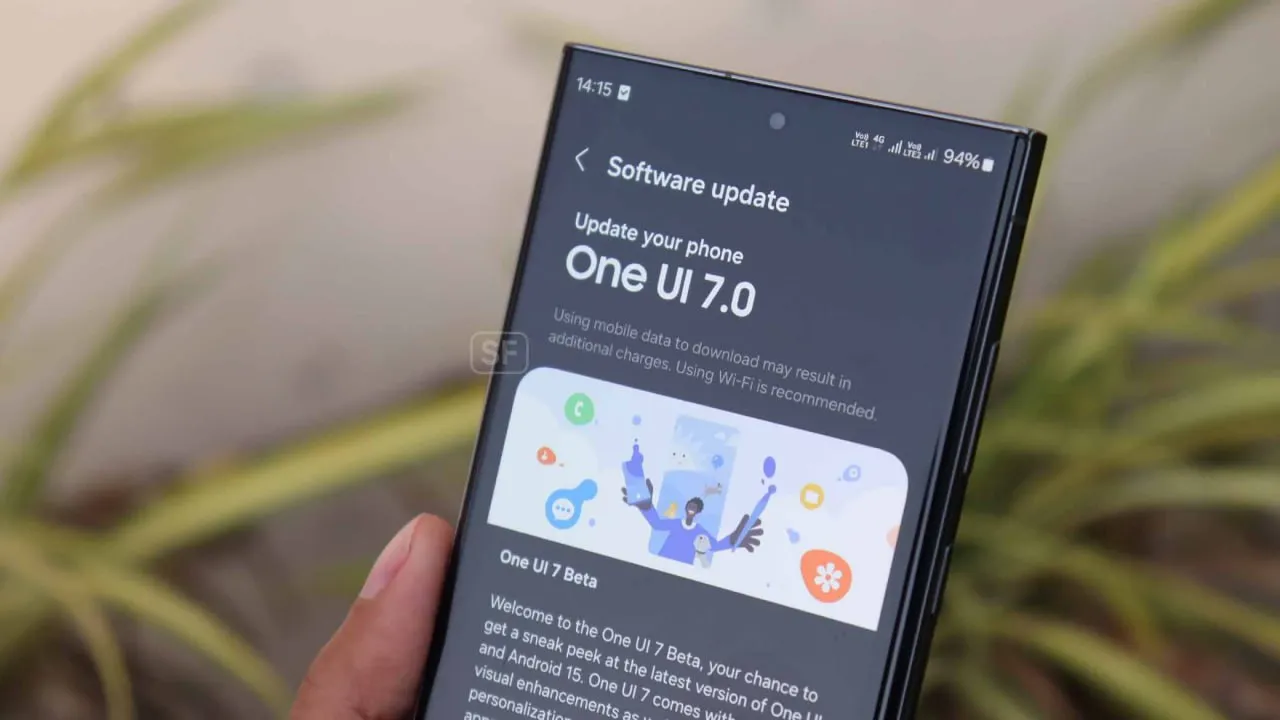
Experiencing battery drain after updating to One UI 7 on your Samsung Galaxy device? This comprehensive guide explains why battery drain happens, how to fix it, and the best settings to optimize battery life on One UI 7. Follow these proven steps to restore your phone’s battery performance and enjoy the latest features without compromise.
Battery drain after a major update like One UI 7 is common. Your device may use more power due to background optimization, app updates, and new features. Additionally, system apps such as location services may run more often, impacting battery life.
1. Allow System Optimization
It may take up to 14 days for your Galaxy phone to optimize battery usage after downloading One UI 7. Avoid making significant modifications during this time, and keep an eye out for any natural improvements in battery life.
Samsung Galaxy S25 Ultra
Streamline your day with an assistant that gets you. Ask it to Google search for a pet-friendly vegan restaurant nearby and text it to your friend – your Galaxy S25 Ultra handles multiple tasks with a single ask.
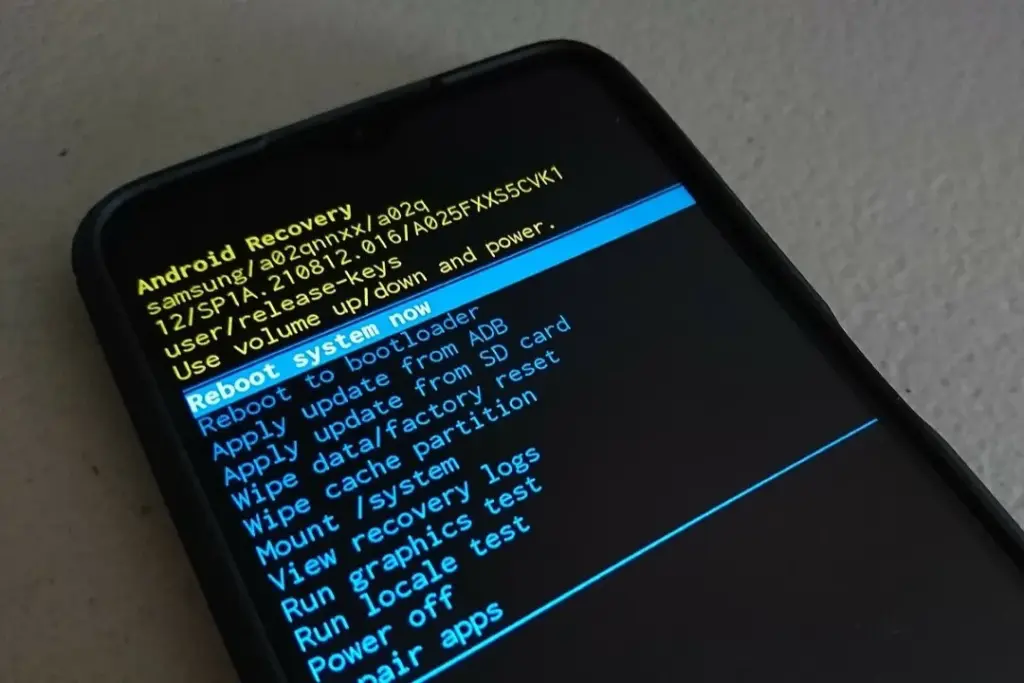
After an update, a damaged cache may result in excessive battery consumption. One secure method to fix this without erasing sensitive information is to wipe the cache partition.
How to Wipe Cache Partition:
Turn off your Galaxy device.
Connect it to a computer via USB.
Hold Power + Volume Up until the Samsung logo appears.
Use the volume buttons to highlight “Wipe cache partition” and press Power.
Confirm and reboot.
3. Update All Apps
Older apps might not be One UI 7 compatible. To guarantee compatibility and effectiveness, update every app from the Google Play Store and Galaxy Store.
4. Check Battery and Location Settings
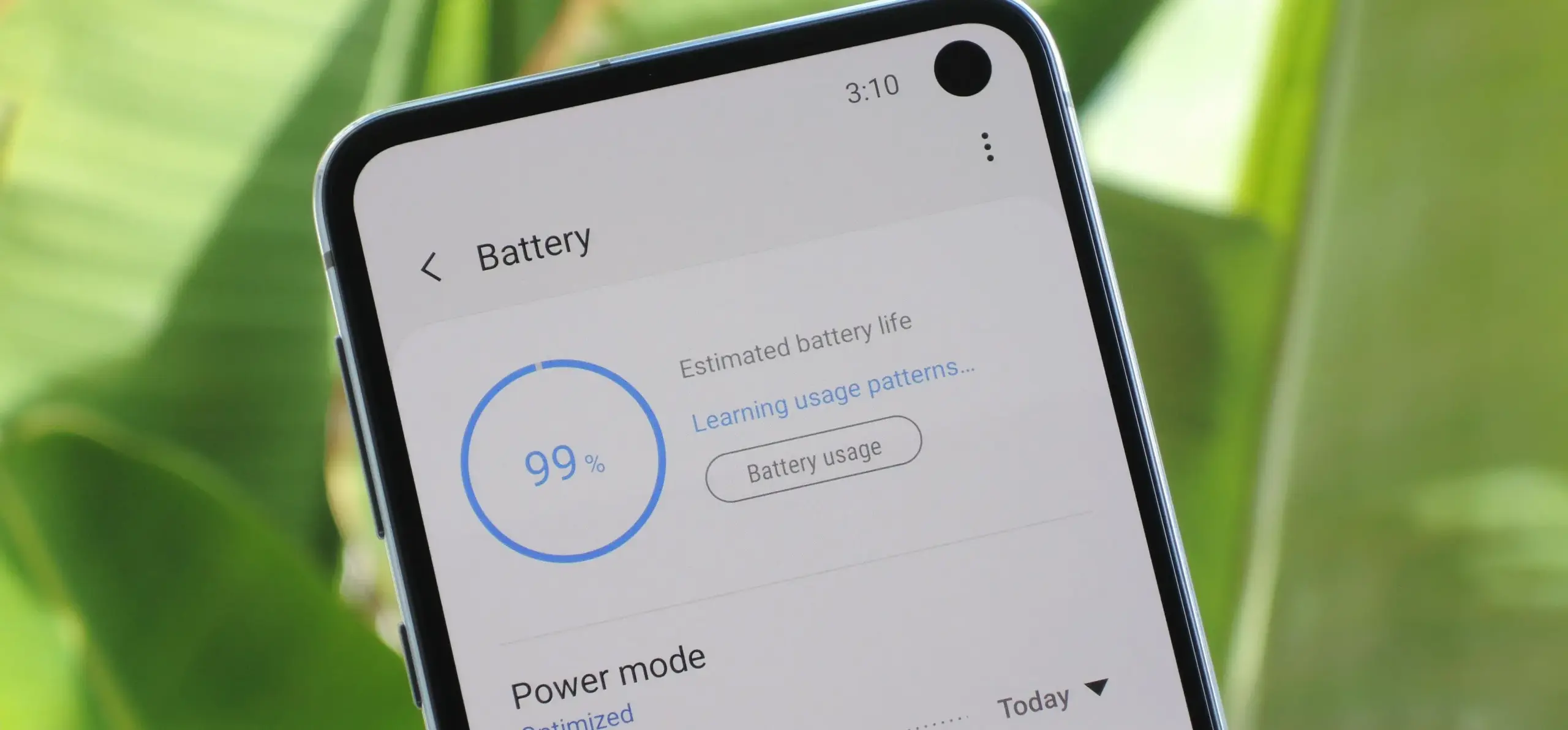
To find out which apps use the most power, navigate to Settings > Battery & Device Care > Battery.
Limit background activity for apps that use a lot of resources.
For apps that do not require continuous access, check location permissions and turn off “Allow all the time.”
5. Use One UI 7 Battery Protection Features
One UI 7 introduces new battery protection tools:
Adaptive Mode: Limits charging to 80% overnight, topping up before you wake.
Maximum Mode: Set a custom maximum charge (80%, 85%, 90%, 95%) to extend battery lifespan.
Auto Dim Screen: Automatically dims the display when battery drops below 5%.
Access these in Settings > Battery > Battery Protection and Settings > Display > Auto Dim Screen.
6. Factory Reset as a Last Resort
If other solutions fail, a factory reset can resolve persistent battery drain. Back up your data before proceeding.
Extra Tips to Extend Battery Life on One UI 7
Turn off functions you do not use, such as background sync, fast refresh rate, and always-on display.
Reduce screen timeout and screen brightness.
When necessary, activate power-saving modes.
Frequently Asked Questions (FAQ)
How long does it take for battery life to stabilize after updating to One UI 7?
It can take up to two weeks for your device to optimize battery usage after a major update.
Will wiping the cache partition delete my personal data?
No, wiping the cache partition only clears temporary system files and does not affect your personal data.
Why is my location icon always on after the update?
Some apps may have gained new permissions. Review your location settings and restrict access where unnecessary.
Quick Fixes for One UI 7 Battery Drain
Solution
Effectiveness
Data Loss Risk
Difficulty
Wait for optimization
Moderate
None
Easy
Wipe cache partition
High
None
Medium
Update all apps
Moderate
None
Easy
Adjust battery settings
Moderate
None
Easy
Factory reset
High
Yes
Hard
If you’re still experiencing battery drain after trying these steps, keep your device updated and monitor community forums for official fixes. Reporting your issue helps Samsung identify and resolve widespread problems faster.
Samsung Galaxy S25 Ultra
Streamline your day with an assistant that gets you. Ask it to Google search for a pet-friendly vegan restaurant nearby and text it to your friend – your Galaxy S25 Ultra handles multiple tasks with a single ask.
Google announced an amazing beta feature that addresses one of Android’s most long-standing issues: battery drain. The innovation is significant for Xiaomi consumers who prioritize battery performance in their daily smartphone usage. The functionality works by tracking “excessive wake locks” in Android’s Vitals panel, assisting developers in identifying and correcting programs that secretly waste battery power in the background.
For those who do not aware, “wake locks” are system-level capabilities that allow applications to keep your phone awake when in background operations. Although valid in some applications, such as music or navigation, overuse can severely deplete your Xiaomi device’s battery without providing any value in terms of how you view your experience.
How Does Google’s New Tool Work?
This approach is specifically designed for applications with active foreground processes that are running in the background. If such programs maintain a “wake lock” for more than three hours in a single 24-hour cycle, regulators consider them harmful. This accurate identification enables developers to address battery usage issues before they reach a large number of consumers.
This methodology provides app developers with more realistic views of how their applications function in real-world circumstances rather than laboratory-like test scenarios.
Partnership with Key Manufacturers
Google is not operating alone in this initiative. The internet behemoth is working with key smartphone manufacturers like Samsung to define “good” performance in a more consistent manner across the Android platform.
This collaboration aims to help developers create more optimized applications that run as easily as possible across a wide range of phone models from all brands, from Xiaomi’s large array of cheap options in Redmi to premium flagships in Mi.
Android Future Plan for Optimisation
This battery monitoring tool is just the beginning of Google’s multi-year strategy to provide developers with deeper insights into real-world app performance. Looking ahead, Google plans to:
Roll out more metrics for performance optimization
Develop and launch new battery life measurement tools.
Potentially release an updated Play Store to promote highly optimized apps
For Xiaomi users who consider battery life to be an important feature, these innovations hold out hope for an era when third-party applications are more efficient to use under HyperOS and other Android-based platforms.
What It Means for Xiaomi Users
Xiaomi has continually focused energy optimization in its devices, including larger batteries and advanced power management in HyperOS. Google’s new developer tools support these efforts by addressing the software side of the problem, potentially improving Xiaomi phones’ outstanding battery life.
The “excessive wake lock” monitoring tool is currently in the testing phase, with Google actively seeking developer feedback to improve its capabilities before a wider release.
I have spent a significant chunk of my life looking for ways to extend the battery life of my Android phones. That may sound dramatic, but growing up with only inexpensive models meant I was constantly modifying device settings to get the most out of their batteries. Thanks to this micromanaging, I was able to drive the batteries on all of my previous devices to their utmost limits. I do not want to keep this knowledge for myself, so I chose to share it with everyone.
There are numerous strategies for extending battery life. However, there are 12 important options that can be changed right now to see immediate results. The following list highlights the most effective, simple, and quick modifications to boost device longevity regardless of the Android phone you are using, whether it is the latest Samsung model, a luxury Google Pixel, or a cutting-edge OnePlus 13. Furthermore, you will not have to compromise the high-quality experience of using your phone.
Although the power settings are nearly identical on every Android phone available, the procedure of changing them varies by device. Keep this in mind when following the procedures I have outlined, as the technique may alter slightly based on the model you are using.
Turn off the always-on display
The always-on display is one of the largest battery drainers on any smartphone. Companies frequently claim that this display setting only consumes 1% to 2% per hour, but let us be honest: it is always far more. It may be convenient to check the time on your phone while it is sitting on a table, but it is unlikely to be worth the sacrifice of battery life.
Open the Settings app and navigate to the Lock Screen section. This section will most likely be found in the main Settings list or under “Display.” From there, look for the option to “always show info” or a simple toggle to enable the Always On Display. In any case, disable the option and ensure that when you lock your device, it turns absolutely blank.
Switch to dark mode
Over the last few years, many midrange and inexpensive Android phones have followed in the footsteps of their flagship counterparts, adopting OLED displays. When not in use, the technology allows individual pixels to fade or turn entirely off. This feature is considerably more efficient for battery life than typical LCD screens with a single large backlight. By switching to your phone’s dark theme, those pixels will get dimmer much more frequently, saving some battery life.
Go to Settings > Display on your Android device. There are options to choose between a light and dark theme, as well as to have dark mode turn on automatically at specific times of day. To get the most out of your battery, I recommend having dark mode on constantly.
Remove unused accounts
We have all done it: you open a new account for a social networking app or email service (which you subsequently forget about) and then create another account to serve as your primary account for that service or platform. I have been through this process several times. If you create accounts on your phone, all previous accounts stay, constantly refreshing and depleting your battery life in the background. I strongly advocate uninstalling some outdated accounts from your smartphone as soon as possible.
Go to the Settings app and find the accounts section (on Samsung phones, it’s called “Accounts and backup” while Pixel phones use “Passwords & accounts“). You’ll find a list of all the accounts synced to your phone. Tap on one of them and scroll down to the “Remove account” button. Tap it, and the account will disappear.
Reduce the screen’s refresh rate.
Phone screens have improved dramatically in recent years, thanks in part to quicker refresh rates implemented by manufacturers. Increasing the frequency with which a screen refreshes, whether at 90Hz, 120Hz, or even faster, makes animations, scrolling social media, and everyday activities feel smoother and more responsive. Unfortunately, a fast refresh rate consumes more battery power; you may be better off removing the option in some cases.
Open the Settings app and go to the Display section. Here you will find the options for configuring your refresh rate. Most smartphones refer to the function differently; for example, Google refers to it as “Smooth Display” whereas Samsung refers to it as “Motion Smoothness” Find the refresh rate setting and reset it to the regular rate. Your screen will most certainly appear choppier as a result, but this is totally normal. It simply means that it operates at 60Hz, which was the pace at which even the greatest phones ran a few years ago.
Turn off “Hey Google”
If your phone is always listening for you to say, “Hey, Google,” your battery is probably running low. Your microphone is engaged, waiting to hear you utter the two magic phrases that activate the digital assistant, and running that procedure all day consumes a significant amount of energy. Anyone who does not utilize the Assistant on a daily basis should disable the feature without hesitation. And let us be honest: how many of us use the assistance every day?
Open the Google app on your phone and select your profile photo from the top-right corner. Then, go to Settings > Google Assistant > Hey Google & Voice Match, and turn off “Hey Google” Now, your phone will only activate the Assistant if you hold down the power button or use another method.
Block apps to send notifications
You may not realize it, but notifications can be one of the most significant drains on your phone’s battery life. Not only does your phone buzz and ding all day, but the applications themselves are continually refreshing in the background, looking for new notifications to transmit to you. Most apps provide options for reducing the number of alerts you receive, but the simplest way to turn them off is through your phone’s Settings app.
Go to Settings > Notifications > App notifications to see a list of all the apps installed on your phone. Next to each entry are toggles that, when flipped, will disable all notifications for that particular app.
Keyboard sounds and haptics
If you are using your phone, you are probably typing on the keyboard a lot, whether it is to post on social media or answer to messages from friends. If you activate sound and haptic feedback, your phone’s battery life may suffer since it must produce a succession of vibrations and noises each time you tap a letter. Hearing and feeling the keyboard as you type is a pleasant experience, but it is not ideal for getting the most out of a fully charged battery.
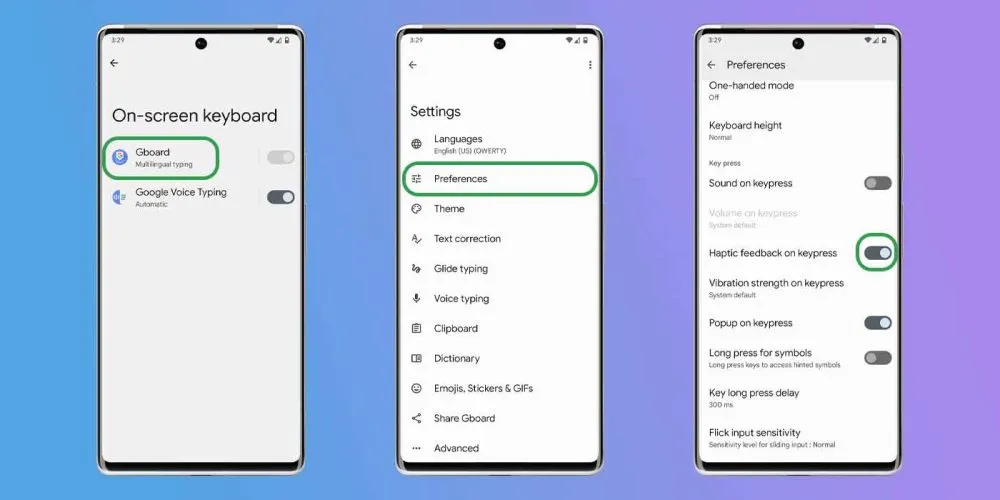
Open the Settings app and navigate to “Language and input” This section contains your keyboard settings. Find the place where you may select your default keyboard and hit the gear icon next to it to modify settings. If you use Gboard (like most people), go to Preferences > Keypress and turn off “Sound on Keypress” and “Haptic feedback on Keypress“
Enable Adaptive Battery
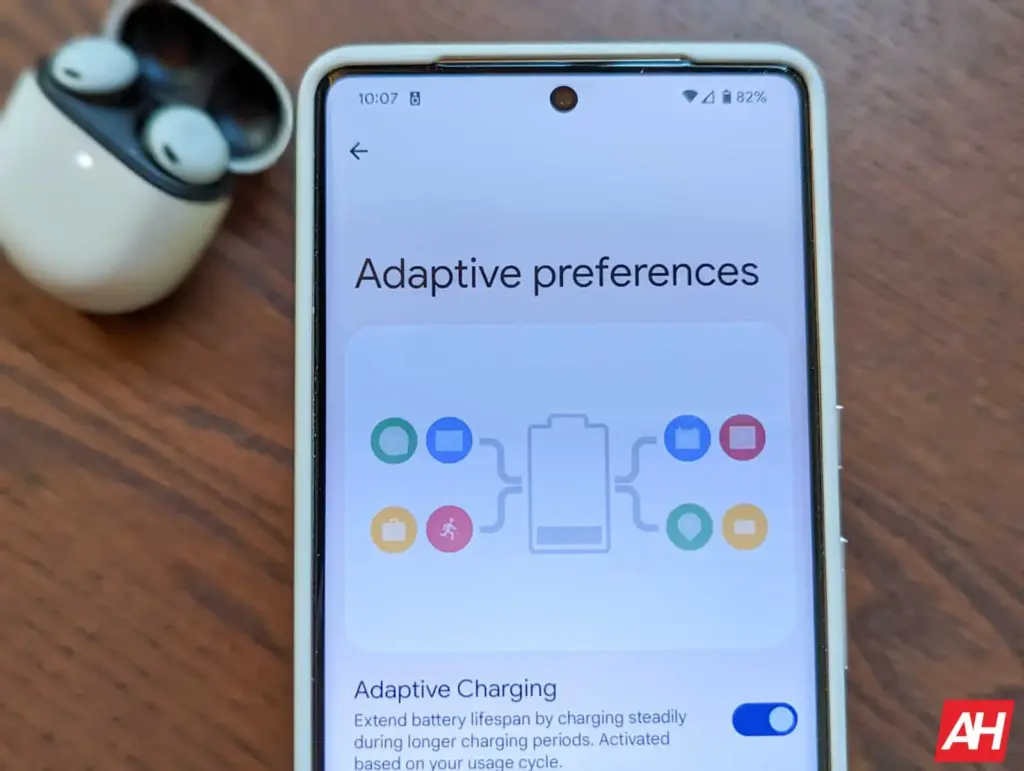
Android include a useful function called Adaptive Battery, which is available on most handsets. Adaptive Battery may automatically control your phone’s performance and efficiency in the background, extending battery life through specific methods. For example, when you do not need maximum speed for something as basic as browsing through your inbox, the setting will slow things down and save you some battery life.
Go to Settings > Battery > Adaptive preferences and check to ensure “Adaptive battery” is enabled. If it’s not, flick it on.
Use battery saver to increase battery life
Battery Saver mode, like Adaptive Battery, is a useful function that helps increase the life of your smartphone between charges. The function makes significant modifications to your device’s firmware, including as limiting visual effects, restricting background apps, and putting on dark mode if it is not already enabled.
Most, if not all, Android phones have a Battery Saver feature, albeit it may have a different name. On Galaxy phones, for example, it is known as Power Saving Mode. Some may refer to it as low-power mode. For assistance with your specific model, check your phone manufacturer’s support website.
On Pixel phones, go to Settings > Battery > Battery Saver. You can also choose a schedule for when the feature will activate or turn off automatically. On Galaxy phones, go to Settings > Battery and Device Care > Battery. Flip the toggle switch next to Power Saving to activate the feature.
The OnePlus 13T, a smaller device, is OnePlus’s current focus. Similar to the Find X8S from sibling company Oppo, this will have a 6.3-inch screen. Because of its amazing battery capacity, especially considering its small size, the OnePlus 13T is once again the subject of rumors.
A recent Chinese rumor claims that the 13T would be able to accommodate an enormous 6,200 mAh battery (with capability for 80W cable charging). This is quite an engineering achievement, considering that the much larger OnePlus 13 only has a 6,000 mAh battery.
What will Oneplus 13T offer
Apart from that, there has been conflicting speculation in the past on how many cameras this phone would feature; it has been suggested that it will have two or three. Either an 8 MP ultrawide or a 50 MP primary and a 50 MP telephoto with a 2x optical zoom.
The Snapdragon 8 Elite chipset is said to power the OnePlus 13T, which also boasts a screen with “1.5K” resolution and an optical fingerprint reader built right in. It is anticipated that the phone would have a glass back and a metal frame. Sadly, it is yet unknown whether the OnePlus 13T will have a worldwide release when it officially launches in April.
We can never have enough battery life. The older generation still longs for the days when a single charge was sufficient to power your feature phone through a hectic week, even if the majority of smartphones from the last few years will easily last you a day or perhaps even two.
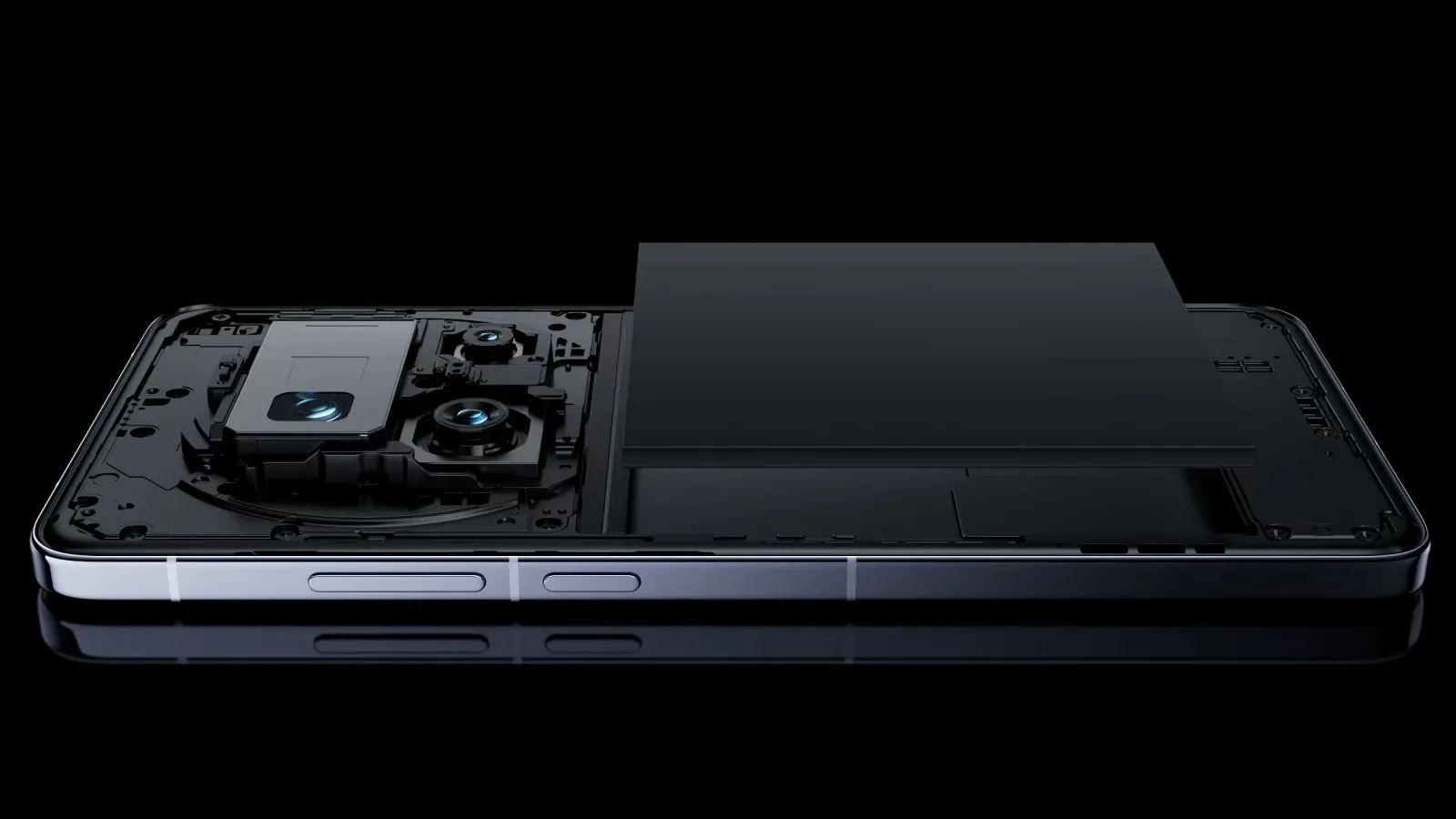
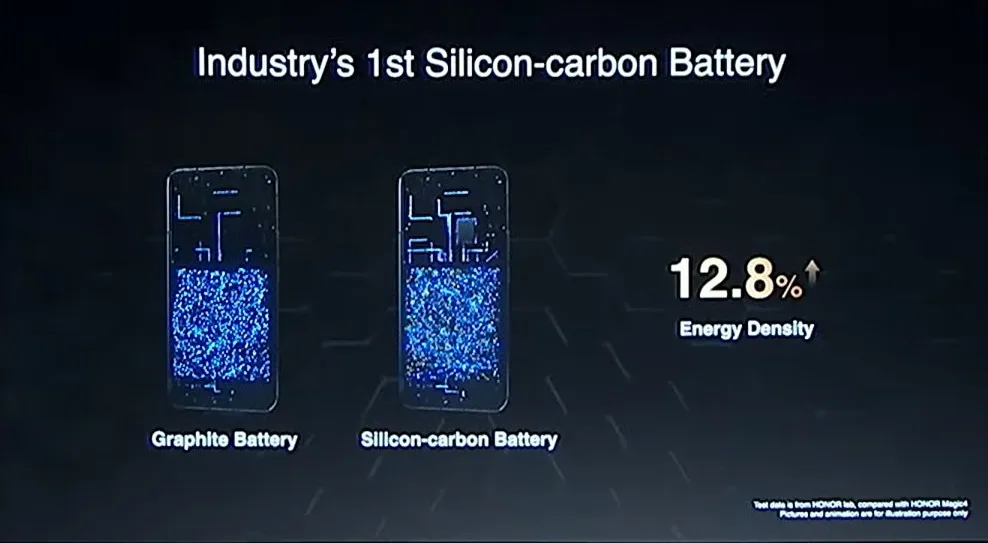
Many of the top flagship smartphones of today come with innovative silicon-carbon batteries thanks to the efforts of battery engineers. Because of this, they may promise even greater battery capacities without having a larger or thicker chassis. What a huge victory.
For instance, the OnePlus 13 has a 6,000mAh silicon-carbon battery, which is more than the 5,400mAh cell from the previous year. In China, the Xiaomi 15 Ultra has a massive 6,000mAh battery capacity, up from 5,400mAh the year before (and a still respectable 5,400mAh for worldwide markets, up from 5,000mAh). The smaller variants also enjoy comparable improvements. The vivo X200 series, OPPO Find X8, and Honor Magic 7 Pro are all brand-new flagship devices with silicon power cells. The technology has here in full force already.
Unfortunately, silicon-carbon battery technology has not yet been included into the newest devices from Apple, Google, or Samsung. Maybe by 2026, we will see these brands go on board. However, is it better to remain with the more recognizable Lithium-ion models or to jump right in and purchase a phone with a silicon carbon battery?
The difference between silicon-carbon and Li-ion batteries
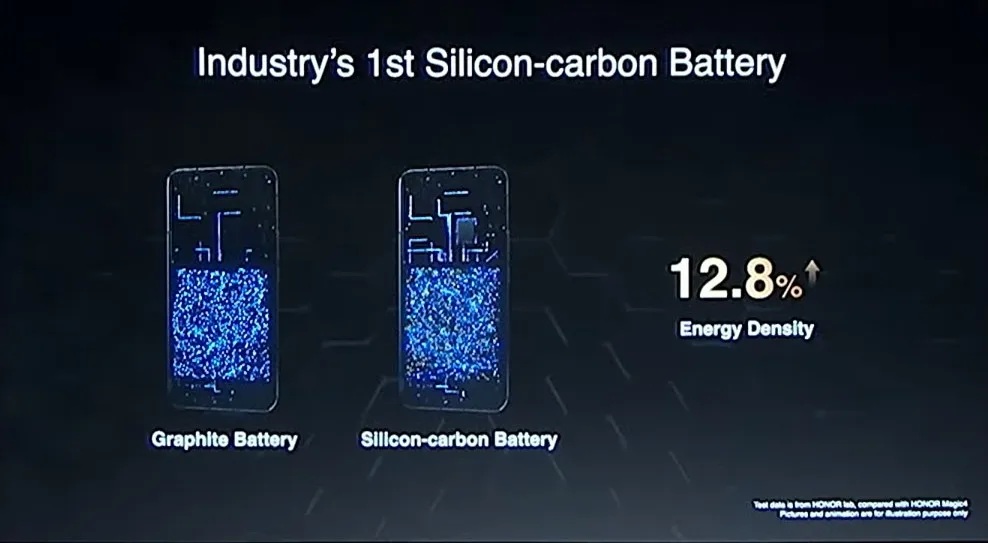
Rather of being a completely novel idea, today’s silicon-carbon (Si/C) Li-Ion batteries are essentially an advancement of conventional lithium-ion technology. By adding silicon, which has a substantially higher energy storage capacity than graphite (372 mAh/g compared to about 4200 mAh/g for pure silicon), they alter the traditional graphite anode. Because of this, silicon has long been a promising material for increasing battery capacity.
Pure silicon anodes, however, face many difficulties. Extreme expansion is the most troublesome; when fully charged, the structure can inflate by up to 300%. The battery experiences extreme mechanical stress as a result, shortening its lifespan and leading to structural breakdown.
Over time, lithium loss and decreased capacity result from silicon’s strong reaction with the electrolyte, which breaks and reforms the Solid Electrolyte Interphase (SEI) layer with each cycle. The aggressive expansion exacerbates this. Another drawback for battery longevity is that silicon has lesser electrical conductivity than graphite, which can reduce charge and discharge rates and increase losses from internal resistance. This can lead to increased heat.
To address these problems, a silicon-carbon (Si/C) composite is utilized rather than pure silicon. The SEI layer is stabilized and its expansion is lessened by the structural support that carbon offers. Depending on its silicon concentration, a well-designed Si/C battery may restrict swelling to just 10–20% during charge cycles, whereas conventional graphite anodes only increase by about 10%. Additionally, carbon increases electrical conductivity, which guarantees better lithium-ion flow and higher efficiency.
The trade-off is that Si/C anodes are unable to fully realize the 10x capacity improvement of pure silicon. Rather, depending on the silicon percentage, they provide a very modest energy density increase of 10–20%. Si/C batteries are an engineering problem since higher Si content enhances capacity but also causes swelling and complicates manufacture. There are restrictions and trade-offs associated with Si/C batteries, but there is no such thing as a free lunch.
The pros and cons for silicon carbon batteries
Any increase in smartphone battery capacity is obviously beneficial, and Si/C batteries are a godsend for power users who want devices that can endure much longer than a single day of intensive usage. It should come as no surprise that so many of the most potent flagship phones available this year have the technology.
After more than a month of everyday use, I can vouch for the OPPO Find X8 Pro’s 5,910mAh Si/C Li-ion battery’s exceptional longevity. I frequently get two days of moderate use out of a single charge, have enough of fuel left over after a day of chasing the kids, and in lighter weeks, I have occasionally gone well into 48 hours without needing a charger.
On the other hand, Si/C is advantageous for thinner gadgets, such lightweight and foldable phones. Thin or small smartphones could surely benefit from this new battery type to maintain decent capacities in more constrained form factors, even though the Galaxy S25 Edge might not be Samsung’s first Si/C smartphone.
The technology has already been used to fit a sizable 5,700mAh battery into a 5.2mm folding design in the Vivo X Fold 3 Pro. Despite being 5.6 mm thick, Samsung’s Z Fold 6 only contains a standard 4,400mA battery. This trend toward higher capacities has also been embraced by the latest Chinese clamshell phones.
Whether silicon-carbon batteries will outlast their more conventional lithium equivalents is the main question that remains. It is evident from the foregoing trade-offs that Si/C will not outlast the most robust graphite-based Li-ion cells now available on the market. Lower silicon concentration can nonetheless provide batteries with a marginally larger capacity that have a comparable lifespan to conventional Li-ion cells. With only a slight but welcome increase in capacity to control the silicon content, this appears to be what we are seeing in today’s most advanced smartphones.
Because Si/C batteries are pushing the limits of energy density and charge rates, smartphone manufacturers may also be becoming more cautious when it comes to fast-charging temperatures in an effort to prolong battery lifespans. In other words, manufacturers are merely attempting to make sure their phones can withstand the promised updates for the next five or more years. But because of its increased capacity, stronger diffusivity of lithium, and decreased chance of plating the anode, Si/C is actually a godsend for faster charging. Additionally, bigger capacities make it easier to follow the 80% charge guideline without worrying about running out of juice in the middle of the day. If you want to keep your phone for many years to come, silicon need not be a negative thing.
Why a silicon-carbon battery device is a good choice?
The newest smartphones will undoubtedly benefit from Si/C Li-ion batteries, which will also likely extend the battery life of your wearables, tablets, laptops, and even electric cars. The most cutting-edge phones of today already heavily rely on silicon cells, which allow for even greater capacities or slimmer form factors without sacrificing battery life.
But at the moment, you will need to look around at Chinese companies to find one, like the OnePlus 13, which is very amazing. Apple, Google, and Samsung, three US giants, have not yet embraced this new battery technology. We may have to wait until their 2026 flagships or even later before they join the celebration, as they might not even get around to it this year.
However, if you intend to retain your smartphone for more than five years, it might be wise to wait and see how the longevity issue develops. Any long-term purchase will eventually require battery replacements, but Si/C Li-ion cells may require more frequent replacements, particularly when fast charging is used. This can turn out to be an unwanted extra expense for early adopters because they are more costly to make. We will need to wait and find out.
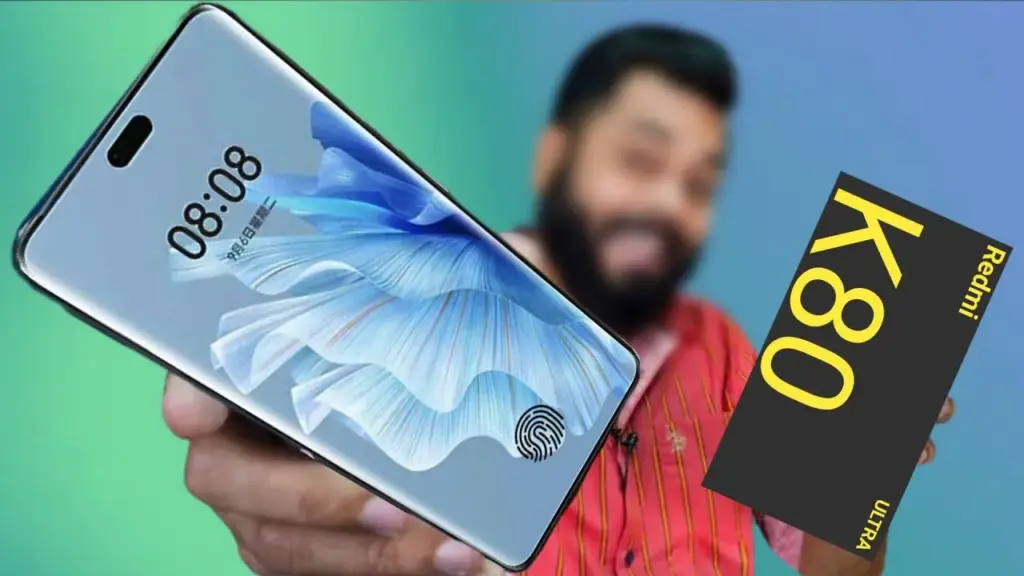
When we last heard about it, the Redmi K80 Ultra was expected to have a battery with a minimum capacity of 6,500 milliliters. However, it was back in January. We have a new rumor from China today that makes it much more specific. Without a doubt, the usage of Si/C technology will enable the K80 Ultra to have a 7,400 mAh or 7,500 mAh battery.
According to reports, the phone will be powered by MediaTek’s as-yet-unannounced Dimensity 9400+ SoC and have a 6.8-inch “1.5K” LTPS OLED flat screen with symmetrical bezels on all sides.
The round camera island will be positioned in the upper left corner of the back, and the frame will be made of metal. The Redmi K80 Ultra will enable 100W wired charging. An IP68 grade for water and dust resistance and an ultrasonic in-display fingerprint reader were also suggested in earlier speculations.
The formal introduction of the K80 Ultra may still be a long way off, considering it arrived in July of last year. Stay tuned since there will definitely be fresh rumors regarding it in the interim.
Silicon-carbon battery technology, which offers greater energy density, quicker charging times, and enhanced durability, is being quickly adopted by the smartphone industry. Silicon-carbon batteries, as opposed to conventional lithium-ion batteries, enable bigger capacities in smaller designs, guaranteeing longer battery life without adding bulk or weight to the phone.
This cutting-edge battery technology, which was introduced in a number of premium smartphones in late 2024 and early 2025, significantly improves charge cycles, heat management, and power efficiency. The top ten most recent smartphones using silicon-carbon batteries are examined in detail, along with the features that set them apart.
OnePlus 13
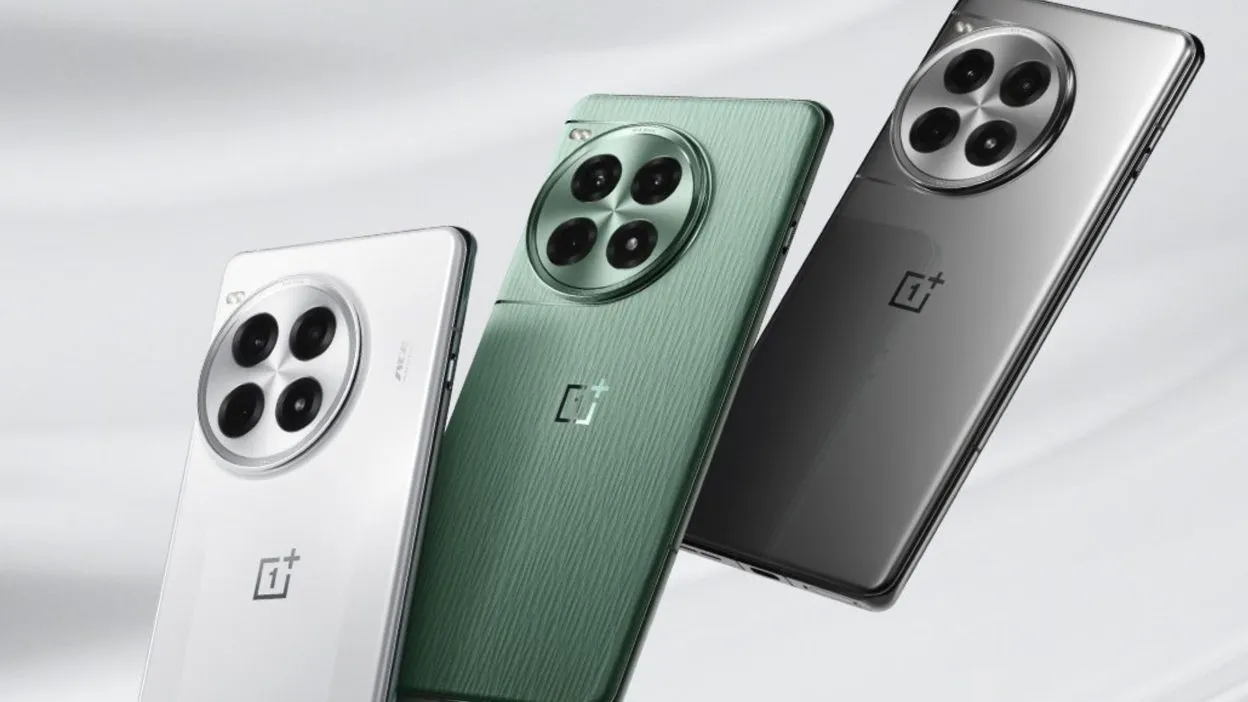
The OnePlus 13 boasts a 6000mAh dual-cell silicon-carbon battery with the highest dual-cell design energy density at 805Wh/L. This gives the phone more endurance while maintaining a small form factor. It supports 50W wireless flash charging, magnetic charging, and 100W SuperVOOC wired charging, which charges the phone from 0% to 100% in just 36 minutes.
In addition to the battery, the OnePlus 13 has a 6.82-inch BOE X2 2K+ AMOLED screen with DisplayMate A++ certification and a maximum brightness of 4500 nits. The Snapdragon 8 Elite SoC, up to 24GB LPDDR5X RAM, and 1TB UFS 4.0 storage power it. The phone still has a 50MP Sony LYT-808 primary camera, a 50MP ultra-wide camera, and a 50MP 3X periscope telephoto lens. Additionally rated IP68 and IP69, it has a high level of water and dust resistance.
OnePlus 13
OnePlus 13 has a 6.82-inch BOE X2 2K+ AMOLED screen with DisplayMate A++ certification
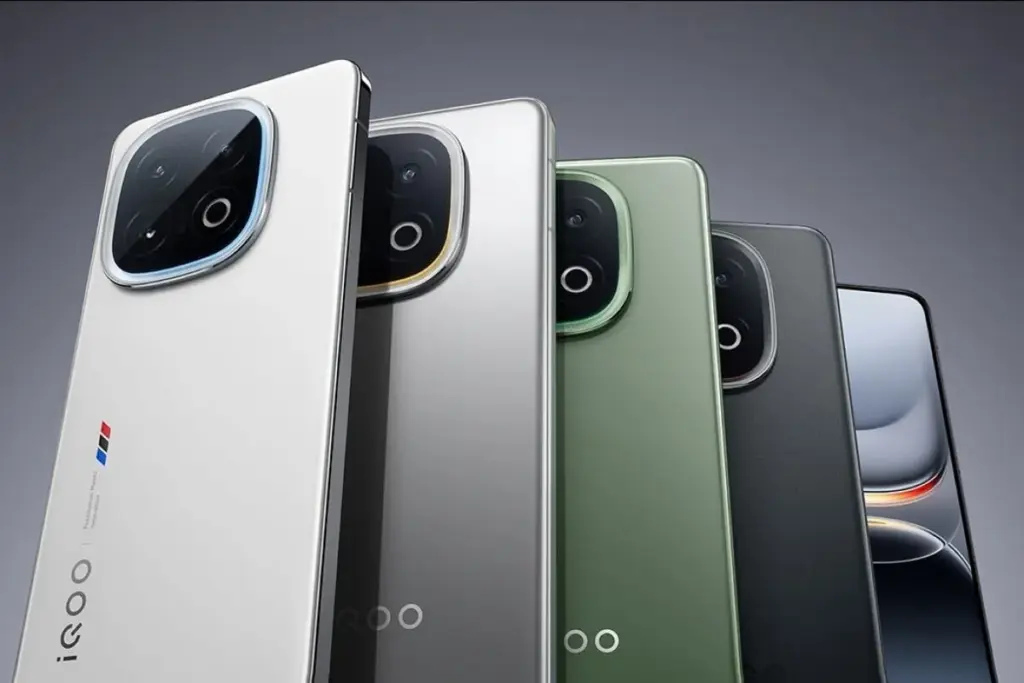
The third-generation silicon-carbon 6150mAh battery that powers the iQOO 13 can be charged with 120W wired fast charging in as little as 30 minutes. Its 44W UFCS and 100W PPS charging ensure a flexible and effective power management system, even though wireless charging is not an option. Additionally, a 360° surround antenna system is integrated within the phone to maximize network performance for mobile gaming.
The gadget has a 6.82-inch BOE Q10 2K+ AMOLED screen with a refresh rate of 144 Hz and a maximum brightness of 4500 nits. It has a Snapdragon 8 Elite SoC, 1TB UFS 4.0 storage, and up to 16GB LPDDR5X RAM. It features a 50MP Sony IMX921 primary sensor, a 50MP ultra-wide camera, and a 50MP 2x telephoto lens on the front of the camera.
Vivo X200 & X200 Pro
The Vivo X200 Pro has a 6000mAh battery that supports both 30W wireless and 90W wired charging, while the Vivo X200 has a 5800mAh silicon-carbon battery with 90W wired fast charging.
MediaTek’s Dimensity 9400 SoC powers both phones, which have up to 1TB of UFS 4.0 storage and up to 16GB LPDDR5X RAM. A 200MP Samsung HP9 periscope telephoto camera with Zeiss APO certification that offers 3.7x optical zoom and OIS is also included with the X200 Pro. The series is extremely durable due to its IP69+IP68 dust and water resistant ratings.
Redmi K80 & K80 Pro
While the basic Redmi K80 has a 6550mAh battery with 90W fast charging but no wireless support, the Redmi K80 Pro has a 6000mAh silicon-carbon battery that supports 120W fast charging and 50W wireless charging. According to Xiaomi, the new silicon-carbon compound lowers heat generation during high-performance jobs and lengthens battery life.
The Snapdragon 8 Elite SoC powers the K80 Pro, while the Snapdragon 8 Gen 3 powers the K80. Both devices come with up to 16GB LPDDR5X RAM and 1TB UFS 4.0 storage. While the ordinary K80 replaces the telephoto lens with an 8MP ultra-wide camera, the Pro edition has a 50MP Light Fusion 800 primary sensor with OIS, a 50MP 2.5x telephoto camera, and a 32MP ultra-wide camera. Both phones are rated for water and dust resistance with IP68 and IP69.
Xiaomi 15 & 15 Pro
In contrast to the Xiaomi 15 Pro, which has a 6100mAh capacity and supports 90W wired and 50W wireless charging, the Xiaomi 15 is powered by a 5400mAh silicon-carbon battery. An ultra-high energy density of 850Wh/L is another feature of the Pro model’s battery that guarantees a longer lifespan and greater efficiency.
The Snapdragon 8 Elite SoC, up to 16GB LPDDR5X RAM, and up to 1TB UFS 4.0 storage are features of both devices. The Xiaomi 15 Pro has a 5X periscope telephoto lens, while the Xiaomi 15 has a 50MP Light Fusion 900 primary sensor, a 50MP ultra-wide lens, and a 50MP 2.6X telephoto camera. Both variants have IP68 water resistance and ultrasonic fingerprint scanners.
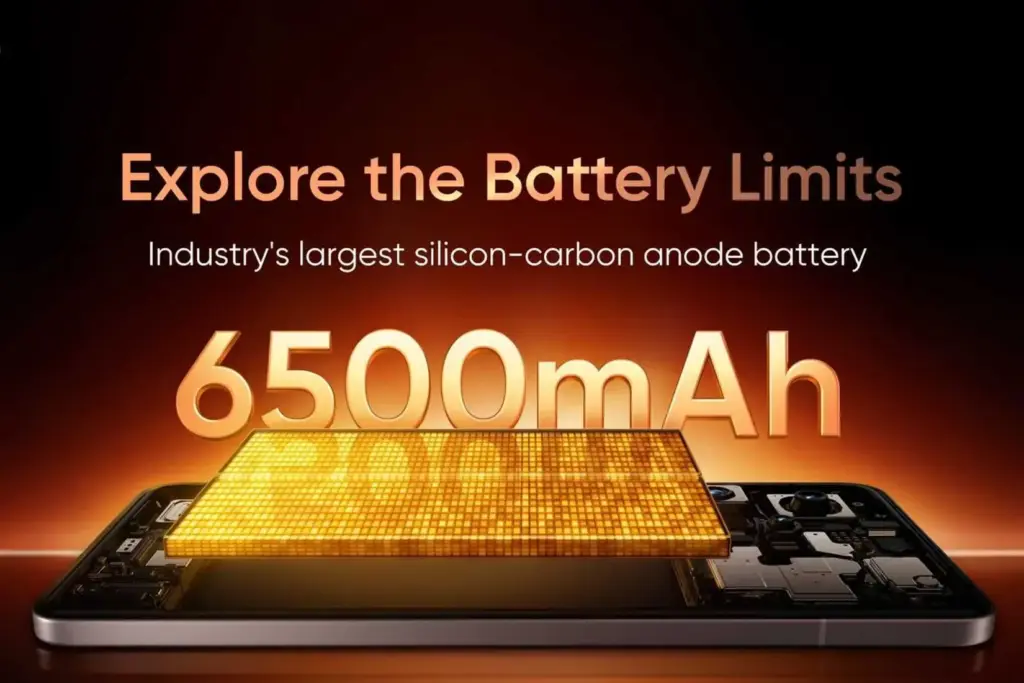
With its 6500mAh silicon-carbon battery and 120W rapid charging, the Realme GT 7 Pro can reach 50% charge in just 14 minutes. With the maximum 10% silicon content in the industry, it can prolong battery life for up to four years. It only has a 5800mAh battery in India, though.
The smartphone has a 6.78-inch 1.5K OLED display with a maximum brightness of 6000 nits and is powered by the Snapdragon 8 Elite SoC. It has a 50MP 3x periscope telephoto camera, an 8MP ultra-wide lens, and a 50MP primary camera.
Redmi Note 14 Pro+
With a 6200mAh silicon-carbon battery that has an energy density of 814Wh/L and 6% silicon content, the Redmi Note 14 Pro+ has a small form factor and a long lifespan. It has Surge G1 and Surge P2 battery management chips for increased power efficiency and enables 90W wired rapid charging.
The phone has 512GB of storage, up to 12GB of RAM, and a Snapdragon 7s Gen 3 processor. It has a 50MP primary camera, an 8MP ultra-wide sensor, a 50MP 2.5X telephoto lens, and a 6.67-inch 1.5K OLED screen. For increased durability, the device also has IP66, IP68, and IP69 classifications.
Xiaomi Redmi Note 14 Pro
6.67″ CrystalRes AMOLED displayResolution: 2712 x 1220 (1.5K resolution)Refresh rate: Up to 120HzTouch sampling rate: Up to 480HzBrightness: 3000nits peak brightness
With its 5300mAh silicon-carbon battery, the Honor 300 can facilitate 100W fast charging, reaching 59% in 15 minutes and 100% in 35 minutes. In addition to having 5300mAh silicon-carbon batteries, the Honor 300 Pro and Ultra models also have 80W wireless charging, which guarantees quick and effective power supply. Longer battery life and better power retention are made possible by the high-density silicon-carbon combination.
Snapdragon 7 Gen 3 (Standard) and Snapdragon 8 Gen 3 (Pro and Ultra) power the Honor 300 series. For eye protection, the gadgets include 6.7-inch and 6.78-inch OLED screens with a maximum brightness of 4000 nits and 3840Hz PWM dimming. A 50MP front camera, a 12MP ultra-wide lens, and a 50MP primary sensor make up the camera configuration. The Pro and Ultra variants also come with a 50MP 3x or 3.8X periscope telephoto lens. Additionally, they are IP65 dust and splash resistant.
Oppo Find X8 & X8 Pro
A 5630mAh silicon-carbon battery powers the Oppo Find X8, while a larger 5910mAh silicon-carbon battery powers the Find X8 Pro. Both devices enable 80W SuperVOOC wired charging, 50W wireless charging, and 10W reverse wireless charging. The ultra-high silicon content of the Find X8 Pro’s battery ensures longer endurance and improved heat management during rapid charging.
The MediaTek Dimensity 9400 SoC powers both devices, together with up to 16GB of LPDDR5X RAM and 1TB of UFS 4.0 storage. The Find X8 Pro has a 6.78-inch LTPO AMOLED screen with Dolby Vision support and a peak brightness of 4500 nits, while the Find X8 has a 6.59-inch AMOLED display. The X8 Pro adds a 50MP 6x periscope zoom lens to the camera system, which consists of a 50MP main sensor, a 50MP ultra-wide camera, and a 50MP 3x periscope telephoto lens. Both variants have water and dust resistance ratings of IP68 + IP69.
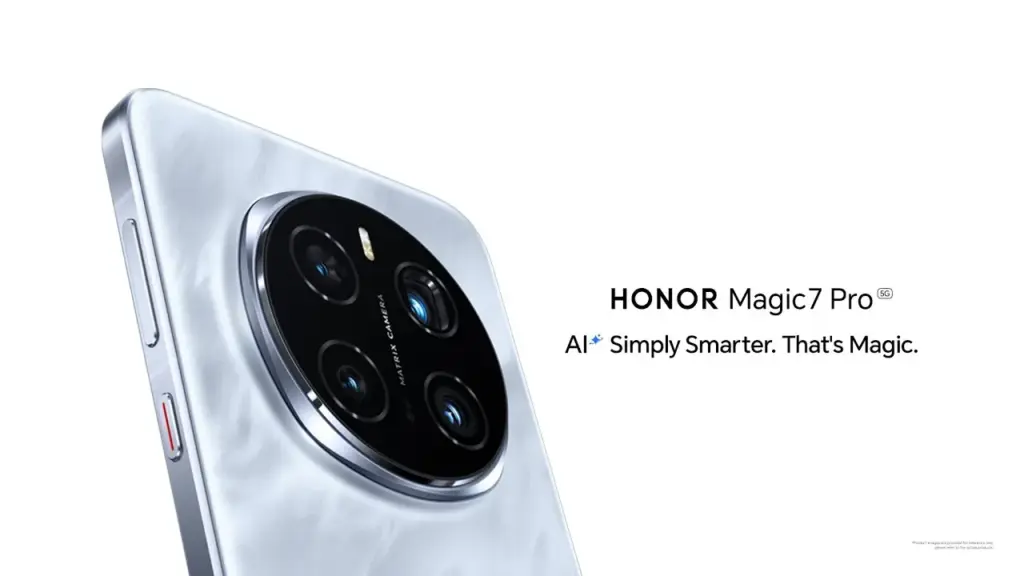
Honor Magic 7 & Magic 7 Pro
A 5650mAh silicon-carbon battery powers the Honor Magic 7, and a 5850mAh silicon-carbon battery powers the Magic 7 Pro. Both devices support 80W wireless charging and 100W cable fast charging. Longer runtimes are made possible by the improved energy density provided by silicon-carbon technology, which also preserves elegant designs. Advanced cooling technologies, including as graphite sheets and stainless steel VC cooling, complement the increased battery efficiency and guarantee peak performance even under demanding conditions.
The Snapdragon 8 Elite SoC powers both phones, together with up to 16GB of LPDDR5X RAM and 1TB of UFS 4.0 storage. The Magic 7 Pro sets itself apart with a 50MP primary sensor, an ultra-wide lens, and a 200MP periscope telephoto camera with 3x optical and 100x digital zoom. Although it lacks the sophisticated telephoto capabilities, the Magic 7 has a comparable camera arrangement. With its 1-120Hz LTPO OLED screens, IP68 and IP69 ratings, and Magic UI 9.0, the Honor Magic 7 Series combines state-of-the-art technology with exceptional endurance, securing its place as a flagship challenger in 2025.