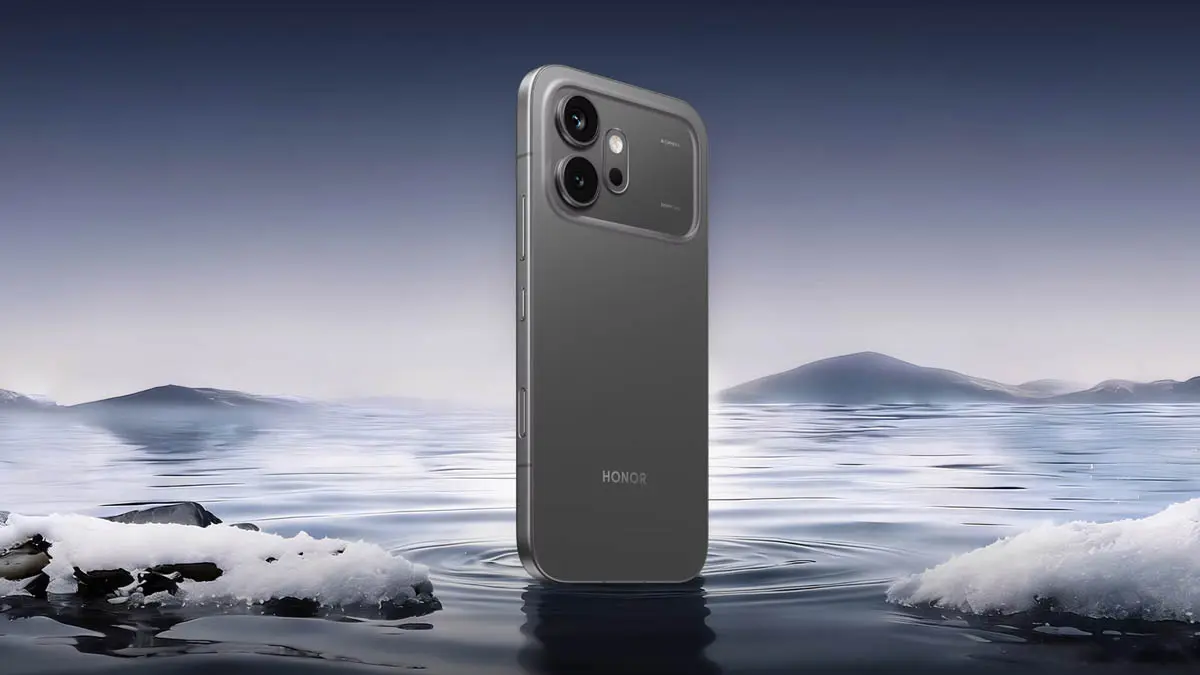
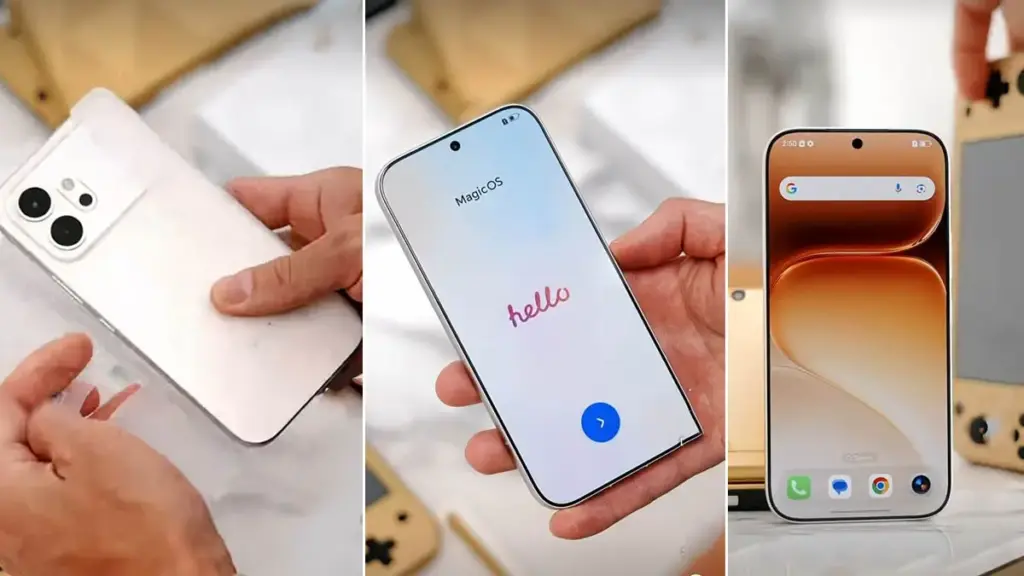
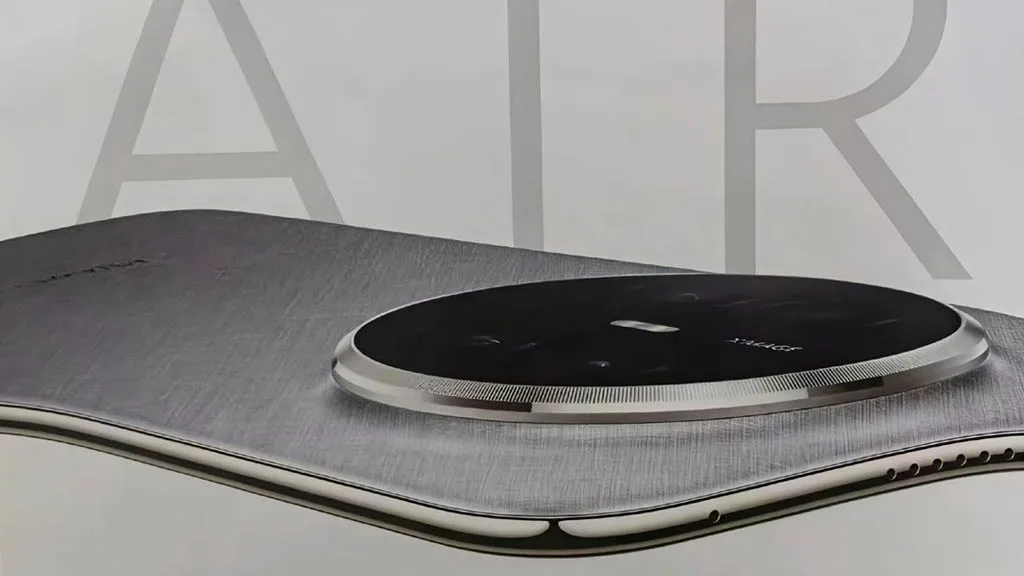
Hands-on testing of the Honor 600 over a full week raises questions about dropping thousands on flagships. This year’s Honor 600 lineup includes both standard and Pro models, but availability tilts heavily toward the base Honor 600 over the pricier Pro variant in most markets. Practical experience suggests sticking with the cheaper option makes sense for many buyers.
The Honor 600 shares the Pro’s slim-bezel 8,000-nit OLED screen, oversized battery, and rugged design with IP69K rating for drop and crush resistance. With electronics prices climbing sharply, holding onto older phones feels tempting, yet the Honor 600 stands out as a mid-range contender that could change minds. Testing shows it matches or beats rivals in build and certain specs.
DC dimming, 3840Hz PWM dimming, AI defocus, motion sickness relief, ultra dark mode, low blue light, personalized contrast
Processor
Snapdragon 7 Gen 4
RAM
8GB, 12GB
Storage
256GB, 512GB
Rear Cameras
200MP (wide) + 12MP (ultra-wide + macro), color temperature sensor
Front Camera
50MP
Battery
6,800mAh global (7,000mAh China only)
Charging
80W wired, 27W reverse wired, no wireless charging
Build
Matte metal frame, composite fiber back
IP Rating
IP68, IP69, IP69K
Weight
185g
Dimensions
156 × 74.7 × 7.8 mm
Colors
Black, Golden White (our review unit), Orange
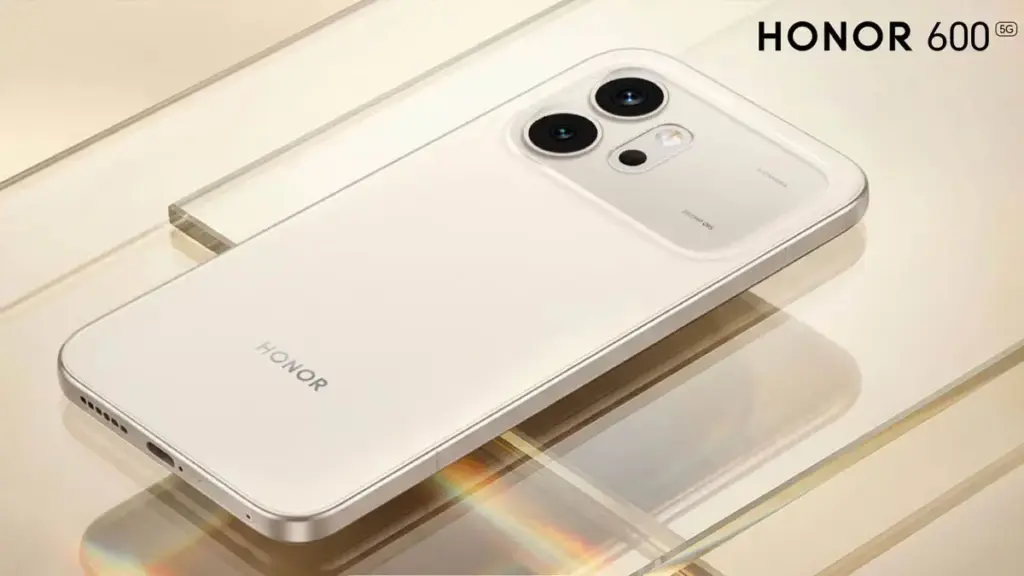
The IP69K construction ensures durability while keeping a polished appearance over time. An AI button sits below the power key on the right edge, doubling as a customizable camera shutter. The aesthetic echoes the iPhone 17 but swaps Apple’s stark finish for refined elegance. The camera bump uses a distinct composite with a pearlescent, semi-transparent glow against the matte rear panel. Flat edges feel off, though the brushed aluminum texture redeems them. At a compact size and 190g weight, the phone took adjustment but proved refreshing.
The standout element remains the near-bezelless display with the industry’s first sub-1mm bezel at a uniform 0.98mm all around. A mid-ranger claiming this milestone feels unexpected. The true 10-bit panel avoids dithering and packs eye-care tools like DC dimming, 3840Hz PWM, motion sickness reduction, defocus mode, and personalized contrast checks. Full color tweaks cover saturation, contrast, and more options often skipped by others.
Honor rates peak brightness at 8,000 nits in a limited area. HDR tests hit around 3,000 nits routinely, outshining even Samsung flagships at 2,600 nits. Performance jumps 40 percent over the Honor 400 in Geekbench and 3DMark benchmarks.
Despite its slim profile and light 190g build, a 6,800mAh battery (7,000mAh in China) delivers multi-day endurance. Charging at 60W adds convenience. Haptics disappoint as usual for Honor—weak enough to disable entirely, though this remains the main drawback.
Honor pushes AI hard via the side key, which triggers contextual tools on long press for screen-specific actions like screenshot-to-notes in AI memories. Gallery upgrades include AI Photo to Video V2.0, turning up to three images plus a prompt into 3-8 second clips.
Such gimmicks entertain but rarely prove essential—authenticity in photos and videos holds more appeal, even if execution impresses. Moving Photo Eraser refines object removal while preserving motion in photos, matching top magic eraser tools. Moving Photo Breakout Collage blends stills and motion shots into shareable layouts that shine on social media.
The 200MP main sensor produces sharp images with solid dynamic range and true-to-life colors. Zoom lacks detail natively, but AI kicks in past 6x to sharpen results effectively, filling gaps left by absent telephoto lenses. Availability proves inconsistent, with no toggle option—users can disable it outright if needed. Motion handling ranks high for the segment, trailing only Honor flagships.
The Honor 600 builds smartly on the 400 series and holds strong value barring post-launch hikes. It leads mid-rangers in screen, durability, and stamina while challenging flagships selectively. Google, Nothing, and Samsung compete closely, yet Honor edges them on core elements. Rivals promise extra software years, but at this tier, Honor’s reliable updates, battery prowess, fast charging, tough build, and screen comfort tip the scales.
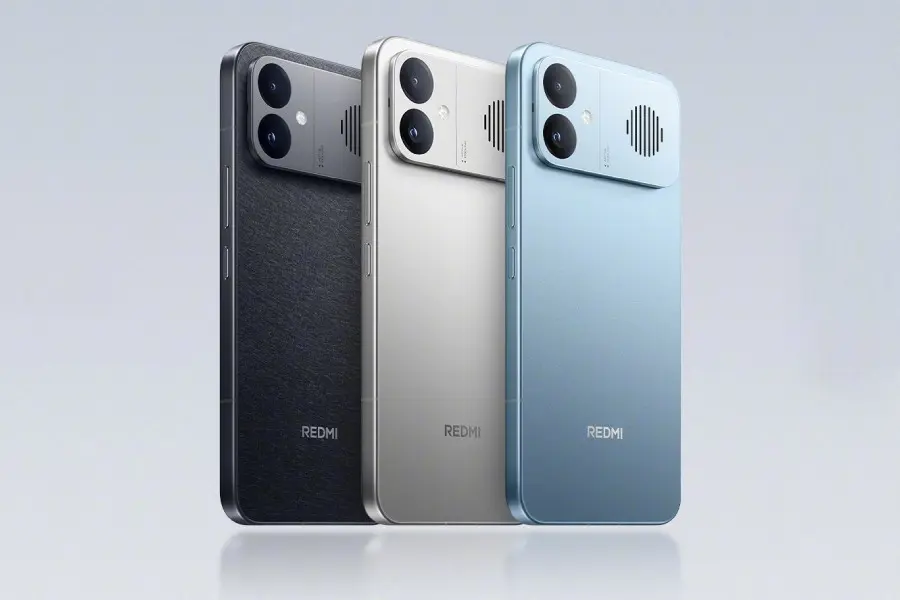
Redmi has launched the K90 Max in China, adding it to the growing K90 lineup alongside the Redmi K90 and K90 Pro Max. The new phone brings a 6.83-inch display with a 165Hz refresh rate, an 8,550mAh battery with 100W wired fast charging, and a MediaTek Dimensity 9500 SoC with up to 16GB of RAM. Other highlights include a Bose-tuned speaker system and a dual rear camera setup led by a 50-megapixel primary sensor.
Redmi K90 Max Price and Availability
The Redmi K90 Max starts at CNY 2,999 for the 12GB RAM + 256GB storage configuration. Both the 12GB + 512GB and 16GB + 256GB variants are priced at CNY 3,499. Moving up, the 16GB + 512GB model costs CNY 3,999, while the top-tier 16GB + 1TB variant is priced at CNY 4,699. The phone comes in three colour options: Space Silver, Shadow Black, and Sky Blue (translated from Chinese).
Redmi K90 Max Specifications and Features
The dual-SIM Redmi K90 Max runs Android 16-based HyperOS 3. Its 6.83-inch 1.5K (1,280 x 2,772 pixels) M10 display supports up to 165Hz refresh rate, a 480Hz touch sampling rate, 3,500Hz instantaneous touch sampling, 480Hz multi-finger touch sampling, and peaks at 3,500 nits brightness. The panel also carries HDR10+ and Dolby Vision certification.
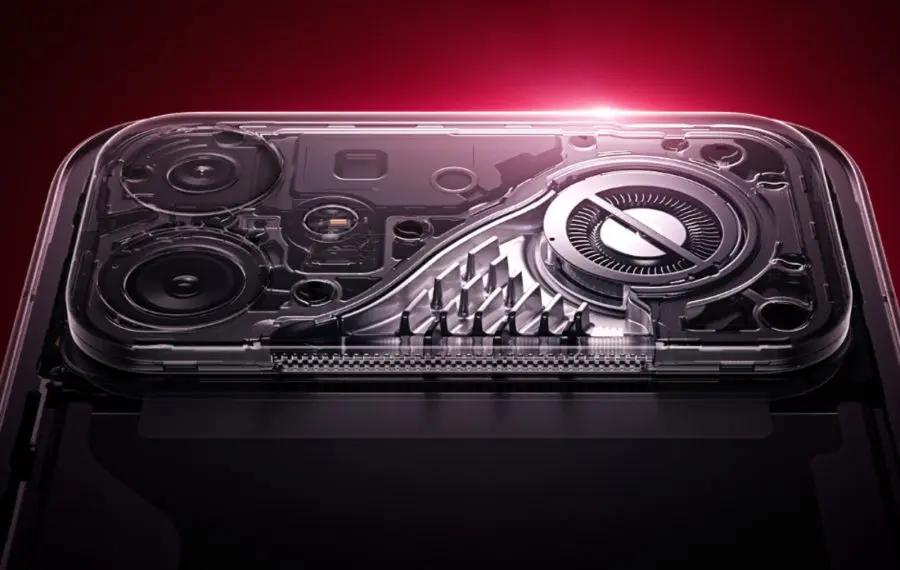
Under the hood sits a MediaTek Dimensity 9500 chipset, paired with up to 16GB of LPDDR5x RAM and up to 1TB of UFS 4 storage. A dedicated D2 display chip handles gaming-focused processing. Thermal management is taken seriously here — the phone features a 6,000 sq mm ice-sealed circulating cooling pump and over 12,000 sq mm of graphite coverage, plus an active cooling fan that Redmi claims can bring temperatures down by around 10°C in just 100 seconds.
The rear camera system consists of two sensors: a 50-megapixel main camera with OIS and an f/1.68 aperture, backed by an 8-megapixel secondary shooter. On the front, a 20-megapixel camera covers selfies and video calls. Audio is handled by a 1115x symmetrical stereo dual-speaker setup, co-tuned with Bose.
Connectivity is comprehensive, covering 5G, Wi-Fi 7, Bluetooth 4, NavIC, GPS/AGPS, Galileo, GLONASS, BeiDou, NFC, OTG, and USB Type-C. The phone carries IP66, IP68, and IP69 ratings for dust and water resistance. Security is managed by a 3D ultrasonic in-display fingerprint sensor, and the onboard sensor array includes an accelerometer, ambient colour temperature sensor, electronic compass, gyroscope, IR remote control, flicker sensor, and an X-axis linear motor.
Powering everything is the 8,550mAh battery, which supports 100W wired fast charging and 22.5W reverse wired charging for topping up other devices on the go.
One of the best things about owning a Garmin smartwatch is its battery life. One of the main drawbacks of owning a smartwatch is alleviated by Garmin, which produces long-range timepieces where companies like Samsung and Google fall short.
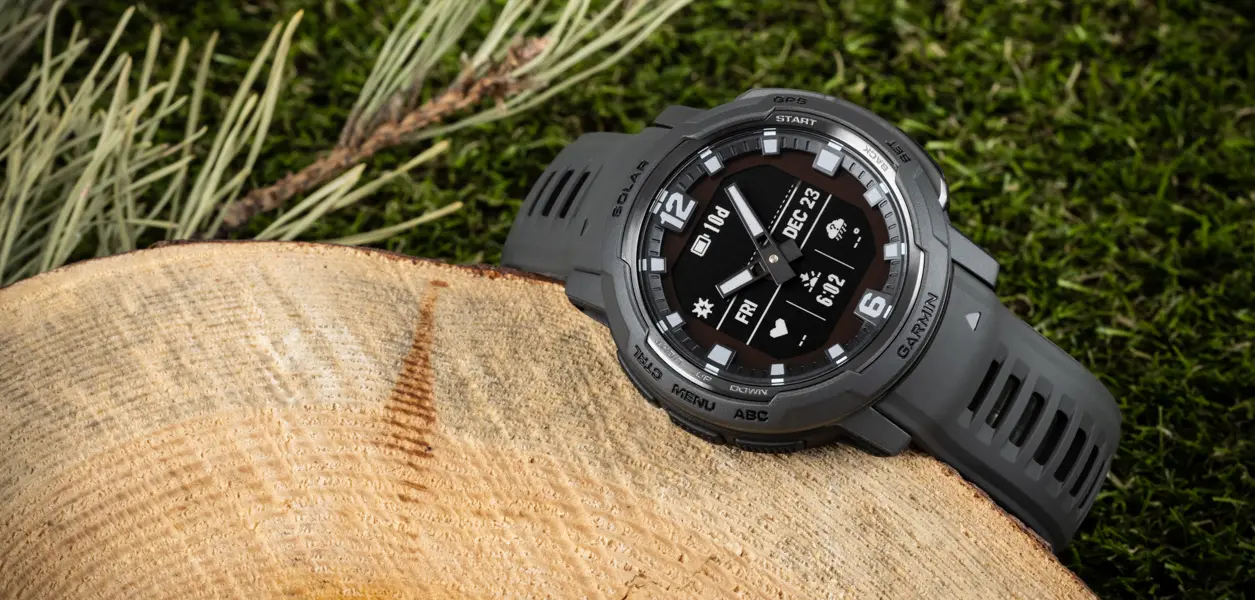
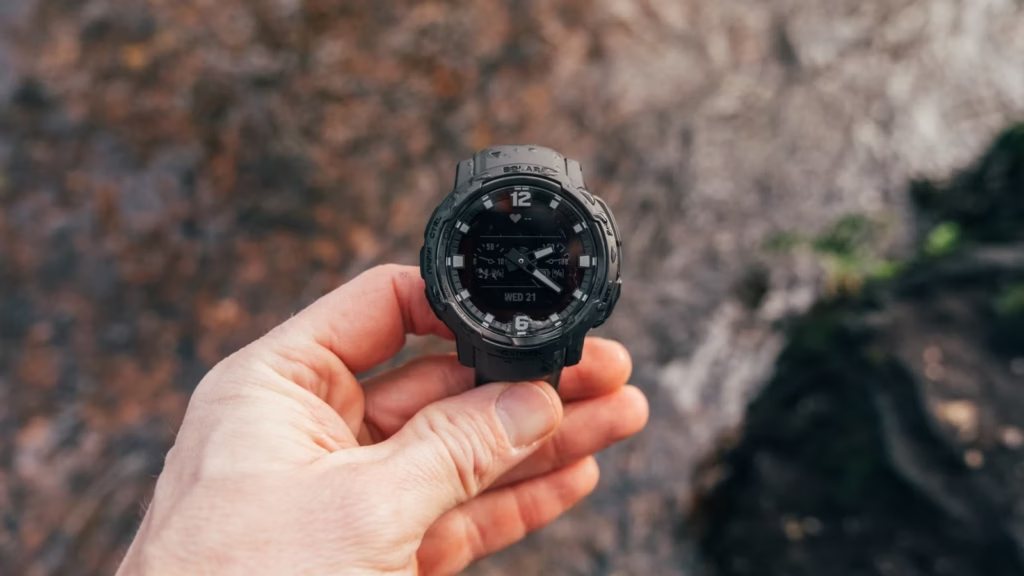
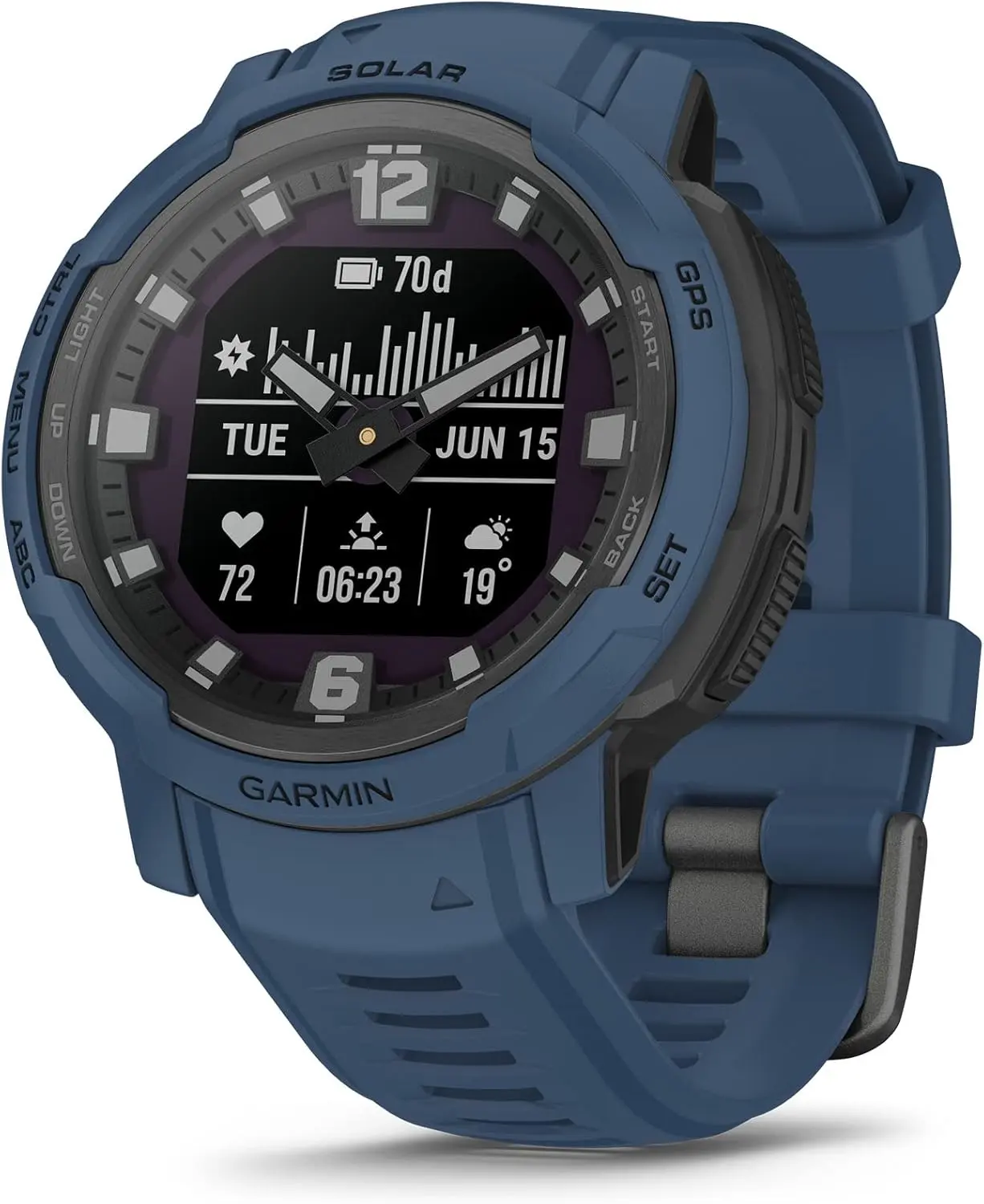
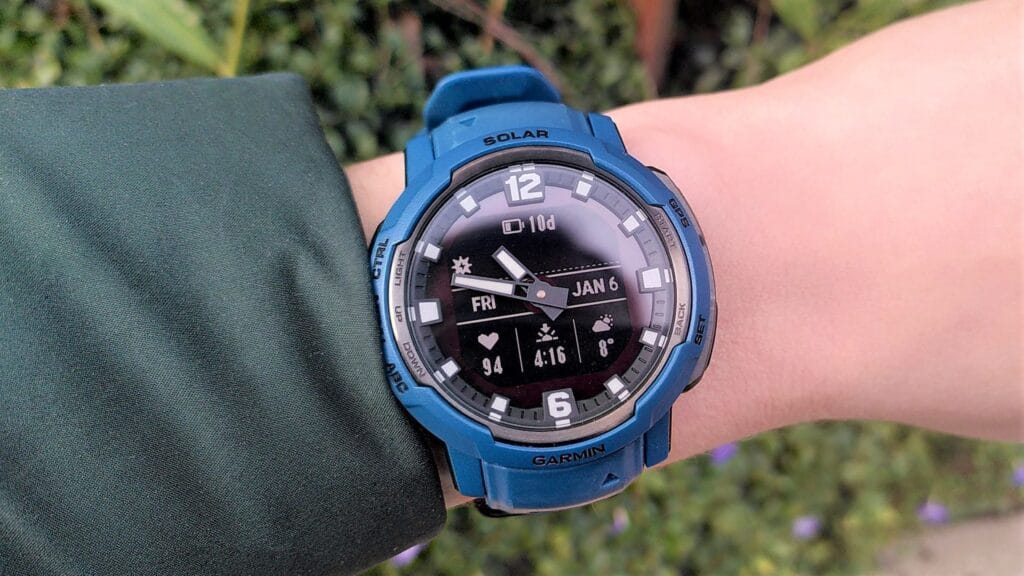
The Instinct Crossover Solar may be worth considering if you’ve been considering trying something from Garmin. Despite its seemingly simple appearance, the watch is everything but. It combines digital and analog to create a unique appearance. Additionally, as previously said, it has an amazing battery life.
No more charging
Garmin Instinct Crossover Solar
Luminescent analog watch hands in a bold, rugged watch body with dual-layered bezel
You can keep the watch operating indefinitely by just charging it with solar power if you’re prepared to put it in power-saving mode. It can last up to 71 days in smartwatch mode and 31 hours in GPS mode.
This is an excellent watch to use if battery life is important because it generally outperforms everything from the competition.
Garmin Instinct Crossover Solar highlights: what’s great and worth knowing
The Instinct Crossover Solar can monitor your fitness and health stats, just like other Garmin smartwatches. Sports apps and daily exercise recommendations are integrated. It will provide information on your stress levels and sleep quality in addition to the standard tracking features.
Additionally, you can receive notifications directly on your wrist because it’s a smartwatch. Additionally, you may use Garmin Pay to check out at compatible terminals in case you forget your wallet at home. Additionally, you may use the watch’s physical buttons to traverse menus and screens even if it lacks a touchscreen.
The fact that this watch is now on sale for a substantial discount is what really sets it apart. For a brief period, you can purchase this item for just $250 instead of the typical retail price of $450. Tidal Blue and Graphite are the two available colors. Before you miss it, get it while it’s on sale.
Garmin Instinct Crossover Solar
Luminescent analog watch hands in a bold, rugged watch body with dual-layered bezel
According to reports, the Honor Magic V6 foldable has earned a 3C certification and disclosed a few key features. The most recent listing clarifies if the forthcoming flagship smartphone will actually have the biggest battery to date or whether this is simply a rumor.
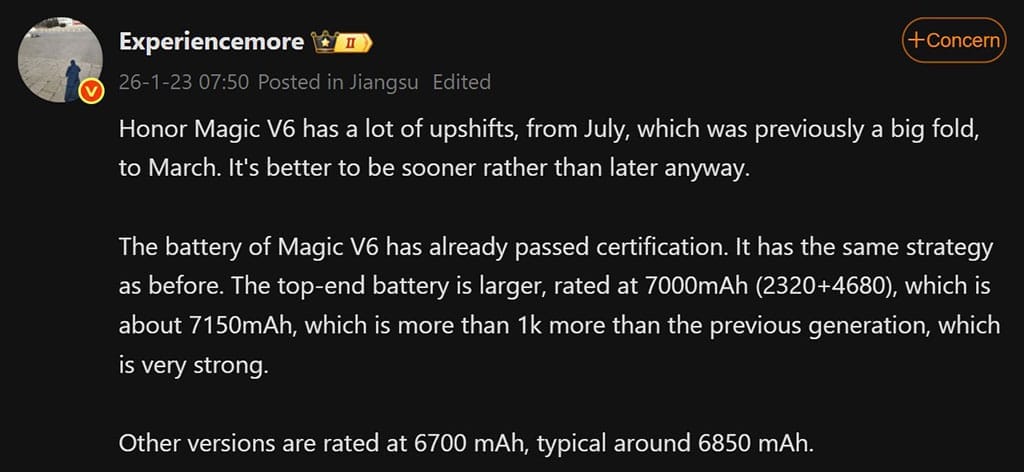
ExperienceThe Honor Magic V6 has many upshifts (new changes) this time, according to more Weibo tipsters. from a large folding mechanism to a number of recognizable features.
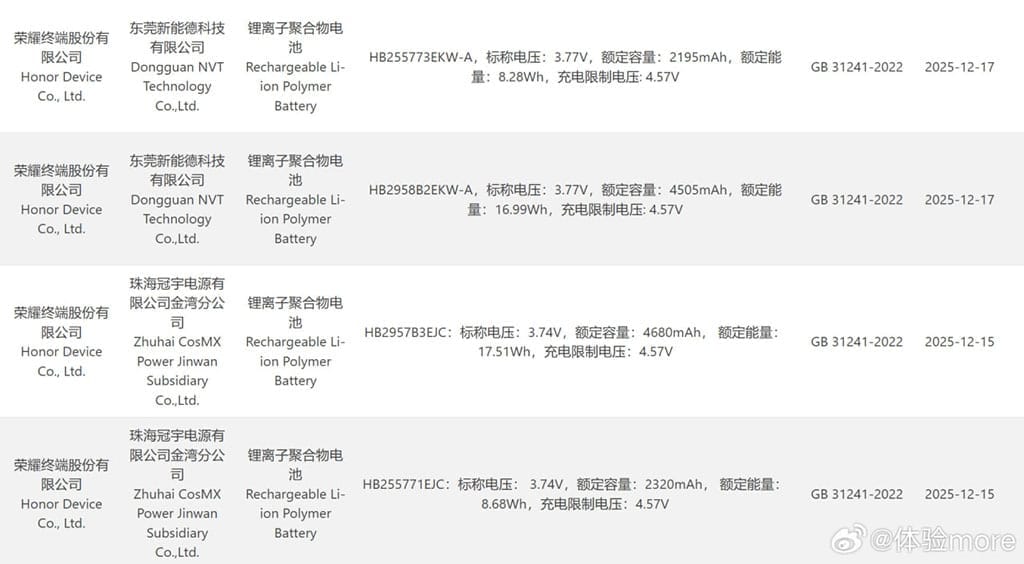
The informant added that the Honor Magic V6 passed the 3C certification. He posted two pictures that showed the device’s battery specifications.
Honor Magic V6 passed the 3C certification
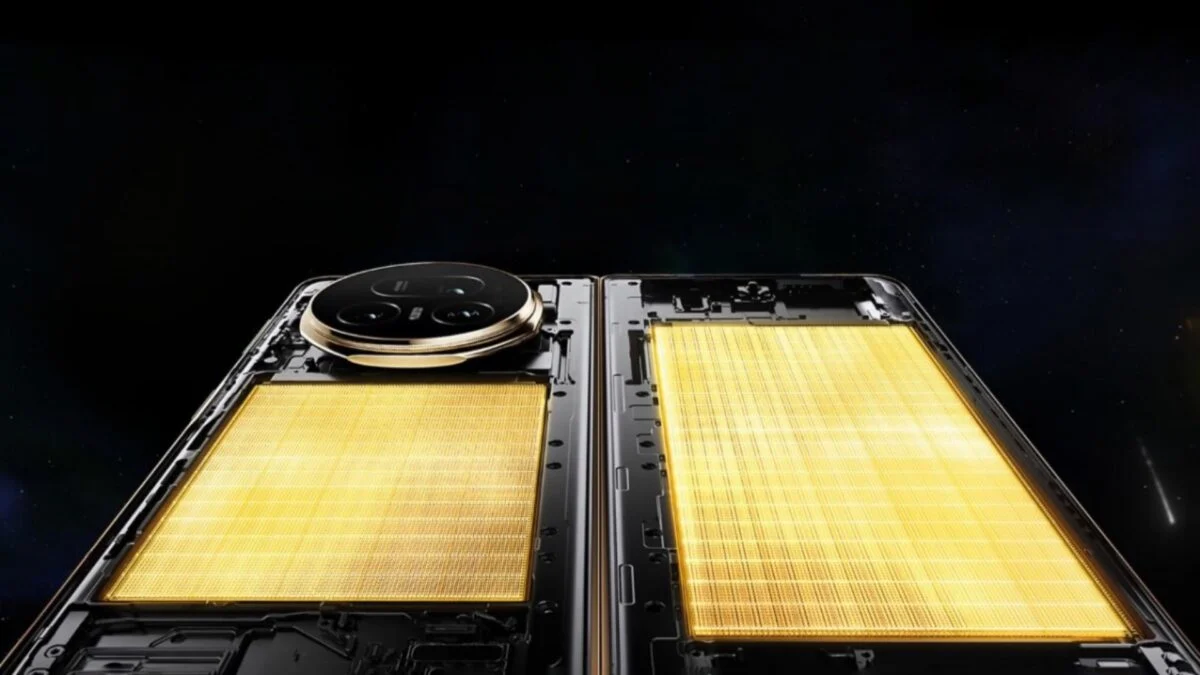
Honor intends to seed a premium battery pack in the highest storage variant based on the 3C data. It has two batteries—2320mAh and 4680mAh—and a rating of about 7000mAh, with an average value of 7150mAh.
This deal appears to be fairly strong and is almost $1,000 more than the Magic V5 model from the previous generation. Other storage models will probably include a 6700mAh battery pack, with a typical value of 6850mAh, according to the tipster.
The Magic V6, which has the biggest battery capacity to date, is expected to launch as a formidable competitor in the foldable market, according to early leaks. This is further supported by the current listing. For this gadget, Honor might also employ innovative battery technology.
And here’s some positive news! Honor has revealed that the ROBOT PHONE and the Magic V6 foldable will make their worldwide debut at the MWC 2026 event.
Along with the gadgets’ primary features and important specifications, the business will provide an official look at them. It will also reveal information about its next AI-powered innovations and other plans to promote sustainable growth.
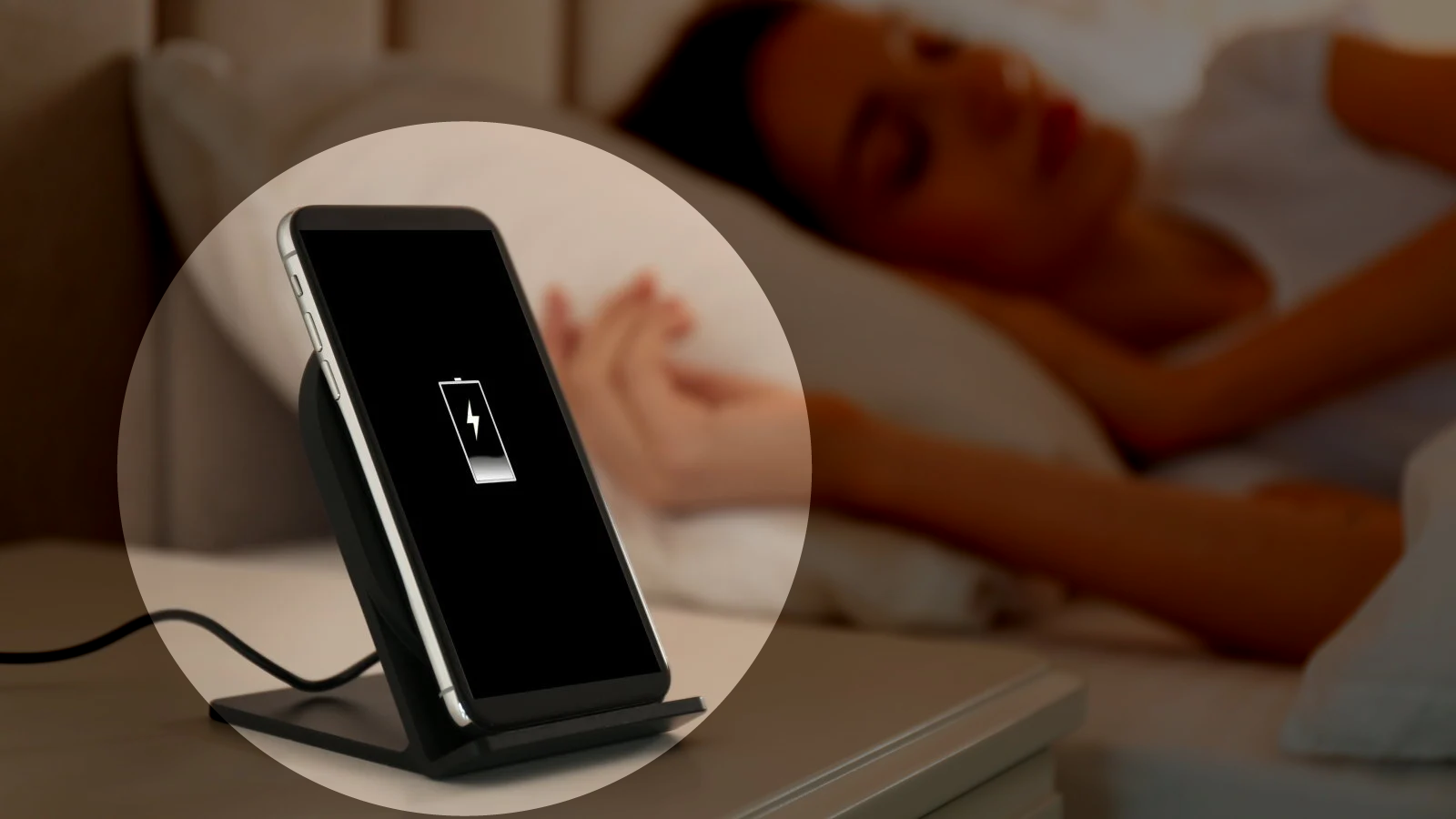
You’ve probably heard it a hundred times: “Don’t charge your phone overnight—it’ll ruin the battery.” Or maybe the opposite: “It’s fine, modern phones know what they’re doing.” Both sides sound convincing, but which is true? Overnight charging doesn’t destroy your battery overnight (pun intended), but there are real effects worth knowing about.
This guide cuts through the noise. We’ll look at what actually happens during overnight charging, why the myths persist, and what small changes can protect your battery without making life inconvenient. No scare tactics. Just facts and practical steps.
The science behind overnight charging (simpler than it sounds)
Modern smartphone batteries are lithium-ion cells with built-in smarts. When you plug in, the phone doesn’t just blindly pump electricity until something explodes. It has charging circuits that monitor voltage, current, and temperature, stopping the charge at 100% and switching to “trickle” mode to maintain it.
Here’s where confusion creeps in. Once your phone hits 100%, it doesn’t “overcharge” in the classic sense. But it does sit at full capacity for hours – sometimes 6-8 hours if you charge from bedtime to wake-up. That full state puts mild stress on the battery chemistry, especially if the phone gets warm.
On one hand, a single night of overnight charging won’t noticeably hurt. On the other hand, doing it every single night for two years adds up. Battery capacity naturally degrades over time anyway (to about 80% after 500 full cycles), but certain habits can speed that up or slow it down.
Why overnight charging gets such a bad rap
The fear comes from older battery tech and nickel-cadmium cells that really could overcharge and bulge. Those died out 20 years ago. Today’s lithium-ion batteries have protection circuits, and manufacturers test for worst-case scenarios.
But here’s the nuance: while overnight charging won’t brick your phone tomorrow, keeping lithium-ion batteries at 100% for extended periods accelerates chemical aging. It’s not dramatic day-to-day, but over months, it contributes to capacity loss. Heat makes it worse – think charging under a pillow or in a thick case.
Most phones now include features to counter this. Samsung’s “Protect battery” limits to 85%. Google Pixel has adaptive charging that learns your routine and finishes at wake-up time. These exist because overnight charging is common, but manufacturers know the trade-offs.
What really happens during an overnight charge
Let’s break down a typical 8-hour overnight charge:
Fast charge phase (0-80%): Phone pulls maximum safe current. This generates some heat.
Top-off phase (80-100%): Slower charging to avoid stress.
Full (100%+): Trickle mode kicks in. Phone sips tiny amounts of power to counter self-discharge. Battery sits at full voltage.
That trickle phase is where most “overnight charging damage” debates live. It doesn’t overcharge, but full voltage stresses the battery’s cathode material over time. Studies show batteries degrade faster when held at 100% vs cycling 20-80%.
Real-world tests confirm: phones charged overnight for a year lose slightly more capacity than those using charge limits. But the difference is often 2-5% over 12-18 months—not make-or-break unless you keep phones forever.
Common mistakes with overnight charging
People get overnight charging half-right, then undermine it:
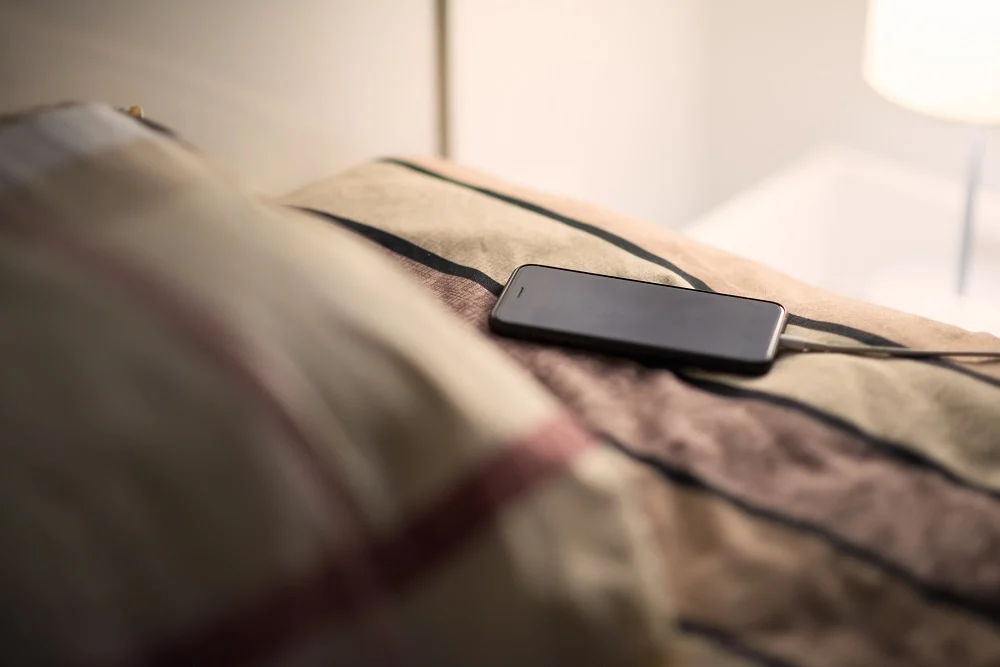
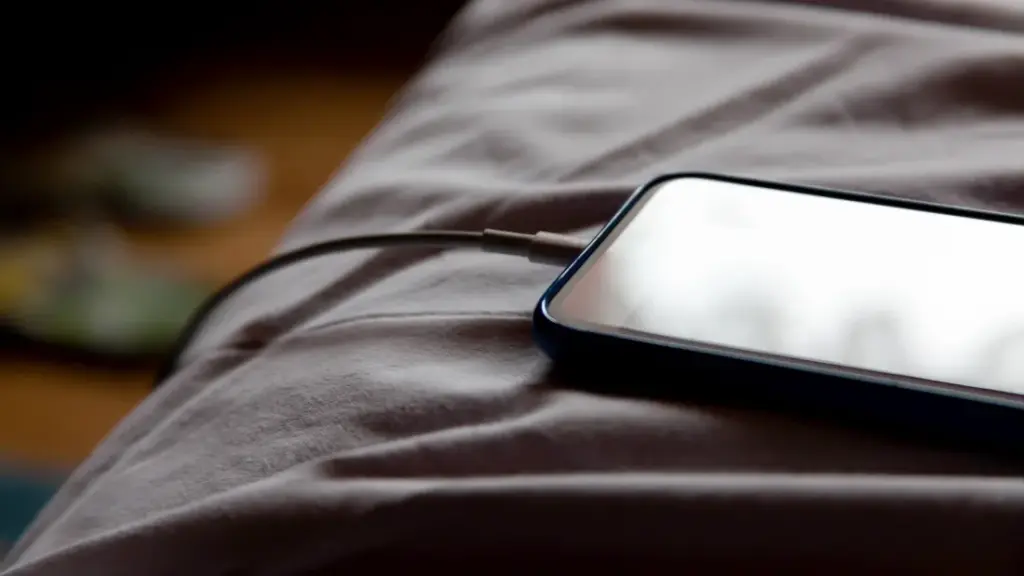
Charging in hot environments: Under pillows, blankets, or summer cars. Heat accelerates everything bad about full-charge states. Solution? Charge on a nightstand, case off if warm.
Ignoring phone smarts: Many skip “adaptive charging” because they don’t trust it. Most phones learn your schedule after 3-5 nights and time the final 20% perfectly.
Thick cases during charging: They trap heat. Remove for overnight sessions, especially fast chargers.
Old cables/chargers: Cheap or damaged ones deliver unstable power, stressing circuits. Use originals or high-quality replacements.
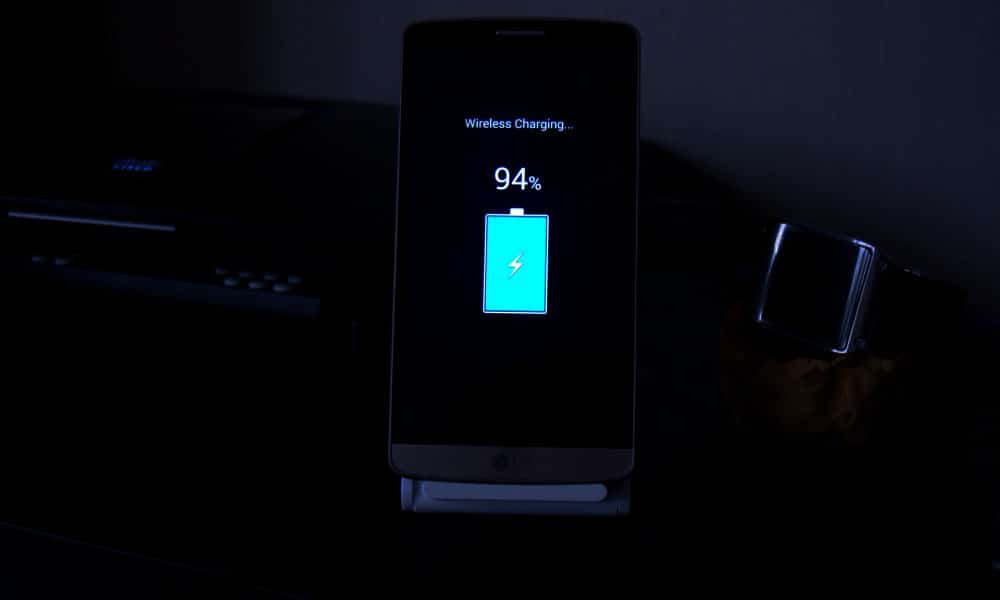
Wireless pads overnight: They run warmer than wired. Fine occasionally, but wired wins for regular overnight charging.
What most people miss: overnight charging isn’t “bad” in isolation. Context matters—phone model, case, room temp, charger quality.
Battery health checklist for overnight charging
Quick habits that make a difference:
Enable adaptive/optimized charging if available
Remove case during charging if phone feels warm
Charge on a hard surface (nightstand > pillow)
Use original or certified chargers/cables
Check battery health yearly (most phones show this in settings)
The 80-85% charging rule: worth it or overkill?
You’ve seen the advice: “Charge only to 80% for longevity.” It’s rooted in truth—batteries age slower in mid-range states—but it’s not universal.
When it helps most:
You keep phones 2+ years
Your phone has a built-in charge limit
Overnight charging is your main routine
When full charges make sense:
Travel days
Long meetings
Emergencies
Many flagships now automate this. OnePlus OxygenOS pauses at 80% until 30 minutes before your usual unplug time.
For average users: enable limits if available, charge to 100% when needed. The difference won’t make your phone immortal either way.
Heat: the real overnight charging villain
Temperature matters more than charge percentage. Lithium-ion batteries degrade 2-3x faster above 30°C (86°F). Overnight charging often coincides with warm rooms or insulating cases.
Quick fixes:
Room at 18-24°C (65-75°F) ideal
No blankets/pillows
Thin or no case
Avoid direct sun mornings
Phones throttle charging if too hot, but prevention beats reaction.
Alternatives to traditional overnight charging
Wireless slow charging: Less heat than fast wired, but pads must stay cool.
Power banks: Charge to 80-90% daytime, top off from bank evening. Less full-state stress.
Scheduled charging: Apps or built-in features pause at set times.
USB computer charging: Slower, cooler currents.
None beat wired overnight for convenience, but mixing methods spreads stress.
When overnight charging might actually help battery life
Counterintuitive truth: if your alternative is letting the phone hit 5% daily, overnight charging to 100% reduces deep discharges—which also stress batteries.
Deep cycles (0-100%) age cells faster than shallow ones (20-80%). Someone constantly running to 0% might benefit more from reliable overnight top-offs than perfect 80% habits.
Balance matters.
What phone makers don’t tell you about battery reporting
Most Android phones show “battery health” now, but accuracy varies:
Samsung: Precise cycle count, capacity % Google Pixel: Basic health percentage OnePlus/Xiaomi: Cycle count, sometimes estimated capacity
Check monthly. If capacity dips below 85% after 12-18 months of heavy overnight charging, habits might contribute. Most settle at 88-92% after two years regardless.
Common mistakes section: overnight charging edition
Forgetting phone features exist: Adaptive charging on Pixel/Samsung learns your wake-up. Use it.
Blaming overnight charging for all drain: If battery dies mid-day, screen/apps/signal matter more.
Using junk chargers: Unstable voltage stresses circuits more than time-at-100%.
Ignoring heat signs: Warm phone mornings? Case off, room cooler.
One-size-fits-all thinking: Your 3-year-old phone reacts differently than a new flagship.
Battery Life is the one Android topic where everyone has an opinion—and somehow, half of those opinions are stuck in 2011. You’ve probably heard “drain it to zero,” “never charge overnight,” or “close every app or your battery will melt.” Meanwhile, your phone still hits 18% before dinner.
This guide is here to cleanly separate Battery Life myths from the real fixes that make a difference. Not miracle tricks. Not “turn off everything until your phone is basically a calculator.” Practical stuff you can do today, plus a few habits that keep your battery healthier over time.
Why Battery Life Feels Random (But Usually Isn’t)
Battery Life can feel unpredictable because it’s influenced by things you don’t notice in the moment—signal strength, background syncing, location services, screen brightness, and heat. Sometimes you change one setting, your phone lasts longer, and you assume you found “the secret.” Other times you do everything right and it still drains fast.
On the one hand, modern Android is genuinely good at managing power in the background. But here’s the catch: one badly-behaved app, a weak 5G signal, or a hot charging session can undo all that smart optimization. So the goal isn’t perfection. It’s control.
Before we fix anything, let’s kill the myths that waste your time.
Myth #1: “You Must Drain Your Phone to 0% to Keep the Battery Healthy”
This one is everywhere, and it sounds logical… until you remember: modern phones use lithium-ion batteries, not the older battery types that suffered from “memory effect.” Deep discharges can stress lithium-ion batteries over time, which is why many guides recommend avoiding constant 0% runs.
What to do instead (realistic version):
Try not to make 0% a daily habit.
If your day usually ends around 20–30%, that’s a pretty comfortable routine for both Battery Life and battery longevity.
Small nuance: letting your phone hit 0% occasionally isn’t a crime. It’s the repeated “red zone lifestyle” that tends to age batteries faster.
Myth #2: “Charging Overnight Overcharges and Ruins Your Battery”
Modern phones are designed to stop charging at 100%, so the old-school “overcharging” fear is mostly outdated. Overnight charging, by itself, isn’t automatically destructive.
But—and this is where people get it half-right—keeping a battery sitting at 100% for hours can add stress over the long term, especially if the phone is warm while charging. That’s why features like adaptive/optimized charging and charge limits exist.
Real fix:
Turn on “Adaptive Charging” / “Optimized Charging” if your phone offers it.
If there’s a “Protect Battery” or “Charge to 80–85%” option, use it when you can (especially if you keep phones for 2+ years).
Myth #3: “Closing All Apps Saves a Ton of Battery”
This is the classic “swipe everything away” habit.
Sometimes it feels like it helps, because your phone looks “clean.” But Android often manages background apps efficiently on its own, and constantly force-closing apps can even add overhead because apps need to reload again and again. (It’s like turning your car off at every red light to save fuel—technically it changes consumption, but not in the way you want.)
When it actually helps: when a specific app is misbehaving—running in the background, looping, overheating, or abusing location. In that case, the fix isn’t “close everything.” It’s “find the one problem app and deal with it.”
Myth #4: “Fast Charging Always Kills Batteries”
Fast charging is not automatically a battery death sentence. Real-world testing and good charging management have improved a lot. But here’s the catch: heat is the enemy.
Fast charging can create more heat depending on the charger, phone design, and environment. Heat accelerates battery wear, so it’s not the speed itself you fear—it’s the temperature that sometimes comes with it.
Practical approach:
Use fast charging when you need it (workdays, travel).
Use slower charging when you don’t (overnight, desk time), especially if your phone tends to run warm.
Myth #5: “Wi‑Fi and Bluetooth Should Always Be Off”
This used to be decent advice years ago. Today it’s more “it depends.”
Wi‑Fi can actually be more power-efficient than mobile data in many situations, and modern Bluetooth is generally low energy. The bigger issue is constant scanning, weak signals, and background activity triggered by connectivity.
Real fix:
Keep Wi‑Fi on if you’re in stable coverage; it can help Battery Life compared to a phone fighting for cellular signal.
Turn off unnecessary scanning settings if you don’t need them (varies by Android version/brand).
The Real Fixes: What Actually Improves Battery Life (Without Making Life Miserable)
Now the part that matters. These are the changes that most people can feel within 24–72 hours.
Fix #1: Control the Screen (Brightness and Sleep Timer)
For many users, the display is the biggest Battery Life drain. Not because your phone is “bad,” but because modern screens are bright and we keep them on longer than we realize.
Try this:
Enable Adaptive Brightness (so you’re not blasting 100% indoors).
Lower brightness one notch more than you think you need.
Reduce screen timeout (sleep) to something sensible (30 seconds to 1 minute).
Use Dark Mode if you like it—especially helpful on OLED screens.
This is not anti-app paranoia. It’s basic hygiene. Even reputable apps can bug out after updates.
Fix #3: Fix Location Permissions (Quiet Drain, Big Impact)
Location is one of the easiest Battery Life drains to miss, because it doesn’t always “look active.”
Set most apps to:
“While in use”
Only keep “Always” for apps that truly need it:
navigation while driving (if you want alerts)
family safety apps (if you use them intentionally)
Also consider turning off “precise location” for apps that don’t need it. Your weather app doesn’t need to know which side of the couch you’re on.
Fix #4: Signal Strength Matters More Than People Think
Here’s a sneaky Battery Life killer: poor signal.
When your phone struggles to maintain connection, it works harder—especially on unstable 5G. If you’re in a weak coverage area, your battery can drop faster even if you’re barely using the phone.
Try:
Use Wi‑Fi calling (if available).
Prefer Wi‑Fi when you’re home/work instead of letting mobile data do everything.
If 5G is unreliable in your area, test LTE for a day and compare Battery Life.
Fix #5: Use Battery Saver Earlier (Not Only at 10%)
Battery Saver isn’t only for emergencies. It’s a tool for predictable long days.
Try:
Turn Battery Saver on at 30–40% if you know you’ll be away from a charger.
Use “Extreme Battery Saver” only when you truly need survival mode.
This doesn’t mean living in Battery Saver forever. It means using it strategically—like carrying an umbrella when the sky looks suspicious.
What Most People Get Wrong About Battery Life (A Quick Reality Check)
Let’s call it out plainly:
People optimize the wrong things (closing apps constantly) and ignore the big drains (screen and signal).
People chase magic numbers (“always 80%”) but ignore heat, which often matters more.
People think “new phone = perfect Battery Life,” but a single app or a bad network environment can wreck it.
People don’t verify backups/updates and blame “Android” when it’s actually one app misbehaving.
And yes—sometimes the battery is simply aging. No setting can reverse chemistry.
Battery Life Checklist (Do This Today)
Quick checklist, no nesting, no drama:
Turn on Adaptive Brightness and reduce screen timeout.
Check Battery usage and identify the top 3 apps.
Restrict or remove the top “background drain” app you don’t trust.
Review Location permissions and switch most apps to “While in use.”
Enable Adaptive/Optimized Charging or an 80–85% limit if available.
Keep the phone cool while charging (no blankets, no hot car).
Charging Habits That Protect Battery Life Long-Term
Battery Life today is one thing. Battery health over two years is another.
A few habits that help longevity without making you obsessive:
Keep heat low (the boring but true advice)
Heat accelerates battery wear, so avoid:
charging under a pillow
gaming while charging
leaving the phone in direct sun while charging
This isn’t fear-mongering. It’s just how batteries age.
Use the “80% rule” as a tool, not a prison
Many sources recommend a “20–80%” or “30–80%” range for slower battery aging, but the exact number isn’t magical. The point is reducing time spent at very high charge levels, especially with heat.
If you’re traveling or need maximum Battery Life that day, charge to 100%. No guilt. Just don’t keep it sitting at 100% hot for hours every single day.
When It’s Not Settings: Signs Your Battery Is Actually Worn Out
Sometimes your Battery Life issues aren’t fixable with tweaks because the battery has aged.
Common signs:
Sudden drops from 30% to 10%
Random shutdowns at 15–20%
Noticeable heat during light tasks
Battery percentage behaving “jumpy”
At that point, consider:
battery replacement (often worth it on mid/high-end phones)
or upgrading if the phone is old and already struggling with performance
No shame either way. Batteries are consumables.
FAQs
1) Is it bad to charge my phone overnight?
Modern phones prevent classic “overcharging,” but staying at 100% for hours—especially with heat—can contribute to wear over time, so adaptive charging or charge limits are helpful.
2) Should I always charge only to 80% for better Battery Life?
Charging to 80–85% can reduce stress for long-term battery health, but it’s not mandatory. Use it when convenient, and charge to 100% when you need full-day Battery Life.
3) Does closing apps improve Battery Life?
Not usually in a big way. It helps mainly when an app is misbehaving and draining battery in the background.
4) Does Dark Mode improve Battery Life?
It can help, especially on OLED screens, because darker pixels can use less power. The impact varies by device and brightness.
5) Why does my Battery Life get worse in places with poor signal?
Your phone works harder to maintain a connection when coverage is weak, which increases power use—even if you’re not actively using the phone.
What to Do Next
If Battery Life has been frustrating lately, don’t try to fix everything at once. Do this in order:
Check Battery usage and identify the top drainers.
Reduce screen drain (brightness + timeout).
Fix location permissions and notifications.
Watch heat while charging for a week.
If nothing improves, consider battery wear and replacement.
Give it 2–3 days after changes and compare. Battery Life improvements are often “quiet,” not dramatic—but they’re real when you focus on the big levers.
Recently, Honor has been quite focused about batteries. The company’s new Win series phones, which have remarkably big 10,000mAh batteries, may be familiar to you if you’ve been keeping up with recent releases. These are high-end smartphones featuring Snapdragon 8-series processors.
With its new mid-range phone, Power 2, the business is adopting a similar strategy. Unexpectedly, it also has an even larger battery.
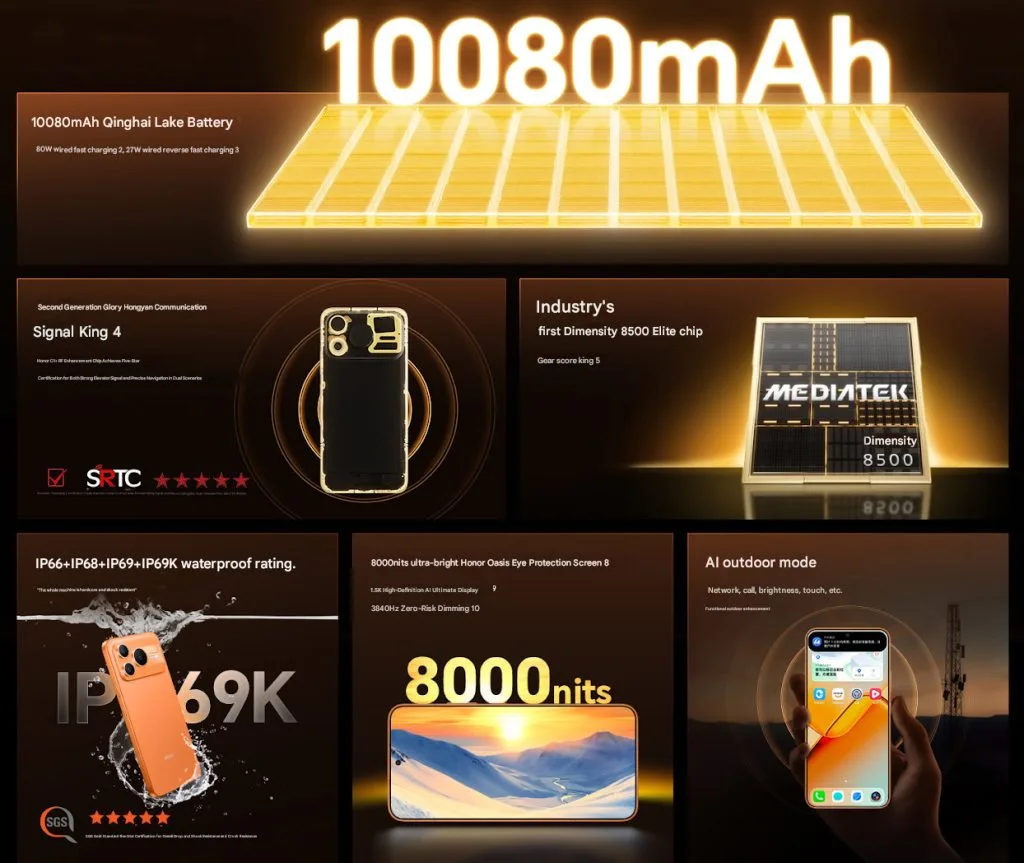
The Power 2’s casing is only 7.98mm thick and contains a slightly larger 10,080mAh battery. In contrast, the iPhone 17 Pro is 8.8mm and does not even have a 5,000mAh battery. At just 216 grams, it is also not very hefty.
In addition to supporting 80W wired charge, the battery also provides 27W reverse charging.
Honor Power 2 Specifications
The phone’s big 6.79-inch OLED LTPS flat display, which has a 1.5K resolution of 2600 x 1200 pixels, is located up front. Additionally, the screen’s 3,840Hz PWM dimming and maximum brightness of 8,000 nits are advertised.
The gadget is powered by MediaTek’s Dimensity 8500 Elite processor, which is combined with UFS 4.1 storage and LPDDR5x RAM. Honor says that the Dimensity 8500, a new mobile processor, has more than 2.4 million AnTuTu points.
Additionally, the Power 2 receives a respectable pair of camera configurations. A 5MP ultra-wide camera and a 50MP primary sensor with OIS are located on the back. On the other hand, the front has a 16MP camera. The Power 2’s operating system is Android 16 with a layer of MagicOS 10.
A metal frame, two speakers, an in-display fingerprint scanner, and an exceptionally thorough durability rating with IP66, IP68, IP69, and IP69K certifications are further highlights. Wi-Fi 6, Bluetooth 6.0, IR blaster compatibility, and sophisticated satellite location are among the connectivity possibilities.
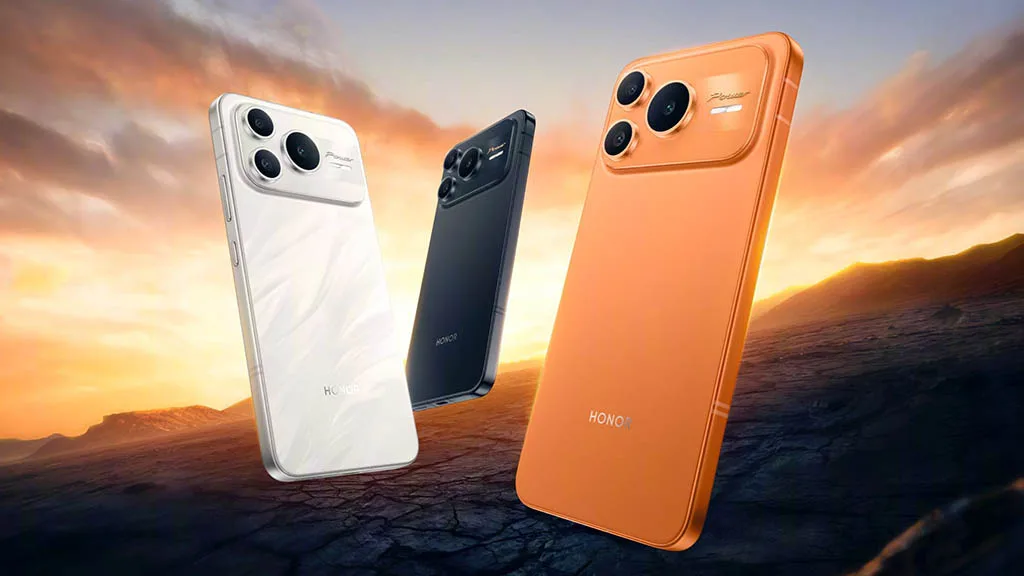
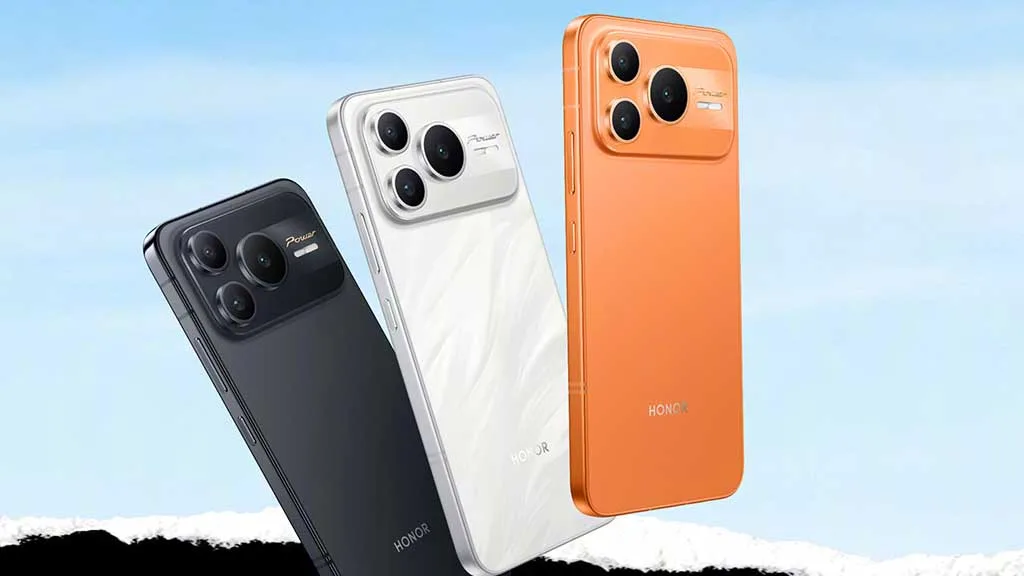
The Honor Power 2’s 12GB RAM and 256GB storage model costs 2,699 CNY (about $385), while the 512GB model costs 2,999 CNY (around $430). Phantom Black, Snowfield White, and Rising Sun Orange are the possible colors for the phone.
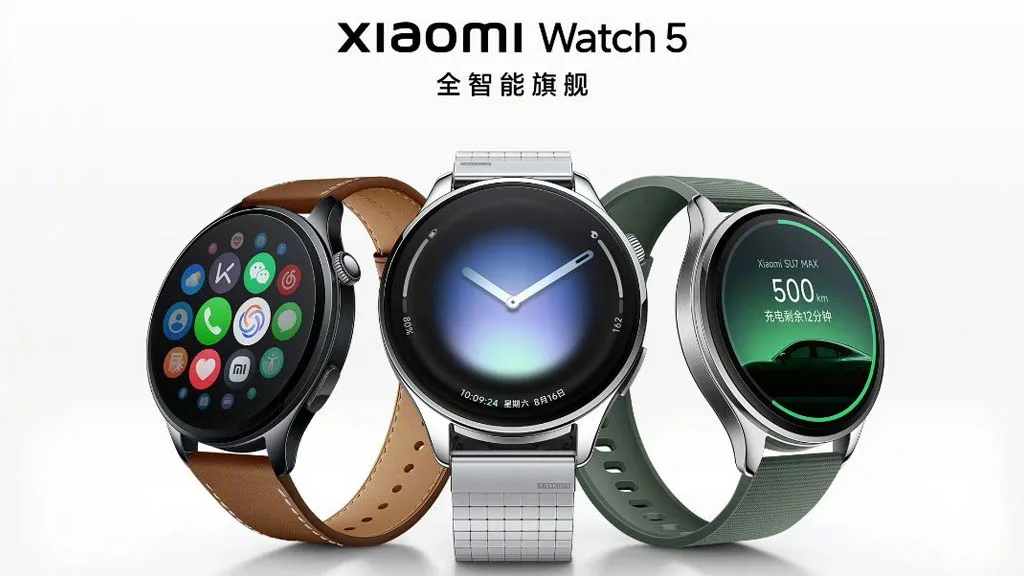
The battery life of the recently released Xiaomi Watch 5 is one of its problematic features compared to Huawei and other high-end smartwatches. Even if you use its cutting-edge capabilities all day, the smartphone can last longer than two weeks.
We can rely on Huawei when it comes to wearable battery life because the company’s most current product, the Watch GT 6 series, has a battery life of about 21 days.
In the meantime, it can run for 7 days when features like AOD are activated and 12 days when used normally. Xiaomi appears to have figured such a solution, while Apple and Samsung are still working to remove the hourly battery backup for their wearables.
Xiaomi Watch 5 battery life
The Xiaomi Watch 5’s battery life is one of the intriguing features that the business has included to keep it ahead of a number of excellent wearables.
The Watch 5 has a 930mAh battery that contains 10% silicon. It can run for six days if it is used every day in the online network scenario with all functionality.
However, the Xiaomi Watch 5 will last for eighteen days if you activate its power-saving mode. That is only three days less than the Huawei Watch GT 6!
In terms of battery life, this makes the Xiaomi Watch 5 a serious rival to Huawei timepieces and its upcoming models. This time, the business has significantly improved the wearables’ batteries, making them far more dependable than competitors.
In addition to the battery, Xiaomi’s Watch 5 is the first wearable that supports EMG technology, revolutionizing the smartwatch’s health market.
It would be worthwhile to investigate the further improvements that upcoming smartwatches will include in order to attract attention and grow their market share.
Is this the end of battery issues on Pixel smartphones? The November update includes a power‑saving mode that employs the always‑on display to conserve energy, providing greater screen time for navigation and daily use. Here’s how it works.
Compared to other competing smartphones, Pixel handsets are not known for having the best battery life. However, Google has progressively added intelligent features over the years to help stretch screen time. The most recent is a new Google Maps power-saving function that was added with the November update and is currently being made available to more Pixel 10 owners.
How to save battery while using Google Maps
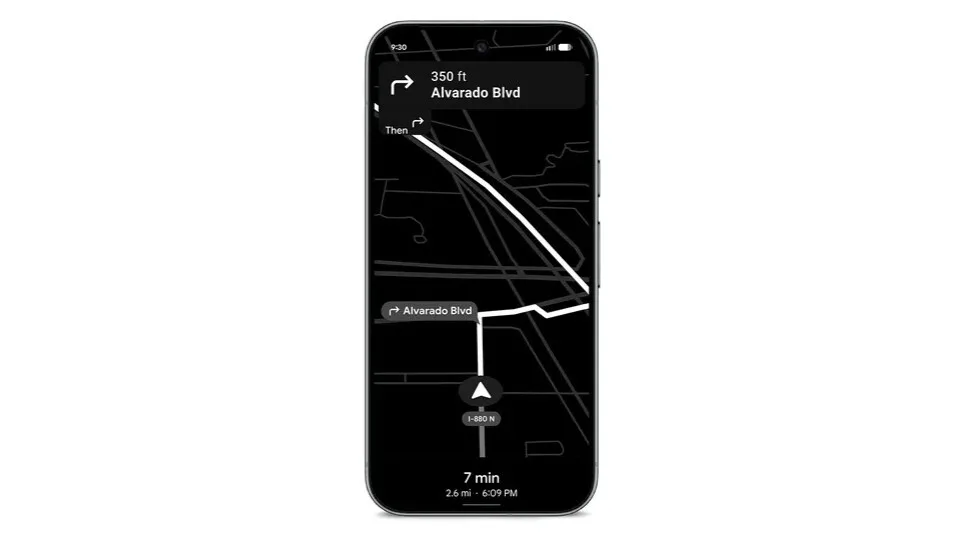
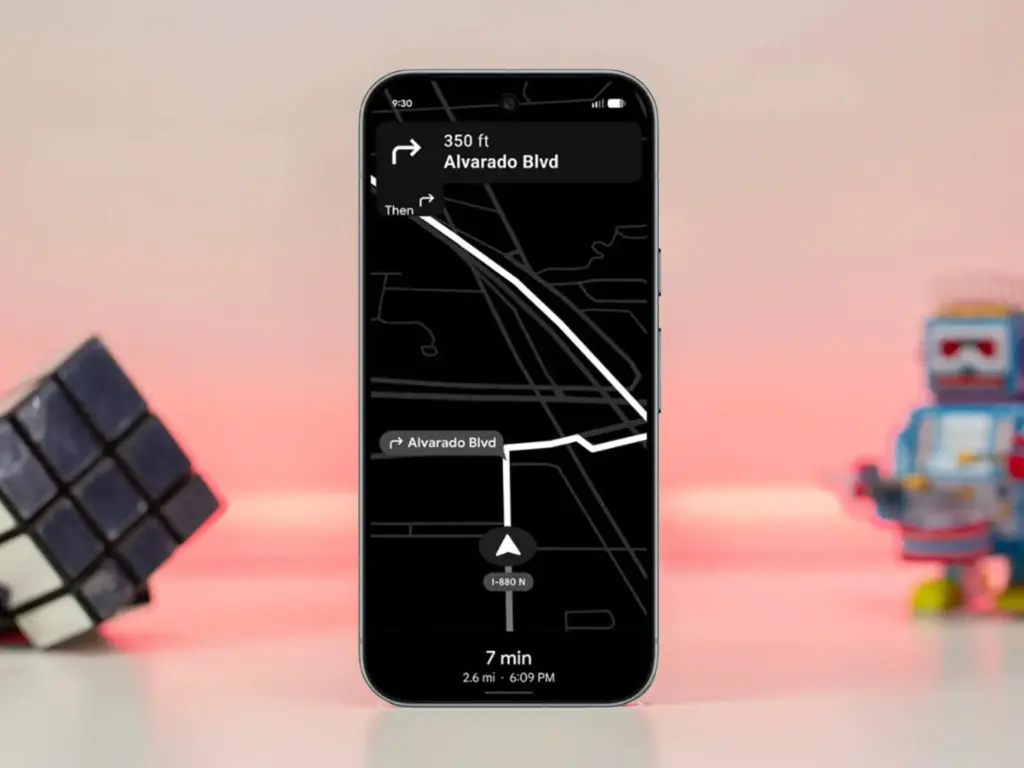
The addition, as its name suggests, offers a power saver mode to Google Maps. In theory, it makes use of the Pixel 10’s always-on display when navigating. This saves battery compared to fully utilizing the normal OLED panel, since most elements transition to black and white with inactive pixels switched off.
In addition, the mode lowers the screen refresh rate and brightness to further preserve power. Some UI components and metrics in Google Maps won’t be available when enabled, and only portrait orientation is supported.
Google Maps Power Saver: how to turn it on
If the feature is accessible on your Pixel 10 or Pixel 10 Pro, you’ll see a pop‑up card pointing you to the option in driving settings. Alternatively, you may manually activate it by going into Maps settings and finding it under driving choices.
It’s unclear why Google is limiting the feature to the Pixel 10 series, especially given earlier versions like the Pixel 9 and Pixel 9 Pro use the same LTPO OLED displays. However, it’s feasible that Google will increase support later on.
Google is also working on another battery‑saving feature for Pixel and Android devices: a smarter always‑on display that automatically shuts off when the device isn’t in use or after a specified duration.
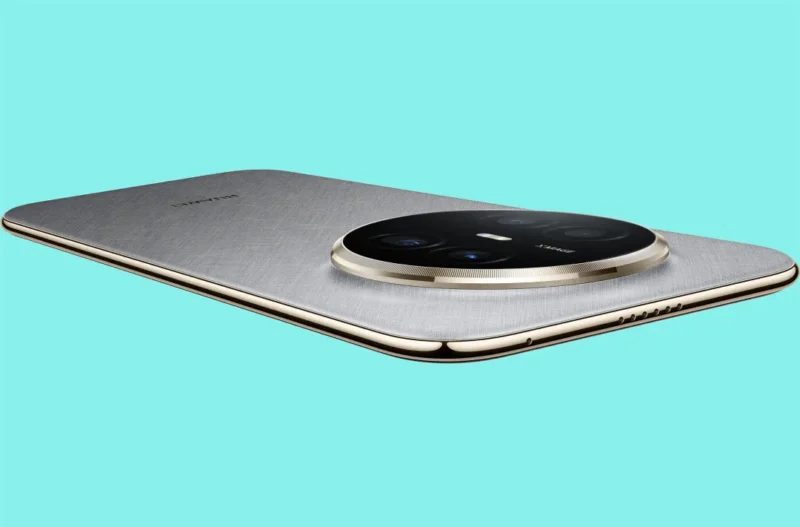
In the battery war, the Huawei Mate 70 Air has defeated the iPhone Air and the Galaxy S25 Edge. The gadget has performed exceptionally well in the area where most brands attempt to make compromises in favor of appearance, although it may be a few millimeters behind in the battle for slimness.
One of the device’s most crucial components is the battery. If it’s a decent one, you won’t have to worry about using a charger for a few days. However, a low-density cell hinders your enjoyment in addition to using more power.
Samsung and Apple devices have excellent features and specifications. However, the battery life is something that these firms are continuously working to improve.
Huawei Mate 70 Air comes with a huge battery
Apple and Samsung are unable to incorporate a higher-density battery into their top phones despite no technological limitations. The batteries of phones such as the Galaxy S25 Ultra and the iPhone 17 Pro Max are 5000mAh and 4823mAh, respectively.
Therefore, it is unrealistic to expect these brands’ thin gadgets to have larger battery capacities. Slimness frequently results in less space for the device’s internal parameters.
Therefore, in order to achieve that ideal tiny profile, tech manufacturers must either reduce the battery capacity or other specifications like camera sensors and more.
It’s interesting to note that the Huawei Mate 70 Air has demonstrated to the manufacturers of the iPhone and Galaxy that a handset can still have a huge battery while still maintaining its thin form.
A 6500mAh ultra-thin silicon-carbon anode battery powers the Mate 70 Air’s remarkable battery life. Additionally, it offers a 66W fast cable charger that quickly charges the tablet without interfering with your video or gaming.
As a result, the Huawei Mate 70 Air smartphone offers flagship-quality battery life in addition to a fully functional experience. You can choose between a thin model with a full power pack or one that is only skinny.