Tag: battery

  • Simple tips to extend your phone’s lifespan

    Simple tips to extend your phone’s lifespan

    The Samsung Galaxy S25 Ultra and iPhone 17 Pro are two of the greatest phones available right now because of their incredible cameras and powerful processors. Even though these high-end flagships could be the best mobile devices available right now, getting them will cost you a fortune. Even phones that are affordable, like the Google Pixel 9A, are still expensive, and since people’s budgets are getting tighter everywhere, it’s more crucial than ever to get the most out of your purchases. Instead of updating more frequently, the simplest approach to achieve that is to just stay using your phone longer, spreading out that expensive purchase across the years.

    Not only is it better for your wallet, but it’s also much better for the environment. If you upgrade your phone less frequently, fewer phones will be made and distributed, and fewer old phones will wind up in landfills. The good news is that manufacturers such as Apple, Google, Samsung, and others are extending the support period for their phones’ software updates, so the phone you purchase today will continue to be safe to use for many years to come.

    You are responsible for the remainder. It takes some work, a lot of attention, and a few crucial tactics to keep your phone in good operating order for the seven or eight years of software support it may receive.

    Therefore, these are the best ways to extend the life of your phone.

    Update the software

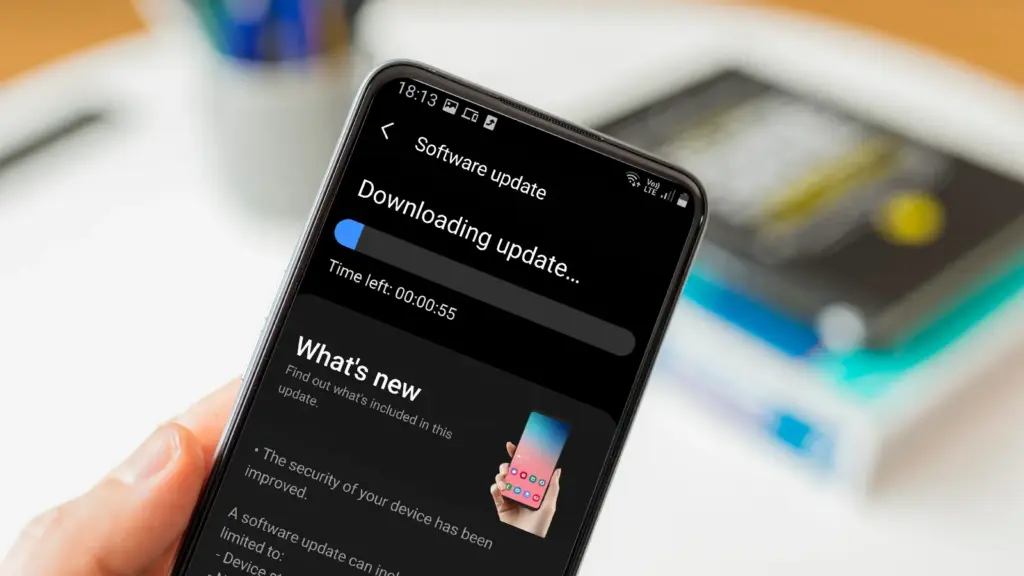
    Avoid using a phone that isn’t receiving security upgrades since it’s just not safe. Phones like the Google Pixel 9 series now come with seven years of software support, whereas before it was typical for many Android manufacturers to support new phones for only two to three years. Unfortunately, some less expensive phones, such as the recently released OnePlus Nord CE4 Lite, only get upgrades for a few years. When purchasing a new phone, be sure to inquire about its support duration since this will provide you with greater value during the phone’s lifetime.
    best brands for android updates

    Keeping your phone up to date with the most recent security update will help prevent hackers and remove any dangerous software that might infiltrate and cause your phone to lag. If you have an older phone, go to the settings menu, scroll down to Software Update, and click to see if there is an update available. Most phones will automatically ask you to install the most recent upgrades, and you sh

    This also applies to your apps, which must be updated to stay compatible with the iOS or Android version you’re using. Allowing apps to update automatically in the background is a good idea, but if you don’t, make sure you’re running the most recent versions by going into your preferred app store.

    Protect it with a case

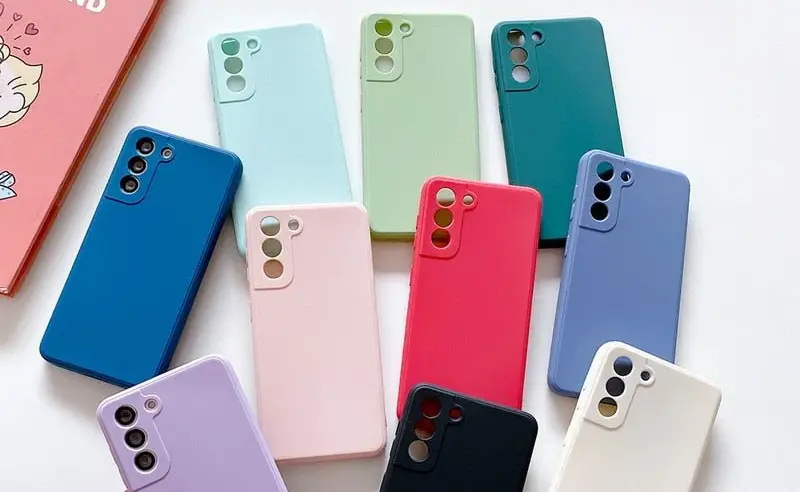
    If you recently purchased a brand-new iPhone, installing a case right away is the best way to preserve it physically. In addition to protecting it in the event that you drop it, it will also assist prevent it from absorbing tiny scratches from your pocket’s coins or keys.
    matte silicone samsung galaxy a series phone case 521848 e1758974780610

    Since there isn’t much you can do to repair your phone’s screen after it becomes damaged, a screen protector is also a smart option. You can easily change a screen protector if it gets a severe scratch, keeping the phone itself looking brand new for many years to come. When it’s time to update, keeping your phone looking new could help you sell it for more money on the used market, even if you don’t intend to keep it for many years.

    Replace the battery

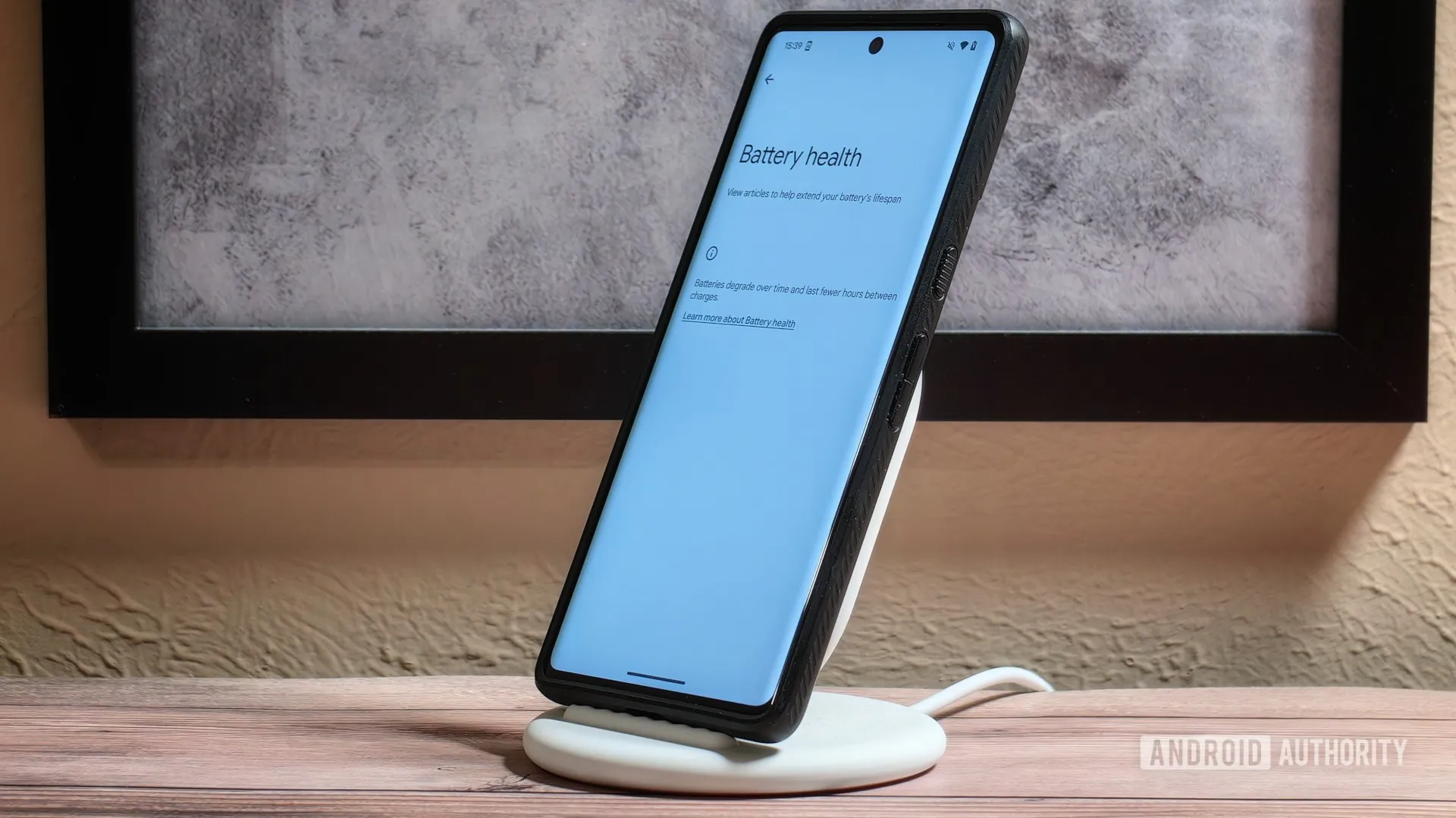
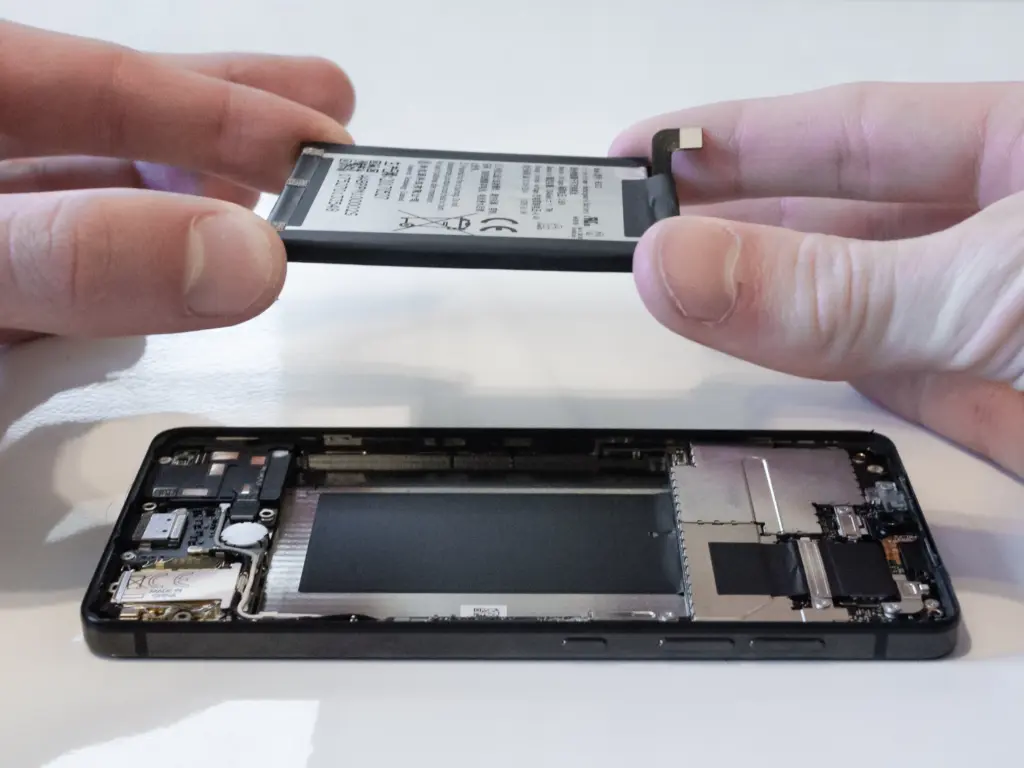
    Over time, the battery in your phone will progressively degrade, giving it less life between charges than it did when it was brand-new. All phones are like this. Batteries in certain older phones might only provide 50% of their previous capacity. Your phone may even alert you when it senses that your battery isn’t providing enough power, in which case it may limit your processor to make up for it.
    replace battery on a nothing phone

    Don’t worry; most phones have a battery that is rather simple to change on your own to give it a fresh lease on life. If your battery is about to die, it could be worth trying to repair it yourself. iFixit offers a wide range of kits and third-party replacement batteries to fit a large number of phones.

    If you’re not very confident with your screwdriver skills, this might be a nice alternative to think about. There are a number of places you can take your phone to have your battery replaced, or even other components like a broken screen. However, not all of them are really legitimate.

    Remove old apps that you are not using anymore

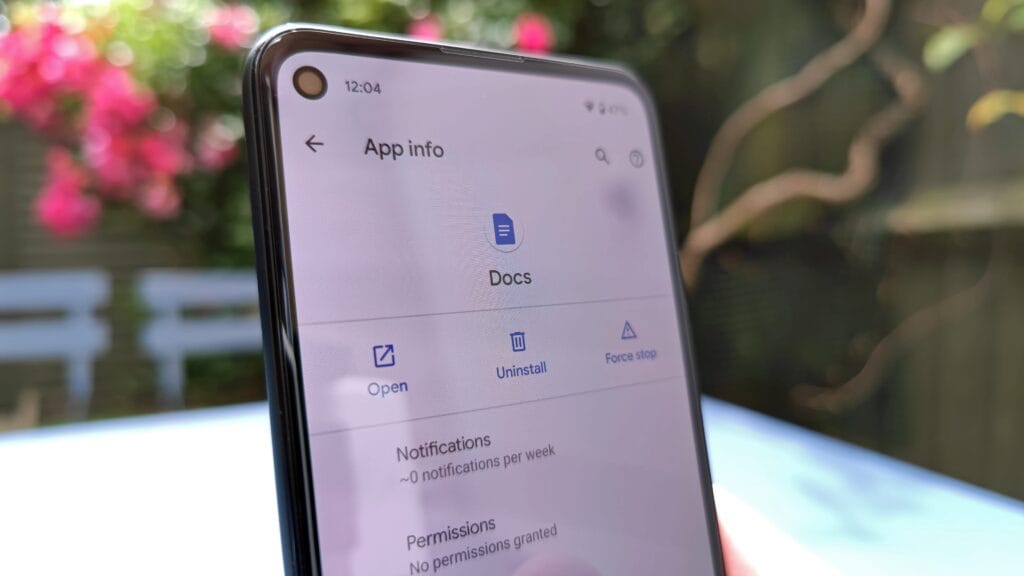
    Your phone is probably cluttered with thousands of pictures of your friends, pets, or the plates of food you’ve consumed over the years if you’ve owned it for a long time. You probably have a number of outdated apps and games that you downloaded on the spur of the moment, played for a few bus rides, and then switched to the newest mobile gaming craze.
    remove old apps on Android phone

    In addition to negatively impacting your phone’s general performance, a shortage of storage may also make it more difficult to install important software updates. It’s worthwhile to look through your archives, remove anything from your phone that is wasting space, and backup any pictures and movies you wish to store to the cloud.

    It might even be worth backing up all of your crucial data and performing a complete factory reset, starting over, and only installing the necessary apps if your phone has been slow for a long period.

    Clean out your ports

    Last but not least, cleaning your phone can offer unexpected benefits. Your phone may suffer greatly from pocket fluff, especially when it comes to the charging connector, which frequently becomes clogged with bits of junk. As a result, your phone won’t charge when you plug in your charger because it can’t connect completely.
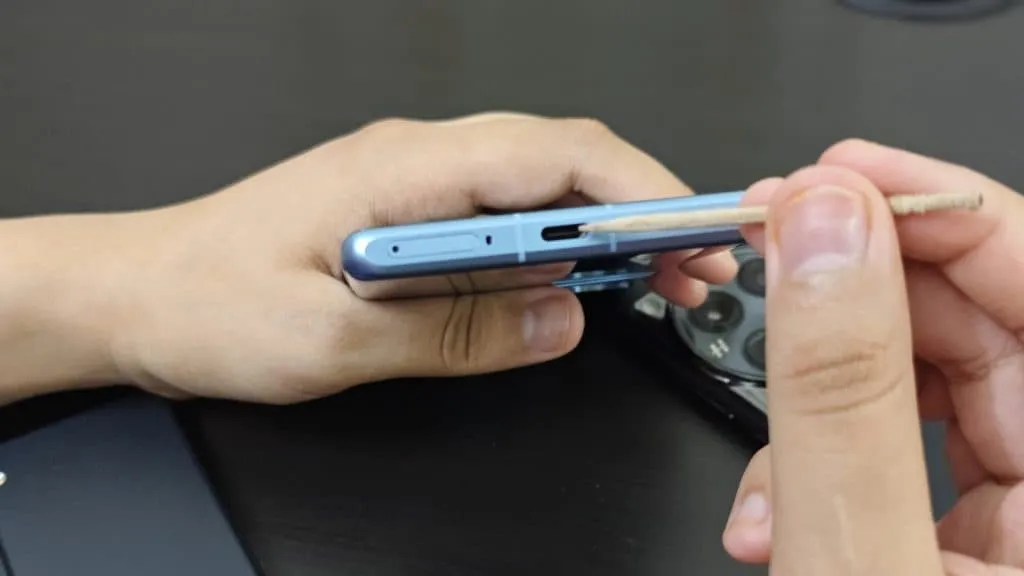
    cleaning charging port

    It’s tempting to assume that something has broken, like the cable or the charging port itself, but it could just be that the port is overflowing with lint. To make sure your charger fits without requiring forceful wriggling, occasionally insert a wooden toothpick into the area and try to ease out any dirt or debris you notice.

    To make sure you can clearly hear—and be heard—during your phone calls, it’s also worthwhile to carefully brush away any debris you may discover near the speakers and microphones with an old toothbrush that has been cleaned and dried.
  • Xiaomi 17 launches with Snapdragon 8 Elite Gen 5, secondary display, and big battery

    Xiaomi 17 launches with Snapdragon 8 Elite Gen 5, secondary display, and big battery

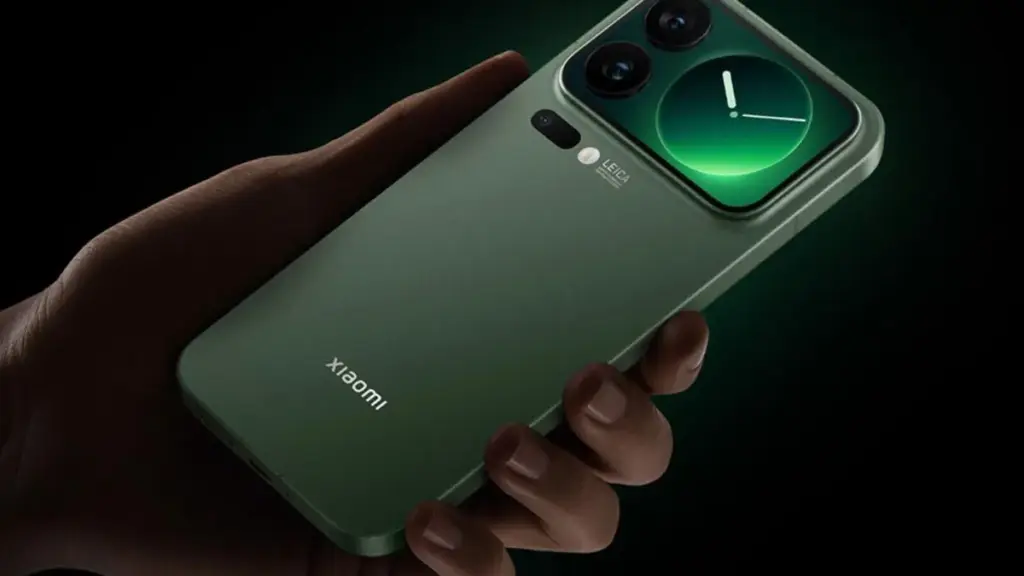
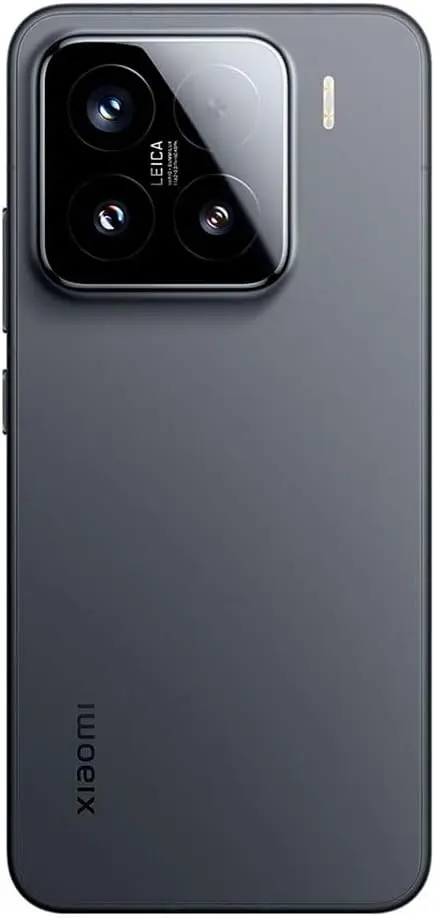
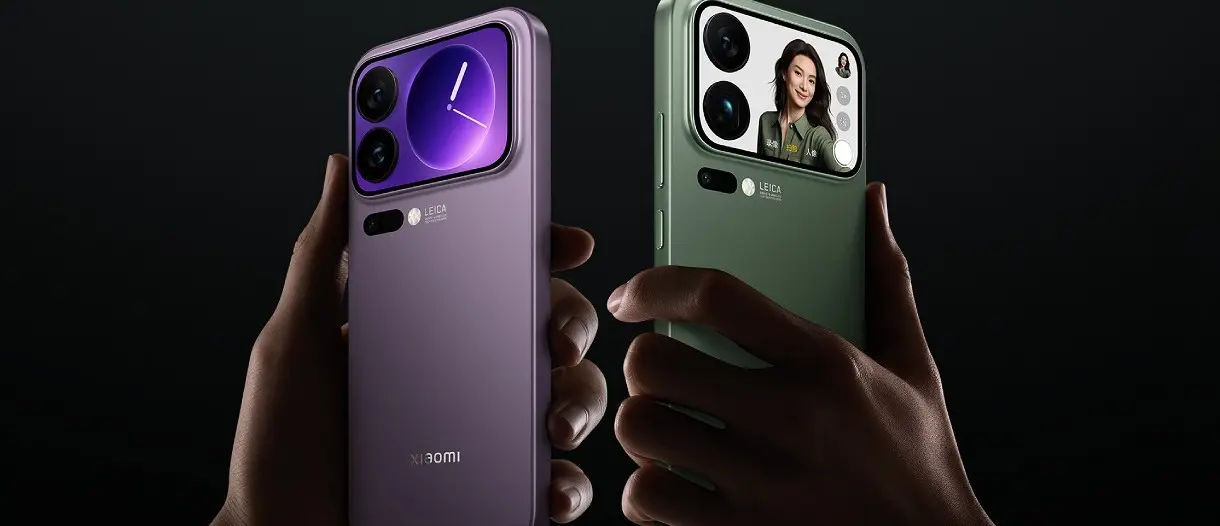
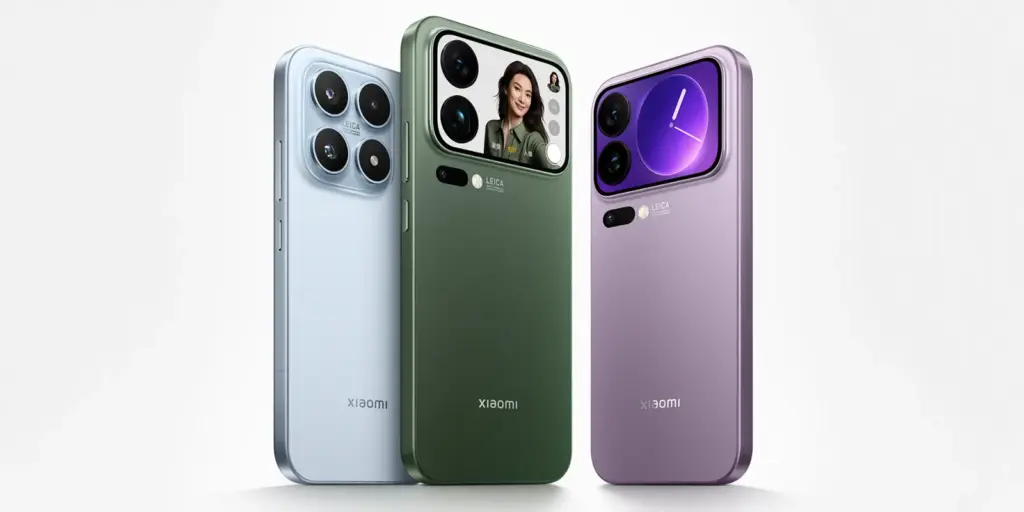
    Xiaomi just unveiled its newest three flagship phones in China. The Xiaomi 17 series boasts a new design, rear-facing screens, and batteries that can hold up to 7,500 mAh.

    The Xiaomi 17, 17 Pro, and 17 Pro Max are the first Android phones to use Qualcomm’s latest Snapdragon 8 Elite Gen 5 CPU, and they are arriving in China before making their global debut. Each of the three phones has a different pricing range, with the Xiaomi 17 base model being the most economical.

    Starting at CNY 4,499, or around $630 USD, the Xiaomi 17 boasts a 6.3-inch LTPO OLED display, 12GB/16GB of RAM, and 256GB/512GB of storage. The phone boasts a large battery and four 50MP cameras—three on the back and one on the front. This phone from Xiaomi has a 7,000 mAh battery that can be charged at 100W and wirelessly at 50W.

    Xiaomi 17 first to feature Snapdragon 8 Elite Gen 5

    xiaomi 17
    xiaomi 17 series 4 e1758824070918
    G1tBaL2WQAA5Z h.jpglarge

    With a fresh look, the Xiaomi 17 Pro and Pro Max, meanwhile, go one step further.

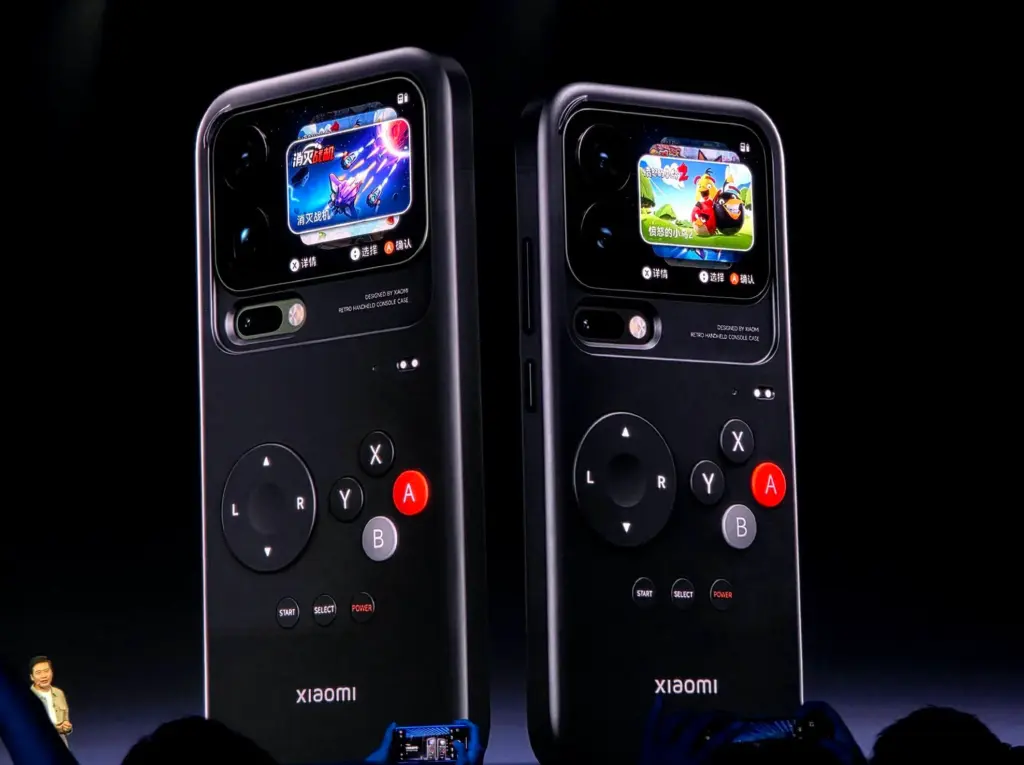
    The smaller Xiaomi 17 Pro features a second OLED display on the rear in addition to the same 6.3-inch display as the standard model. Two of the 50MP rear cameras are encircled by the 2.66-inch display, which also has a third 50MP back camera beneath it and a 50MP selfie camera. It can be utilized with personalized themes, “Dynamic Notifications,” and sticky notes. It can also manage media controls and play games with a special case (via GSMArena). The Xiaomi 17 Pro, which starts at CNY 4,999, features a 6,300 mAh battery and up to 1TB of storage.

    With its enormous 7.500 mAh battery and 6.9-inch display, the Xiaomi 17 Pro Max goes above and beyond.

    The Pro Max’s rear display is identical to the smaller model’s, including the same 2.66-inch LCD and features. The screen and battery capacity are the only things that separate the two sizes. The design is even the same. The starting price of the Xiaomi 17 Pro Max is CNY 5,999.

    Since the Xiaomi 15 series debuted globally in March of last year, we can presumably anticipate a global launch in February, give or take, given today’s early Xiaomi 17 launch in China. These phones will go on sale in China on September 27.

  • Is your Google Pixel safe? Users report swelling batteries

    Is your Google Pixel safe? Users report swelling batteries

    Many people commend Google’s Pixel phones for their dependable cameras and extensive software support. To suggest that they don’t have any concessions, particularly with regard to battery quality, would be inaccurate. Battery problems, especially with older Pixel models, have been the subject of numerous stories recently; in rare cases, the problems have resulted in overheating and even fire. The Pixel 7 series is currently the subject of a fresh wave of worry.

    pixel 7a swollen battery

    Pixel 7 battery swelling reported by more users

    More Pixel 7 and Pixel 7 Pro owners are posting concerning experiences with their devices on Reddit and Google’s help sites. The majority of problems are related to battery swelling, which results in the back panel bulging and the display panel separating. Reports of these occurrences seem to be growing, with more coming to light in recent weeks, though some go back to July and August.

    One user demonstrated that the front panel of his Pixel 7 Pro had already begun to detach from the frame. Another said that pressure from the protruding battery was causing a crack to form around the larger camera lens.

    Another user reported that the lower edge of the AMOLED panel started to separate. The owner claims that the display finally popped out after a progressive separation over time.

    Additional concerns regarding abnormalities in battery life are found when browsing these platforms. According to some consumers, the batteries in their Pixel 7 and Pixel 7 Pro have severely deteriorated and now overheat when used frequently.

    Battery packs that have been used a lot or are worn out are probably the cause. Since the Pixel 7 series was introduced over three years ago, a large number of devices have had high charge cycles and significantly worsened battery health.

    pixel 7 swollen battery

    Is There a Fix for Pixel 7 Owners?

    The Pixel 7 and Pixel 7 Pro have so far had patching that is case-specific and unreliable. Many people complain that the warranty has already expired on their gadgets. Some people have chosen to cover the cost of battery replacements on their own.

    Given the mounting worry, it might not be long before Google offers more extensive assistance, like a special repair program. How Google will respond to devices with further damage, such as warped back covers or cracked screens, is still unknown.

    In addition to the Pixel 7, the Pixel 6a has issues with battery-related concerns, including as the potential for fire and explosion. In response, Google launched a repair program that provided qualified consumers with free battery replacements.

    It’s still unclear if Google has actually fixed these battery problems in more recent versions, such as the Pixel 8, Pixel 9, and Pixel 10. Many people are hopeful that the company’s latest releases use better battery components.

  • Does charging your battery to 80% really extend its lifespan?

    Does charging your battery to 80% really extend its lifespan?

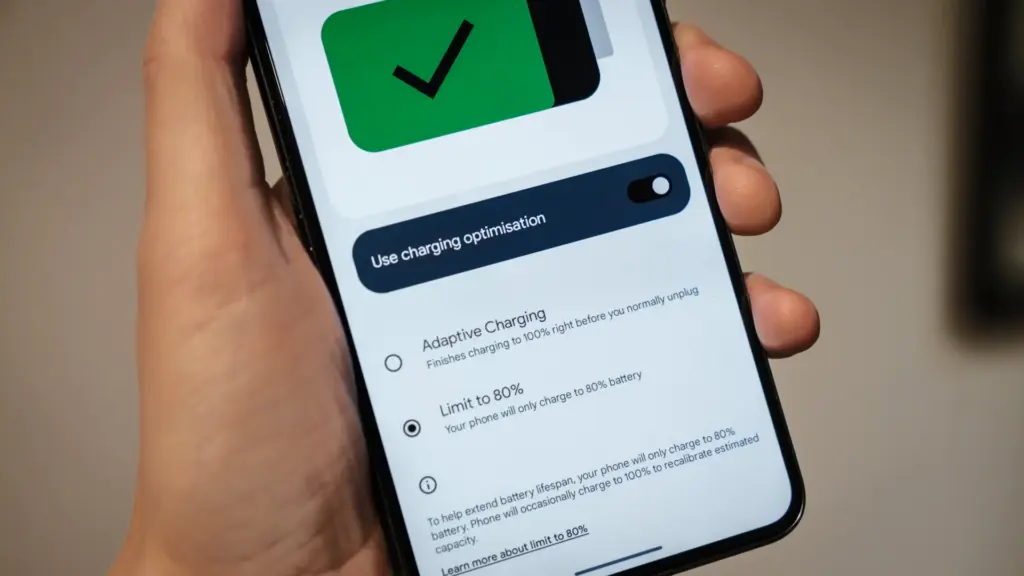
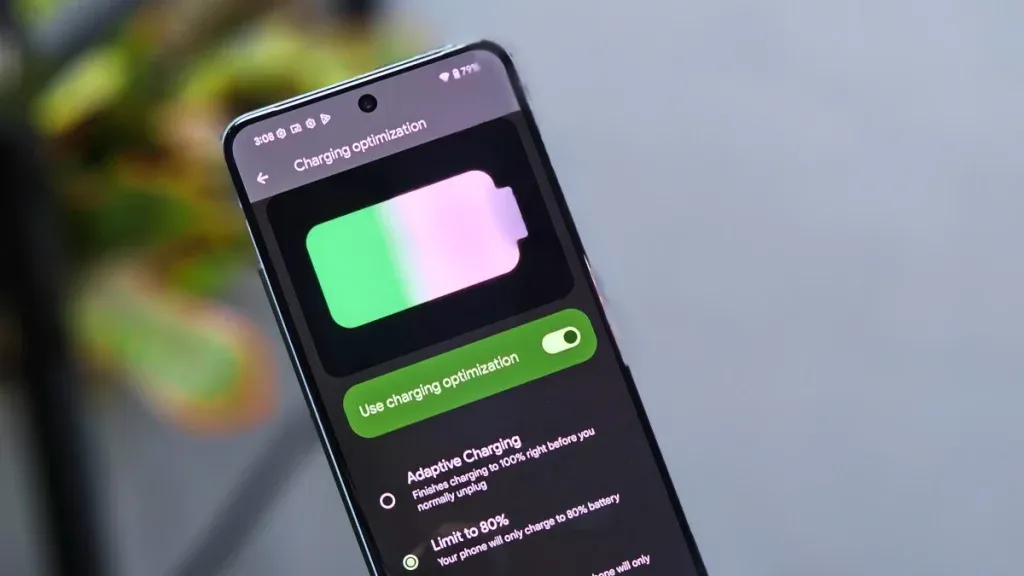
    Manufacturers are beginning to realize that battery health is a major concern for contemporary smartphones due to longer update commitments. In an effort to extend battery life, Android 15 added an optional 80% charging limit in addition to long-standing features like adaptive charging. Similar features were first introduced by Apple with the iPhone 15, and many Android phones now have them as well.

    However, doesn’t 80% seem like a pretty arbitrary number? Why would you want to cap yourself below your maximum capacity? It’s time to go through more fiction and truths about batteries. Here are some things to be aware of.

    Keeping batteries healthy for longer

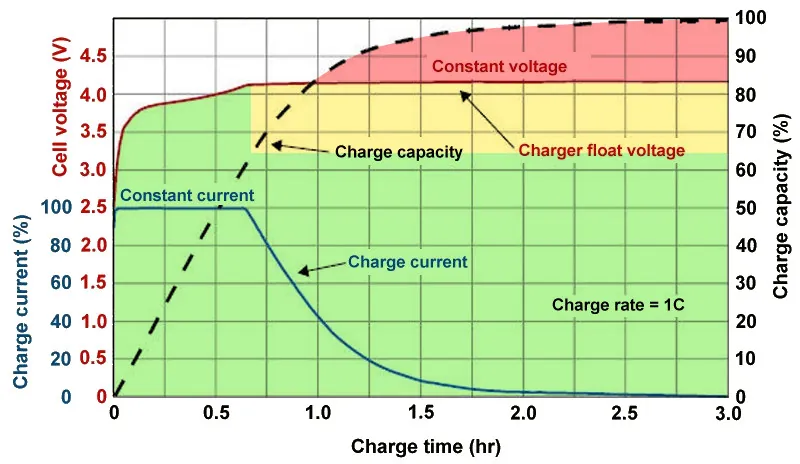
    Heat and voltage are the two main enemies of battery health. Keeping your phone off of a hot dashboard, avoiding charging it beneath your pillow, and using slower charging when you don’t need a quick top-up are the main ways to manage the former. However, the user cannot effectively regulate voltage wear; voltage stress is merely a consequence of battery charging.

    As you can see, the voltage of a nearly depleted battery is lower than that of a full one. Because there is some wiggle area below the peak voltage, which increases tolerance for voltage peaks brought on by large currents, this voltage gap can actually be exploited to accelerate charging. Many lightning-fast charging solutions operate in this way without damaging your battery. There is less tolerance between the immediate and maximum voltages, though, because a battery’s voltage rises as it fills up. Li-ion batteries will explode if their rated voltage is ever exceeded! To fully charge a battery, you must go slowly and carefully.

    Battery Charge Voltage vs Time.jpg

    Although charging engineers take precautions to prevent battery explosions, wear can still happen simply by raising the battery’s voltage. The battery’s available lithium capacity eventually decreases due to anode saturation. When electrolytes are highly charged, they can also slowly break down into gases, and the cathode of the battery can also dissolve into the electrolyte. In a single case, none of this is concerning and is partly inevitable nevertheless, but over time, the additional wear accumulates and causes the battery’s capacity to gradually decrease more quickly than is ideal.

    The first 60% of a battery’s voltage usually increases the fastest, after which it gradually increases until it reaches full. Stopping at around 80% is a nice halfway house because the battery is sufficiently charged to last for hours even if it isn’t quite at its peak voltage, which is where the most harm happens. The seemingly arbitrary 80% measure has a lot of sound research behind it, but is it truly helpful in real-world situations?

    Should I only charge my phone to 80%?

    increase battery life charrge to 80%

    The truth is that no matter what you do, your phone’s battery will ultimately deteriorate; the best way to handle this gradual decline will depend on your demands. The most careful chargers who maintain their phone’s temperature and adhere to the 80% rule may be able to increase the battery’s life by a year or more, which is unquestionably valuable. Whether artificially restricting oneself to 80% now is worth the long-term benefits is a personal decision.

    Let’s examine the worst scenario. While many of today’s higher-end smartphones have ratings of 1,000 or even 2,000 cycles, modern smartphone batteries are typically rated for at least 500 charge cycles before depleting to 80% of their initial capacity. In the worst scenario, that amounts to about a year and a half of charging your phone every day from empty to full—a modest routine—and for longer-lasting phones, it may continue for several years. The majority of customers will most likely wait two to three years before detecting a decline in battery life, and much longer before it becomes a serious issue. And that’s assuming no additional safety measures are taken.

    A year or more could pass before you need to replace your battery if you limit yourself to 80% charge.

    Fortunately, most modern phones come with some built-in assistance. Taking your phone from the plug as soon as possible helps prevent stress from idle charging because phones tend to trickle charge for a time after displaying the completely charged notification, so the 100% charged notification is rarely actually quite full. By maintaining the battery at a reduced capacity and voltage until just before you normally unplug your phone in the morning, using Adaptive Charging or Optimized Charging—depending on the manufacturer of your phone—will help even more. Maintaining healthy habits like this could help your battery reach the three-year mark with ease.

    Google’s latest Pixels go one step further, using Battery Health Assistance to gradually limit charging pace and battery capacity in software to keep a lid on long-term health and safety.

    battery life

    However, many people without extremely demanding workloads could still benefit from just charging their laptops, phones, and other devices to 80% charge (where possible) if they truly want to extend the life of their batteries. This can help you get through a normal day while also enhancing battery health. However, if you want to use your phone for the entire day, I wouldn’t advise unplugging it from the charger before 70%.

    Worrying about an 80% restriction isn’t worth the battery concern if you frequently run out of juice by the end of the day, play a lot of games, or (like me) have strange charging patterns where your phone is rarely full anyway. In order to further customize the maximum restriction to your requirements, certain phones additionally provide 85%, 90%, and 95% settings. In any event, use your phone whatever you like, but be mindful that the battery will need to be changed after a few years. Don’t worry, you will need a new battery for your phone whether you intend to keep it for five, six, or seven years.

    Fortunately, even for older phones, Apple, Google, and Samsung all have competitive battery replacement programs. It’s not awful to spend about $80 to keep a phone functional for many more years. However, in some areas, you may have to pay more than you should, and other brands’ availability and costs differ significantly.

    With long-term ownership, these expenses are unavoidable; the only question is how many months you can try to avoid them. Adhering to the 80% rule will undoubtedly be beneficial.

  • Do the background apps on your phone use up your battery more quickly?

    Do the background apps on your phone use up your battery more quickly?

    In terms of convenience, smartphones have advanced significantly. You can communicate with your loved ones online using a variety of instant messaging apps, such as Facebook Messenger and WhatsApp. Additionally, with almost every phone release in recent years, there has been an increase in AI-assisted features. These include smart object removal, precise transcriptions, and even the ability to screen and handle incoming calls for you.

    The our phones manage and communicate information to us continuously through notifications. Have you received a text on iMessage? On your iPhone, a notice appears instantly. Since leaving an app open all the time would have been the alternative, this is really convenient and, to be honest, taken for granted.

    The ability to upload huge files to Google Drive and switch between apps without stopping or terminating the upload is also made possible via background app activity. It’s reasonable to believe that most of the apps on your phone have access to background data given the volume of notifications it receives, but how? When not in use, do all apps burn up the same amount of battery life? Viewing and controlling background apps is really simple in recent iterations of iOS and Android. Here’s how to optimize your phone to extend its battery life.

    Android background app management

    managing background apps on android 1754413851

    Android largely divides battery consumption based on three states of an app — foreground app when in use, foreground service that isn’t visible, and background parts of an app. Phones running Android 13 and newer are equipped with a power consumption tracker that monitors and alerts users if any foreground or background service has been consuming more battery than usual.

    Pulling down to reach the quick controls for phones running a vanilla Android experience, such as Pixel or Motorola smartphones, will display a list of apps that are now active. Here, you can see how long each background program has been running and use a simple press to end it. By going to Settings > Battery > Battery Usage, you can also see how much battery your apps have been using. Keep in mind that the manufacturer and model of your phone will have a minor impact on the precise menu titles.

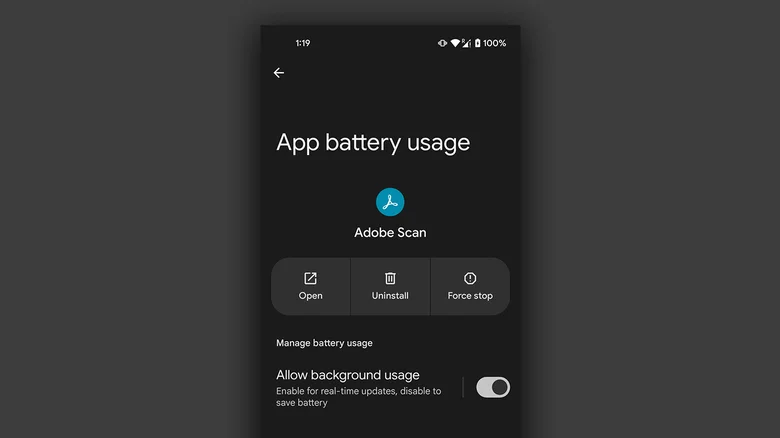
    On Android, you can manually disable an app’s background usage if you discover that it has been using excessive amounts of battery power even when it is not in use.

    • On your Android phone, launch the Settings app.
    • Navigate to Apps > See all apps, and select the one that has been draining your phone’s battery.
    • Tap on “App battery usage” and uncheck the “Allow background usage” toggle.

    Note that certain services like messaging apps require background activity to function properly and send you notifications in real time.

    Managing background apps on iOS

    managing background apps on ios 1754413851

    When it comes to power management and app speed, iPhones have generally improved over time, but malicious actors may still consume excessive resources in the background. Although iOS does not alert users when an app is using more battery than is necessary, it does include safeguards against this. This is in contrast to Android.

    The “open app to finish upload” prompt may occasionally appear on iOS due to the substantially stricter operation of background services. To see how much battery life your iPhone or iPad has used, go to Settings > Battery and scroll down to see a list of the apps that have used up the most in the last 24 hours. Additionally, you can see how long an app has been running in the background and how well your iPhone’s battery is doing.

    If you find a culprit that has been draining way more juice than it needs to, chances are that it has been consuming a lot of resources in the background.

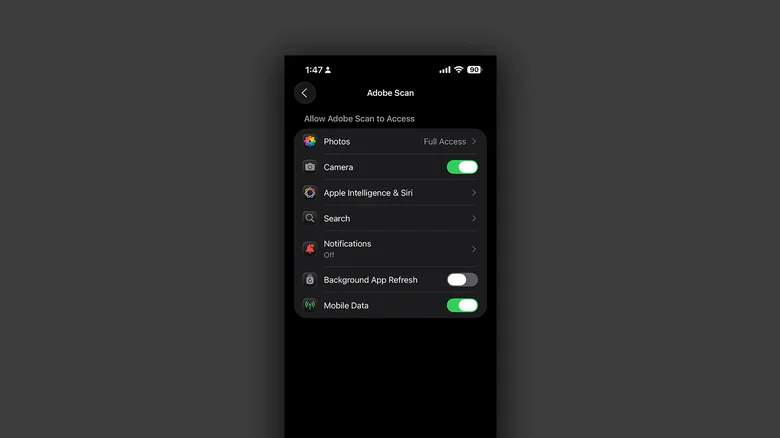
    • On your iPhone, launch the Settings app.
    • Navigate to Apps and select the one that has been causing you battery issues.
    • Tap the “Background App Refresh” toggle to turn it off.

    Once more, this will prevent the app from updating data in the background, which is undesirable if you rely significantly on real-time updates from a service, such as location sharing or navigation.

  • 5 smartphones leading the way with silicon-carbon battery technology

    5 smartphones leading the way with silicon-carbon battery technology

    The silicon-carbon phones that are officially available for purchase in the West are examined in depth here, along with their significance.

    The competition for smartphones in 2025 will involve more than simply megapixels, AI capabilities, and display brightness. It’s also about the battery, especially, which is located beneath the hood. Silently revolutionizing endurance and charging speeds, silicon-carbon battery technology is no longer just available in domestic Chinese markets.

    In Western countries, a number of prominent companies have begun to provide silicon-carbon smartphones, giving customers in North America and Europe access to a new level of battery performance.

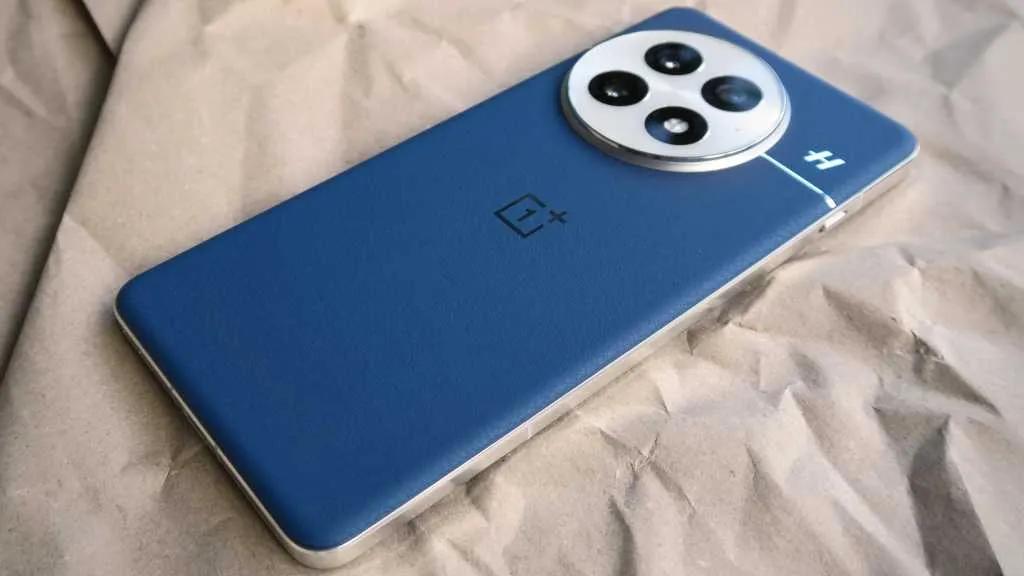
    OnePlus 13

    Oneplus 13 silicon–carbon battery technology

    The OnePlus 13’s 6000mAh dual-cell silicon-carbon battery, the largest in a OnePlus flagship to yet, further advances the company’s leadership in battery advancements. With one of the highest energy densities for a dual-cell configuration (805Wh/L), it keeps the device relatively small while significantly increasing battery life.

    Additionally, charging is not neglected. In addition to 50W wireless charging and 100W SuperVOOC wired charging, the phone now offers magnetic wireless charging—a first for OnePlus. A Snapdragon 8 Elite chipset, a gorgeous 2K BOE X2 LTPO AMOLED screen with a peak brightness of 4500 nits, and a triple 50MP camera configuration with a new tri-prism periscope lens are all included to match this power.

    OnePlus 13 with silicon-carbon battery

    OnePlus 13

    Lightning-Fast Snapdragon 8 Elite Processor: Powered by the latest Qualcomm Snapdragon 8 Elite chipset, enjoy exceptional speed, efficiency, and performance for gaming, multitasking, and productivity.

    $999Amazon

    Honor Magic 7 Pro

    honor magic 7 pro lineup

    With a 5850mAh cell and 100W wired and 80W wireless charging, the Honor Magic 7 Pro goes all out rather than relying solely on silicon-carbon batteries. The battery easily outlasts the majority of other flagships in its class, and it represents a significant improvement over the standard 5000mAh configurations.

    The Magic 7 Pro boasts an impressive array of specifications, including a variable aperture primary sensor, a Snapdragon 8 Elite chip, a 200MP periscope telephoto with 100x magnification, and up to 1TB of UFS 4.0 storage. The top-tier devices also include satellite messaging, which is another feature that looks forward for customers in the West.

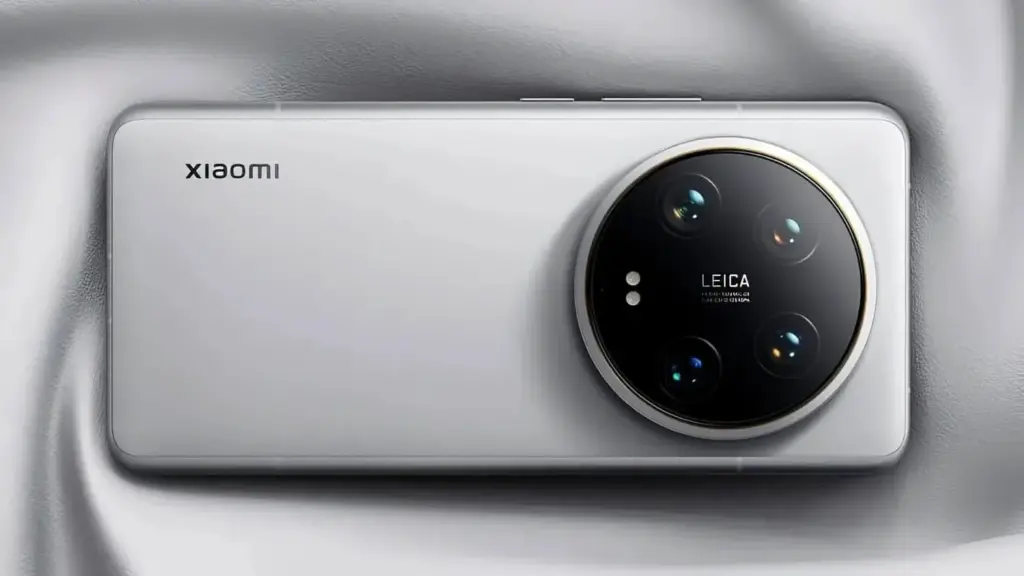
    Xiaomi 15 and Xiaomi 15 Ultra

    Xiaomi 15 Ultra

    Although more subdued, Xiaomi’s silicon-carbon implementation is just as stunning. The Xiaomi 15‘s body is only 8.08 mm thick, and it houses a 5240mAh battery. With Xiaomi’s Surge P3 and G1 chips controlling heat and power supply, it enables both 50W wireless and 90W cable charging.

    But the Xiaomi 15 Ultra is the tipping point. It incorporates a 200MP Leica periscope telephoto, a 1-inch primary sensor, a 5410mAh battery with the same charging configuration, and support for cutting-edge videography features like 10-bit log capture for all four rear cameras.

    xiaomi 15 silicon carbon battery

    Xiaomi 15

    Dual SIM (nano SIM + nano SIM or nano SIM + eSIM, eSIM + eSIM). 6.36″ 3200 nits ultra-bright displayCrystalRes AMOLEDAlways-active DisplayResolution: 2670 x 1200, 460 ppiRefresh rate: 1-120HzTouch sampling rate: Up to 300Hz*Touch sampling rate may vary according to the content on your display.Color gamut: DCI-P3Color depth: 68 billion colorsPeak brightness: 3200 nits covering 25% display areaDimming: DC dimmingOriginal color ProPro HDRWet touch technologyHDR10, HDR10+, Dolby VisionTÜV Rheinland Low Blue Light (Hardware Solution) CertifiedTÜV Rheinland Flicker Free CertifiedTÜV Rheinland Circadian Friendly Certified

    $919.50Amazon

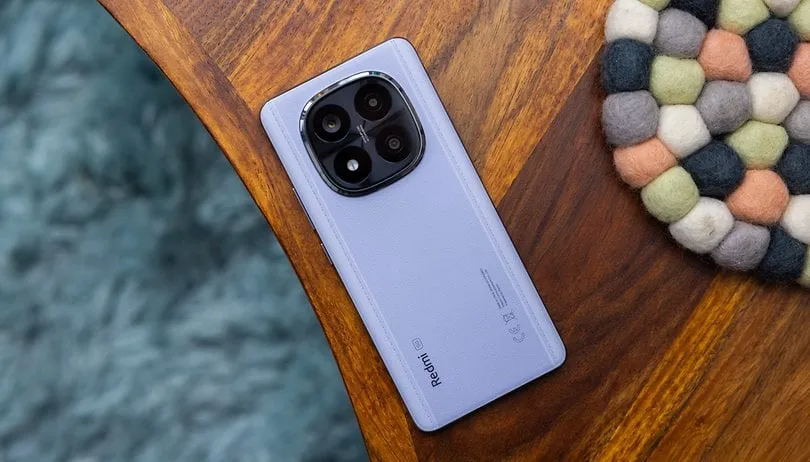
    Redmi Note 14 Pro+

    Xiaomi Redmi Note 14 Pro

    Perhaps the most reasonably priced entry point into the world of silicon-carbon smartphones is the Redmi Note 14 Pro+. Supported by Xiaomi’s Surge P2 and G1 CPUs, it has a 6200mAh battery, one of the biggest in any popular phone this year. Despite its enormous capacity, the phone can be charged in less than 40 minutes using a 90W fast charging method.

    It’s not only a matter of endurance. The phone also features a 50MP triple-camera configuration with a 2.5X telephoto lens, a 1.5K OLED display with a maximum brightness of 3000 nits, and a Snapdragon 7s Gen 3 processor. It also has a stylish Victus 2 glass design and complete IP69 protection.

    redmi note 14 pro plus

    6.67″ CrystalRes AMOLED displayResolution: 2712 x 1220 (1.5K resolution)Refresh rate: Up to 120HzTouch sampling rate: Up to 480HzBrightness: 3000nits peak brightnessColor depth

    Oppo Find X8 Pro

    oppo find x8 pro

    The Find X8 Pro from Oppo is a prime illustration of how flagship-tier features and silicon-carbon batteries can coexist without sacrificing style. 80W wired, 50W wireless, and 10W reverse wireless charging are all supported by the 5910mAh battery. One of the most durable flagships Oppo has ever produced, the endurance advantage is evident.

    Its internal components include a strong quad 50MP camera system with dual periscope lenses that provide up to 6x optical zoom, a powerful Dimensity 9400 processor, and compatibility for up to 1TB of UFS 4.0 storage. In addition, the phone has an industry-leading AMOLED panel with a maximum brightness of 4500 nits and IP69 certification.


    Silicon–carbon batteries are quickly becoming the next big leap in smartphone power technology, and the OnePlus 13, Honor Magic 7 Pro, Xiaomi 15, and Redmi 14 Pro Plus are just the beginning. With higher energy density, faster charging, and improved longevity compared to traditional lithium-ion cells, these devices showcase how the industry is evolving to meet our growing performance demands. As more manufacturers adopt silicon–carbon solutions, we can expect even slimmer designs, longer battery life, and fewer compromises — signaling an exciting new era for mobile technology.

  • Redmi’s new phone packs a massive 8500mAh battery — what it means for users

    Redmi’s new phone packs a massive 8500mAh battery — what it means for users

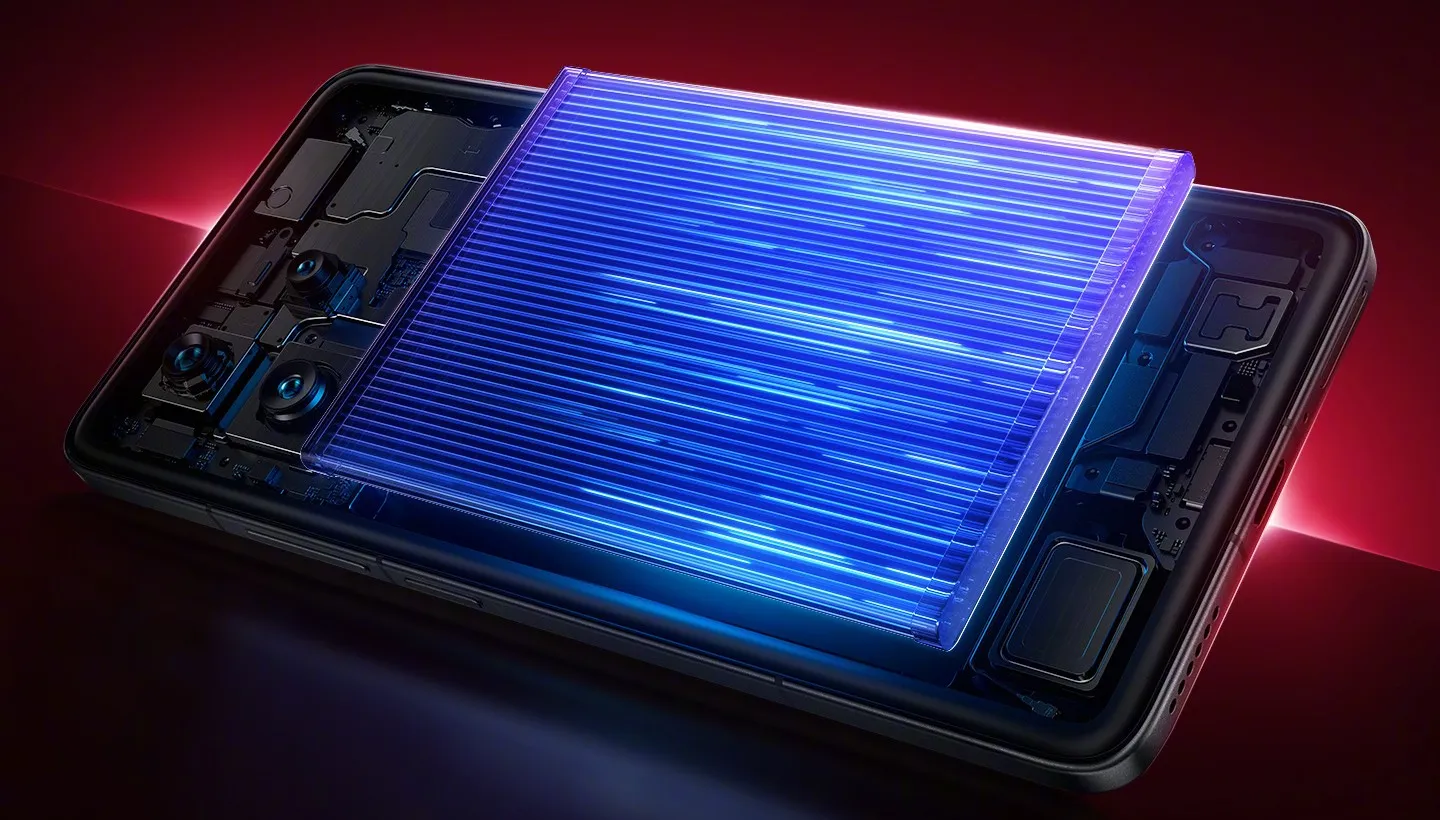
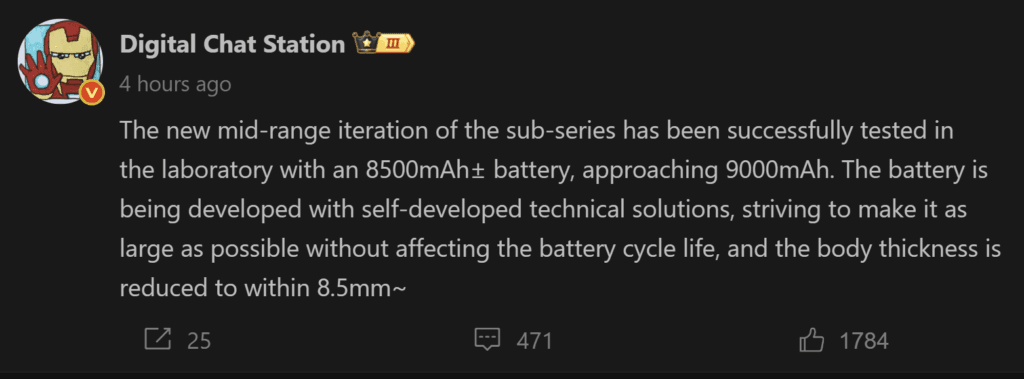
    Industry insiders are paying attention to Redmi’s aggressive strides in the smartphone battery market. The business is secretly testing a new phone with an 8500mAh battery, which is a big improvement that might establish a new benchmark for mid-range phones. According to preliminary lab data, they may even be pushing the boundaries of 9000mAh. In terms of power capacity, this will place Redmi far ahead of the competition if it is successful.

    Redmi’s engineers are accomplishing these figures without sacrificing design, which is astounding. The goal is to create a device that is less than 8.5 mm thick while keeping a thin profile and guaranteeing long-term battery life. For professionals and business users, that means spending more time being productive and less time worrying about charging.

    Ekran goruntusu 2025 08 07 123336
    Ekran goruntusu 2025 08 07 123306

    Bringing first high capacity battery to a smartphone

    Technically, Redmi’s R&D team has successfully developed an 8500mAh single-cell battery, and they have 9000mAh in the works. Today’s flagship phones often have 5000–6000mAh, thus this innovation gives them a big competitive edge.

    The emphasis is not solely on higher numbers. To ensure long-term dependability, the patented technology strikes a balance between power density, device form factor, and cycle longevity. In other words, companies can anticipate improved device lifespans, less downtime, and longer operational intervals between charges.

    How this shapes the smartphone market?

    Consider the Redmi Turbo 4 Pro. It is already a powerful device thanks to its 7550mAh battery, quick 90W wired charging, and thin 7.98mm aluminum frame. Nevertheless, the 8500mAh battery of the upcoming generation would revolutionize the market by surpassing existing leaders like the K80 (with its 6550mAh battery) and establishing a new standard.

    According to leaks, the next Redmi Turbo 5 may have an OLED screen, a battery that is more than 7000mAh, and a Dimensity 8500 processor. These anticipations would be exceeded with the release of the 8500mAh model, providing Redmi with a significant competitive advantage over high-end rivals while preserving affordability, which is essential for enterprise adoption.

    Redmi is still dedicated to making cutting-edge technology affordable while maintaining high-end features. This development is worth keeping a careful eye on for anyone in need of dependable, all-day power, including managers of mobile workforces.

  • 2 ways to check your battery health on any Android phone

    2 ways to check your battery health on any Android phone

    It’s likely that you carry an Android phone in your pocket if you’re not using an iPhone. Google’s mobile operating system, Android, powers a variety of phones, including the Google Pixel and Samsung Galaxy. The lithium-ion battery is a feature shared by almost all Android phones. Only when these batteries are in good health can they be strong and effective. Your phone may start to drain more quickly, take longer to charge, or even shut down without warning as it ages or wears out. Because of this, monitoring the condition of your battery is more crucial than you may imagine.

    You can check the condition of your Android phone’s battery in two major ways. You can access your phone’s diagnostics by dialing a code. But not every phone can use this dial code. You can also utilize a third-party or internal app, such as Samsung’s Members app, to keep an eye on the condition of your phone’s battery.

    Using a dial code to check the battery health

    A dial code is a string of characters and digits that you enter as though you were making a phone call. You can access an automated system that gives you a summary of your phone’s diagnostics by dialing a code on compatible phones. This will cover the temperature and condition of the battery.

    Enter ##4636## on the dial screen of your phone. After that, access your battery health diagnostics by navigating through the menu. In the menu, this is typically called Battery Information. Depending on the phone kind you own, the options could change.

    Regretfully, not all Android smartphones are compatible with this code. Some are in favor of it, while others are not. You can determine whether the model of your phone supports this dial code in advance if you still have the manual or can get it online. However, just dialing it and seeing what happens might be quicker.

    Using an app to check the battery health

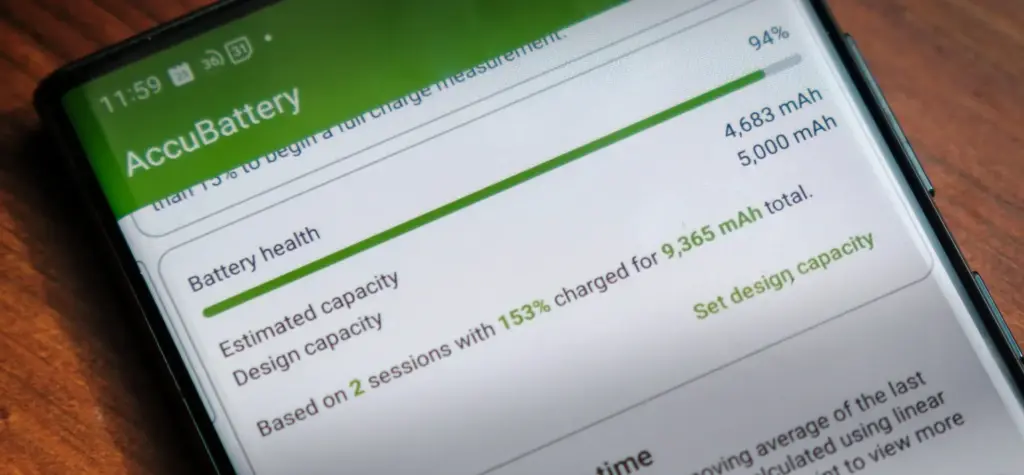
    AccuBattery Battery Health App e1754229139525

    To check the health of the battery, several Android phones offer a personal app option. The Samsung Members app is available from Samsung. You navigate to Support and then Phone Diagnostics using that app. From there, you can test the phone’s battery and other systems.

    acubattery battery logo

    Accu​Battery

    Accu​Battery displays battery usage information, and measures battery capacity (mAh) based on science.

    Another option is to use a third-party app, such as AccuBattery. AccuBattery can be downloaded from the Google Play Store. To demonstrate how well the battery is charging, it has a health monitor. Additionally, it offers up-to-date information about the battery life of your phone. This can help you maximize the battery’s performance and extend its lifespan.

    Maintaining the health of your Android’s battery is essential to its long-term functionality. The dial code is a fast way to check the battery, but not all phones can use it. By downloading an app, you can keep an eye on the condition of your battery and receive real-time reports to improve battery performance. With these resources at your disposal, you can properly care for your phone.

  • Does fully charging your Android device damage the battery?

    Does fully charging your Android device damage the battery?

    Although charging your Android phone to 100% seems like a sensible approach to make sure it lasts you the entire day, doing so may be harming your phone over time. This is due to the fact that lithium-ion batteries, which power the majority of Android smartphones, deteriorate with time. Because your phone battery is always maintained at a high voltage, charging it to full can hasten its chemical aging. Compared to charging your battery to a smaller level, like 90%, this can gradually degrade its capacity by 10-15% more quickly.

    Thus, you may eventually have a reduced battery life and require a replacement sooner if you’re always charging to 100%.Fortunately, you can preserve the best possible battery health by changing the way you charge your devices.

    However, the majority of modern phones have excellent battery life, so occasionally using a full charge is unlikely to cause any issues. Therefore, topping up to 100% is not an issue if you have a very busy day or if you require a constant supply of movies and music to keep you from becoming bored while traveling.

    It can decrease the overall capacity

    an android with a dead battery c

    To keep your Android phone in top condition, top manufacturers recommend that you keep it charged above 50% most of the time. The life of your phone can be shortened by repeatedly letting it run completely dead, but it can also be shortened by always charging it to 100%. Therefore, until batteries that hardly degrade become commonplace, the sweet spot is to maintain your battery charged between 50 and 80% whenever possible.

    The good news is that majority of modern smartphones come equipped with functions that optimize battery health. For example, several Samsung models come with the “Protect battery” feature, which automatically sets the charging limit at 85%. Similar to this, “Charging optimization” on a lot of Google Pixel phones can be adjusted to limit charging to 80%. By cutting down on the amount of time spent at full charge, these features aid in reducing battery wear.

    Another element that affects battery health is extremely high or low temperatures. The battery of your phone will deteriorate more quickly if you often use it in extremely hot or cold temperatures. For the same reason, many Android phones include the really handy option of quick charging, which over time may harm battery health because of the increased heat generation.

    Extreme temperatures – both hot and cold – can actually be worse for battery health than fully charged. The ideal range of outside temperatures to preserve the battery life of your phone is 32 to 95 degrees Fahrenheit (or 0 to 35 degrees Celsius).

    A good solution

    Developing more intelligent charging practices, such as maintaining the battery at its ideal temperature and range, can significantly extend the life of your Android phone’s battery.Additionally, utilize certified or original chargers for your phone. Although third-party or generic ones could be less expensive, they run the danger of damaging voltage fluctuations or overheating your battery.

    You can get more battery life during the day by making a few minor adjustments if you’re seeing that your battery isn’t lasting as long. For example, you may extend the life of your phone’s battery by lowering the screen brightness, using dark mode, and shutting off Bluetooth and location services when not in use.When your phone’s battery is low and you don’t have access to a charger, you can temporarily activate the battery saving feature on many phones to reduce background tasks.

    It’s a good idea to update your apps to the most recent versions to prevent problems like a certain program draining your battery life.You can check the general health of your phone’s battery and see which apps use the most juice by opening the settings.

    battery life
  • Do you plan to purchase a phone that uses a silicon-carbon battery? The catch is this:

    Do you plan to purchase a phone that uses a silicon-carbon battery? The catch is this:

    We can never have enough battery life. The older generation still longs for the days when a single charge was sufficient to power your feature phone through a hectic week, even if the majority of smartphones from the last few years will easily last you a day or perhaps even two.

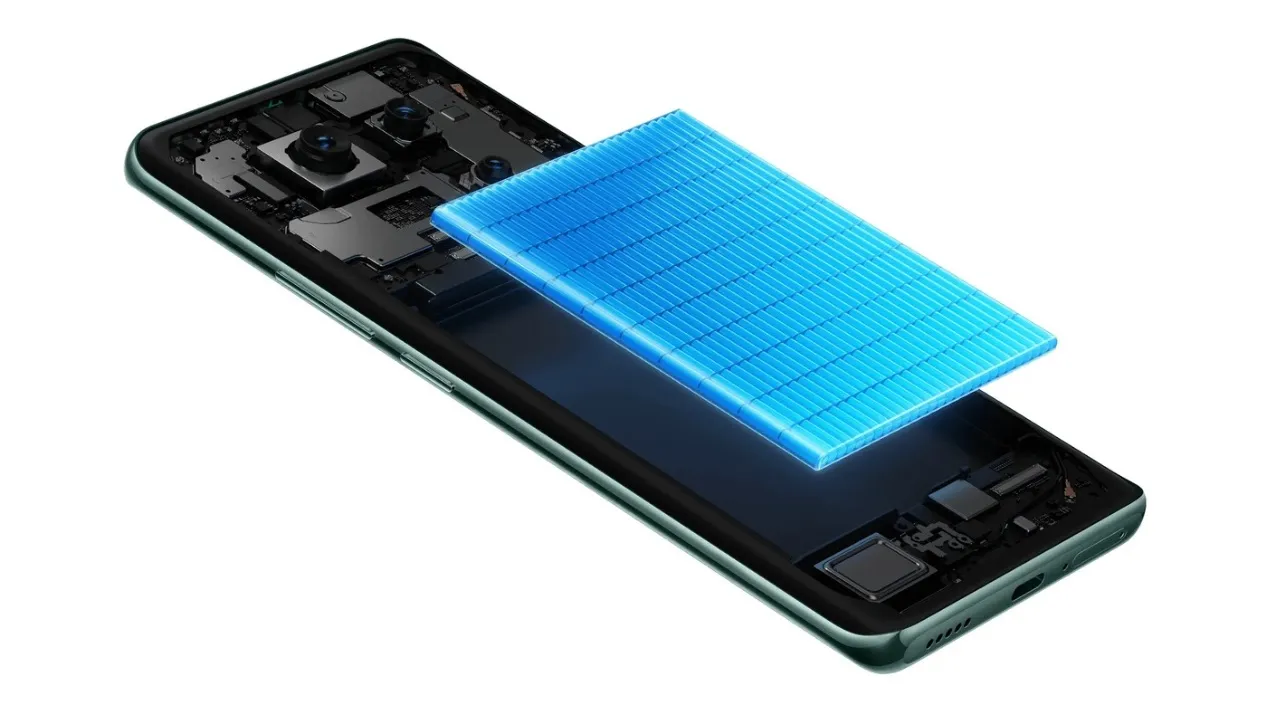
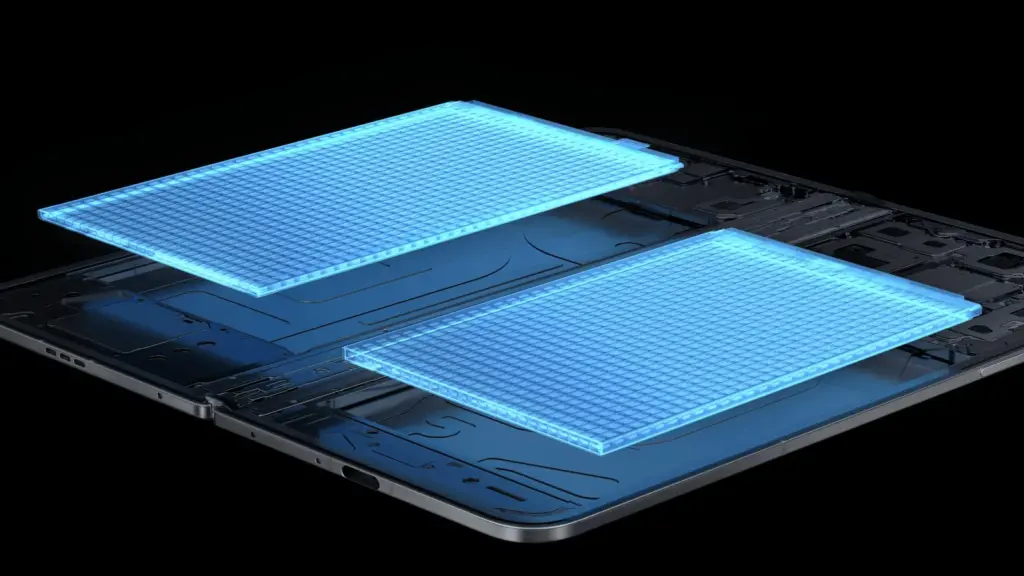
    Many of the top flagship smartphones of today come with innovative silicon carbon batteries thanks to the efforts of battery engineers. Because of this, they may promise even greater battery capacities without having a larger or thicker chassis. What a huge victory.

    For instance, the OnePlus 13 has a 6,000mAh silicon-carbon battery, which is more than the 5,400mAh cell from the previous year. In China, the Xiaomi 15 Ultra has a massive 6,000mAh battery capacity, up from 5,400mAh the year before (and a still respectable 5,400mAh for worldwide markets, up from 5,000mAh). The smaller variants also enjoy comparable improvements. The vivo X200 series, OPPO Find X8, and Honor Magic 7 Pro are all brand-new flagship devices with silicon power cells. The technology has here in full force already.

    Unfortunately, silicon-carbon battery technology hasn’t yet been included into the newest devices from Apple, Google, or Samsung. Maybe by 2026, we’ll see these brands go on board. However, is it better to remain with the more recognizable Lithium-ion models or to jump right in and purchase a phone with a silicon carbon battery?

    silicon-carbon battery

    What differentiates Li-ion batteries from silicon carbon batteries?

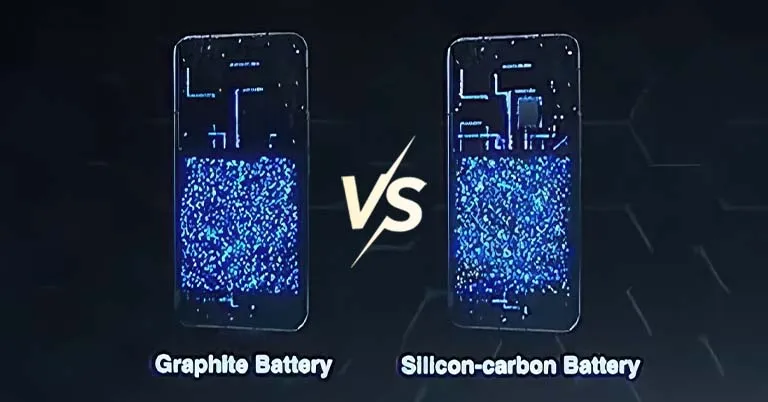
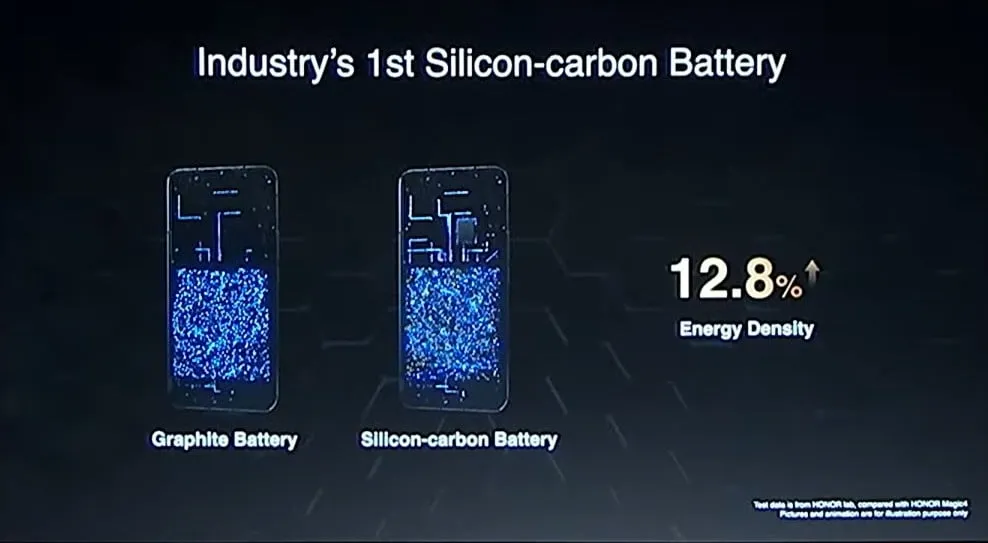
    Rather of being a completely novel idea, today’s silicon-carbon (Si/C) Li-Ion batteries are essentially an advancement of conventional lithium-ion technology. By adding silicon, which has a substantially higher energy storage capacity than graphite (372 mAh/g compared to about 4200 mAh/g for pure silicon), they alter the traditional graphite anode. Because of this, silicon has long been a promising material for increasing battery capacity.

    Pure silicon anodes, however, face many difficulties. Extreme expansion is the most troublesome; when fully charged, the structure can inflate by up to 300%. The battery experiences extreme mechanical stress as a result, shortening its lifespan and leading to structural breakdown.

    Over time, lithium loss and decreased capacity result from silicon’s strong reaction with the electrolyte, which breaks and reforms the Solid Electrolyte Interphase (SEI) layer with each cycle. The aggressive expansion exacerbates this. Another drawback for battery longevity is that silicon has lesser electrical conductivity than graphite, which can reduce charge and discharge rates and increase losses from internal resistance. This can lead to increased heat.

    To address these problems, a silicon-carbon (Si/C) composite is utilized rather than pure silicon. The SEI layer is stabilized and its expansion is lessened by the structural support that carbon offers. Depending on its silicon concentration, a well-designed Si/C battery may restrict swelling to just 10–20% during charge cycles, whereas conventional graphite anodes only increase by about 10%. Additionally, carbon increases electrical conductivity, which guarantees better lithium-ion flow and higher efficiency.

    The trade-off is that Si/C anodes are unable to fully realize the 10x capacity improvement of pure silicon. Rather, depending on the silicon percentage, they provide a very modest energy density increase of 10–20%. Si/C batteries are an engineering problem since higher Si content enhances capacity but also causes swelling and complicates manufacture. There are restrictions and trade-offs associated with Si/C batteries, but there is no such thing as a free lunch.

    The benefits and cons of batteries made on silicon carbon

    battery 1600x900 1

    Any increase in smartphone battery capacity is obviously beneficial, and Si/C batteries are a godsend for power users who want devices that can endure much longer than a single day of intensive usage. It should come as no surprise that so many of the most potent flagship phones available this year have the technology.

    After more than a month of everyday use, I can vouch for the OPPO Find X8 Pro’s 5,910mAh Si/C Li-ion battery’s exceptional longevity. I frequently get two days of moderate use out of a single charge, have plenty of fuel left over after a day of chasing the kids, and in lighter weeks, I’ve occasionally gone far into 48 hours without needing a charger.

    On the other hand, Si/C is advantageous for thinner gadgets, such lightweight and foldable phones. Thin or small smartphones could surely benefit from this new battery type to maintain decent capacities in more constrained form factors, even though the Galaxy S25 Edge might not be Samsung’s first Si/C smartphone. The technology has already been used to fit a sizable 5,700mAh battery into a 5.2mm folding design in the Vivo X Fold 3 Pro. Despite being 5.6 mm thick, Samsung’s Z Fold 6 only contains a standard 4,400mA battery. This trend toward higher capacities has also been embraced by the latest Chinese clamshell phones.

    Whether silicon-carbon batteries will outlast their more conventional lithium equivalents is the main question that remains. It is evident from the foregoing trade-offs that Si/C will not outlast the most robust graphite-based Li-ion cells now available on the market. Lower silicon concentration can nonetheless provide batteries with a marginally larger capacity that have a comparable lifespan to conventional Li-ion cells. With only a slight but welcome increase in capacity to control the silicon content, this appears to be what we’re seeing in today’s most advanced smartphones.

    Because Si/C batteries are pushing the limits of energy density and charge rates, smartphone manufacturers may also be becoming more cautious when it comes to fast-charging temperatures in an effort to prolong battery lifespans. In other words, manufacturers are merely attempting to make sure their phones can withstand the promised updates for the next five or more years.

    However, because of its increased capacity, stronger diffusivity of lithium, and decreased chance of plating the anode, Si/C is actually a godsend for faster charging. Additionally, bigger capacities make it easier to follow the 80% charge guideline without worrying about running out of juice in the middle of the day. If you want to keep your phone for many years to come, silicon need not be a negative thing.

    Do you want to purchase a phone that uses a silicon-carbon battery?

    The newest smartphones will undoubtedly benefit from Si/C Li-ion batteries, which will also likely extend the battery life of your wearables, tablets, laptops, and even electric cars. The most cutting-edge phones of today already heavily rely on silicon cells, which allow for even greater capacities or slimmer form factors without sacrificing battery life.

    But at the moment, you’ll need to look around at Chinese companies to find one, like the OnePlus 13, which is really amazing. Apple, Google, and Samsung, three US giants, have not yet embraced this new battery technology. We may have to wait until their 2026 flagships or even later before they join the celebration, as they might not even get around to it this year.

    However, if you intend to retain your smartphone for more than five years, it might be wise to wait and see how the longevity issue develops. Any long-term purchase will eventually require battery replacements, but Si/C Li-ion cells may require more frequent replacements, particularly when fast charging is used. This can turn out to be an unwanted extra expense for early adopters because they are more costly to make. We will need to wait and find out.

    Similarly, if you’re on a tighter budget, it might not be worth it to buy a phone just because it contains a Si/C Li-ion battery. The technology is mostly limited to premium smartphones and innovative form factors due to its trickier production process, and it may take a few years before it makes its way into the mid-range market. Although silicon carbon batteries provide advantages, a 12% increase in capacity is not always worth the extra $100.

    Stay connected with the latest from Droid Tools—follow us on X @droid_tools, like our page on Facebook, check out our updates on Instagram, and follow us on Google News for real-time news, device tips, and mobile tech insights.

    OnePlus 13 – 512GB
    $999.99$929.99Amazon
    OPPO Find X8 Pro Dual
    $1,579.00Amazon