Tag: battery

  • Google tries to prevent battery problems for Pixel 6A with an update

    Google tries to prevent battery problems for Pixel 6A with an update

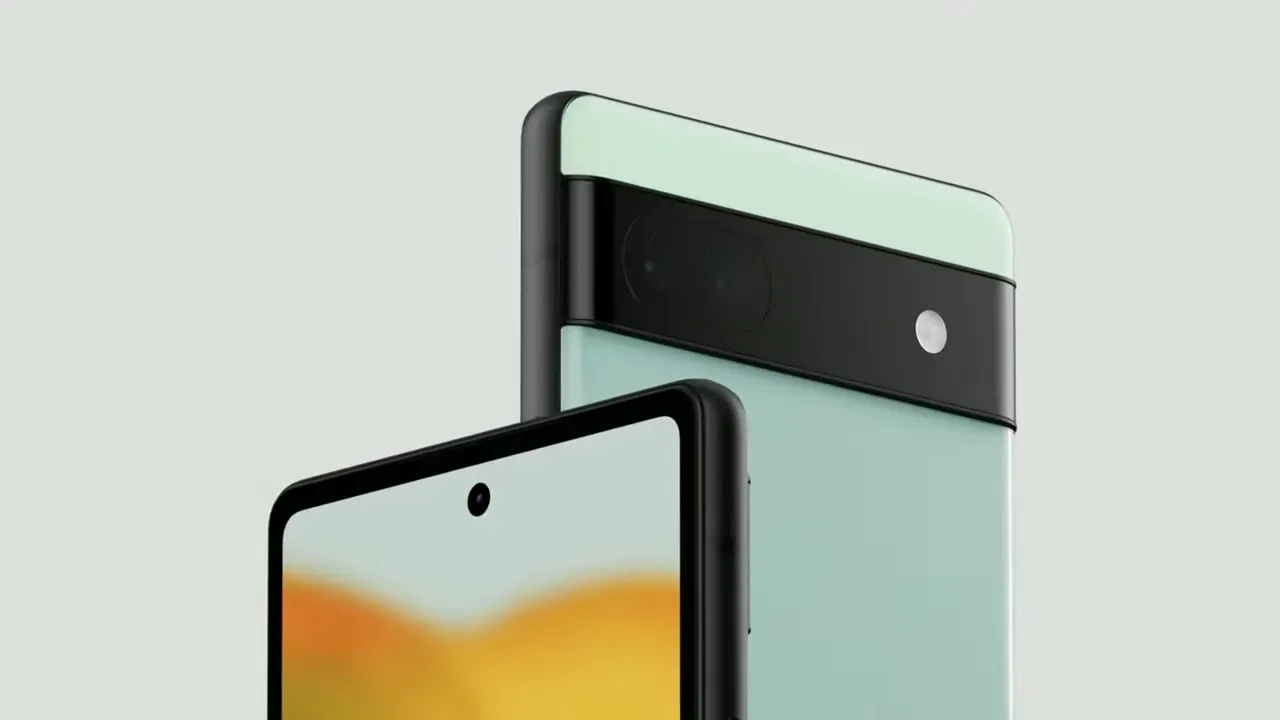
    Installing the most recent Android 16 update is crucial if you possess a Google Pixel 6a.

    After some Pixel 6a owners reported their devices catching fire, this required software update, which goes live globally today (July 8), will reduce the chance of the dangerous battery overheating. On the social news site Reddit, several Pixel 6a owners have shared their terrifying experiences.

    “Just in the middle of the night, my Pixel 6a caught fire. I had it charging on my bedside table. Fortunately, I don’t sleep too deeply, and I was awakened by the sound of hot gas erupting from the battery. One Reddit user posted in a community devoted to the beloved Google Pixel brand, “There was a fireball on my nightstand about two seconds later.”

    “I was startled awake at 4am by the sound of my phone screaming its overheating noise at the volume I’d set for my alarm, along with the odd sound of the phone’s internal components blasting out the right side, along with the horrifying smell of burning chemicals and electronics,” says another post that is similar.

    “I was initially perplexed by everything, but I easily located the phone in the dark. I threw it away from me into the tile floor, and it was so hot that I’m not sure how I didn’t get burned.

    That moved it closer to my smoke detector and away from combustible objects, causing it to go off a moment later. I switched on a light, reached for the non-melting part of the phone, and threw the still-smoking, sizzling Pixelbomb into my concrete patio. Before I could remove the phone from the charger and put it on the floor, I found out that it had actually caused a little fire on some of my garments.

    “I would have been battling a nasty house fire if I hadn’t been a few feet away from the phone to respond as fast as I did. It will be disastrous if someone is unable to swiftly take their burning phone and place it to a non-flammable surface.
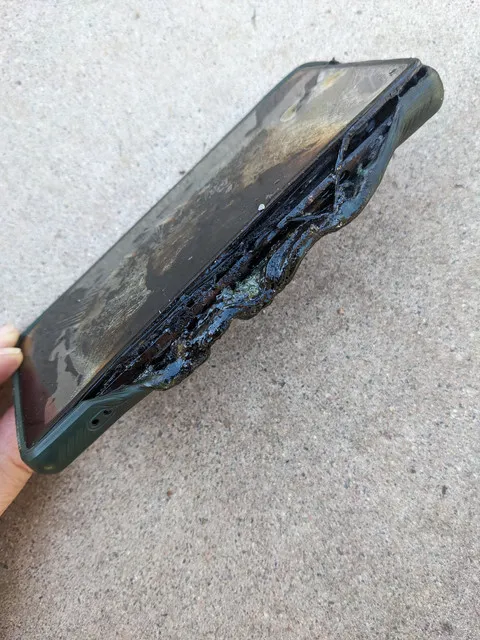
    google pixel 6a battery problems

    Google has taken action since there have been enough of these reports. Google’s latest software update will lower the device’s total battery capacity after 400 charging cycles in order to prevent this overheating issue.

    Google clarifies in an online support post regarding the problem that “you will not experience the battery-related changes and the new features will stay dormant, even though the update is installed, until your battery reaches this point.”

    A “charge cycle” is the process of consuming and recharging 100% of the battery’s capacity, though not necessarily all at once, for those who are unaware. It would only be considered one full charge cycle, for instance, if you used 50% of your battery one day, recharged it, and then used 50% again the next day before charging.

    Google claims that Pixel 6a owners will be alerted when their device has completed 375 cycles of charging, alerting them to the impending activation of its new battery management capabilities. You may experience slightly slower charging speeds and a shorter battery life when these safety precautions are in place.

    According to Google, you may also experience “short-term changes to how the battery-level indicator on your phone shows your battery capacity as your phone learns its revised battery capacity.” For this reason, you should not rely solely on the percentage of your phone’s battery that appears in the corner when determining whether you need to top it up.

    After 400 charge cycles, the new limitations won’t apply to all Pixel 6as. According to Google, the new restriction would only be applied to “impacted devices” that over the 400 recharge level.

    The specifics of what else qualifies a Pixel 6a as a “impacted device” have not been provided.
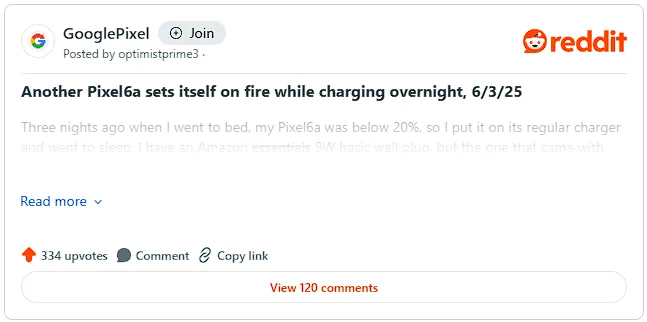
    google pixel 6a reddit threat

    Google is providing a free battery replacement if the required Android 16 update determines that your Pixel 6a is affected by battery problems. To find out whether your Pixel 6a qualifies, follow the instructions in this support guide.

    By changing the battery, the overheating and swelling problems should be resolved, and your Pixel 6a’s battery life won’t be artificially restricted. Beginning July 21, walk-in or mail-in repair centers in the US, UK, Canada, Germany, Singapore, Japan, and India will offer free battery replacement.
    image 1 1 1

    Your Google Pixel 6a could get a new free battery

    Google might not offer a free battery replacement if your Pixel 6a displays any of the following traits:

    • If your Pixel 6a device exhibits other forms of damage, like liquid damage, exposure to sharp objects, or excessive force, it may not qualify for a battery replacement at no charge under this program
    • If your phone has out-of-warranty damage, such as display or cover glass cracks, then there may be a fee to repair your phone. Before we start any repairs, we’ll provide a cost estimate. You then have the option to proceed with the repair or have your device returned to you

    Reports of battery bloating and even the documented occurrence of a Google-designed device catching fire first surfaced in May, marking the beginning of the Pixel 6a’s battery issues.

    Google has already experienced battery issues with its Pixel range. To prevent similar problems with the lithium-ion cell, Google released an Android update earlier this year that reduced the battery life of its low-cost Pixel 4a.

    In that instance, Google provided a choice between an £80 store credit to be used towards the purchase of a new Pixel phone from the Google Store, a £40 one-time cash payment, or a free battery replacement service for the Pixel 4a.

    And Google Pixel owners’ battery problems don’t stop there. The California-based business has started a comprehensive repair program to address the Pixel 7A’s battery swelling problems. The United States, India, Canada, Germany, Japan, Singapore, and the United Kingdom all have walk-in centers to address battery issues.

    Stay connected with the latest from Droid Tools—follow us on X @droid_tools, like our page on Facebook, check out our updates on Instagram, and follow us on Google News for real-time news, device tips, and mobile tech insights.
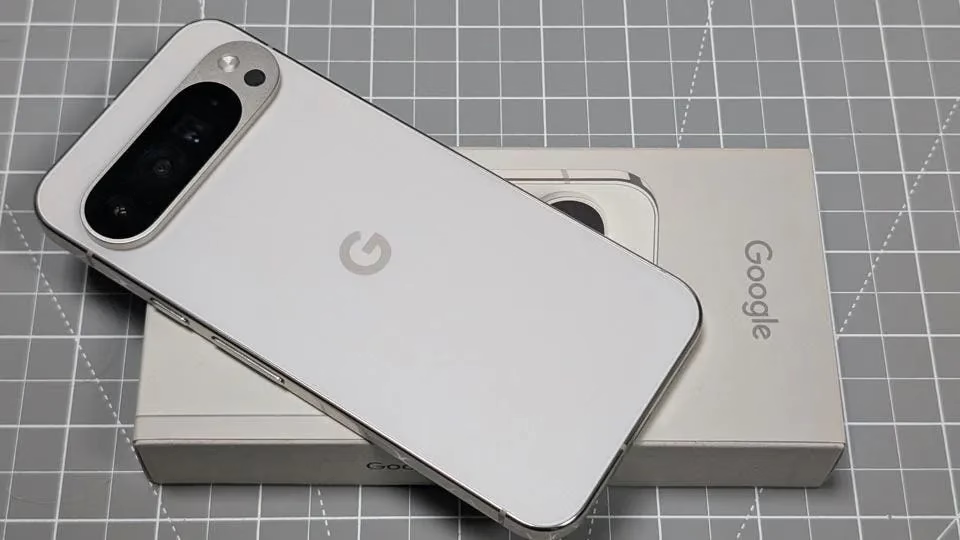
  • The largest battery in a Pixel device will be found in the Google Pixel 10 Pro XL

    The largest battery in a Pixel device will be found in the Google Pixel 10 Pro XL

    The design of Google’s next Pro series phones, the Pixel 10 Pro and Pixel 10 Pro XL, will remain similar to that of the Pixel 9 Pro from the previous year—almost identical, in my opinion. According to Android Headlines, the Pixel 10 Pro XL will have a 6.8-inch screen with a higher PMW, while the Pixel 10 Pro will have a 6.3-inch screen.

    Both have a maximum brightness of 3,000 nits and employ LTPO technology with refresh rates ranging from 1 to 120 Hz. Each device’s front and rear are covered by Corning’s Gorilla Glass Victus 2.

    The latest Tensor G5 processor and 16GB of RAM are used inside both Pro variants. The primary distinction is in storage: the Pixel 10 Pro will come with 128GB, 256GB, 512GB, and 1TB variants, albeit not all colors will support 1TB. The Pixel 10 Pro XL will only come with 256GB, 512GB, and 1TB of storage instead of the 128GB option.

    google pixel 10 pro xl battery vs pixel 10

    With a 50-megapixel primary camera, a 48-megapixel ultrawide, and a 48-megapixel 5x telephoto lens, the camera configuration is essentially the same as it was the previous year. There will be macro capabilities for both telephoto and ultrawide cameras.

    Surprisingly, the Pixel 10 Pro’s 4,870mAh battery is marginally smaller than the Pixel 10’s, most likely due to the larger cooling vapor chamber. According to the source, the Pixel 10 Pro XL would have the biggest Pixel battery ever—5,200mAh. Given that the Pro XL is supposedly just a larger version of the Pro, I think the 29W and 39W charging speeds for the Pro and Pro XL are a significant difference.

    Stay connected with the latest from Droid Tools—follow us on X @droid_tools, like our page on Facebook, check out our updates on Instagram, and follow us on Google News for real-time news, device tips, and mobile tech insights.
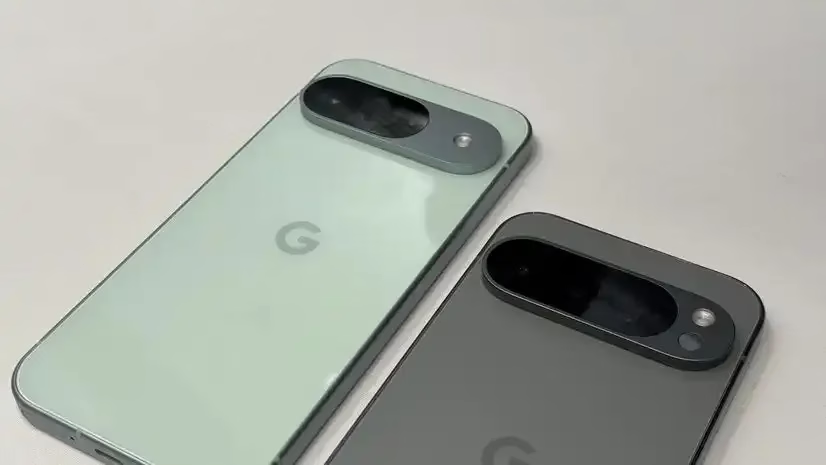
  • According to EU data, Samsung phones support twice as many charges as the Pixel and iPhone.

    According to EU data, Samsung phones support twice as many charges as the Pixel and iPhone.

    We are especially concerned about battery health because Google recently announced that its Battery Performance Program for the Pixel 6a will begin next week. Although it may seem strange to consider your smartphone a consumable, that is essentially what it is, and each time we put one of our gadgets through a complete charge cycle, the batteries get a little worse for wear. You’ll start to notice those losses if you repeat that process hundreds and hundreds of times.

    Not all batteries are made equal, which is something that the whole controversy surrounding the Pixel 4a and now Pixel 6a has really brought home to us. The issue is that we typically only hear about battery-operated devices that cause issues years later. When you first buy a phone, isn’t there a good way to set your expectations for battery life? We recently received one, as expected.

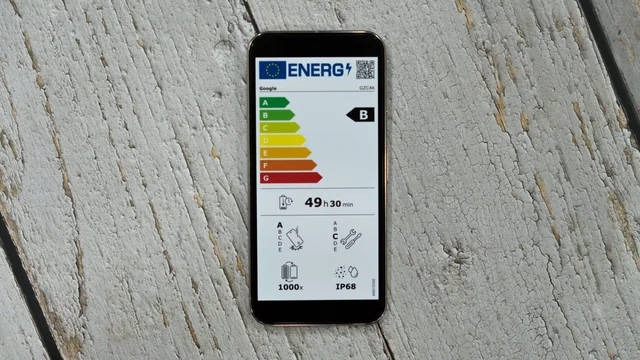
    The European Union, and more especially its new energy label program, is to thank for this regulation, as it is for many other recent consumer-benefitting smartphone laws. These marks help convey power efficiency, hardware durability, and—most importantly for today’s discussion—a rating for the number of charge cycles the phone should be able to withstand, just like you might see an Energy Star rating on a new appliance.

    Are you curious about how the battery life of your phone stacks up against the competition? We created this graphic to illustrate how many charge cycles these labels promote for a few well-known products because we have been curious ourselves.

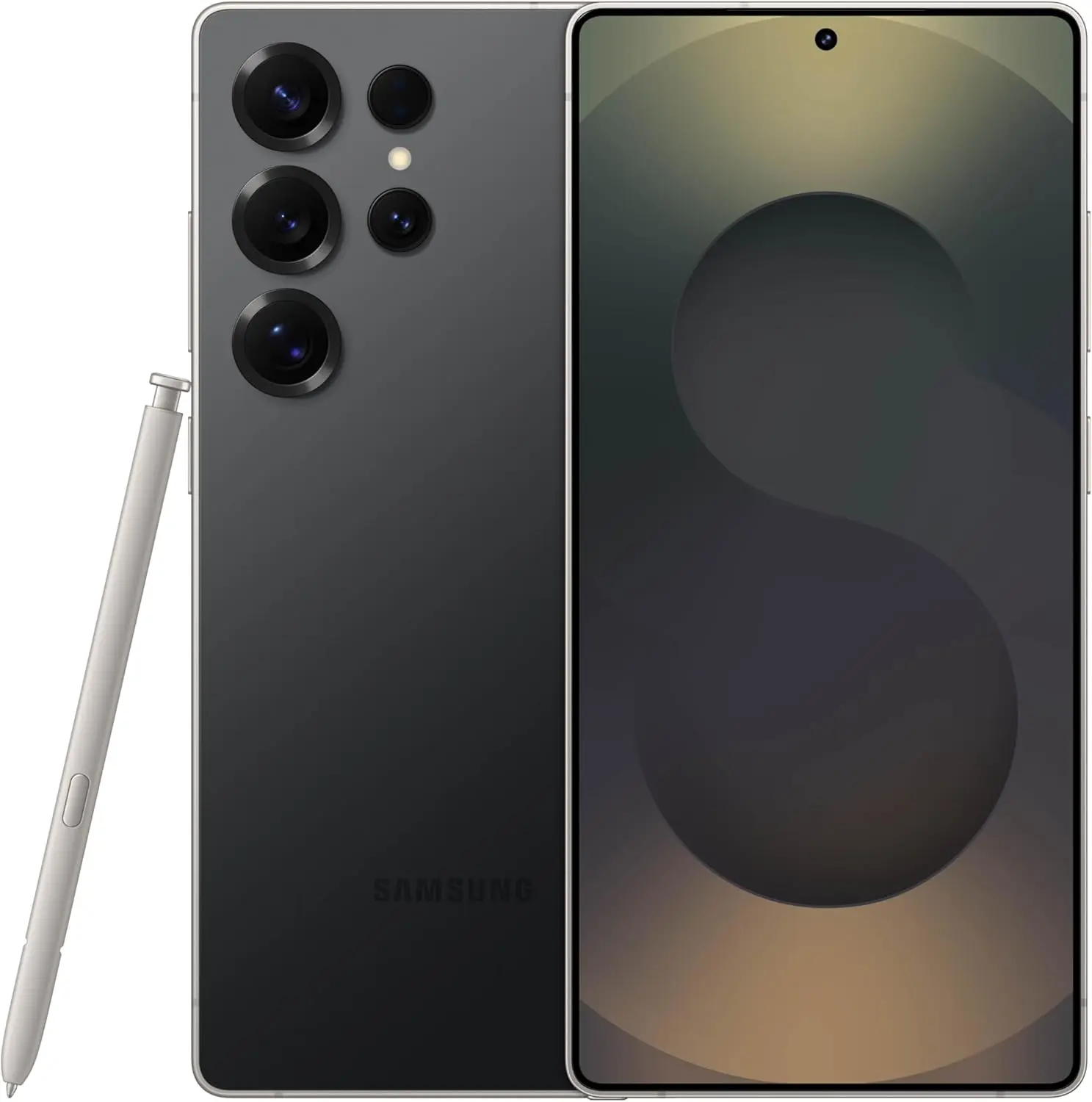
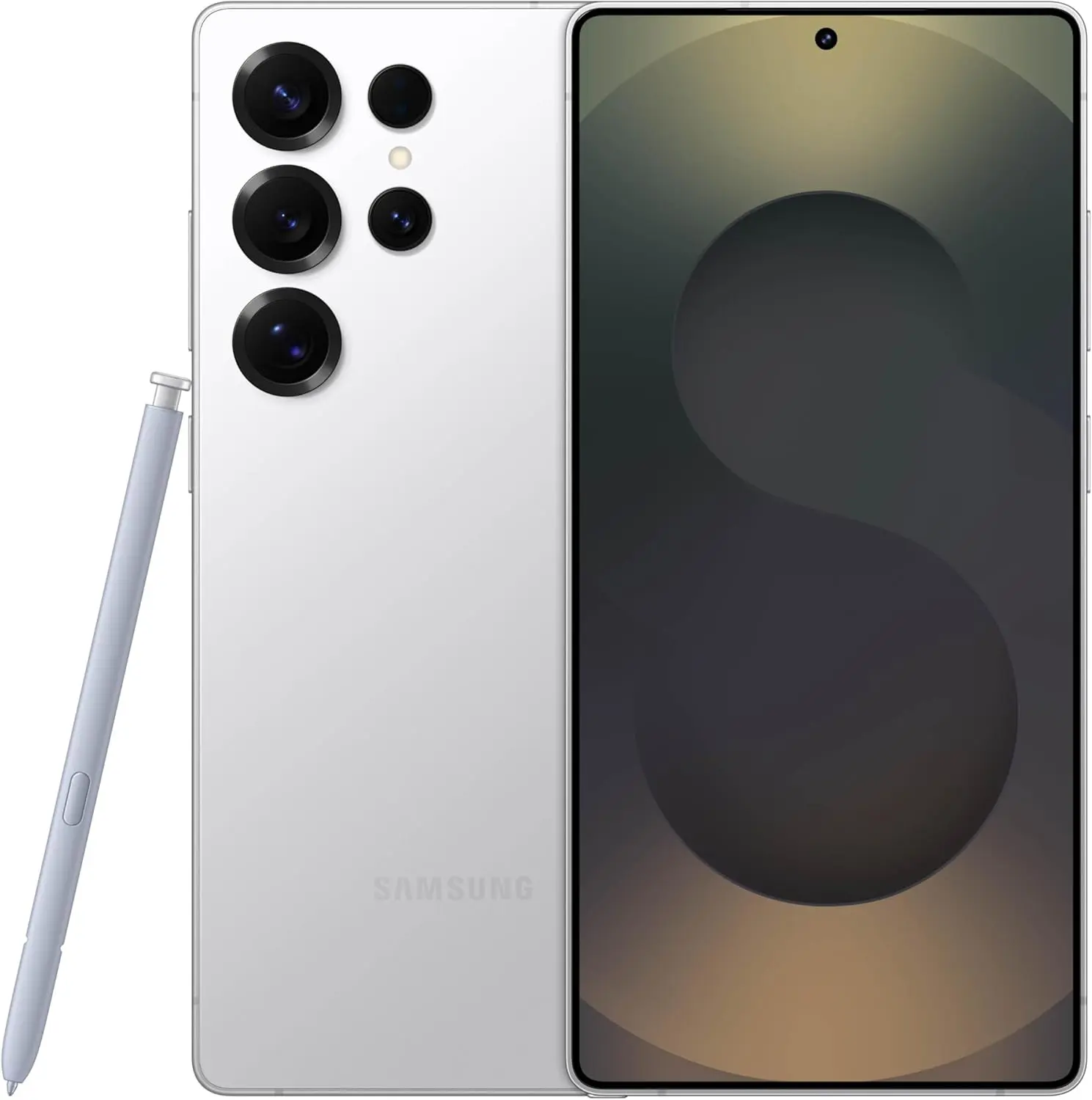
    samsung galaxy s25 ultra

    Samsung Galaxy S25 Ultra

    Streamline your day with an assistant that gets you. Ask it to Google search for a pet-friendly vegan restaurant nearby and text it to your friend— your Galaxy S25 Ultra handles multiple tasks with a single ask.

    $1,419.99$1,219.99Amazon
    samsung energy label

    Google

    • 1,000 charge cycles: Pixel 9, Pixel 9 Pro, Pixel 9 Pro XL, Pixel 9a, Pixel 8a

    Samsung

    • 2,000 charge cycles: Galaxy S25, Galaxy S25 Plus, Galaxy S25 Ultra, Galaxy S25 Edge, Galaxy S24, Galaxy S24 FE, Galaxy A56, Galaxy A36, Galaxy XCover7, Galaxy XCover7 Pro, Galaxy Tab Active5, Galaxy Tab Active5 Pro, Galaxy Tab S10 Plus, Galaxy Tab S10 Ultra, Galaxy Tab S10 FE, Galaxy Tab S10 FE Plus
    • 1,200 charge cycles: Galaxy A26, Galaxy A16

    Fairphone

    • 1,300 charge cycles: Fairphone 5
    • 1,000 charge cycles: Fairphone (Gen. 6)

    Motorola

    • 1,200 charge cycles: Edge 50, Edge 50 Neo
    • 1,000 charge cycles: Razr 60, Razr 60, Ultra, Edge, 60, Edge 60 Pro, Moto G86, Moto G75, Moto G56, Moto G35, Moto G15, Moto G15 Power, Moto G05, Moto E15
    • 800 charge cycles: Moto G55

    Nothing

    • 1,400 charge cycles: Phone 3, Phone 3a, Phone 3a Pro, CMF Phone 2 Pro,

    OnePlus

    • 1,200 charge cycles: OnePlus 13R
    • 1,000 charge cycles: OnePlus 13

    Sony

    • 1,400 charge cycles: Xperia 1 VII

    All of these numbers have been confirmed by the European Product Registry for Energy Labeling of the EU. We’ve gone through the entire database and included even more gadgets you might find useful, thanks to Reddit user FragmentedChicken for compiling an early version of this list.

    Wondering how things stand with the batteries on the other side of the platform fence? We also looked up the ratings for Apple products, and every device in the EU system, including the iPad Air M3 and iPhone 16 Pro Max, has a 1,000 charge cycle rating.

    Right now, the vast majority of devices fall in the 1,000–1,400 cycle range. So how did Samsung manage to push so many of its phones and tablets up to 2,000 cycles? That is a very, very good question, and we would love to see a more technical analysis into how these numbers are put together, and just how accurately they may reflect real-world conditions. And what impact does different battery chemistry, like the silicon-carbon battery in the OnePlus 13, have on the cycle count?

    This database offers a great jumping-off point, but we would sure love to see a whole lot more battery information provided by the manufacturers behind these devices.

    samsung galaxy s25 ultra

    Samsung Galaxy S25 Ultra

    Streamline your day with an assistant that gets you. Ask it to Google search for a pet-friendly vegan restaurant nearby and text it to your friend— your Galaxy S25 Ultra handles multiple tasks with a single ask.

    $1,419.99$1,219.99Amazon

    Stay connected with the latest from Droid Tools—follow us on X @droid_tools, like our page on Facebook, check out our updates on Instagram, and follow us on Google News for real-time news, device tips, and mobile tech insights.
  • How you can find out if the battery in your Pixel 6a is broken.

    How you can find out if the battery in your Pixel 6a is broken.

    Some of the greatest Android phones available today were developed by the Pixel 9 series. However, this kind of achievement takes time, as Google has had a number of unsuccessful phone releases in the past. Although they weren’t all awful, they lacked the sophistication of more recent models.

    We are now beginning to witness how durable these phones from the previous generation are, even if the majority will have switched from those older models to something new. The brand replaced the Pixel 7a’s battery due to problems, and the Pixel 4a received a surprise upgrade that decreased battery life. Additionally, we learned last month that the Pixel 6a would also receive a battery update.

    You can check to see whether you’re affected

    pixel 6a 1

    Having said that, Google has officially announced its Pixel 6a Battery Performance Program, which is scheduled to debut on July 8 (via Droid Life). Droid Life had previously reported that Google has withdrawn firmware for the Pixel 6a. Regarding the specifics, Google has concluded that an upgrade is necessary for some Pixel 6a smartphones to “lower the risk of potential battery overheating.”

    This update will now lower battery capacity and charging performance, much like Google’s earlier moves, although it will only impact devices that have completed more than 400 charging cycles. Once more, you will only receive this update if you have a device that is impacted. This update won’t be required for all Pixel 6a phones.

    Naturally, this is a rather awkward situation, and it seems like Google is making amends by providing “a repair at no cost to you, a cash payment, or a Google Store hardware discount credit.” To find out if you qualifies, you must input your IMEI on the support website.

    You can visit a support center in the United States, Canada, the United Kingdom, Germany, Singapore, Japan, and India if you would like to have your battery changed and your device is eligible. In order to receive assistance, people in the US and India will also be able to mail in their device.

    It will be disheartening for Pixel owners to go through this, but at least Google is making some efforts to make sure that its previous devices aren’t putting users at risk of any major problems. Additionally, it offers a range of options that will enable impacted consumers to receive the assistance they need.

    Pixel 9 pro

    Google Pixel 9 Pro XL

    Pixel 9 Pro XL with Gemini is the most powerful Pixel yet; it has a pro-level camera and it’s engineered by Google, so it gets the best of Google AI first

    $1,099.00$949.95Amazon

    Of course, we have some advice to assist you protect the battery inside your device if you have a different phone or tablet and want to be proactive about keeping it healthy.

  • Did Samsung fixed battery drain bug with June 2025 patch?

    Did Samsung fixed battery drain bug with June 2025 patch?

    Many Samsung Galaxy users reported that their phones’ batteries began to drain more quickly than normal after updating to One UI 7. This problem primarily impacted premium phones such as the Galaxy Z Fold 5 and S24 series. According to recent data, the most recent security patch has resolved the One UI 7 devices’ battery depletion problem.

    Despite One UI 7’s improved appearance and additional functions, some phones’ batteries died significantly more quickly than they used to. It appears that Samsung may have quietly resolved this issue with the June 2025 security patch.

    Users of the Z Fold 5 and Galaxy S24 have reported that installing the June 2025 security update significantly improved their battery life. One user even claimed that the battery life of his Galaxy Z Fold 5 had increased by “400%.” Users of the Galaxy S24 and S24+ also reported gains, albeit they weren’t that significant.

    samsung battery drain fix

    Earlier this month, the June update for the Galaxy Z Fold 5 and S24 series models began to trickle out. With this update, consumers are now seeing longer battery life.

    Security updates are typically created to address vulnerabilities and issues. However, occasionally they also aid in enhancing the phone’s functionality, such as battery life. In order to include new features, bug repairs, and upgrades, it also updates a number of apps to the most recent version.

    Although Samsung has not formally addressed the battery problem, several customers think the update was helpful. You might wish to see if the June update is available for your phone if the battery has been rapidly depleting after the One UI 7 update. Better battery life is already being noticed by certain users.

    Has your phone improved with the upgrade, or are you still having battery problems? Share your experience with us by leaving a comment on our social media platforms.

    samsung galaxy s25 ultra

    Samsung Galaxy ​S25 Ultra

    This phone is Unlocked for GSM Carriers in USA like T-Mobile (Excluding Verizon, Sprint, and US Cellular) and not compatible with any CDMA Network Carriers. Dual-SIM (2x Nano-SIM + or Nano-SIM + eSIM or Dual eSIM)

    $1,033.00Get It Now

    Stay connected with the latest from Droid Tools—follow us on X @droid_tools, like our page on Facebook, check out our updates on Instagram, and follow us on Google News for real-time news, device tips, and mobile tech insights.
  • REDMI K80 Ultra brings a huge battery with new tech

    REDMI K80 Ultra brings a huge battery with new tech

    The REDMI K80 Ultra has been formally revealed by Xiaomi, and its record-breaking 7410mAh battery—currently the largest in a Xiaomi flagship—is generating headlines. According to the business, this new capacity allows for up to 2.26 days of normal use, which is a major improvement in the battery life of high-end smartphones. In addition to the raw size, the most recent Dimensity 9400+ processor and sophisticated system-level power optimization enable this longer battery life, guaranteeing excellent performance without sacrificing endurance.

    New breakthrough tech for the battery

    The Redmi K80 Ultra raises the bar for flagship smartphones with its 7410mAh battery. Users may anticipate reduced energy usage across all components thanks to Xiaomi’s integration of sophisticated micro-architecture tuning and power management. Direct charging and continued operation during battery replenishment are made possible by the new Bypass Charging Plus technology, which reduces device downtime and supports a wider range of usage scenarios for mobile business professionals.

    redmi k80 ultra battery tech

    With Xiaomi’s first 100W flash charging mechanism, the Redmi K80 Ultra offers quick charging in a flagship device. This potent combination of ultra-fast charging and a large capacity battery balances productivity and ease of use.

    Key charging features include:

    • 100W flash charging for rapid power top-ups
    • Bypass Charging Plus for uninterrupted productivity
    • Direct charging support for extended work or gaming sessions
    • Optimized power management for all-day performance
    • Industry-leading 2.26 days of typical usage
    redmi k80 ultra announcement

    Redmi K80 Ultra – performance, design and advanced features

    The K80 Ultra offers a high-end multimedia experience in addition to battery performance. It has aviation-grade lightweight domes, two symmetrical speakers with cutting-edge coaxial high and low frequency units, and freshly created diaphragm materials. With almost 100 programmable effects, an enhanced ultra-wideband cyber motor on the haptic side offers quicker and more reliable vibration feedback, making it perfect for immersive applications and warnings.

    The Dimensity 9400+ flagship chipset, which is backed by the first independent D2 display chip in a Redmi device, offers performance at the forefront. Redmi’s largest 3D ice-sealed cooling system is incorporated into the K80 Ultra to ensure consistent high performance.

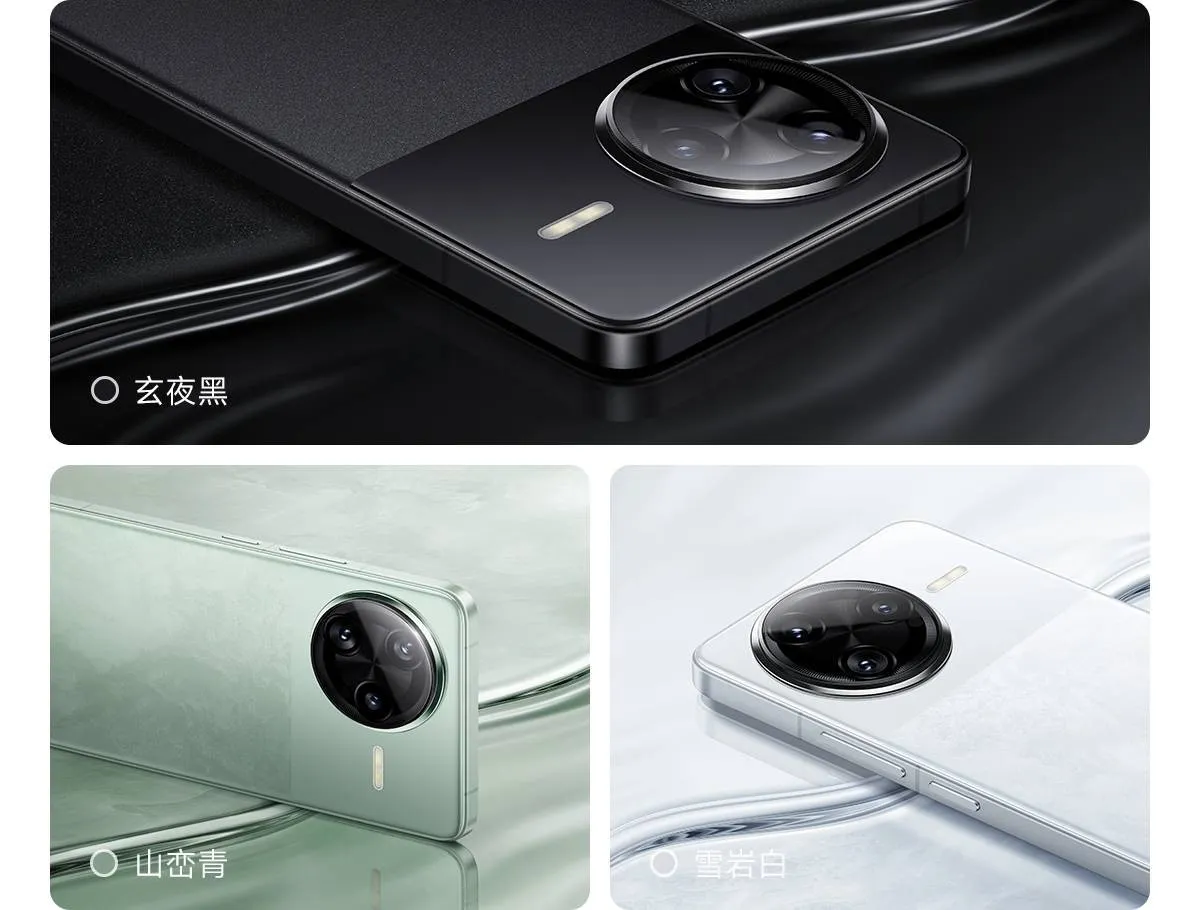
    The device’s premium positioning is highlighted by design features such a metallic camera module, flagship-grade fiberglass back, a 6.83-inch flat display, and a four-curved metal middle frame. The end product is a premium smartphone that leads the way in battery innovation while also providing business users looking for sophistication and dependability with performance and design.

    Stay connected with the latest from Droid Tools—follow us on X @droid_tools, like our page on Facebook, check out our updates on Instagram, and follow us on Google News for real-time news, device tips, and mobile tech insights.
  • 8 tips to increase your Samsung device battery life

    8 tips to increase your Samsung device battery life

    Because of their feature-rich and responsive software, Samsung’s Galaxy smartphones are among the best Android phones on the market right now. However, the majority of Samsung phones, particularly premium models like the Galaxy S25 Ultra, Galaxy Z Fold 6, and Z Flip 6, include extravagant features that you might not utilize on a regular basis.

    There are ways to maximize what you have without degrading the user experience if your new Galaxy phone isn’t able to survive a full day between charges.

    Here are seven strategies to extend your Galaxy phone’s battery life. Don’t worry, I won’t be Captain Obvious and suggest that you use your phone at a lower refresh rate or lower the screen resolution. The suggestions on this list ought to enhance your quality of life while optimizing the functionality of your phone.

    Adaptive Brightness

    samsung adaptive brightness

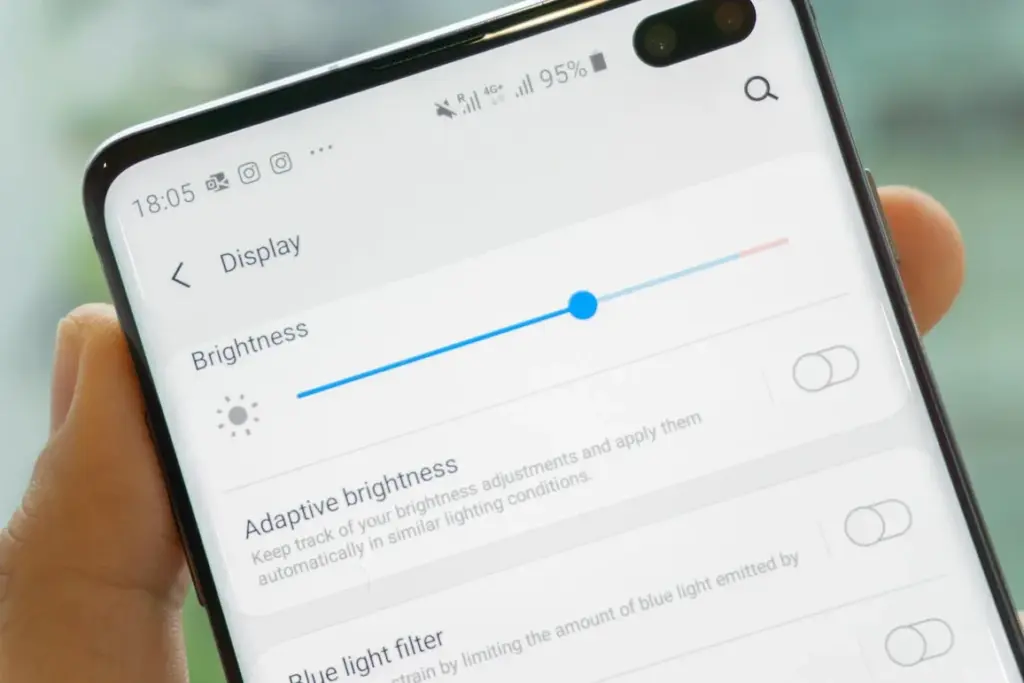
    Although this setting should ideally be turned on by default, some individuals disable it because it’s not always reliable. Nonetheless, the quality of Samsung’s ambient light sensor has increased over time. Your Galaxy phone is capable of accurately detecting ambient illumination and adjusting the screen brightness on its own. By doing this, you can make sure your display is more effective and not overly bright.

    Toggle Adaptive Brightness on by going to Settings > Display. Although it should function in most settings, you can use the Quick Settings panel to slide down to change the brightness if necessary.

    Scheduel Always-On Display

    samsung galaxy s22 ultra aod lan 1

    I adore my Galaxy S25 Ultra’s Always-On Display (AOD). For efficiency, its LTPO display lowers to 1Hz, which is useful for functions like AOD. Using AOD may not be as effective if your Galaxy phone is midrange and has a minimum refresh rate of 60 Hz. You can use it wisely, though, by planning AOD for when it’s required.

    For example, I’ve set it for 10 a.m. to 6 p.m. so I don’t miss any crucial messages and can quickly get the information I need.

    How to: Select Settings > AOD and Lock Screen > Select Always On Display > As scheduled under When to show. Additionally, disable the Show lock screen wallpaper in the AOD options while you’re at it.

    Enable Performance profile

    Light Performance Mode Profile S

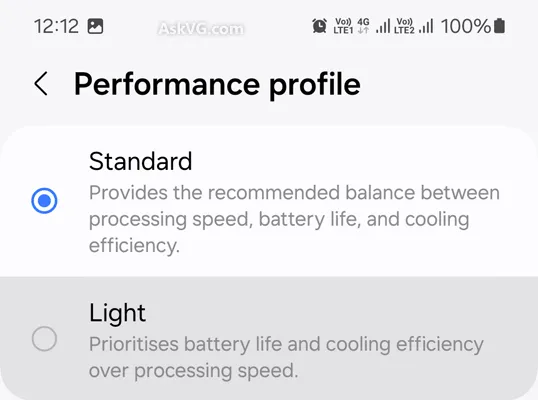
    Samsung lets you select a performance profile according on how you use it. The Light Performance profile is a better option than the Standard if you don’t play games and use your phone mostly for everyday activities like surfing and making calls. It will put cooling and battery life ahead of processing performance.

    Open the Settings app and go to Device care > Performance profile and select Light. This is ideal for average phone users.

    Use Dark Mode

    Dark mode feature

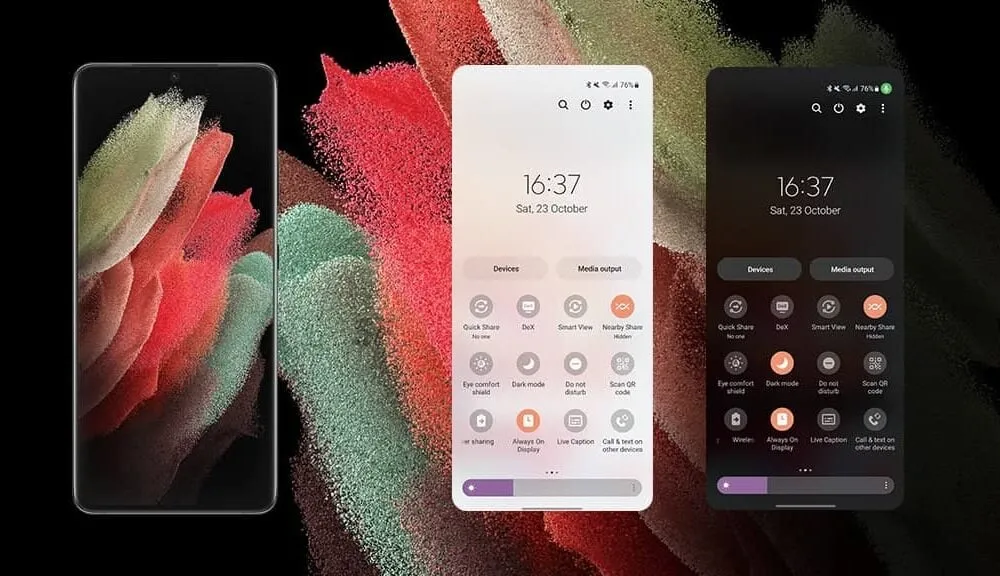
    AMOLED screens, which can control individual pixels, are seen on the majority of Samsung phones. Therefore, the area of the screen that must remain black won’t activate those pixels when you choose a dark theme or dark wallpaper. As a result, your screen uses less power and your battery lasts a little longer.

    How to do it: Go to Settings > Display. Two cards for Light and Dark will be dealt to you. Press the Dark option. Changing the system wallpaper and sticking with the light theme is an alternative, but it won’t have the same impact on energy life as switching to dark mode.

    Use offline content when you can

    It’s a good idea to download such stuff offline if you listen to the same podcasts and playlists or travel the same path every day. Google Maps and the majority of streaming apps use a lot of battery power over 5G and LTE. It may also cause your phone to feel warm to the touch when you’re outside. With a little advance forethought, you can handle this: Before you leave the house, use Wi-Fi to download your favorite music or maps.

    How to: Go to the streaming apps you want to download content from and follow the in-app steps. For instance, YouTube has a download button on videos, and Spotify lets you download complete playlists.

    Force stop or uninstall power-draining apps

    Numerous programs, including Facebook, Microsoft 365, OneDrive, and numerous Samsung and Google apps, are pre-installed on Samsung phones. To stop them from running in the background, find the ones you don’t need and either remove them or force-disable them.

    For instance, not everyone requires OneDrive or the Samsung Smart TV app. I remove those two apps along with others like Facebook, Outlook, Microsoft 365, Tutor, and more when I set up a new Galaxy phone.

    To unistall an app tap and hold the app you want to uninstall. A pop-up menu will appear. Tap Uninstall. As a result, none of these non-required apps will use your battery.

    Check what apps are power-draining

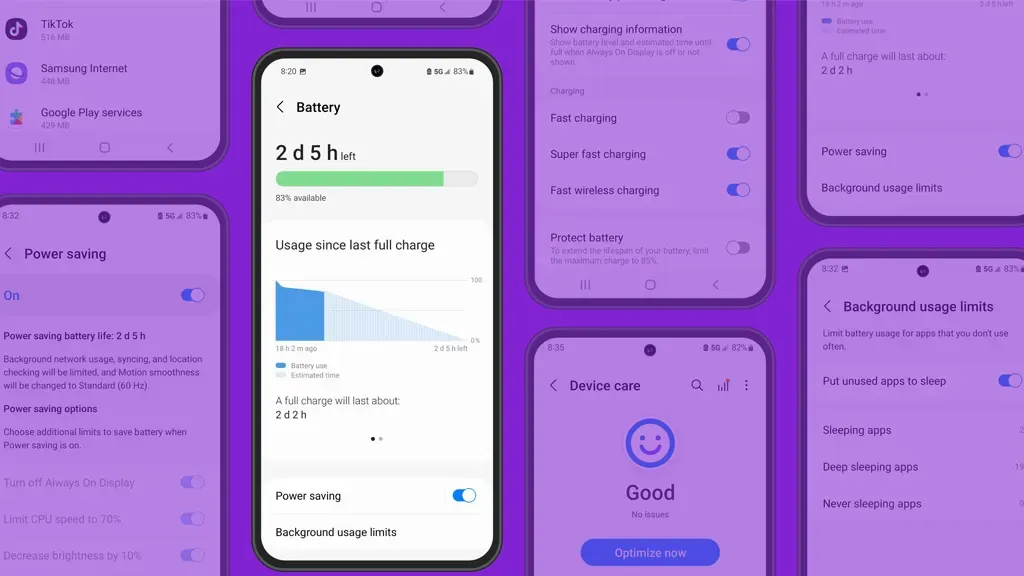
    Depending on your location, 5G connectivity, and background usage, some apps need more power. To assist you reduce unnecessary battery usage, Samsung allows you to recognize certain power-hungry programs.

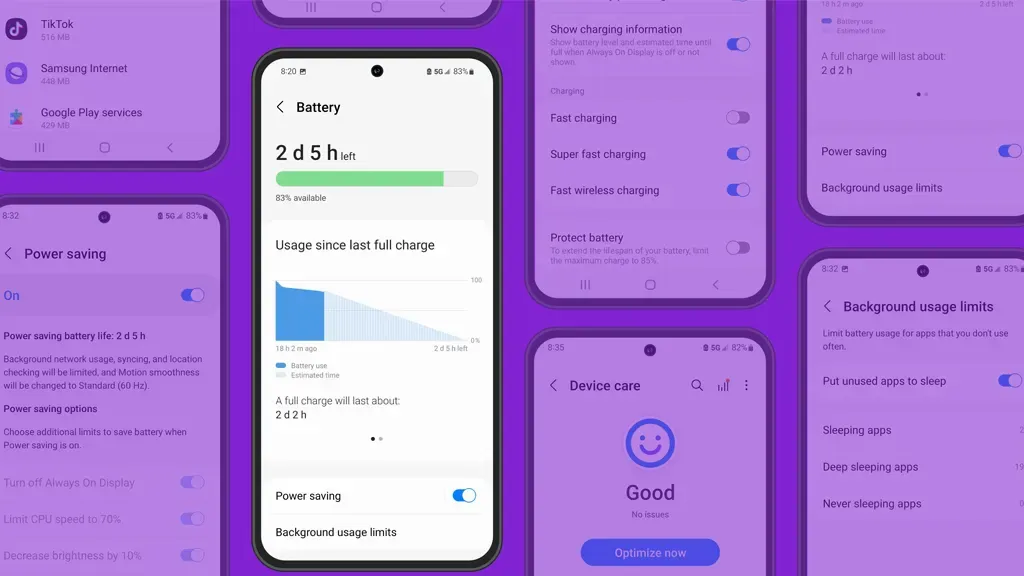
    How to: Go to Settings > Battery and device care > Battery > Background usage limitations on your Galaxy smartphone to find apps that use a lot of power. Then, choose the apps you wish to disable.

    What to do when you are low on battery?

    The top functions of your Galaxy phone will not be compromised by the seven settings mentioned above. But if your phone’s battery is low while you’re out, you should:

    • Turn on Power Saving
    • Toggle off data roaming
    • Turn off location services
    • Switch off AOD altogether

    When your phone’s battery is less than 20% and you’re still a few hours away from a charger, I advise activating these options. The Samsung settings listed above will also help you get the most out of your Galaxy phone’s battery.

    Stay connected with the latest from Droid Tools—follow us on X @droid_tools, like our page on Facebook, check out our updates on Instagram, and follow us on Google News for real-time news, device tips, and mobile tech insights.
  • Battery Health Assistance coming to all Pixel devices

    Battery Health Assistance coming to all Pixel devices

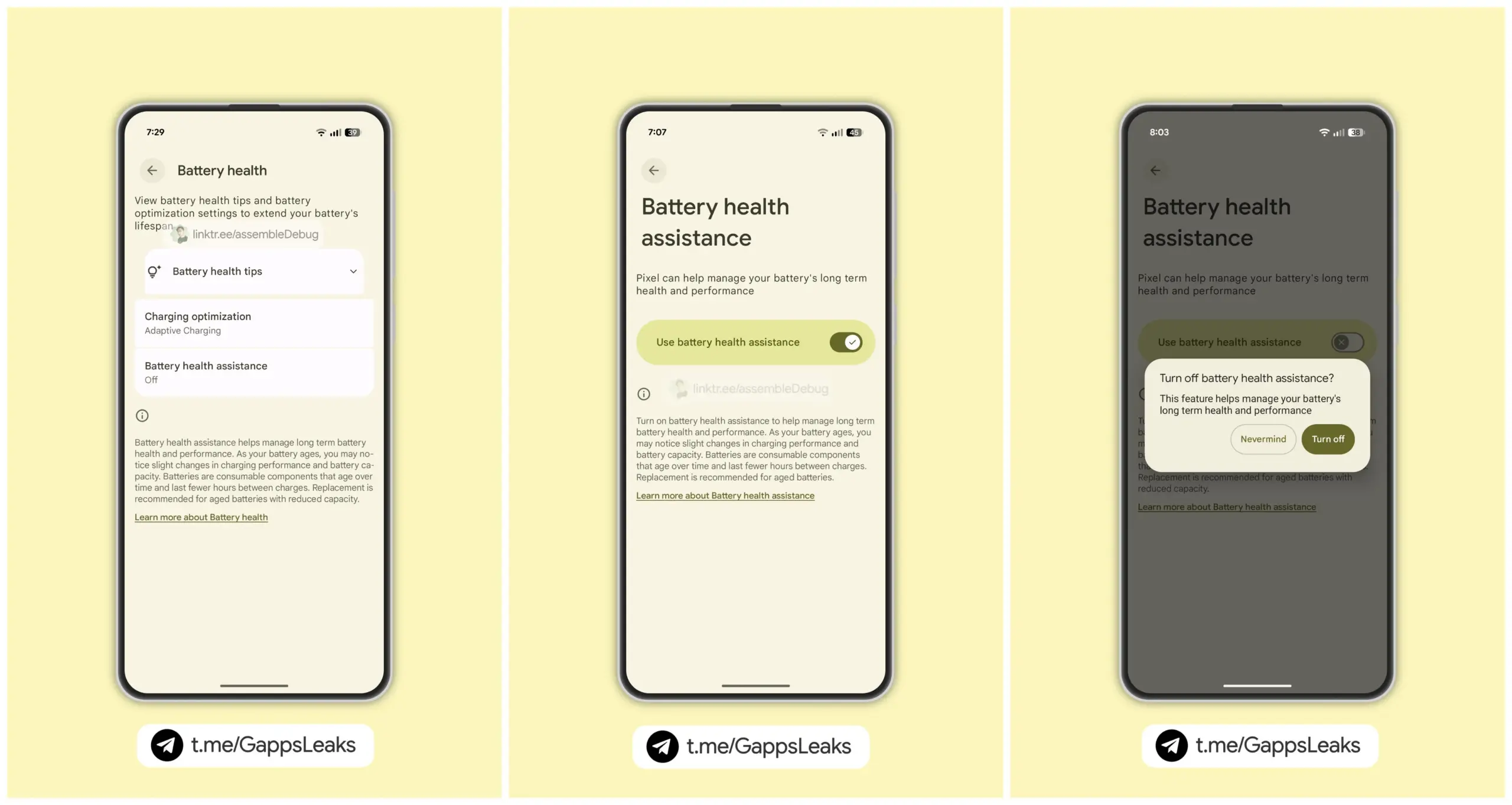
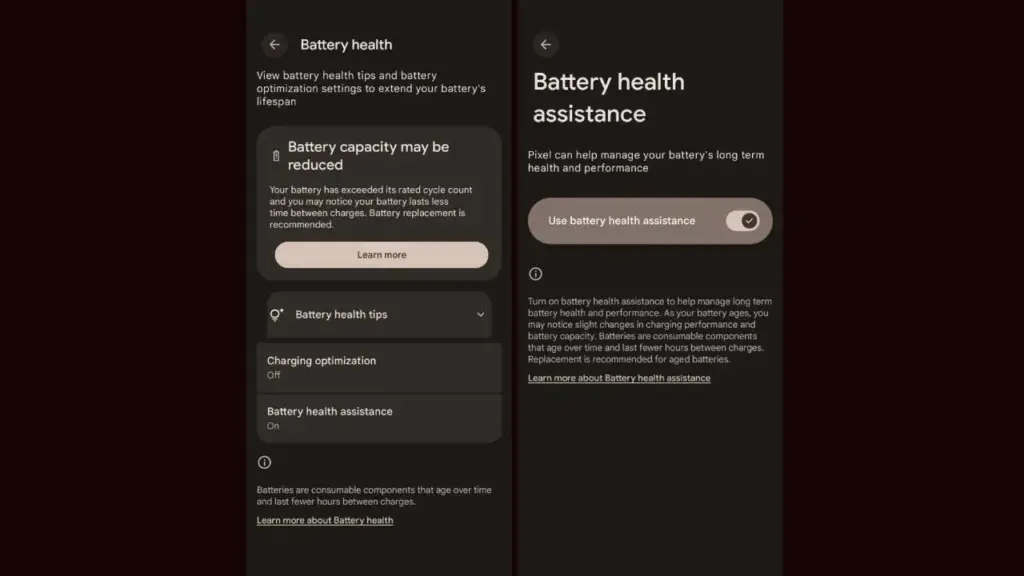
    As seen by the Android 16 QPR1 Beta 2 update, the company is getting ready to expand the Battery Health Assistance function, which made its debut with the Pixel 9a, to additional Pixel devices. Serious problems including battery overheating and even melting during charging have recently been reported with certain Pixel phones. The tech giant is working hard to stop this, though.

    Android 16 beta update brings ‘Battery Health Assistance’ feature

    For those who are unaware, early this year, Google released the Pixel 9a with Battery Health Assistance, a charge management tool. This feature cannot be manually disabled because it is enabled by default.

    Google’s support page states that Battery Health Assistance aids in controlling the long-term performance and health of a phone’s battery. Serious problems like battery deterioration, overheating, and even melting when charging can be avoided with its assistance.

    Battery Health Assistance pixel devices

    After applying the Android 16 QPR1 Beta 2 update on their phones, a few users became aware of the new feature. To put it briefly, Google intends to eventually extend this feature to older Pixel models.

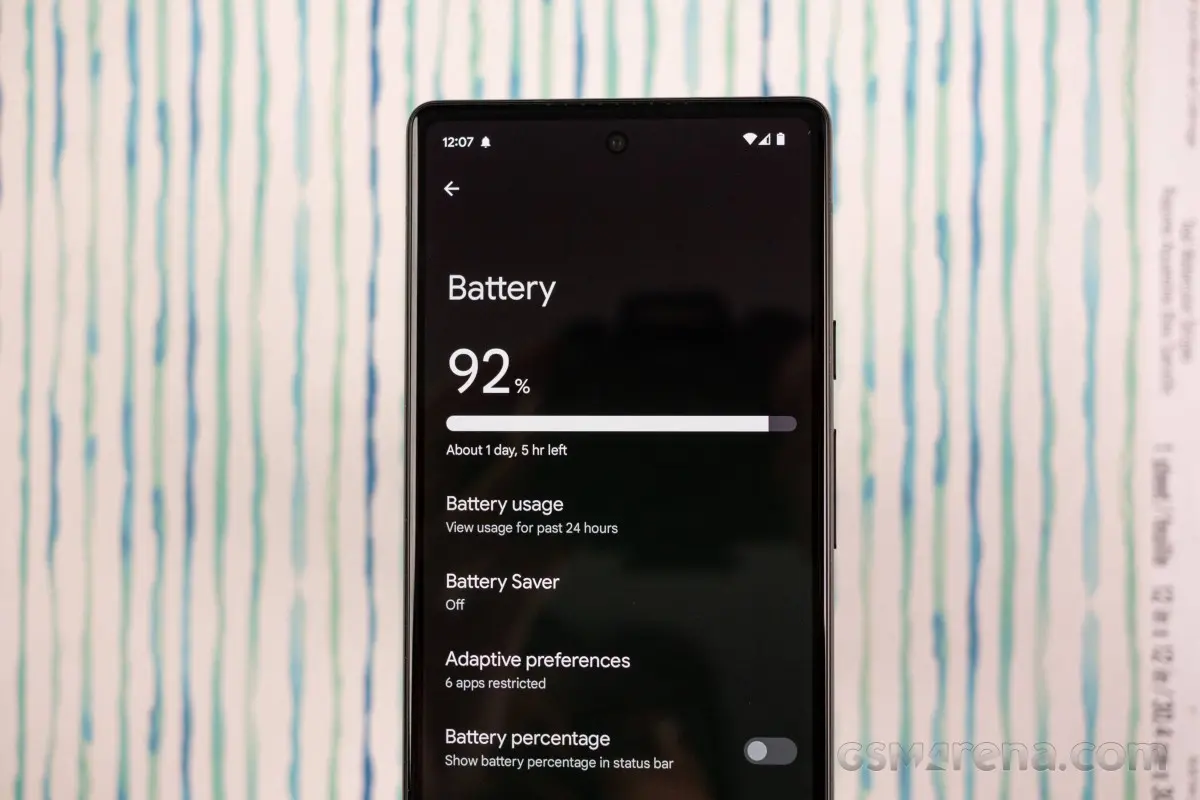
    Google defines the feature as follows; ”Lithium-ion batteries are consumable components that eventually require replacement. As your battery ages, Battery health assistance helps manage its long-term health and performance. This software adjusts the battery’s maximum voltage in stages. It starts at 200 charge cycles and continues gradually until 1000 charge cycles. This helps stabilize battery performance and aging.

    Images posted by customers who have tested Battery Health Assistance indicate that, unlike the Pixel 9a, the feature won’t be required. In other words, if you want to, you can turn it off. Google advises, however, that you keep it enabled at all times to preserve the functionality and health of your battery.

    It’s crucial to have this feature to keep your battery from dying too soon.

    On Pixel phones, the Battery Health Assistance feature may somewhat shorten battery life and charging speed. In the long run, nevertheless, it is really useful and protects the battery. This might stop the recent battery problems that some Pixel variants have been having.

    Many stories of earlier Pixel models burning and even melting their batteries after charging have surfaced in recent months. Arielle, a user, even complained last week that her Google Pixel 6a melted and caught fire while charging. It is noteworthy that she was utilizing a third-party, non-OEM charger.

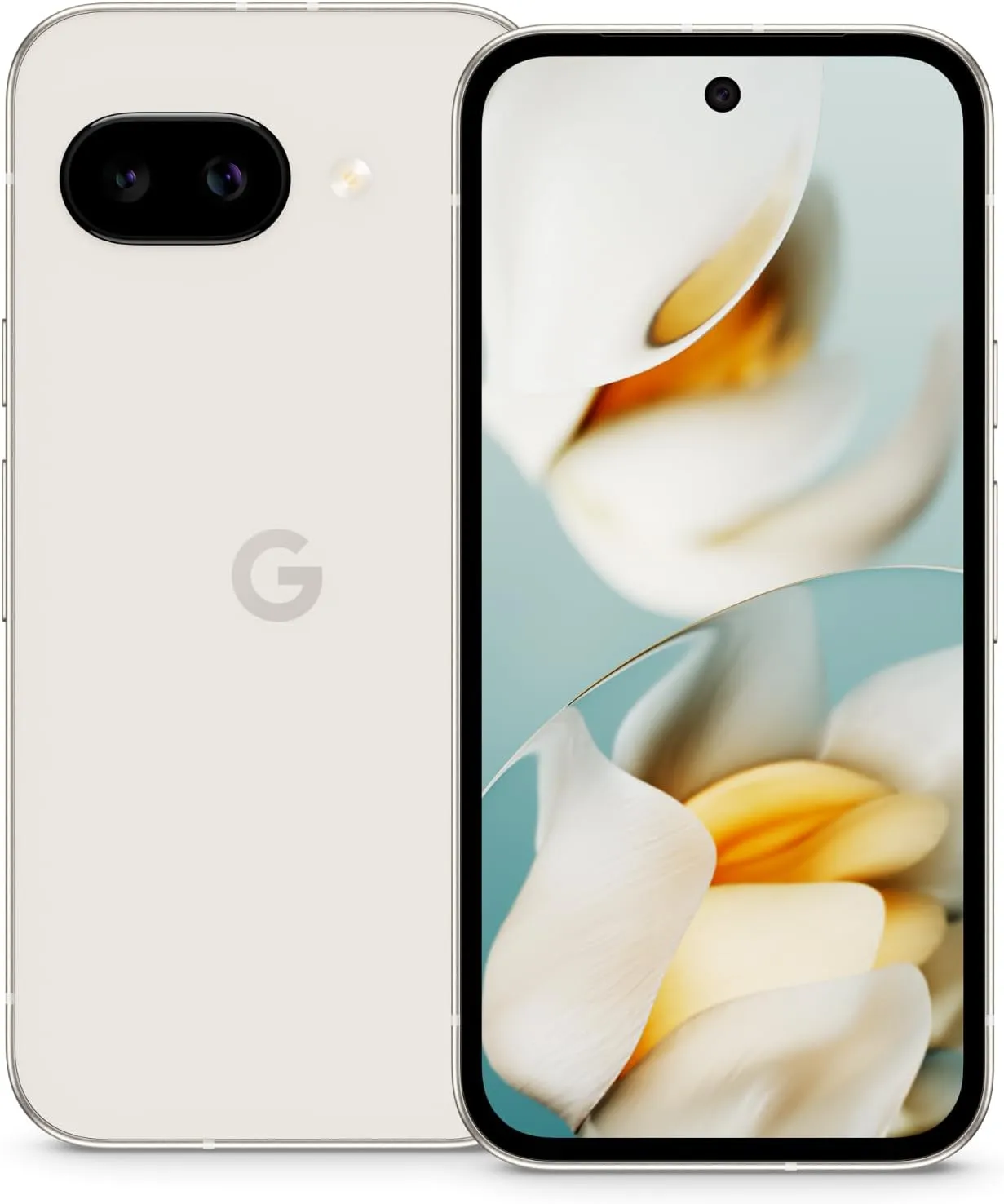
    Pixel 9a

    Google Pixel 9a with Gemini

    Google Pixel 9a is engineered by Google with more than you expect, for less than you think; like Gemini, your built-in AI assistant, the incredible Pixel Camera, and an all-day battery and durable design

    $499.00$449.00Amazon

    Stay connected with the latest from Droid Tools—follow us on X @droid_tools, like our page on Facebook, check out our updates on Instagram, and follow us on Google News for real-time news, device tips, and mobile tech insights.
  • There is a solution for Instagram’s battery drain on Android devices

    There is a solution for Instagram’s battery drain on Android devices

    Have you noticed that the battery life of your Android smartphone has been declining more quickly than usual lately? The offender might have been found.

    Reddit users on Android have been claiming that the Instagram app is to blame for the significant power drain they have been observing in recent weeks. When compared to other apps, Meta’s social media app seemed to be using a lot more battery life than it should given how frequently it is used.

    Using a Samsung Galaxy A53, one Redditor observed that 49 minutes of WhatsApp screen time utilized just 2.4% of their battery capacity, compared to 12.4% for 54 minutes of Instagram screen time.

    instagram abttery drain on samsung

    Now, Google has reportedly intervened to validate the suspicions of many. A Google community manager named Instagram as the source of battery drain on Android devices in an advisory article titled “Battery drain on Android devices” that was posted on the Android support website. The manager advised Android users to update their Instagram app right away.

    How to fix the Instagram battery drain

    As of this writing, the most recent version of the app (build 382.0.0.49.84) seems to fix the problem, so it’s definitely worth making sure you’ve downloaded it if you’ve been seeing your smartphone draining its battery more quickly than usual.

    There are, of course, several additional methods to prolong the life of your battery. These include using Dark Mode or Power Saving, as well as putting unwanted apps to sleep (click to Settings > Battery > Background Usage Limits).

    Check out our instructions below to keep your Android phone running as long as possible if you’re still experiencing power issues after the update (or if you don’t even use Instagram).

    Stay connected with the latest from Droid Tools—follow us on X @droid_tools, like our page on Facebook, check out our updates on Instagram, and follow us on Google News for real-time news, device tips, and mobile tech insights.
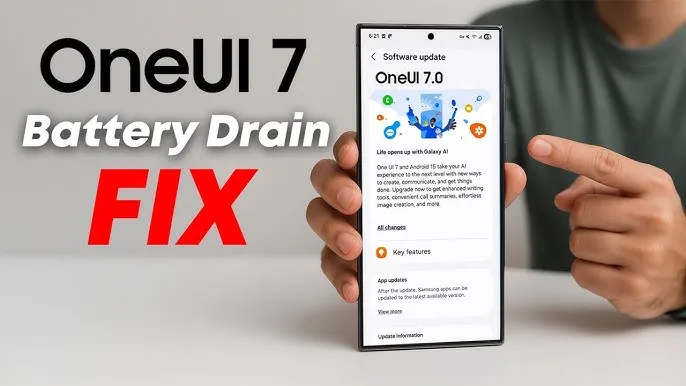
  • How to fix the battery drain on Samsung Galaxy devices running One UI 7

    How to fix the battery drain on Samsung Galaxy devices running One UI 7

    Running on Android 15, Samsung’s One UI 7 version boasts a new interface along with several new capabilities. One of the unanticipated issues that many customers have seen with the One UI 7 is shorter battery life.

    Even with minimal use, Samsung customers report that their Galaxy phones are having trouble lasting a full day. This article examines the sources of the battery life issues that were noticed following the One UI 7 update, as well as solutions.

    One UI 7 battery drain isssues from the rollout

    Owners of Samsung devices have frequently complained about severe battery drain on websites such as Reddit, X/Twitter, and Samsung Community Forums.

    One user of a Galaxy S24 Ultra, for example, reported that the screen-on time of their phone decreased to roughly 5 hours from 6–7 hours before to the update.

    Another owner of a Galaxy Z Fold 6 claimed that by the end of the day, their battery had dropped from 45 to 50 percent to 20 to 25 percent.

    battery drain issue samsung one ui 7

    Some users of the Galaxy S23 series have claimed similar issues, requiring two or even three daily charges for simple tasks like browsing or viewing movies.
    Rephrase

    As the device becomes used to the new software, the post-update optimization period typically lasts a few days to a week, but the problem seems to last longer.

    Users have also reported related issues, like slower app loading times or phones that run warmer than normal, which could be a factor in the higher power usage.

    Why is the drain occurring?

    While Samsung has not officially confirmed the cause, several factors could explain the battery drain. Since One UI 7 is a major software update, its new features, animations, and background processes may have been demanding more power.

    User-installed third-party apps may not have been fully optimized with the new OS, causing battery drain. Another possibility is that background processes, such as system optimizations or data syncing, are running more frequently than needed.

    oneui 7 battery drain how to

    The solution

    If you’re experiencing battery drain after updating to One UI 7, here are some practical steps to try:

    Clear the cache:

    • Go to Settings > Device Care > Storage and clear the cache for apps.

    Enable Light Performance Profile:

    • Found in Settings > Battery and Device Care, this mode reduces performance to save power.

    Turn off AOD:

    • Disable Always On Display, reduce screen brightness indoors, or switch to Dark Mode to conserve battery.

    Update Apps:

    • Ensure all apps are updated, as outdated versions may not work well with One UI 7.

    Factory Reset (last resort):

    • Some users report improved battery life after a factory reset, though this requires backing up data and reinstalling apps.

    You’re not alone if the One UI 7 upgrade has caused your Galaxy device’s battery life to suffer. You can handle the problem while you wait for a possible solution by attempting the aforementioned procedures and keeping an eye on Samsung’s reaction.

    Stay connected with the latest from Droid Tools—follow us on X @droid_tools, like our page on Facebook, check out our updates on Instagram, and follow us on Google News for real-time news, device tips, and mobile tech insights.