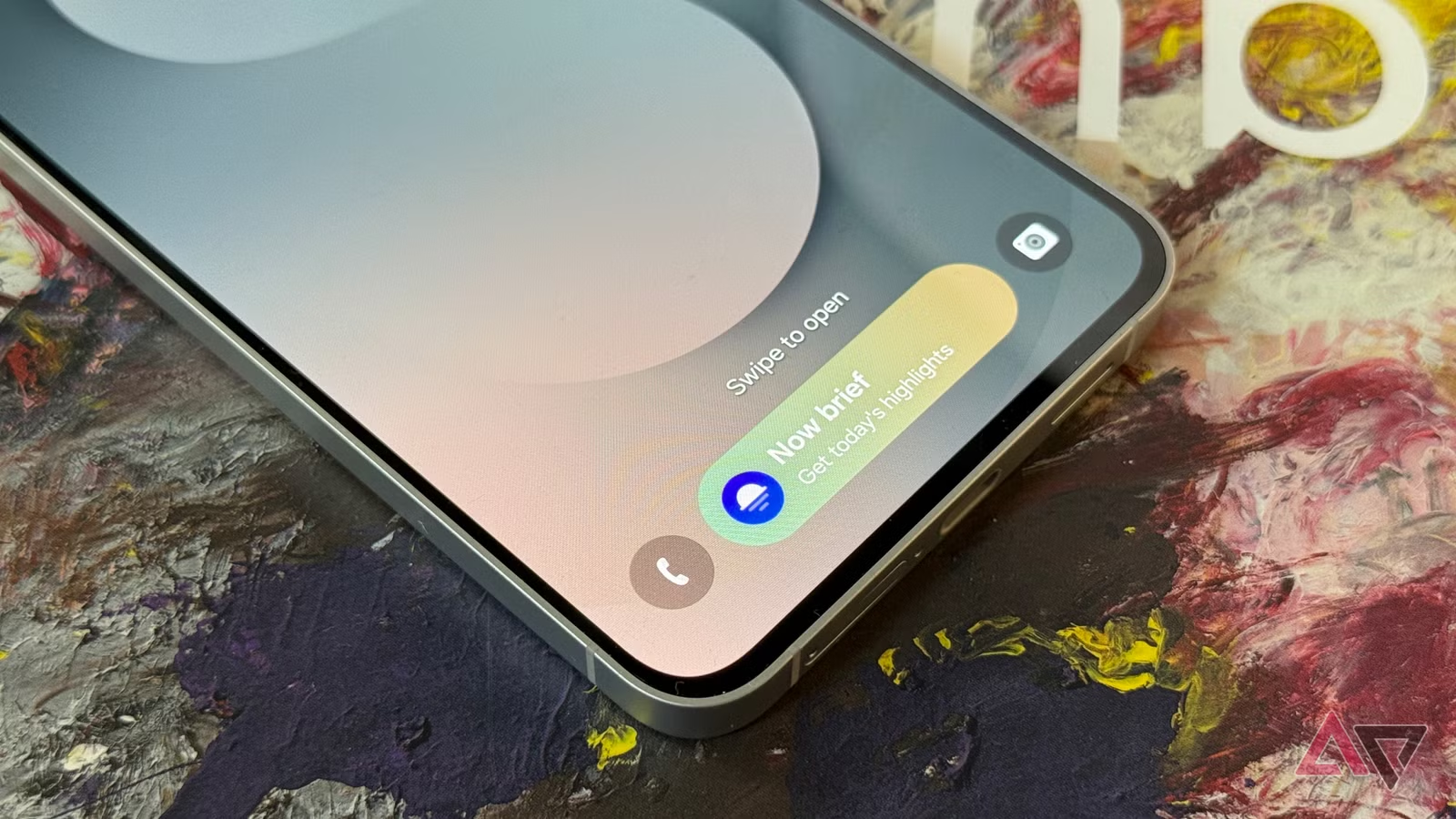
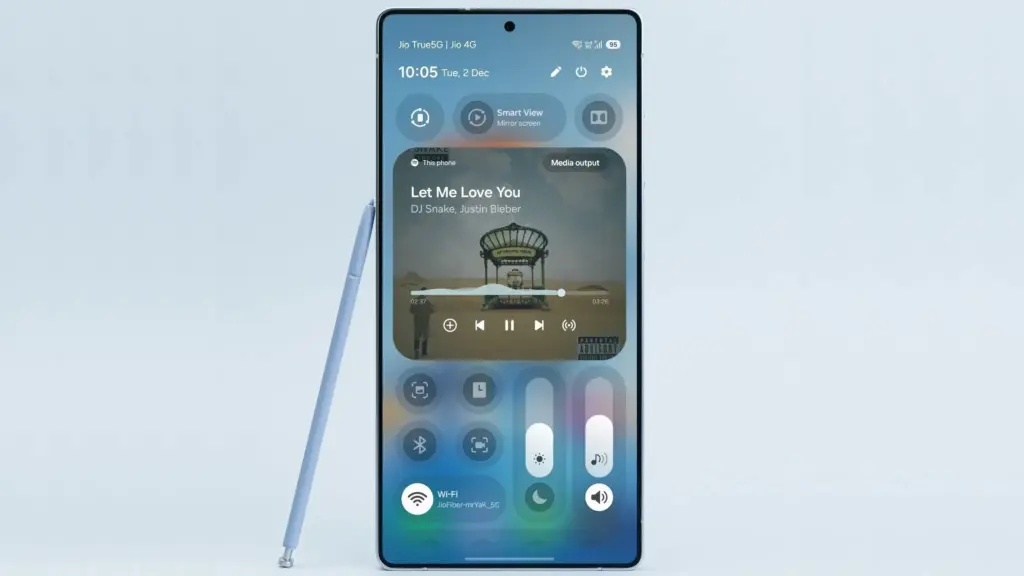
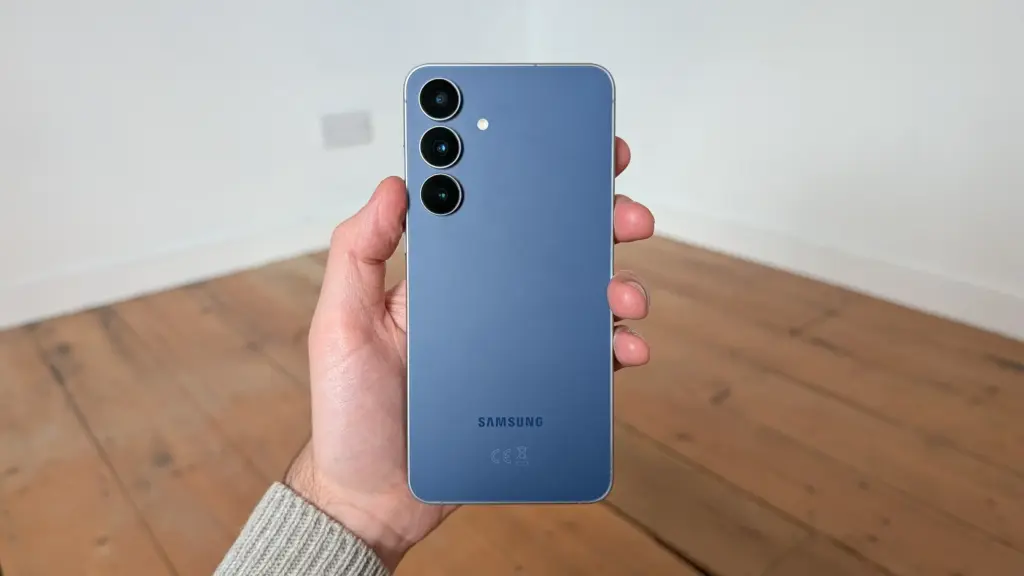
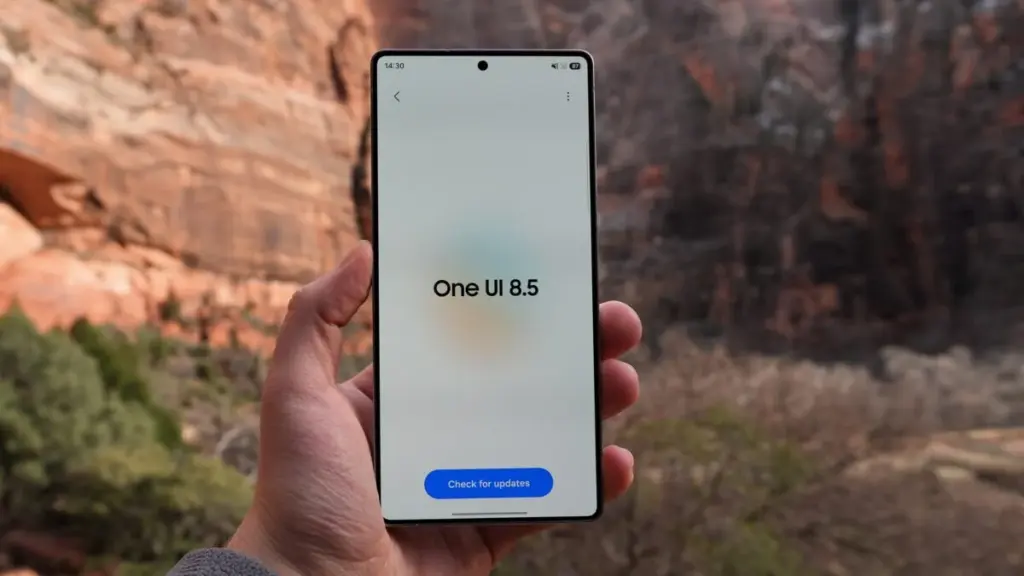
After months of beta testing, One UI 8.5 has begun rolling out to Samsung Galaxy S25 phones in the United States, bringing the 2024 flagship lineup up to speed with the features that debuted on the Galaxy S26 (via Android Authority).
The update delivers a significant package of previously S26-exclusive features to S25 owners, including Agentic AI through Bixby, a series of visual changes, and an enhanced Quick Share app. Perhaps just as notable: the rapid arrival on S25 hardware – only a week after the update launched in Samsung’s home market of South Korea – suggests other eligible devices in the first rollout wave may not be far behind.
One UI 8.5 is a long-awaited upgrade for a wide range of Samsung phones
Beyond the Galaxy S25 family (which includes the upcoming S25 FE), Samsung has confirmed the following devices are part of the first phase of the One UI 8.5 rollout:
Galaxy S24, S24 Plus, S24 Ultra, and S24 FE
Galaxy Z Fold 7, Flip 7
Galaxy Z Fold 6, Flip 6
Galaxy Tab S11, Tab S11 Ultra
Galaxy Tab S10, Tab S10 Plus, Tab S10 Ultra
Owners of those devices should watch for notifications over the coming days, as the update is likely to follow shortly.
On the technical side, the update weighs in at 4,408.31 MB and also bundles the April security patch – a little late, but the sheer volume of additions makes that easy to overlook.
The One UI 8.5 excitement has been building for a while, and the end result justifies it. Despite not being a full version number bump, this update delivers what One UI 8 arguably should have been at launch. The headlining addition is Agentic AI, which finally brings AI-powered call screening to Samsung’s phones alongside the ability to edit images through text prompts and expanded AI Select functionality.
Bixby also makes a meaningful return, now powered by Perplexity – a significant upgrade that makes Samsung’s long-running assistant considerably more capable than any previous iteration. The overhauled Quick Share app rounds out the major additions.
One UI 8.5 has been a long time coming for anyone outside the S26 range, and with the rollout now picking up pace, it won’t be long before a much broader set of Samsung devices gets to experience it firsthand.
Google’s Pixel smartphones offer one of the cleanest Android experiences available. Current-gen models ship with the latest version of Android, get updates before anyone else, and enjoy seven years of software support — a level of longevity that makes them a genuine alternative to the iPhone, which similarly prioritizes long-term support. For a direct comparison with Apple’s best, the Pixel 10 Pro is the model to consider if you’re chasing an experience comparable to the iPhone 17 Pro.
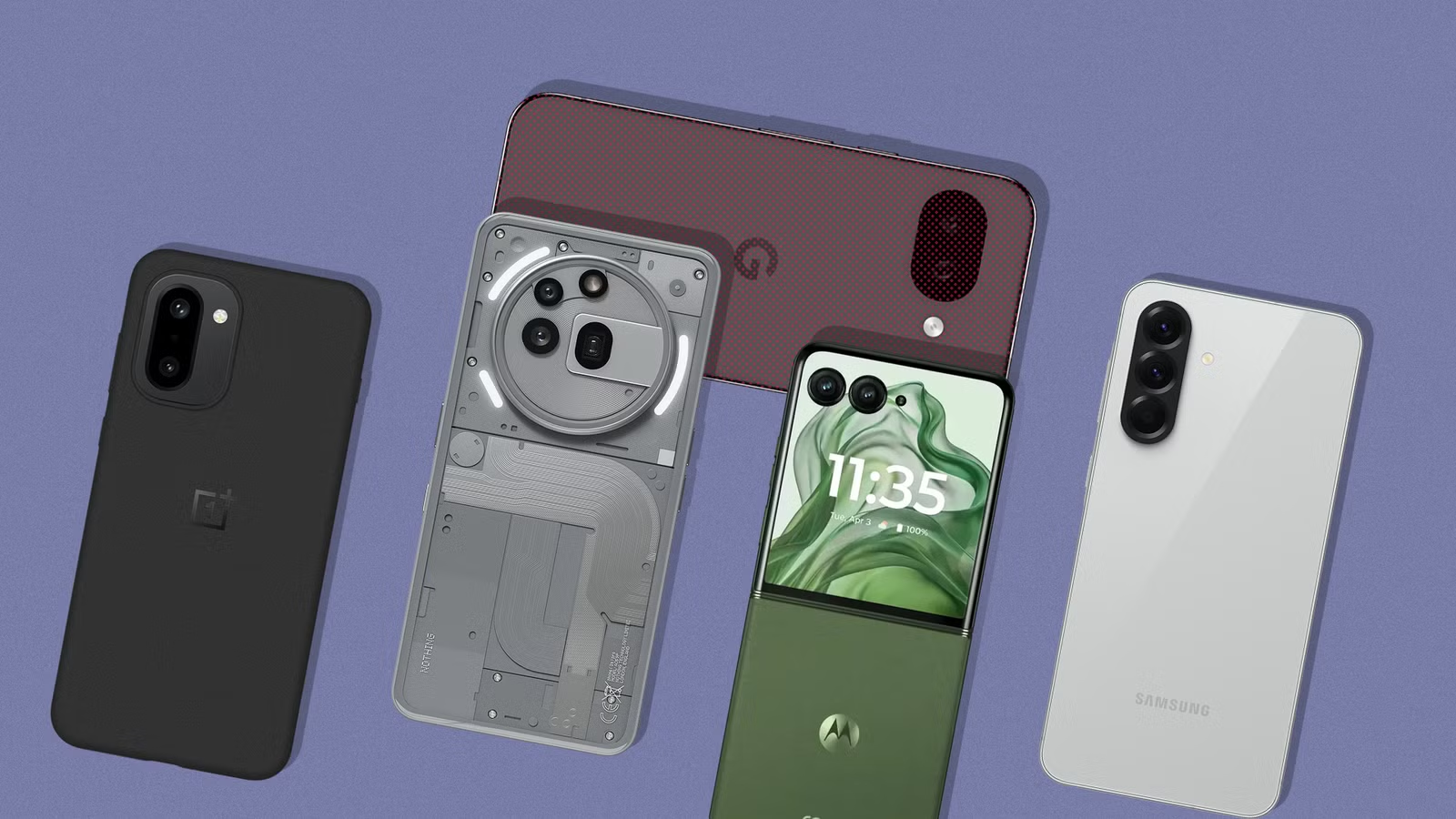
That said, Google also plays in the budget space, and its answer to the sub-$500 market is the Pixel 10a. Powered by last year’s Tensor G4 SoC with 8GB of RAM and a capable dual-camera system on the back — as explored in a full review of the Pixel 10a — it’s a reasonable choice for cost-conscious shoppers. But it does make compromises to hit that price, and raw performance is one of the more noticeable ones. There are several compelling alternatives that outpace it in that department. Five of them are highlighted below. A few of these picks aren’t officially sold in the U.S., and while importing through trusted channels is an option, carrier compatibility isn’t guaranteed.
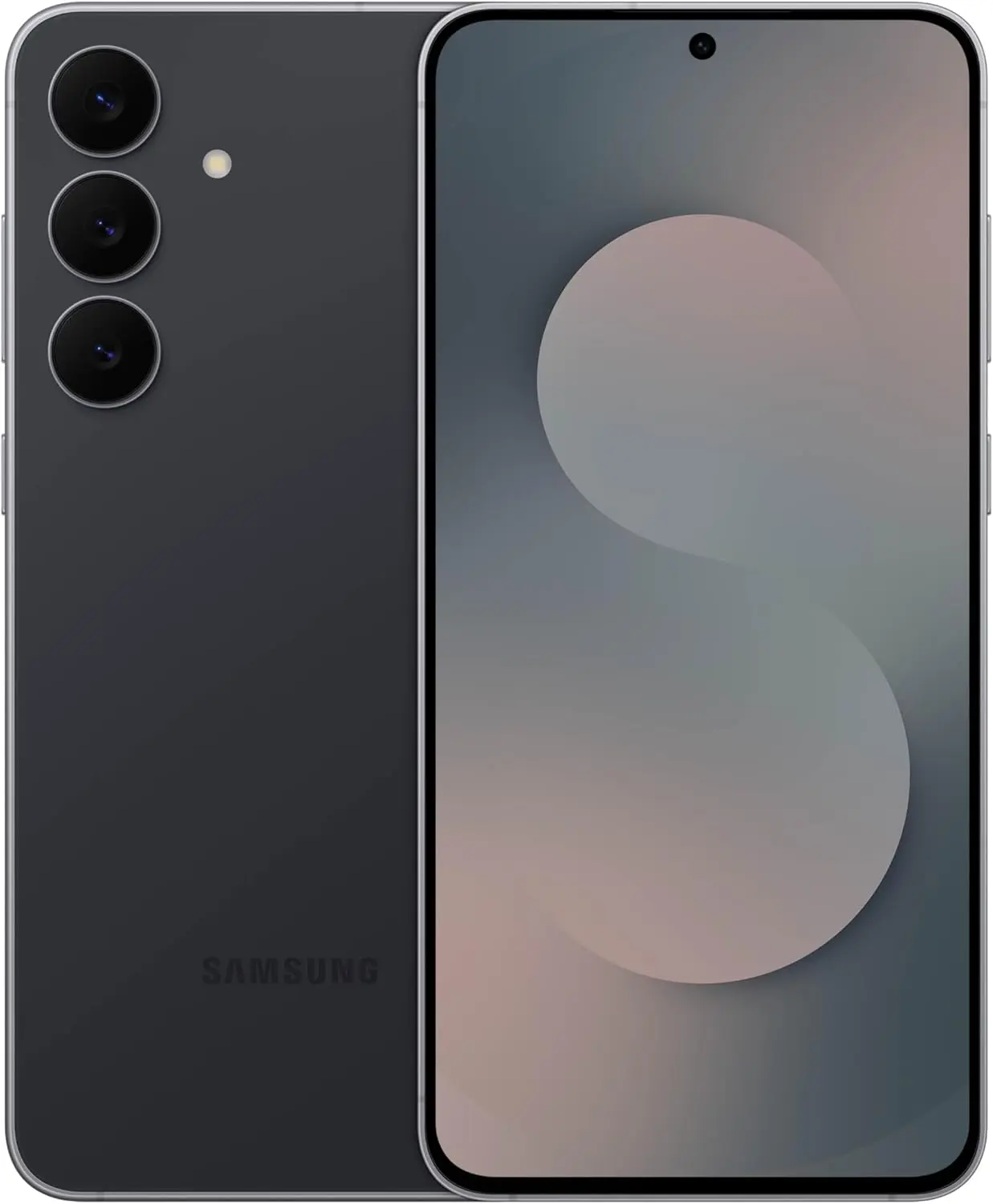
Samsung Galaxy S25 FE
Samsung Galaxy S25 FE
Enjoy every scroll, swipe and stream on a stunning 6.7” wide display that’s as smooth for scrolling as it is immersive.
Samsung is the world’s largest Android manufacturer, and while the flagship Galaxy S series gets most of the spotlight, the company’s mid-range catalog is equally well-stocked. The Galaxy S25 FE sits in the upper mid-range tier, delivering a near-flagship experience by trimming a select few premium extras to land at a lower price point.
Under the hood is Samsung’s in-house Exynos 2400 SoC, which according to NanoReview offers noticeably better performance than the Tensor G4 inside the Pixel 10a. RAM is matched at 8GB, and the suite of AI features remains intact. One UI, which previously had a reputation for being bloated, has grown considerably leaner over the years and now runs without any real sluggishness. The display is a 6.7-inch LTPO AMOLED with a 120Hz refresh rate and up to 1,900 nits of peak brightness.
Samsung matches Google’s seven-year OS update promise on the S25 FE. The camera system includes a 50-megapixel wide, a 12-megapixel ultrawide, and an 8-megapixel 3x telephoto lens. Wired charging maxes out at 45W, which handles the 4,900mAh battery reasonably quickly. The base 128GB model retails at $650, though it can regularly be found under $600 through deals on Amazon and similar marketplaces.
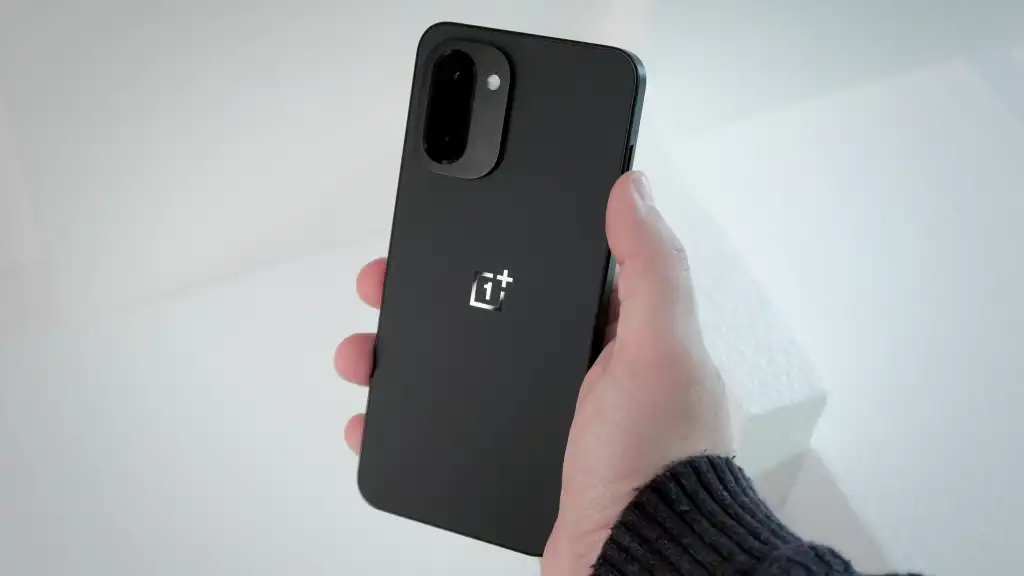
OnePlus 15R
OnePlus 15R
Powered by the Snapdragon 8 Gen 5, plus a custom Wi-Fi chip and dedicated Touch Response chip, you get lightning-fast speeds, stable connections, and ultra-responsive touch control.
At $700, the OnePlus 15R costs more than the 256GB Pixel 10a — but considering what it delivers, that $100 premium is hard to argue with. The phone runs on the Snapdragon 8 Gen 5, which sits just below the 8 Elite Gen 5 in Qualcomm’s hierarchy and comfortably outpaces the Tensor G4, a chip that was already trailing the competition at launch. The performance gap here is substantial.
RAM steps up to 12GB, which keeps more apps active in the background and handles AI-driven tasks more effectively over time. The screen is a 6.83-inch AMOLED panel with up to 165Hz in supported games and a peak brightness of 3,600 nits in HDR scenarios. Slimmer bezels and a smaller hole-punch cutout make for a noticeably better multimedia display than the Pixel 10a.
Battery life is where the OnePlus 15R really pulls ahead. Its 7,400mAh cell offers roughly 50% more capacity than mainstream flagships, and the review of the OnePlus 15R confirmed the exceptional endurance that capacity suggests. Charging tops out at 80W with the included adapter, so refueling is fast when needed.
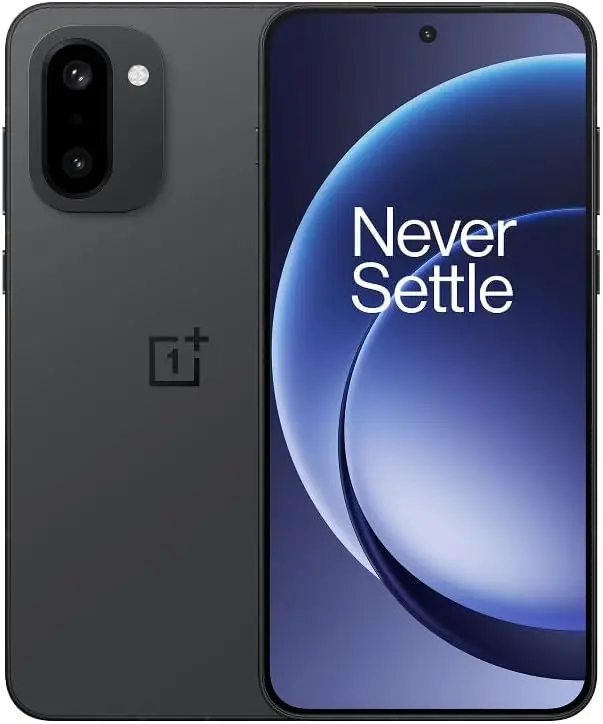
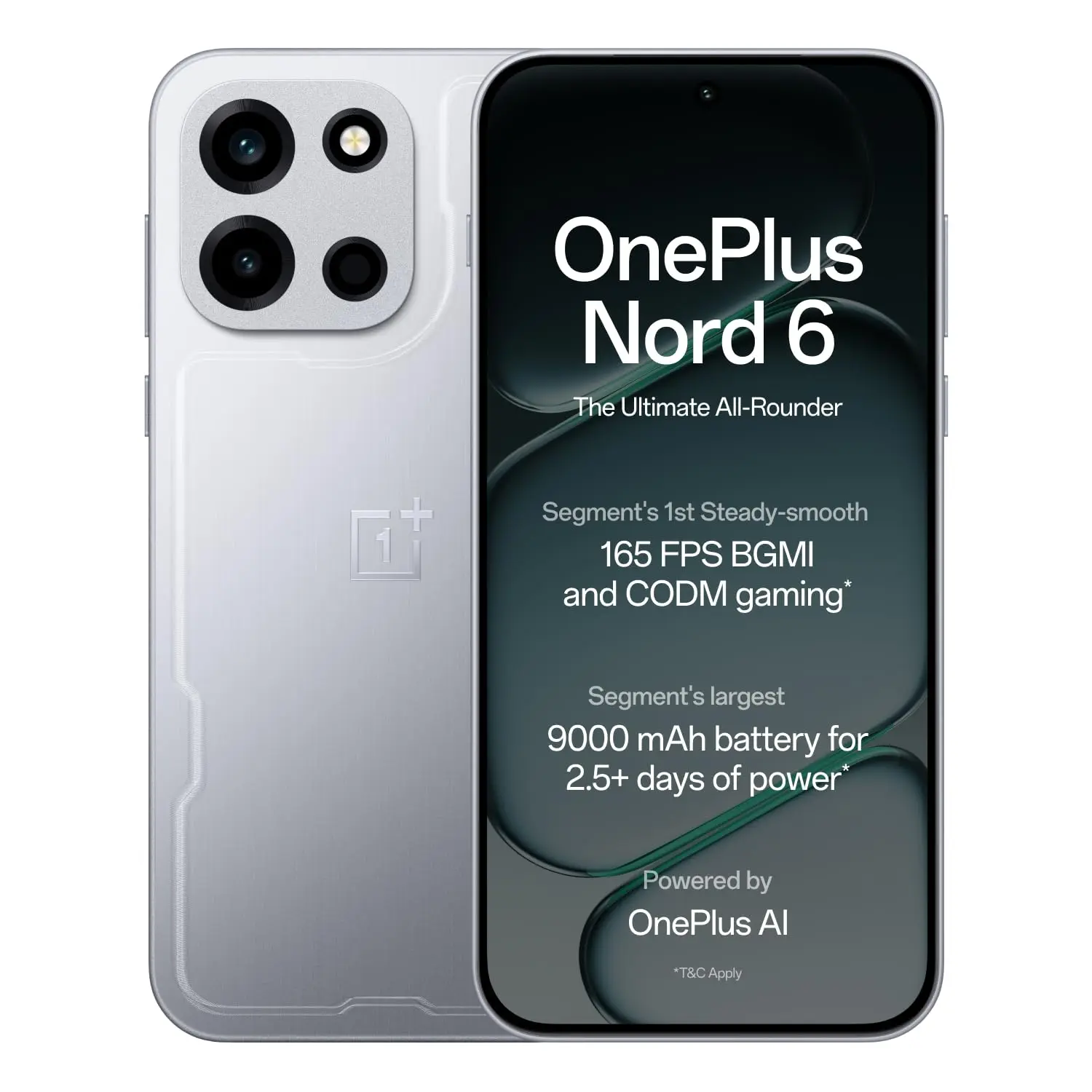
OnePlus Nord 6
OnePlus Nord 6
Flagship Performance with Snapdragon 8s Gen 4/: Couple this with the latest LPDDR5X RAM and UFS 4.1 ROM storage, Nord 6 is engineered to outperform nearly every flagship, allowing unprecedented ‘Gaming PC-level’ 165 FPS BGMI, CODM and Free Fire MAX steady-smooth gaming, and relentless everyday speed for the next 6 years.
Despite recent speculation about market exits and a potential global pullback, OnePlus has continued shipping competitive hardware. The Nord 6 is the latest from the brand’s budget-focused lineup, and it brings serious performance for the price. The Snapdragon 8s Gen 4 SoC comfortably outperforms the Tensor G4 across the board, and configurations go up to 12GB of RAM with 256GB of UFS 4.1 storage.
Gaming is clearly a core target for the Nord 6. Its 6.78-inch AMOLED display supports refresh rates up to 165Hz in compatible titles — similar to what the OnePlus 15 offers — and a 3,840Hz touch sampling rate makes on-screen input feel exceptionally sharp. The dual rear camera covers wide and ultrawide angles, but the real talking point is the 9,000mAh silicon carbon battery with 80W wired charging support, which is a remarkable combination at this price.
OxygenOS handles the software side, with OnePlus committing to four years of OS updates. Pricing converts to roughly $415 for the 8GB RAM variant. The catch: the Nord 6 is an India-exclusive. In China, the same device is sold under the OnePlus Turbo 6 name. U.S. buyers would need to import it, with carrier compatibility being a potential sticking point.
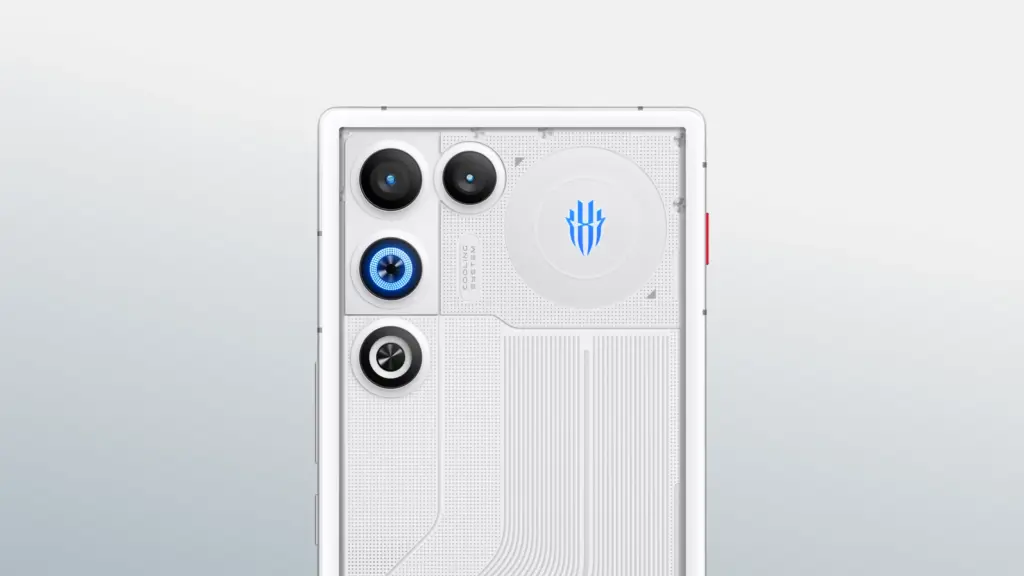
RedMagic 11 Air
For those specifically after a gaming phone that’s actually available in the U.S., RedMagic is the go-to. The RedMagic 11 Air matches the Pixel 10a’s $500 price tag but packs considerably more horsepower. The Snapdragon 8 Elite SoC powering it is, on paper, more than twice as fast as the Tensor G4. Even as a generation-old chip at this point, it handles any modern mobile title at maxed settings with high frame rates without breaking a sweat.
A few hardware touches set it apart from the standard mid-range crowd. Capacitive shoulder triggers on the frame offer additional physical controls in supported games. The 6.8-inch 144Hz AMOLED display is completely notch-free, providing an uninterrupted viewing surface — a trade-off that costs the phone a front camera, which may or may not matter depending on priorities. Active cooling via a built-in fan and vapor chamber keeps thermals in check during extended sessions.
RAM comes in at 12GB, and storage doubles what the Pixel 10a offers in its base configuration. The 7,000mAh silicon carbon battery earned a multi-day usage assessment from TechRadar’s review under moderate conditions, and an 80W adapter is included in the box. An 80W adapter is also included. Stepping up to 16GB of RAM and 512GB of storage adds just $100 to the asking price, and the RedMagic 11 Air’s distinctive design language makes it one of the more visually interesting options on this list.
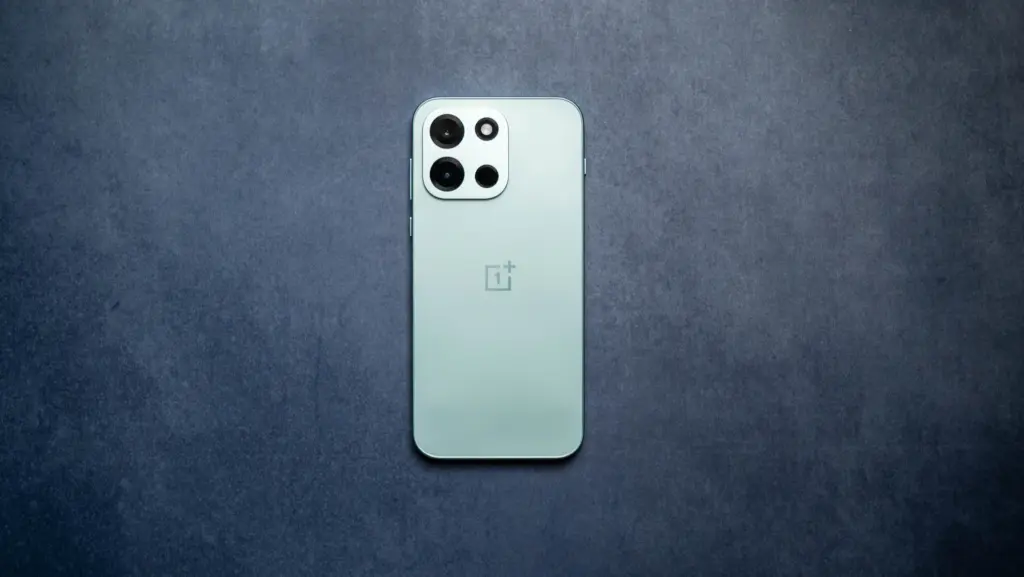
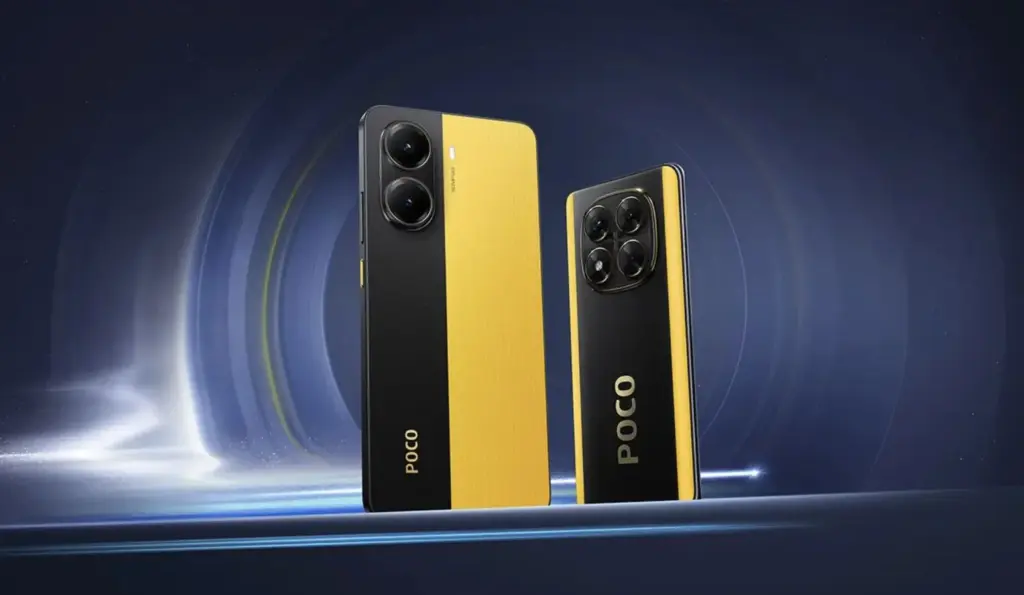
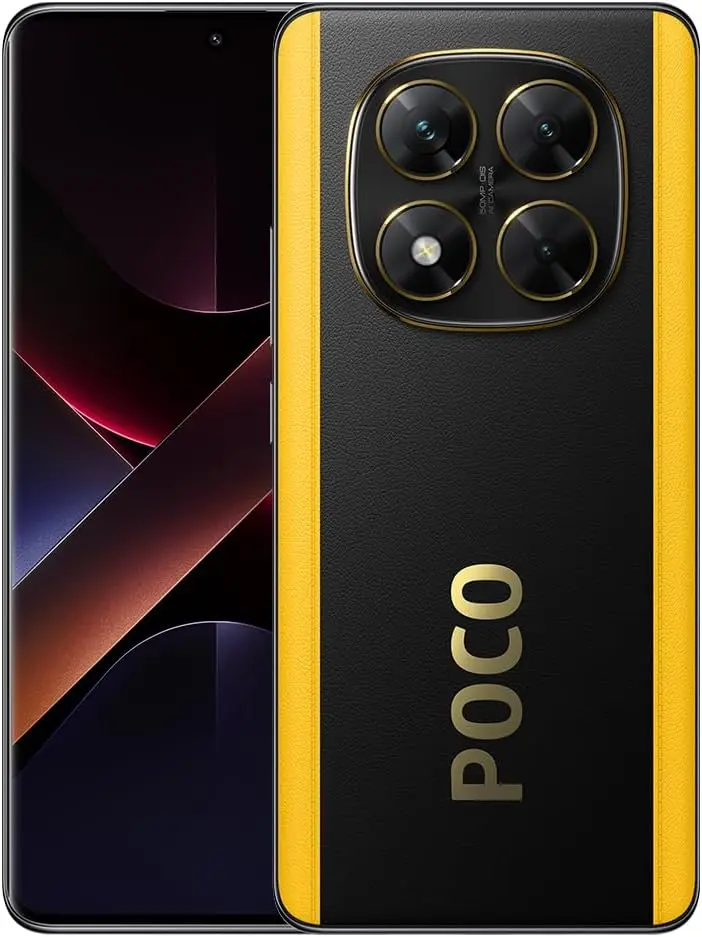
Poco X7 Pro
Poco X7
Full speed ahead Powerful Dimensity 7300-Ultra CrystalRes 1.5K 120Hz AMOLED curved display 50MP main camera with OIS IP68 dust and water resistance 5110mAh (typ) large battery
Xiaomi has built a reputation for delivering strong value in the flagship space, and its Poco sub-brand attacks the mid-range segment with the same aggression. The Poco X7 Pro is a gaming-focused device powered by the MediaTek Dimensity 8400 Ultra SoC, posting AnTuTu benchmark scores roughly 40% higher than the Tensor G4.
The display is a 6.67-inch AMOLED panel with a 120Hz refresh rate and an impressive 1,920Hz touch sampling rate. Camera hardware consists of a 50-megapixel wide and an 8-megapixel ultrawide – GSMArena described the imaging output as “mostly mediocre,” though the same review awarded the phone 4.2 stars overall and called it the most powerful device in its price category. The global variant carries a 6,000mAh silicon carbon battery with 90W wired charging.
Software is HyperOS, Xiaomi’s customized take on Android 15, with at least three major OS updates and four years of security patches promised. At $410, the phone ships with 12GB of RAM and 256GB of storage. While Xiaomi’s retail presence in the U.S. is limited, the Poco X7 Pro is available through Amazon. Carrier support exists for select networks, but verifying band compatibility with a specific provider before purchasing is strongly recommended.
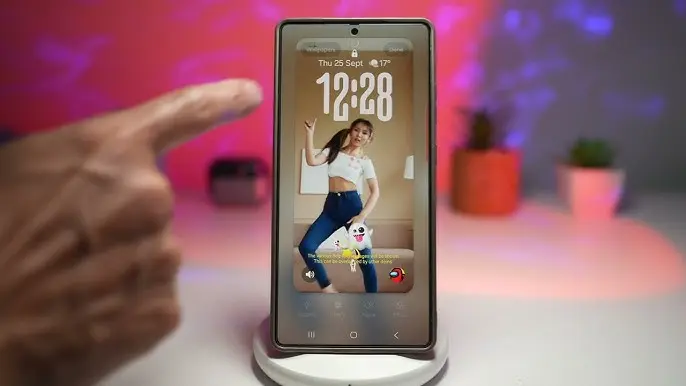
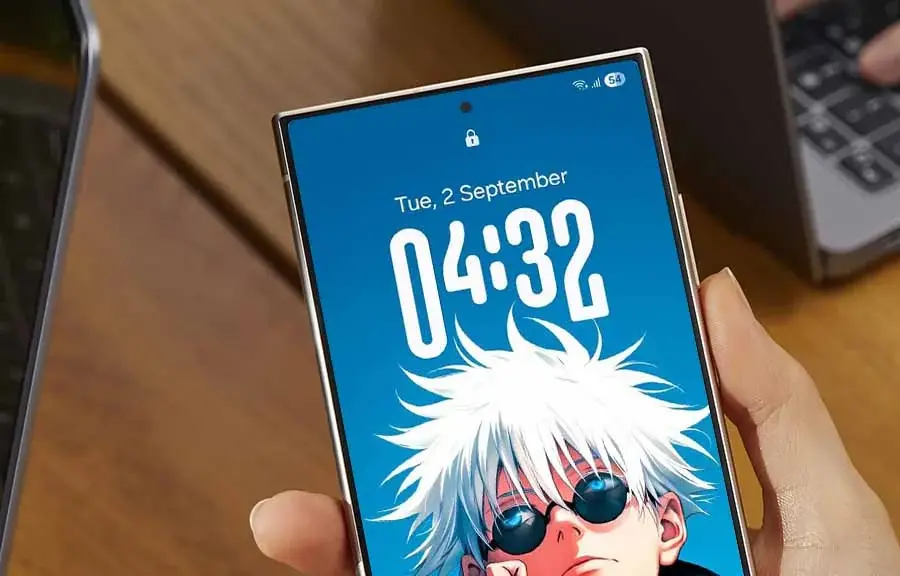
Adaptive Clock was one of the standout additions in One UI 8, and an early look at Samsung’s One UI 9 suggests the feature is getting a notable upgrade with a brand-new font style.
Samsung is currently working internally on One UI 9, which will be based on Android 17. It follows the One UI 8.5 rollout, expected to kick off later this month, with a Beta Program for One UI 9 likely arriving sometime in the second half of May 2026.
X user Kailash shared an image showing off the updated Adaptive Clock in One UI 9. Where the current version adapts to wallpapers featuring a distinct object, the newer iteration extends that behavior to landscapes and regular wallpapers as well, broadening its reach considerably.
The clock itself appears in HH:MM format, with the new font applied to the two middle characters. Rather than a fixed style, the design shifts its appearance based on whatever wallpaper is set on the lock screen.
Visually, the new Adaptive Clock font bears a resemblance to an existing clock style already available on One UI — the key difference being that the current one is static. The addition makes it clear Samsung wants to give users even more ways to personalize their lock screen experience.
The new font has already been spotted in an internal build of One UI 9 and appears to be functioning as intended, making its inclusion in the official release look likely. That said, adjustments could still happen throughout the Beta testing phase.
One UI 9 is built on Android 17 and will make its public debut on the Galaxy S26 series. A Beta Program will precede the wider rollout, with the stable version set to arrive alongside Samsung’s next-generation foldables, the Z Fold 8 and Z Flip 8.
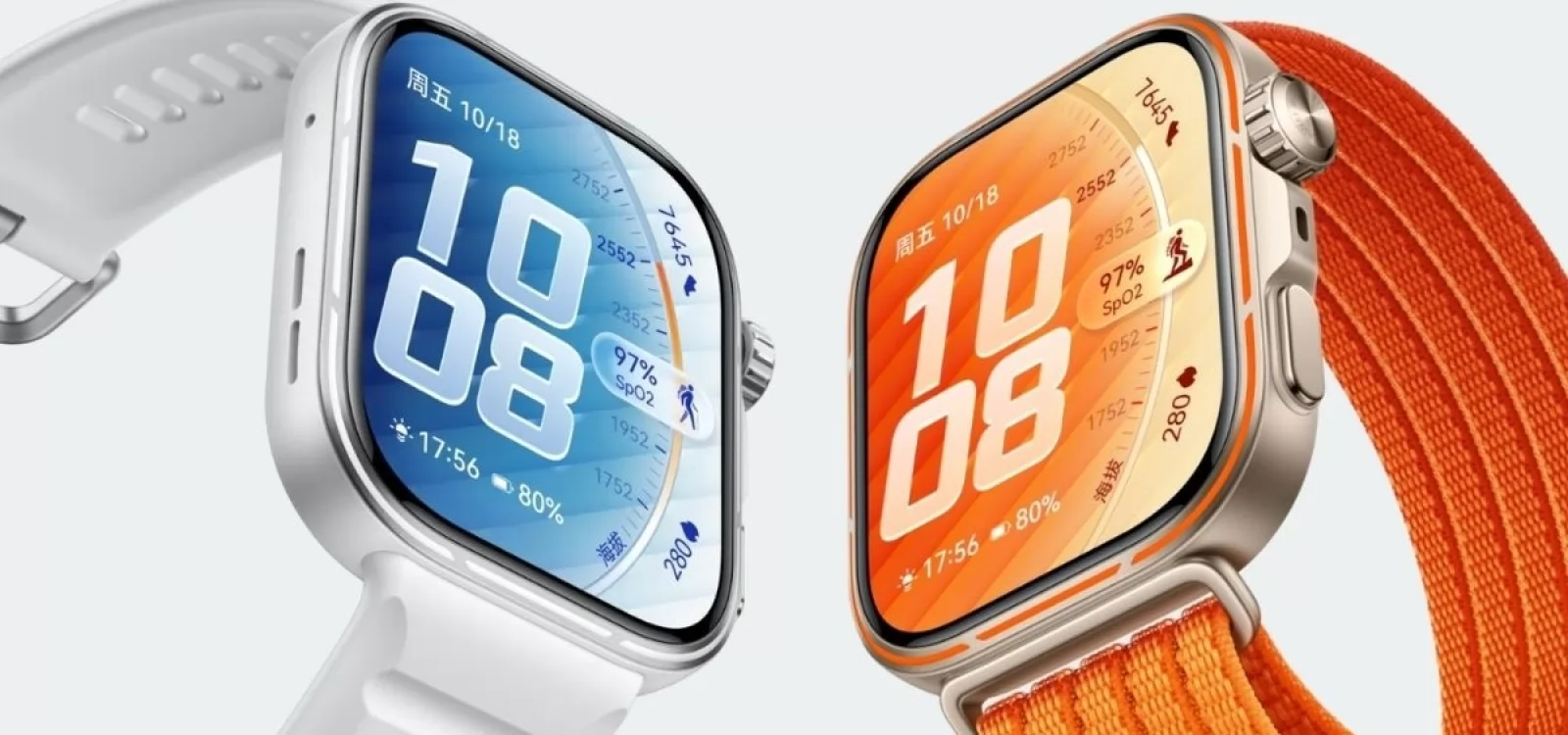
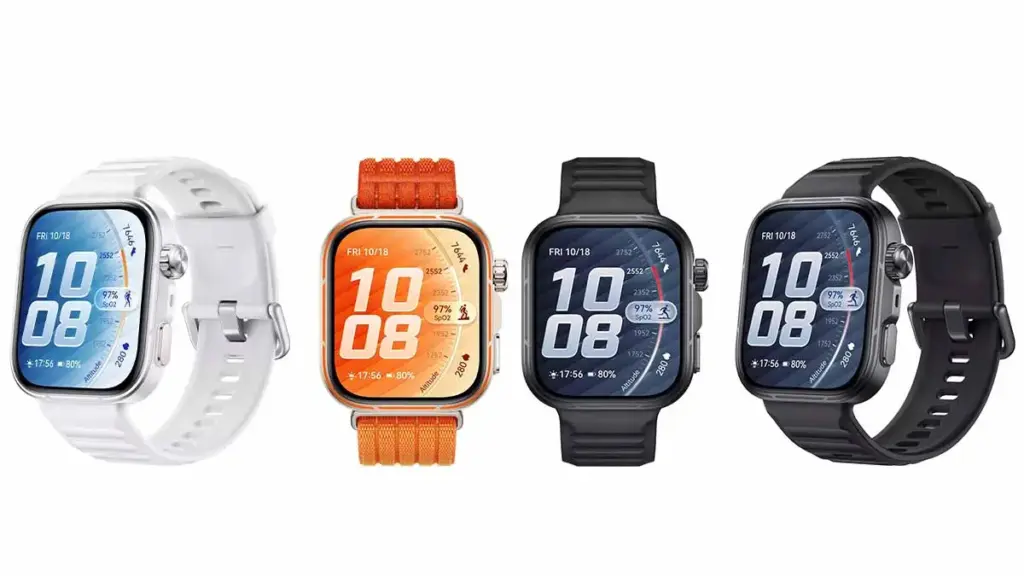
Huawei has officially launched the Watch Fit 5 Pro in its home market, and the sports wearable arrives with a set of upgrades that put it in a different league from most competitors. Four features in particular stand out — all of them still absent from Apple and Samsung’s current smartwatch lineup.
Huawei has been pulling ahead of both brands in wearable battery life and health tracking for some time now. The Watch Fit 5 Pro shows exactly how the company continues to push that gap wider year after year.
1. A Smarter Strap Design
Most smartwatches treat the strap as an afterthought, but the Watch Fit 5 Pro offers a Breathable Braided Strap option built specifically for active use. The AirDry strap material repels water and wicks sweat more effectively, keeping the wrist comfortable during workouts, hot weather, or humid conditions. It’s a practical detail that most rivals still overlook.
2. Micro-Motion Guidance
The Watch Fit 5 Pro introduces a Micro-Motion feature that detects when the wearer has held the same posture for too long and prompts them to move. The guided movements target 10 body areas — including the head, neck, shoulders, and back – across 30 total movement sets. A panda companion character adds a lighthearted touch, offering visual guidance, mood-responsive expressions, and gentle nudges to build better movement habits throughout the day.
3. New TruSense Health System
Huawei has built the latest-generation TruSense system into the Watch Fit 5 Pro, designed to track vital signs like heart rate, blood oxygen, mood, and sleep with greater accuracy and speed. The system reads subtle physical changes to produce more complete and reliable health data. Sleep tracking runs on the TruSleep 5.0 algorithm, which evaluates rest across two dimensions – sleep structure and sleep stability – for a more thorough picture of sleep quality.
4. Battery That Lasts Longer
The Watch Fit 5 Pro uses a high-silicon battery material that bumps energy density up by 14% and total capacity by 18% compared to previous iterations. Full charging takes just 60 minutes. In real-world terms, the watch delivers 10 days of use in normal mode, 7 days under typical use conditions, and 4 days with the Always-On Display active — numbers that Apple Watch and Galaxy Watch still struggle to match.
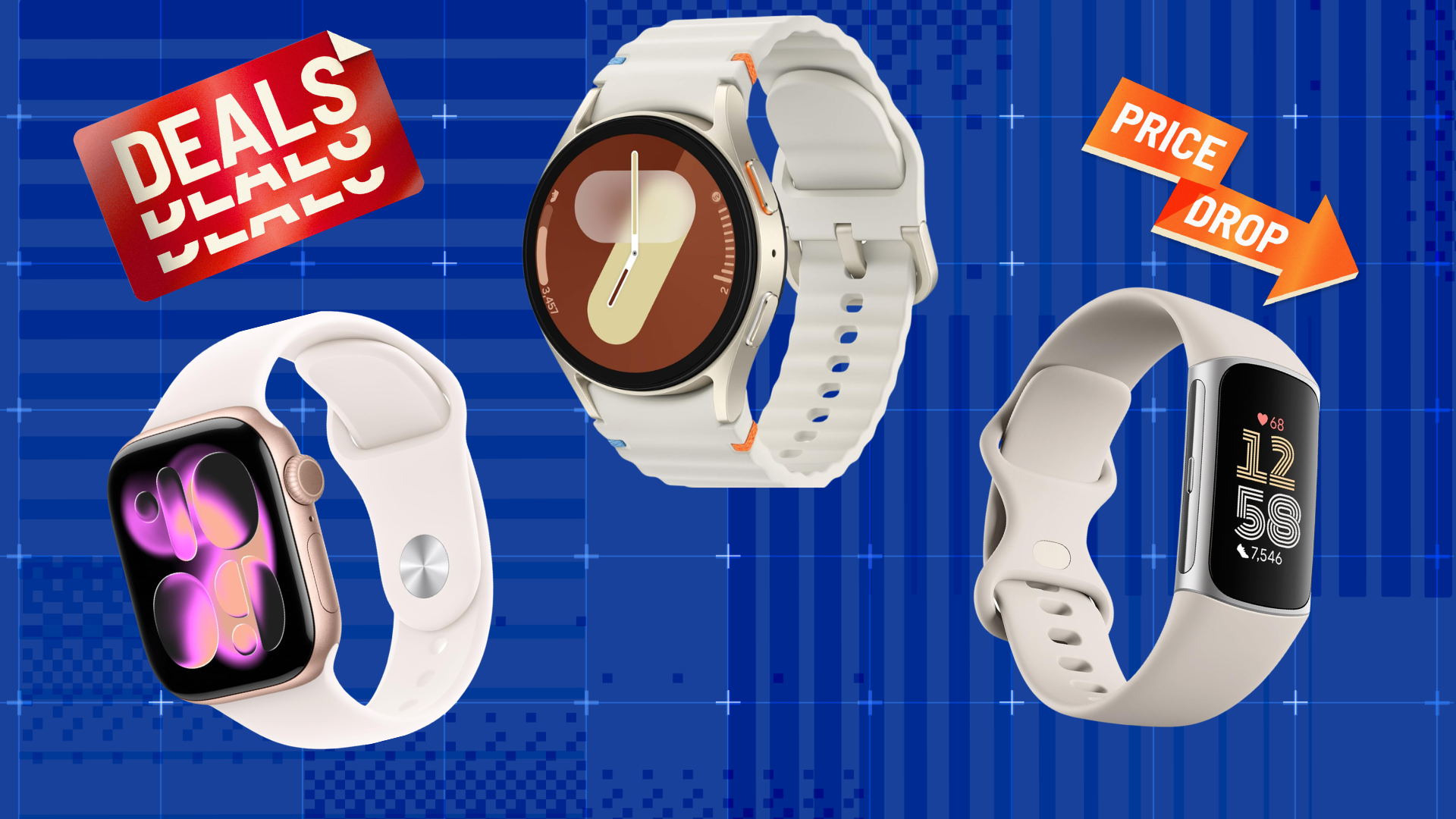
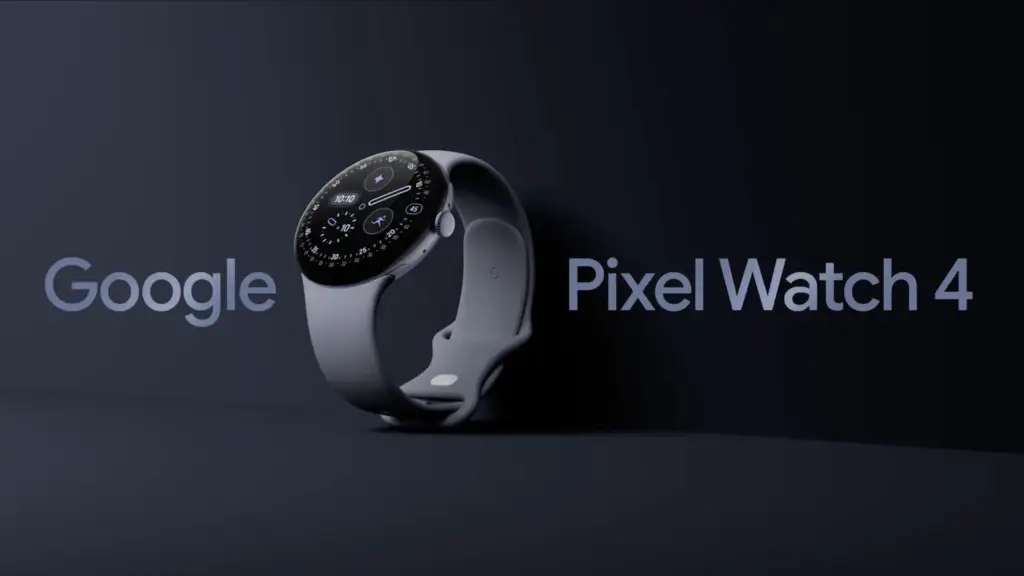
It rarely makes sense to pay full price for Google’s flagship Pixel Watch 4, since the smartwatch goes on sale often. This is one of those moments. It is not at its lowest-ever price, but the Pixel Watch 4 is currently $40 below its MSRP, and buyers can choose from several band color options, including Lemongrass, Iris, Obsidian, and Porcelain.
Google Pixel Watch 4 (41mm, Wi-Fi) is 11% Off
The Google Pixel Watch 4 (41mm, Wi-Fi) is currently discounted to $309.99 at Amazon, which works out to 11% off and a $40 savings. Price tracking on CamelCamelCamel shows that this is still above the all-time low, as the wearable dropped to $289.99 during much of March and early April. It remains to be seen whether it will fall back to that level again.
Even so, this is still a strong offer. The Pixel Watch 4 features a 1.4-inch Actua 360 AMOLED display with a 456×456 resolution and 3,000 nits of brightness, all protected by Gorilla Glass 5. Inside, it runs on a Qualcomm Snapdragaon W5 Gen 2 (4nm) processor, paired with 2GB of RAM and 32GB of built-in storage. Google says the watch can last up to 30 hours with the always-on display enabled, or up to 48 hours when Battery Saver mode is turned on.
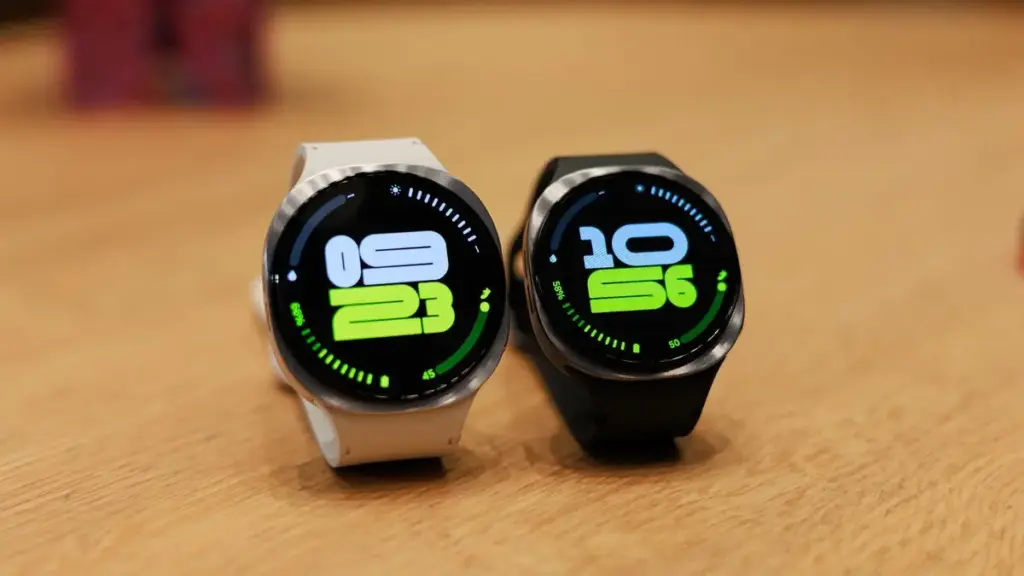
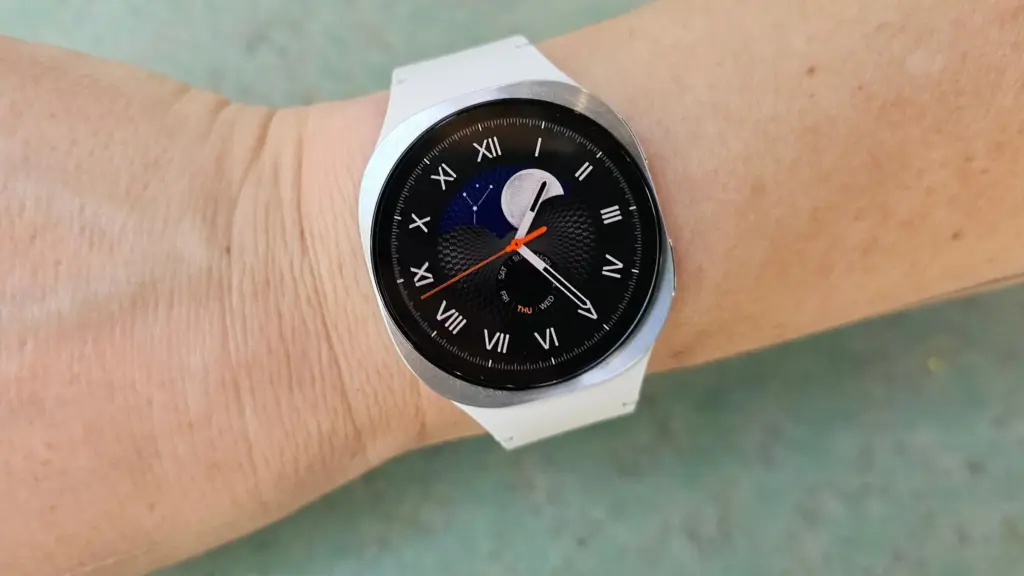
Samsung’s Galaxy Watch 8 (46mm, Wi-Fi) is also discounted, with Amazon listing it at $369.99, or 26% off, for a much larger savings compared with its regular price. This model is also above its all-time low, though only slightly; it briefly reached $349.99 a couple of times since last December.
The Galaxy Watch 8 is thinner, lighter, and brighter than the previous generation. It also introduces a new cushion shape and Dynamic Lug bands, along with a larger battery — 325mAh versus 300mAh — that delivers up to 30 hours of battery life. Google Gemini support is included as well.
After months of beta testing and a longer wait than many expected, Samsung’s One UI 8.5 stable rollout finally has a confirmed launch date. Samsung hasn’t officially published an eligible devices list, but based on the beta program’s reach and how past major releases have played out, every Galaxy device that received One UI 8.0 is expected to be covered.
Why One UI 8.5 Is a Bigger Deal Than Usual
Samsung’s point-five updates have historically been modest affairs – incremental patches targeting flagship Z and S series handsets. One UI 8.5 breaks from that tradition in a meaningful way. The rollout stretches down to Galaxy A, M, and F budget devices, which signals that Samsung is using this update to push Android 16 across its full portfolio instead of saving it for a major version increment. That strategic shift explains why the eligible device list this time around is notably longer than usual.
The visual changes are the first thing users will notice. Ambient Design brings blur effects to system UI elements and refreshed stock apps, continuing an aesthetic direction Samsung has been developing quietly across the past two generations. On the AI front, Bixby now integrates Perplexity’s search-focused model in place of Samsung’s own LLM back-end — a candid acknowledgment of where Bixby has consistently fallen short.
Features That Actually Matter Day to Day
Audio Eraser deserves more attention than it’s getting. It applies real-time background noise reduction across the entire system – covering YouTube, Instagram, and other third-party apps during playback, not just Samsung’s native software. That addresses a long-standing frustration that most users have simply accepted. Call Screening takes the work out of handling unknown callers by automating the process. Photo Assist picks up text prompt support, extending Samsung’s AI-assisted photo editing toolkit further.
Full List of Eligible Galaxy Devices
Galaxy S Series Galaxy S25, S25+, S25 Ultra, S25 FE, and S25 Edge Galaxy S24, S24+, S24 Ultra, and S24 FE Galaxy S23, S23+, S23 Ultra, and S23 FE Galaxy S22, S22+, and S22 Ultra Galaxy S21 FE
Galaxy Z Series Galaxy Z TriFold Galaxy Z Fold Special Edition Galaxy Z Fold 7, Z Flip 7, and Z Flip 7 FE Galaxy Z Fold 6 and Z Flip 6 Galaxy Z Fold 5 and Z Flip 5 Galaxy Z Fold 4 and Z Flip 4
Galaxy Tab Series Galaxy Tab S11 and S11 Ultra Galaxy Tab S10+, Tab S10 Lite, Tab S10 Ultra, Tab S10 FE, and Tab S10 FE+ Galaxy Tab S9, Tab S9+, Tab S9 Ultra, Tab S9 FE, and Tab S9 FE+ Galaxy Tab S8, Tab S8+, and Tab S8 Ultra Galaxy Tab S6 Lite (2024) Galaxy Tab A11 and Tab A11+ Galaxy Tab A9 and Tab A9+ Galaxy Tab Active 5 and Active 5 Pro
Galaxy A Series Galaxy A73 Galaxy A56, A55, A54, and A53 Galaxy A36, A35, A34, and A33 Galaxy A26, A25, and A24 Galaxy A17 (4G & 5G), A16 (4G & 5G), and A15 (4G & 5G) Galaxy A07 (4G & 5G) and A06 (4G & 5G)
Galaxy M Series Galaxy M56, M55, M55s, and M53 Galaxy M36, M35, M34, and M33 Galaxy M17, M17e, M16, and M15 Galaxy M07 and M06
Galaxy F Series Galaxy F07e Galaxy F56, F55, and F54 Galaxy F36 and F34 Galaxy F17, F16, and F15 Galaxy F07 and F06
Galaxy XCover Series Galaxy XCover 7 Pro and XCover 7 Galaxy XCover 6 Pro
Rollout Schedule
Galaxy S25 series goes first – April 30 in Korea, May 4 for international markets. Galaxy Z Fold 7 and Z Flip 7 follow shortly after, possibly within the same April window. Galaxy S24 series along with Z Fold 6 and Z Flip 6 should arrive in early-to-mid May. Galaxy S23, S22, and mid-range A, M, and F devices can expect their updates through May and June. The full rollout should wrap up before Samsung kicks off One UI 9 beta testing, which is anticipated for the Galaxy S26 series later in 2026.
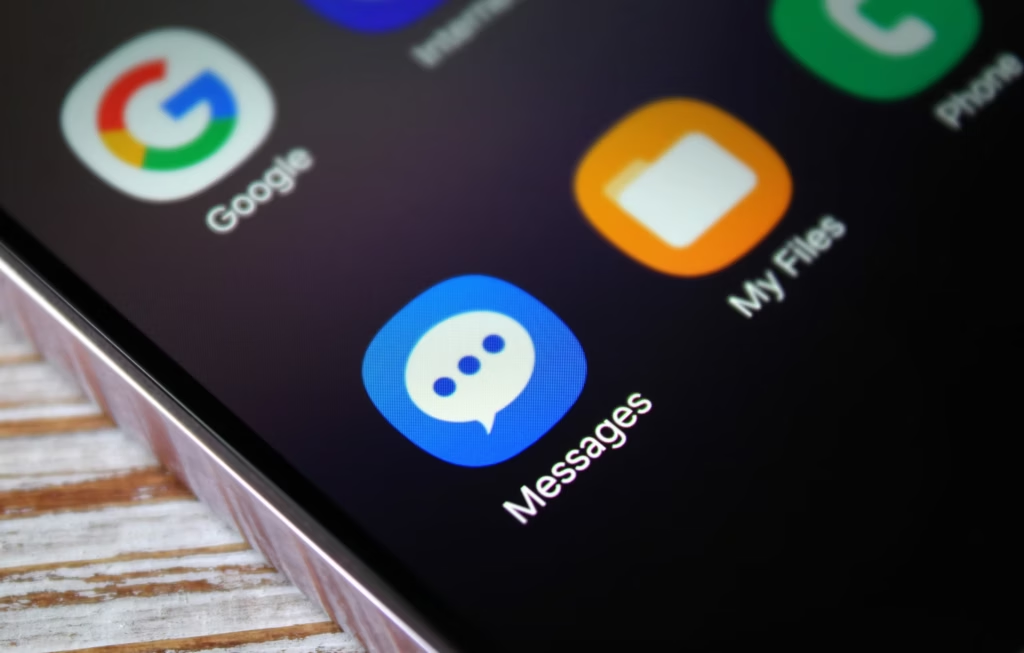
Samsung recently established a clear schedule for discontinuing Samsung Messages, establishing Google Messages as the default messaging software on Galaxy phones.
While this is ultimately a welcome shift, the fact that Samsung Messages no longer supports RCS has left some longstanding users wanting the customisation tools they were accustomed to.
It appears that Google has taken note and is working on adding some fun features that Samsung Messages users will recognize.
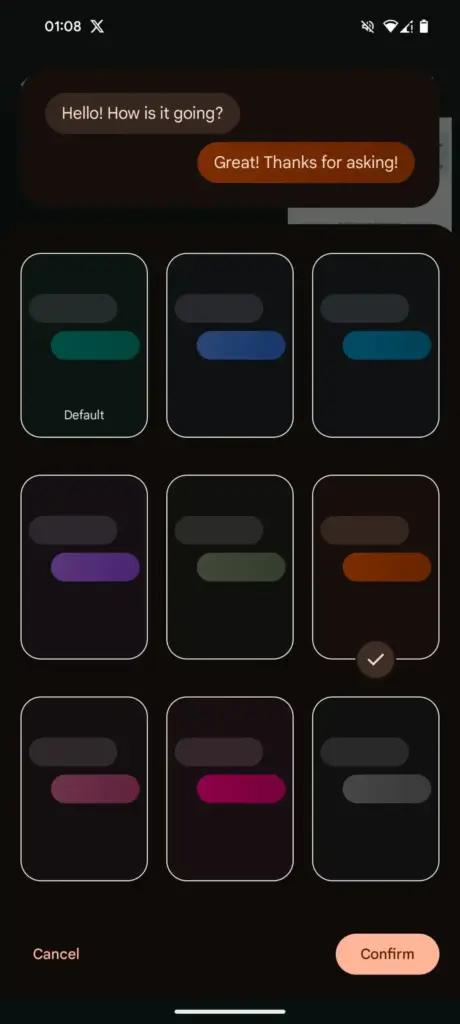
Currently, the only way to modify RCS chats in Google Messages is to use the “Change colors” option from the three-dot menu. This option allows you to alter the backdrop and chat bubble colors simultaneously, but that’s all the personalization you can do in individual or group chats.
In comparison, Samsung Messages supports more advanced customization, such as the option to color and decorate chat rooms using photographs from your phone’s gallery. Using Theme Park (via Samsung’s Good Lock module) provides even more customization options, such as altering bubble colors, modifying contrast, applying wallpaper-based themes, and more.
As Samsung app is being phased out, customers who rely on custom theme packs have begun to express dissatisfaction with Google Messages‘ lack of customisation choices. Google appears to have been paying heed, since a new customisation option for its messaging app is now under development.
More customization coming for Google Messages
In the most recent beta release of Google (messages.android_20260410_02_RC00.phone.openbeta_dynamic), we discovered many additional lines pointing to extended theme controls within the app.
The new strings indicate that Google is planning a full “Custom” theme section, where users may be able to change backdrop patterns, bubble colors, and, most importantly, upload their own photographs to use as chat wallpapers. References to “Upload photo” and “Your photographs” definitely suggest a Google photographs integration, although options such as “Theme Preview” and “Apply” indicate a more involved customization experience.
There are also talks of separate areas for backgrounds and bubble colors, implying that users could mix and match aspects rather than relying on pre-set themes.
If this option becomes available, it would be a significant step toward allowing users greater choice over how their chats appear, which has been glaringly absent from the app thus far.
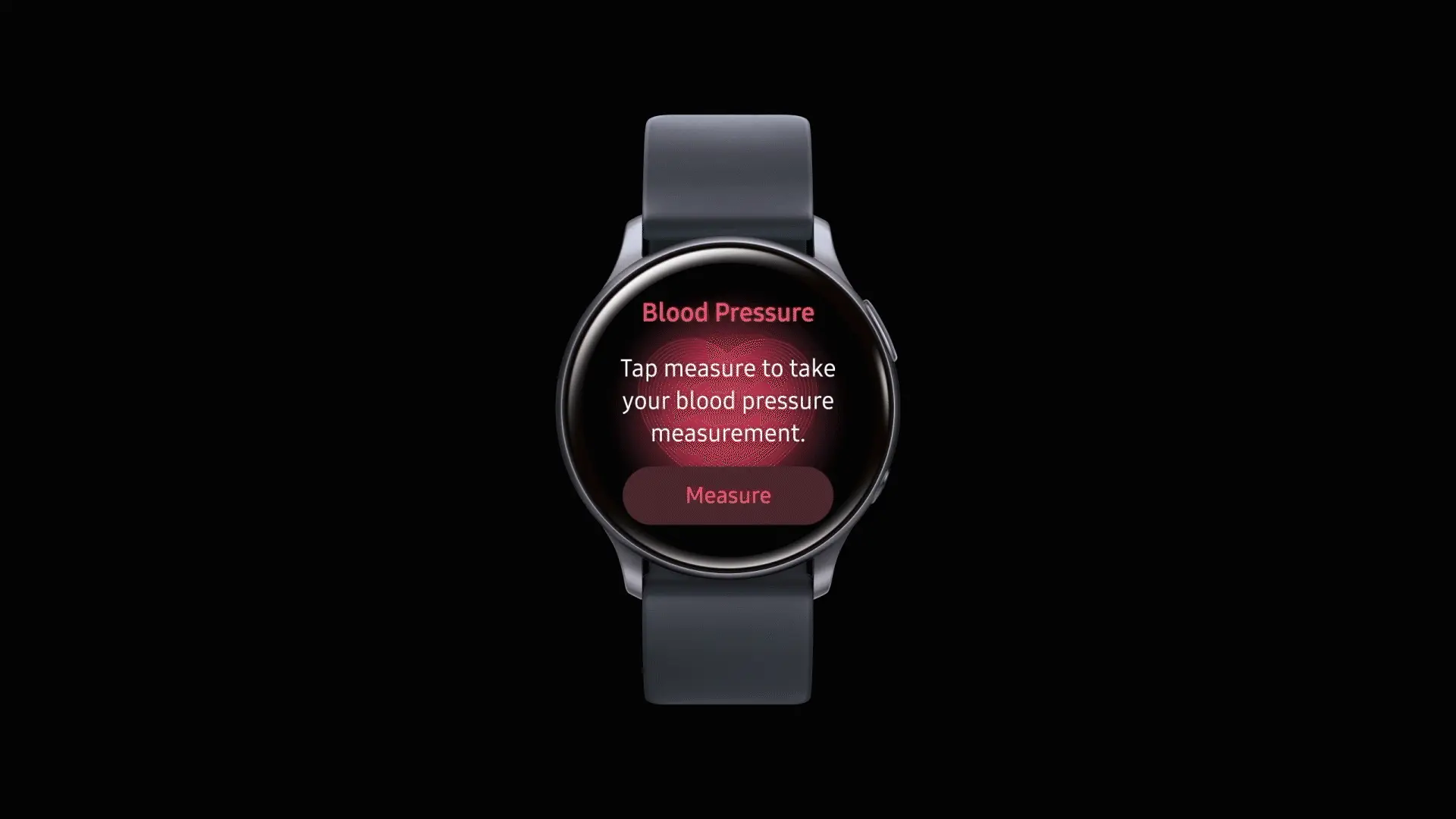
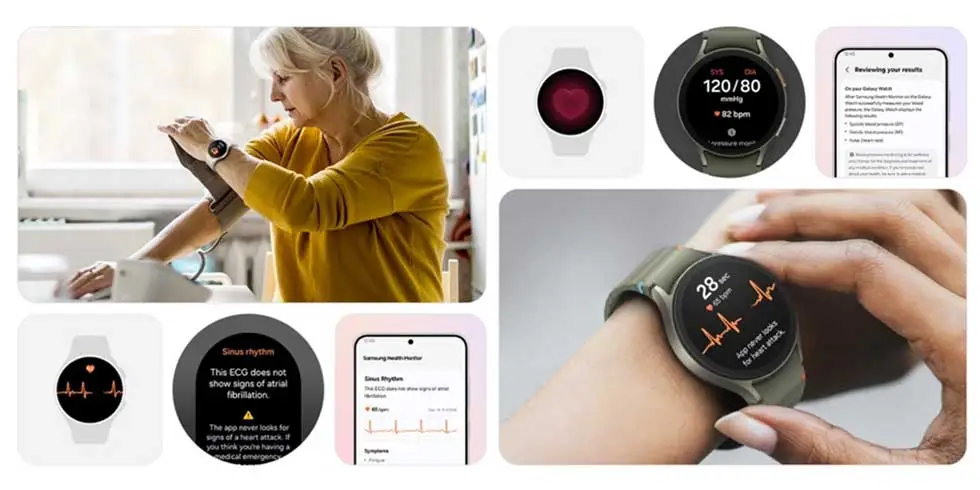
After being regionally limited for years, blood pressure tracking will now be available to Galaxy Watch users in the United States. Users in the US will be able to get blood pressure monitoring, but it requires a Galaxy phone to function.
As with ECG readings, customers in the US will have access to blood pressure monitoring via the Samsung Health Monitor app. This is a gain for the Galaxy Watch 4 and later, all the way up to the Galaxy Watch 8, as the rollout won’t be restricted to any particular Galaxy Watch model.
According to Samsung, blood pressure data should be used to supplement general health metrics rather than to prevent or diagnose excessive blood pressure. Similar to an ECG exam, wearers of Galaxy Watches must start a reading. Once finished, the watch will display blood pressure and heart rate readings, which will be saved in the companion app.
Official use will be restricted to watches coupled with Galaxy phones due to the tool’s reliance on the Samsung Health Monitor app. Additionally, it appears that the feature requires calibration with a conventional upper arm cuff. Calibration will be required every 28 days, according to the press release.
To ensure accuracy, users are required to calibrate their Galaxy watch using an upper arm cuff (sold separately) every 28 days. Compatible Galaxy Watches measure systolic and diastolic blood pressure along with your heart rate using the internal heart rate monitoring sensors.
Since its debut on the Galaxy Watch Active 2 in 2020, blood pressure monitoring has notably been excluded from the Galaxy Watch’s feature set in the United States, whereas other regions have benefited from both the feature and a more comprehensive set of health monitoring capabilities. With this information, it appears that US restrictions have changed, allowing Samsung to start releasing previously restricted tools.
Galaxy Watch users should start seeing availability with the linked Samsung Health Monitor app as an update starts to roll out today.
Samsung has posted an official “End of Service” notice on its website confirming that its native Messages app will go dark sometime in July. The exact shutdown date hasn’t been pinned down yet — Samsung says it will be announced inside the app itself when the time comes. But the message is clear: the company wants its remaining Samsung Messages users to migrate to Google Messages, and it’s not leaving much room for hesitation.
For longtime Samsung users, this might sting a little. Samsung Messages has been around for years, and for many Galaxy owners it’s just… the app they’ve always used. Familiar, reliable, good enough. But good enough doesn’t keep an app alive forever.
This has been coming for a while
To be fair, Samsung has been telegraphing this move for some time. The company quietly stopped pre-loading Samsung Messages on new devices a couple of years ago, starting with the Galaxy Z Fold 6 and Flip 6, and then continuing with the S25 series — all of which shipped with Google Messages installed as the default instead. Samsung Messages remained available on the Galaxy Store for anyone who wanted it, but its days as a first-class citizen were already numbered. This official end-of-service announcement is less of a surprise and more of a formality.
What you’re actually getting with Google Messages
Here’s the thing — the switch isn’t a downgrade. For US users especially, Google Messages brings a meaningfully better messaging experience in several ways.
The biggest upgrade is full RCS support. If you’re not familiar, RCS is essentially what SMS should have been all along — it supports higher-quality photo and video sharing, real-time typing indicators, read receipts, and proper group chats. Crucially, it works across platforms, so the experience doesn’t fall apart when you’re texting someone on an iPhone.
Beyond that, Google Messages has Gemini built in, giving you access to AI tools directly inside your conversations — including the ability to remix and enhance photos before you send them. It’s a genuinely useful addition, not just a checkbox feature.
And if you’re someone who bounces between devices throughout the day, Google Messages handles that well too. Your conversations stay in sync across your phone, tablet, and Galaxy Watch without any manual fiddling.
You will lose a few of Samsung’s customization touches — some color themes, layout tweaks, that sort of thing. But for the vast majority of users, what Google Messages offers in return is a fair trade.
Samsung Messages is technically still available on the Galaxy Store for now, so nobody is forcing your hand this second. But the clock is ticking, and switching on your own terms — before the deadline — beats scrambling when the app suddenly stops working. Get Google Messages set up now, import your contacts, and give yourself a few weeks to settle in. By the time July arrives, you won’t even notice the difference.
Your Galaxy Watch has a lot in common with a cluttered desk. The longer you use it – jumping between apps, running things in the background, switching modes – the more it accumulates invisible junk that slows everything down. Frozen screens, laggy responses, battery that drains faster than it should. Sound familiar?
The good news: you almost certainly don’t need a new watch. Nine times out of ten, the culprit is a bloated cache, and clearing it is one of the easiest things you can do.
What’s a cache, and why does it matter?
Your watch stores temporary data – bits of information from apps and processes – to help things run faster in the moment. Over time, that pile grows. What was meant to speed things up starts doing the opposite, and your watch starts feeling like it’s running through mud.
Samsung says the Galaxy Watch handles memory optimization automatically in the background, but that doesn’t mean you can’t give it a nudge yourself. Sometimes it needs one.
How to clear your Galaxy Watch cache
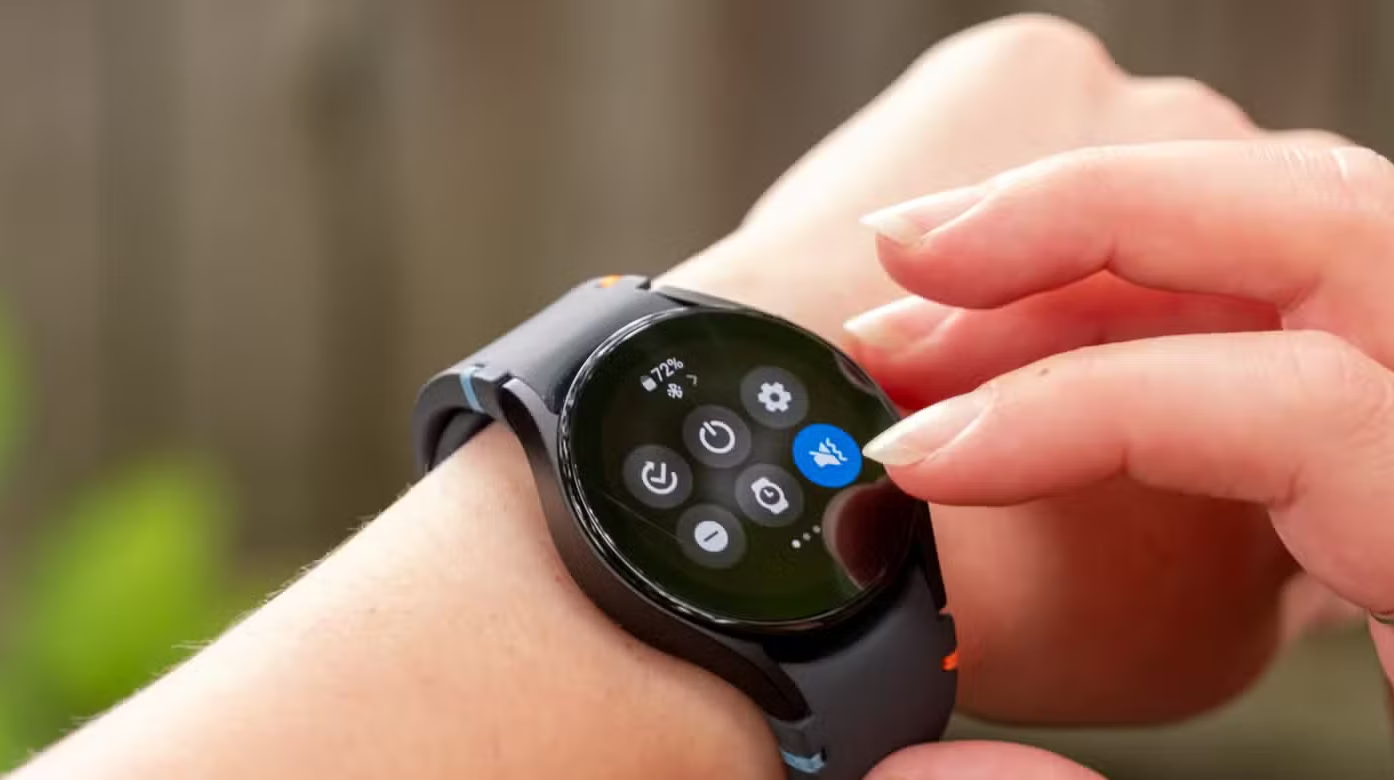
Clear your recent apps
Swipe up from the watch face and tap the Recent apps icon. Hit Close all to shut everything down at once.
If you want to be more selective, open Recent apps again and tap Active in background. You’ll see which apps are running silently and can close whichever ones you don’t need.
Clean up the watch’s memory
Go to Settings > Device Care > Memory, then tap Clean Now. That’s it – your watch will free up whatever space it can.
Do both of these and you’ll likely notice a difference right away. Faster app launches, smoother navigation, better battery life. If your watch has been frustrating you lately, start here before assuming it’s time to upgrade. It usually isn’t.