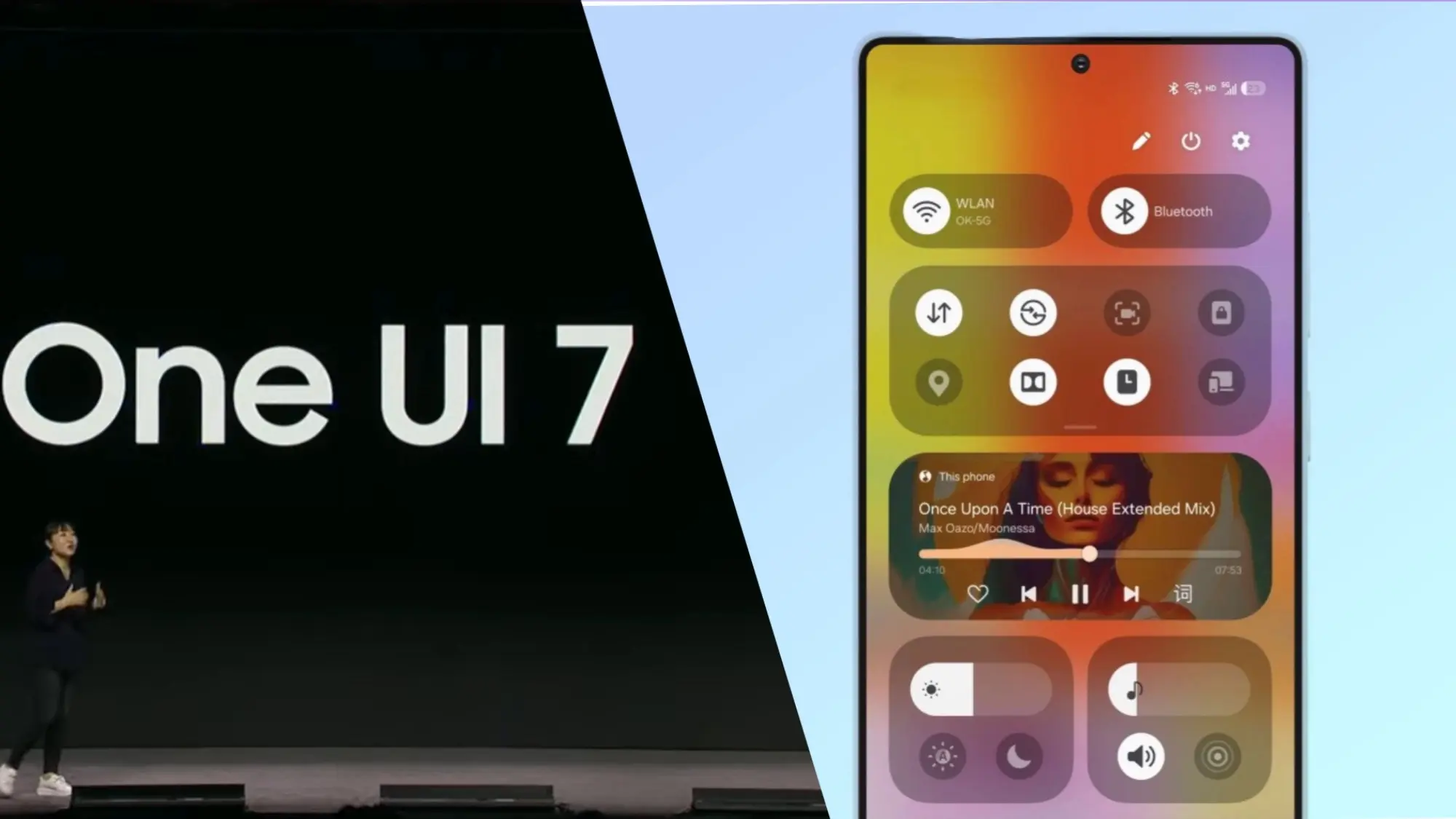
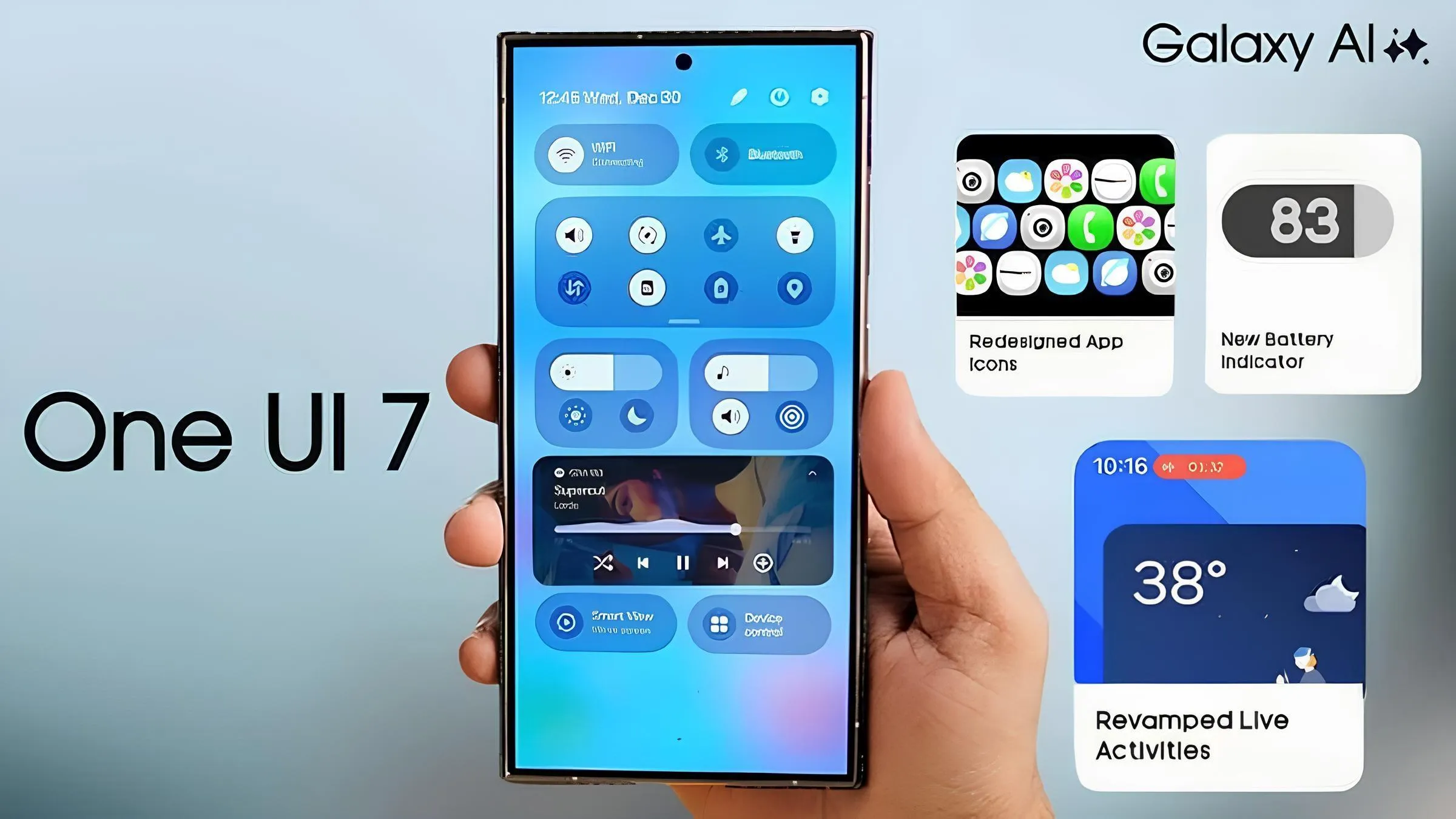
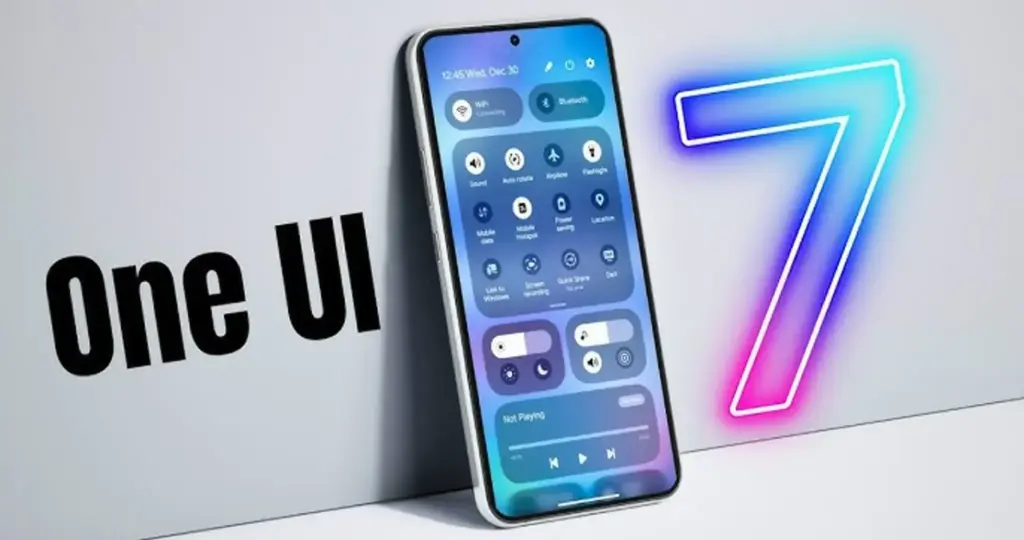
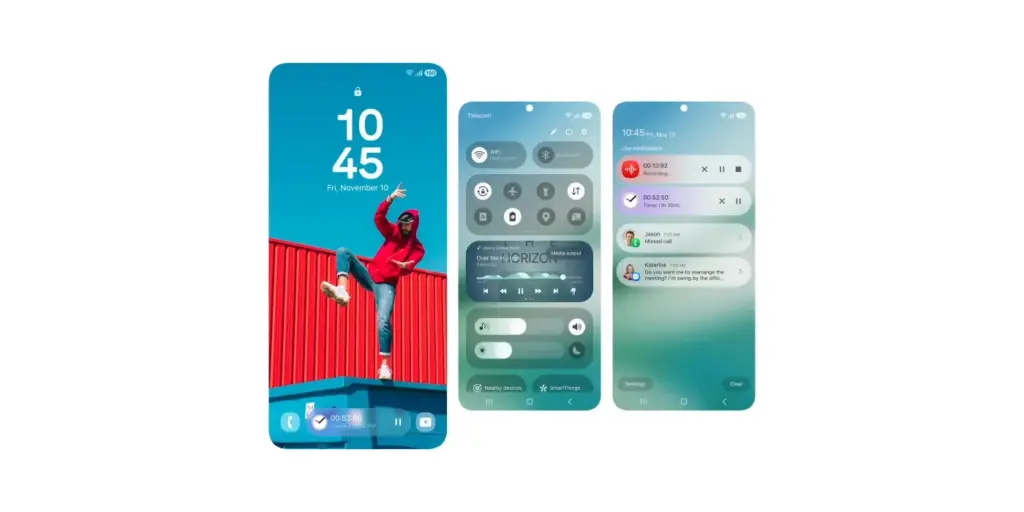
Samsung has not yet finished the Galaxy S24 beta phase, but it promised a stable One UI 7 update, based on Android 15, for qualified Galaxy S models by Q1. One UI 7 Beta 4 has now been made available; it is a more compact upgrade than earlier iterations, but it includes a crucial camera function from the Galaxy S25.
Beta testers started posting on Reddit and other social media platforms that One UI 7 Beta 4 had begun to arrive on their devices a little more than a day ago. The United States, India, South Korea, and a few European nations are now implementing the update. The firmware is marginally smaller than earlier betas, with an average size of 1.4 GB, depending on the carrier and area.
Log Video is available on Galaxy S24 on One UI 7 Beta 4
Although the main focus of Beta 4 is bug repairs and speed enhancements, the Galaxy S24 trio now supports log (logarithmic) video recording, a capability that was formerly available with the Galaxy S25 and Galaxy S25 Ultra.
Photographers and videographers can benefit from log video recording in a number of ways. It has a flat color profile, which gives post-production color grading and editing more freedom, and a higher dynamic range, which preserves more details in highlights and shadows.
However, when compared to regular video recording, this format uses more storage space. Users must activate log video from the advanced video options in order to use it. Both pro mode and regular video mode are available for activation.
One UI 7 Beta 4 Changes
AI-powered camera filters are yet another noteworthy inclusion in Beta 4. These comprise pre-built filters like Shiver, Crystal, Breeze, Pulse, and Chill, to name a few. Additionally, users can use pre-existing photos to create custom filters.
In addition to these enhancements, the firmware fixes a number of problems and improves performance. Notably, it improves performance in other areas while resolving some difficulties with the quick panel and home screen.
Will this be final beta release?
Whether One UI 7 Beta 4 is the last beta release or how many more Samsung intends to issue before the Galaxy S24 series’ stable release is still unknown. Samsung has reaffirmed its goal to provide the stable One UI 7 version by the first quarter of 2025. The distribution schedule is yet unknown for other devices, including as the Galaxy S23 series, Galaxy Z Fold 6, and Galaxy Z Flip 6. Whether these devices would go straight to the stable release or undergo a beta period has not been verified by the South Koreans.
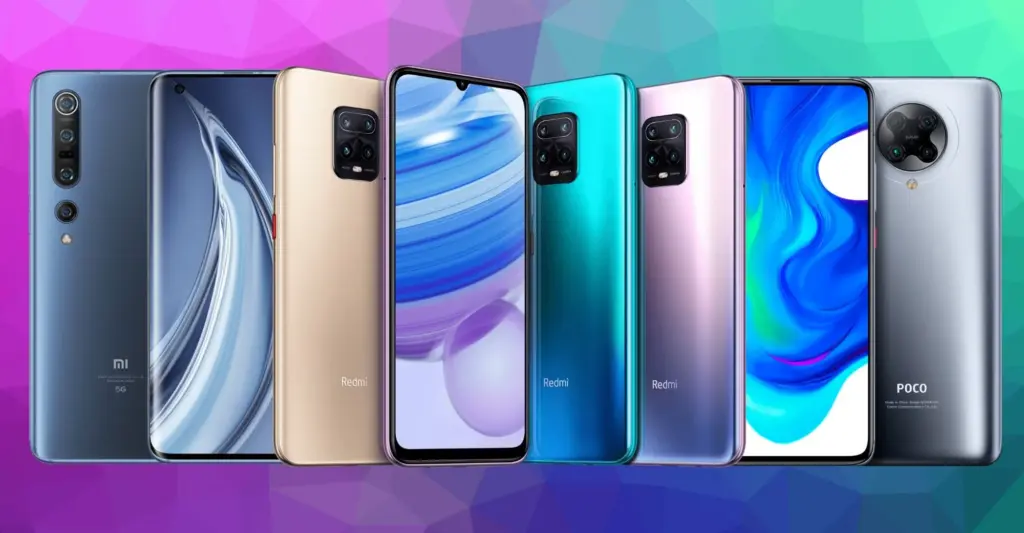
A few Redmi and POCO devices that Xiaomi has listed will no longer receive HyperOS updates. It is a typical change in the lives of Xiaomi smartphones. When some models reach the end of their existence, the corporation formally updates its EOL (end of life) list.
The Chinese OEM is well-known for delivering upgrades for HyperOS to a variety of smartphones. It uses a distinct approach for each model, such as POCO and Redmi.
In addition to four years of security fixes, Redmi and POCO phones are eligible for two or three major OS upgrades. The business then puts them on the EOL list.
The tech giant has currently stopped supporting HyperOS updates for a few Redmi and POCO smartphones. Major software updates, monthly security patch rollouts, and basic enhancement patches will no longer be available for these models. Look at the phones listed below:
Redmi Devices
Redmi Note 11 SE
Redmi Note 11S 5G
Redmi Note 11S
Redmi Note 11
Redmi Note 11 5G
Redmi 10C
Redmi 10 2022
POCO Devices
POCO M4 Pro
POCO X4 Pro 5G
As Xiaomi devices reach the end of their life cycle, software support is frequently discontinued. For customers that are already utilizing the EOL models, this procedure poses a problem. In this scenario, you can keep using the gadget without anticipating security upgrades or new features.
With long-term software support, users can even move to a different model. Searching for unofficial upgrades like LineageOS is the last resort.
Is the battery on your smartphone giving you trouble? Is your phone running out of battery or is it no longer charging? You should check your smartphone’s battery immediately, regardless of whether it is a Xiaomi, Samsung, or another brand.
“Why has my smartphone suddenly stopped charging?”
If, like most users, you have an Android smartphone with a non-removable lithium battery, it is hard to answer this question. The repairable Fairphone 5 and older cellphones are among the few that have a detachable battery.
Thankfully, there is a method for assessing the state of the battery in your smartphone so that you can evaluate whether or not to replace it. Discover which of the several options—some of which are also provided directly by the manufacturer – is best for you here.
How to check the battery status on Samsung
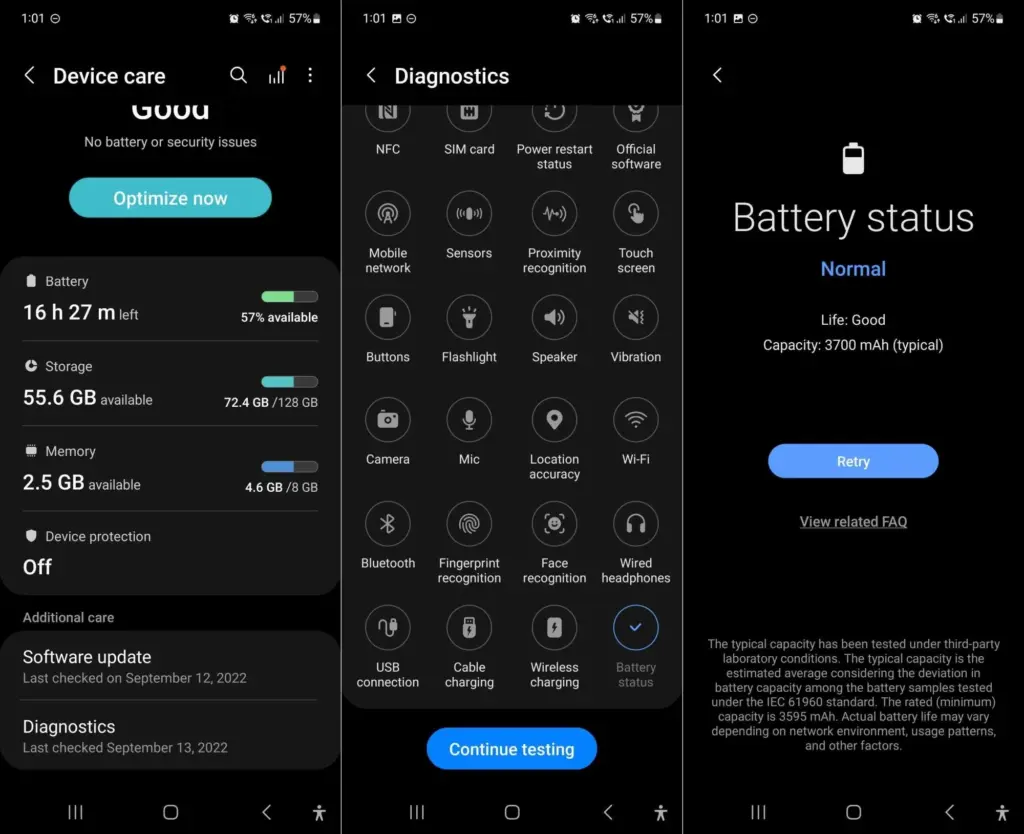
Since Samsung’s Galaxy smartphones are the most popular, let us start with them. There are now two ways to check the battery level of your Samsung phone: using the diagnostic feature using the secret code *#0228#. The latter is accessible through the Samsung Members app as well as the settings.
But it appears that the USSD code is no longer functional. We have spoken with Samsung and will keep you informed of developments. Therefore, until further notice, we have deleted the portion about the Samsung code from a previous version of the text.
You can start a variety of diagnostic features with Samsung to see if your smartphone is operating correctly at the hardware level. Twenty-five functions and components are available for testing. from network connectivity and sensors to the battery. There are two ways to use this diagnostic feature, depending on whether One UI 6 or a later version is installed.
Open the Samsung Members app (or install it).
Tap Help in the bottom navigation bar.
Tap on Show tests in the Diagnostics section.
Select Battery status and start the test.
Now you can see your battery’s state, which should be “Good” in the best scenario. Additionally shown is the charging capacity, which should match the details on the data sheet for your smartphone.
Please be aware that the most recent in-house user interface, One UI 6, which is based on Android 14, is now installed on your Samsung Galaxy smartphone. Without utilizing Samsung Members, you can utilize the battery settings to manually invoke this diagnostic feature.
Go to the Settings.
Tap on Device maintenance.
Scroll down to Diagnostics and follow steps 3 and 4 mentioned above.
How to check the battery status on Xiaomi
Sadly, there are not many ways to find out how well your Xiaomi smartphone is doing. Compared to Samsung, these are less diversified. Entering the secret code is your only choice.
Enter the code *#*#6485#*#* on the keyboard of your phone app (native).
Check that MB_06“Good” is displayed.
MB_06 refers to your battery’s current state of health. However, this specific menu contains additional information that might be useful. Since the official sources are once more somewhat dubious, I have compiled a list for you using the information I have discovered in the several Xiaomi forums:
The “MB_” codes:
MB_00 Percent of battery remaining
MB_01 Battery status: charged/discharged
MB_02 Charging protocol (fast, etc.)
MB_03 Voltage of the charging process
MB_04 Voltage used (volts), e.g. 117000 corresponds to 1.17 volts.
MB_05 Temperature of the battery, here 260 corresponds to 26 °C.
MB_06 Health of the battery
MB_07 Temperature of the charger/adapter.
MB_08 Temperature monitoring status
MB_09 Maximum voltage of the battery at full charge.
The “MU_” codes:
MU_00 Type of charger
MU_01 Charging mode
MU_02 Direction of charging: (0: no charging / 2: charging / 3: reverse charging)
MU_03 Maximum input voltage via USB
MU_04 Current input voltage via USB.
The “MF_” codes:
MF_01: Current state of charge. If this value differs from the value under MB_00, this is an indication of a battery problem.
MF_02: Number of charging cycles (charging from 0 to 100 % since first use).
MF_05: Actual capacity of the battery
MF_06: The charging capacity specified by the manufacturer.
The “MM_” codes:
MM_00: AICL result (adaptive input current limitation)
MM_01: USB input current
MM_02: Maximum charging voltage of the charger
MM_03: Current maximum charging capacity. If it differs from the values specified in MF_06 or MF_05 (or in the data sheet), your battery is damaged.
Apps to check the health of your battery
Thus far, we have examined methods that are highly manufacturer-specific and, similar to secret codes, may not be the most obvious. Installing an Android app that lets you monitor the battery level of your phone is the simplest method.
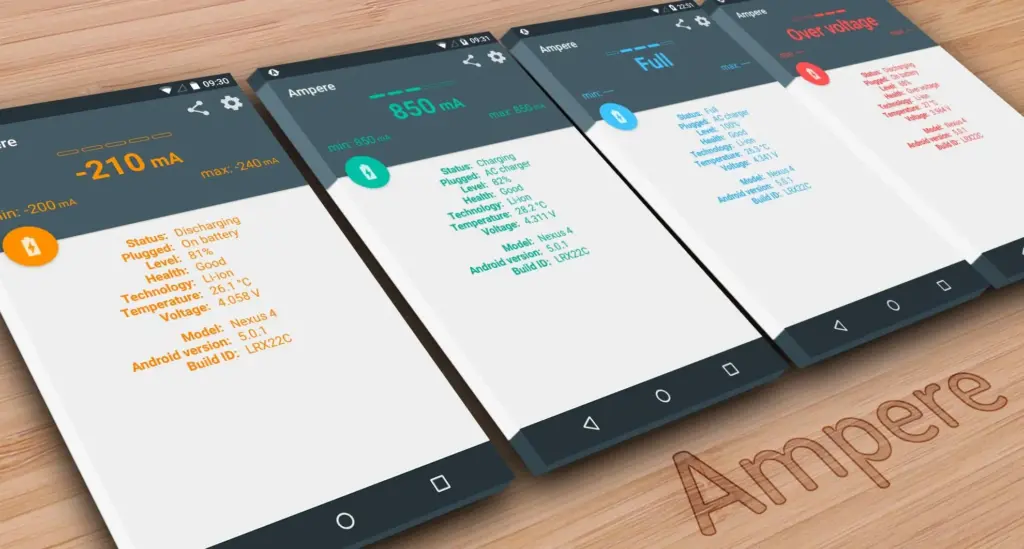
Ampere
When charging your smartphone, Ampere shows the electrical current. This enables you to evaluate various chargers and select the most suitable one for your smartphone. The app also allows you to monitor the rate at which your battery is depleting.
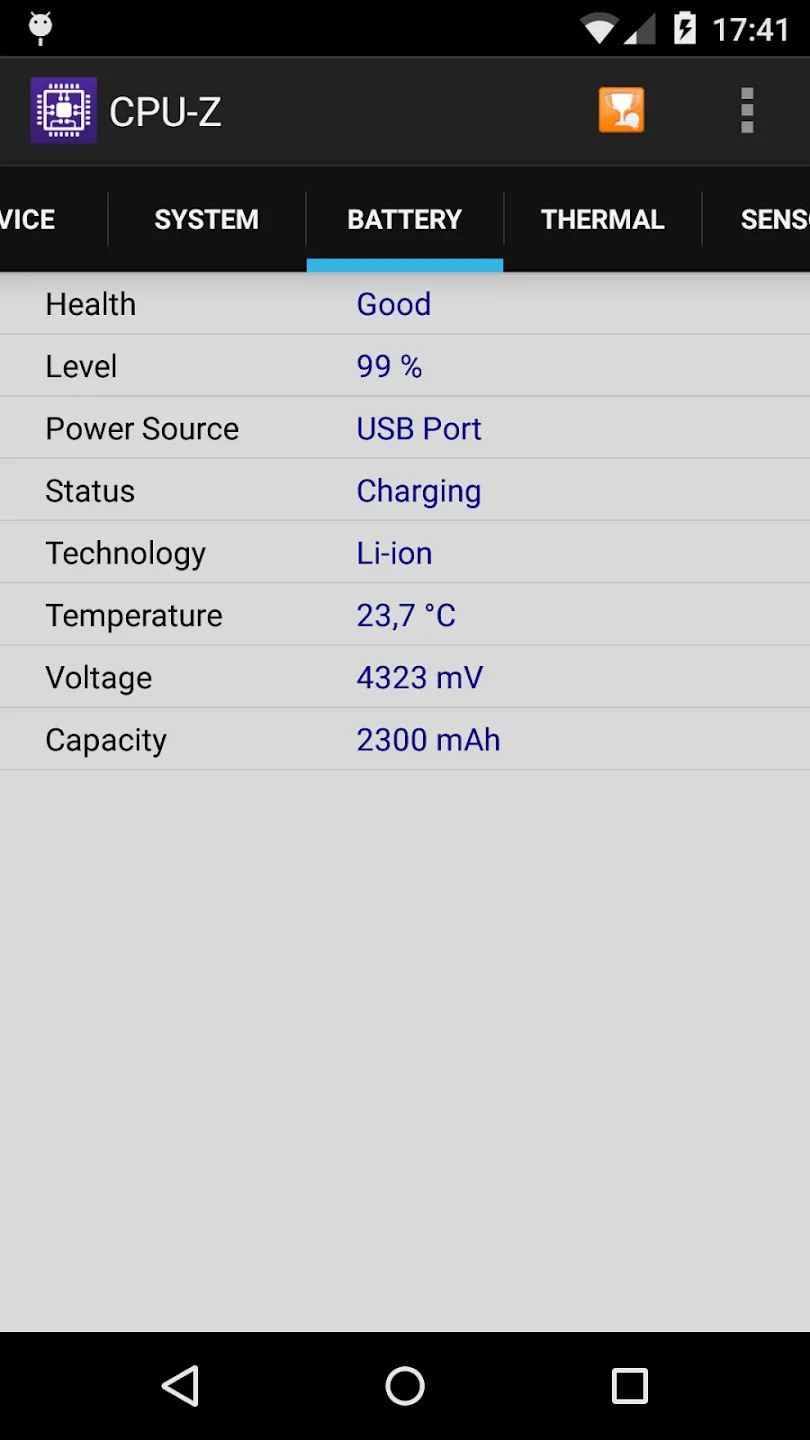
Another option is to look at CPU-Z, which provides details about your smartphone’s battery as well as numerous other components. The build number, processor core speed, temperature, and sensor information are all shown.
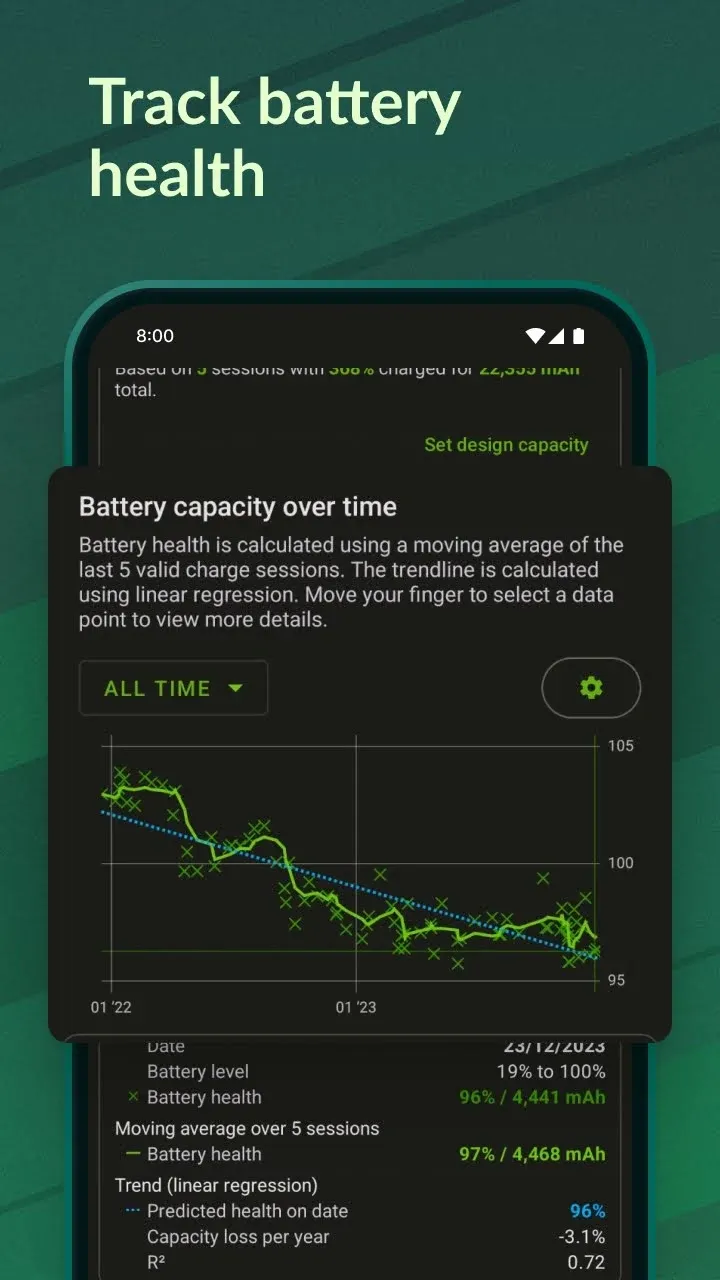
I would only suggest the AccuBattery app to those of you who are truly interested in knowing the precise condition of your battery. AccuBattery is not for you if you are only curious because it requires time for the program to measure usage and generate estimations.
AccuBattery’s analysis of your battery performance gets more precise the more you use it. The four tabs of AccuBattery are History, Health, Charging, and Discharging. AccuBattery calculates the charge capacity when you charge your phone. AccuBattery can assess your battery’s state by comparing it to the “official” charge capacity, which you must manually enter.
Like USSD codes, Android secret codes frequently begin with an asterisk. The secret codes can be activated without a network, which is how USSD codes differ from one another. Depending on the version that is loaded on the smartphone, they are kept in system files.
When moving to Android 4.3 Jelly Bean and then Lollipop, many codes become obsolete. Actually, codes are added and removed with every new edition. Not to mention the particular codes for some Android overlays, like MIUI or One UI, which were discussed before in this post.
Please take note that the code ##4636##, which displays an information menu that includes, among other things, your battery status, is compatible with practically all Android devices in addition to the Samsung and Xiaomi codes. However, we tested it on an Asus with Zen UI 9, a Xiaomi with MIUI 13, a OnePlus with OxygenOS 13, and a Samsung with OneUI 6.
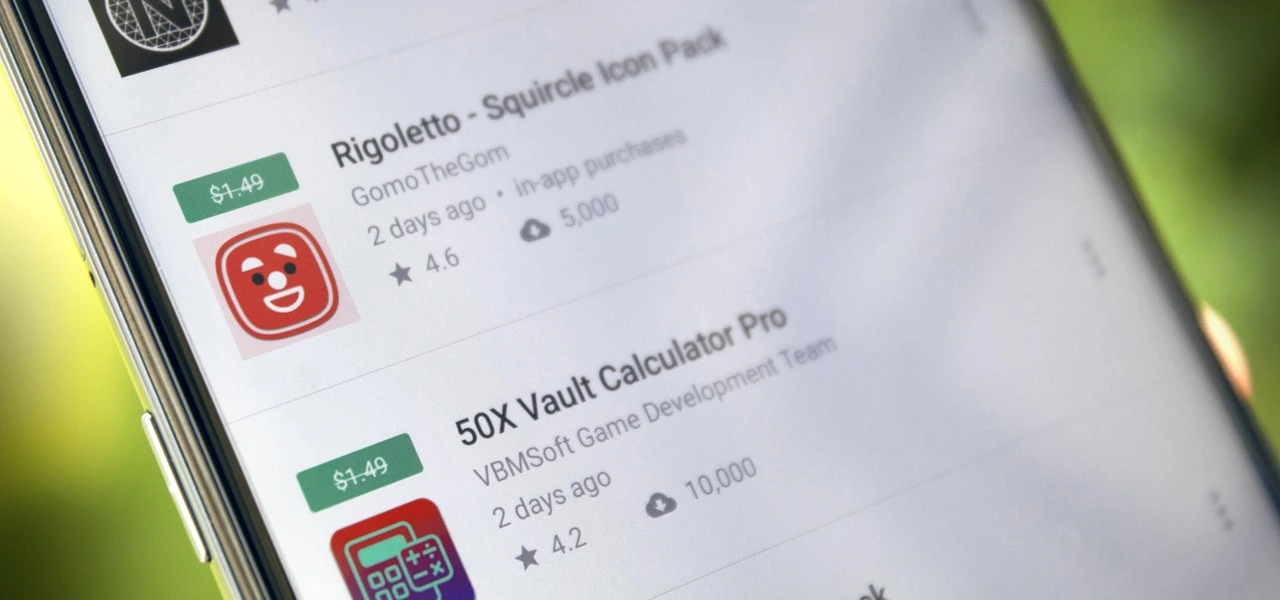
Freebies are great, especially when it comes to high-end apps and games. Developers give away paid programs and games every day as part of promotions; if you are quick, you can get your hands on these treasures for nothing. You will not want to miss the newest temporarily free iOS and Android applications and games that we have compiled in this blog. There is something for everyone here, from productivity enhancers to addictive games, so let us get started before the offers expire!
These time-limited deals are an excellent opportunity to try out new games and applications without having to pay a dime. With these offers, you can try out a creative tool, increase your productivity, or play games without taking any chances. Additionally, even when the campaign is over, you can retain them once you have claimed them. But act quickly—these deals are only available today and will disappear tomorrow! Let us find out what is currently for sale.
Android apps and games that are free for a limited time
Android apps for productivity and lifestyle
PhotoApp AI ($6.49): You can call this a highly useful photo editor to modify your photos on your phone.
Touch Lock ($0.99): This app ensures that your screen remains locked, doing away with accidental touches.
Volume Scheduler: Auto Silent ($0.99): Want to make sure your phone is silent at a certain time? This app gets the job done, fuss free.
Xproguard Anti-Theft ($22.99): An app that claims to add another layer of security to your handset, discouraging theft and unauthorized access.
Binary Calculator Pro ($0.99): Enjoy this free mathematical calculator that is capable of adding, subtracting, multiplying, and dividing numbers in binary format.
Free Android games
Hero of the Kingdom: Tales 2 ($6.49): It is time to play the heroic princess and save your city from a great evil.
SPHAZE: Sci-fi Puzzle Game ($0.99): A puzzle game that is set in a sci-fi setting that is lovely to look at even as you crack your brain.
Brain Game Find 5x ($3.49): Think you are smart? Why not tease your brain with this game that contains plenty of puzzles!
Shadow Hunter Offline Premium ($0.99): Here’s a horizontal hack-and-slash adventure game where you mow your way through endless enemies.
The Lost Treasure ($3.99): A point-and-click visual adventure game that requires you to solve puzzles and put two-and-two together along the way.
iOS apps that are free for a short time
iOS apps for productivity and lifestyle
Vostok – Story Maker ($0.99): If you want to create a collage from your photo album, this app might come in handy.
Origami Paper Fold ($2.49): Should you have plenty of free time to spare, why not learn how to make some craft?
Bookends ($10.99): This reference management app will certainly come in handy for scholars and those doing research.
Tiny Planner ($19.99): Want an app to keep your life organized? Tiny Planner does seem to fit the bill perfectly.
Free games for the iPhone and iPad
Command Word Jumble Complete ($4.99): Unscramble words, reveal hidden meanings, and basically take full advantage of your vocabulary.
Lyrica: Drunken Moon ($1.99): A music-based game that combines lyrics, making it a rather interesting gaming experience.
The Lost Treasure ($3.99): A point-and-click adventure game with numerous places to explore as you search for pirate’s treasure.
King’s Hero: Turn Based Strategy ($1.99): A classical RPG with turn-based combat in the same vein as that of Heroes of Might & Magic.
Arcs ($1.99): 100 circular puzzles for you to solve, each of them offering more challenge than before.
While snagging free apps and games is exciting, it’s important to stay vigilant to ensure a safe and positive experience. Always review the permissions an app requests before installation—if an app asks for access to data or features that don’t seem necessary, it’s better to skip it. Be cautious with apps that include in-app purchases, as they can lead to unexpected charges if not monitored, especially when children are involved.
For families, consider enabling parental controls on your devices to restrict downloads and purchases. Take a moment to review app content ratings and ensure that they’re appropriate for young users. A little oversight can go a long way in making sure your free finds are both fun and secure.
By staying mindful of these tips, you can enjoy the best free apps and games without compromising on safety. Happy downloading!
Who does not enjoy getting free downloads of premium apps? Developers occasionally give away their premium iOS and Android apps for a brief period of time. These offers may cover anything from picture editors and productivity tools to instructive materials and captivating games.
The catch? You will need to move quickly to seize these undiscovered treasures while they are still available because these deals do not stay long!
We have compiled a list of the top temporarily free apps that are now accessible for download in this post. There is something for everyone here, regardless of your preference for iOS or Android. Every app has been chosen with attention due to its excellent reviews, practicality, and overall worth. Now is your opportunity to improve your smartphone experience without breaking the bank.
Android apps and games that are free for a limited time
90s Music Radio Pro ($0.90): Stream hit music from the 1990s with this unique app that shares culture from the previous century with the current generation.
Math Up to 100 ($2.49): This app recognizes handwritten input that makes it a more natural method of learning math, especially for the younger ones.
Matrix Determinant Pro ($0.49): Need a quick calculating app to figure out matrices? This app is a math calculator, which can calculate the determinant of a matrix.
How Much Can I Spend? ($2.99): Not everyone is a billionaire, so this app comes in handy to help you track your spending.
Free Android games
WindWings ($0.99): A frenetic shoot ’em up that will require your reflexes to be at their very best.
Live or Die Survival Pro ($0.49): This game places you in dire straits, where you need to keep your wits about you to remain alive in the midst of a zombie apocalypse.
Tower Defense Legend 5 Pro ($0.49): A tower defense game that keeps you on the edge of your seat as endless waves of enemies bear down upon you.
Dungeon Corp. S ($1.49): A really wacky game set in an office environment where you encounter various monsters and vanquish them to level up.
Words & Cards Pro ($1.49): Just how many words can you find in a jumbled mess of letters in this game?
iOS apps that are free for a short time
iOS apps for productivity and lifestyle
The Wonder Weeks ($5.99): Keep track of your newborn baby’s development over the first few weeks with this app, making sure you never miss a moment.
Weather+ ($0.99): The weather can be a very fickle thing, so making sure you keep tabs on what’s happening outside helps you prepare everything better.
Resume Designer 3 ($3.99): Want to cobble up a resume on the fly? This app will help you do so.
mySymptoms Food Diary ($7.99): If you want to keep track of what you eat to make sure you don’t take in anything allergic, this can be helpful.
Good Grade ($2.99): A photo editor and color grading app that you can bring with you wherever you go.
Free games for the iPhone and iPad
Vigil RPG ($2.00): A single-player premium RPG that is featured in 8-bit graphics, with interesting battles that require some important decision-making which will impact the story.
Dragon Flight Simulator Games ($1.99): Flying a plane is one thing, but flying a dragon? It doesn’t seem to be as easy as it sounds.
My City: Hospital ($3.99): Running a hospital is no child’s play, but you can let your child play with this hospital simulation game!
Pirate Drops 2 ($4.99): A match-3 puzzle game that features a pirate theme with fire and water elemental obstacles to boot.
The deals were live as of the publishing date. If you found an expired deal, please share it in the comments below.
Before you download one of the apps mentioned, we recommend that you check the details of the app in the Play Store or App Store. This is important because some of these free apps may have their own special features or disadvantages.
Be careful with both free and paid apps, as they can hide in-app purchases and advertising. This is particularly significant when downloading games for children. To avoid unexpected problems, please follow the advice below:
A small number of companies use devious methods to profit from your personal information in the rapidly changing world of mobile apps. We have some essential tips to assist you better safeguard your valuable data, so do not fear, fellow IT enthusiasts. When choosing which apps to download, you must be careful about the rights you provide them. Think about it: why would a basic alarm clock require access to your contact list or camera? Or why would a flashlight app need to know your precise location? You may greatly protect your personal information from unauthorized access by exercising caution when granting permissions.
Based on Android 15, Samsung’s One UI 7 represents a significant shift from their usual release timetable. The beta program ended after just one month, having been launched in December of last year. Samsung has now released further details about the One UI 7 rollout for Galaxy smartphones and tablets ahead of the release of the Galaxy S25. Find out which models will receive the update initially.
One UI 7 will come to S series
Samsung is trailing behind in the implementation of Android 15, which is bad for a company that generally sets the pace. Xiaomi and OnePlus have already released their updates, while Samsung appears to be taking its time. After launching last month, the One UI 7 beta ended last week, but what about the stable version?
According to Samsung’s most recent press release, on January 22, 2025, the new Galaxy S models will receive the stable One UI 7 update. Translated, earlier flagships, such as the Galaxy S24, S23, S22, and S21, will have to wait their time, while the Galaxy S25 series is expected to come pre-installed with One UI 7. And those who own Galaxy S20s? I apologize, but Android 14 was the end of your life.
Devices like as the Galaxy Z Fold 6, Galaxy Z Flip 6, and Galaxy Tab S10 Ultra are noticeably absent from the roadmap. With Samsung’s history, we will likely learn more after the Galaxy S25’s release, which is expected to come pre-installed with One UI 7. However, for the time being, there is a significant silence, which disappoints those who anticipate more frequent updates from Samsung.
Other samsung Galaxy series?
Although Samsung has not yet released an official list of Galaxy devices that will receive Android 15, we can speculate. Although the deployment for these smartphones is probably going to lag behind the flagship updates, One UI 7 should ultimately make its way to mid-range and budget models based on their software strategy.
For now, we have put together a list of Galaxy tablets and smartphones that should get the upgrade, with an emphasis on models whose software support lasts until 2025 and beyond. Naturally, this list is merely conjectural and will be revised as soon as Samsung officially announces the lineup.
Galaxy A series
With Android 15, Samsung’s versatile Galaxy A series is about to receive a major update that will bring the newest features to these well-liked mid-range phones. This significant update is anticipated for many recent A series models as Samsung continues to fortify its software support policy. From better photography capabilities to more effective battery management, the new Android version promises to improve the well-balanced blend of features that fans of the A series adore. Android 15 will deliver a new wave of enhancements to keep your Galaxy A handset feeling powerful and up to date when combined with Samsung’s One UI 7 interface.
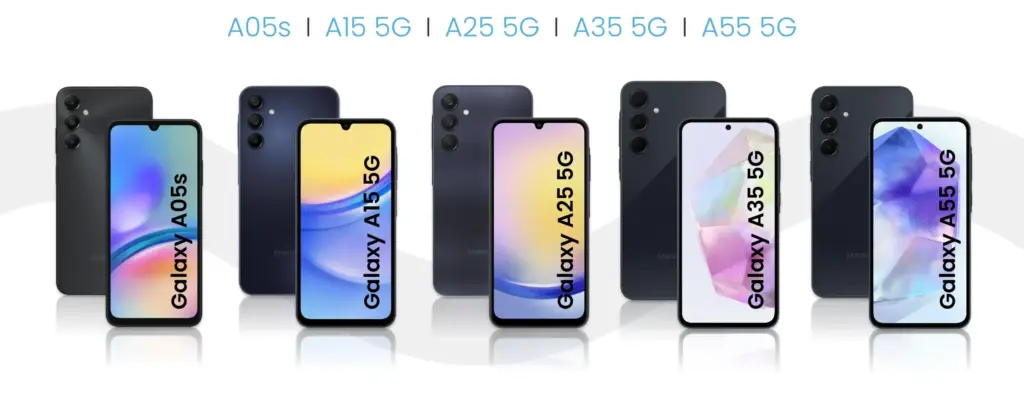
Galaxy A05s
Galaxy A06
Galaxy A14 4G
Galaxy A14 5G
Galaxy A15 4G
Galaxy A15 5G
Galaxy A16
Galaxy A24
Galaxy A25
Galaxy A33
Galaxy A34
Galaxy A35
Galaxy A53
Galaxy A54
Galaxy A55
Galaxy A73
Galaxy S series
Samsung’s flagship Galaxy S series is set to take the lead in getting the much awaited Android 15 and One UI 7 upgrade, carrying on the company’s custom of giving priority to its high-end smartphone portfolio. Owners of newer Galaxy S models can anticipate using Samsung’s improved One UI interface in conjunction with the newest Android improvements. It is anticipated that this update would further enhance the premium experience of the Galaxy S series by introducing cutting-edge security measures, improved performance optimizations, and enhanced AI capabilities.
Galaxy S21
Galaxy S21+
Galaxy S21 FE
Galaxy S21 Ultra
Galaxy S22
Galaxy S22+
Galaxy S22 Ultra
Galaxy S23
Galaxy S23+
Galaxy S23 FE
Galaxy S23 Ultra
Galaxy S24 FE
Galaxy S24
Galaxy S24+
Galaxy S24 Ultra
Galaxy Z series
Galaxy Z Flip 3
Galaxy Z Flip 4
Galaxy Z Flip 5
Galaxy Z Flip 6
Galaxy Z Fold 3
Galaxy Z Fold 4
Galaxy Z Fold 5
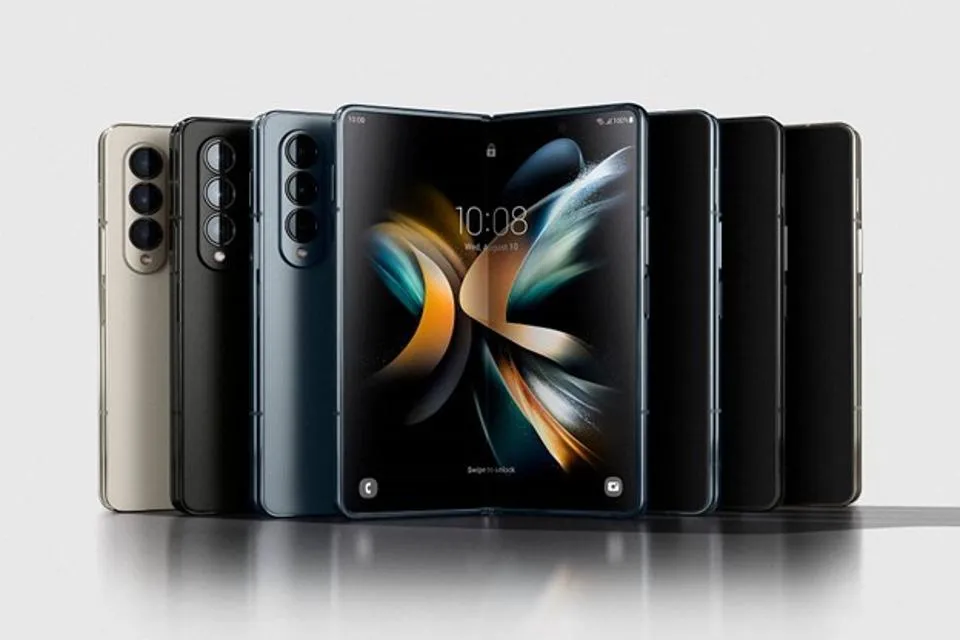
Galaxy Z Fold 6
Galaxy M series
With Android 15, Samsung’s well-liked mid-range Galaxy M series is expected to get a significant update that will provide new features and enhancements to these reasonably priced gadgets. Samsung has remained committed to offering prolonged software support for the M series family, even though the precise rollout schedule may differ depending on the model. With improved energy management, enhanced speed, and new customization choices, this update promises to improve the user experience and revitalize your Galaxy M device.
Galaxy M14 / F14
Galaxy M15 / F15
Galaxy M34 5G
Galaxy M35
Galaxy M54 / F54
Galaxy M55 / F55 / C55
Galaxy XCover series
Galaxy XCover 6 Pro
Galaxy XCover 7
Galaxy Tab series
With the next Android 15 upgrade, Samsung’s Galaxy Tab portfolio is poised to embrace the next evolution of Android and promises to revolutionize the tablet experience for users across all Tab models. It is anticipated that this upgrade will include tablet-optimized features that will improve productivity tools and multitasking abilities as tablets continue to gain significance for both work and play. Many current Galaxy Tab models, ranging from the high-end S series tablets to the more reasonably priced A series tablets, will get this important update as part of Samsung’s dedication to expanding software support for its tablet lineup. The goal is to provide an even more sophisticated and powerful tablet experience by combining the improvements of Android 15 with Samsung’s tablet-focused One UI 7 enhancements.
Galaxy Tab A9 / A9+
Galaxy Tab Active 4 Pro
Galaxy Tab Active 5
Galaxy Tab S6 Lite 2024
Galaxy Tab S8
Galaxy Tab S8+
Galaxy Tab S8 Ultra
Galaxy Tab S9
Galaxy Tab S9+
Galaxy Tab S9 Ultra
Galaxy Tab S9 FE / S9 FE+
Galaxy Tab S10+
Galaxy Tab S10 Ultra
Besides the models listed above, all models released throughout 2024 should also be eligible for the Android 15 upgrade. This includes the entry-level models announced in the first week of the year, such as the Galaxy A05s, A15, and A25, and the recently unveiled Galaxy A06 and Galaxy A16.
As in the past few years, we expect to see Samsung confirm its list of Galaxy phones and tablets eligible for the Android 15 update as soon as it starts updating the first model. The list is traditionally shared on the Samsung Members app with the expected timeframe for the update on the phone’s market. When that happens, we will update this list to follow the rollout, so be sure to bookmark this page and follow us on social media.
As in previous years, as soon as Samsung begins upgrading the first model, we anticipate seeing the confirmation of its list of Galaxy phones and tablets that are eligible for the Android 15 upgrade. Traditionally, the list is made available on the Samsung Members app along with the anticipated release date for the phone. Make sure you bookmark this page and follow us on social media as we will update this list to reflect the launch.
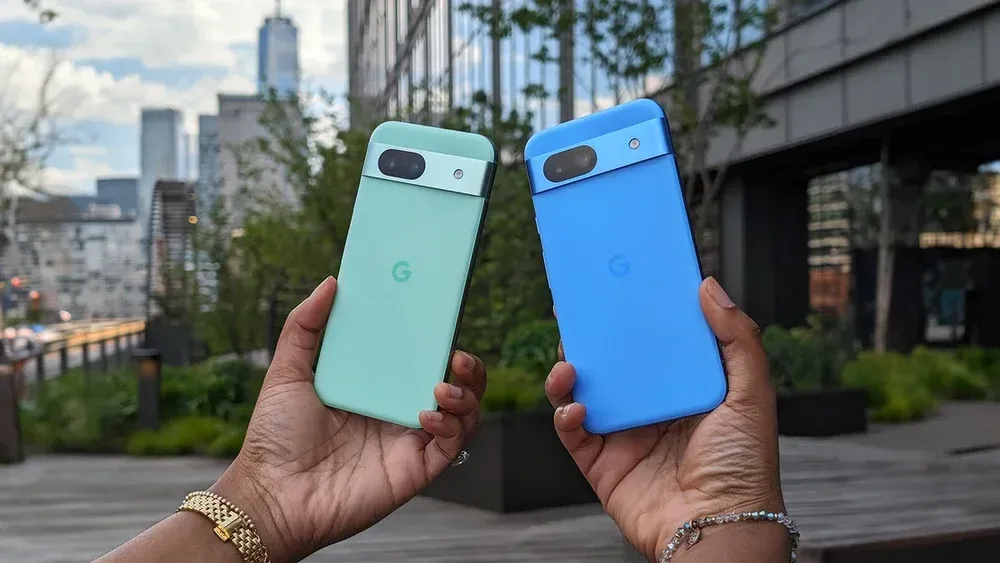
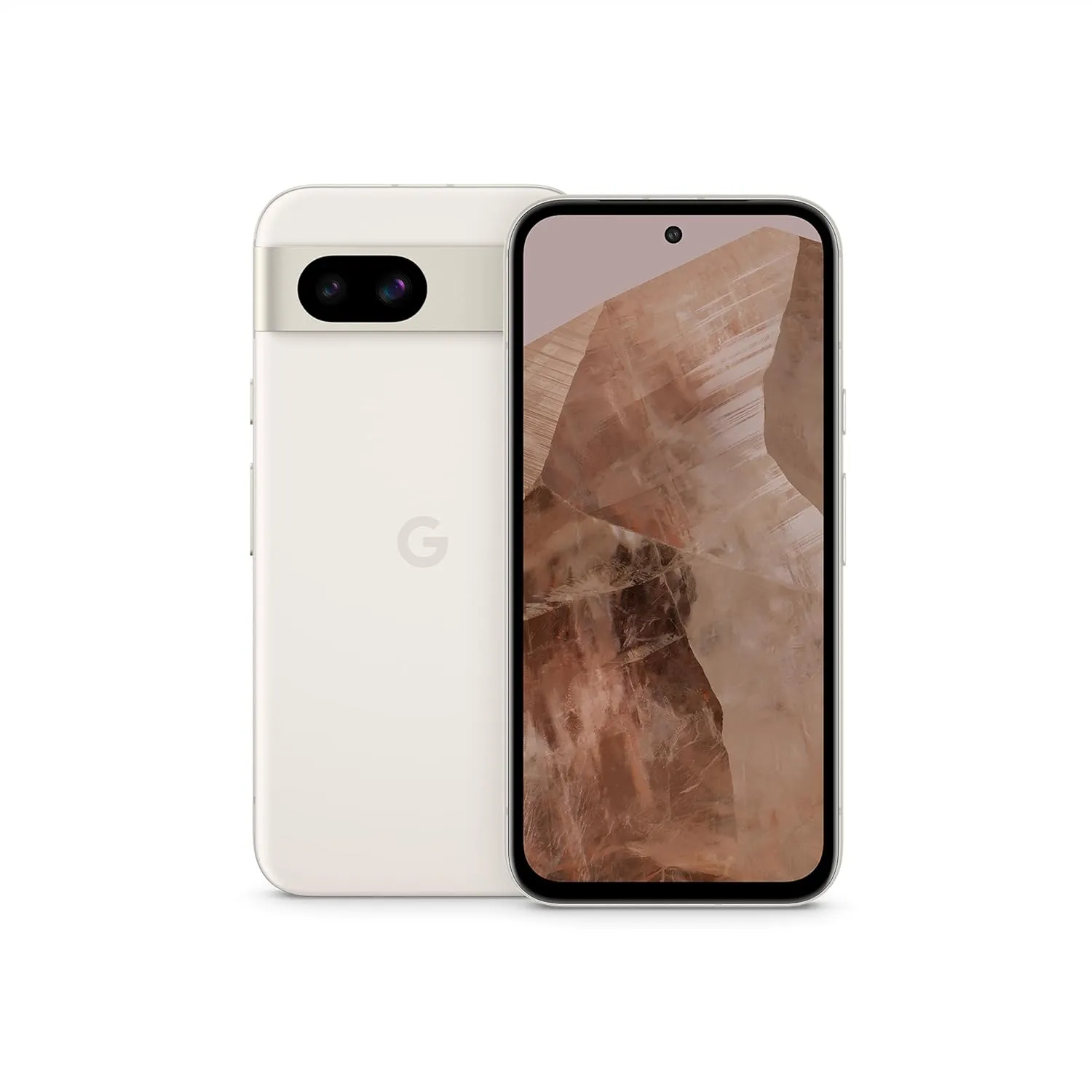
Although Google’s New Year’s sale is officially over, some discounts are still available. Interestingly, the mid-range Pixel 8a with 128 GB of storage is still on sale online for $100 less, or 20% less than its normal $499 price. But the selection of colors is getting smaller.
The base model of the Pixel 8a is available on Amazon in green, porcelain, and blue, while the black, obsidian model with 256 GB is also on sale, costing for $459 (down from $549). For the 256 GB model, Best Buy is providing the same discount.
Google Pixel 8a
Google Pixel 8a is a reasonably priced substitute for the flagship Pixel 9. For those looking for a great camera and a pure Android experience without going over budget, the present deal makes it an even more alluring option.
With its excellent feature-to-price ratio, the Google Pixel 8a is a reasonably priced substitute for the flagship Pixel 9. For those looking for a great camera and a pure Android experience without going over budget, the present deal makes it an even more alluring option.
A lighter frame that feels more comfortable in the palm and softened corners for better handling are just two of the phone’s subtle but significant design improvements. It has a sleek, contemporary appearance thanks to its revised camera bar design, which closely mimics the high-end Pixel 8 flagship.
How is Google Pixel 8A performing?
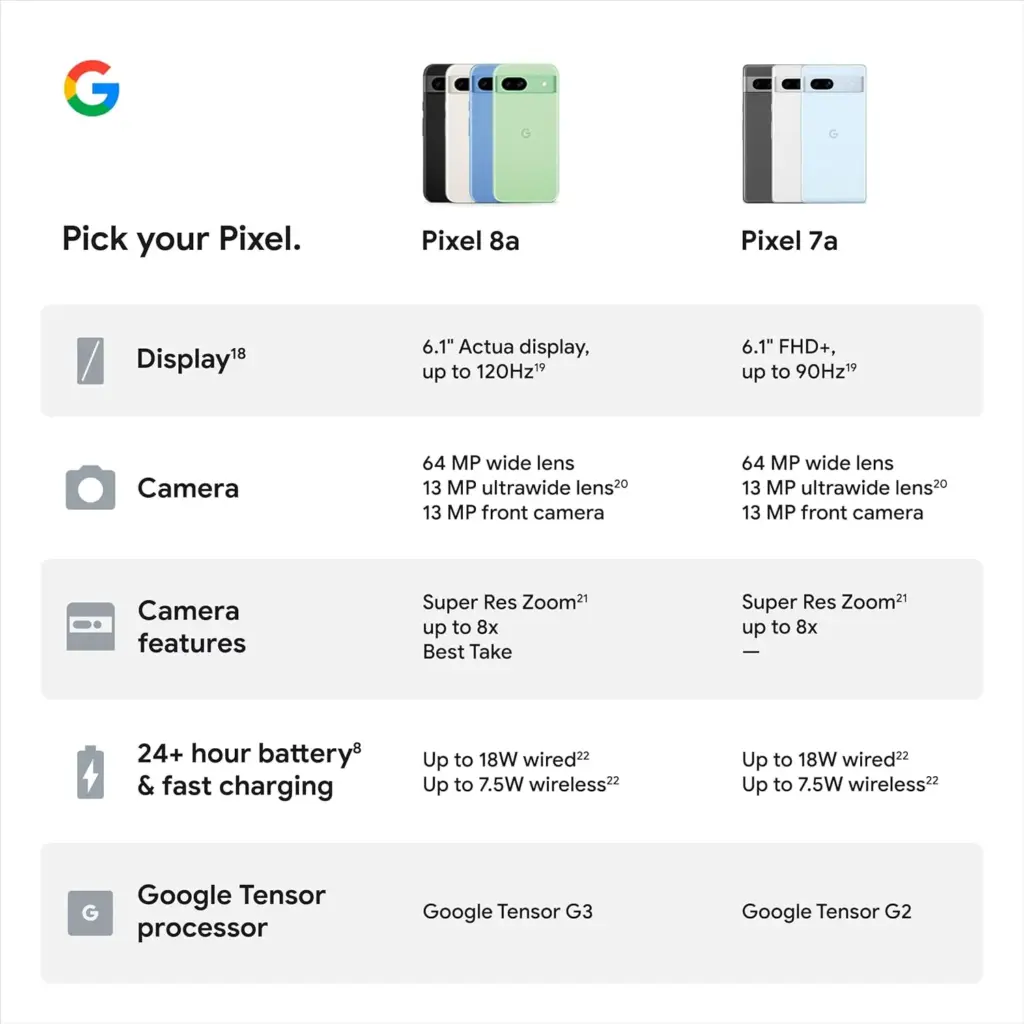
The 6.1-inch OLED display on the front of the Pixel 8a is brighter than its predecessor, which makes reading outside simpler. A 120 Hz refresh rate is also supported by the panel, which guarantees more fluid scrolling and an improved gaming experience.
Another highlight is the camera’s performance. With the most recent Android 15 update, the Pixel 8a’s 64 MP primary camera and 13 MP ultra-wide lens have been optimized. Among the new AI-powered features are Add Me, which allows you to include the photographer in group photos, Super Res Zoom, which enhances zoom images, and greatest Take, which allows you to choose the greatest facial expressions from several shots.
The device feels quick in terms of performance. It provides flagship-level processing performance and graphics capabilities thanks to the flagship-grade Tensor G3 chipset. The battery’s capacity has been somewhat improved, and wireless charging is a nice perk at this price range even though charging still only uses 18 watts.
Google Pixel 8a
Google Pixel 8a is a reasonably priced substitute for the flagship Pixel 9. For those looking for a great camera and a pure Android experience without going over budget, the present deal makes it an even more alluring option.
We have compiled a list of the most recent apps available on the iOS and Android platforms that have temporarily reduced their prices to $0.
These temporary promotions allow you to purchase high-quality apps and gamges that typically have a price tag, such as top-rated games and premium productivity tools. Act quickly, though, as these offers will not last long, and you will lose your chance to download an app for free once it goes back to its normal price. Let us explore the must-have freebies of today that will improve your mobile experience.
Android apps and games that are free for a limited time
Android apps for productivity and lifestyle
Linea – Icon Pack ($1.49): If you want to spruce up your smartphone’s user interface, this is one icon pack that gets the job done.
80s Music Radio Pro ($0.70): Stream hit music from the 1980s with this unique app.
AppLock Pro ($4.49): Keep your apps private with another layer of security.
Fraction Maths Pro ($0.99): Need a quick calculating app to figure out fractions? This might be the app to do so.
Temperature Converter Pro ($0.99): No need to squeeze unnecessary brain power anymore in figuring out the temperature now.
Free Android games
The Wordies Pro ($1.49): A relaxing word search game that helps you kill time without getting all stressed out.
Hero of the Kingdom: Tales 1 ($6.49): There is a looming dragon threat coming, make sure you prepare the villagers for it!
Survival Dungeon: Loot RPG Pro ($0.49): A mobile roguelike action RPG where you explore different dungeons and engage in battles.
Magnet Balls Pro Puzzle ($0.99): Remember Puzzle Bobble? This is something along the same lines, without cute dinosaurs.
Burning Sky VIP ($1.99): It is up to you to save the galaxy once again from endless waves of invaders from outer space.
iOS apps that are free for a short time
iOS apps for productivity and lifestyle
Strength Flight ($2.99): Want to bring your strength level to new heights? This app will hopefully help you be on that path.
Reverse Videos ($0.99): Here is a different video editing app where it basically does what it is named after – reversing videos.
Liftoff Workout Log ($4.99): Anything that can be measured, can be improved. Get better with your workouts by keeping track of them.
Hidgets ($2.99): View more health widgets on your phone’s home screen with this.
Loscil – Adrift ($2.99): This is a collection of 4 pieces of endless music by ambient musician loscil, where it relies on structured random selection that plays music continuously.
Free games for the iPhone and iPad
PicaSim ($2.99): Learn how to fly different aircraft with this game.
The Bug Butcher ($0.99): A side-scrolling shooter where you use your wits and reflexes to get rid of enemies.
Hack RUN ($2.99): Live the exciting (and perhaps glamorous?) life of a hacker with this game.
PuzzlAR: World Tour ($0.99): Join the navy, see the world? Nah, you can do so via this game now.
The Brilliant Kid ($1.99): An educational game for the little ones to keep them occupied.
As of the date of publication, the deals were active. Please share any expired deals you come across in the comments section below.
We advise you to review the app’s details in the Play Store or App Store before downloading any of the aforementioned apps. This is crucial as some of these free apps can have unique features or drawbacks of their own.
Both free and paid apps should be used with caution because they may conceal advertising and in-app purchases. This is especially important while downloading kid-friendly games.
In the quickly evolving world of mobile applications, some people use cunning tactics to make money by collecting and using your personal data. But do not worry, IT enthusiasts—we have some crucial advice to improve the security of your priceless data. When it comes to providing access for the apps you decide to install, it is important to remain vigilant.
Why would a basic alarm clock require access to your contacts or camera? Alternatively, why would a flashlight app require your exact location? You may successfully protect your personal data from unauthorized access by carefully controlling the permissions you grant.
Be sure to take advantage of these important opportunities! Even if these apps are free right now, they can suddenly and unexpectedly go back to their normal costs. Before downloading, make sure to read the app’s ratings and reviews. If you see something that strikes your eye, do not hesitate to take advantage of these offers.
You may amass an outstanding library of premium apps without spending any money if you keep an eye out for these brief offerings. Developers often provide these time-limited promotions, so be sure to return again for new alerts about free apps. There has never been a better moment to upgrade your mobile device with high-quality, free software, regardless of your preference for iOS or Android.
You are not alone if your Android device has started to lag. Many gadgets have the potential to slow down over time, but there are easy solutions to boost performance. Restarting the device is a quick fix that can resolve a lot of frequent problems. Clearing up cached data from websites and apps is another efficient way to increase speed and free up storage.
With the use of simple steps, you will go through the process of clearing your Android device’s cache. Depending on the manufacturer and software customisation of your Android device, the steps described may differ, but the overall procedure is the same, and this guide should help you get started.
View every application that is installed on your Android smartphone.
To easily view all of the apps on your Android phone or tablet, launch the Settings app. Scroll until you see Storage, then tap on it. Next, check for the Apps option. On some Android devices, Storage may not appear, and you can navigate directly to Apps from the Settings menu.
If you’re having trouble finding the Apps section, you can always use the search bar at the top of the Settings app to help.
When you are in the Apps area, some Android versions make it simple to view which apps use the most space. Simply hit the three-dot menu in the upper right corner and select Sort by Size.
Clear the cache of of the installed apps
Select an app from the list to remove its cache. Just a heads up: I prefer using an app you installed over a system service like Android System Intelligence. I have had inconsistent outcomes with emptying the cache of system apps, thus it is recommended to only delete the cache for apps you added yourself.
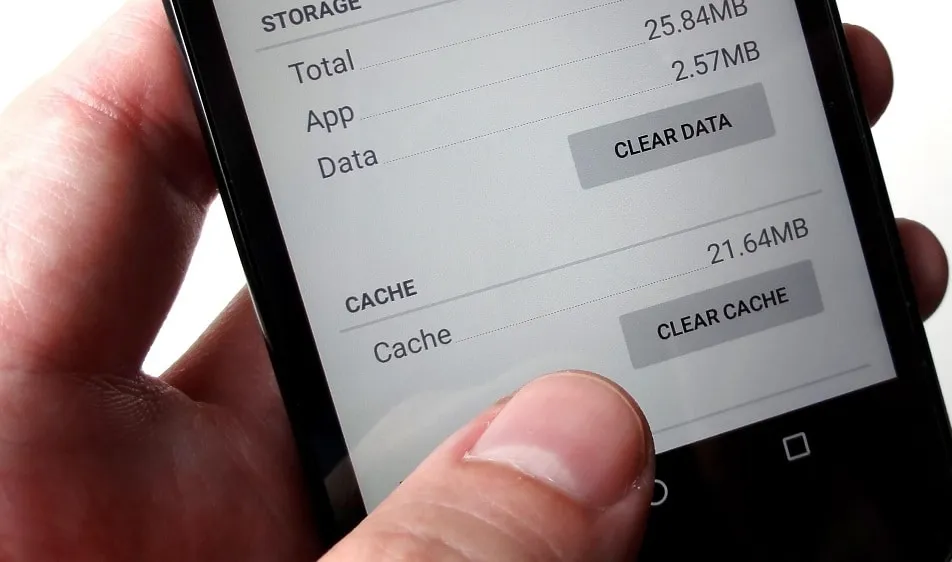
When you open an app, you will see facts such as its size, user data, cache size, and total storage usage. At the top of the page, you will find two options: Clear storage and Clear cache.
Tap Clear cache to clear the cache for that app. However, avoid tapping Clear storage because it will reset the app, requiring you to set it up again. Clearing the cache will not cause any problems.
Continue to browse your list of installed apps, checking for any programs that take up a lot of space and removing their cache.
If you are feeling particularly thorough, you might erase the cache for each app on your phone. However, it is a good idea to start with the biggest offenders, such as the Facebook app.
Clear the cache from Chrome
If Chrome is your primary browser, it may have accumulated a large amount of data, which can slow down your device. Here’s how to clear the cache.
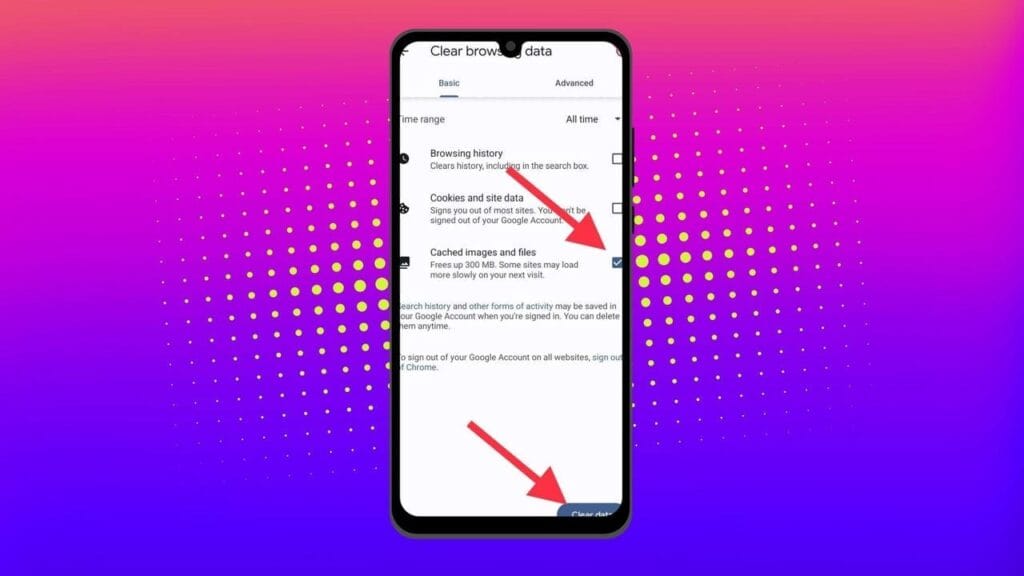
Go to History settings in Chrome – Open the Chrome app on your Android device, press the three-dot menu in the top-right corner, click History, and then Clear browsing data.
Choose the data you want to delete – The following screen will display a selection of alternatives, allowing you to select whatever data you want to erase from Chrome.
You can also provide a timeframe for when you want the data cleared. Each option gives a brief explanation of what it does and how it may affect your browsing experience. For example, deleting cookies and site data will log you out of most (if not all) websites. Clearing cached images and files may cause Chrome to load images more slowly the next time you visit a website.
In later versions of Chrome for Android, hitting the menu button displays the option “Clear Browsing Data”. When you select this option, a popup will display, allowing you to erase browsing data for a defined time period.
If you choose More Options, you’ll be taken to the Browsing Data screen, where you can select the data to delete and choose the time range.
What does cached data mean?
Cache is temporary storage that stores data like as photos, files, and scripts from websites or apps you have visited in order to speed up their loading time. Clearing cached data, whether for Chrome or any other app, removes the files that have been kept on your device. For example, on Facebook, cached data could contain profile pictures, photos, and videos.
Deleting cached data from the Facebook app removes these temporary files from your smartphone, which may cause the program to take longer to load content the next time you use it. However, this strategy will have no effect on the accounts you visit, the postings you make, or your personal information.
Will deleting the cache remove all app data?
No, emptying an app’s cache does not destroy crucial data such as login credentials or saved settings. It merely deletes temporary files that help the app load faster, so you do not lose any important data.
Will deleting the cache make your Android device faster?
Yes, clearing the cache can free up storage and remove corrupted or outdated files that may slow down your device, leading to smoother performance.
How often should you clear your cached data?
It depends on how well your equipment performs. If you are experiencing slowdowns or other problems, emptying the cache can be part of the solution. Otherwise, you may only need to perform it once every three to six months.
Is the purpose of clearing the cache only to increase storage space?
No. Clearing the cache is one of the first steps you should take when dealing with bugs or difficulties in an app. Cached files frequently get corrupted or outdated, and removing them causes the app to reload the cache, which can resolve the issue. As a result, deleting the cache can assist solve problems rather than simply free up space.
Can you clear the cache for all Android apps simultaneously?
There is no built-in method to remove the cache for all Android apps at once, but you can browse through the list and clear each app’s cache separately.
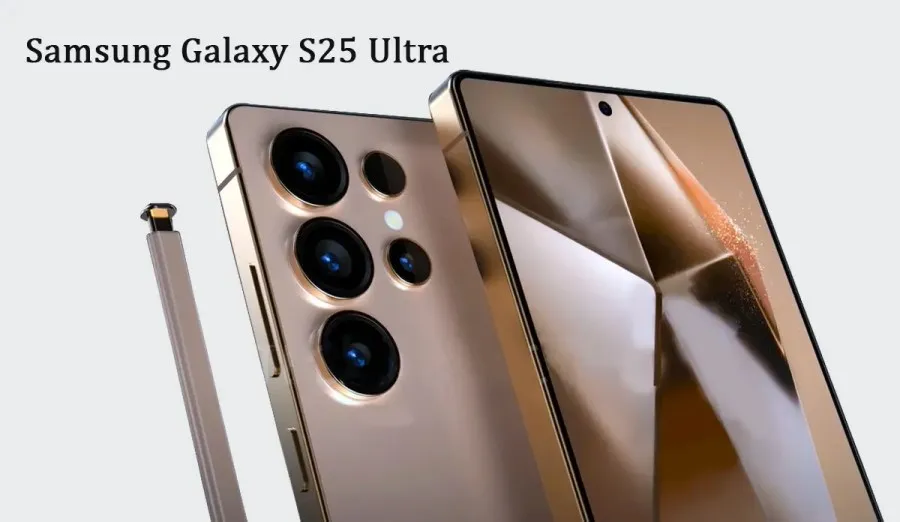
The Samsung Galaxy S25 Ultra will raise the bar for performance and mobile cameras. While the boxy Note design is being phased out, the business has made significant design revisions. According to recent reports, the next Ultra flagship would feature remarkable camera capabilities and performance enhancements.
Based on the leaks and rumors that have surfaced over the past few months, you can investigate the Samsung Galaxy S25 Ultra characteristics.
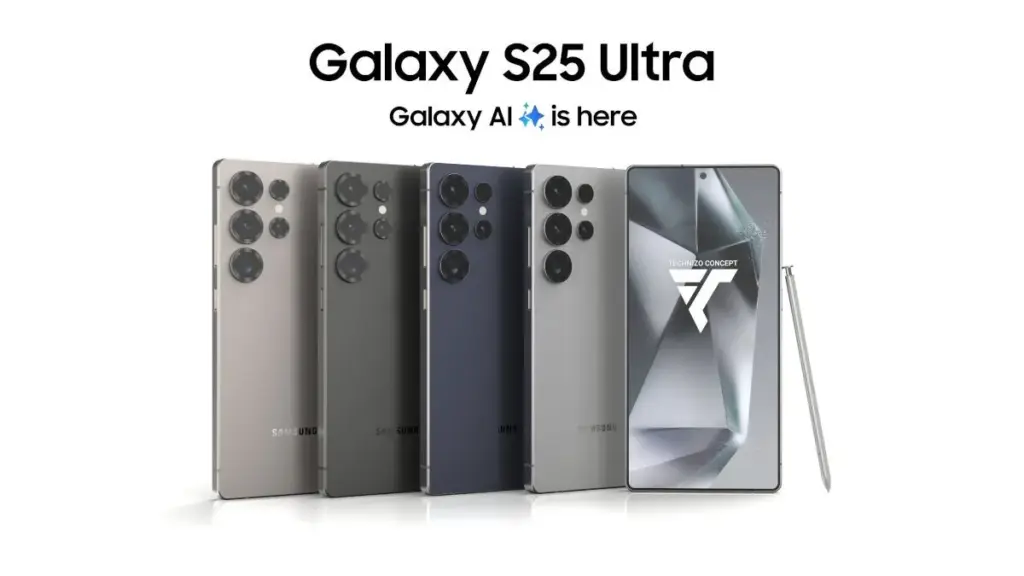
Titanium Black, Titanium Blue, Titanium Gray, and Titanium Silver
Price and release date
According to Samsung’s official Unpacked teaser, the Galaxy S25 series will go on sale on January 22, 2025. The next Galaxy S25 Ultra will come with three memory configurations with UFS 4.0 technology and 12GB or 16GB of RAM (depending on the market).
In the US, a smartphone with 12GB RAM and 256GB of storage might cost $1299, while a 1TB model could cost an incredible $1659. According to a reliable source, some European countries will not raise prices.