Author: Robert Haba

  • August 2022 security patch from Samsung makes a late appearance on the Verizon Galaxy Tab S7 series

    August 2022 security patch from Samsung makes a late appearance on the Verizon Galaxy Tab S7 series

    When it comes to upgrades, carrier-locked phones typically lag behind their unlocked counterparts since carriers enjoy taking the time to customize stock firmware. While this is true for many phones in the US, Samsung’s experience is unique. US carrier-locked variants of the Galaxy S22 series are now receiving the same treatment as the unlocked ones, following the August security patch’s international rollout to the company’s newest flagships late last month.

    With this month’s security patch, Samsung began distributing software version S908USQU2AVG6 to carrier-locked models of the Galaxy S22, S22+, and S22 Ultra in the US yesterday. According to SamMobile, the three have joined their Russian, Korean, and Latin American counterparts in utilizing the August security patch, leaving only the unlocked variations in the US and Asian regional models.
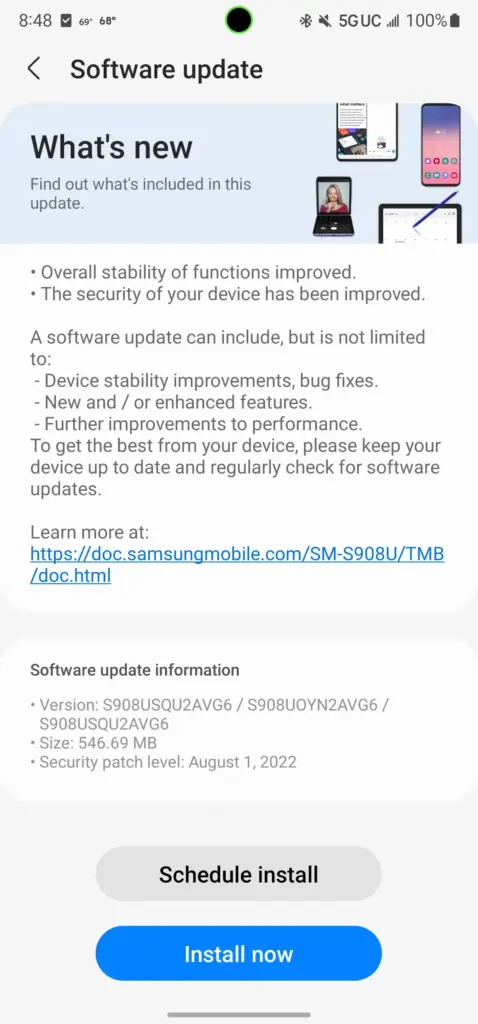
    samsung update

    The firmware for the carrier-locked models appears to be a simple security patch, similar to the last update that went out to these devices globally. However, Samsung claims in the changelog that the “overall stability of functions” has been improved, so expect updates to the system apps or other undocumented changes along with it.

    As always, we’ll keep this article updated as more Samsung devices get the August 2022 security patch in the US.

    Galaxy S10 series

    • Verizon
      • Galaxy S10e: SP1A.210812.016.G970USQU6IVH2, released August 31st
      • Galaxy S10: SP1A.210812.016.G973USQU6IVH2, released September 2nd
      • Galaxy S10+: SP1A.210812.016.G975USQU6IVH2, released September 2nd
      • Galaxy S10 5G: SP1A.210812.016.G977UVRU8HVH1, released August 31st

    Galaxy S20 series

    Galaxy S21 series

    Galaxy S22 series

    Galaxy Note 10 series

    Galaxy Note 20 series

    Galaxy Z series

    Galaxy A series

    • AT&T
      • Galaxy A53: A536U1UEU3AVH2, released August 25th
    • Comcast
      • Galaxy A53: A536U1UEU3AVH2, released August 25th
    • T-Mobile
      • Galaxy A53: A536U1UEU3AVH2, released August 25th
    • Verizon
      • Galaxy A01: RP1A.200720.012.A015VVRS8BVH1, released August 23rd
      • Galaxy A11: RP1A.200720.012.A115USQS7BVG4, released August 23rd
      • Galaxy A42 5G: SP1A.210812.016.A426USQU4CVH1, released September 13th
      • Galaxy A53: A536U1UEU3AVH2, released August 25th
      • Galaxy A71 5G: SP1A.210812.016.A716VSQS5EVI2, released October 7th
    • Xfinity
      • Galaxy A53: A536U1UEU3AVH2, released August 25th

    Galaxy Tablets

  • Battery improvements on Samsung Galaxy S23 – leak

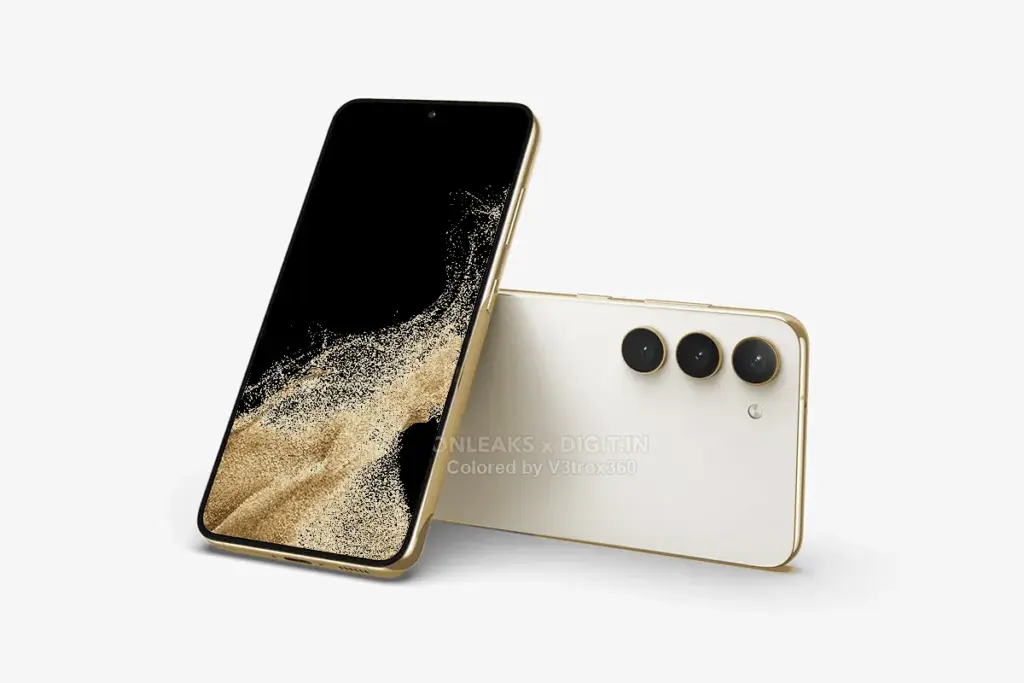
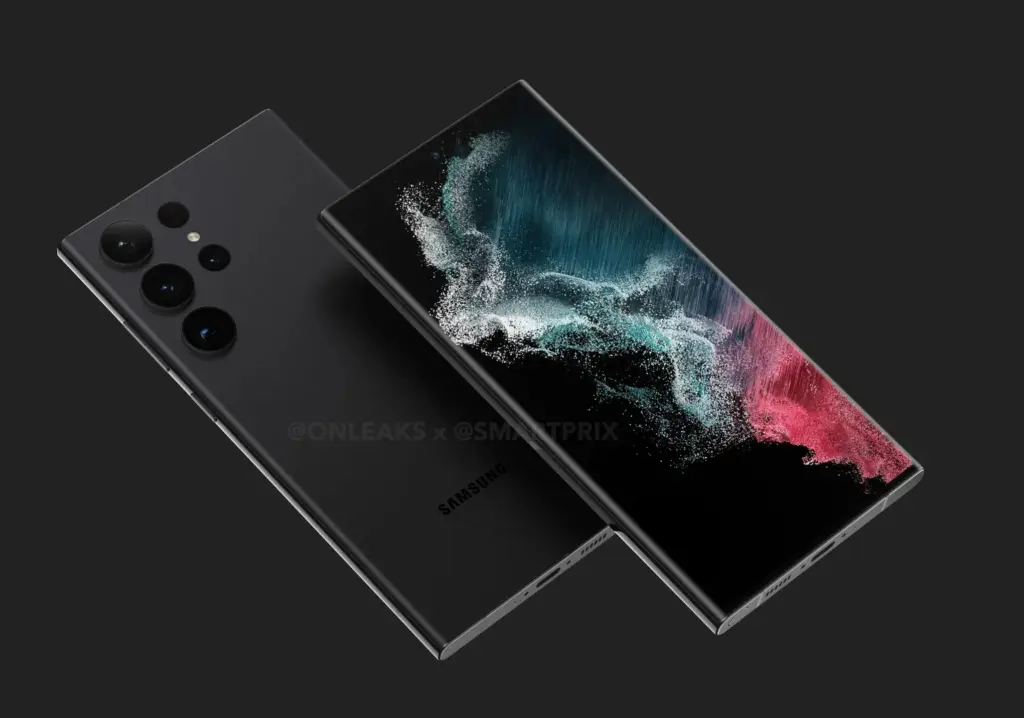
    The Samsung Galaxy S22 series was an incremental improvement over the Galaxy S21 series from 2021. Although the non-Ultra variants had a faster CPU and a newer primary camera sensor, overall these phones were not much different from their predecessors.

    Given how excellent Samsung’s flagship phones are, the company’s decision to make little changes was not unwise.

    For the Galaxy S23, the Korean manufacturer is anticipated to use the same approach while making a few small design adjustments. This is further supported by a fresh leak, which suggests that Samsung may make changes to fix two serious problems with its current infant flagship.

    Galaxy S23

    The Galaxy S22 received criticism for its poor battery life, throttling under heavy load, and poor sustained performance. Its 3,700mAh battery was nowhere near enough to power the device for an entire day. Now, rumored Galaxy S23 specifications indicate that the Korean company may use a larger 3,900mAh battery and Qualcomm’s Snapdragon 8 Gen 2 CPU in its smallest flagship phone for 2023. For instance, Samsung employed a 4,000mAh battery in its Galaxy 21 device, and the device’s battery life was adequate for a typical workday.

    According to rumors, Qualcomm’s upcoming flagship processor will significantly improve CPU and GPU performance. According to reports, it will be based on TSMC’s 4nm fab, which ought to improve power efficiency. The Galaxy S23’s 200mAh larger battery and quicker chip should help with the current model’s overheating issues and short battery life.

    Galaxy S23

    According to reports, the baby Galaxy S23’s other specifications won’t change from the present model. It is expected to maintain its 6.1-inch FHD+ 120Hz AMOLED display, triple-camera system with a 50MP main camera, 8GB RAM, and 128 or 256GB of storage.

    If Samsung can ensure the Galaxy S23 can last an entire day of use on a single charge, it could have a winner on its hands despite following the same formula as last year.

  • Android 13 beta for the Galaxy Z Fold 2 rolls out

    Android 13 beta for the Galaxy Z Fold 2 rolls out

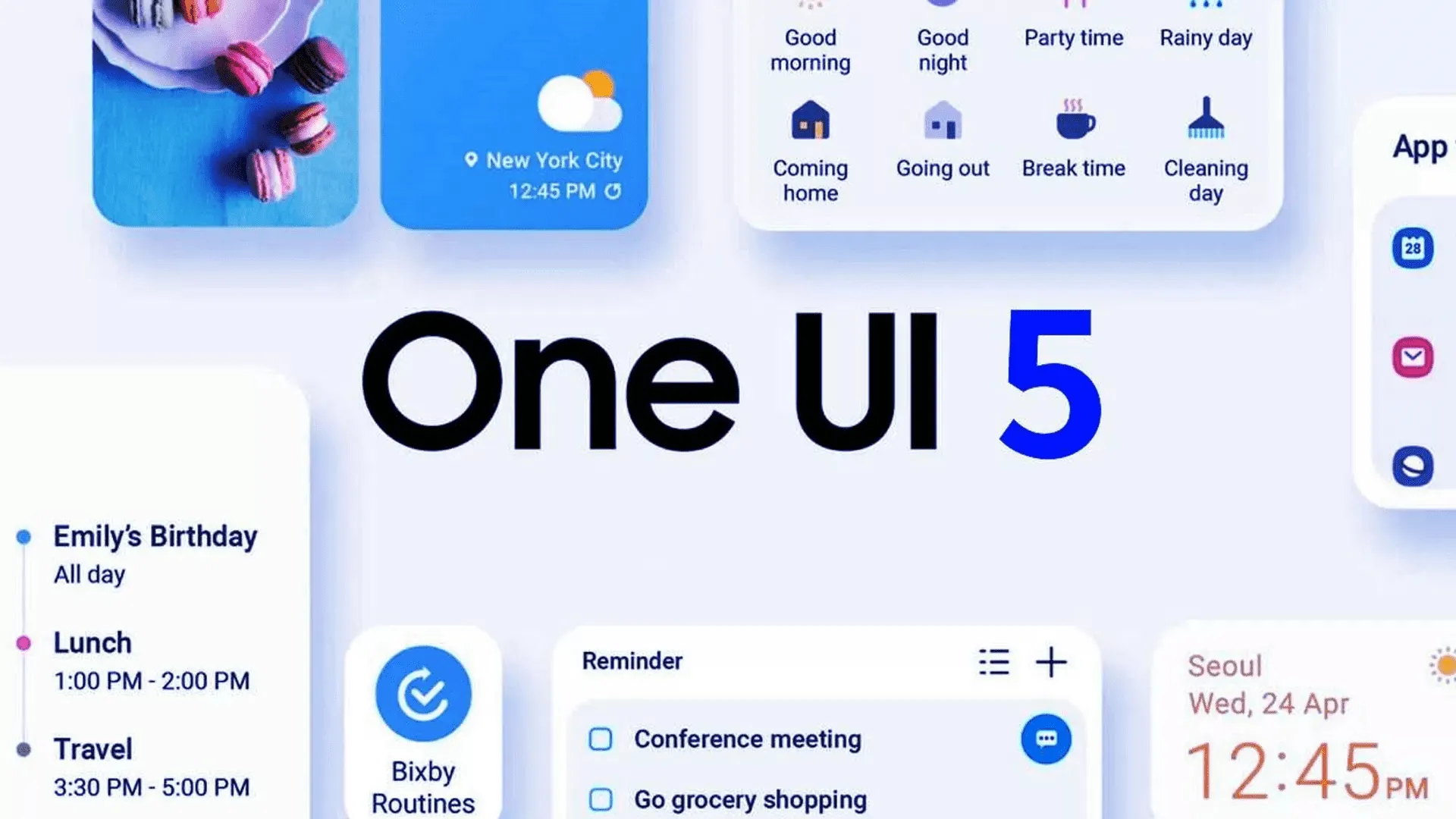
    Yesterday, Samsung updated the Galaxy Z Fold 4 and Galaxy Z Flip 4 with its One UI 5 beta upgrade, which is based on Android 13. Owners of the Galaxy Z Fold 2 can now enroll in the beta program.

    The Samsung Galaxy Z Fold 2 was promised three significant OS updates and shipped with Android 10 out of the box. Owners of the Fold 2 can anticipate receiving Android 13 as the last significant OS upgrade. Even for Galaxy S22 devices, the stable version of One UI 5 is still not ready for release, but the beta version is currently accessible for download in South Korea. Other locations should soon receive the update.

    All you have to do to try out the beta is go to the Samsung Members app. You’ll have the option to sign up for Samsung’s beta program there. Simply launch the app and select the banner for the beta announcement. You can register by entering your information on the registration page that is linked by the banner. After that is finished, you ought to see an update notification.

    Galaxy Z Fold 2

    If you choose to install it, as with any beta, you can encounter issues. Always make a backup of your data before updating to the One UI 5 beta.

    The Galaxy Z Fold 2 will receive Android 13 as its final major operating system, but it won’t be the last upgrade. the object

    Although Android 13 will be the Galaxy Z Fold 2’s last major operating system, it won’t be the last upgrade. More security updates for the gadget are still planned, although they should stop in late 2024.

  • Facebook find 400 Android and iOS apps that steals log-in credentials

    Facebook find 400 Android and iOS apps that steals log-in credentials

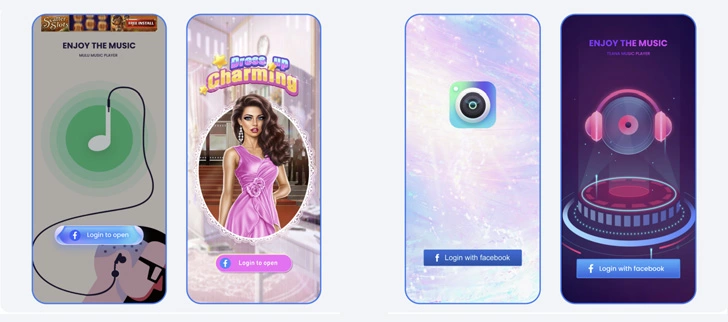
    On Friday, Meta Platforms announced that it had discovered over 400 malicious apps on Android and iOS that it claimed were aimed at online users in order to steal their Facebook login credentials.

    According to a study provided with Droid Tools by the social media giant, “These programs were placed on the Google Play Store and Apple’s App Store and disguised as photo editors, games, VPN services, business apps, and other utilities to deceive consumers into downloading them.”

    ezgif.com gif maker 76

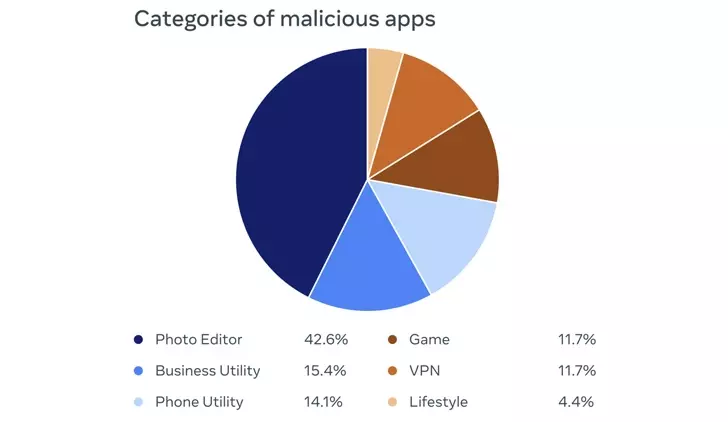
    42.6% of the rogue apps were photo editors, followed by business utilities (15.4%), phone utilities (14.1%), games (11.7%), VPNs (11.7%), and lifestyle apps (4.4%). Interestingly, a majority of the iOS apps posed as ads manager tools for Meta and its Facebook subsidiary.

    The owners of the plan not only disguised its nefarious nature as a collection of seemingly innocent apps, but they also posted fictitious reviews in an effort to counteract any unfavorable comments made by users who may have previously downloaded the apps.

    By presenting a “Login With Facebook” prompt, the apps ultimately served as a way to steal the user login information.

    login with facebook

    “If the login information is stolen, attackers could potentially gain full access to a person’s account and do things like message their friends or access private information,” the company said.

    Both app stores have removed all of the disputed apps. You may view the list of 402 apps, which includes 355 Android apps and 47 iOS apps.

    It is crucial to use caution while downloading apps and providing access to Facebook in order to get the claimed functionality, as it is with all programs of this nature. This entails carefully examining app permissions and user evaluations as well as confirming the legitimacy of the app creators.

    The disclosure was made at the same time that three Chinese and Taiwanese businesses were sued by Meta-owned WhatsApp for allegedly deceiving over a million users into compromising their own accounts by disseminating fake versions of the messaging software.

  • How to download Android Auto 8.2

    Although it’s not everyone’s cup of tea, this strategy has been employed by Google for a while and makes a lot of sense.

    This is due to the phased rollout strategy giving Google more time to monitor the rollout and identify any potential difficulties in advance, effectively lowering the possibility that new app versions may seriously affect the devices on which they are installed.

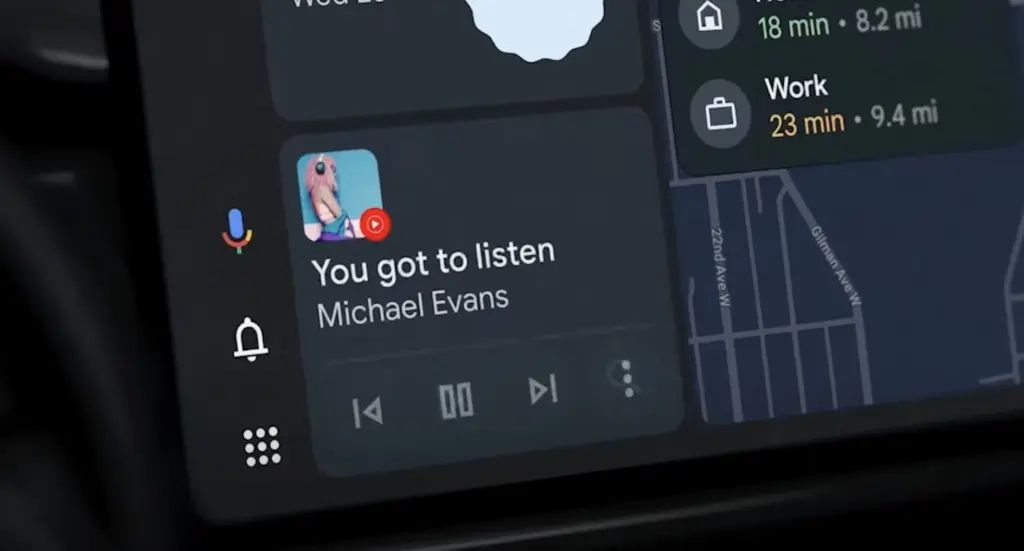
    The most recent version of the app, Android Auto 8.2, is currently available to users. Fortunately, there is a quick method to download the program without having to wait for it to appear on the Google Play Store.

    android auto

    You should be aware that this alternate option essentially involves manually downloading Android Auto 8.2 onto your smartphone. To accomplish this, you must download the standalone APK installer and then run it on your device.

    The Android Auto 8.2 APK installer should first be downloaded from this page. Once the download has finished, navigate to the file’s destination and tap it.

    You should be prepared to move on at this point if your Android device is set up to permit the installation of apps from sources other than the Google Play Store. If not, the operating system should automatically prevent the installation and ask you to approve its completion.

    When the installation is complete, which shouldn’t take more than a few seconds, Android Auto should function normally. When manually installing the most recent update, you do not need to remove the version that is already installed on your device.

    What’s new in Android Auto 8.2

    android auto download

    There isn’t much information available on this front because Google hasn’t published a thorough changelog. However, based on the most current user comments on social media, it appears like Android Auto 8.2 doesn’t bring about any noteworthy changes other from a bug that most users would find annoying.

    The weather and temperature icons in the status bar appear to be gone in Android Auto 8.2, although as was previously said, this is probably simply a quirk since hardly everyone notices it.

    Since no workaround has been found, it appears to be a server-side bug that Google should be able to resolve without releasing another update.

    What’s not included in Android Auto 8.2

    Since everyone seems to be anticipating the revamp of Coolwalk in Android Auto, you’ll likely be disappointed to learn that version 8.2 doesn’t bring any changes in this area.

    In other words, if you hurriedly downloaded and installed Android Auto 8.2 in the hopes of obtaining Coolwalk, this UI change isn’t yet accessible. You should also be aware that Google will enable the new function with a server-side switch, so the distribution of Coolwalk isn’t dependent on a specific Android Auto update.

    The majority of the code for Coolwalk is already present, therefore Google is currently only focusing on final polishing. This indicates that the release of Coolwalk shouldn’t be too far away, even though there is currently no other information on the ETA.

    If you don’t want to manually install version 8.2 on your smartphone, the wait shouldn’t be too long as the automated deployment of Android Auto upgrades normally ends after a few weeks. In other words, as part of the gradual deployment described above, this most recent version of the app should be made available to all Android smartphones running Android Auto by the end of the month.

  • Today deals for Android apps

    The greatest Android game and software bargains for Monday afternoon are now available below the fold. Along with the software discounts, there are also price reductions for the OnePlus 10 Pro 5G, Samsung’s most recent Galaxy Z Fold 4 foldable, and the Chromecast with Google TV 4K. However, the focus of today’s bargains is on apps, with titles like Pavilion: Touch Edition, ProCam X, Evoland 2, YoWindow Weather, Hack, Slash, Loot, Crystalline, and others among the highlights. For a detailed look at today’s top Android app bargains, courtesy of Google Play, continue reading below.

    android apps

    Today’s best Android app deals:

    Today’s Android hardware deals are headlined by Samsung’s latest Galaxy Z Fold 4 foldable at new all-time low of $1,500. That deal joins the OnePlus 10 Pro 5G with a Hassleblad 48MP camera setup at new low of $600 as well as today’s discount on the Chromecast with Google TV 4K, a solid offer on JBL’s ultra-portable Go 3 Bluetooth, and our smartphone accessories roundup

    More Android app deals still live:

  • Bug fixes – Android 13 Octomber update comes with some

    android 13

    The Android 13 October update is releasing now and contains nine fixes in front of upcoming Pixel phones.

    This second update boasts nine enhancements across Audio, Connectivity, User Interface, and Wi-Fi after only five changes were made last month.

    The Android 13 UI is the focus of this month’s updates, which also address empty Quick Settings tiles and widget compatibility issues. As well as fixing a device crash when playing audio from local storage, there is a fix for several programs that don’t display an icon in the media player.

    Use the following device key to interpret the Android 13 Pixel changelog:

    *[1] Included on Pixel 4, Pixel 4 XL, Pixel 4a, Pixel 4a (5G), Pixel 5 and Pixel 5a (5G)

    (This only applies to the first issue under Audio, with everything else in the October update benefiting all Android 13 Pixel devices.)


    Audio

    • Fix for issue occasionally causing audible humming or noise artifacts during calls while using wired headsets *[1]
    • Fix for issue preventing device volume controls in media player notification to work under certain conditions 

    Connectivity

    • Fix for issue causing launcher crash when connecting to VPN in certain conditions

    User Interface

    • Fix for issue causing compatibility issues with certain app widgets in Android 13
    • Fix for issue causing media player to display default icon for certain media apps
    • Fix for issue occasionally causing device crash when playing audio from local storage
    • Fix for issue occasionally causing empty Quick Settings tiles to display in notification shade
    • Fix for issue occasionally causing Work Profile toggle button to appear truncated in app drawer

    Wi-Fi

    • Fix for issue occasionally preventing available Wi-Fi networks from displaying in network selection menu in certain apps
  • Setup fall detection on Galaxy Watch5 and Galaxy Watch5 Pro

    Setup fall detection on Galaxy Watch5 and Galaxy Watch5 Pro

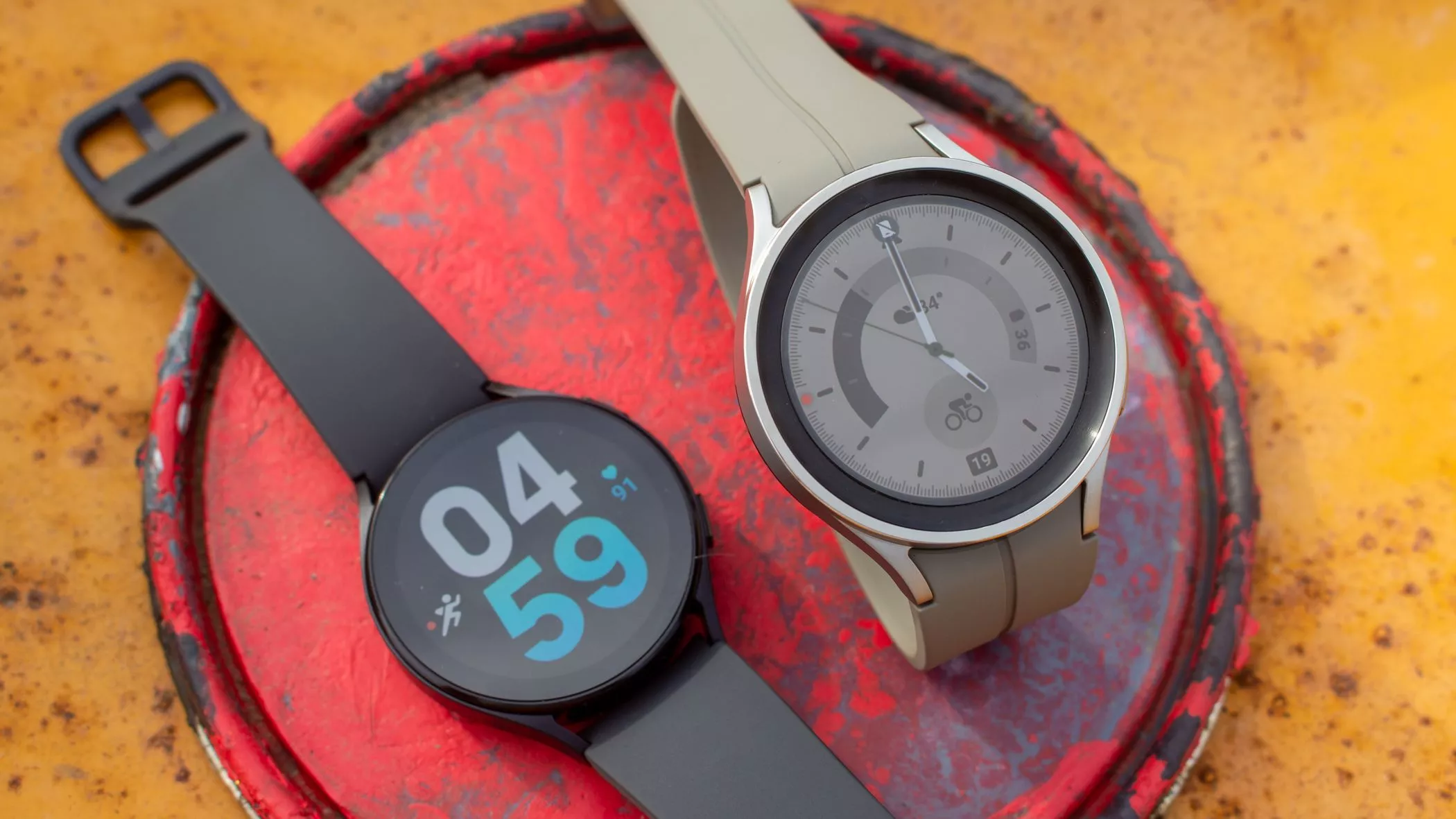
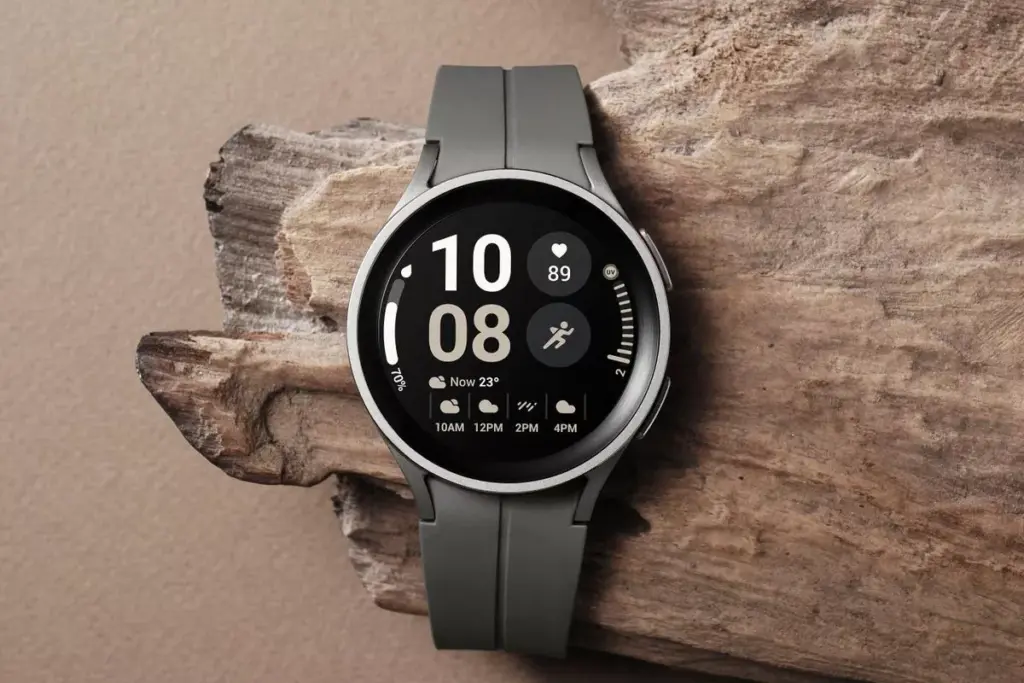
    In response to the popularity of the previous Samsung Galaxy Watch, Samsung recently introduced the Galaxy Watch5 and Watch5 Pro. The most recent Samsung Galaxy Watch uses the same cutting-edge technologies but drastically alters the Battery Life rather than reinventing the wheel. The Samsung Galaxy Watch5 series offers a surplus of health and wellness features, in contrast to its older predecessor. Additionally, the most recent Samsung Galaxy Watch now has a fall detection feature and emergency help.

    You might be wondering what is fall detection feature. It’s a completely life-saving feature that monitors the random or hard falls. It’s equipped with an accelerometer that helps to detect all your body movements. During a hard fall, it will feature emergency assistance. And in case, if you didn’t reply in a design within 60 seconds of time-frame, it will instantly and automatically deliver the SOS alert to the emergency contacts and services. 

    Setup fall detection on Galaxy Watch5 and Galaxy Watch5 Pro

    Can The Samsung Galaxy Watch5 Series Detect A Fall?

    As of now, the Galaxy Watch5 series is craved with a feature known as the Fall detection feature. Here in this guide, we have mentioned step-by-step to set up the fall detection feature on Galaxy Watch5 Pro and Galaxy Watch5

    Steps To Set up Fall Detection On Galaxy Watch5 Series 

    First of all, to use the SOS feature, your watch must be connected to a phone. At the same point, you should keep the Emergency Contact on the list through an application. 

    • Step 1 → Navigate to the Galaxy Wearable App on your device.
    • Step 2 → Choose Watch Settings > Advanced Features.
    • Step 3 → Tap SOS. On the next screen, turn on the When Hard Fall Detected > Continue.
    • Step 4 → Tap Agree > Emergency Contacts.
    • Step 5 → Here you can setup up to 4 Contacts > Done.

    Right after that, click on any contact to create an SOS call right after the messages are sent > Save.

    Samsung Watch That Supports Fall Detection

    • Galaxy Watch Active 2
    • Galaxy Watch3 
    • Galaxy Watch4 
    • Galaxy Watch5 

    Keep Yourself Safe!

    I’m damn sure you are now updated with what is fall detection and how to setup it up on the Galaxy Watch5 series. In case, if your loved one, parent, toddler, or grandmother has Samsung Watch, prompt them to enable the feature as it’s completely life-saving. 

    How Do You Use Fall Detection On Galaxy Watch?

    If you have fall detection compatible Galaxy Watch, you can easily activate “Hard Fall Detection” from the phone settings: Navigate to the Galaxy Wearable App > Watch Settings > SOS > tap on the toggle next Detects Falls.

    Does Samsung Have Hard Fall Detection?

    Thanks to it’s advanced Accelerometer will help alert you when your device attempts random falls.

  • What to expect from Google Pixel launch

    What to expect from Google Pixel launch

    On October 6, Google will hold its upcoming hardware launch event, during which the Pixel 7 series and a number of other new items will be made public. The Pixel 7 series duo was originally shown off by Google at its 2022 I/O event, but additional crucial information has been kept under wraps.

    The pair has been the subject of numerous rumors, and Google has been gradually disclosing features from the Pixel 7 series. We’ll outline how to watch the Pixel 7 series event live as well as what to look forward to.

    When will Google launch the Pixel?

    On October 6, 2022, Google’s Pixel 7 series will debut. At a live event in Brooklyn, New York, beginning at 10 AM ET, Google will reveal the Pixel 7. (3:00 PM London time, 9:30 PM Indian time).

    How to watch Google’s launch event

    Although Google’s hardware event will take place in person, you can watch it live online from the comfort of your home. The Made by Google YouTube channel will broadcast the event live.

    What to expect at Google’s event

    What hardware is hence most likely to be presented at the event? While rumors and leaks have disclosed some of the other details, Google has already confirmed a large portion of it.

    1. Google Pixel 7 Series

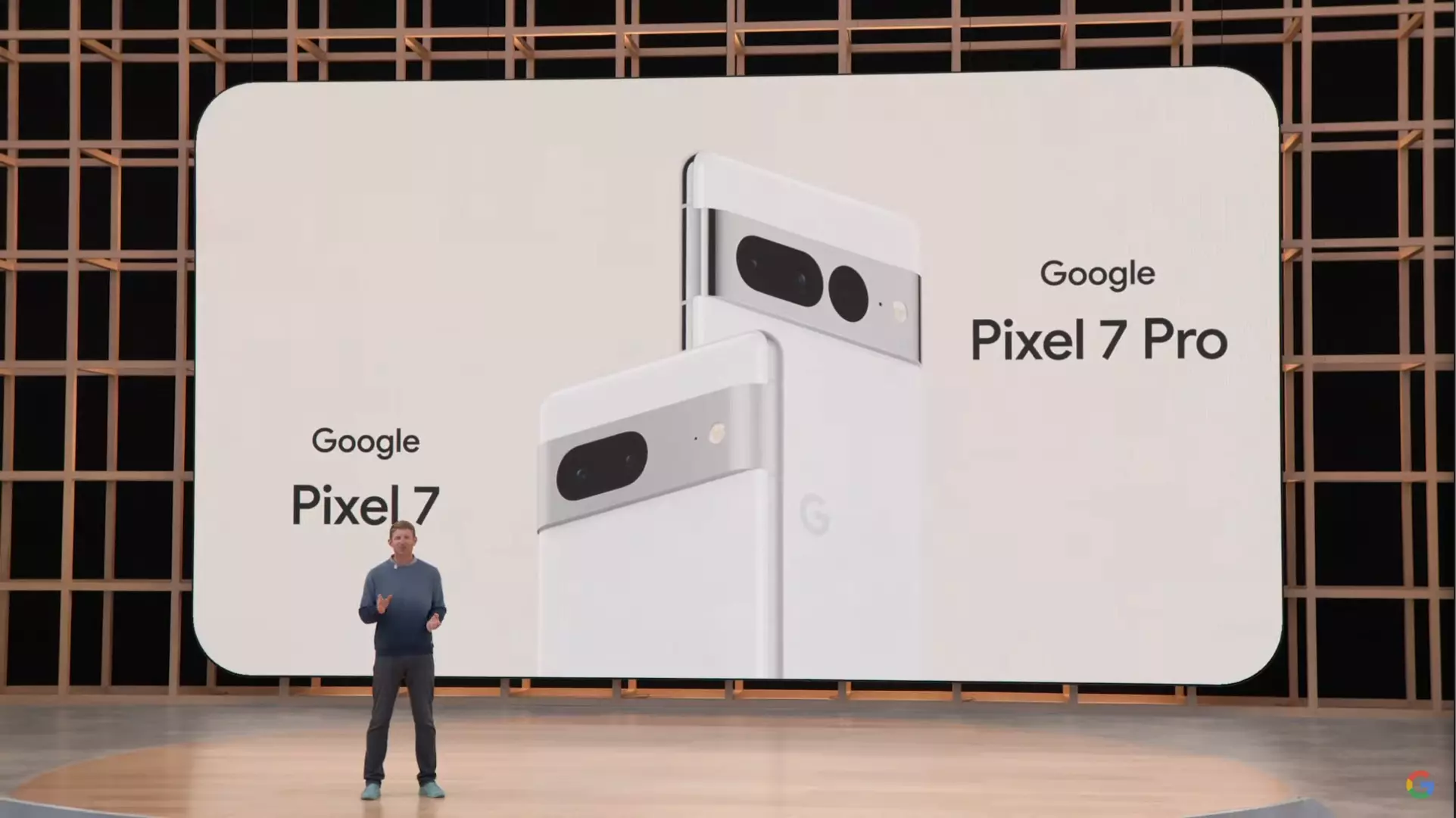
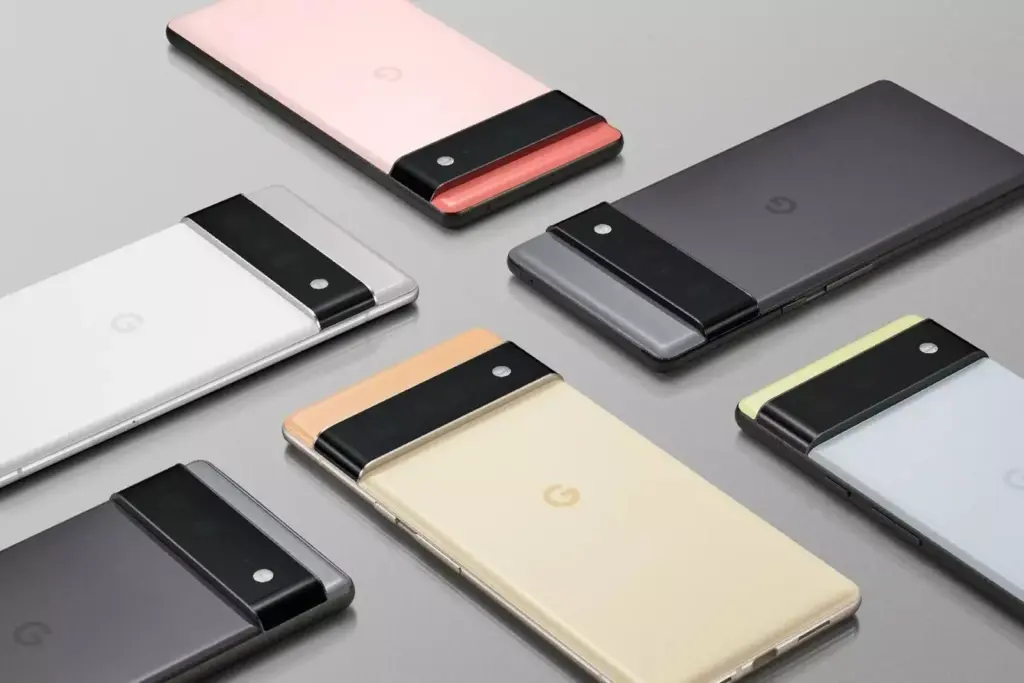
    Google will unveil two models, the standard Pixel 7 and the Pixel 7 Pro. The duo maintains Google’s modern design introduced with the Pixel 6 series in 2021.

    Youtube video

    The edge-to-edge rear camera bar is still there on both phones, but Google is prepared to differentiate between the two by adding a third camera to the Pro model, making a total of three. The third rear camera on the Pixel 7 Pro is also located in a distinct dot cutout. Both variants’ back camera bars are made of metal instead of the glass found on the Pixel 6.

    Google recently posted a photo showing the Pixel 7 Pro’s display, which is somewhat curved. Google continues to employ a rounded notch, which is said to include an 11MP Samsung 3J1 front camera.

    According to 9To5Google, rumors indicate that Google will keep using the primary 50MP Samsung GN1 sensor and Sony’s IMX381 for ultrawide pictures. The usage of Google’s second-generation Tensor G2 processor, which is expected to employ a 4nm chip with Samsung’s upcoming Exynos 5300 modem, is one of the greatest upgrades.

    The Tensor G2 is supposedly combined with 12GB of memory and 128GB of storage on the Pixel 7 Pro, according to a report from Android Authority. According to rumors, the stock Pixel 7 will have Bluetooth Low Energy-enabled dual speakers, 8GB of RAM, 128/256GB of storage, a 4700mAh battery, 30W charging capability, and a 6.3-inch display.

    Google Pixel 7

    Both versions will be available in the colors Obsidian and Snow out of the box, but there is also a third special choice for each model: Hazel for the Pro and Lemongrass for the Pixel 7.

    Early price rumors have suggested the Pixel 7 series starts at $599 for the standard model and $899 for the Pro model, identical to the Pixel 6 and Pixel 6 Pro launch prices, respectively.

    While there’s still uncertainty on other important features of the Pixel 7 series like battery, fast charging speeds, camera, price, and more, it looks like you shouldn’t expect a massive update from the Pixel 6 series.

    2. Pixel Watch

    Google is almost ready to introduce its first wristwatch. In leaked images, the Pixel Watch has a svelte circular shape and muted hues similar to the Pixel 7 series. It has a pill-shaped button on the right and a silver crown on the left.

    According to an early hands-on in the wild that was posted on Reddit in April 2022, the Pixel Watch is expected to be 40mm in diameter, 14mm thick, and 30mm in diameter (without the bezels).

    https://youtube.com/watch?v=_p7v1PTABSU

    It has been suggested that the Pixel Watch would include fitness and health tracking capabilities for heart rate, blood oxygen, skin temperature, and other parameters. Most significantly, the Fitbit Charge 5 has been compared to the Pixel Watch’s rear sensors, which debuted in 2021.

    The Fitbit’s Charge 5 has several tracking features, including an ECG and EDA sensor. Besides, Google notes in a teaser that Fitbit powers the smartwatch’s health and fitness features, and, as a result, you may need a Fitbit account as well as the app to enjoy some functionalities.

    Reports suggest Google could use the Exynos 9110 chip, an old chip first seen in Samsung’s 2018 Galaxy Watch, according to a 9To5Google report. On the bright side, Google will reportedly include over 1.5GB of memory to compensate for that.

    Under the hood, the Pixel Watch will run Wear OS 3, the latest version of Google’s smartwatch operating system.

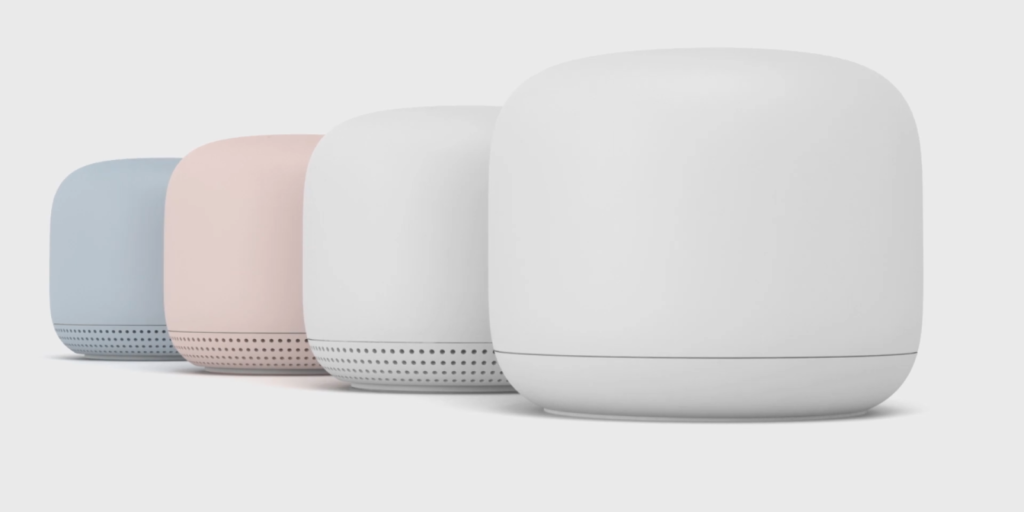
    3. Google Nest Wi-Fi Pro and Nest Doorbell (Wired)

    google nest

    The newest Nest Wi-Fi mesh network is anticipated to be unveiled by Google’s Nest division. The Nest Wi-Fi Pro will be the name of the next-generation Wi-Fi mesh network, according to a B&H retail page leak. According to reports, it will start at $199 for a single router and enable Wi-Fi 6E.

    The Nest Doorbell (wired), a variation of the current Nest Doorbell, could also be announced (battery). Despite the fact that no significant modifications have been noticed in terms of design, leaks indicate it may be shorter but thicker than the Nest Doorbell (battery).

    Get Ready for Google’s Hardware Event

    The Pixel 7 and Pixel Watch are expected to be unveiled in person at Google’s fall hardware event. The Nest Wi-Fi Pro and Nest Doorbell could also be made public by the business (wired). Prepare for the event because Google may have further surprises in addition to these.

  • Qualcomm could launch two versions of the Snapdragon 8 Gen 2

    Qualcomm could launch two versions of the Snapdragon 8 Gen 2

    Snapdragon 8 Gen 2

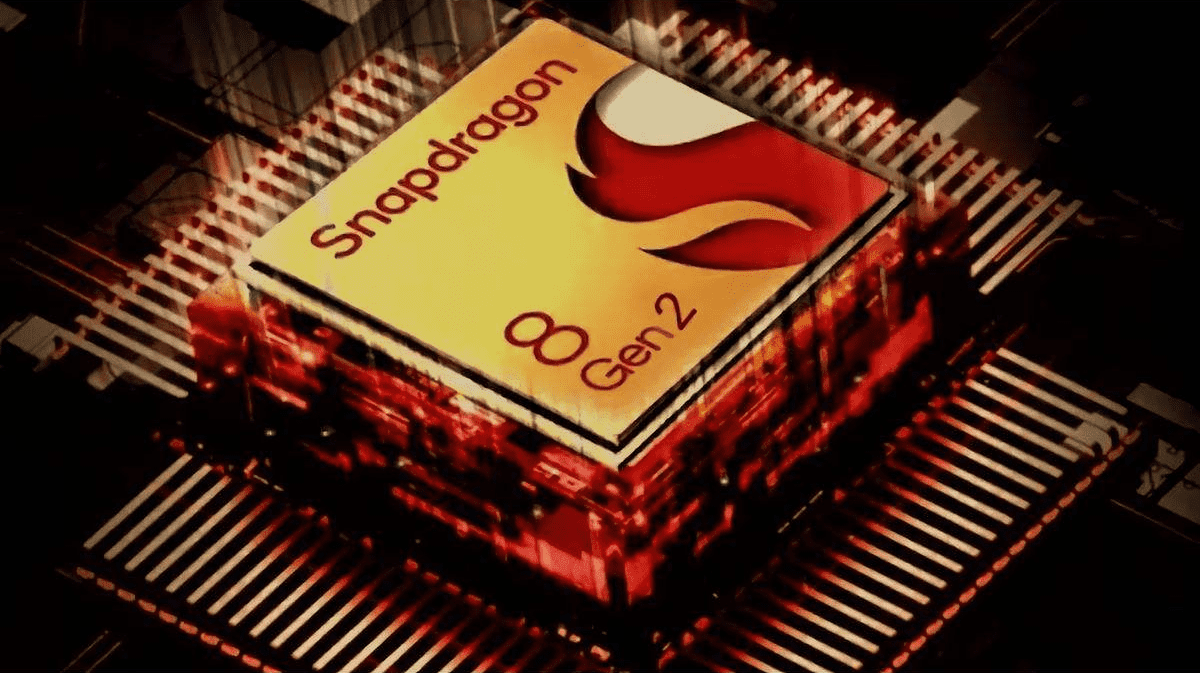
    The introduction of Qualcomm’s upcoming flagship system on a chip (SoC) is about to be announced; it is anticipated to take place during the company’s event in November. Although the Snapdragon 8 Gen 2 has been anticipated for some time, there is a speculation that a surprise version of the chipset may be on the horizon.

    The rumor was passed along via informant Digital Chat Station. According to a post on the Chinese social media platform Weibo, Qualcomm may be getting ready to introduce two different Snapdragon 8 Gen 2 processor models.

    According to reports, this variant would have a microprocessor with an ultra-high frequency that significantly increases clock rates. One of the chipsets would be your typical chipset, while the ultra-high frequency processor may operate at 3.4 to 3.5GHz, according to Digital Chat Station. Snapdragon 8 Gen 1 currently operates at 3.19GHz as a point of comparison.

    Even while everything seems thrilling, you should treat this rumor with a lot of skepticism. The likelihood of this rumor being true is remote. The rumor is that Qualcomm will release two chipsets simultaneously, which wouldn’t make much sense.

    The informant also highlighted Mediatek’s future Dimensity chip in addition to the Snapdragon 8 Gen 2 chip. They assert that Mediatek’s upcoming chip could significantly boost CPU performance. Check out the comparisons here to see how the Dimensity 9000 and the current Snapdragon 8 Gen 1 stack up against one another.