Author: Robert Haba

  • Things iPhone 14 stole from Android

    Things iPhone 14 stole from Android

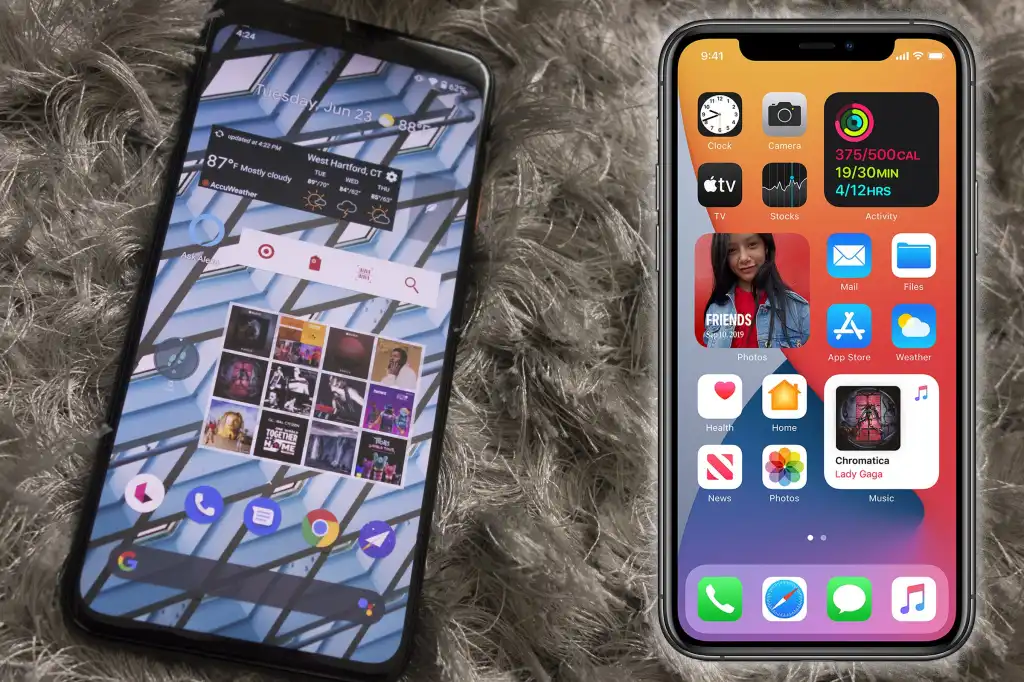
    Since Apple’s official unveiling of the iPhone 14 range has not yet settled, several of the announcements caught us off guard. Although I’ll reserve my opinions on the Apple Watch Ultra for another time, I do have some thoughts on it. Instead, I’m going to discuss a few features that the iPhone 14, namely the Pro and Pro Max, “stole” from earlier Android devices.

    Dynamic Island from LG V10
    iPhone 14 stole dinamic island

    The debut of the Dynamic Island along with the iPhone 14 Pro and Pro Max was perhaps the announcement made during Apple’s “Far Out” event that sparked the most heated debate. Since the release of the iPhone X, everyone has been requesting that Apple remove the notch, and they have finally done so. Although it’s still present on the iPhone 14 and iPhone 14 Plus, it makes sense from the standpoint of Apple wanting to provide a feature that sets its non-Pro and Pro models apart.

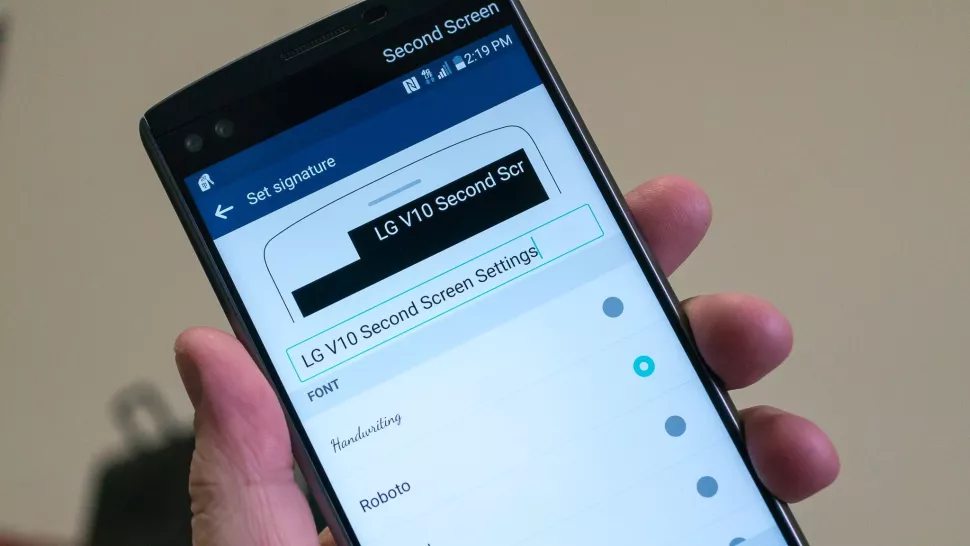
    While the Dynamic Island may appear to be a ground-breaking new feature, LG actually arrived first with the LG V10, despite the fact that this is accurate to some extent. LG introduced the “Second Screen,” which allowed users to read incoming notifications, make shortcuts for contacts, and control any music that was playing without using the primary display, in an effort to provide users a another method to interact with their alerts.

    It was one of those instances where LG tried to do something different, but the overall implementation and lack of support doomed the Second Screen from the start. The LG V20 kept the Second Screen around, providing essentially the same implementation, but it was still met with mixed results. Some V20 owners found this to be extremely convenient, while others found that “it doesn’t really add much to the experience.”

    Apple’s implementation of Dynamic Island merely operates in a completely different manner as opposed to introducing a new screen. The “Island” will display “Dynamic” information, such as the song’s album art, when you start playing music and quit the app. Additionally, instead of taking up your full screen for simple notifications like when FaceID is required, it turns them into a drop-down image tied to the Island.

    Although Dynamic Island isn’t an identical copy of LG’s Second Screen, it’s very obvious that there is some inspiration.

    Hole-punch selfie camera
    Hole-punch selfie camera

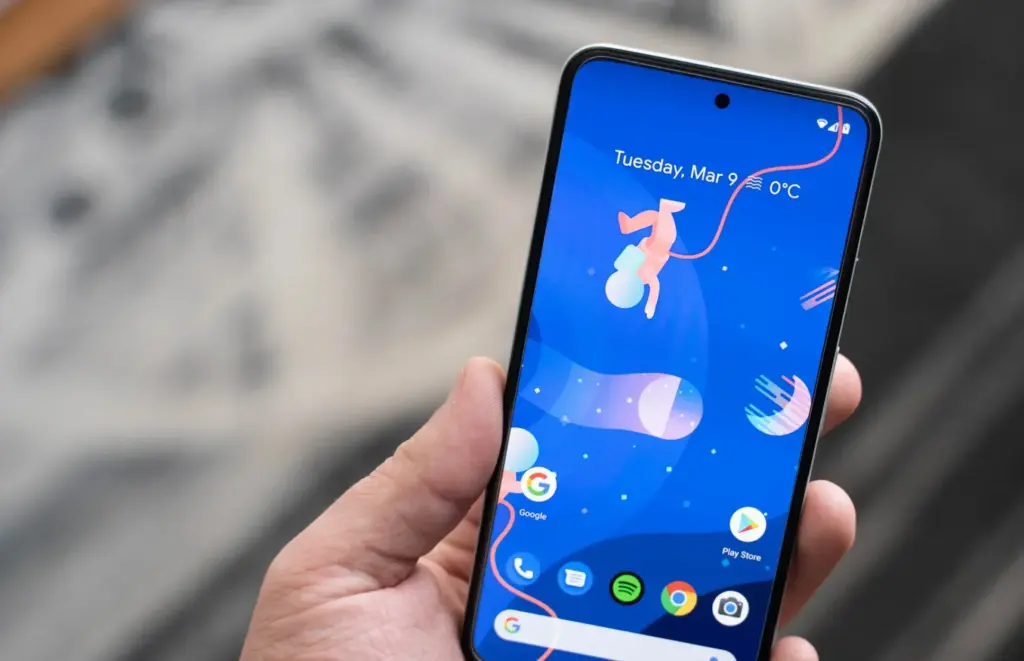
    Speaking of the notch, we were aware that Apple wouldn’t use it indefinitely. It was only a matter of time before the company made the “revolutionary” decision to use a hole-punched selfie camera cutout. Apple had to alter the modules it uses because of the different sensors that are integrated into the notch, and there are actually two cuts. The selfie camera is in one, while the proximity sensor and other Face ID-related components are housed in the other.

    With the Huawei Nova 4, the first business to completely do away with the notch, Huawei introduced the hole-punch selfie camera. However, it has been more difficult to find a smartphone that doesn’t include one since then. Many of the top Android smartphones are included in this, including the Galaxy S22 series, Pixel 6, ASUS ZenFone 9, and others.

    Apple is obviously falling behind the curve here, as a few phone manufacturers are starting to adopt an under-display selfie camera. Notably, the Galaxy Z Fold 4 and ZTE Axon 40 Ultra are two of the most recent models with a UDC; nevertheless, it wouldn’t be surprising to see further phones produced in the near future with such a change.

    Always-On Display
    Always on display

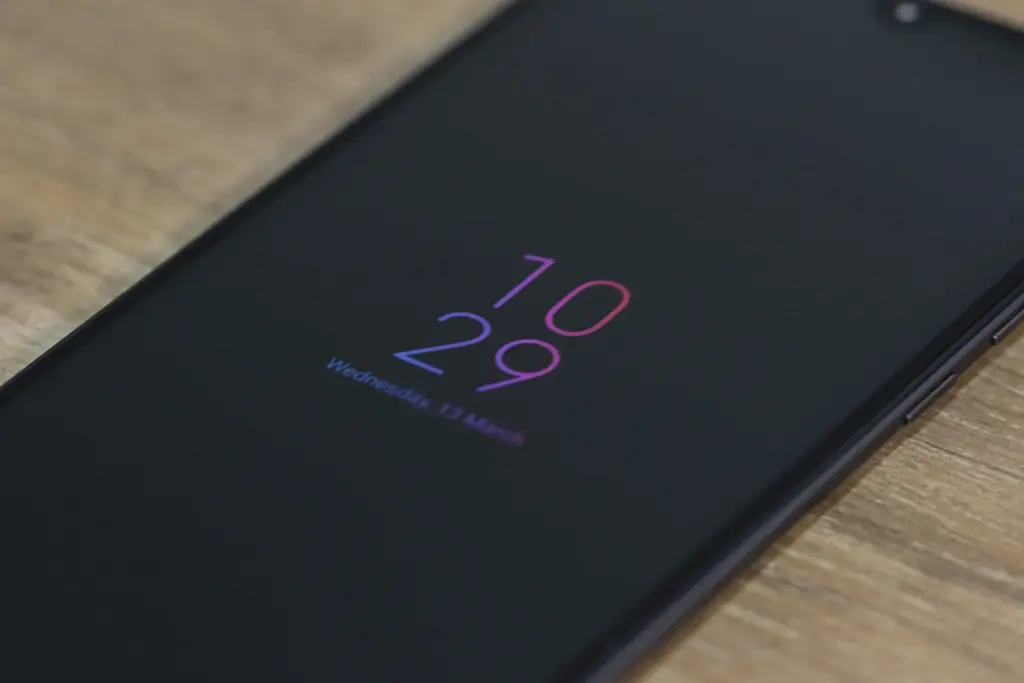
    Consider how long Apple has taken to provide a feature that it ought to have done years ago. Android phones have long had the Always-On Display (AOD), which allows users to quickly and easily see the time and any unread alerts. Following the announcement of iOS 16 and the addition of lock screen widgets, the writing was already on the wall.

    Then, one of the iOS 16 Developer Beta builds kind of let the cat out of the bag when several users discovered that the UI on their iPhone lock screens was unfamiliar. In actuality, Apple was simply putting the software in place to support the Always-On Display.

    In true Apple fashion, this isn’t available on all four iPhone 14 models, as the AOD is reserved solely for the iPhone 14 Pro and Pro Max.

    Dynamic Refresh Rate

    It’s still remarkable that Apple waited so long to implement quicker refresh rates and dynamic refresh rates considering how long Android users have enjoyed this privilege. ProMotion was created because we anticipated Apple would substitute “dynamic refresh rates” with some fancy marketing word. The iPhone 13 Pro and Pro Max from last year were the first devices to feature this, but they could only refresh the screen between 24Hz and 120Hz.

    Apple decided it was high time to slow things down even further with the release of the iPhone 14 Pro and Pro Max with the Always-On Display. With its ProMotion display, the iPhone 14 Pro range can now dynamically refresh the screen all the way down to 1Hz instead of bottoming out at 24Hz. Since stale content doesn’t need to be refreshed as frequently, the obvious benefit is to prevent battery drain anytime the AOD is shown on the iPhone.

    Due to the LTPO display, the OnePlus 9 Pro and Oppo Find X3 Pro were two of the first smartphones to provide dynamic refresh rates between 1Hz and 120Hz. And as you might anticipate, this has appeared on additional gadgets, like the Galaxy S22 Ultra and the current generation of iPhone 14 Pro models.

    Car Crash Detection
    crash dectection

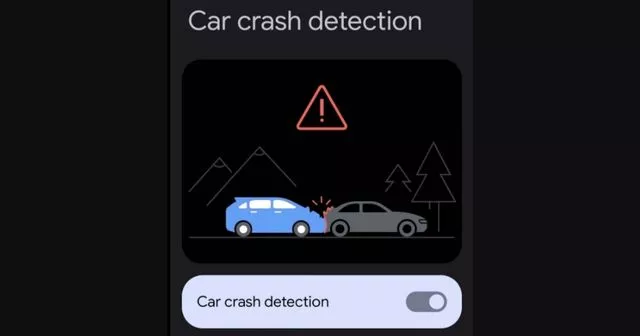
    If you were able to endure the full “Far Out” event, you might have become weary of the numerous commercials showcasing the positive effects the Apple Watch and iPhone have had on people’ lives. One new feature, though, is something that everyone should be grateful to Google for introducing with the Pixel back in 2020. As part of the March 2020 Feature Drop for owners of the Pixel 2, 3, and 4, Car Crash Detection was initially integrated to Android.

    The many motion sensors and ambient sounds on your Pixel phone were used to make this feasible. Your phone can sound an alarm in the event of a car mishap, prompting you to decide whether you require additional assistance. If no response is given, emergency services will be contacted and their location will be given by your Pixel.

    Apple is adding this to all of its iPhone 14 models, but the Apple Watch Series 8 is also the first wearable to do so. Apple has updated its three-axis gyroscope and combined it with a “high g-force accelerometer” that can measure up to 256 gs of force to enable this. Once an algorithm has determined whether an accident has happened, the iPhone and/or Apple Watch will inform emergency contacts and services if no answer is received within 10 seconds.

    In June 2022, it was discovered that the Car Crash Detection feature might not be exclusive to Pixel phones for much longer. Hidden code within Google’s Personal Safety app suggests that this functionality could make its way to other Android phones in a future update. But at the time of this writing, it looks like Google and Apple will be the only phone makers with this available.
  • Beeper – get iMessage on Android or Windows

    Beeper – get iMessage on Android or Windows

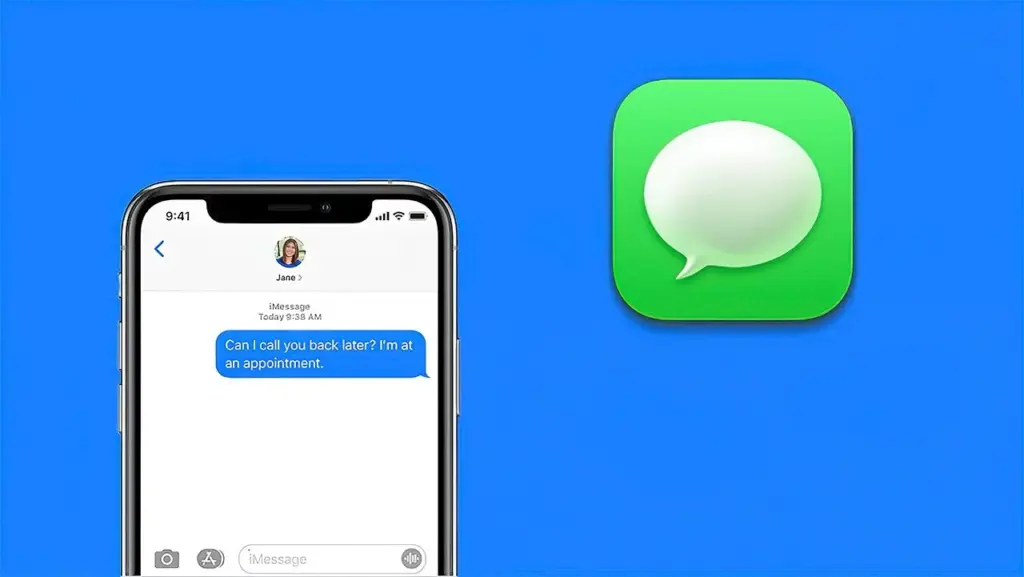
    Apple excels at retaining consumers inside of its ecosystem. Once you experience the iPhone world and fall in love with its distinct features or apps, switching to Android is challenging. iMessage is one of the key iOS apps we wish existed on Android and Windows. Although there isn’t an official way to use iMessage on Android, Beeper’s unified chat software makes it possible.

    What is Beeper?

    beeper

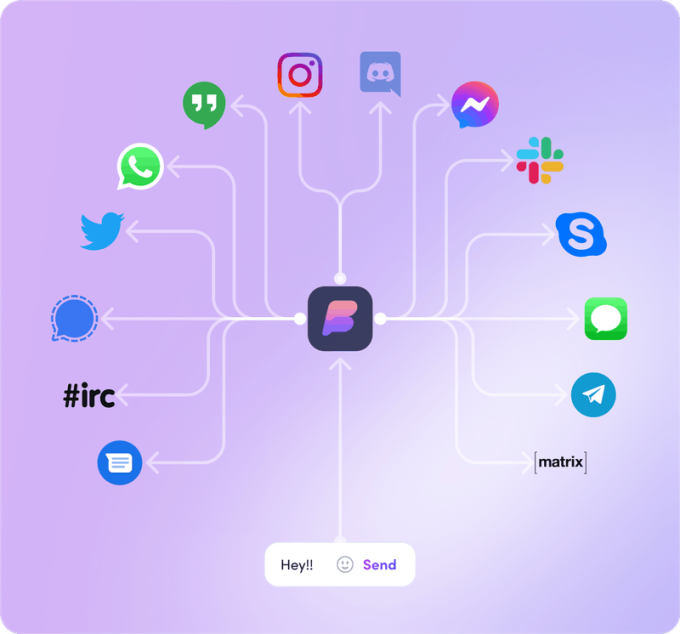
    An integrated chat and inbox app is called Beeper. Former Pebble CEO and Founder Eric Migicovsky is one of the project’s key figures. It is renowned for smoothly integrating all of your communications and social networks. Additionally, you can set notes, search all services, and make voice and video conversations.

    Google Chat, Instagram, Messenger, Signal, WhatsApp, Twitter, Discord, Slack, and more services are also supported.

    We’ll talk more about this later. The app is presently in beta, and the only way to access it is with an invite.

    How does it work?

    If iMessage isn’t available outside of Apple devices, how does it manage this?

    imessage on Android

    It functions as an intermediary between your iMessage content and your other devices. It redirects conversations through its messaging software and links your Apple ID account to its own servers. In essence, you send a message to their servers, which then forward it to iMessage so that the receiver may get it. The opposite also holds true.

    The waitlist

    As previously mentioned, the app is still in a closed beta stage. This means you’ll need an invite in order to get access to the app. Click on the button below to get on the waitlist, and hopefully you can get in soon.

    Does it costs?

    The app seems really awesome, no? It completes a task for which we have been waiting years, even in beta. The unified chat service is functional, attractively designed, and compatible with all significant platforms. You are correct to believe that such kindness cannot be offered for free. It charges $10 per month, even though it’s still in beta. For a service that isn’t even ready for prime time yet, it’s a little on the costly side, but some of you might find it worthwhile.

    The bad

    apple id

    Beeper has to go through some hurdles in order to use iMessage on Android or Windows because there isn’t an official way to do so. They’ll need access to your Apple ID account, and that’s the trick here. Even though it claims it will only utilize this information to obtain your messages through iMessage, some security-conscious people may have some worries about this. These accounts are kept by Beeper on a Mac Mini server. To make chat easier, they will also access your contacts. If you do this, you must have faith in it. You must also have faith in their ability to avoid hacking.

    One more significant drawback is that it doesn’t support RCS (Rich Communications Services). The SMS and MMS replacement, which can use data for messages, video, and other communication tools, is a crucial feature for Android users and is essentially an iMessage rival. The Google Messages app contains it. If you continue to use Google Messages as your main messaging app, RCS will continue to work. Then, you can use Beeper’s iMessage feature as a backup service. RCS support will be lost if Beeper becomes the standard messaging program.

    Finally, a PC must be used to set up Beeper. It cannot just be installed and run using the Android app. More specifically, the Android app does not allow you to add services to your account. The purpose of the app is to sync with your account, which is managed by the PC program. That essentially eliminates this for anyone without access to a computer.

    How to set up iMessage on Beeper

    Are you ready to move forward? If you got your invite, it’s time to set up iMessage on Beeper. You’ll get notified when it’s your turn. In which case you have to follow instructions to set up Beeper.

    1. Follow the instructions to install the Beeper app on your Windows PC, and create your account.
    2. Download the Beeper Android app.
    3. Sign into your Beeper account on the Android app.
    4. You’ll be asked to verify your identity from the windows App. Click on Yes. You can also use the security code provided to you during account setup.
    5. Now both your Windows and Android apps are ready. It’s time to enter your iMessage account.
    6. Click the + button on the left-side panel from the Windows Beeper app.
    7. Click on iMessage.
    8. Hit Continue.
    9. If you don’t have an Apple ID, create one here. You can do this while you wait for Beeper to assign a server to you.
    10. Enter your Apple ID credentials and verify your account.
    11. Beeper will take some time to activate your iMessage. You’ll be able to chat on iMessage after this.
    12. Open the Beeper app on your phone, and you’ll see iMessage added to the available services in the bottom tabs.

    How to remove iMessage from Beeper

    Are you not convinced by iMessage on Beeper? Here’s how to get rid of it.

    1. Open the Windows Beeper app.
    2. Click on the Gear Settings icon.
    3. Select Chat Networks.
    4. Go into iMessage.
    5. Click on Delete.
    6. Hit Delete iMessage Cloud Connection.
  • ColorOS 13 will change how you use your smartphone

    ColorOS 13 will change how you use your smartphone

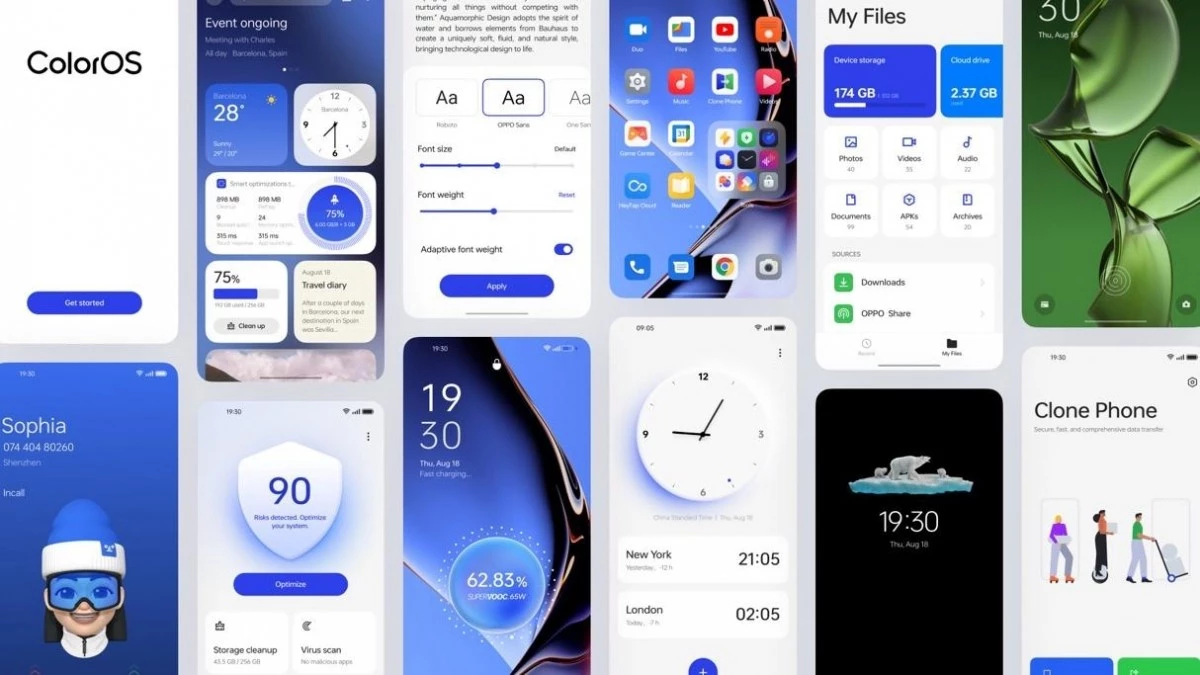
    Android 13 is here, and with it, OPPO has revamped ColorOS not only with Google’s latest update but a selection of new and better in-house features. ColorOS 13 has been updated for maximum efficiency and introduces cutting-edge smart capabilities to make the most of your apps and the technology in your phone, in addition to improved graphics and sophisticated customization tools.

    Here’s what you need to know about how OPPO’s latest technologies empower system performance and useful features in ColorOS 13.

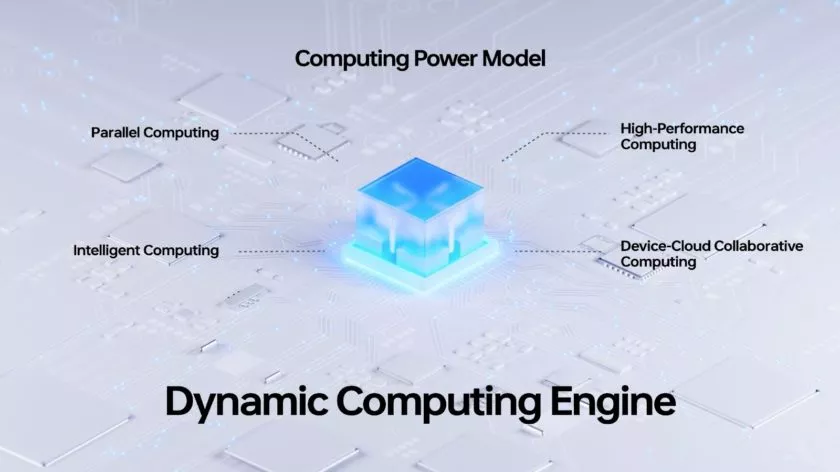
    Dynamic Computing Engine

    High performance is now frequently taken for granted thanks to powerful processors and quick displays, but if recent chips are any indication, getting silky smooth performance still frequently comes at a cost to power consumption. The introduction of the Dynamic Computing Engine, an internal initiative to increase task scheduling effectiveness to boost performance and lower battery consumption, is one of OPPO’s key enhancements with ColorOS 13.

    More power

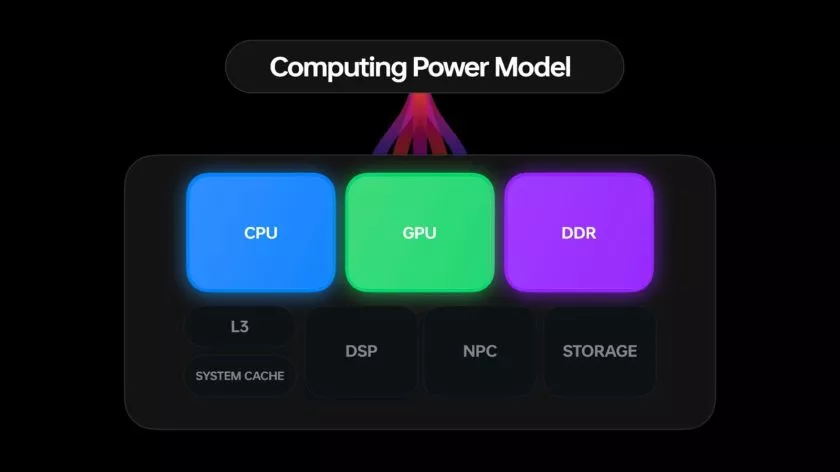
    Through what is referred to as OPPO’s computing power paradigm, the first half of the Dynamic Computing Engine strives to enhance common task scheduling. Three tiers of CPU cores seek peak performance, sustained performance, and low power consumption in today’s multi-core smartphone chipsets. Performance and power consumption of a phone are influenced by how apps and tasks are distributed around CPU cores.

    For example, running a background task on a large, powerful CPU would make it run more rapidly, but since it is a background process, you would only notice the increased power usage. So these kinds of operations should ideally be done on the lower power cores. To ensure responsiveness, it is best to use a strong CPU while starting a new app. The situation becomes trickier when balancing loads from multiple apps, all demanding CPU, GPU, and other resources at once.

    The developers at OPPO spent three years simulating millions of similar situations in an effort to remedy the situation. OPPO is able to precisely plan computational resources from hardware, such as CPU, GPU, and DDR, using a computing power model. To ensure snappy apps and all-day battery life, the resulting scheduling processing power model achieves the perfect combination of high performance and low power consumption.

    The proof is in the pudding: OPPO reports that its Find X5 Pro, equipped with this feature through ColorOS 13, can top an impressive 34 hours of battery life for doing everyday things. Their lab tests also showcase scenarios during which the Find X5 Pro can support up to 22 hours of video playback, 9 hours of continual gaming, and 8 hours of video calling.

    ColorOS 13 computing engine

    More speed

    The second aspect of the issue is performance limitations caused by running many apps simultaneously. The parallel processing engine developed by OPPO attempts to eliminate lag and interruptions brought on by memory use disputes. Processes must wait until the memory is free to access because “memory contention,” also known as locks, happens when many CPU threads attempt to access the same block of memory at the same time. This is a particularly troublesome bottleneck in multithreaded workloads and when releasing and swapping huge blocks of data into and out of RAM, like when relocating an outdated app to a swap partition to free up memory.

    The Dynamic Computing Engine has two approaches to this. First, OPPO parallelizes operations, such memory allocation and reclaim, breaking huge locks into smaller locks and helping apps to recover from a stall more rapidly. Second, the engine delays shifting programs to swap storage for a longer period of time, which reduces the possibility of massive locks in the first place. Therefore, the smartphone can now maintain multiple programs in the background, and users can switch between apps without experiencing slowness or losing the status of an app.

    Oppo ColorOs 13 Dynamic Computing Engine

    Additional computing technologies, such as Parallel Computing, High-Performance Computing, Intelligent Computing, and Device-Could Collaborative Computing, will be added to the Dynamic Computing Engine in upcoming versions. The Dynamic Computing Engine will continue to provide comprehensive enhancement to the fundamental experience in the upcoming years as a system-level technical solution.

    More Features

    It’s not just about making daily activities more fluid, effective, and battery-friendly with Color OS 13. It also makes use of these technological advancements to introduce some brand-new, sparkling features!

    Privacy is a priority

    Performance is excellent, of course, but a premium modern smartphone experience consists of much more than performance. Today, privacy is equally crucial, and ColorOS 13 offers some interesting new capabilities in this area as well.

    With ColorOS 13’s new Auto Pixelate feature, OPPO protects privacy with a self-created on-device AI system. Without access to the contents of your communications, Auto Pixelate can detect and automatically blur profile images and names in screenshots taken from Messenger and WhatsApp. Excellent if you want to share screenshots with contacts while maintaining user anonymity.

    ColorOS13 private files

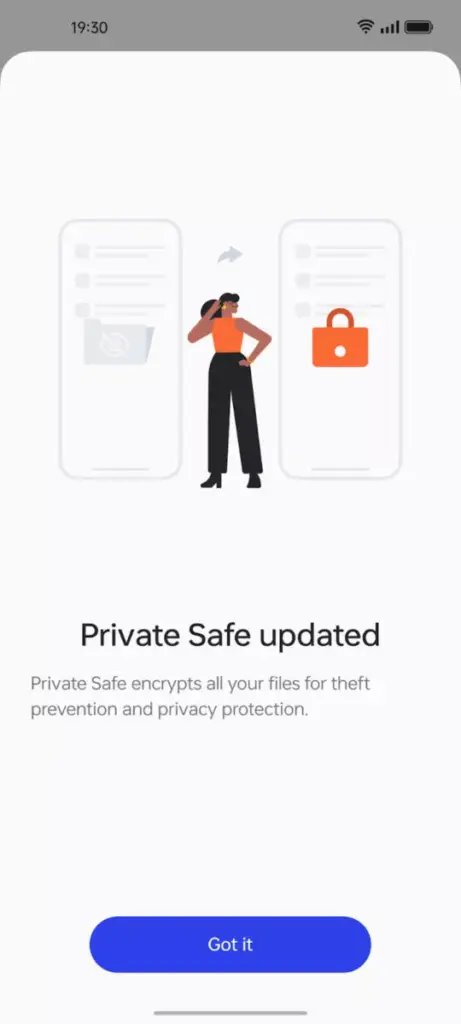
    Likewise, OPPO’s Private Safe for keeping critical documents, images, and videos is more secure than ever. The industry-standard AES algorithm now protects Private Safe directories. ColorOS 13 is OPPO’s most secure operating system to date when combined with Android 13’s built-in auto-clearing clipboard, Wi-Fi location concealing, and other privacy features.

    Improved always-on display

    oppo coloros 13 always on display

    If you think all of that is fairly clever, ColorOS 13 has a few other clever features in store that are intended to utilize the hardware and software of OPPO’s smartphone.

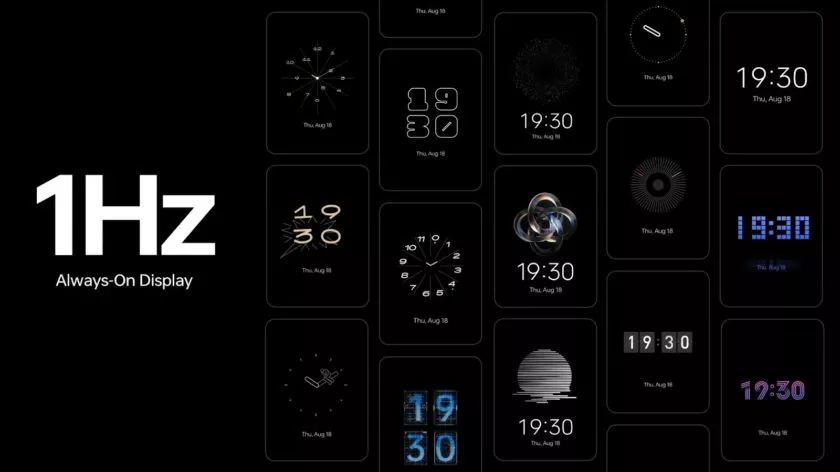
    The advantages of LTPO display technology have previously been demonstrated by OPPO’s premium smartphones, which can dynamically drop refresh rates to conserve performance while still offering silky smooth high refresh rates upon request. OPPO is utilizing LTPO2.0 with Always-On Display in ColorOS 13 to lower refresh rates to just 1Hz. Through Smart Always-On Display, you can still quickly check your notifications and use apps like Spotify without turning on your display. But in comparison to non-dynamic refresh rates, power consumption is further decreased by up to 30%.

    New UI

    Quantum Animation Engine

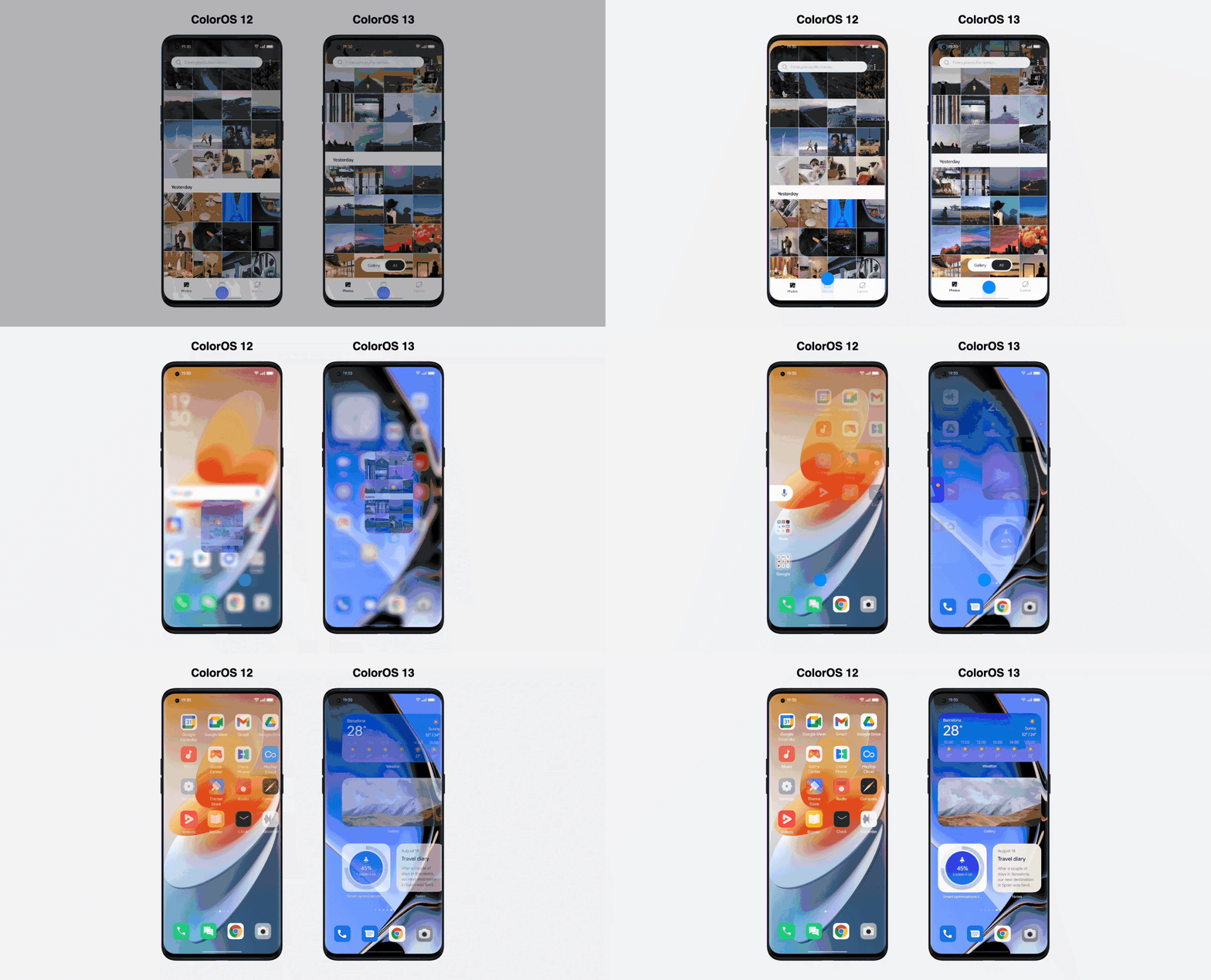
    ColorOS 13 also boasts improvements to OPPO’s Quantum Animation Engine. The introduction of behavioral gesture prediction allows ColorOS to anticipate multi-gesture operations, improving responsiveness for more complex interactions and ensuring a fluid and intuitive UI experience.

    New file transfer

    oppo coloros 13 tablet

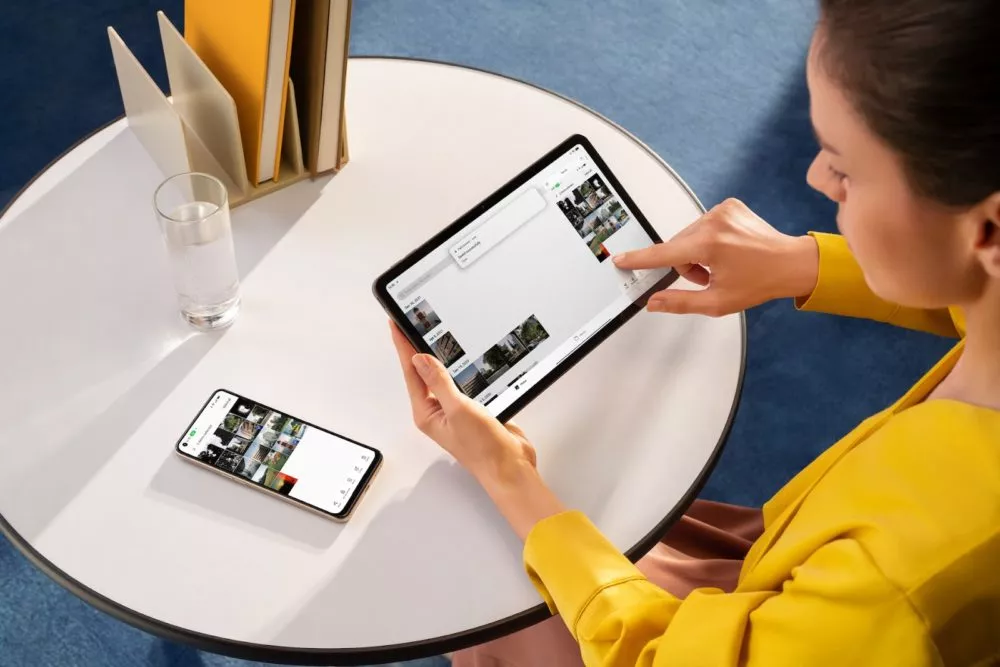
    Additionally, OPPO Share has been improved to support a large number of additional file kinds without using up your data plan. Files can now be transferred between devices using OPPO Share as part of Multi-Screen Connect, regardless of their format or the hardware of smartphones. Users who use numerous devices might increase productivity by sharing their clipboards. Aside from supporting smooth communication between your smartphone and PC, Multi-Screen Connect also offers connectivity between your smartphone and the OPPO Pad Air.

    Overall, OPPO’s Dynamic Computing Engine promises to enhance not just the performance of individual apps but also crucial multitasking and power consumption characteristics.

    OPPO is rapidly establishing a distinctive personality for its Android handsets, as evidenced by ColorOS 13, which is much more than just an Android 13 upgrade. There is enough of innovation for consumers to get their teeth into with under-the-hood technological advancements and optimizations for peak performance and battery life, combined with user-facing improvements to multitasking, privacy, and the UI.

  • Snapdragon 4 Gen 1, 6 Gen 1 – premium features

    Snapdragon 4 Gen 1, 6 Gen 1 – premium features

    Late last year, Qualcomm launched a new naming scheme for its chipsets, which it continued with the upper mid-range Snapdragon 7 Gen 1 earlier this year. The SD 4 Gen 1 and SD 6 Gen 1 are now being revealed by the US chip creator, who is going downstream.

    The new chipsets, which take the place of the SD 400 and SD 600 naming conventions, also add a few useful features to their respective price ranges. What you need know about them is as follows:

    Snapdragon 6 4 gen 1

    Snapdragon 6 Gen 1

    The 4nm Snapdragon 6 Gen 1 is undoubtedly the best chipset out of the bunch, with an octa-core CPU (4x Cortex-A78 and 4x Cortex-A55) with a claimed 40% performance improvement over the Snapdragon 695, which is, admittedly, a weaker chip. A 35%-better performing Adreno GPU is also included with the SoC, along with gaming-specific features like variable rate shading and jank minimization.

    Qualcomm’s new SoC also brings an improved AI engine with a Hexagon Tensor Accelerator and a claimed 3x increase to AI performance, as well as a Snapdragon X62 5G modem.

    Snapdragon 4 Gen 1Snapdragon 6 Gen 1
    CPU2x Cortex-A78
    6x Cortex-A55
    4x Cortex-A78
    4x Cortex-A55
    GPUAdrenoAdreno
    ModemSnapdragon X51 5G
    2.9Gbps down
    Snapdragon X62 5G
    2.5Gbps down
    Camera108MP snapshot
    32MP single
    25MP+13MP dual
    13MP triple
    48MP single
    25MP+16MP dual
    13MP triple
    108MP snapshot
    4K HDR
    ConnectivityBluetooth 5.2
    Wi-Fi 5
    Bluetooth 5.2
    Wi-Fi 6E
    Manufacturing process6nm4nm

    The Snapdragon 6 Gen 1 also offers a respectable selection of photographic features, including up to 200 MP for a single camera (likely for a snapshot), 25 MP and 16 MP for a dual camera, and 13 MP for a triple camera. Additionally, 4K HDR video recording is something you can anticipate, which is an upgrade over the Snapdragon 695’s complete lack of 4K video recording.

    Other noteworthy features include 120Hz at FHD+ display resolutions, Bluetooth 5.2, Wi-Fi 6E, and support for Quick Charge 4+.

    You’re in for a bit of a wait if you want a phone with this chipset, as Qualcomm says devices with the SD 6 Gen 1 are set to launch in Q1 2023. Motorola has also confirmed that it will offer a phone with the new SoC.

    Snapdragon 4 Gen 1

    Additionally, Qualcomm unveiled the 6nm SD 4 Gen 1, which replaces the SD 6 Gen 1. With a claimed 15% boost over the SD 480, the new lower mid-range SoC offers an octa-core CPU (2x Cortex-A78 and 6x Cortex-A55). The GPU reportedly experiences a 10% performance increase.

    Otherwise, it appears that the SD 4 Gen 1 and the SD 695 have a lot in common. Similar camera features (including support for 108MP snapshots but no 4K video recording), 120Hz support at FHD+ resolutions, Quick Charge 4+ support, Bluetooth 5.2, and Wi-Fi 5 are all present. Additionally, the Snapdragon X51 5G modem can reach downlink rates of 2.5Gbps.

    You won’t have to wait long to see the first phones with the SD 4 Gen 1, as Qualcomm confirmed that the first devices will land this quarter (Q3 2022). Vivo’s Iqoo brand has revealed that the Iqoo Z6 Lite will be one of the first globally available phones with the new chipset.

  • New ways to flag content that you don’t like on Instagram

    New ways to flag content that you don’t like on Instagram

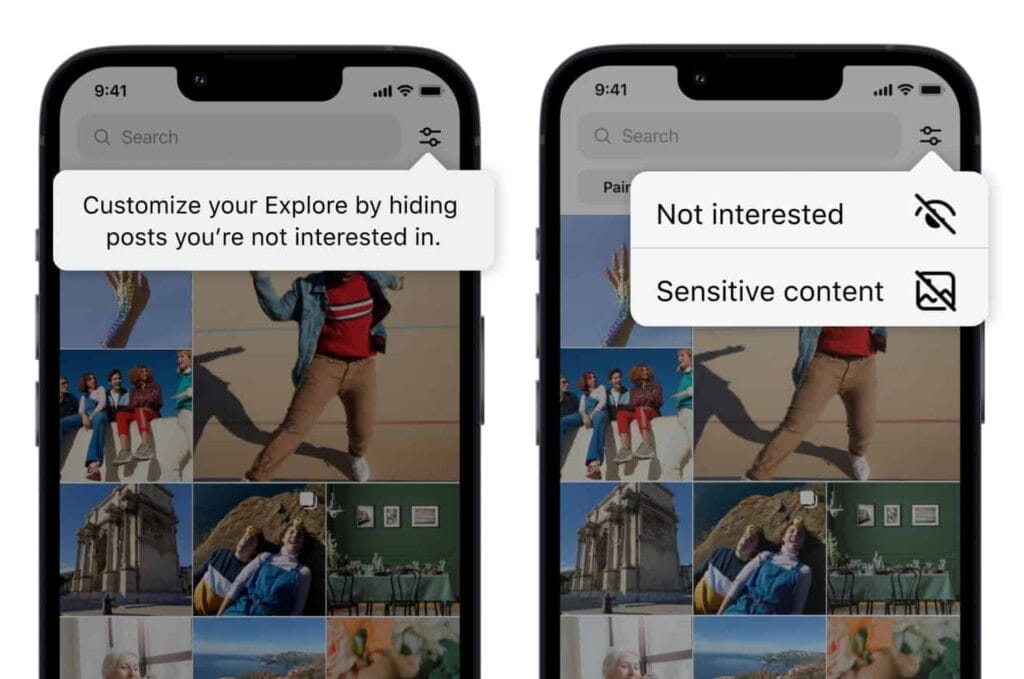
    Users now have more options for managing what they view on Instagram. You can now personalize your Instagram feed with a few of the new features the business has introduced. First off, it is a test of the feature that lets you designate several postings as “uninterested.” In the Explore page, you can choose whatever posts you want to flag for the app at once. The chosen posts are instantly removed from your feed. Additionally, you won’t see any more such content in the future. You may presently only do that for individual postings on the Meta-owned platform. Multiple posts cannot be flagged at once.

    You must tap the new Filter option in the Explore tab, which is located next to the search box, in order to flag multiple posts on Instagram. There are two choices there: Sensitive Content and Not Interested. Decide between the two options, then indicate on the posts. Tap Done to finish the activity at this point. Compared to the present implementation, which calls for you to first open a post, tap on the three-dot menu, and then choose Not Interested, this is far more convenient. For each piece of content you want to filter out, you must repeat these steps.

    instagram not interested content

    Instagram adds new ways to filter content as it becomes more like TikTok

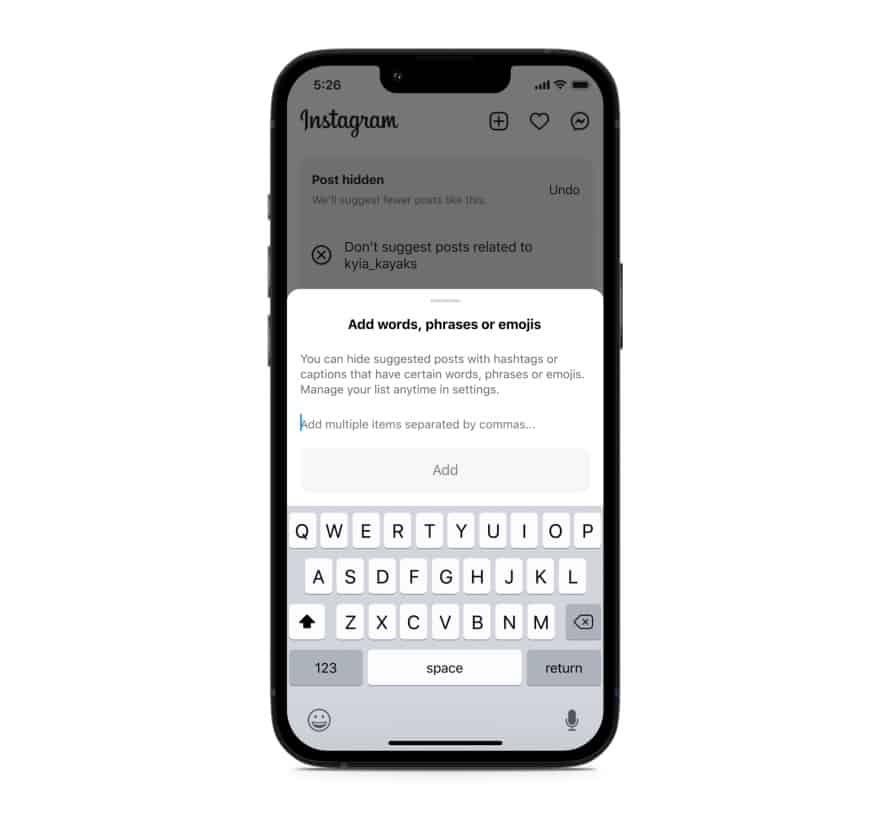
    Instagram will also soon start testing the ability to filter out content based on keywords. You can create a list of words, phrases, and emojis that will trigger this filter. The app will look for those keywords in a post’s caption or hashtags and remove all related posts from your feed. “Whether you’re seeing something that’s not relevant, or have moved on from something you used to like, you can use this feature to stop seeing content that’s not interesting to you,” Meta said in a blog post. TikTok already offers similar keyword-based filtering of posts.

    Instagram started out as a photo-sharing app before later adding video functionality. However, it currently favors short videos akin to TikTok over everything else. Reels is the name of the TikTok-inspired feature that is quickly dominating the site. Users now frequently hide material from their friends and relatives by seeing more Reels from accounts they don’t follow. The CEO of Meta, Mark Zuckerberg, has asserted that interest-based recommended content will dominate Instagram, despite widespread opposition to this notion.

    Instagram is expanding its selection of filters to make sure users don’t see things they don’t want to. In addition to the current options for switching between your Favorites and Following feeds, these two new capabilities will be available soon. You can already designate specific topics as Not Interested, and you can choose to snooze suggested content for 30 days. Additionally, Instagram has modified its filters for delicate content.

    Instagram keyword filter content feed
  • Android 14 will support satellite connectivity  T-Mobile/Starlink partnership

    Android 14 will support satellite connectivity T-Mobile/Starlink partnership

    Evidently, satellite communication is all the rage. While Android 13 is still gradually rolling out to devices other than those in the Pixel line, it appears that Google is already teasing features for Android 14.

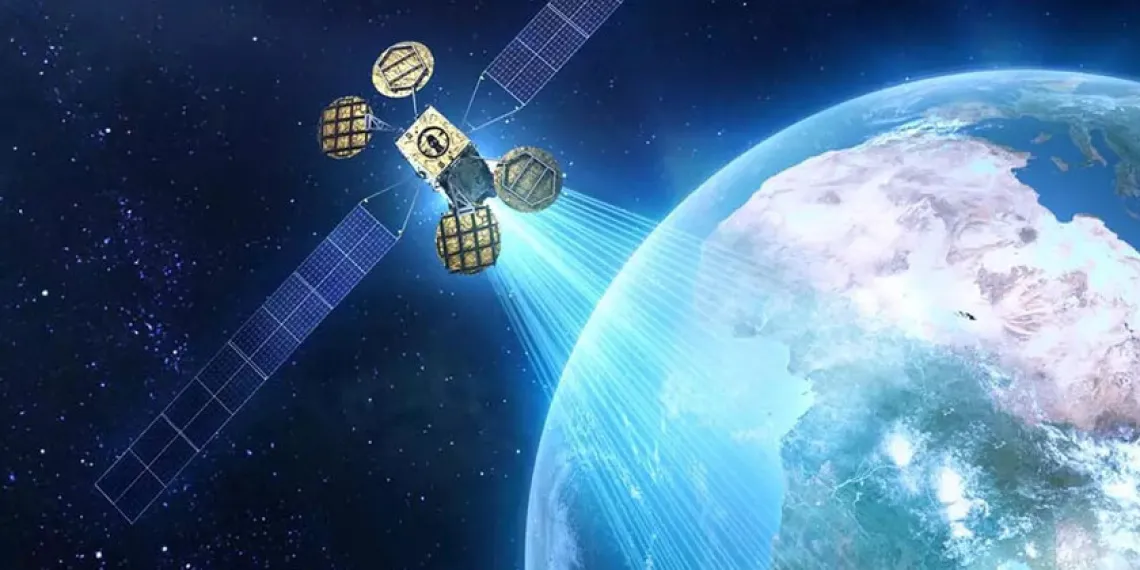
    Google’s senior vice president of platforms and ecosystems, Hiroshi Lockheimer, stated in a tweet on Thursday that the company aims to offer satellite connectivity “in the next version of Android” and that he is enthusiastic about the possibilities this opens up.

    android satellite connectivity

    What you need to know – Android 14

    • A Google executive has confirmed that the next version of Android will support direct satellite connectivity.
    • T-Mobile and SpaceX recently announced a new partnership that aims to bring satellite connectivity to smartphones.
    • Apple has been rumored to have this in the works for its upcoming iPhone 14 and Apple Watch 8.

    It isn’t much of a stretch to figure out what “the next version of Android” might mean, but Google confirmed to 9to5Google that this is, in fact, Android 14.

    The cooperation between T-Mobile and SpaceX, which will use the latter’s Starlink satellites to provide basic connectivity to smartphones, was just revealed. Lockheimer’s tweet is probably in response to that announcement. The goal is to eradicate so-called dead zones, where even the top U.S. carriers struggle to deliver the most basic services. This would at first encompass messaging services like SMS and MMS as well as specific chat apps and possibly even video.

    After SpaceX launches its next-generation satellites, the beta testing for this is not anticipated to begin until late in 2023. The service is anticipated to be free for members of T-“most Mobile’s popular plans,” but the businesses intend to expand it to support calls and data as well.

    Along with this collaboration, it has been long-rumored that Apple’s forthcoming iPhone 14 and Apple Watch 8 products will feature satellite connectivity. We’ll have to wait and watch what Apple says on September 7 since the company is anticipated to reveal its new smartphones.

  • Galaxy S21 family gets One UI 5.0 beta based on Android 13

    Galaxy S21 family gets One UI 5.0 beta based on Android 13

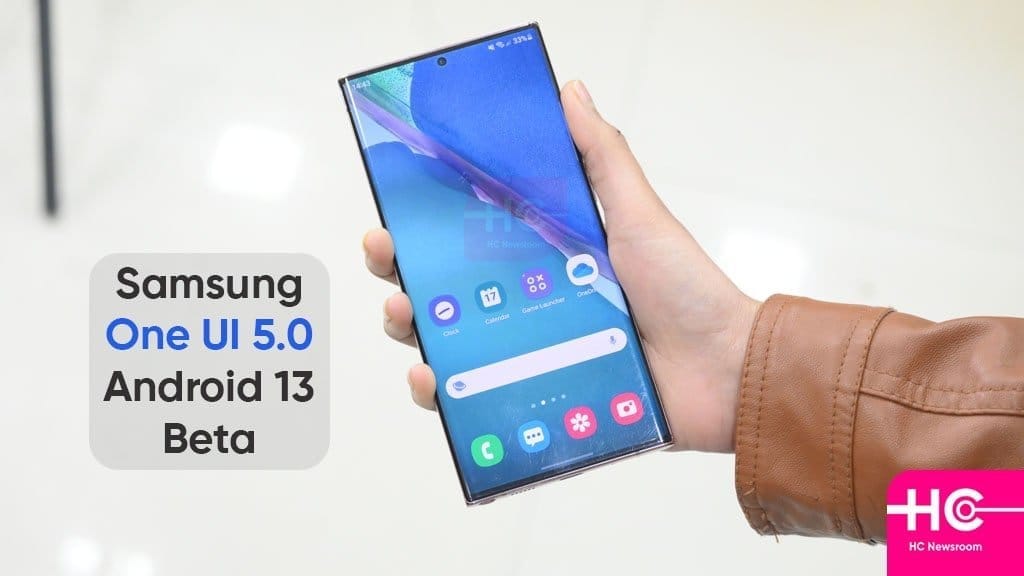
    Samsung launched the One UI 5 public beta earlier this month for the Galaxy S22 series, and as of right now, it is also available for the Galaxy S21 models. One UI 5 is based on Android 13. For these, it appears that the beta testing has already begun in Korea and the UK.

    One UI 5.0

    You must use the Samsung Members app to find the conspicuous One UI 5.0 beta program banner, tap it, and register your information and device to participate. Normally, you won’t have to wait more than a few minutes after that to receive an update message.

    The build number for the beta in question is G99xBXXU5ZVHE, where “x” varies depending on which member of the S21 trio you have. Please take note that the beta is only only accessible for SIM-free, unlocked devices if you’re in the UK and want to give it a shot. When it will appear in operator models is unknown.

    One UI 5.0 will undoubtedly see a ton more beta builds, and if you’re signed up for the testing program, you’ll get each one as soon as it’s available via an OTA update. One UI 5.0’s “stable” final release for the S22 family is anticipated for mid-October. The S21 models presumably won’t receive it at the same time, but it shouldn’t be delayed.

  • Kids Space improved with latest Google System Updates

    Kids Space improved with latest Google System Updates

    The September 2022 Google System updates have started to reach Android devices. These updates differ from OTA (over the air) updates that you get for your phone. Instead, these are updates to various underpinning technologies, such as Google Play Services and the Play Store, which serve as the foundation for the Android OS. For a more dependable and secure user experience, the organization releases updates and adjustments to these systems on a regular basis. Each month, it describes their developments. A few major modifications, including some for Kids Space, are brought about by the most recent round of Google System updates.

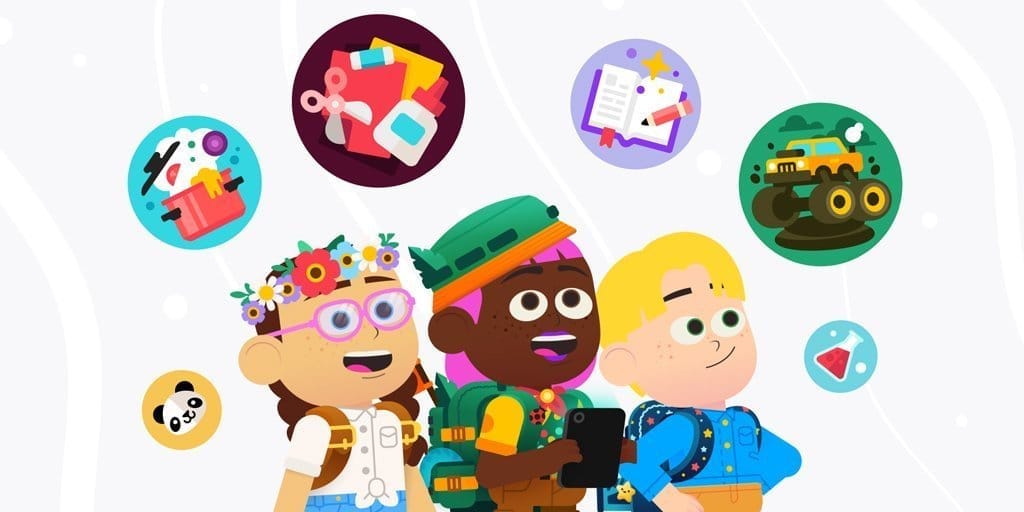
    This month’s Google System updates bring notable changes to Kids Space

    kids space

    First off, you can now set up Android tablets to install Google Kids Space on a different account. You can now use your tablet to share with your little siblings or children. To prevent your children from downloading or using undesirable apps, you can also hide suggested apps while configuring Kids Space. On Android smartphones, TVs, tablets, Android Auto, and Wear OS devices, the most recent updates significantly improve Google account syncing and recovery.

    Additionally, the Google Play Store is improving. Play-as-you-download, Google Play billing, Play Protect, Play Pass, and Play Points programs are just a few of the features that are getting some optimization. However, if you looked at the organization’s official update tracker for these monthly releases, you would see the identical entries in the changelog for almost every release.

    Improvements are also being made in the Google Play Store. Some enhancements are being made to features including Play-as-you-download, Google Play billing, Play Protect, Play Pass, and Play Points programs. However, if you looked at the changelog for these monthly releases on the company’s official update tracker, you would see the identical entries almost every month. That’s because Google makes these ongoing adjustments for better user experience in the background.

    As part of these monthly Google System updates, Google frequently pushes new updates to Android OS systems throughout the month. So, in the upcoming weeks, it’s possible that the corporation will add new items to the changelog for the most recent edition. We will undoubtedly let you know about anything significant or significant if it happens.

    The aforementioned improvements are now being released alongside Google Play Store version 31.1 and Google Play services version 35.22. It may take a few days for everyone to notice the improvements brought about by this month’s Google System upgrades because the company just issued the most recent version. Although the updates ought to be installed without your intervention, you can always look for them yourself. To check if you have a Google Play services update available, click this page. The About section of Settings, accessed from your avatar in the top right corner of the Play Store home page, allows you to check for updates for the Play Store.

  • Google Duo transforms in Google Meet

    Google Duo transforms in Google Meet

    Google Duo transforms in Google Meet

    Only a few days have passed since we gave you an update on the conversion of Google Duo into Google Meet, and we already have another. Google informs us today that the Google Duo symbol and name change, which transforms it into Google Meet, is beginning today.

    We recently informed you that Google would rename Duo to Meet by the end of the year after integrating all of Google Meet’s capabilities into Google Duo. Google claims that the change will begin to take effect immediately and that it may take several weeks to fully implement. The full deployment should take place by September, at which point all users should notice a change in icon and name.

    If it hasn’t already, the old Google Meet app you presently have on your phone will also be renamed to “Meet (original)” in addition to the move from Duo to Meet. I’ve already changed, as you can see in the example above.

    Google is also replacing the branding on duo.google.com with Google Meet as of today. That will redirect to meet.google.com/calling in the “coming few months.”

    Get Google Meet

  • Vivo V25 series announcement live

    Vivo V25 series announcement live

    Today is the scheduled release date for the vivo V25 series. The company will broadcast the ceremony live on YouTube at 12 PM Indian time (6:30 UTC) on the scheduled launch day. The live stream footage is embedded below.

    https://www.youtube.com/embed/d-yltRt4TkU

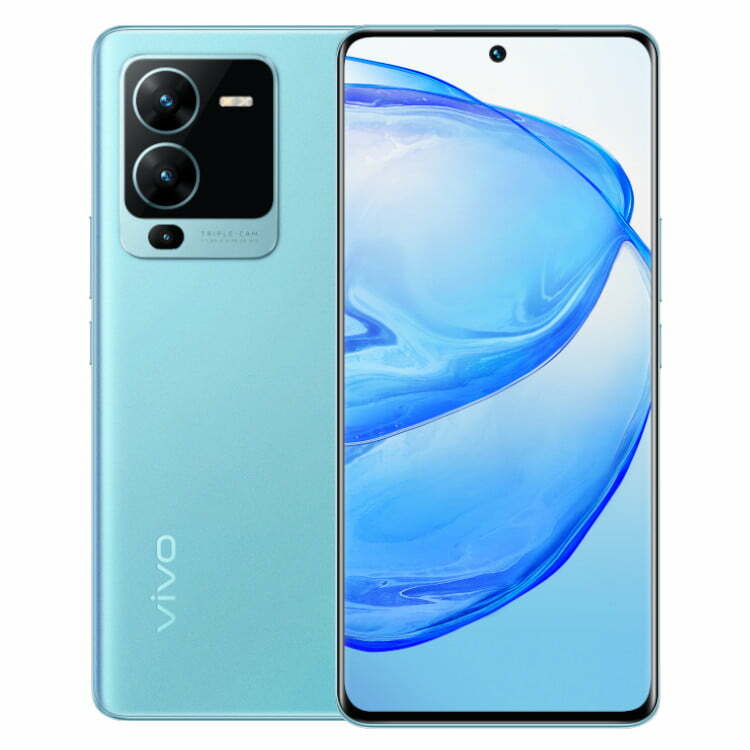
    The color-changing function that the vivo V23’s predecessor established will be maintained in the new series, but we do anticipate seeing some new colorways. Teasers also allude to a triple-cam configuration with a 64 MP primary camera.

    A large battery with 66W rapid charging, a Dimensity 1300 chip in at least one of the vivo V25 phones, and 8 GB Extended RAM, most likely for the most powerful memory option, are among the other specifications that are known.

    Stay tuned because as soon as all the information is revealed, we’ll have the announcement news ready.