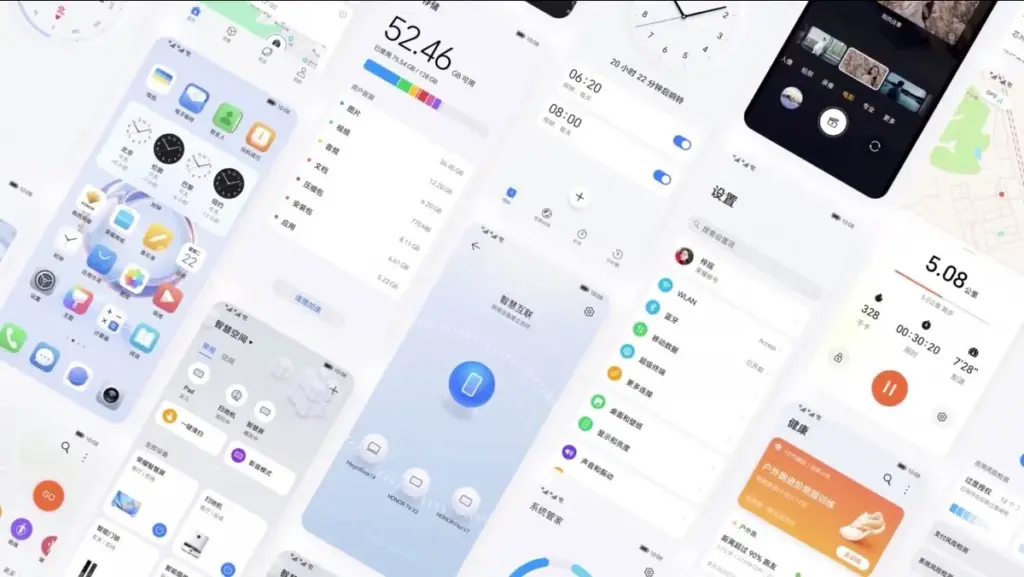
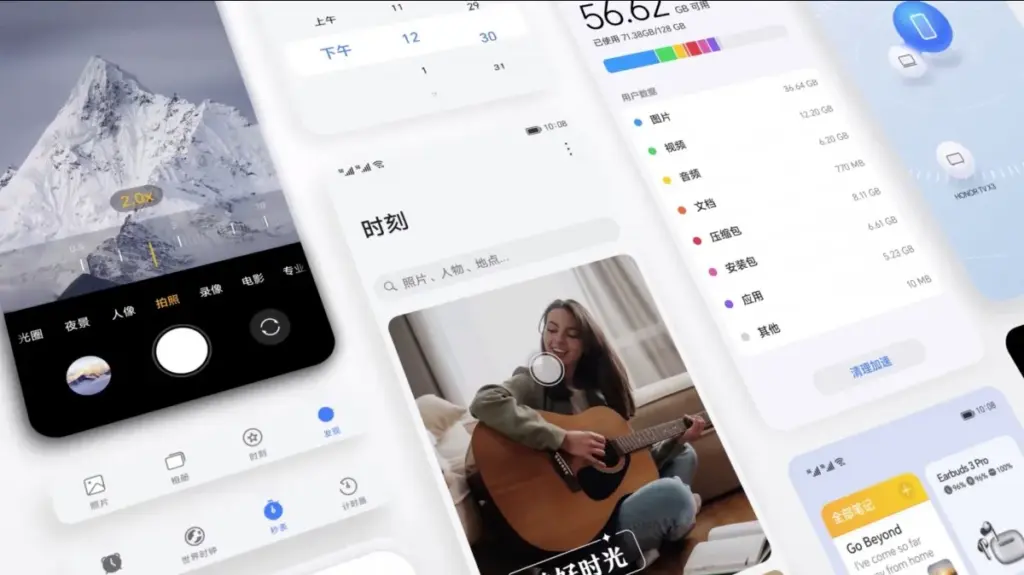
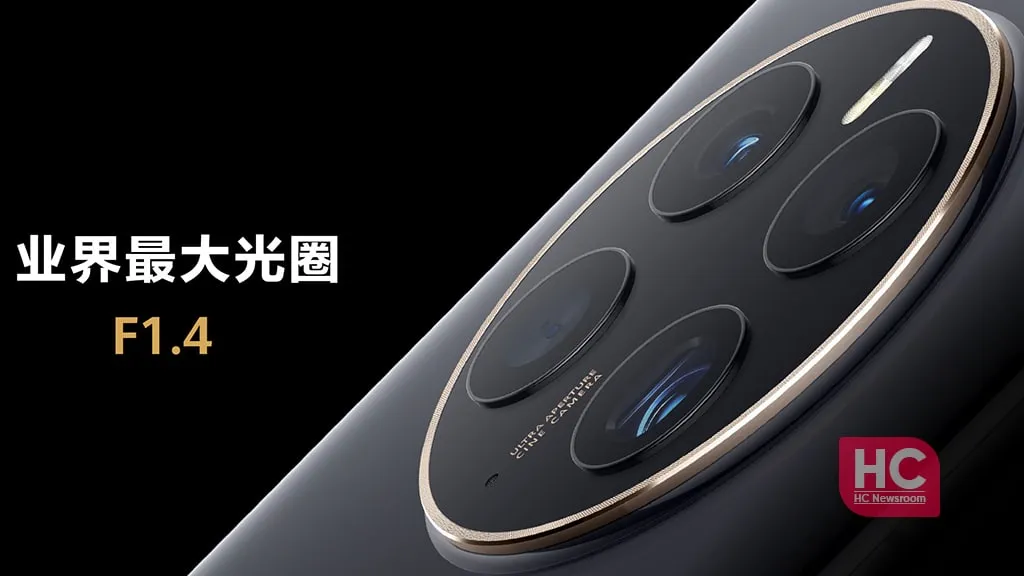
A day before the Honor 80 series and foldable Magic Vs were officially unveiled, Honor unveiled MagicOS 7.0, which is based on Android 13. The new version, which replaces Magic UI 6.2, will be available on all incoming Honor smartphones. MagicOS offers an aesthetic makeover along with a number of remarkable features.
Flat icons, fluid animations, and the new Honor Sans font are all part of MagicOS 7.0’s more streamlined design. Larger, more accessible folders are now housed on the home screen. A more individualized experience is made possible by the new widgets. A new built-in video editor was also unveiled by Honor.
The smooth file transfers, smart clipboard, call management, and notification handling between MagicOS devices and other Honor laptops and tablets are now known as MagicRing, according to Honor. A split-screen keyboard, smart widgets, and task manager support are further advantages for foldables. Another novelty, Magic Text, lets users scan and save text to PDF while also identifying text in photos.
Faster app launches and improved system-level power consumption management are promised by Honor OS TurboX, while MagicGuard takes care of system, privacy, and financial security concerns as well as malware protection for devices.
A preliminary list of the devices that will get the MagicOS 7.0 update in China was also released by Honor. The China-specific device list will be shared in due course, along with the global rollout schedule and list.
Every profession or pastime creates its own own particular jargon for explaining complex concepts in an understandable manner, and the Android world is no exception.
This article is for you if you’ve googled a problem with your Android smartphone or tablet and came across terms like “rooting,” “flashing a custom ROM,” “unlocking the SIM,” or anything similar that you didn’t understand.
This article is a reference for the novice who wants to learn about all the terminology behind our Android nerdiness because Android experts presumably already know what these phrases represent.
What Is Rooting?
Getting access to the system files on your Android device is what it means to root your phone. No Android device comes pre-rooted by default. Therefore, it is probably not rooted if you recently purchased an Android device and did nothing to it.
Manufacturers take this action because allowing everyone root access would cause several issues. You can access files on your device that, if deleted or altered improperly, could damage it if you have root access.
But many people still decide to root their devices because it enables them to make a lot of pretty fascinating adjustments if they know what they’re doing. It should be noted that rooting an Android device would void the warranty.
How you root your device is different for every single model. For some devices, this can prove to be a difficult process involving circumventing the manufacturer’s safety precautions. For others, it can be as simple as plugging your phone into your computer and pressing a button. You can always check out the XDA forums for instructions for your specific device.
You won’t instantly notice any significant changes after your device has been rooted. The excitement is in what you can do with a rooted device. Then, you may utilize root-required apps, flash custom ROMs, modify specific features of your phone, and more—which we’ll go over in more detail later.
For instance, when unrooted, you can remove some bloatware, but rooting your device and using Titanium Backup or a root uninstaller are required to completely remove it.
What Is Unlocking?
Unlocking is a confusing term because there are different things you could unlock.
Unlocking the Network/SIM
A device that has been network/SIM locked was typically purchased through a carrier or for a certain carrier at a discounted price. That phone is then locked by the carrier so that you can only use it with them.
However, if you pay off the phone and decide to switch carriers, the carrier is obligated by law to provide you with the unlock code (at least in the US and the EU). To obtain the code, simply get in touch with your current carrier.
Sometimes, unlocking your device gets more complicated than that, so we have a guide to SIM unlocking. Other times, you buy your phone unsubsidized and unlocked, meaning you can already use it with any carrier.
Unlocking the Bootloader
The bootloader is a piece of software that runs every time you switch on your Android phone, and it is usually locked by the manufacturers. With a locked bootloader, you can’t root your device. Instructions for unlocking your bootloader are found within the instructions for rooting your device.
What Are Custom ROMs?
Read-Only Memory is referred to as ROM, however the term is somewhat misleading today because it has nothing to do with it. A ROM is essentially the software that runs on your device, at least in the Android universe.
Therefore, a Xiaomi smartphone looks and operates differently than a Samsung smartphone when you pick it up. This is so that Xiaomi and Samsung could each create their own ROMs by altering the original Android code. Even though they both run Android, Xiaomi’s ROM and Samsung’s ROM are distinct from one another.
A custom ROM, then, is a ROM that was built not by the manufacturer but by someone else. Sometimes it’s just a lone programmer with some time on their hands and a passion for making ROMs—other times, it’s a bigger group like LineageOS that has a team and intentionally makes a certain type of ROM.
Once you’re rooted, you can flash a custom ROM. Flash, in this case, basically means to load or install. Flashing a custom ROM means you are installing a new ROM on your device and completely wiping the old ROM.
When looking for custom ROMs for your device, there are some names you’re likely to run into:
Pixel Experience: As the name suggests, features a ROM similar to that of Google’s Pixel phones. This ROM is currently one of the most commonly used custom ROMs out there, and for good reasons.
LineageOS: LineageOS, formerly known as CyanogenMod, is one of the most popular custom ROMs you’ll come across. It offers a great feature set and has even featured as the stock ROM for some manufacturers in the past.
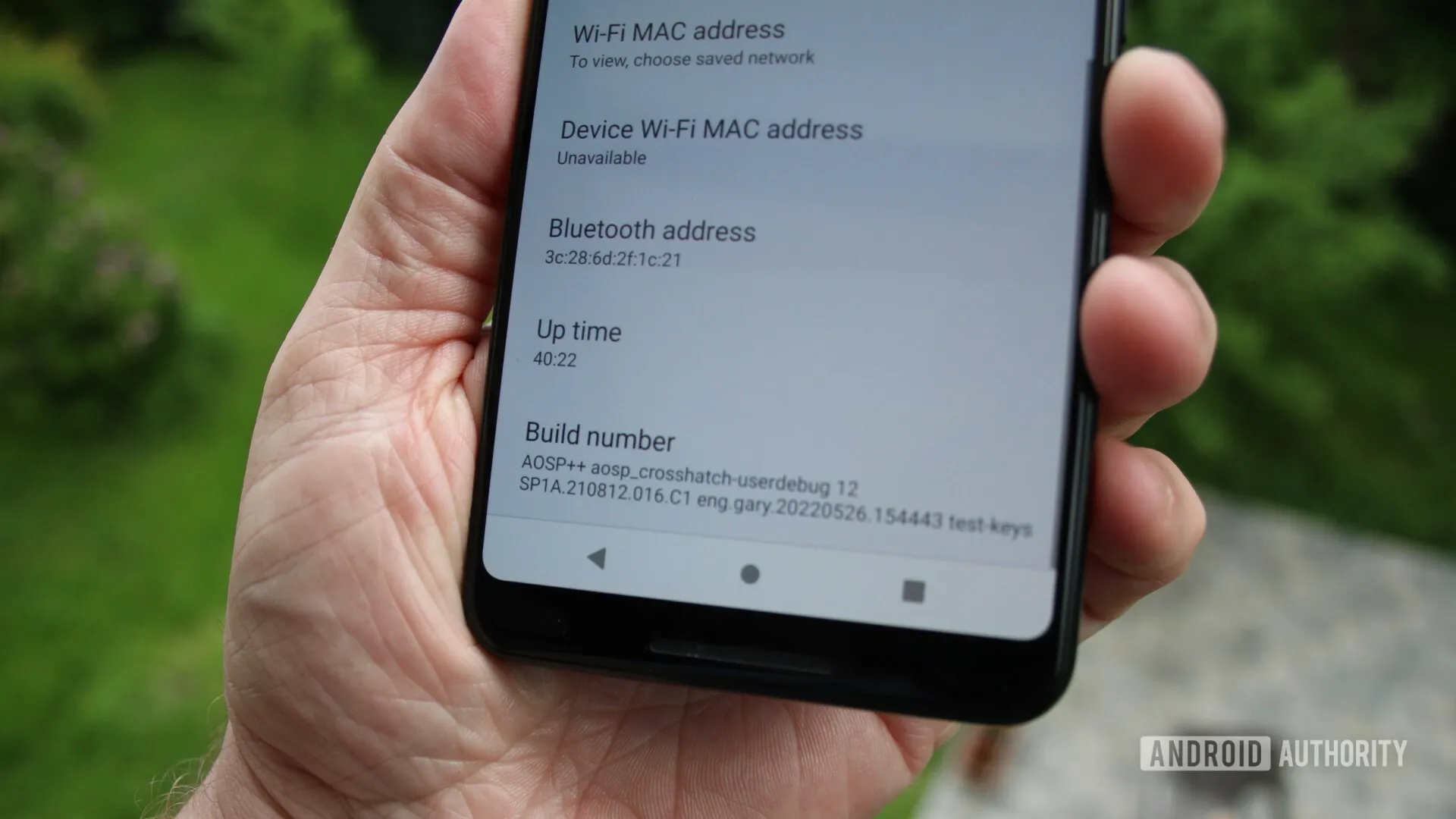
AOSP: Android Open Source Project is the version of Android that Google gives to the world, often called stock or stock Android. You might see people say that their ROMs are “AOSP-based” or “based on stock Android,” which just means they took the AOSP code and altered it to their liking.
AOSIP: Android Open Source Illusion Project integrates features from various popular custom ROMs into AOSP ROMs.
However, don’t be hesitant to try ROMs with different names from less well-known people. There are other reliable ones besides these. They’re simply the most well-known in general.
Other Android Terms
Custom recovery
If you enjoy playing around with your Android device, the recovery process could take a while. It’s where you can perform the necessary heavy lifting, create backups, and flash ROMs.
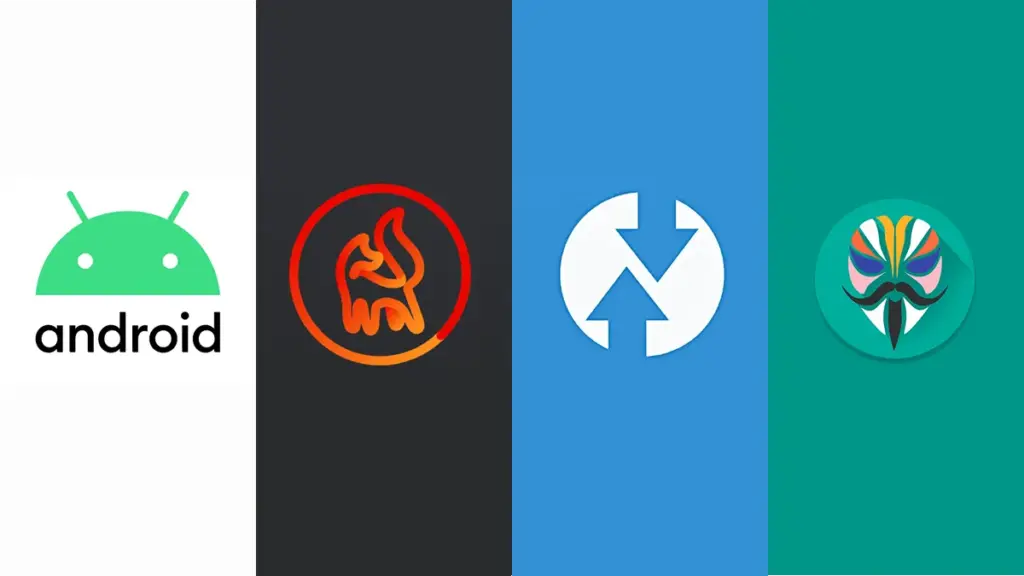
You need a custom recovery because the stock recovery on your device is unable to perform any of those tasks. For installing custom ROMs, TWRP is the preferred custom recovery. Team Win Recovery Project is referred to as TWRP.
Nandroid backup
There are, of course, ways to backup your Android device without rooting it, but a Nandroid backup is a complete backup. It essentially makes a full copy of everything on your device and saves it. That way, if you screw up anything (since you have root access and that is possible), you can always just flash your Nandroid backup and return to where you were.
The name is just NAND (a type of flash memory) and Android mashed together.
Kernel
The kernel is like the engine of your operating system—you don’t really see it, but it’s in the background doing all the hard work.
If you want, you can flash a custom kernel. Sometimes these kernels are optimized for performance or battery life—sometimes, they’re just necessary to get some feature to work right. Either way, you can be okay just sticking with your stock kernel unless you really want to change it.
Brick
Bricking your phone is essentially breaking it. If your phone isn’t working anymore, you’ve bricked it. This is generally not a phrase you’re going to be happy to run into.
A soft brick usually means it’s fixable. Maybe you’re stuck in a bootloop (your phone just continually reboots), or you boot it up, but it only displays half the screen properly. That’s generally something you can get out of quite easily.
A hard brick is when the device is toast. You messed with something at a system level that can’t be fixed, and your device is out of commission. Sorry. This is a rare thing to happen, but it can happen—and you’ll see warnings everywhere that no one but yourself is responsible for your device being bricked.
Don’t worry if you and your friends can’t decide whether iOS or Android is better for mobile gaming. Actually, there’s no need to pick one over the other since both operating systems support cross-platform gaming.
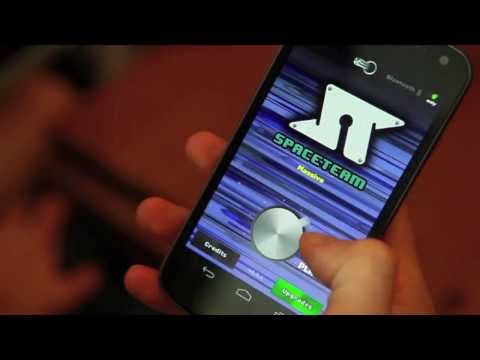
Spaceteam
The only game on this list that necessitates having all of your buddies in one location is Spaceteam.
You and your friends are the crew of a spaceship in the game Spaceteam, and everything is going wrong. You’ll need to communicate with one another by shouting various fictitious space commands in order to stay on course. As the speed and chaos increase, you all inevitably crash and perish while still receiving posthumous medals. But while it lasts, it’s enjoyable.
Download: Spaceteam for iOS | Android (Free, in-app purchases available)
The highly regarded Words With Friends sequel is more of an update.
There is also the standard Words With Friends experience, where you and a friend or online stranger take turns trying to score points on a board by spelling out words in the Scrabble style.
Words With Friends 2 does, however, add a few new modes for a different challenge while retaining everything you loved about the original game.
In the Lightning Round, two teams of five compete to determine who can reach a given score in the shortest amount of time. You can compete in Solo Challenge to compete against testing bots and win a virtual prize. Finally, Words With Friends Live interrupts your game with HQ Trivia-style questions.
Download: Words With Friends 2 for iOS | Android (Free, in-app purchases available)
Vainglory
Vainglory is a MOBA (Multiplayer Online Battle Arena) that is comparable to League of Legends and allows you to team up in 5v5 or 3v3 modes against real players or computer opponents.
To compete against another team and destroy their Vain crystal before they destroy yours, pick a hero from the more than 40 available. Destroy enemy turrets and minions as you move through the jungle using your special abilities and your team’s cooperation.
Teamfight Tactics
The auto chess game from Riot Games offers a competitive experience with well-known League of Legends heroes. With the goal of assembling the best squad, you draft and play champions.
Play normal or ranked matches with your friends while you discover the greatest item combinations and synergies thanks to complete cross-platform support. It’s also among the top PC games for multiplayer PvP!
The mobile version of Minecraft, which was first known as the Pocket Edition, is nearly identical to the PC version. The inability to use third-party servers or connect to third-party modifications is the only notable difference. Every time a new update for Minecraft is released, the mobile versions often follow later.
Having saying that, playing Minecraft on a mobile device is a great experience.
But playing Minecraft by yourself is boring. Any platform can play Minecraft, and because it is cross-platform compatible, you can play with your pals. Try out these tranquil gaming apps to help lower feelings of anxiety and stress if Minecraft doesn’t satisfy your need for exploration or provide enough space for calming world-building.
While playing trading card games in person is enjoyable, playing them online allows you to do actions like summoning demons and detonating booster packs.
The strategy game Hearthstone, created by Blizzard and set in the Warcraft universe, allows you to design decks, gather cards, and play matches with your friends. Although the game is free to play, you can purchase new card packs to offer yourself a benefit.
There are constantly reasons to play Hearthstone because of the game’s recurring expansions, competitions, and challenges. To raise your Rank, you can compete against strangers or your friends in the Arena.
Download: Hearthstone for iOS | Android (Free, in-app purchases available)
Pokémon Go
When it first came out, Pokémon Go broke the barrier between gaming and augmented reality by bringing virtual creatures into the real world. You and your buddies can go outside and explore with your smartphones, whether they are Android or iOS.
Download: Pokémon Go for iOS | Android (Free, in-app purchases available)
PUBG Mobile
The most well-known battle royale game in the world is playable on pretty about every platform imaginable, including iOS and Android.
Although Fortnite’s mobile app also satisfies this need, playing the game on Android and iOS calls for further procedures to enable cross-platform teaming. In contrast, PUBG Mobile provides an easy download for both Android and iOS smartphones. But PUBG Mobile unquestionably delivers this if you’re searching for an equally capable, event-ready rival.
Additionally, it’s one of the simpler phone games to play with your pals online because to its normal match times of around thirty minutes.
Download: PUBG Mobile for iOS | Android (Free, in-app purchases available)
Super Stickman Golf 3
Enjoy a short nine holes of golf before lunch with this easy-to-play but entertaining game.
Stickman Golf features two distinct multiplayer modes in addition to a fun Single Player option. In the Turn-Based mode, you can either take turns or compete to see who can play each hole the fastest in Race Mode. You can play offline or online as well.
Super Stickman Golf 3 can be downloaded from the developer’s APK file rather than straight from the Google Play store. Check out our description of what an APK file is and does if you’re not familiar.
Download: Super Stickman Golf 3 for iOS | Android – APK File (Free, in-app purchases available)
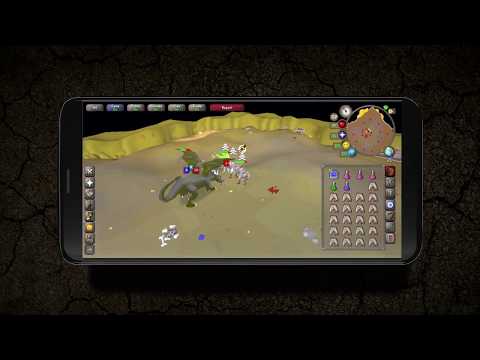
Old School RuneScape
Are you prepared to share your nostalgia with friends? Many players will have warm memories of RuneScape because it was one of the first widely available MMORPGs. You may continue your travels with all of your buddies in true crossplay fashion, whether you’re ready to mine, mine, or battle.
Download: Old School RuneScape for iOS | Android (Free, in-app purchases available)
League of Legends: Wild Rift
If you’re a fan of Riot Games’ League of Legends series, you couldn’t previously play with friends on a mobile device on the Rift. Despite the fact that League of Legends: Wild Rift does not support crossplay with PC players, Android and iOS users can queue up in pairs, trios, or a full five-person party as you aim for the enemy’s nexus. Now that Riot’s MOBA has launched on mobile devices, you can play a complete phone game with your friends.
Download: League of Legends: Wild Rift for iOS | Android (Free, in-app purchases available)
More games
So there you have it, a list of the top mobile cross-platform multiplayer games. With these tried-and-true games, you may download one that you and your friends can enjoy for a very long time. So, it’s just a quick install away if you want more entertaining mobile games to play with friends.
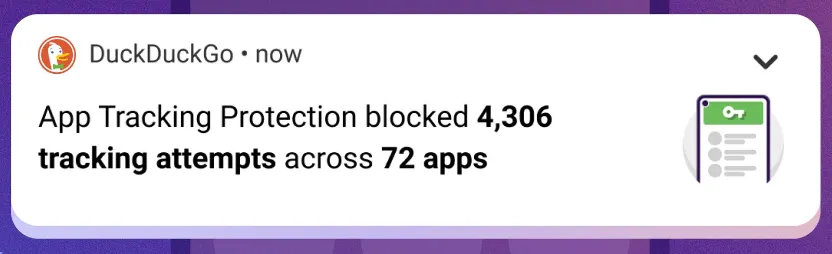
The “App Tracking Protection” feature of DuckDuckGo for Android has entered open beta and now enables all Android users to prevent third-party trackers across all of their installed apps.
The DuckDuckGo for Android app is a privacy-focused web browser, search engine, and data protection utility, downloaded over 10 million times from Google Play. It includes numerous privacy features, including search term anonymity, hidden tracker blocking, email tracker protection, auto-HTTPS, and one-tap browsing history clearing.
By preventing third-party tracking scripts in other Android apps that have been installed on the device, the “App Tracking Protection” attempts to increase privacy throughout the entire operating system.
‘It’s a free feature in the DuckDuckGo Android app that helps block 3rd party trackers in the apps on your phone (like Google spying in your weather app),’ stated DuckDuckGo today. ‘This means more comprehensive privacy and less invasive targeting.
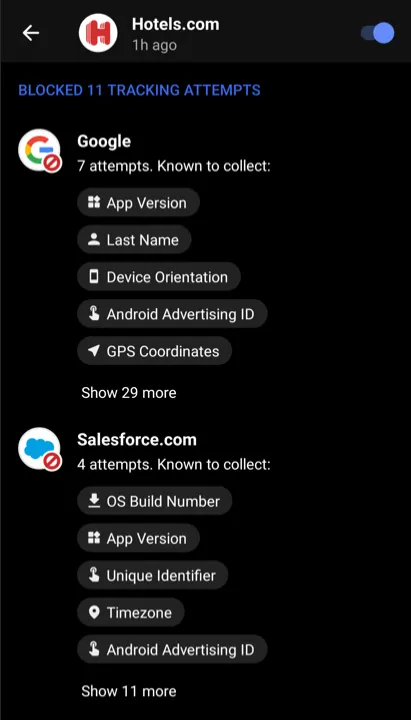
The new version of App Tracking Protection allows Android users to see precisely which trackers are blocked and what kind of data they are seeking, in contrast to the prior close beta version of the service.
The feature is somewhat similar to Apple’s ‘App Tracking Transparency,’ but unlike the Apple feature, DuckDuckGo’s system does not depend on the app developers’ compliance with user choice.
Blocking all known trackers
According to DuckDuckGo, Android users have 35 apps installed on their smartphones on average, which results in 1,000–2,000 daily tracking attempts for more than 70 tracking organizations.
While consumers frequently use their devices to browse the web, play games, or check the weather, the App Tracking Protection guarantees to thwart all these attempts in the background.
Additionally, this blocking occurs with no discernible impact on device performance, which was enhanced in the most recent version of the app.
The blocking is based on a constantly updated and growing list of known trackers and is independent of the user’s choice in the associated tracking request dialogs usually served within apps.
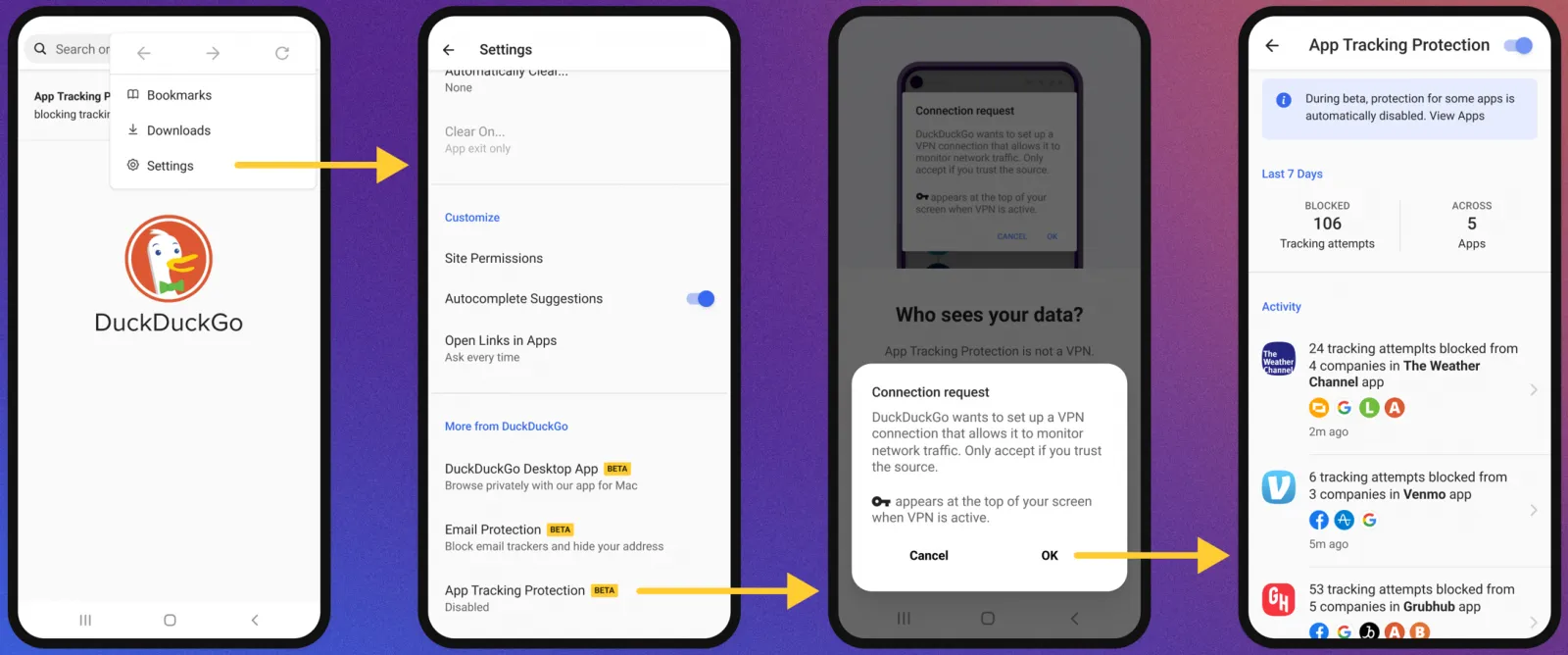
To activate the new feature, the user has to open the DuckDuckGo app on Android, navigate to Settings → More from DuckDuckGo, and then enable App Tracking Protection, as shown below.
Activating App Tracking Protection
The function operates by setting up the DuckDuckGo for Android app on the device as a VPN, enabling the app to filter app traffic and block trackers.
However, unlike a conventional VPN, this is only used locally and does not offer anonymity when using the internet or connecting to other remote devices.
“App Tracking Protection uses a local “VPN connection,” which means that it works its magic right on your smartphone and without sending app data to DuckDuckGo or other remote servers,” explains DuckDuckGo.
Therefore, to enable the feature, DuckDuckGo will request the user allow the VPN connection to be created, which is required for the blocker to function as expected.
From then on, the app will regularly update the user with automatically generated summaries of blocked app trackers to give them an idea of what is happening behind the scenes.
Those who want to evaluate how threatening each app is to their privacy can use App Tracking Protection’s real-time view to see what trackers are loaded and blocked.
Although App Tracking Protection is a strong tool, users should be aware that it is still in the beta testing phase of development.
As a result, it could result in performance issues, incorrect operation of websites or apps, or the evasion of some trackers. You can turn off the feature if you experience any of these problems.
Unknown Android spyware called “BadBazaar” has been found to target China’s ethnic and religious minorities, particularly the Uyghurs in Xinjiang.
Due to their cultural divergence from traditional eastern Chinese values, the central Chinese government has subjected the 13 million-strong Uyghur Muslim minority to extreme oppression.
The new spyware was originally discovered by MalwareHunterTeam and linked to Bahamut in VirusTotal detections.
BadBazaar spyware
Lookout performed more investigation on the malware and discovered that it was brand-new spyware that was being used by APT15, a state-sponsored hacking outfit, in its 2020 attacks against Uyghurs (aka “Pitty Tiger).
Lookout also noticed a second campaign employing updated versions of the spyware known as “Moonshine,” which CitizenLab first came up in 2019 when using it against Tibetan organizations.
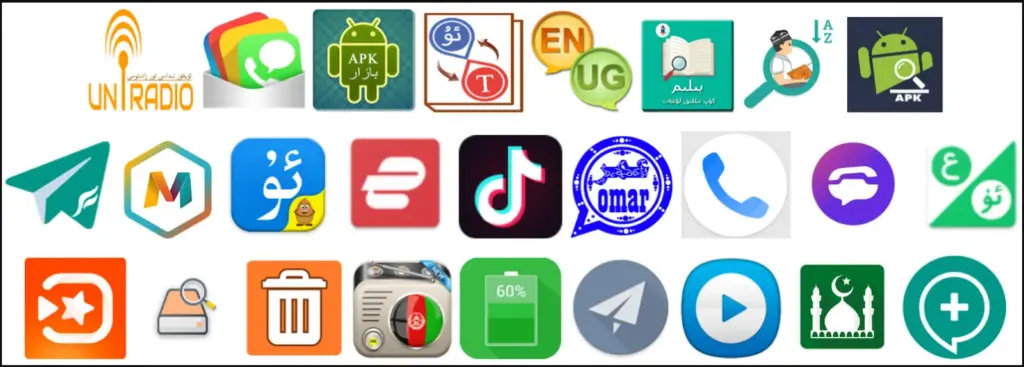
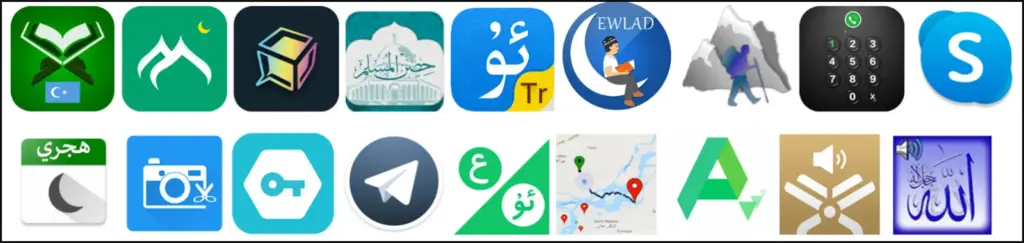
Since 2018, the BadBazaar spyware has promoted itself on communication channels frequented by the targeted ethnic group by infecting Uyghurs using at least 111 different apps.
The impersonated apps fall under a variety of categories, including dictionaries, tools for religious practice, battery savers, and media players.
Since Google Play, Android’s official app store, has never seen any record of these apps, they are most likely distributed through rogue websites or unreliable third-party stores.
It’s interesting that there is only one instance of an iOS app on the Apple App Store that communicates with the malicious C2, but it merely sends the device UDID and doesn’t have spyware functionality.
BadBazaar’s data-collecting capabilities include the following:
Precise location
List of installed apps
Call logs with geolocation data
Contacts list
SMS
Complete device info
WiFi info
Phone call recording
Take pictures
Exfiltrate files or databases
Access folders of high-interest (images, IM app logs, chat history, etc.)
Looking into the C2 infrastructure, which exposes some of the admin panels and the GPS coordinates of test devices due to errors, Lookout analysts found connections to the Chinese defense contractor Xi’an Tian He Defense Technology.
Only a few of the BadBazaar apps promoted to Uyghurs(Lookout)Sample of apps carrying Moonshine spyware(Lookout)
Moonshine variants
Lookout researchers began to discover a new operation in July 2022 that uses 50 apps to push users new versions of the “Moonshine” spyware.
These programs are advertised on Telegram channels for Uyghur speakers, where dishonest users recommend them to other users as reliable software.
Examples of programs that contain the spyware Moonshine (Lookout) The creators of the more recent virus have added additional modules to increase the tool’s capacity for spying, and it is still modular.
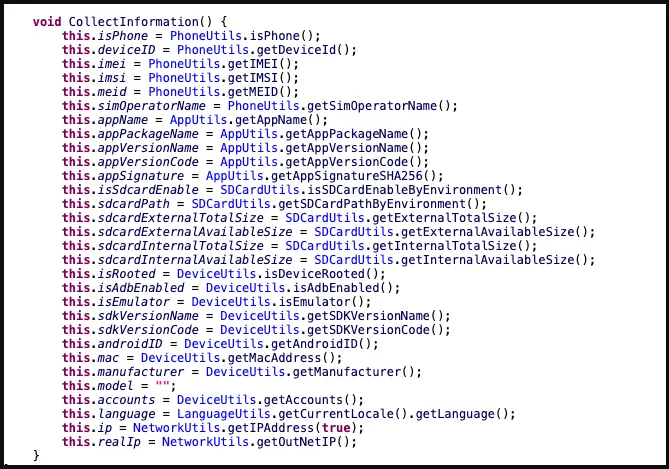
Network activity, IP addresses, hardware details, and other information are among the data that Moonshine takes from hacked devices.
Information collected by Moonshine(Lookout)
The C2 commands supported by the malware are:
Call recording
Contact collection
Retrieve files from a location specified by the C2
Collect device location data
Exfiltrate SMS messages
Camera capture
Microphone recording
Establish SOCKS proxy
Collect WeChat data
Lookout has found evidence that the authors of the new Moonshine version are Chinese, as both code comments and server-side API documentation are written in simplified Chinese.
“While Lookout researchers could not connect the malware client or infrastructure to a specific technology company, the malware client is a well-built and full-featured surveillance tool that would have likely required substantial resources.”
Honor has been attempting to draw in prospective phone buyers ever since it broke relations with Huawei. It already sells some respectable mid-range smartphones and intends to compete with some of the best foldable devices available with its own model. However, Honor appears to desire a bigger piece of the flagship market because it plans to introduce a second high-end phone series for 2022 later this month.
Honor claims that it intends to surprise us with its forthcoming flagship in a tweet. On November 23 at 2:30 PM local time, China will debut the unnamed mobile device (1:30 AM ET). You shouldn’t because this launch is only for the Chinese market.
Honor has so far kept the upcoming phone under wraps officially, but some rumors have already given away a few crucial things about it. A report from a Chinese source (via GSM Arena) says that the phone could end up being called Magic 5 and succeed the Honor Magic 4 that came out earlier this earlier. The same source also points out that the alleged Magic 5 could come powered by Qualcomm’s upcoming top-tier Snapdragon 8 Gen 2 processor. Given Qualcomm is hosting its annual Snapdragon Summit on November 15, that makes sense.
In addition, it is claimed that the phone uses a 6.8-inch PWM dimming, similar to the Magic 4 Pro, to lessen eye strain. On the rear, there might be a 50MP camera with an IP68 grade for water and dust protection. The phone’s amazing 100W wired and 50W wireless charging, however, may be its greatest feature.
But given our experience with the Magic 4 Pro running Honor’s unique Magic UI, the business need to put more emphasis on software this time. Honor might tone down its aggressive battery management, which unnecessarily terminates apps in the background, and generally simplify the interface. We would also value prolonged software support.
We don’t have any pricing details for the alleged Honor Magic 5 so far, but you can check this space after the official launch on November 23 to see if Honor has priced its new flagship aggressively or not.
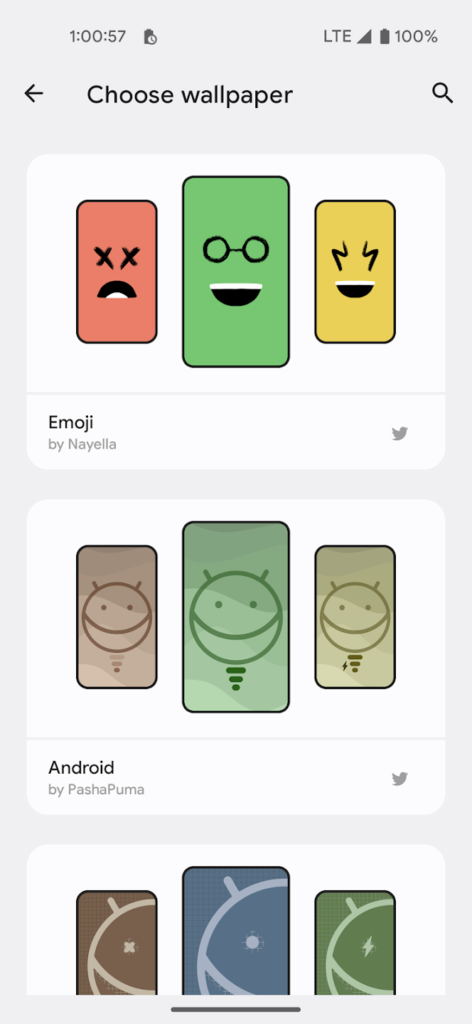
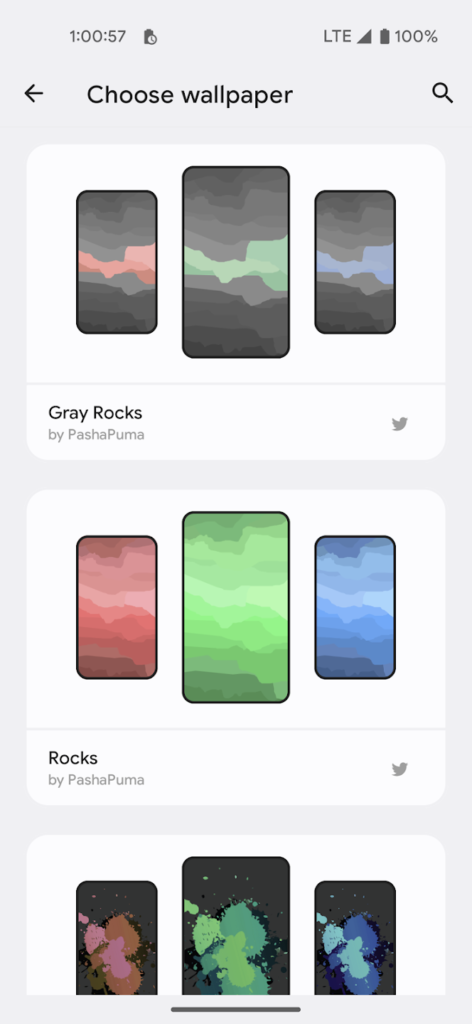
At Android Police, we generally like apps, but we actually prefer the ones that are straightforward, attractive, and cost nothing. Consider the newest software from designer Rushikesh Kamewar, Dynamic Wallpaper.
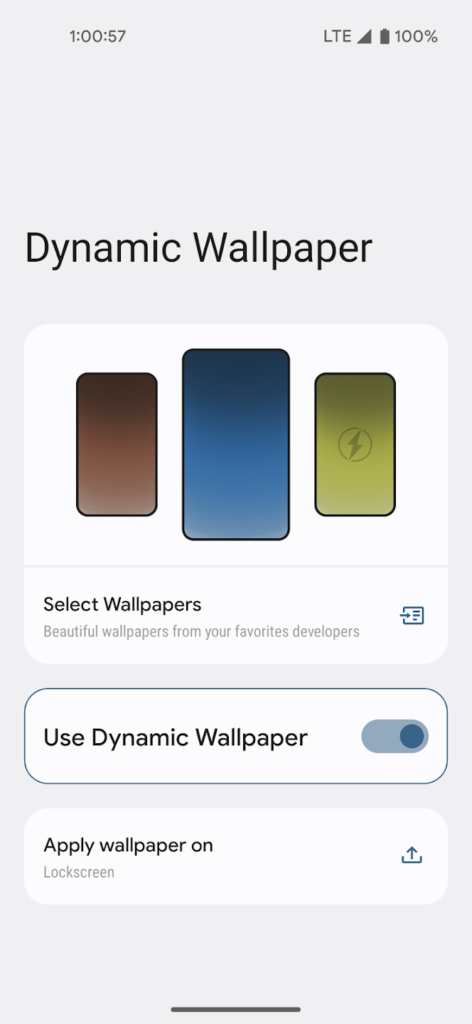
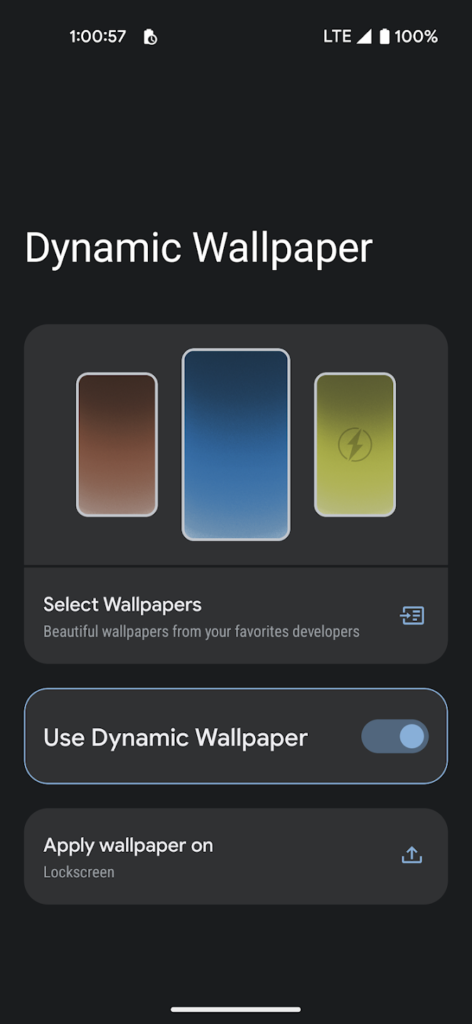
Users of this free, ad-free software can choose among 17 endearing trios of wallpapers made by designers Pashapuma Design, Nayella, and Sai Naveen. When the battery is charged or when it is getting low, the wallpapers alternate between each other. Make sure you take that into account because the main page of the program features a menu item that will take you directly to your system power settings. The first condition is typically related to when your device enters battery saver mode.
The program doesn’t consume a lot of power because it only initiates a brief background operation when the power requirements are met. The transition between wallpapers isn’t elegant; it’s a rapid cut to black and then to the next wallpaper.
Although it’s very early, Kamewar says he plans to give users the option to select three of their own wallpapers in a future release. There will undoubtedly be more wallpapers from various designers in those upgrades. The creator is aware that include all the wallpapers in the app will make it larger. Its 38MB size is a bit excessive for such a basic program.
The program doesn’t consume a lot of power because it only initiates a brief background operation when the power requirements are met. The transition between wallpapers isn’t elegant; it’s a rapid cut to black and then to the next wallpaper.
Although it’s very early, Kamewar says he plans to give users the option to select three of their own wallpapers in a future release. There will undoubtedly be more wallpapers from various designers in those upgrades. The creator is aware that include all the wallpapers in the app will make it larger. Its 38MB size is a bit excessive for such a basic program.
Google is making 64-bit apps the main focus of Android for phones and tablets. To get app creators in shape and accomplish this goal, years of transition policy were required. We discovered a few weeks back that the Pixel 7 and 7 Pro couldn’t install 32-bit apps, possibly indicating that the firm was prepared to put a stop to 32-bit Android. However, until recently, no formal statement on the subject has been made.
The Pixel 7 series has been recognized as the first Android smartphones to exclusively run 64-bit software in the most recent entry on the Android Developers Blog. The majority of the letter is devoted to quantifying the advantages of doing away with 32-bit support, including gains in CPU performance of up to 25%, an additional 150MB of RAM allocation, support for better security tools, quicker OS updates, and more.
The company anticipates an additional wave of 64-bit-only devices as time goes on, including Google’s own Pixel Tablet, not the least of which is the requirement that devices with Armv9 CPUs (i.e., chipsets like Qualcomm’s Snapdragon 8 Gen 1 or later) forgo 32-bit support in order to run Android 14 out of the box.
Google isn’t entirely abandoning 32-bit apps for devices like budget phones, Wear OS watches, and Android TVs. The company says it’s committed to making sure that the Play Store will continue to accept, host, and serve 32-bit apps for 32-bit devices.
But while there are cost incentives to keeping lower-grade parts on such hardware, pressures also exist to improve the bottom end of the Android mobile experience where there may be greater susceptibility and sensitivity to bugs and exploits — notably, Android 13 Go edition has bumped the minimum RAM requirement from 1GB to 2GB. Money and Moore’s Law seem like conflicting principles here, but eventually, something has to give.
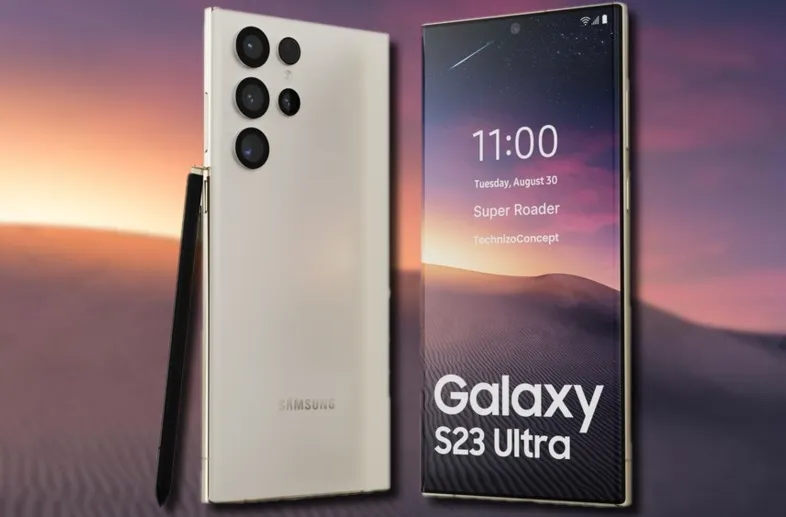
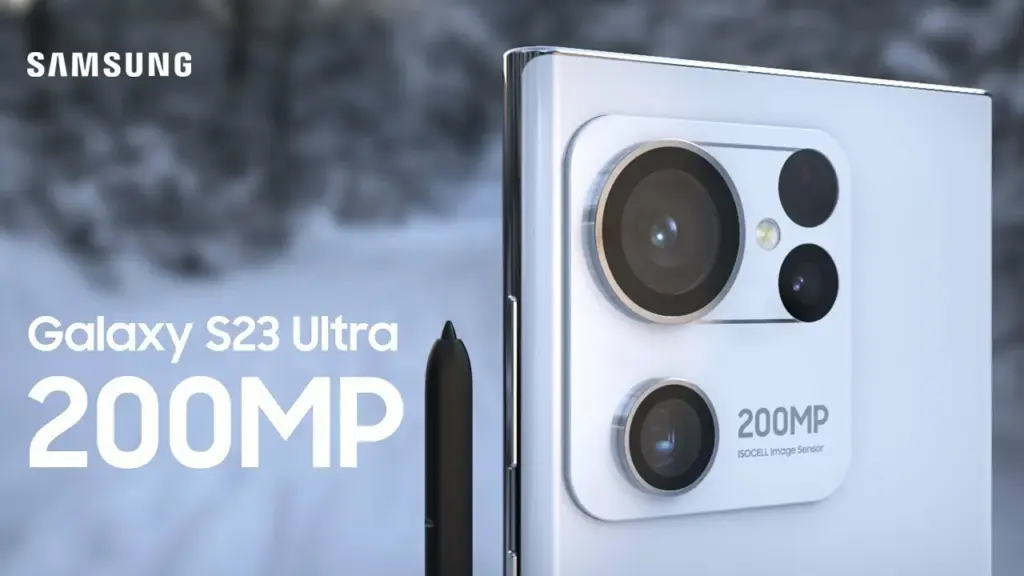
Aside from its opulent folding phones, Samsung produces some of the greatest Android phones money can now buy, and its Galaxy S22 models from this year are possibly the most attractive of them all. The Galaxy S23 series, which includes the S23 Ultra, S23 Plus, and regular S23 models, is now something we’re anticipating. The most recent hardware rumor is currently aiming to raise our expectations for the 200MP primary camera on the flagship Galaxy S23 Ultra.
The Galaxy S23 Ultra’s behemoth of a sensor, according to leaker Ice universe on Twitter, will not only be absurdly high-res but will also have better performance in some key areas, bringing about the “biggest improvement” in Samsung flagships in years. We have already heard a lot about the likelihood that a 200MP sensor will serve as the primary lens on the device. In particular, the advancements might lead to greater low-light photography and videography outcomes.
The latest Expert RAW update improved the astrophotography capabilities of the current-generation Galaxy S22 series, and this rumor says that the 200MP low-light photos of the Galaxy S23 Ultra should be something to look forward to. It is unclear, though, if the sensor’s advancements would take the shape of bigger individual pixels or some other type of hardware improvement.
However, we are yet unsure of how well this will actually function and whether we can expect a smartphone’s camera to produce 200MP full-resolution photographs that are acceptable in low light. The tiny individual pixels in high-resolution smartphone sensors would struggle to collect enough information to recreate colors naturally, therefore pixel binning is likely here to stay for low-light performance.
Besides the 200MP primary, we can expect the Galaxy S23 Ultra to have a 12MP ultrawide and dual 10MP telephoto cameras. Under the hood, Samsung is likely to toss in the Qualcomm Snapdragon 8 Gen 2 SoC along with up to 12GB of RAM and 1TB of onboard storage.
Age of Empires is a game that every original PC gamer has heard of. Although this game mostly existed on the PC platform, it appears that it will be growing over the coming months. This also includes an upcoming Age of Empires mobile game.
Given that the franchise has recently turned 25, this is a rather significant milestone. Here is a brief recap of the game in case you are new to it. In 1997, the first Age of Empires game was released. In this simulation game, you expand your kingdom. You begin with a group of cavemen and gradually expand your civilisation into a vast empire by gathering resources, going on food hunts, etc.
Now, Age of Empires is coming to mobile
Is a really popular game, but it suffered from one pitfall: it only really lived on one platform. This game didn’t really migrate outside of the PC ecosystem. There were two mobile releases several years ago, but those didn’t share the formula of the core games.
Now, Microsoft is taking another crack at bringing this game to the small screens. World’s Edge, the developer behind this game, posted a short teaser of an Age of Empires game built from the ground up for mobile hardware. This game seems to be more closely related to the original titles. The teaser didn’t show much, however, it let us know that it’s going to be for mobile, and that it’s coming soon.
Also coming to Xbox
Because Microsoft is going all out to celebrate this game’s 25th anniversary, more people will be able to enjoy the series. But those hoping for the original title will be let down.
On January 31st, Age of Empires II: Definitive Edition will be released on Xbox platforms, while Age of Empires IV will follow later in 2019. Additionally, Age of Empires IV Anniversary Edition will receive some new content. Two new civilizations are represented by this: Milian and Ottoman. In addition, there are 11 new game languages, 8 new multiplayer maps, new biomes, achievements, and challenges. All users can access this update for free.
Looking for the first Age of Empires Game?
If you’re craving the original title, then there is some good news. At the time of writing this article, Age of Empires: Definitive Edition is now only $4.99 on steam. That’s a 75% discount from the $19.99 price. You’ll want to act fast, as this sale ends on November 1st!