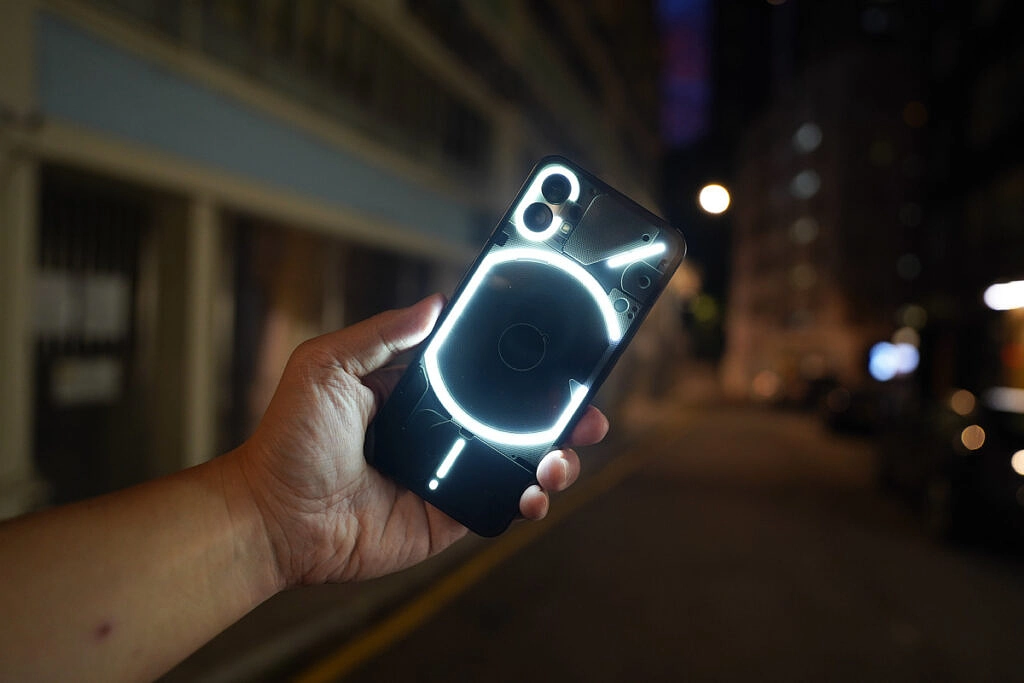
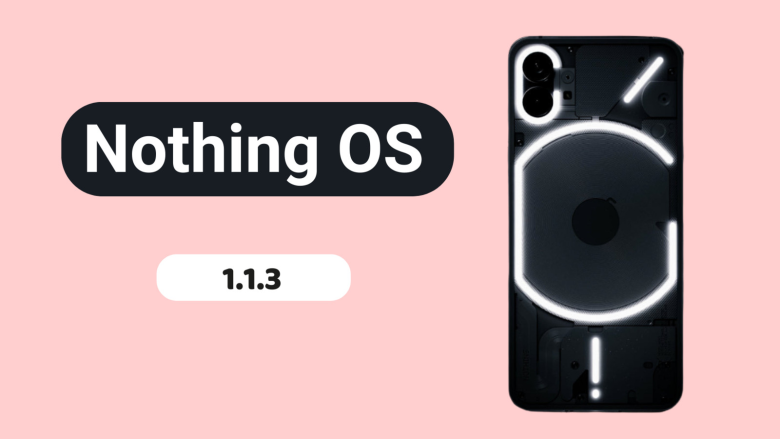
Nothing released Nothing OS 1.1.2 for the Nothing Phone (1) at the beginning of this month, and today, roughly two weeks later, we receive yet another upgrade.
Nothing OS 1.1.3 is already being sent to Nothing Phone (1) devices all around the world, and it includes numerous bug fixes and camera enhancements.
When using the front camera, you can anticipate improved photo clarity, quicker Night Mode and HDR photo processing times, richer color saturation when using the ultrawide, less noise and more sharpness when zooming, and images will automatically be adjusted to “optimal color and brightness” when using Glyph lighting. A further reminder to clean the camera lenses is included.
The Google Adaptive Battery may now be enabled to “intelligently optimize battery life,” and the fingerprint verification UI for third-party apps has been updated.
Finally, a number of problems were resolved, including those that resulted in stuttering in apps like Twitter, Play Store, and others, ineffective mobile hotspot functionality, and lock screen crashes after pressing on a notification and attempting to unlock with a fingerprint. Minor UI aspects have also been improved.
The rollout might be staged, as it usually is with such things, and it might take a few days to reach every Nothing Phone (1) out there. There will be a 64MB download when it does come. Our thorough, in-depth review of the Nothing Phone (1) is available for reading if you’re curious to learn more.
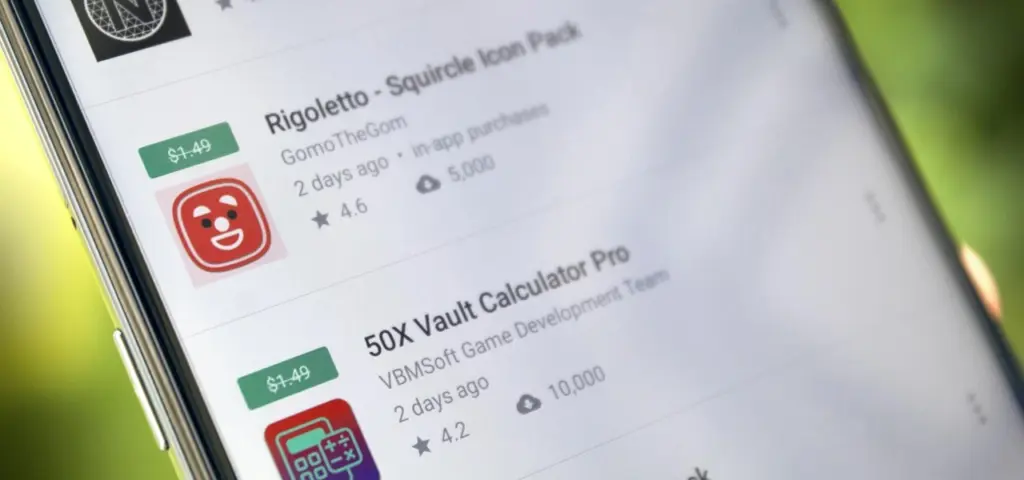
For a limited time only, Android apps and games are available to download for free this week. We will explain to you how to obtain these priceless downloads.
If you have been following Droid Tools for some time, you will be familiar with what to anticipate from this article: Both the Google Play Store and the Apple App Store frequently run sales and promotions where you may get paid content for nothing for a brief period of time.
Unlike our list of the five best applications of the week, we have not intentionally tried any of the downloads we have compiled for you.
Hence, be a little bit careful before you fall into a money pit as some apps may still include microtransactions.
Tip: Do you want to secure a free app for the future? If so, download it once and uninstall it if necessary. This way, it will be added to your list of purchased apps and you can download it again in the future once you need it.
These apps are free in the Google Play Store
Measuring Center ($4.49): Do you want to perform a makeover in your home this summer? Then download this app and make sure your DIY projects will not run from the required measurements!
Equalizer Bass Booster Pro($1.99): This app sports a volume booster that alters the global sound and improves sound quality, making your music sound more pleasant and loud. Of course, it might even make your earbuds experience better.
These games are free in the Google Play Store
Sword Knights: Idle RPG (Magic) ($1.49): If you love collecting all kinds of weapons and basically leveling up and becoming the most badass knight ever, then this game is perfect for you.
Assassin Lord: Idle RPG (Buff) ($1.99): Yet another self-playing RPG that cannot be affected by the player, but you are able to kill time with it.
Word Search 600 Pro ($1.99): Love tickling your brain? Then you will certainly be able to figure out just how smart you are by hunting down every single word.
Fastar VIP($0.99): This is a rhythm game that tests your reflexes that pays homage to Beatmania and other old-school rhythm games.
DungeonMon!($0.99): Train monsters and have them compete in battles to emerge as the victor. Does this sound familiar?
SLOC ($1.99): This 2D Rubik’s Cube puzzle is a great way to pass the time in a beneficial manner whenever you want to squeeze your brain juice.
MR RACER ($4.99): Challenge your friends or the AI in fast-paced races. The road is simply straight without any curves, but it is still fun.
Bottle Breaker 3D ($1.99): This master bottle shooting game simulator from 2021 will make you feel like a professional glass breaker. Perfect for releasing stress in a mindless manner that features stunning graphics and smooth shooting control.
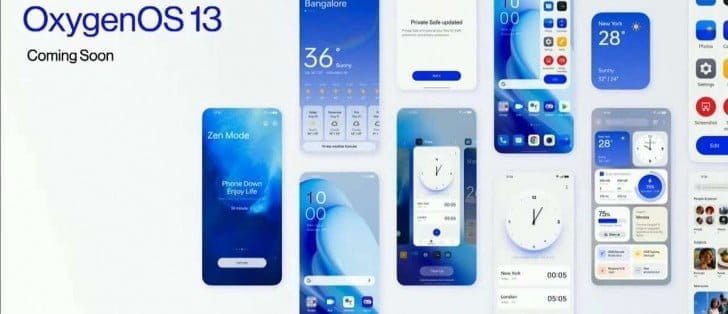
The latest iteration of the custom OS is being released at this time by smartphone OEMs. And as Android 13 nears general availability, OEMs have already begun conducting internal testing for their new operating system. Speaking of OnePlus, their upcoming operating system will be OxygenOS 13, which is based on Android 13. And since OxygenOS 13 will soon be available, we already know a few things about it. You can learn more about the supported devices, the release date, and the features of OxygenOS 13 here.
Everyone is familiar with OxygenOS for its UI that is quite similar to stock with some added functionality. However, OnePlus modified the UI and made it more akin to ColorOS from OxygenOS 11. In China, OnePlus even switched to ColorOS. And it got worse with OxygenOS 12. Instead of Warp Charging, even rapid charging on OnePlus is now referred to as Vooc.
Can OnePlus, however, bring back the pleasure of OxygenOS with OxygenOS 13? Well, that depends on the additions and modifications that OxygenOS 13 will bring. And if you’re interested in learning more about the impending OxygenOS 13, you’ve come to the correct place. The release date will be discussed first.
OxygenOS 13 release date
The release of OxygenOS 13 is dependent on Android 13 because it will be based on that operating system. And since everyone is aware that Google recently released the last Android 13 beta, we may assume that the release of the Android 13 stable build is not far off.
Contrarily, OnePlus is going to reveal OxygenOS 13, which will later be made accessible for beta testing. OxygenOS 13 will be available shortly, according to a tweet from OnePlus from a few days ago. Several reputable news sources claim that OxygenOS 10 and the OnePlus 10T will both be unveiled on August 3.
According to the statement, OxygenOS 13 will be accessible for beta testing following the occasion. At the event, OnePlus will also introduce new features that will appear in OxygenOS 13. OxygenOS 13 will be accessible for beta testing on the OnePlus 10 Pro up until the stable release.
We predict that OxygenOS 13 will be released in a stable state in late October or early November. And as was already reported, it will first be made accessible on the OnePlus 10 Pro before moving on to other qualified phones. If you didn’t previously know, OnePlus is testing the Android 13 developer preview on the OnePlus 10 Pro, which does not include OxygenOS 13.
Features (Expected)
Most of the users just want to get back the stock experience that OxygenOS was offering before. But there is only a little hope as everything OnePlus doing is the opposite. They even going to take away the alert slider soon.
As of now, there is very little information available regarding the OxygenOS 13 which makes it hard to guess new features. Well, at least we can expect some of the basic features of Android 13 that includes changes in Privacy and Security, minor UI changes, etc.
A few days back OnePlus shared a OxygenOS 13 teaser video in a Tweet. It reveals a couple of changes that are coming with ColorOS 13, oh sorry OxygenOS 13. So let’s find out the changes teased in the Tweet.
New AOD Screen
The teaser showcased a new AOD design with the Spotify widget and below it are some recommendations or might be the tracks in the Queue. Currently, in OxygenOS 12, it only shows the music icon in AOD. But looks like a big Music Widget can be seen in the OxygenOS 13 AOD. It can also be the Lock screen but as the background is black we are guessing it’s the AOD.
Canvas AOD
Next in the Teaser video is the new Canvas AOD effect. In OxygenOS 13, the Canvas will not overlap with the AOD content like Clock and Date. The portion of the Canvas that is overlapping will automatically be cut. And it will look something as mentioned in the image.
Insight AOD was also shown in the video but it doesn’t reflect any change in that video. Well, we don’t have to wait longer as OxygenOS 13 will be announced on August 3.
Supported Devices
All the changes will only be effective and exciting only if OxygenOS 13 is going to be available for your phone. One good thing about OnePlus is they are transparent about the update policy. Update policy includes how many major Android updates and security update a particular OnePlus phone will get since its launch. And so with the help of the update policy and update history, we can guess OxygenOS 13 Eligible Devices list. below you can check the full list.
OnePlus 10T
OnePlus 10R
OnePlus 10 Pro
OnePlus 9RT
OnePlus 9 Pro
OnePlus 9R
OnePlus 9
OnePlus 8T
OnePlus 8 Pro
OnePlus 8
Nord Series:
OnePlus Nord 2T
OnePlus Nord CE 2 Lite 5G
OnePlus Nord CE 2 5G
OnePlus Nord 2 5G
OnePlus Nord CE 5G
Other Series:
OnePlus Ace
OnePlus Ace Racing
Any OnePlus phone that will release after July 2022 and is not on the list will also get the OxygenOS 13 update.
So, this was the list of OnePlus devices that will get the OxygenOS 13 based Android 13 update along with the OxygenOS 13 features and its release timeline.
A good web hosting allows our website to bring you all the news in Android world.
The last several years have seen significant transformation at OnePlus. It has been trying to get into the mass market and has moved away from its image of an enthusiast. In the process, it expanded the number of entry-level and mid-range devices in its inventory and reduced the number of flagship models in its lineup to just one, with the OnePlus 10 Pro taking the top spot in 2022. But that state won’t last forever. In an event that was streamed from New York, the company declared that the OnePlus 10T would be the following premium phone it will deliver this year, with a debut date of August 3.
The decision by OnePlus to produce the T model is a return to a tried-and-true tactic that the company abandoned a few years ago. Up until 2020, OnePlus released two flagship lineups each year, with the T series typically the second, significantly more advanced release. Though there is still a slight quirk, the OnePlus 10T might be a good example of that. There is now only a OnePlus 10 Pro available, thus there isn’t a basic OnePlus 10 to compare the 10T against. Furthermore, it doesn’t appear like the 10T will be a more advanced model of the 10 Pro. Here is everything that is currently known about the OnePlus 10T.
OnePlus 10T design
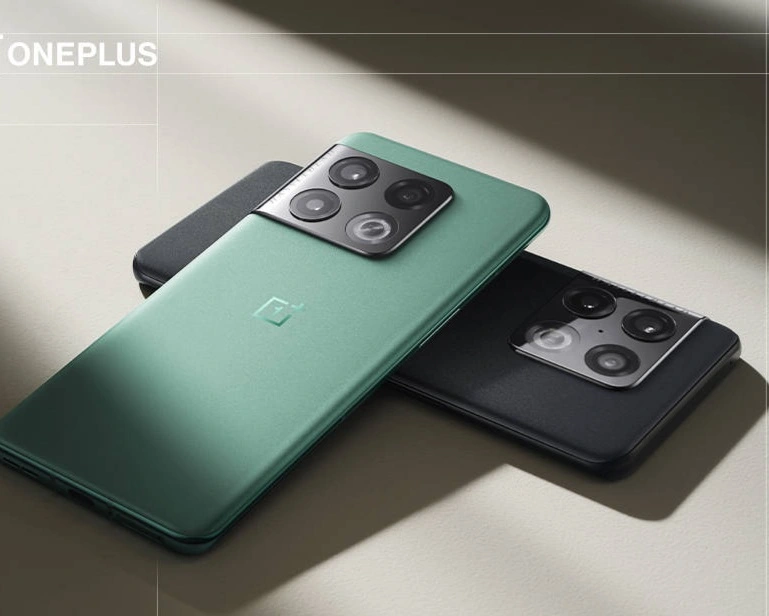
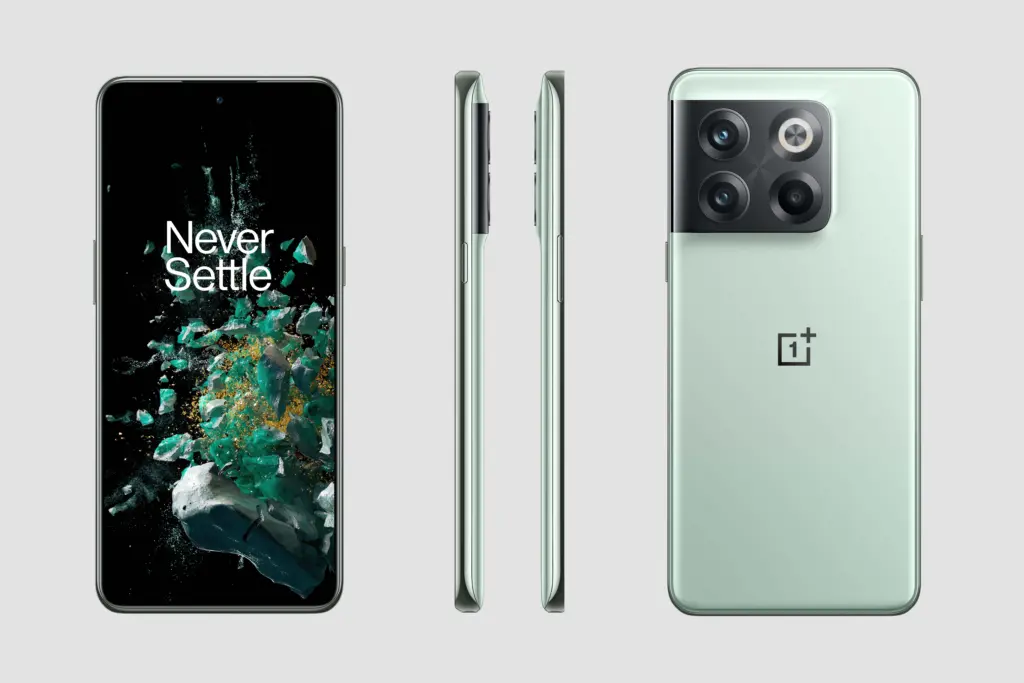
The Verge has received official pictures from OnePlus, giving us a sneak peek at the device’s appearance before its August 3 launch. With a camera array that gracefully curls into the edge of the phone, it has a very similar form to the OnePlus 10 Pro. Additionally, it appears to have the same sandstone-like back that is as silky smooth as the 10 Pro’s. For better or worse, the 10T does appear to lose the curved screen.
The absence of OnePlus’ iconic tactile alert slider, which has always been a part of the company’s flagship experience, is more intriguing than the alteration in the display. The slider that allows you to switch your ringer from silence to vibration to sound is present on the 10 Pro and earlier models but not on the 10T. It does seem to take up a lot of space, as stated by OnePlus, and also appears to contribute to the structural rigidity of the phone, which is why the company wanted to get rid of it. But for OnePlus, this feels like the end of an era.
Hardware
The details of the specifications are currently unknown. According to the most recent report, the phone should have a 32MP front camera and 6.7-inch 120Hz FHD+ OLED display. Two other cameras—a 2MP macro and a 16MP ultrawide—join the 50MP primary camera on the back. The 10T no longer sports the Hasselblad logo, unlike the 10 Pro. Similar to the removal of the alert slider, OnePlus views this as another cost-cutting strategy to enable other features.
The cutting-edge Snapdragon 8+ Gen 1, the quickest Qualcomm processor currently on the market, should be inside. Given that the business earlier seemed to be experimenting with the MediaTek Dimensity 9000, this would seem to be a last-minute modification.
For RAM and storage, the phone is supposed to be equipped with standard 8 and 12GB RAM with 128 and 256GB storage variants, but there could also be a more advanced 16GB RAM version in some markets.
It is almost certain that the alleged 4,800mAh battery can charge at a rate of up to 150W. The OnePlus 10T is believed to lack wireless charging, making it slower than the OnePlus 10 Pro’s 80W charging speed. Additionally, dual speakers and an in-display fingerprint scanner are believed to be included with the OnePlus 10T. Software-wise, OxygenOS 12 for Android is anticipated to run on it. Then, after the official release of Android 13, we would anticipate seeing this phone receive OxygenOS 13 at a later time.
Release date and availability
On August 3, 2022, the OnePlus 10T will be unveiled in New York. If you’re interested in seeing what OnePlus has to offer, tune in to the event because OnePlus will be livestreaming it. It’s safe to presume that the 10T will be sold in the US given that the company has moved its launch event to New York. Comparing this to the OnePlus 10 Pro, which the company initially solely released in China, is likewise a change in approach. Much later, it was made available on overseas markets.
Pricing
In terms of cost, we anticipate the OnePlus 10T to be a little less expensive than the OnePlus 10 Pro. It would be strange if OnePlus charged more for the new member of the series than the top-of-the-line alternative because the company is presenting it as a non-Pro phone. Given the 10 Pro’s $900 asking price, a pricing in the $600–$800 range would seem realistic.
If you’ve been following Droid Tools for a long, you’ll be familiar with the following information: Both the Google Play Store and the Apple AppStore frequently host sales events where you may receive paid content for nothing for a brief period of time. Unlike our list of the five greatest applications of the week, we don’t explicitly try out the content when we compile these downloads and offer them for you. Therefore, use caution to avoid getting caught in a cost trap since some apps may still offer in-app purchases.
Tip: Do you want to secure a free app for the future? Then download it once and delete it again if necessary. This way it will be added to your list of purchased apps and you can download it again in the future once you need it.
Free apps for your Android phone
These apps are free in the Google Play Store
Home Workout Pro ($1.49): Funny, I installed this app when it was free last time—and I’m still not more muscular. I’ll be sure to start this app sometime!
Video Gallery – HD Video Live Wallpapers($0.99): For the most part, I don’t need live wallpapers on my smartphone. If you’re different and need some new fodder for your homescreen, this might be your app.
These games are free in the Google Play Store
Peppa Pig Sports Day ($2.99): Peppa Pig games are always fun, aren’t they? Well, not for us adults, but kids celebrate Peppa frenetically, of course. As always, this is a collection of various mini-games.
Rogue Hearts ($0.99): Nice dungeon crawler that likes to force you into in-app purchases, though. You can also pick up weapons, treasures, etc. in the game.
Klocki ($1.99) No time limits, no ads, but chilled out music. That’s the way to enjoy a puzzle game, isn’t it?
Mr Racer($4.99): Challenge your friends or the AI in fast races. Goes straight ahead, but it’s still fun.
Neo Monsters ($0.99): Catch and train monsters and have them compete in battles – sounds like that one game, what was it called again?
Cartoon Craft ($1.99): Real-time strategy game in which you logically have to decimate your enemies’ troops.
Cyber Fighters: Offline Game ($1.09): Action RPG where you are immersed in a world right after the end of World War III – in the year 2077! Can be played offline, as the title suggests.
Superhero War Premium ($0.99):Action RPG, where you fight your way through many levels to collect gold and diamonds.
Without a doubt, YouTube Vanced was one of the greatest technologies in recent memory. It provided the same functionality as YouTube but without the annoying commercials, frequent UI changes, and dubious improvements like the elimination of the hate counter. In addition to resolving all of these problems, Vanced also introduced new features that completely altered how you consume material.
One of the best features that Vanced offered was and is the SponsorBlock API. You could watch videos for far shorter periods of time because it essentially skipped all sponsor portions and self-promotions. Additionally, Vanced included a full AMOLED black theme that was very popular. Unfortunately, a Google notice forced Vanced to stop doing business.
While there aren’t any options that are as smooth and flawless as YouTube Vanced, there are a few that let you watch without ads and even let you download movies to your phone. Therefore, unwind as you read about some of the top YouTube Vanced options you ought to employ in 2022.
Kicking the list off, we have LibreTube, which is a beautiful YouTube client that provides an ad-free video-watching experience. The app allows you to customize playback controls and is completely open-source, meaning features can be added to it quite easily in the long run. The only downside for now is the fact that LibreTube is still in beta and is missing a lot of features, including the option to sign into a Google account. That said, the app is fast, fluid, and works as advertised.
NewPipe is a solid alternative to YouTube Vanced. It does not depend on any of the Google Frameworks to function and is instead based on another API that doesn’t require you to have a Google account to enjoy watching videos ad-free. The app has a simple interface with not much going on. While you can import your subscription feed from an existing Google account, you still cannot simply sign into one using the app. NewPipe also lets you download videos in a slew of different quality options.
SkyTube is similar to NewPipe in a lot of ways, and we only really recommend one over the other if you’re facing troubles using either of them. Just like NewPipe, SkyTube doesn’t run on top of YouTube’s API and thus allows for a seamless ad-free video-watching experience. You can import your subscriptions to avoid starting from scratch, although the app doesn’t have support for logging into a Google account as of yet.
If you really miss the great SponsorBlock integration that YouTube Vanced had in store, we have got a workaround! Kiwi Browser is a chromium-based web browser available on the Play Store that you can use to watch videos on YouTube using the mobile website. While this might seem obvious, you can install extensions such as an adblocker and SponsorBlock to enjoy an experience similar to that of YouTube Vanced. The only downside to using this method is the rather clumsy and unintuitive interface of the YouTube web app.
As much as we hate to admit it, the best video-watching experience is offered by YouTube itself. While it still lacks features like SponsorBlock and the dislike counter, there is no denying that the official YouTube app will provide you with the smoothest and fastest experience while consuming content. YouTube Premium gets rid of all the ads for you, unlocks Premium content, and allows you to watch videos in the picture-in-picture (PIP) mode. YouTube Premium has pretty attractive pricing with its family plan, so you might want to check that out.
Conclusion
We hope our article on some of the best YouTube Vanced alternatives provided you with some much-needed insight. If you have suggestions for Vanced alternatives other than what we’ve mentioned, do let the other readers know in the comments below! If you have any queries regarding the article, feel free to contact us, we’d be happy to help!
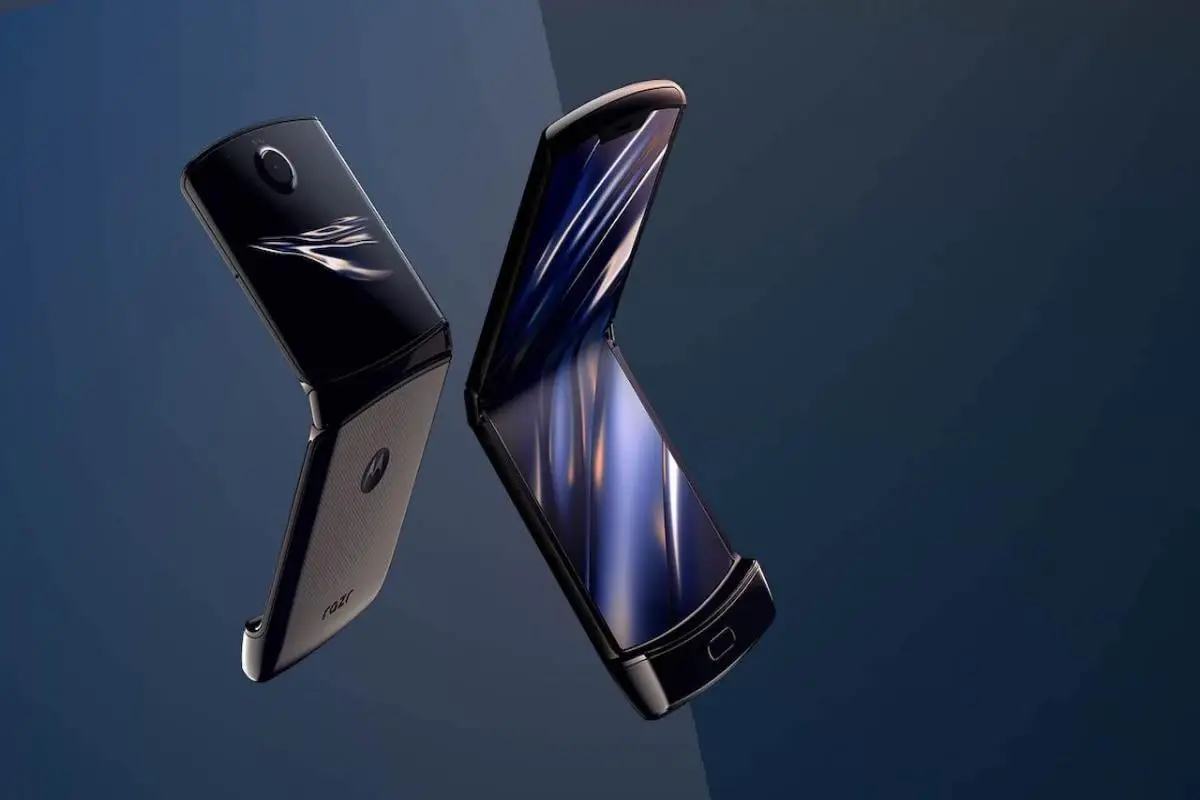
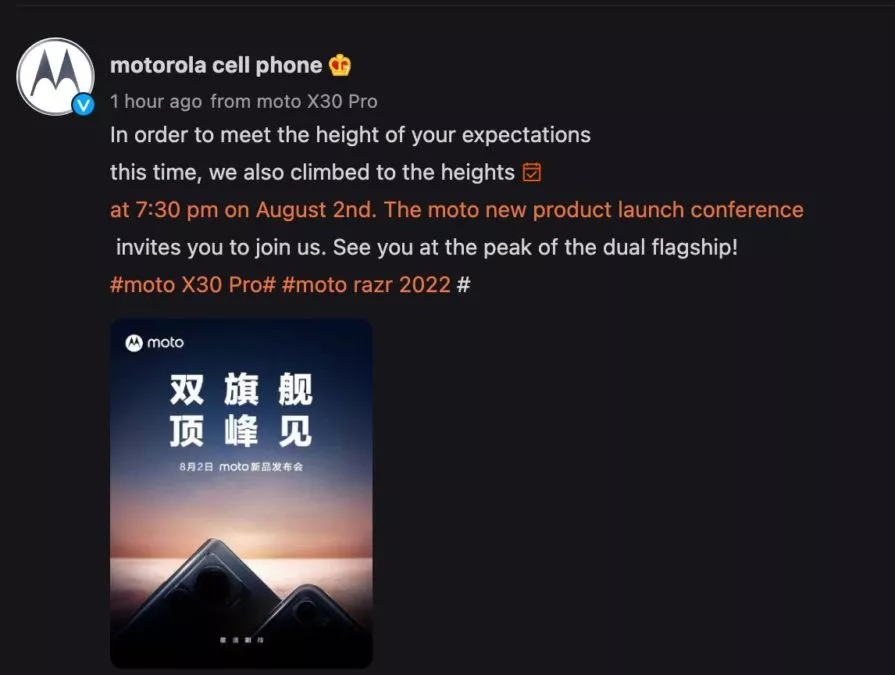
Although Motorola has been teasing the new Razr for some time, we finally know when the phone will officially launch. Motorola has released a teaser for a launch event in China on August 2. On the same day, the business will also introduce the X30 Pro.
Motorola’s release of its clamshell before Samsung’s August 10 unveiling of the Galaxy Flip 4 appears to be an attempt by Motorola to outdo Samsung. Nevertheless, the third-generation Motorola Razr will initially only be available in China. The phone’s distribution across the globe is still unknown.
The Motorola X30 Pro, on the other hand, is anticipated to be the first smartphone with a 200MP camera. With a 6.67-inch display, Snapdragon 8 Plus Gen 1, and 125W charging, the Motorola Frontier has all the other hallmarks of a premium phone. This is the quickest charging speed for a Moto device to date. It is anticipated to debut as the Motorola Edge 30 Ultra in places other than China. Recent leaks of the phone’s price in Europe suggest that it could compete with the Galaxy S22 Ultra at €899 (around $915).
This time around, the Razr is anticipated to have flagship specifications. It is expected to continue with the Snapdragon 8 Gen 1 SoC rather than the more modern model. Other speculated features of the Razr include a 120Hz display, up to 12GB of RAM, 512GB of internal storage, a 50MP main camera with a 13MP wide-angle and macro sensor, a 32MP selfie camera, a larger secondary display, and NFC connectivity.
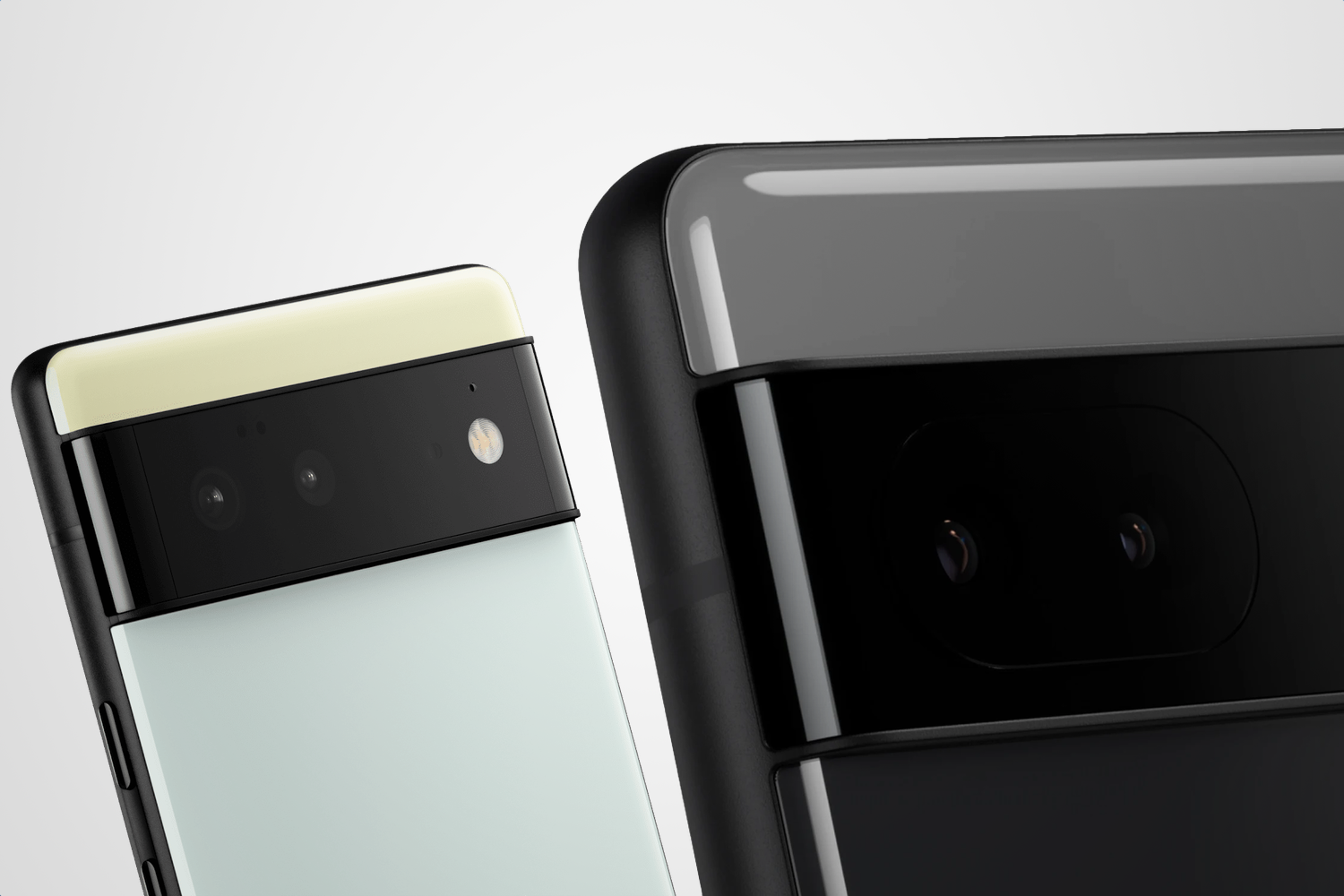
Google hasn’t been the greatest when it comes to making its Pixel phones widely available around the globe. In India, for example, the country hasn’t seen a Pixel phone launch since 2020 with the Google Pixel 4a.
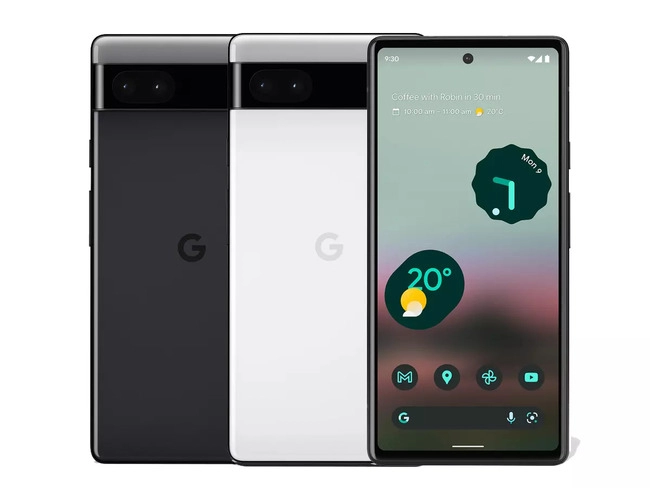
Today, though, that has changed! Pre-orders for the Google Pixel 6a in India are now open. Additionally, the business is running a number of deals to help you save money and receive more Google goods.
The price of the Pixel 6a is Rs. 43,999 (about $550). That refers to the sole variant with 6GB of RAM, 128GB of internal storage, and the Google Tensor chip that is currently on the market. There are two color options available: Chalk and Charcoal.
Use Axis Bank Cards with EMI for your purchase if you wish to save some cash. This reduces the cost by Rs. 4,000, or about $500, to Rs. 39,999.
If you want to save even more, you can exchange a phone during your purchase. Google will offer Rs. 6,000 (~$75) for any Pixel device and some select smartphone models. If you don’t have one of those, you can cut Rs. 2,000 (~$25) off with any other smartphone.
If you stack the trade-in with the Axis/EMI discount, you could get a Google Pixel 6a India pre-order for just Rs. 33,999 (~$425).
Finally, Google would love for you to buy some other Google products along with your pre-order. If you toss in a Nest Hub (2nd Gen), Pixel Buds a-series, or Fitbit Inspire 2, you’ll get that secondary item for just Rs. 4,999 (~$62.51).
Don’t want to pre-order or don’t want to buy from Google? The Pixel 6a will be available from Flipkart starting July 28.
With a Qualcomm Snapdragon 870 SoC and a 6.67-inch full-HD+ AMOLED screen with a 120Hz refresh rate, the Poco F4 5G was introduced in India. The gadget is powered by MIUI 13 on top of Android 12. Triple rear cameras on the Poco F4 include a 64 MP primary sensor, an 8 MP ultra-wide camera, and a 2 MP macro camera.
We will share the most recent Google Camera for the Poco F4 with you in this article. The Google Pixel’s default camera app is called Google Camera. The camera uses the most recent HDR+ technology, which enhances image quality, particularly on low- and mid-end smartphones. The app also offers slow motion, lens blur, 60 frames per second video, portrait mode, motion photographs, and Night Sight.
This tutorial is for you if you want to install the Google Camera on your Poco F4. Thank you to a few talented and dedicated developers, namely Arnova8G2, BSG, and Urnyx05, who are working hard to port GCam APK files to the majority of devices out there. The Poco F4 devices now support the Google Camera port.
Xiaomi Poco F4 Device Overview
The 6.67-inch AMOLED display on the Xiaomi Poco F4 has a refresh rate of 120 Hz. It has a 20:9 aspect ratio and an FHD+ display with a resolution of 1080 x 2400 pixels. Peak brightness for the screen is 1300 nits. The Qualcomm Snapdragon 870 processor is housed inside and was created using a 7nm manufacturing technique. One Kryo 585 core runs at 3.2 GHz, three Kryo 585 cores run at 2.42 GHz, and four Kryo 585 cores run at 1.8 GHz, making it an octa-core CPU. We have the Adreno 650 to handle activities that require a lot of graphics. The smartphone comes pre-installed with the MIUI 13 skin over Android 12.
In terms of optics, we have a single selfie camera up front and a triple camera arrangement at the back. The 64 MP primary sensor and f/1.8 lens on the triple rear camera system are joined by an 8 MP ultrawide sensor and f/2.2 lens, and a 2 MP macro sensor and f/2.4 lens. The front-facing selfie camera has a 20 MP main sensor and an f/2.5 lens. The front camera can only record videos in 1080p while the rear camera arrangement can shoot 4K videos at 60 frames per second.
The smartphone comes in four storage options: 128GB internal storage + 6GB RAM, 128GB internal storage + 8GB RAM, 256GB internal storage + 8GB RAM, and 256GB internal storage + 12GB RAM. We do not get a MicroSD slot for storage expansion. In terms of communications, we get Wi-Fi 802.11 a/b/g/n/ac/6, Bluetooth 5.2, GPS, NFC, Infrared port, and USB Type-C 2.0. And for sensors, we get a side-mounted fingerprint sensor, accelerometer, gyro, proximity, and compass.
Powering it all is a 4500 mAh battery that can be topped up quickly using a 67W power adapter. The company claims that the phone can go from 0% to 100% in just 38 mins. The smartphone is available in three color options: Moonlight Silver, Night Black, and Nebula Green.
The Google Camera APK file installation process is as simple as installing any other third-party APK file. You don’t have to root your device for this.
Download the GCam APK file from the download link above and tap on it.
Make sure that the Unknown Sources option is enabled on your device. To do this, go to the device Settings menu > Security/Privacy > enable it. [If already enabled, skip to the installation]
It will launch the package installer and tap on the Install button.
Once the installation is done, open and use it.
Enjoy!
Still, if the camera app doesn’t work, enable the Camera2api by using build.prop (Not for every device)
Persist.vender.camera.HAL3.enable=1
I hope this guide will help you a lot, and you have now successfully installed the Google Camera ported app on your Poco F4 handset. If you’re facing any trouble, feel free to write it down in the comments below.
Every week, Droid Tools provides you with a selection of excellent deals for Android games and applications that are often purchased but are currently on sale for free on Google Play Store.
This list of free apps is updated weekly with at least two weekly editions, on Tuesday and Saturday. Between the publication and the moment you consult this article, it is possible that some applications have become paid again. Google Play Store promos on apps are fairly easy to predict, but it’s more complicated with App Store promos since Apple doesn’t specify how long the discount is valid.
Quick tip: When you find an interesting app, but you can’t really use it yet, install the app anyway, then delete it from your device. This way, the app will become part of your app library and you can install it again for free when you need it. It’s a good way not to miss a short-lived promotion.
Temporarily free Android apps on the Google Play Store
Android productivity/lifestyle apps temporarily free on the Google Play Store
Task Destroyer($1.99): Create tasks by entering the title (or image), health, color-coding, size and type of task. You can then place them anywhere in the space to better organize your to-do list.
Los tiempos verbales en inglés($1.19): A useful tool when learning Spanish or English, using this application you will be able to learn all the active and passive tenses of English with useful tables in English, translations in Russian and Spanish and with zero advertising.
Ringtone Scheduler($.69): Ringtone scheduler allows you to change your ringtone automatically depending on the time and your mood. It also has a nice explorer that helps you quickly create lists of ringtones.
Quick Volume Control($.79 ): A simple tool that allows you to control volume via the notification bar.
Memorize: Learn TOEFL Vocabulary($4.99): Same as the previous one, this application allows you to learn and memorize TOEFL vocabulary.
Number to word converter offline($.69): Have you ever needed to convert numbers into English words, i.e. “929” into “nine hundred and twenty-nine”? This application was designed for that.
Android mobile games temporarily free on the Google Play Store
Dead Bunker 2 HD($.59): A 3D shooting game in which you have to fight zombies.