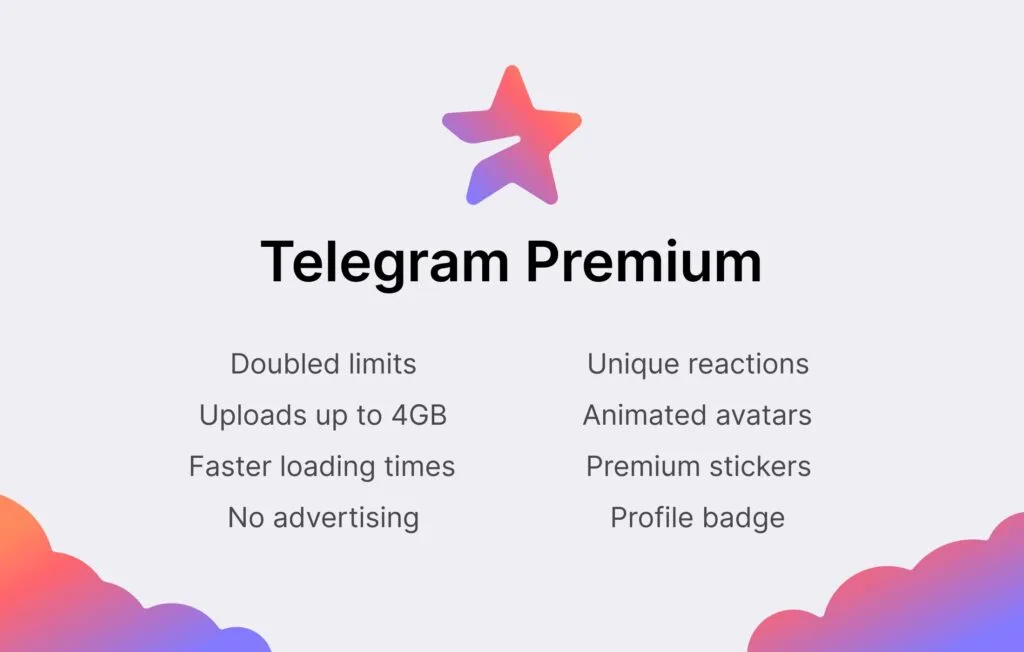
Telegram‘s founder Pavel Durov has disclosed that the company plans to add a premium membership service to its already remarkable feature set.
Telegram is a popular chat app that prioritizes privacy and security. It competes with WhatsApp and Signal in the same market, but it stands out for the sheer variety of functions it offers and its generous usage restrictions. According to Durov, the corporation intends to increase its capabilities and limitations even more, but at a cost.
The most difficult part of adding new services and increasing use limits, according to Durov, is figuring out how to do so without driving up infrastructure costs. With a paid subscription service, the revenues collected will assist the company cover its costs while also limiting the demand for enhanced usage restrictions to only those consumers who are ready to pay for the premium service.
The app’s existing functions will stay free, and the business expects to continue adding new capabilities to the free service, which is good news for customers. Some of the work that goes into the subscription edition will help all users.
“Moreover, even users who don’t subscribe to Telegram Premium will be able to enjoy some of its benefits: for example, they will be able to view extra-large documents, media, and stickers sent by Premium users, or tap to add Premium reactions already pinned to a message to react in the same way” Durov explains.
Durov says Telegram Premium will arrive in June 2022. Pricing was not divulged.
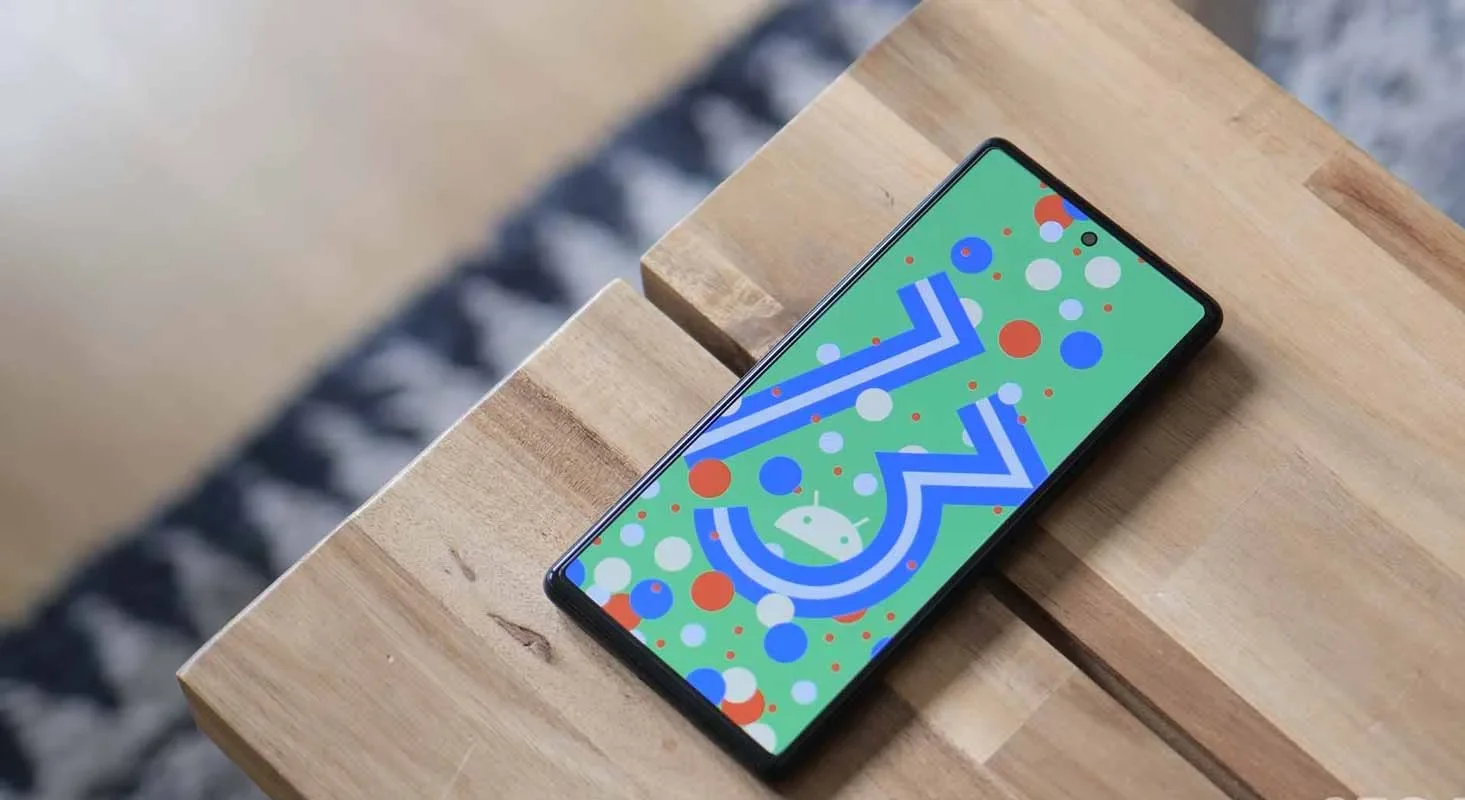
For your Google Pixel phone with Android 13, today is a huge day: we’ve reached the platform stability stage of the development cycle. The third beta of Android 13 is now available, and things are looking fantastic.
All app-facing behaviors and APIs are final in this Beta 3 build, which is available on the Pixel 4, Pixel 4a, Pixel 5, Pixel 5a, and Pixel 6 lines. For developers, this means creating apps ready for release while also knowing that nothing will change in the future. For you, the non-developer, this simply implies that we won’t see much changes in terms of features or UI in the future.
Do you want to try out Android 13 Beta 3 on your phone or tablet? Let’s get started.
How to download Android 13 Beta 3 on your Pixel
Android 13 Beta 3 is available on the following devices:
Pixel 4 and 4 XL
Pixel 4a and 4a (5G)
Pixel 5 and 5a
Pixel 6 and 6 Pro
Easiest way: If you own one of those devices, the easiest way to get Android 13 Beta 3 on device is to sign-up for the Android Beta Program (here). You’ll simply click the “Opt In” button on that page to join and then sit back and wait for Google to push an update as Android 13 over-the-air.
Once you have enrolled, you’ll head into Settings>System>Advanced>System update to check for it. Google may not push it immediately and could instead roll it out slowly throughout the day. Either way, feel free to check through there to tell Google you want it after enrolling in the program.
UPDATE 6/8 11:20AM: Google pulled all of the Beta 2 image and OTA files and replaced them with a message that reads, “Available soon.” We don’t know if soon means later today or in a couple of days. We’ll update this once the new files go live.
UPDATE 6/8 12:47PM: Google still hasn’t posted the files, but the build number for Beta 3 appears to be TPB3.220513.017.
UPDATE 6/8 12:56PM: All the files are now live!
Manual way: Want to get updated faster or would rather flash a factory image or OTA file through adb to feel more techie and important and smart? That’s still an option! I’ll be going the OTA route, but factory images are available too. You’ll find Android 13 Beta 3 factory images here and the OTA files here. For instructions on how to flash a factory image, here you go. For instructions on how to flash an OTA .zip file, here you go.
Already on an Android 13 Beta 2 build: If you are already on an Android 13 Beta build, Google says that you will receive the Beta 2 update over-the-air. Of course, you can manually flash a factory image or OTA file as well, since the over-the-air process often takes forever to process.
What’s new in Android 13 Beta 3?
Release date: June 8, 2022 Build: TPB3.220513.017 Emulator support: x86 (64-bit), ARM (v8-A) Security patch level: June 2022 Google Play services: 22.18.19
We’re diving in now to see what’s new, but Google describes new goodies as follows:
“There’s a lot to explore in Android 13, from privacy features like the new notification permission and photo picker, to productivity features like themed app icons and per-app language support, as well as modern standards like HDR video, Bluetooth LE Audio, and MIDI 2.0 over USB.”
Honest, there may not be much else new going forward. Once we hit Beta builds (and this is our third), Google doesn’t change much. It’s looking like Android 13 is a solid bug fixer from the big changes that were introduced in Android 12, and that’s completely fine. We love polish and stability. Let’s hope Android 13 gives that to us.
Should we see enough stuff to highlight, we’ll work on a separate post. Stay tuned.
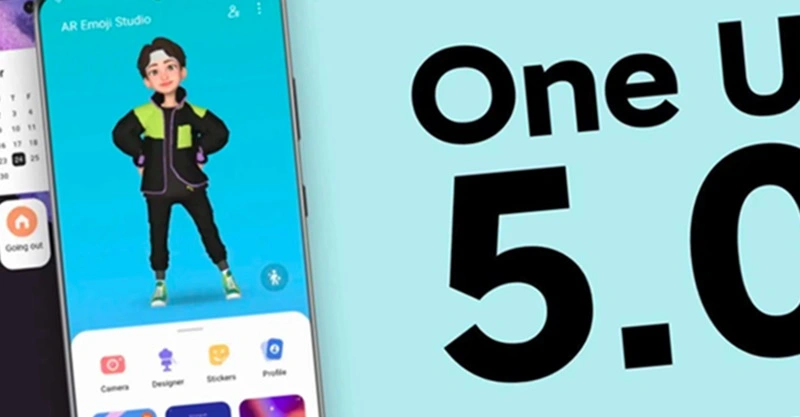
The launch of Samsung’s One UI in 2018 was undeniably a watershed moment for phone user interfaces. While the initial iPhone had shortcomings, it was clear that it had won the hearts and minds of the globe when everyone from OnePlus to Google copied much of its design. We’ve been fans since the beginning, but there’s one area where it’s always been difficult to look at, and that’s animations.
Samsung’s One UI is a mix of openness and closeness. Things are continually speeding, flowing, expanding, and contracting to an extreme degree. In fact, the animation bloat was so awful that Samsung included a feature named “Reduce Animations” at one time, almost as if they realized it was excessive.
It’s difficult to quantify how much that feature lowered everything, but we always advised you to enable it. Then Samsung took it down one day! If you wish to lessen animations, you must first activate developer options and alter the phone’s animation scales. That’s not tough, but we don’t like the fact that Samsung removed our earlier straightforward option.
Anyway, SamMobile believes that Samsung is set to dramatically increase the UI speed in One UI 5.0, which is positive and relevant news. One of the primary issues on the One UI 5 agenda, according to their sources, will be to improve UI navigation speeds and animations so that they are smoother.
We don’t have an official debut date for One UI 5, however Samsung usually releases new One UI updates alongside the latest Android version. For example, we were able to test One UI 4 with Android 12 before it was rolled out to all of Samsung’s finest phones by the end of 2021. If Samsung holds another developer conference in the fall, it could be a nice opportunity to preview the new One UI.
Finally, while we have someone in Samsung’s orbit’s attention, can we get a vertical app drawer already? For us, Samsung, it’s long past time to make the switch.
Realme is still providing the security patch for its handful of smartphones, but it’s not the latest one. The May 2022 security patch is rolling out for Realme Q5 Pro, Realme Q2, and Realme V5 5G in China.
The latest update for Realme Q5 Pro, Q2, and V5 seeding with build numbers C.07, C.17, and C.17, respectively. The update Optimizes system stability and improves user experience.
However, the changelog of Realme Q5 Pro is large and mentions camera and changing improvements – Optimize the blurred effect of the front portrait, the green and blue effects of video imaging, the clarity of night scene imaging.
Changelog:
Realme Q5 Pro 5G
System
Optimize system stability and improve user experience
Camera
Optimize the blurred effect of the front portrait
Optimize camera performance in some scenarios
Optimize the green and blue effects of video imaging
Optimize the clarity of night scene imaging
Charging
Optimize charging protection and charging icon display logic for individual scenarios
Download Google Camera (GCam) Mod For All Android Smartphones [v8.4.6] – Google Camera (Gcam), also called Pixel Camera, is a camera phone application developed by Google for Android. In comparison with the normal camera, it becomes clear that GCAM produces pictures that are true to the source and has a better dynamic range. It is chiefly known for its awesome features that allow the user to create a ‘Photo Sphere’, a 360-degree panorama photo, etc.
Today we have very good news: the GCam version 8.4.6 is now available with a MOD compatible with a large part of Android phones. We’ll tell you everything you need to know and how to install it!
You only need two requirements: run Android 10 or higher and have the Camera2 API. The main requirement for using the mod is that the device supports the Camera2 API. You can check this using a special application.
If you meet both requirements, you have almost everything done. Installing the GCam 8.4.6 is something extremely easy that you can do in a few steps:
Once the APK has been downloaded, you can install it.
Open the GCam app installed on your smartphone and you’re done
The process is as simple as downloading the APK and installing it. You shouldn’t do anything else. Of course, depending on the device you have, you will be able to access some functions or others of the GCam. Not all sections are compatible with all smartphones.
There is no universal way for backing up and restoring Android phones that works for everyone. To keep things simple but effective, many users may choose a cloud-based system with automatic backups. Others, on the other hand, may want to store them offline and manually create backups for safekeeping. There is no right or wrong way to approach things here; depending on what you’re searching for, both options may have trade-offs. In this post, we’ll go over some of the most common techniques for backing up and restoring your Android phone.
Google One Backup
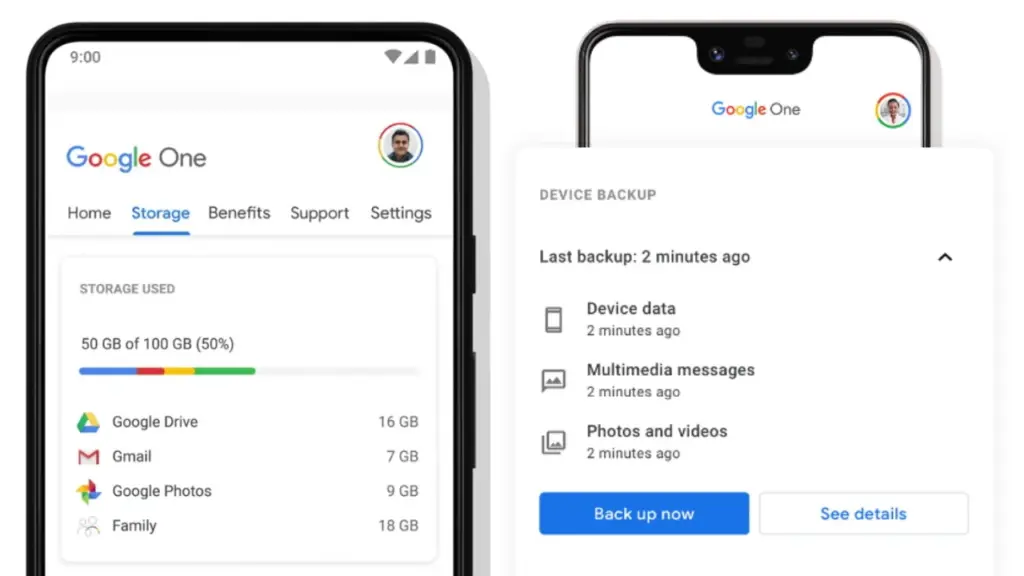
Google One is here to help you keep your life easy if you’re seeking for a fantastic, all-around backup solution for Android. Because Google is the official Android maintainer, it makes reasonable to utilize a first-party mechanism that can be accessed by almost any Android phone. To say the least, backing up your device with Google One allows you to save your images, messages, and a list of loaded apps. After your smartphone has been charging and idle for 2 hours over Wi-Fi, you’ll get automatic cloud backups.
Access Google One using the app
If you have a Pixel phone, Google One comes pre-installed as part of the operating system for quick access. Go to System Backup in the Settings app after opening it. All Google accounts come with 15 GB of free cloud storage for things like photographs, movies, and device backups. Increased storage capacity is available for a few bucks per month if needed. You may install Google One on your Pixel or any other Android phone by following these steps:
Download the Google One app if needed, then open it to continue.
Press the Set up device backup button to begin the process.
Tap Turn on to enable Google One backups for your device.
Hit Continue to grant the proper Google Photos permission as needed for your photos and videos.
You can always press Cancel if you don’t plan on using Google Photos to save your photos and videos.
Tap the Back up now button to begin backing up your device data to Google One.
Once the backup has been completed, you can view more info under the Backup details section.
Although Google One includes this feature during the setup process, it does not imply that you intend to use it. If you just want to back up your photographs and videos, you could always utilize Google Photos as a stand-alone alternative. You can use the Google Photos cloud storage capability by following these steps:
Download the Google Photos app if needed, then open it to continue.
Press the Turn on Backup button to enable the cloud storage feature.
Pick Original quality or Storage saver depending on your needs, then press Confirm.
Swipe through the intro page as needed, then press Done to get to the main screen.
You can also tap Skip to quickly move past the intro and onto the main app.
If you have any photos or videos waiting to be backed up, they should have started uploading now.
Tap your profile icon in the upper right to view the status of your uploads.
You’ll be good to go once it shows the Backup complete message.
After that, all the content that just backed up should appear on the main screen for you to view.
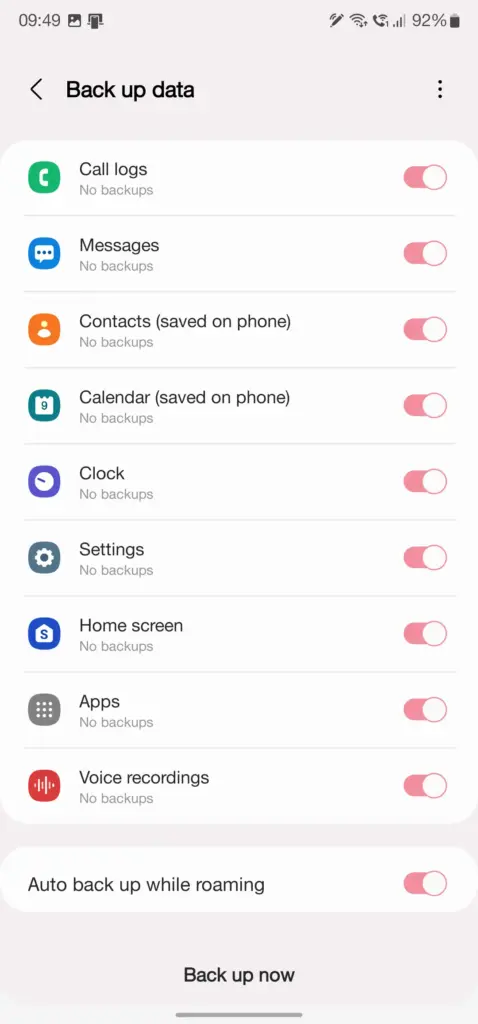
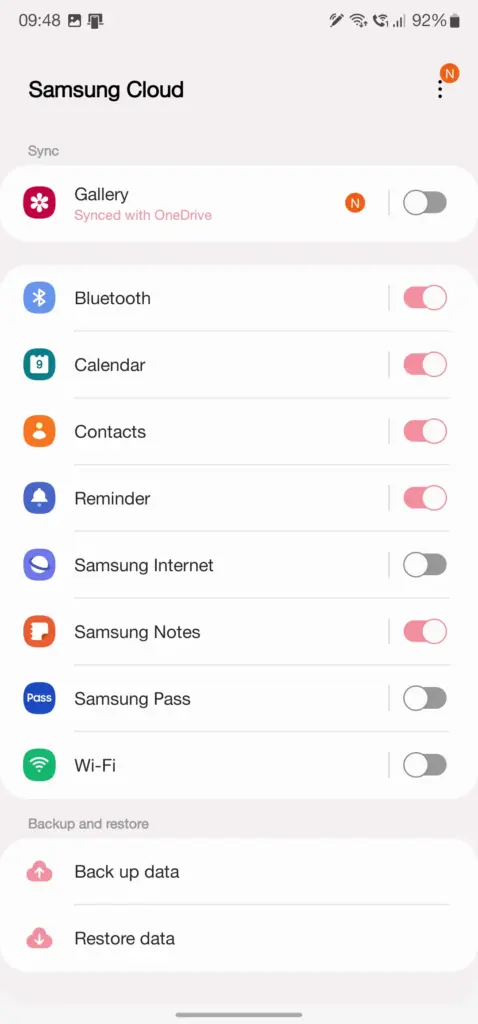
Users who have invested in the Samsung ecosystem can use Samsung Cloud, a dedicated service for their phone. This allows you to back up and restore your Samsung device in the event that it is lost, broken, or reset. System settings, Wi-Fi networks, and the layout of your home screen are just a few of the things you may back up and store in the cloud. The Samsung Cloud Backup app for Android is quick and simple to use, and it works across all of your devices.
When it comes to backing up your Android device, this is one of the most useful third-party apps available right now. With only a few short touches, Swift Backup allows you to perform batch activities. You may choose which apps you wish to store, hit a button, and it will handle the rest. It has a slight learning curve because it works with the Shizuku service, which grants you higher-level system rights. The good news is that many of its better features can be accessed without root access.
You’ll also be able to back up your messages, phone call logs, and device wallpapers in one go. And once the app is set up to your liking, you can create an automatic schedule to keep everything constantly backed up. We’ve personally tested Swift Backup and highly recommend it for offline and cloud-based solutions. If you want to learn more about Swift Backup, we have a guide here that gives you an in-depth view of how to use it.
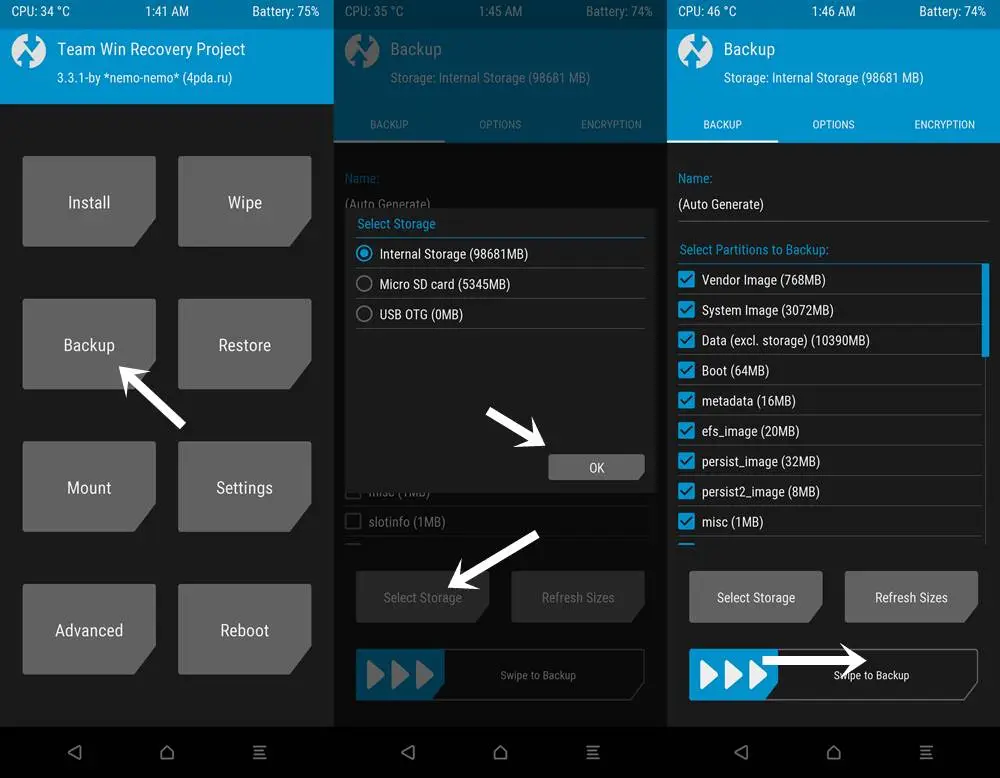
When it comes to backing up and restoring Android devices, sophisticated users have a handy trick under their sleeves. You can take full system image backups of your smartphone using a custom recovery environment like TWRP. A NANDroid backup in this situation allows you to practically clone your system and restore it exactly as you left it, including all app data. It doesn’t require root access, but it does require an unlocked bootloader, a device that supports TWRP, and some knowledge.
If you can get beyond the learning curve and qualifications, NANDroid backups can make your life easier. Once you’ve done that, all you have to do now is manually save your downloaded media files, images, and videos. Many Pixel, OnePlus, and Exynos variant Samsung phones should be on the list of Android devices that gain TWRP support. Because of the committed developer community, the Pixel 5, OnePlus 9 Pro, and Galaxy S22 Exynos edition all have access to TWRP.
Backing everything up
There are a slew of different proprietary backup alternatives available from Android device manufacturers, as well as a slew of third-party apps on the Play Store. In the above list, we’ve merely highlighted a handful of the more common and effective approaches. Which one you choose is entirely dependent on your personal preferences and requirements for your individual device. And now that you’ve had a good starting point, you should be able to identify the one that works best for you.
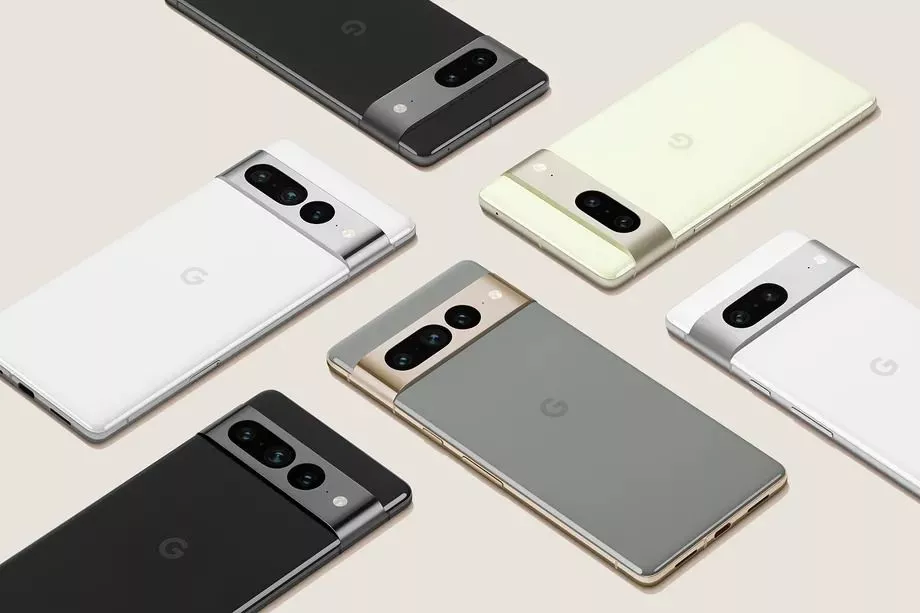
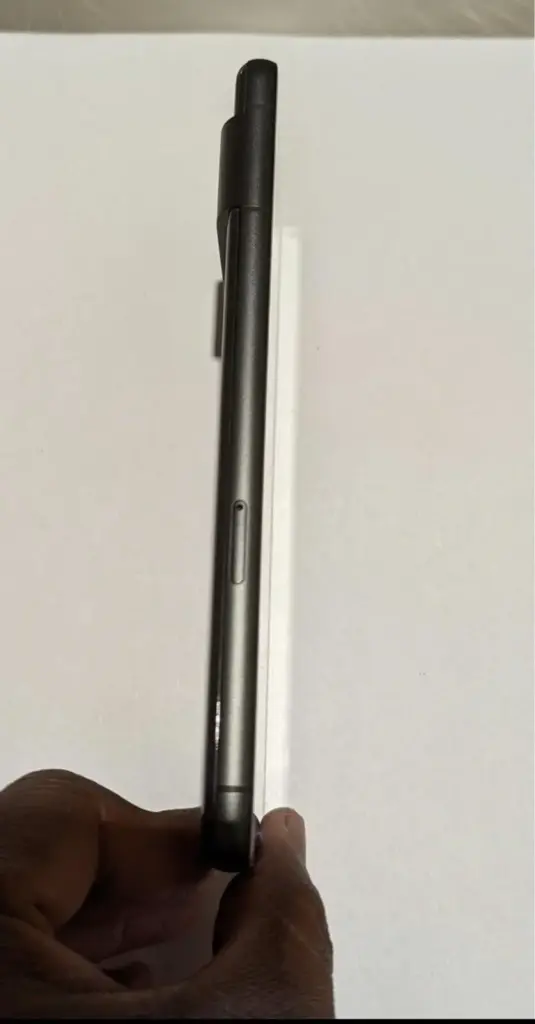
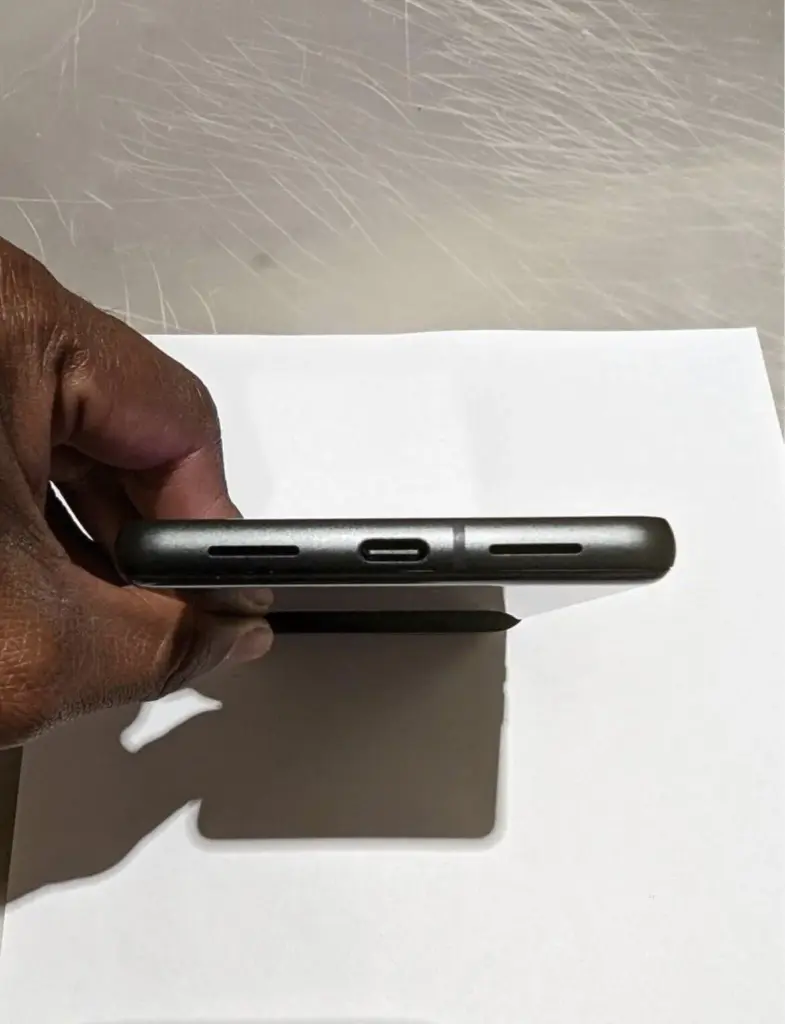
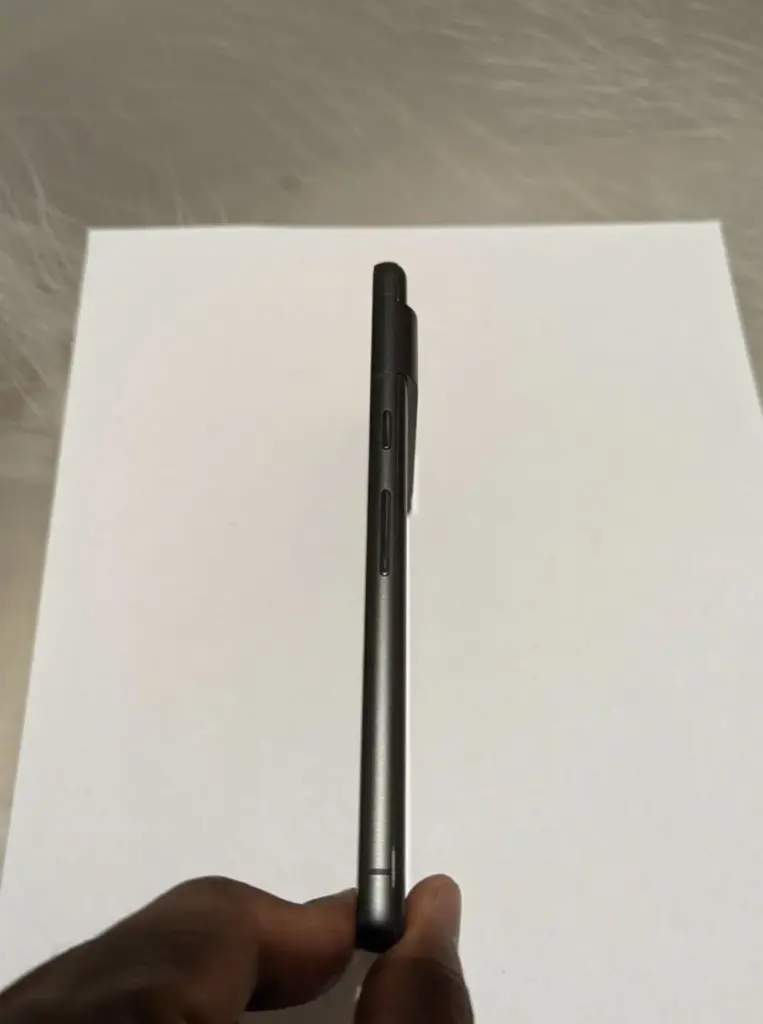
We got our first official look at the Pixel 7 and Pixel 7 Pro at Google I/O, and now we’re getting even more due to an early prototype of the Pixel 7 appearing on eBay.
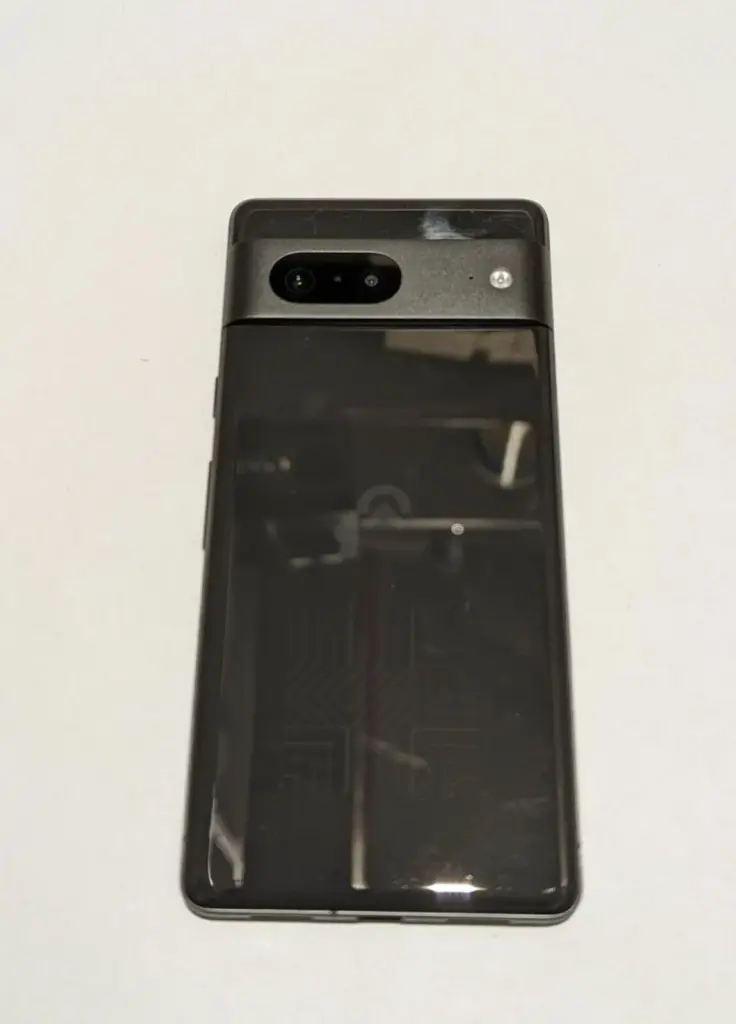
Today, an eBay auction appeared for someone selling what appears to be a Pixel 7 prototype. The listing was pulled down shortly after this item was published, about 1:30 p.m. ET.
The gadget is seen in its black “Obsidian” version, which includes a glossy glass back and the new metal camera bar that Google previously demonstrated. The device also includes a logo that is similar to previous Google prototypes but has been modified.
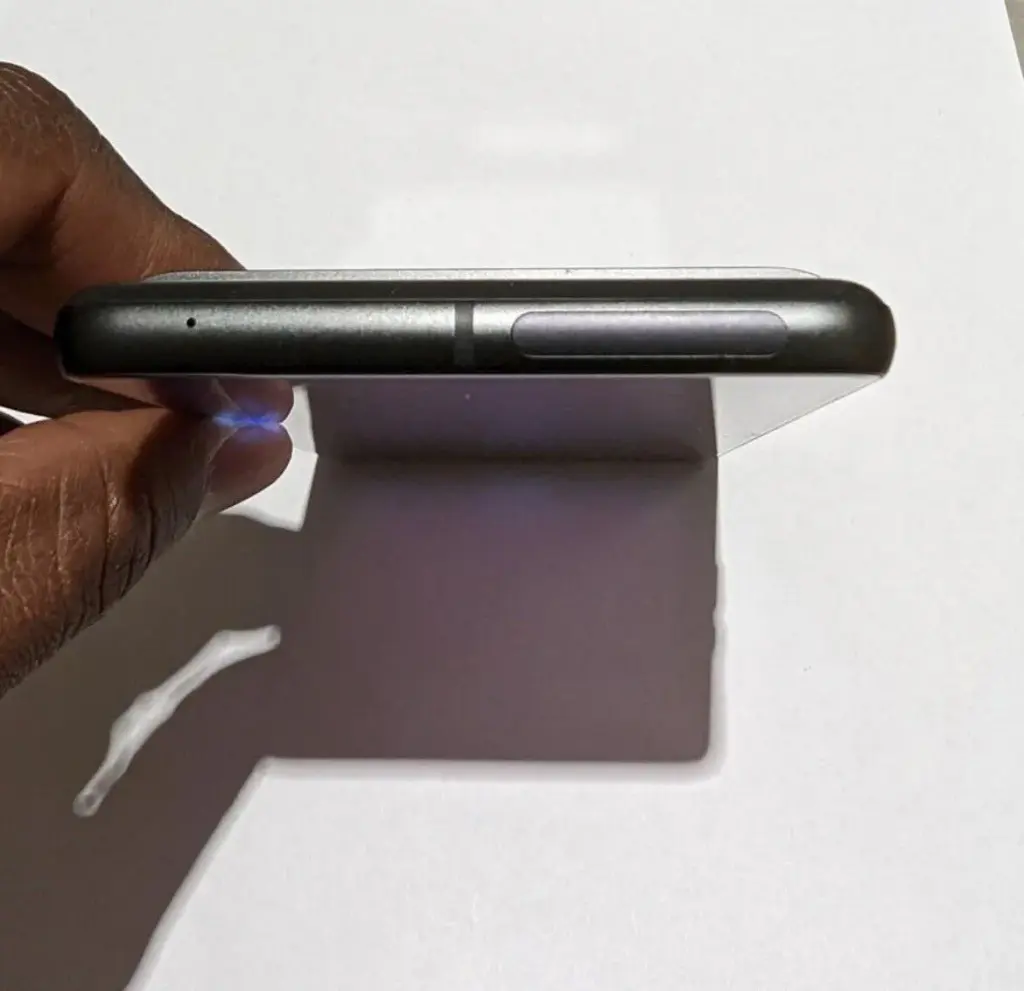
Because Google has previously shown the Pixel 7’s design, this eBay auction doesn’t reveal much new information, though it does confirm that the Pixel 7 will ditch the matte black frame of the Pixel 6 in favor of a textured metal frame. The mmWave antenna window, which was previously seen in CAD leaks, is also visible.
We can also see the Pixel 7 Pro in the mirror, with its unique camera bar snapping shots of this phone, which is a little amusing.
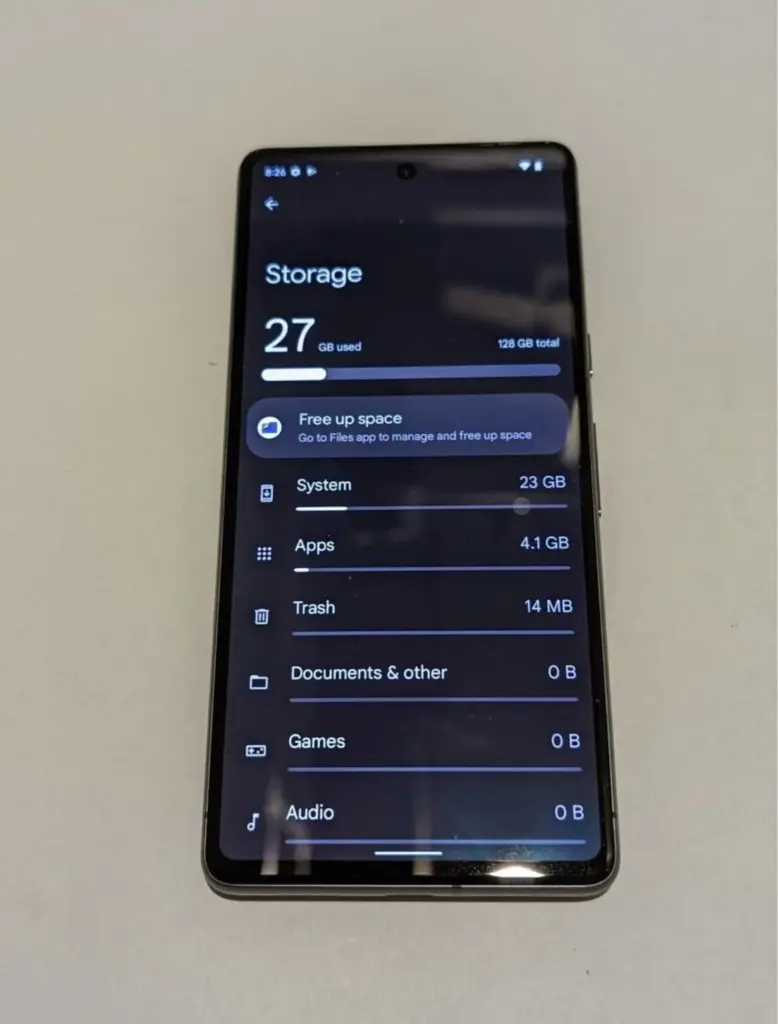
The listing went on to say that the phone already had Android 13 installed and that “pixel apps were in the development stage.
The only other thing we know from this leak is that the Pixel 7 will have 128GB of storage, as expected.
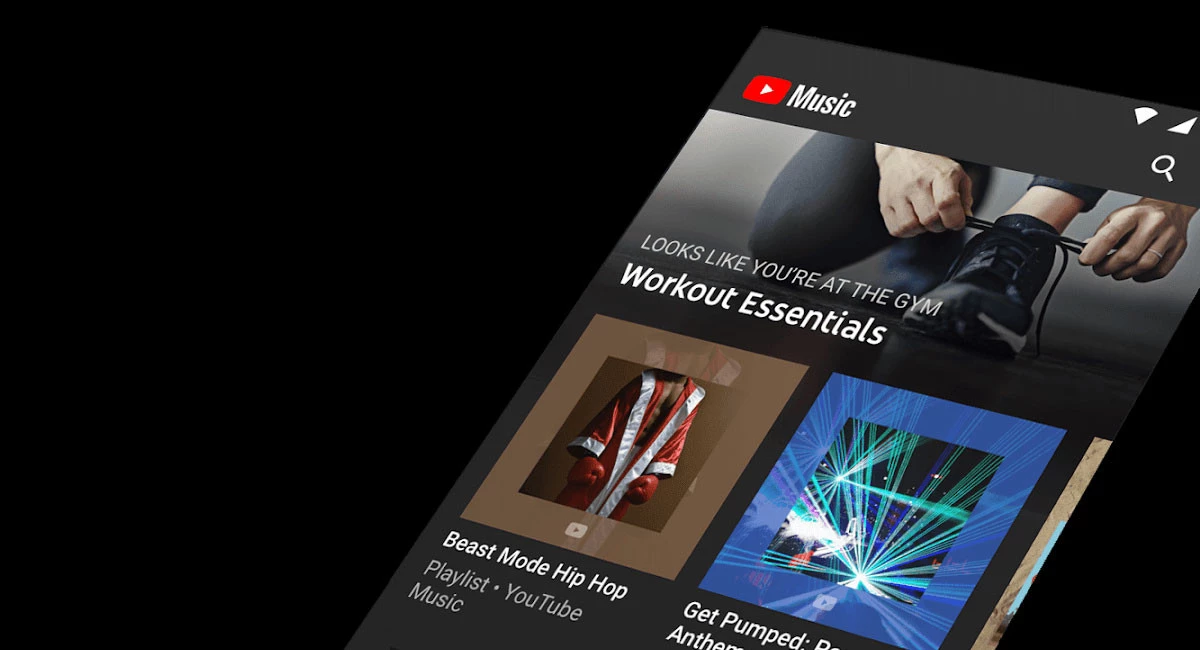
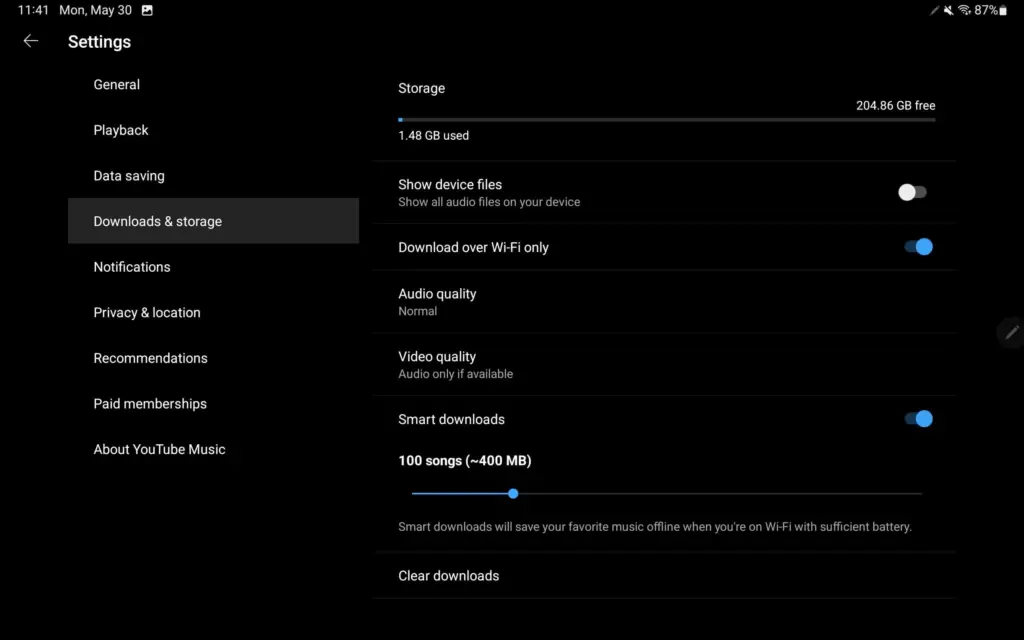
YouTube Music upgraded its Home feed for tablets at the start of this year, promising additional UI improvements, particularly for playlists. On Android, YouTube Music now has a more user-friendly settings structure.
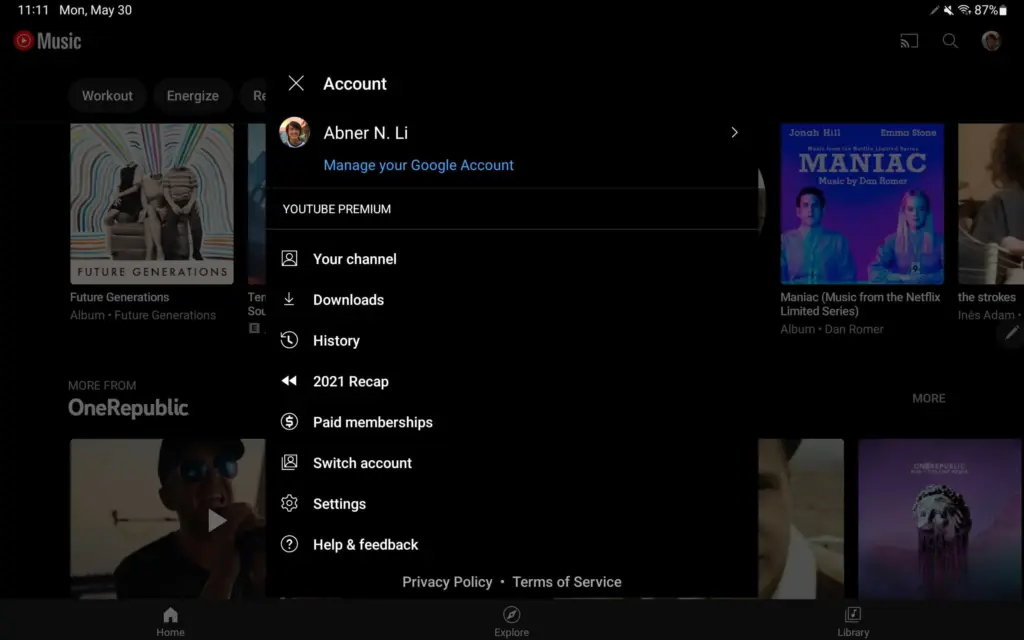
Instead of the fullscreen page available on phones, visiting the Account menu on Android tablets (and Chromebooks) initiates a pop-up (keeping navigation context).
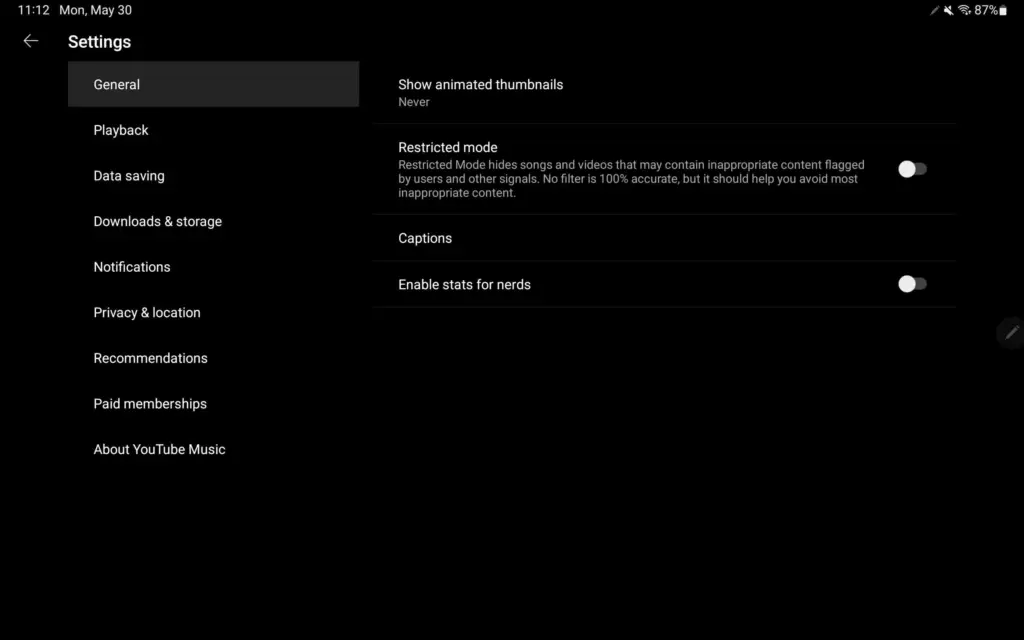
Settings now has a two-column UI, which is common among first-party Android apps like Google Search, Gmail, YouTube, and others. The real controls are on the right, while the available options are listed on the left.
This is a much better approach as settings for YouTube Music have been unwieldy for some time now as more things were added. We’re not encountering it on Android phones today, but YouTube Music offers a similar list approach on iPhone and iPad, though with different groupings. It could also be coming to smaller Android screens as a result.
This is a much better method, as YouTube Music settings have been unmanageable for a long time as more features have been added. We haven’t seen it on Android phones yet, but YouTube Music on iPhone and iPad has a similar list structure, though with different groups. As a result, it’s possible that it’ll be available on smaller Android screens as well.
Only one name comes to mind when it comes to privacy-friendly search engines: DuckDuckGo. As narrow as it is, the company has managed to spin its success in other directions, including a privacy-focused browser for Android and iOS that is reportedly devoid of trackers. According to a new revelation, DuckDuckGo’s cooperation with Microsoft may have lost the company its position as a “no tracking” provider.
As detailed by Bleeping Computer, privacy researcher Zach Edward recently discovered that, while DuckDuckGo’s browser stopped sites like Facebook and Google from using trackers to scrape user data, Microsoft’s websites — including LinkedIn and Bing — bypassed this blockade entirely. It goes against the search engine’s biggest selling point, and more specifically, undermines the entire reason the DuckDuckGo Privacy Browser exists.
To his credit, CEO and founder Gabriel Weinberg quickly admitted that the browser does, in fact, allow Microsoft to evade its tracking filters within the browser, and that this is done on purpose. According to Weinberg, it all comes down to the two firms’ search syndication agreement, which allows DuckDuckGo to use Bing results in its search results. It’s the most important component of a collection of over 400 sources, which includes Wikipedia and Wolfram Alpha. Weinberg further highlighted that this agreement only applies to the browser and not the search engine.
Still, it’s difficult to justify when the app’s main selling point — literally the first line of its Play Store listing — is to disable trackers on the user’s behalf. Following Edward’s discovery on Twitter two days ago, Weinberg stated that the company was working with Microsoft to remove this specific stipulation from the contract, as well as offering a clarification update to the Play Store and App Store listings. The CEO also issued a statement to Bleeping Computer, emphasizing that, while its browser isn’t flawless, it is still significantly more private than the competitors, with faster load speeds. As Weinberg points out, DuckDuckGo’s browser has never guaranteed complete anonymity. Hopefully, this is an opportunity for the organization to improve.
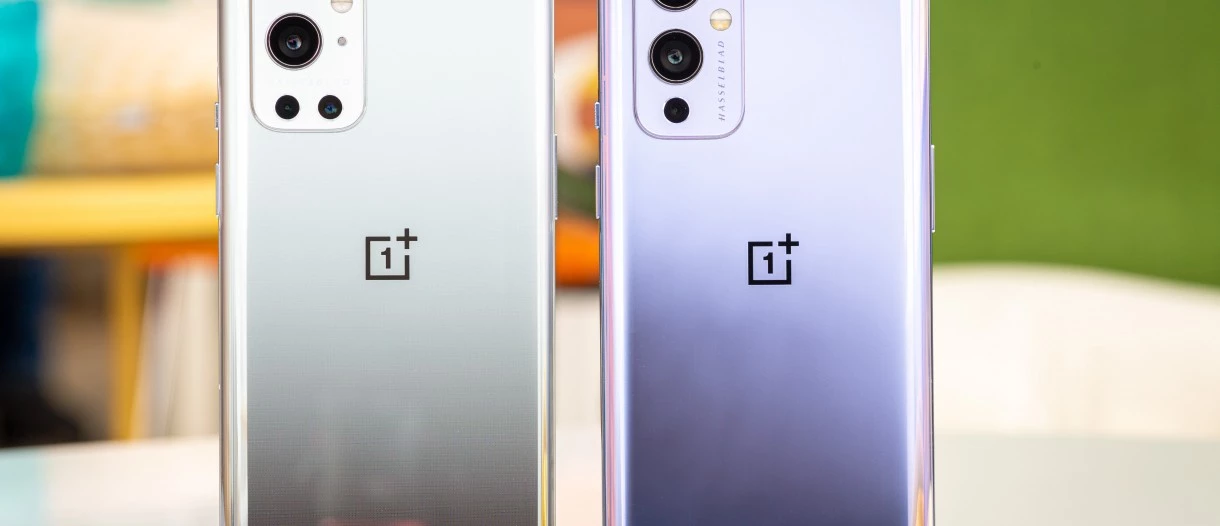
May 19, 2022: OnePlus has released a new system update for the OnePlus 9 series (via XDA Developers). It has version C.60 and is over 1.5GB in size.
The most recent OTA update improves multitasking and adds some connection and gaming features. The May security patch, however, is still unavailable for the phones. The complete changelog is available below.
Convenience & efficiency
You can now open up to 3 apps in floating windows at the same time in Split-screen mode and switch between Floating window and Split screen modes
You can now use the Clock app in Quick Return
Connectivity
You can now open up to 3 phone windows on your PC
Games
Adds the HyperBoost end-to-end frame rate stabilizer
Heterogenous graphics: Reduces gaming loads and power consumption (only for some games)
As always, this OTA will be incremental. It will reach a small percentage of users initially. A broader rollout should start in a few days.
To check if an update is available, head to Settings > System > System updates on your device.
Previous OnePlus 9 and 9 Pro updates
April 18, 2022: OnePlus rolled out a new system update for the OnePlus 9 and 9 Pro. The update carried Oxygen OS 12 version C.48 and went out to the flagships in India, North America, and Europe. There were no new features added with the update. However, it brought the April 2022 security patch to the phones. The changelog also mentioned system stability improvements.
March 21, 2022: OnePlus pushed out the stable Oxygen OS 12 update to the OnePlus 9R. The update was rolled out to users who were previously running the open beta version of the software. The OnePlus 9 and 9 Pro also got the incremental OxygenOS 12 update C.47 in North America and Europe. It optimized the stability of communication, fixed issues causing the operator’s name to be displayed incorrectly, improved system stability and camera fluency, and brought the March 2022 security patch.
March 10, 2022: OnePlus pushed out the Oxygen OS 12 C.46 update to the OnePlus 9 and 9 Pro. The company noted that the build will not release in North America due to specific country-related limitations. The firmware brought a bunch of improvements. However, the major change was the addition of the February security patch.
January 21, 2022: OnePlus rolled out update LE2125_11.C.44_1440_202201182114 (or 115) to the OnePlus 9 and 9 Pro in January. This update brought plenty of fixes for performance, display issues, cameras, and more. It also included the January 2022 security patch.
December 30, 2021: The OnePlus 9 and 9 Pro received Oxygen OS 12 C.40, which initially rolled out to global and Indian variants. The update fixed a few issues that the second Oxygen OS 12 release missed.
December 6, 2021: After a months-long beta program, the OnePlus 9 and OnePlus 9 Pro started getting a stable version of Oxygen OS 12, based on Android 12. However, due to intensely negative feedback to the update’s many bugs, OnePlus pulled it. The update restarted a week later.
November 25, 2021: Oxygen OS 11.2.10.10 rolled out to the OnePlus 9 and OnePlus 9 Pro. The update brought the November security patch and a few bug fixes but no significant changes.
September 17, 2021: OnePlus is rolling out a new Oxygen OS update (11.2.9.9) to the OnePlus 9 and 9 Pro. The update adds the September 2021 security patch and also brings the brand new Hasselblad XPan camera mode. There is also a slew of camera-related tweaks and other miscellaneous bug fixes.
July 29, 2021: OnePlus is rolling out Oxygen OS 11.2.4.4 to the OnePlus 9R. The update adds the July security patch to the phone and also brings the Bitmoji AOD feature that lets users place an avatar on their always-on display screen which changes based on activity and other factors. Fixes for “known issues” are bundled in the update alongside the updated GMS package.
July 19, 2021: OnePlus rolled out Oxygen OS 11.2.8.8 to the OnePlus 9 and OnePlus 9 Pro. It added one big feature for Ambient Display users — Bitmoji AOD. This lets users place an avatar on their always-on display screen which changes based on activity and other factors. The update also Fixed some “known issues” and added the July 2021 Android security patch.
June 6, 2021: The OnePlus 9 and 9 Pro gained Oxygen OS 11.2.7.7 which brought power consumption improvements, and camera tweaks, including an HDR option for video recording on the OnePlus 9 Pro.



![Google Camera (GCam) Mod for all Devices [v8.4.6]](https://api.droid.tools/wp-content/uploads/2022/06/GCam-8.4-download-featured.webp "Google Camera (GCam) Mod for all Devices [v8.4.6] 8")