Tag: google

  • Made by Google 2025 – how to watch and what to expect

    Made by Google 2025 – how to watch and what to expect

    For Google, the Pixel 9 series marked a significant turning point. With a fresh design, robust software support, and an extensive array of practical AI functions, it signaled the company’s transition into a reputable flagship smartphone manufacturer.

    But the Pixel 9 has been out for about a year now. The Pixel 10 series is now ready to take center stage.

    The Pixel 10 series is anticipated to be introduced at Google’s Made by Google event on August 20, 2025, which Google formally confirmed on Wednesday, July 16, 2025.

    Here’s how to watch the Pixel 10 launch event live, along with the precise time, date, location, and announcements to anticipate.

    When and how to watch the Google Pixel 10 launch event

    On August 20, 2025, Google’s Pixel 10 series launch event will begin at 1 PM ET (10 AM PT).

    Google used to release Pixel smartphones in September, following Apple’s iPhone event. Nevertheless, the firm shifted its calendar to August with the Pixel 9, and the Pixel 10 is now operating on the same timetable.

    For those of us who can’t make it, Google will broadcast the unveiling, even though it will take place in person.

    Here is a list of global time zones so you know exactly when to tune in, even though the event starts at 1 PM ET in New York:

    Time zoneStart timeDate
    New York (ET)1:00 PMAugust 20, 2025
    Los Angeles (PT)10:00 AMAugust 20, 2025
    London (BST)6:00 PMAugust 20, 2025
    Central Europe (CEST)7:00 PMAugust 20, 2025
    India (IST)10:30 PMAugust 20, 2025
    China (CST)1:00 AMAugust 21, 2025
    Japan (JST)2:00 AMAugust 21, 2025
    Sydney (AEST)3:00 AMAugust 21, 2025

    You may watch the event on any of your devices, including laptops, gaming consoles, cellphones, and smart TVs, since Google will be livestreaming it on YouTube as usual.

    You can either tap the Notify me button to receive a reminder or save the keynote to your Watch Later playlist when the YouTube page goes live. A few minutes prior to the commencement of the event, you will receive a notification from the YouTube app.

    Your local time for the event will also be displayed in the stream listing. When the official keynote video is live, we’ll embed it above, so be sure to return.

    What we can anticipate from the Made by Google this year
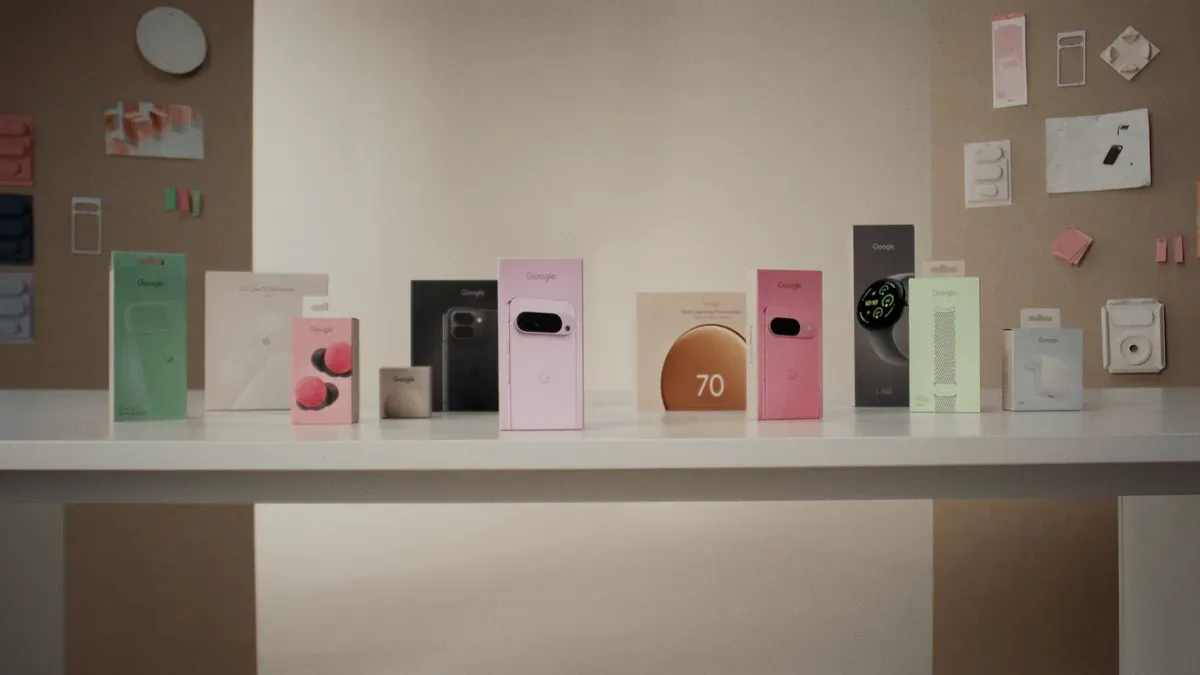
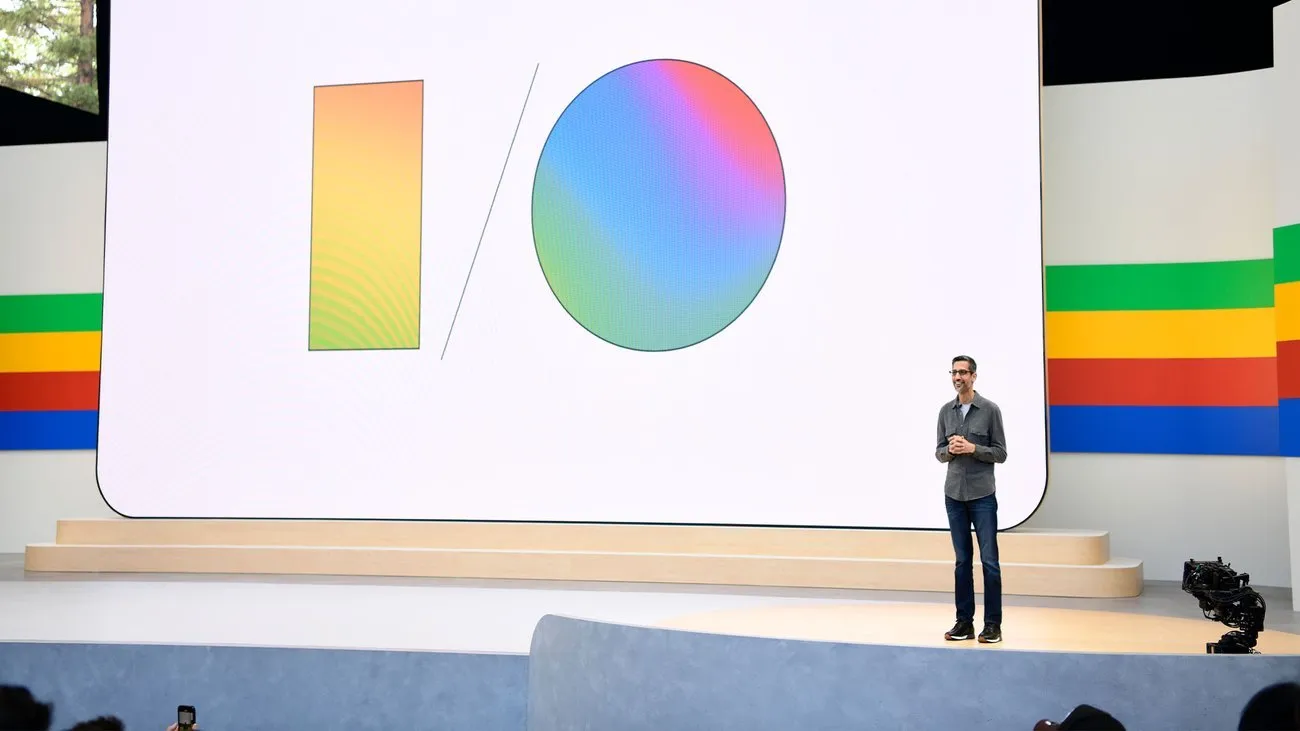
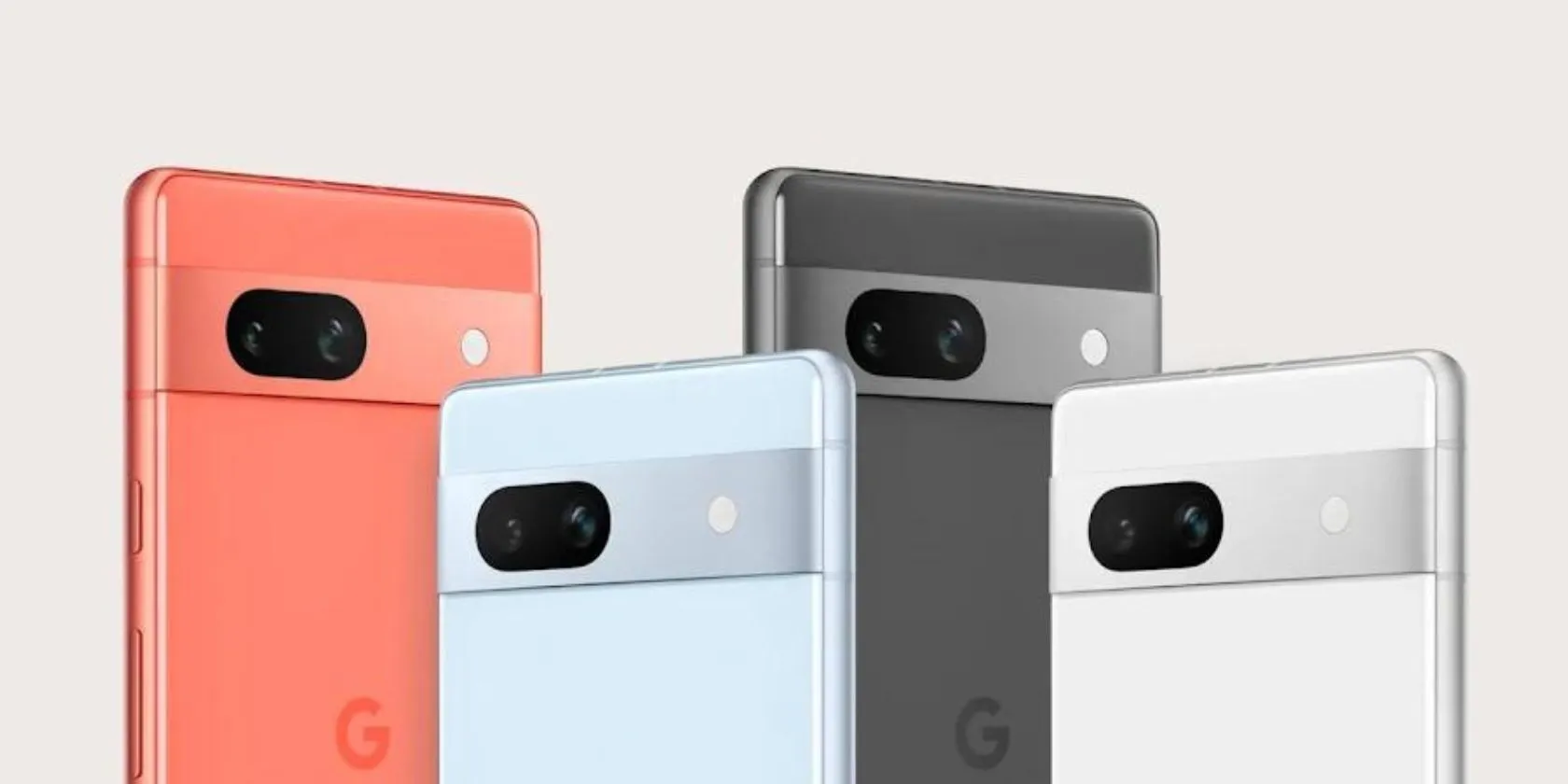
    made by google 2024 products

    The new Pixel 10 series will undoubtedly be the main attraction.

    The Pixel 10, Pixel 10 Pro, Pixel 10 Pro XL, and Google’s third-generation foldable smartphone, the Pixel 10 Pro Fold, are all anticipated to be part of the same range as the Pixel 9.

    The Pixel 10 lineup isn’t anticipated to receive a significant visual makeover, as Google has already updated the Pixel’s design language with the Pixel 9 series. Instead, the phones’ designs will probably stay similar to those of the previous year.

    But some significant improvements are anticipated.

    Most importantly, it has been speculated that the base Pixel 10 would (finally) include a telephoto zoom lens, something that Pixel owners have long wanted.

    This implies that a triple-camera configuration – possibly comprising a 50MP primary sensor, a 12MP ultra-wide, and a 10.8MP telephoto lens – will probably be included in the base model.

    A larger 4,970 mAh battery (up from 4,700 mAh on the Pixel 9) and somewhat quicker cable charging at 29W (a tiny increase from 27W on the previous generation) are other anticipated features of the Pixel 10.

    Speaking of batteries, it is anticipated that the Pixel 10 Pro and Pixel 10 Pro XL would come with bigger cells than previous models. It has been reported that the Pixel 10 Pro XL will have the largest battery in a Pixel phone, with a capacity of 5,200 mAh.

    The Pro models might start at greater base storage tiers this time around, even if the camera systems are anticipated to mostly stay the same as the previous generation.

    The Pixel 10 Pro XL may cost $100 more than its predecessor, according to certain speculations.

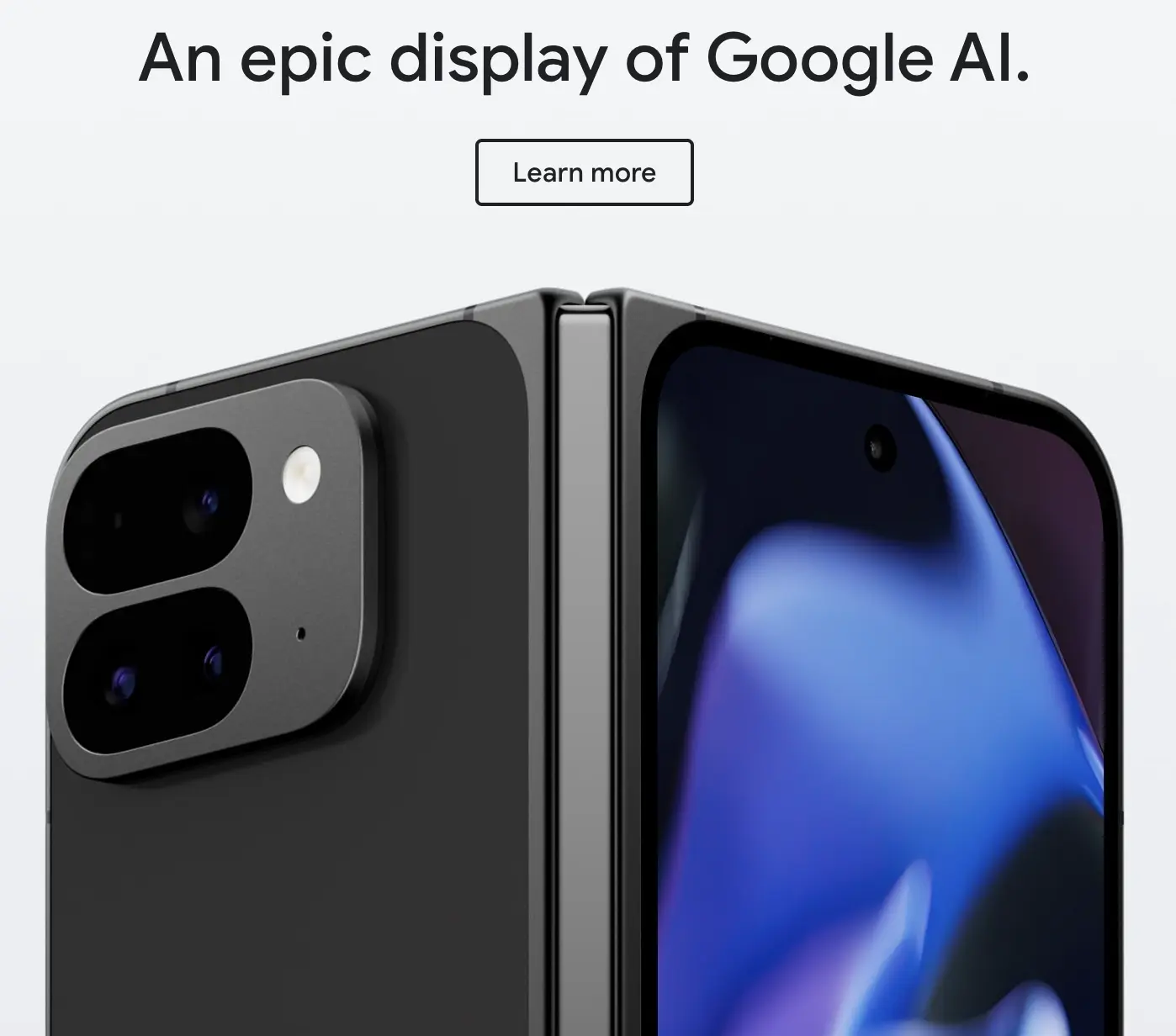
    It looks like Google is working on some significant improvements for the Pixel 10 Pro Fold.

    Although there are rumors that it may have a larger 6.4-inch cover display, the smartphone will feel exactly as small in the hand because of a better hinge.

    Additionally, a larger battery and an IP68 rating are anticipated for the foldable. However, the Tensor G5 processor will probably be the most significant improvement throughout the whole Pixel 10 family.
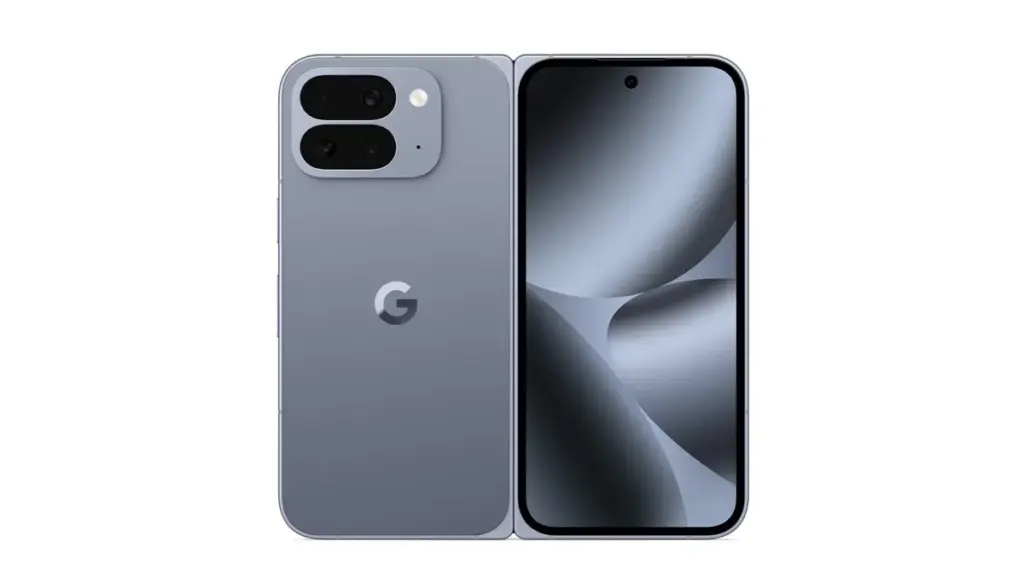
    Pixel 10 Pro Fold official rende

    According to reports, Google and TSMC have teamed up to produce the Tensor G5 for the Pixel 10 series.

    According to reports, the chipset is based on the 3nm technology, which should increase efficiency over Samsung’s Tensor G4.

    This might seem like a small change, but it could have a big impact on sustained performance and power efficiency.

    At the Made by Google event, Google is anticipated to reveal the Pixel Watch 4 in addition to the Pixel 10 series.

    According to reports, the Pixel Watch 4 will have new buttons and even smaller bezels than the Pixel Watch 3, while yet maintaining the same spherical appearance.

    More significantly, the Pixel Watch 4 series is expected to provide a much-needed advance in strength training, complete with Workout Builder and real-time workout coaching.
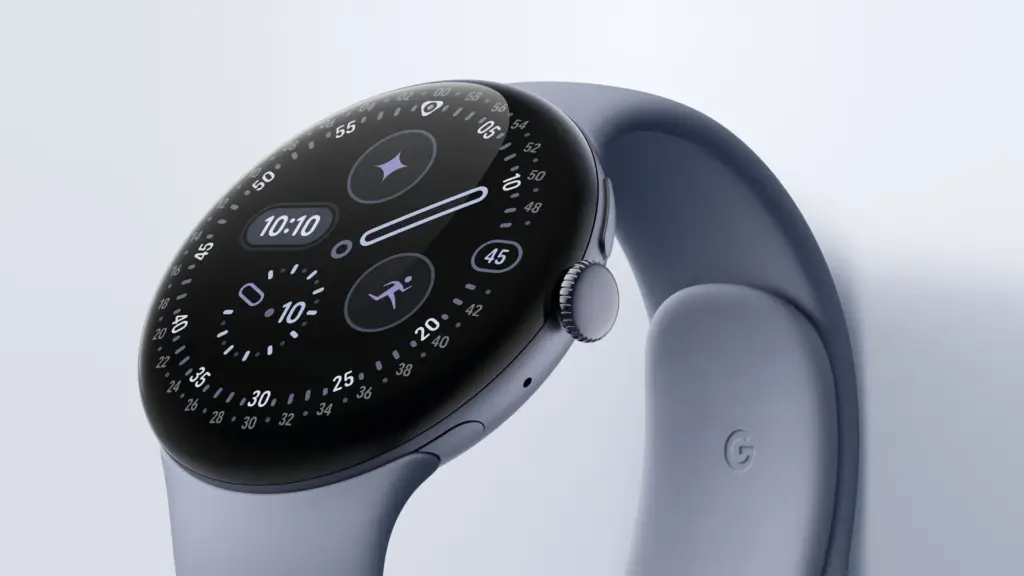
    pixel watch 4 Made by Google event

    This would at last establish the Pixel Watch as a viable choice for athletes seeking a specialized health-tracking gadget.

    There are reports that Google may release the Pixel Buds 2a to complete the product lineup.

    The first Pixel Buds A were released more than four years ago, and it appears that Google is now prepared to update its reasonably priced earbuds.

    Better ANC, longer battery life, and four color options are possible features of the Pixel Buds 2a.

    Overall, it looks like Google will have a crowded event for the second year in a row.

    Expect news on Gemini and Android 16 features, like as the upgrade that makes Material 3 Expressive available on all devices, as is customary with Google keynotes.
    ,
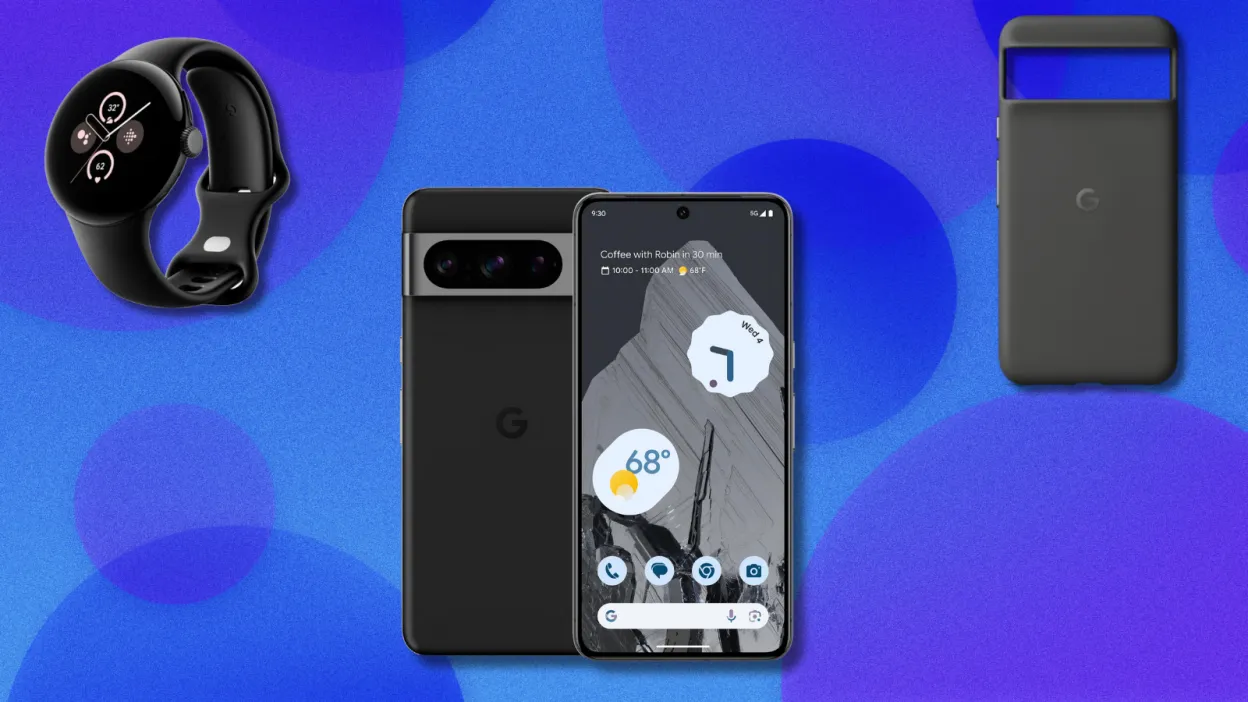
  • Get the #deal of the year – Pixel 8 Pro + Watch 2 + case for $599

    Get the #deal of the year – Pixel 8 Pro + Watch 2 + case for $599

    It makes sense that Google is attempting to sell off their older models at a discount, as they have formally announced that the Google Pixel 10 range and the Pixel Watch 4 will be introduced in August. In addition to the Pixel Watch 2 (199.99) and the official Pixel 8 Pro case ($34.99), which are both free, they are currently selling the Pixel 8 Pro for $599.99 (originally $999.99). If you want to start your trip into the Google ecosystem or obtain a Pro phone on a budget, this is a good value.

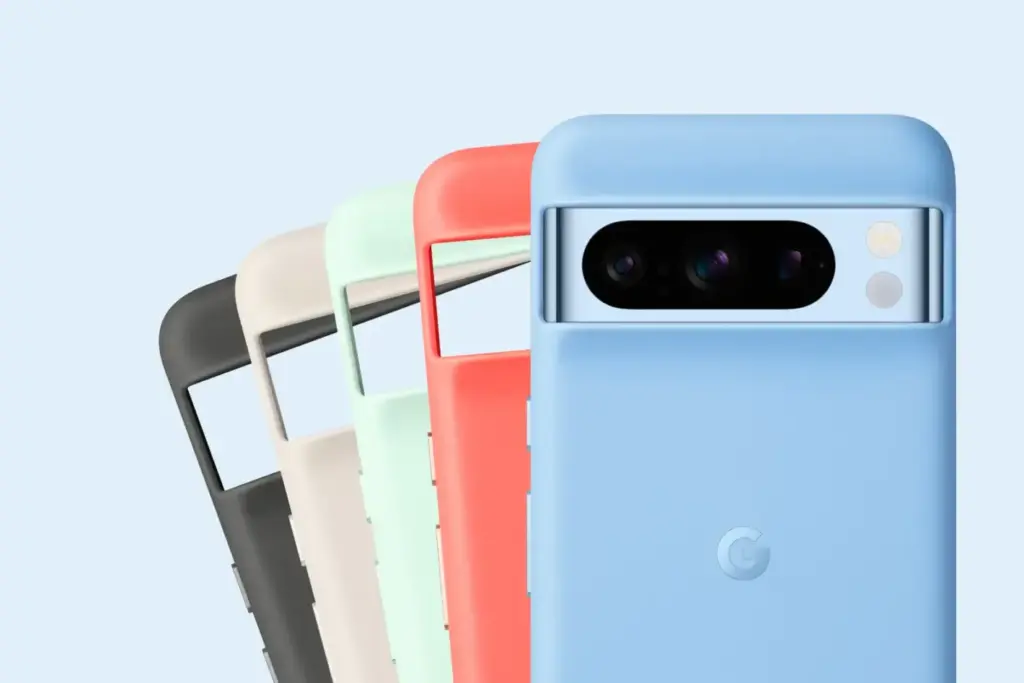
    Pixel 8 Pro Cases 1420x947 1

    The Pixel 8 Pro has a 10.5MP front-facing camera, a 50MP, 48MP, and 48MP back camera, and a battery life of roughly nine hours. The 6.7-inch OLED panel has a refresh rate of 120 Hz and a resolution of 2,992 by 1,344 pixels. The brightness reaches 2,400 nits at its max.

    pixel 8 pro deal

    Google Pixel 8 Pro with free Pixel Watch 2 and case

    Get the deal!

    $599Google

    With support for a ton of AI features that keep the phone feeling new a year after it was released, the Pixel 8 Pro is still a fantastic phone in 2025. Since Google has been actively trying to address security flaws in its Pixel phones since the Pixel 6, software upgrades for the Pixel 8 Pro will be available for a considerable amount of time (up to seven years). Every few months, Google also releases new features for the Pixel, such as the “Audio Magic Eraser,” which eliminates annoying noises from films, and the “finest Take” function, which allows you to select the finest picture out of a collection.

    The Pixel Watch 2 has a vivid AMOLED screen, a Qualcomm 5100 CPU, 33 hours of battery life, and a host of other features like a temperature sensor, GPS, an accelerometer, and a blood oxygen monitor. You may submerge the smartwatch up to 164 feet underwater because it has an IP68 rating for water and dust protection. Our review goes into greater information about it.

  • Google’s “Magic Cue” AI will scan your screen and offer insightful recommendations.

    Google’s “Magic Cue” AI will scan your screen and offer insightful recommendations.

    In just over three weeks, the Google Pixel 10 series will arrive, but as is customary, a lot of information has already leaked about it. One of its most significant new features—a potent contextual AI assistant named Pixel Sense—was previously covered by us. Alleged screenshots of the assistant were published last month, suggesting that it may debut under a different name. Regardless of its name, it is evident that Google is developing a new AI assistant, and the most recent Android Canary build supports this.

    Pixel Sense is intended to use information from several Google services and apps, including Calendar, Chrome, Docs, Files, Gmail, Messages, Photos, and YouTube, to make pertinent, predictive recommendations, as we revealed earlier this year. The assistant might, for instance, recommend people, locations, or goods at the precise moment you need them. Additionally, it would understand your usage patterns to help you do jobs and routines more quickly and adjust to your interests by figuring out what matters to you. Pixel Sense would do all of this while protecting the privacy of your data by keeping it entirely on-device.

    According to purported screenshots of the assistant released by leakers last month, the function may initially be known as “Magic Cue.” More information was provided by the pictures, which mentioned that in order to provide tailored recommendations, the assistant gathers information on current screen activity, app usage, and specific Google app data. According to the app you’re using, it does this to “present you useful details and time-saving actions.” For instance, “Magic Cue can locate your flight number from your Gmail – saving you the hunt” if a friend asks for it in a conversation.

    google magic cue

    It was discovered additional code in the SystemUI app that supports these earlier leaks while examining the second Android Canary build that Google made public last week. An alert is added by the code to let the user know how to use the feature for the first time. “We use AI to proactively offer info and activities relevant to what you’re doing on screen,” says the explanation of the alert, which is named “Get useful suggestions.” To “see how ideas are generated,” you can “tap & hold” the alert, which probably takes you to the Magic Cue configuration page.

    We are unable to display the Magic Cue feature because it is not part of the SystemUI app. These threads that allude to it are all that we have.

    <string name="ambientcue_first_time_edu_title">Get helpful suggestions</string>
    <string name="ambientcue_first_time_edu_text">We use AI to proactively suggest info and actions relevant to what you’re doing on screen</string>
    <string name="ambientcue_long_press_edu_text">Touch &amp; hold to see how suggestions are generated</string>
    
    <string name="ambientcue_first_time_edu_text">We use AI to proactively suggest info and actions relevant to what you’re doing on screen</string>
    <string name="ambient_cue_icon_content_description">Ambient Suggestions Icon</string>

    Curiously, one of the strings describing the alert’s image (for accessibility reasons) refers to it as “Ambient Suggestions,” and the string resource names refer to the feature as “Ambient Cue” rather than “Magic Cue.” Since public-facing names are typically decided upon considerably closer to launch, Google’s code-names for features frequently differ from their code-names. We’ll have to wait a few weeks to find out, but it’s probable that the feature will still be branded “Magic Cue” when it launches.

    The Pixel 10 series will be introduced by Google on August 20th at its upcoming Made by Google event. To receive all the updates, be sure to visit our homepage or follow us on social media, as Android Authority will be covering the launch in great detail.

  • Fitbit Charge 6 update brings new faces and features

    Fitbit Charge 6 update brings new faces and features

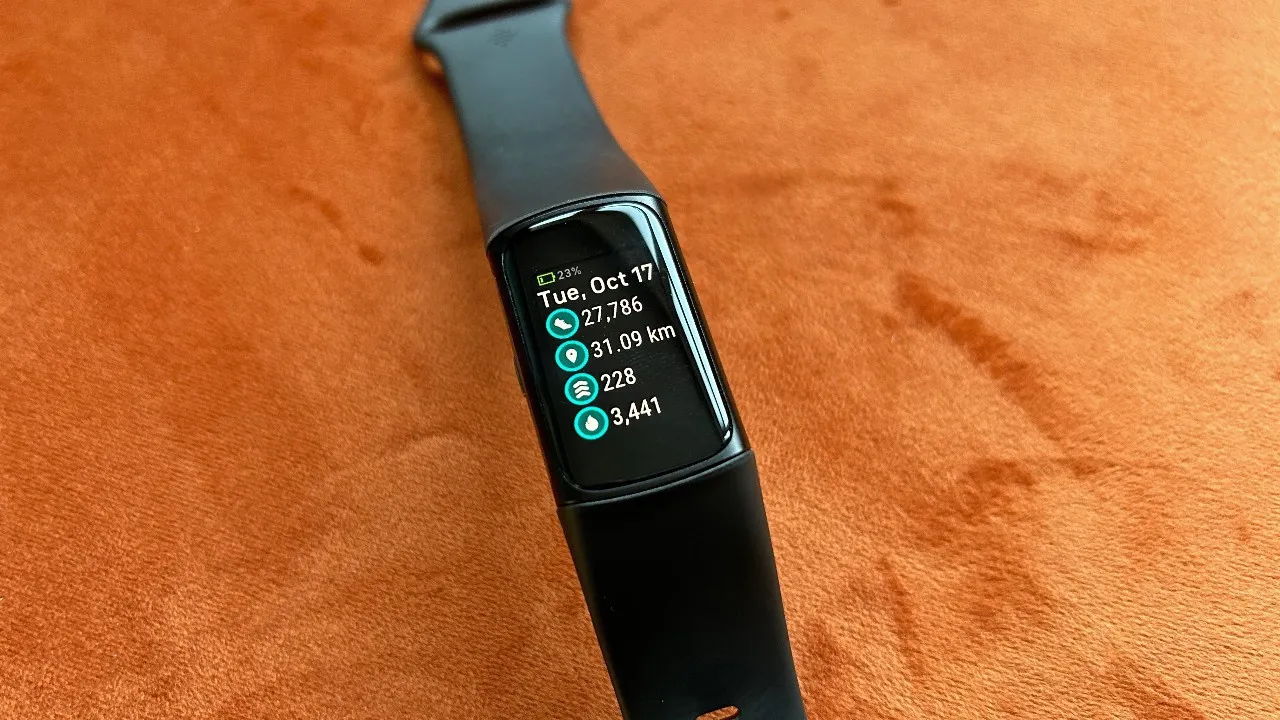
    Prepare yourself for a small surprise today if you possess a Fitbit Charge 6. An upcoming upgrade to the fitness tracker will increase compatibility and include new watch faces. The Inspire 3, Sense 2, and Versa 4 will also receive an update soon.

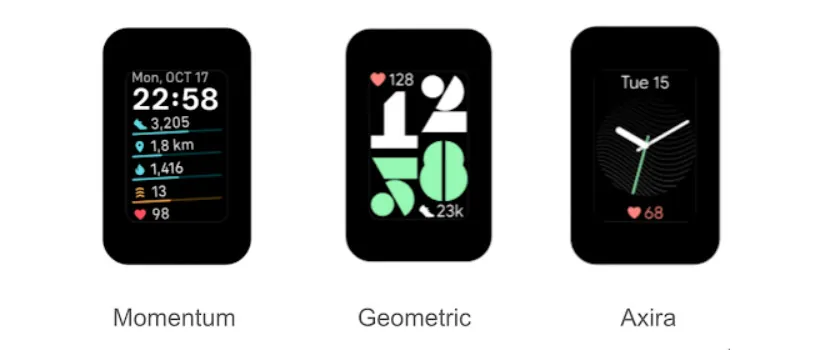
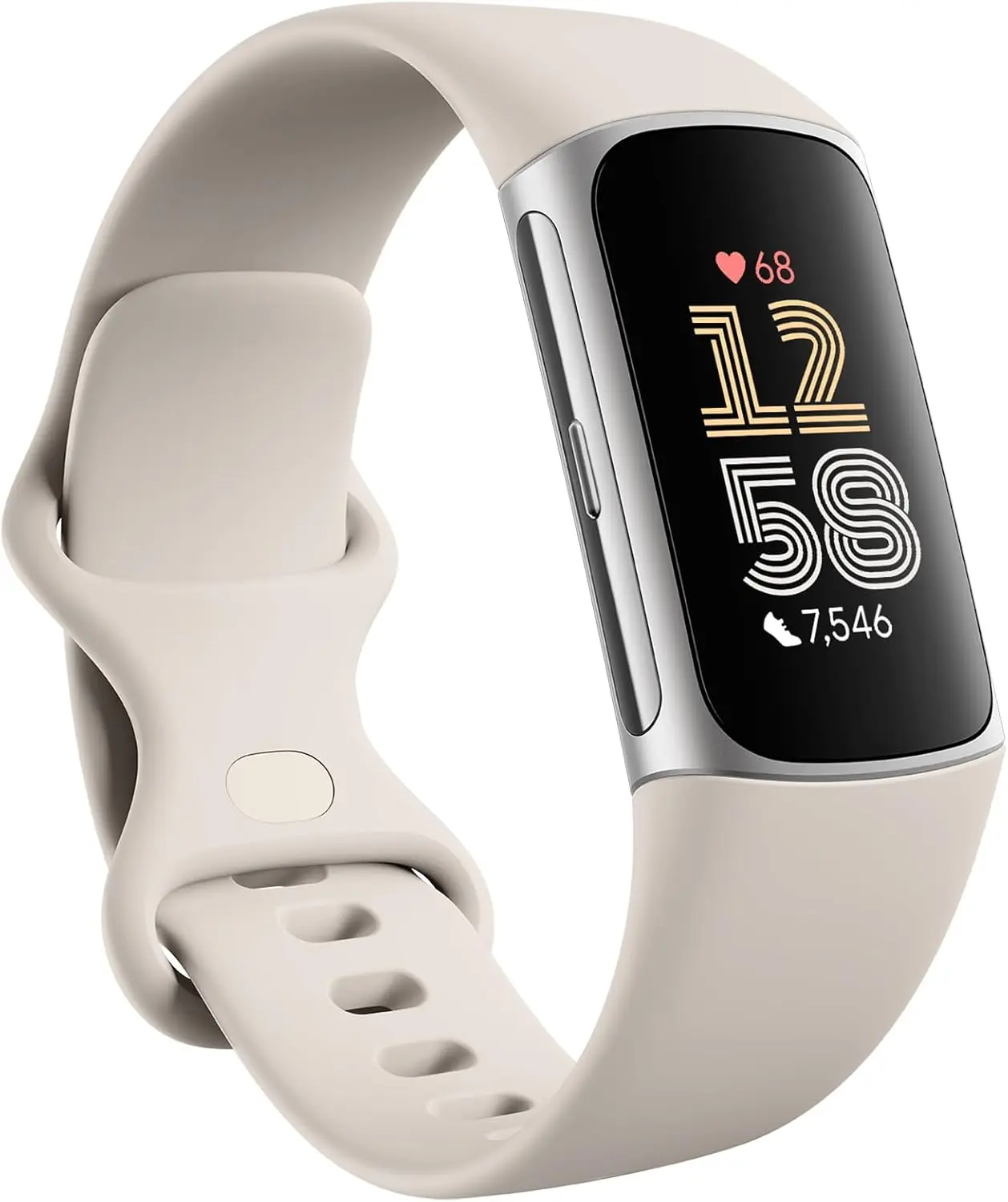
    The Fitbit team revealed three new watch faces for the Fitbit Charge 6 on its community blog. Axira, the first of the three, is an analog clock that displays your heart rate at the bottom and the date at the top. With your heart rate at the top and your step count at the bottom, Geometric is a two-line clock. Lastly, Momentum displays a number of statistics at a glance, such as your heart rate, distance traveled, and steps taken.

    Fitbit claims that the purpose of these watch faces was to make important exercise and health metrics easily accessible. This update will increase the Charge 6’s compatibility with fitness equipment in addition to adding new watch faces. “You can connect to a wider selection of equipment and view your real-time heart rate on display during your home or gym workouts,” according to the business, thanks to this increased compatibility.

    fitbit charge 6 extra watch faces

    The following devices and applications are listed as compatible with the Charge 6 in Google’s support document:

    • Peloton Bikes, Treads, and Rows
    • iFit (NordicTrack)
    • Concept 2
    • Tonal
    • Hydrow and Hydrow Wave
    • Spinning bikes and mobile app
    • Echelon
    • Strava

    Although “not all Bluetooth-compatible devices and apps will connect or act similarly,” Google cautions that additional computers and apps that aren’t on the list might function. Additionally, it notes that there is a known incompatibility between TechnoGym, Life Fitness, and Garmin.

    An upgrade is also planned for users of the Inspire 3, Sense 2, and Versa 4. However, only general bug fixes and enhancements will be included in the update.

    fitbit 6

    Fitbit Charge 6 Fitness Tracker

    Turn little habits into healthier routines with Fitbit Charge 6 and Google Pixel Buds Pro 2; get advanced health and fitness insights from Fitbit and power through your workouts with the most comfortable, secure earbuds

    $159.95 $139.79Amazon
  • Limited-time free apps for Android and iPhone – don’t miss out!

    Limited-time free apps for Android and iPhone – don’t miss out!

    Searching for fantastic apps that don’t cost a dime? Every day, a number of high-end iOS and Android apps are made available for free for a brief period of time, either as part of a platform-wide offer or a developer promotion. Since these deals don’t last long, it’s the ideal chance to test out premium programs that you would otherwise need to purchase.

    We’ve put together a new list of mobile apps that are now available for free download, ranging from games and utilities to productivity tools and photo editors. Take quick action because these offers could end within a few hours!

    Android Apps and Games Available for Free–Limited Time Offer

    Top Free Android Apps for Productivity and Lifestyle

    • Countdown Widget: Granted, every self-respecting smartphone today has a countdown timer, but still, if you want a dedicated app…
    • Number to Word Convert: This app is useful for anyone learning English, as it converts numbers to words.
    • Contacts Widget: If you’re still making calls instead of messaging, having a quick dial widget on hand can be useful.
    • Video Cutter Pro: Here’s an app that lets you edit videos on the fly to come up with something entirely new.
    • Dreamscape Wallpapers: Looking to have interesting and beautiful wallpapers adorn your smartphone’s screen? This fits the bill perfectly.

    Free Android Games

    • Burning Sky VIP: It is up to you once again to save the world against an invading alien force by shooting them down from the skies.
    • Food Fever Restaurant: Running a restaurant is no mean task, and this game pushes you to the edge with each passing moment.
    • ECO Inc.: A game that has the fate of the world in your hands, ecologically speaking. Each action has a direct consequence.
    • Crafterok: Lords of Survival: Craft your life into existence on an island as you survive both day and night dangers.
    • FASTAR VIP: A rhythm-based game that tests your sense of timing. If you’re not musically inclined like me, you’ll find it to be a challenge.

    iOS Apps and Games Available for Free–Limited Time Offer

    Top Free iOS Apps for Productivity and Lifestyle

    • DC Metro Board: This app is more localized for the Washington area, concerning public transportation.
    • AI Poster Maker & Ad Creator: Want to create posters or even an ad on the fly? This app gets the job done.
    • Fame: YT Thumbnail Maker: Sometimes, a good thumbnail for your video can make all the difference between a click and missing out on one.
    • My Battery Health: This app is designed for EV and hybrid car owners who want to monitor their vehicle’s battery health levels. 
    • Darbuka Beats: Want some authentic Middle Eastern beats at the tip of your fingers? Try this app out!

    Free iPhone games

    • Cypher Vocab: Strengthen your vocabulary as you prepare for the verbal section of the GRE in this cool game.
    • Wind Wings: A space shooter set in a bullet hell environment that requires plenty of skill and reflexes.
    • Axion Run: Do you have what it takes to break gravity in a contest against friends? Let’s see how fast your reflexes are.
    • Space Clutter: A game with simple sprites that requires timing and reflexes, set in space.
    • Eyka: A relaxing puzzle game where there is no stress in a race against time, leaving you to harmonize colors at your own pace.

    Even if you don’t need every app right away, downloading them while they’re free means you can keep them in your library for future use — without paying a cent. Once claimed, most apps will remain available in your account even after the promotion ends, so it’s a smart way to build your app collection over time.

    However, keep in mind that not all free apps are created equal. Always check reviews, permissions, and developer reputation before installing — especially when it comes to apps that request access to sensitive data. Free or not, your privacy is always worth protecting.

    Take advantage of these temporary deals, but stay informed, stay secure — and enjoy exploring your new apps!

  • Google makes its whole Pixel 10 lineup public.

    Google makes its whole Pixel 10 lineup public.

    Less than a month before the Pixel 10’s launch, Google appears to have unveiled the full lineup. While “poking around” on the Google Play Store on Android on Wednesday, Android Authority claimed to have discovered a banner showing the Pixel 10, 10 Pro, 10 Pro XL, and 10 Pro Fold. Since the banner isn’t now visible directly on the Play Store, Android Authority probably had to take further measures to make it available.

    Nevertheless, the words “Meet the new Pixel 10 Series” are displayed prominently alongside all four devices. The original Pixel 10 is displayed in brilliant blue, whereas the Pixel 10 Pro XL, 10 Pro Fold, and 10 Pro look to be in the silver-blue “Moonstone” hue.

    pixel 10 google play banner

    The devices featured in the banner’s shapes and colors complement the flurry of leaks that have surfaced in recent weeks, including the teaser that Google itself released. Additionally, the banner advertises a $50 discount deal on the smartphones that is valid through October 13.

    According to rumors, Google plans to improve the Pixel 10 series in a number of ways, like as dustproofing the Pixel 10 Pro Fold, adding a third camera to the regular Pixel 10, and increasing the specifications of the Pixel 10 Pro. On August 20, Google will unveil its Pixel 10 lineup at its Made by Google event.

    Stay connected with the latest from Droid Tools—follow us on X @droid_tools, like our page on Facebook, check out our updates on Instagram, and follow us on Google News for real-time news, device tips, and mobile tech insights.

  • Pixel 10 Pro will come with a new color: Moonstone

    Pixel 10 Pro will come with a new color: Moonstone

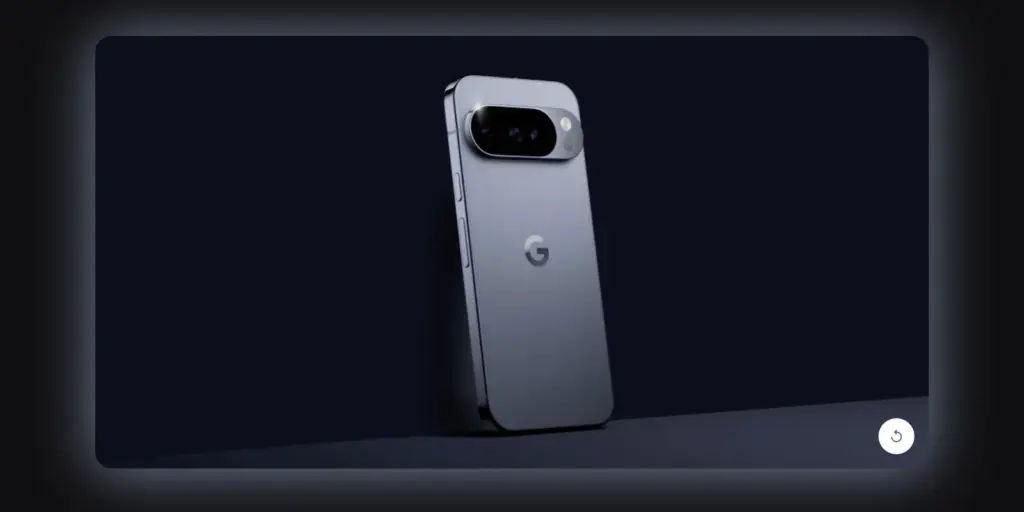
    Prior to its major August 20 launch, Google has provided us with our first official look at the new Pixel 10 Pro. On the Google Store website, a brief 13-second animation demonstrates how the number “10” transforms into the phone’s camera bar. With a temperature sensor beneath the flash, it is obvious that this is the Pixel 10 Pro.

    The phone’s new color, “Moonstone,” is revealed in the teaser. Compared to last year’s Hazel green, it appears to be a little more vibrant shade of blue-gray. Shiny side rails, which give the phone a high-end, polished appearance, are also seen in the video.

    pixel 10 pro

    Google Pixel 10 will be available on August 20

    Google is giving new email subscribers a bonus offer in addition to the teaser. You will receive a coupon code that you can use on the Google Store beginning August 20 if you register on the Pixel 10 page. Until September 4, 2025, or while supplies remain, the code is in effect.

    The promotion may only be used once per customer on a Pixel 10 device that qualifies, and it is only available to new customers. It is not possible to use the discount code on other Google services or products. Given that this deal is available everywhere, the Pixel 10 series may launch globally.

    Many people are excited to see if the Pixel 10 Pro can rival Samsung’s newest Galaxy devices as the launch approaches. We won’t know everything until the event on August 20.

    Stay connected with the latest from Droid Tools—follow us on X @droid_tools, like our page on Facebook, check out our updates on Instagram, and follow us on Google News for real-time news, device tips, and mobile tech insights.

  • Google has added parental control feature in Android Canary

    Google has added parental control feature in Android Canary

    Setting such much-needed digital limits is now easier than ever thanks to Android’s initiative to give parents more control over their children’s digital lives. The beta versions of Android 16 have been revealing some intriguing new features that point to a significant drive for improved child protection. In the Android Canary build, Google appears to have begun testing a new parental limit feature, which represents a more significant change in the way Android phone supervision functions.

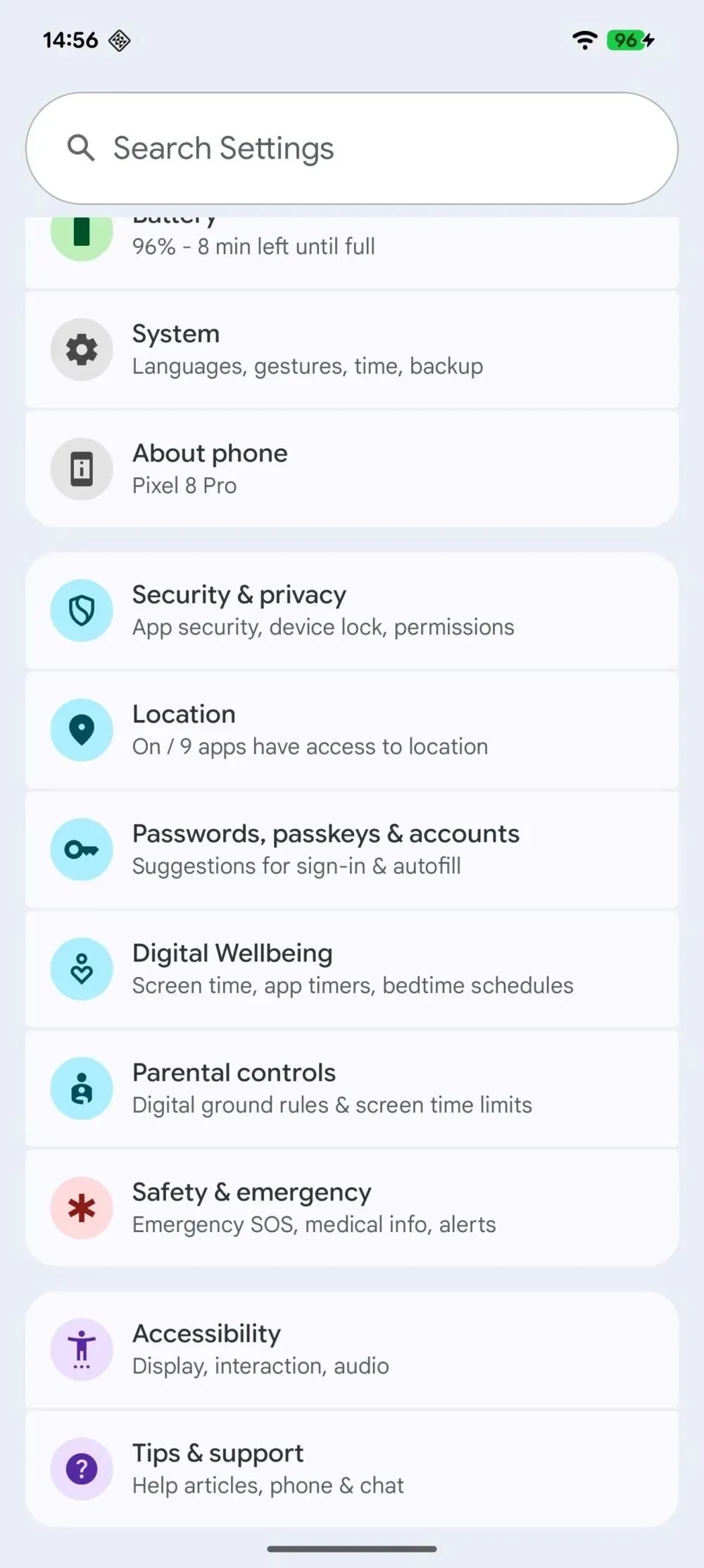
    The Android Canary release channel, which is effectively Google’s sandbox for testing out experimental features, contains a new “Parental controls” setting that Android Authority has noticed. Parents will no longer need to search through Digital Wellbeing to establish some limits because the option is located directly within the main settings menu. Although it isn’t working right now, its positioning indicates that Google intends to prioritize parental settings over treating them as an afterthought.

    parental control android canary

    At the present, tapping the choice has no effect. Nevertheless, it appears that Google is coordinating these changes with more extensive enhancements anticipated in Android 16. For example, the Settings app’s “Supervision” feature, which might allow parents to ban specific online content, was hinted to in Android 16 Beta 4. But now, instead of having a jumble of menus, the focus is on integrating all of that.

    In addition to being easier to use, Android 16 is also making it easier to weed out the less wholesome parts of the internet. To prevent explicit content from slipping through, new content blocking capabilities are on the horizon.

    Simply enable device supervision and set up a PIN for the account you’re monitoring to activate these site filters. Next, you can filter out explicit photos, text, and links from Google Search and ban dubious websites in Chrome. These capabilities are intended to conceal the majority of problematic web content, making the Android experience considerably safer for younger users—though no filter is infallible.

    It makes natural that Google is pushing for more straightforward parental tools as children spend more time online. Parents may soon have strong controls built into their phones rather than depending on third-party apps. It appears from the Canary updates that Google wants these features to be easy to use.

  • Pixel 10a back panel leaked in a low quality photo

    Pixel 10a back panel leaked in a low quality photo

    Even though the Google Pixel 10 series is only a month away, leaks of the Pixel 10a, a phone that is probably going to come much later than the Pixel 10 lineup, are already appearing. We may have just seen Google’s upcoming midrange phone for the first time thanks to a recent leak.

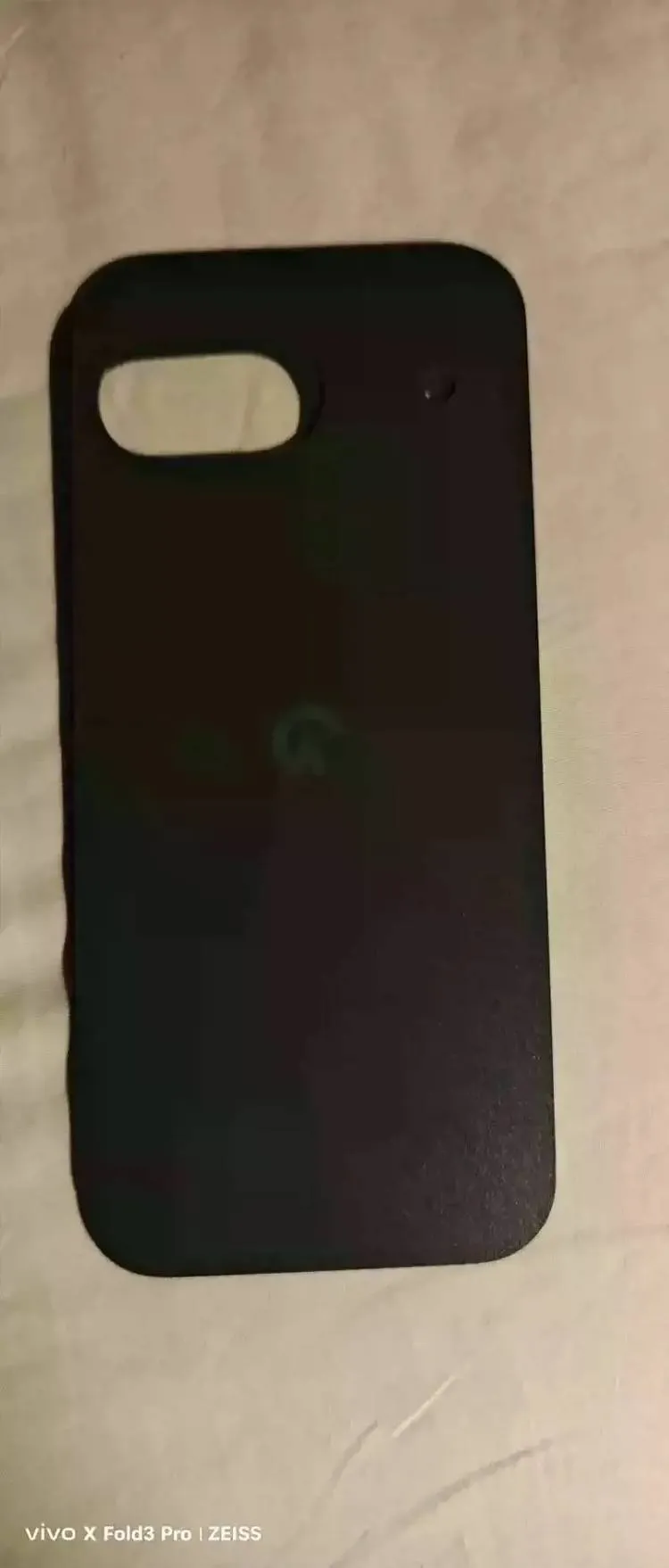
    The “Google Pixel 10A engineering back cover” has already been sold by a seller on the Chinese auction site Goofish, as Android Authority first noticed. Even though the item is now listed as “sold out” and the image quality is not very good, it does provide an early peek at the Pixel 10a’s back panel and potential design.

    We get our first look at the Pixel 10a design thanks to a leaked back panel.

    Based on the picture, it should come as no surprise that the Pixel 10a and Pixel 9a share a lot of design similarities. With the Pixel 9a, Google abandoned the recognizable camera visor design in favor of a more flat, minimalistic style, and it looks like the Pixel 10a will continue that trend.

    pixel 10a engineering sample leak

    The dual-camera cutout in the picture is identical to that of the Pixel 9a. There isn’t a significant difference to be seen here, save from the flash being a little bit farther to the right of the camera module than it was on the Pixel 9a.

    Despite my distaste for the Pixel 9a’s appearance, it appears that Google is continuing to use its more straightforward design for a second year. Even the Pixel 10 series hasn’t arrived yet, so keep in mind that the Pixel 10a is still months away, so don’t be too surprised by these rumors.

    Stay connected with the latest from Droid Tools—follow us on X @droid_tools, like our page on Facebook, check out our updates on Instagram, and follow us on Google News for real-time news, device tips, and mobile tech insights.

  • Google tries to prevent battery problems for Pixel 6A with an update

    Google tries to prevent battery problems for Pixel 6A with an update

    Installing the most recent Android 16 update is crucial if you possess a Google Pixel 6a.

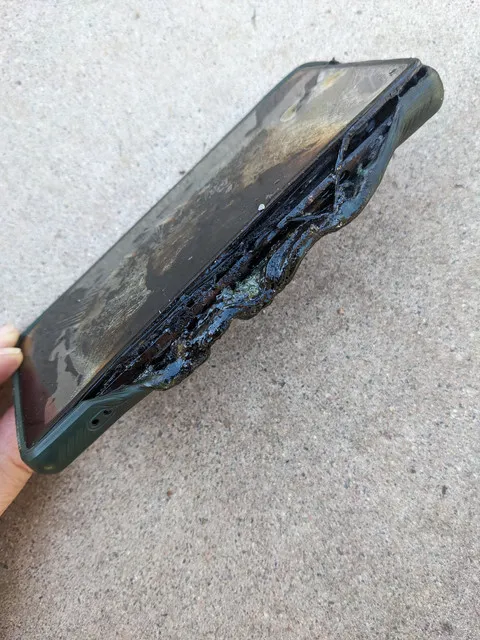
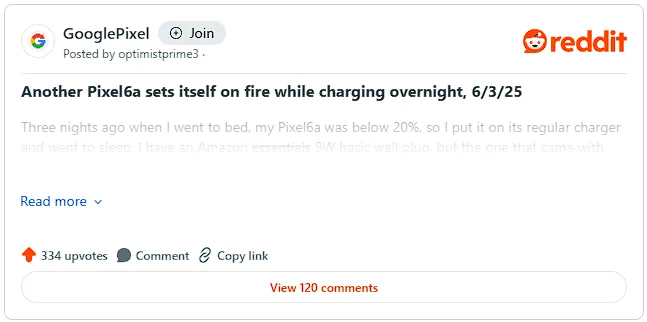
    After some Pixel 6a owners reported their devices catching fire, this required software update, which goes live globally today (July 8), will reduce the chance of the dangerous battery overheating. On the social news site Reddit, several Pixel 6a owners have shared their terrifying experiences.

    “Just in the middle of the night, my Pixel 6a caught fire. I had it charging on my bedside table. Fortunately, I don’t sleep too deeply, and I was awakened by the sound of hot gas erupting from the battery. One Reddit user posted in a community devoted to the beloved Google Pixel brand, “There was a fireball on my nightstand about two seconds later.”

    “I was startled awake at 4am by the sound of my phone screaming its overheating noise at the volume I’d set for my alarm, along with the odd sound of the phone’s internal components blasting out the right side, along with the horrifying smell of burning chemicals and electronics,” says another post that is similar.

    “I was initially perplexed by everything, but I easily located the phone in the dark. I threw it away from me into the tile floor, and it was so hot that I’m not sure how I didn’t get burned.

    That moved it closer to my smoke detector and away from combustible objects, causing it to go off a moment later. I switched on a light, reached for the non-melting part of the phone, and threw the still-smoking, sizzling Pixelbomb into my concrete patio. Before I could remove the phone from the charger and put it on the floor, I found out that it had actually caused a little fire on some of my garments.

    “I would have been battling a nasty house fire if I hadn’t been a few feet away from the phone to respond as fast as I did. It will be disastrous if someone is unable to swiftly take their burning phone and place it to a non-flammable surface.

    google pixel 6a battery problems

    Google has taken action since there have been enough of these reports. Google’s latest software update will lower the device’s total battery capacity after 400 charging cycles in order to prevent this overheating issue.

    Google clarifies in an online support post regarding the problem that “you will not experience the battery-related changes and the new features will stay dormant, even though the update is installed, until your battery reaches this point.”

    A “charge cycle” is the process of consuming and recharging 100% of the battery’s capacity, though not necessarily all at once, for those who are unaware. It would only be considered one full charge cycle, for instance, if you used 50% of your battery one day, recharged it, and then used 50% again the next day before charging.

    Google claims that Pixel 6a owners will be alerted when their device has completed 375 cycles of charging, alerting them to the impending activation of its new battery management capabilities. You may experience slightly slower charging speeds and a shorter battery life when these safety precautions are in place.

    According to Google, you may also experience “short-term changes to how the battery-level indicator on your phone shows your battery capacity as your phone learns its revised battery capacity.” For this reason, you should not rely solely on the percentage of your phone’s battery that appears in the corner when determining whether you need to top it up.

    After 400 charge cycles, the new limitations won’t apply to all Pixel 6as. According to Google, the new restriction would only be applied to “impacted devices” that over the 400 recharge level.

    The specifics of what else qualifies a Pixel 6a as a “impacted device” have not been provided.

    google pixel 6a reddit threat

    Google is providing a free battery replacement if the required Android 16 update determines that your Pixel 6a is affected by battery problems. To find out whether your Pixel 6a qualifies, follow the instructions in this support guide.

    By changing the battery, the overheating and swelling problems should be resolved, and your Pixel 6a’s battery life won’t be artificially restricted. Beginning July 21, walk-in or mail-in repair centers in the US, UK, Canada, Germany, Singapore, Japan, and India will offer free battery replacement.

    image 1 1 1

    Your Google Pixel 6a could get a new free battery

    Google might not offer a free battery replacement if your Pixel 6a displays any of the following traits:

    • If your Pixel 6a device exhibits other forms of damage, like liquid damage, exposure to sharp objects, or excessive force, it may not qualify for a battery replacement at no charge under this program
    • If your phone has out-of-warranty damage, such as display or cover glass cracks, then there may be a fee to repair your phone. Before we start any repairs, we’ll provide a cost estimate. You then have the option to proceed with the repair or have your device returned to you

    Reports of battery bloating and even the documented occurrence of a Google-designed device catching fire first surfaced in May, marking the beginning of the Pixel 6a’s battery issues.

    Google has already experienced battery issues with its Pixel range. To prevent similar problems with the lithium-ion cell, Google released an Android update earlier this year that reduced the battery life of its low-cost Pixel 4a.

    In that instance, Google provided a choice between an £80 store credit to be used towards the purchase of a new Pixel phone from the Google Store, a £40 one-time cash payment, or a free battery replacement service for the Pixel 4a.

    And Google Pixel owners’ battery problems don’t stop there. The California-based business has started a comprehensive repair program to address the Pixel 7A’s battery swelling problems. The United States, India, Canada, Germany, Japan, Singapore, and the United Kingdom all have walk-in centers to address battery issues.

    Stay connected with the latest from Droid Tools—follow us on X @droid_tools, like our page on Facebook, check out our updates on Instagram, and follow us on Google News for real-time news, device tips, and mobile tech insights.