Tag: google

  • Battery Health Assistance coming to all Pixel devices

    Battery Health Assistance coming to all Pixel devices

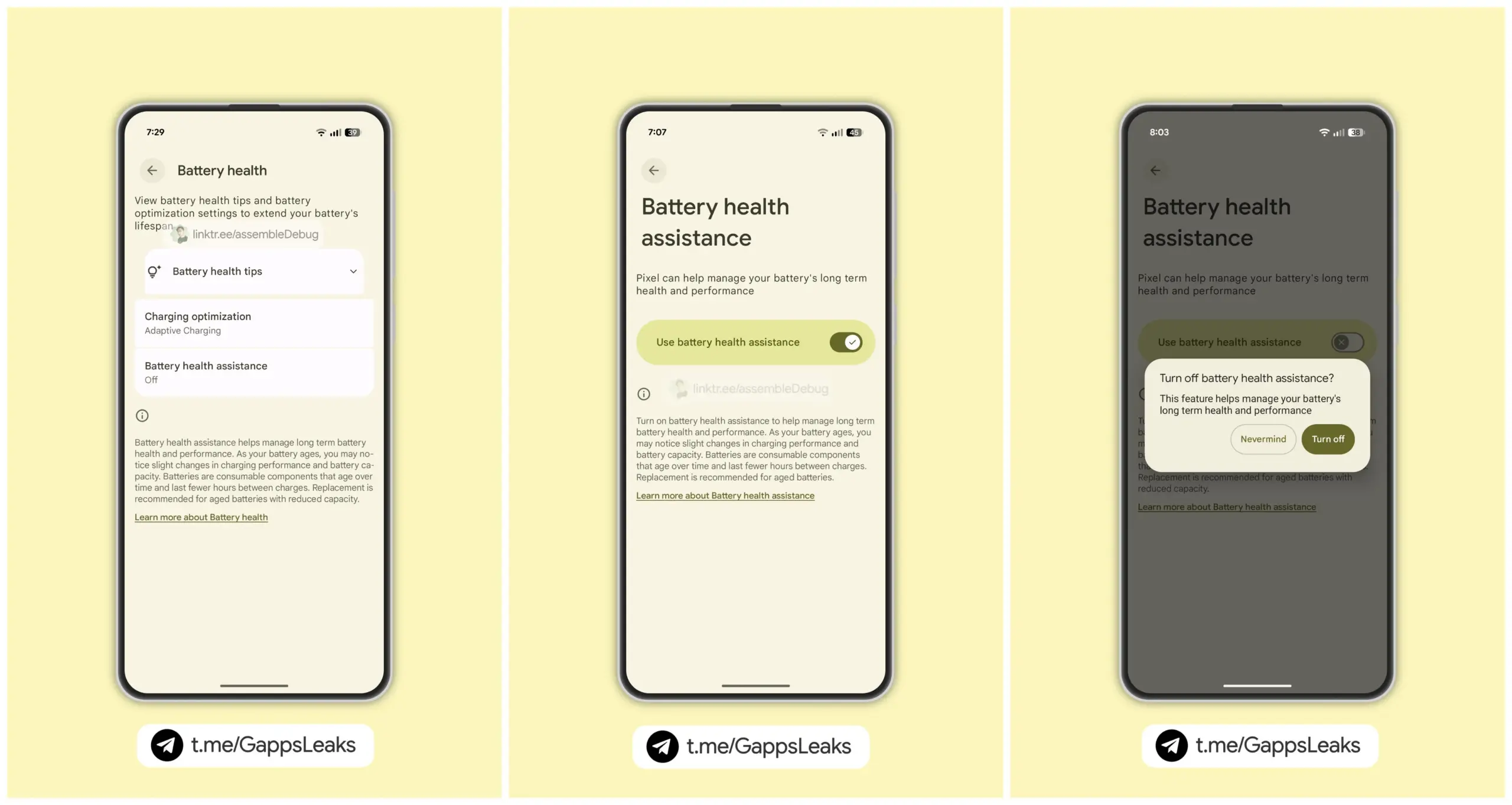
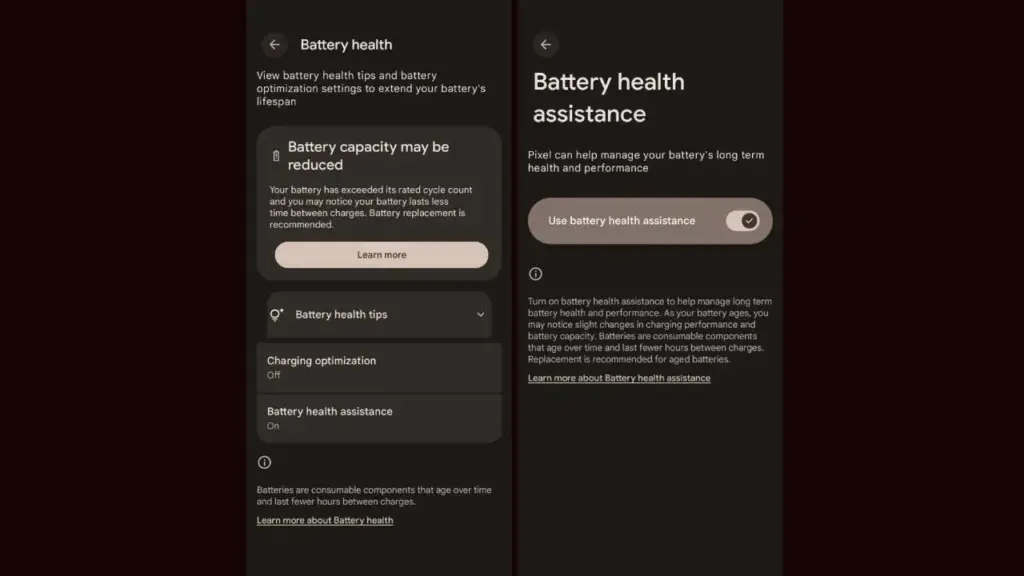
    As seen by the Android 16 QPR1 Beta 2 update, the company is getting ready to expand the Battery Health Assistance function, which made its debut with the Pixel 9a, to additional Pixel devices. Serious problems including battery overheating and even melting during charging have recently been reported with certain Pixel phones. The tech giant is working hard to stop this, though.

    Android 16 beta update brings ‘Battery Health Assistance’ feature

    For those who are unaware, early this year, Google released the Pixel 9a with Battery Health Assistance, a charge management tool. This feature cannot be manually disabled because it is enabled by default.

    Google’s support page states that Battery Health Assistance aids in controlling the long-term performance and health of a phone’s battery. Serious problems like battery deterioration, overheating, and even melting when charging can be avoided with its assistance.
    Battery Health Assistance pixel devices

    After applying the Android 16 QPR1 Beta 2 update on their phones, a few users became aware of the new feature. To put it briefly, Google intends to eventually extend this feature to older Pixel models.

    Google defines the feature as follows; ”Lithium-ion batteries are consumable components that eventually require replacement. As your battery ages, Battery health assistance helps manage its long-term health and performance. This software adjusts the battery’s maximum voltage in stages. It starts at 200 charge cycles and continues gradually until 1000 charge cycles. This helps stabilize battery performance and aging.

    Images posted by customers who have tested Battery Health Assistance indicate that, unlike the Pixel 9a, the feature won’t be required. In other words, if you want to, you can turn it off. Google advises, however, that you keep it enabled at all times to preserve the functionality and health of your battery.

    It’s crucial to have this feature to keep your battery from dying too soon.

    On Pixel phones, the Battery Health Assistance feature may somewhat shorten battery life and charging speed. In the long run, nevertheless, it is really useful and protects the battery. This might stop the recent battery problems that some Pixel variants have been having.

    Many stories of earlier Pixel models burning and even melting their batteries after charging have surfaced in recent months. Arielle, a user, even complained last week that her Google Pixel 6a melted and caught fire while charging. It is noteworthy that she was utilizing a third-party, non-OEM charger.
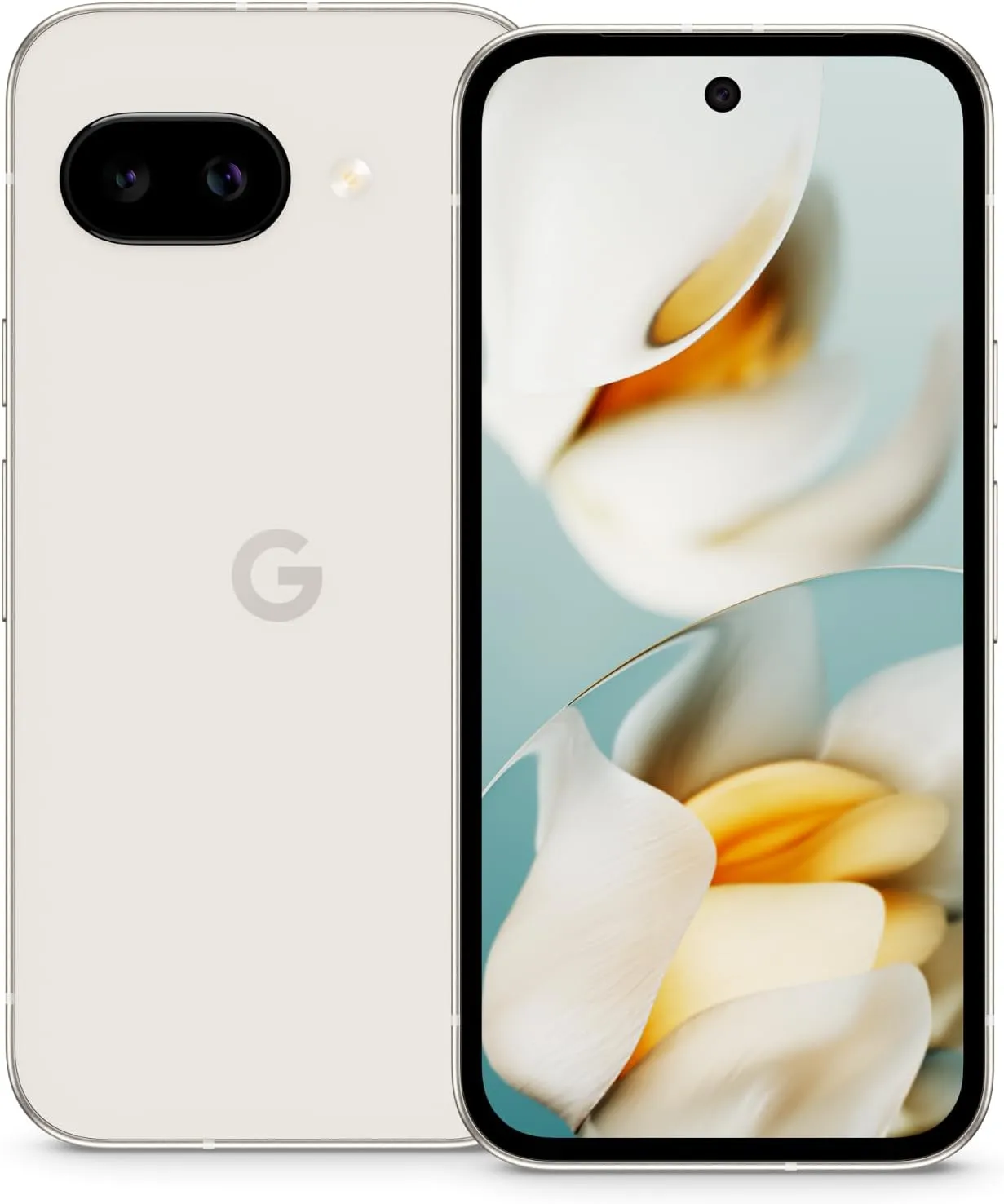
    Pixel 9a

    Google Pixel 9a with Gemini

    Google Pixel 9a is engineered by Google with more than you expect, for less than you think; like Gemini, your built-in AI assistant, the incredible Pixel Camera, and an all-day battery and durable design

    $499.00$449.00Amazon

    Stay connected with the latest from Droid Tools—follow us on X @droid_tools, like our page on Facebook, check out our updates on Instagram, and follow us on Google News for real-time news, device tips, and mobile tech insights.
  • Desktop Mode preview spotted in Android 16 QPR1 Beta 2

    Desktop Mode preview spotted in Android 16 QPR1 Beta 2

    Android 16 has finally been made available to the general public by Google. The June Pixel Drop and Android 16 QPR1 Beta 2 are also available today, so this isn’t the only update. Here, we’ll concentrate on Android 16 QPR1’s second beta, which will be made available to the general public as Pixel Drop the next quarter.

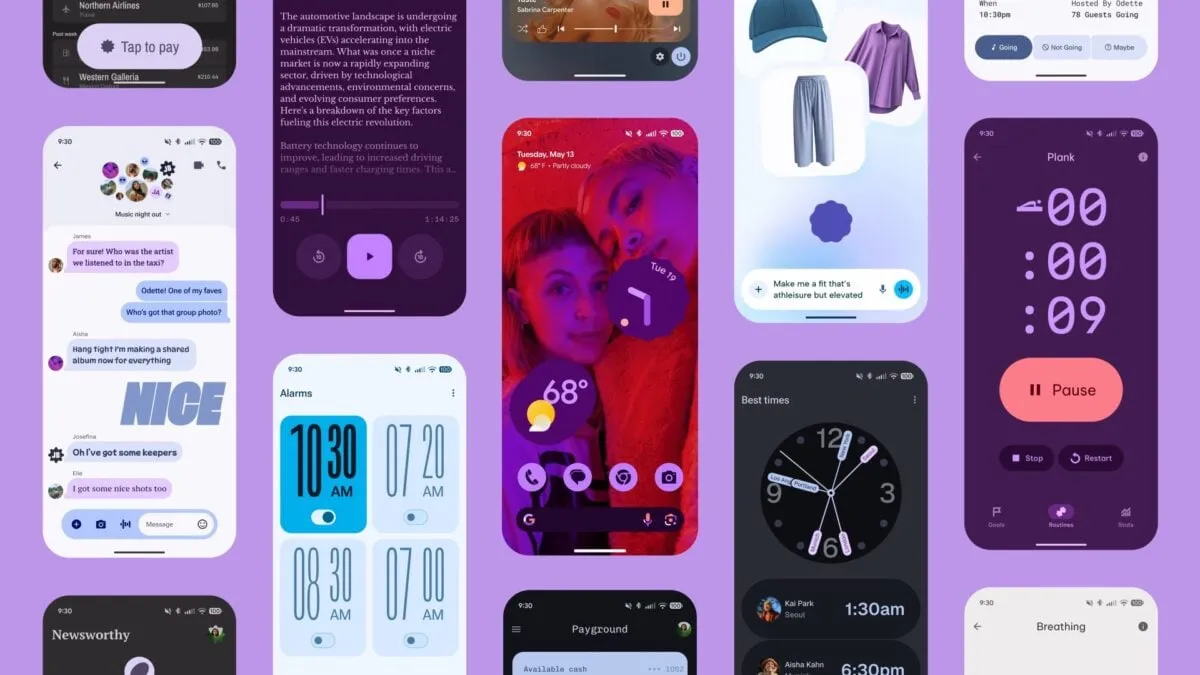
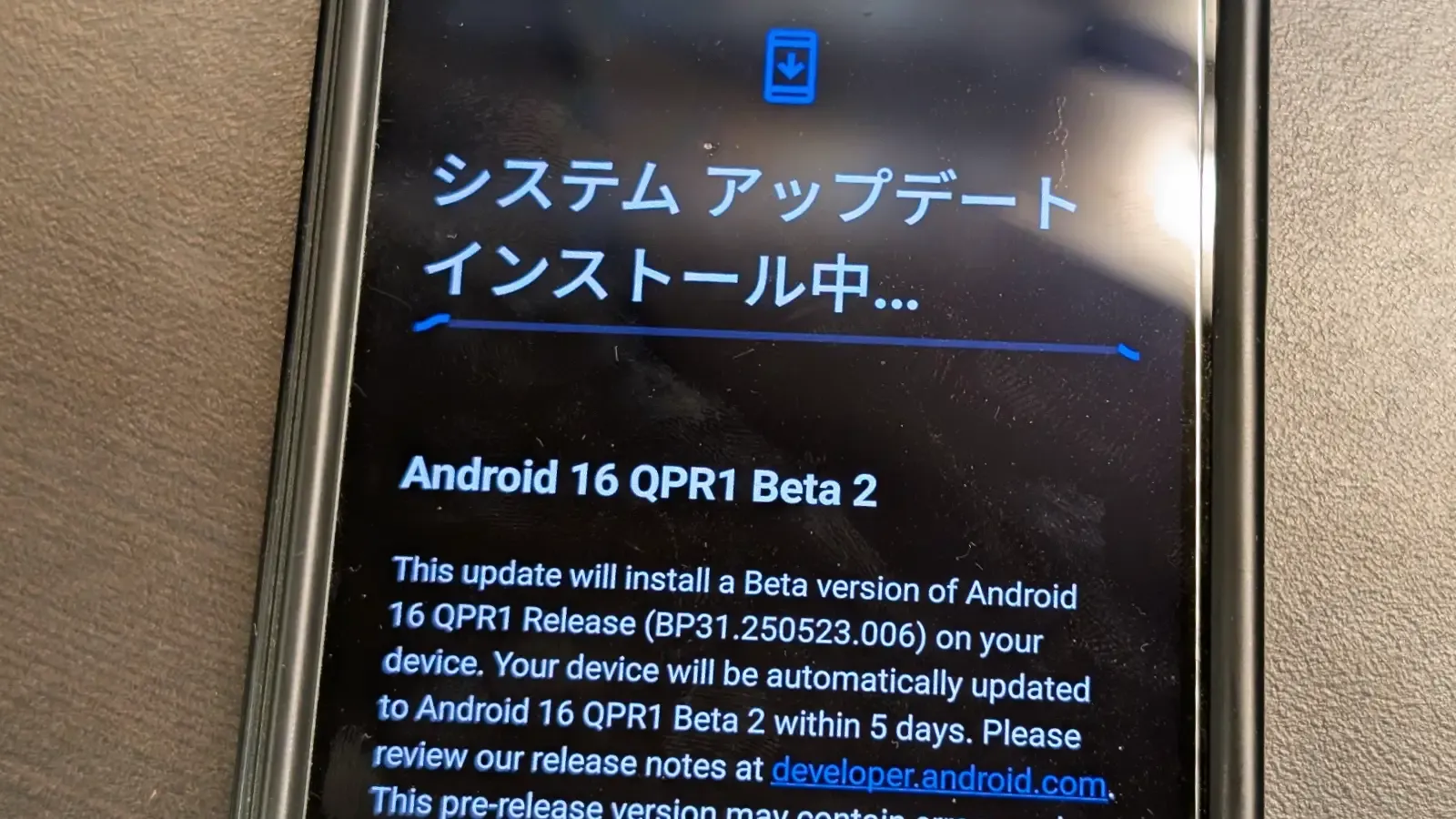
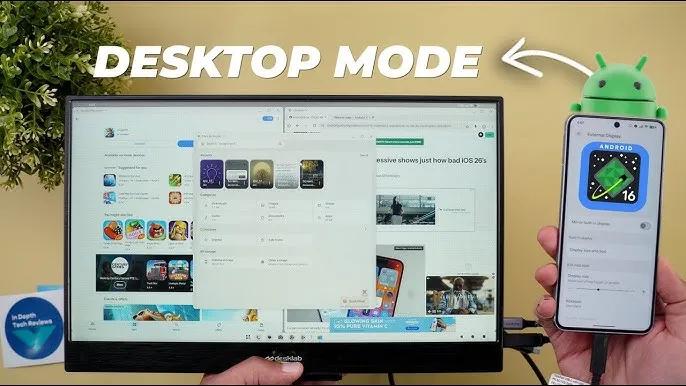
    In late May, Google started testing the Android 16 QPR1. Some of the Material 3 Expressive changes were first made available in the first beta. In addition to bug improvements, the second beta offers developers a sneak peek into Dex-like desktop mode.

    android 16 qpr1 beta 2 desktop mode

    Desktop mode is inevitable in Android 16

    Pixel devices using build number BP31.250523.006 can access the Android 16 QPR1 Beta 2, which is still based on the May security patch. The second beta, as previously said, is more akin to a bug-fix update that fixes a number of known problems. The known bug fixes are listed here.

    • Auto dark theme is not working
    • Now playing is crashing when selecting a track
    • Camera frequently fails to launch
    • Shortcuts for newly-downloaded apps aren’t automatically added
    • Home button not working on app list UI
    • “More wallpapers” button misaligned in wallpaper settings
    • Gemini fails to work on the lockscreen

    The second beta of Android 16 QPR1 will be accessible via an over-the-air update if you have already installed the first beta on your Pixel phone. To test the new QPR beta and the next beta builds, you can simply sign up for the beta program if you’re on a public build.

    Make care to backup crucial data and charge your smartphone to at least 50% before applying the update.

    Stay connected with the latest from Droid Tools—follow us on X @droid_tools, like our page on Facebook, check out our updates on Instagram, and follow us on Google News for real-time news, device tips, and mobile tech insights.
  • Google Tensor G5 comes on 3nm build and a new GPU

    Google Tensor G5 comes on 3nm build and a new GPU

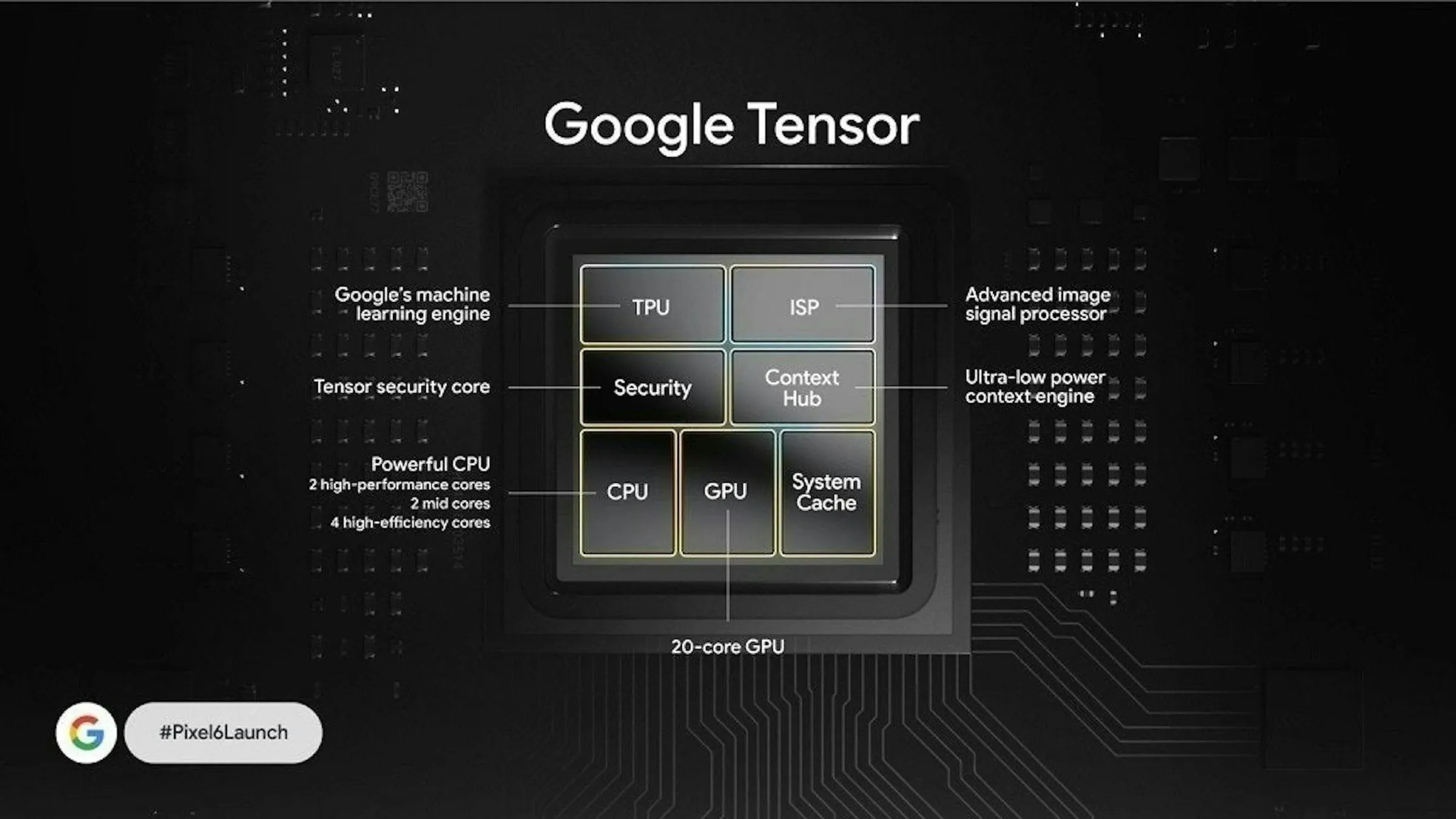
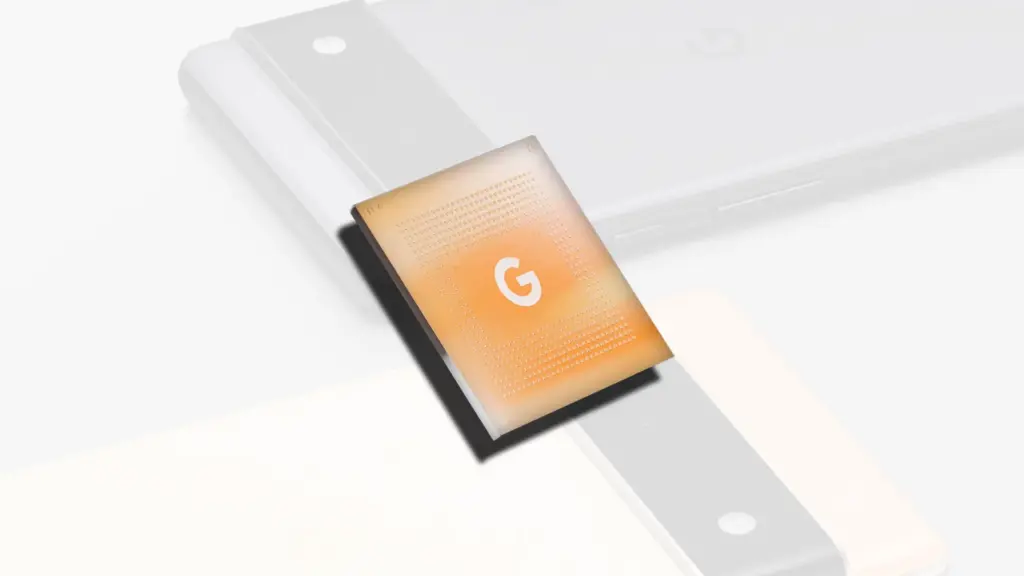
    According to reports, Google’s Pixel 10 series will use the Tensor G5 as its next processor. According to reports, it will be manufactured under the codename “Laguna” under a multi-year agreement with TSMC, which would completely replace Samsung. There have been major architectural modifications in this flagship processor.

    According to reports, the Google Tensor G5 has an 8-core CPU and makes use of TSMC’s 3nm node. One Cortex-X4 prime core at 3.4 GHz, three to five Cortex-A725 performance cores at roughly 2.85 GHz, and two to four Cortex-A525 efficiency cores at 2.4 GHz are typical configurations, though reports vary significantly. Using the Cortex-A725, the design prioritizes efficiency and long-term performance, which is further improved by the 3nm technology. The goal of switching to more modern efficiency cores is to enhance the user experience in general.

    google tensor g5 soc

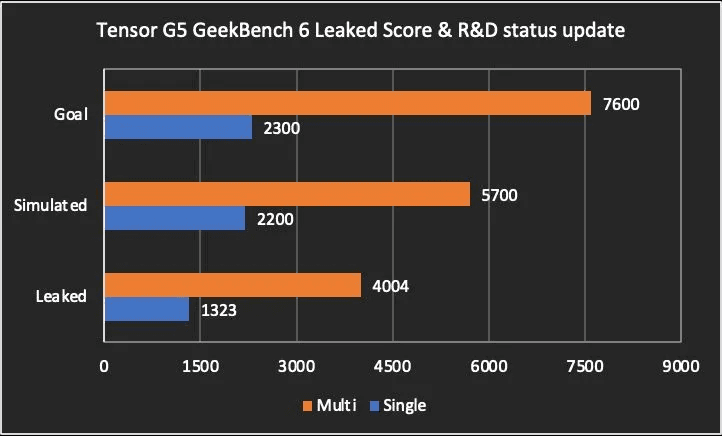
    A single-core score of roughly 1323 and a multi-core score of roughly 4004 are displayed in the leaked Geekbench 6 results. These are preliminary findings, but they fall short of the Tensor G4’s scores (about 1950 single-core and 4741 multi-core).

    There is potential for improvement through software optimization, as indicated by projected scores of 2200 single-core and 5700 multi-core, as well as a company objective of maybe surpassing 2300 single-core and 7600+ multi-core. Early software optimization or certain test setups could be the cause of the initial lower scores. In early incarnations, the emphasis on a more efficient production process may put power efficiency ahead of peak performance.

    image 7

    Despite architectural modifications and the switch to a 3nm technology, early benchmarks indicate that the Tensor G5 might not much outperform its predecessor in Geekbench 6. The particular setups of the testing devices or early software optimization may be to blame for this. In early generations, the shift to a more efficient manufacturing process may put power efficiency ahead of peak performance benefits.

    The Tensor G5 is anticipated to include a dual-core Imagination Technologies IMG DXT-48-1536 GPU clocked at 1.1 GHz, whereas the Google Tensor G4 used an Arm Mali-G715 MP7 GPU. This marks a substantial shift away from Google’s prior dependence on Arm Mali GPUs. This points to a change in strategy, either motivated by discontent with Mali’s performance in some domains or a keen interest in the capabilities of the IMG DXT.

    The highest level in the Ray Tracing Level System (RTLS), Level 4 ray tracing, is supported by the IMG DXT GPU, allowing for powerful visuals with low power consumption. This attempts to give the Pixel 10 more lifelike and captivating visual and gaming experiences. Users that value visual quality and game performance will find Level 4 ray tracing’s cutting-edge visuals appealing.

    image 8

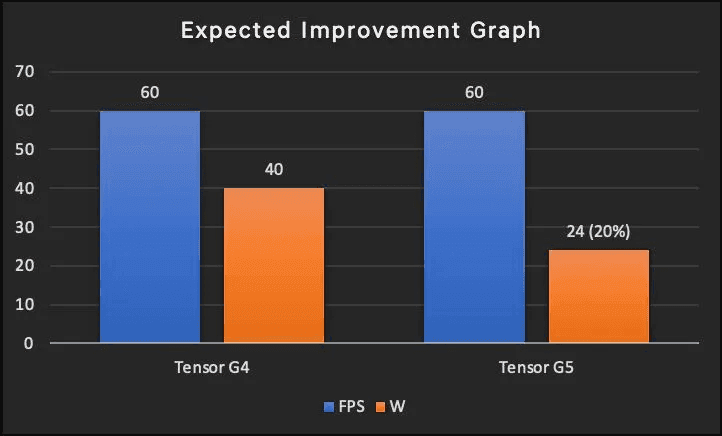
    Power efficiency is a key component of the IMG DXT, and its successor, the DXTP, offers up to 20% more power efficiency (FPS/W). Although DXT is used by the Tensor G5, this suggests a common pattern in Imagination’s designs. By switching to IMG DXT, the Pixel 10’s graphics subsystem may become more power efficient, which could solve a persistent problem with Tensor-based devices’ short battery life. A major benefit would be increased power efficiency over the Mali-G715 MP7.

    Stay connected with the latest from Droid Tools—follow us on X @droid_tools, like our page on Facebook, check out our updates on Instagram, and follow us on Google News for real-time news, device tips, and mobile tech insights.
  • Android 16 is now available, comes new camera features and live notification updates.

    Android 16 is now available, comes new camera features and live notification updates.

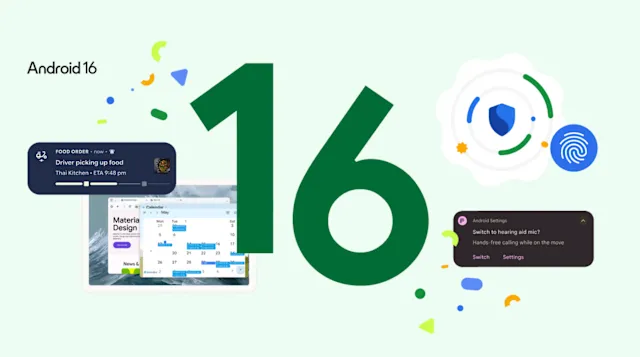
    Since Android 16 is now accessible on compatible phones, Google has made it widely available. According to the business, the OS will be preinstalled on new devices in “the next months.”

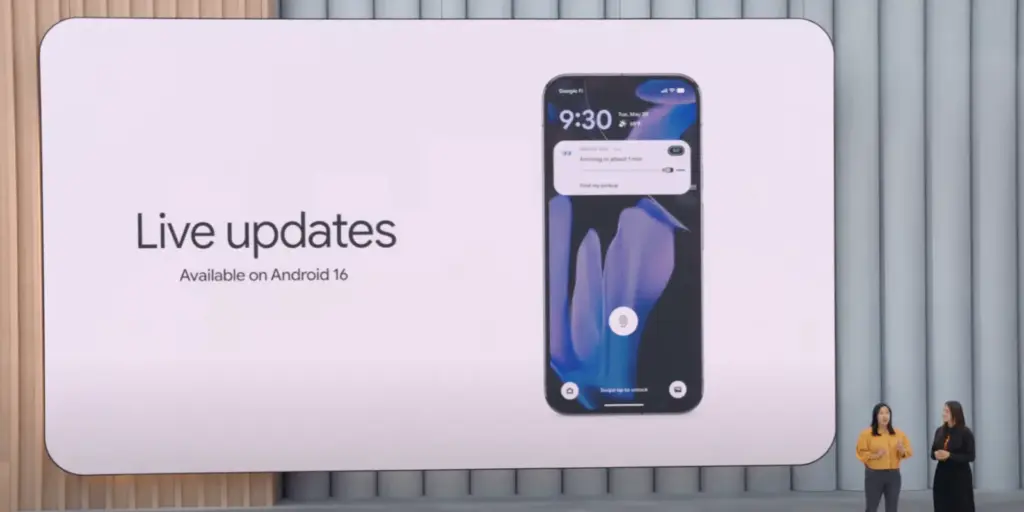
    The update has a number of noteworthy features. Live updates in alerts may be the most significant. People won’t have to keep opening and closing the app to figure out why a burrito seems to be stuck four streets away thanks to this change, which will put a progress indicator in the notification for things like ride-sharing and food delivery.

    android 16 live updates io 3

    Also, to cut down on clutter and pings, alerts from the same app will now be automatically grouped together. With a native control option, LE audio hearing aids are now supported. When utilizing one of these hearing aids in noisy environments, users can easily switch to the microphone on their phone for crisper audio.

    Android 16 offers more protection for users

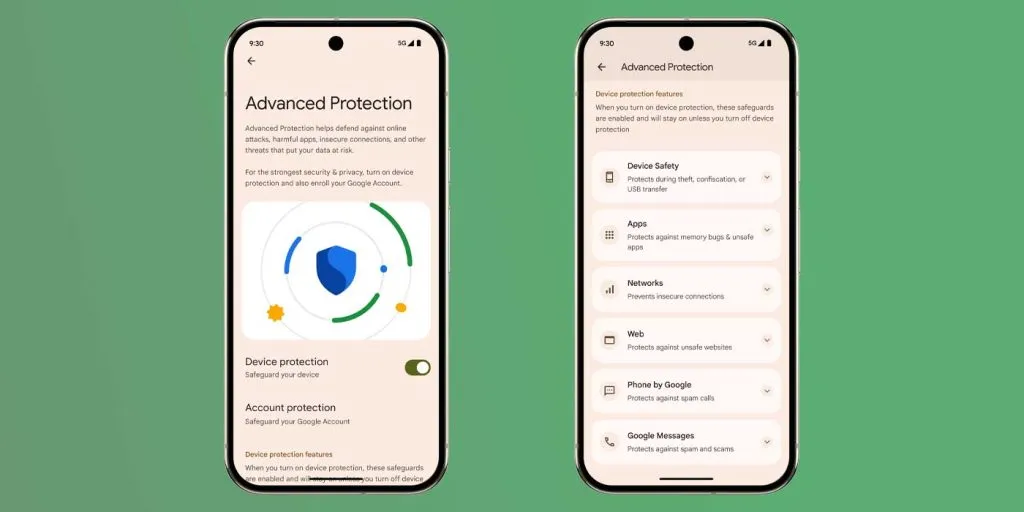
    Users may now be protected from “online attacks, malicious apps, risky websites, fraudulent calls and more in just a tap” thanks to Google’s integration of all its security capabilities. New scam detection tools that were teased back in May are part of this.

    android 16 scam detection

    A significant amount of new features are being added to shutterbugs, such as hybrid auto exposure, automatic night mode scene identification, and more accurate color temperature adjustments. Android 16 has integration with the premium Advanced Professional Video (APV) codec, and UltraHDR photos have been enhanced with support for HEIC encoding.

    Although it isn’t yet ready, Google is finally introducing desktop windowing to Android. Android 16 QPR 3 Beta 2 is now previewing that feature, which will be made accessible to the general public later this year.

    A nice upgrade to the Android environment with some useful improvements is also available. Improved RCS group conversations with personalized icons and thread muting capabilities are part of this. The AI-enhanced image editor in Google Photos now suggests possible adjustments. Wear OS devices can now pay for transit fares without opening a separate app, while Emoji Kitchen is getting additional sticker combinations.

    Lastly, Google has provided information about the June Pixel Drop. Among the new features are more expressive video captioning and a Pixel VIPs widget that shows details about favored contacts.

    Stay connected with the latest from Droid Tools—follow us on X @droid_tools, like our page on Facebook, check out our updates on Instagram, and follow us on Google News for real-time news, device tips, and mobile tech insights.
  • Fitbit Versa 4 – a premium smartwatch and fitness tracker – on sale

    Fitbit Versa 4 – a premium smartwatch and fitness tracker – on sale

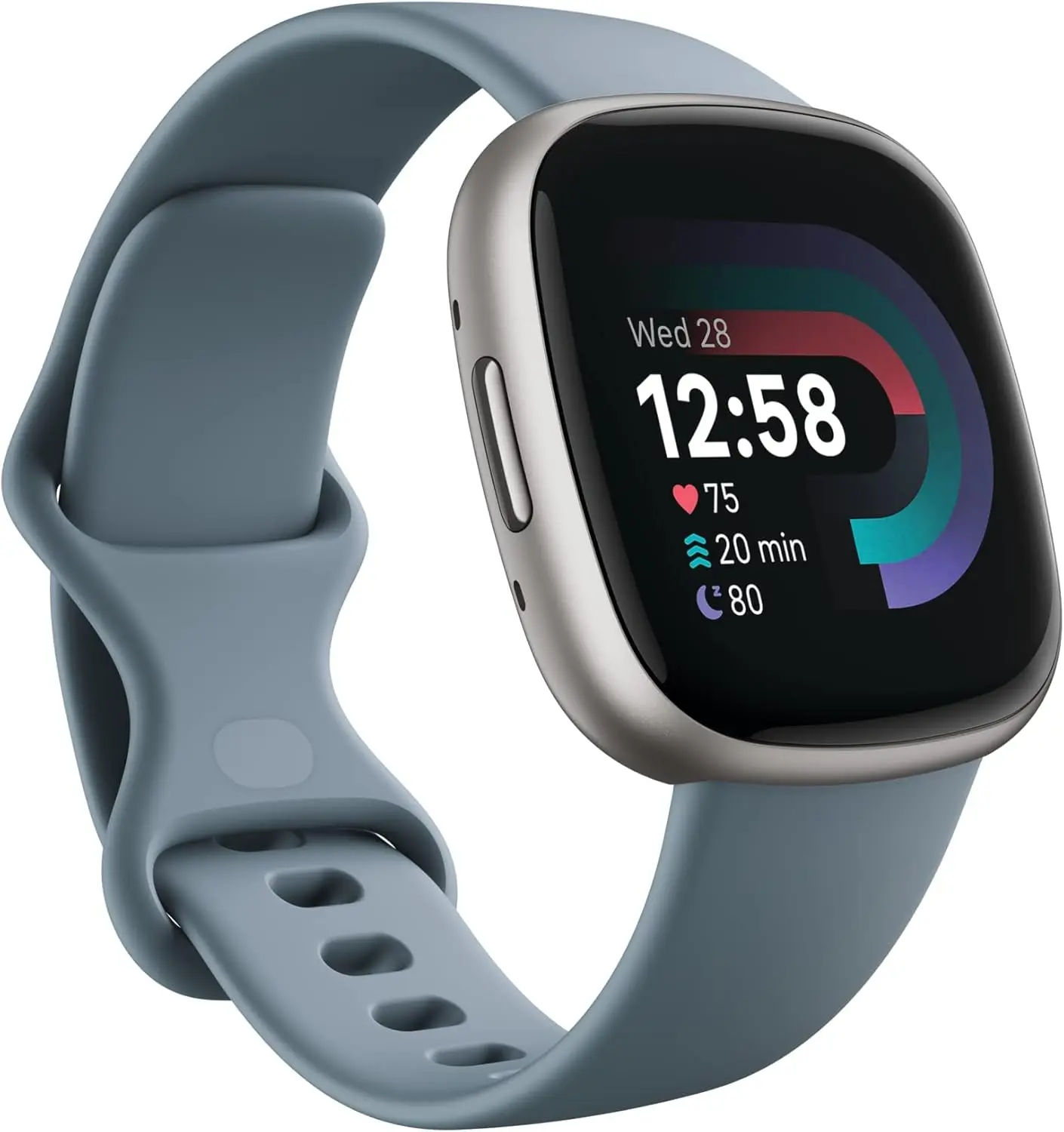
    After being acquired by Google a few years ago, Fitbit has greatly enhanced its software and products to become the leading brand among regular consumers searching for a dependable fitness smartwatch. For a brief while, the Fitbit Versa 4 is on sale on Amazon for a record-breaking $149, less than its original price of $199. This is a significant 25% discount.

    fitbit versa 4

    Fitbit Versa 4

    Get inspired and stay accountable with Versa 4 + Premium – learn when to work out or recover, see real-time stats during exercise and find new ways to keep your routine fresh and fun.

    $199.95$149.95Amazon

    Fitbit Versa 4 – premium features with a great price

    The Fitbit Versa 4 combines smart features with high-end fitness capabilities in a sleek, slim design. Corning Gorilla Glass 3 provides strength and purity of vision for its bright 1.58-inch AMOLED display. People can wear the device in humid situations or when swimming without worrying about it becoming damaged because it is water-resistant up to 50 meters. All-day wearability is ensured by the elastic strap and aluminum case.

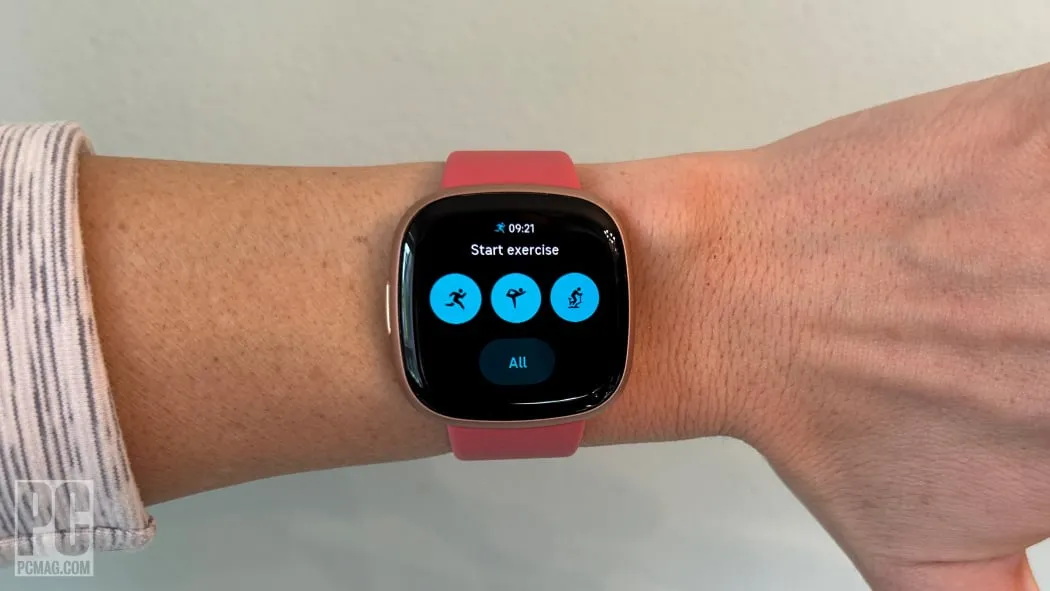
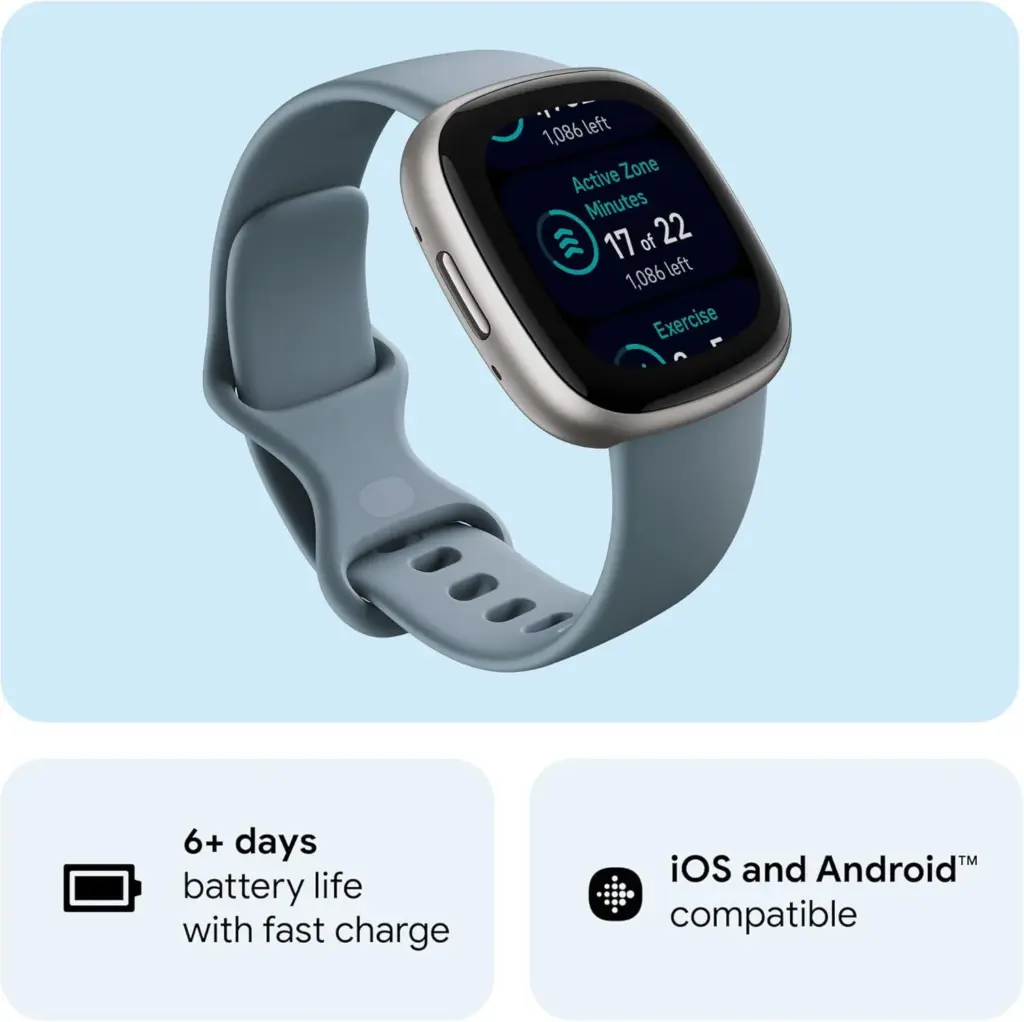
    It provides a full range of fitness tracking features: Without carrying a phone, it can accurately track distance and pace thanks to its built-in GPS and GLONASS. In addition to auto-activity recognition to ensure that no workout is missed, its users can select from over 40 exercise modes, such as HIIT, yoga, strength training, and jogging. In order to keep users within their desired heart rate training zones, the watch also has round-the-clock heart rate tracking with high or low heart rate alarms. The Active Zone Minutes increases the efficacy of workouts by encouraging users to maintain their own desired heart rate zones.

    fit bit versa 4 details

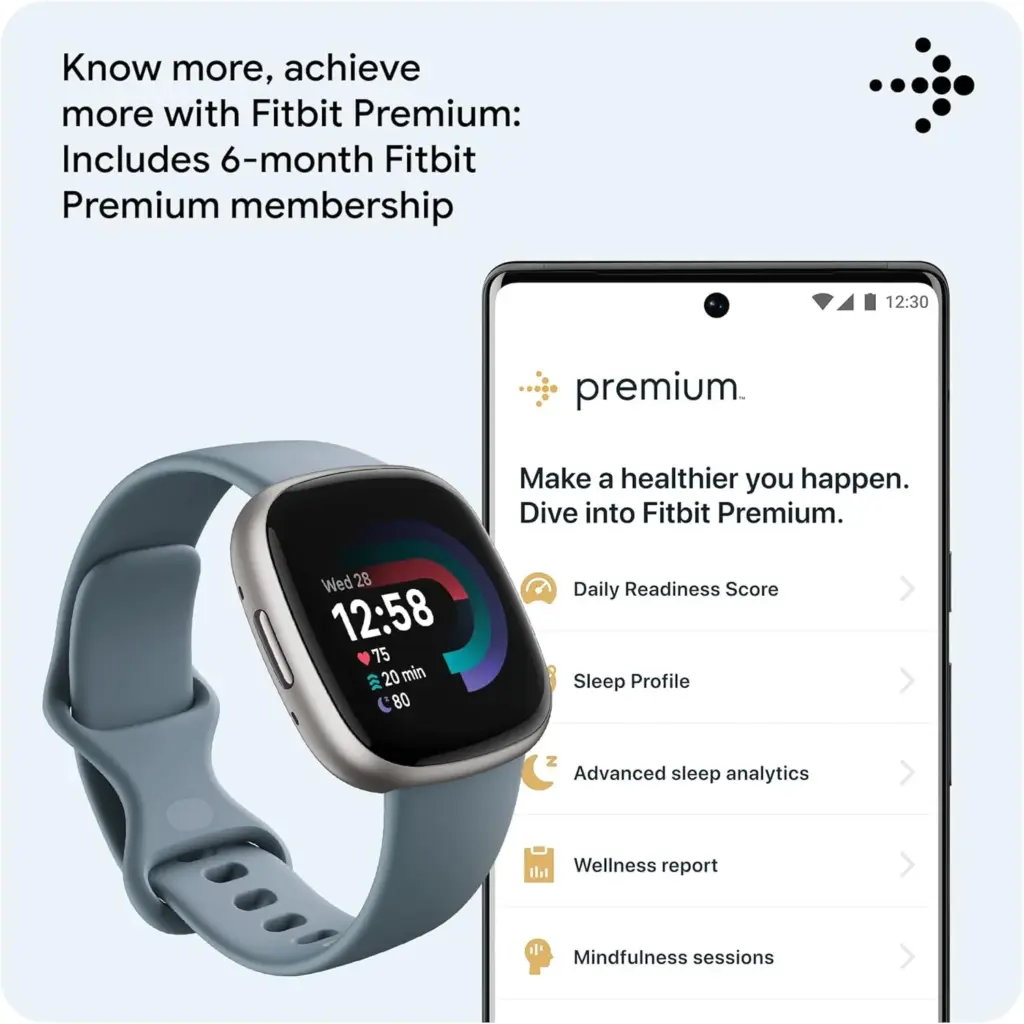
    Based on recovery, the Fitbit Daily Readiness Score, which comes with the extra six-month Premium membership, provides tailored recommendations for increasing training intensity or taking a day off. The user can use these in conjunction with the Cardio Fitness Score (VO2 Max) to maximize training for cumulative gains. In order to identify patterns that could have an impact on health, Versa 4 also tracks changes in skin temperature and blood oxygen levels at night and during high-altitude training.

    fitbit versa 4

    Fitbit Versa 4

    Get inspired and stay accountable with Versa 4 + Premium – learn when to work out or recover, see real-time stats during exercise and find new ways to keep your routine fresh and fun.

    $199.95$149.95Amazon

    Additionally, it offers a Sleep Score, a unique Sleep Profile, and percentage breakdowns of the light, deep, and REM sleep stages to help users better understand and manage their sleep. For better mornings, its intelligent wake-up alarm also wakes users at the ideal time in their sleep cycle. In order to support mental health, the watch additionally has stress management features including guided breathing, mindfulness training, and a daily Stress Management Score.

    fit bit versa 4 premium

    The Versa 4 aims to enhance everyday life in addition to exercise by enabling features like text messaging, app messages, and on-wrist Bluetooth calls. For Android users, there is voice response and quick reply, and contactless payments are made simple with Fitbit Pay and Google Wallet. The watch is an all-around partner for normal activities and workouts because it can be used with Google Maps for directions and Amazon Alexa for voice instruction.

    With more than six days of everyday wear time between charges, the battery has an excellent lifespan that eliminates the inconvenience of regular recharging. The Versa 4 is comfortable and easy to wear for extended periods of time because to its lightweight design, which is approximately 15% lighter and 10% thinner than its predecessor.

    fitbit versa 4

    Fitbit Versa 4

    Get inspired and stay accountable with Versa 4 + Premium – learn when to work out or recover, see real-time stats during exercise and find new ways to keep your routine fresh and fun.

    $199.95$149.95Amazon

  • #dealalert – Pixel Watch 3 gets a nice discount from Amazon

    #dealalert – Pixel Watch 3 gets a nice discount from Amazon

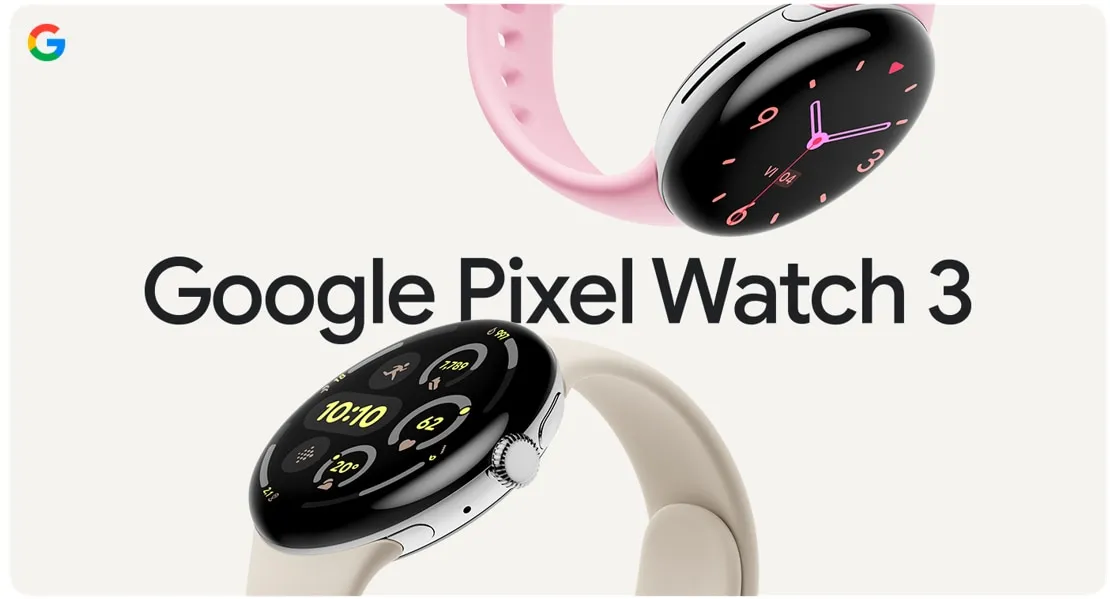
    This is the ideal moment to purchase a brand-new Pixel Watch 3 if you’ve been searching for one. You can choose the model of Google’s flagship watch that best suits your needs, preferences, and price range thanks to Amazon’s ongoing excellent discounts.

    As of this writing, for example, all Wi-Fi models are on sale for $50 off, making them as cheap as $350. Additionally, you can choose the paint job that you like most because all color selections are priced the same.

    Pixel Watch 3 on amazon

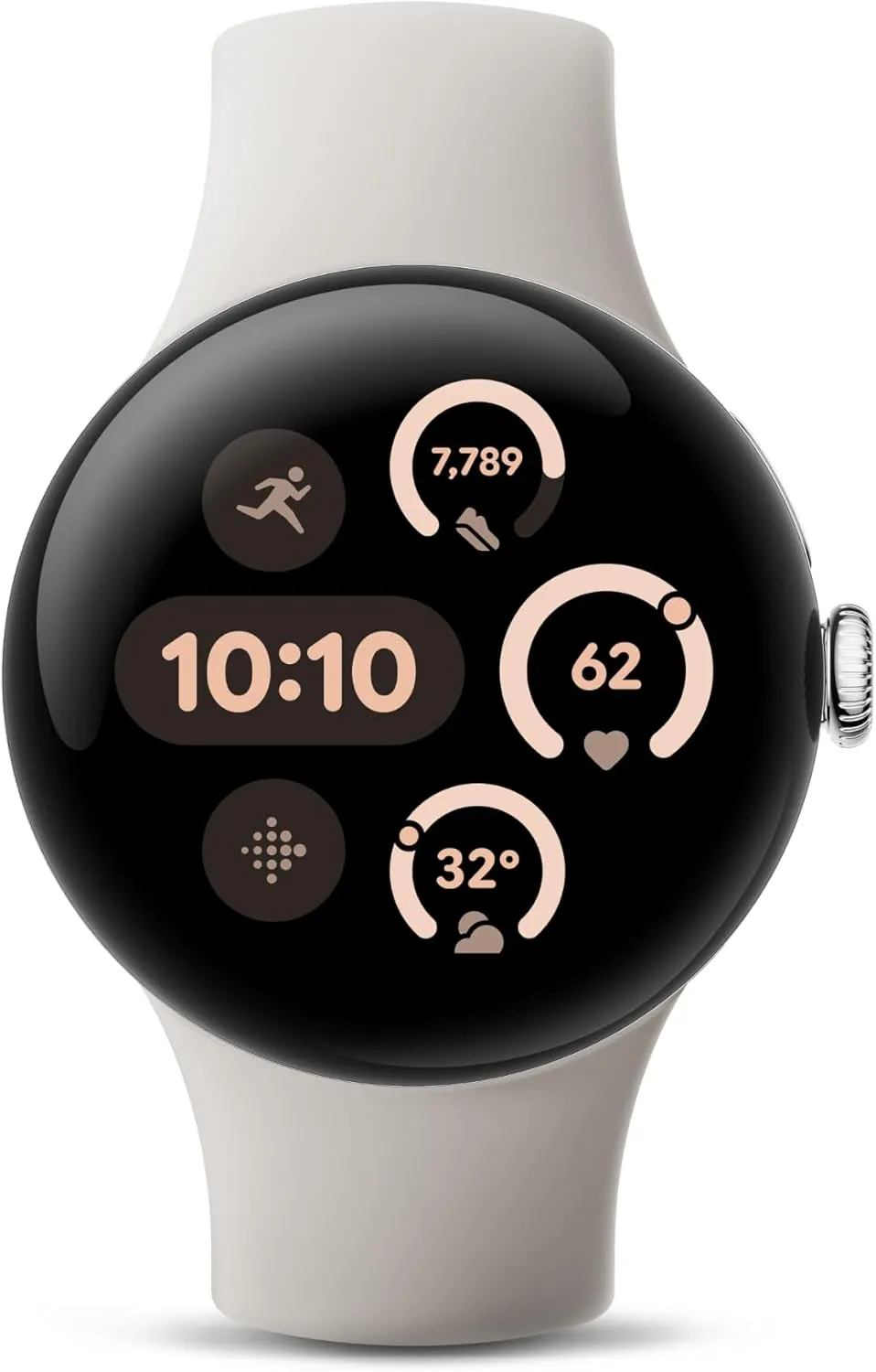
    Google Pixel Watch 3 – Wi-FI

    The Google Pixel Watch 3 is designed for performance, with advanced fitness from Fitbit; the 41mm screen is twice as bright and 10% larger than before, making it easier to see your stats and info

    $349.99$299.99Amazon

    Feel free to purchase one of the LTE variants if you would prefer to be able to make calls while leaving your Pixel phone at home. All cellular-powered models of the watch are delightfully discounted and on sale for $70 off, much like the Wi-Fi versions.

    It’s important to note that Amazon frequently offers similar price reductions for the Pixel Watch 3. They show up, stay for a few weeks, then fade away for a bit before resurfacing. However, should this deter you from buying one of the top smartwatches available?

    Even though the $50 and $70 discounts are sporadic, they nevertheless allow you to upgrade your smartwatch game by obtaining the best Pixel Watch at a lower cost. And simply have a peek! It looks stunning with its dome-like form and may work well with both a pricey suit and casual wear.

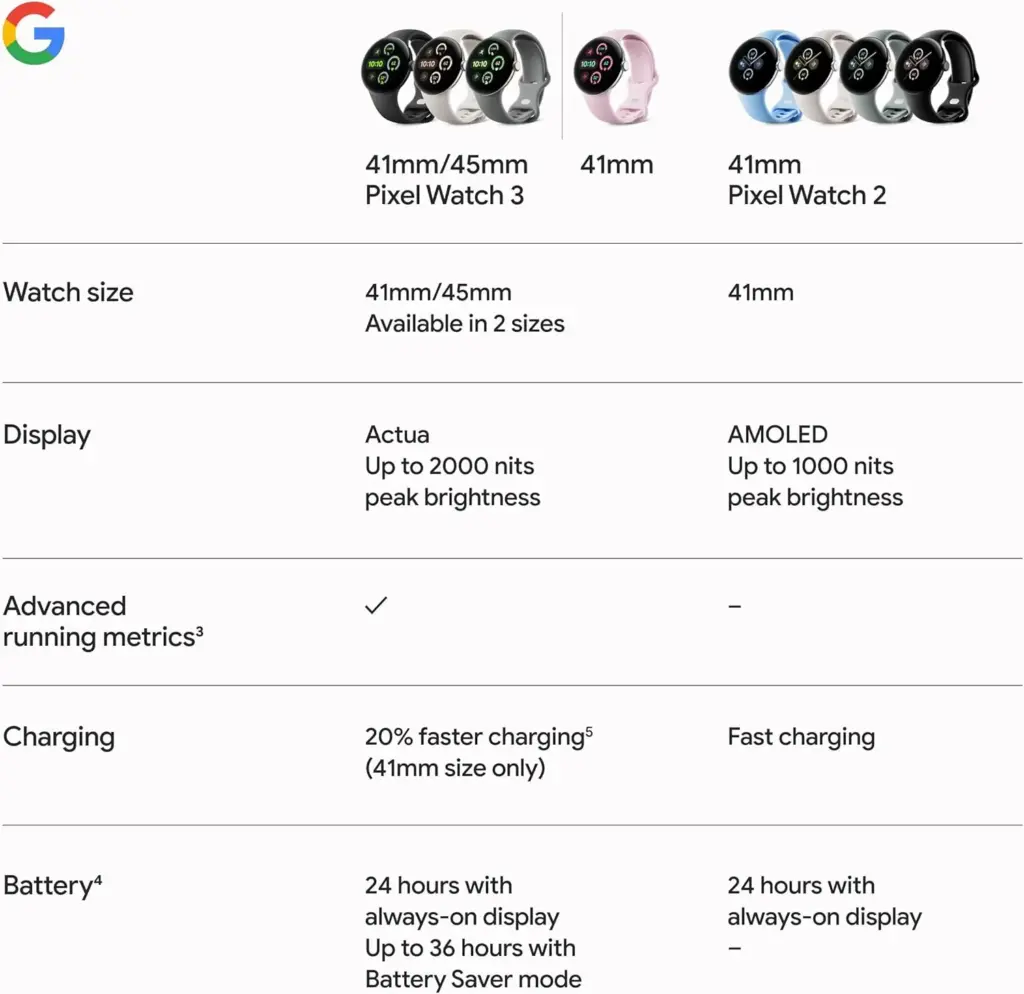
    pixel watch 3 specs

    Naturally, as a direct competitor to the Apple Watch Series 10 and Galaxy Watch 7, its many features complement its attractive appearance. In fact, it has a temperature sensor and all the other health-tracking capabilities that a smartwatch of this kind should have. Additionally, the readings are accurate because Fitbit’s tracking powers it.

    Numerous apps will also be available to you. You can download apps straight to your wearable as the watch, which runs Wear OS, supports Google’s Play Store. Additionally, the battery has a good lifespan, easily lasting a full day between charges. Just bear in mind that, as is quite typical with this kind of smartwatch, you’ll probably need to recharge it every night.

    Pixel Watch 3 on amazon

    Google Pixel Watch 3 – LTE

    Know what your body is ready for each day with readiness; it uses sleep, resting heart rate, and heart rate variability to show if you’re ready to take on a workout or prioritize recovery.

    $449.99$379.99Amazon

  • Google starts rolling out Material 3 Expressive to Messages app

    Google starts rolling out Material 3 Expressive to Messages app

    Google Messages is starting to implement a Material 3 Expressive overhaul of just the conversation interface, following Gmail for certain users and Photos.

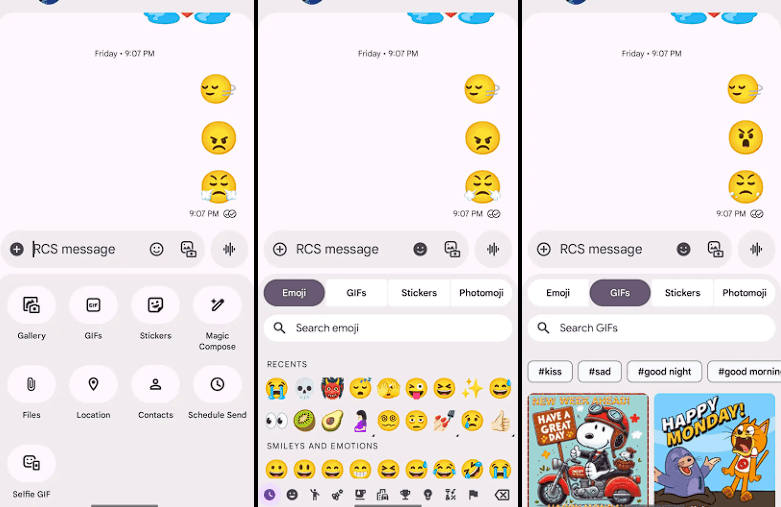
    Placing the message thread in a container with rounded corners at the top makes the app bar its own (darker) layer, which is the primary alteration to the conversation screen.

    The Gallery, GIFs, Stickers, and other items are arranged in pill-shaped containers rather than circles in the “plus” menu, which is a distinct container. The wallpaper it uses is identical to that of the app bar. Additionally, Google eliminated the vibrant symbols and reduced the grid’s density.

    The linked button group used to transition between Emoji, GIFs, Stickers, and Photomoji (which was the first item in the current design) is visible when you access the emoji menu. The current tab you are reading is a pill, and the entire thing is a circular container. Moving the search bar down one line eliminates back-to-back text fields, which is a welcome modification.

    Material 3 Expressive Messeges app

    As of right now, we have one report of this going live with Google Messages beta version 20250528_00_RC00, namely the Samsung version. We examined other devices today, and we don’t notice it.

    The home page, search, settings, and other areas of the app have not been changed today. It appears like Material 3 Expressive in Google Messages will be implemented gradually. In the meantime, the software usually takes a long time to go from beta or initial release to general release.

    Stay connected with the latest from Droid Tools—follow us on X @droid_tools, like our page on Facebook, check out our updates on Instagram, and follow us on Google News for real-time news, device tips, and mobile tech insights.
  • How to enable developer options and USB debugging

    How to enable developer options and USB debugging

    Enabling Developer Options and USB debugging is crucial if you want to test apps, get more control over your Android device, or connect your phone to a computer for development. This built-in Android function provides you with the ability to delve deeper, regardless of whether you’re a power user or simply attempting to troubleshoot a persistent issue.

    Without requiring root access, we’ll show you exactly how to activate USB debugging and Developer Options on any Android device in this tutorial. We’ll also go over the functions of each feature and when you might require them.

    What are Developer Options on Android?

    Android’s Developer Options is a secret menu with advanced settings designed mainly for developers. But regular users might also benefit from many of these choices. For instance, you can:

    • Speed up animations to make the phone feel faster
    • View CPU usage on screen
    • Simulate different display sizes
    • Force apps into split screen
    • Enable USB debugging for data transfers or app testing

    By default, Developer Options are hidden, but you can enable them with just a few taps.

    What is USB debugging and why use it?

    USB debugging allows your Android device to communicate with a computer using Android Debug Bridge (ADB). This is critical for:

    • Transferring files and installing apps manually
    • Using development tools like Android Studio
    • Running shell commands via ADB
    • Taking full device backups
    • Recovering devices stuck in boot loops or soft bricks

    Unless you’re developing apps or using advanced tools, USB debugging isn’t needed all the time. But turning it on gives you more flexibility when needed.

    How to enable Developer Options

    The Developer Options menu can be accessed by following these steps:

    1. Open the Settings app on your Android phone.
    2. Scroll down and tap “About phone.”
    3. Find the “Build number” entry (you may need to tap “Software information” first on some devices).
    4. Tap the Build number 7 times. You’ll be asked to confirm your device lock (PIN, pattern, or fingerprint).
    5. You’ll see a message saying “You are now a developer!”

    Once this is done, Developer Options will be available in your Settings.

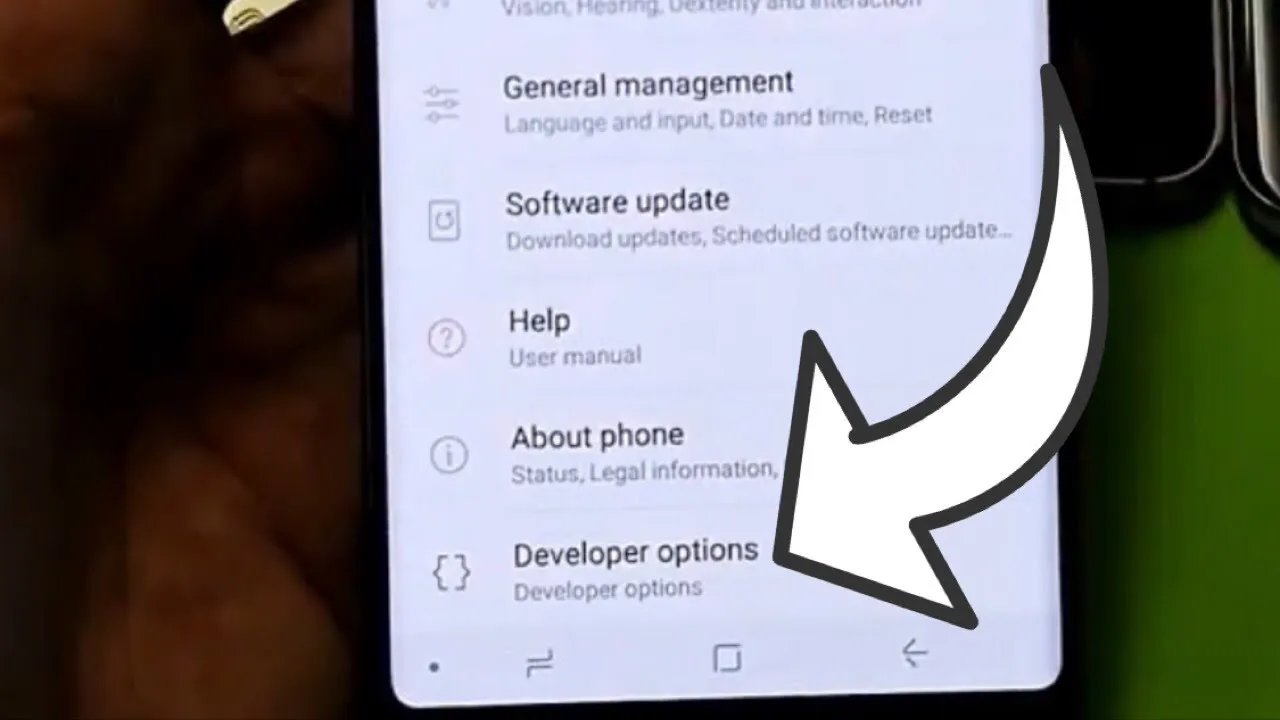
    developer option on Android Galaxy devices

    Location of Developer Options by brand:

    • Samsung: Settings → Developer options (at the bottom of the main settings menu)
    • Google Pixel: Settings → System → Developer options
    • Xiaomi: Settings → Additional settings → Developer options
    • OnePlus: Settings → System → Developer options
    • Motorola: Settings → System → Developer options
    enable developer options

    How to enable USB debugging

    Now that Developer Options are turned on, you can enable USB debugging:

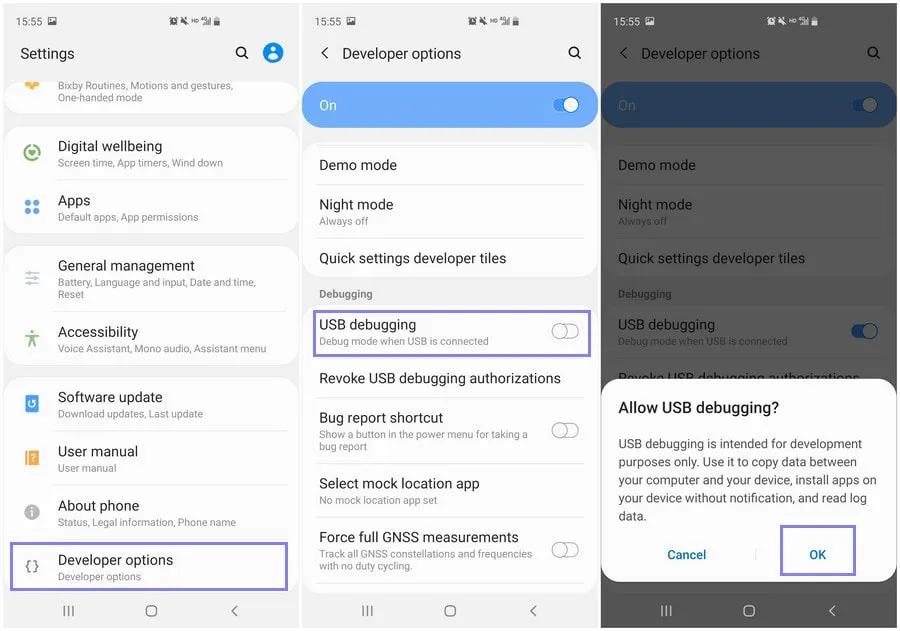
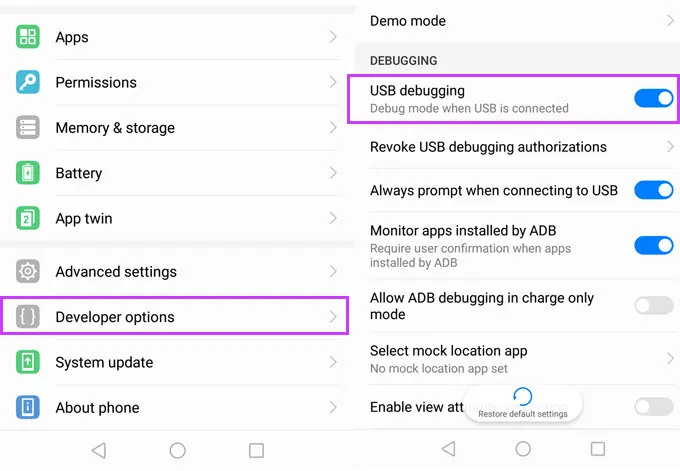
    1. Go to Settings → Developer Options
    2. Scroll down to the “Debugging” section
    3. Toggle on “USB debugging”
    4. Confirm the prompt asking if you’re sure

    That’s it! You can now use your phone with development tools or perform more advanced actions from your PC.

    When should you turn off USB debugging?

    If you’re not actively using USB debugging, it’s best to leave it off. Here’s why:

    • USB debugging can be a security risk if your device falls into the wrong hands while unlocked.
    • Some apps or company policies block access if USB debugging is enabled.

    To disable it, just return to Developer Options and toggle it off.

    Other useful Developer Options settings

    Besides USB debugging, some other features you may want to explore include:

    • Window animation scale / Transition animation scale: Set to 0.5x for faster UI response
    • Force activities to be resizable: Useful for multitasking and split screen
    • Stay awake while charging: Keeps the screen on during testing
    • Limit background processes: Improve performance by reducing multitasking
    • Show taps / Pointer location: Great for app demos or screen recording

    Be cautious while experimenting—many of these options affect system behavior.

    Troubleshooting Developer Options or USB debugging

    Developer Options not appearing?

    • Double-check that you tapped “Build number” exactly 7 times
    • Some devices require a reboot afterward

    USB debugging not working?

    • Try a different USB cable or port
    • Make sure “File Transfer” mode is selected via USB preferences
    • Check that your computer has proper ADB drivers installed

    You may access a robust collection of tools on your Android phone by turning on USB debugging and Developer Options. Although developers are their main target audience, tech-savvy consumers who desire greater control over their gadget might also benefit from them.

    These options can improve your Android experience, whether you’re using ADB to transfer files, debug apps, or simply wish to adjust animation speeds. Just use caution when navigating the options, since some settings may have unexpected consequences.

    Stay connected with the latest from Droid Tools—follow us on X @droid_tools, like our page on Facebook, check out our updates on Instagram, and follow us on Google News for real-time news, device tips, and mobile tech insights.
  • #dealalert – Google Pixel Watch 2 LTE down to $135.59

    #dealalert – Google Pixel Watch 2 LTE down to $135.59

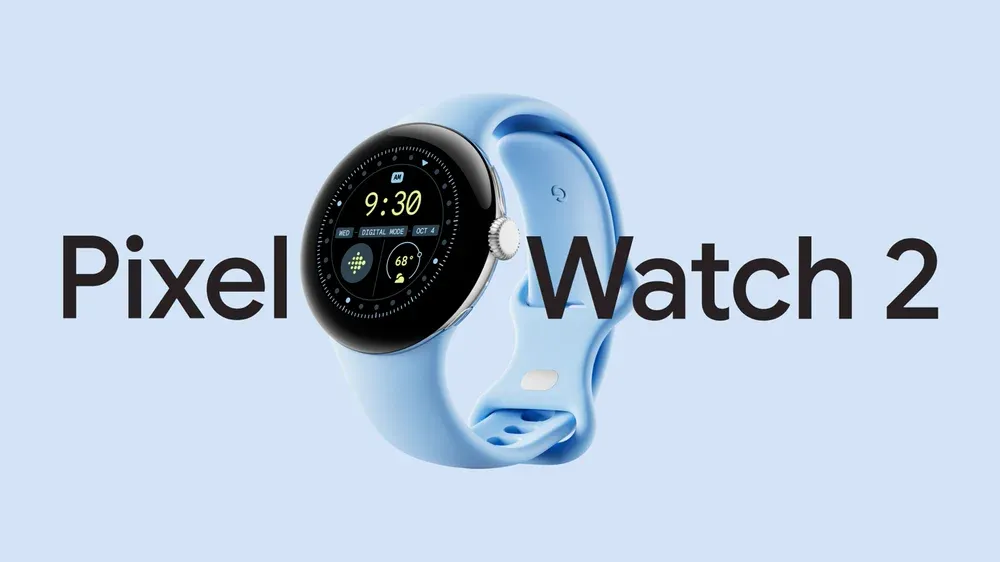
    Since the formal announcement of its sequel back in August 2024, the 2023-released Pixel Watch 2, which was initially priced at $350 and above, has, of course, grown ever less expensive. The Wear OS-powered watch is currently more reasonably priced than ever in a 4G LTE-enabled form, despite the fact that Black Friday and Amazon’s Prime Day 2025 event are not exactly approaching.

    You should probably act quickly if you want to save a whooping $150 on a black-coated Google Pixel Watch 2 with standalone cellular connectivity, since this completely unusual Amazon deal is not expected to last long.

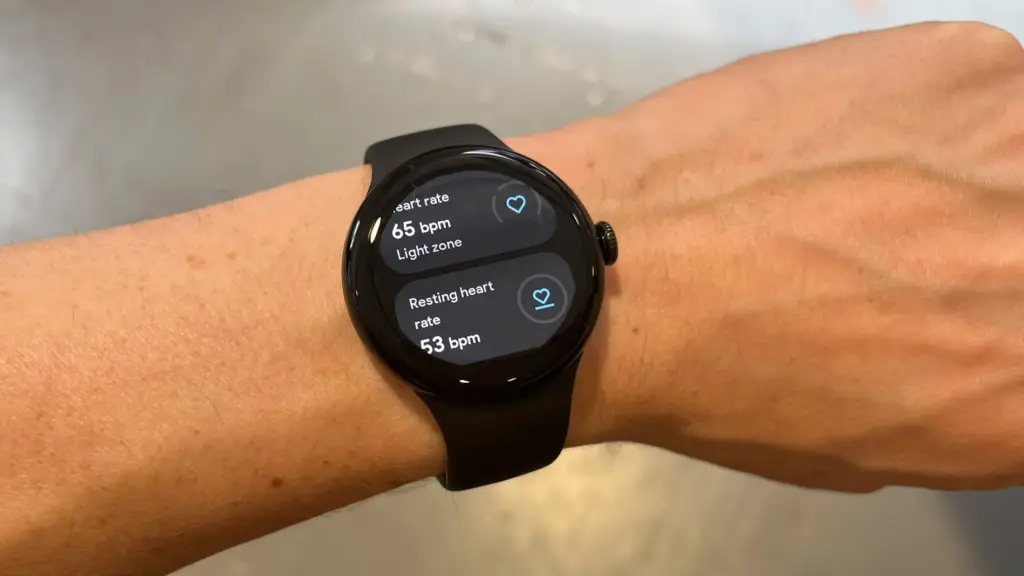
    pixel watch 2

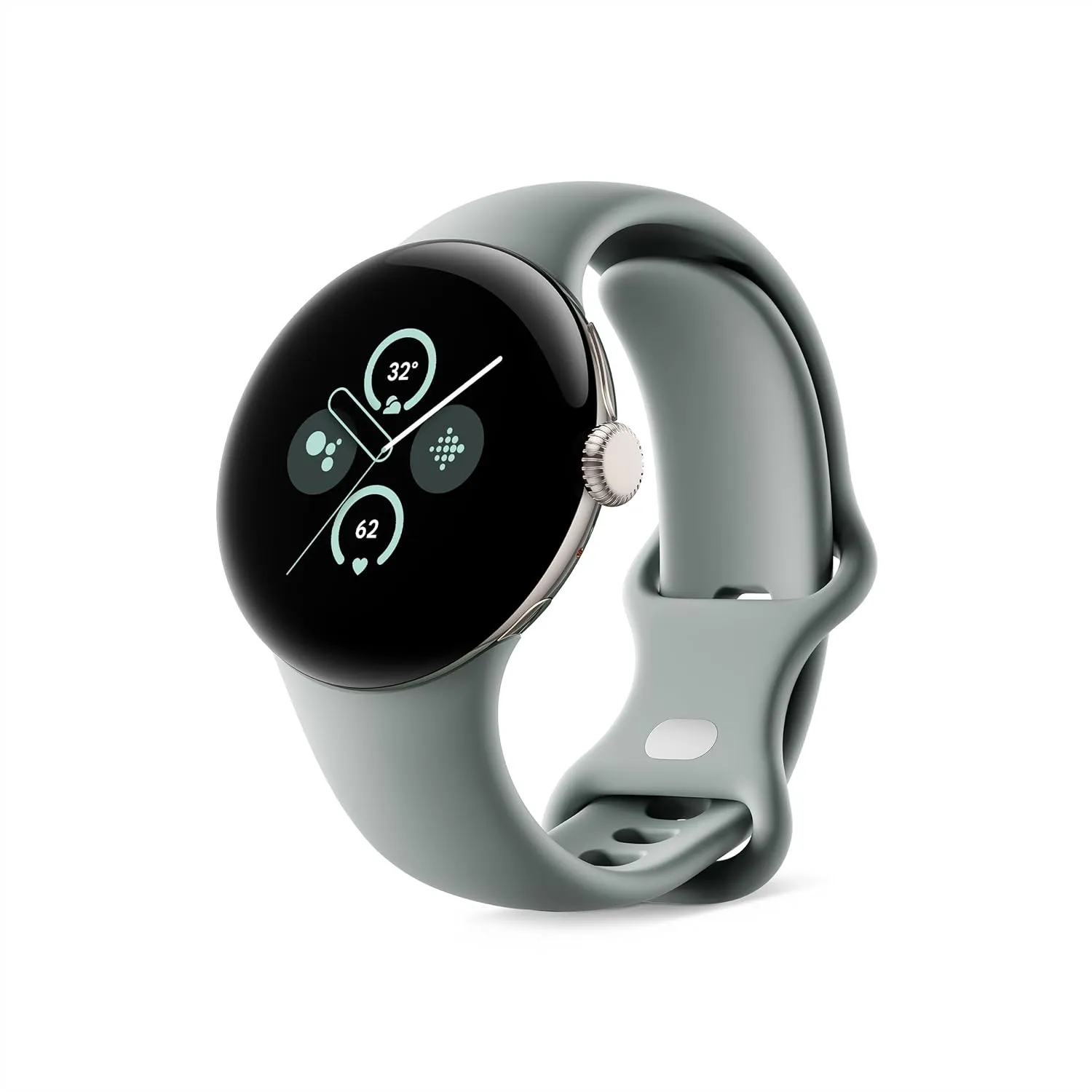
    Google Pixel Watch 2 LTE

    The Pixel Watch 2 comes with three new advanced sensors for heart rate tracking, skin temperature, and stress management; 100% recycled light aluminum housing makes it comfortable to wear

    $199.99$135.59Amazon
    pixel watch 2 2

    That’s $150 off the $299.99 “normal” price, which was already permanently reduced from the $399.99 that Amazon and other major US retailers used to charge for a Pixel Watch 2 with cellular capabilities at launch. Additionally, there is only one color available at this historically low price, which suggests you don’t have much time to take advantage of your Memorial Day savings.

    It goes without saying that the more recent Watch 3 is the superior wearable manufactured by Google, which is also why it costs significantly more. The Watch 2, with its stunning circular display, incredibly comfortable all-day wear, precise heart rate tracking technology, and outstanding overall performance, is the objectively superior value proposition at this 50% discount.

    pixel watch 2

    Google Pixel Watch 2 LTE

    The Pixel Watch 2 comes with three new advanced sensors for heart rate tracking, skin temperature, and stress management; 100% recycled light aluminum housing makes it comfortable to wear

    $199.99$135.59Amazon

    The Pixel Watch 2 with 4G LTE must, however, be compared to similarly priced gadgets such as the entry-level Apple Watch SE 2 (without LTE) or Samsung Galaxy Watch FE (which is also only capable of GPS and Bluetooth).

  • Google Messages ads RCS label in contact list

    Google Messages ads RCS label in contact list

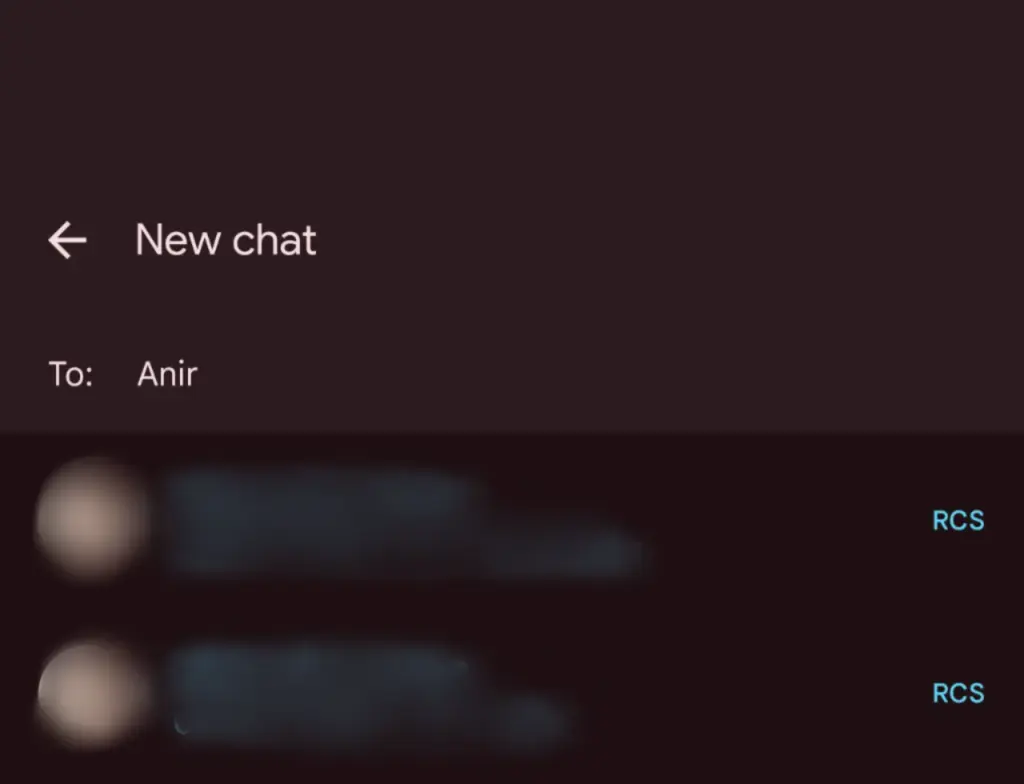
    Google Messages’ RCS texting feature isn’t as efficient as it could be. You can’t tell whether someone has RCS messaging enabled unless you start a chat with them. With a new RCS indication in Google Messages, Google is permanently resolving this issue.

    The “RCS” badge will appear on the right of numbers that support the upgraded texting experience (via Reddit) when you compose a new message and navigate through your contact list in Google Messages. The label won’t show up next to a saved contact if they are not able to send RCS texts.

    In addition to the label, dynamic color theming is used to further draw attention to RCS-enabled contacts. Regular numbers are shown in either white or black. Google Messages will show RCS availability for each number if a contact has more than one.

    google messages rcs label

    Even though this might not seem like much, it will contribute to a more reliable RCS experience. Now, you can easily check if a contact has RCS enabled. This modification should only serve to increase the uptake of RCS.

    Before, you had to begin writing a message with them in order to find out. In April of this year, Google was initially observed working on this Google Messages update.

    According to 9to5Google, there are further minor modifications. The “New conversation” title that was previously displayed on the screen that comes after tapping the “Start chat” button has been replaced with the “New chat” heading.

    Some users of the most recent Google Messages for Android beta (20250527_01_RC00) are seeing the RCS label. Since none of my phones have the label yet, it looks like this is a restricted server-side rollout.

    Google brings many features to Messages

    To its credit, Google has been working diligently on Google Messages, addressing numerous issues and incorporating new features to level it up with its rivals. The business merits recognition, even though there is still much to be done.

    Testing has revealed several planned Google Messages enhancements, such as threaded answers, a huge compose box for seeing your lengthy texts, and a new landscape style.

    If you want the latest Droid Tools news, follow us on X @droid_tools and like our page on Facebook to stay updated.