Tag: beta

  • Android 16 brings long waited great features

    Android 16 brings long waited great features

    There are some new features to look forward to with each Android update. Some updates include more new features than others, of course, because not all upgrades are made equal. There are a lot of exciting (rumored) features in Android 16 that are making me eager for its impending release.

    Note that I used the word “rumored.” This is because, with each release, there are online speculations about what people “think” will be included in Google’s newest and greatest upgrade. You never know what will make the final cut, so you should be skeptical of this list.

    However, I tested the Android 16 beta and searched the internet for all the best features that might be released this summer with Android 16 (using reputable websites like Android Authority, Android Police, Engadget, Android Developers, Business Today, Android Headlines, GSMArena, Android Update Tracker, and numerous forums), and here they are.

    Desktop Windowing

    When I see it, I’ll trust the rumors about this feature. The Samsung DeX, which enables users to connect an Android phone to an external display (through USB-C) and utilize a desktop-like interface that includes a top status bar, bottom taskbar, resizable, movable, snappable app windows, drag-and-drop support between apps, minimized windows, and physical keyboard and mouse support, will be mirrored by Desktop Windowing, which will bring desktop mode to Android phones.
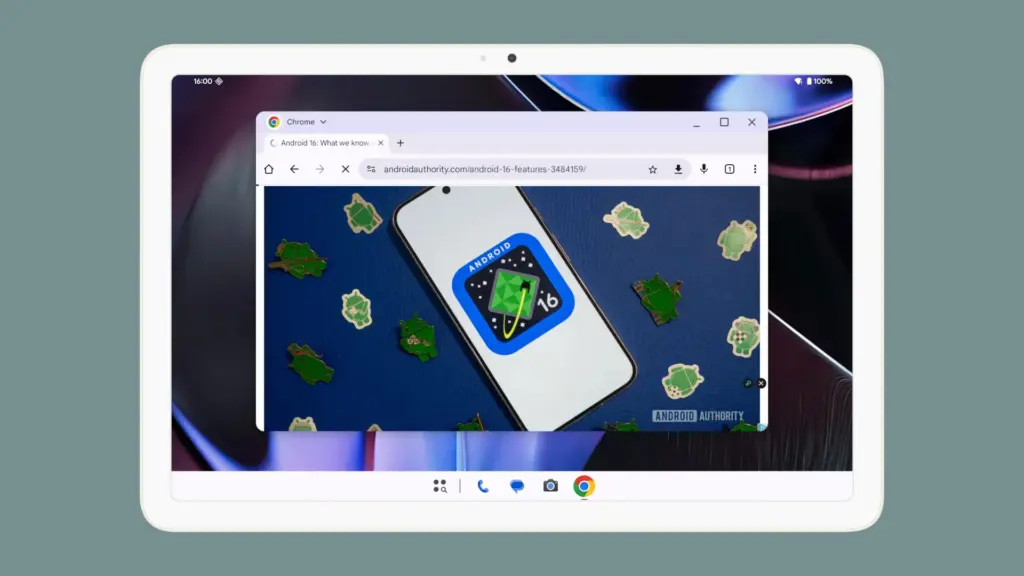
    Desktop Windowing android 16 update

    App drawer blur

    Neither your phone’s performance nor your efficiency with it will improve as a result of this. But I’ve always found the Android app drawer to be rather dull. When you pull it down, the background is either black or white. While some home-screen launchers do let you change the appearance of the app drawer, the default home-screen launcher does not offer this feature. According to rumors, Android 16 will alter everything and give the app drawer a lovely backdrop blur.
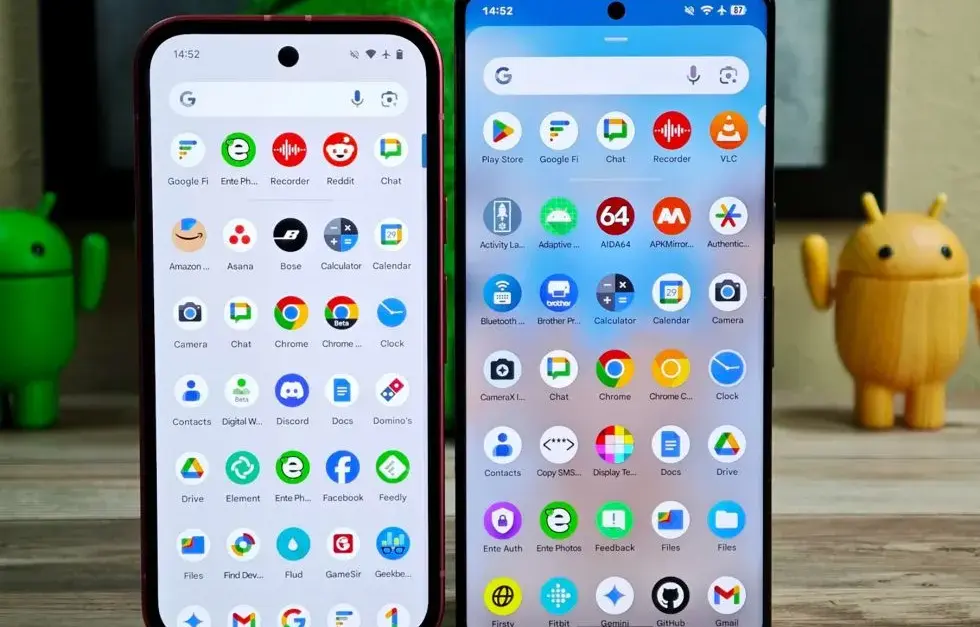
    android 16 app drawer blur

    Although I acknowledge that not everyone believes that aesthetics are as significant as other factors, including performance and dependability, the iPhone’s UI aesthetics are one of the main factors contributing to its popularity. The Android user interface will be on a level playing field with iOS if Google implements a great app drawer blur.

    Live updates

    According to rumors, Android 16 will also provide a new class of real-time notifications that are intended to tell you of ongoing operations like food delivery, ridesharing updates, and navigation. These real-time updates will show up as dynamic “chips” in the status bar that show current data, like ridesharing arrival times or delivery ETAs.

    To keep you updated, a comprehensive notification pop-up displays beneath the status bar when you tap one of the live-update chips. Live updates are displayed above all other alerts (apart from the media player) under the Notification Shade.

    Auracast Broadcast audio support

    The inclusion of Auracast broadcast audio would be fantastic, so hopefully this rumor is accurate. Auracast broadcast audio is a Bluetooth LE Audio feature that enables devices such as earphones and hearing aids to receive direct audio broadcasts from TVs, public spaces, or announcement systems, in case you were unaware.
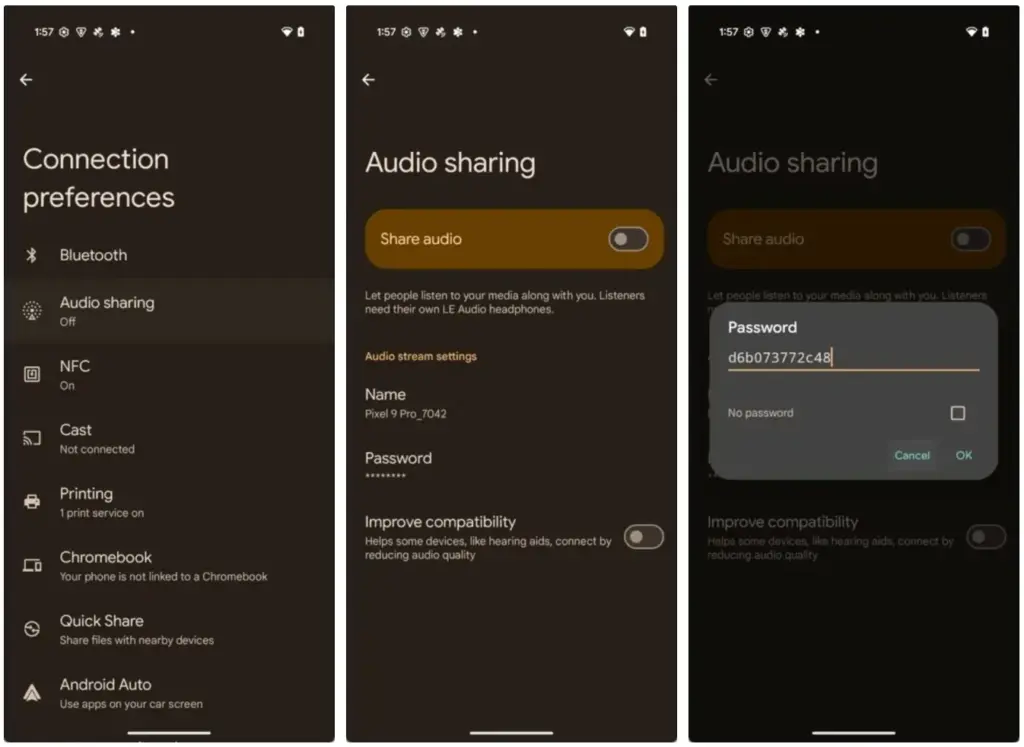
    screenshot 2024 11 20 at 6 37 57

    Anyone who uses LE Audio earbuds or hearing aids frequently finds oneself in awkward situations, such busy or noisy places where announcements are essential (like train stations, airports, or concerts). By pairing your earphones or hearing aids with Auracast Broadcast support, you can tune into the broadcast and hear everything much more clearly.

    Hybrid Auto Exposure in the camera

    If you love taking pictures, you’ll love this function. You’ll have more control over the camera’s exposure settings with the hybrid auto-exposure. You will have the option to manually change the ISO or exposure time (shutter speed) or rely on the auto-exposure algorithm, rather than relying solely on full manual or auto exposure.

    You will still have the simplicity and dependability of auto-exposure for everything else, but you will be able to adjust ISO to cut down on noise or select a precise shutter speed to get truly creative with your photos. Additionally, the Android 16 Camera app has enhanced support for high-quality image formats including HEIC and Ultra HDR, as well as accurate color-temperature and tint adjustments.

    APV Codec support

    Additionally, there are reports that Android 16 will support the APV codec. A professional-grade video format (created by Samsung) is included with the new native support for the Advanced Professional Video (APV) codec, enabling high-quality video recording, editing, and post-production.

    Frame tiling (to provide immersive content and parallel encoding/decoding for efficient processing), intra-frame-only coding (for simpler editing workflows and lower processing demands), high bit-rate support (2K, 4K, and 8K resolutions), and lossless video quality (nearly raw footage) are some of APV’s cool features.
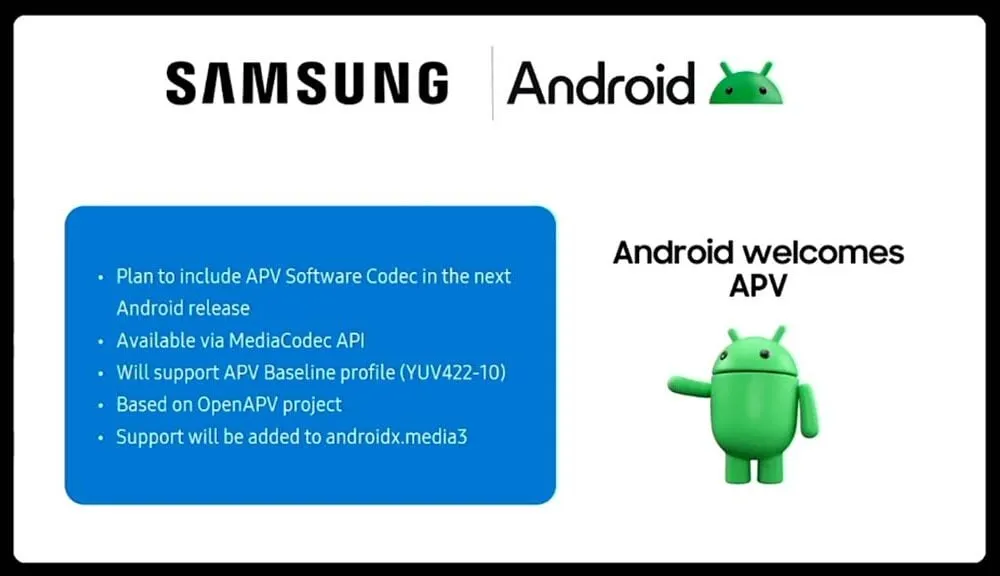
    APV Codec support android 16 update

    Once more, Google has been promising this feature for a very long time, so I will believe it when I see it. If they were to ever implement this functionality, Android would become one of the most flexible operating systems available, which would be really awesome.

    Keep in mind that these are simply rumors, but I do think that most of the features mentioned above will be included in the final version of Android 16, which is also expected to be released in June 2025.
  • Easily install Android 16 Beta on Xiaomi devices

    Easily install Android 16 Beta on Xiaomi devices

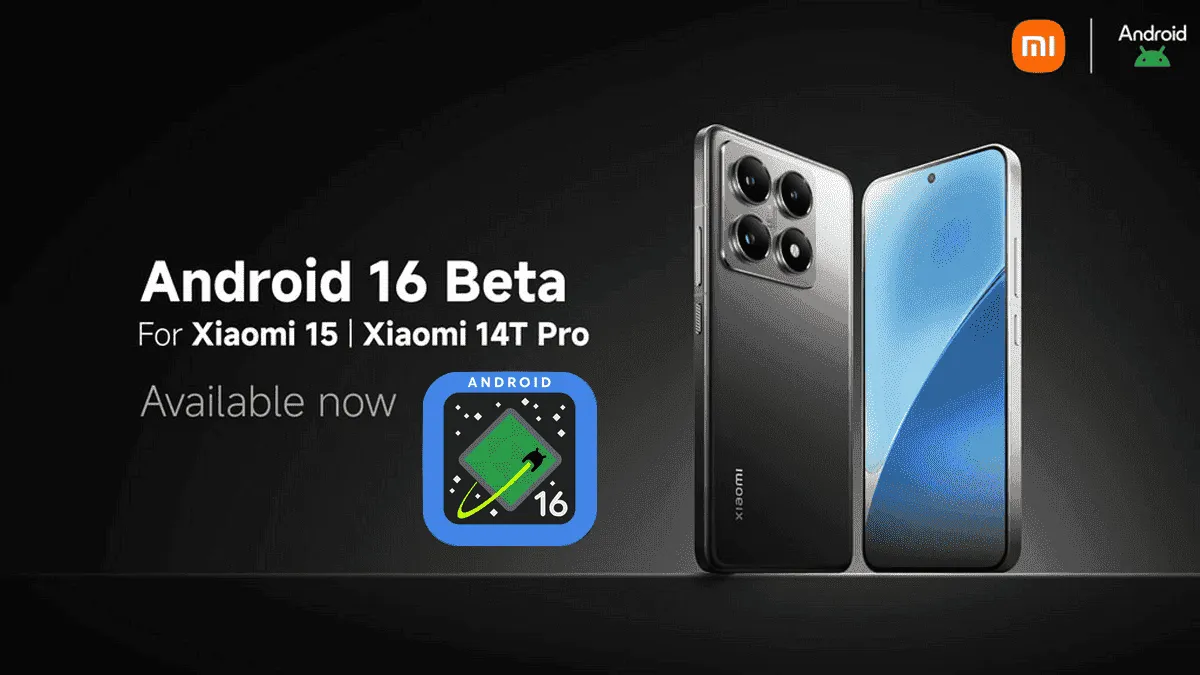
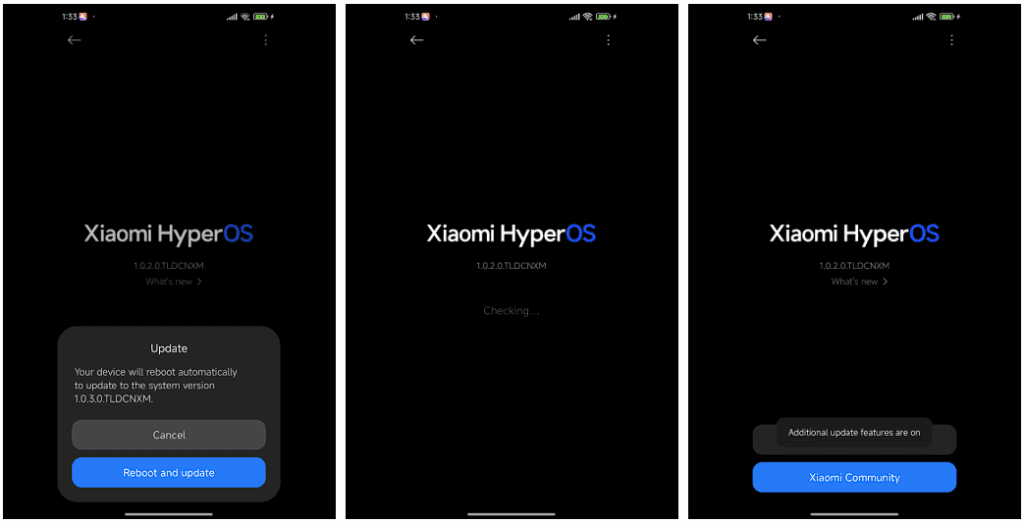
    After being first released in China, the exciting HyperOS 2 for some Xiaomi devices running Android 16 Beta 2 is now available globally. The most recent features and improvements are now available to consumers worldwide on the Xiaomi 15 and Xiaomi 14T Pro, which is the international version of China’s Redmi K70 Ultra.

    If you are eager to obtain Google’s most recent operating system and cannot wait for the final release, which is scheduled for June 2025, this comprehensive installation guide will walk you through the process.

    Supported Devices and Build Numbers

    Check your device compatibility before proceeding with the installation and record the correct build number:

    Method 1: Local Update

    This method is based on your device having at least the following software version:

    1. Check that your Xiaomi 15 is running OS2.0.109.0
    2. Make sure your Xiaomi 14T Pro is running on OS2.0.103.0
    3. Key steps to take Back up your data as you are about to erase the contents of your phone
    • Download the suitable Android 16 Beta build for your device
    • Copy the ROM package into your phone storage
    • Settings → About phone → Tap on “OS version” 10 times in order to enter developer mode
    • Go back to Settings → About phone → Tap on the system icon → Tap on the three-dots icon → Tap on “Choose update package”
    • Select the ROM package in order to initiate the upgrade
    android16 beta 4 on xiaomi devices
    HyperOS Manual Update 4

    Method 2: Fastboot Update

    For experts who are familiar with bootloader unlocks:

    1. Seek out and obtain bootloader unlock approval
    2. Back up your data
    3. Download the Android 16 beta build for your device
      1. Xiaomi 15
      2. Xiaomi 14T Pro
    4. Follow the tutorial for Fastboot Update

    Fastboot Recovery Option

    To restore using Fastboot mode:

    1. Turn off your device
    2. Press Volume-down + Power buttons simultaneously for 4-5 seconds
    3. Restore factory settings as indicated on-screen
    4. Keep in mind that beta software can have bugs as well as performance issues.
  • Xiaomi announced the Android 16 Beta launch – which devices will get it?

    Xiaomi announced the Android 16 Beta launch – which devices will get it?

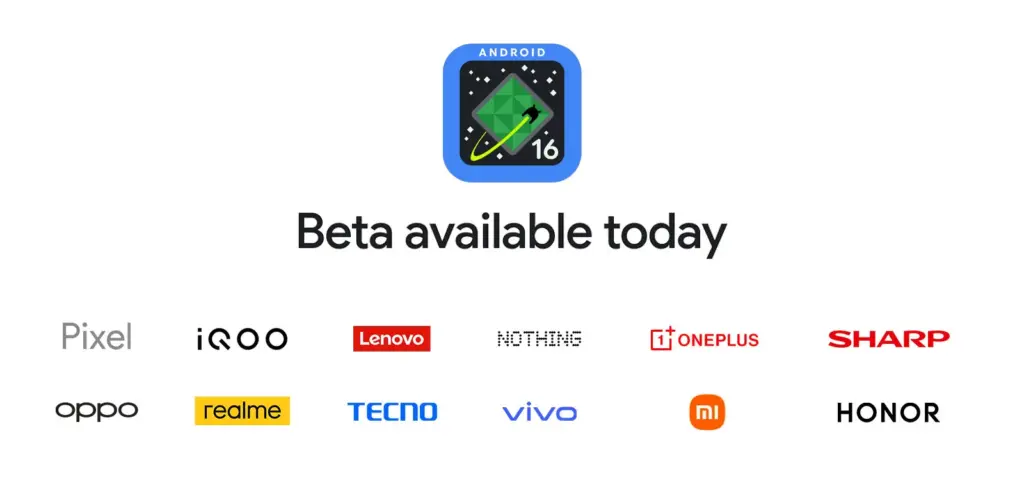
    For developers and Android enthusiasts alike, Google’s release of Android 16 Beta 4 marks a significant milestone as it is the first release candidate build prior to a consumer launch. Along with Honor, iQOO, Lenovo, OnePlus, OPPO, Realme, and Vivo, Xiaomi is among the fortunate ones to have access to the current beta, which is currently available on a variety of devices from various partner vendors, including phones, tablets, and foldable phones.

    It is interesting to note that on April 8, around ten days earlier, Xiaomi had released the same to its flagship Xiaomi 15 and 14T Pro phones. This shows how committed the firm is to providing early adoption of the newest Android innovations.

    Significant changes in Android 16 Beta 4

    Numerous bug fixes and performance enhancements that address issues found by both developers and users are included in the pre-release beta. In order to provide a seamless experience when Android 16 is formally released, Google has been working to increase stability.

    Key fixes in this release are:

    • Resolved the map disappearance bug in the Pixel’s Weather app Resolved problems of haptic performance and late feedback
    • Resolved excessive power consumption that impacted some devices Resolves system restart problems during call answering
    • Fixed display magnification stability issues
    • Corrected screen saver activation problems Fixed phone restart issues that occur while using the ranging API
    • Several system stability and performance enhancements, such as launcher crashes fixes
    Android 16 Beta launch

    Xiaomi amoung the first

    Xiaomi’s dedication to provide users with cutting-edge software experiences is demonstrated by its early release of Android 16 Beta 4. Xiaomi has taken the lead among Android innovators by releasing the beta for the Xiaomi 15 and 14T ten days before the official Google release.

    Early adoption by Xiaomi users offers them the following benefits:

    • Early availability of Android 16 enhancements and features
    • Additional time for users to give feedback and log issues
    • Chance to try the most stable pre-release version of Android 16

    The release is the final scheduled update before the Android 16 Beta program’s public launch, which is currently in its final stages.

  • HyperOS 2.2 Beta changelog released by Xiaomi

    HyperOS 2.2 Beta changelog released by Xiaomi

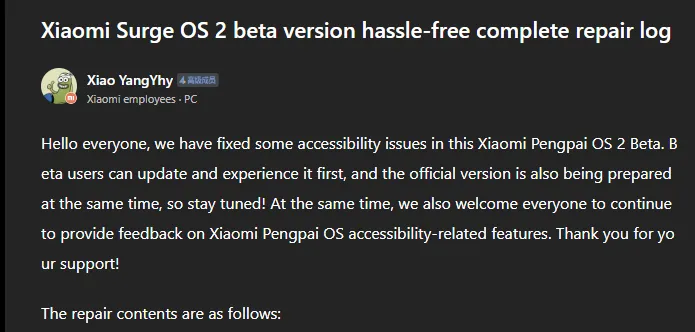
    Xiaomi has taken a huge step in making its devices more inclusive by releasing a comprehensive accessibility repair log for HyperOS 2.2 Beta. Xiaomi employee @小杨Yhy shared a complete update in the Xiaomi Community, addressing accessibility concerns across the system, including basic controls, SMS functioning, and TalkBack improvements. This massive accessibility upgrade underscores Xiaomi’s dedication to create a more inclusive user experience, ensuring that their devices are usable by people with a variety of disabilities.

    HyperOS 2.2 Beta change log

    Common control enhancements in HyperOS

    The accessibility update addresses a number of typical control issues that previously limited users with impairments. These improvements significantly improve the system’s overall user experience.

    Key enhancements to standard controls are:

    • Corrected password control choices in the input fields
    • Resolved index bar operation and selection issues
    • Corrected focus problems with bubbles showing up when entering pages
    • Corrected switch control focus redundancy
    • Corrected wrong reading of switches as checkboxes
    • Included proper labeling to jump buttons in lists
    • Fixed reading problems with search and input boxes
    • Fixed focus and labeling problems with back buttons
    • Enhanced notifications of selection status
    • Provided proper labels to progress bar buttons

    These fundamental upgrades will make the process more natural for users who rely on accessibility capabilities, particularly those who use screen readers or voice commands.

    Communication and messaging enhancements

    All users must be able to communicate, and the latest update significantly improves the SMS and phone accessibility capabilities. These changes make messaging and phoning more accessible to handicapped people.

    Notable SMS and phone accessibility fixes include:

    • Correct labeling of satellite map SMS broadcasts
    • Addressed incorrect messaging in SMS multi-select action
    • Fixed the checkbox selection issue in message feedback.
    • Removed unnecessary blank focus fields in message details
    • Resolved incoming call number labeling issues
    • Fixed the dial pad focus and selection problems.

    The new update also resolves several contact-related accessibility challenges to allow users greater control over their contact list and dialing irrespective of disability.

    Control Center and System Settings Accessibility

    System settings and the Control Center both benefit from extensive accessibility enhancements, making the management of the device more accessible to everyone.

    Key improvements are:

    • Resolved focus penetration problems in the Control Center
    • Fixed switch status reporting issues
    • Included proper labeling throughout the Control Center
    • Fixed-coordinate position reporting during icon ordering adjustment
    • Enhanced focus of notification center and labeling
    • Fixed switch reading problems in settings
    • Added proper control type announcements

    These enhancements guarantee that the users with disabilities can efficiently navigate and control their device settings without the presence of accessibility barriers.

    Specific accessibility features for apps

    The update also introduces several accessibility improvements to some of the Xiaomi apps, such as the CalculatorCalendarWeatherNotesRecorderFile Manager, Xiaomi Video, and Browser. These improvements work to achieve consistent accessibility within the entire Xiaomi ecosystem. TalkBack users stand to benefit most from the fixed volume adjustment problem and touch failure issues that previously hindered screen reader performance.

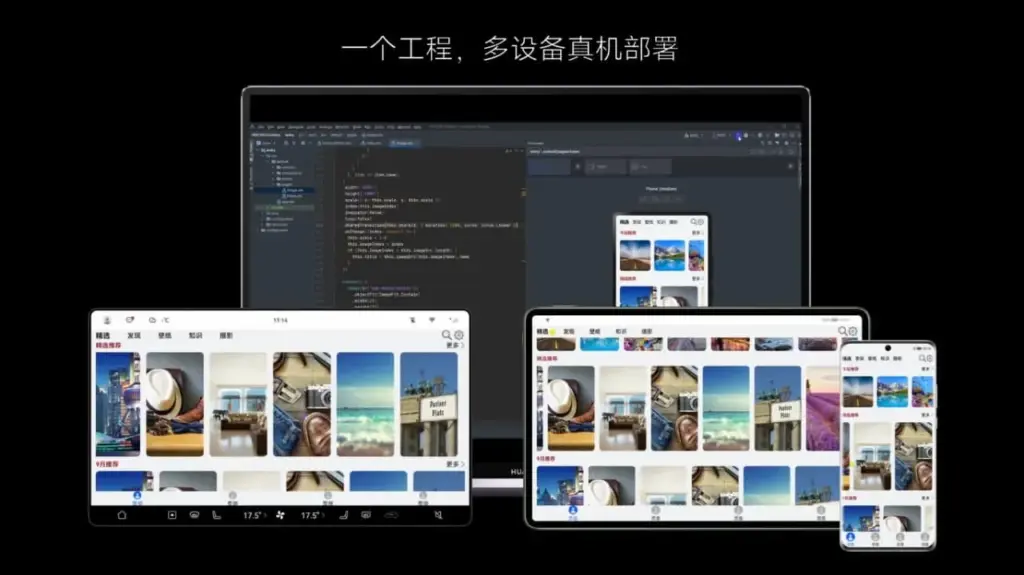
  • ArkUI and other improvements available in Huawei HarmonyOS 5.0.3 Beta 2

    ArkUI and other improvements available in Huawei HarmonyOS 5.0.3 Beta 2

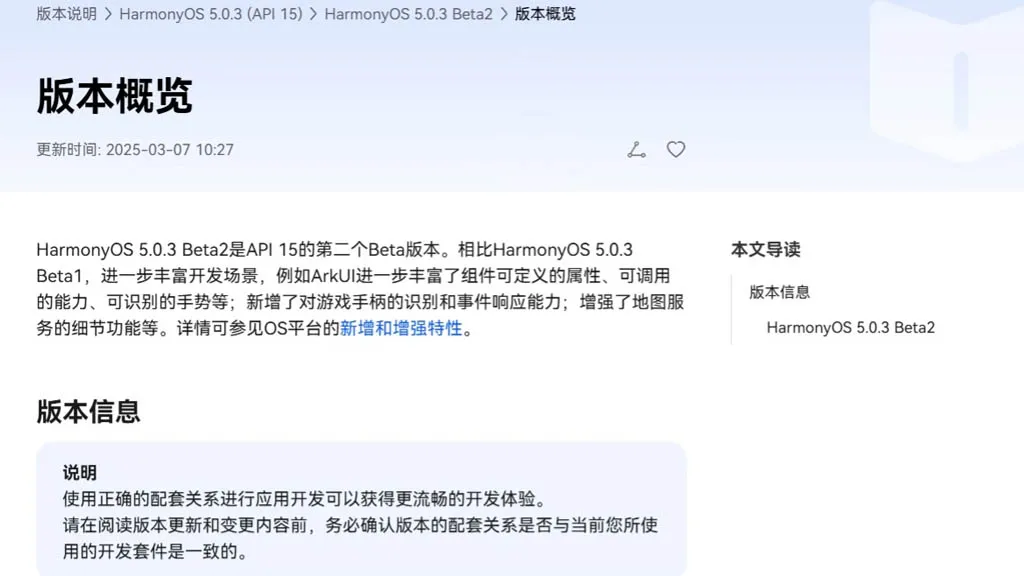
    With an extensive list of new features and improvements, Huawei has made the HarmonyOS 5.0.3 beta 2 rollout available to developers. Numerous areas have been enhanced by the company, such as ArkData, ArkUI, AppGallery Kit, Camera Kit, Core File Kit, and more.

    Also, it has expanded these segments’ capabilities to improve internal management and developers’ overall experience. The new HarmonyOS 5.0.3 Beta 2 was created by the Chinese phone manufacturer using API 15. In comparison to the previous edition, it significantly redesigns the development scenarios.

    harmonyos with arkui framework

    Mainly ArkUI improves the responsiveness, callable capabilities, and customizable attributes for map services and game controllers. Only because of its graphical repercussions for the development of HarmonyOS 5.0.3 have we brought up the ArkUI in the vast changelog. The complete changelog is available at the source link below.

    harmonyos 5.0.3 Beta2

    HarmonyOS 5.0.3 Beta 2: ArkUI Changes

    • The basic component now supports the ability to insert text at a specified location in the edited text and delete the content in a specified area.
    • The focus axis event has been added to the general events to support responses to game controller axis events. The C API also supports obtaining the value of the operation type of the current axis event.
    • The pattern password lock component now supports setting whether unselected grid dots are automatically selected when the password path passes through them.
    • Window Management A new C API for window management is defined, which is mainly used to set and get the properties of a specified window, as well as to set the status bar style and navigation bar style of a specified window.
    • The Image component now supports color filling that can overwrite the original color. This feature is only available for image sources in SVG format.
    • The Image component now supports automatic transformation based on the image matrix, providing automatic transformation optimization when presenting grid-type thumbnails in scenes similar to galleries.
    • The Tabs component and Swiper component now support setting the mouse wheel page turning mode.
    • NavDestination adds support for callbacks when events return, which is used to pass parameters when events return.
    • The TextPicker component now supports configuring the text style of each selection item.
    • The Progress component adds a new C API to support the setting of the linear progress bar style.
    • The folding screen state enumeration in the screen property module adds multiple state definitions for the folding axis 2.
    • The Node attribute style of the C API adds the background blur effect attribute NODE_BACKDROP_BLUR.
    • FrameNode now supports cross-language capabilities.
    • FrameNode now supports the expansion mode of child nodes when traversing nodes.
    • Size settings now support setting width and height to adapt to the parent component layout.
    • Text components now support shortcut key tips (labelInfo) in TextMenuItem.
    • The three types of pop-up components now support setting the pop-up display level and related properties and effects (levelMode, levelUniqueId, immersiveMode).
    • BindSheet adds support for the radius property, which is used to set the radius of the semi-modal page corners, and adds support for the detentSelection property, which is used to set the non-gesture switching position.
    • Added a new navigation point component, providing two navigation point styles: dot navigation point and digital navigation point.
    • The Swiper and Tabs components now support animated transitions.
    • The Swiper component now supports sliding behavior interception events, which can determine whether sliding behavior is allowed. The C API controls this through a property named NODE_SWIPER_EVENT_ON_CONTENT_WILL_SCROLL.
    • Third-party platforms have added support for finding the previous or next focus (ARKUI_ACCESSIBILITY_NATIVE_ACTION_TYPE_NEXT_HTML_ITEM, ARKUI_ACCESSIBILITY_NATIVE_ACTION_TYPE_PREVIOUS_HTML_ITEM) when they are connected to the ArkUI accessibility framework.
    • The third-party platform is connected to the ArkUI accessibility framework to add support for multi-instance scenarios.
    • The NavDestination component information of the ohos.arkui.observer module adds the NavDestination type and uniqueId.
    • Added support for C API screenshot capability.
    • UIContext now supports getting screenshots of loaded components by unique Id.
    • UIContext now supports the ability to obtain the layout information of the meta-service menu bar relative to the window.
    • New C API for common events supports obtaining the ID of the current touch event trigger.
    • A new interface with the same name has been added to the window for 2-in-1 devices to set application window size limits.
    • A new interface of the same name is added to the window for specifying the position of the mouse within the window and moving the window.
    • The window adds an asynchronous callback for the window close event monitoring of 2-in-1 devices.
    • The window now supports enabling the monitoring of picture-in-picture window size change events.
    • The window now supports dynamically setting the title of the window title bar.
    • The window now supports setting the main window’s support modes (full screen, floating window, split screen, etc.).
    • NavDestination now supports setting whether to hide the back button in the title bar.
    • Added C API support for controlling focus and handling focus events.
    • Added C API to support forwarding of clone events.
    • The Popup component adds the keyboardAvoidMode property to set whether the Popup bubble avoids the soft keyboard.
    • The pop-up window now supports setting the distance to avoid the keyboard. The ArkTS API is provided as attributes. You can search for the keyword keyboardAvoidDistance in the table pointed to by the link.
    • The attribute string now supports the settings of ResourceStr type images.
    • The attributed string image object now supports obtaining the attributed string image color filter effect (colorFilter).
    • The drag capability now supports obtaining the drag data of the drag progress bar.
    • The component screenshot capability now supports defining component screenshot areas.
    • The Tabs component adds component parameters to support setting the tab position of the Tabs.
    • Text components now support triggering callbacks when the text content is about to change.
    • Added support for obtaining whether touch-related events come from the left or right hand, involving multiple modules: the event module added relevant C API, the gesture binding method added a hand attribute to the FingerInfo object, the touch event TouchObject object added a hand attribute, and the click event clickevent object added a hand attribute.
    • Added support for checking the number of fingers touching the screen, involving multiple modules: NDK added related C APIs, and components added the property isFingerCountLimited to set whether to check the number of fingers touching the screen. This property can be viewed in the reference page of each component.
    • Added support for setting the priority of key event processing and the ability to redistribute. Involved: NDK added a C API for setting the priority of key event processing, NDK added NODE_DISPATCH_KEY_EVENT to the ArkUI_NodeEventType enumeration, indicating the component key event redispatching event (C API), UIContext added an ArkTS API for setting the priority of key event processing, and UIContext added an ArkTS API for distributing key events to specified components.
    • The C API adds support for NODE_CHECKBOX_GROUP-related capabilities. You can search for this keyword in the API reference.
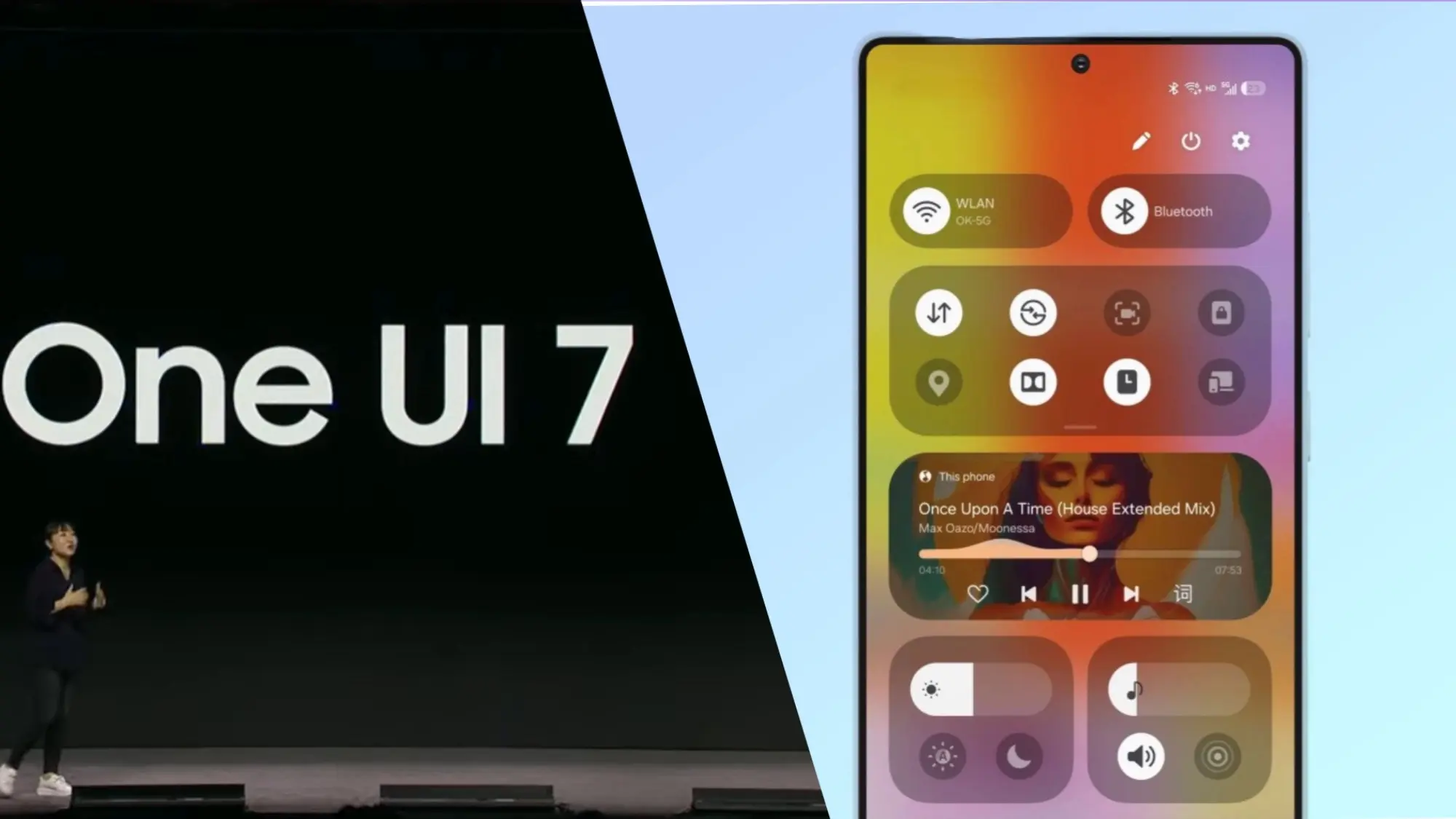
  • One UI 7 Beta 4 could be the final beta release

    One UI 7 Beta 4 could be the final beta release

    Samsung has not yet finished the Galaxy S24 beta phase, but it promised a stable One UI 7 update, based on Android 15, for qualified Galaxy S models by Q1. One UI 7 Beta 4 has now been made available; it is a more compact upgrade than earlier iterations, but it includes a crucial camera function from the Galaxy S25.

    Beta testers started posting on Reddit and other social media platforms that One UI 7 Beta 4 had begun to arrive on their devices a little more than a day ago. The United States, India, South Korea, and a few European nations are now implementing the update. The firmware is marginally smaller than earlier betas, with an average size of 1.4 GB, depending on the carrier and area.

    Log Video is available on Galaxy S24 on One UI 7 Beta 4

    Although the main focus of Beta 4 is bug repairs and speed enhancements, the Galaxy S24 trio now supports log (logarithmic) video recording, a capability that was formerly available with the Galaxy S25 and Galaxy S25 Ultra.

    Photographers and videographers can benefit from log video recording in a number of ways. It has a flat color profile, which gives post-production color grading and editing more freedom, and a higher dynamic range, which preserves more details in highlights and shadows.

    However, when compared to regular video recording, this format uses more storage space. Users must activate log video from the advanced video options in order to use it. Both pro mode and regular video mode are available for activation.

    getting one ui 7 beta 4 on my unlocked s24 ultra in us sc v0 12r9h8h0abke1

    One UI 7 Beta 4 Changes

    AI-powered camera filters are yet another noteworthy inclusion in Beta 4. These comprise pre-built filters like Shiver, Crystal, Breeze, Pulse, and Chill, to name a few. Additionally, users can use pre-existing photos to create custom filters.

    In addition to these enhancements, the firmware fixes a number of problems and improves performance. Notably, it improves performance in other areas while resolving some difficulties with the quick panel and home screen.

    Will this be final beta release?

    Whether One UI 7 Beta 4 is the last beta release or how many more Samsung intends to issue before the Galaxy S24 series’ stable release is still unknown. Samsung has reaffirmed its goal to provide the stable One UI 7 version by the first quarter of 2025. The distribution schedule is yet unknown for other devices, including as the Galaxy S23 series, Galaxy Z Fold 6, and Galaxy Z Flip 6. Whether these devices would go straight to the stable release or undergo a beta period has not been verified by the South Koreans.

    Some speculation suggests that One UI 7 could be skipped entirely, with Samsung instead opting to launch One UI 7.1 or even One UI 8.0 based on Android 16.

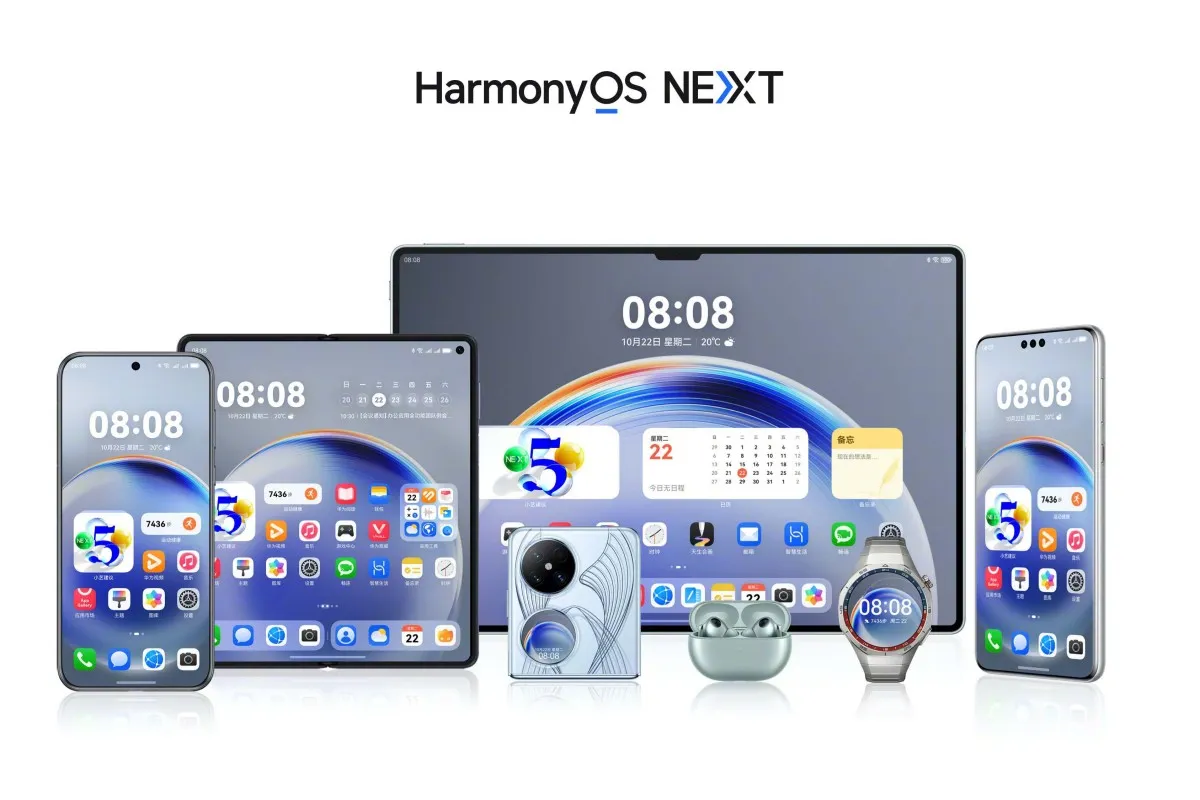
  • Huawei will speed up the public beta launch of HarmonyOS NEXT.

    Huawei will speed up the public beta launch of HarmonyOS NEXT.

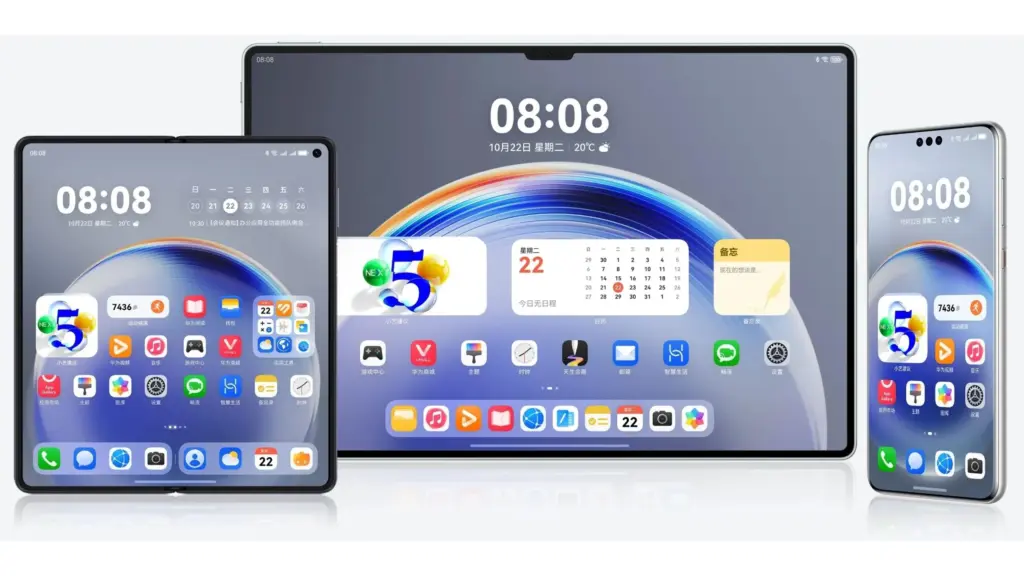
    In March, Huawei is probably going to speed up the HarmonyOS NEXT public beta release. For a few mid-range phones and flagship tablets, the business is presently concentrating on closed beta testing. However, it might soon expedite software testing for the general public.

    The HarmonyOS NEXT public beta program will begin operating on the fast track in March, according to FixedFocus. The new update will soon be available to users who have been waiting for it.

    According to official information, the HarmonyOS NEXT closed beta second wave for the MatePad Pro 12.2, Nova 13 series, and Nova 12/Pro has begun. Next month, these models might go into public beta testing. Owners of the corresponding devices can get ready for installation and take advantage of certain stable software.

    Harmonyos Next scaled 1

    According to the tipster, NEXT will be pre-installed on the Pocket 3 foldable, which is anticipated to make its debut next month. In the meantime, work on the HarmonyOS PC version might also start in earnest in March.

    The estimated weight of the public beta firmware is 2.0GB. The size of the software package may differ depending on the model. We advise having 8 to 10GB of storage available so that the update may be installed without any problems.

    Since HarmonyOS NEXT has the ability to erase all data for improved optimization, make a backup of your device’s data in beforehand. For a smooth installation process, make sure you have a reliable internet or Wi-Fi connection. The battery needs to be charged, which you can do quickly!

    Public beta journey for HarmonyOS NEXT

    In October of last year, the business started the HarmonyOS NEXT public beta test. The Mate 60 series, Mate X5, and MatePad Pro 13.2 2024 tablet were among the flagship products for which it was first made available. It then made its way to Pocket 2 and Pura 70.

    The HarmonyOS NEXT public beta pool now includes devices such as the MatePad Pro 11 2024 tablet and the Nova 12 Ultra/Star Edition. Compared to the closed beta versions, it provides a little more stable software experience. Huawei plans to expand this batch of smartphones in the near future.

  • Nothing Phone 2 receives Android 15 update

    Nothing Phone 2 receives Android 15 update

    Through the Nothing OS 3.0 Open Beta program, which debuted on the Nothing Phone (2a), Nothing was among the manufacturers who initially released Android 15. The company is launching a number of enhancements to the Nothing Phone 2 today and intends to release more devices over the course of the year.

    Pop-up View, Lock Screen, and AI App Drawer

    A new AI-powered smart app drawer that automatically sorts and arranges apps into folders according to use is one of the noteworthy features. One of the most requested additions is the ability for users to pin apps to the top of the app drawer.

    The upgrade simultaneously improves the connectivity layout, widget library, and quick settings. The editor can now be opened with a long press on the lock screen thanks to gesture support. Nothing is expanding the lock screen’s widget space.

    In relation to widgets, new clock face styles have also been added. There is a new social widget on the home screen where you can communicate and share with contacts, and everyone can see the reactions.

    nothing phone 2 android 15 update

    The pop-up view on Nothing phones is another improvement pertaining to the user interface. Nothing OS 3.0 makes it easier to resize and move the pop-up window. Users can also pin incoming notifications to the edge for easy access and swipe down to open the pop-up display.

    Better camera

    android 15 on nothing phone 2

    The system has been improved further. In particular, Nothing claims that Nothing OS 3.0 has a faster camera app launch. In a similar vein, processing times for HDR images have been decreased. Additionally, you may anticipate that the update will improve the Nothing Phone (2)’s low-light camera performance.

    Elsewhere, the update includes the native Android 15 changes such as auto-archiving of app data to free storage space, predictive back animations in select apps, and app prioritization.

    Official releases

    On its roadmap, Nothing has not disclosed when the other Nothing devices would receive the Nothing OS 3.0 Open Beta. As a result, by December of this year, the update should be available on the Phone (2a) Plus, Phone (1), and CMF Phone 1.

    Nothing OS 3.0 Beta schedule

    DeviceRelease date
    Nothing Phone (2a)October 8, 2024
    Nothing Phone (2)November 6, 2024
    Nothing Phone (2a) PlusDecember 2024
    Nothing Phone (1)December 2024
    CMF Phone 1December 2024

    The company did not say how many additional betas are anticipated before the stable release or when the public will be able to access the firmware version. Using beta software on your primary phone is not something we advise.

    However, you can visit Nothing’s Community page to try Android 15 beforehand. The procedure entails manually verifying the update ina the Settings app after downloading and installing the APK. Nothing warns that going back to the prior version of Android is not advised once you are in the beta.

    nothing phone 2

    Nothing Phone (2a)

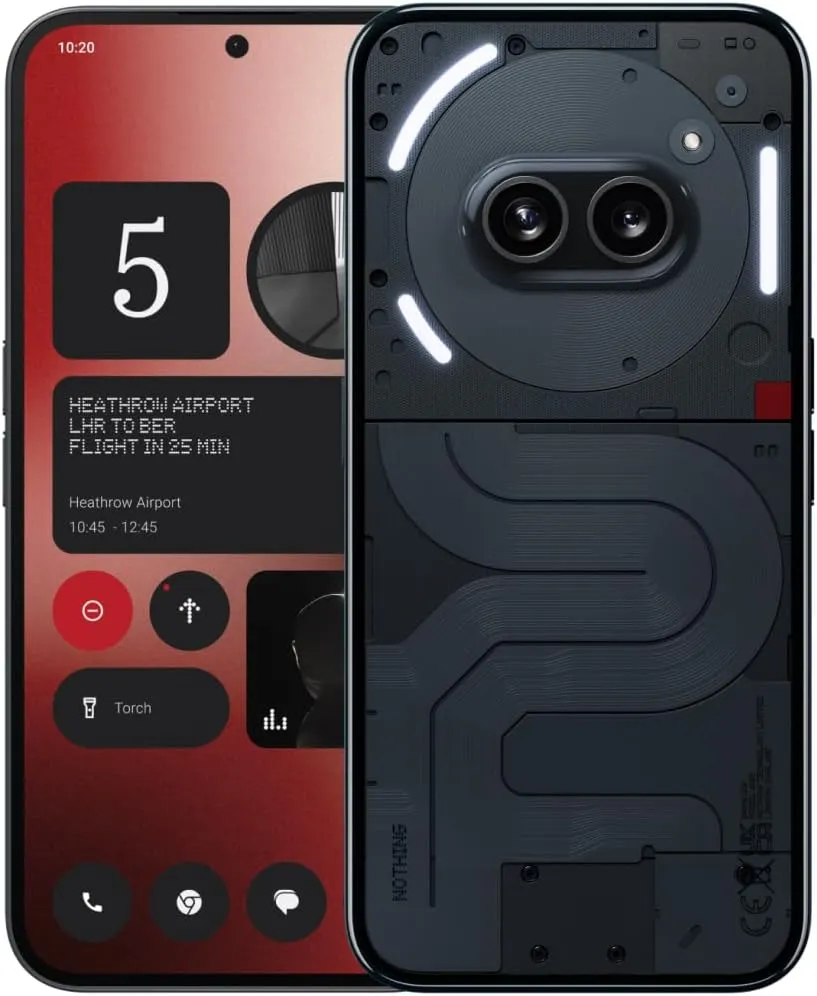
    Unlocked 5G Android Phone Dimensity 7200 Pro, 50MP Dual Camera Cell Phone, 6.7” AMOLED Display, 5000mAh Battery, NFC (Black, 12+256GB)

    $99$379.00See It

  • Android 14 preview to test drive the new features on Pixels

    Android 14 preview to test drive the new features on Pixels

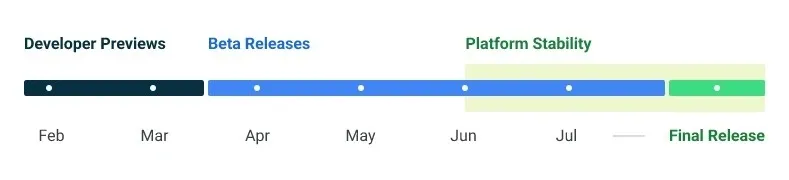
    Google made the Android 14 Developer Preview (DP) available for testing on devices from the Pixel 7, Pixel 6, and Pixel 5 series, even the rudimentary Pixel 4a. A new DP edition is expected to be published in March, followed by a few beta releases until the summer, when more stable and feature-rich versions will be issued, and finally the final Android 14 release in the fall.

    android 14 release calendar

    New Android 14 features

    Speaking of new Android 14 features, as usual in the Developer Preview stage, there aren’t many user-facing ones, but rather deep under-the-hood changes that bring interface speed and power-draw optimizations, as well as security and privacy upgrades. Still, there is one biggie one it comes to new Android 14 feature that you will immediately notice.

    System fonts

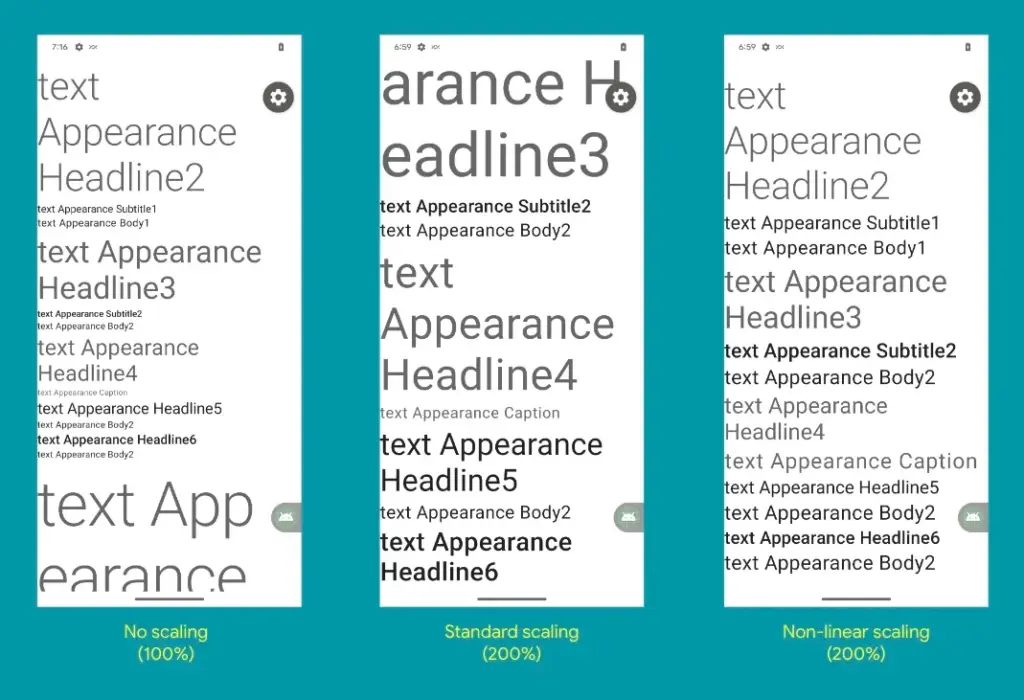
    Bigger fonts with non-linear scaling is exactly what Google refers it as this new Android 14 option as. Instead of the current 130% threshold, Android phone owners will be able to increase the size of the system fonts by two times.

    It makes sense considering that screens are growing bigger and bigger—we now have foldables with screens north of 7 inches diagonal and difficult-to-read small print. Without a doubt, Google uses “non-linear” scaling to raise text in fonts that are already sufficiently large compared to the smaller text that receives a size increase, rather than simply increasing the font size of Android 14 in a way that is deserving of the list of the best phones for seniors.

    android 14 new features font

    Performance and battery life

    Android 14 will optimize the speed of the mobile OS system overall and offer less of a power pull from unnecessary activities thanks to a clever combination of background process optimization and presenting actionable requests to apps only when they are out of a cached state.

    Additionally, without the user’s express consent, apps that don’t need a strict timing schedule, such clocks or calendars, won’t be able to continuously probe for resources by setting precise alarms.

    Adapting to foreign language 

    With Android 14, a number of foreign language optimizations address the accessibility issues of the device by modifying the text to reflect the peculiarities of non-English speakers, such as tailored translations that take into account the different grammatical genders used in various languages.

    The ability to dynamically update the list of foreign languages in an app’s settings to reflect the location and even alter the keyboard based on the interface language that the app is displaying in is another fantastic locale adaption improvement in Android 14.

    Security and privacy

    Down on the system level, Android 14 will include several new malware-fighting features that plug known exploits by blocking app installations or only allow them if they meet certain criteria. 

    Dynamically loaded applications that can be changed by injecting code in the process will be marked to be read-only in Android 14 in order to close another door for the installation of malware and various exploits.

    Android 14 release date

    • Android 14 Beta: April 2023
    • Final Android 14 release build: October-November 2023

    How to install Android 14 Developer Preview on Pixel phones

  • Pixel phones get Android 13 QPR2 Beta 3 – whats new?

    Pixel phones get Android 13 QPR2 Beta 3 – whats new?

    Today brings the release of Android 13 QPR2 Beta 3, which is anticipated to be the last significant preview before the stable rollout in March.

    It is notable that it still includes the January 2023 security patch, which might be fixed in a later version (perhaps a Beta 3.1). The problems with Beta 3 (T2B3.230109.002) have been fixed.

    android 13 beta 3

    Developer-reported and user-reported issues

    • Fixed an issue where notifications in a notification group were sometimes displayed with straight corners instead of rounded corners. (Issue #264287776Issue #265529116)
    • Fixed an issue where the message in the notification shade that indicates an active VPN connection overlapped with the message about apps with active foreground services. (Issue #266075977)
    • Fixed an issue where the overflow menu couldn’t be accessed when editing Quick Settings tiles. (Issue #263484657)
    • Fixed an issue that sometimes caused a device with vibration enabled to vibrate for too long after it received a notification. (Issue #239676913)

    Other resolved issues

    • Fixed an issue that sometimes caused messaging apps to crash or fail to send notifications.
    • Fixed a GPU issue that prevented apps from using certain visual effects.
    • Fixed an issue where Quick Settings tiles for a work profile were not added after setting up a new device.
    • Fixed an issue that sometimes caused the Pixel launcher to crash when using the Search bar in the app drawer.
    • Fixed an issue that sometimes prevented a device from being unlocked using a pattern after the Google Assistant was activated.
    • Fixed an issue in the com.android.qns system process that sometimes caused crashes.
    • Fixed an issue with the Pixel launcher that prevented Chinese text input from being recognized when typing in the Search bar in the app drawer.
    • Fixed an issue where when entering and exiting Picture-in-picture (PiP) mode from an app after changing the screen orientation, the system Settings app crashed with a “Settings keeps stopping” message and then the system Settings app couldn’t be opened.
    • Fixed an issue with the System UI that sometimes caused it to crash from a null pointer exception.
    • Fixed an issue where the connection status of a Bluetooth device sometimes did not match the actual device state.
    • Fixed an issue where the Pixel launcher crashed when a user tapped a web search suggestion for a query term.
    • Fixed an issue that caused status bar icons to overlap with the date text when font and display settings were set to their maximum level on a device.

    The “list of Recent apps sometimes becomes sluggish if the screen orientation is changed while the list is open” has one more problem, though.

    As Google typically publishes betas after the most recent monthly Android security patch has issued, Android 13 QPR2 Beta 3 lingering on the January 2023 security patch level is extremely peculiar. That is not anticipated until February 6th, Monday.

    If you have installed the QPR2 Beta, leaving the program will result in a wipe and your next opportunity to exit without losing data will be in March after the stable launch.

    Android 13 QPR2 Beta 3 system images are available for the Pixel 4a, Pixel 4a 5G, Pixel 5, Pixel 5a, Pixel 6, Pixel 6 Pro, Pixel 6a, Pixel 7, and Pixel 7 Pro. as well as in the Android Emulator.

    Androdi 13 beta 3 downloads

    Most users will be installing Beta 3 from the Android Beta Program website. You can expect an OTA update in the coming hours. If you need help, here’s our full guide on installing Android 13.