Tag: beta

  • How to become a HyperOS Mi Pilot beta tester

    How to become a HyperOS Mi Pilot beta tester

    Becoming a HyperOS Beta Tester will let you to test and install HyperOS Mi Pilot releases before anybody else does. After your application is accepted, you can test and report on HyperOS Beta releases prior to their release. Becoming a HyperOS Beta tester is a fairly easy process. You won’t be able to create apps if there isn’t a beta program in place. We can state, however, that HyperOS 2.0 will reopen the Beta program.
    How to become a HyperOS Mi Pilot beta tester

    Applying for the HyperOS Mi Pilot/Beta Program

    The following steps must be followed if you wish to participate in Xiaomi’s HyperOS beta testing program:

    1. Download the newest version of Mi Community

    Please ensure that you have the latest version of the Mi Community app. This is a mandatory application to enroll in the Beta Program.

    2. Sign up for the Beta Program

    Please carry out the following steps to join the Beta Program:

    • Open the Mi Community application.
    • Change the region of the app to Global: Tap on “ME” > “Set up” > “Change region”.
    • Beta Testing: Click on “ME” to get to “Beta testing”.
    • Apply for Recruiting: Clap on “Recruiting test” and afterward “Apply”. The system will automatically check whether your device is eligible for this Beta Program.
    • On-Screen Prompts: Follow the on-screen instructions to complete the form/application and successfully submit it.
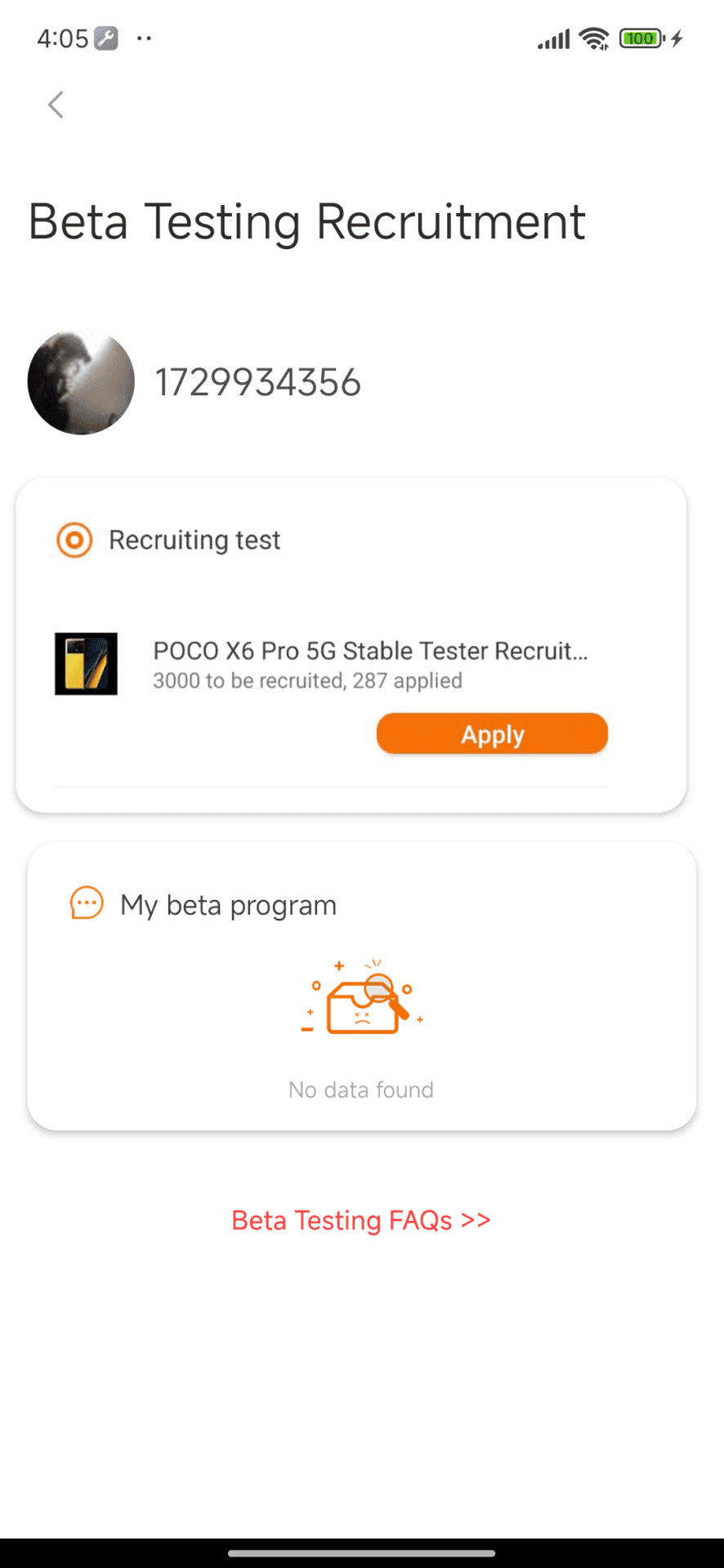
    Beta Testing Page

    Typical issues and their gixes

    When you sign up for the beta program, you can run across certain issues. The answer to those issues is right here.

    Page is visible: “No data found”

    • Check Device Status: Please check if your device reached EOL status on this link. Any devices that have reached EOL status ARE NOT eligible to take part in the beta program.
    • Device Availability: More devices are being added to the program, so for those not at EOL yet but still not in the list, have a little patience.
    Beta Testing Page Not Available 1

    Answer Basic Questions

    You will get points when you answer some of the basic questions in Beta/Pilot Program. You will need at least 60 points to get applied.

    You can answer questions following by Xiaomi Community > “ME” > “Beta testing” > “Recruiting Test” > “Respond”.

    Already a Xiaomi ROM Beta Tester

    Reapply Required: If you are a current Xiaomi ROM Beta Tester, note that you must reapply to the HyPerOS Beta program. The permissions that you have previously applied to the user account will continue to function for a few days.

    Supported ROMs

    Beta Program supports all Global ROMs including MI, EEA, etc. If you want to apply in India, you can try this form.

    How to know if you are accepted

    You will know this because, if you are accepted, you can see that there is a button in the test page from Recruiting named “Passed”.

    Approval Status “Approving”

    Means your application is being considered. The decision can be made within 7 working days.
  • M3 Expressive just landed on WearOS phone app

    M3 Expressive just landed on WearOS phone app

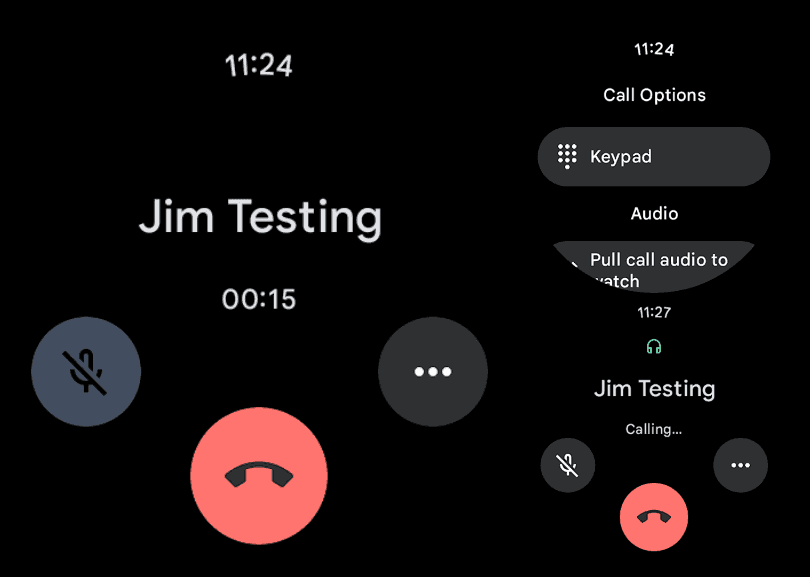
    The Phone by Google app is receiving an M3 Expressive overhaul on WearOS, much like it does on Android.

    The in-call screen has been updated for users to see. The end call button clings to the display’s lower border. For a larger touch target that is useful on this small screen, it is larger than the current circle.

    The call duration appears at the center of the same line, while the mute and three-dot overflow buttons are positioned farther up the screen.

    wearos phone app

    Similar updates occur when you dial a number. Presumably, M3 Expressive will also be added to the Google Phone Wear OS homescreen. On the watches we looked at today, this is not currently generally available.

    These are minor updates that match the phone’s redesigned in-call screen. Although it is no longer a grid, the “More” menu is now a list similar to Call Assist. The incoming call screen, which allows users to choose between a left/right slide or buttons to answer calls, is the most significant improvement.

    expressive ui showing up on pixe

    While some beta users already have the Home, Keypad, and Voicemail bottom bar, others have Material 3 Expressive’s complete redesign.

    Google Pixel Watch 3

    The Google Pixel Watch 3 is designed for performance, with advanced fitness from Fitbit; the 45mm screen is twice as bright and 40% larger than before, making it easier to see your stats and info

    $399.99$349.00Get It Now

    Stay connected with the latest from Droid Tools—follow us on X @droid_tools, like our page on Facebook, check out our updates on Instagram, and follow us on Google News for real-time news, device tips, and mobile tech insights.

  • Xiaomi 15 gets Android 16 update via beta program

    Xiaomi 15 gets Android 16 update via beta program

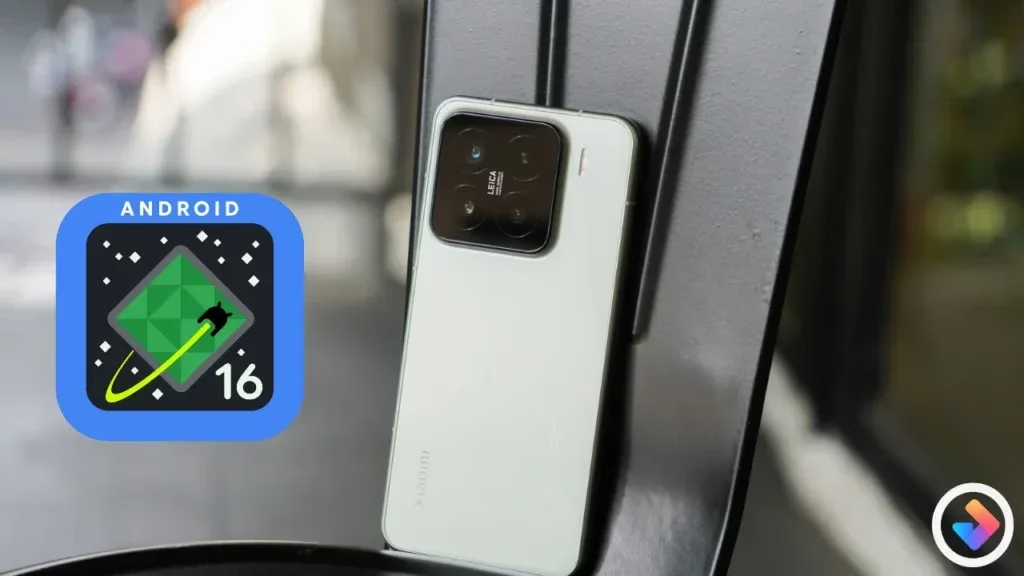
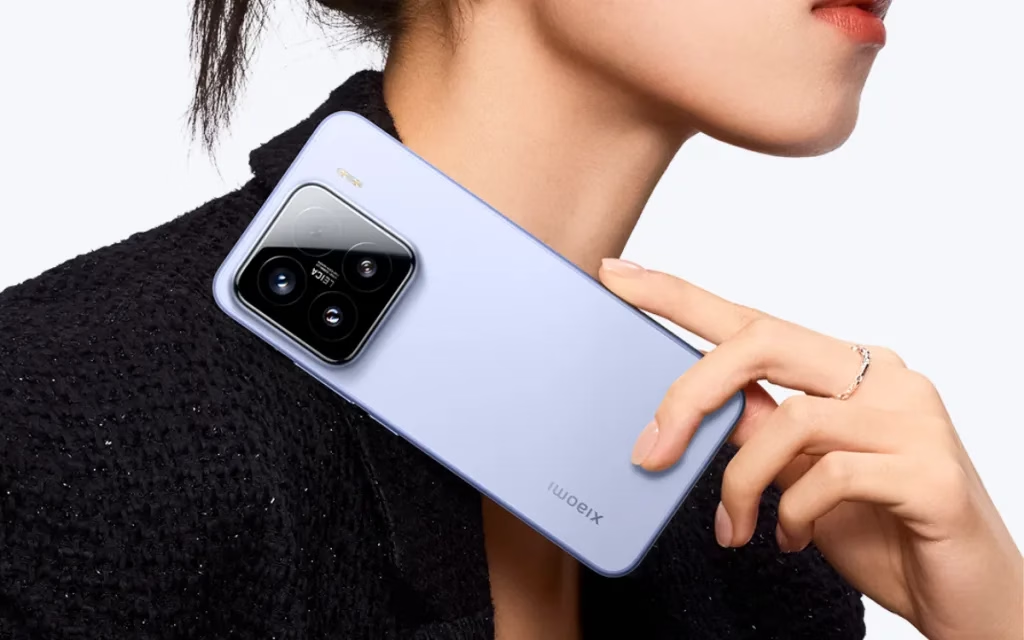
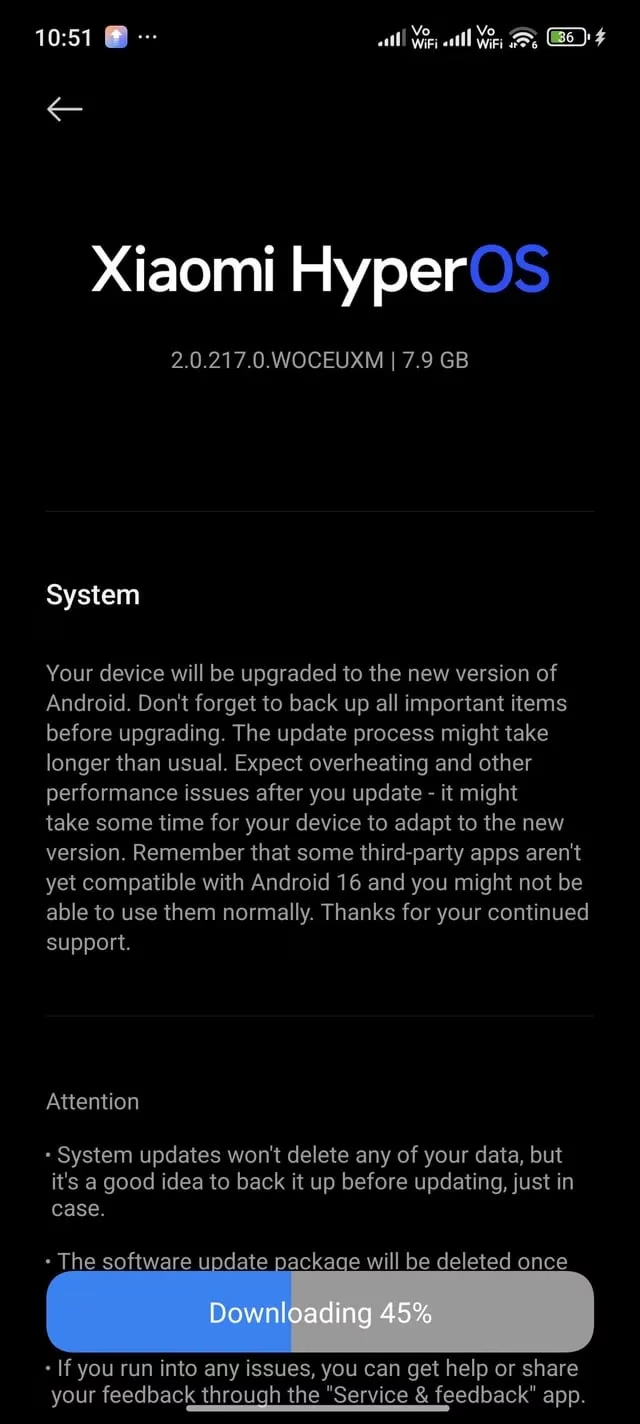
    A pilot version of the Android 16 update is currently available to Xiaomi 15 owners. The Xiaomi 15’s Android 16 upgrade still uses HyperOS 2.0 as its foundation. For a limited number of users, the pilot release functions similarly to the final beta build. The Android 16 pilot update has apparently been made available to Xiaomi 15 customers in the US and other countries.

    Xiaomi 15

    Google formally unveiled Android 16 last month, and as of right now, only Pixel smartphones can run its stable build. Whether the Xiaomi 15 will be the first non-Pixel handset to receive stable Android 16 or if customers will have to wait a little while longer would be interesting to observe. As an alternative, Samsung might lead since the stable Android 16 build is anticipated for the Galaxy S25 later this month.

    Xiaomi 15 to be the first who receive HyperOS 2.3 with Android 16

    The build number for the Xiaomi 15’s Android 16 upgrade is 2.0.217.0.WOCMIXM. The 7.8GB size of the upgrade was anticipated given its importance. So, if you have the update, be sure to download it over WiFi.

    xiaomi 15 android16 update

    We do not currently have access to the changelog or information regarding the features of the Android 16 pilot release. Android 16 may bring some minor modifications, but HyperOS 3’s release is probably when the main features will be available.

    This is a pilot release that is being made available to beta users, as was previously stated. The same version will be made available to users in batches if the build appears to be flawless for the general audience. The stable Android 16 upgrade might not be available to everyone for a few weeks.

    Once stable Android 16 is out, you can check Settings for the update if you have a Xiaomi 15. Before installing the update, take cautious to backup any important data.

    Stay connected with the latest from Droid Tools—follow us on X @droid_tools, like our page on Facebook, check out our updates on Instagram, and follow us on Google News for real-time news, device tips, and mobile tech insights.

  • Battery Health Assistance coming to all Pixel devices

    Battery Health Assistance coming to all Pixel devices

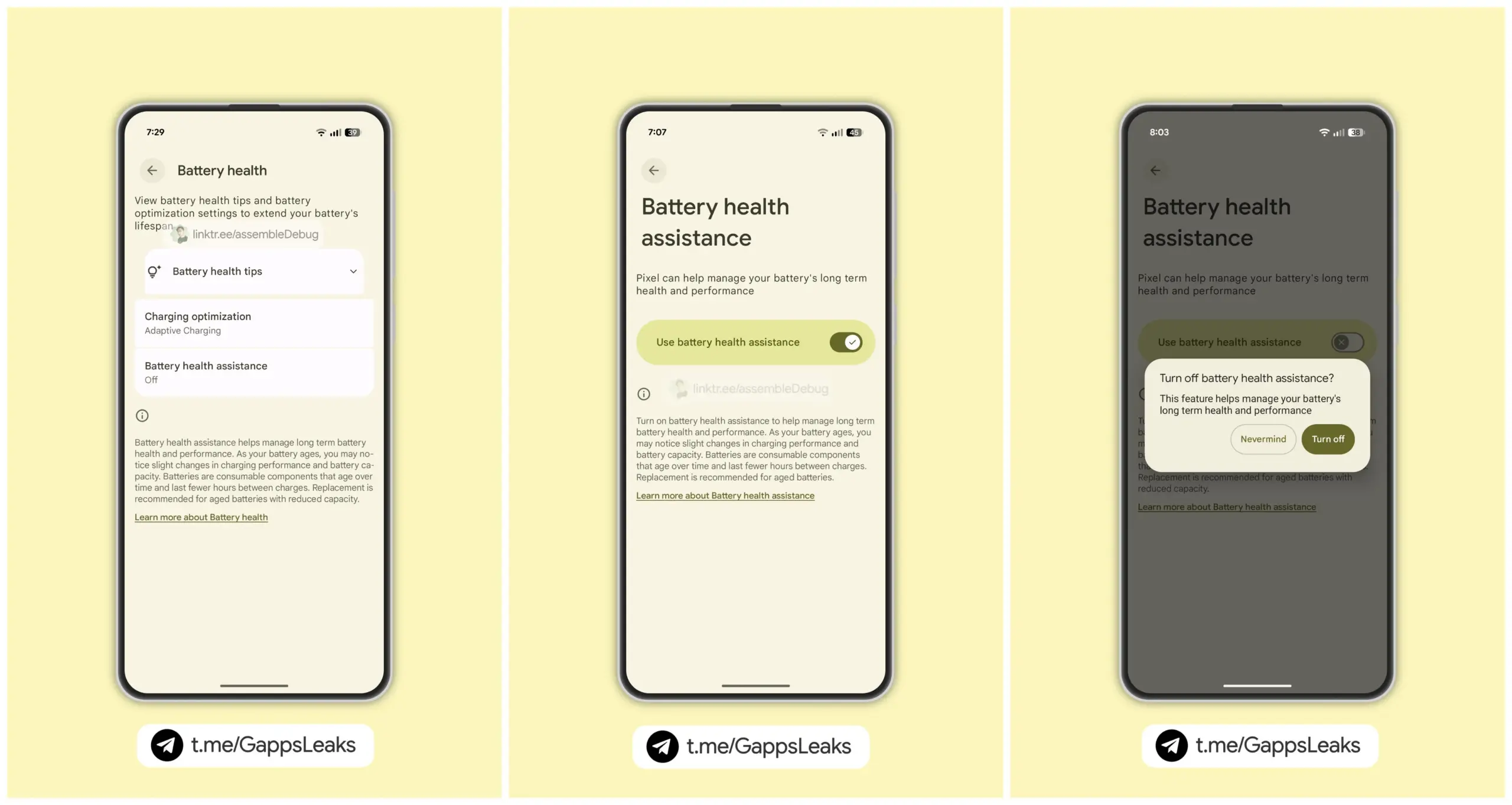
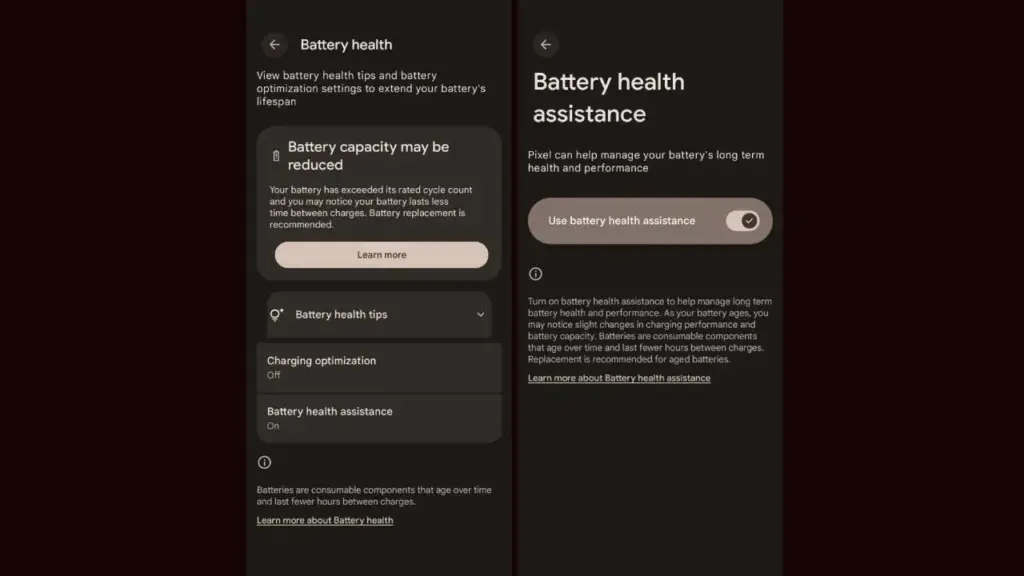
    As seen by the Android 16 QPR1 Beta 2 update, the company is getting ready to expand the Battery Health Assistance function, which made its debut with the Pixel 9a, to additional Pixel devices. Serious problems including battery overheating and even melting during charging have recently been reported with certain Pixel phones. The tech giant is working hard to stop this, though.

    Android 16 beta update brings ‘Battery Health Assistance’ feature

    For those who are unaware, early this year, Google released the Pixel 9a with Battery Health Assistance, a charge management tool. This feature cannot be manually disabled because it is enabled by default.

    Google’s support page states that Battery Health Assistance aids in controlling the long-term performance and health of a phone’s battery. Serious problems like battery deterioration, overheating, and even melting when charging can be avoided with its assistance.

    Battery Health Assistance pixel devices

    After applying the Android 16 QPR1 Beta 2 update on their phones, a few users became aware of the new feature. To put it briefly, Google intends to eventually extend this feature to older Pixel models.

    Google defines the feature as follows; ”Lithium-ion batteries are consumable components that eventually require replacement. As your battery ages, Battery health assistance helps manage its long-term health and performance. This software adjusts the battery’s maximum voltage in stages. It starts at 200 charge cycles and continues gradually until 1000 charge cycles. This helps stabilize battery performance and aging.

    Images posted by customers who have tested Battery Health Assistance indicate that, unlike the Pixel 9a, the feature won’t be required. In other words, if you want to, you can turn it off. Google advises, however, that you keep it enabled at all times to preserve the functionality and health of your battery.

    It’s crucial to have this feature to keep your battery from dying too soon.

    On Pixel phones, the Battery Health Assistance feature may somewhat shorten battery life and charging speed. In the long run, nevertheless, it is really useful and protects the battery. This might stop the recent battery problems that some Pixel variants have been having.

    Many stories of earlier Pixel models burning and even melting their batteries after charging have surfaced in recent months. Arielle, a user, even complained last week that her Google Pixel 6a melted and caught fire while charging. It is noteworthy that she was utilizing a third-party, non-OEM charger.

    Pixel 9a

    Google Pixel 9a with Gemini

    Google Pixel 9a is engineered by Google with more than you expect, for less than you think; like Gemini, your built-in AI assistant, the incredible Pixel Camera, and an all-day battery and durable design

    $499.00$449.00Amazon

    Stay connected with the latest from Droid Tools—follow us on X @droid_tools, like our page on Facebook, check out our updates on Instagram, and follow us on Google News for real-time news, device tips, and mobile tech insights.

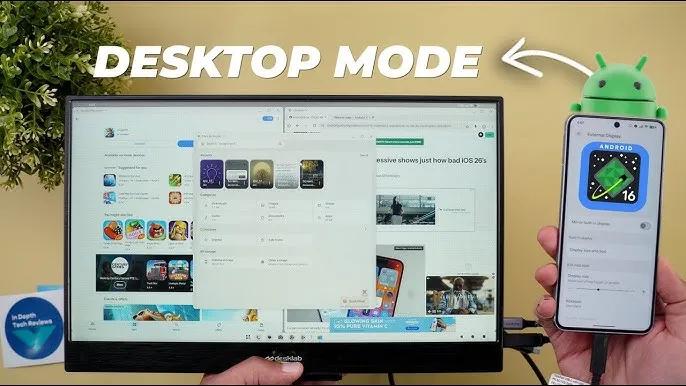
  • Desktop Mode preview spotted in Android 16 QPR1 Beta 2

    Desktop Mode preview spotted in Android 16 QPR1 Beta 2

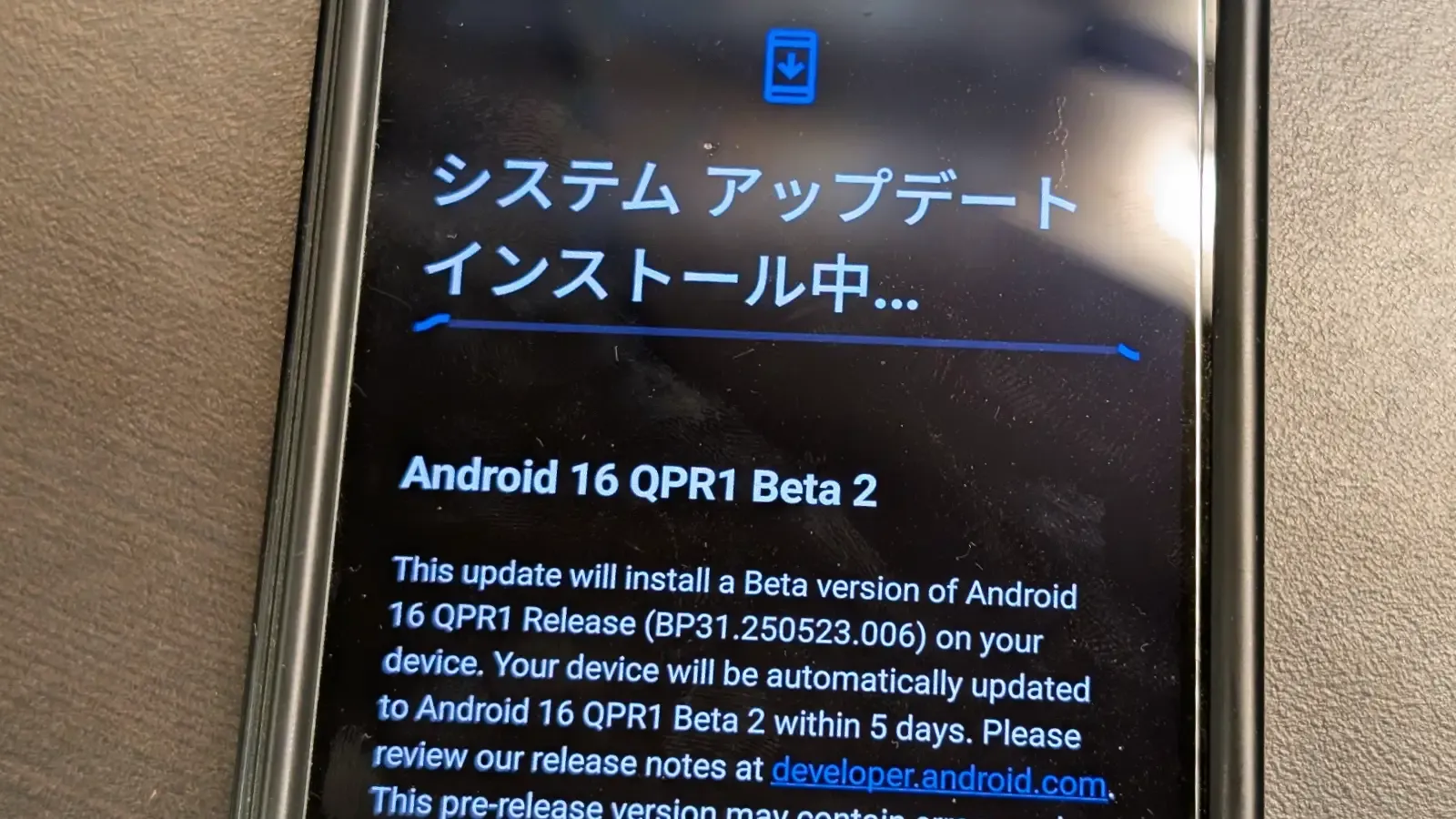
    Android 16 has finally been made available to the general public by Google. The June Pixel Drop and Android 16 QPR1 Beta 2 are also available today, so this isn’t the only update. Here, we’ll concentrate on Android 16 QPR1’s second beta, which will be made available to the general public as Pixel Drop the next quarter.

    In late May, Google started testing the Android 16 QPR1. Some of the Material 3 Expressive changes were first made available in the first beta. In addition to bug improvements, the second beta offers developers a sneak peek into Dex-like desktop mode.

    android 16 qpr1 beta 2 desktop mode

    Desktop mode is inevitable in Android 16

    Pixel devices using build number BP31.250523.006 can access the Android 16 QPR1 Beta 2, which is still based on the May security patch. The second beta, as previously said, is more akin to a bug-fix update that fixes a number of known problems. The known bug fixes are listed here.

    • Auto dark theme is not working
    • Now playing is crashing when selecting a track
    • Camera frequently fails to launch
    • Shortcuts for newly-downloaded apps aren’t automatically added
    • Home button not working on app list UI
    • “More wallpapers” button misaligned in wallpaper settings
    • Gemini fails to work on the lockscreen

    The second beta of Android 16 QPR1 will be accessible via an over-the-air update if you have already installed the first beta on your Pixel phone. To test the new QPR beta and the next beta builds, you can simply sign up for the beta program if you’re on a public build.

    Make care to backup crucial data and charge your smartphone to at least 50% before applying the update.

    Stay connected with the latest from Droid Tools—follow us on X @droid_tools, like our page on Facebook, check out our updates on Instagram, and follow us on Google News for real-time news, device tips, and mobile tech insights.

  • Lists of supported devices and countries eligible for One UI 8 beta testing

    Lists of supported devices and countries eligible for One UI 8 beta testing

    Owners of the Galaxy S25 series had already been testing the initial beta build in a few chosen regions when Samsung shocked its Galaxy audience by launching the most recent One UI 8 beta program. At the moment, the beta is accessible in four nations, with additional countries to follow afterwards.

    Regarding previous deployments, Samsung has set aside seven nations—China, the US, the UK, South Korea, Germany, India, and Poland—to test the most recent One UI beta version for years.

    Samsung eventually separated the beta distribution into two stages with One UI 7. The first batch of One UI beta was released in four regions—South Korea, Germany, the US, and the UK—with the exception of China. The two remaining regions—India and Poland—will be saved for the second phase of the One UI beta deployment.

    one ui 8 beta testers

    Samsung is following the same approach for the One UI 8 beta rollout.

    • Phase 1: Initial beta release is limited to:
      • Devices:
        • Galaxy S25
        • Galaxy S25+
        • Galaxy S25 Ultra
      • Countries:
        • South Korea
        • Germany
        • The United States (US)
        • The United Kingdom (UK)
    • Phase 1 is exclusively reserved for the listed countries.
    • Only owners of the Galaxy S25 series in these regions currently qualify.

    Interested Galaxy S25 owners can now register and test the most recent beta release thanks to Samsung’s recent improvements to the One UI 8 beta enrollment and participation process. The beta program is now available for the S25 family, but it will eventually expand to include more qualified devices.

    Stay connected with the latest from Droid Tools—follow us on X @droid_tools, like our page on Facebook, check out our updates on Instagram, and follow us on Google News for real-time news, device tips, and mobile tech insights.

  • How to get early access to One UI 8 beta program

    How to get early access to One UI 8 beta program

    With Samsung now enabling Galaxy S25 series owners to test the most recent One UI 8 beta program, starting in its home country of South Korea, One UI 8 will soon be available on your Galaxy phone. You must be wondering how to join the beta phase as soon as it arrives on your device, but here are a few easy actions you can take.

    Before the official or stable release, the One UI 8 Beta program is now available for the Galaxy S25, Galaxy S25+, and Galaxy S25 Ultra to test out all the newest features and capabilities.

    The beta build for the Galaxy S25 family is designated with build number ZYER, while the upgrade may eventually reach additional eligible regions outside of South Korea. Simultaneously, this most recent version improves accessibility, efficiency, and security while also adding some of the main features of Android 16.

    Beyond this, this update further includes the ongoing May 2025 security patch that significantly improves the device’s overall security and core functionality.

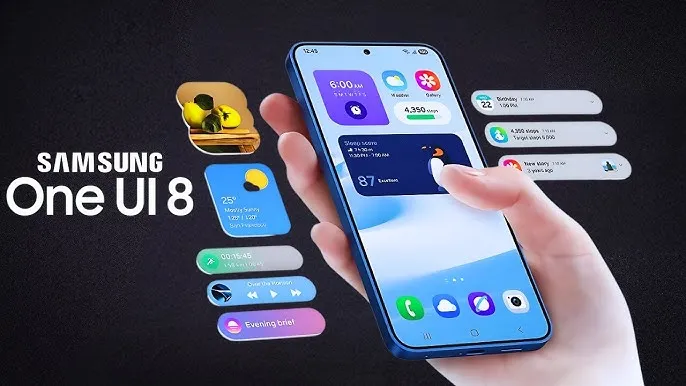
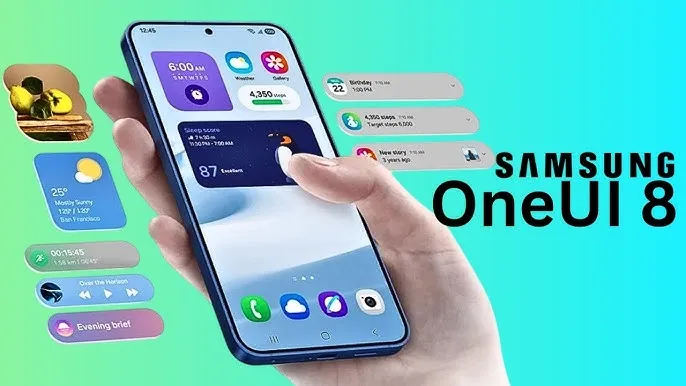
    One UI 8

    How to join One UI 8 beta program?

    Also, Samsung made some minor changes to its beta registration procedure this time around to make it more convenient. Here’s how to sign up for the most recent One UI 8 beta program using the Samsung Members app!

    • Open the Samsung Members app.
    • Tap on the One UI 8 Beta program banner.
    • Once tapped, follow all the on-screen prompts while also accepting the beta terms and conditions. You are enrolled now!
    • This takes you closer to installing the latest beta build; just head to Settings >> Software Update >> and finally, Download and Install.
    • Once installed, your device will automatically reboot to the latest build; thus, you are now ready to rock One UI 8 beta.

    If you want the latest Droid Tools news, follow us on X @droid_tools and like our page on Facebook to stay updated.

  • Big UI change in Android 16 Beta QPR

    Big UI change in Android 16 Beta QPR

    With Gemini mostly overshadowing the two-day developer conference, Google I/O 2025 is now gone. On the other hand, the release of Android 16 QPR1 Beta, which incorporates the previously introduced Material 3 Expressive design language, is a more noteworthy advancement for certain aficionados. What’s new in this version and how to access the beta are explained here.

    After the stable Android 16 Beta program, the first Quarterly Platform Release is the Android 16 QPR1. Despite being more stable than previous betas, it is still intended for developers and testers because of flaws and other problems. Similarly, this release represents a sneak peek at the upcoming Pixel Feature Drop, which is anticipated to happen next month.

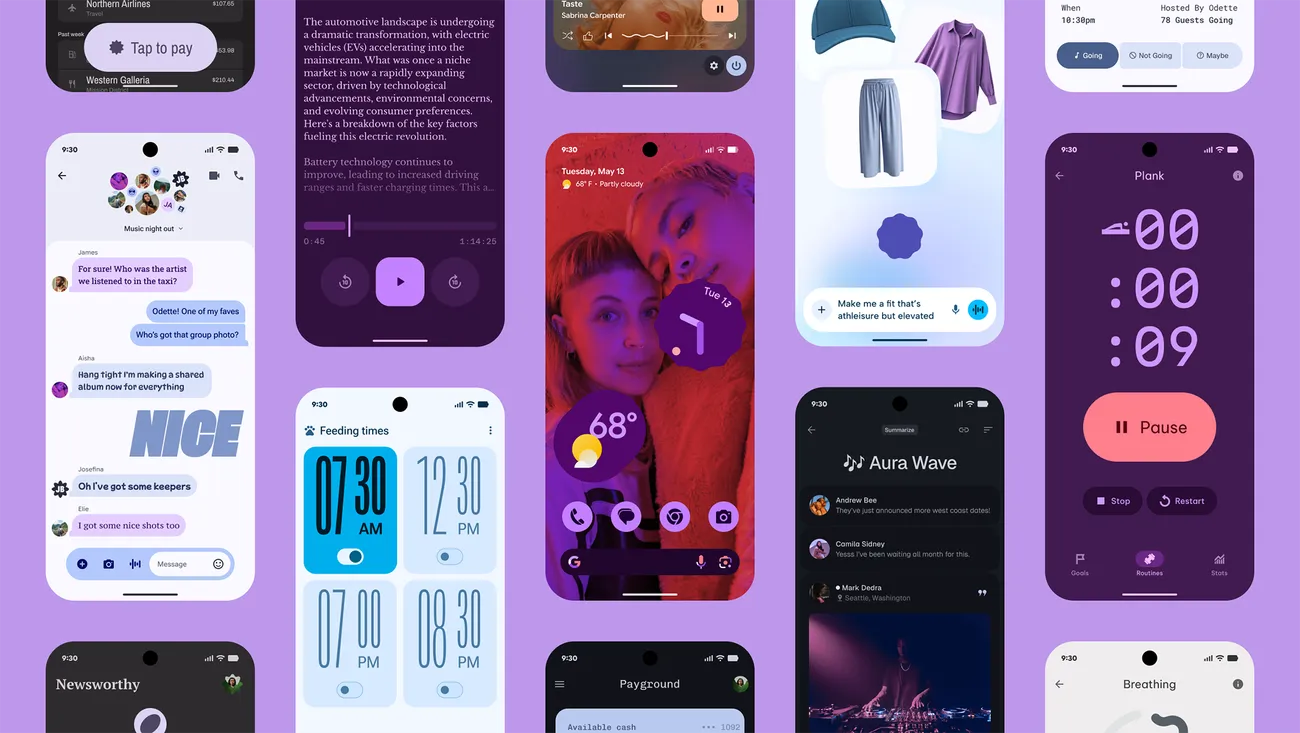
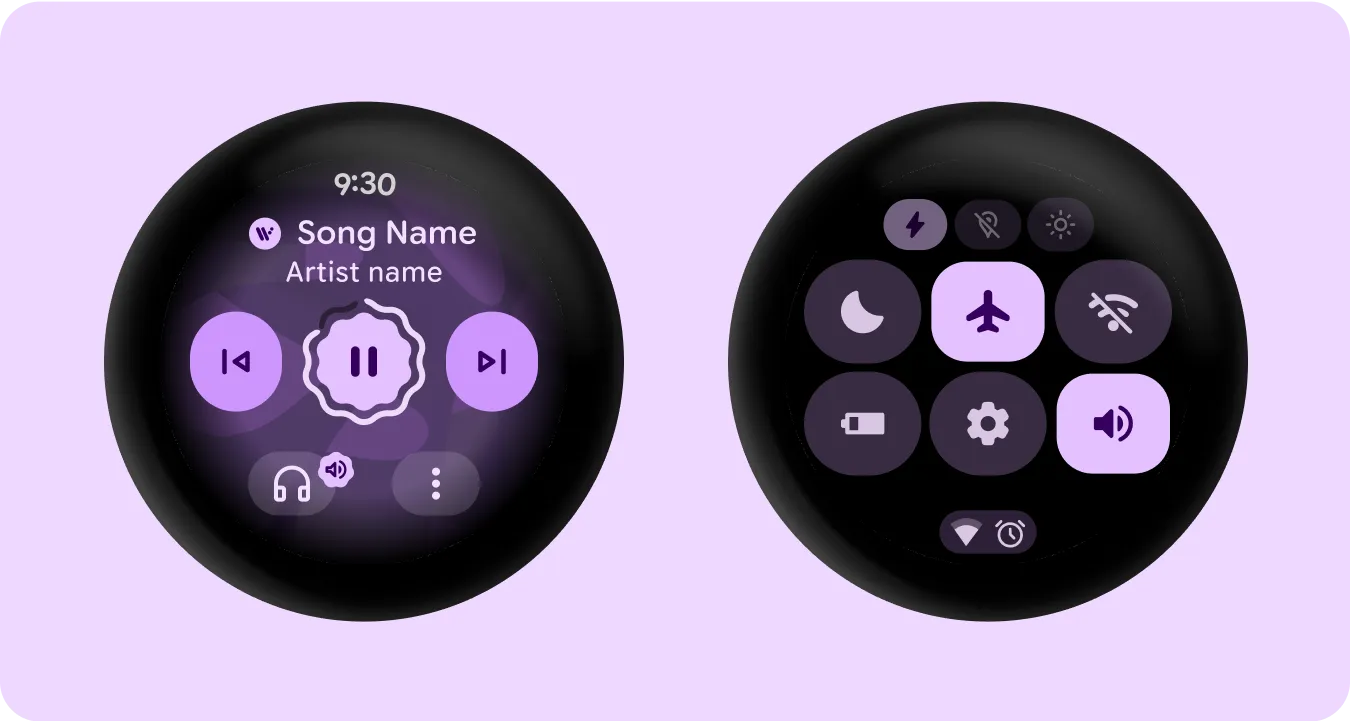
    Google’s new design language, Material 3 Expressive design, or M3E, which incorporates bolder and more playful elements, is now available in the Android 16 QPR1 Beta. Wear OS 6 for wearables will also use the M3 Expressive design.

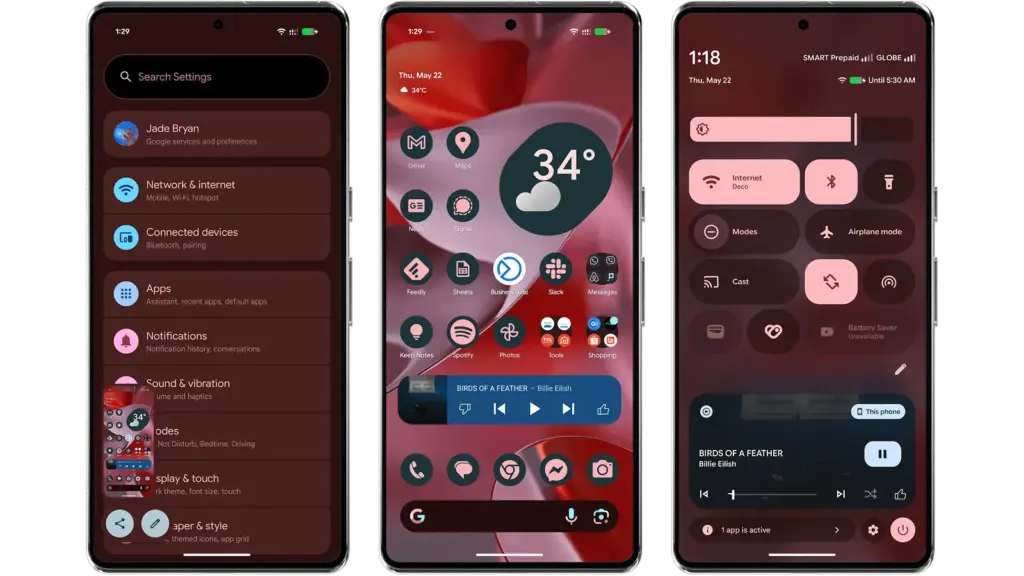
    To experience M3 Expressive, I set up the Android 16 QPR1 Beta on my Pixel 9 Pro XL (review). The wallpaper and quick settings are two examples of UI elements and sections where the modifications are instantly apparent. Additionally, some features, including personalized icons on the Pixel Launcher, are not yet enabled.

    Android 16 QPR1 Beta with Materi

    Material 3 Expressive design landed in Android 16 QPR

    A notable modification to the home screen is the addition of a complete row of additional space for widgets and apps. This is because the “At a Glance” widget, which was formerly located at the top of the home screen, has decreased.

    The battery, cellular, and Wi-Fi system icons have also been added to the status bar. In the meantime, each component of the system settings has more themed glyph icons.

    The most significant changes are in the fast settings panel, which now uses shortcuts and widgets in a more vibrant and effervescent manner, along with new animations that Google calls “springy.” Additionally, there are additional customization options for scaling and positioning toggles and icons, which enables users to employ 1×1 icons to fit more elements.

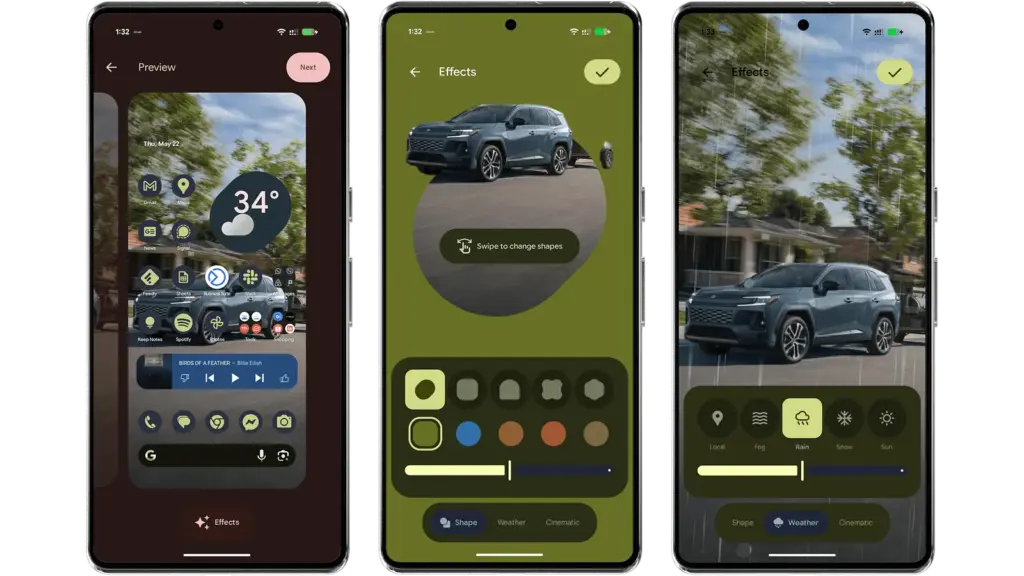
    Android 16 provides additional settings and effects for custom images, which will appeal to those who like personalizing their home screen and lock screen. AI-powered weather effects and the ability to overlay colors with shapes are now available. A cinematic effect is an additional choice, but my device was still unable to use it after trying.

    android 16 qpr changes

    More apps will come with Material 3 Expressive

    It is anticipated that Google would add more M3 Expressive elements to its services and applications, such as Google Photos and Keep.

    Manufacturers of skinned Android versions, like Samsung’s One UI, are now primarily responsible for implementing the Material 3 Expressive design. Many of these changes and new features should be maintained for those that provide stock and near-stock Android experiences.

    All of these updates, along with perhaps other improvements and optimizations not included in the first Android 16 QPR version, will be included in the June Pixel Feature Drop if you’re patient enough.

    The Android 16 QPR1 Beta update is available via the beta program for Pixel 6 all the way to Pixel 9 series.

    • Pixel 6, Pixel 6 Pro, and Pixel 6a
    • Pixel 7, Pixel 7 Pro, and Pixel 7a
    • Pixel 8, Pixel 8 Pro, and Pixel 8a
    • Pixel 9, Pixel 9 Pro, Pixel 9 Pro XL, Pixel 9 Pro Fold, and Pixel 9a
    • Pixel Fold
    • Pixel Tablet
  • One UI 8 #rumor – here’s when we may expect the next One UI upgrade

    One UI 8 #rumor – here’s when we may expect the next One UI upgrade

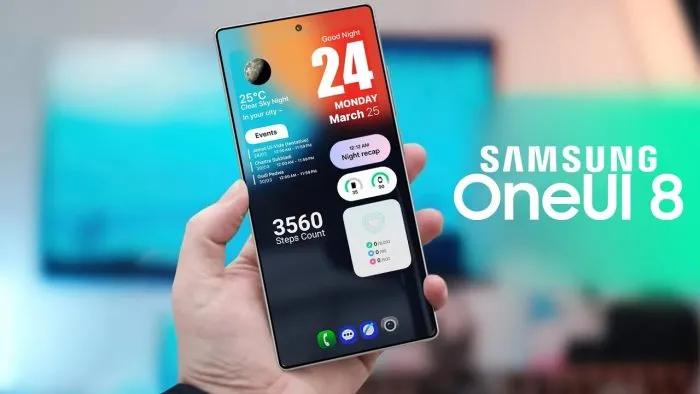
    Samsung’s One UI is a significant element of what distinguishes Galaxy phones and tablets. With One UI 7 finally available to consumers on April 7, 2025, attention has shifted to the next chapter: One UI 8. This future software upgrade, which is likely to be based on Android 16, should add some intriguing new features to Samsung devices.

    There is speculation that it will be released sooner than usual, altering Samsung’s standard software update release schedule. In this post, we’ll go over the release date, the beta testing program, which devices will receive One UI 8 based on Samsung’s update policy, and what this may mean for Galaxy customers.

    One UI 8 release

    Historically, Samsung’s big One UI releases have coincided with the annual Android upgrade cycle, arriving in the fourth quarter, around October or November, following Google’s stable Android release. For example, One UI 6 debuted on October 30, 2023, whereas One UI 7, which was severely delayed, launched on April 7, 2025. However, reports in the IT world claim that One UI 8 may break this pattern.

    One UI 8, which is based on Android 16, will be released in the summer of 2025. This update, confirmed by Google, represents a considerable increase in Samsung’s update cycle, with the goal of closely aligning with Google’s roadmap.

    One UI 8 beta program

    One UI 8 beta program

    Samsung’s One UI beta programs allowed fans to try out new features early on, and One UI 8 should continue to do so. Considering how things generally proceed and the predicted July 2025 release, the One UI 8 beta should begin in late May or early June 2025.

    The beta normally begins with Samsung’s top phones, such as the Galaxy S series, and then progresses to foldables and lower-cost devices. One UI 7 testing began on December 5, 2024, with the Galaxy S24, and was expanded to include the S23, Z Fold 6, Z Flip 6, and others by March 2025.

    If Samsung follows this step-by-step plan, the One UI 8 beta would most likely debut with the Galaxy S25, followed by foldables such as the Z Fold6 and Z Flip6. You’ll most likely join up through the Samsung Members app in countries such as the United States, United Kingdom, India, Germany, and South Korea, allowing users to test out new features before they become official.

    One UI 8 eligible devices

    While Samsung has not officially confirmed the One UI 8 device list, we can use its official software update policy to determine which devices are assured to receive the upgrade. Samsung now provides up to seven years of OS upgrades for select flagship handsets (beginning with the Galaxy S24 series), four years for others, and five years of security updates for numerous models. According to this policy and the confirmed One UI 7 rollout, the following devices are sure to be qualified for One UI 8:

    1. Galaxy S Series:
      • Galaxy S25 Edge, S25, S25+, S25 Ultra, Galaxy S24, S24+, S24 Ultra, S24 FE, Galaxy S23, S23+, S23 Ultra, S23 FE, Galaxy S22, S22+, S22 Ultra.
    2. Galaxy Z Series:
      • Galaxy Z Fold7, Z Flip7 (expected to launch with One UI 8), Galaxy Z Fold6, Z Flip6, Galaxy Z Fold5, Z Flip5, Galaxy Z Fold4, Z Flip4.
    3. Galaxy Tab Series:
      • Galaxy Tab S10+, Tab S10 Ultra, Galaxy Tab S9, S9+, S9 Ultra.
    One UI 8 update android 16

    Mid-range devices, such as the Galaxy A55 and A35, may also qualify for the four-year program. Older smartphones, like as the Galaxy S21 series, may miss out since their four-year support period may expire before One UI 8 is released.

    The Summer 2025 debut of One UI 8 suggests a significant change for Samsung, potentially providing a substantial update much sooner than fans think. If this happens on time, Galaxy owners may receive Android 16 features with the next round of foldable phones, demonstrating how Samsung can change things up and keep improving.

    While we wait for Samsung to make an official announcement, the prospect of a quicker One UI 8 release thrills Galaxy fans—could this be Samsung’s biggest software step yet?

  • #rumor – Samsung is preparing One Ui 8 public beta for on Galaxy S25

    #rumor – Samsung is preparing One Ui 8 public beta for on Galaxy S25

    Samsung is internally getting ready for the One UI 8 Beta for Galaxy devices in addition to the stable One UI 7 release. The beta program may begin in the third week of May 2025, according to rumors. The One UI 8 Public Beta Program for the Galaxy S25 series may begin earlier than anticipated, according to new information.

    A fresh One UI 8 Beta build for the Galaxy S25 series was recently found by a trustworthy source, suggesting that Samsung is actively developing the upcoming version. Internal testing for the global version of the Galaxy S25 Ultra is currently in progress, according to the latest build, S938BXXU3ZYEF.

    one ui 8 quick share

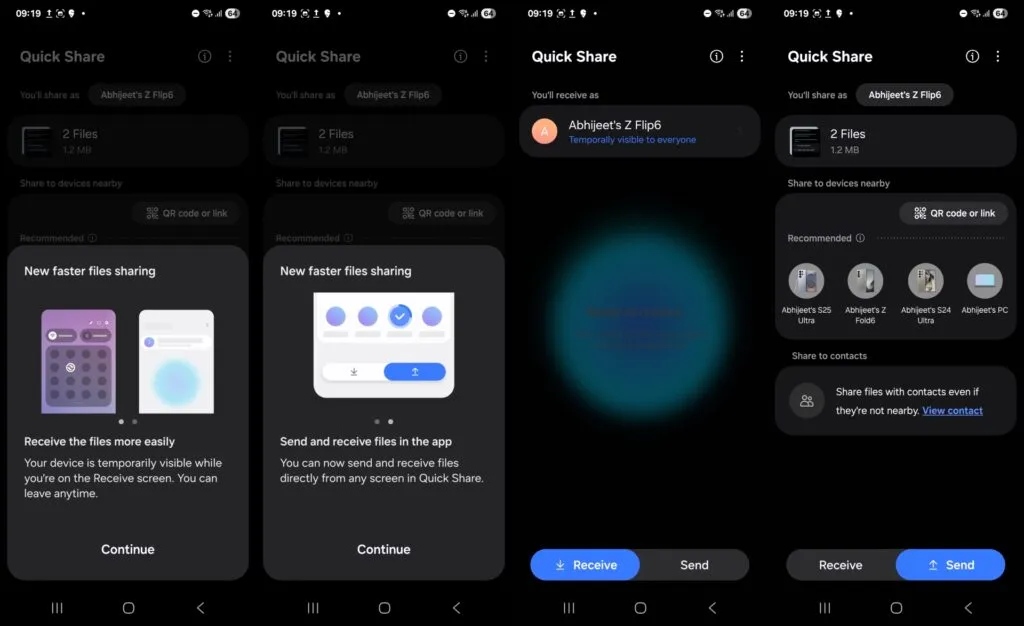
    One UI 8 beta testing appeared online

    The first One UI 8 beta testing build for the Galaxy S25 series, with a version ending in ZYEA, appeared online last week. Samsung appears to be moving swiftly forward with internal beta testing for the Galaxy S25 series based on the change from that build to the latest one.

    Samsung is anticipated to launch the One UI 8 Public Beta Program for the Galaxy S25 series and other qualified smartphones after internal testing is finished. Users of the Galaxy can test out new features through this program prior to their official release.

    Additionally, according to some rumors, Samsung may launch the One UI 8 Beta Program during the third week of May 2025. According to reports, it will first be accessible to a certain group of Galaxy customers in particular nations.

    We should be cautious about this report, though, as Samsung has not yet confirmed it. In contrast to One UI 7, we may anticipate no delays this time around because Samsung seems to be proceeding swiftly with internal testing.