Tag: beta

  • Garmin Venu 4 Beta 17.25 Update Fixes Recovery Mode Bug and Improves Battery Estimates

    Garmin Venu 4 Beta 17.25 Update Fixes Recovery Mode Bug and Improves Battery Estimates

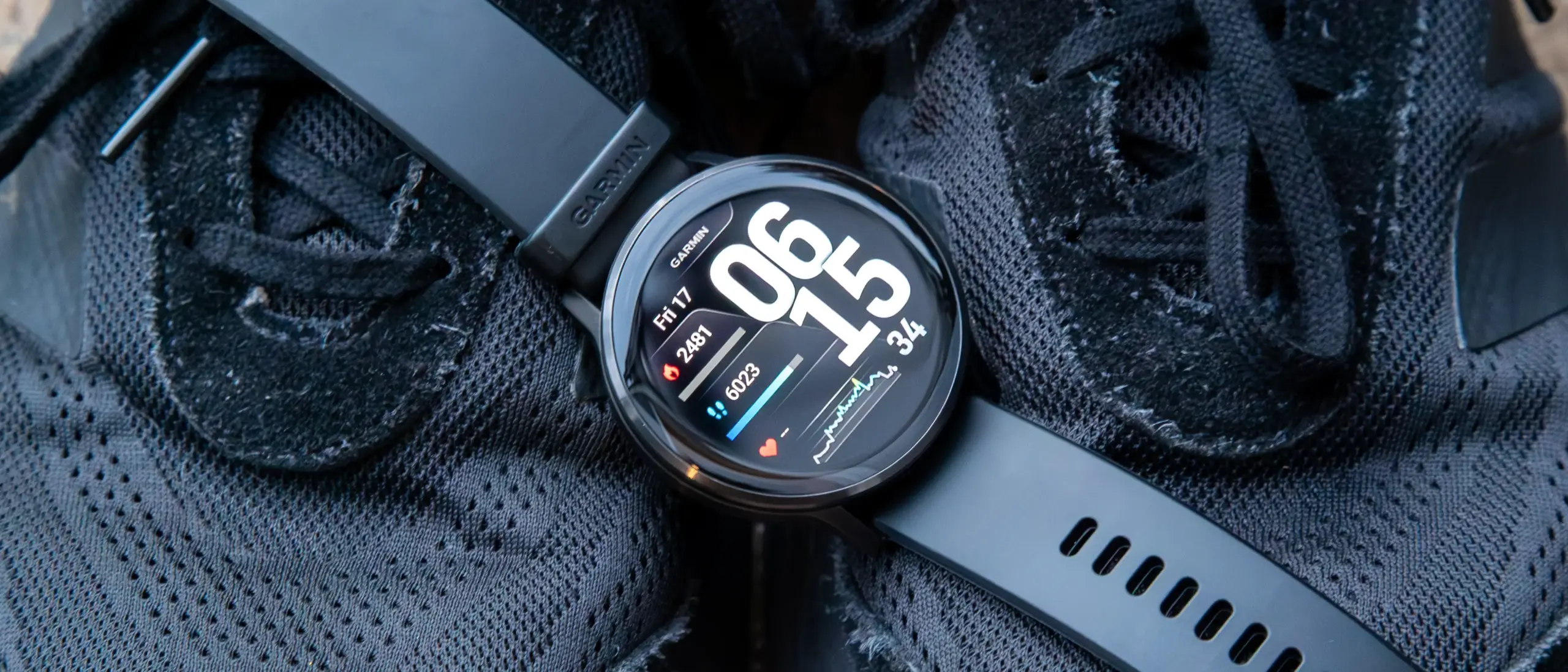
    Garmin has rolled out another beta update for the Venu 4, delivering over a dozen fixes and refinements to the mid-range smartwatch. Beta 17.25 is available globally through Garmin’s Beta Program and tackles a notable bug that could cause the watch to enter recovery mode during a software update, among several other improvements.

    The update arrives a day after Garmin pushed comparable beta builds to the Venu X1, Vivoactive 6, Forerunner 570, and Forerunner 970. The Venu 4 (currently $499 on Amazon) now gets its own update in the form of Beta 17.25, which Garmin says brings 13 changes to the device, including updated translations. The release also coincides with Garmin Connect Mobile picking up additional translations through its own v3.90 update.
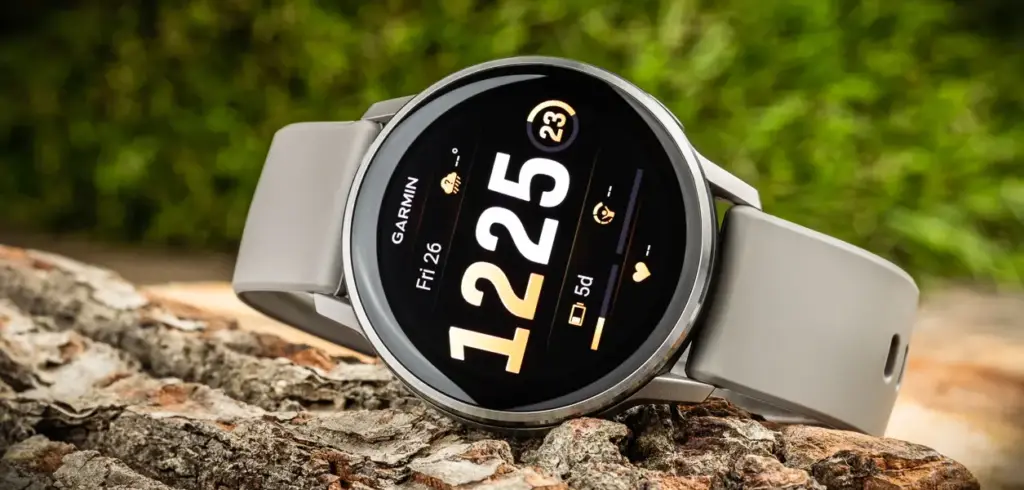
    garmin venu 4 45mm silver silver gray silicone band

    There are no new features in this build – the focus is squarely on stability and accuracy. Beyond the recovery mode fix, Beta 17.25 resolves two separate issues that were causing device resets on earlier builds, and it also addresses a problem with battery estimate accuracy when switching power modes during activities. A few other quality-of-life fixes round out the changelog.

    To install Beta 17.25, users enrolled in Garmin’s Beta Program need to trigger the update manually. The path is: Main Menu → Settings → System → Software Update → Check for Updates.

    The full changelog from Beta 17.19 to Beta 17.25 is as follows:

    • Fixes a possible crash when routing back to start.
    • Fixes an issue that could cause the device to enter recovery mode during a software update.
    • Fixes an issue that could cause the device to reset when adding apps via Garmin Connect Mobile.
    • Fixes an issue that could cause the device to reset when viewing the evening report.
    • Fixes an issue that could result in counting reps incorrectly during strength training activities.
    • Fixes an issue that could result in the post-activity summary map being centered incorrectly for multisport activities.
    • Fixes an issue where the duration could be missing from the workout card in the morning report.
    • Fixes battery estimates when switching power modes for activities.
    • Fixes other minor bugs.
    • Fixes various other issues that could cause the device to reset.
    • Fixes weather app not updating when you enter the app.
    • GCM Translations – 3.90
    • Updates translations.
  • Android 17 QPR1 Beta 2 Arrives with a Focus on Bug Fixes

    Android 17 QPR1 Beta 2 Arrives with a Focus on Bug Fixes

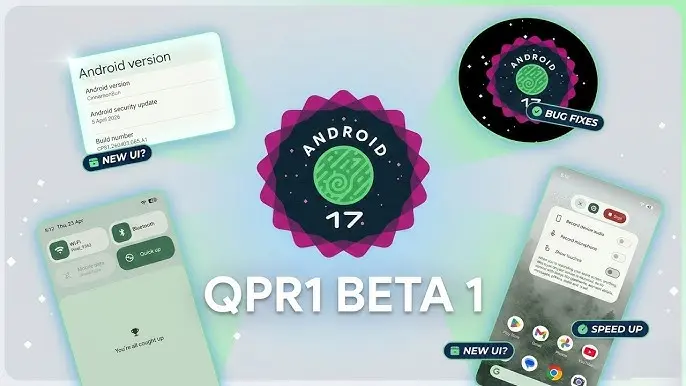
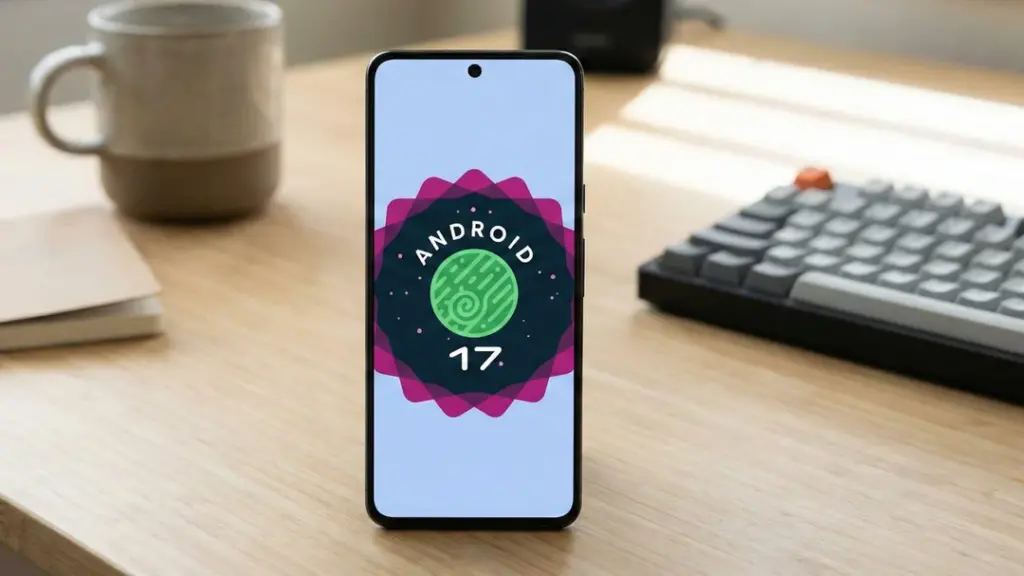
    Android 17 QPR1’s latest beta build is centered almost entirely on bug fixes. Google first released the initial QPR1 beta in the third week of April, and just a couple of weeks later, it has now rolled out Android 17 QPR1 beta 2. Because the gap between the two builds is so short, this release mainly focuses on stability improvements rather than anything flashy.

    Android 17 QPR1 beta 2 lands for Pixel phones with bug fixes, OTA support, and a small Quick Settings tweak on Pixel 8 Pro.

    That said, a long list of fixes does not change the fact that Android 17 QPR1 is still at an early beta stage. Issues are still likely, so users who care most about stability should probably stay on Android 16 on their Pixel. Anyone who wants to test the newer software can still try Android 17 beta, which should be noticeably more stable than QPR1 beta. If you do install Android 17 QPR1 beta, sending bug reports to Google will help those problems get addressed faster.

    The OTA is already available for all compatible Pixel devices, starting with the Pixel 6 and running through the Pixel 10 lineup. Users can also download the OTA image and manually sideload it on a Pixel if they prefer that route.

    On the user-facing side, there does not seem to be much new on a Pixel 8 Pro, aside from a refreshed Quick Settings edit icon. Google may be holding back the bigger changes for later beta builds or for future QPR releases.

  • Android 17 QPR1 Beta 1 Is Now Available for Pixel Devices

    Android 17 QPR1 Beta 1 Is Now Available for Pixel Devices

    With the final scheduled Android 17 Beta dropping just last week, Google has wasted no time shifting focus — Android 17 QPR1 Beta 1 is already here.

    Google describes the release officially as the start of “the next round of Beta updates for our September Feature Drop release,” marking the beginning of the QPR1 cycle ahead of what will become a standalone feature update later in the year.

    Android 17 QPR1 Beta 1 beta released for Pixel

    This build addresses the following issues:

    • Fixed a crash in the Default Print Service occurring during low ink conditions that prevents users from completing print jobs. (Issue #487545419)
    • The Terminal app triggers an Application Not Responding (ANR) error that results in the application and device becoming unresponsive. (Issue #497465940)
    • Resolved an issue where uncontrollable hardware audio processing on the voice communication path caused distortion and phase cancellation in VoIP applications. (Issue #494843726)
    • Direct audio output may fail to open on devices using the AIDL audio HAL when playing audio streams longer than five seconds. (Issue #372064012)

    There are no obvious user-facing changes in this release — it’s primarily a bug-fix drop rather than a feature-forward update.

    Pixel users enrolled in the Android Beta program can submit feedback directly through the Android Beta Feedback tool, accessible from the app drawer or Quick Settings, which routes reports straight to the Google issue tracker. The Android Beta community on Reddit is also an active space for discussion and bug reports.

    Build number: CP31.260403.005.A1

    Android 17 QPR1 Beta 1 system images are now available for the following devices: Pixel 6, Pixel 6 Pro, Pixel 6a, Pixel 7, Pixel 7 Pro, Pixel 7a, Pixel Tablet, Pixel Fold, Pixel 8, Pixel 8 Pro, Pixel 8a, Pixel 9, Pixel 9 Pro, Pixel 9 Pro XL, Pixel 9 Pro Fold, Pixel 9a, Pixel 10, Pixel 10 Pro, Pixel 10 Pro XL, and Pixel 10 Pro Fold, along with the Android Emulator.

    You can easily join via the Android Beta Program to get an on-device OTA.

  • Google Rolls Out Android 17 Beta 4 With Crucial Fixes Before Stable Release

    Google Rolls Out Android 17 Beta 4 With Crucial Fixes Before Stable Release

    Android 17 Beta 4 is now rolling out to Pixel devices, and Google says it is the “last scheduled beta of this release cycle.” After the larger Beta 3 update brought new features and platform stability, this release appears focused on final refinements ahead of a stable launch later this quarter.

    To install Android 17 Beta 4, Pixel users can enroll through the Android Beta program and wait for the over-the-air update. Those who prefer the manual route can also flash a factory image or OTA file.

    android 17 beta update

    The latest build details are below:

    Release date: April 16, 2026
    Build: CP21.260330.008
    Emulator support: x86 (64-bit), ARM (v8-A)
    Security patch level: 2026-04-05
    Google Play services: 26.11.36

    Android 17 Beta 4 supports Pixel devices back to the Pixel 6 lineup.

    Developer changes

    One of the main additions in Android 17 Beta 4 is conservative app memory limits, which are meant to improve system stability. If an app is killed because of these limits, ApplicationExitInfo.getDescription will return “MemoryLimiter.” Developers can also use trigger-based profiling with TRIGGER_TYPE_ANOMALY to capture heap dumps when the limits are reached.

    Google has also tightened background audio rules. Starting in Android 17, the audio framework restricts background interactions such as audio playback, audio focus requests, and volume change APIs. Some changes were made after feedback from beta 2, including targetSDK gating for while-in-use FGS enforcement and exemptions for alarm audio.

    Bug fixes

    Android 17 Beta 4 also includes a long list of bug fixes:

    • An issue where webpage URLs were automatically included when sharing screenshots from the capture preview, causing unwanted links to be shared with image files. (Issue #444631269)
    • An accessibility issue caused the device to become completely unresponsive and unusable. (Issue #484755628)
    • An issue where the media control widget could disappear or fail to navigate between multiple active media sessions. (Issue #457008153, Issue #466760800, Issue #497131275, Issue #499041878)
    • An issue where dream services failed to correctly process key events, trigger keyguard bouncer prompts, or execute service lifecycle callbacks. (Issue #485661973)
    • An issue that prevented users from successfully downloading and applying cinematic or local weather wallpaper effects. (Issue #475924636)
    • An issue where the device would freeze and spontaneously restart while typing in messaging applications. (Issue #478417840)
    • A critical system instability issue that causes the device to hang and crash during normal usage. (Issue #427436873, Issue #428838049)
    • An issue causing devices to experience significantly reduced charging speeds when approaching the 80% battery limit, resulting in long delays before the device reaches its target charge and enters bypass mode. (Issue #485148344, Issue #490178498)
    • A rendering issue that caused multicolored horizontal lines to randomly obscure the device display. (Issue #478953060, Issue #478177624, Issue #483765859, Issue #487263076)
    • Pulling down the notification drawer while a feedback report is in progress can cause a System UI crash and device freeze. (Issue #488920581)
    • Critical system components including Pixel Launcher and navigation may crash or become unresponsive for several minutes after a device reboot. (Issue #317282987, Issue #316689583, Issue #316188779)
    • An accessibility issue that prevents users from properly interacting with apps after minimizing and returning to a split-screen view. (Issue #490735259)
    • An issue that prevented Bluetooth from being re-enabled after it was turned off via the system settings or quick settings panel. (Issue #498320401)
    • Notifications marked with setSilent(true) may unexpectedly play alert sounds on Android 16 when multiple notifications are present in the shade. (Issue #467164528)
    • Wi-Fi analyzer applications fail to detect any available Wi-Fi signals, preventing network scanning and signal monitoring.

    Source: Google

  • Google Officially Releases Wear OS 6.1, Built on Android 16 QPR2

    Google Officially Releases Wear OS 6.1, Built on Android 16 QPR2

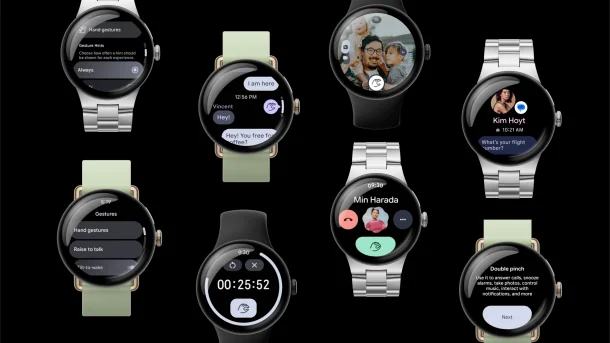
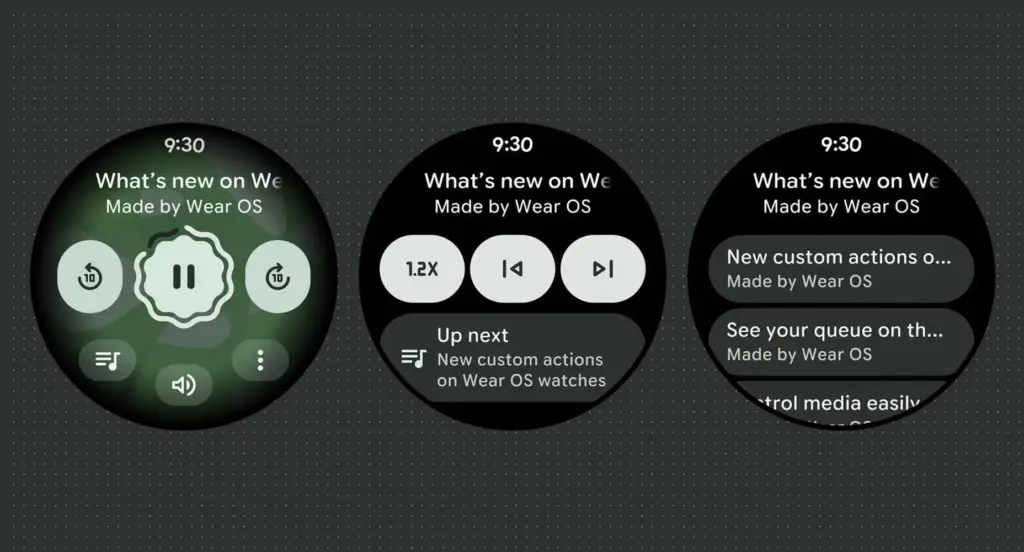
    Google has launched Wear OS 6.1, based on Android 16’s second Quarterly Platform Release (QPR2) — specifically API level 36.1 — which first dropped in December as a minor SDK update. The last comparable release was Wear OS 5.1 in November 2024, which brought a significant jump from Android 14 to 15.

    Google has confirmed that this update introduces no behavior changes for app developers, making it a relatively smooth transition on the development side.

    What’s new for users in the new Wear OS

    The headline addition is automatic time zone adjustment based on physical location. The feature keeps device time accurate as users move between regions, and it works even without a network connection. Users can manage the setting under Settings > Date & Time > Use Location (or on Pixel Watch: Settings > System > Date & Time > Use Location).

    Google Wear OS 6.1

    Improvements for kids and supervised accounts

    Wear OS 6.1 also brings a handful of refinements aimed at younger users and family setups:

    • Kids graduation: When a supervised user reaches the age of consent, they can transition their device to a standard Wear OS experience. This removes parental controls and unlocks full access to device settings — no factory reset required.
    • Improved reauthentication: If a user’s credentials are invalidated — say, after a password change — they can now re-verify their Google Account directly on the watch or via the companion app, again without needing a factory reset.

    Developer availability

    Build BP4A.250916.026.E2 is now available through the Android Studio emulator.

  • Google Pixel’s Now Playing app may restore a feature users missed

    Google Pixel’s Now Playing app may restore a feature users missed

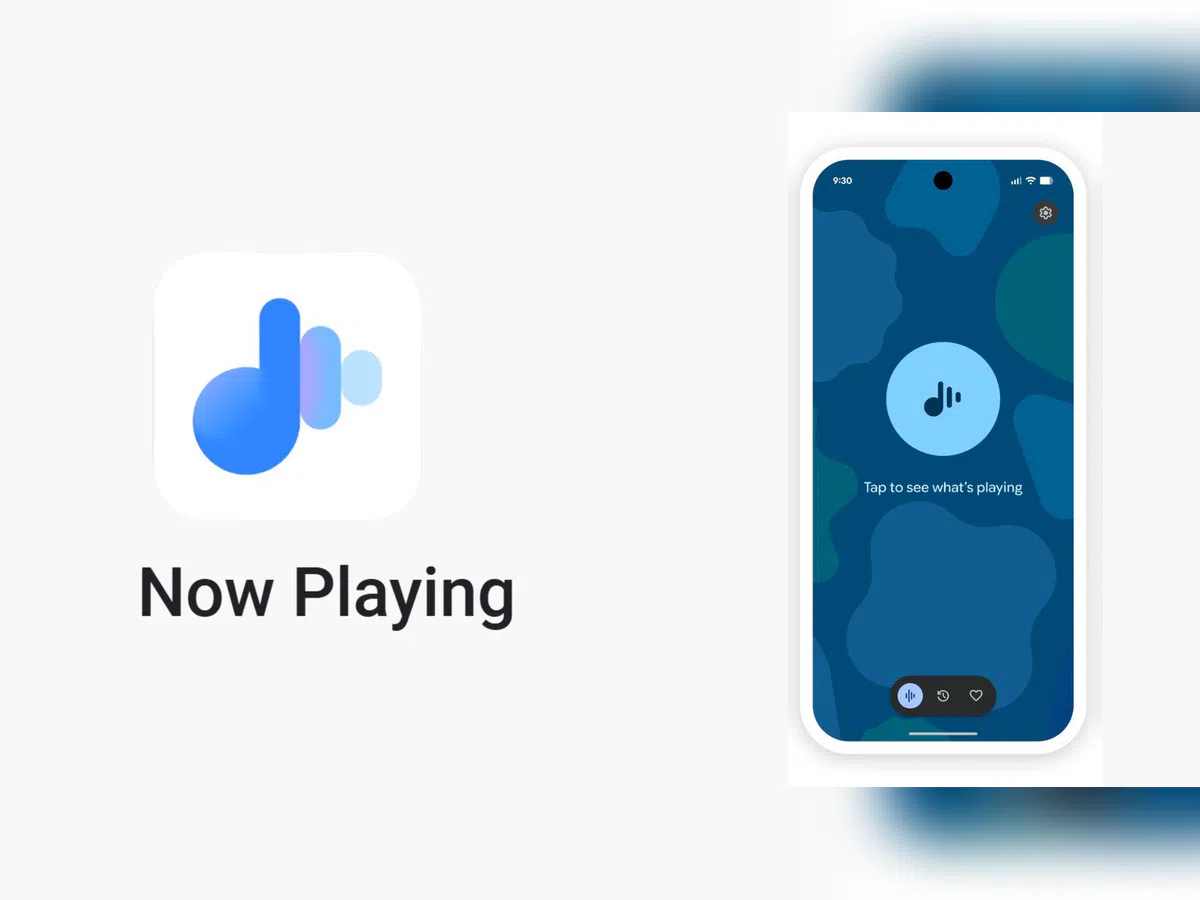
    Now Playing has never been the most talked-about Pixel exclusive, but it’s been making headlines lately. Last month, Google gave it a major upgrade by spinning it off into a standalone app — a move that had been telegraphed by leaks well before the official announcement.

    The app hasn’t stood still since launch. Shortly after release, it received a visual refresh on the lock screen, and now a fresh update has appeared on the Play Store. While it seems minor on the surface, it may be quietly bringing back something users didn’t realize they’d miss.

    A small update with potentially big implications

    According to 9to5Google, the Now Playing app was updated to version 2026.03.24.x late Friday, bumping out the previous 2026.03.02.x build. The rollout appears to be gradual — the Play Store still shows the older version as the latest for many users, and the update hadn’t reached all devices as of the report.
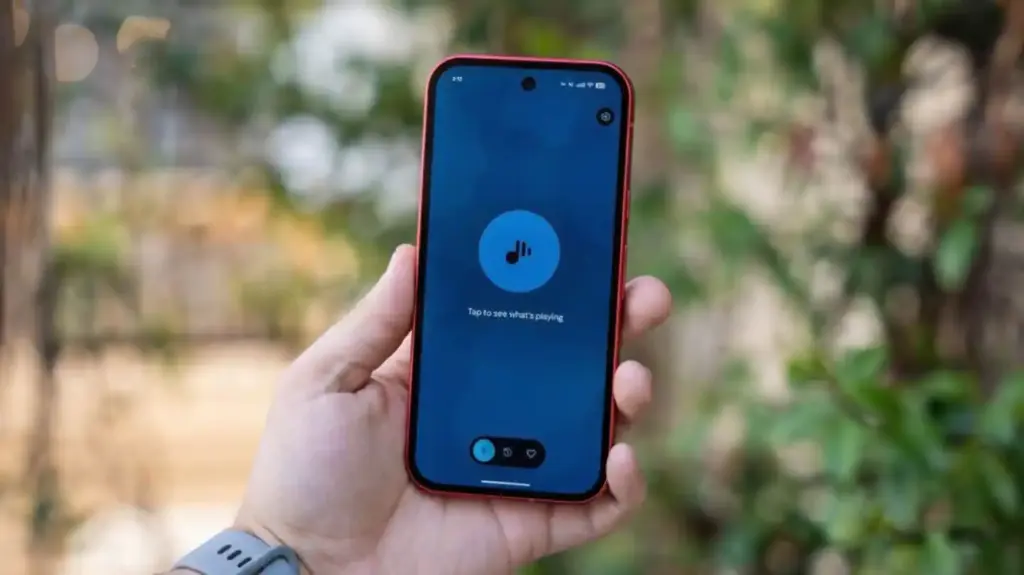
    No obvious new features were found in the update, pointing to mostly behind-the-scenes bug fixes. But a Reddit user claims something notable did return: the “Tap to see what’s playing” prompt on the lock screen.

    Google Pixel now playing

    The return of ‘Tap to see what’s playing’

    When Now Playing transitioned to a standalone app, most of its functionality came along for the ride — but not everything. One casualty was the “Tap to see what’s playing” prompt, a small but beloved lock screen feature that used to sit just below the fingerprint scanner. For many users, it was a core part of the

    Now Playing experience.

    According to the Reddit user, after receiving a notification about Now Playing’s new home, the lock screen feature reappeared. Whether this is directly tied to the v2026.03.24.x update isn’t confirmed, though the timing lines up.

    It’s also worth noting another change that came with the app transition: Now Playing no longer sends quiet background notifications when it identifies a track. That functionality has been replaced by a Quick Settings tile, which can show the song title and artist — but only when expanded to the larger 2×1 size.

  • Android 17 Beta is now available for Pixel phones — here’s how to try it

    Android 17 Beta is now available for Pixel phones — here’s how to try it

    Google has finally released Android 17 for Pixel phones, following a brief tease yesterday afternoon. This morning, Google said that Android 17 Beta 1 will be available to developers without a Pixel as pictures in Android Studio and as an over-the-air upgrade in the Android Beta Program.

    You might be wondering why we aren’t receiving a Developer Preview build first or why this seems so early. We no longer receive developer preview builds, therefore it’s different. You may obtain these new beta builds earlier than ever before since Google is using the Android Canary track, which was released last year, as a developer preview moving forward.

    Android 17 Beta

    Regarding scheduling, Google declared that Android releases would alter toward the end of 2024. Google shifted to a two-release Android strategy for 2025, with the primary and largest Android 16 release stabilizing by the middle of the year and a secondary release occurring before the year’s conclusion. Android 17 will follow the same timetable. A Platform Stability release is scheduled for sometime in March, although the first release has already begun and will stabilize rather fast. Similar to what happened with Android 16 last year, a small SDK update is scheduled for Q4 of this year.

    We will explore all of the exciting new features that Android 17 offers on your own device in a separate post that will be published soon. However, as of right now, Google has simply disclosed the modifications that developers should be aware of. There are various performance enhancements (such as new garbage collection and notification constraints), more professional-grade camera capabilities and media experiences, a redesigned print dialog for improved usability, and restrictions on screen resizability so that apps can run on all devices.

    You may receive Android 17 on your Pixel device immediately by signing up for the Android Beta Program. System images are also available to developers (here).

  • One UI 8.5 beta lineup revealed — supported Galaxy devices list

    One UI 8.5 beta lineup revealed — supported Galaxy devices list

    A beta program is released prior to the official release of every significant new One UI update for Galaxy devices that comes with an updated version of Android. Although Samsung has primarily restricted them to their foldable phones, we have also seen beta programs for minor One UI improvements where the Android version stays the same.

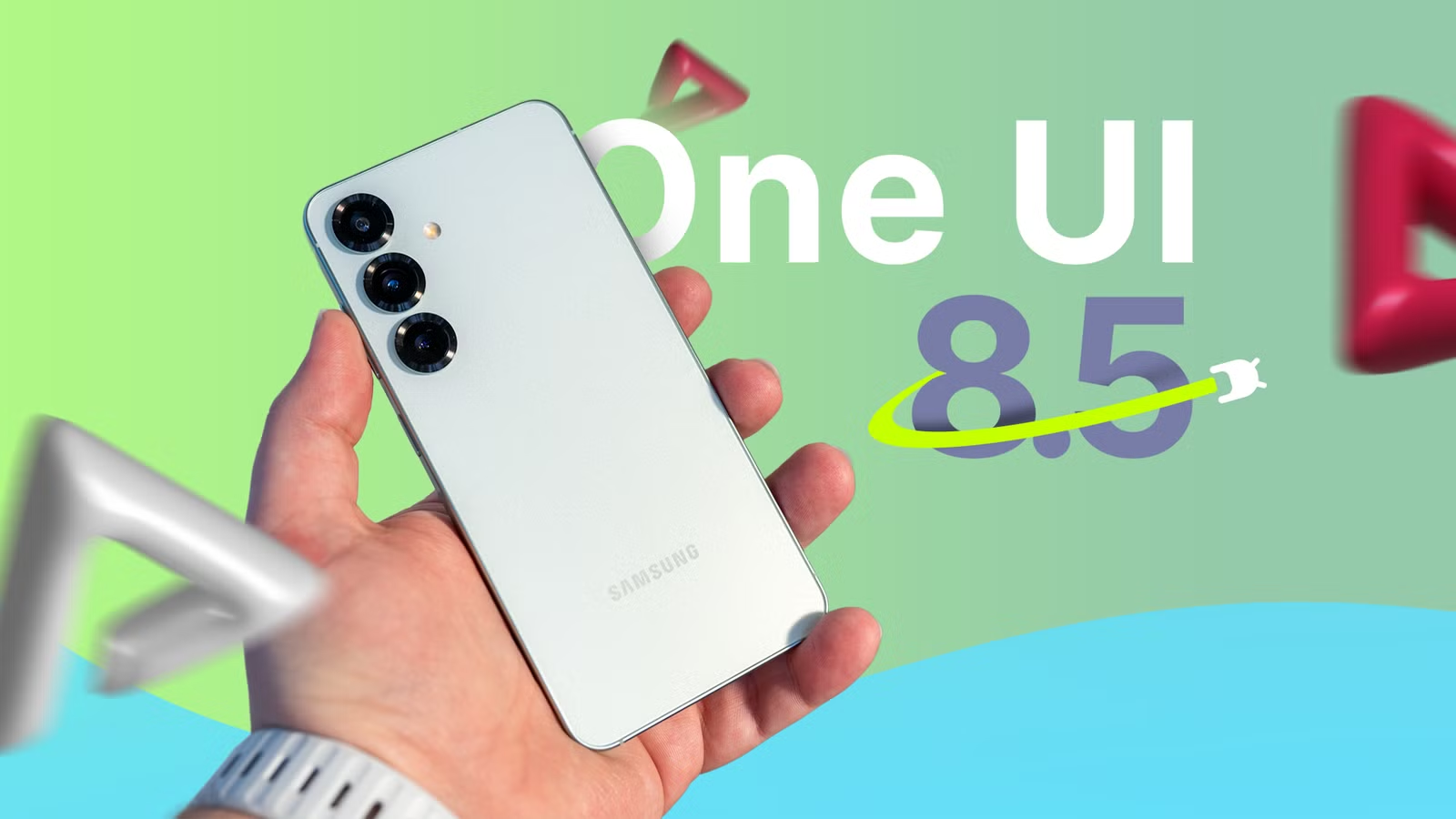
    For One UI 8.5, Samsung is making some changes this year. It is hosting a conventional beta program in six nations (the US, the UK, Korea, Germany, Poland, and India) that is not limited to Galaxy Z handsets. Which gadgets will be supported? To discover out, you’ve come to the correct spot.

    one ui 8.5 beta leak

    Eligible devices for One UI 8.5 beta

    The beta program supports the following devices:

    Yes, the initial list is rather short. At first, only the initial three models of the Galaxy S25 series are qualified. As usual, neither the Galaxy S25 Edge nor the FE model are receiving the beta.

    We’ll make sure to update this list when Samsung expands the beta program to new devices, so be sure to bookmark this site and return at a later time.

    Watch the video below to learn what One UI 8.5 has to offer. For more One UI 8.5 material, visit our YouTube channel.

  • HarmonyOS 6.0.1 Beta (API 21) released with major new enhancements

    HarmonyOS 6.0.1 Beta (API 21) released with major new enhancements

    With yet another set of improvements, Huawei has released the HarmonyOS 6.0.1 (API 21) Beta Program for its developers. There aren’t much specifics about the latest software version on the description page. It does, however, include some helpful modifications for ArkUI.

    It’s true that this program is in beta. The updated developer version has not yet been made available by the corporation. However, it illustrates the enhancements the build will provide to the chosen devices.

    The latest Huawei HarmonyOS 6.0.1 (API 21) Beta will improve the ArkUI capabilities, according to the details. It will enhance the SVG parsing for the image section and introduce new attribute styles to C APIs.

    Additionally, the release will improve the ArkWeb and Ability Kit components. It will make it possible for background jobs to facilitate the concurrent development of several long-running operations and greatly enhance map services.

    harmonyos beta update

    A new edition of DevEco Studio with improved AI-assisted programming features is being introduced by Huawei. Developers will soon be able to access the primary 6.0.1 (21) Beta 1.

    HarmonyOS 6.0.1 (API 21) Beta Program

    The Mate 60 series, Mate 70 series, Pura X, Mate X5, Mate XT, MatePad Pro 13.2 2025, and MatePad Pro 11 2024 are among the devices that qualify for the latest edition. The updated beta version’s description is available below.

    • Further enhance the capabilities of ArkUI components by adding a batch of C APIs for attribute styles and improving the SVG parsing capabilities of the Image component.
    • Ability Kit enhances the processing of results when launching an application.
    • ArkWeb enhances WebView-related capabilities
    • Background tasks now support the parallel creation of multiple identical long-running tasks.
    • Map services have further enriched the scenarios in which they can be directly accessed, and so on.
  • HarmonyOS 6 update brings tap-to-pay feature to Huawei Watch GT 5 Pro

    HarmonyOS 6 update brings tap-to-pay feature to Huawei Watch GT 5 Pro

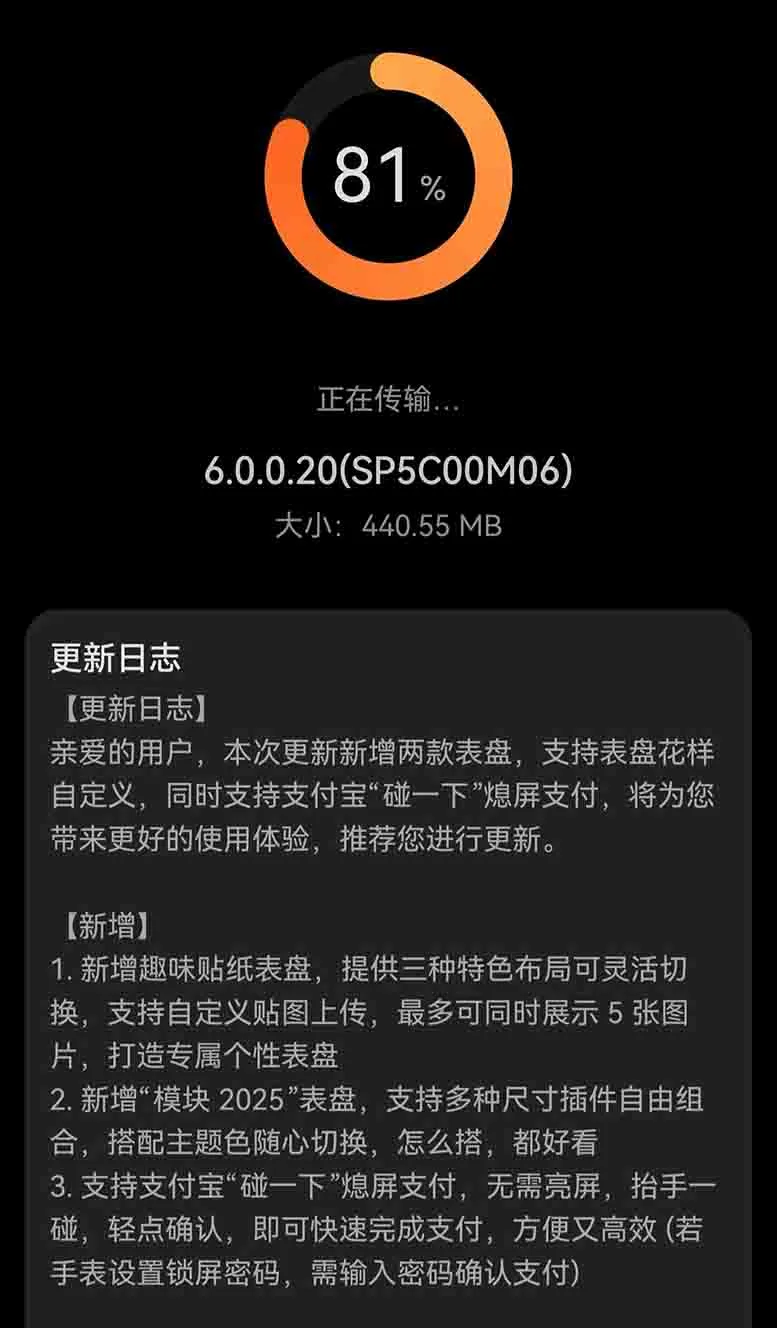
    With build version 6.0.0.20, the Huawei Watch GT 5 Pro wristwatch is now receiving a new HarmonyOS 6 update that enables users to tap to pay. The notice states that users who took part in the early testing program are currently receiving this update.

    The Huawei Watch GT 5 series, which debuted in September 2024, comes in two models: basic and Pro. Titanium Silver, Obsidian Black, Glacier White, and Ceramic White are just a few of its vivid color choices. It provides a long-lasting backup with a battery life of 14 days.

    The most recent HarmonyOS 6 beta update adds a number of new features to the Huawei Watch GT 5 Pro in addition to the tap-to-pay feature. These include the following.

    Three distinct layouts that are interchangeable have been added to the fun sticker watch faces. You may create your own distinctive watch face by uploading custom stickers, which can display up to five photos at once.

    HarmonyOS 6 beta update

    HarmonyOS 6 Huawei Watch GT 5 Pro update

    The new “Module 2025” watch face boasts that “it looks excellent no matter how you customize it” and supports a free combination of different-sized widgets and simple theme color switching.

    Supports Alipay’s “Tap to Pay” feature, which lets you swiftly finish payments without turning it on by just raising your wrist and pressing the screen. In order to verify the payment, you must input the lock screen password if your watch has one.

    You should be aware that this feature upgrade is only available to Chinese users; Huawei has not yet made it available to customers worldwide.