Tag: apps

  • Guide on how to clear cache of any Android device

    Guide on how to clear cache of any Android device

    Your device may slow down as a result of cached data that builds up, corrupts, or just becomes out of date over time. Although a targeted cache clear is a quick fix that doesn’t require updating hardware, restarting your phone frequently helps.

    In June, Google introduced Android 16 to Pixel devices and a few OEMs, bringing with it new Material You updates, performance enhancements, and other improvements. Clearing the cache on your Android phone or tablet can give it a new boost and free up some storage space if you want to attempt this update but are concerned since you’ve observed it already feels too sluggish.

    Although each manufacturer may have somewhat different processes, the overall procedure is the same.

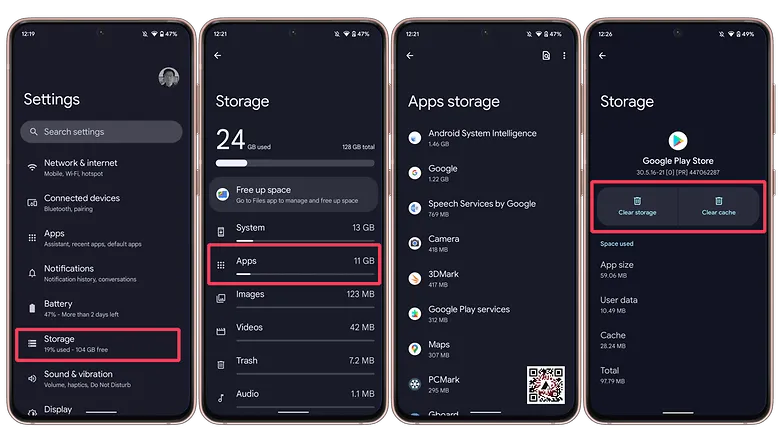
    Navigate to Storage in Settings, then select Apps. If there isn’t a specific Apps entry, you may easily locate it in Settings by using the search bar.

    Some Android devices now offer a “Free up space” option through the Google Files app in the Storage menu as well. This can be used by opening Files, selecting Clean from the three-line menu in the top-left. Examine each recommendation (such as duplicates, huge files, and useless apps), then follow the instructions to remove any files you no longer require.
    clear cache android

    (Avoid system services) press an installed app, choose “Storage and cache,” and then press “Clear cache.” Tap “Clear storage” only if you wish to fully reset the application.
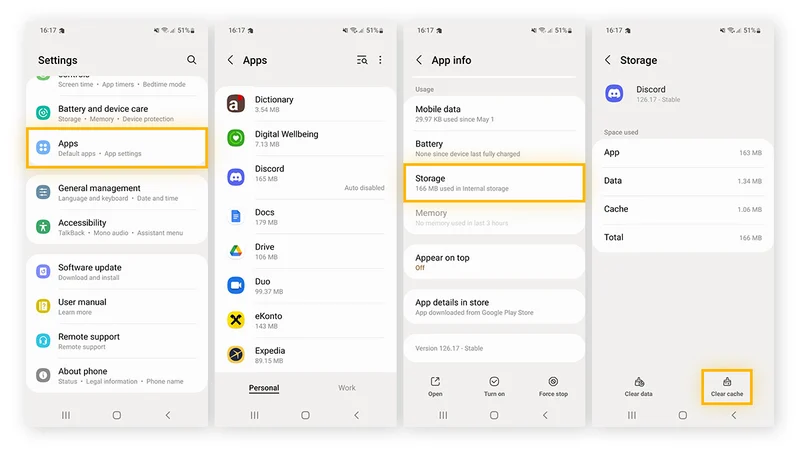
    Clear cache for individual apps

    Do the same with any programs that consume a lot of storage. Data-hungry hogs like social apps and streaming services are a good place to start.

    Additionally, some Android versions make it simple to view which apps are using the most space when you’re in the Apps menu. Just choose Sort by Size from the three-dot menu that appears in the upper-right corner.

    Note: There may be an integrated clear-all-cache feature on some Android phones. There should be a ‘Select All’ button at the top under Settings > Storage > and App Cache.

    How to clear cache from Chrome
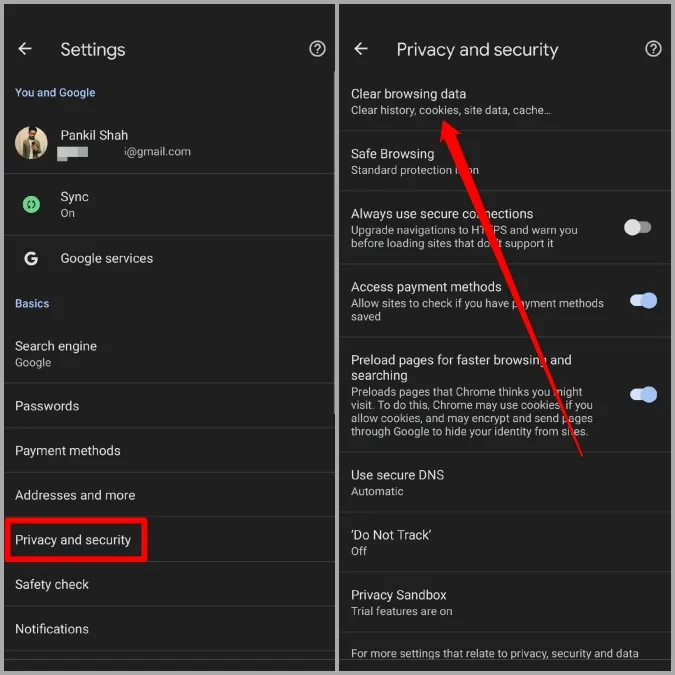
    Open Chrome, tap the three-dot menu Settings > History > Clear browsing data.

    Check “Cached pictures and files” (as well as anything else you want to delete) after choosing the time frame. Next, select “Clear data.”

    Every choice describes its function and how it impacts your experience. removing cached files and pictures may result in Chrome loading images more slowly the next time you visit a website, while removing cookies and site data will log you out of many or all websites.

    In recent versions of Chrome for Android, hitting the menu button brings up the Clear Browsing Data option. When you choose this, a pop-up window requesting that you delete your browsing history from a certain time frame will show up. Selecting More Options will bring up the Browsing Data screen, where you can pick which data to remove and what time period to use.
  • Temporarily free apps and games for both iOS and Android – check them now!

    Temporarily free apps and games for both iOS and Android – check them now!

    Why not look through our carefully selected list to find any hidden gems that could be the ideal complement to your library of apps? Keep in mind that these deals are only available for a short time, so act quickly!

    We cannot guarantee that these deals will be available on the Google Play Store or the Apple App Store for an extended period of time, so please be aware that they are time-sensitive. Downloading and installing them as soon as you can is advised. Additionally, watch out for potential subscription traps, in-app purchases, and adverts.

    Even if you don’t require an app right away, install it if it piques your curiosity. It will be added to your app library and marked as “bought” as a result. After that, you may uninstall the app straight from your phone and get it back for free anytime you need it.

    Android Apps and Games

    Apps

    • Warwil Pink Icon Pack ($0.99): Love Barbie and everything pink? This icon pack will get you started.
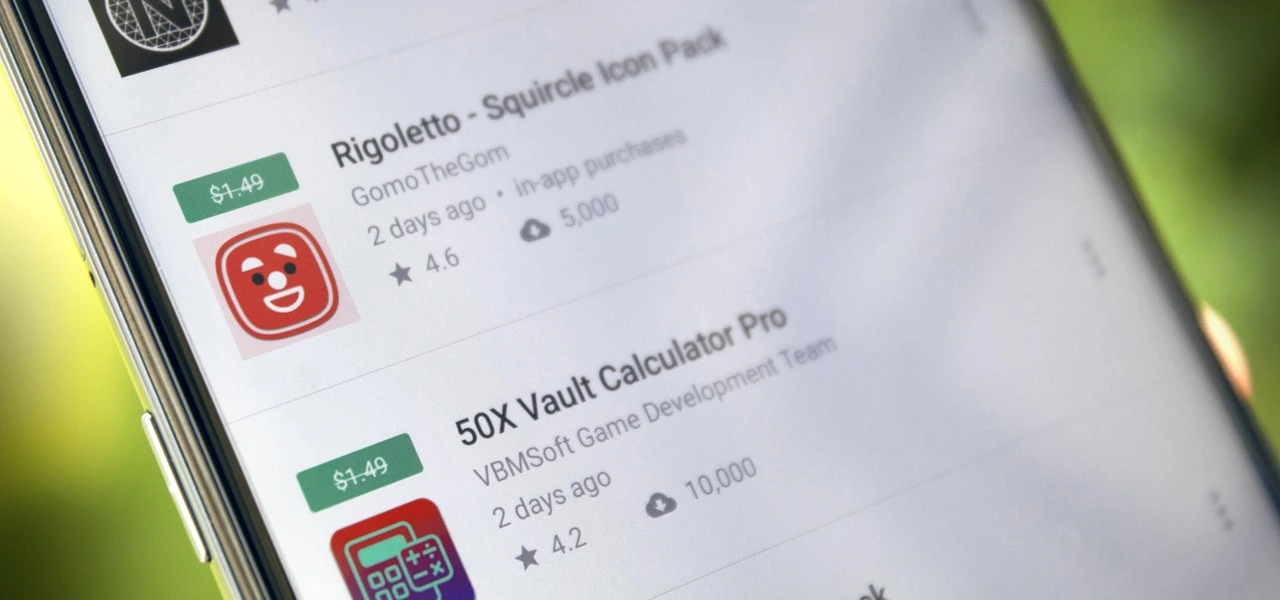
    • Rigoletto Squircle Icon Pack ($1.49): Want to get your icons looking not much like a circle and neither is it a square? This icon pack has got you covered.
    • Clear Wave – Water Eject Jet ($2.49): Want to remove water from your phone’s speakers? This app will play your speakers as loudly as possible.

    Games

    • Cooking Quest ($0.99): Running a food business is never easy, and can get quite stressful at times. Do you have what it takes? 
    • Warriors Market Mayhem ($0.99): Send a party of heroes to get rid of horrible monsters that are plaguing the city. 
    • Heroes Legend ($0.99): Assemble a team of heroes to overcome various enemies standing in your way.
    • Spelling Pro! ($1.49): Train both spelling and language skills, in addition to your memory in an entertaining manner.
    • Grow Zombie ($1.99): Want to create your own zombies? Merge different types and see what kind of results you get!

    iOS Apps and Games

    Apps

    • Pin Points Distance Calculator ($0.99): Want to know the distance between two points? This app will get you up to speed in no time at all.
    • Instant Noodles: Original ($4.99): Do you tend to create quotes or make notes on the fly? This app adds an artistic flair to it.
    • Chain Timer ($0.99): Boost your productivity with this app by having focused sessions, making it useful for work, studying, and staying on track. 
    • Compound Interest Calculator ($1.99): If you work at a bank or deal with mortgages and loans, having a compound interest calculator is always handy.
    • Rasa Music Visualizer ($1.99): Enjoy music while having beautiful visuals to accompany it.

    Games

    • Starry Night Interactive ($0.99): Here’s your chance to interact with this historical artwork without destroying it. 
    • Cut the Buttons ($1.99): This is a classic game that continues to entertain new fans. Get it now for free!
    • Ace Academy Visual Novel ($9.99): Here’s a visual novel that really tickles your imagination as you progress deeper into the story.
    • Axion Run ($0.99): It is up to you to assist the brave axion to break gravity and get away from his evil twin, with the hope of achieving the highest score.
    • The Bug Butcher ($0.99): An intense side-scrolling action shooter that requires lightning-fast reflexes to navigate tricky levels.

    As of the date of publication, the deals were active. In the comments section below, please let us know if you find a bargain that has expired.

    We advise reviewing the app’s details in the Play Store or App Store before to downloading any of the aforementioned apps. This is crucial as some of these free apps can offer unique features or drawbacks of their own.

  • Get almost 60% off for the Galaxy Watch 6 Classic LTE

    Get almost 60% off for the Galaxy Watch 6 Classic LTE

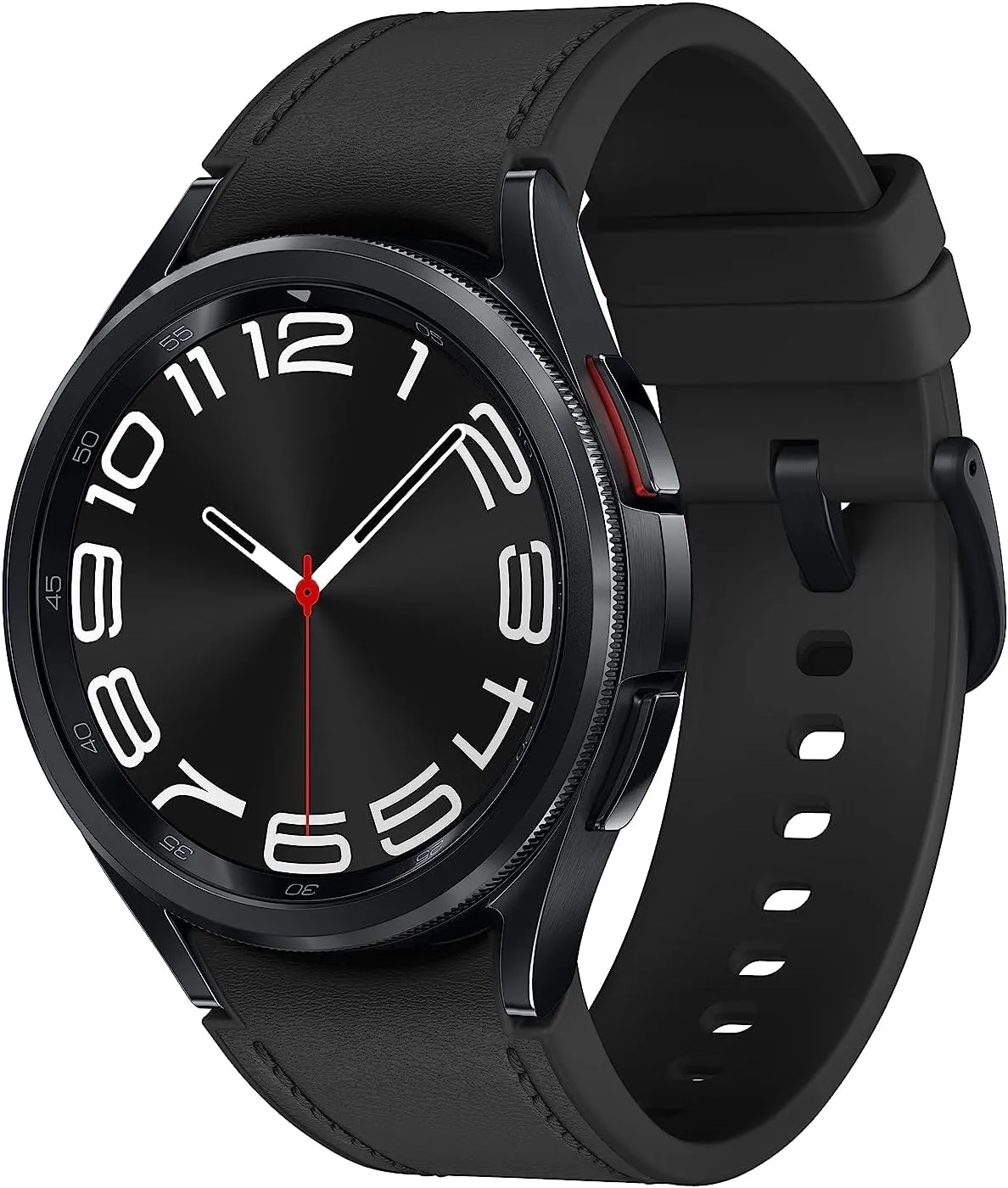
    The Pixel Watch 2 for Android users is the primary competitor of the Samsung Galaxy Watch 6, which debuted in 2023 with excellent specifications and features. By 2025, both of these smartwatches – made by Samsung and Google, respectively—remain viable choices for users in those ecosystems. If you’re searching for a good price on a reliable wristwatch and you use Samsung or Android, the Galaxy Watch 6 Classic is now only $180.99 (was $449.99) thanks to an almost 60% reduction from Best Buy. For comparison, the current price of this model on Amazon is $329.99.

    The 1.3-inch, 2,000-nit brilliant AMOLED screen of the Watch 6 features a digital bezel that allows for fast menu navigation. Best Buy also offers the larger 47mm screen with LTE for $240.99 (was $479.99) if that’s what you’re looking for.

    watch6classic 16

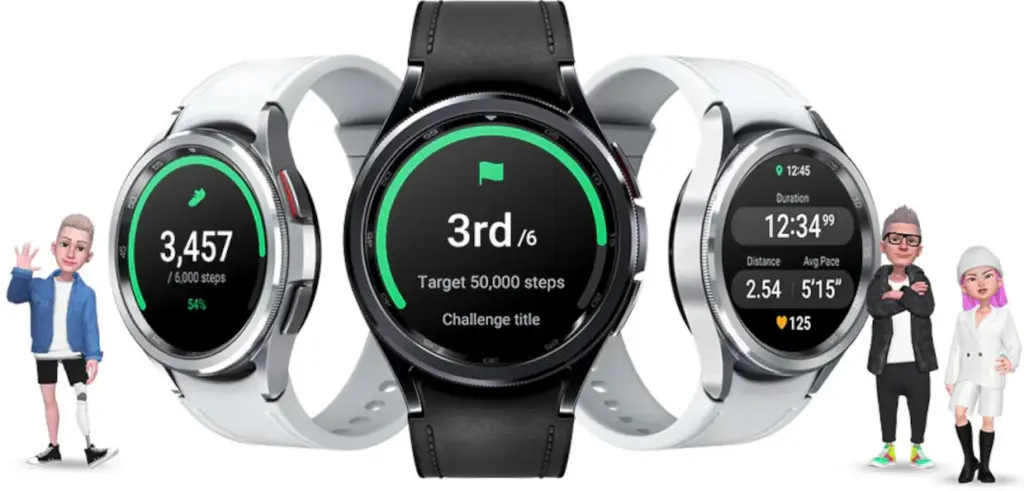
    All of the newest Wear OS features are available to you if you have an Android smartwatch. The Watch 6 has a number of unique functions, such as a temperature sensor, heart rate monitor, blood oxygen monitor, GPS tracking, and an accelerometer for measuring speed. Whether or whether your Android phone is within Bluetooth range, the Galaxy Watch 6 also lets you make and receive calls from it.

    galaxy watch 6 classic lte

    Samsung Galaxy Watch 6

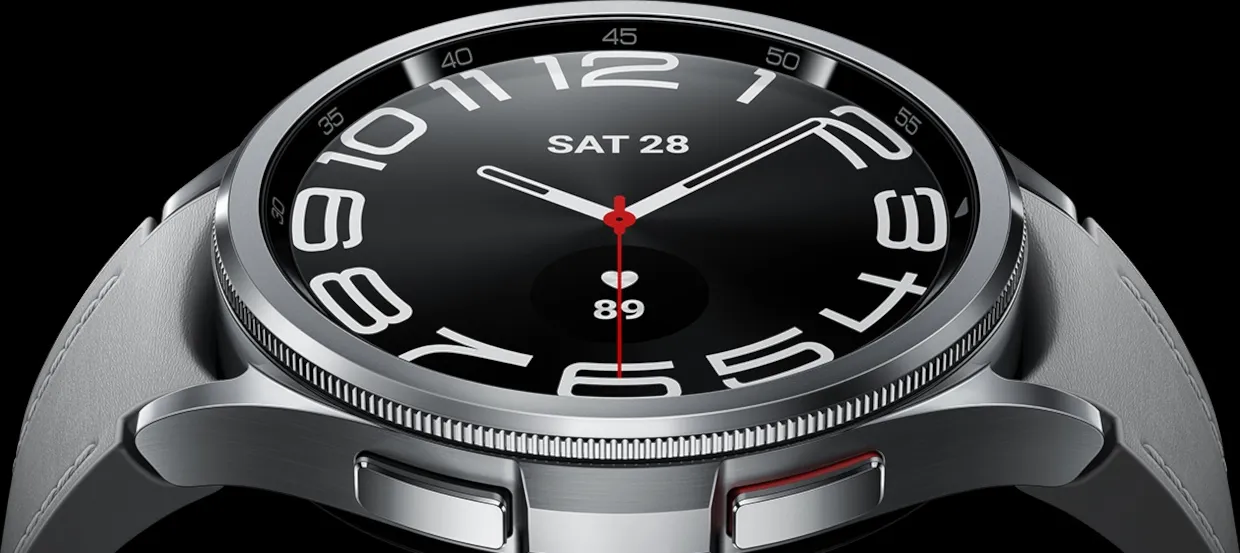
    Galaxy Watch6 Classic features a timeless, iconic look and a bezel that just clicks with your style; It not only looks great, but it also rotates to give you easy access to all your apps

    $449.99$180.99Best Buy

    The Galaxy Watch 6 is “outstanding,” according to PCMag, which also named it the top 2023 wristwatch that works with Android. Yes, that was nearly two years ago, but for the price, Samsung customers still have a good choice. The main drawback will be the battery’s short lifespan of 22 hours, depending on usage.

    The Galaxy Watch 6 Classic is a cost-effective way to monitor your body composition, calendar, daily activities, heart rate, sleep, stress, weather, and exercises. Even though it was only released this month, the Galaxy Watch 8 is also on sale right now if you want the newest model.

  • Does fully charging your Android device damage the battery?

    Does fully charging your Android device damage the battery?

    Although charging your Android phone to 100% seems like a sensible approach to make sure it lasts you the entire day, doing so may be harming your phone over time. This is due to the fact that lithium-ion batteries, which power the majority of Android smartphones, deteriorate with time. Because your phone battery is always maintained at a high voltage, charging it to full can hasten its chemical aging. Compared to charging your battery to a smaller level, like 90%, this can gradually degrade its capacity by 10-15% more quickly.

    Thus, you may eventually have a reduced battery life and require a replacement sooner if you’re always charging to 100%.Fortunately, you can preserve the best possible battery health by changing the way you charge your devices.

    However, the majority of modern phones have excellent battery life, so occasionally using a full charge is unlikely to cause any issues. Therefore, topping up to 100% is not an issue if you have a very busy day or if you require a constant supply of movies and music to keep you from becoming bored while traveling.

    It can decrease the overall capacity

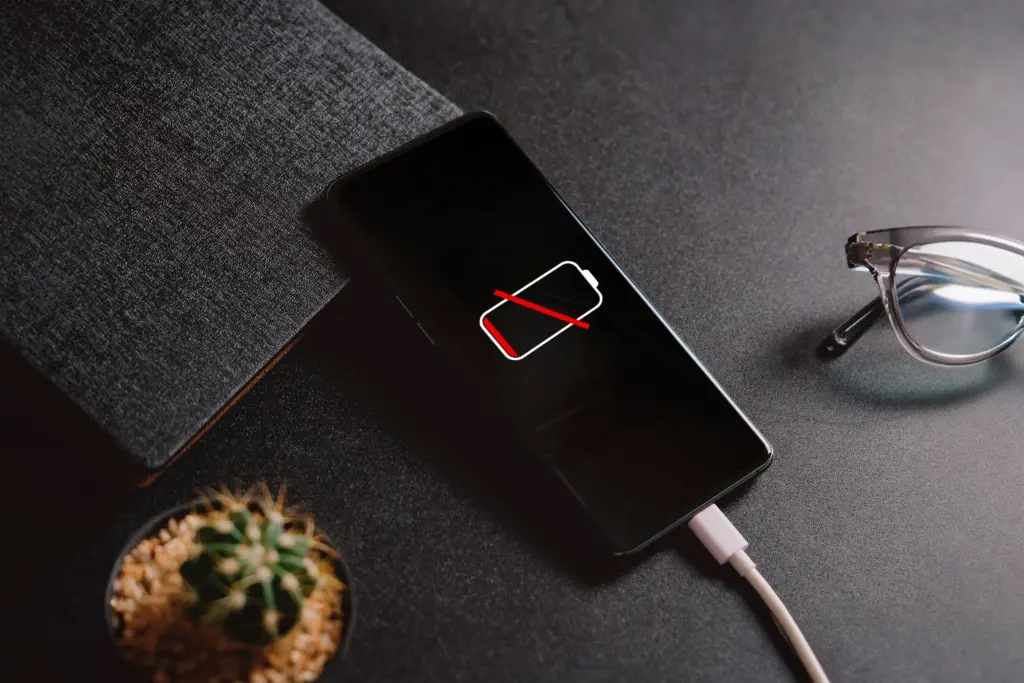
    an android with a dead battery c

    To keep your Android phone in top condition, top manufacturers recommend that you keep it charged above 50% most of the time. The life of your phone can be shortened by repeatedly letting it run completely dead, but it can also be shortened by always charging it to 100%. Therefore, until batteries that hardly degrade become commonplace, the sweet spot is to maintain your battery charged between 50 and 80% whenever possible.

    The good news is that majority of modern smartphones come equipped with functions that optimize battery health. For example, several Samsung models come with the “Protect battery” feature, which automatically sets the charging limit at 85%. Similar to this, “Charging optimization” on a lot of Google Pixel phones can be adjusted to limit charging to 80%. By cutting down on the amount of time spent at full charge, these features aid in reducing battery wear.

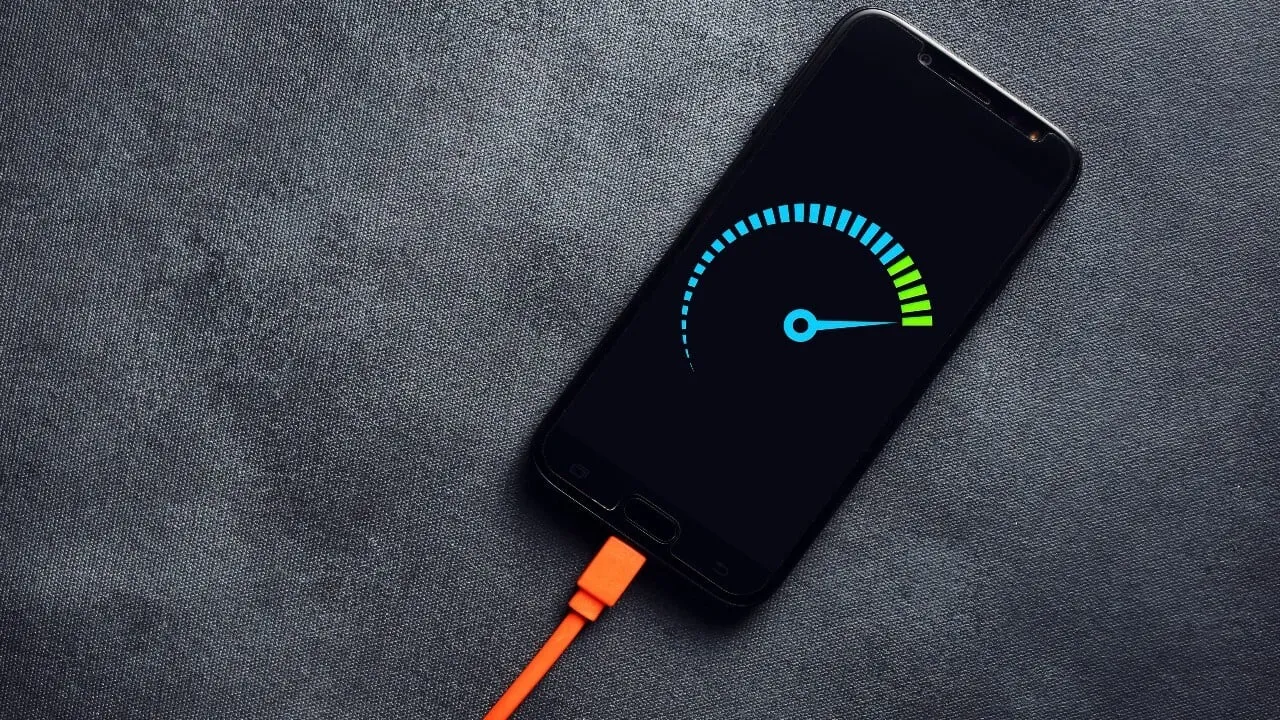
    Another element that affects battery health is extremely high or low temperatures. The battery of your phone will deteriorate more quickly if you often use it in extremely hot or cold temperatures. For the same reason, many Android phones include the really handy option of quick charging, which over time may harm battery health because of the increased heat generation.

    Extreme temperatures – both hot and cold – can actually be worse for battery health than fully charged. The ideal range of outside temperatures to preserve the battery life of your phone is 32 to 95 degrees Fahrenheit (or 0 to 35 degrees Celsius).

    A good solution

    Developing more intelligent charging practices, such as maintaining the battery at its ideal temperature and range, can significantly extend the life of your Android phone’s battery.Additionally, utilize certified or original chargers for your phone. Although third-party or generic ones could be less expensive, they run the danger of damaging voltage fluctuations or overheating your battery.

    You can get more battery life during the day by making a few minor adjustments if you’re seeing that your battery isn’t lasting as long. For example, you may extend the life of your phone’s battery by lowering the screen brightness, using dark mode, and shutting off Bluetooth and location services when not in use.When your phone’s battery is low and you don’t have access to a charger, you can temporarily activate the battery saving feature on many phones to reduce background tasks.

    It’s a good idea to update your apps to the most recent versions to prevent problems like a certain program draining your battery life.You can check the general health of your phone’s battery and see which apps use the most juice by opening the settings.

    battery life
  • Temporarily free apps and games for Android and iOS

    Temporarily free apps and games for Android and iOS

    We are unable to guarantee how long they will be available on the Apple App Store or Google Play Store. As a result, downloading them as soon as possible is advised. Just watch out for any possible subscription traps, in-app purchases, and advertisements.

    Even if you don’t need an app right away, install it if it piques your curiosity. It will be added to your app library and marked as “bought” as a result. After that, you may uninstall the app straight from your phone and get it back for free anytime you need it.

    Android Apps and Games

    Free Android Apps

    • Sound Meter & Noise Detector: The name says it all. Register sound levels wherever you are, with recordings, graphs, and statistics.
    • Simple App Locker: Protect apps from prying eyes by hiding them behind a pin code or biometric authentication.
    • Reminder Pro: Already featured in other editions, set reminders quickly that are easily reachable with a widget, with lots of controls for frequency, alerts, and more!
    • Smart Navigation Bar: Still using the classic navbar? Customize it with a background theme, animations, and even text messages.

    Free Android Games

    • Avalar: Shadow War: An action RPG with a strong Diablo influence. Fight the monsters and boost your abilities to (guess what) save the world!
    • Space Survivor: Mars RPG: Collect resources and boost your defenses to survive on Mars after being stranded on the red planet.
    • Shadow Knight: Ninja Fighting): Hack and slash your way through the darkness, defeating monsters with increasingly powerful attacks filled with special effects.
    • Summoners Era: If you are still into the idle RPG trend, try this pixel-art alternative 

    iOS Apps and Games

    Free iOS Apps

    • Touch Notation: Write music on your iPhone or iPad, with this award-winning app for creating and editing musical notations.
    • Doodle Lens: Bring life to your doodles with the power of augmented reality. Create short videos and share them.
    • Merge Voice Memos: Just as the title says. Mix and match different sound recordings on your device 
    • Weather: It is Nice Outside: Get a second opinion on the weather forecast, with data on humidity, wind, visibility, pressure, and more. 

    Free iPhone games

    • Wheels of Aurelia: A road trip through Italy, what is not to like? However, not everything is “dolce vita” in the 1970’s, and you must uncover the secrets of Lella’s past.
    • btw- puzzle maze: Pick all the circles on the board by switching the colors in this minimalistic puzzle game.
    • Chess: The classic board game with ELO-simulated computer players, and without the drama and controversies of today’s grandmasters.
    • Castle Ramble: A roguelike platformer with charming pixel art graphics in which you battle the pig invaders to recover your castle. 

    As of the date of publication, the deals were active. Please share any expired deals you come across in the comments section below. We advise you to review the app’s details in the Play Store or App Store before downloading any of the aforementioned apps. This is crucial since some of these free apps can have unique features or drawbacks of their own.

    Follow us on X @droid_tools, like our page on Facebook, check out our updates on Instagram, and follow us on Google News for real-time news, device tips, and mobile tech insights.

  • Temporary free apps for Android and iOS – get them now!

    Temporary free apps for Android and iOS – get them now!

    There are already a number of interesting and helpful apps available for free. However, as the offer is only valid for a short period of time, you need act quickly if you don’t want to spend any money on them.

    There are countless apps available in both Google’s and Apple’s app stores, the Play Store and the App Store. While some of these apps are free, some need a fee. However, many users are unaware that many paid apps can also be temporarily made free as part of a special deal. We have compiled a list of some of the most intriguing free apps accessible right now.

    Free Pro apps (Android)

    • Unit converter ($0.79) – With the right app at the right time, the smartphone can bring a lot of added value. Especially when it comes to units and their conversion, there is hardly a better tool than this one. Whether temperature, length, volume, energy, fuel or density – all of these can be converted effortlessly 
    • Fake call screen – Prank call ($0,69) – Have you ever found yourself in an awkward conversation with no hope of escape? With this app, you can take your fate into your own hands and create a distraction with a fake call. Unfortunately, the application no longer works fully on newer Android versions 
    • Color wheel ($2.09) – A very special app that is very popular with its target group. It allows you to precisely determine any color using a color wheel, color palettes, and the smartphone camera, and make fine adjustments at the same time. 
    • Scan Text From Image English ($0,89) – With this app, you can automatically extract any English text from images. Numbers and units are also reliably recognized. The minimalist and user-friendly design of the application is particularly practical 

    Free premium apps (iOS)

    • Space Clutter ($0.99) – This game is a minimalist arcade game from 2012 that takes place in outer space. It is now also available for iOS. Anyone who develops nostalgic feelings when they hear the word “arcade” should definitely give this retro-inspired game a chance 
    • Music Quiz: Know Your Library? ($0.99) – This game is a quiz based on your own music library. Anyone who thinks they know their favorite songs inside out can put their knowledge to the test here. The graphic design of the game adapts to the song currently playing 
    • Blindfold Chess ($7.99) – This chess app takes an unusual approach, as the actual game almost takes a back seat here. Instead, the focus is on training for blindfold chess – in other words, playing chess without eye contact with the board. Anyone who learns this skill is guaranteed to be greeted with amazement at their next match 
    • Dog Guide 2 PRO ($1.99) – If you want to find the ideal dog or expand your knowledge of these faithful four-legged friends, you should take a look at this app. It offers a large number of free pictures, clearly presented information, and a practical filter function – all in one application.

    At the time this post was published, all of the apps we are showcasing here were free to download. Regretfully, developers frequently fail to indicate the duration of these offers. Don’t hesitate to download an app if you enjoy it.

    However, you should always check the app page in the store before downloading a free program. Because there are occasionally unnoticed obstacles that you should be mindful of.

    Apps permissions

    Many apps gather user information and frequently sell it. Make sure you only give the program the rights it actually needs if you want to be safe. For instance, a flashlight shouldn’t be interested in your location information, and an alarm clock doesn’t require access to your contacts or cameras.

  • If apps are secretly reading your messages or using your camera, One UI 8 will alert you.

    If apps are secretly reading your messages or using your camera, One UI 8 will alert you.

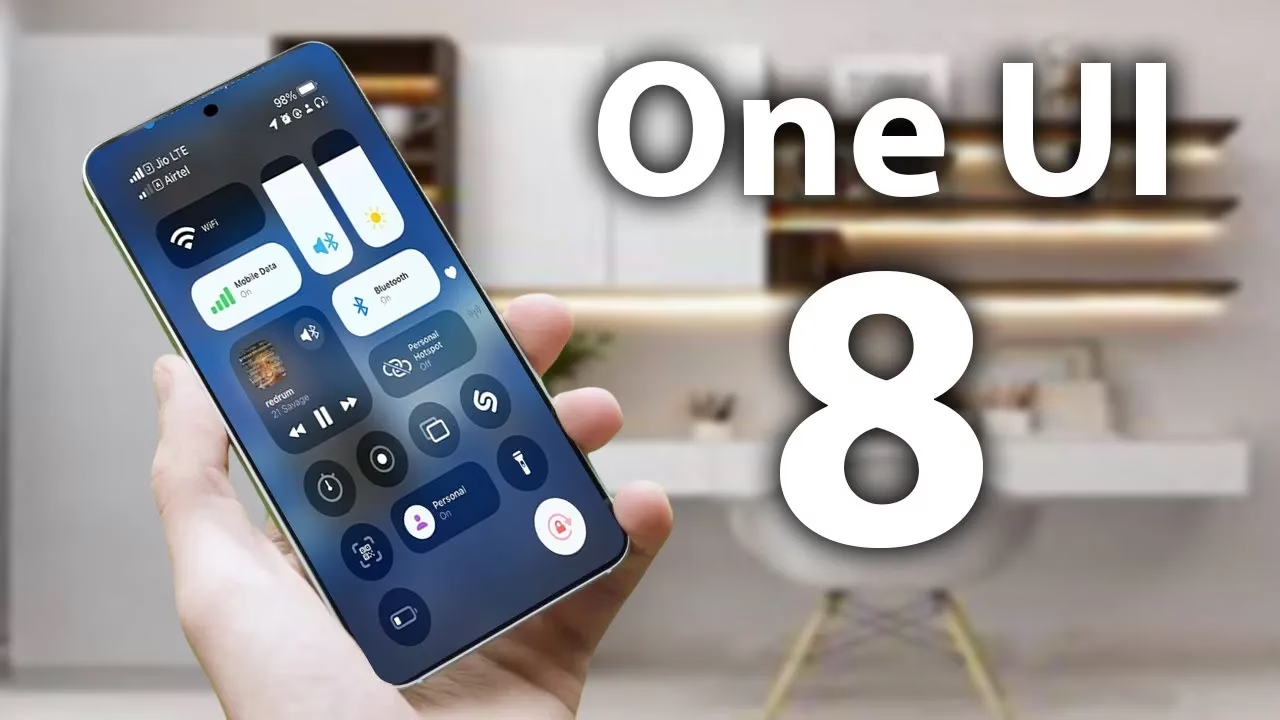
    According to a tip from Android Authority and an APK breakdown, Samsung is included a new security tool in the next One UI 8 update. The “Alert Center,” a new feature, is supposed to provide customers with a more comprehensive alerting system for security and privacy issues.

    When an app uses the camera or microphone on an Android device, users typically notice a green dot on the status bar’s edge. However, Alert Center will go one step farther and alert consumers to possible privacy and security threats.

    It is said to provide notifications for a variety of problems, such as when applications read messages or get unauthorized access to the user’s camera or microphone. Gemini, turn away. Additionally, it will alert users to malware, insecure accounts, out-of-date software, and biometric security setup reminders. These alerts, which are directly related to the fix, assist users in acting promptly.

    Additionally, Google revealed Android 16’s enhanced security features, which include a new protection mode to thwart attackers and keep gadgets safe.

    No specific date has been set for the Alert Center’s launch.

    Stay connected with the latest from Droid Tools—follow us on X @droid_tools, like our page on Facebook, check out our updates on Instagram, and follow us on Google News for real-time news, device tips, and mobile tech insights.

  • Temporarly free premium apps and games for both Android and iOS

    Temporarly free premium apps and games for both Android and iOS

    Here, things operate differently because we carefully choose the programs. We chose these programs because they are temporarily free, rather than because we checked and tested everything. Regretfully, neither the Google Play Store nor the Apple App Store provide us with a summary of how long the deals are valid. It’s worthwhile to give them a try right away, but read the warnings about in-app purchases, advertising, and other subscription pitfalls.

    Even if you don’t require an app right away, install it if it piques your curiosity. It will be added to your app library and marked as “bought” as a result. When you need it, you can easily reinstall the app for free after removing it straight from your phone.

    Android apps and games

    Android apps for productivity and lifestyle

    • PhotoApp: AI Photo Editor, Art: One of the many photo apps that let you modify your pictures. For example, you can integrate your face into other photos.
    • Simple App Locker: Do you want to protect certain apps or games from being accessed by others? Then this app offers you the option of securing desired applications with a PIN code or fingerprint.
    • Touch Lock: This app does exactly what the name promises – you can temporarily deactivate the touchscreen. This can be useful if, for example, you are listening to music or watching videos and don’t want to tap the screen accidentally.
    • PowerAudio: Do you want to give an appealing-looking music player with a good rating (4.4 stars) another chance? Then please – go for it!
    • Smart Navigation Bar – navbar: This alternative navigation bar is rated rather average with 3.4 stars, but hey, this way you can at least give the bar a new look on a trial basis and for free.

    Android games

    • Defense Zone 3 Ultra HD: I’ve often recommended this game to tower defense fans. And I’m always happy to do so when it’s free again. Really great graphics and tough at times!
    • Cooking Quest: Do you have what it takes to make people happy with your street food cart? Then prove it in this game!
    • Sudoku Master Premium: I don’t have to explain Sudoku to anyone here, do I? In any case, this is a very nice implementation for puzzle fans.
    • Crossword Quest Premium: Fancy putting your gray matter to the test again? Then here’s something else for crossword puzzle fans.
    • WindWings: Fancy another spin-off of the Atari classic Galaxian? This one makes a really good impression and has a great rating. Have fun shooting!

    iOS apps and games

    Free iOS apps for productivity and lifestyle

    • Water Drinking Reminder: To be honest, this app, which reminds me to drink regularly, would be too expensive for six euros. But “for free,” you can get it without hesitation.
    • Scrap Paper: A very highly rated and intuitive note-taking app that wants to capture your ideas and thoughts without taking you out of your workflow.
    • Atten: Screen Time App Blocker: Do you often lose concentration and look at your phone more often than you should? Then this app will help you reduce your screen time.
    • abCursive: Do you still know how to write by hand? It’s almost a bit ironic that a cell phone app, of all things, wants to teach you how to write beautiful handwriting, isn’t it?
    • Pocketbooth Photo Booth: A photo tool that is modeled on the good old photo booth. I can imagine it being great fun for in-between times. And you?

    Free iPhone games

    • Solitaire: The game, the design, and even the title of the game are sensationally simple. Anyone who enjoys playing solitaire will find a simple and ad-free version here, completely without frills.
    • Blindfold Chess: An exciting idea for a chess game – you have to play virtually blind. In this way, you learn to visualize the board in your brain and thus develop a different understanding and therefore a different skill for playing chess.
    • Rotaeno: For this music game, you need a sense of rhythm and a solid basic trust in your iPhone’s gyroscope. You have to hit notes by rotating your cell phone accordingly.
    • Spider Solitaire: If you like playing solitaire, you’ll find a simple and ad-free version here, without any frills. Oops, I’ve just written that sentence before. So be it – you can tell us which of the two versions you like better.
    • Ninja Boy Adventures – Bomberman edition: Do you still remember the classic Bomberman game? Fans of Bomberman games will quickly feel at home here.

    I hope you’ve all found something appropriate. That’s all I have for today. If not, Saturday will be the next day to take advantage of app deals.

  • Gmail is already getting Material 3 Expressive design

    Gmail is already getting Material 3 Expressive design

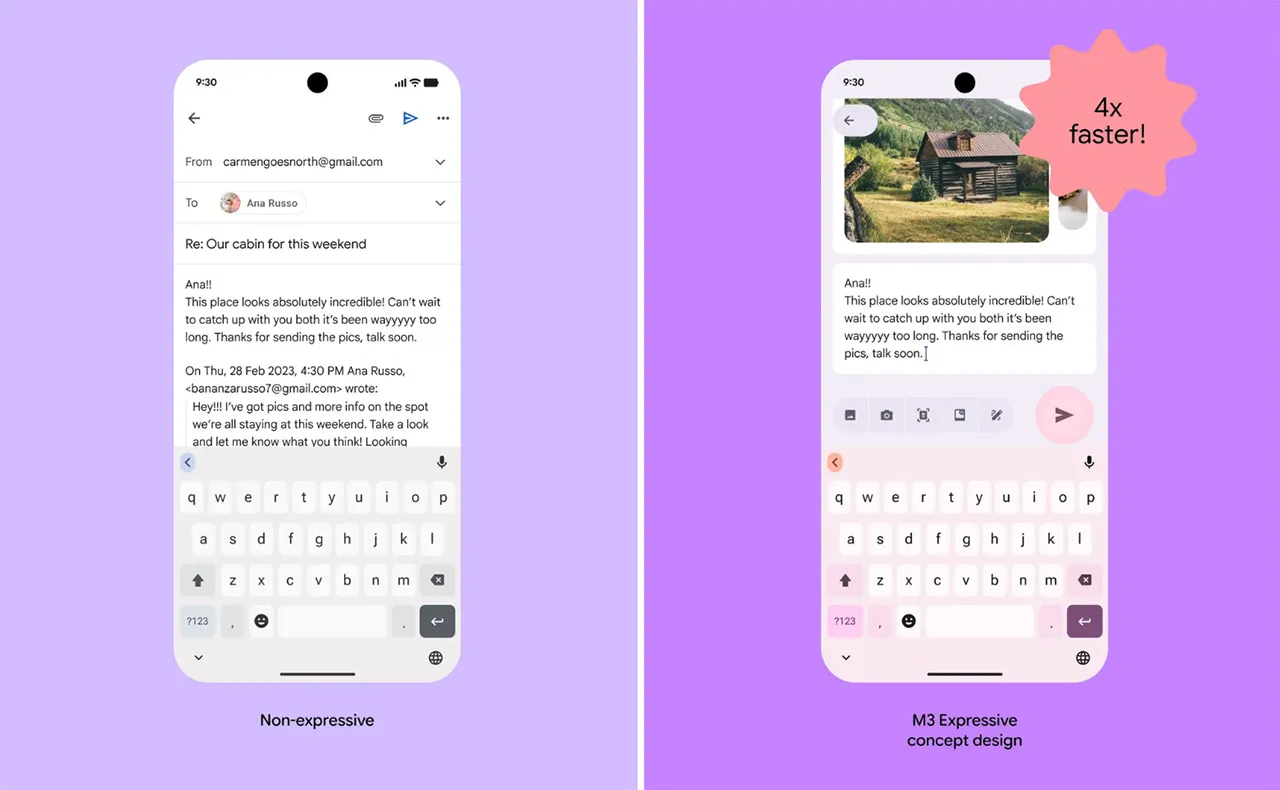
    One of the main topics of discussion with Android 16 is the release of Material 3 Expressive, which not only improves the user experience of the system but also guarantees that Google apps use the same design language, improving consistency. Later in the year, those system-level design modifications are anticipated, but it appears Google is eager to begin implementing Android 16’s app designs.

    Over the past few weeks, the Mountain View tech behemoth has been seen previewing Material 3 Expressive in the Phone app and, more lately, in Calendar, Photos, Files, and Meet. If Gmail is your main email app on your Android phone, it’s time to see if you have the Material 3 Expressive design upgrade installed. However, there is no information regarding when Android 16’s design will be available for these apps.

    How Material 3 Expressive design is changing Gmail?

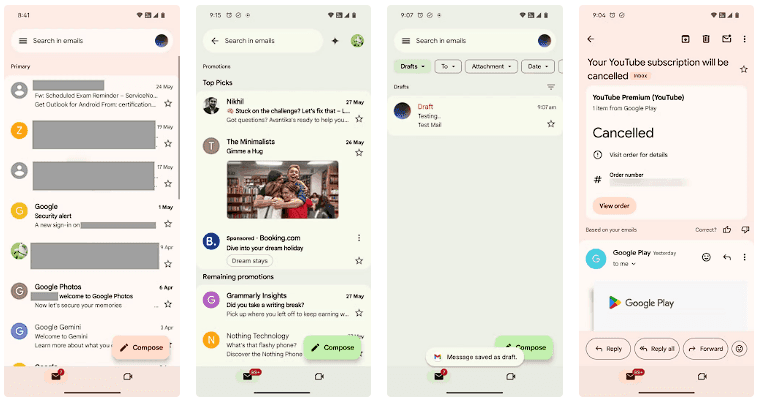
    The Gmail app version 2025.05.11 is implementing Android 16’s design language, which was initially noticed by SparkRadar on Telegram. This brings significant modifications to the program’s general look (via Android Authority). The new card-based user interface for the email list is the first significant change you’ll notice when you launch the app.

    Material 3 Expressive design Gmail

    Emails and the landing page’s search box were previously shown in a single-sheet format. With the Material 3 Expressive redesign, the email screens also had the same card-based user interface as the landing page.

    On the landing page, the “Compose” FAB is still located on the right, but now has a thicker typeface and a solid-filled pencil image. The search bar has seen a minor alteration as well. The profile symbol in the search bar is no longer present in the updated user interface. As an alternative, the search bar’s size has been lowered to create space for the profile symbol next to it.

    Additionally, we can see that the Meet and Email symbols have grown in size, and the bottom bar has slightly expanded. Additionally, Gmail now has a pill-shaped button animation for its swipe motions, which gives the interface a lively personality.

    Although the Material 3 Expressive design update is visually appealing, not all Gmail users can currently access it. The reason for this is that a server-side update is being used to roll it out. Additionally, it may take a few more days to make this adjustment available to everyone, as Gmail is one of the Google apps with over 10 billion installations on the Google Play Store.

  • Temporarly free apps for Android and iOS

    Temporarly free apps for Android and iOS

    There are countless apps available in the Play Store and the App Store, the two app stores owned by Apple and Google. While some of these apps are free, some need a fee. However, many users are unaware that many paid apps can also be temporarily made free as part of a special deal. We have compiled a list of some of the most intriguing free apps accessible right now.

    free android and IOS apps

    Free apps for Android

    • Resume Builder – CV Maker ($5.99) – In this day and age, without a convincing CV, you’re often at a disadvantage. So it’s all the better that you can create a suitable design yourself in a short space of time. With the help of this app and a pinch of creativity, it’s easy to create a professional and appealing CV that leaves an impression.
    • Passport Photo: ID Photo Print ($5.99) – This app makes it easy to take high-quality passport photos from the comfort of your own home, without having to go to a photographer. In Germany, however, self-taken passport photos have only been accepted to a limited extent since May.
    • Stitch Photos: Long Screenshot ($3.49) – Anyone who has ever tried to take a screenshot of an entire website or chat history knows the problem: unwanted elements such as advertisements, menus, or the scrollbar are often included. This app provides a remedy by allowing you to effortlessly remove superfluous elements.
    • Business Card Maker: Logo Card ($5.99) – Whether used professionally or simply for pleasure, business cards are inexpensive to buy. The real challenge often lies in the design, especially for people without graphic talent. But this problem is a thing of the past with this app.

    Free premium apps for iOS

    • Minesweeper Classic ($4.99) – If you’re nostalgic and used to using a Windows PC, you’ll love this game. The game principle is clearly based on the well-known Windows classic: the aim is to correctly mark minefields and uncover all safe fields, just like in the old days. It’s just a shame that the app relies on in-app purchases.
    • Ninja Boy Adventures – Bomberman edition ($1.99) – This game is very similar to the arcade classic Bomberman, with a decisive twist: instead of a bomber, you take on the role of a ninja. The levels are also a little more cleverly designed. However, the gameplay is still entertaining.
    • Queen Rules ($2.99) – This puzzle game is the ideal way to pass the time. The aim is to position your soldiers so that they can defeat the evil witch’s soldiers. There are also interesting level designs and clay figures.
    • Dog Guide 2 PRO ($1.99) – Anyone who wants to find the ideal dog or expand their knowledge of these faithful four-legged friends should take a look at this app. It offers a large number of free pictures, clearly presented information, and a practical filter function – all in one application.

    At the time this post was published, all of the apps we are showcasing here were free to download. Regretfully, developers frequently fail to indicate the duration of these offers. Therefore, you should download an app as soon as possible if you enjoy it.

    However, you should always check the app page in the store before downloading a free program. Because there are occasionally unnoticed obstacles that you should be mindful of.

    Many apps gather user information and frequently sell it. Make sure you only give the program the rights it actually needs if you want to be safe. For instance, a flashlight shouldn’t be interested in your location information, and an alarm clock doesn’t require access to your contacts or cameras.