Tag: apps

  • Limited-time: download premium apps free before prices return

    Limited-time: download premium apps free before prices return

    Even while there isn’t such a thing as a free lunch, there is such a thing as free apps! We’ll look at a selection of free apps for iOS and Android phones today, which includes games and other kinds of apps. Please be aware that you must act immediately because these offers are time-sensitive and we are unsure of when they may end.

    A wide variety of programs, from free to premium solutions, are available in the Google Play Store and Apple App Store, respectively. Many customers may be surprised to learn that during promotional events, a number of paid apps are frequently made temporarily available for free. We’ve put together a list of some of the most interesting apps available for free right now.

    Free premium apps (Android)

    • Reminder Pro ($3.49) – If you ever need a second brain like me, then this is the app to go for. It is a reminder app that will definitely come in handy, giving you alerts and various options to be notified, so that you know what’s next on your “To Do” list without falling behind on deadlines.
    • Resume Builder – CV Maker ($4.99) – Ever wanted to conjure a resume while you are on the move? If you have answered in the affirmative, you can do so on the move with this nifty little app. Of course, some of us might use other apps, but this is rather comforting for old school folks like me. 
    • Age Calculator Pro ($0.49) – If you are poor in math, just like me, then this age calculator app might be just the thing! It is ideal to calculate my age and discover the total years, months, days, weeks, hours, minutes, and seconds between two dates! Of course, this is also nifty to find the date difference between important events like marriage anniversaries, work anniversaries, birthdays, festivals, and holidays, among others. 

    Free premium apps (iOS)

    • Lego Duplo Doctor (S4.99) – What do you think your little one is going to grow up to be? Well, let’s not pressure the tiny tots just yet and let them play. And who does not like Lego? Duplo can be said to be the introductory doorway to the world of Lego, and this game squarely places them into a hospital environment.
    • BJJ Old Man Style ($19.99) – Check out this instructional app that features a 1 hour 45 minute video, where Jiu Jitsu black belt Rick Ellis showcases how he approaches the BJJ game as an older athlete. Rick emphasizes developing your game into systems of attack and defense, opening up various options when faced with different opponents. 
    • Pixel Thoughts ($0.99) – I would highly recommend using this app with a pair of headphones, as it lets you enjoy meditation by placing your thoughts into a star. Just focus on what’s boggling your mind and meditate to gain some perspective in a more focused manner. 

    At the time this post was published, all of the apps we are showcasing here were free to download. Regretfully, developers frequently fail to indicate the duration of these offers. Don’t hesitate to download an app if you enjoy it.

    However, you should always check the app page in the store before downloading a free program. Because there are occasionally unnoticed obstacles that you should be mindful of.

    The majority of free apps either provide in-app purchases or have advertisements. But some apps that cost money also accomplish this. It is crucial to give these factors the consideration they require, particularly if the game is meant for young players.

    Many apps gather user information and frequently sell it to outside parties. Therefore, make sure you only give the program the rights it truly requires if you want to be safe. For instance, a flashlight shouldn’t be interested in your location information, and an alarm clock doesn’t require access to your contacts or cameras.
  • Nothing OS 4.0 open beta launched with AI app-building features

    Nothing OS 4.0 open beta launched with AI app-building features

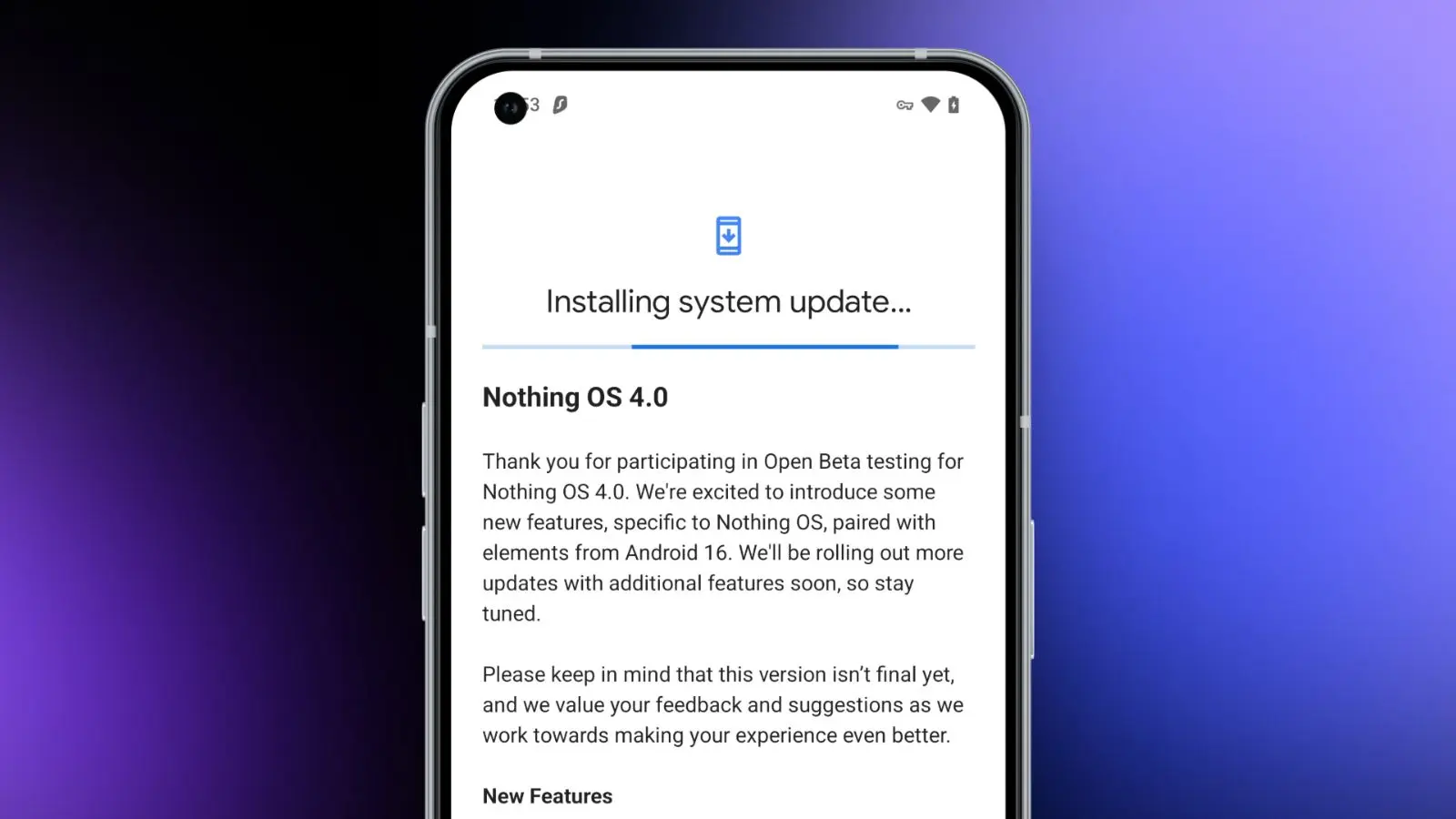
    Today, we need to discuss a few significant news from Nothing. First, for those who own a Nothing phone and would like to try out Android 16 before it becomes stable, Nothing has made the Nothing OS 4.0 Open Beta (Android 16) available. The other news relates to that since it presents the Playground and Essential Apps, both of which require additional explanation. In summary, Nothing came up with a really great idea.

    Download the Nothing OS 4.0 Open Beta:

    Let’s start with Nothing OS 4.0, which is now in beta testing. To obtain this, you must have a Phone 3 or any of the Phone 2 and 2a versions. You might be out of luck right now if you own a Phone 3a device, as they haven’t mentioned them yet.

    There are a number of changes in the Nothing OS 4.0 beta, all of which we’ve detailed in this post. It includes “generic” enhancements like a more sophisticated design, an additional dark mode, enhanced app optimization, and a better photography experience. Nothing also mentioned two new lock screen clock faces, a new Pop-up View, and support for 2×2 Quick Settings tiles in today’s announcement.

    Nothing OS 4.0 open beta launched

    Installing the Nothing Beta Updates app, joining the beta through it, and then installing the beta software are the largely straightforward steps to begin, providing you enjoy testing beta software.

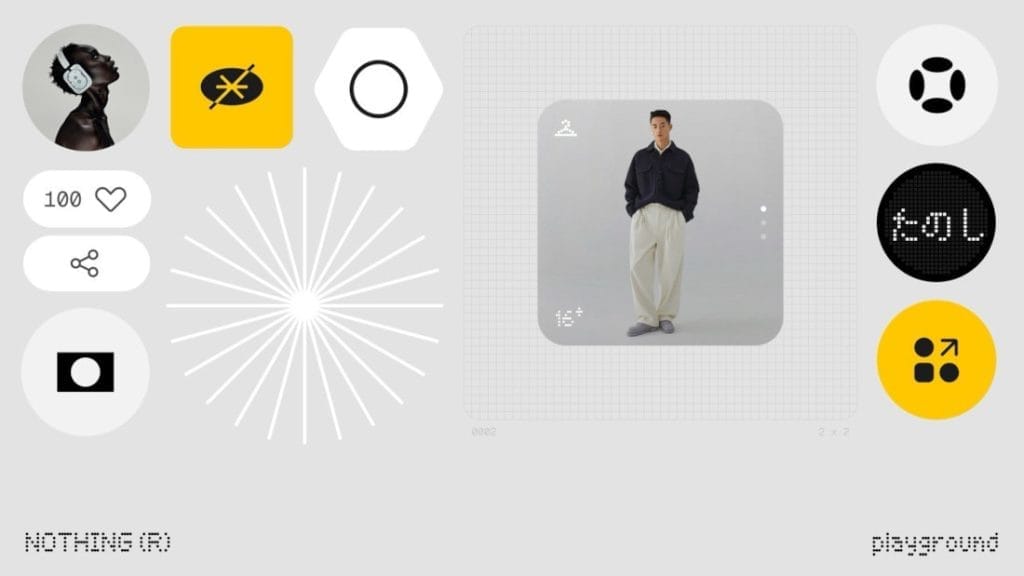
    Nothing Essential Apps and Playground: In other exciting news, Nothing has introduced the Playground and Essential Apps that are housed within it since we enjoy fresh concepts. If your Nothing device is running Nothing OS 4.0, you can install programs, Glyph Toys, camera settings, and EQ profiles from the Playground, which is effectively a community storefront. Even while you might not find that concept particularly novel or intriguing, the apps and their origins may be.

    Nothing has developed a web gateway that lets you make your own programs that your Nothing phone may install as widgets. You go to the Nothing Playground website (here) and try to explain a phone app you want. To put it another way, you would be describing a widget that isn’t currently on your device but may be a helpful program or action. This Playground site’s AI will install it on your device if it is capable of doing so.

    You only need an idea that you can clearly express in a prompt that AI could grasp and then develop from, as this is all happening from AI prompts. You don’t need to know how to code to accomplish this. But in case you were curious, you can see the code it spits out. All of this is a sort of early “alpha” with some obvious restrictions. There has been no indication that it will grow and incorporate agents, APIs, and integrations in the future, which should make this something really amazing.

    A Tic Tac Toe app, an F1 timetable, a water intake tracker, a flight reminder, a solar clock, a small calculator, and a breathing tracker are a some of the apps that are now available on the Playground. You may already have some of those features from other apps, but the idea is that you may think of something useful at the time and instruct the Playground to create it. In only a few minutes, that might be on your home screen and be usable. That is a significant idea.

    You will be able to download other members’ apps and share your own publicly on the Playground to completely increase the number of apps and ideas available.

  • Simple tips to extend your phone’s lifespan

    Simple tips to extend your phone’s lifespan

    The Samsung Galaxy S25 Ultra and iPhone 17 Pro are two of the greatest phones available right now because of their incredible cameras and powerful processors. Even though these high-end flagships could be the best mobile devices available right now, getting them will cost you a fortune. Even phones that are affordable, like the Google Pixel 9A, are still expensive, and since people’s budgets are getting tighter everywhere, it’s more crucial than ever to get the most out of your purchases. Instead of updating more frequently, the simplest approach to achieve that is to just stay using your phone longer, spreading out that expensive purchase across the years.

    Not only is it better for your wallet, but it’s also much better for the environment. If you upgrade your phone less frequently, fewer phones will be made and distributed, and fewer old phones will wind up in landfills. The good news is that manufacturers such as Apple, Google, Samsung, and others are extending the support period for their phones’ software updates, so the phone you purchase today will continue to be safe to use for many years to come.

    You are responsible for the remainder. It takes some work, a lot of attention, and a few crucial tactics to keep your phone in good operating order for the seven or eight years of software support it may receive.

    Therefore, these are the best ways to extend the life of your phone.

    Update the software

    Avoid using a phone that isn’t receiving security upgrades since it’s just not safe. Phones like the Google Pixel 9 series now come with seven years of software support, whereas before it was typical for many Android manufacturers to support new phones for only two to three years. Unfortunately, some less expensive phones, such as the recently released OnePlus Nord CE4 Lite, only get upgrades for a few years. When purchasing a new phone, be sure to inquire about its support duration since this will provide you with greater value during the phone’s lifetime.

    best brands for android updates

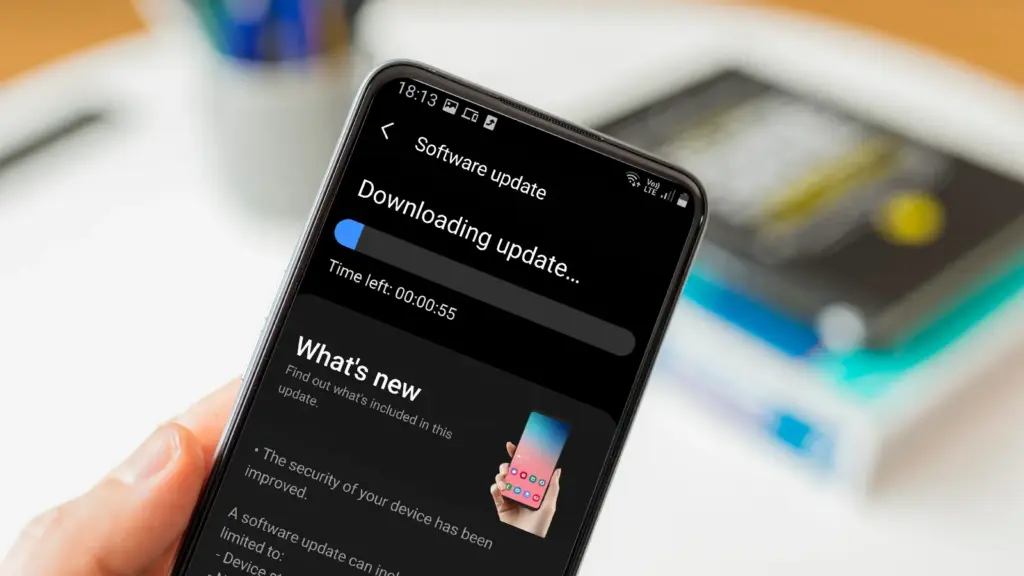
    Keeping your phone up to date with the most recent security update will help prevent hackers and remove any dangerous software that might infiltrate and cause your phone to lag. If you have an older phone, go to the settings menu, scroll down to Software Update, and click to see if there is an update available. Most phones will automatically ask you to install the most recent upgrades, and you sh

    This also applies to your apps, which must be updated to stay compatible with the iOS or Android version you’re using. Allowing apps to update automatically in the background is a good idea, but if you don’t, make sure you’re running the most recent versions by going into your preferred app store.

    Protect it with a case

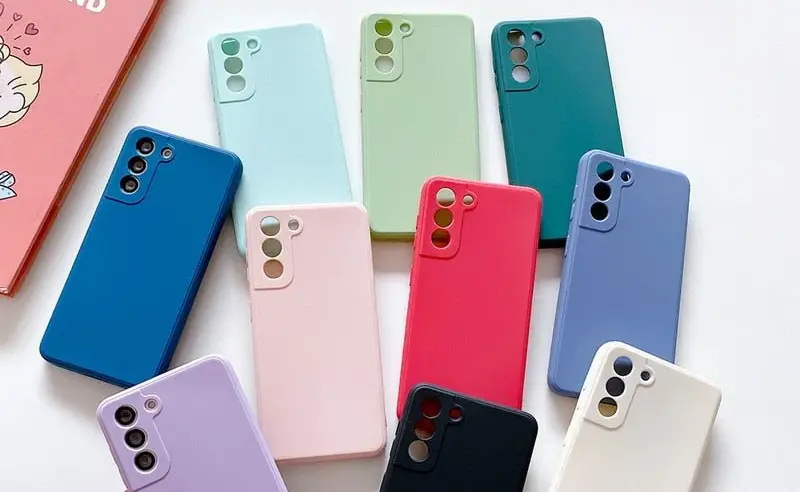
    If you recently purchased a brand-new iPhone, installing a case right away is the best way to preserve it physically. In addition to protecting it in the event that you drop it, it will also assist prevent it from absorbing tiny scratches from your pocket’s coins or keys.

    matte silicone samsung galaxy a series phone case 521848 e1758974780610

    Since there isn’t much you can do to repair your phone’s screen after it becomes damaged, a screen protector is also a smart option. You can easily change a screen protector if it gets a severe scratch, keeping the phone itself looking brand new for many years to come. When it’s time to update, keeping your phone looking new could help you sell it for more money on the used market, even if you don’t intend to keep it for many years.

    Replace the battery

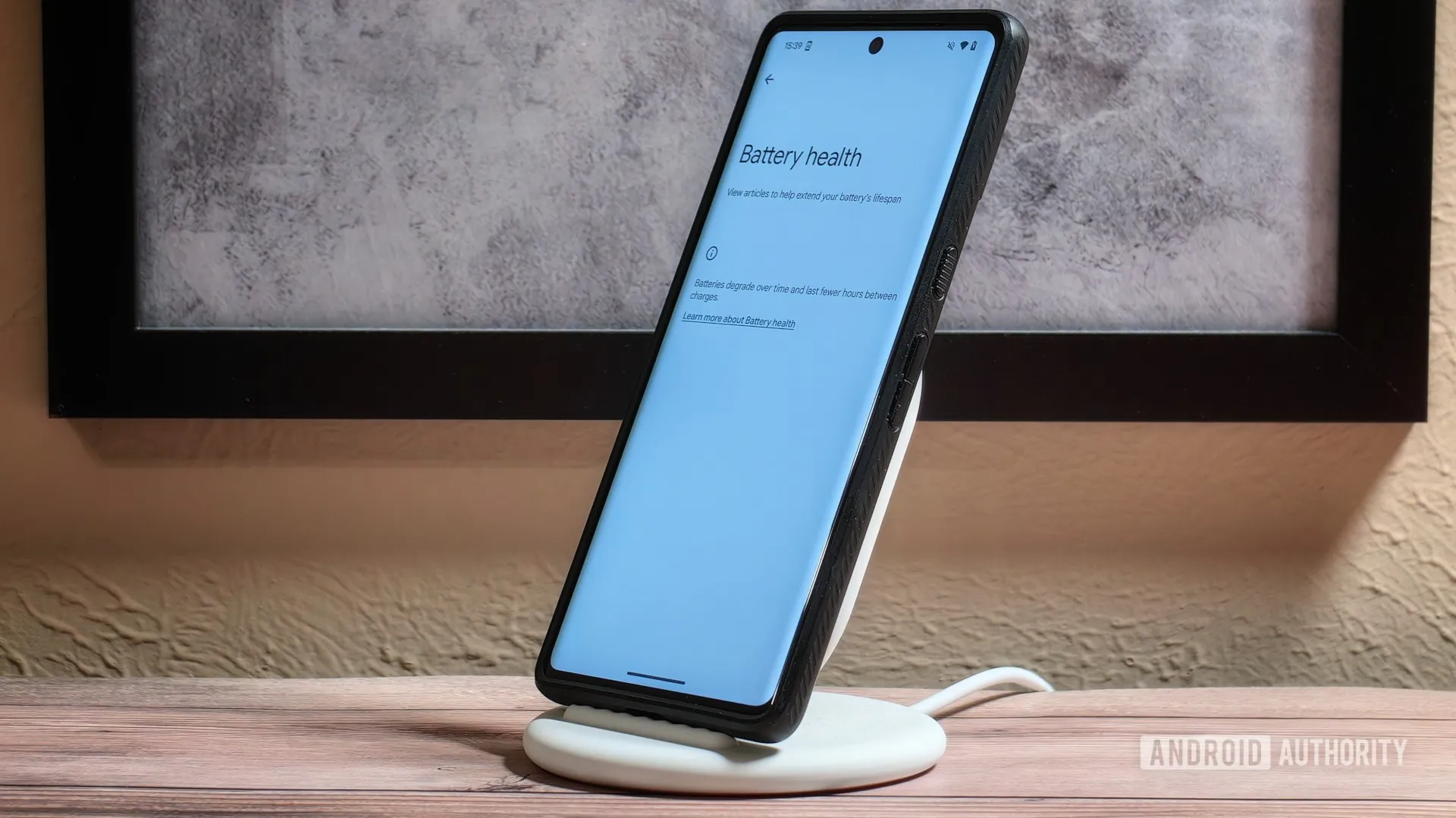
    Over time, the battery in your phone will progressively degrade, giving it less life between charges than it did when it was brand-new. All phones are like this. Batteries in certain older phones might only provide 50% of their previous capacity. Your phone may even alert you when it senses that your battery isn’t providing enough power, in which case it may limit your processor to make up for it.

    replace battery on a nothing phone

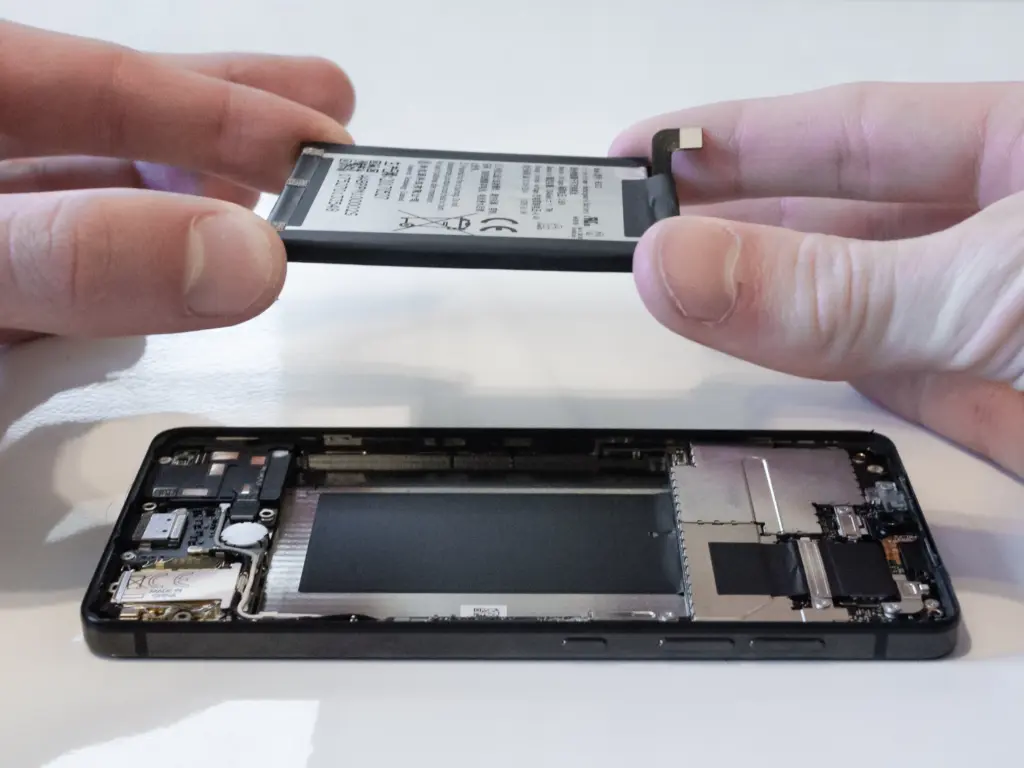
    Don’t worry; most phones have a battery that is rather simple to change on your own to give it a fresh lease on life. If your battery is about to die, it could be worth trying to repair it yourself. iFixit offers a wide range of kits and third-party replacement batteries to fit a large number of phones.

    If you’re not very confident with your screwdriver skills, this might be a nice alternative to think about. There are a number of places you can take your phone to have your battery replaced, or even other components like a broken screen. However, not all of them are really legitimate.

    Remove old apps that you are not using anymore

    Your phone is probably cluttered with thousands of pictures of your friends, pets, or the plates of food you’ve consumed over the years if you’ve owned it for a long time. You probably have a number of outdated apps and games that you downloaded on the spur of the moment, played for a few bus rides, and then switched to the newest mobile gaming craze.

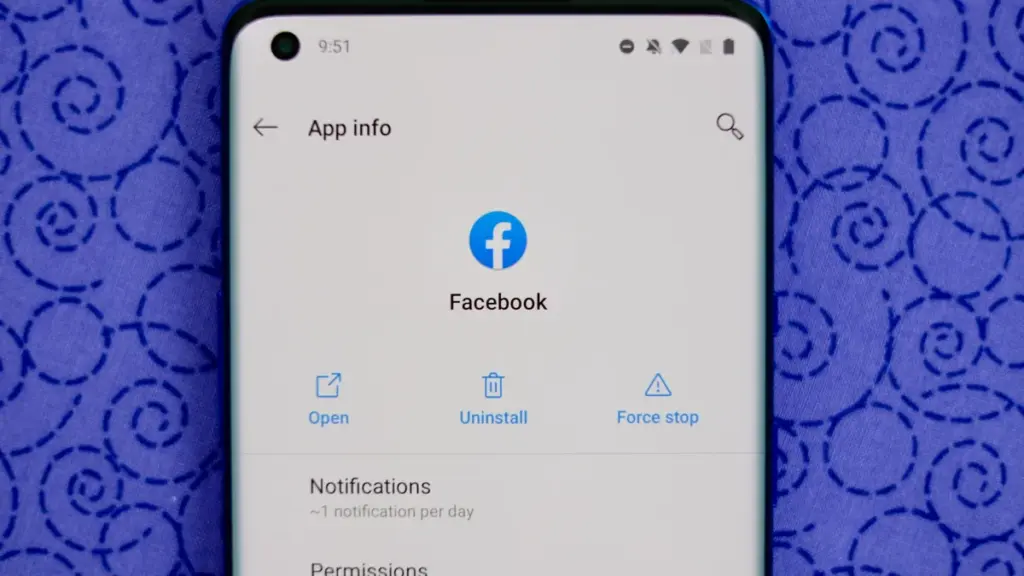
    remove old apps on Android phone

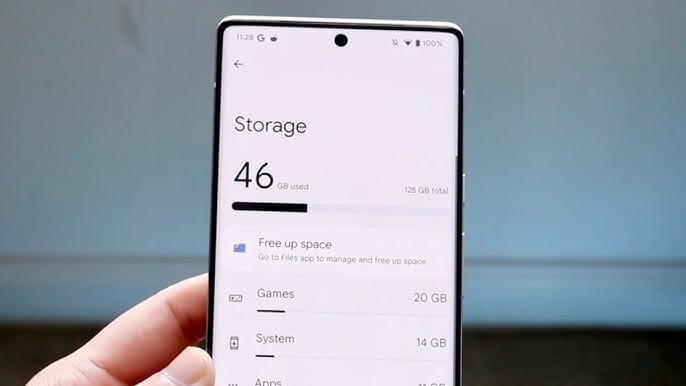
    In addition to negatively impacting your phone’s general performance, a shortage of storage may also make it more difficult to install important software updates. It’s worthwhile to look through your archives, remove anything from your phone that is wasting space, and backup any pictures and movies you wish to store to the cloud.

    It might even be worth backing up all of your crucial data and performing a complete factory reset, starting over, and only installing the necessary apps if your phone has been slow for a long period.

    Clean out your ports

    Last but not least, cleaning your phone can offer unexpected benefits. Your phone may suffer greatly from pocket fluff, especially when it comes to the charging connector, which frequently becomes clogged with bits of junk. As a result, your phone won’t charge when you plug in your charger because it can’t connect completely.

    cleaning charging port

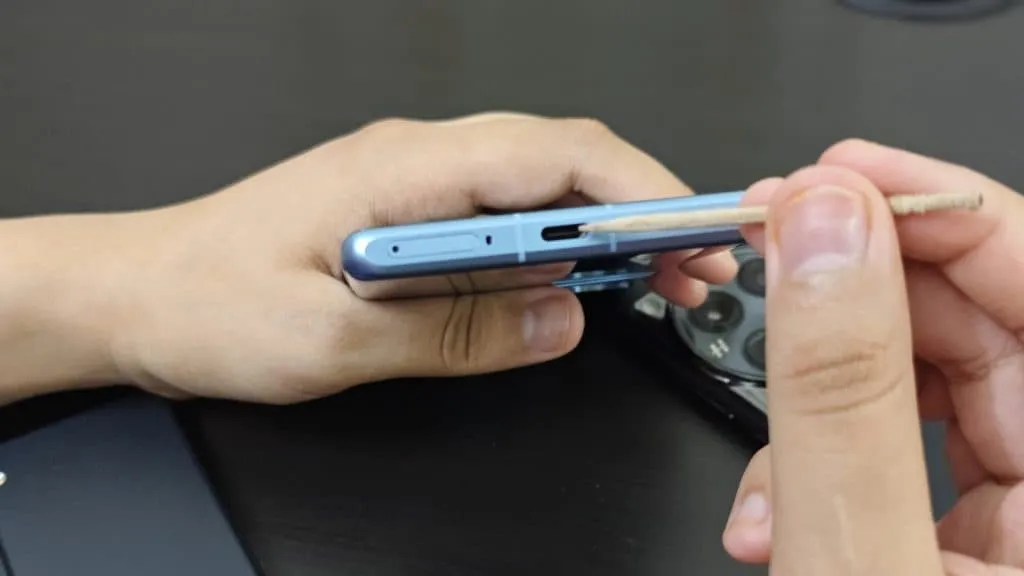
    It’s tempting to assume that something has broken, like the cable or the charging port itself, but it could just be that the port is overflowing with lint. To make sure your charger fits without requiring forceful wriggling, occasionally insert a wooden toothpick into the area and try to ease out any dirt or debris you notice.

    To make sure you can clearly hear—and be heard—during your phone calls, it’s also worthwhile to carefully brush away any debris you may discover near the speakers and microphones with an old toothbrush that has been cleaned and dried.

  • Speed up your Android device: 4 settings that can transform performance

    Speed up your Android device: 4 settings that can transform performance

    The first thing you should do if your Android phone has become sluggish is to wipe off its storage. Here are some tips for speeding up your outdated Android phone if you’re not sure where to start.

    Delete unused apps

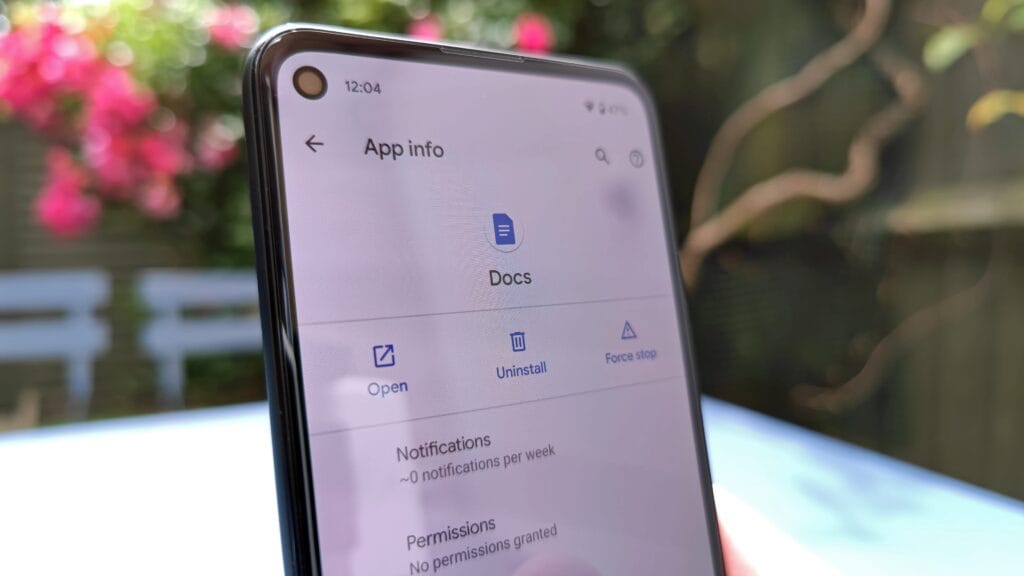
    Phones can accumulate a large number of unused apps over time, leaving your device looking crowded. You may have used an outdated photo editing app or a QR scanner app from a restaurant on your previous trip. Uninstalling these apps is the best way to free up space on your Android phone.

    speed up android device

    Because your Android phone won’t have to spend resources on apps that aren’t being used, decluttering it can speed it up. Removing these APKs will improve resource management and make your phone quicker. To view the list of installed apps and remove those you no longer require, navigate to Settings > Storage > Apps. You may also long-press on these forgotten apps on the app screen to get App Info > Uninstall.

    Clear storage

    Files and long-forgotten pictures of school notes are just two examples of the trash that accumulates on old Android phones. Following the removal of unnecessary apps, you should try to free up space on your Android phone by browsing through the stored files and images.

    speed up android device - clean storage

    To see what’s saved, open the File app on your phone. The majority of garbage, including long-forgotten PDF files, images, etc., is frequently found in the Downloads folder. You should check two more areas to make sure the storage is clear.

    • Offload photos from your phone and save them to an external drive or the cloud. This helps create a backup of your memories and clear space on your old Android phone.
    • Clear the app cache. For the unaware, cache is bits of data that an app saves so it is quicker to operate the next time you open it. I recommend clearing the cache for less-used apps with no saved login information. You can go to Settings > Storage > App > Clear Cache to save more space.

    Check for updates

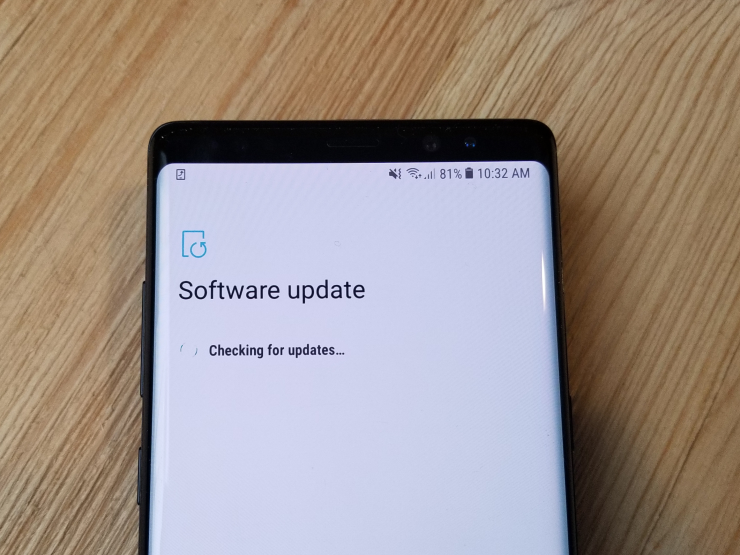
    Verify that the operating system on your Android phone is up to date. Updating it will install the most recent security procedures and make it snappier. To verify and install the most recent software version, navigate to Settings > General > System Update.

    20171204 103326

    After updating your old Android phone to the most recent OS version and removing the uninstalled apps, you should update the remaining apps from the Google Play Store. To get the newest features, enhanced security, and faster performance, it’s critical to utilize the most recent versions of these programs.

    Adjust the animation speed

    A few features, such as Developer options to alter the animation speed, can be enabled or disabled to make your phone feel faster. This can make your phone feel much faster, but it’s a little trickier than the other settings discussed above.

    How to Change Animation Speed on Android

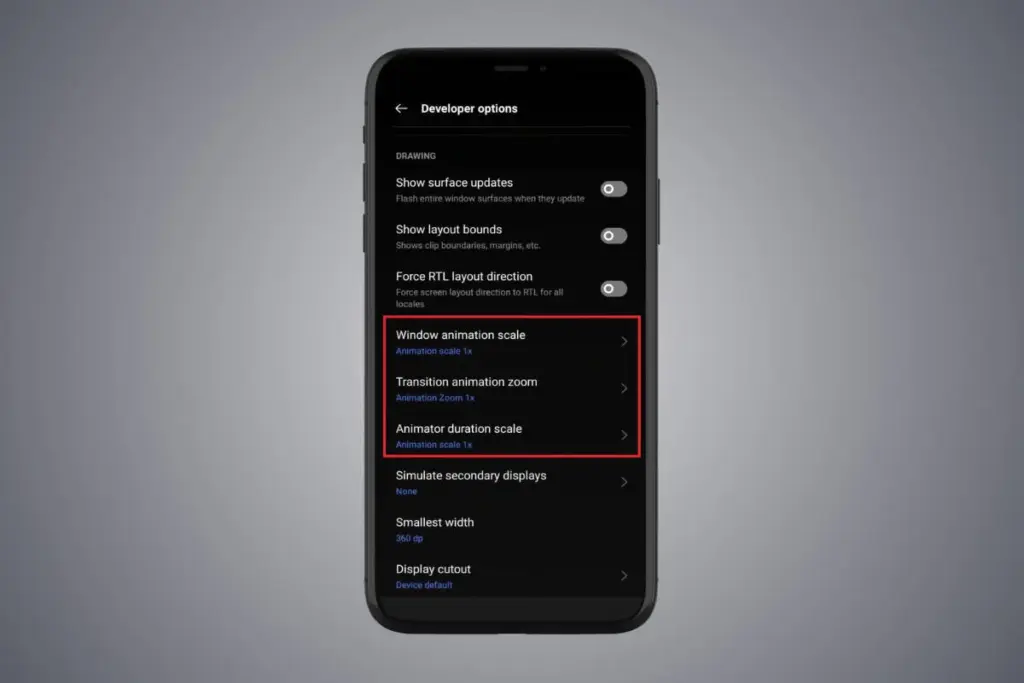
    Go to Settings > About phone > Tap on Software details >, then tap your Build number seven times to enable Developer options. You should now be able to access various animation scale parameters as this should activate the Developer options.

    Next, locate the Window animation scale by scrolling down in the Drawing section of the Developer settings. To make apps and window pop-ups run faster, tap on it and adjust the animation to 0.5x.

    To reduce the speed at which you move between home screen panels and within apps, you may also change the Transition animation scale. Additionally, reduce the Animator duration scale to speed up typical UI motions like unlocking the phone and opening and closing apps.

    You may breathe fresh life into your aging Android phone by adjusting these settings. After adjusting, it ought to feel quicker and have more zip when performing daily tasks. If you want to give it a refresh, I recommend tinkering around with your home screen, changing the wallpaper, and modifying extra settings to help it stay longer.

  • Premium apps free for a limited time on Android and iOS

    Premium apps free for a limited time on Android and iOS

    Users of iOS and Android, take note! You currently have the opportunity to download several premium apps for free. But act quickly—these amazing deals aren’t around for long, so take advantage of them before these apps revert to their premium editions.

    With a wide range of programs to suit all your needs, the Google Play Store and the Apple App Store are overflowing. Many of the alternatives are free, while some have a cost. The sporadic promotional events where a variety of paid apps are available for free download are sometimes overlooked. We’ve compiled a fascinating list of some of the most intriguing apps available for free at the moment.

    Even if you don’t require an app right away, install it if it piques your curiosity. It will be added to your app library and marked as “bought” as a result. After that, you may uninstall the app straight from your phone and get it back for free anytime you need it.

    android and ios apps

    Android

    Free Android Apps

    • DJ Music Mixer ($9.99): Have a bunch of MP3s or audio files on your phone and want to play DJ? Do so with this app!
    • Equalizer & Bass Booster Pro ($2.49): Get better-sounding audio from the software perspective with this app. Oh yes, a kick of bass doesn’t hurt, either.
    • Volume Booster & Sound Booster ($2.99): Just when you think that the music is not loud enough, this app comes to the rescue.
    • Clean Wave Water Eject Pro ($2.49): Even if your phone is waterproof or water resistant, why not remove unwanted water from its speaker area with this app that claims to do so? We have not tried it, so it’s your call! 

    Free Android Games

    • Brain App Daily Training ($7.99): Our brain is also an organ that would benefit from mental exercises, so why not give this game a spin?
    • Grow Zombie ($1.99): What kind of grotesque creation do you think you can come up with in this zany zombie-growing game?
    • Neo Monsters ($0.99): Collect monsters, train them, take care of them, send them out to fight, and watch them grow more powerful!
    • Heroes Legend: Epic Fantasy ($0.99): Train heroes up and equip them with better weapons and gear as you progress in the game to grow even more powerful. 
    • Sky Wings ($0.99): An intense, fast-paced shoot ’em up that is set in space. Do you have the reflexes to take down your enemies?

    iOS

    Free iOS Apps

    • Alarmix ($3.99): Waking up to a jarring alarm clock can be disturbing, but the good thing is that this alarm app does so gently.
    • Air ShareWifi File Transfer ($4.99): An easy way to transfer music, videos, documents, photos, heck—any files from the PC or Mac to an iOS device over Wi-Fi by simply dragging and dropping.
    • Bed Time Large Clock ($0.49): The regular clock doesn’t have a large enough font for you to see? Good thing there’s an app for that. 
    • iDousyn ($6.99): An app that transforms the iPhone or iPad into a professional music production powerhouse wherever you go, with its touch-based interface. 
    • The Jiu Jitsu Class Volume 1 ($19.99): While you cannot download kung-fu modules like Neo in The Matrix, you can still learn Jiu Jitsu from an app…

    Free iPhone games

    • Get Gabbin’ ($1.99): I guess this is more of a game, offering conversational topics so that no date or meet-up will be awkward, ever again.
    • Puffin Rock Music! ($1.99): An educational game for the little ones, where they embark on an adventure with a group of puffins and create their own music.
    • Pro Wrestling Manager ($3.99): Time to make a career out of wrestlers, as you manage them well and make them superstars.
    • Axion Run ($0.99): A game that tests your reflexes, as you try to break free from gravity in an intense competition with friends.
    • Sky Master ($0.99): A beautiful shoot ’em up that is set in space, where you take down enemy ships in intense space dogfights.

    Even if you don’t require an app right away, install it if it piques your curiosity. It will be added to your app library and marked as “bought” as a result. After that, you may uninstall the app straight from your phone and get it back for free anytime you need it.

    As of the date of publication, the deals were active. Please share any expired deals you come across in the comments section below.

    We advise you to review the app’s details in the Play Store or App Store before downloading any of the aforementioned apps. This is crucial as some of these free apps can offer unique features or drawbacks of their own.

    Both free and paid apps should be avoided since they could have unnoticed in-app purchases and adverts. This is especially important while downloading kid-friendly games.

  • Google Scam Detector will be integrated in social apps

    Google Scam Detector will be integrated in social apps

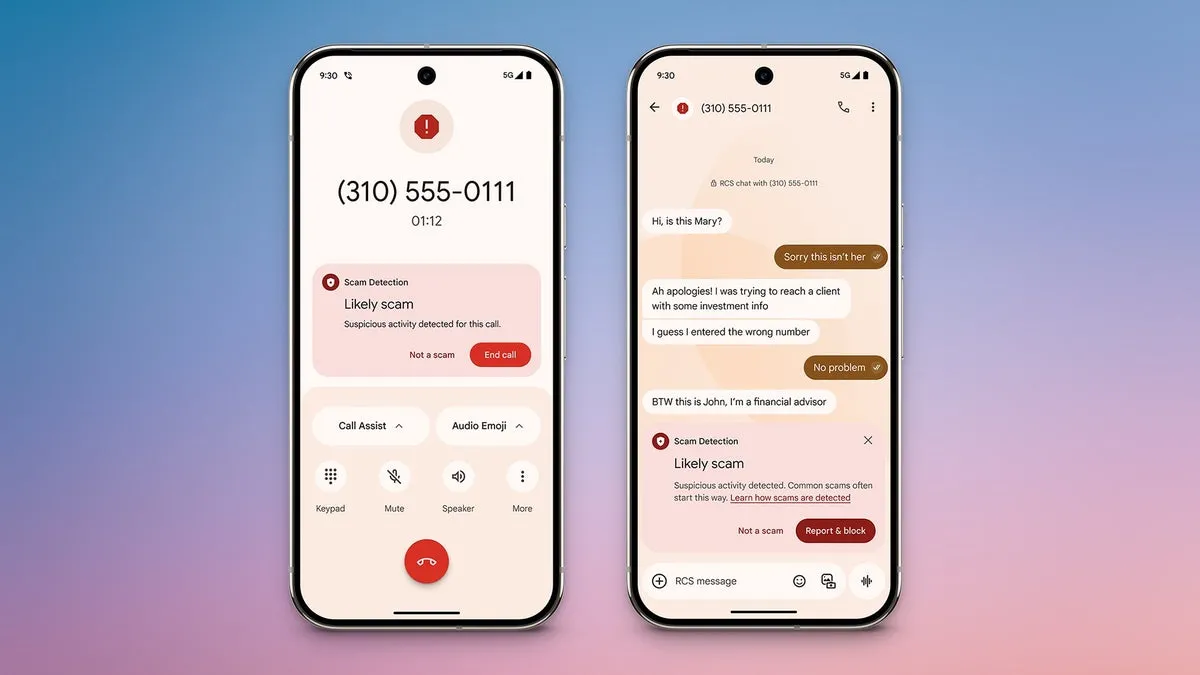
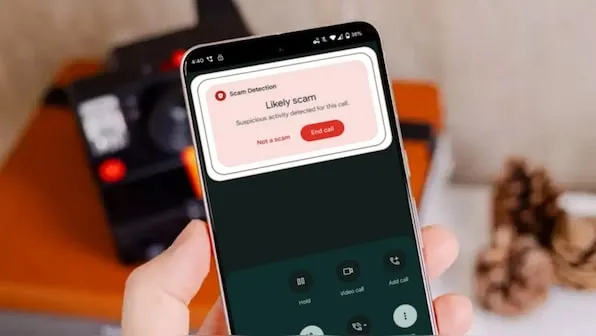
    Hardware and software are not the only things that are changing. The sophistication of cyberthreats such as phishing and frauds is also increasing. Google just unveiled a potent AI-powered scam detection tool for Android that provides real-time notifications while making calls and sending messages. It looks like the business is now extending this tool to third-party messaging applications.

    Gemini powers Android scam detection, which starts as soon as a danger is detected. Before answering a call or even in the middle of a conversation, it notifies users. Despite its great effectiveness, the tool’s present functionality is restricted to native Android Phone and Messages apps.

    google scam detector

    This exposes consumers to attacks on WhatsApp, Facebook Messenger, and Telegram, among other channels where scams are equally prevalent. Thankfully, it appears like Google foresaw this gap early on.

    Meta Apps will soon get Google’s Scam Detection

    The most recent Android System Intelligence update for the Pixel 10 indicates that Google is attempting to expand scam detection beyond Messages to other messaging apps, according to Android Authority.

    Evidence of this enlargement can be discovered in code strings included in the update and in the Security and Privacy section of the tool’s settings.

    It is anticipated that the feature’s settings would include a new toggle called “Message frauds.” “Get alerts about possible frauds in notifications of chat messages from supported apps,” the description says, implying third-party platform support. Millions of users might be able to avoid scammers before they even open a questionable mail thanks to this.

    <string name="notification_adjustment_justification">May contain harmful contents</string>
    <string name="notification_scam_likely_text">Likely scam</string>
    <string name="scam_warning_description">Scam Detection found suspicious activity in this message</string>
    <string name="scam_warning_guidelines_header">Protect yourself against scams:</string>
    <string name="scam_warning_header">Likely scam</string>
    <string name="not_a_scam_button_text">Not a scam</string>
    <string name="snackbar_text">Scam Detection paused for this chat</string>

    Subsequent research reveals that the program may indicate questionable information or behavior by scanning messages within apps. In addition to having the option to completely or per-app disable the feature, users will be able to verify whether a message is a hoax. Users now have more control, particularly if they use a certain chat service a lot.

    Which Apps Are Going to include Google Scam Detection?

    According to reports, this feature will work with a number of apps, including Verizon Messages, Instagram, Facebook Messenger, Signal, WhatsApp, KakaoTalk, Line, and Twitter (X). After the feature is formally launched, more apps will probably be included.

    Although the release date for this feature is yet unknown, it is something to keep a close eye on. Tools like these are becoming indispensable as AI-powered scams and more sophisticated attack techniques proliferate.

    Starting with the Pixel 10 and later variants, we anticipate the feature to make its debut on Pixel devices. It should ideally spread to Android smartphones other than Google’s own.

  • Limited-time freebies: discover top Android & iOS apps at no cost

    Limited-time freebies: discover top Android & iOS apps at no cost

    In today’s bustling app marketplace, finding quality apps and games without having to dip into your wallet can feel like striking gold. Developers often run special promotions where normally paid apps become free for a short window—an opportunity savvy users love to seize. Whether it’s a powerful productivity app, a fun puzzle game, or a creative tool, these limited-time offers are perfect for anyone looking to expand their digital collection without the usual price tag.

    A carefully chosen list of currently available, totally free Android and iOS apps and games may be found in this page. Every selection has distinct qualities that appeal to a variety of interests; there is definitely something here for everyone. But, be careful to move quickly because these deals could end at any time, and you’ll have to pay again to get access to these treasures.

    Check out the newest limited-time freebies below and take advantage of these exclusive offers while they last if you enjoy finding fantastic games and helpful apps without having to pay for them.

    android and ios apps

    Android

    Free Android Apps

    • Mockup for Everything ($8.99): This is a powerful t-shirt design app that lets you come up with personalized designs on the move.
    • Resize Image ($0.99): If there ever arises the need to resize your photos on your phone, then this app gets the job done with minimal fuss.
    • Chess Position Scanner ($4.99): I have a terrible memory, and trying to memorize the different positions in chess is tough. Good thing there’s an app for that!
    • Stroop Effect Test ($3.49): Challenge your brain and mind constantly by keeping it on its toes. 
    • Shortcut Maker ($0.99): Always a nifty addition to any phone if you want to create shortcuts to apps on the fly.

    Free Android Games

    • Space Shooter: Galaxy Attack ($0.99): It all boils down to your reflexes and how you are able to shoot all the incoming alien ships to protect your world.
    • Word Tower PRO ($0.49): Keep on creating new words to protect your tower from crumbling.
    • Tech Quiz Master ($2.49): Think you know everything about technology? Why not pit your knowledge against this game?
    • Avalar: Raid of Shadow ($0.99): An adventure RPG where you explore new lands and level up as you progress.
    • Rectangles Pro ($1.49): This is a game that tests your logical skills as you identify and tap four dots of the same color that form any rectangular shape on the grid. Best of all, this game also works for those who are colorblind. Talk about being inclusive!

    iOS

    Free iOS Apps

    • Password Cube ($1.99): Store, generate, and manage your passwords with minimal fuss.
    • Skywall – Ultra HD+ Wallpapers ($1.99): If you have always wanted to spruce up your iPhone’s background with high-resolution wallpapers, this is it.
    • Dr. Pet Play ($1.99): Being more educational than a brain-rotting game for kids, I’d say this is worth checking out if your little one has shown interest in being a vet.
    • Guestbook Go ($7.99): A digital guestbook for social events that does not need your supervision as the host? Count me in, it allows your device to let your guests take photos with Photo Booth, record videos, answer questions in Quiz Show, and write/draw, 
    • Time Calculator+ ($0.99): Ever wondered how long ago a particular event happened from today? Well, instead of manually hashing out the answer, let this app do the heavy lifting for you. 

    Free iPhone games

    • Animal Math Kindergarten Games ($7.99): Sporting over 100 math games to help your little ones remain glued to the screen, it offers an educational aspect while playing.
    • Pro Wrestling Manager ($3.99): While it is true that sports wrestling entertainment is scripted, it is still fun to watch. How about managing your own wrestlers?
    • Cut the Buttons ($1.99): A classic game that never gets old, and if you’ve never played it before, now is a good time to start.
    • WordWhile ($1.99): Think you have a fantastic collection of quotes in your head? This game will put that knowledge to the test.
    • Castle Ramble ($1.99): You’re a king, you own a castle, but there are invading pigs whom you need to fend off with your larger-than-life hammer! 

    Before you get started, a little reminder: Although these games and apps are free to download for a short period of time, keep in mind that some of them might have advertisements or require extra in-app purchases to unlock premium features or remove adverts. Although some features can improve your experience, using them may incur additional fees.

    To ensure you know exactly what to expect, always take a moment to check the program’s permissions and details in the app store. You can get the most out of your new apps and games and enjoy these free downloads without any unpleasant surprises if you keep an eye out for any potential advertisements or optional payments.

  • This week’s Android and iOS temporarily free apps

    This week’s Android and iOS temporarily free apps

    Searching for the most amazing offers without breaking the bank? Each week, premium apps and games are available for free download for a brief period of time on both the Apple App Store and the Google Play Store. Whether you enjoy immersive games, lifestyle apps, or productivity tools, these short-lived sales are the ideal way to add to your collection without breaking the bank.

    The most recent free applications and games for iOS and Android are highlighted in this roundup. It’s a good idea to take advantage of these time-sensitive bargains before they revert back to their normal pricing. We’ll update the list frequently, so you won’t ever miss out on special offers for your preferred mobile devices.

    google play store apps

    Android apps and games

    Apps

    • English Verbs Pro ($3.99): If you want to up your verb game in English, this app will help nudge you forward.
    • Sharks 3D ($0.99): Want a live wallpaper without having to go to the aquarium? See sharks swimming around.
    • Color Wheel ($1.99): Any graphic designer or artist would definitely want to have this app at their disposal in selecting the most accurate color possible.
    • Rotation Control ($0.99): I guess this is useful for older devices that do not have built-in rotation controls.
    • 3D Anatomy ($2.99): This looks like a rather nifty app to help people get familiar with the human anatomy.

    Games

    • SPHAZE ($0.99): A sci-fi puzzle game that tickles your imagination while featuring great-looking graphics.
    • Empire Warriors: Tower Defense ($0.99): A tower defense game with cartoonish graphics that will surely keep you peeled.
    • Survival Island: Evolve Pro ($0.49): You’re marooned on an island and need to make sure you can do the necessary to remain alive.
    • Word Connect Crossword ($2.99): If you love words, then this crossword variant will keep you entertained. 

    iOS apps and games

    Apps

    • Haplo AI ($4.99): An offline chat AI that keeps your conversations private.
    • 3D Anatomy ($2.99): If you’re curious to get up close and personal with the human anatomy, then this app can help.
    • Sprite Pencil ($1.99): Come up with amazing pixel art using this app, although some patience is required. 
    • Magic Emoji ($1.99): You can call this an emoji kitchen, where various emojis can be merged to create a new one.

    Games

    • Peg Pals Pro ($1.99): A fast yet relaxing puzzle game that will keep your brain occupied during pockets of idle time.
    • Animal Math Games School Ed ($12.99): A game for the little ones who want to pick up math.
    • Cypher Vocab ($0.99): A GRE vocabulary game to help build up your word power. 
    • Fiete Choice ($2.99): Want to keep your little ones occupied? This game will garner their attention.

    The deals were active on the day of publication. Please leave a comment below if you come across an expired deal.

    Before downloading any of the aforementioned apps, we advise you to review the app’s details in the App Store or Play Store. Because some of these free programs might offer unique features or drawbacks of their own, this is crucial.

    Both free and paid apps should be avoided since they could have unnoticed in-app purchases and adverts. This is especially important while downloading kid-friendly games. In the rapidly evolving world of mobile apps, numerous companies use cunning tactics to obtain your personal information. But tech buffs, don’t worry! We’ve compiled some crucial advice to help you safeguard your important data. Being selective about the permissions you grant the apps you decide to install is an essential first step.

    Discover the wide range of free apps that are accessible on the iOS and Android operating systems, all while protecting your data.

  • Temporarly free apps for Android and iOS – get them while they are free

    Temporarly free apps for Android and iOS – get them while they are free

    We offer you a variety of iPhone and Android apps that are typically paid for but are temporarily free. Take advantage of these savings on games and apps to add some diversity to your phone’s app store, but don’t wait!

    We only chose these applications since they are free right now! We are unable to guarantee that these limited-time offers will remain available on the Google Play Store or Apple App Store for very long, though. As a result, downloading them as soon as possible is advised. Just watch out for any possible subscription traps, in-app purchases, and advertisements.

    Even if you don’t require an app right away, install it if it piques your curiosity. It will be added to your app library and marked as “bought” as a result. After that, you may uninstall the app straight from your phone and get it back for free anytime you need it.

    Android

    Free apps

    • Sound Meter & Noise Detector ($3.29): The name says it all. Register sound levels wherever you are, with recordings, graphs, and statistics.
    • Bubble Level Pro ($2.79): Planning on hanging a new frame on the wall? Check if it is properly leveled.
    • Passport Photo: ID Photo Print ($5.99): Make photos appropriate for documents, remove backgrounds, choose the right dimensions, and more!
    • Fake Call Screen ($0.69): Create realistic call screens on your phone to get out of awkward situations.

    Free games

    • Grow Heroes VIP ($1.79): Evolve your fighters in this Idle RPG with charming retro graphics.
    • Epic Heroes War ($0.19): Hack and slash your way through the enemy hordes in this strategy-action-RPG.
    • Sudoku Master 2023 ($2.29): Challenge your brain in more than 5000 levels of puzzles.
    • ExtremeJobsKnight’sManager VIP ($0.79): Another Idle RPG. This time, collect and craft equipment in over-the-top battles.

    iOS

    Free apps

    • Videdit ($0.99): Edit your videos, apply effects, mix and match recordings for your next social media post.
    • Fotospot Road Trip ($3.99): Planning a road trip in the USA? Check this curated list of over 11,000 places across the country.
    • Magic Emoji: Merge two emojis ($1.99): Mix emojis like the Google keyboard to create funny stickers.
    • Medieval Madness Stickers ($0.99): Wanna try a different set of stickers? How about this collection of zany illustrations inspired by the Middle Ages.

    Free games

    • Pro Wrestling Manager ($3.99): Create and manage your professional wrestling association, with storylines, rivalries, and everything that made the “sport” popular in the past.
    • Kid Tarzan Bubble POP Shooter ($0.99): Save the baby animals in the jungle by popping balloons in this classic puzzle game.
    • ABC Star ($4.99): Instead of feeding your kid endless videos on YouTube, teach them the alphabet!

    As of the date of publication, the deals were active. Please share any expired deals you come across in the comments section below.

    We advise you to review the app’s details in the Play Store or App Store before downloading any of the aforementioned apps. This is crucial as some of these free apps can offer unique features or drawbacks of their own.

    Both free and paid apps should be avoided since they could have unnoticed in-app purchases and adverts. This is especially important while downloading kid-friendly games.

    In the rapidly evolving world of mobile apps, numerous companies use cunning tactics to obtain your personal information. But tech buffs, don’t worry! We’ve compiled some crucial advice to help you safeguard your important data. Being selective about the permissions you grant the apps you decide to install is an essential first step.

    Discover the wide range of free apps that are accessible on the iOS and Android operating systems, all while protecting your data.

  • 7 reasons why Google Messages offers the best texting experience on Android devices

    7 reasons why Google Messages offers the best texting experience on Android devices

    Like nearly every other technological advancement, texting has improved over time. Although there are many tools that provide you more control over your messaging, the basic premise remains the same.

    The most important thing is to identify the features that can have the biggest impact, even though the amount of functions can vary depending on the text messaging app you use.

    Although Android offers many excellent texting apps, the Google Messages app stands out above the others, mostly because of its many robust features that make texting on Google’s operating system a breeze.

    9AZOTXU CpreTFAXUPAmJNkm8VGCb1C9

    Google Messages

    Safety starts with understanding how developers collect and share your data. Data privacy and security practices may vary based on your use, region, and age. The developer provided this information and may update it over time.

    OTP auto delete

    otp auto delete

    Because everyone has various objectives, different people have varied ideas on the traits they believe to be the best. But generally speaking, features that execute tasks rapidly and with little user effort are the best.

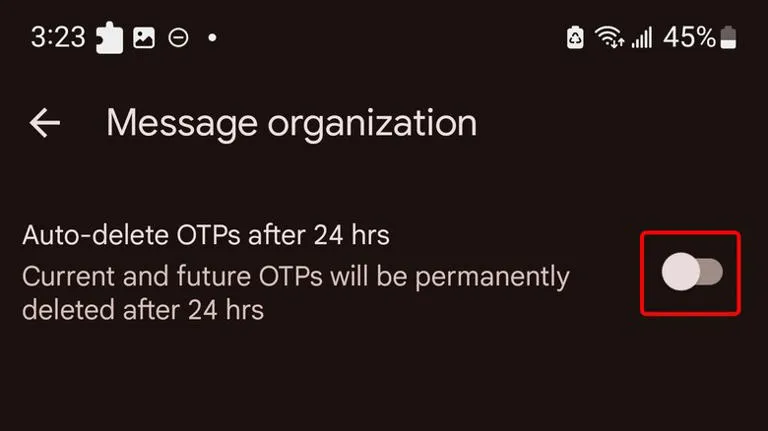
    An excellent illustration of this is the “Auto-delete messages” option. Once you give permission, it will automatically remove all of your one-time passwords and security codes from businesses after a 24-hour period. You may enable this from the Settings.

    Toggle the Auto-delete messages after 24 hours option under Settings > Message organization to activate this feature. You won’t need to manually clean up those OTPs once this is enabled.

    Personalized alert sounds for various contacts

    Businesses, friends and family, and organizations are some of the sources of text texts. As a result, not all of them are equally significant and do not merit your precious time.

    However, the ones that come from those closest to you are the ones you wouldn’t want to miss.

    Setting up a personalized notification sound for your most critical contacts is one of the simplest methods to accomplish this. In this manner, the notification’s sound will instantly identify the sender of the message.

    You can customize a notification sound for persons whose messages you need to respond to promptly, in addition to your loved ones. They could be your coworkers or even your employer. The answer is Google Messages.

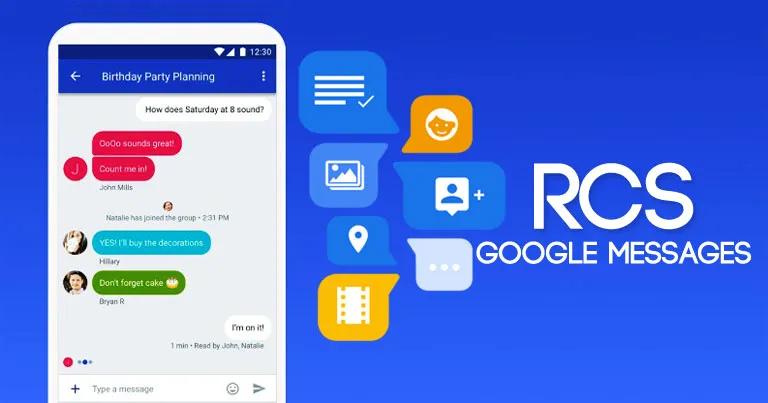
    RCS

    messages

    Perhaps the most significant aspect of the Messages app is its support for RCS (Rich Communication Services), which is the sole reason why many people utilize it.

    With capabilities like the ability to send high-quality photos and videos, type indicators, read receipts, end-to-end encryption, reply to a specific message, and many more, RCS transforms the outdated SMS messaging system into a more contemporary one.

    RCS isn’t accessible by default, though. To begin using these features, you need to activate it from the Chat features setting. Additionally, the other person’s phone number must have RCS enabled.

    Because cross-platform RCS communication still lacks several crucial capabilities, such as end-to-end encryption, you receive the best RCS experience on Google Messages when both senders and recipients are using Android phones.

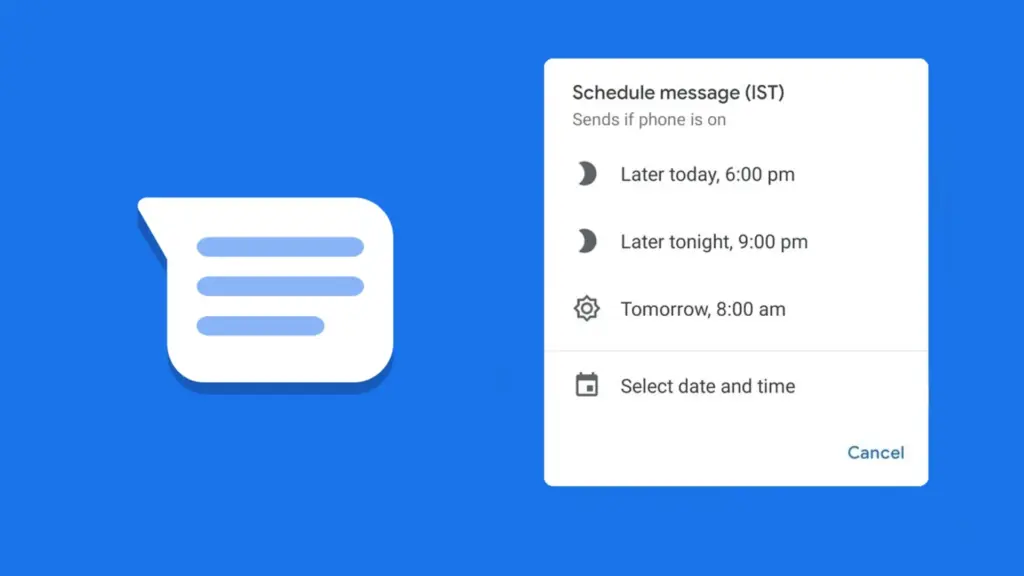
    Scheduled send

    Google Messages Scheduling Featu

    Google Messages lets users create a message and select a time and date, after which the app will automatically deliver it to the recipient.

    Despite how easy it seems, some of the most frequently used messaging programs, such as WhatsApp, still do not support this. Although scheduling a message in Google Messages is simple, the choice isn’t immediately apparent when you begin typing.

    After entering the message, you must long-press the send symbol to bring up Google Messages’ “Schedule send” feature. After that, you may select the day and time you would like that precise message to be delivered to that individual.

    You can alter the date and time or cancel the planned send if you decide to change your mind later.

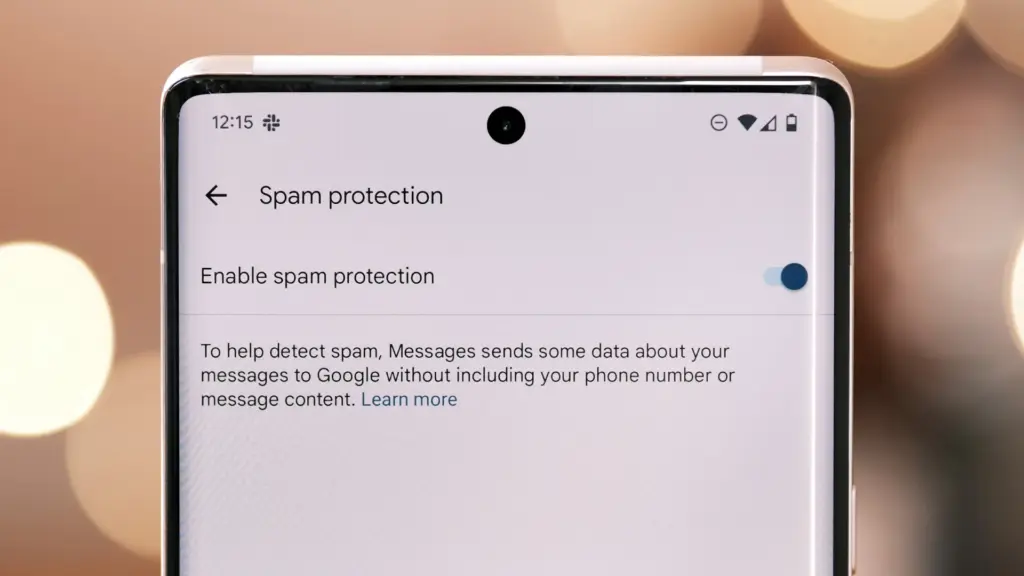
    Spam protection

    Google Messages Spam Protection

    Text messaging is one of the many ways that spam can happen. Depending on the platform, there are a number of strategies to prevent becoming a victim of spam.

    With its spam prevention function, Google Messages provides one of the simplest means of safeguarding oneself against such malicious individuals. From the Messages Settings, you may activate this option.

    When enabled, Google Messages will screen messages that contain such harmful links to phony websites and place them in the Spam and Blocked folders on your phone.

    The program removes the possibility that you would unintentionally click on one of those links and provide your personal information to bad actors because those dangerous text messages aren’t accessible within the app.

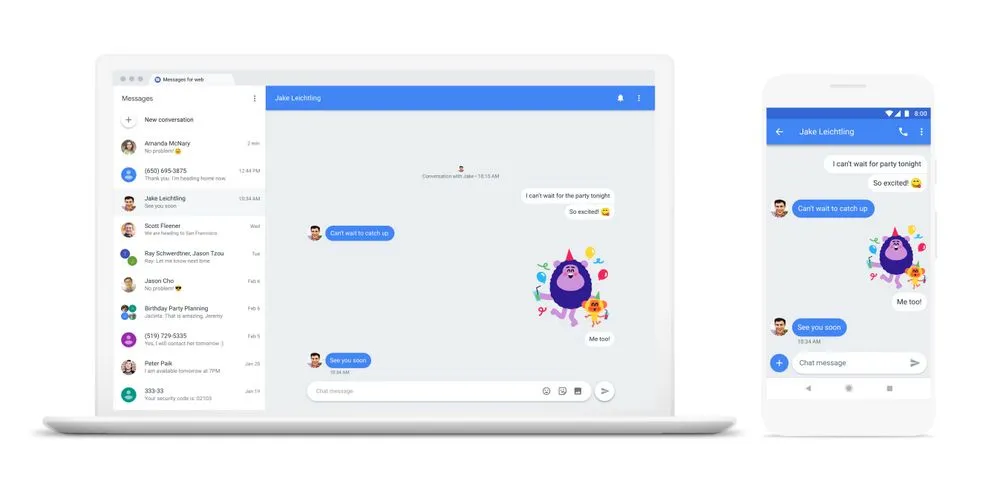
    Pair with the web app

    web messages

    When an app is available on several platforms, it becomes more helpful. Google Messages features a clever approach dubbed “Device pairing” to compensate for its inaccessibility outside of its ecosystem.

    It enables Google Messages to be paired with any computer that has a screen and an internet connection.

    You are using the same Google Messages app on your phone, but it is now operating on a different device via mirroring. You must connect your phone to the internet because your second device isn’t operating this natively.

    This can be paired with your Mac or PC, or even with another phone. Tap the profile symbol in the top-right corner, select Device pairing, and then adhere to the on-screen directions to pair.

    You can unpair Google Messages from each device if you are no longer using it on those devices. Additionally, it offers the ability to unlink a certain device.

    Pinned conversation

    Google Messaged Pinned Conversat

    You must locate the contact you wish to send a message to before scheduling it. Although you can type the contact’s name into the search bar, this isn’t the most effective method, particularly if they are significant individuals.

    You can pin or unpin messages using the pinning feature in the Google Messages app. In this manner, communications from certain people show up first when you launch the app. Therefore, you may locate those messages without using the search function or scrolling to the bottom.

    One of Google Messages’ user-friendly features is message pinning. You simply hit the pin symbol at the top after choosing the message from the list. The Messages app allows you to pin more than one message.

    Until you unpin them, those pinned messages always stay at the top. You must pick the pinned message and then tap the unpin symbol that shows at the top in order to unpin it.

    Google Messages offers the best texting experience for Android devices

    Like anything else, the Google Messages app has flaws. Its peculiarities might not be to everyone’s taste, and some people might find its UI a little cluttered.

    But Google Messages’ robust features function so effectively that you won’t even notice how quickly the program becomes essential.

    On the majority of recent Android phones, Google Messages is the default texting app. Therefore, it eliminates the need to search for a better texting app after the initial boot. It’s ready for you to start messaging your loved ones right now.

    There are a lot of useful features in Google Messages, and when the app is updated, more are added. Additionally, it is among the Google apps that receive the most updates.