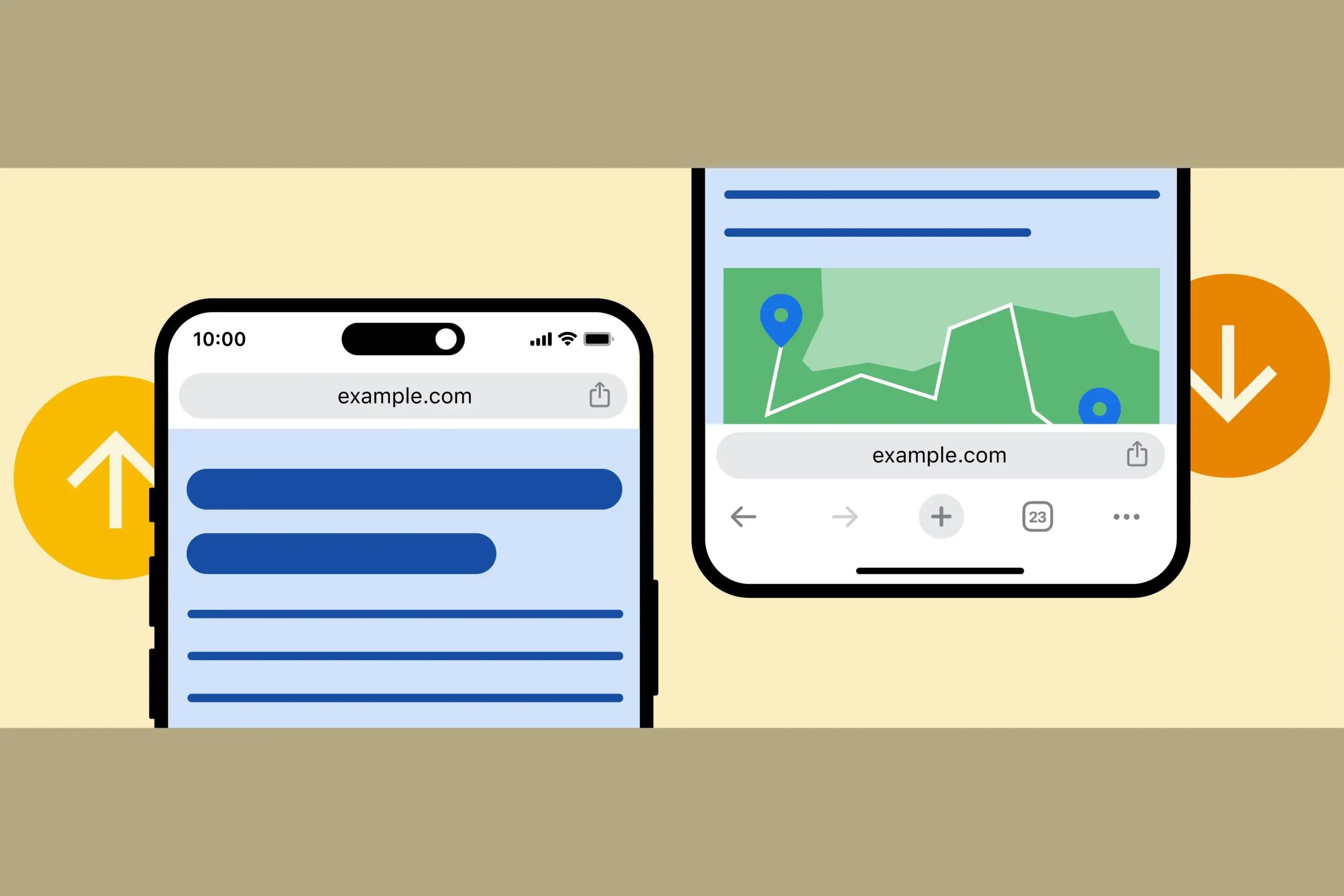
One feature that users of iOS have enjoyed for a while—a moveable address bar—has been absent from an Android user’s customized Chrome experience. With Google’s statement that you would be able to move the Chrome address bar from top to bottom and back up again, that will alter as of right now.
Android’s Chrome address bar can be moved to the bottom. This may seem like a dumb little feature, but I can’t wait for it to arrive on my device. It can be challenging to reach the top of our phones without a second hand or having to do a risky shimmy because they are huge. An address bar at the bottom is always accessible.
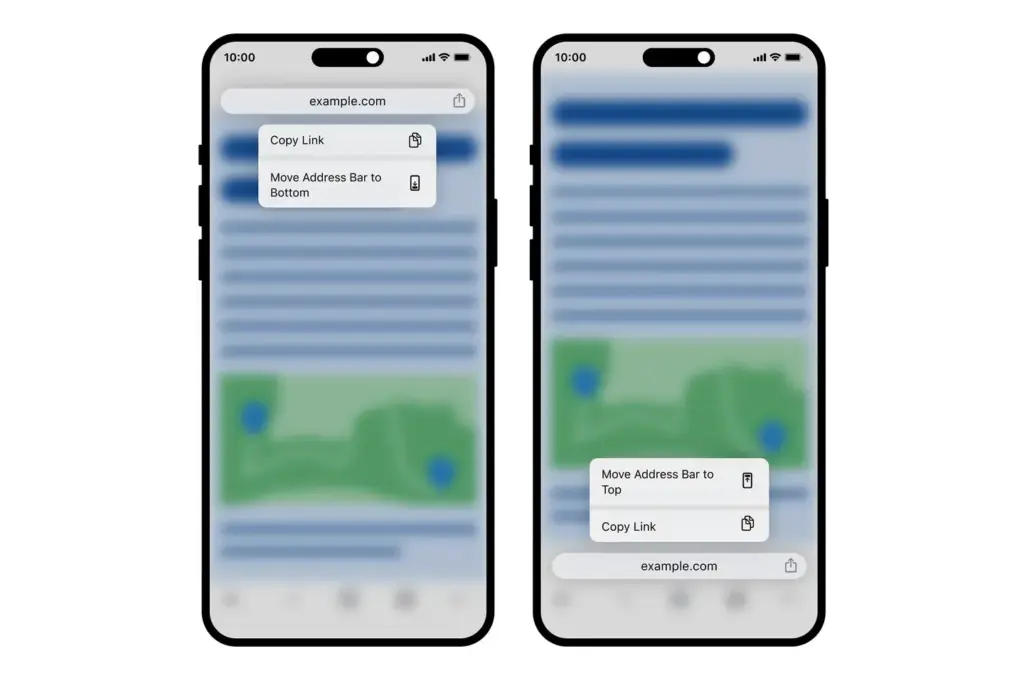
Google is allowing you to manually relocate the Chrome address bar by long-pressing on it (such as the actual URL space) and then selecting “relocate address bar to bottom” for those who enjoy the concept (which you can see above). You can see how it appears on iOS below.
According to Google, the update may take “weeks” to reach everyone, but it will “begin to emerge” on devices as early as today.
Stay connected with the latest from Droid Tools—follow us on X @droid_tools, like our page on Facebook, check out our updates on Instagram, and follow us on Google News for real-time news, device tips, and mobile tech insights.
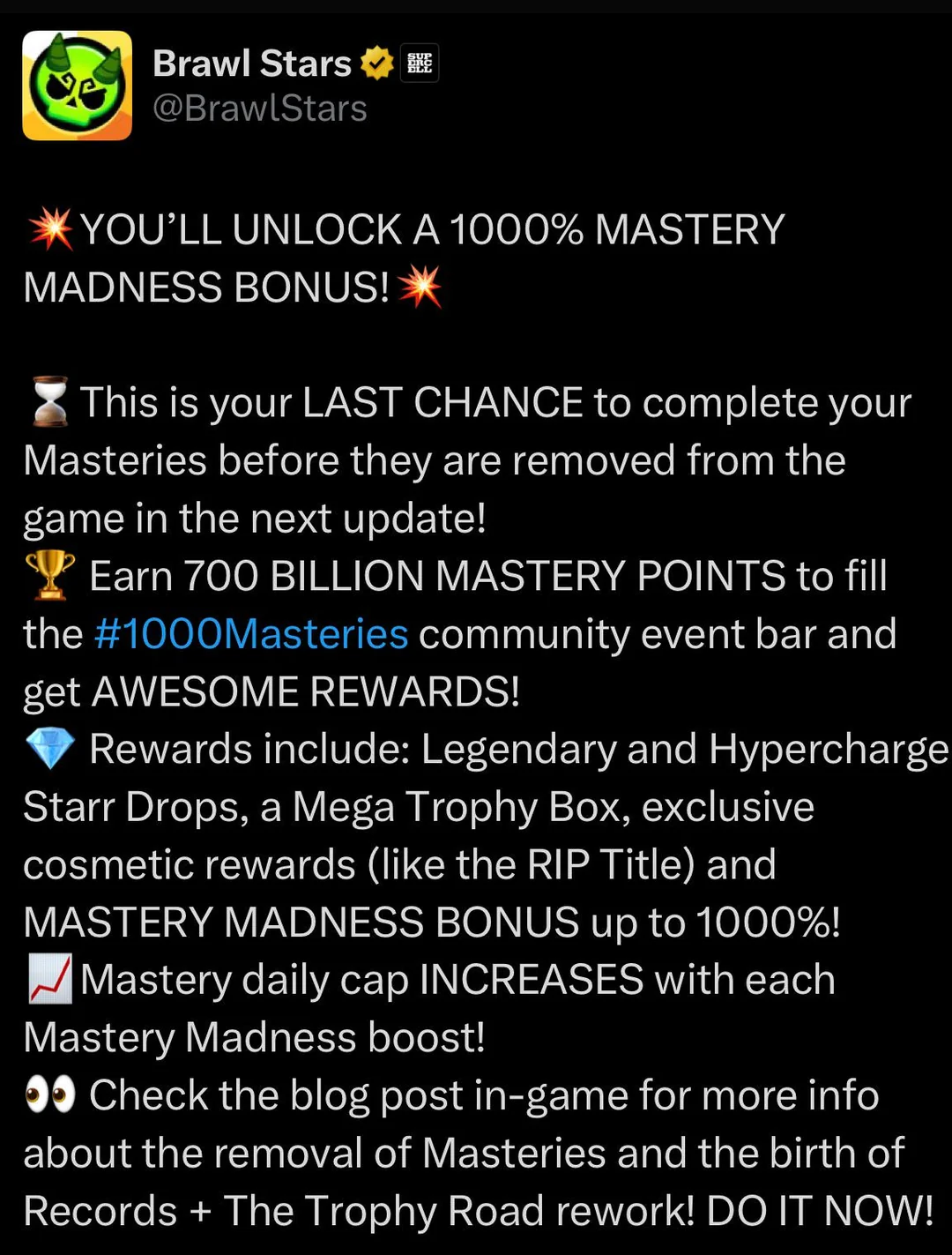
Forget what you thought you knew about a simple bonus. Brawl Stars is thinking bigger. The current buzz isn’t about a personal 1000% boost to your Mastery points, but something far grander: a community-wide challenge that’s got everyone brawling with purpose.
The Main Event: 1000 Billion Mastery Points for 1000 Random Starr Drops!
That’s right. Supercell has thrown down the gauntlet. The entire Brawl Stars community is tasked with collectively earning a staggering 1000 billion Mastery Points. If this monumental feat is achieved, every single player gets rewarded with 1000 Random Starr Drops. Imagine the loot! This isn’t just an event; it’s a global collaboration, a testament to the dedication of Brawlers everywhere.
So, while you won’t see your individual Mastery earnings multiply by a thousandfold, your efforts contribute to a massive prize pool that benefits everyone. Every win, every point you grind, pushes the community closer to that sweet, sweet cascade of Starr Drops.
What Were Typical “Mastery Madness” Events?
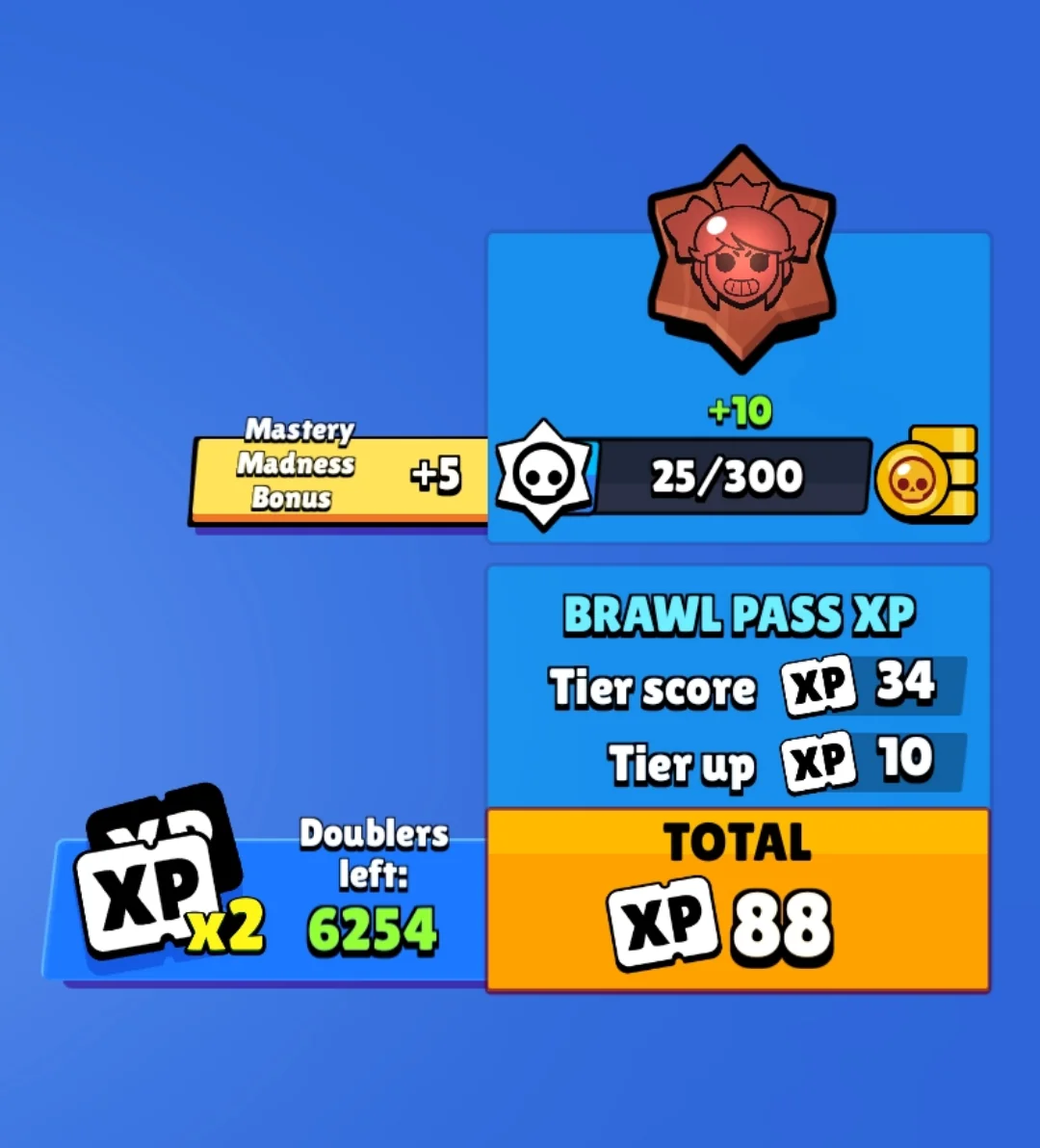
Before this colossal community challenge, “Mastery Madness” events were a more regular, straightforward affair. Typically, these events would offer a significant boost, often around 50% more Mastery Points, for every victory with any Brawler. These were prime opportunities to accelerate your progress on the Mastery Track for your favorite (or all) Brawlers, unlocking:
Coins
Power Points
Credits
Exclusive Pins
Coveted Player Titles
You’d earn these points through wins in Trophy Events, Power League (now Ranked), and Club League. There was usually a daily cap on how many bonus points you could rake in, ensuring even dedicated players had a reason to come back each day.
Mastery System Overhaul on the Horizon
Hold onto your hats, because this community event is also the grand finale for the Mastery system as we know it. That’s right, Brawl Stars is gearing up for a significant update that will see the current Mastery system phased out and replaced by a brand-new Achievement system.
This is a pivotal moment in how you’ll showcase your skills and dedication to specific Brawlers.
What to Expect
Cosmetics & Titles Move to Achievements: All those cool cosmetic rewards and unique player titles you previously earned by grinding Mastery? They’ll find a new home in the upcoming Achievement system. Unlocking a Brawler’s title will soon mean completing specific, often skill-based, in-game feats (think landing a tricky multi-hit Super with Mortis or pulling off a game-changing play).
Trophy Road Revamp: The Trophy Road is also getting a fresh coat of paint and some functional upgrades. Expect more Legendary and random Starr Drops, and even the introduction of Hypercharge drops into the progression path.
Reward Rebalance: There will be some adjustments to the in-game economy. Look for a modest increase in Credits and Coins, while Power Points might see a slight reduction in their availability through these progression tracks.
What Happens to Your Hard-Earned Mastery?
Panicking about your unclaimed Mastery rewards? Don’t. Supercell has confirmed that if you haven’t claimed your Mastery rewards before the system is officially retired, they will be automatically awarded to you. This will happen when the pass after the immediate next one begins, so there’s a bit of a waiting period, but your efforts won’t be lost.
Navigating the Mastery Shift
So, with a massive community event underway and a system overhaul looming, what’s the game plan?
Grind for the Community Goal: Now is absolutely the time to jump into matches and earn those Mastery Points. Not only are you contributing to the 1000 Billion point target for those 1000 Starr Drops, but you’re also banking progress in the current system before it changes. Every win counts, for you and the entire community!
Secure Last-Minute Mastery Rewards: If you’re close to specific Mastery track rewards for your favorite Brawlers, this is your final stretch to claim them under the current system.
Anticipate the Achievement Era: Start thinking about which Brawlers you excel with in terms of skillful plays. The new Achievement system will likely reward specific talents and impressive in-game actions over sheer volume of wins.
Old Mastery vs. New Achievements: A Quick Look
Feature
Current Mastery System (Being Phased Out)
Upcoming Achievement System
Primary Goal
Accumulate Mastery Points per Brawler
Complete specific Brawler tasks/feats
Unlocking Titles
Reaching high Mastery tiers
Completing designated achievements
Reward Focus
Coins, Credits, Power Points, Cosmetics
Cosmetics, Titles, Achievement-specific rewards
Progression Feel
General dedication through wins
Skill expression & specific accomplishments
System Lifespan
Ending soon
The new standard
This transition signals a fresh way to define what it means to “master” a Brawler. It’s moving from a measure of persistence to a showcase of skill and memorable moments. This new achievement-driven system will undoubtedly refine your playstyle, demanding true Brawler-specific skill. If you’d prefer to fast-track past the initial setup for this evolution, consider this: a premium Brawl Stars account propels you directly into the heart of high-level play.The current “1000 Mastery Madness” (the community challenge for 1000 Starr Drops) is your call to arms. It’s a chance to be part of something huge, earn a massive collective reward, and give the Mastery system a fitting send-off.
There are some new features to look forward to with each Android update. Some updates include more new features than others, of course, because not all upgrades are made equal. There are a lot of exciting (rumored) features in Android 16 that are making me eager for its impending release.
Note that I used the word “rumored.” This is because, with each release, there are online speculations about what people “think” will be included in Google’s newest and greatest upgrade. You never know what will make the final cut, so you should be skeptical of this list.
However, I tested the Android 16 beta and searched the internet for all the best features that might be released this summer with Android 16 (using reputable websites like Android Authority, Android Police, Engadget, Android Developers, Business Today, Android Headlines, GSMArena, Android Update Tracker, and numerous forums), and here they are.
Desktop Windowing
When I see it, I’ll trust the rumors about this feature. The Samsung DeX, which enables users to connect an Android phone to an external display (through USB-C) and utilize a desktop-like interface that includes a top status bar, bottom taskbar, resizable, movable, snappable app windows, drag-and-drop support between apps, minimized windows, and physical keyboard and mouse support, will be mirrored by Desktop Windowing, which will bring desktop mode to Android phones.
App drawer blur
Neither your phone’s performance nor your efficiency with it will improve as a result of this. But I’ve always found the Android app drawer to be rather dull. When you pull it down, the background is either black or white. While some home-screen launchers do let you change the appearance of the app drawer, the default home-screen launcher does not offer this feature. According to rumors, Android 16 will alter everything and give the app drawer a lovely backdrop blur.
Although I acknowledge that not everyone believes that aesthetics are as significant as other factors, including performance and dependability, the iPhone’s UI aesthetics are one of the main factors contributing to its popularity. The Android user interface will be on a level playing field with iOS if Google implements a great app drawer blur.
Live updates
According to rumors, Android 16 will also provide a new class of real-time notifications that are intended to tell you of ongoing operations like food delivery, ridesharing updates, and navigation. These real-time updates will show up as dynamic “chips” in the status bar that show current data, like ridesharing arrival times or delivery ETAs.
To keep you updated, a comprehensive notification pop-up displays beneath the status bar when you tap one of the live-update chips. Live updates are displayed above all other alerts (apart from the media player) under the Notification Shade.
Auracast Broadcast audio support
The inclusion of Auracast broadcast audio would be fantastic, so hopefully this rumor is accurate. Auracast broadcast audio is a Bluetooth LE Audio feature that enables devices such as earphones and hearing aids to receive direct audio broadcasts from TVs, public spaces, or announcement systems, in case you were unaware.
Anyone who uses LE Audio earbuds or hearing aids frequently finds oneself in awkward situations, such busy or noisy places where announcements are essential (like train stations, airports, or concerts). By pairing your earphones or hearing aids with Auracast Broadcast support, you can tune into the broadcast and hear everything much more clearly.
Hybrid Auto Exposure in the camera
If you love taking pictures, you’ll love this function. You’ll have more control over the camera’s exposure settings with the hybrid auto-exposure. You will have the option to manually change the ISO or exposure time (shutter speed) or rely on the auto-exposure algorithm, rather than relying solely on full manual or auto exposure.
You will still have the simplicity and dependability of auto-exposure for everything else, but you will be able to adjust ISO to cut down on noise or select a precise shutter speed to get truly creative with your photos. Additionally, the Android 16 Camera app has enhanced support for high-quality image formats including HEIC and Ultra HDR, as well as accurate color-temperature and tint adjustments.
APV Codec support
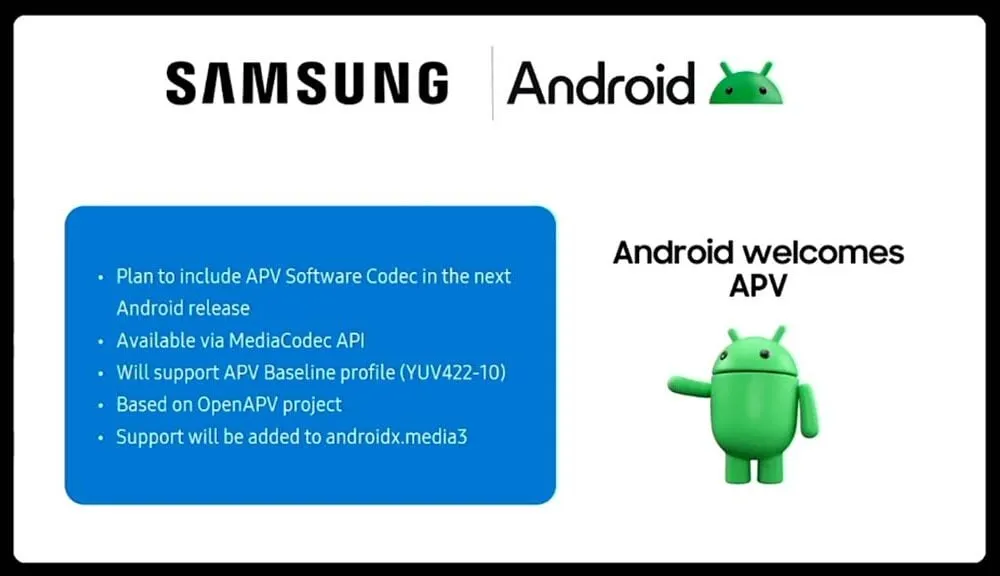
Additionally, there are reports that Android 16 will support the APV codec. A professional-grade video format (created by Samsung) is included with the new native support for the Advanced Professional Video (APV) codec, enabling high-quality video recording, editing, and post-production.
Frame tiling (to provide immersive content and parallel encoding/decoding for efficient processing), intra-frame-only coding (for simpler editing workflows and lower processing demands), high bit-rate support (2K, 4K, and 8K resolutions), and lossless video quality (nearly raw footage) are some of APV’s cool features.
Once more, Google has been promising this feature for a very long time, so I will believe it when I see it. If they were to ever implement this functionality, Android would become one of the most flexible operating systems available, which would be really awesome.
Keep in mind that these are simply rumors, but I do think that most of the features mentioned above will be included in the final version of Android 16, which is also expected to be released in June 2025.
Because of their full of features and efficient software, Samsung’s Galaxy smartphones are among the best Android phones on the market right now. However, the majority of Samsung phones, particularly premium models like the Galaxy S25 Ultra, Galaxy Z Fold 6, and Z Flip 6, include extravagant features that you might not utilize on a regular basis. There are ways to maximize what you have without degrading the user experience if your new Galaxy phone is not able to last a full day between charges.
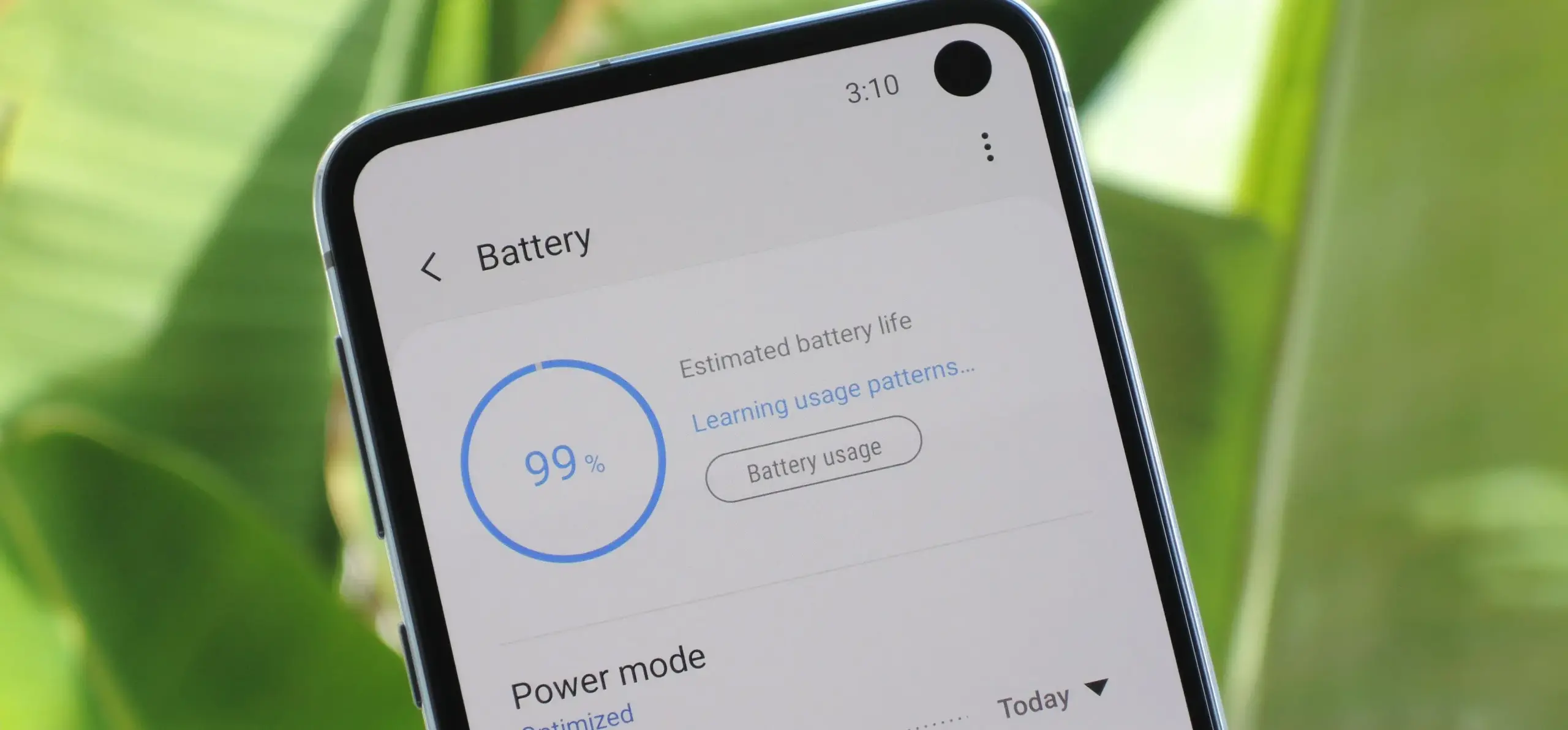
Here are seven ways to extend your Galaxy phone‘s battery life. Do not worry, I will not be Captain Obvious and suggest that you use your phone at a lower refresh rate or lower the screen resolution. The suggestions on this list ought to enhance your quality of life while optimizing the functionality of your phone.
Use Dark Mode
AMOLED screens, which can light individual pixels, are seen on the majority of Samsung phones. Therefore, the area of the screen that must remain black will not activate those pixels when you choose a dark theme or dark wallpaper. As a result, your screen uses less power and your battery lasts a little longer.
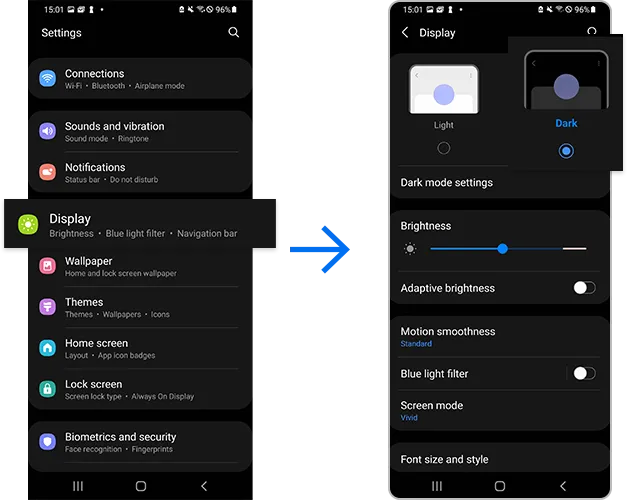
How to do it: Go to Settings > Display. Two cards for Light and Dark will be dealt to you. Press the Dark option. Changing the system wallpaper and sticking with the light theme is an alternative, but it will not have the same impact on energy life as switching to dark mode.
Use Adaptive Brightness
Although this feature should ideally be turned on by default, some individuals disable it because it is not always reliable. Nonetheless, the quality of Samsung’s ambient light sensor has increased over time. Your Galaxy phone is capable of accurately detecting ambient illumination and adjusting the screen brightness on its own. By doing this, you can make sure your display is more effective and not overly bright.
Toggle on Adaptive Brightness by going to Settings > Display. Although it should function in most settings, you can use the Quick Settings panel to slide down to change the brightness if necessary.
Force stop or uninstall power-draining apps
Many applications, including Facebook, Microsoft 365, OneDrive, and numerous Samsung and Google apps, are pre-installed on Samsung devices. To stop them from running in the background, find the ones you do not need and either remove them or force-disable them.
For instance, not everyone requires OneDrive or the Samsung Smart TV app. I remove those two apps along with others like Facebook, Outlook, Microsoft 365, Tutor, and more when I set up a new Galaxy phone.
How to: Tap and hold the app you want to uninstall. A pop-up menu will appear. Tap Uninstall. As a result, none of these non-required apps will use your battery.
Identify power-draining apps
Depending on your location, 5G connectivity, and background usage, some apps need more power. To assist you reduce unnecessary battery usage, Samsung allows you to recognize certain power-hungry programs.
By selecting Settings > Battery and Device care > Battery > Background usage limits, you may find and disable power-draining apps on your device.
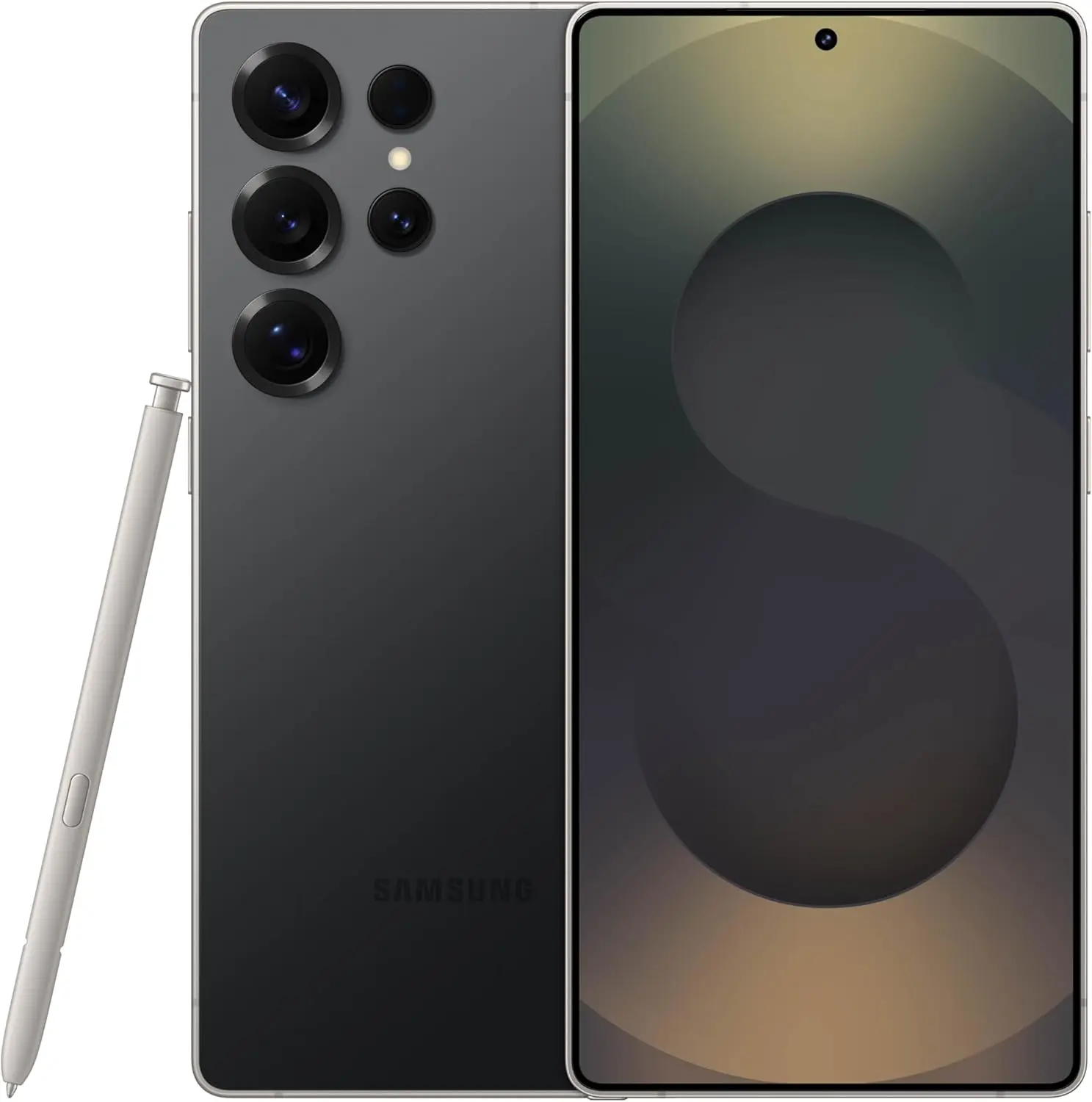
Samsung Galaxy S25 Ultra
Streamline your day with an assistant that gets you. Ask it to Google search for a pet-friendly vegan restaurant nearby and text it to your friend – your Galaxy S25 Ultra handles multiple tasks with a single ask.
I like my Galaxy S25 Ultra’s Always-On Display (AOD). For efficiency, its LTPO display lowers to 1Hz, which is useful for functions like AOD. Using AOD may not be as effective if your Galaxy phone is midrange and has a minimum refresh rate of 60 Hz. You can use it wisely, though, by planning AOD for when it is required.
How to: Go to Settings > Lock Screen and AOD > Tap on Always On Display > When to show > As scheduled. While you’re at it, also turn off the Show lock screen wallpaper within AOD settings.
Use Performance profile
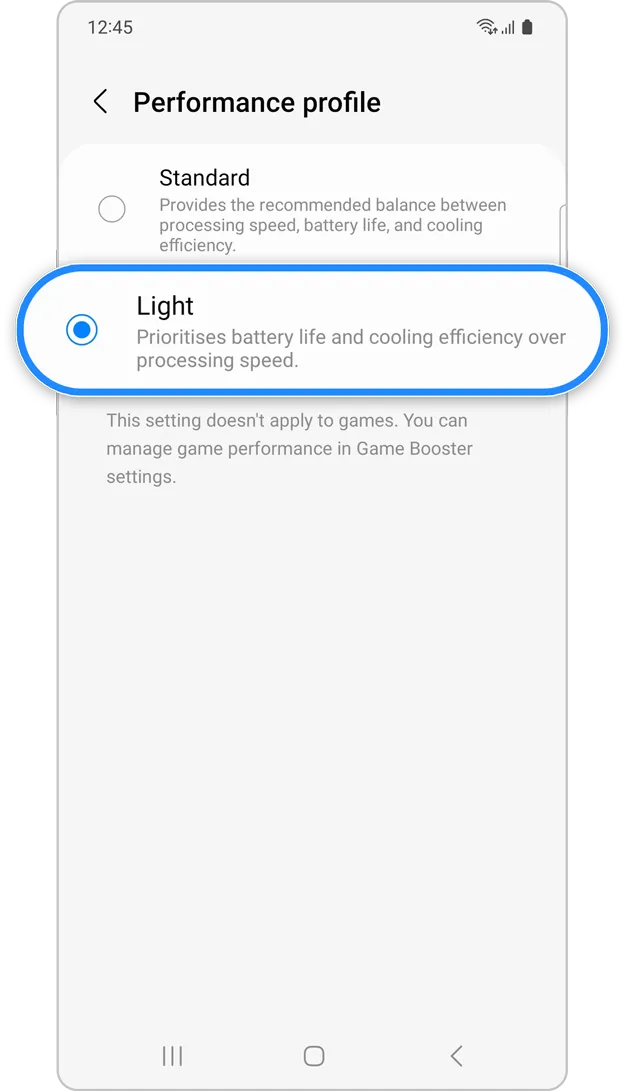
Samsung lets you select a performance profile according on how you use it. The Light Performance profile is a better option than the Standard if you do not play games and use your phone mostly for everyday activities like surfing and making calls. It will put cooling and battery life ahead of processing performance.
How to: Open the Settings app and go to Device care > Performance profile and select Light. This is ideal for average phone users.
Download offline content before travel
It is a good idea to download such stuff offline if you listen to the same podcasts and playlists or travel the same path every day. Google Maps and the majority of streaming apps use a lot of battery power over 5G and LTE. It may also cause your phone to feel warm to the touch when you are outside. With a little advance forethought, you can handle this: Before you leave the house, use Wi-Fi to download your favorite music or maps.
How to: Go to the streaming apps you want to download content from and follow the in-app steps. For instance, YouTube has a download button on videos, and Spotify lets you download complete playlists.
What should you do if the battery on Galaxy phone runs low?
The seven settings above will not hinder your user experience and will retain the best Galaxy phone features. However, if you’re out and your phone is low on battery, you should:
Turn on Power Saving
Toggle off data roaming
Turn off location services
Switch off AOD altogether
When your phone’s battery is less than 15% and you are still a few hours away from a charger, I advise activating these options. The Samsung settings listed above will also help you get the most out of your Galaxy phone’s battery.
Samsung Galaxy S25 Ultra
Streamline your day with an assistant that gets you. Ask it to Google search for a pet-friendly vegan restaurant nearby and text it to your friend – your Galaxy S25 Ultra handles multiple tasks with a single ask.
The Google Pixel phones are notable for their outstanding photography capabilities, even with their flaws. You may capture beautiful pictures with a Pixel by pressing the shutter button. No need for retakes. The Pixel Camera app is crucial in providing that experience because it has the ideal combination of functionality and a clear, user-friendly layout.
Even so, you have probably missed a number of the Pixel Camera app’s incredible features. Some make taking the ideal picture easy, while others streamline the image-sharing process.
#deal – Google Pixel 9
Google Pixel 9 with Gemini gets the best of Google AI first, so you can take amazing photos, make edits like magic, and get things done even easier
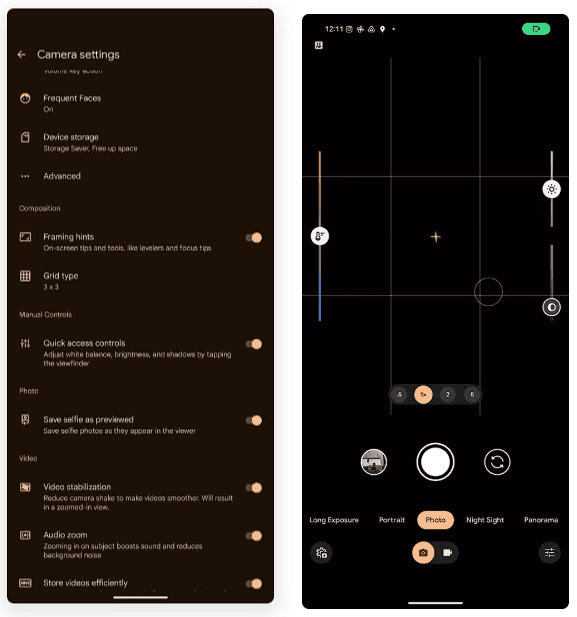
The performance of their point-and-shoot cameras makes Pixel phones unique. The best results can be obtained without adjusting settings or switching to a specific mode. Remove your phone from your pocket, open the app, and begin taking pictures. To get the desired effect, you might need to change the brightness, shadows, or white balance.
To adjust these settings, you do not have to go into Pro mode in the Pixel Camera app like you would on other phones. Instead, go to the settings menu and enable Quick access controls. Then, by tapping the viewfinder, you may activate sliders to adjust the brightness, shadows, and white balance.
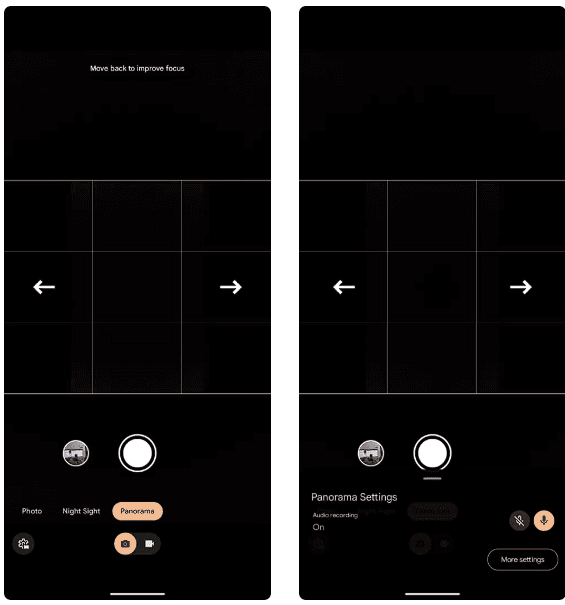
Panorama with audio
The Google Pixel supports panoramic photography, just like a lot of Android phones. In contrast to most, they have a remarkable 50MP resolution for taking panoramas. But that is not it. The latest Pixel phones have yet another secret weapon. Audio can be recorded while taking a panorama picture. Although this feature may seem like a gimmick to you, there are several situations in which it might be helpful.
Imagine recording a breathtaking panoramic scene and narrating it in the backdrop with your voice. After that, you can show it to your loved ones. This function is well-executed by Google, which makes sure the soundtrack plays in the background and fades in and out while you see the panoramic.
The only drawback is that it can be challenging to share panorama photographs with audio. The noise is eliminated when sending the picture via Instagram, Google Messages, or WhatsApp. The panorama cannot even be uploaded to Google Photos. Sending the photograph to another Pixel using Quick Share is your best bet.
Guided frame
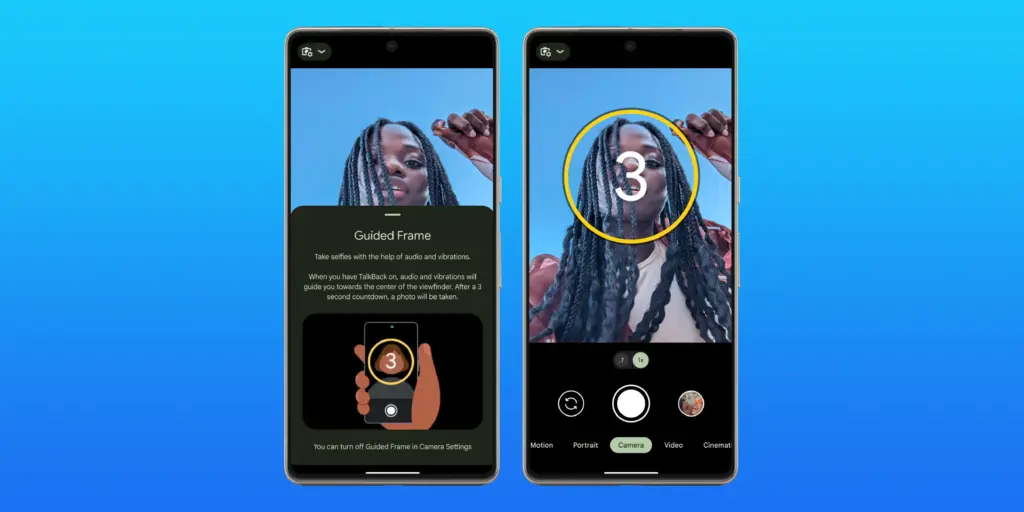
Pixel phones have excellent photography. However, this does not imply that anyone can shoot beautiful photos with a Pixel phone. People with visual impairments may often find it challenging to frame their subjects correctly before taking a picture. This is where the Guided Frame function of the Pixel Camera is useful.
This accessibility feature offers auditory and visual cues to assist in appropriately framing subjects. It is intelligent enough to assist with framing by automatically recognizing faces, objects, and scenes. Your Pixel phone will automatically take a picture when it is properly framed.
When using the front camera to take selfies, Guided Frame is useful. You can move around until the Pixel Camera app recognizes better lighting circumstances after it recognizes your face. The picture is then automatically taken.
By pressing the Settings icon in the bottom-left corner of the Pixel Camera app and selecting More settings > Guided Frame, you may enable guided frame. When you turn on TalkBack mode on your Pixel, the feature is automatically enabled.
#deal – Google Pixel 9
Google Pixel 9 with Gemini gets the best of Google AI first, so you can take amazing photos, make edits like magic, and get things done even easier
Enjoy posting quick videos on Snapchat or Instagram? For this, you do not have to put the Pixel Camera in video mode. Hold down the shutter button while using the camera app instead.
A video is being recorded by your Pixel phone. When you remove your finger from the shutter, it stops. As an alternative, you can continue recording even after you pull your finger off the screen by sliding it to the lock icon on the left of the viewfinder.
This tool is ideal for shooting video or swiftly taking brief clips. Additionally, you can export a full-resolution frame from the movie to share as a photo because Top Shot functions in this mode.
Palm timer
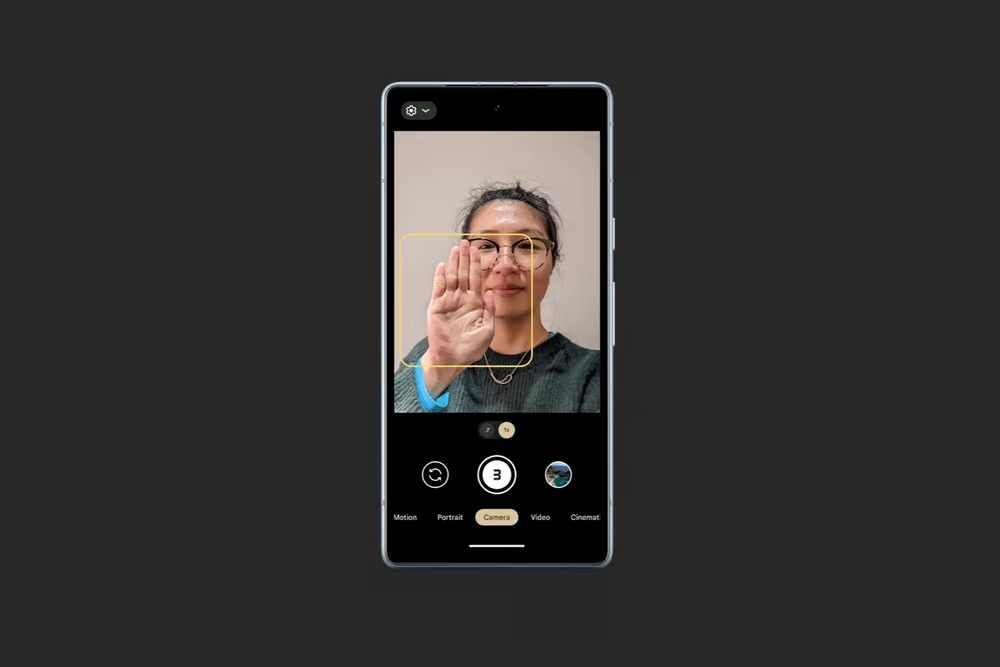
Sometimes you want to capture a picture with your Pixel propped up on a table. Or, when taking a group selfie, have your arm fully extended. It can be challenging to press the volume key or tap the on-screen shutter button in these circumstances without shifting the phone or readjusting your grasp. In these circumstances, the Pixel Camera’s palm timer function can be useful.
You may enable a three-second timer on your Pixel simply lifting your palm. You do not have to have it. Your Pixel automatically takes a picture after the countdown. It is helpful while taking solo photos with a tripod. Both the front and back cameras are compatible with the function.
I use the Palm timer to take selfies or group photos using the rear camera, as the larger sensor means better quality images. You can enable Palm timer from the Pixel Camera settings.
#deal – Google Pixel 9
Google Pixel 9 with Gemini gets the best of Google AI first, so you can take amazing photos, make edits like magic, and get things done even easier
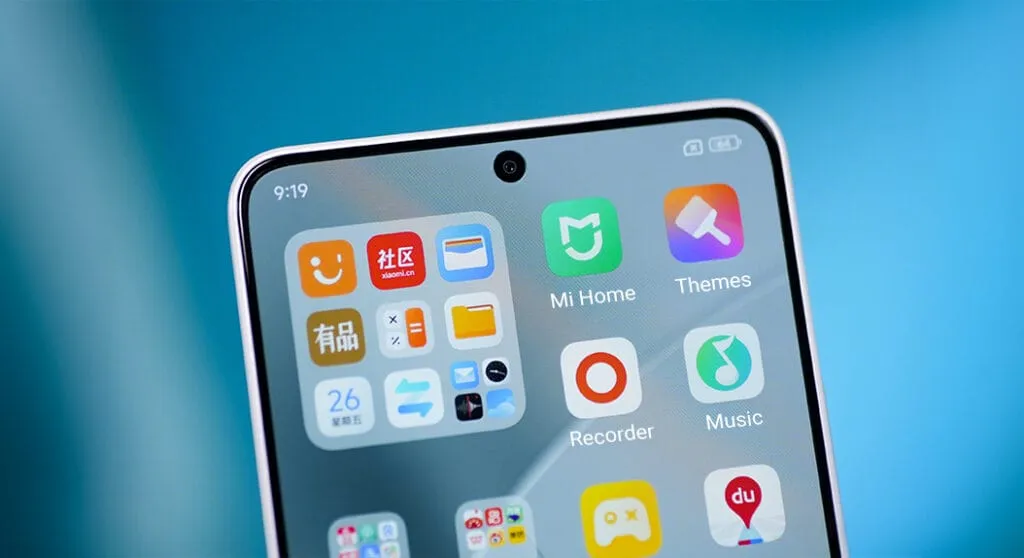
For optimal performance and user experience, it is imperative to keep your Xiaomi smartphone updated, especially with the new HyperOS ecosystem. Five essential system apps will receive significant updates in April 2025 that enhance their usability, security, and appearance. All Xiaomi phones will offer a better, more potent experience thanks to these updates, which are made to work perfectly with HyperOS 2.1.
HyperOS Launcher
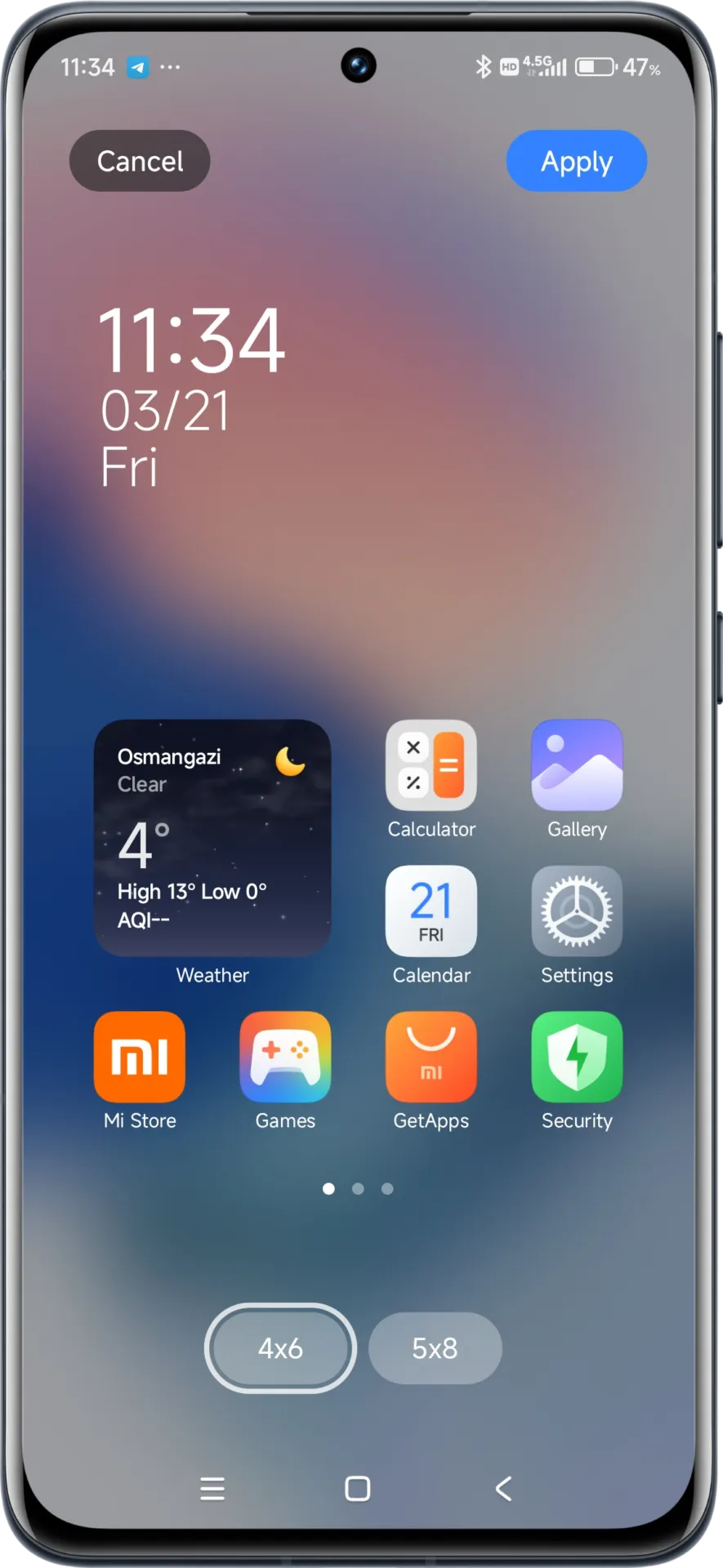
Updated on HyperOS Launcher was overhauled in full with many enhancements:
Improved Animations: Better folder animations bring a more refined, pleasing aesthetic experience
Enhanced Readability: Large fonts on the top drawer bar improve readability
MIUIX V3 UI Library: Implements modern design language for a fresher appearance with more uniform features
Adjustable Layout Options:
4×6 layout with search box 4×7 layout without search box
2K Screen Optimization: Popup UI now scaled correctly for high-resolution screens
The update to the launcher is centered on aesthetics and functionality, resulting in an improved user experience that still offers high performance.
HyperOS Themes
The updated HyperOS Themes has a better, more streamlined user interface. The update makes device customisation more comprehensive and accessible, allowing users to alter their gadgets to better reflect their own unique style.
With improved previewing and classifying capabilities, the simplified interface makes it possible to find and use new themes more quickly and easily.
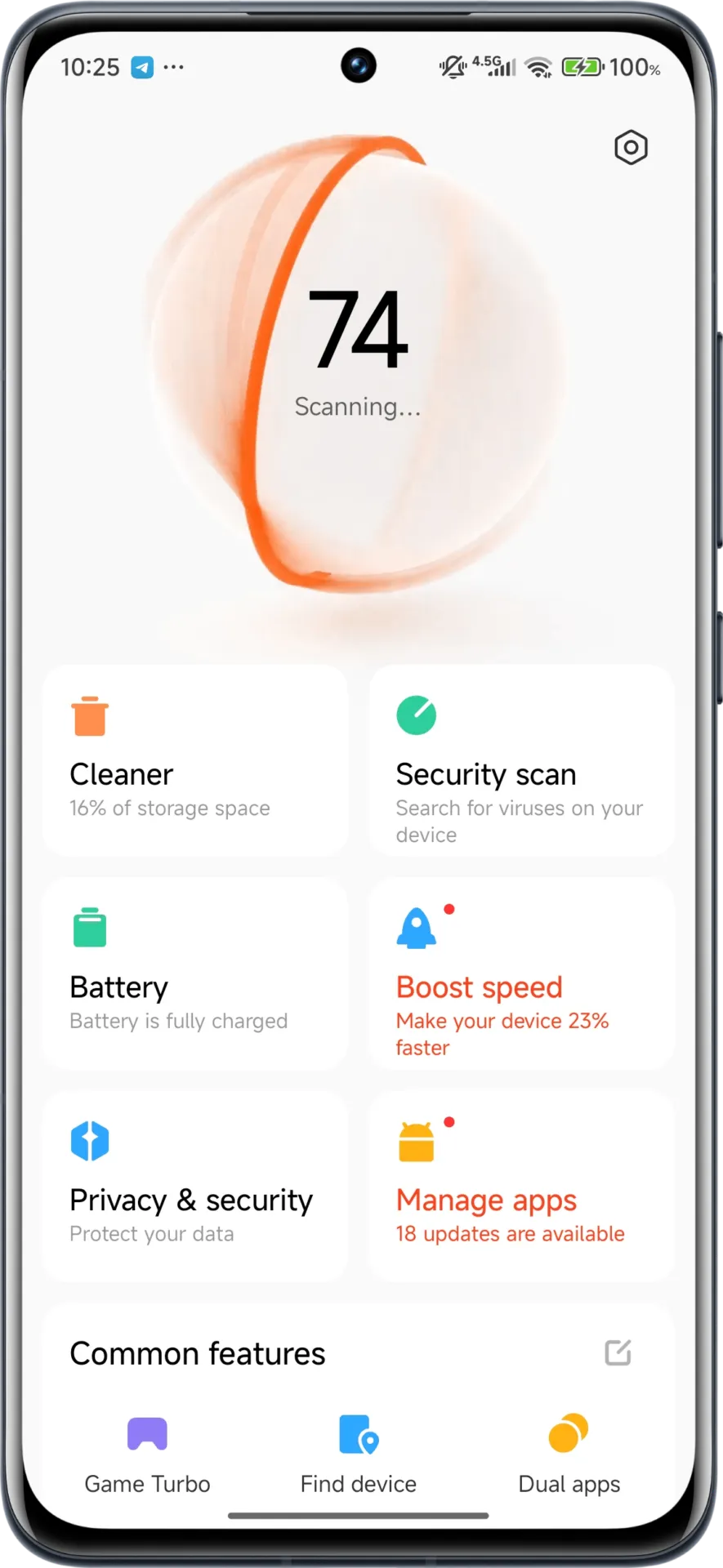
HyperOS Security
The HyperOS Security updated for brings essential enhancements to gaming performance and device protection:
Turbocharged Game Performance: All-out performance enhancements with advanced optimization capabilities
Security Improvements: Several behind-the-scenes updates improve system and data security
Performance Optimizations: Enhanced resource allocation to ensure seamless performance even on high-intensity tasks
Privacy Controls: Broader choice for controlling app permissions and data access
These security enhancements play a crucial role in shielding personal data while providing stable system performance.
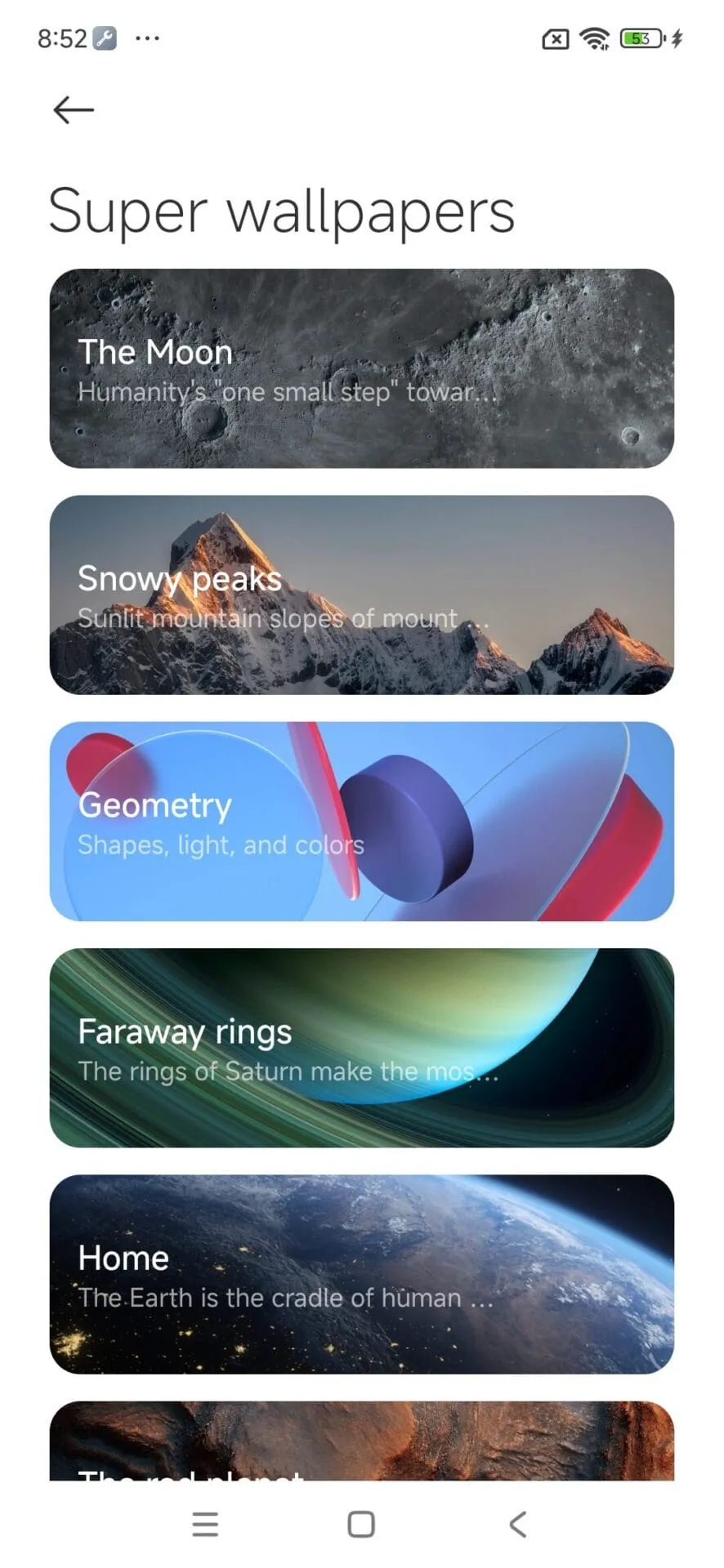
HyperOS Wallpaper
Updated on April. This new version emphasizes fixing bugs and performance enhancements. This update also solves problems that were causing lock screen and home screen wallpapers to:
Improved fluidity in switching wallpapers Improved stability throughout system transitions
Enhanced resource management for reduced battery usage
Improved integration with dynamic wallpaper features
Though mostly an update for maintenance, these changes considerably improve overall Wallpaper experience.
How to update HyperOS system apps
For an optimized upgrading process, Xiaomi users have an available HyperOS Downloader app:
Using a warning to backup the key to prevent losing access, a recently identified Android malware known as Crocodilus deceives users into entering the seed phrase for the bitcoin wallet.
Despite being a recent banking malware, Crocodilus has fully functional capabilities to remotely control, take over the device, and collect data.
According to researchers at the fraud prevention firm ThreatFabric, the malware is disseminated by a custom dropper that gets around security measures in Android 13 and later.
The dropper circumvents Accessibility Service limitations and installs the virus without activating Play Protect.
Crocodilus is unique because it uses social engineering to force victims to divulge their crypto-wallet seed phrase.
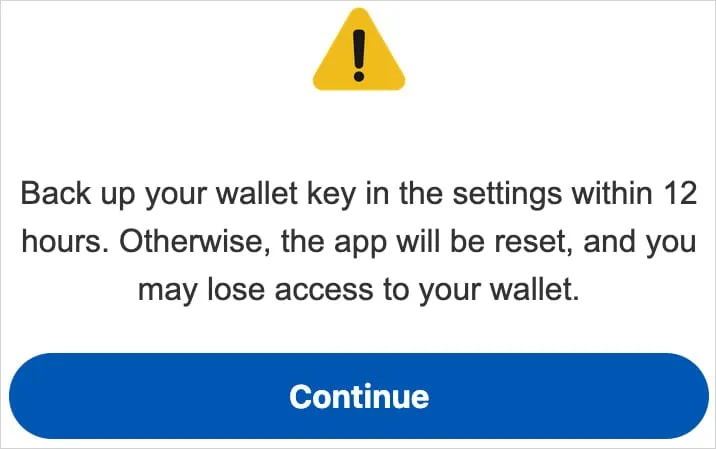
A screen overlay alerting users to “back up their wallet key in the settings within 12 hours” or risk losing your wallet is how it accomplishes this.
“This social engineering trick guides the victim to navigate to their seed phrase (wallet key), allowing Crocodilus to harvest the text using its Accessibility Logger,” ThreatFabric explains.
“With this information, attackers can seize full control of the wallet and drain it completely,” the researchers say.
Crocodilus was seen to target customers in Spain and Turkey, including bank accounts from those two nations, during its initial operations. Based on the debug messages, it seems that the infection originated in Turkey.
Although the exact mechanism of the first infection is unknown, users are usually duped into downloading droppers by malicious websites, phony SMS or social media advertisements, and third-party app shops.
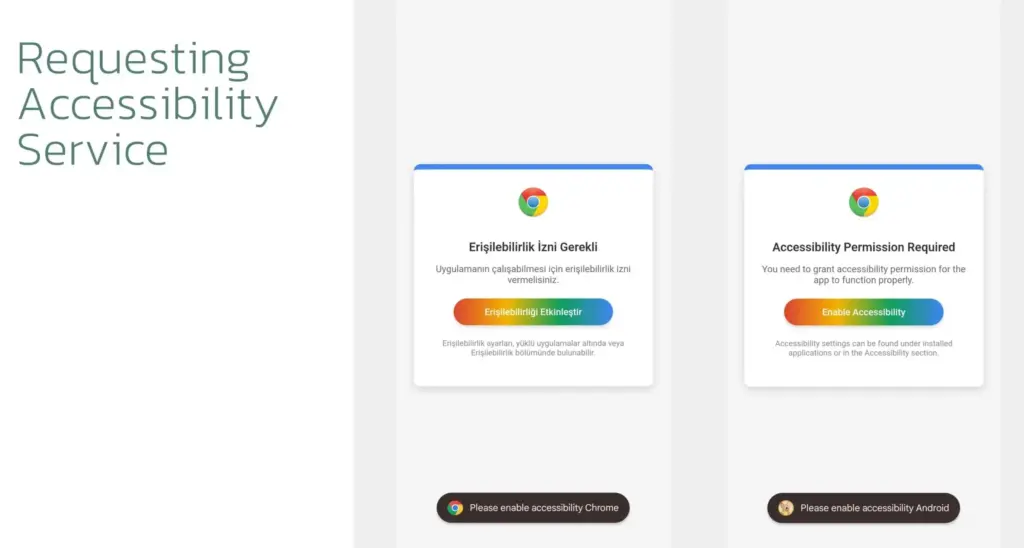
When Crocodilus is launched, it has access to Accessibility Services, which are typically designated for helping individuals with disabilities. These services allow Crocodilus to make navigation motions, monitor for app launches, and unlock screen content.
Crocodilus puts a phony overlay over the legitimate app when the victim accesses a targeted banking or cryptocurrency app in order to obtain the victim’s login information.
The bot component of the malware supports a set of 23 commands that it can execute on the device, including:
Enable call forwarding
Launch a specific application
Post a push notification
Send SMS to all contacts or a specified number
Get SMS messages
Request Device Admin privileges
Enable a black overlay
Enable/disable sound
Lock screen
Make itself the default SMS manager
Additionally, the malware has remote access trojan (RAT) capabilities that let its operators swipe, tap, and browse the user interface, among other things.
To collect one-time password codes used for two-factor authentication account protection, a specific RAT command is also available to snap a screenshot of the Google Authenticator application.
To conceal the activity from the victim and give the impression that the device is locked, Crocodilus operators can mute the device and activate a black screen overlay while doing these tasks.
Crocodilus may soon expand its activities and add more apps to its target list, even if it currently seems to be targeting only Spain and Turkey.
It is recommended that Android users make sure Play Protect is constantly enabled on their devices and refrain from downloading APKs from sources other than Google Play.
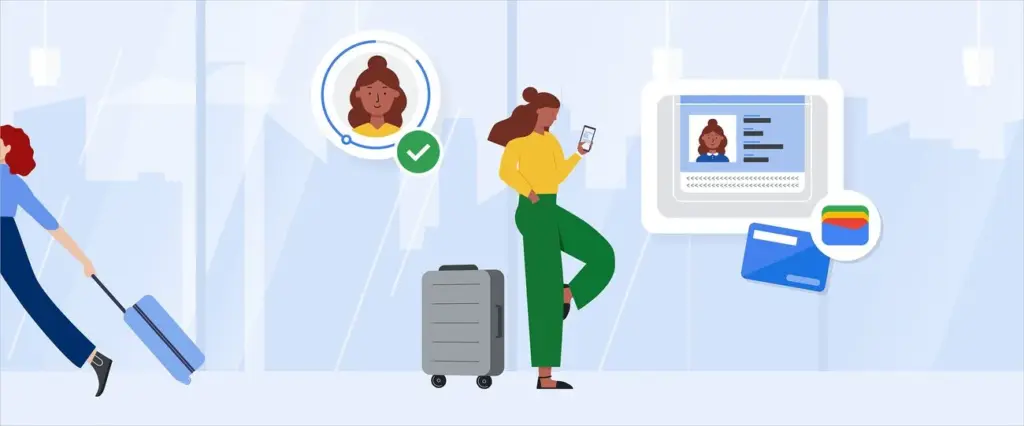
Digital wallets are becoming a more common option to pay on the go. The concept is simple: why carry a wallet when you can store your credit card on your Android phone? It makes logical and decreases the amount of items to keep track of. Google Wallet goes a step further, allowing you to add goods other than credit cards to your digital wallet. What products exactly?
Boarding passes
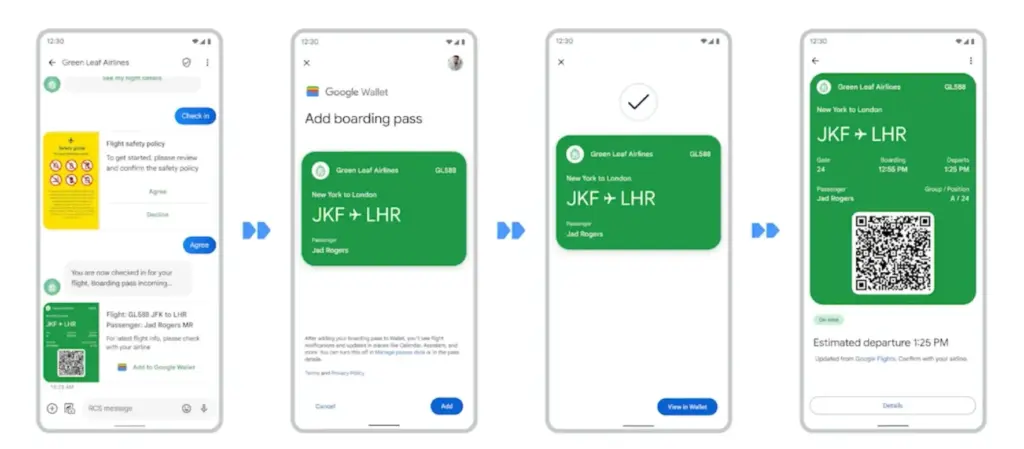
Boarding cards are required for airline travel. You need these to get past security, confirm the flight’s departure time, and find your gate. Traditionally, they were paper, but they have recently gone digital, via the airline’s app or a digital wallet. Google Wallet can save boarding passes, eliminating the need for physical boarding tickets. It also refreshes the gate or flight time on the boarding card as soon as it changes, keeping you informed of any changes.
Public transportaion tickets
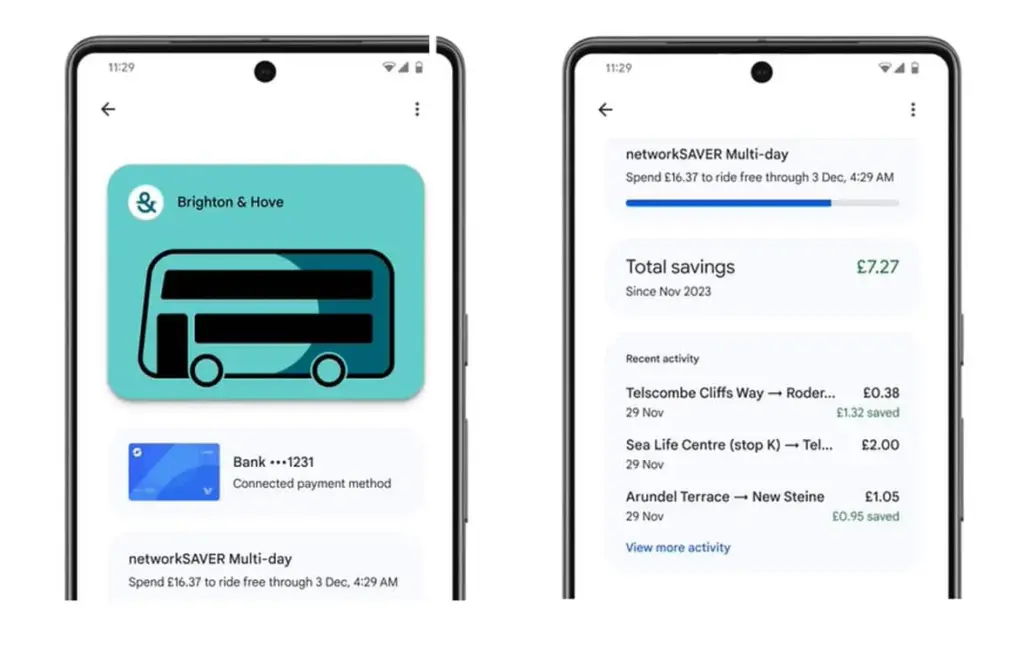
Public transportation is useful for traveling around, regardless of whatever major city you are in. Each system has its own type of passes, such as monthly passes or reloadable cards. Normally, catching a trip requires a specific app or physical pass, but Google Wallet allows you to store and utilize passes from several major transportation agencies around the United States. Then, you can utilize Google Wallet to travel whenever necessary.
Gift cards
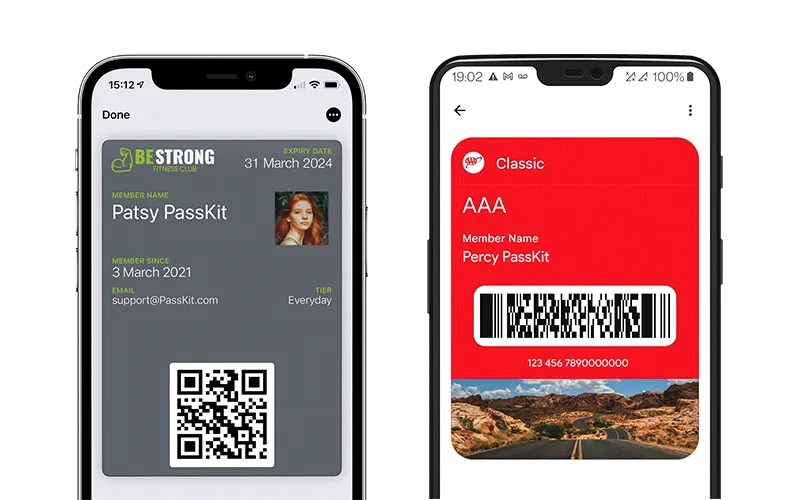
present cards are a popular option to offer someone a flexible present that does not require a specific item. It allows the receiver to select an item that is ideal for them, and gift cards can be pooled to purchase a more expensive item. During holidays or birthdays, you may receive multiple gift cards that are difficult to keep track of. Google Wallet allows you to save all of your gift cards in one location and redeem them later.
Loyalty cards
Most businesses have a loyalty or rewards program in place to provide perks to consumers who return frequently. Sometimes this takes the form of a physical card that is utilized at the checkout. If you have rewards cards from multiple businesses, they might fill up your wallet. Google Wallet can also hold loyalty cards. Google Wallet identifies common cards, adds them, and provides you with an easily readable barcode to scan at checkout.
Driver’s licenses
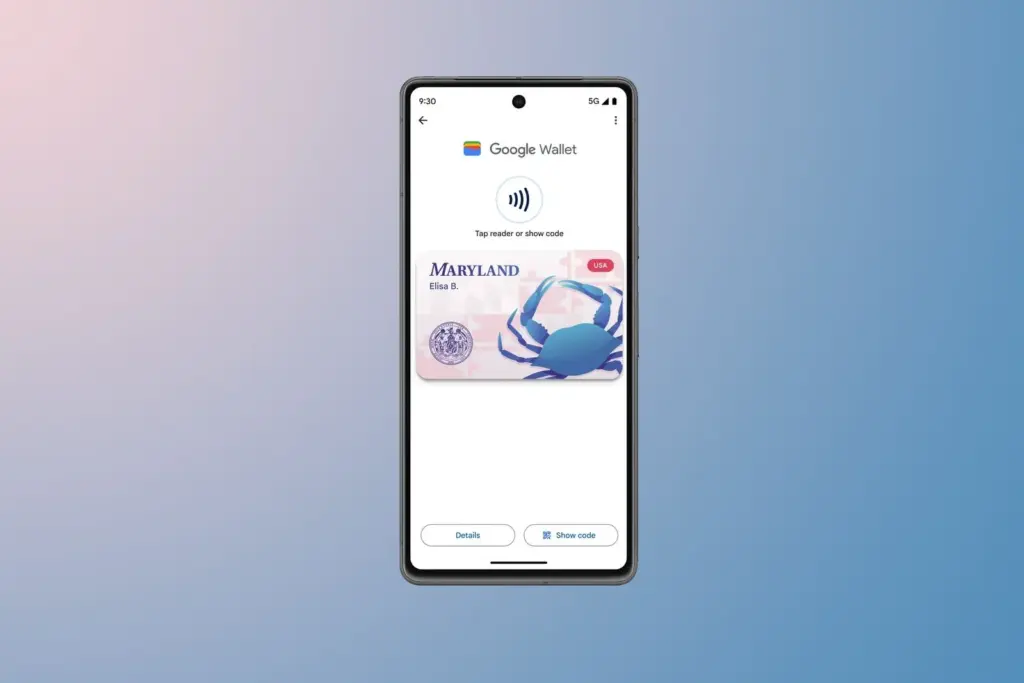
To be able to drive, you must have a driver’s license, which is the most frequent form of identification used to prove your identity and age. Keeping your license with you at all times is a good idea and occasionally necessary, but it can be difficult to keep track of if you do not want to carry a wallet. If you lose it, finding a replacement can be tough. In several states in the United States, you can keep your license in Google Wallet. It is not available in every state. It will only be offered in Arizona, California, Colorado, Georgia, Maryland, and New Mexico as of March 2025. Hopefully, its availability will increase with time.
Health insurance card
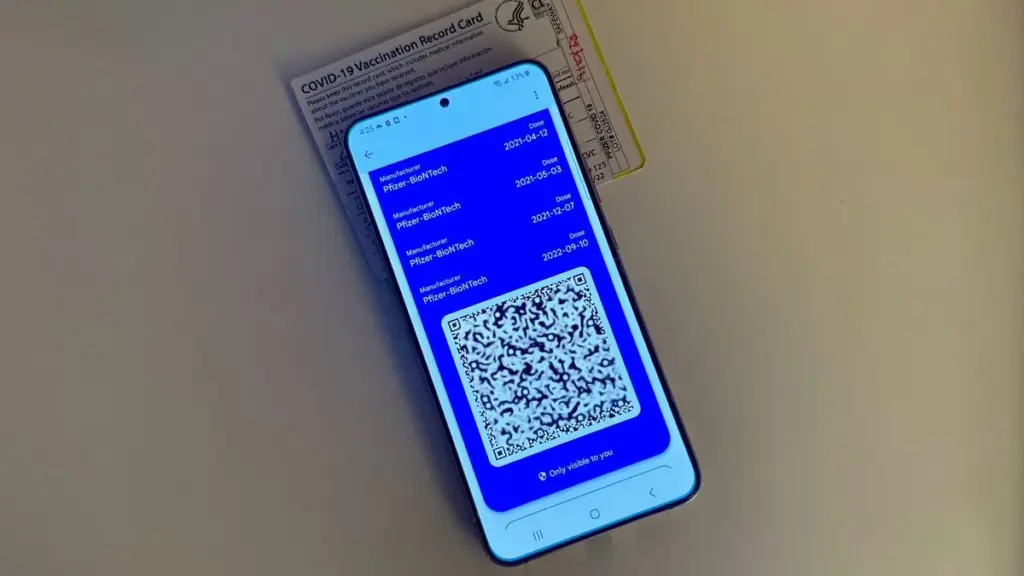
Health insurance cards are another vital piece of information to keep with you at all times in case you want medical assistance. While you can keep the physical card, you can also save it to Google Wallet. While it is not as straightforward as adding a credit card or other comparable item to Google Wallet, you can scan or save it through your healthcare provider. Then you will have all of the critical medical information you need at your fingertips whenever you need it.
Passport
Passports are required for travel and as a means of identification. With Google Wallet, you may use your phone to augment your passport with an ID pass. An ID pass enables Google Wallet to save your passport for use in specific instances. An ID pass cannot substitute a passport in all circumstances, however it can be used in some cases. An ID pass can be used at TSA checkpoints for domestic flights in some US airports. It can also be used as a form of identification in some instances, but keep your actual passport with you in case you need it.
Student IDs
Students need IDs for a variety of reasons, including building access, dining hall meals, and student discounts at specific establishments. If they lose their ID, they may be unable to obtain necessary services. Google allowed the ability to save student IDs to Google Wallet in 64 countries and territories, making them harder to lose and easier to use. Because students are likely to carry their phones with them at all times, having their student ID on the phone is more convenient.
Event tickets
You may attend a variety of enjoyable activities, including concerts, festivals, sports tournaments, and more. You must have a ticket to attend, and most are no longer printed on paper. However, depending on the venue or type of event, you may require multiple applications, which can be difficult to keep track of. Make it simple by adding them to Google Wallet. Google Wallet can store any sort of ticket or event pass, providing you with a convenient, centralized location to find everything you need. When the event is ended, Google Wallet makes it simple to remove the pass, so your app is not crowded with used tickets.
Hotel keys
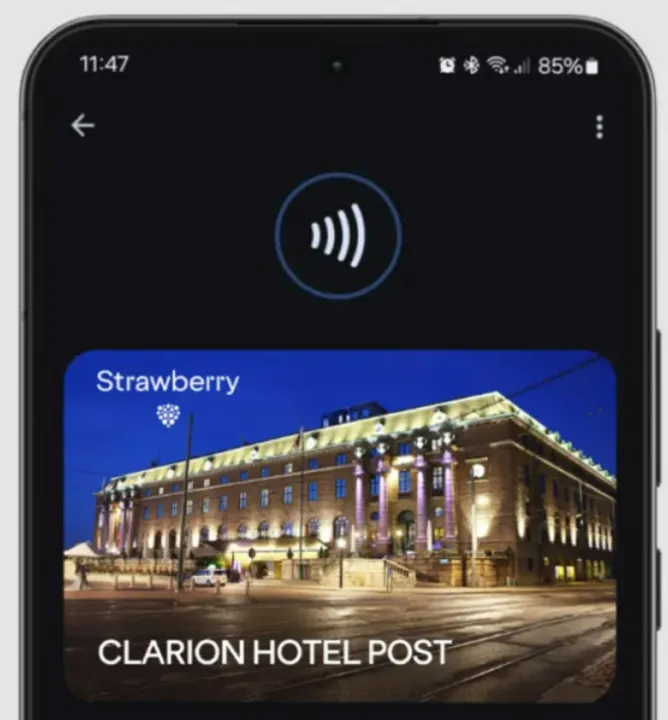
To get access to your hotel room, most hotels use key cards rather than physical keys. In increasingly modern hotels, however, you can enter your room by tapping your key card. Some hotels let visitors use Google Wallet to store hotel keys instead of a physical key card. It is now limited to Club Quarter Hotels and other random individual hotels, but we want to expand it shortly.
Corporate badges
Many company buildings require badges to enter, which increases security. You must have your badge to enter, and if you forget it, you may be permitted to use a government-issued ID or a company ID instead. To circumvent this, some buildings allow customers to save their pass to Google Wallet on their phone, either eliminating physical badges or providing a backup option. Then simply tap your phone to enter, nothing more.
One app for everything.
Google Wallet is useful for storing and using credit and debit cards, but it can do a lot more. It can also hold other goods like IDs, transport passes, gift cards, and so on.
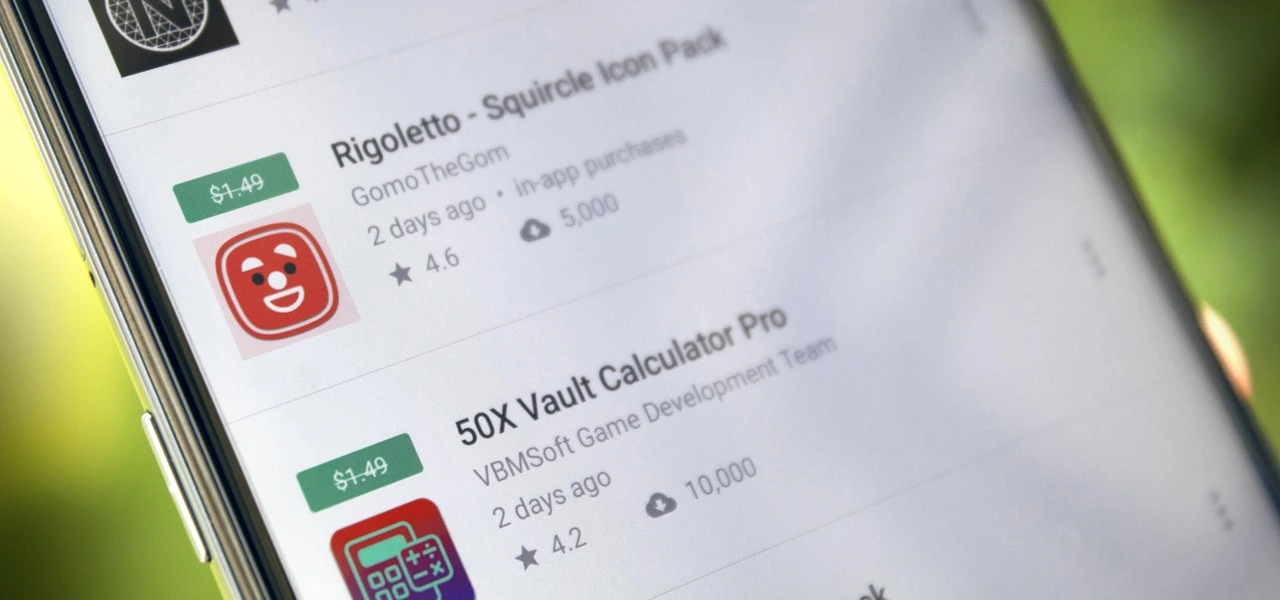
We have compiled a list of the most recent apps available on the iOS and Android platforms that have temporarily reduced their prices to $0.
These temporary promotions allow you to purchase high-quality apps and gamges that typically have a price tag, such as top-rated games and premium productivity tools. Act quickly, though, as these offers will not last long, and you will lose your chance to download an app for free once it goes back to its normal price. Let us explore the must-have freebies of today that will improve your mobile experience.
Android apps and games that are free for a limited time
Android apps for productivity and lifestyle
Linea – Icon Pack ($1.49): If you want to spruce up your smartphone’s user interface, this is one icon pack that gets the job done.
80s Music Radio Pro ($0.70): Stream hit music from the 1980s with this unique app.
AppLock Pro ($4.49): Keep your apps private with another layer of security.
Fraction Maths Pro ($0.99): Need a quick calculating app to figure out fractions? This might be the app to do so.
Temperature Converter Pro ($0.99): No need to squeeze unnecessary brain power anymore in figuring out the temperature now.
Free Android games
The Wordies Pro ($1.49): A relaxing word search game that helps you kill time without getting all stressed out.
Hero of the Kingdom: Tales 1 ($6.49): There is a looming dragon threat coming, make sure you prepare the villagers for it!
Survival Dungeon: Loot RPG Pro ($0.49): A mobile roguelike action RPG where you explore different dungeons and engage in battles.
Magnet Balls Pro Puzzle ($0.99): Remember Puzzle Bobble? This is something along the same lines, without cute dinosaurs.
Burning Sky VIP ($1.99): It is up to you to save the galaxy once again from endless waves of invaders from outer space.
iOS apps that are free for a short time
iOS apps for productivity and lifestyle
Strength Flight ($2.99): Want to bring your strength level to new heights? This app will hopefully help you be on that path.
Reverse Videos ($0.99): Here is a different video editing app where it basically does what it is named after – reversing videos.
Liftoff Workout Log ($4.99): Anything that can be measured, can be improved. Get better with your workouts by keeping track of them.
Hidgets ($2.99): View more health widgets on your phone’s home screen with this.
Loscil – Adrift ($2.99): This is a collection of 4 pieces of endless music by ambient musician loscil, where it relies on structured random selection that plays music continuously.
Free games for the iPhone and iPad
PicaSim ($2.99): Learn how to fly different aircraft with this game.
The Bug Butcher ($0.99): A side-scrolling shooter where you use your wits and reflexes to get rid of enemies.
Hack RUN ($2.99): Live the exciting (and perhaps glamorous?) life of a hacker with this game.
PuzzlAR: World Tour ($0.99): Join the navy, see the world? Nah, you can do so via this game now.
The Brilliant Kid ($1.99): An educational game for the little ones to keep them occupied.
As of the date of publication, the deals were active. Please share any expired deals you come across in the comments section below.
We advise you to review the app’s details in the Play Store or App Store before downloading any of the aforementioned apps. This is crucial as some of these free apps can have unique features or drawbacks of their own.
Both free and paid apps should be used with caution because they may conceal advertising and in-app purchases. This is especially important while downloading kid-friendly games.
In the quickly evolving world of mobile applications, some people use cunning tactics to make money by collecting and using your personal data. But do not worry, IT enthusiasts—we have some crucial advice to improve the security of your priceless data. When it comes to providing access for the apps you decide to install, it is important to remain vigilant.
Why would a basic alarm clock require access to your contacts or camera? Alternatively, why would a flashlight app require your exact location? You may successfully protect your personal data from unauthorized access by carefully controlling the permissions you grant.
Be sure to take advantage of these important opportunities! Even if these apps are free right now, they can suddenly and unexpectedly go back to their normal costs. Before downloading, make sure to read the app’s ratings and reviews. If you see something that strikes your eye, do not hesitate to take advantage of these offers.
You may amass an outstanding library of premium apps without spending any money if you keep an eye out for these brief offerings. Developers often provide these time-limited promotions, so be sure to return again for new alerts about free apps. There has never been a better moment to upgrade your mobile device with high-quality, free software, regardless of your preference for iOS or Android.
Since its debut in 2016, Google Assistant has been a feature of the Android operating system. It is accessible by uttering the “OK Google” hot word, as a sticky widget in the dock, or in the news stream on the left side of your home screen. However, the assistant needed a makeover because AI was a key component of almost every phone that was released in the previous year.
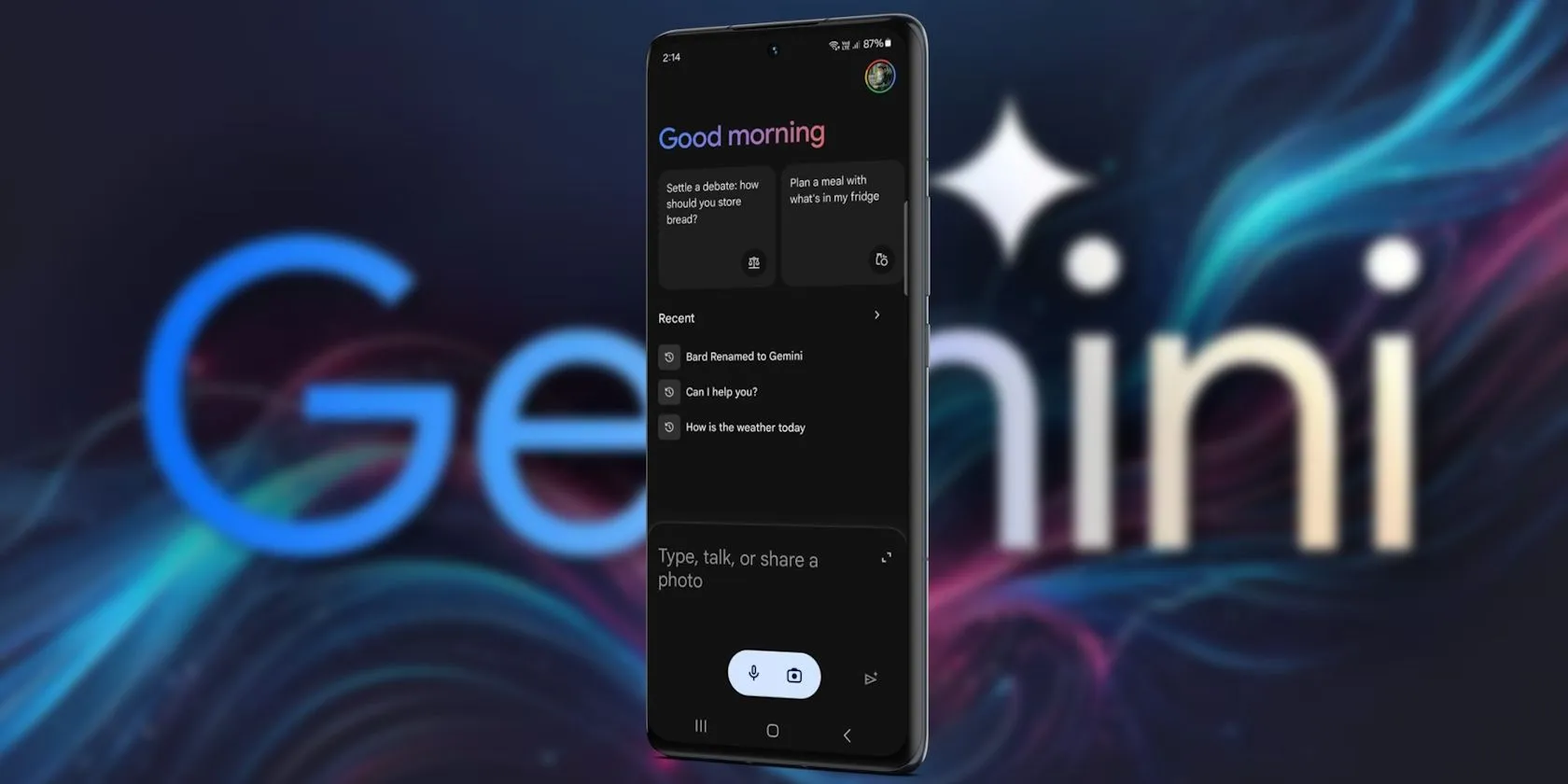
Google Gemini’s shortcomings were noted by early adopters, who said it could not execute jobs that Google Assistant could. With Gemini’s increased capabilities, a lot has changed. Here are some useful applications for it on an Android phone.
Use Gemini from Messages
Following Hangouts’ sunsetting and an unsuccessful attempt with Allo, Google finally figured out how to make texting work on Android. Google Messages is a fantastic way to interact with loved ones because of its many capabilities, especially when it comes to chats that use RCS.
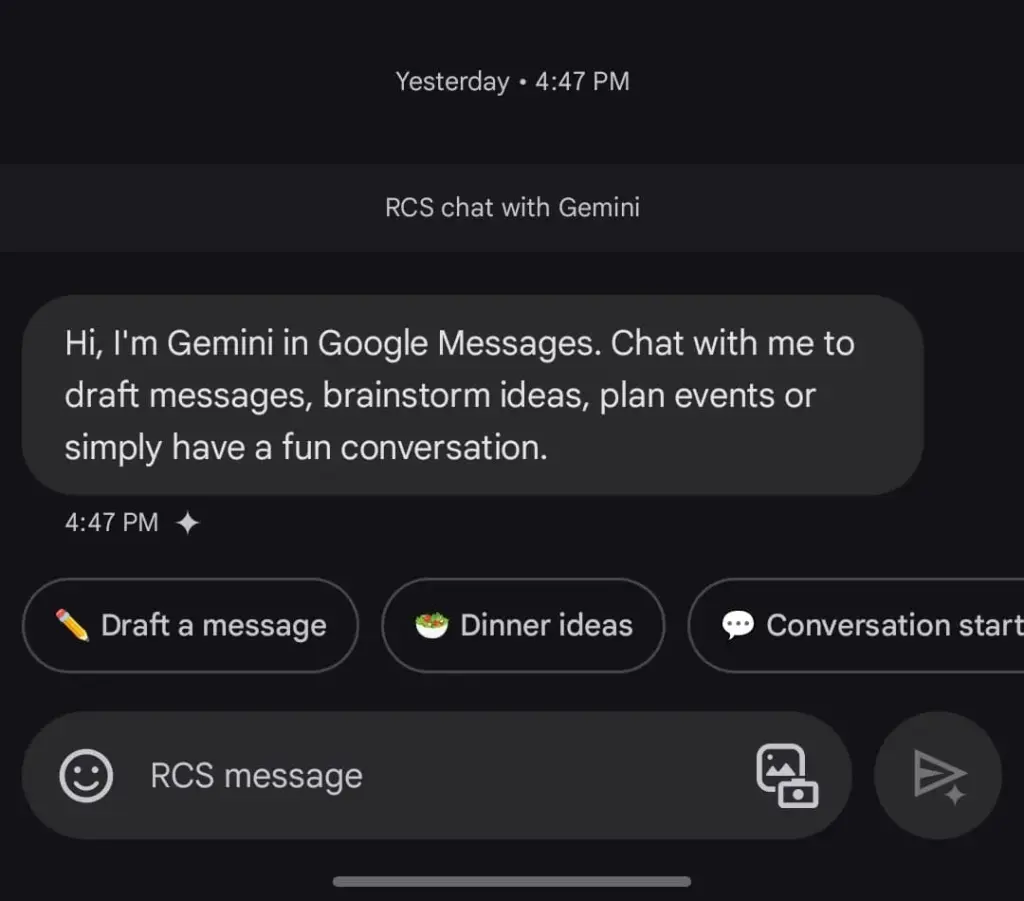
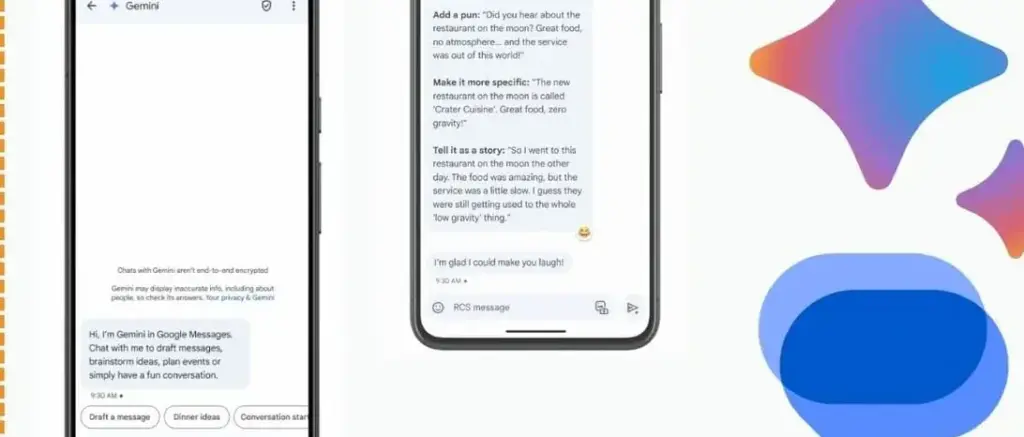
The option to talk with Gemini will appear if you open Google Messages and tap the Start chat icon. This allows you to use Gemini’s conversational side in a chat window. You can ask it to create images, recite poems, or write a birthday message.
Gemini in Google Messages is incompatible with other apps and is unable to manage device settings. It does, however, provide a more conventional method of communicating with the assistance. It does not answer questions using pictures of individuals, but you can send it pictures of food, clothing, and other objects.
Also, Gemini cannot be asked to send a message through Google Messages. You can use the Gemini app specifically for that purpose. Furthermore, Gemini may be used to call contacts or look up the phone numbers of nearby businesses, just like Google Assistant. But you can not use your friendship with someone to make calls or send SMS. It is possible that saying, “Hey Google, call my mom,” will ring another contact with the name “mom.”
Control device settings
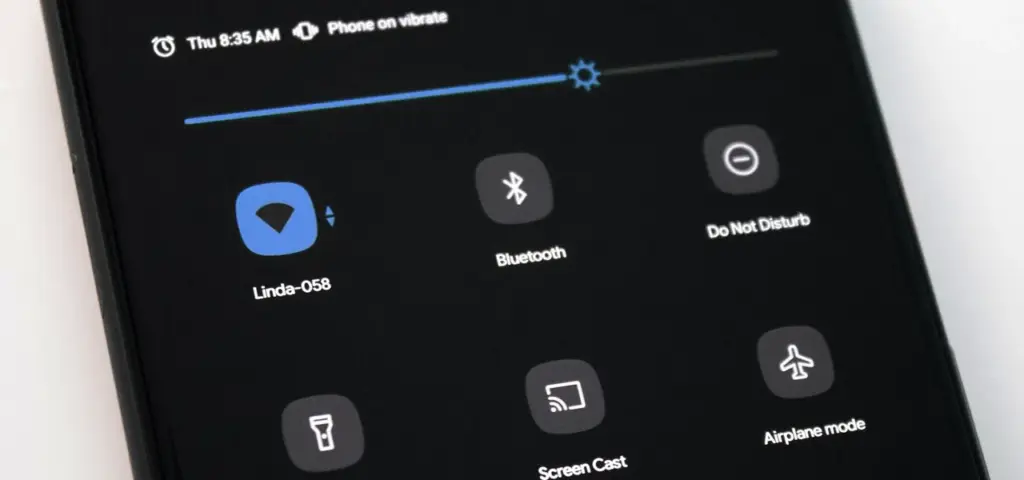
Gemini has the ability to switch off your Wi-Fi, but in order to utilize the assistant again, you will need to manually activate it. Bluetooth, location, auto-brightness, and flashlight settings are among the more practical device controls.
A series of instructions, such as “turn off auto-rotate and then turn on mobile data,” can be requested, but Gemini can be picky. Routine tasks, such as turning off alarms or setting a timer, function well.
Controlling my phone’s music playback is one of my favorite applications of this feature. You may ask Gemini to rewind a song by 30 seconds, but it can still play, pause, and skip songs as normal.
Also, you may use a custom timer to instruct Gemini to take a picture. On the other hand, when I ran the identical query on my iPhone using Apple Intelligence, it set a five-second timer labeled “picture.” Regards, Apple.
A conversational tool
For years, we have been able to use voice commands to activate Google Assistant; however, typically, a specific action or question is required. By tapping the button next to the camera symbol in the Gemini Live app, you can initiate an unstructured chat.
As long as the conversation does not violate the AI’s guidelines, you can talk about anything and get pertinent responses. It was a little unsettling to speak into my phone aloud and hear responses that seemed natural, but I eventually adapted. Gemini Live excels at having back-and-forth conversations, but you may also ask closed-ended questions.
During a discussion, Gemini can be interrupted by tapping the screen or talking over it. When you use Live mode, you can choose from a small selection of voices. I use Gemini Live to practice talks, generate ideas, and learn new languages. This is an intriguing approach to employ an AI assistant on your phone because of its convincing and real-time responses.
Use Gemini with Google Workspace
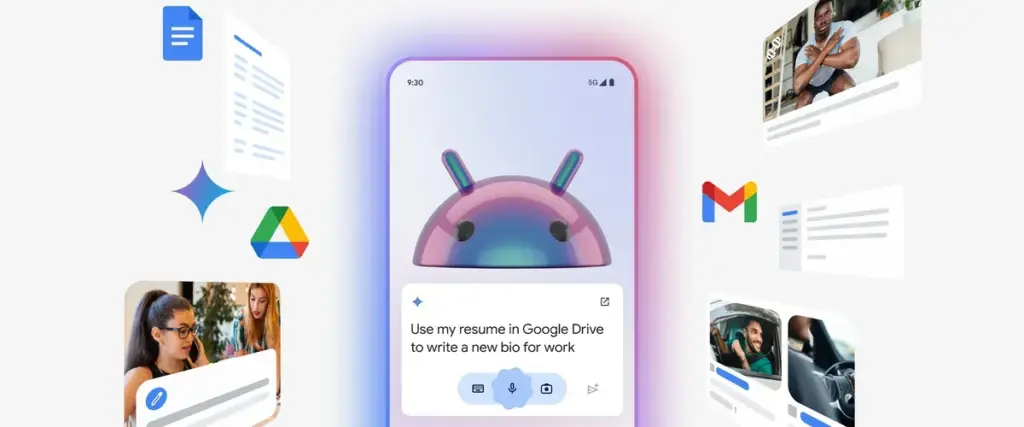
With a subscription, Gemini may be used with Google Workspace applications such as Docs, Gmail, and Slides. You may retrieve and condense emails, tasks, and other items linked to your Google account on an Android phone by using the Google Workspace extension, which is available for free with Gemini.
Gemini can filter emails by sender name or transmit a list of your most recent emails. It is unable to access attachments, though. Asking Gemini to summarize papers is a helpful tool, as I utilize Google Docs for the most of my class notes. In order to locate an event you have been searching for, it can also scan your calendar.
Gemini can be asked to save notes or tasks. In the Google Keep app, entries filled in this manner display a Gemini tag. Additionally, it cleverly names notes according to their substance.
Connect it with third-party apps
Gemini extensions allow you to access and manage additional features on your device. It is cool to connect to Google Workspace, and more third-party apps should soon be compatible with Gemini. Without opening the app and looking for a playlist, you can play songs from your playlists by connecting to your Spotify account. Media playback control then assists you in selecting the ideal song for the situation.
You may use voice commands on Google Gemini to send messages or make a call to a contact if you are one of the three billion WhatsApp users globally. You cannot, however, request that Gemini read your WhatsApp chats or attach anything to them.
Compared to its first day, Gemini now does more. Because device controls are compatible with the AI assistant, you are no longer forced to pick between it and Google Assistant. Additionally, when Gemini is unable to complete a task, it will sometimes rely on the Google Assistant extension. Your time with a Gemini is not going to be a happy one. It still has hallucinations and is a huge language model.
Even though it is capable of performing things like “turning on Bluetooth,” it occasionally refuses to do so. Starting a fresh chat is a good strategy to get good answers in these situations. You must unlock your phone’s screen in order to use the majority of its useful commands. Even with its limitations, Gemini keeps getting new features, such as the ability to operate smart home appliances with the Google Home extension.