We will learn how to create moving pictures on your phone today. It is a wonderful thing to capture a moment. However, what if your ideal image could be animated? What if a static moment in time could have a movement added to it? How awesome would that be? Imagine having a photograph of a waterfall. If the waterfall moved and everything else remained motionless, that would be amazing. Or picture a sunset.
An already stunning composition would get a whole new level if a portion of the image were animated. Use this guide to improve your social media game and produce stunning moving graphics. Show off your editing and photography prowess to your friends.
We will concentrate on only one photo editing app, despite the fact that there are many that allow you to create moving photographs Pixaloop.
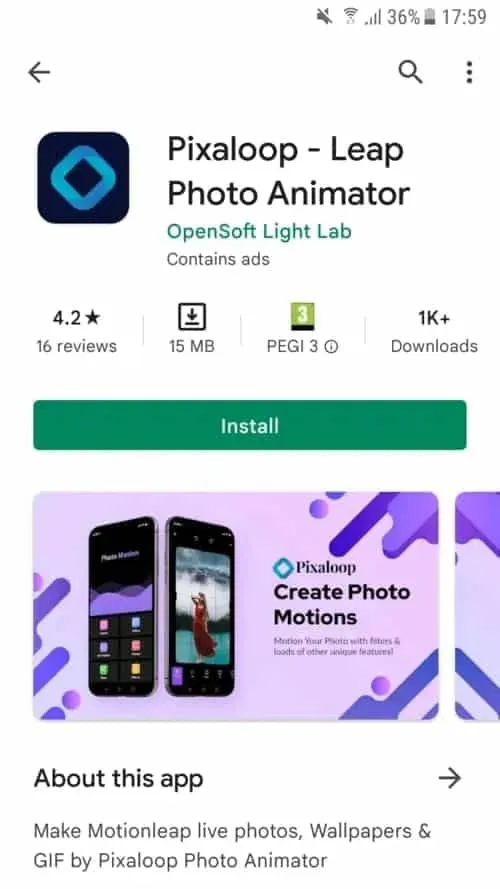
Pixaloop is a free app that is available on both the Apple App Store and Google Play. It enables users to create GIF animation effects, live images, and backgrounds.
It uses their cutting-edge photo animator to give static photographs alive. You have a successful app when you combine that with a simple and user-friendly UI. Let us test this application instead of just discussing it.
Install Pixaloop
Pixaloop is available on the Apple App Store and Google Play Store. I will be downloading and installing it from the Play Store because this demonstration is being done on an Android smartphone.
Choosing an Image
You begin by selecting an image, just like you would with any other image editing program. However, you can also choose to open your camera and take a fresh picture. I let you make that choice. Making moving pictures while on the fly might be entertaining at times. I will be selecting a picture from my collection for the tutorial.
It’s an image I have previously downloaded on my phone.
This is an awesome picture. We are going to be using it to demonstrate how to make moving image using your phone.
Create a moving image on your device
When you launch Pixaloop it looks something like this
Your image can be animated in two different ways. You can either import an existing image or take a new one with your phone’s camera. I will bring mine in.
Before applying the motion effect, you can crop the image on the first screen. Cropping your work in advance is a good idea, depending on where you want to publish it.
Personally, I think this works really well. I am not going to perform any cropping. will start working on a motion picture right away.
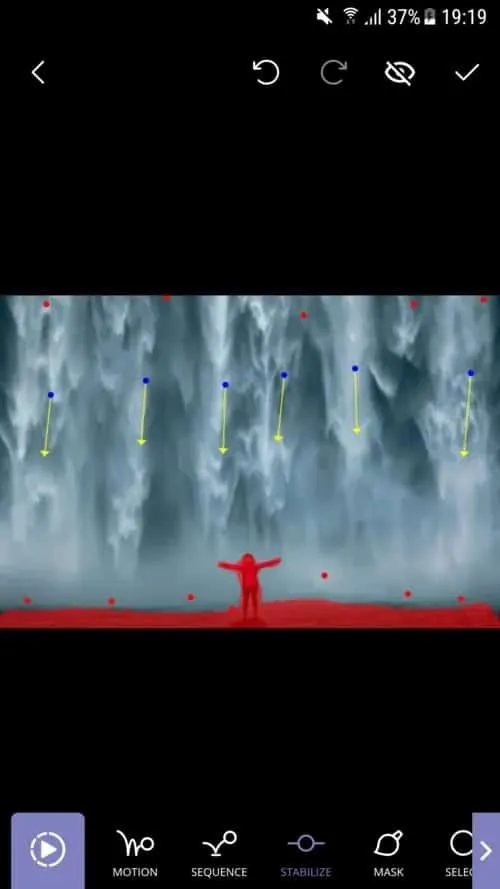
I see a cascading waterfall in this picture, with the figure motionless. This picture will, in my opinion, take on a completely new level if the background is animated.
I also carried out my masking technique on the background. At least a portion of it. I do not want the ground to move either. The moving image does not look nice with it. Simply said, it is not natural. Trial and error is how you go about this procedure.
After making your adjustments, hit the Play button. Proceed to the following step if you are satisfied with the outcome. If not, go back and make all the changes you dislike.
I decided to use Motion Animation for this picture. Clicking the Motion button at the bottom of the screen will activate it. You can specify the animation’s path to the program when this parameter is enabled.
As you can see, I made six pathways, each of which points downhill. I am emulating the course a waterfall would naturally follow.
You can also adjust the waterfall upward if you would like. Using this tool to create a moving image would cause everything to animate in a downward manner. And I mean all of it. I discovered that both the top and bottom are dragged down after playing my clip. I utilized Anchor Points to resolve this problem.
Five anchor points are visible on top of the photograph, and seven anchor points are directly above my ground mask. This keeps the image from moving strangely on the top and bottom. I was happy with the outcome after a few attempts, shifting and adding anchor points.
The new Glove Stealer malware can collect browser cookies by getting past Google Chrome’s Application-Bound (App-Bound) encryption. This information-stealing virus is “very simple and contains limited obfuscation or protective features,” suggesting that it is most likely still in its early stages of development, according to Gen Digital security researchers who first discovered it when looking into a recent phishing attempt.
During their attacks, the threat actors used social engineering tactics similar to those used in the ClickFix infection chain, where potential victims get tricked into installing malware using fake error windows displayed within HTML files attached to the phishing emails.
Cookies from Firefox and Chromium-based browsers (such as Chrome, Edge, Brave, Yandex, and Opera) can be extracted and exfiltrated by the Glove Stealer.NET virus.
Additionally, it can collect password information from Bitwarden, LastPass, and KeePass, cryptocurrency wallets from browser extensions, 2FA session tokens from Google, Microsoft, Aegis, and LastPass authenticator apps, and emails from mail programs like Thunderbird.
“Other than stealing private data from browsers, it also tries to exfiltrate sensitive information from a list of 280 browser extensions and more than 80 locally installed applications,” said malware researcher Jan Rubín.
“These extensions and applications typically involve cryptocurrency wallets, 2FA authenticators, password managers, email clients and others.”
Glove Stealer bypasses Google’s App-Bound encryption cookie-theft safeguards, which were implemented by Chrome 127 in July, in order to steal credentials from Chromium web browsers. It accomplishes this by employing a supporting module that decrypts and recovers App-Bound encrypted keys using Chrome’s own COM-based IElevator Windows service (running with SYSTEM rights), as outlined by security researcher Alexander Hagenah last month.
To install this module in the Program Files directory of Google Chrome and utilize it to recover encrypted keys, the virus must first obtain local administrator capabilities on the infected PCs.
However, despite its attractive appearance, Glove Stealer is still in its early stages of development since, as researcher g0njxa told BleepingComputer in October, it is a simple technique that most other information thieves have already accomplished to collect cookies from all Google Chrome versions.
Russian Panda, a malware analyst, previously told BleepingComputer that Hagenah’s technique resembles early workarounds used by other viruses following Google’s introduction of Chrome App-Bound encryption.
When Google told BleepingComputer last month that “this code [xaitax’s] requires admin credentials, which shows that we have successfully upped the degree of access required to properly pull off this type of assault,” Unfortunately, the number of active information-stealing malware campaigns has not decreased significantly despite the requirement for administrator access to circumvent App-Bound encryption.
We are using our mobile devices for more and more of our everyday internet browsing. Therefore, having a fantastic VPN that functions properly on your phone is more crucial than ever. While some services are more effective on Windows, others are especially good on Android smartphones. To help you choose the best option for your needs, I have put together a list of our favorites.
We take into account a number of factors when deciding what constitutes a solid VPN for Android. First and foremost, its complete OS functionality is essential. Additionally, I test these apps over several days to examine service stability and speed because Wi-Fi can occasionally be erratic. Lastly, I thought about the Android app itself and how user-friendly it was, along with other factors like cost and how many devices each account could have at once. The top Android VPNs listed below are determined in part by each of these parameters.
Here are our picks for the top VPNs for Android without further ado.
NordVPN
Easily one of the most well-known VPN providers available is NordVPN. The organization has more than 6,000 servers spread across more than 110 nation locations. Additionally, it guarantees that its service will be compatible with Netflix. Although it does not provide dedicated servers for this purpose, Netflix is meant to function regardless of the server you are on, and it consistently did so in our tests.
NordVPN
The Android software is among the most user-friendly and straightforward I have ever seen, in addition to offering all the fantastic features that come with a top service like NordVPN.
Similar to the desktop app, Nord’s Android app allows you to choose a place using a map of the same layout. With a complete list of countries below and a movable carousel of well-known destinations, the remainder of the app is incredibly mobile-friendly. Additionally, Meshnet, multi-hop VPNs, and Nord’s specialized servers for P2P file sharing are supported via the Android app. In addition, NordVPN has excellent security features including virus protection, ad filtering, a link checker, and a new password manager.
With the completion of its fourth successful audit of its no-logs policy earlier this year, NordVPN has maintained its stellar privacy record. Despite being more expensive, this VPN is quick and packed with features. Nord is the fastest VPN available, maintaining about 72% of the base internet speed during our tests.
NordVPN should be at the top of the list for anyone looking for a VPN and owning an Android phone or other device. The Android software is among the most user-friendly and straightforward I have ever seen, in addition to offering all the fantastic features that come with a top service like NordVPN.
The Android software is among the most user-friendly and straightforward I have ever seen, in addition to offering all the fantastic features that come with a top service like NordVPN.
CyberGhost from Kape Technologies is another excellent option for novices. The design of this VPN’s Android app is incredibly user-friendly and intuitive. The tile where you can select the nation location is located beneath the app’s straightforward on/off button at the top. When you tap on the country location option, a list of servers that are ideal for streaming, gaming, or torrenting appears. You may also select a connection based on the country. During my tests, CyberGhost maintained respectable speeds for the most of tasks you would want to accomplish with a VPN, including streaming and web browsing.
CyberGhost
Beginners and VPN novices will appreciate how simple it is to use CyberGhost’s Android app. Additionally, it is less expensive than some options, so you will not have to worry about shelling out more money for specialized features you might never use.
More capabilities, including split-tunneling, have recently been added to CyberGhost, but if you only want the essentials, you do not need to play around with them. This software is a great choice for beginners because it does not offer much more than that. CyberGhost provides monthly, one-year, and two-year programs; the longer-term plans are significantly less expensive.
ProtonVPN
Along with ProtonMail, ProtonCalendar, and ProtonDrive, this service is only one component of a broader portfolio of offerings. Although ProtonVPN is a stand-alone service, you do not have to subscribe to anything. However, if you choose the premium plan, you also get access to ProtonDrive.
ProtonVPN
The fact that you must register using an email address and that anonymous cash transactions are not an option is the only significant distinction between this and Mullvad VPN. However, aside from that, ProtonVPN is a very trustworthy service that does an excellent job of safeguarding your privacy and anonymity.
ProtonVPN kept about 57% of the base speed during our tests. It offers a large selection of countries, a privacy policy that fulfills all of its promises, and support for P2P on the majority of servers, TOR over VPN, and Netflix streaming. Additionally, it provides multi-hop connections with its Secure Core feature, which is a much-needed additional layer of obfuscation for privacy-conscious users. Long-term subscription plans make ProtonVPN more inexpensive, but its monthly subscriptions are on the pricey side at around $10.
Another excellent choice for those who are concerned about their privacy is ProtonVPN.
ExpressVPN
ExpressVPN’s outstanding speeds and user-friendliness make it a fantastic option for everyone. ExpressVPN maintained a remarkable 72.14 percent of the base speed during my tests, earning it a place among our fastest VPNs.
ExpressVPN
Additionally, ExpressVPN is a fantastic choice for people who own a variety of devices running various operating systems and wish to be safe across them all because it supports almost every device you can think of.
Simply touching on the tile beneath the on/off button at the top will switch places. The background of the application is red when the VPN is not in use and green when it is.
Split tunneling, auto-connect, and a kill switch are other features that ExpressVPN for Android offers to assist protect privacy in the event that the VPN connection is lost.
This VPN just missed out on the top slot since it is a little more expensive and less user-friendly than NordVPN. In any case, if you also have other non-Android devices, it is still a great choice with broad support. For the first 15 months, Express VPN’s multi-device membership costs roughly $100.
ExpressVPN, like NordVPN, is a great choice for almost everyone, in my opinion.
Once again, the weekend has arrived, which means it is that time of the week when we bring back a selection of premium apps that are only accessible for iOS and Android for a short period of time.See the top app sales in the Apple App Store and Google Play Store by reading on.
Download and install any apps you find that you would want to have but do not require right now. It would be seen as “purchased,” and even if you immediately remove it from your smartphone, it will always remain in your app library.
Android apps and games that are free for a limited time
Android apps for productivity and lifestyle
Open Tracks ($3.49): A sports tracking app that keeps track of all your physical activities so you can work towards having a lovely record.
Image to PDF ($2.99): Just as the name implies, transform images into PDF format for easy printing across platforms.
Passport Photo ($4.99): Use this app to compose and print the perfect passport photo before you head off to your next holiday destination.
Matrix Determinant ($0.99): If you love math, surely you would have had experience with the dreaded matrix. Use this app to make your problem-solving adventures easier.
Free Android games
Traffic Jam Cars Parking ($4.99): Can you make sure traffic becomes smooth again by solving numerous puzzles here?
Defense Legend 5 Pro: Epic TD ($1.99): A tower defense game that takes on a modern outlook with mechs and other futuristic machines dominating the battlefield.
Cooking Kawaii ($0.99): Cook up a storm in this game to keep your customers happy so that they return, which in turn gives you more profit to grow your business.
Theme Park Simulator ($0.99): Curious to know how a theme park works and operates? Find out in this game and see just how good your management skills are.
Word Tower Premium Puzzle ($2.99): How powerful is your vocabulary? Find out in this game that does not feature any annoying ads, allowing you to play offline, too.
iOS apps that are free for a short time
iOS apps for productivity and lifestyle
Brushstroke ($7.99): Transform your photos into nice-looking paintings with this app.
Interval Timer for Tasks ($6.99): Remain more focused on your work by working on one task at a time without getting sidetracked or distracted.
Tiny Planner ($19.99): Need to get your life back on track without being pulled in all directions? This planner gets the job done.
The Wonder Weeks ($5.99): It is a miracle to follow your baby’s growth from birth until the present day. Never miss a moment by jotting it down here!
Free games for the iPhone and iPad
Kingdom Rush: Tower Defense HD ($5.99): The enemy is storming the gates, and you and your ragtag team of defenders have to strategize to hold them off.
Macrocosm ($3.99): Talk about humble beginnings. This game sees the journey of a single atom to that on a galactic scale. How will you chart its growth?
Catenaccio Football Manager ($2.99): Think you have what it takes to be the perfect football manager? Try this game on for size!
My City: Star Horse Stable ($3.99): Fancy owning your own horse? Why not give this game a try and see how well you can care for one?
Dirt Trackin’ 2 ($3.99): Indulge in some rally goodness with all the thrills and spills, minus the real-world damage to your ride!
As of the date of publication, the deals were active. Please share any expired deals you come across in the comments section below.
We advise you to review the app’s details in the Play Store or App Store before downloading any of the aforementioned apps. This is crucial since some of these free apps can have unique features or drawbacks of their own.
In the constantly changing world of mobile applications, there are a few dishonest ones that use clever strategies to make money off of collecting and sharing your personal data. But do not worry, tech-savvy readers—we have some priceless tips to assist you strengthen the protection of your priceless data. We strongly advise you to be cautious while giving installed programs permissions.
Why, after all, would a simple alarm clock require access to your contacts or camera? Furthermore, why would a flashlight app need to know your precise location? You may successfully protect your personal information from prying eyes by choosing which permissions to provide with caution.
With the knowledge that your data is safe and secure, you may explore the wide selection of free apps that are available for download on your iOS or Android device.
Plenty of new smartphones are released each week, drawing interest from tech enthusiasts. Remember, though, that a smartphone’s real worth is found in its apps. Where can we locate the very greatest ones, is the question.
You need not worry, though, as we have hand-picked a selection of excellent free apps and games that are only found on the Google Play Store and Apple App Store. These applications, which are often paid for, are now free to download, so do not miss out!
Download and install any apps you find that you would want to have but do not require right now. It would be seen as “purchased,” and even if you immediately remove it from your smartphone, it will always remain in your app library.
Android apps and games that are free for a limited time
Android apps for productivity and lifestyle
Premium Camera ($2.99): A flexible camera app that offers more than just filters, but various functions to boot.
Relaxing Tangle Pro ($0.49): This app aims to help you relax as you interact with different images.
Speed Camera Radar Pro ($26.99): For those with a heavy right foot, this app might help save you from collecting unwanted speeding tickets.
Free Android games
Rogue Hearts ($0.99): Time to explore dungeons and conquer all whom stand before you, gaining upgrades in skill and equipment along the way.
Zombie Age 2 Premium Shooter ($0.99): You need all your wits about you to survive the zombie apocalypse, making the most of your resources.
Food Fever Premium Restaurant ($0.99): Ever wondered how it is like to run a restaurant? Keeping customers happy is tough, making this game challenging yet fun.
Stickman Legends ($1.99): A side-scrolling action game where you continue to battle over-the-top enemies and huge bosses.
Heroes Infinity Premium ($0.49): An action RPG that sees you control your party and make the most of the situation as you encounter different foes.
iOS apps that are free for a short time
iOS apps for productivity and lifestyle
Metadata ($0.99): An app that lets professionals view metadata of photos taken.
AppSecret ($1.99): This app offers an array of lock functions to secure important data on your handset.
Safety Photo+Video Pro ($3.99): Another app to secure your most private files behind a vault to prevent prying eyes from viewing them.
mySymptoms Food Diary ($7.99): A food and symptom tracker that helps you monitor your health better.
Free games for the iPhone and iPad
Kingdom Rush: Tower Defense ($5.99): Hordes of enemies are waiting at your doorstep, and there seems to be no end to them. Will your strategic placement of defenses work?
My City: Hospital ($3.99): A way to expose your little ones to the day-to-day running of a hospital.
Rescue the Enchanter ($3.99): A point-and-click puzzle game that requires you to search for the enchanter.
Tap It and Jump It ($4.99): A game to kill time, where it tests your reflexes and sense of timing.
Cuppy Ball ($0.99): Your objective is to get the ball into the cup, but first, you need to visualize a line where the ball won’t end up destroyed!
We advise you to review the app’s details in the Play Store or App Store before downloading any of the listed apps. This is significant as a few of these free apps can offer unique features or drawbacks of their own.
Within the constantly changing world of mobile applications, there are a few dishonest ones that use sly methods to make money off of collecting and sharing your personal data. But worry not, readers who are tech aware—we have some priceless suggestions to assist you strengthen the protection of your priceless data.
We implore you to be cautious when giving permissions to the programs you download. After all, why would an alarm clock require access to your contacts or camera? And why on earth would a flashlight app need to know your precise location? You can successfully protect your private information from prying eyes by being selective about which permissions to provide.
Therefore, feel free to explore the wide selection of free app downloads for Android and iOS devices, knowing that your data is safe and secure.
If there is nothing new on your phone, do you find yourself staring at it out of sheer boredom?Have you used every app on your phone or tablet? If so, there is no need to worry—we have a fantastic collection of premium programs that are now offered at no cost in the Google Play Store and the Apple App Store.
You could question, how is this possible? For a restricted period, a few kind developers have decided to give away their paid applications for free. Thus, do not wait around because these freebies could go before you know it.
As a tech publication, we make it our mission to provide you with affordable game and software recommendations that respect your privacy. It is important to note that some of these apps can provide in-app purchases and contain advertisements. Hey, who does not enjoy a good deal? So feel free to browse these free options; you might find your next favorite app!
Download and install any apps you find that you would want to have but do not require right now. It will remain in your app library indefinitely and be regarded as “purchased” even if you immediately remove it from your smartphone.
Android apps and games that are free for a limited time
Android apps for productivity and lifestyle
Scan Text From Image English ($1.49): Here’s an interesting app, where you can extract English text from any image, as long as it is legible enough. While not 100% accurate, it is still better than slowly typing it out.
Datamosh: Datamoshing & Glitch ($1.49): Are you interested in churning out creative artwork by mixing up data within an image? Go dystopian with this app!
Passport Photo ID ($4.99): Snap photos of your mug for passport use instead of going to a photo studio.
Bright LED Flashlight Pro ($2.99): This flashlight comes with a twist, there is a built-in compass as well so you know where you’re going in the dark.
Touch Lock ($0.99): Disable the phone’s touch screen while you are busy consuming media like videos and music to prevent accidental interruptions.
Free Android games
Speed Math ($1.49): Want to keep your brain constantly tickled and active? This game will bombard you with math problems.
Trivia Master – Quiz Games ($4.49). Think you are a walking encyclopedia? Give your trivia skills a try with this game.
Block Blast ($1.49): If you have fond memories of Arkanoid, then you will surely be able to take to this game like a duck to water.
Spelling Master ($3.99): There is no harm in brushing up your vocabulary with solid spelling capabilities, so why not let this game help you out?
Crisis of the Middle Ages ($0.99): A turn-based RPG that is chock-full of hilarious conversations that will surely keep you engrossed throughout your adventure.
iOS apps that are free for a short time
iOS apps for productivity and lifestyle
RCam – Manual Camera ($0.29): If you want more control over your camera app, why not give this a go?
RBrowser ($0.59): A unique browser for those who want to take the path less traveled, where you can even record what’s going on!
D3: Dot Lock Notes ($0.99): If you are someone who stores all your passwords in a single document and wants to keep that document safe from prying eyes, use this app!
NINU ($0.99): Do you travel overseas often? If you do, download this app as it stores the emergency numbers of various countries across different continents.
Free games for the iPhone and iPad
Rally Stars ($3.99): Tackle challenging dirt tracks around the world without having to worry about car insurance premiums…
Tap Dot Tap ($0.29): Test your reaction with this game. Are you the quickest to tap the screen?
Tap It and Jump It ($4.99): A pointless game that is perfect for killing time, where you need to jump from one platform to the next.
Vigil RPG ($2.00): An old-school text-based RPG with extremely simple graphics, but you know what they say, it is the story that matters.
Red Conquest! ($0.99): A RTS title that is set in an open space environment, where you go up against enemy forces with just one objective – to eliminate them all!
We advise you to review the app’s details in the Play Store or App Store before downloading any of the listed apps. This is significant as a few of these free apps can offer unique features or drawbacks of their own.
Within the intriguing world of mobile applications, there are a few sly ones that use devious methods to make money by gathering and sharing your personal data. But fear not, folks; we have some priceless tips to help you protect your priceless information.
First and foremost, we advise you to be cautious while giving apps rights. Why, after all, should a simple alarm clock need to have access to your contacts or camera? Furthermore, what basis does a flashlight app have to be aware of your precise location? You can efficiently keep prying eyes away from your personal information by granting permissions carefully.
We now have a fantastic selection of paid apps that are free to download from the Google Play Store and the Apple App Store. You could question, how is this possible? For a restricted period, a few kind developers have decided to give away their paid applications for free. Thus, do not wait around because these freebies could go before you know it.
It is important to note that some of these apps can provide in-app purchases and contain advertisements. Well, who does not enjoy a good deal? So feel free to browse these free options; you might find your next favorite app!
Download and install any apps you find that you would want to have but do not require right now. It will remain in your app library indefinitely and be regarded as “purchased” even if you immediately remove it from your smartphone.
Android apps and games that are free for a limited time
Android apps for productivity and lifestyle
QR/Barcode Scanner Pro ($5.99): If you are looking for an alternative QR code scanner, this app might be the right fit.
Identify Dog Breeds ($0.99): Love hanging out at the park and admiring all those dogs that walk by? Why not identify their breeds with this app?
3D Earth Pro Local Forecast ($34.99): Find out what the weather is like with this app that features some great graphics.
Free Android games
Missile Dude ($1.99): Be a baron of destruction as you trade weapons, hoping to be the king of the hill.
Final Castle Defence ($0.99). With hordes of enemies knocking on your castle’s door, it is up to you to prevent them from entering.
Kingdom War Premium TD Offline ($0.99): A tower defense game where you not only have regular towers to keep your castle safe but also heroes to aid you.
WindWings ($1.99): A shoot ’em-up set in space, where the hopes of an entire galaxy rest on your shoulders.
Jewels Planet ($2.99): A match-3 game with jewels in the picture. Does this look and sound familiar?
iOS apps that are free for a short time
iOS apps for productivity and lifestyle
DayCost Pro ($2.99): Keep track of your expenses with this personal finance app.
Planimeter ($2.99): Do you get a kick out of measuring maps and distances between places? This app does so.
Calculator Easy HD ($0.99): This is no mere calculator, but also offers a live voice calculator option with key sounds for that added layer of authenticity.
Face Story Pro ($2.99): Have some fun with videos that allow you to morph your face into somebody else’s.
PXL Mosaic Art ($3.99): Transform any photo into mosaic art that will let you see things from a different perspective.
2 Players 1 Device ($0.29): Want to keep two quibbling kids quiet with a single device? How about using this app that holds plenty of 2-player games that can be played on a single phone?
Light’Em Up Puzzle ($0.99): This is a puzzle game where you need to light up all the bulbs within the circuit with carefully placed batteries.
Blue Attack! ($1.99): It is a battle between blue and red forces, where you can make upgrades to earn an edge in battle.
Knight & Dragon ($0.99): A hack-and-slash offline RPG that rolls back the years.
We advise you to review the app’s details in the Play Store or App Store before downloading any of the listed apps. This is significant as a few of these free apps can offer unique features or drawbacks of their own.
You no longer need a bulky fax machine or a dedicated phone line to send and receive faxes. Free faxing apps have emerged as convenient solutions, allowing you to handle your faxing needs right from your smartphone or computer. In this article, we’ll explore some of the best free faxing apps available, their features, and how they can benefit you.
The Rise of Free Faxing Apps
Gone are the days when faxing required cumbersome machines and dedicated phone lines. Today, free faxing apps have revolutionized the way we handle fax communications. These apps leverage the power of the internet to transmit documents securely and efficiently, eliminating the need for traditional fax machines.
Key Features to Look For
When choosing a free faxing app, it’s essential to consider its features to ensure it meets your specific needs. Here are some key features to look for:
Ease of Use: The app should have an intuitive interface that makes sending and receiving faxes a breeze.
Document Compatibility: Ensure the app supports a wide range of document formats, including PDF, Word, and image files.
Security: Look for features like encryption and password protection to keep your faxed documents secure.
Reliability: Opt for apps with a reputation for reliability and minimal downtime.
Integration: If you need to integrate faxing with other tools or services, choose an app that offers seamless integration options.
Best Free Faxing Apps
Now let’s dive into some of the best free faxing apps available:
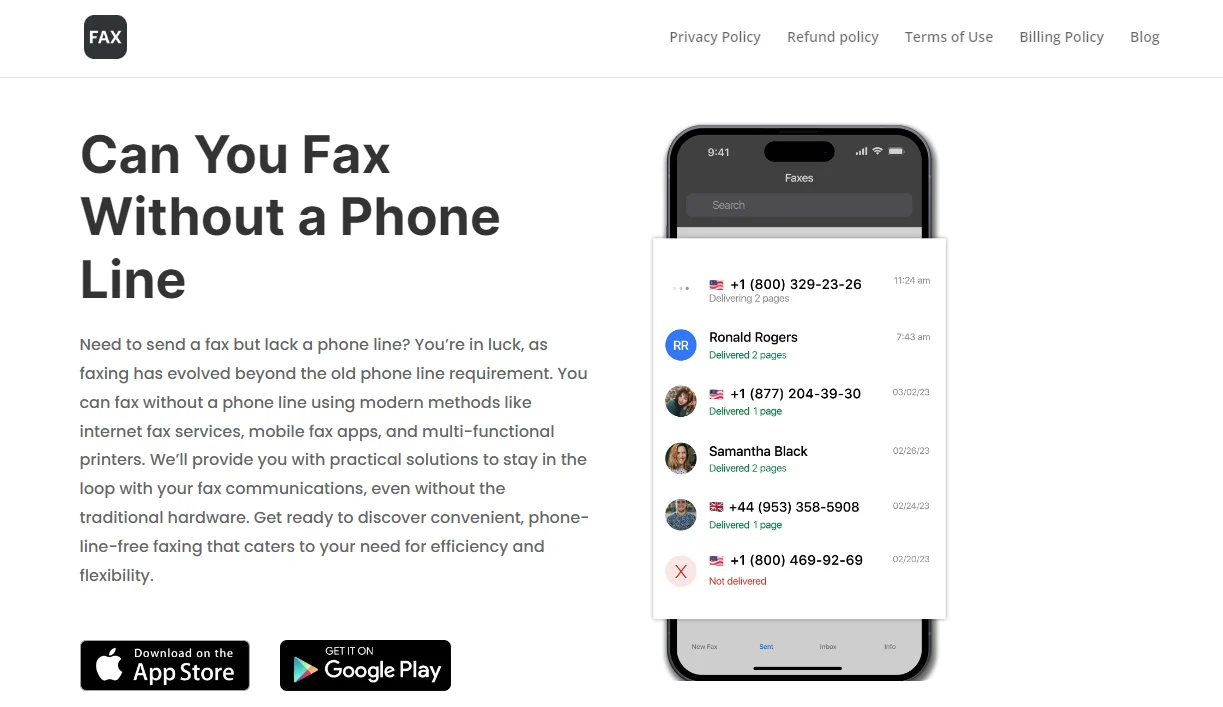
Fax App: offers a user-friendly interface and allows you to send faxes to more than 180 countries. It supports various document formats and provides advanced features like electronic signatures and cloud storage integration.
eFax: eFax is another popular choice, offering free faxing with limited features. It supports both mobile and desktop platforms and allows you to send faxes via email or the eFax app.
MyFax: MyFax offers a free plan with limited features, including the ability to send up to 10 pages per month. It supports multiple file formats and provides email-to-fax and fax-to-email capabilities.
FaxZero: FaxZero allows you to send faxes for free with some limitations, such as a maximum of three pages per fax and a cover page with advertisements. It’s a simple and straightforward option for occasional faxing needs.
GotFreeFax: GotFreeFax offers free faxing with no ads on the cover page, making it a suitable choice for those who prefer a cleaner faxing experience. It supports various file formats and allows you to send faxes to multiple recipients simultaneously.
Benefits of Using Free Faxing Apps
Using free faxing apps offers several benefits:
Cost Savings: By eliminating the need for a traditional fax machine and phone line, free faxing apps can save you money on equipment and maintenance costs.
Convenience: With free faxing apps, you can send and receive faxes anytime, anywhere, as long as you have an internet connection.
Environmental Friendliness: Going digital with faxing reduces paper waste, contributing to a more sustainable environment.
Improved Efficiency: Free faxing apps streamline the faxing process, allowing you to send and receive documents more quickly and efficiently.
Enhanced Security: Many free faxing apps offer encryption and other security features to protect your sensitive documents from unauthorized access.
Conclusion
Free faxing apps have made fax communications more accessible and convenient than ever before. Whether you’re a business professional or an individual user, these apps offer a cost-effective and efficient way to handle your faxing needs. By choosing the right app with the features that matter most to you, you can streamline your faxing processes and focus on what matters most – getting work done.
So why wait? Explore the options mentioned above and start faxing for free today!
When something can be obtained for free, why spend money on it? Both iOS and Android have a wide selection of apps. Better apps typically cost money, but occasionally creators could be so generous as to give away their pricey programs for free.
It is difficult to predict when these freebies may start to cost money again, though. Therefore, we highly advise downloading any app you believe you would like before it reverts to a paid download.
You can download and install an app before removing it if you think you might need it in the future but do not need it right now. That app will be permanently added to your app collection and regarded as “bought.”
Android apps that are free for a short time
Android apps for productivity and lifestyle
150X Duplicate Remover Pro($0.49):I know you have tons of storage on your phone, but don’t you wish you can remove duplicates of files to maximize space?
Dark Screen Filter($0.99):Is your phone by your bedside all the time when you sleep? Perhaps this app can help reduce the amount of light from incoming notifications so you can sleep better.
Resume Builder($4.99): Do you need help building your resume to secure the next dream job? Let this app help!
Unit Converter Pro($0.99): Do you deal with a lot of unit conversions in your line of work or studies? Why not let an app do the job for you?
Free Android games
Dungeon Corp S Idle($1.49):A fun game with cute graphics in an office setting where you farm for ever more powerful items to defeat crazy monsters!
Bulbs($0.99):Test your memory in this classic Simon game and boost your brain power.
Word Search Game Offline($1.99): Do you want to keep your brain active with this word search game? Play it offline wherever you are.
Infinity Highway($0.99):Fast cars and exotic tracks, what is there not to like about this game!
Live or Die: Survival Pro($0.49):It boils down to you and your wits to survive in this post-apocalyptic landscape that is full of zombies.
iOS apps that are free for a short time
iOS apps for productivity and lifestyle
1 Minute Fitness($0.99):Get fit no matter where you are with this app!
Driving Theory by James May($5.99):Prepare yourself well with this app before you get behind the wheel for real.
Ad Block Multi($0.99):Block irritating ads for a better iPhone experience. There are 21 filter lists and counting!
BeeScan – PDF Scanner App($9.99):Transform your iPhone into a portable scanner, scanning documents into PDF on the fly.
Free games for the iPhone and iPad
Wild Wolf Simulator Games 3D($9.99):Live the life of a wild wolf in a pack and experience things from a whole new perspective.
Pop Math Cards($1.99):Think you’re a math whiz? Why not give this game a go and see how fast you can think on your feet!
Orbital Invaders: Space Shooter($0.99):Clearly inspired by the classic Asteroids game, this version boasts amazing graphics with fast-paced gameplay.
Eastern Market Murder($2.99):An augmented reality game that requires plenty of brain power and curiosity to fully enjoy the game.
SpellbookMaster($3.99):Locate Dungeons & Dragons and Pathfinder spells easily while reading up on their details. Guess this is more game-related than a game per se.
We advise you to check the app’s details on the Play Store or App Store before downloading any of the aforementioned apps. This is significant because a few of these free apps can offer special features or disadvantages of their own.
In today’s mobile-driven world, delivering outstanding app experiences is crucial for business success. However, meeting soaring customer expectations and ensuring high performance can be challenging. Imagine seamlessly connecting with users across multiple channels, providing personalized support that fosters loyalty and engagement.
The powerful combination of advanced CRM and omnichannel call center technologies offers a game-changing solution. By integrating these systems, businesses gain a comprehensive view of each customer’s journey, enabling anticipation of needs, proactive issue resolution, and tailored recommendations.
Automation and predictive analytics streamline routine tasks, freeing up teams to focus on complex inquiries while driving continuous improvement. This potent duo empowers businesses to revolutionize customer support strategies, ensuring every interaction is tailored to individual preferences and delivered through the preferred channel.
In this article, we’ll explore how embracing advanced CRM and omnichannel call center technologies can unlock new levels of mobile app performance and create exceptional experiences that cultivate long-lasting customer loyalty.
What is crm call center?
A CRM call center combines traditional call center functions with Customer Relationship Management (CRM) technology to offer a more personalized and efficient customer service experience. By integrating call center operations with detailed customer data, agents can access a wealth of information about a caller’s history, preferences, and previous interactions with the company in real-time. This enables them to provide tailored assistance, resolve issues more quickly, and improve overall customer satisfaction.
The Omnichannel Call Center Revolution
Traditional call centers have long been a cornerstone of customer service, but the rise of digital channels has necessitated a shift towards an omnichannel approach. Customers now expect seamless interactions across various platforms, including mobile apps, social media, live chat, and more.
This demand for a cohesive experience has propelled the adoption of omnichannel customer support software. It enables businesses to manage and optimize customer interactions across multiple touchpoints.
According to a study, 88% of customers believe that the experience a company provides is as important as its products or services. This statistic underscores the pivotal role of omnichannel call center optimization in boosting mobile app performance by ensuring exceptional customer experiences.
Key Strategies for Enhancing Call Center Performance
To capitalize on the transformative power of omnichannel call center software, businesses must adopt strategic approaches that align with evolving customer expectations. Here are some key strategies to consider:
Seamless Omnichannel Integration: Integrating omnichannel call center software is crucial for enabling agents to seamlessly switch between communication channels during customer interactions. This ensures a consistent and personalized experience, regardless of the platform used.
Agent Training and Development: Providing comprehensive training programs tailored for agents in an omnichannel environment is essential. This ensures that agents are equipped with the skills and knowledge necessary to navigate multiple channels and provide consistent, high-quality customer service.
Leveraging Key Performance Indicators (KPIs): Establishing and monitoring relevant KPIs, such as first-call resolution rates, average handle times, and customer satisfaction scores, can help measure and enhance the effectiveness of omnichannel support.
A/B Testing: Utilizing A/B testing methodologies can help refine omnichannel communication strategies and processes, enabling businesses to identify and implement the most effective approaches for their customer base.
Automation and Streamlining: Implementing automation within omnichannel call centers can reduce manual tasks and streamline customer interactions, improving efficiency and enabling agents to focus on more complex inquiries.
Advanced CRM and Omnichannel Technologies
Maintaining high customer satisfaction and engagement levels requires more than just traditional methods. The seamless integration of customer interactions across various platforms is essential for creating a cohesive user experience. CRM call center, is a pivotal solution that bridges the gap between customer expectations and service delivery. By leveraging advanced CRM and omnichannel technologies, businesses can effectively streamline communication, ensuring that every customer interaction is personalized, efficient, and consistent. This approach not only enhances call center performance but also significantly boosts mobile app success, setting a new standard in customer service excellence.
Here are some key solutions to consider:
CRM Call Center vs. Traditional Call Center
Feature
CRM Call Center
Traditional Call Center
Data Integration
Integrates with CRM for real-time customer data access
Limited or no integration with customer data
Personalization
High personalization based on customer history and preferences
Generic interactions with limited personalization
Efficiency
Higher efficiency with access to customer data
Efficiency may be compromised due to lack of customer insights
Customer Satisfaction
Enhanced due to personalized and informed support
May be lower due to generic support
Technology Use
Utilizes advanced CRM technologies
Primarily relies on traditional telephony systems
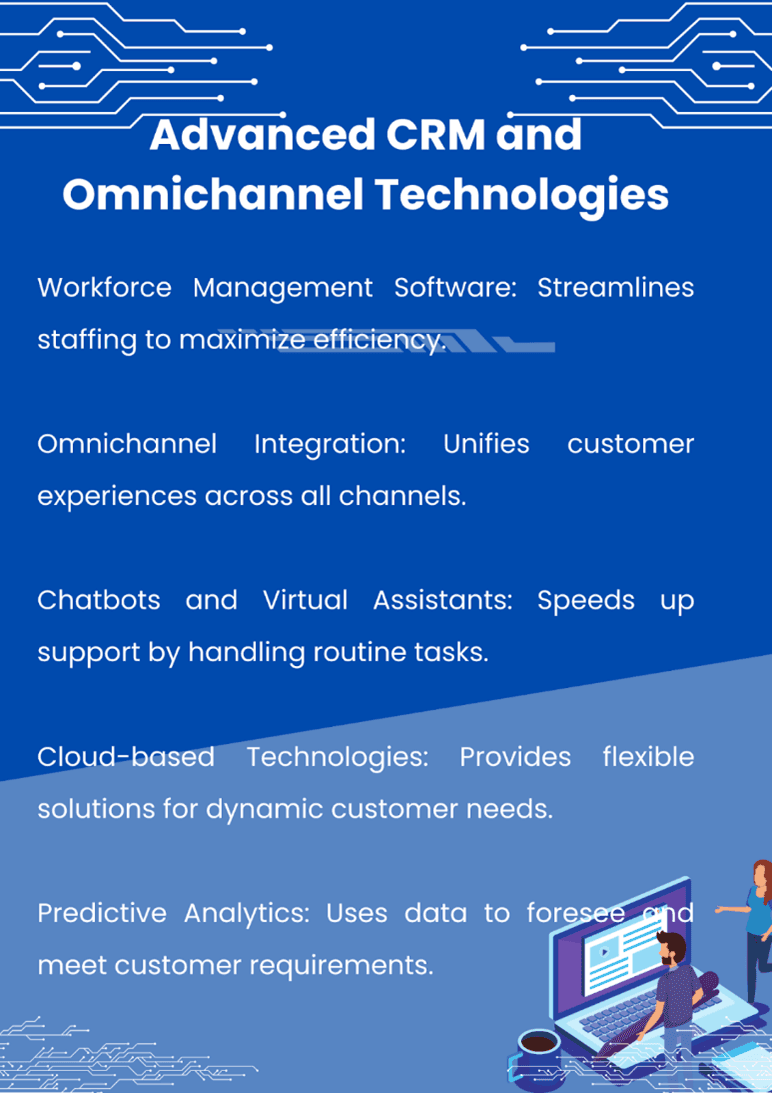
Workforce Management Software: Implementing workforce management software, alongside integrating clean-up software for Android devices, can significantly enhance operational efficiency within an omnichannel call center. This dual approach ensures not only optimal staffing and scheduling across all communication channels but also maximizes resource utilization by maintaining high-performance levels on Android platforms used by the staff.
By leveraging workforce management solutions, call centers can accurately forecast demand, allocate resources effectively, and adjust schedules in real-time to meet customer needs. Meanwhile, clean up software for Android helps in maintaining the devices used by the workforce, ensuring they run smoothly and reliably. This combination of tools supports a seamless customer service experience, reduces downtime, and promotes a more productive and satisfied workforce, ultimately contributing to the overall success of the call center operations.
Omnichannel Integration: Integrating omnichannel call center software with other systems, such as CRM platforms and mobile apps, is critical for providing a cohesive customer experience across all touchpoints.
Chatbots and Virtual Assistants: Enhancing efficiency with chatbots and virtual assistants within omnichannel platforms can help automate routine tasks and provide immediate support, reducing wait times and improving customer satisfaction.
Cloud-based Technologies: Embracing cloud-based technologies can offer scalable and cost-effective omnichannel call center operations, enabling businesses to rapidly adapt to changing customer demands and market conditions.
Predictive Analytics: Employing predictive analytics can help anticipate customer needs and optimize omnichannel support strategies, ensuring proactive engagement and personalized experiences.
The Impact on Mobile App Performance
The correlation between efficient omnichannel customer support and user satisfaction in mobile apps is undeniable. When customers can easily access support through their preferred channels and receive consistent, personalized experiences, their overall perception of the app is significantly enhanced.
Furthermore, efficient omnichannel support directly influences app retention rates and positive user feedback. According to a report, customers spend an average of 4.8 hours a day on their devices, frequently switching between apps. By meeting customers on their preferred platforms and providing seamless interactions, businesses can increase user engagement and loyalty, ultimately driving better app performance and success.
Optimizing Mobile App Performance with Advanced CRM
In today’s mobile-centric world, businesses must go beyond traditional customer support channels to deliver exceptional experiences. This is where integrating advanced CRM (Customer Relationship Management) systems with omnichannel call center software can significantly optimize mobile app performance.
CRM systems serve as a central repository for customer data, allowing businesses to gain valuable insights into customer preferences, behaviors, and interactions across multiple touchpoints, including mobile apps. By leveraging this comprehensive customer information, businesses can provide personalized and contextual support, enhancing user experiences and driving app engagement.
When integrated with omnichannel call center software, CRM systems enable agents to access a complete view of the customer’s journey, including their mobile app interactions, purchase history, and support tickets. This seamless data flow empowers agents to provide more informed and efficient support, reducing the need for customers to repeat information across different channels.
By seamlessly combining the power of advanced CRM systems with omnichannel call center software, businesses can unlock a wealth of opportunities to optimize mobile app performance. From providing personalized and contextual support to proactively addressing customer needs and automating routine tasks, this integration empowers businesses to deliver exceptional user experiences that drive app engagement, retention, and long-term success.
Wrapping Up
In the highly competitive mobile app market, optimizing performance and delivering exceptional customer experiences are paramount. By embracing the power of advanced CRM and omnichannel call center technologies, businesses can gain a significant competitive edge.
Through the strategic implementation of omnichannel customer support software, businesses can ensure seamless interactions across all platforms, improving customer satisfaction, app retention rates, and overall success. With the right solutions in place, companies can not only meet but exceed evolving customer expectations, positioning themselves as industry leaders in a rapidly evolving digital landscape.
So, take the leap and invest in omnichannel call center optimization. Empower your business with the tools and strategies necessary to deliver unparalleled mobile app performance and customer experiences that set you apart from the competition.
Elevate your mobile app’s success by partnering with a trusted omnichannel call center software provider. Request a consultation today and unlock the full potential of seamless customer interactions and optimized app performance.
FAQs:
What is CRM in customer service?
CRM (Customer Relationship Management) is a system that helps businesses manage interactions with customers. It stores customer data, tracks communication history, and provides tools to improve customer experience.
What is CRM full form?
CRM stands for Customer Relationship Management. It is a technology that helps businesses build strong relationships with their customers.
Are CRM and BPO the Same?
No, CRM and BPO (Business Process Outsourcing) are not the same. CRM is a technology tool, while BPO refers to outsourcing business processes to third-party service providers.
What Are the 3 Types of CRM?
The three main types of CRM are Operational CRM (sales, marketing, service), Analytical CRM (data analysis), and Collaborative CRM (interaction channels like social media).