Category: News

Up‑to‑date Android news, smartphone launches, software updates and industry trends, written in a clean, editorial style for informed readers.

  • Things iPhone 14 stole from Android

    Things iPhone 14 stole from Android

    Since Apple’s official unveiling of the iPhone 14 range has not yet settled, several of the announcements caught us off guard. Although I’ll reserve my opinions on the Apple Watch Ultra for another time, I do have some thoughts on it. Instead, I’m going to discuss a few features that the iPhone 14, namely the Pro and Pro Max, “stole” from earlier Android devices.

    Dynamic Island from LG V10
    iPhone 14 stole dinamic island

    The debut of the Dynamic Island along with the iPhone 14 Pro and Pro Max was perhaps the announcement made during Apple’s “Far Out” event that sparked the most heated debate. Since the release of the iPhone X, everyone has been requesting that Apple remove the notch, and they have finally done so. Although it’s still present on the iPhone 14 and iPhone 14 Plus, it makes sense from the standpoint of Apple wanting to provide a feature that sets its non-Pro and Pro models apart.

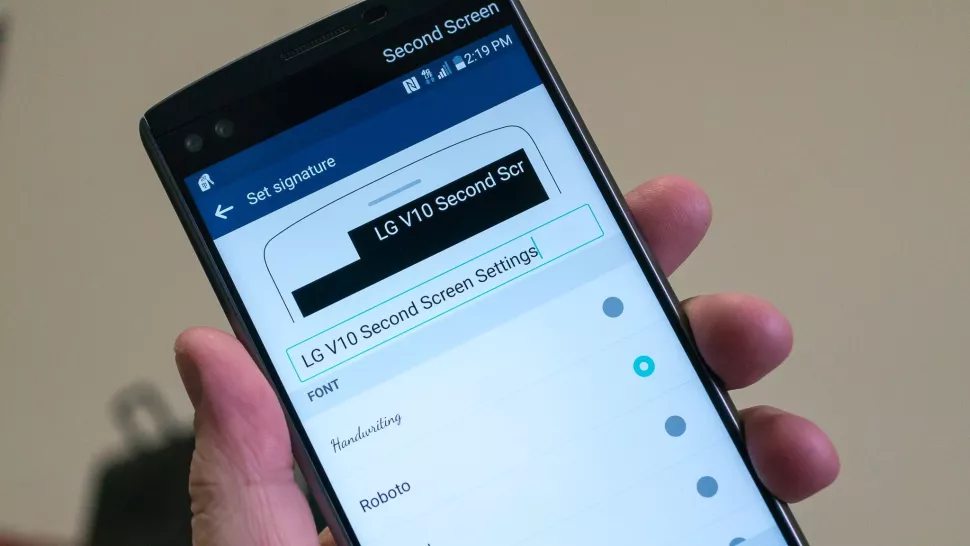
    While the Dynamic Island may appear to be a ground-breaking new feature, LG actually arrived first with the LG V10, despite the fact that this is accurate to some extent. LG introduced the “Second Screen,” which allowed users to read incoming notifications, make shortcuts for contacts, and control any music that was playing without using the primary display, in an effort to provide users a another method to interact with their alerts.

    It was one of those instances where LG tried to do something different, but the overall implementation and lack of support doomed the Second Screen from the start. The LG V20 kept the Second Screen around, providing essentially the same implementation, but it was still met with mixed results. Some V20 owners found this to be extremely convenient, while others found that “it doesn’t really add much to the experience.”

    Apple’s implementation of Dynamic Island merely operates in a completely different manner as opposed to introducing a new screen. The “Island” will display “Dynamic” information, such as the song’s album art, when you start playing music and quit the app. Additionally, instead of taking up your full screen for simple notifications like when FaceID is required, it turns them into a drop-down image tied to the Island.

    Although Dynamic Island isn’t an identical copy of LG’s Second Screen, it’s very obvious that there is some inspiration.

    Hole-punch selfie camera
    Hole-punch selfie camera

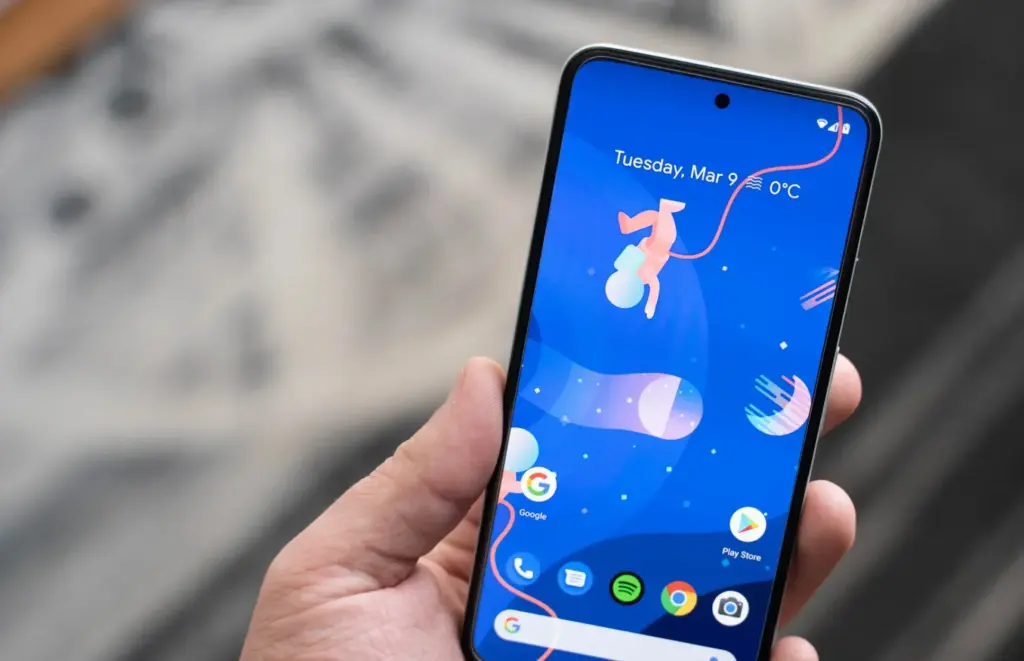
    Speaking of the notch, we were aware that Apple wouldn’t use it indefinitely. It was only a matter of time before the company made the “revolutionary” decision to use a hole-punched selfie camera cutout. Apple had to alter the modules it uses because of the different sensors that are integrated into the notch, and there are actually two cuts. The selfie camera is in one, while the proximity sensor and other Face ID-related components are housed in the other.

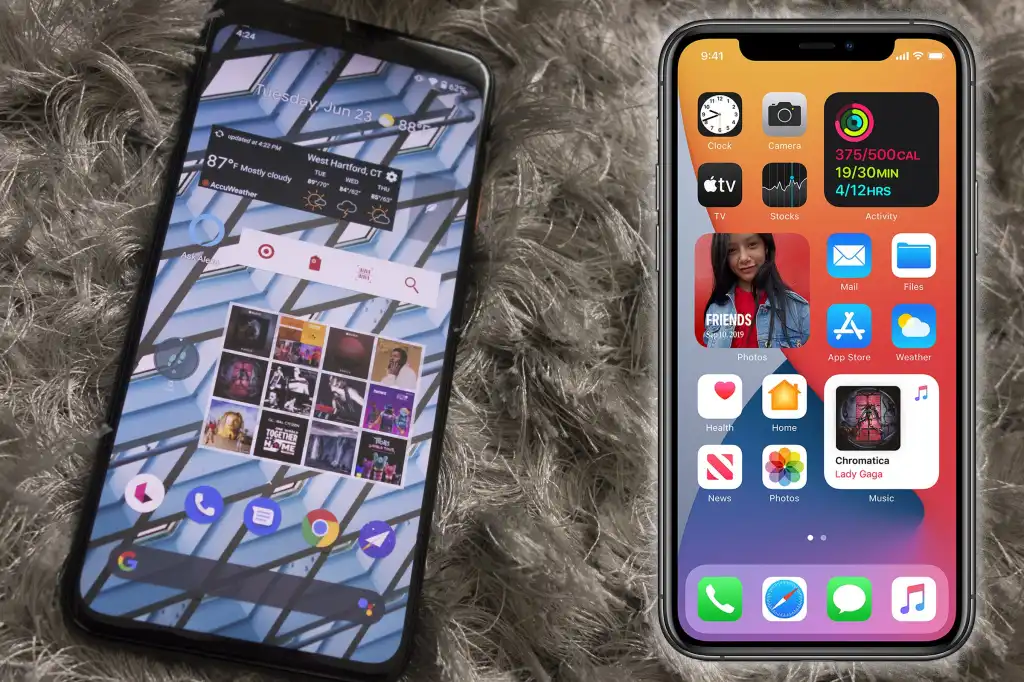
    With the Huawei Nova 4, the first business to completely do away with the notch, Huawei introduced the hole-punch selfie camera. However, it has been more difficult to find a smartphone that doesn’t include one since then. Many of the top Android smartphones are included in this, including the Galaxy S22 series, Pixel 6, ASUS ZenFone 9, and others.

    Apple is obviously falling behind the curve here, as a few phone manufacturers are starting to adopt an under-display selfie camera. Notably, the Galaxy Z Fold 4 and ZTE Axon 40 Ultra are two of the most recent models with a UDC; nevertheless, it wouldn’t be surprising to see further phones produced in the near future with such a change.

    Always-On Display
    Always on display

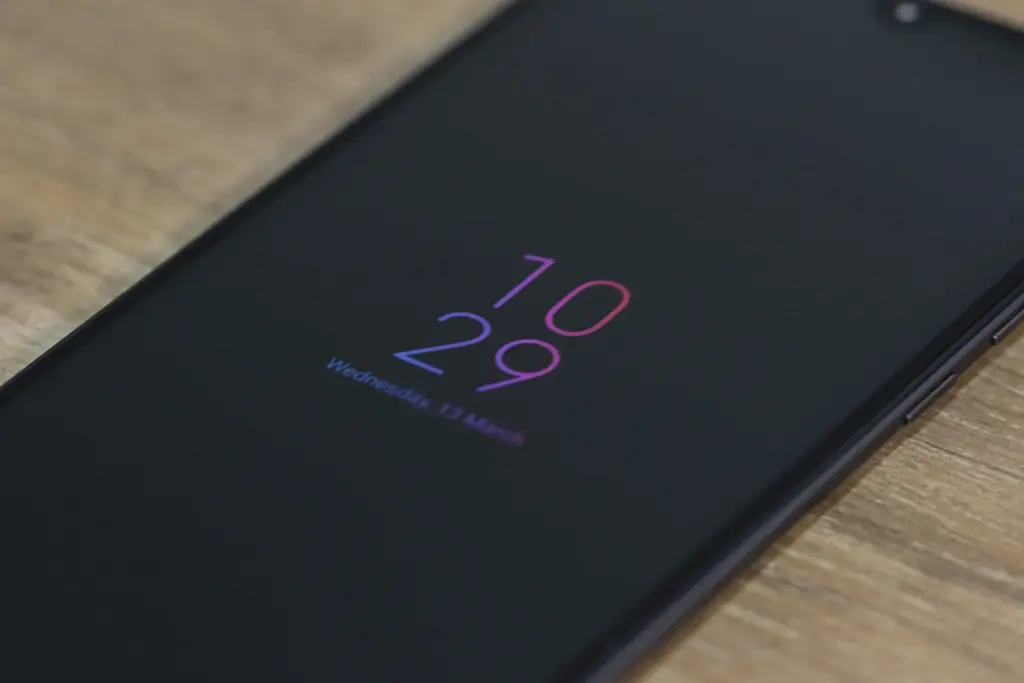
    Consider how long Apple has taken to provide a feature that it ought to have done years ago. Android phones have long had the Always-On Display (AOD), which allows users to quickly and easily see the time and any unread alerts. Following the announcement of iOS 16 and the addition of lock screen widgets, the writing was already on the wall.

    Then, one of the iOS 16 Developer Beta builds kind of let the cat out of the bag when several users discovered that the UI on their iPhone lock screens was unfamiliar. In actuality, Apple was simply putting the software in place to support the Always-On Display.

    In true Apple fashion, this isn’t available on all four iPhone 14 models, as the AOD is reserved solely for the iPhone 14 Pro and Pro Max.

    Dynamic Refresh Rate

    It’s still remarkable that Apple waited so long to implement quicker refresh rates and dynamic refresh rates considering how long Android users have enjoyed this privilege. ProMotion was created because we anticipated Apple would substitute “dynamic refresh rates” with some fancy marketing word. The iPhone 13 Pro and Pro Max from last year were the first devices to feature this, but they could only refresh the screen between 24Hz and 120Hz.

    Apple decided it was high time to slow things down even further with the release of the iPhone 14 Pro and Pro Max with the Always-On Display. With its ProMotion display, the iPhone 14 Pro range can now dynamically refresh the screen all the way down to 1Hz instead of bottoming out at 24Hz. Since stale content doesn’t need to be refreshed as frequently, the obvious benefit is to prevent battery drain anytime the AOD is shown on the iPhone.

    Due to the LTPO display, the OnePlus 9 Pro and Oppo Find X3 Pro were two of the first smartphones to provide dynamic refresh rates between 1Hz and 120Hz. And as you might anticipate, this has appeared on additional gadgets, like the Galaxy S22 Ultra and the current generation of iPhone 14 Pro models.

    Car Crash Detection
    crash dectection

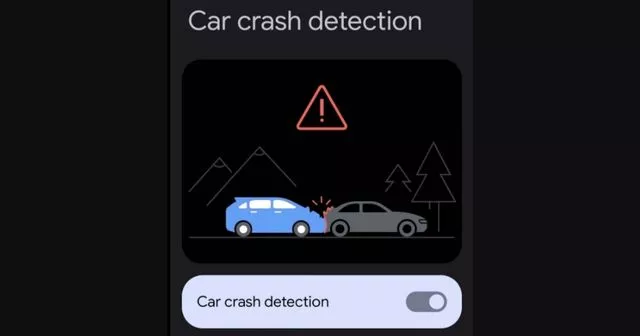
    If you were able to endure the full “Far Out” event, you might have become weary of the numerous commercials showcasing the positive effects the Apple Watch and iPhone have had on people’ lives. One new feature, though, is something that everyone should be grateful to Google for introducing with the Pixel back in 2020. As part of the March 2020 Feature Drop for owners of the Pixel 2, 3, and 4, Car Crash Detection was initially integrated to Android.

    The many motion sensors and ambient sounds on your Pixel phone were used to make this feasible. Your phone can sound an alarm in the event of a car mishap, prompting you to decide whether you require additional assistance. If no response is given, emergency services will be contacted and their location will be given by your Pixel.

    Apple is adding this to all of its iPhone 14 models, but the Apple Watch Series 8 is also the first wearable to do so. Apple has updated its three-axis gyroscope and combined it with a “high g-force accelerometer” that can measure up to 256 gs of force to enable this. Once an algorithm has determined whether an accident has happened, the iPhone and/or Apple Watch will inform emergency contacts and services if no answer is received within 10 seconds.

    In June 2022, it was discovered that the Car Crash Detection feature might not be exclusive to Pixel phones for much longer. Hidden code within Google’s Personal Safety app suggests that this functionality could make its way to other Android phones in a future update. But at the time of this writing, it looks like Google and Apple will be the only phone makers with this available.
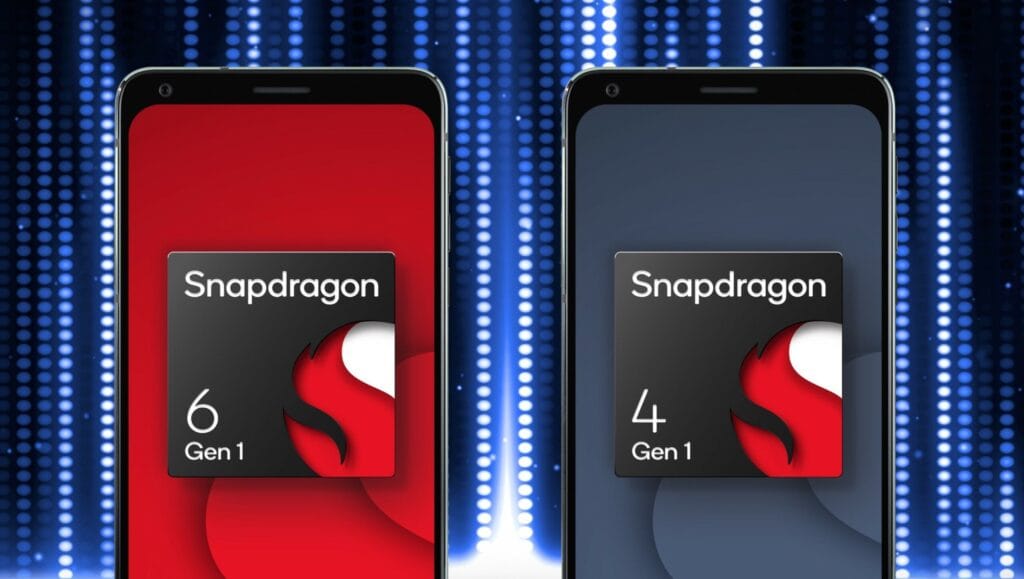
  • Snapdragon 4 Gen 1, 6 Gen 1 – premium features

    Snapdragon 4 Gen 1, 6 Gen 1 – premium features

    Late last year, Qualcomm launched a new naming scheme for its chipsets, which it continued with the upper mid-range Snapdragon 7 Gen 1 earlier this year. The SD 4 Gen 1 and SD 6 Gen 1 are now being revealed by the US chip creator, who is going downstream.

    The new chipsets, which take the place of the SD 400 and SD 600 naming conventions, also add a few useful features to their respective price ranges. What you need know about them is as follows:

    Snapdragon 6 4 gen 1

    Snapdragon 6 Gen 1

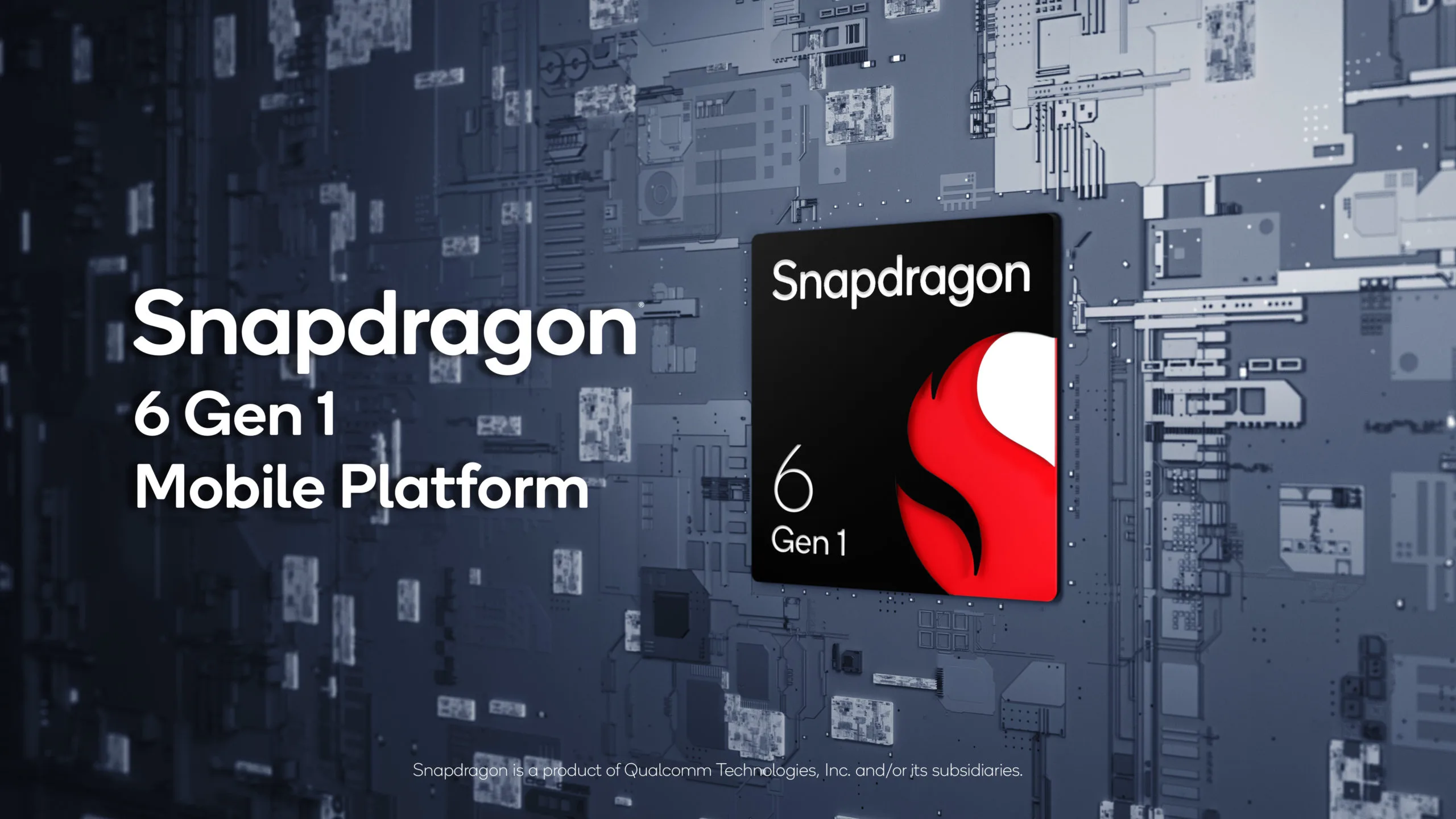
    The 4nm Snapdragon 6 Gen 1 is undoubtedly the best chipset out of the bunch, with an octa-core CPU (4x Cortex-A78 and 4x Cortex-A55) with a claimed 40% performance improvement over the Snapdragon 695, which is, admittedly, a weaker chip. A 35%-better performing Adreno GPU is also included with the SoC, along with gaming-specific features like variable rate shading and jank minimization.

    Qualcomm’s new SoC also brings an improved AI engine with a Hexagon Tensor Accelerator and a claimed 3x increase to AI performance, as well as a Snapdragon X62 5G modem.

    Snapdragon 4 Gen 1Snapdragon 6 Gen 1
    CPU2x Cortex-A78
    6x Cortex-A55
    4x Cortex-A78
    4x Cortex-A55
    GPUAdrenoAdreno
    ModemSnapdragon X51 5G
    2.9Gbps down
    Snapdragon X62 5G
    2.5Gbps down
    Camera108MP snapshot
    32MP single
    25MP+13MP dual
    13MP triple
    48MP single
    25MP+16MP dual
    13MP triple
    108MP snapshot
    4K HDR
    ConnectivityBluetooth 5.2
    Wi-Fi 5
    Bluetooth 5.2
    Wi-Fi 6E
    Manufacturing process6nm4nm

    The Snapdragon 6 Gen 1 also offers a respectable selection of photographic features, including up to 200 MP for a single camera (likely for a snapshot), 25 MP and 16 MP for a dual camera, and 13 MP for a triple camera. Additionally, 4K HDR video recording is something you can anticipate, which is an upgrade over the Snapdragon 695’s complete lack of 4K video recording.

    Other noteworthy features include 120Hz at FHD+ display resolutions, Bluetooth 5.2, Wi-Fi 6E, and support for Quick Charge 4+.

    You’re in for a bit of a wait if you want a phone with this chipset, as Qualcomm says devices with the SD 6 Gen 1 are set to launch in Q1 2023. Motorola has also confirmed that it will offer a phone with the new SoC.

    Snapdragon 4 Gen 1

    Additionally, Qualcomm unveiled the 6nm SD 4 Gen 1, which replaces the SD 6 Gen 1. With a claimed 15% boost over the SD 480, the new lower mid-range SoC offers an octa-core CPU (2x Cortex-A78 and 6x Cortex-A55). The GPU reportedly experiences a 10% performance increase.

    Otherwise, it appears that the SD 4 Gen 1 and the SD 695 have a lot in common. Similar camera features (including support for 108MP snapshots but no 4K video recording), 120Hz support at FHD+ resolutions, Quick Charge 4+ support, Bluetooth 5.2, and Wi-Fi 5 are all present. Additionally, the Snapdragon X51 5G modem can reach downlink rates of 2.5Gbps.

    You won’t have to wait long to see the first phones with the SD 4 Gen 1, as Qualcomm confirmed that the first devices will land this quarter (Q3 2022). Vivo’s Iqoo brand has revealed that the Iqoo Z6 Lite will be one of the first globally available phones with the new chipset.

  • Android 14 will support satellite connectivity  T-Mobile/Starlink partnership

    Android 14 will support satellite connectivity T-Mobile/Starlink partnership

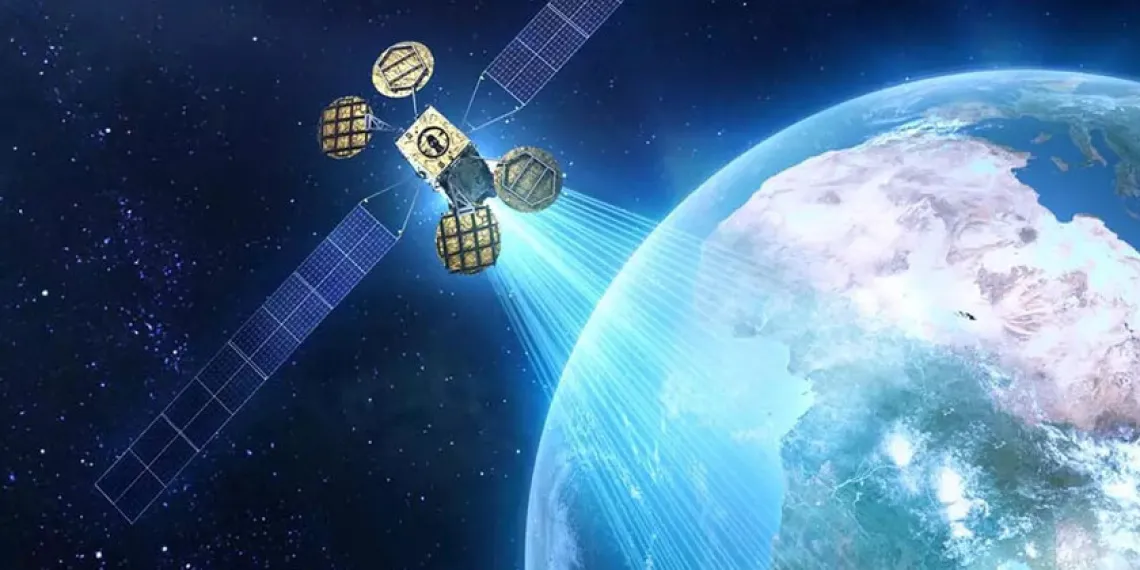
    Evidently, satellite communication is all the rage. While Android 13 is still gradually rolling out to devices other than those in the Pixel line, it appears that Google is already teasing features for Android 14.

    Google’s senior vice president of platforms and ecosystems, Hiroshi Lockheimer, stated in a tweet on Thursday that the company aims to offer satellite connectivity “in the next version of Android” and that he is enthusiastic about the possibilities this opens up.

    android satellite connectivity

    What you need to know – Android 14

    • A Google executive has confirmed that the next version of Android will support direct satellite connectivity.
    • T-Mobile and SpaceX recently announced a new partnership that aims to bring satellite connectivity to smartphones.
    • Apple has been rumored to have this in the works for its upcoming iPhone 14 and Apple Watch 8.

    It isn’t much of a stretch to figure out what “the next version of Android” might mean, but Google confirmed to 9to5Google that this is, in fact, Android 14.

    The cooperation between T-Mobile and SpaceX, which will use the latter’s Starlink satellites to provide basic connectivity to smartphones, was just revealed. Lockheimer’s tweet is probably in response to that announcement. The goal is to eradicate so-called dead zones, where even the top U.S. carriers struggle to deliver the most basic services. This would at first encompass messaging services like SMS and MMS as well as specific chat apps and possibly even video.

    After SpaceX launches its next-generation satellites, the beta testing for this is not anticipated to begin until late in 2023. The service is anticipated to be free for members of T-“most Mobile’s popular plans,” but the businesses intend to expand it to support calls and data as well.

    Along with this collaboration, it has been long-rumored that Apple’s forthcoming iPhone 14 and Apple Watch 8 products will feature satellite connectivity. We’ll have to wait and watch what Apple says on September 7 since the company is anticipated to reveal its new smartphones.

  • Kids Space improved with latest Google System Updates

    Kids Space improved with latest Google System Updates

    The September 2022 Google System updates have started to reach Android devices. These updates differ from OTA (over the air) updates that you get for your phone. Instead, these are updates to various underpinning technologies, such as Google Play Services and the Play Store, which serve as the foundation for the Android OS. For a more dependable and secure user experience, the organization releases updates and adjustments to these systems on a regular basis. Each month, it describes their developments. A few major modifications, including some for Kids Space, are brought about by the most recent round of Google System updates.

    This month’s Google System updates bring notable changes to Kids Space

    kids space

    First off, you can now set up Android tablets to install Google Kids Space on a different account. You can now use your tablet to share with your little siblings or children. To prevent your children from downloading or using undesirable apps, you can also hide suggested apps while configuring Kids Space. On Android smartphones, TVs, tablets, Android Auto, and Wear OS devices, the most recent updates significantly improve Google account syncing and recovery.

    Additionally, the Google Play Store is improving. Play-as-you-download, Google Play billing, Play Protect, Play Pass, and Play Points programs are just a few of the features that are getting some optimization. However, if you looked at the organization’s official update tracker for these monthly releases, you would see the identical entries in the changelog for almost every release.

    Improvements are also being made in the Google Play Store. Some enhancements are being made to features including Play-as-you-download, Google Play billing, Play Protect, Play Pass, and Play Points programs. However, if you looked at the changelog for these monthly releases on the company’s official update tracker, you would see the identical entries almost every month. That’s because Google makes these ongoing adjustments for better user experience in the background.

    As part of these monthly Google System updates, Google frequently pushes new updates to Android OS systems throughout the month. So, in the upcoming weeks, it’s possible that the corporation will add new items to the changelog for the most recent edition. We will undoubtedly let you know about anything significant or significant if it happens.

    The aforementioned improvements are now being released alongside Google Play Store version 31.1 and Google Play services version 35.22. It may take a few days for everyone to notice the improvements brought about by this month’s Google System upgrades because the company just issued the most recent version. Although the updates ought to be installed without your intervention, you can always look for them yourself. To check if you have a Google Play services update available, click this page. The About section of Settings, accessed from your avatar in the top right corner of the Play Store home page, allows you to check for updates for the Play Store.

  • Vivo V25 series announcement live

    Vivo V25 series announcement live

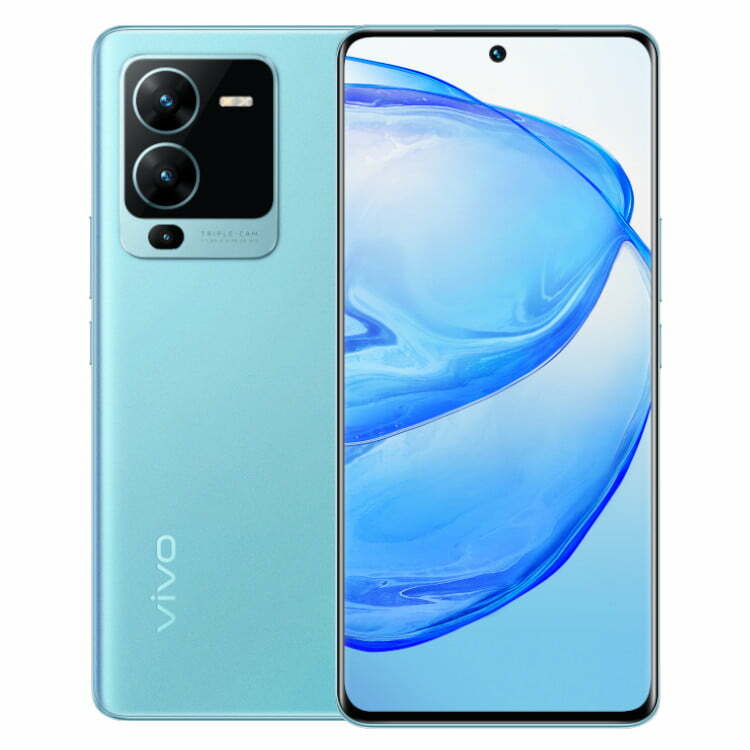
    Today is the scheduled release date for the vivo V25 series. The company will broadcast the ceremony live on YouTube at 12 PM Indian time (6:30 UTC) on the scheduled launch day. The live stream footage is embedded below.

    https://www.youtube.com/embed/d-yltRt4TkU

    The color-changing function that the vivo V23’s predecessor established will be maintained in the new series, but we do anticipate seeing some new colorways. Teasers also allude to a triple-cam configuration with a 64 MP primary camera.

    A large battery with 66W rapid charging, a Dimensity 1300 chip in at least one of the vivo V25 phones, and 8 GB Extended RAM, most likely for the most powerful memory option, are among the other specifications that are known.

    Stay tuned because as soon as all the information is revealed, we’ll have the announcement news ready.

  • OnePlus 10T: news, rumors and leaks

    OnePlus 10T: news, rumors and leaks

    The last several years have seen significant transformation at OnePlus. It has been trying to get into the mass market and has moved away from its image of an enthusiast. In the process, it expanded the number of entry-level and mid-range devices in its inventory and reduced the number of flagship models in its lineup to just one, with the OnePlus 10 Pro taking the top spot in 2022. But that state won’t last forever. In an event that was streamed from New York, the company declared that the OnePlus 10T would be the following premium phone it will deliver this year, with a debut date of August 3.

    The decision by OnePlus to produce the T model is a return to a tried-and-true tactic that the company abandoned a few years ago. Up until 2020, OnePlus released two flagship lineups each year, with the T series typically the second, significantly more advanced release. Though there is still a slight quirk, the OnePlus 10T might be a good example of that. There is now only a OnePlus 10 Pro available, thus there isn’t a basic OnePlus 10 to compare the 10T against. Furthermore, it doesn’t appear like the 10T will be a more advanced model of the 10 Pro. Here is everything that is currently known about the OnePlus 10T.

    OnePlus 10T design

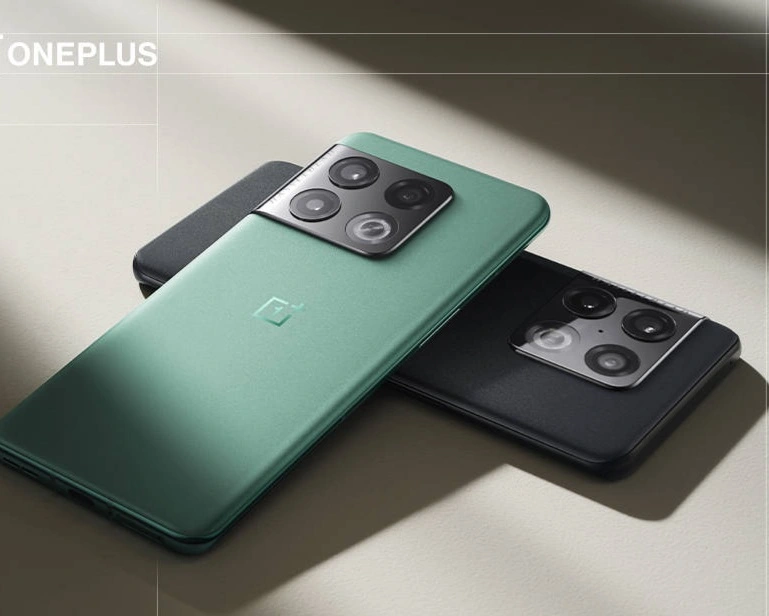
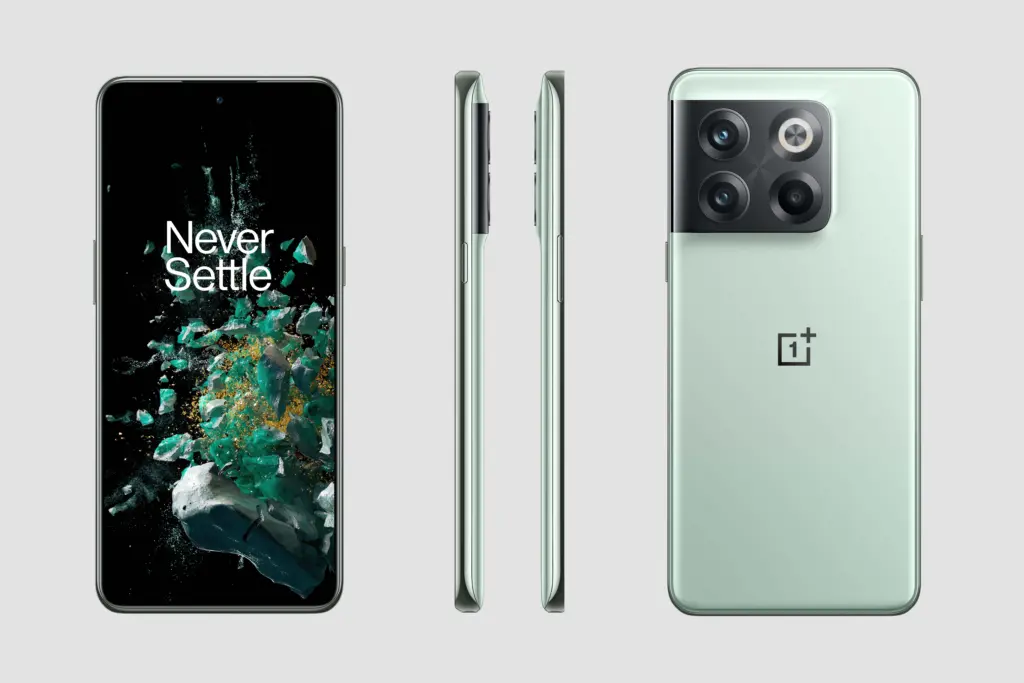
    The Verge has received official pictures from OnePlus, giving us a sneak peek at the device’s appearance before its August 3 launch. With a camera array that gracefully curls into the edge of the phone, it has a very similar form to the OnePlus 10 Pro. Additionally, it appears to have the same sandstone-like back that is as silky smooth as the 10 Pro’s. For better or worse, the 10T does appear to lose the curved screen.

    oneplus 10t

    The absence of OnePlus’ iconic tactile alert slider, which has always been a part of the company’s flagship experience, is more intriguing than the alteration in the display. The slider that allows you to switch your ringer from silence to vibration to sound is present on the 10 Pro and earlier models but not on the 10T. It does seem to take up a lot of space, as stated by OnePlus, and also appears to contribute to the structural rigidity of the phone, which is why the company wanted to get rid of it. But for OnePlus, this feels like the end of an era.

    Hardware

    The details of the specifications are currently unknown. According to the most recent report, the phone should have a 32MP front camera and 6.7-inch 120Hz FHD+ OLED display. Two other cameras—a 2MP macro and a 16MP ultrawide—join the 50MP primary camera on the back. The 10T no longer sports the Hasselblad logo, unlike the 10 Pro. Similar to the removal of the alert slider, OnePlus views this as another cost-cutting strategy to enable other features.

    The cutting-edge Snapdragon 8+ Gen 1, the quickest Qualcomm processor currently on the market, should be inside. Given that the business earlier seemed to be experimenting with the MediaTek Dimensity 9000, this would seem to be a last-minute modification.

    For RAM and storage, the phone is supposed to be equipped with standard 8 and 12GB RAM with 128 and 256GB storage variants, but there could also be a more advanced 16GB RAM version in some markets.

    It is almost certain that the alleged 4,800mAh battery can charge at a rate of up to 150W. The OnePlus 10T is believed to lack wireless charging, making it slower than the OnePlus 10 Pro’s 80W charging speed. Additionally, dual speakers and an in-display fingerprint scanner are believed to be included with the OnePlus 10T. Software-wise, OxygenOS 12 for Android is anticipated to run on it. Then, after the official release of Android 13, we would anticipate seeing this phone receive OxygenOS 13 at a later time.

    Release date and availability

    On August 3, 2022, the OnePlus 10T will be unveiled in New York. If you’re interested in seeing what OnePlus has to offer, tune in to the event because OnePlus will be livestreaming it. It’s safe to presume that the 10T will be sold in the US given that the company has moved its launch event to New York. Comparing this to the OnePlus 10 Pro, which the company initially solely released in China, is likewise a change in approach. Much later, it was made available on overseas markets.

    Pricing

    In terms of cost, we anticipate the OnePlus 10T to be a little less expensive than the OnePlus 10 Pro. It would be strange if OnePlus charged more for the new member of the series than the top-of-the-line alternative because the company is presenting it as a non-Pro phone. Given the 10 Pro’s $900 asking price, a pricing in the $600–$800 range would seem realistic.

  • Motorola Razr and the first 200MP phone finally have a launch date

    Motorola Razr and the first 200MP phone finally have a launch date

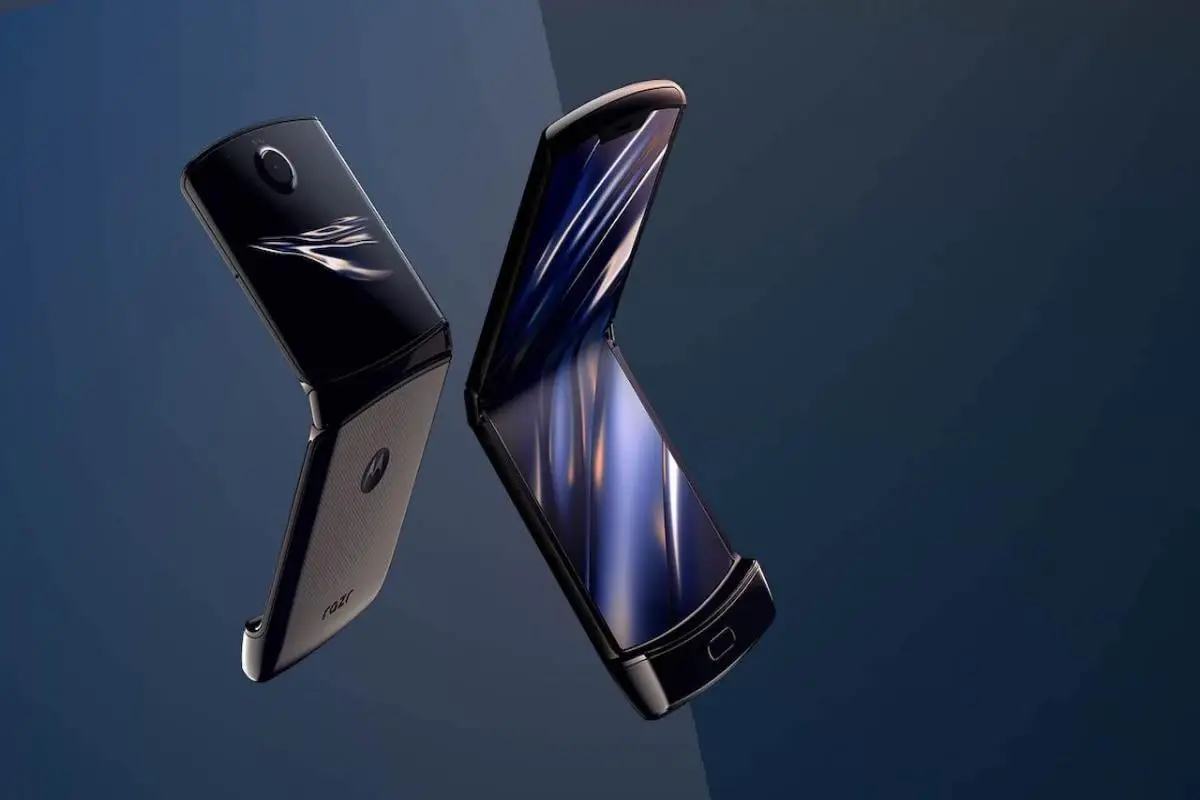
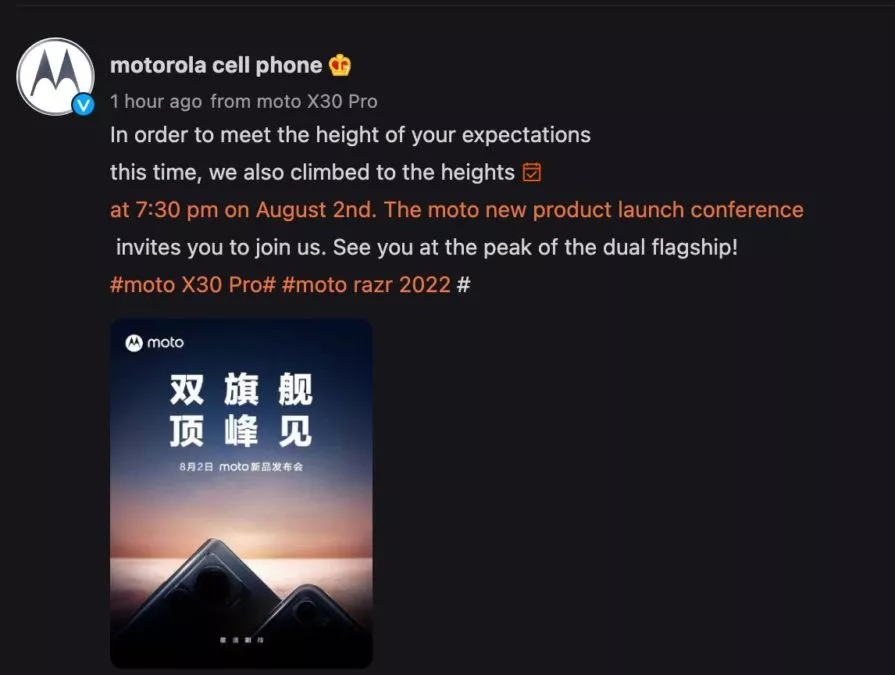
    Although Motorola has been teasing the new Razr for some time, we finally know when the phone will officially launch. Motorola has released a teaser for a launch event in China on August 2. On the same day, the business will also introduce the X30 Pro.

    Motorola’s release of its clamshell before Samsung’s August 10 unveiling of the Galaxy Flip 4 appears to be an attempt by Motorola to outdo Samsung. Nevertheless, the third-generation Motorola Razr will initially only be available in China. The phone’s distribution across the globe is still unknown.

    razr

    The Motorola X30 Pro, on the other hand, is anticipated to be the first smartphone with a 200MP camera. With a 6.67-inch display, Snapdragon 8 Plus Gen 1, and 125W charging, the Motorola Frontier has all the other hallmarks of a premium phone. This is the quickest charging speed for a Moto device to date. It is anticipated to debut as the Motorola Edge 30 Ultra in places other than China. Recent leaks of the phone’s price in Europe suggest that it could compete with the Galaxy S22 Ultra at €899 (around $915).

    This time around, the Razr is anticipated to have flagship specifications. It is expected to continue with the Snapdragon 8 Gen 1 SoC rather than the more modern model. Other speculated features of the Razr include a 120Hz display, up to 12GB of RAM, 512GB of internal storage, a 50MP main camera with a 13MP wide-angle and macro sensor, a 32MP selfie camera, a larger secondary display, and NFC connectivity.

  • Pre-orders start in India for Google Pixel 6a

    Pre-orders start in India for Google Pixel 6a

    Google hasn’t been the greatest when it comes to making its Pixel phones widely available around the globe. In India, for example, the country hasn’t seen a Pixel phone launch since 2020 with the Google Pixel 4a.

    Today, though, that has changed! Pre-orders for the Google Pixel 6a in India are now open. Additionally, the business is running a number of deals to help you save money and receive more Google goods.

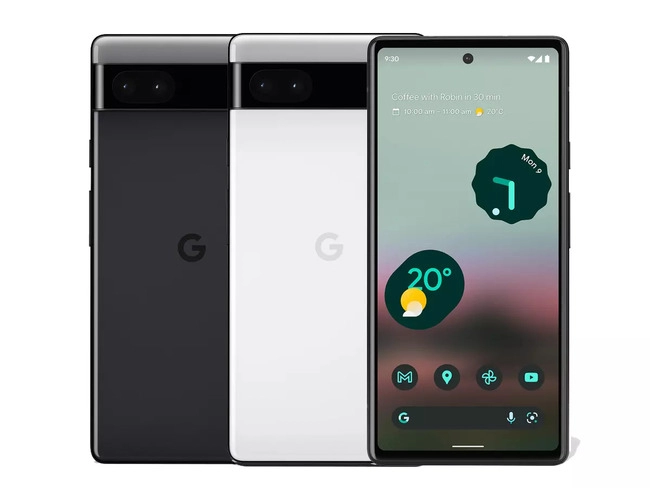
    The price of the Pixel 6a is Rs. 43,999 (about $550). That refers to the sole variant with 6GB of RAM, 128GB of internal storage, and the Google Tensor chip that is currently on the market. There are two color options available: Chalk and Charcoal.

    Google Pixel 6a

    Use Axis Bank Cards with EMI for your purchase if you wish to save some cash. This reduces the cost by Rs. 4,000, or about $500, to Rs. 39,999.

    If you want to save even more, you can exchange a phone during your purchase. Google will offer Rs. 6,000 (~$75) for any Pixel device and some select smartphone models. If you don’t have one of those, you can cut Rs. 2,000 (~$25) off with any other smartphone.

    If you stack the trade-in with the Axis/EMI discount, you could get a Google Pixel 6a India pre-order for just Rs. 33,999 (~$425).

    Finally, Google would love for you to buy some other Google products along with your pre-order. If you toss in a Nest Hub (2nd Gen), Pixel Buds a-series, or Fitbit Inspire 2, you’ll get that secondary item for just Rs. 4,999 (~$62.51).

    Don’t want to pre-order or don’t want to buy from Google? The Pixel 6a will be available from Flipkart starting July 28.

  • Download and install Google Camera for Xiaomi Poco F4 | GCam APK

    Download and install Google Camera for Xiaomi Poco F4 | GCam APK

    Xiaomi Poco F4

    With a Qualcomm Snapdragon 870 SoC and a 6.67-inch full-HD+ AMOLED screen with a 120Hz refresh rate, the Poco F4 5G was introduced in India. The gadget is powered by MIUI 13 on top of Android 12. Triple rear cameras on the Poco F4 include a 64 MP primary sensor, an 8 MP ultra-wide camera, and a 2 MP macro camera.

    We will share the most recent Google Camera for the Poco F4 with you in this article. The Google Pixel’s default camera app is called Google Camera. The camera uses the most recent HDR+ technology, which enhances image quality, particularly on low- and mid-end smartphones. The app also offers slow motion, lens blur, 60 frames per second video, portrait mode, motion photographs, and Night Sight.

    This tutorial is for you if you want to install the Google Camera on your Poco F4. Thank you to a few talented and dedicated developers, namely Arnova8G2, BSG, and Urnyx05, who are working hard to port GCam APK files to the majority of devices out there. The Poco F4 devices now support the Google Camera port.

    Xiaomi Poco F4 Device Overview

    The 6.67-inch AMOLED display on the Xiaomi Poco F4 has a refresh rate of 120 Hz. It has a 20:9 aspect ratio and an FHD+ display with a resolution of 1080 x 2400 pixels. Peak brightness for the screen is 1300 nits. The Qualcomm Snapdragon 870 processor is housed inside and was created using a 7nm manufacturing technique. One Kryo 585 core runs at 3.2 GHz, three Kryo 585 cores run at 2.42 GHz, and four Kryo 585 cores run at 1.8 GHz, making it an octa-core CPU. We have the Adreno 650 to handle activities that require a lot of graphics. The smartphone comes pre-installed with the MIUI 13 skin over Android 12.

    In terms of optics, we have a single selfie camera up front and a triple camera arrangement at the back. The 64 MP primary sensor and f/1.8 lens on the triple rear camera system are joined by an 8 MP ultrawide sensor and f/2.2 lens, and a 2 MP macro sensor and f/2.4 lens. The front-facing selfie camera has a 20 MP main sensor and an f/2.5 lens. The front camera can only record videos in 1080p while the rear camera arrangement can shoot 4K videos at 60 frames per second.

    The smartphone comes in four storage options: 128GB internal storage + 6GB RAM, 128GB internal storage + 8GB RAM, 256GB internal storage + 8GB RAM, and 256GB internal storage + 12GB RAM. We do not get a MicroSD slot for storage expansion. In terms of communications, we get Wi-Fi 802.11 a/b/g/n/ac/6, Bluetooth 5.2, GPS, NFC, Infrared port, and USB Type-C 2.0. And for sensors, we get a side-mounted fingerprint sensor, accelerometer, gyro, proximity, and compass.

    Powering it all is a 4500 mAh battery that can be topped up quickly using a 67W power adapter. The company claims that the phone can go from 0% to 100% in just 38 mins. The smartphone is available in three color options: Moonlight Silver, Night Black, and Nebula Green.

    Download Google Camera Port for Poco F4

    Also Read: Download Google Camera 8.0 APK from Pixel 5 | GCam 8.0 APK Mod

    Steps to install Google Camera on Poco F4

    The Google Camera APK file installation process is as simple as installing any other third-party APK file. You don’t have to root your device for this.

    • Download the GCam APK file from the download link above and tap on it.
    • Make sure that the Unknown Sources option is enabled on your device. To do this, go to the device Settings menu > Security/Privacy > enable it. [If already enabled, skip to the installation]
    • It will launch the package installer and tap on the Install button.
    • Once the installation is done, open and use it.
    • Enjoy!

    Still, if the camera app doesn’t work, enable the Camera2api by using build.prop (Not for every device)

    Persist.vender.camera.HAL3.enable=1

    I hope this guide will help you a lot, and you have now successfully installed the Google Camera ported app on your Poco F4 handset. If you’re facing any trouble, feel free to write it down in the comments below.

  • Unlock the bootloader on Nothing Phone 1 and root it with Magisk

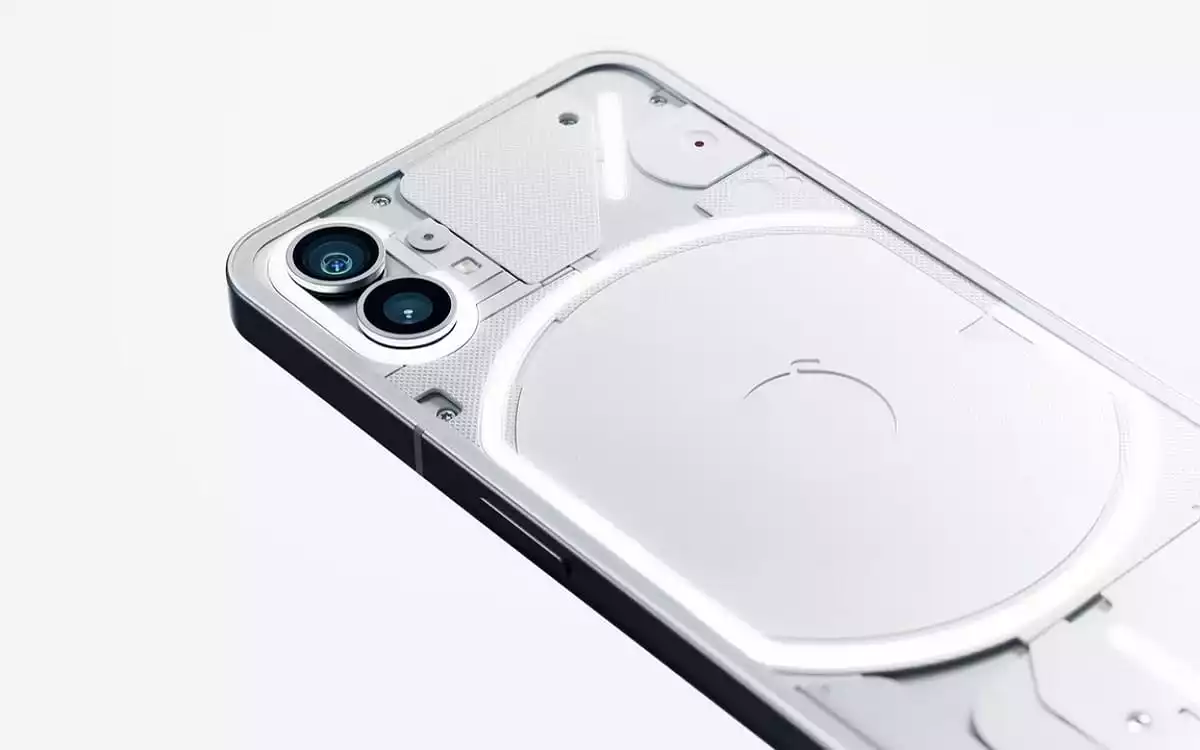
    Unlock the bootloader on Nothing Phone 1 and root it with Magisk

    Many Android enthusiasts make it a point to root and unlock the bootloader of new smartphones after they are released. Following this, there is often a flood of development in the form of modified kernels, custom ROMs, and other modifications. One may argue that until the shackle (read: “locked bootloader”) has been completely removed, a device’s existence at XDA hasn’t really started. That journey can begin right away for the Nothing Phone 1 community!

    You’ll be happy to learn that the Nothing Phone 1’s bootloader can be unlocked in a matter of seconds, and rooting your smartphone only takes a few minutes. If you’ve ever rooted and unlocked the bootloader of a non-carrier Google Pixel or OnePlus handset, you shouldn’t have any trouble doing so on your elegant Nothing Phone 1. Here is a tutorial to help those of you who need a refresher on the procedure.

    Since the Nothing Phone 1’s kernel sources and device tree are already available for download, it was inevitable that aftermarket development activity and custom customizations would begin to increase for the gadget. However, in order to boot any third-party software, you must first unlock the bootloader. How to begin going is as follows:

    Unlock the Nothing Phone 1’s bootloader

    1. Open the Settings app on your Nothing Phone 1.
    2. Tap on About phone.
    3. Locate the section named Software info and tap on it.
    4. On the next screen, tap on the Build number 7 times until it says you’re now a developer.
    5. Go back to the main Settings page, tap on System, and near the bottom of the list, you should see Developer options. Tap on it.
    6. You should see an OEM unlocking option. Enable it. For security purposes, it may ask you to input your lock screen PIN/password if you have one set.
    7. Scroll down a bit until you see USB debugging. Enable it as well.
    8. Plug in your Nothing Phone 1 into your PC/Mac/Chromebook. Make sure you have the latest version of ADB and Fastboot binaries installed.
    9. Now open up a terminal window/Command Prompt instance and enter the following command:adb devices
    10. If you see your device’s serial number and it says “authorized,” then you’re good to go. If this is your first time setting up ADB for this device, then you may see a prompt on your phone to enable USB Debugging for your PC. Grant it permission.
      • If you’re having trouble getting your Windows PC to recognize your device, try installing the latest Android USB Drivers.
    11. Now, reboot to the bootloader menu. You can either do this by holding the power and volume down buttons while booting up, or by entering the following ADB command:adb reboot bootloader
    12. Once you’re on the bootloader menu, you’ll now have to switch to using fastboot command to communicate with your device. To unlock the Nothing Phone 1’s bootloader, enter the following command:fastboot flashing unlock
      • In case you need to flash low-level firmware partitions like the bootloader images, you will have to execute another command afterwards:fastboot flashing unlock_critical
    13. You should now see text on screen warning you about the potential risks of unlocking the bootloader. On the screen next to the power and volume buttons, you should see some text. Press the volume up key until it says “unlock the bootloader.” Once it says this, press the power button.
    14. The phone will unlock the bootloader and reboot back to the bootloader menu. This time, the bootloader will show a red warning icon and “unlocked” text.
    15. Now, reboot your phone back to the Android OS. You can do this by sending the following fastboot command:fastboot reboot
    16. Congratulations, your Nothing Phone 1 now has an unlocked bootloader! You’ll see a warning message that your phone’s bootloader is unlocked on every boot, but don’t worry about that as it doesn’t affect your day-to-day use.

    Rooting the Nothing Phone 1 with Magisk

    With an unlocked bootloader, you can now boot modified boot images. For Magisk to work, you’ll need to patch the Nothing Phone 1’s stock boot image.

    1. Since your device has been wiped earlier, you’ll need to go back and re-enable Developer Options and then re-enable USB Debugging. Make sure your Nothing Phone 1 is still recognized by your PC.
    2. Download the full OTA package corresponding to the installed software version on the Nothing Phone 1.
      • At the time of writing this tutorial, the latest available software for the Nothing Phone 1 is Nothing OS 1.0.2. The full OTA ZIP for this build can be downloaded from here.
    3. Extract the stock boot image from the OTA package. For more information, take a look the “You have access to the recovery-flashable ZIP file” section our “How to Install Magisk on your Android Phone” tutorial.
      • In case you don’t want to download the whole OTA file, you can separately download the boot image from XDA forums. However, to avoid version mismatch and other unforeseen errors, it is always advised to extract the boot image yourself.
    4. Now that we have the stock boot image to patch, push it to your device with this command: adb push <path_to_file> /sdcard/Download
    5. Download and install the Magisk app on the Nothing Phone 1.
    6. Open the Magisk app and tap on the Install button.
    7. Choose Select and Patch a File. A file manager will pop up.
    8. Select the boot image that you pushed earlier and let Magisk patch it.
    9. Pull it off your phone with this command:adb pull /sdcard/Download/magisk_patched_[random_strings].img
    10. Reboot the Phone 1 into the bootloader:adb reboot bootloader
    11. Flash the patched boot image:fastboot flash boot /path/to/magisk_patched_boot.img
    12. Reboot the phone:fastboot reboot
    13. Open the Magisk app and your Nothing Phone 1 should be rooted.
    Nothing Phone 1 rooted with Magisk