Category: News

Up‑to‑date Android news, smartphone launches, software updates and industry trends, written in a clean, editorial style for informed readers.

  • Autolycos installed 3 million times from Google Play Store

    Autolycos installed 3 million times from Google Play Store

    Over 3,000,000 people downloaded a new Android malware family from the Google Play Store that discreetly subscribes users to premium services.

    Maxime Ingrao, an Evina security researcher, found the malware, known as “Autolycos,” in at least eight Android applications, of which two are still downloadable from the Google Play Store as of this writing.

    The two apps still available are named ‘Funny Camera’ by KellyTech, which has over 500,000 installations, and ‘Razer Keyboard & Theme’ by rxcheldiolola, which counts over 50,000 installs on the Play Store.
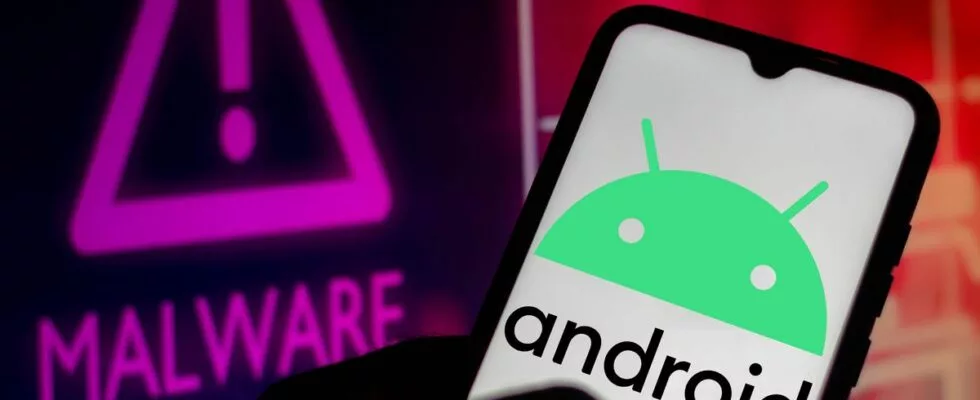
    Autolycos android malware

    The remaining six applications have been removed from the Google Play Store, but those who still have them installed risk being charged with costly subscriptions by the malware’s activities.

    • Vlog Star Video Editor (com.vlog.star.video.editor) – 1 million downloads
    • Creative 3D Launcher (app.launcher.creative3d) – 1 million downloads
    • Wow Beauty Camera (com.wowbeauty.camera) – 100,000 downloads
    • Gif Emoji Keyboard (com.gif.emoji.keyboard) – 100,000 downloads
    • Freeglow Camera 1.0.0 (com.glow.camera.open) – 5,000 downloads
    • Coco Camera v1.1 (com.toomore.cool.camera) –1,000 downloads

    During a discussion with Ingrao, the researcher told Droid Tools that he discovered the apps in June 2021 and reported his findings to Google at the time.

    Although Google acknowledged receiving the report, it took the company six months to remove the set of six, while two malicious apps remain on the Play Store to this day.

    After so much time had passed since the initial reporting, the researcher disclosed his findings publicly.

    In place of using Webview, Autolycos uses stealthy malicious behavior to execute URLs on remote browsers and then include the results in HTTP requests.

    This behavior is intended to hide its actions from users of infected devices so that they won’t be noticed.

    When malicious apps were installed on a smartphone, they frequently asked for authorization to view SMS content, which gave them access to a victim’s SMS text messages.

    The Autolycos owners launched various social media advertising campaigns to draw in new users to the apps. Ingrao discovered 74 Facebook ad campaigns for the Razer Keyboard & Theme alone.

    Additionally, while some fraudulent apps on the Play Store received unavoidably bad reviews, some with less downloads continue to have positive user ratings thanks to fake reviews.

    Android users should have Play Protect activated, monitor background internet data and battery usage, and attempt to install the fewest number of apps possible on their handsets in order to protect themselves against these attacks.
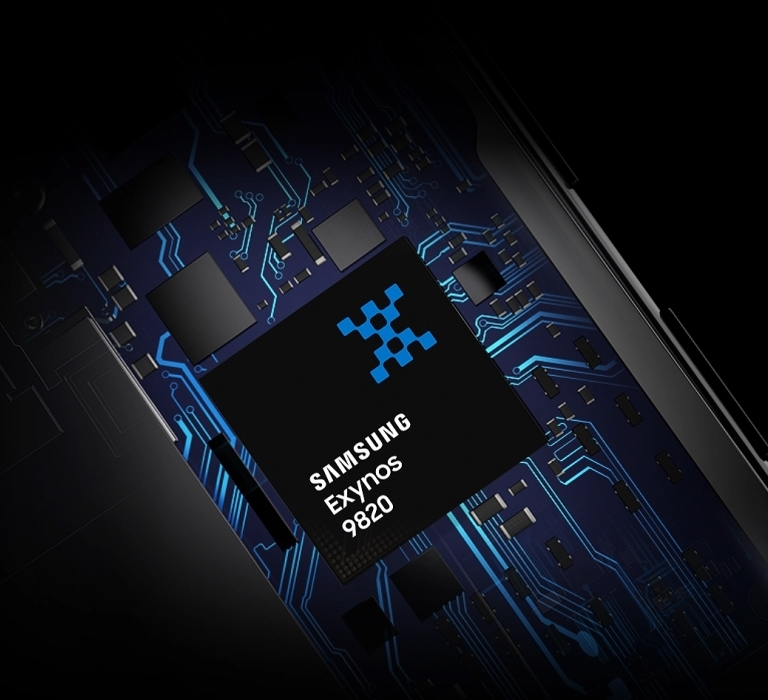
  • Snapdragon on future Samsung’s S series

    Snapdragon on future Samsung’s S series

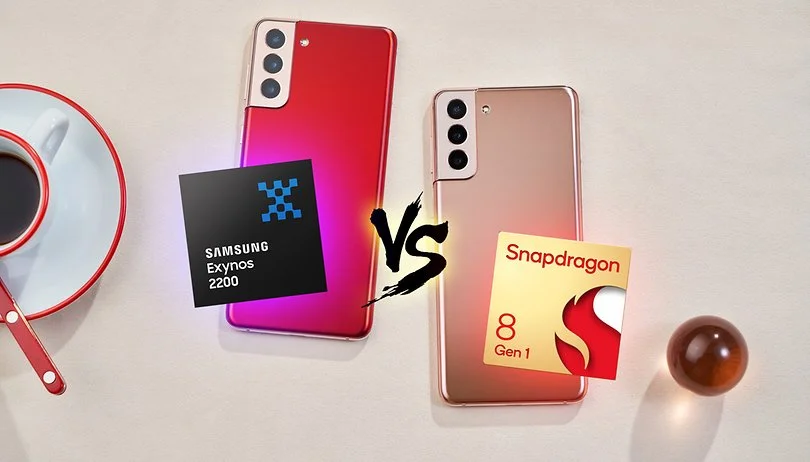
    Which of the various Samsung flagship phones you receive depends on where you reside. While Exynos chips produced in-house are available in some markets, Qualcomm’s Snapdragon CPUs are available in others. And this has been the case for years, with a few extremely rare exceptions like the Galaxy S6 in 2015, which was Exynos-only. Despite having on paper comparable or even superior specifications than their Snapdragon counterparts, Exynos chips are generally thought to be inferior. You’ll be relieved to learn what Samsung might accomplish in the coming year if you reside in Europe and have been envious of those in North America and China who have Snapdragon phones.

    Famous supply chain expert Ming-Chi Kuo claims that the Samsung Galaxy S23 may completely exclude Exynos CPUs in favor of Snapdragon processors in all markets next year (via 9to5Google). Even for users in Europe, Qualcomm would end up being the exclusive source of chips for Galaxy S23 smartphones.

    samsung snapdragon

    Samsung has been experimenting with Snapdragon a lot more recently, most notably by introducing the Galaxy S22 with the Snapdragon 8 Gen 1 in India, a country that has historically favored Exynos. If this change is real, everyone in the world will receive a Galaxy S23 with a Snapdragon processor.

    What justifies this? It appears like Samsung is simply coming clean to avoid more embarrassment in 2019. Exynos 2300, which is expected to launch as the Snapdragon 8 Gen 2, will not be able to compete with the SM8550 chip because Qualcomm built it to conform to TSMC’s design specifications. Although embarrassing would be a strong word, the Exynos 2200 launch was a bit of a disaster, and this year’s Exynos-powered Galaxy S22 phones received a ton of unfavorable press. Samsung appears to be trying to avoid that happening again.

    Does this indicate that Samsung has finished producing chips? Most likely not. A custom, Galaxy-only SoC is allegedly being created by the firm, but that won’t be available until the Galaxy S25 in 2025, according to rumors. While Samsung Semiconductor refocuses its efforts on that unique chip, it’s possible that we’ll see a few generations of Samsung phones that only use the Snapdragon processor over the course of the next couple of years. But as of right now, all of this is just conjecture. We’ll have to hold off and see.

    One thing, however, is certain — many will be thankful if Samsung actually ditches Exynos on the Galaxy S23 entirely next year.

  • Improved incremental builds in Gradle 7.0

    Improved incremental builds in Gradle 7.0

    The most recent version of the well-known software build tool used in Android development and other areas, Gradle 7.0, provides support for Java 16 and faster incremental builds.

    To speed up incremental builds, file system watching is now enabled by default in the Gradle 7.0 version, which was released on April 9. Gradle 6.5 offered the functionality as an opt-in feature, and Gradle 6.7 declared it production-ready.

    When file system watching is enabled, Gradle keeps its knowledge of the file system in memory between builds instead of reading it during each build. The input and output files are examined during an incremental build to determine what needs to be rebuilt. The I/O overhead added by this capability, which typically saves a significant amount of time but also adds some, can be felt in large projects when little has changed since the previous build.

    gradle 7.0

    To upgrade to Gradle 7.0, developers can update their wrapper:

    ./gradlew wrapper --gradle-version=7.0

    Developers can access the Gradle upgrade guide and compatibility notes to learn about breaking changes, deprecations, and other considerations.

    Also in Gradle 7.0:

    • For Android, performance has been improved for incremental changes in projects, especially those using the Jetifer tool to migrate libraries.
    • Gradle now supports running on and building with Java 16, or Java Development Kit (JDK) 16, which was released on March 16. To support JDK 16, Gradle has been upgraded to use the Groovy 3 language in Groovy DSL build scripts.
    • Native support is offered for Apple Silicon systems, with every feature now supported using a native Arm JDK. Previous Gradle versions could run on Apple Silicon Macs but there were disadvantages, such as some Arm JDK features had to be disabled while an Intel JDK would run at about half speed through the Rosetta2 compatibility layer.
    • Version catalogs are introduced as an experimental capability, enabling build authors to centralize dependency coordinates (group, artifact, versions) of their third-party dependencies in a conventional configuration file and declare dependencies in a type-safe way.
    • An experimental feature for project assessors provides type safety and enables code completion in IDEs.
    • Build reliability improvements have been made, such as now executing a task without the benefit of parallel execution if a task is failing input/output validation.
    • Dependency locking, a mechanism to ensure reproducible builds when using dynamic dependency versions, has been improved. The release defaults to the improved dependency locking file format that results in fewer lock files in most projects.
  • 42 Chinese Spying Android Apps

    42 Chinese Spying Android Apps

    Android Apps

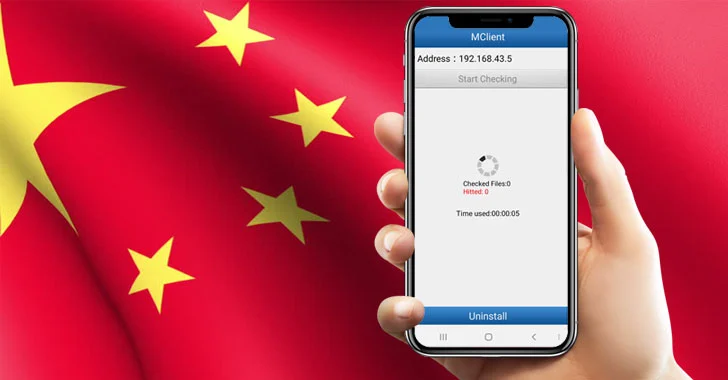
    The Intelligence Bureau (IB), India’s domestic spy agency, issued a warning to soldiers not to use certain Chinese eavesdropping Android apps as a matter of national security.

    42 Chinese Android apps, including some well-known ones like We Chat, True Caller, UC Browser, and UC News, have been listed by the IB as purportedly gathering crucial data about the Indian security installations.

    According to the report, the Intelligence Bureau in a November 24th advisory directed the soldiers assigned on Line of Actual Control (LAC) to uninstall these Chinese spying Android apps from their smartphones and also format the device after uninstallation as it may compromise national security.

    Chinese Spying Android Apps:

    1. Weibo
    2. WeChat
    3. ShareIt
    4. TrueCaller
    5. UC News
    6. UC Browser
    7. BeautyPlus
    8. NewsDog
    9. Viva Video – QU Video Inc.
    10. Parallel Space
    11. Apus Browser
    12. Perfect Corp
    13. Virus Cleaner – Hi Security Lab
    14. CM Browser
    15. Mi Community
    16. Mi Store
    17. Mi Video call
    18. Vault Hide – NQ Mobile Security
    19. YouCam Makeup
    20. CacheCleaner – DU Apps Studio
    21. DU Recorder
    22. DU Battery Saver
    23. DU Cleaner
    24. DU Privacy
    25. DU Browser
    26. 360 Security
    27. Clean Master – Cheetah Mobile
    28. Baidu Translate
    29. Baidu Map
    30. Wonder Camera – Baidu Inc
    31. ES File Explorer
    32. Photo Wonder
    33. QQ International
    34. QQ Music
    35. QQ Mail
    36. QQ Player
    37. QQ Newsfeed
    38. QQ Launcher
    39. QQ Security Center
    40. WeSync
    41. Selfie City
    42. Mail Master

    However, China has a history of snooping on people using Android apps. Many complaints were made in the past concerning UC Browser’s dubious methods for gathering user data and sending it back to China. Now that the issue has received considerable attention, the administration has advised the troops to delete these risky apps in order to prevent eavesdropping by Chinese eyes.

    Just keep in mind that by using these apps, you might unwittingly turn against your country because you never know what information these terrible Chinese espionage applications are sending to China.

  • K2 compiler appears in Kotlin

    K2 compiler appears in Kotlin

    Kotlin 1.7.0, an update to the JVM, web, and mobile programming language from JetBrains, includes an alpha version of the ground-breaking K2 compiler.

    K2 is designed to accelerate the creation of new language features, unify the platforms that Kotlin supports, and offer an API for compiler modifications in addition to enhancing performance. However, the alpha version is restricted to JVM projects. And only the kept plugin for annotation processors currently works with it.

    Kotlin 1.7.0, an update to the JVM, web, and mobile programming language from JetBrains, includes an alpha version of the ground-breaking K2 compiler.

    Kotlin

    K2 is designed to accelerate the creation of new language features, unify the platforms that Kotlin supports, and offer an API for compiler modifications in addition to enhancing performance. However, the alpha version is restricted to JVM projects. And only the kept plugin for annotation processors currently works with it.

    • Definitely non-nullable types have been promoted to stable. These provide better interoperability when extending generic Java classes and interfaces.
    • Builder inference, a type inference that is useful when calling generic builder functions, is automatically activated if a regular type inference cannot get enough information about a type without specifying the -Xenable-builder-inference compiler option introduced in Kotlin 1.6.0 last November.
    • Opt-in requirements are now stable and do not require additional compiler configuration.
    • An underscore operator for type args can be used to automatically infer a type of argument when other types are specified.
    • Implementation by delegation to an inlined value of an inline class is enabled. Developers now can create lightweight wrappers that do not allocate memory in most cases.

    beta release of Kotlin 1.7.0 was published in May. Kotlin 1.6.20 arrived in April.

  • How to make a backup for you Android device

    How to make a backup for you Android device

    There is no universal way for backing up and restoring Android phones that works for everyone. To keep things simple but effective, many users may choose a cloud-based system with automatic backups. Others, on the other hand, may want to store them offline and manually create backups for safekeeping. There is no right or wrong way to approach things here; depending on what you’re searching for, both options may have trade-offs. In this post, we’ll go over some of the most common techniques for backing up and restoring your Android phone.

    Google One Backup

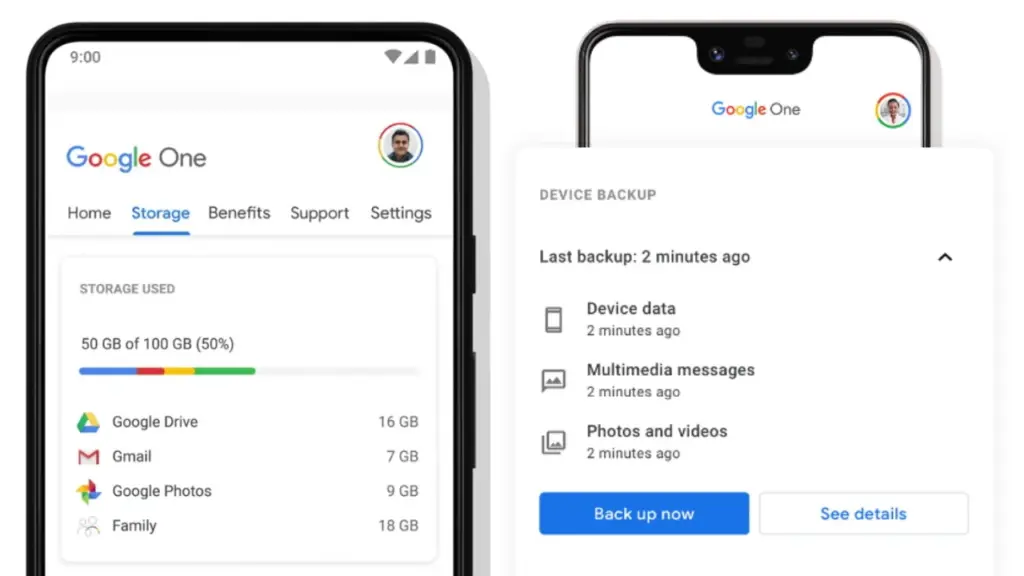
    Google One is here to help you keep your life easy if you’re seeking for a fantastic, all-around backup solution for Android. Because Google is the official Android maintainer, it makes reasonable to utilize a first-party mechanism that can be accessed by almost any Android phone. To say the least, backing up your device with Google One allows you to save your images, messages, and a list of loaded apps. After your smartphone has been charging and idle for 2 hours over Wi-Fi, you’ll get automatic cloud backups.

    google one backup

    Access Google One using the app

    If you have a Pixel phone, Google One comes pre-installed as part of the operating system for quick access. Go to System Backup in the Settings app after opening it. All Google accounts come with 15 GB of free cloud storage for things like photographs, movies, and device backups. Increased storage capacity is available for a few bucks per month if needed. You may install Google One on your Pixel or any other Android phone by following these steps:

    1. Download the Google One app if needed, then open it to continue.
    2. Press the Set up device backup button to begin the process.
    3. Tap Turn on to enable Google One backups for your device.
    4. Hit Continue to grant the proper Google Photos permission as needed for your photos and videos.
      • You can always press Cancel if you don’t plan on using Google Photos to save your photos and videos.
    5. Tap the Back up now button to begin backing up your device data to Google One.
    6. Once the backup has been completed, you can view more info under the Backup details section.

    Google Photos

    Although Google One includes this feature during the setup process, it does not imply that you intend to use it. If you just want to back up your photographs and videos, you could always utilize Google Photos as a stand-alone alternative. You can use the Google Photos cloud storage capability by following these steps:

    1. Download the Google Photos app if needed, then open it to continue.
    2. Press the Turn on Backup button to enable the cloud storage feature.
    3. Pick Original quality or Storage saver depending on your needs, then press Confirm.
    4. Swipe through the intro page as needed, then press Done to get to the main screen.
      • You can also tap Skip to quickly move past the intro and onto the main app.
    5. If you have any photos or videos waiting to be backed up, they should have started uploading now.
    6. Tap your profile icon in the upper right to view the status of your uploads.
      • You’ll be good to go once it shows the Backup complete message.
    7. After that, all the content that just backed up should appear on the main screen for you to view.

    Cloud Backup from Samsung

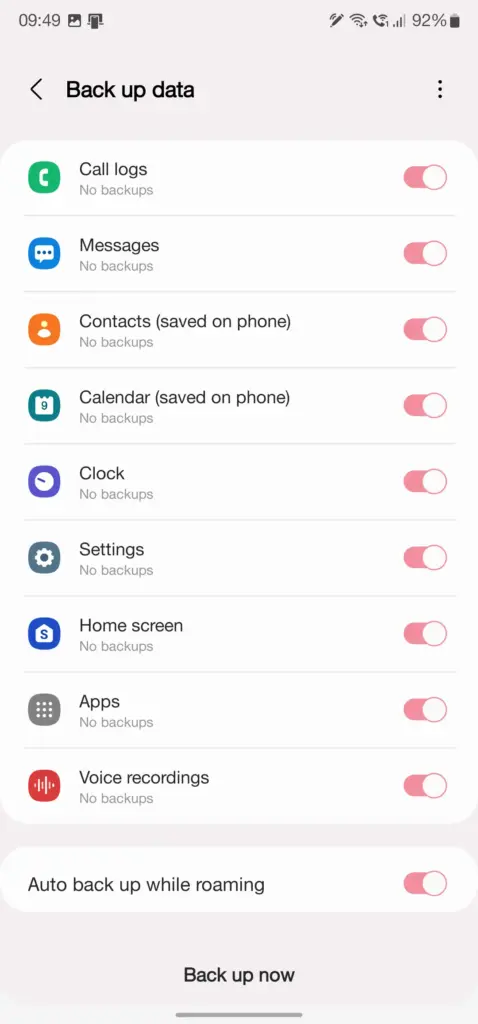
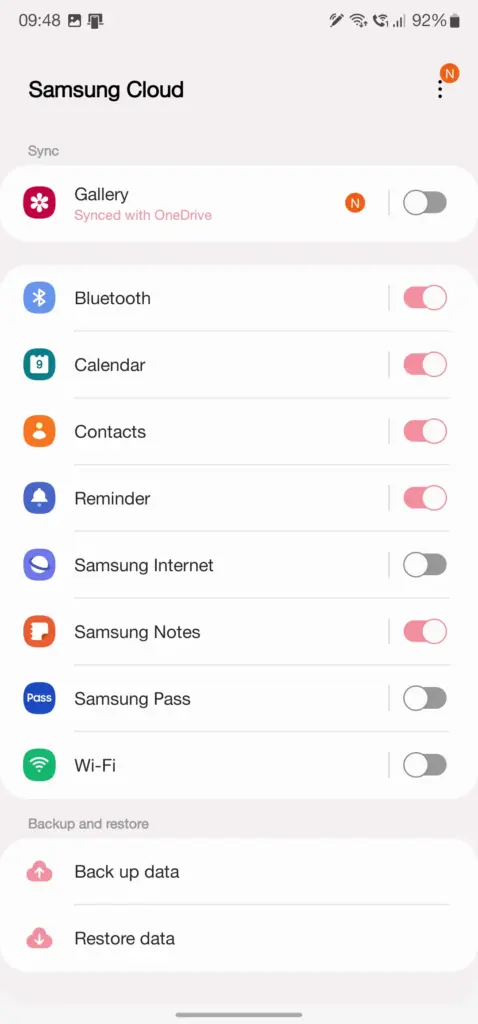
    Users who have invested in the Samsung ecosystem can use Samsung Cloud, a dedicated service for their phone. This allows you to back up and restore your Samsung device in the event that it is lost, broken, or reset. System settings, Wi-Fi networks, and the layout of your home screen are just a few of the things you may back up and store in the cloud. The Samsung Cloud Backup app for Android is quick and simple to use, and it works across all of your devices.

    Swift Backup

    When it comes to backing up your Android device, this is one of the most useful third-party apps available right now. With only a few short touches, Swift Backup allows you to perform batch activities. You may choose which apps you wish to store, hit a button, and it will handle the rest. It has a slight learning curve because it works with the Shizuku service, which grants you higher-level system rights. The good news is that many of its better features can be accessed without root access.

    Swift Backup

    You’ll also be able to back up your messages, phone call logs, and device wallpapers in one go. And once the app is set up to your liking, you can create an automatic schedule to keep everything constantly backed up. We’ve personally tested Swift Backup and highly recommend it for offline and cloud-based solutions. If you want to learn more about Swift Backup, we have a guide here that gives you an in-depth view of how to use it.

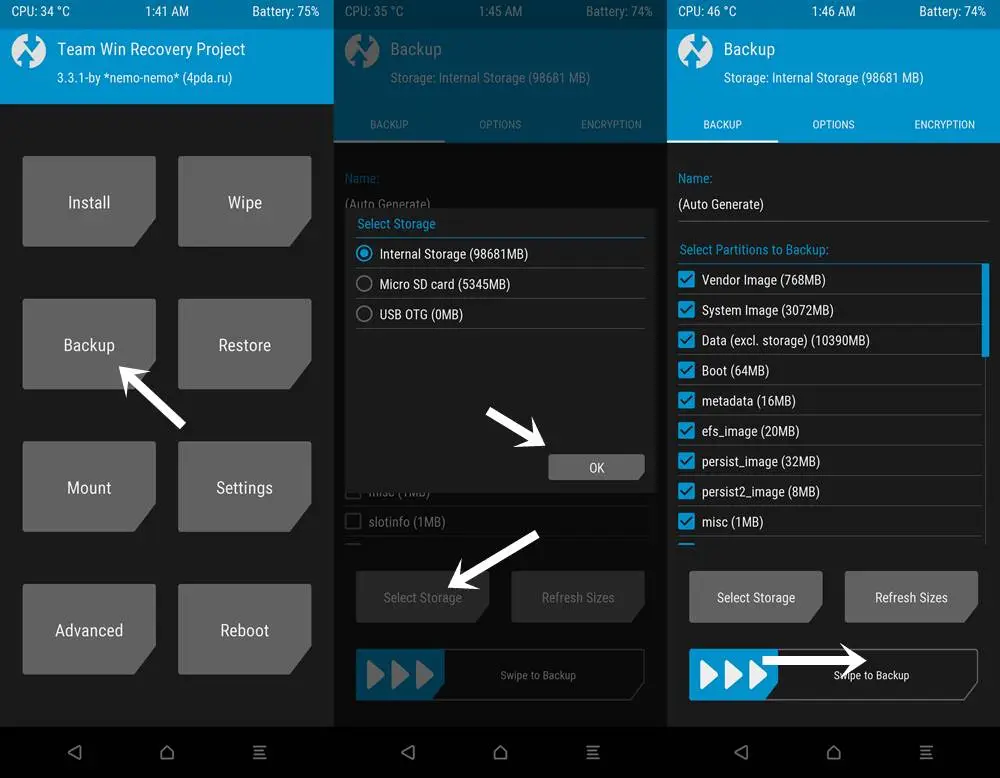
    NANDroid backup with custom recovery

    When it comes to backing up and restoring Android devices, sophisticated users have a handy trick under their sleeves. You can take full system image backups of your smartphone using a custom recovery environment like TWRP. A NANDroid backup in this situation allows you to practically clone your system and restore it exactly as you left it, including all app data. It doesn’t require root access, but it does require an unlocked bootloader, a device that supports TWRP, and some knowledge.

    NANDroid backup

    If you can get beyond the learning curve and qualifications, NANDroid backups can make your life easier. Once you’ve done that, all you have to do now is manually save your downloaded media files, images, and videos. Many Pixel, OnePlus, and Exynos variant Samsung phones should be on the list of Android devices that gain TWRP support. Because of the committed developer community, the Pixel 5, OnePlus 9 Pro, and Galaxy S22 Exynos edition all have access to TWRP.

    Backing everything up

    There are a slew of different proprietary backup alternatives available from Android device manufacturers, as well as a slew of third-party apps on the Play Store. In the above list, we’ve merely highlighted a handful of the more common and effective approaches. Which one you choose is entirely dependent on your personal preferences and requirements for your individual device. And now that you’ve had a good starting point, you should be able to identify the one that works best for you.

  • DuckDuckGo’s search not so private afterall

    DuckDuckGo’s search not so private afterall

    Only one name comes to mind when it comes to privacy-friendly search engines: DuckDuckGo. As narrow as it is, the company has managed to spin its success in other directions, including a privacy-focused browser for Android and iOS that is reportedly devoid of trackers. According to a new revelation, DuckDuckGo’s cooperation with Microsoft may have lost the company its position as a “no tracking” provider.

    DuckDuckGo

    As detailed by Bleeping Computerprivacy researcher Zach Edward recently discovered that, while DuckDuckGo’s browser stopped sites like Facebook and Google from using trackers to scrape user data, Microsoft’s websites — including LinkedIn and Bing — bypassed this blockade entirely. It goes against the search engine’s biggest selling point, and more specifically, undermines the entire reason the DuckDuckGo Privacy Browser exists.

    To his credit, CEO and founder Gabriel Weinberg quickly admitted that the browser does, in fact, allow Microsoft to evade its tracking filters within the browser, and that this is done on purpose. According to Weinberg, it all comes down to the two firms’ search syndication agreement, which allows DuckDuckGo to use Bing results in its search results. It’s the most important component of a collection of over 400 sources, which includes Wikipedia and Wolfram Alpha. Weinberg further highlighted that this agreement only applies to the browser and not the search engine.

    https://twitter.com/yegg/status/1529227041882742785

    Still, it’s difficult to justify when the app’s main selling point — literally the first line of its Play Store listing — is to disable trackers on the user’s behalf. Following Edward’s discovery on Twitter two days ago, Weinberg stated that the company was working with Microsoft to remove this specific stipulation from the contract, as well as offering a clarification update to the Play Store and App Store listings. The CEO also issued a statement to Bleeping Computer, emphasizing that, while its browser isn’t flawless, it is still significantly more private than the competitors, with faster load speeds. As Weinberg points out, DuckDuckGo’s browser has never guaranteed complete anonymity. Hopefully, this is an opportunity for the organization to improve.

  • What’s next in Qualcomm’s 5G smartphones world

    What’s next in Qualcomm’s 5G smartphones world

    Qualcomm’s annual 5G Summit is taking place in San Diego this year, and the company has a few major announcements to make about its technology for future 5G products. These developments coincide with the widespread use of 5G connectivity and smartphones in many regions of the world.

    Smart Transmit 3.0 is maybe the most notable reveal. Qualcomm’s 5G speed and coverage optimization technology has reached its third generation. The significant change in this version is that Smart Transmit now includes Bluetooth and Wi-Fi for the first time, allowing you to optimize your phone’s whole radio stack. Smart Transmit 3.0, according to Qualcomm, supports Wi-Fi 6, Wi-Fi 6E, and Wi-Fi 7.

    5g

    We asked Qualcomm about specific performance and efficiency gains for Bluetooth and Wi-Fi when using Smart Transmit 3.0, but the company didn’t divulge any figures. It’s also worth noting that future Wi-Fi and Bluetooth versions will likely offer a bigger improvement, but even a small improvement to current standards would be welcomed.

    You can expect to find this tech in the previously revealed Snapdragon X70 5G modem, which is due to arrive in phones by “late 2022,” according to Qualcomm.

    Standalone mmWave for X70

    5g

    Qualcomm also stated at the 5G Summit that the X70 modem will handle independent mmWave connections, showcasing a connection. The feat was accomplished with a test device powered by the forthcoming modem.

    The majority of 5G networks are non-standalone, which means they still rely on 4G technology for some functions. Separate 5G uses only 5G radio and backend technology, resulting in more flexible networks and services. This announcement also demonstrates that 5G backend technology can work in locations where there is no sub-6GHz connection.

    It’s worth noting that Qualcomm previously announced a standalone mmWave 5G data connection milestone in July 2021. The firm told us that the previous milestone was related to 200MHz support, which is a requirement for the Chinese market.

    What to expect from the Snapdragon X70 modem?

    The X70 is the first 5G modem featuring an AI processor, and Qualcomm has unveiled a few more advantages of this silicon ahead of its launch.

    In particular, the company claims that mmWave coverage will be increased by 20% in “dense metropolitan situations.” Mobility-based sub-6GHz 5G at the edge of coverage might see a throughput jump of up to 73 percent, while pedestrians at the edge of coverage could see a 28 percent rise. However, it’s likely that consumers will only realize these increases under perfect circumstances.

    Qualcomm previously noted it uses this AI suite for 5G channel optimization, smart network selection, mmWave beam management, and antenna tuning. This should theoretically result in performance and efficiency gains, but we’ll wait for the first X70-toting devices to see if this is indeed the case.

  • Google Pixel 6 and 6 Pro deals in late March 2022

    Google Pixel 6 and 6 Pro deals in late March 2022

    Look no further if you’re looking for the best Google Pixel 6 prices or the most intriguing Google Pixel 6 Pro bargains. We’ve compiled all of the finest Google Pixel 6 deals so you can concentrate on picking your new favorite gadget.

    Trading in your old device is a quick and easy method to save money, but if you’re willing to switch carriers or add a new line, there are also some good options. The offers roundup can be found at the bottom of this page, but first, let’s discuss the devices.

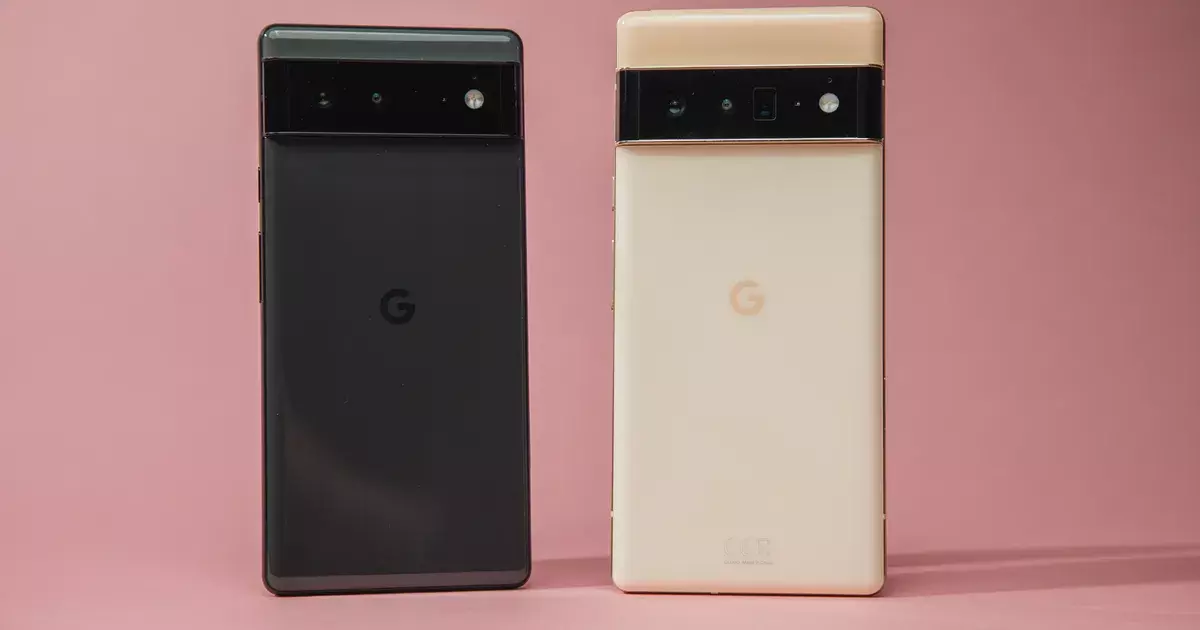
    The Pixel 6 and Pixel 6 Pro have made waves as powerful and affordable alternatives to Samsung and Apple handsets since their arrival last autumn, but that wasn’t always the case. Previous incarnations of the smartphone were tarnished by software issues, unimaginative design, and poor battery performance, as we mentioned in our review of the Google Pixel 6. For years, the world pondered whether Google would ever change its mind and produce a high-end flagship smartphone.

    Thankfully, with the Pixel 6 lineup, Google has finally delivered. The two Pixel 6 devices have wowed users with their advanced 50MP rear cameras and the introduction of the ‘Tensor’, Google’s very first in-house chipset. In fact, we went so far as to select the Pixel 6 and the Pixel 6 Pro as two of the best Android phones that you can buy right now. 

    The Google Pixel 6 has a beautiful 6.4-inch AMOLED display with a 90Hz refresh rate, and with a starting price of under $600, you’re paying much less than you would for a similar phone like the Samsung Galaxy S21. 

    The Pixel 6 Pro takes things even further, with a large 6.7-inch display, improved battery life, 12GB of RAM (compared to 8GB with the Pixel 6), and rounded edges for an elegant look. With a starting price of $899 for the 128GB version, it’s not quite as affordable as the Pixel 6, but you’re still getting a great value when you compare this device to non-Google competitors. 

    Although the rates are low, new discounts are always being added. We can move on to the discounts of the month now that you know a little more about the Pixel 6 series. We’ll start with some Google Pixel 6 bargains before moving on to Pixel 6 Pro deals.

    If you’re still not convinced, check out our Pixel 6 and Pixel 6 Pro buying guides to learn more about the smartphones’ flaws and merits, as well as to see how their cutting-edge cameras perform.

    GOOGLE PIXEL 6 DEALS

    Google Pixel 6

    Google Pixel 6 $699.99 FREE with eligible data plans

    Coming in at the top of our list is this very generous offer from Verizon. Sign up for a new line with an unlimited data plan, and the wireless carrier will basically hand over a new Google Pixel 6 at no cost to you and no trade-ins necessary. 

    Naturally, this deal will appeal the most to people who need a new phone line, but it’s an impressive offer nonetheless. If you’re a brand new Verizon subscriber who just switched, check to see if you’re eligible to receive a $1,000 gift card. VIEW DEAL

    Google Pixel 6 $599.99 with 0% APR over 24 months

    Google Pixel 6 $599.99 with 0% APR over 24 months

    Buy the unlocked phone directly from the Google Store and you can get 0% interest if you pay over 24 months (that’s a monthly payment of $24.96). If you’re interested in Google Store Financing, the company is also offering a $100 statement credit for a limited time. VIEW DEAL

    Save up to $800 with eligible trade-in and data plan

    Save up to $800 with eligible trade-in and data plan

    AT&T is offering some huge savings if you’re able to meet the requirements. Sign up for an unlimited data plan, trade in your old device, and receive up to $800 in credits over 36 months (the entire cost of a Google Pixel 6). There is a lot of fine print associated with this deal, but the value is huge if you can make it work. 

    This deal is also available for the Google Pixel 6 Pro.VIEW DEAL

    FREE $100 virtual gift card when you switch to Visible

    FREE $100 virtual gift card when you switch to Visible

    This offer simply gives you a $100 gift card after three months if you buy a Google Pixel 6 and switch to Visible from another wireless carrier. The deal is good whether you buy the phone upfront or pay over 24 months (with 0% APR). 

    This deal is also available for the Google Pixel 6 Pro.VIEW DEAL

    Get a Pixel 6 for only $99 when you add a line

    Get a Pixel 6 for only $99 when you add a line

    If you buy a new Google Pixel 6 and add one of their eligible lines, T-Mobile will give you $500.99 over two years in the form of monthly credits, bringing the price of the phone down to $99 with no trade-in required. VIEW DEAL

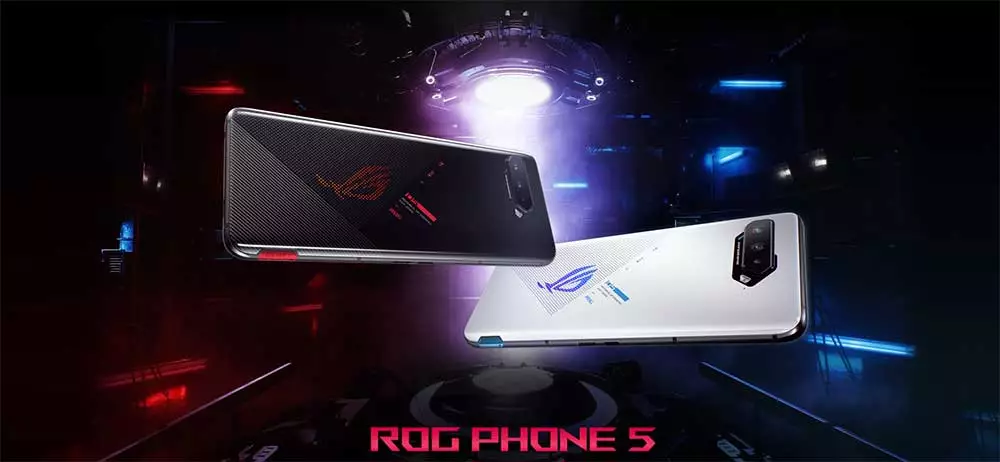
  • Stable Android 12 update for the ROG Phone 5 and ROG Phone 5S are live

    Stable Android 12 update for the ROG Phone 5 and ROG Phone 5S are live

    Following the release of a solid Android 12 update for the ZenFone 8 in December, ASUS is now bringing Android 12 update to two more of its phones: the ROG Phone 5 and ROG Phone 5S. ASUS has previously stated that both phones would be updated to Android 12 in Q1 2022, and the firm is following through on that promise.

    ASUS has begun pushing out a stable Android 12 upgrade to the ROG Phone 5 and ROG Phone 5S, according to announcements on ZenTalk forums. All of Android 12’s notable features are included, including a revised Quick Settings panel and volume selector, Privacy Dashboard, camera, microphone, and location indications, and redesigned home screen widgets.

    On top of that, users can also look forward to ASUS’s own additions, such as a redesigned ROG UI, revamped system apps, improved One-handed mode, new splash screen animations, a dual control feature for AirTriggers, and more.

    asus rog phone  android update

    Download Android 12 stable update

    The Android 12 update for the ROG Phone 5 carries software version 31.0810.1226.57 and weighs around 3.4GB. M

    The Android 12 update for the ROG Phone 5 carries software version 31.0810.1226.57 and weighs around 3.4GB. Meanwhile, the ROG Phone 5S update bumps the software version to 31.0810.1226.57. The automatic OTA rollout has already started. If you want to skip the queue, ASUS has also provided direct download links to help you manually install the update.

    Download Android 12 update for the ROG Phone 5

    Download Android 12 update for ROG Phone 5S

    The official update changelog is as follows:

    • Please back up your data before upgrading to Android 12. If you want to downgrade the software version to Android 11 using the official software package, it will erase all data from your device.
    • Upgraded system to Android 12
    • Introduced new ROG UI design
    • Revamped Mobile Manager, Contacts, Phone, File Manager, Calculator, Clock, Gallery, Weather, Sound recorder, Settings, Data Transfer, Local backup, Setup wizard and System update apps
    • Merge Wi-Fi and mobile network settings to Internet settings
    • Added extra dim setting, the Drones of Detection theme pack, and AirTriggers’ dual control feature
    • Adjusted Quick Settings panel, notification tray, and volume panel to Android 12 design
    • Adjusted the Classic style of the power menu to match Android 12 design. Separated device control and Wallet to independent pages.
    • Added the Shortcut option in the Security & lock screen settings menu
    • Added privacy dashboard, camera and microphone indicators, show clipboard access, approximate location access, and microphone access features
    • Replaced ASUS Safeguard with Android 12 Emergency SOS
    • One-handed mode integrates Android 12 design and supports more options.
    • Removed search option in OptiFlex setting
    • Introduced a new widget page design in Launcher. Adjusted the position of the screenshot option and removed the hotseat app icons in the Overview page.
    • Added the Swipe to invoke assistant option to Gesture settings
    • Removed the Quick Settings layout option from Display settings
    • Added splash screen animations when launching apps
    • ASUS Phone removed SIP calling support as Android 12 does not natively support SIP calling
    • Added the “Draw overlay permission request” dialog when launching Game Genie for the first time
    • Removed the function of swiping up from any position of Launcher, holding, and releasing to enter the Overview page when using gesture navigation
    • Added the function of going back to the main screen in Launcher by swiping up from the bottom when using gesture navigation
    • Added the “Convert videos to AVC” option in the USB preferences page
    • Some third party apps are not compatible with Android 12 yet
    • Modified the color of the icons in the 1st-layer Settings to Android 12 black and white design

    Did you update?