Category: News

Up‑to‑date Android news, smartphone launches, software updates and industry trends, written in a clean, editorial style for informed readers.

  • Snapdragon 8 gen 2 – to be released soon

    Snapdragon 8 gen 2 – to be released soon

    The debut of a new generation of the flagship chip – Snapdragon 8 Gen 1 – took place a little more than two weeks ago. The new platform is based on the new Armv9 architecture and was developed utilizing a 4 nm manufacturing technology. Samsung is in charge of its manufacture, which will continue until May or June of next year.

    Will be released in May 2022

    From May 2022, it is predicted that TSMC will be in charge of the Snapdragon 8 Gen 1 release. So that no one is confused about which chipmaker made which chip, the naming will be changed as well. According to network insiders, the CPU could be dubbed Snapdragon 8 Gen 2; nevertheless, the possibility of it being dubbed Snapdragon 8 Gen 1+ cannot be ruled out.
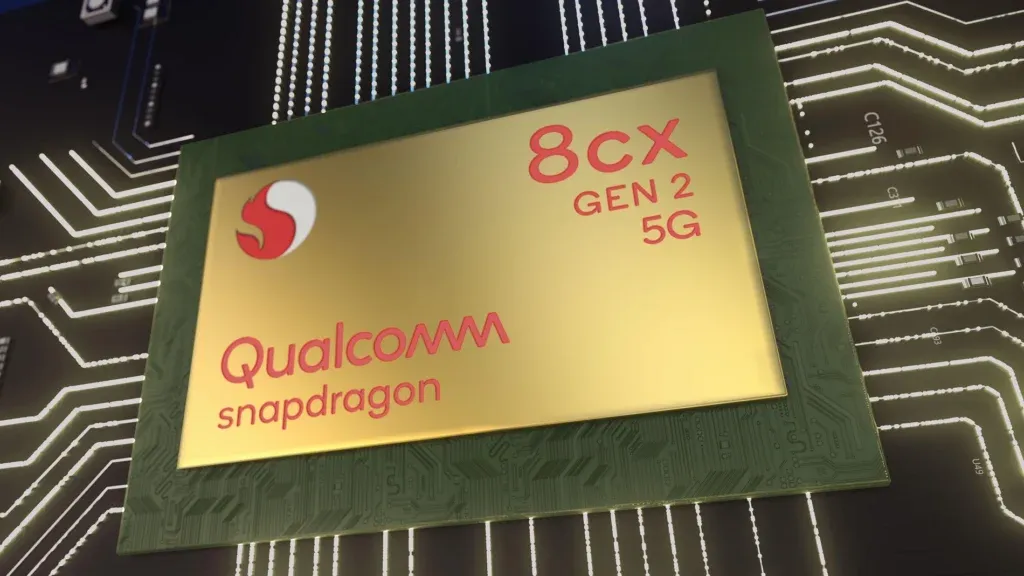
    snapdragos 8 gen 2

    It’s also been reported that the number of chips produced by TSMC will outnumber those produced by Samsung. This could be due to the fact that TSMC’s 4nm technology is more developed and provides better energy efficiency.

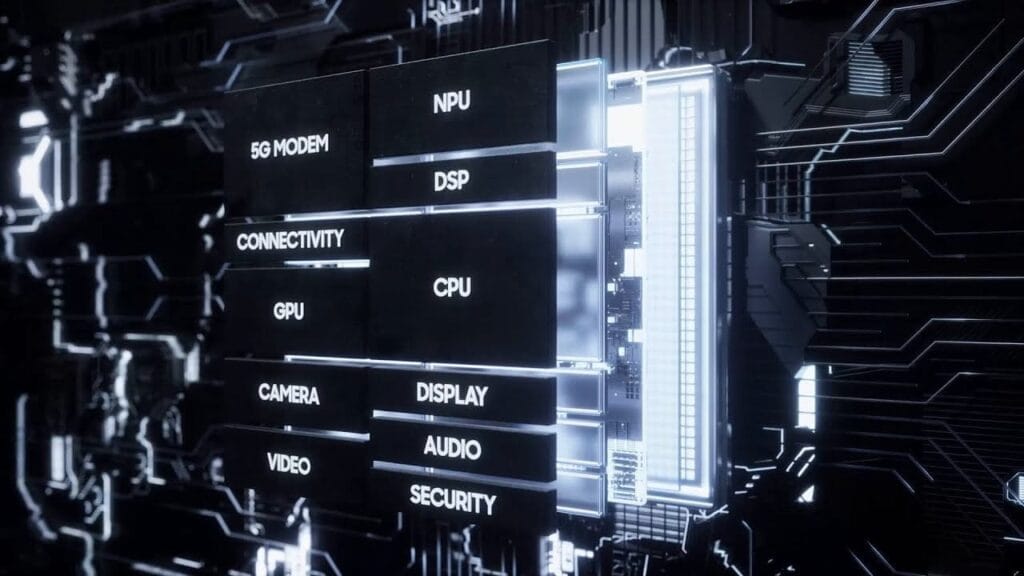
    As a reminder, the Snapdragon 8 Gen 1 includes a more powerful Adreno graphics chip, 4x the processing power of the neural engine, the first 18-bit ISP with three modules, and support for fifth-generation networks, including the ability to download data at speeds of up to 10 Gbps over a cellular network.

    Snapdragon 8 gen 1 benchmarks: graphics performance on par with apple a15 bionic

    Apple introduced the A15 Bionic CPU in September, along with the iPhone 13 series of devices. Later, to compete with Apple’s platform, MediaTek and Qualcomm released their own flagship chipsets, the Dimensity 9000 and Snapdragon 8 Gen 1, respectively. The Adreno GPU in the Snapdragon 8 Gen 1 is on par with Apple’s A15 Bionic graphics, according to the latest benchmarks.

    IceUniverse, an insider, has released test results for the iPhone 13 Pro and the Snapdragon 8 Gen 1 smartphone, revealing nearly full parity between the two smartphones. In the T Rex test, the iPhone 13 Pro received 451 points, while the Snapdragon 8 Gen 1-based device received 450 points. This discrepancy can be traced back to a human error.

    On the contrary, in the 3DMark Wild Life Unlimited test, Snapdragon 8 Gen 1 played the role of catch-up, which showed a 12% lower result.

    For the first time in years, a Qualcomm chip can match the performance of an Apple product. However, you should wait until the actual Snapdragon 8 Gen 1 devices are released to see if the performance improvements are really noticeable.
  • Amazon’s Appstore will work again on Android 12

    Amazon’s Appstore will work again on Android 12

    Amazon has fixed an issue that prevented users with Android 12 phones from using apps downloaded from the company’s Appstore. “We’ve released a remedy for an issue that’s affecting app launches for Amazon Appstore customers who’ve upgraded to Android 12 on their mobile devices,” an Amazon spokeswoman told Engadget on Friday. “We are contacting customers with steps to update their Appstore experience. We are sorry for any disruption this has caused.”

    amazon appstore

    In late October, reports of apps from the Appstore not operating on Android 12 began to surface online. Users of the Google Pixel 6 and Samsung Galaxy S21 discovered that none of the applications they had previously downloaded from the Appstore would work on their devices. There have also been instances of no apps appearing in the app store. While the problem didn’t affect many individuals, it took Amazon nearly a month to officially disclose it. The business did not specify what prompted the glitch on Friday. There was suspicion when it originally arose that it was caused by a conflict between Amazon’s built-in DRM and Android 12.

  • The most popular Android version in 2021 is … old!

    The most popular Android version in 2021 is … old!

    Google has started disclosing Android fragmentation statistics on a yearly basis since 2018. The official Android OS distribution list was just posted as we near the end of 2021.

    The story is the same every time: Since its formal debut, iOS 15 has been installed on the majority of iPhones, but Android 12 is only on 0.1 percent of Android phones. The update procedure, on the other hand, is somewhat different. After all, Apple is in charge of both hardware and software development, in contrast to Android, where each manufacturer develops their own bespoke software and hardware.

    That doesn’t make looking at Google’s operating system’s distribution stats any less painful. Previously, the corporation published this information on a monthly basis, but since 2018, the list has been updated only once a year. Only versions with a distribution of more than 0.1 percent appear in it. Furthermore, the data is based on the number of Android devices that entered the Google Play Store in the previous month’s seven days.

    So it is possible that there are thousands of Android devices running older versions than Android 4.1, but these have a share of less than 0.1% and did not make it into this list. Also, it is worth mentioning that since September 27, Google started preventing logins on older versions of Android. This change affected versions before 2.3.7.

    Android versionAPI levelDistribution
    Android 4.1 Jelly Bean160.2%
    Android 4.2 Jelly Bean170.3%
    Android 4.3 Jelly Bean180.1%
    Android 4.4 KitKat191.4%
    Android 5.0 Lollipop210.7%
    Android 5.1 Lollipop223.2%
    Android 6.0 Marshmallow235.1%
    Android 7.0 Nougat243.4%
    Android 7.1 Nougat252.9%
    Android 8.0 Oreo264.0%
    Android 8.1 Oreo279.7%
    Android 9 Pie2818.2%
    Android 10 Q2926.5%
    Android 11 R3024.3%
    Android 12 Snow cone31

    The most popular official version of Google’s OS, as seen above, is Android 10 Q, which was released in 2019 and looks to be installed on 26.5 percent of active Android devices. Then there’s Android 11 R, which will be available in 2020 and is already used by 24.3 percent of active phones. Meanwhile, Android 9 Pie, which was released in 2018, is in third place with an 18.2 percent share, followed by Android 8.1 Oreo, which was released in 2017 and has a 9.7 percent share. My trusty calculator informs me that Android 9 or older is installed on 49.2% of all Android phones. In 2018, Pie was released.

    Even after months of testing, the most recent version of the operating system, in this case, Android 12, has yet to arrive on a significant number of handsets.

    Unfortunately, Android fragmentation has long been the Achilles heel of the world’s most popular mobile operating system. Google’s initiatives, on the other hand, appear to be making an impact. Previously, much older versions were the ones who got the biggest piece of the fragmentation cake. Most devices today, at least, run on newer versions.

    Also, security patches offer a longer life for phones bought more than three years ago, which makes Android 10’s high distribution less surprising. The same, however, cannot be said for the 5.1% share of Android 6.0 Marshmallow, announced in 2015!

  • Extensions, better macOS & Flutter support, Personalization beta, more for Firebase

    Extensions, better macOS & Flutter support, Personalization beta, more for Firebase

    During the annual Firebase Summit, Google revealed more simple extensions and improved support for macOS and Flutter apps, as well as the beta launch of Firebase Personalization.

    If you’re unfamiliar with Firebase, it’s a set of cloud-based app development tools from Google that provide developers access to things like a database, storage, hosting, crash analytics, and more.

    Google launched “Extensions” for Firebase in 2019, allowing developers to simplify common use cases and potentially connect their Firebase project to other services. Building on the previously implemented Algolia extension, an Elastic App Search extension has been created to make your database searchable. There are also new extensions for adding Google Pay and/or Stripe payments to your app.

    firebase

    Flutter developers can start experimenting with Firebase APIs right now without having to install anything. You can now test Firebase code in Flutter Web projects directly from your web browser using the DartPad web app, and the same code will work in Flutter Android and iOS applications as well.

    Firebase is also increasing its reach into Apple’s ecosystem today, with support for macOS and tvOS coming in Beta, the stage Google considers ready for production apps. The ability to use several of Firebase’s C++ libraries in Apple TV apps is also part of the new tvOS beta support, with Google recommending it for usage with Apple Arcade games.

    Developers can alter how certain aspects of their apps function without having to push a new update to the Play Store or App Store using the long-standing Firebase Remote Config. The options of Remote Config can now be picked automatically in a fashion that’s personalized to each individual user, thanks to “Personalization,” which is available in Beta today. While Firebase Personalization can be used in a variety of ways, Fruit Ninja creator Halfbrick found it to be effective in increasing ad revenue from one of their games without increasing negative ratings.

    For Android developers, Firebase is also releasing new documentation about the privacy disclosures necessary for each of Firebase’s tools. These are going to be especially helpful for the new “Data safety” section coming to the Play Store, which is set to become a requirement by April of next year.
    To get more details about what’s new in Firebase, like real-time alerts from Firebase Performance Monitoring, be sure to check out the Firebase Blog or watch the full Firebase Summit stream.

  • The next flagshipfrom Oppo to have the fastest charging ever on a phone

    The next flagshipfrom Oppo to have the fastest charging ever on a phone

    The Find X series from Oppo is the company’s most premium smartphone brand, with previous models including the groundbreaking Oppo Find X with pop-up cameras, followed by the more basic but still impressive Find X2 and Find X3. Every year around March, Oppo refreshes the Find X series. That’s still a ways off, but we already have our first reliable leak (via GSMArena) about a potential Find X4 function. The next Oppo Find X4 could have the fastest charging of any smartphone, according to Digital Chat Station, a well-known Weibo tipster.

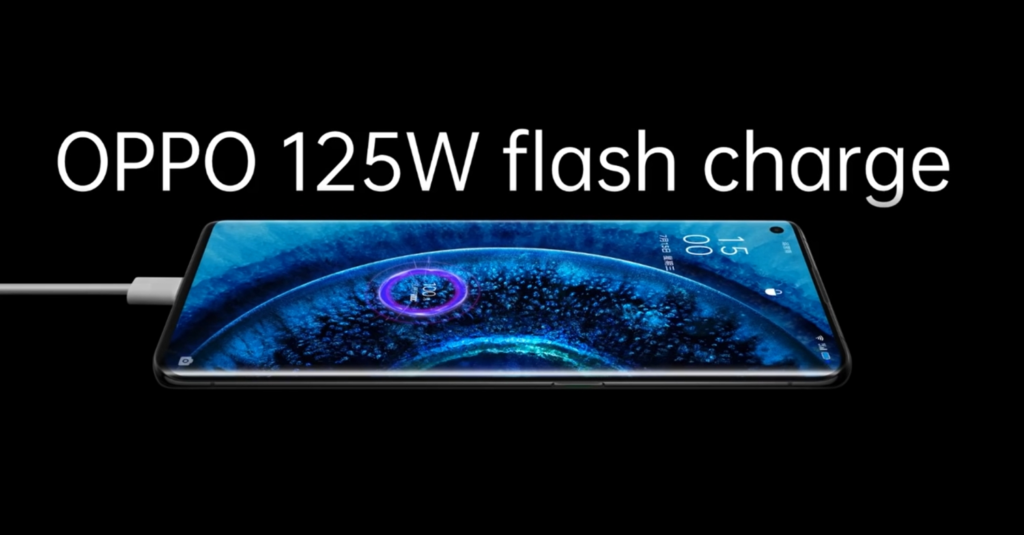
    While a few companies have demonstrated 125W rapid charging, we have yet to see it in a consumer device. Unless another manufacturer releases a phone with a 125W fast charging capability sooner, Oppo will be the first to provide this incredible charging speed. With 120W wired charging support, the Xiaomi 11T Pro is now the market leader.

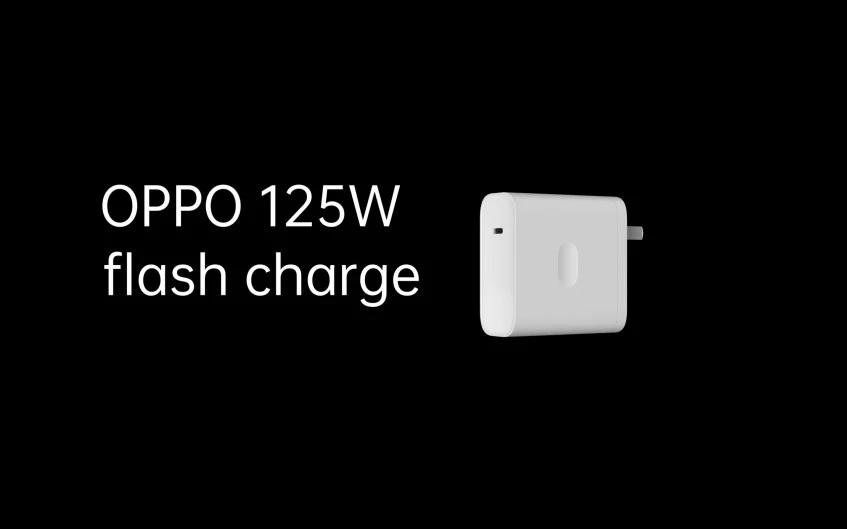
    Oppo announced the 125W charger a few months ago, along with a 50W wall charger, a 65W AirVOOC wireless pad, and a 110W compact flash charger. To deliver the 125W, the 125W full-size flash charger that Oppo showed us earlier this year supplies 20V and 6.25A to the phone. The phone will be able to charge from 0% to 100% in just 20 minutes using this charger (for a 4,000mAh battery).

    oppo fast charge

    Oppo’s Find X3 series supports 65W fast charging, so the company is clearly seeking to up the ante with its next-generation handset. Apart from the rumored charging speed of the Oppo Find X4, there is currently no other information, but we can expect the device to feature the latest Qualcomm chipset. Oppo seemingly has a plan to follow in the footsteps of Samsung, Huawei, Google, and Apple by designing its own processors, though production isn’t tipped until 2023 at the earliest.

  • MIUI 13 – stable system with multiple changes

    MIUI 13 – stable system with multiple changes

    Xiaomi is actively developing MIUI 13, its upcoming Android skin. Remember that the MIUI 12 system was notoriously buggy, and the business had to cope with a slew of issues. In fact, Xiaomi will have to release an improved version of MIUI 12.5 to address the majority of the flaws. As it optimizes the MIUI 13 system, the Chinese maker keeps this in mind. Despite its flaws, MIUI is still one of the greatest Android skins created by Chinese manufacturers. MIUI is making every effort to improve and will undoubtedly perform better,” Xiaomi CEO Lei Jun said.

    Furthermore, Lu Weibing, general manager of the Redmi brand, credits MIUI’s work with the Redmi Note 11 Pro’s exceptional battery performance. The Redmi Note 11 Pro battery, he claims, gets people more excited about the MIUI system. These remarks from Xiaomi executives have sparked suspicion that the MIUI 13 operating system may include a slew of new features. Of course, it’s reasonable to expect a significant number of changes in MIUI 13. This is due to the fact that its predecessor did not do much, so it will have a lot to deal with.

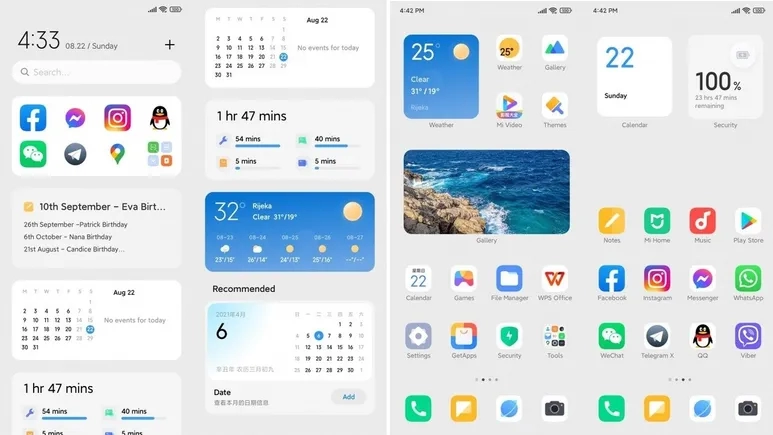
    Furthermore, popular Weibo leakster, @DCS claims that the MIUI 13 comes with tons of changes. He further claims that many of the system interfaces have new UX. This Android skin will be based on Android 11 as well as Android 12.

    miui 13 1

    MIUI 13 – launch at the end of the year

    Not long ago, the Xiaomi MIUI team set up a pioneer team to fix various bugs and complaints coming from users. According to many user feedbacks, with the efforts of the MIUI pioneer team for several weeks, the current lagging and issues of many models have significantly reduced. The fluency and stability of the system are now gradually increasing.

  • Use Font Awesome icons in android apps

    Use Font Awesome icons in android apps

    Font Awesome is a widely used icon toolkit that may be found on a variety of websites. It features both a free and a paid icon collection, but the free collection has the majority of the icons. Unicode () will be used to represent each icon. In TextView, we utilize this unicode to display the icon. All text styling elements (color, size, paddings, etc.) can be added because it’s a regular TextView.

    If you wish to display the android Robot logo, for example, you can use unicode as the TextView value.

    1. Font Awesome Android Library

    To use the Font Awesome icon collection, simply add the font awesome font files to your assets and apply the relevant fontFace to the TextView, which is a much easier operation. However, we’d like the icons to appear in other widgets as well, such as Buttons, Menus, Bottom Navigation, and Navigation Drawer. It requires some effort to display an icon in a non-textual view. As a result, I created a library that has all of the essential methods for rendering icons in numerous widgets.

    To get started, include the fontawesome in your build.gradle and sync your project.

    dependencies {
        // font awesome
        implementation 'info.androidhive:fontawesome:0.0.5'
    }

    2. How to use it?

    (adsbygoogle = window.adsbygoogle || []).push({});

    Displaying Icon in TextView

    Using the FontTextView text and specifying the proper icon name as text value is the simplest way to display the font icon. Because this widget is derived from AppCompatTextView, it inherits all of the text view properties.

    <info.androidhive.fontawesome.FontTextView
                android:layout_width="wrap_content"
                android:layout_height="wrap_content"
                android:text="@string/fa_calendar_check_solid"
                android:textColor="@color/icon_color"
                android:textSize="@dimen/icon_size"
                app:solid_icon="true" />
    • solid_icon: To display solid icon, set this value as true.
    • brand_icon: To display brand icon, set this value as true.
    android font awesome 1

    Using FontDrawable

    Using the icon in xml layout is easy, but if you want to use the icon for other widget like button or menu, you can use the FontDrawable element to apply the icon.

    For an example, if you want to use the font awesome icon to Floating Action Button, you can use the FontDrawable as shown below.

    FloatingActionButton fab = findViewById(R.id.fab);
     
    // using paper plane icon for FAB
    FontDrawable drawable = new FontDrawable(this, R.string.fa_paper_plane_solid, true, false);
     
    // white color to icon
    drawable.setTextColor(ContextCompat.getColor(this, android.R.color.white));
    fab.setImageDrawable(drawable);

    Using in Menus (Bottom Navigation, Navigation Drawer etc.,)

    You can also use font icons in widgets that use the menu file to generate elements like Toolbar icons, Bottom Navigation, and Navigation Drawer, among others. You can use the FontDrawable to configure the icons in menus, however it requires a few hacks using java code.

    The below example shows rending the font awesome icons in Navigation Drawer menu. Full example can be found here.

    public class MainActivity extends AppCompatActivity
            implements NavigationView.OnNavigationItemSelectedListener {
        @Override
        protected void onCreate(Bundle savedInstanceState) {
            super.onCreate(savedInstanceState);
            setContentView(R.layout.activity_main);
     
            intDrawerLayout();
        }
     
        /**
         * Changing navigation drawer icons
         * This involves looping through menu items and applying icons
         */
        private void intDrawerLayout() {
            NavigationView navigationView = findViewById(R.id.nav_view);
            navigationView.setNavigationItemSelectedListener(this);
     
            ImageView iconHeader = navigationView.getHeaderView(0).findViewById(R.id.nav_header_icon);
            FontDrawable drawable = new FontDrawable(this, R.string.fa_font_awesome, false, true);
            drawable.setTextColor(ContextCompat.getColor(this, android.R.color.white));
            drawable.setTextSize(50);
            iconHeader.setImageDrawable(drawable);
     
            int[] icons = {
                    R.string.fa_home_solid, R.string.fa_calendar_alt_solid, R.string.fa_user_solid,
                    R.string.fa_heart_solid, R.string.fa_comment_solid, R.string.fa_dollar_sign_solid, R.string.fa_gift_solid
            };
            renderMenuIcons(navigationView.getMenu(), icons, true, false);
     
            int[] iconsSubmenu = {R.string.fa_cog_solid, R.string.fa_sign_out_alt_solid};
     
            renderMenuIcons(navigationView.getMenu().getItem(7).getSubMenu(), iconsSubmenu, true, false);
        }
     
        /**
         * Looping through menu icons are applying font drawable
         */
        private void renderMenuIcons(Menu menu, int[] icons, boolean isSolid, boolean isBrand) {
            for (int i = 0; i < menu.size(); i++) {
                MenuItem menuItem = menu.getItem(i);
                if (!menuItem.hasSubMenu()) {
                    FontDrawable drawable = new FontDrawable(this, icons[i], isSolid, isBrand);
                    drawable.setTextColor(ContextCompat.getColor(this, R.color.icon_nav_drawer));
                    drawable.setTextSize(22);
                    menu.getItem(i).setIcon(drawable);
                }
            }
        }
    }
  • Google in-app review API – android rate app snippet

    Google in-app review API – android rate app snippet

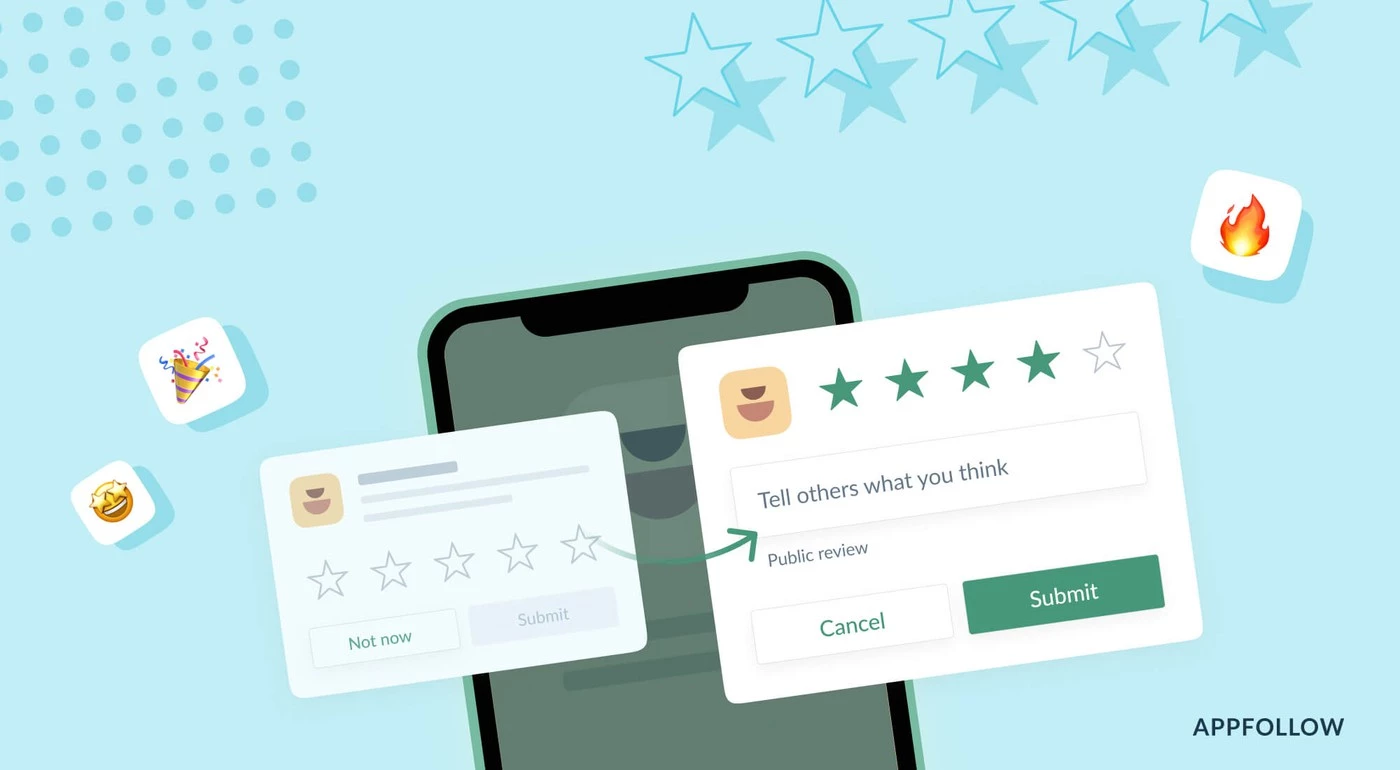
    App ratings and reviews are critical factors in driving more downloads after your app is live on the Play Store. To do this, we typically ask users to rate the app by displaying a popup with a few buttons and referring them to the Google Play Store. With this user experience, there’s a potential the user won’t return to our app after being redirected to the Play Store. It’s also tough for a new user to rank the app on Google Play.

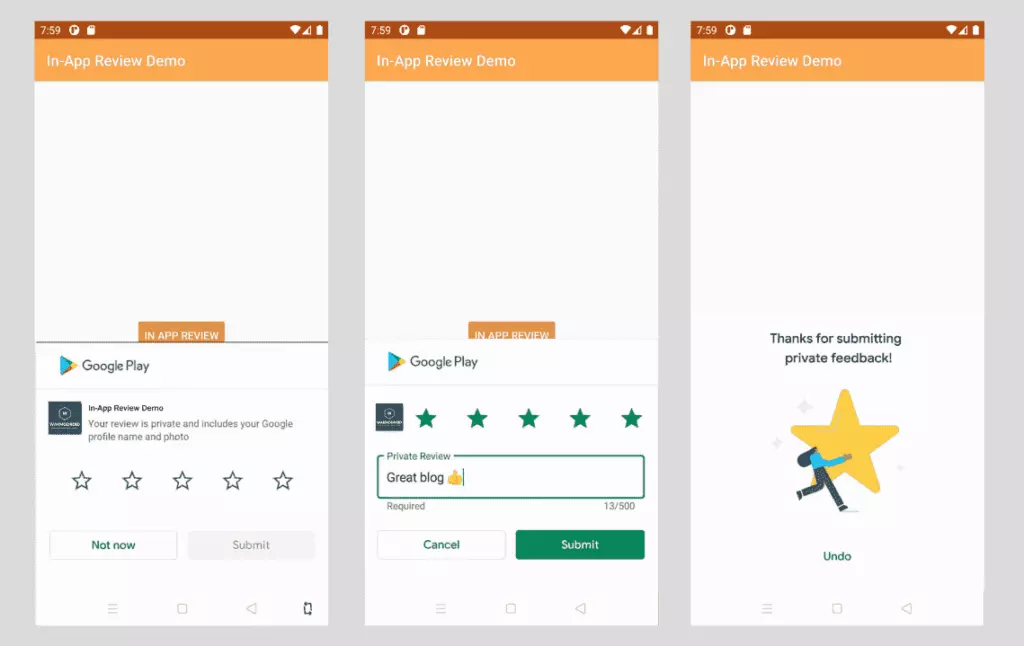
    Luckly google provided an API called In-App Review to show the rating widget in the app itself without user leaving the app.

    The In-App Review is part of play core library. Once the widget is integrated, we can see the rating widget displayed in the same app in a bottom sheet.

    in app review snippet

    Good to know

    • In-app review works only on android devices running Android 5.0 (API level 21) or higher that have the Google Play Store installed.
    • The in-app review API is subject to quotas. The API decides how often the review widget should be shown to user. We shouldn’t call this API frequently as once user quota is reached, the widget won’t be shown to user which can break the user experience. You can read more about Quotas here.
    • The review flow will be controlled by API itself. We shouldn’t try to alter the design or place approrpiate content on top of the widget. You can read more about Design Guidelines here
    • The review flow doesn’t indicate whether user has reviewed the app or not, even it won’t tell us whether the widget has shown to user or not.

    Integrate in-app review API

    Integrating In-App review is very simple. It can be achived with very minimal code. Let’s see how to integrate it.

    The In-App review API is part of Play Core API, so you have to include the library in your app’s build.gradle. Here I am adding material library as well as I want to show fallback rating dialog if there is any error in in-app review API.

    app/build.gradle
    // Play core library
    implementation "com.google.android.play:core:1.8.0"
     
    // optional material library to show the fallback rate us dialog
    implementation "com.google.android.material:material:1.3.0-alpha02"

    The next step is creating the instance of ReviewManager interface. This class provides necessary methods to start the review flow.

    • Once the new instance is created, we need to call requestReviewFlow() task which returns the ReviewInfo object upon on successful completion.
    • Using the ReviewInfo object, we need to call launchReviewFlow() method to start the review flow.
    • For some reason, if the requestReviewFlow fails, we can launch the usual Rate App dialog that redirects user to playstore app.
    • Below, showRateApp() method starts the in-app review flow. The showRateAppFallbackDialog() method acts as fallback method if requestReviewFlow throws an error. This fallback method shows usual material dialog with three buttons to redirect user to playstore app.

    Here is the complete code required for in-app review flow.

    MainActivity.java
    import android.os.Bundle;
    import androidx.appcompat.app.AppCompatActivity;
    import com.google.android.material.dialog.MaterialAlertDialogBuilder;
    import com.google.android.play.core.review.ReviewInfo;
    import com.google.android.play.core.review.ReviewManager;
    import com.google.android.play.core.review.ReviewManagerFactory;
    import com.google.android.play.core.tasks.Task;
     
    public class MainActivity extends AppCompatActivity {
     
        private ReviewManager reviewManager;
     
        @Override
        protected void onCreate(Bundle savedInstanceState) {
            super.onCreate(savedInstanceState);
            setContentView(R.layout.activity_main);
     
            init();
        }
     
        private void init() {
            reviewManager = ReviewManagerFactory.create(this);
     
            findViewById(R.id.btn_rate_app).setOnClickListener(view -> showRateApp());
        }
     
        /**
         * Shows rate app bottom sheet using In-App review API
         * The bottom sheet might or might not shown depending on the Quotas and limitations
         * https://developer.android.com/guide/playcore/in-app-review#quotas
         * We show fallback dialog if there is any error
         */
        public void showRateApp() {
            Task<ReviewInfo> request = reviewManager.requestReviewFlow();
            request.addOnCompleteListener(task -> {
                if (task.isSuccessful()) {
                    // We can get the ReviewInfo object
                    ReviewInfo reviewInfo = task.getResult();
     
                    Task<Void> flow = reviewManager.launchReviewFlow(this, reviewInfo);
                    flow.addOnCompleteListener(task1 -> {
                        // The flow has finished. The API does not indicate whether the user
                        // reviewed or not, or even whether the review dialog was shown. Thus, no
                        // matter the result, we continue our app flow.
                    });
                } else {
                    // There was some problem, continue regardless of the result.
                    // show native rate app dialog on error
                    showRateAppFallbackDialog();
                }
            });
        }
     
        /**
         * Showing native dialog with three buttons to review the app
         * Redirect user to playstore to review the app
         */
        private void showRateAppFallbackDialog() {
            new MaterialAlertDialogBuilder(this)
                    .setTitle(R.string.rate_app_title)
                    .setMessage(R.string.rate_app_message)
                    .setPositiveButton(R.string.rate_btn_pos, (dialog, which) -> {
     
                    })
                    .setNegativeButton(R.string.rate_btn_neg,
                            (dialog, which) -> {
                            })
                    .setNeutralButton(R.string.rate_btn_nut,
                            (dialog, which) -> {
                            })
                    .setOnDismissListener(dialog -> {
                    })
                    .show();
        }
    }

    Testing

    To test the in-app review flow, you should have the app approved already on PlayStore. This doesn’t mean the app should be available to public. At least you should have the account ready for Internal Testing or Internal App Sharing.

    • You can use Internal Test Track to release the app and test the in-app review flow.
    • You can use Internal App Sharing to test the in-app review flow.
  • In the Pixel 6, Exynos replaces the Qualcomm modem chip

    In the Pixel 6, Exynos replaces the Qualcomm modem chip

    Pixel 6 comes with Exynos modem

    Google has a similar ecosystem to Apple. Its users can choose from a large choice of items to meet their various tech needs. The IT behemoth has kept evolving, producing new product after inventive product. It started as a search engine and has now moved into the smartphone market with its mid-range models.

    Details about the Google Pixel 6 are scattered all over the web. According to the latest reports, for the upcoming Pixel 6, Google is ditching Snapdragon.

    exynos

    Exynos replaces Qualcomm’s modem chip

    Google has used Qualcomm as the sole producer of not only its Snapdragon CPUs but also its modem chips, for all previous iterations of the Pixel series. The Qualcomm Snapdragon 765G SoC and the Snapdragon Qualcomm X52 modem enable 5G connectivity on the Pixel 5.

    The reliance on Qualcomm chips is unsurprising, given that the United States is one of Google’s largest client bases, and Qualcomm has had a rigid monopoly on wireless chip technology in the country for the past 20 years. Qualcomm modem chips have been used solely in all smartphones sold in the United States, a reality that has become even more apparent with the introduction of 5G.

    Qualcomm has the greatest 5G networking technology out of the only three 5G modem chipmakers in the world, adopting a variation called Millimeter Wave (MMW), which can now harness the fastest speeds on 5G networks even carry out processes such as SMS Share swiftly.

    After Qualcomm, MediaTek, a Taiwanese fabless semiconductor business, and Samsung are the other two 5G-capable chip makers. One of Samsung’s newer Exynos 5G modems, the Exynos 5123, appears to have progressed far enough to interest Google’s attention.

    With Samsung’s Exynos 5123, the Pixel 6 will be the first smartphone in the US to use a non-Qualcomm wireless modem, shattering Qualcomm’s stranglehold across the country. Additionally, this will be a new kind of triumph for Samsung, as it will be the first time its Exynos modem processor will be seen in a non-Samsung phone.

    Collaboration between Google & Samsung

    On the Pixel 6, the modem chip isn’t the only Samsung component we’ll see. On the contrary, the lengths to which Google has gone to incorporate Samsung’s technology into its current Pixel flagship has led some to speculate that the two tech titans are working together, though neither has confirmed this.

    Apart from the modem, the Pixel 6’s display, camera, and processor will all be Samsung-made. Samsung’s main camera was confirmed to be either the GN1 or the more current GN2 ISOCELL sensor in some previously released code. The display is believed to have a 6.4-inch 90Hz AMOLED screen manufactured by Samsung. And the SoC, which will power the upcoming smartphone, will be the 5-nanometer Tensor chipset, which was built by Google but will be manufactured entirely by Samsung.

    It seems that the two tech companies have joined forces for the Google Pixel 6. If that is indeed the case, we have high expectations for the device. We’ll have to wait for official statements from both companies to acknowledge these rumors.

  • In 2021, Google will pay Apple $15 billion to be the default search engine in Safari

    In 2021, Google will pay Apple $15 billion to be the default search engine in Safari

    Google will pay Apple $15 billion

    Apple has its eco-system of products from phone to browsers hence users rarely need to venture outside the Apple world in search of third-party apps. Nevertheless, there seems to be a monopoly brewing between Apple and the G. According to recent reports, the latter will pay Apple $15 billion in 2021 to be the default Safari search engine.

    That’s quite a hefty sum but it will give an edge to him since currently, Apple does not have its search engine.

    google

    Further Details

    It’s no secret that Google pays Apple substantial money each year to keep its search engine as the default on iPhone, iPad, and Mac. According to a new projection from Bernstein analysts, Google’s payment to Apple might reach $15 billion in 2021, up from $10 billion in 2020.

    Google’s payment to Apple is expected to rise to $15 billion in 2021, and between $18 billion and $20 billion in 2022, according to analysts. The data is based on “disclosures in Apple’s public filings as well as a bottom-up analysis of Google’s traffic acquisition costs payments.”

    The big G is most likely “paying to prevent Microsoft from outbidding it.” According to the analysts, there are two major dangers for Google’s payment to Apple: regulatory risk and Google just deciding the agreement isn’t worth it.

    Over the years, Apple’s decision to keep Google as the default search engine on the iPhone, iPad, and Mac has been received with increasing criticism. Despite privacy concerns, Apple’s senior director of global privacy Jane Horvath explained why the contract was made in an interview earlier this year: “Right now, the G is the most popular search engine. We do support him but we also have built-in support for DuckDuckGo, and we recently also rolled out support for Ecosia.”

    The payment from the big G to Apple makes up a sizable portion of Apple’s crucial Services division. Apple has placed a strong emphasis on Services in recent years to demonstrate to investors that it can generate income and profit in ways other than through hardware sales.

    On another note

    We noticed an intriguing trend while visiting the Google Playstore recently. SMS Share apps, for example, appear to be gaining in popularity. The COVID-19 epidemic is most likely to blame for the rise in such apps. People have been forced to stay at home due to the outbreak, and as the disease spreads, they are turning to apps for help.

    Everyday work has shifted to the virtual sphere, people are looking for more convenient solutions to their difficulties. We’ll have to see if this trend persists or is just a passing craze.

    i