Millions of customers who depend on weekly beta upgrades have been impacted by Xiaomi’s unexpected break from their usual update schedule. The majority of tech businesses, including Xiaomi headquarters, take a short break around the Qingming Festival, a significant traditional Chinese holiday, to give their employees time to spend with their families. Users have been reassured by the corporation that all recent comments and recommendations would be taken into consideration and released as soon as the break is ended.
Instead of keeping people waiting for upgrades that will not be accessible during the holiday season, Xiaomi’s development team decided to make the announcement ahead of time. Xiaomi’s continuous efforts to inform users are shown in the transparency.
What Does this Imply for Xiaomi Users
To those of you installing beta updates on a regular basis, here is the lowdown:
There will be no beta this week
Regular update schedule will resume after the Qingming Festival
All of the user feedback is currently being processed
No user action is required during this period
Tomb Sweeping Day, also known as the Qingming Festival, is a Chinese custom that usually takes place in the first part of April. In order to respect the cultural significance of the day, the majority of Chinese businesses operate with little to no workers at this period.
Some beta testers may find the pause disappointing, but the development team has promised that it is being used to improve and incorporate user feedback. The upcoming update may provide even greater improvements as a result of the strategic pause.
As a testament to the company’s cultural heritage and respect for tradition despite its status as a global technological behemoth, the Xiaomi team concluded their statement with Christmas pleasantries.
After the Qingming Festival concludes, Xiaomi will restart regular updates with new enhancements based on community feedback. Stay tuned for that opportunity.
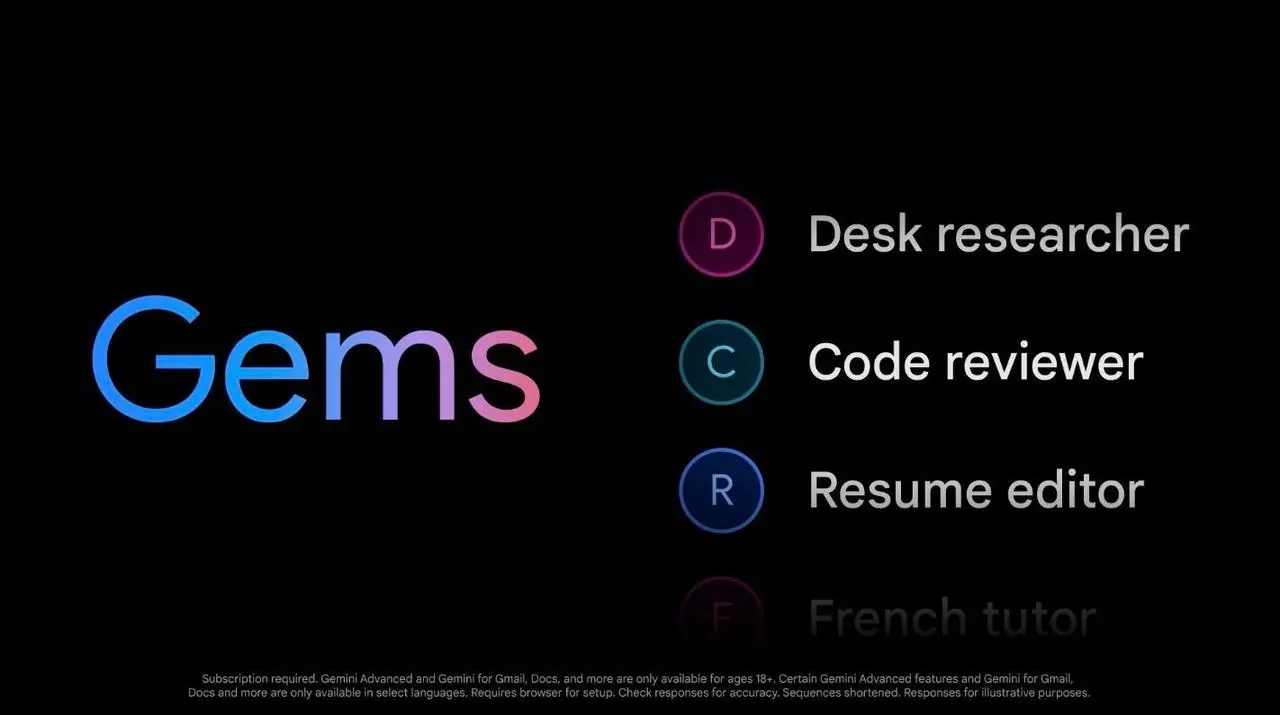
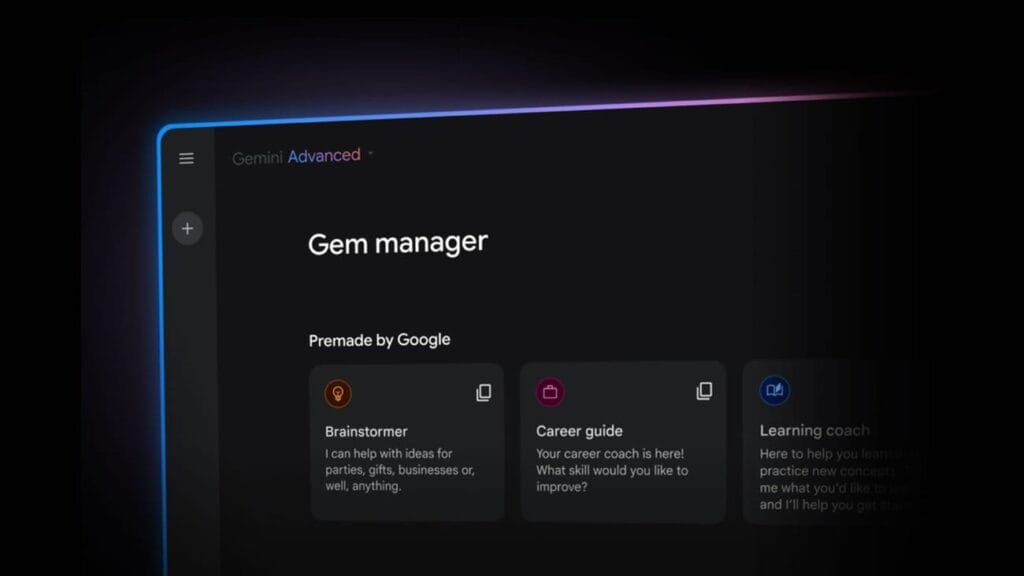
Google is now making Gems available to all users after originally unveiling the functionality last fall. In case you are unfamiliar, Gemini Gems provides you with a personalized AI helper. You have the option of creating one using your own instructions or selecting one of Google’s pre-made solutions.
Being able to set instructions that only apply when you use that Gem is what distinguishes this from using Gemini the conventional way. If you use Gemini in different contexts at different times, such as when you need assistance producing formal reports for the same company, blog articles, and social media postings, this is a terrific tool.
Which Gems are available?
The Gems already available include:
A learning coach that helps you break down complex topics, making them easier to understand.
A brainstormer to give you easy inspiration — from fresh ideas for a themed party to the perfect gift for an upcoming birthday.
A career guide to help you unlock your career potential with detailed plans to refine your skills and achieve your career goals.
A writing editor to elevate your writing through clear, constructive feedback on everything from grammar to structure.
A coding partner that levels up your coding skills and can help you build projects and learn as you go.
A chess champ that lets you play chess with a language model (this one is still in experimental mode).
How to access and use Gems
Locate the tiny gem symbol on the left side of the Gemini app to use Gems. You will see the alternatives that are already available as well as an arrow to make your own. The latter allows you to add up to 10 files for reference, name your Gem, and provide instructions.
Gems can only be created on the web app, however they can be used on iOS and Android devices. Tap your account photo in the upper right corner of a mobile app to access Gems, then search for “Gem manager.”
Google is releasing Gemini 2.5, another major AI update, just months after releasing the Gemini 2.0 Flash Thinking model. Gemini 2.5 Pro Experimental, the first model based on this new technology, is currently accessible to Gemini AI Studio and Advanced users.
Infused with reasoning
Google describes version 2.5 as its “most intelligent” AI model to date in a news release. It is the second of its kind and falls into the same category as Gemini 2.0 Flash Thinking, which is a thinking model. Gemini 2.5 differs from previous models in that it can use contextual intelligence, draw well-reasoned conclusions, and make educated decisions, going beyond the conventional “classification and prediction” method used by non-thinking models.
The Gemini 2.5 model, which was created as an improved version of Gemini 2.0 Flash Thinking, has a better base and more sophisticated post-training. Additionally, Google has shown ambitions to integrate Gemini 2.5’s reasoning capabilities into its non-thinking models.
New benchmark in AI reasoning
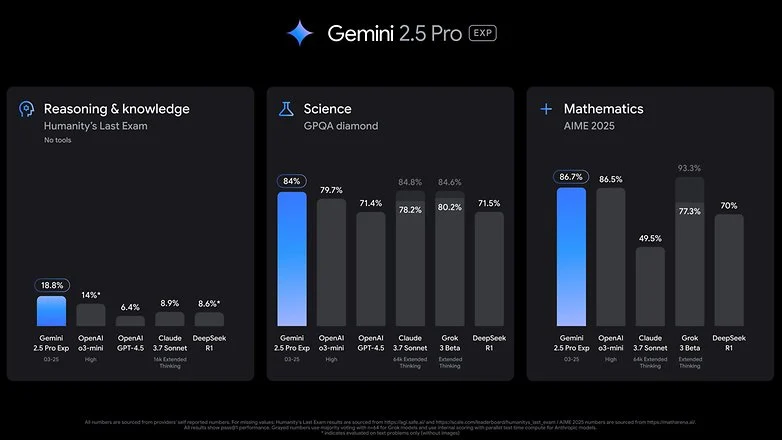
Gemini 2.5 Pro Experimental, the first product to use 2.5 version, is offered as a model option within Google’s AI services. Google claims that in the Humanity’s Last Exam test, which is a standard for AI knowledge and reasoning, The2.5 Pro Experimental has fared better than top reasoning models like OpenAI’s o3-mini and Claude 3.5 Sonnet. Furthermore, Gemini 2.5 Pro outperformed rivals like OpenAI’s GPT-4.5 and X’s Grok 3 Beta in math and science benchmarks.
With Gemini 2.5 Pro, Google also highlights improvements in software creation and coding. Coders, editors, and developers can use the concept to create “agentic applications and web apps.” It demonstrated its capabilities by creating a game from a single line of prompt in a demonstration video.
Currently, business and educational plans, as well as Advanced subscribers under One AI Premium, can access Gemini 2.5 Pro. Additionally, it can be accessed through Gemini Studio, and Vertex AI will soon be available as well. Google has said that it will shortly reveal the cost of extended access, even though usage is still restricted.
The release of 2.5 comes after Google opened up the Gemini 2.0 Flash and Deep Research models, as well as Gemini Live screen sharing, which was previously only available to subscribers. It is probable that the AI may soon be widely available due to this tendency.
We can never have enough battery life. The older generation still longs for the days when a single charge was sufficient to power your feature phone through a hectic week, even if the majority of smartphones from the last few years will easily last you a day or perhaps even two.
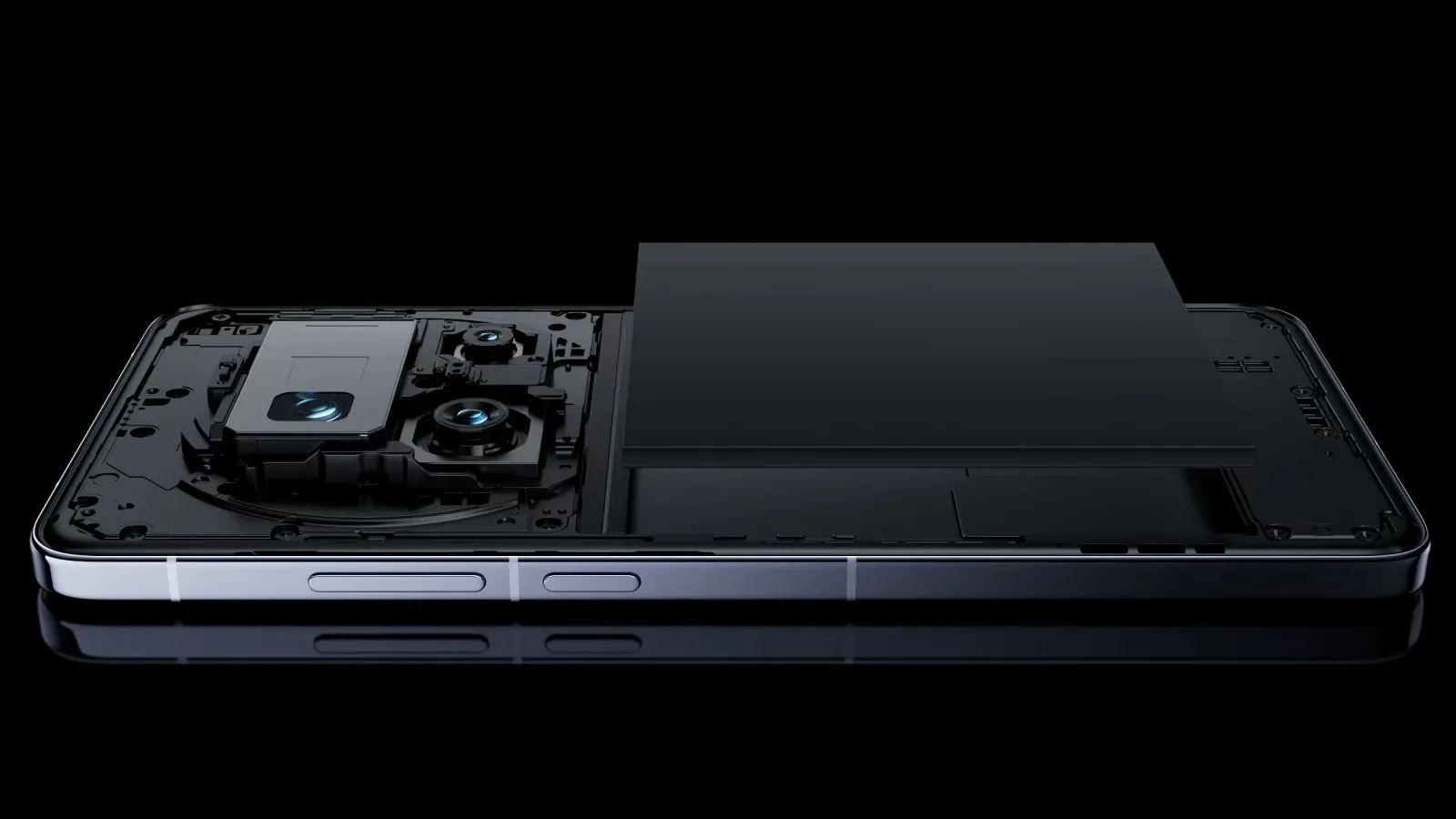
Many of the top flagship smartphones of today come with innovative silicon-carbon batteries thanks to the efforts of battery engineers. Because of this, they may promise even greater battery capacities without having a larger or thicker chassis. What a huge victory.
For instance, the OnePlus 13 has a 6,000mAh silicon-carbon battery, which is more than the 5,400mAh cell from the previous year. In China, the Xiaomi 15 Ultra has a massive 6,000mAh battery capacity, up from 5,400mAh the year before (and a still respectable 5,400mAh for worldwide markets, up from 5,000mAh). The smaller variants also enjoy comparable improvements. The vivo X200 series, OPPO Find X8, and Honor Magic 7 Pro are all brand-new flagship devices with silicon power cells. The technology has here in full force already.
Unfortunately, silicon-carbon battery technology has not yet been included into the newest devices from Apple, Google, or Samsung. Maybe by 2026, we will see these brands go on board. However, is it better to remain with the more recognizable Lithium-ion models or to jump right in and purchase a phone with a silicon carbon battery?
The difference between silicon-carbon and Li-ion batteries
Rather of being a completely novel idea, today’s silicon-carbon (Si/C) Li-Ion batteries are essentially an advancement of conventional lithium-ion technology. By adding silicon, which has a substantially higher energy storage capacity than graphite (372 mAh/g compared to about 4200 mAh/g for pure silicon), they alter the traditional graphite anode. Because of this, silicon has long been a promising material for increasing battery capacity.
Pure silicon anodes, however, face many difficulties. Extreme expansion is the most troublesome; when fully charged, the structure can inflate by up to 300%. The battery experiences extreme mechanical stress as a result, shortening its lifespan and leading to structural breakdown.
Over time, lithium loss and decreased capacity result from silicon’s strong reaction with the electrolyte, which breaks and reforms the Solid Electrolyte Interphase (SEI) layer with each cycle. The aggressive expansion exacerbates this. Another drawback for battery longevity is that silicon has lesser electrical conductivity than graphite, which can reduce charge and discharge rates and increase losses from internal resistance. This can lead to increased heat.
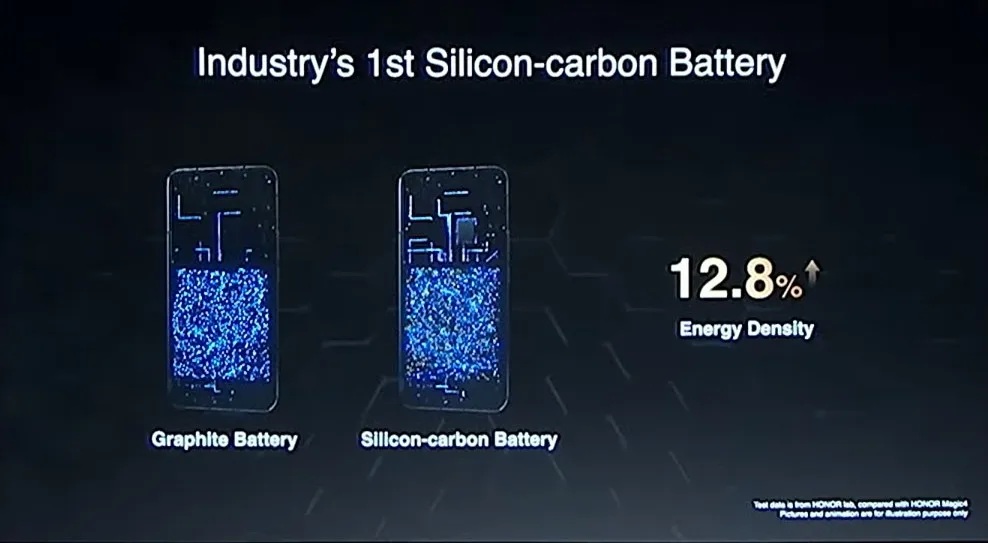
To address these problems, a silicon-carbon (Si/C) composite is utilized rather than pure silicon. The SEI layer is stabilized and its expansion is lessened by the structural support that carbon offers. Depending on its silicon concentration, a well-designed Si/C battery may restrict swelling to just 10–20% during charge cycles, whereas conventional graphite anodes only increase by about 10%. Additionally, carbon increases electrical conductivity, which guarantees better lithium-ion flow and higher efficiency.
The trade-off is that Si/C anodes are unable to fully realize the 10x capacity improvement of pure silicon. Rather, depending on the silicon percentage, they provide a very modest energy density increase of 10–20%. Si/C batteries are an engineering problem since higher Si content enhances capacity but also causes swelling and complicates manufacture. There are restrictions and trade-offs associated with Si/C batteries, but there is no such thing as a free lunch.
The pros and cons for silicon carbon batteries
Any increase in smartphone battery capacity is obviously beneficial, and Si/C batteries are a godsend for power users who want devices that can endure much longer than a single day of intensive usage. It should come as no surprise that so many of the most potent flagship phones available this year have the technology.
After more than a month of everyday use, I can vouch for the OPPO Find X8 Pro’s 5,910mAh Si/C Li-ion battery’s exceptional longevity. I frequently get two days of moderate use out of a single charge, have enough of fuel left over after a day of chasing the kids, and in lighter weeks, I have occasionally gone well into 48 hours without needing a charger.
On the other hand, Si/C is advantageous for thinner gadgets, such lightweight and foldable phones. Thin or small smartphones could surely benefit from this new battery type to maintain decent capacities in more constrained form factors, even though the Galaxy S25 Edge might not be Samsung’s first Si/C smartphone.
The technology has already been used to fit a sizable 5,700mAh battery into a 5.2mm folding design in the Vivo X Fold 3 Pro. Despite being 5.6 mm thick, Samsung’s Z Fold 6 only contains a standard 4,400mA battery. This trend toward higher capacities has also been embraced by the latest Chinese clamshell phones.
Whether silicon-carbon batteries will outlast their more conventional lithium equivalents is the main question that remains. It is evident from the foregoing trade-offs that Si/C will not outlast the most robust graphite-based Li-ion cells now available on the market. Lower silicon concentration can nonetheless provide batteries with a marginally larger capacity that have a comparable lifespan to conventional Li-ion cells. With only a slight but welcome increase in capacity to control the silicon content, this appears to be what we are seeing in today’s most advanced smartphones.
Because Si/C batteries are pushing the limits of energy density and charge rates, smartphone manufacturers may also be becoming more cautious when it comes to fast-charging temperatures in an effort to prolong battery lifespans. In other words, manufacturers are merely attempting to make sure their phones can withstand the promised updates for the next five or more years. But because of its increased capacity, stronger diffusivity of lithium, and decreased chance of plating the anode, Si/C is actually a godsend for faster charging. Additionally, bigger capacities make it easier to follow the 80% charge guideline without worrying about running out of juice in the middle of the day. If you want to keep your phone for many years to come, silicon need not be a negative thing.
Why a silicon-carbon battery device is a good choice?
The newest smartphones will undoubtedly benefit from Si/C Li-ion batteries, which will also likely extend the battery life of your wearables, tablets, laptops, and even electric cars. The most cutting-edge phones of today already heavily rely on silicon cells, which allow for even greater capacities or slimmer form factors without sacrificing battery life.
But at the moment, you will need to look around at Chinese companies to find one, like the OnePlus 13, which is very amazing. Apple, Google, and Samsung, three US giants, have not yet embraced this new battery technology. We may have to wait until their 2026 flagships or even later before they join the celebration, as they might not even get around to it this year.
However, if you intend to retain your smartphone for more than five years, it might be wise to wait and see how the longevity issue develops. Any long-term purchase will eventually require battery replacements, but Si/C Li-ion cells may require more frequent replacements, particularly when fast charging is used. This can turn out to be an unwanted extra expense for early adopters because they are more costly to make. We will need to wait and find out.
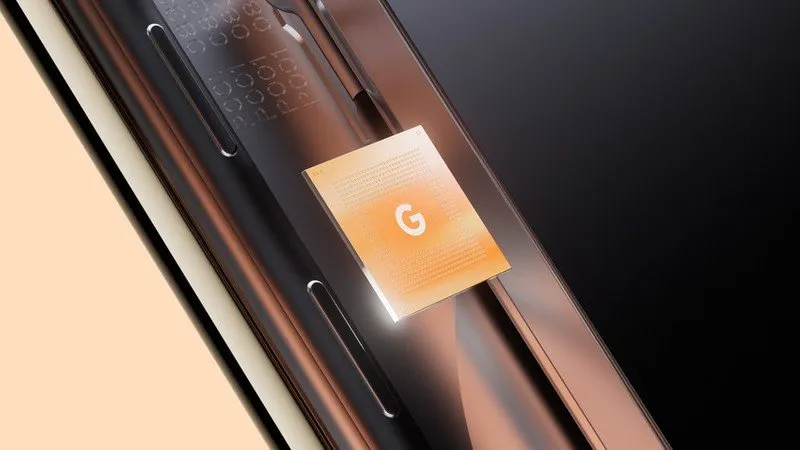
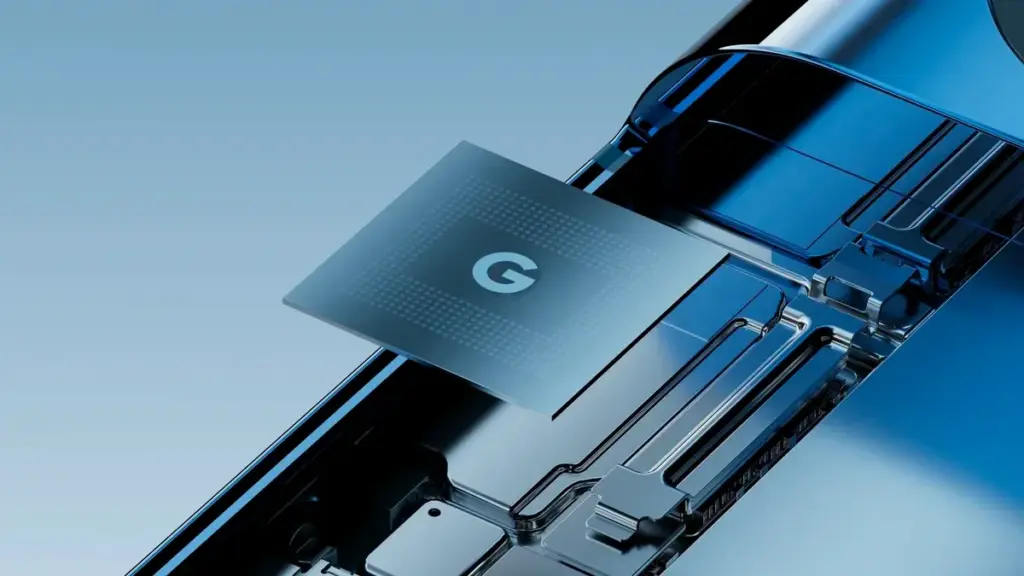
Tensor G5 is expected to include a number of off-the-shelf components to replace Samsung-made parts of previous chips, including the use of a totally bespoke ISP, as part of Google’s decision to move its Tensor production to TSMC for this upcoming generation.
Since the beginning, Tensor chips have mostly been a combination of components created or built by Google and those made by Samsung. This is because Google has used Samsung’s foundry and Exynos chips to help make Tensor a reality. However, as has long been known, Tensor G5 in the Pixel 10 will use TSMC instead of Samsung, creating certain gaps in Google’s chip manufacturing process.
According to a new report from Android Authority, there are a handful of off-the-shelf components that Google will be switching to.
According to reports, Tensor G5 will keep using a number of Google’s current designs (with improvements) that were included in Tensor G4 and other earlier Samsung-made chips, such as the TPU, DSP, memory compressor, and audio processor. However, it will have to swap out a few parts to make room for the switch to TSMC, including:
GPU: Arm Mali > Imagination Technologies DXT
Video codec: Google “BigWave” & Samsung MFC > Chips&Media WAVE677DV
The ISP is the most noticeable change here, since Google is reportedly developing a completely unique approach. Beginning with the 2017 “Pixel Visual Core” in the Pixel 2 series, Google has utilized its own ISP in a number of Snapdragon-powered Pixel phones. Prior to Google releasing the proprietary chip before Tensor’s 2021 launch, that developed into the “Pixel Neural Core” with the Pixel 4.
The end user will not likely notice many of the component changes Google is making, but it will be fascinating to observe if the different swaps have any positive or negative effects. The replacement of the current Samsung choices with a MediaTek modem is another noteworthy change that was previously publicized.
AI-driven testing software tools are now emerging as essential assets in the development process, offering solutions that traditional testing methods simply can’t match. But what exactly makes AI testing tools so powerful, and how are they reshaping the future of software testing? Let’s dive into the key advantages of these cutting-edge technologies and why they are quickly becoming the go-to choice for developers and testers alike.
AI Testing Tools: A New Era of Efficiency
Speed and Automation: Traditional testing can be time-consuming and repetitive. Manual testing, in particular, requires testers to run through a series of steps multiple times, often missing small bugs or inconsistencies. AI testing tools eliminate much of the time-consuming manual effort by automating test processes. AI tools are able to conduct tests at a faster rate, enabling more frequent testing cycles and freeing up time for developers to focus on other critical areas of the project.
Smarter Testing: AI testing software isn’t just about automating tasks—it’s also about improving the intelligence of testing. AI-powered tools can learn from past tests and data patterns, enabling them to identify potential defects that might be missed by traditional testing methods. These tools can predict where bugs are most likely to appear, adapt testing approaches based on historical data, and even detect inconsistencies in user behavior that might lead to issues down the line.
Enhanced Test Coverage: One of the biggest challenges in software testing is ensuring comprehensive test coverage. With the increased complexity of modern software, it’s easy for testers to overlook certain areas of the system. An AI-powered testing software tool can run thousands of tests across multiple scenarios in a fraction of the time it would take for human testers. This comprehensive coverage ensures that even the most intricate bugs are found and fixed before the software reaches users.
Regression Testing Efficiency: One area where AI testing tools truly shine is in regression testing. When developers make updates to software, there’s always the risk of introducing new bugs in existing features. AI tools can continuously test the application after each update to ensure no new issues are introduced. Because AI tools learn over time, they can identify patterns and detect regressions with greater accuracy, preventing costly errors from slipping through the cracks.
AI vs Traditional Testing Software Tools
While traditional testing software tools have been the backbone of software development for decades, they face certain limitations when dealing with the increasing complexity of modern applications. Let’s take a look at how AI testing tools compare with traditional testing methods:
Manual vs Automated: Traditional testing often relies on manual labor, where testers run scripts, check functionality, and identify bugs. While manual testing has its place, it’s prone to human error and limited by the tester’s capacity. AI testing tools, on the other hand, are automated and can run continuously without tiring or missing crucial details. These tools offer greater speed, efficiency, and accuracy—especially when dealing with large-scale applications.
Adaptability: Traditional testing methods are often rigid, following predefined scripts and processes. This can be effective for smaller, simpler applications but can become cumbersome for complex or frequently updated software. AI testing tools, however, are highly adaptable. They can modify their testing strategies based on ongoing results and adapt to new features or changes in the software, making them much more agile in fast-moving development environments.
Error Detection: Traditional testing relies heavily on predefined test cases, which means certain types of issues—especially edge cases—can go unnoticed. AI-driven testing tools can predict potential problem areas based on historical data, uncovering hidden issues that might not be caught using traditional methods. AI tools are capable of simulating real-world usage patterns, identifying inconsistencies, and spotting vulnerabilities that could have been overlooked in a static testing process.
Cost-Effectiveness: While AI testing tools may require an initial investment in terms of setup and training, they can lead to significant savings over time. The speed and efficiency of AI testing tools allow development teams to complete more tests in less time, reducing the need for extensive manual work. This can cut down on the cost of software development by finding issues early and preventing bugs from escalating into expensive problems later on.
The Future of Software Testing: AI and Beyond
The integration of AI testing tools into the software development lifecycle is not just a passing trend—it’s a significant shift that is reshaping the industry. As machine learning and artificial intelligence continue to evolve, these tools will only become smarter, faster, and more capable of handling complex testing scenarios. In the future, AI-powered testing could even become fully autonomous, with the ability to independently monitor, test, and troubleshoot software without the need for human intervention.
Moreover, AI is helping bridge the gap between developers and testers. AI-powered tools can provide real-time insights and analytics, enabling teams to make informed decisions faster. By incorporating AI testing into the development pipeline, organizations can ensure higher-quality products, faster releases, and improved user experiences.
Choosing the Right Testing Tool
As AI testing tools continue to gain traction, it’s important to choose the right testing tool for your specific needs. Here are a few things to keep in mind when evaluating testing tools for your project:
Tool Integration: Ensure that the testing tool integrates smoothly with your existing development environment. The right tool should seamlessly fit into your workflows and collaborate with your development tools.
Scalability: Choose testing software tools that can scale as your project grows. As software becomes more complex, your testing needs will likely evolve, and a scalable tool will save you time and hassle in the long run.
Ease of Use: The best AI testing tools are intuitive and easy to set up. Choose a tool with clear documentation and strong customer support to ensure smooth implementation.
Cost: While AI tools offer tremendous value, it’s important to balance cost against functionality. Make sure you are investing in tools that deliver a clear return on investment by improving speed, accuracy, and overall test coverage.
AI testing tools are revolutionizing the software development landscape. By automating tests, improving test coverage, and adapting to changing needs, these tools offer unprecedented efficiency, accuracy, and reliability. While traditional testing methods still play a vital role, AI is quickly becoming an indispensable asset in the development process.
As AI-driven tools continue to evolve, they’ll only enhance their ability to predict, detect, and resolve issues faster than ever before. For developers and testers looking to stay ahead of the curve, embracing AI testing tools is not just an option—it’s the future of software quality assurance.
Bank cards, tickets, passes, keys, identity cards, passports, and driver’s licenses may all be securely stored in the Google Wallet app, an advanced digital wallet.
This service, which has just been established in a couple of countries allows users to carry their critical credentials digitally on their smartphones.
Once you download the Google Wallet app, you can easily add your driving license details, ensuring quick and secure access wherever you are.
Google Wallet protects users’ ID passes, driver’s licenses, and state IDs with strong encryption and personal authentication. If your phone is lost or stolen, Google says your digital ID can be wiped remotely to prevent illegal access.
Steps to add your driving license to Google Wallet
Driving licenses are required for all drivers. Follow these steps to add it to Google Wallet:
Navigate to the bottom and tap “Add to Google Wallet.”
Select “ID” and then “Driver’s License.”
Tap “Get Started” and agree to the terms.
Scan both sides of your license.
For verification, upload your photos, including front and side poses.
Tap “Continue,” then “Done.”
Await the notification confirming the completion of verification.
This function is now only available in the United States, but it is planned to be expanded to other nations shortly. Notably, Google Wallet just launched in Pakistan, providing further ease to customers in the region.
Digital integration via systems such as Google Wallet provides a streamlined experience for keeping important papers, integrating technology with ease of use.
Android users can now add payment cards from major banks and experience features like tap-and-pay in stores, seamless online checkouts, and quick access to boarding tickets for trips.
The formal rollout of HyperOS 2.2 has begun, with the Xiaomi 15 and Xiaomi 15 Pro receiving beta releases first. This update improves and adds new capabilities to Xiaomi’s top-of-the-range mobiles, highlighting the company’s commitment to software quality. As China-region variations lead the way with this initial beta release, we have compiled a comprehensive list of what is new, what is modified, and how to securely update your device to this release.
Official build information
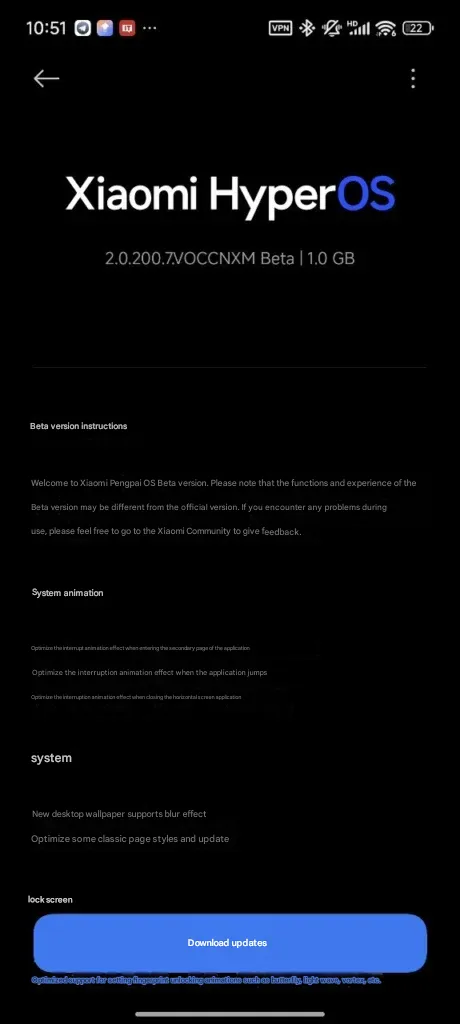
The beta of HyperOS 2.2 is now available on the Xiaomi 15 series with build numbers as follows:
Xiaomi 15: OS2.0.200.7.VOCCNXM
Xiaomi 15 Pro: OS2.0.200.1.VOBCNXM
These early beta releases are Xiaomi’s first move in rolling out the upgraded HyperOS 2.2 to users, building on the enhancements previously present in HyperOS 2.1 on China ROM versions.
Improvements in HyperOS 2.2
The update introduces a number of important enhancements to many areas of the system:
System Animations
Xiaomi has taken special care to make the user interface more streamlined through optimized animations:
Enhanced interrupt animation while browsing application subpages
Improved transition animations while switching between apps
Enhanced animations while closing landscape-oriented apps
System Configuration
The personalisation options have been expanded with:
Desktop wallpaper now supports blur effect
Streamlined traditional page layouts throughout the system
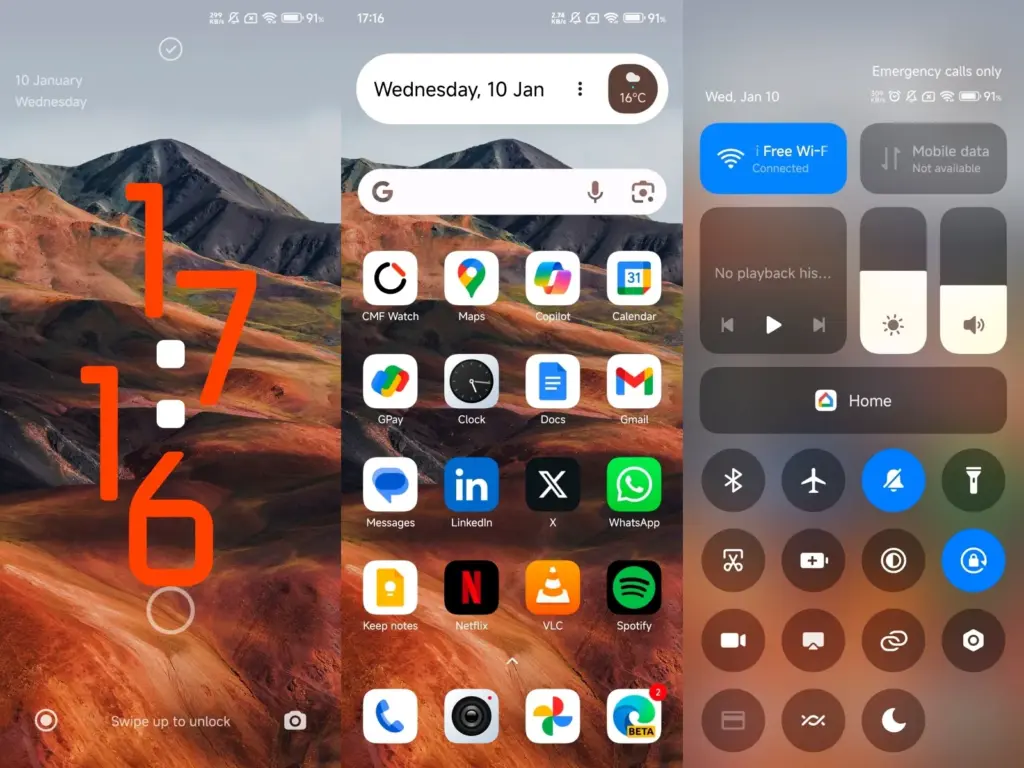
Lock Screen
The lock screen is updated meaningfully:
New oriental lock screen templates, enhanced fingerprint unlock animations like:
Butterfly effect
Patterns of Light Waves
Vortex animations
Status Bar and Notifications
Numerous functional enhancements make daily application more convenient:
Additional status bar icon support through customized display
Expandable custom notifications
Enhanced icon behavior of optimized signals (now no longer permanently visible)
Improved shortcut capability in system navigation mode in desktop settings
Xiaomi keeps making incremental improvements to HyperOS with every release that reflect the company’s intent to refine user experience through thoughtful software tuning.
The release of the HyperOS 2.2 beta on Xiaomi’s 15 series is only the beginning, with other devices scheduled to be updated in the following days and weeks.
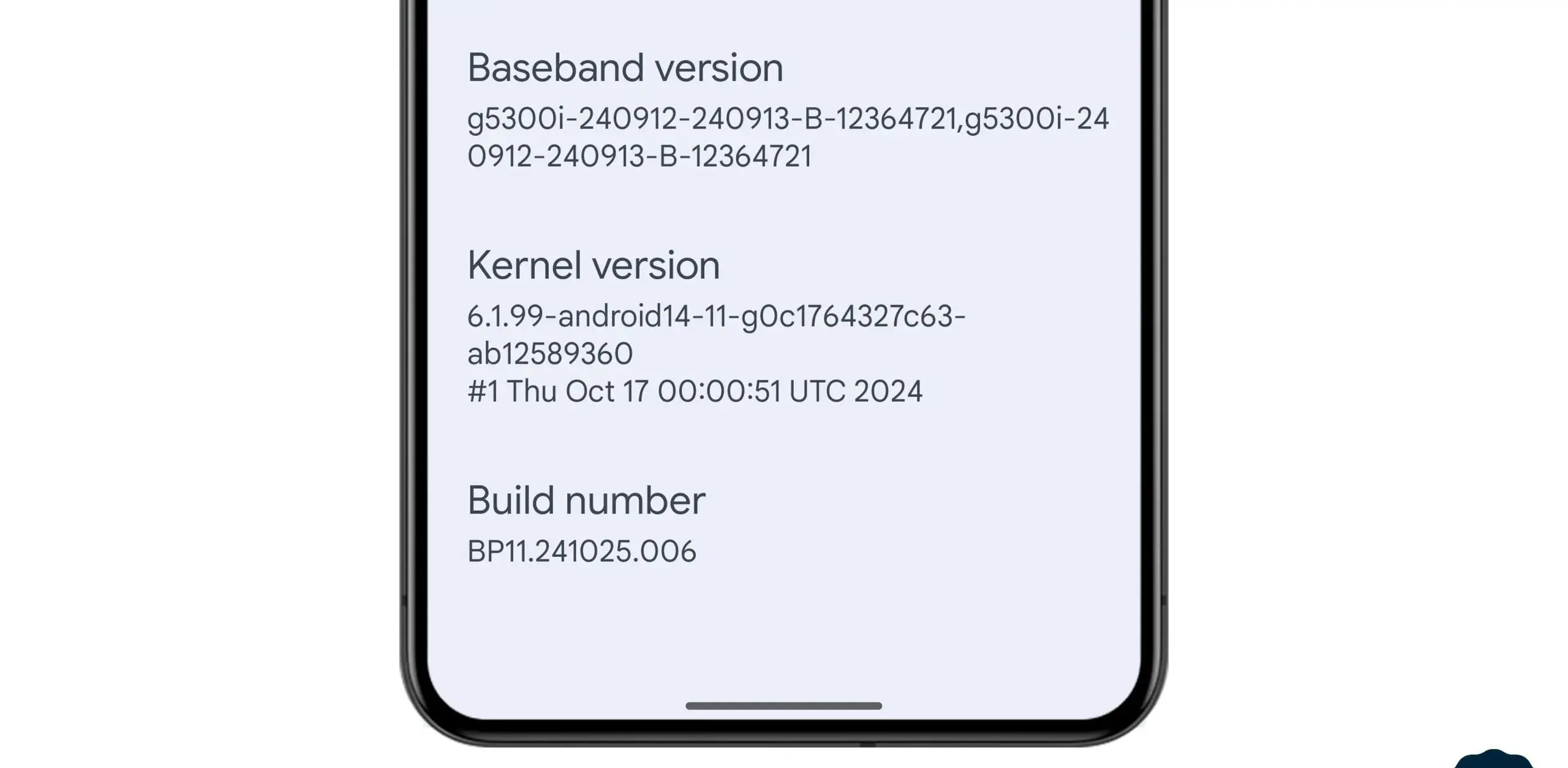
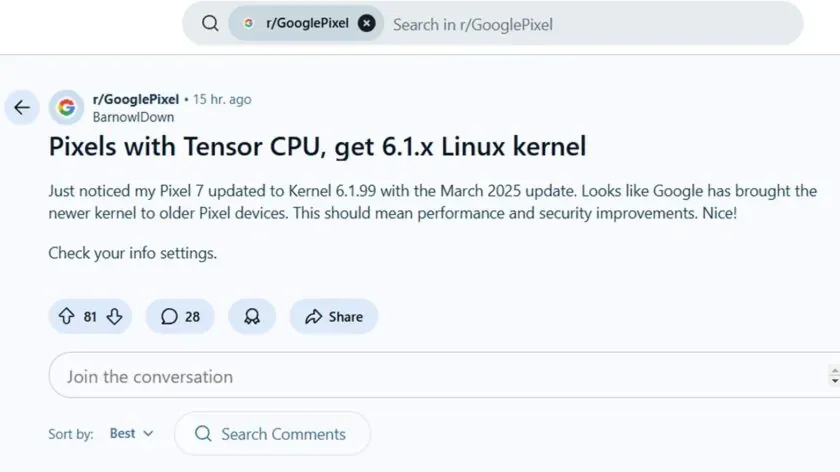
In the stable March 2025 update, Google formally released the Linux 6.1 kernel for Tensor-powered Pixel phones from the prior generation. This update brings the Pixel Tablet and Pixel Fold, as well as the Pixel 6, 7, and 8 series devices, up to the same kernel version as the Pixel 9 series. Performance and security will probably improve as a result, and some users are already experiencing the advantages.
In the QPR2 beta, where it was announced that Tensor-powered Pixels will be switching from older kernel versions to 6.1, we previously reported that Google was testing this update. The update is now available to all users with the March stable release.
News of the update was posted by a commenter on the GooglePixel subreddit, who said, “Just noticed my Pixel 7 updated to Kernel 6.1.99 with the March 2025 update.” While several Redditors in the topic commented on a perceived gain in battery life since the update, another Pixel 6a owner in the thread stated that their phone seems “extremely responsive compared to [the] pre-March update.” Although it is difficult to confirm that the new kernel is directly responsible for these developments, the indications are unquestionably encouraging.
This kernel upgrade is part of Google’s broader commitment to long-term software support. Google’s Longevity GRF program plays a crucial role in ensuring that Tensor-powered Pixels meet their update policies by implementing major kernel upgrades when necessary.
If you own a Pixel 6, 7, 8, or another Tensor-powered device, you can check your kernel version by heading to Settings — About phone — Android version and looking under Kernel version.
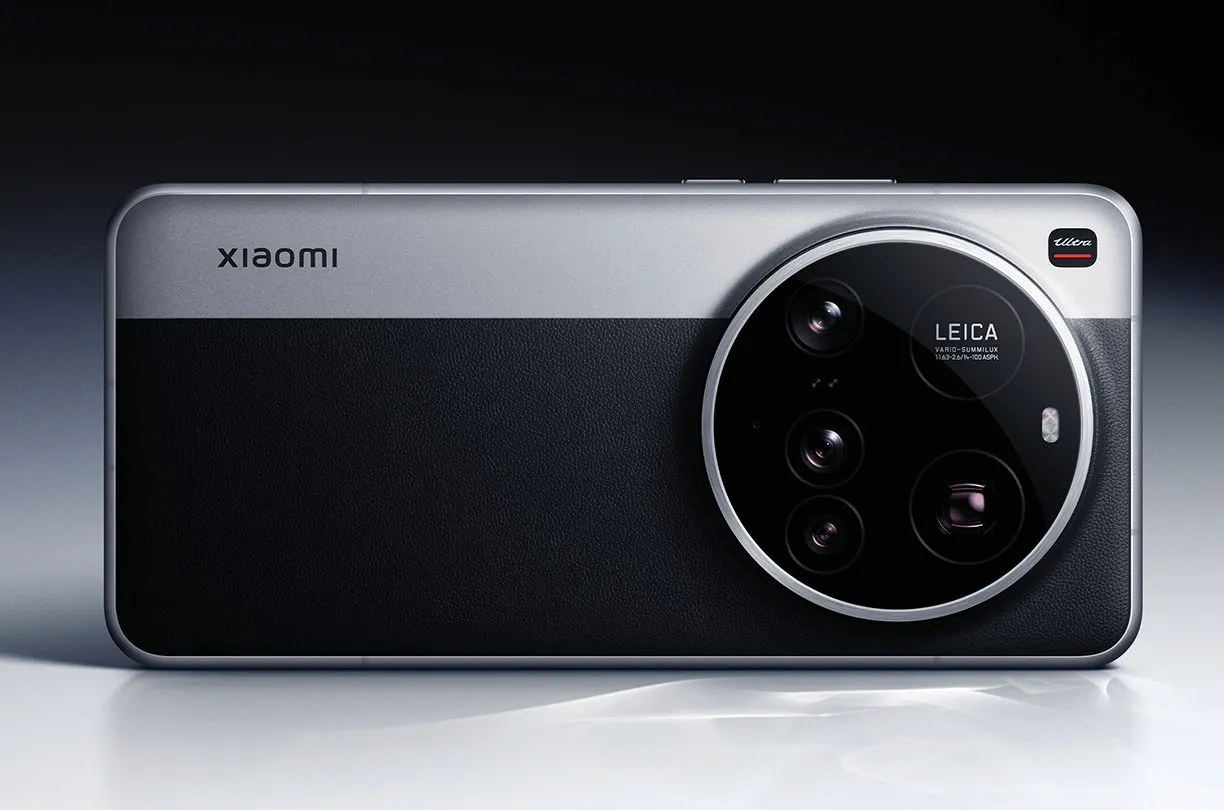
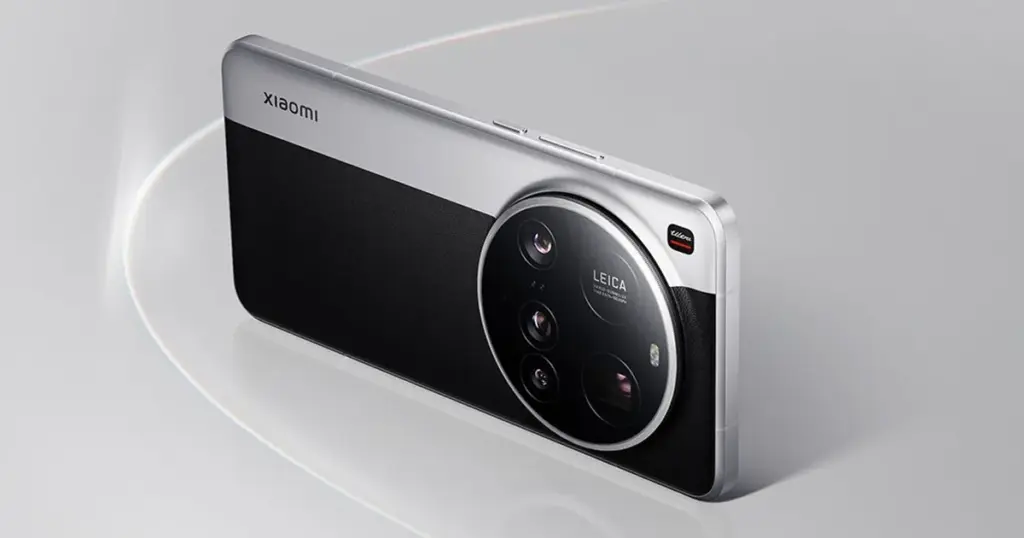
The 15 Ultra, Xiaomi’s most recent flagship, is currently offered for sale worldwide. At €1,500, it has a huge 200MP periscope telephoto lens and a 1-inch primary sensor, which are both really amazing pieces of kit.
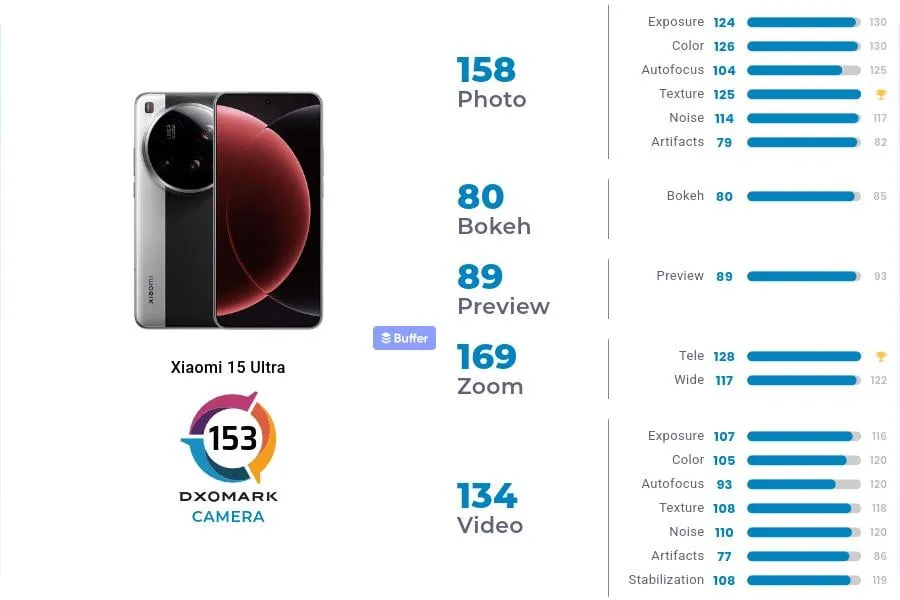
In DXOMark’s camera testing, the 15 Ultra received 153 points, ranking 13th in the world. With 149 points, Xiaomi’s 14 Ultra from the previous year is in 19th place, which is their highest performance to date.In DXOMark’s camera testing, the 15 Ultra received 153 points, ranking 13th in the world. With 149 points, Xiaomi’s 14 Ultra from the previous year is in 19th place, which is their highest performance to date.
However, both in China and the West, it continues to lag behind its most formidable competitors. The Honor Magic 6 Pro and Pixel 9 Pro XL are currently behind Huawei’s Pura 70 Ultra in the DXOMark rankings.
To be clear, this doesn’t mean the 15 Ultra has a lousy camera—far from it. At number 24, even Samsung’s Galaxy S25 Ultra is ranked lower. The 15 Ultra was commended by DXOMark for its outstanding color rendering, broad dynamic range, precise exposure, low noise, and great texture detail.
Why Xiaomi 15 Ultra missed the top?
DXOMark reports that the phone has trouble with visible abnormalities that affect image quality, contrast irregularities, and sporadic warm color casts in both images and videos. Additionally, there are problems with autofocus stepping and texture degradation under some circumstances, which can make focusing less fluid.
Its limited depth of field, which causes blurry background faces in group photos, is another significant flaw. Keep in mind that its primary camera is the source of this limitation.
These flaws could be disappointing for a phone that strives to be the finest of the best. Despite these figures, the 15 Ultra still has some of the best mobile camera hardware on the market.