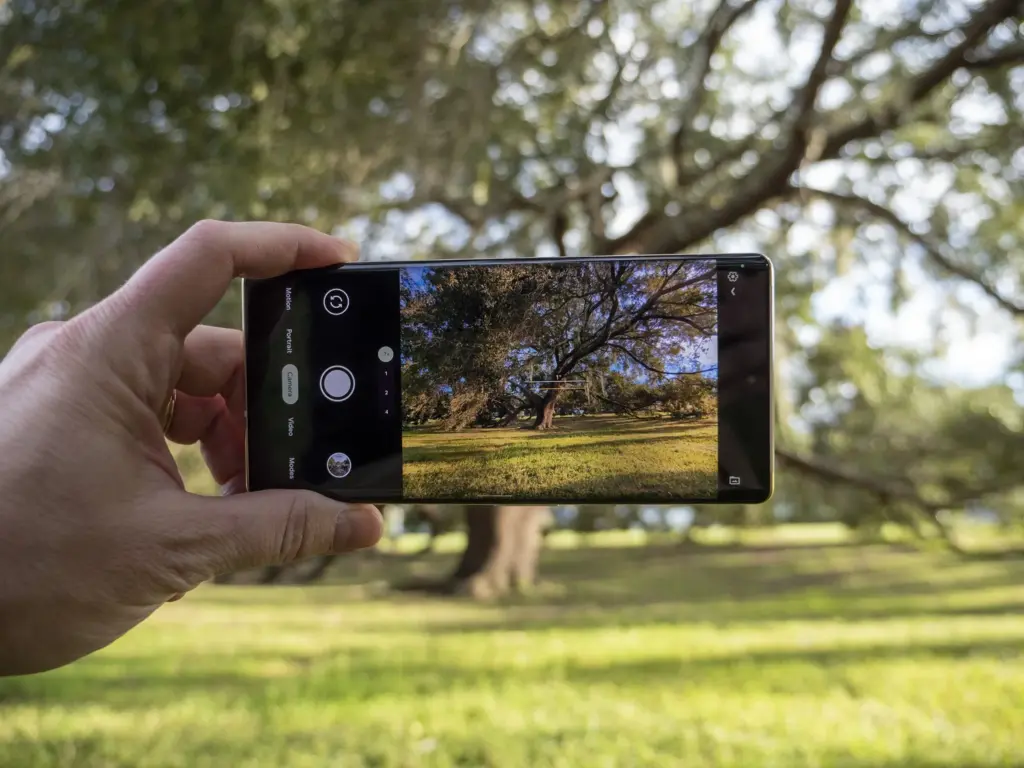
The Google Pixel family became some of the greatest Android phones for photography on the market for a number of years thanks to Google Camera and its post-processing algorithms, which clearly changed the game in terms of what we expect from smartphone cameras. That’s precisely why Google Camera ports for non-Google devices are so popular.
For practically every smartphone that supports the Camera2API, you may access Google’s improved HDR+ enhancement and its Portrait Mode by using the appropriate ported Google Camera software, also known by the community as simply “Gcam.” Google even released Google Camera Go, a condensed version of the Pixel’s Google Camera software that can be sideloaded on multiple devices without further tinkering. The “Go” version initially lacked the majority of the exciting features you’d find in the full-fledged app, but over the past few years, Google has been striving to add support for some of those cutting-edge capabilities.
Besides the Camera2 API, Google Camera also requires Google Play Services. The app will crash if you try to run it on a phone without Google Apps. You can, however, use MicroG or Gcam Services Provider to spoof Google’s proprietary libraries.
Download the most compatible APK file of the ported Google Camera from the next section and install it.
Either use one of the suggested versions for your device or pick one of the generic mods.
You may need to install additional XML configuration files.
Restart the app
List of devices that have known working Google Camera Ports
Devices from multiple OEMs having at least one functional Google Camera Port are listed below. We looked for the most reliable and well-liked versions. Although there may be “better” versions available, most users should be able to use the ports provided here. Please let us know in the comments area below if you believe that a device is missing or that a link needs to be updated.
Please take note that the gadgets below are displayed in name-alphabetical order. There’s a chance that some of the linked threads aren’t actually from the device forum. This is accurate because numerous ports function on a variety of devices. Simply said, we provided a link to a post where you could get the necessary APKs and configuration files.
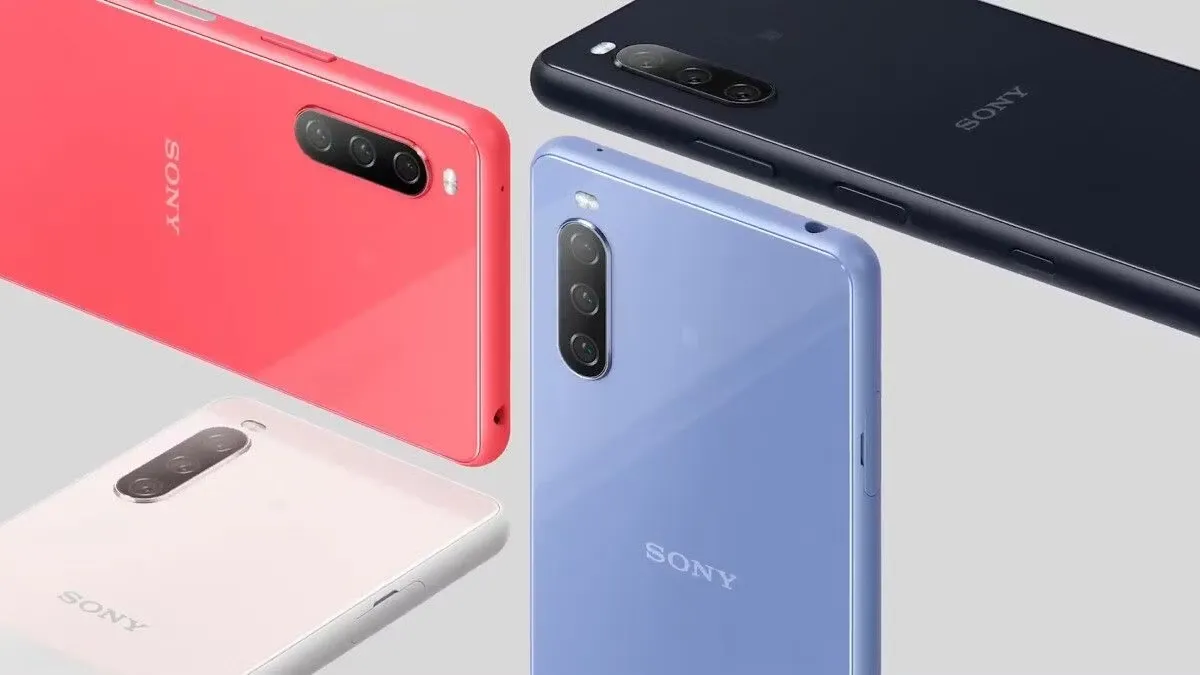
The Japanese giant Sony may have decreased its expectations for its mobile business, but that doesn’t imply it has ceased making new devices. We’re getting fewer phones every year because Sony had to reduce its mobile division in response to the strong competition on the smartphone market.
Positively, it should make it possible for Sony to deliver Android OS updates considerably more quickly than in the past. Sadly, that doesn’t always happen, but at least devoted followers continue to receive updates on occasion.
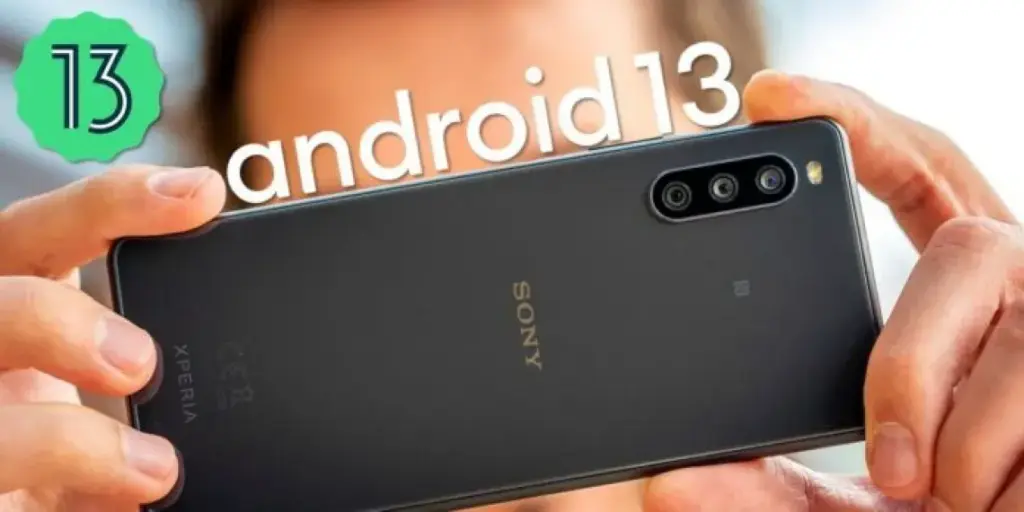
Sony has made some work on updating all of its eligible phones to Android 13, although some devices are still awaiting the upgrade. Up until recently, one of those gadgets was the Xperia 10 III. According to XDA Developers, the Sony Xperia 10 III is currently receiving an upgrade with firmware version 62.2.A.0.367 in a few European and Asian nations.
The global dual-SIM (XQ-BT52) is eligible for this update, although release dates in various areas might vary. There are a lot more updates coming to the phone, but the changelog verifies that the upgrade includes the January 2023 security patch.
For instance, Sony Xperia 10 III devices will soon have a new lock screen, a brand-new Quick setting panel, and various improvements to the Camera app. Be sure to read Sony’s summary of some of the changes included in the Android 13 release.
The Xperia 10 III’s excellent 6-inch OLED display, which supports HDR and 1B colors, makes it one of the most intriguing mid-range smartphones on the market. The Xperia 10 III, which was first released in 2021, is quite likely to get one more significant Android OS update before Sony stops supporting the device.
If you plan to upgrade your Xperia 10 III to Android 13, keep in mind that your user data shouldn’t be affected by the software update. However, going back to a previous software version after upgrading to Android 13 will no longer be possible, at least not through official means.
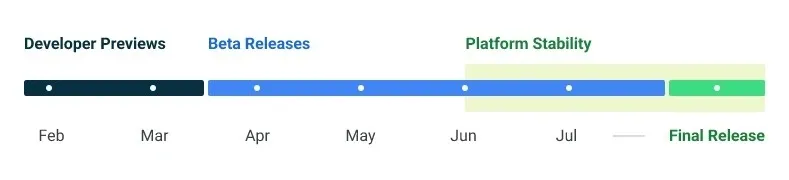
Google made the Android 14 Developer Preview (DP) available for testing on devices from the Pixel 7, Pixel 6, and Pixel 5 series, even the rudimentary Pixel 4a. A new DP edition is expected to be published in March, followed by a few beta releases until the summer, when more stable and feature-rich versions will be issued, and finally the final Android 14 release in the fall.
New Android 14 features
Speaking of new Android 14 features, as usual in the Developer Preview stage, there aren’t many user-facing ones, but rather deep under-the-hood changes that bring interface speed and power-draw optimizations, as well as security and privacy upgrades. Still, there is one biggie one it comes to new Android 14 feature that you will immediately notice.
System fonts
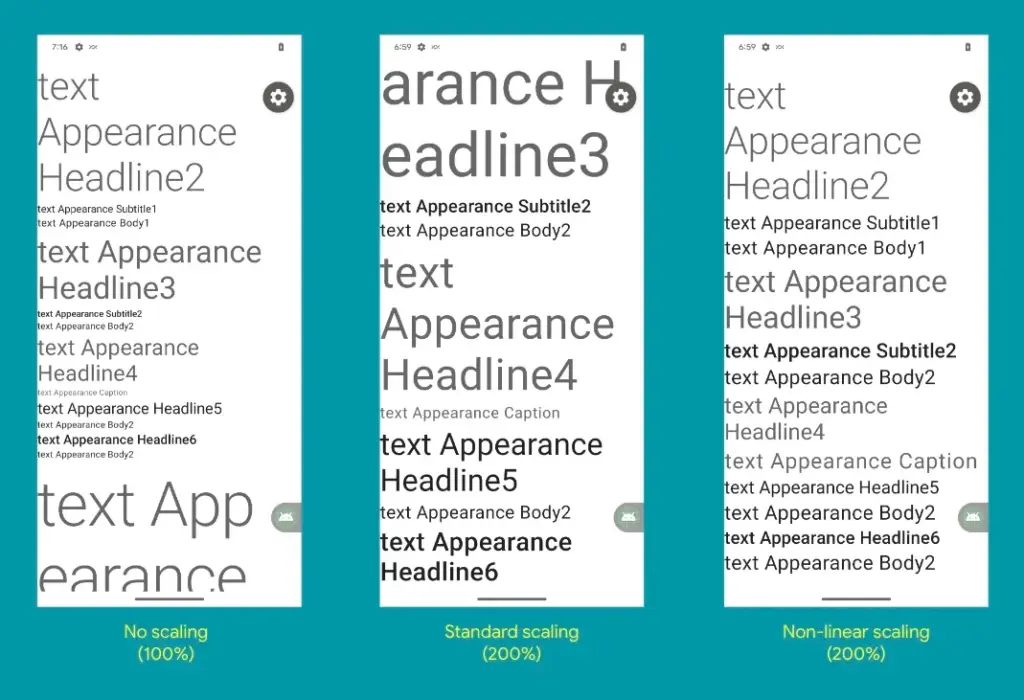
Bigger fonts with non-linear scaling is exactly what Google refers it as this new Android 14 option as. Instead of the current 130% threshold, Android phone owners will be able to increase the size of the system fonts by two times.
It makes sense considering that screens are growing bigger and bigger—we now have foldables with screens north of 7 inches diagonal and difficult-to-read small print. Without a doubt, Google uses “non-linear” scaling to raise text in fonts that are already sufficiently large compared to the smaller text that receives a size increase, rather than simply increasing the font size of Android 14 in a way that is deserving of the list of the best phones for seniors.
Performance and battery life
Android 14 will optimize the speed of the mobile OS system overall and offer less of a power pull from unnecessary activities thanks to a clever combination of background process optimization and presenting actionable requests to apps only when they are out of a cached state.
Additionally, without the user’s express consent, apps that don’t need a strict timing schedule, such clocks or calendars, won’t be able to continuously probe for resources by setting precise alarms.
Adapting to foreign language
With Android 14, a number of foreign language optimizations address the accessibility issues of the device by modifying the text to reflect the peculiarities of non-English speakers, such as tailored translations that take into account the different grammatical genders used in various languages.
The ability to dynamically update the list of foreign languages in an app’s settings to reflect the location and even alter the keyboard based on the interface language that the app is displaying in is another fantastic locale adaption improvement in Android 14.
Security and privacy
Down on the system level, Android 14 will include several new malware-fighting features that plug known exploits by blocking app installations or only allow them if they meet certain criteria.
Dynamically loaded applications that can be changed by injecting code in the process will be marked to be read-only in Android 14 in order to close another door for the installation of malware and various exploits.
Android 14 release date
Android 14 Beta: April 2023
Final Android 14 release build: October-November 2023
How to install Android 14 Developer Preview on Pixel phones
Flash an Android 14 system image on a Pixel 7 Pro, Pixel 7, Pixel 6a, Pixel 6 Pro, Pixel 6, Pixel 5a 5G, Pixel 5, or Pixel 4a (5G) phone.
How long have you been in love with your smartphone? The free apps of the week for this week are listed below if you feel the need to add a little more flair. We carefully examined the Google Play Store each week for apps that are free since you might wish to spice things up with your device.
These programs normally have a price, but for whatever reason, they are currently accessible to the general public for free for a brief period of time.
Every week, there will be two updates to this list of free apps: one at the start and one at the finish. The standard warning applies in this instance: although these apps were advertised as being free at the time of publication, by the time you read this post or use them, they may have changed to a paid version.
Since there is no set duration for the Google Play Store promotions on apps, they are difficult to spot and can be taken down from the list as quickly as they were added.
Temporary free Android apps on the Google Play Store
Android productivity/lifestyle apps that are temporarily free on the Google Play Store
Notes($5.49): Do you need yet another Notes app on your smartphone? Having more choices is always a good thing…
Rotation Control($0.99): Enjoy more flexibility when it comes to rotating your smartphone screen.
How Much Can I Spend?($2.99): A premium version of an app that helps you with your cash management. How apt.
Pro MP3 Player($1.19): A MP3 player that does not whip the llama’s ass…
500X Game Booster and GFX Pro($0.49): What are the odds of this actually working well, claiming to boost your smartphone’s performance.
Android mobile games that are temporarily free on the Google Play Store
Dungeon Shooter: Dark Temple($1.99): A FPS that lets you loot dungeons while ridding them of unsavory characters.
Paranormal Territory 2($0.99): Touted as a ‘test of courage’, this game aims to scare the crap out of you. Do you dare play it with the lights off while wearing a pair of headphones?
Dementia: Book of the Dead($0.49): An adventure game that explores the netherworld during medieval times.
A-2481($0.49): Another horror title where you try to uncover the horrors of military research.
World War 3 Tower Defense($0.99): This tower defense game peers into the future with unique weapons in the next world war.
The foundation of Public Key Infrastructure (PKI) is its root certificates, which are certified by reputable Certificate Authorities, or CAs. A pre-packaged root store seen in browsers, apps, and other programs serves as a trust seal for these certificates. A website that supports HTTPS but isn’t using a certificate signed by a CA in the root store of your browser will be marked as insecure when you visit it. Applications and browsers can frequently update their certificates, but unless you use an OTA update, your phone cannot. According to Esper, with Android 14, that might alter.
Due to our reliance on certificates as the foundation of a chain of trust when visiting websites, there have been a few scares involving them throughout the years. Let’s Encrypt, a nonprofit CA, has signed the certificate used here on XDA. Your connection to this website is safe and secure thanks to their certificate, which was signed by the Internet Security Research Group. The same holds true for any other HTTPS-enabled website you visit.
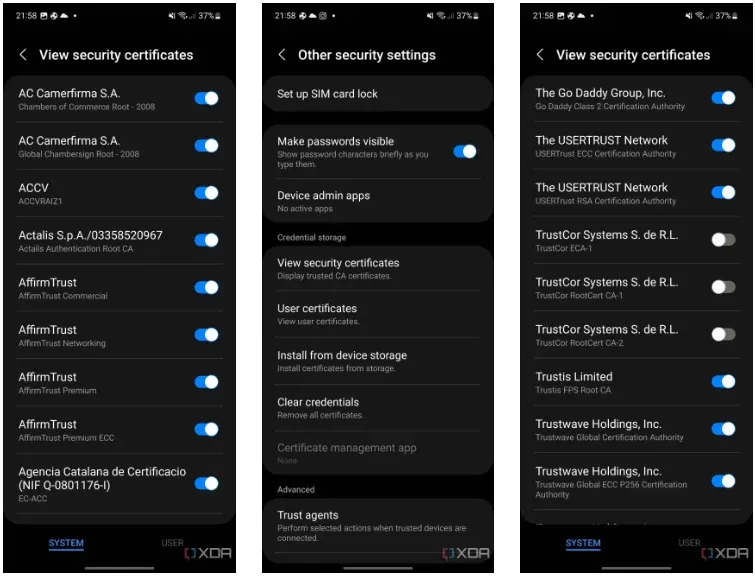
Every operating system has its own built-in root store, and Android is no different. You can actually view this root store on your Android smartphone by navigating to security and privacy in your device’s settings. From there, it will depend on the type of device you’re using, but the screenshots below show where it is on OneUI 5.
But even this root shop isn’t the be-all and end-all, you know? In an effort to fend off Man-in-the-Middle (MITM) attacks, apps can choose to utilize and trust their own root store (like Firefox does) and they can accept only particular certificates (a practice known as certificate pinning). Users can install their own certificates, but since Android 7, app developers have had to agree to let their apps utilize these certificates.
Why having these root certificates is important
A large portion of the internet depends on the security of the Internet Security Research Group since Let’s Encrypt certificates are cross-signed by this organization. The ISRG would have to revoke the key if it lost control of its private key (should it be stolen, for instance). Depending on how businesses react, some portions of the internet may become inaccessible to hardware lacking an updateable root certificate. Even though it’s a completely improbable nightmare scenario, Google aims to prevent situations like that from happening. Because of this, what is happening with TrustCor right now might be telling Google that it’s time to give Android updatable root certificates.
As an example, academics have questioned TrustCor after discovering that company allegedly has close ties to a US military contractor. Although TrustCor still has access to its private key, many businesses that must choose which certificates to include in their root stores no longer trust the company. These researchers said that TrustCor, a contractor for the US military, had paid programmers to include malware that gathered data from smartphone apps. Faith is crucial in PKI, but after these claims surfaced, TrustCor lost that trust. Since then, TrustCor has been abandoned as a certificate authority by organizations like Google, Microsoft, and Mozilla. But even though the commit has already made, an OTA update will be necessary to remove TrustCor’s certificates from the Android root store.
The upside is that you can disable TrustCor’s certificates on your device now by going to your certificates on your device, as we showed above, and then scrolling to TrustCor and disabling the three certificates that come with your device. According to developers from the GrapheneOS project, there should be “very little impact on web compatibility due to this CA barely being used by anyone other than a specific dynamic DNS provider.”
Solution: Project Mainline
If you’re familiar with Project Mainline, then you can already see how this can help solve the problem. Google makes use of Mainline modules which are delivered through the Google Play Services framework and the Google Play Store. Each Mainline module is delivered as either an APK file, an APEX file, or an APK-in-APEX. When a Mainline module is being updated, the user sees a “Google Play System Update” (GPSU) notification on their device. Effectively, to deliver updates to critical components, Google has bypassed the need to wait for an OEM to roll out an update, choosing to do the task itself. Bluetooth and Ultra-wideband are two essential Mainline modules handled by Google.
Conscrypt, a Mainline module that provides Android’s TLS implementation, will allow updatable root certificates in a future release, according to changes on the AOSP Gerrit (found by Esper). In the event that a situation similar to TrustCor (or worse) arises in the future, this would mean that certificates may be removed (or even added) via a Google Play System Update through Project Mainline, ensuring a considerably speedier process. It’s unclear when this will launch, but Android 14 is probably going to get it. Technically, Google could launch it with Android 13 QPR2, but it would only help Google Pixel users until Android 14 is released to the rest of the world next year. This is due to the fact that other OEMs usually do not release QPR updates.
The entire reason for this to exist would be so that Google can maintain control over another crucial aspect of device security without needing to rely on OEMs pushing updates instead. An OTA is currently required to update certificates, but in an emergency situation, every day where users don’t have an update could matter. Utilizing Project Mainline to ensure that users can get crucial certificate updates in time if they’re ever needed is certainly a welcome change.
The OnePlus 11, which was previously available only in China, has now arrived in the US. Pre-orders have now been available for the flagship device. Here are the finest locations to order the device in advance and locate the best discounts and trade-in prices.
OnePlus 11 pre-orders
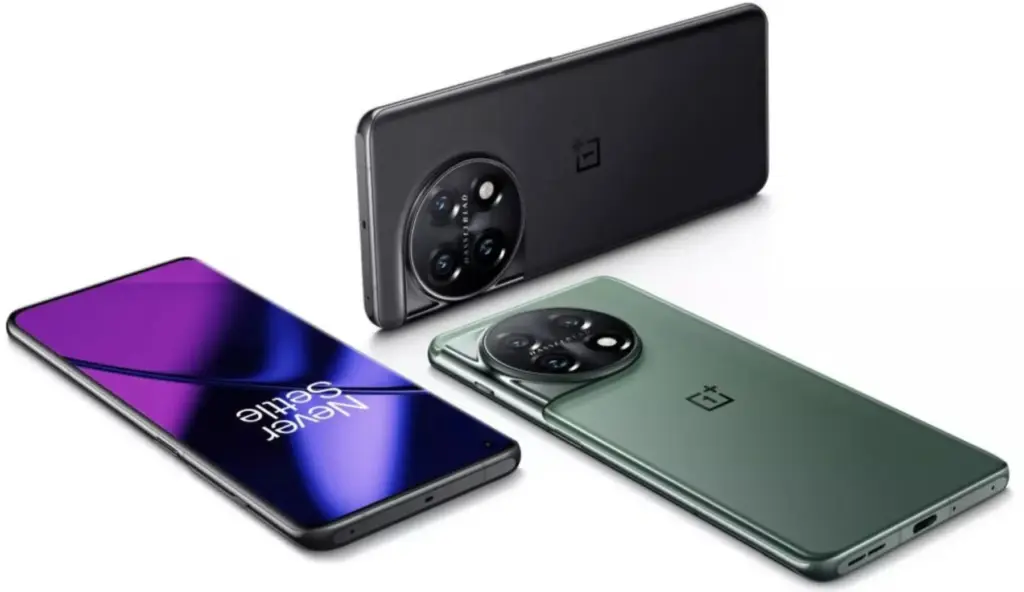
Even without the enormous camera array on the back of the phone, the OnePlus 11 offers a lot. The OnePlus 11 features top-notch specs on the inside. A Snapdragon 8 Gen 2 processor, as much as 16 GB of RAM, and either 128 or 256 GB of internal UFS 4.0 storage are all included in that.
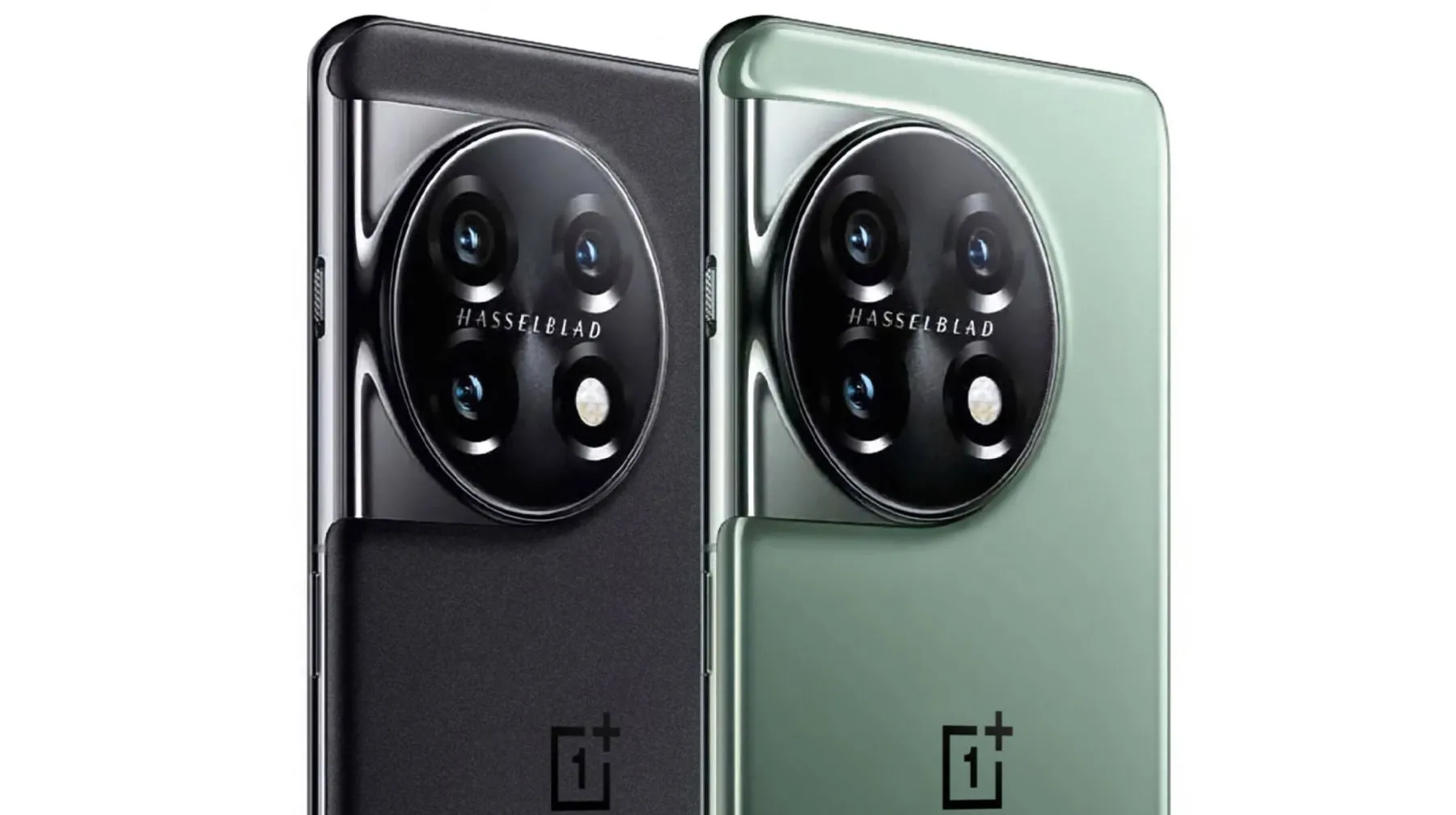
The 50MP Hasselblad-branded sensor system is housed in a well-known wraparound camera configuration on the back of the device by OnePlus. The 5,000mAh battery is charged using an 80W rapid charging system. Unfortunately, the US model can only charge at 80W while other models can do so at 100W. Additionally, this time around there is no wireless charging.
The best part about the flagship device from OnePlus is the price. The OnePlus 11 comes in at $699, taking a bite at the competitively priced Pixel 7 series while offering a Qaulacomm SoC and other heavy specs.
As is normally the case, the website with the best deal is from the company selling the device, OnePlus. With a Red Cable Club account, buyers earn a number of points for future purchases. On a purchase like the OnePlus 11, that means getting a larger amount of credits.
Although rewards points are fantastic, the real value is seen when you trade in your outdated technology. Naturally, OnePlus has some restrictions. According to OnePlus, you’ll receive an immediate $500 credit toward your OnePlus 11 purchase if you trade in a OnePlus smartphone, yet we were unable to make this credit show up.
You can also receive up to $200 with that and any other trade-ins; this money could be paid to you after you make a purchase or be made immediately. For instance, OnePlus will add $200 to the trade-in value of a Samsung Galaxy S22 Ultra, making the total trade-in value $560. These values wouldn’t even come close to justifying the trade-in without the credit.
If you’re looking for accessories with your OnePlus 11 pre-order, now would be the time to bundle the OnePlus Buds Pro 2. At $50 off, those who are looking to keep it in the OnePlus ecosystem will want to take that offer up.
The second best place to pick up the OnePlus 11 is Best Buy. Unfortunately, the company isn’t offering trade-in deals with pre-orders, however, customers who place a pre-order will get a $100 gift card. While it isn’t a glamorous trade-in bonus, a Best Buy gift card can go a lot further than OnePlus credit if you already have the devices you need.
The OnePlus 11 should ship out around February 16, with pre-orders going on until the day before.
Popular apps have been pulled from the Google Play store, and users of Android devices are being asked to do so right away.
Millions of users have downloaded the harmful apps, which pose as questionnaire, fitness, or gaming apps and lure users into accepting bogus incentives or clicking on links that take them to dubious websites.
The most recent apps that were banned offered prizes to users for remaining active by giving them points for walking and working out. However, when individuals attempted to pay out, they were either prevented from doing so or have to watch interminable commercials for no reason.
Cybersecurity experts at Dr.Web flagged these apps, some of which already had millions of downloads before being booted from the Play store.
As reported by the Express, the apps that have recently flagged by the IT cybersecurity firm are:
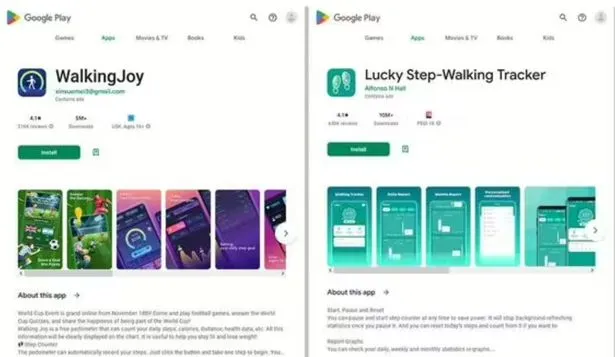
Lucky Step: Walking Tracker – 10 million downloads
WalkingJoy: walking tracker – 5 million downloads
Lucky Habit: health tracker – 5 million downloads
Despite being flagged for using the same tactics as the other two, Lucky Habit has not been removed from the app store at this time.
It comes after 10 more apps were also axed for the Google store, in this instance due to bad links that downloaded malware, or direct users to dodgy websites.
According to Dr.Web, these fake applications presented themselves as investing software, directories, questionnaires and addictive games. They are as follows:
Golden Hunt – 100K downloads
Reflector – 100K downloads
Seven Golden Wolf blackjack – 100K downloads
Unlimited Score – 50K downloads
Big Decisions – 50K downloads
Jewel Sea – 10K downloads
Lux Fruits Game – 10K downloads
Lucky Clover – 10K downloads
King Blitz – 5K downloads
Lucky Hammer – 1Kdownloads
All of these apps have already been removed from the Play Store, but if you have one of them on your device it should be deleted right away.
According to Dr.Web for Android’s detection statistics, the activity of spyware, trojans, and adware surged in December 2022.
Hundreds of bogus apps and trojans that sign their victims up for premium services were among the several new risks they discovered at the same time on Google Play.
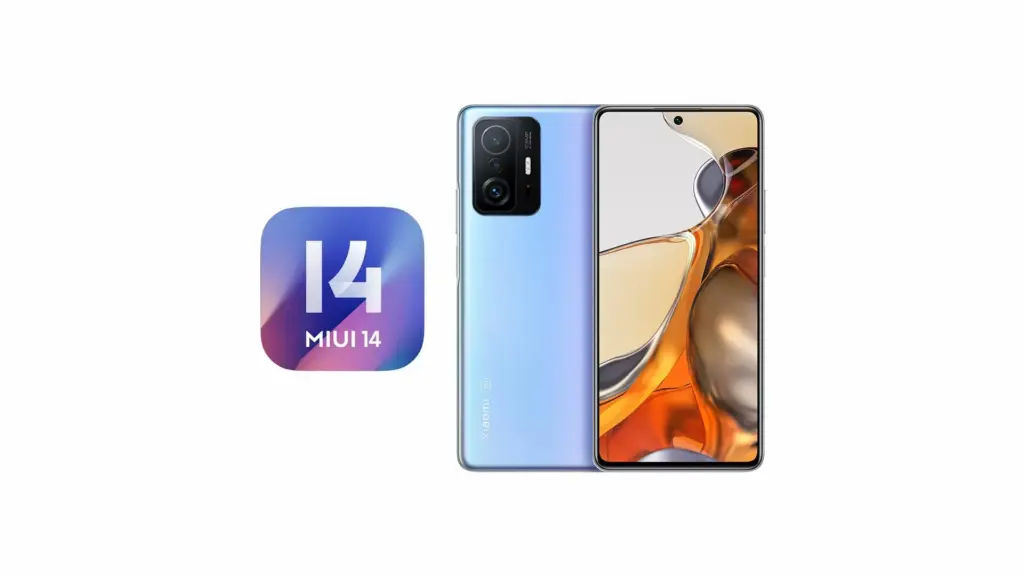
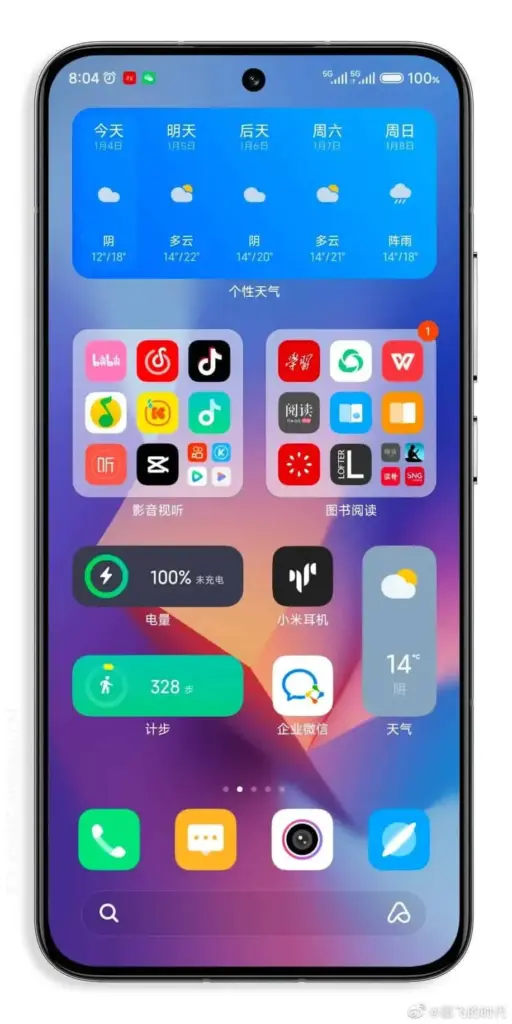
The most recent version of Xiaomi’s customized Android interface, MIUI 14, has just been made available for the Xiaomi 11T. Numerous new features and enhancements to the user experience are included in this new version. The redesigned super icons, widgets, and updated aesthetic style in MIUI 14 are some of the most noticeable improvements. The new layout seeks to update the interface and make it more aesthetically pleasant while also improving usability.
At the same time, MIUI 14 Global keeps the innovations of the Android 13 operating system together. The system responds faster, application launches are faster. In addition to all this, the new Android version 13 is said to increase battery life. Now MIUI is faster, more fluid, and highly efficient. Now, this new interface update is being rolled out to 11T. Xiaomi 11T users will be amazed by the new 11T MIUI 14 update.
Xiaomi 11T MIUI 14 Update
The Xiaomi 11T was launched in 2021. It came out of the box with Android 11-based MIUI 12.5. It had received an Android and 1 MIUI update. With the Xiaomi 11T MIUI 14 update released today, the device received the 2nd Android and MIUI update. Great innovations and optimizations of MIUI 14 are now with you! The new Android 13-based MIUI 14 version brings many optimizations and improvements. The build number of the update is V14.0.3.0.TKWMIXM.
Xiaomi 11T MIUI 14 Update Global Changelog
As of January 28, 2023, the changelog of the first Xiaomi 11T MIUI 14 update released for the Global region is provided by Xiaomi.
[MIUI 14] : Ready. Steady. Live.
[Highlights]
MIUI uses less memory now and keeps being swift and responsive over much more extended periods.
Attention to detail redefines personalization and brings it to a new level.
[Basic experience]
MIUI uses less memory now and keeps being swift and responsive over much more extended periods.
[Personalization]
Attention to detail redefines personalization and brings it to a new level.
Super icons will give your Home screen a new look. (Update the Home screen and Themes to the latest version to be able to use Super icons.)
Home screen folders will highlight the apps you need most making them just one tap away from you.
[More features and improvements]
Search in Settings is now more advanced. With search history and categories in results, everything looks much crisper now.
[System]
Stable MIUI based on Android 13
Where can download the Xiaomi 11T MIUI 14 update?
This update is open to anyone. Via MIUI Downloader, you may download the Xiaomi 11T MIUI 14 update. Additionally, while learning about news regarding your device, you will be able to use the MIUI’s secret capabilities thanks to this app. To get the MIUI Downloader, click here. Our coverage of the Xiaomi 11T MIUI 14 upgrade is now complete. Please remember to follow us for such updates.
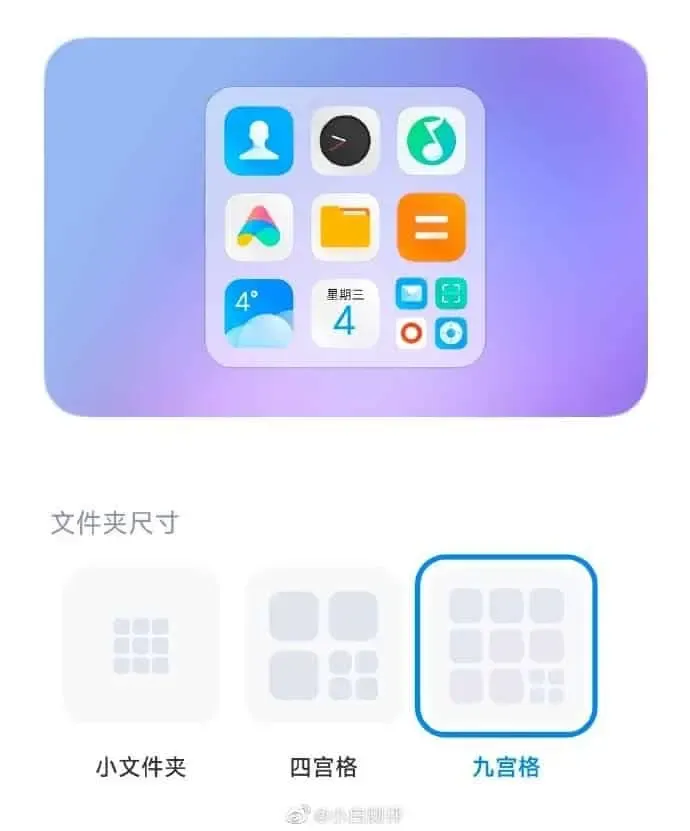
Chinese company Xiaomi worked very hard to improve the user experience and smoothness of their Android skin. The MIUI operating system from Xiaomi is one of the best Android skins available. Even while some might disagree, the company has millions of honorable MIUI consumers who won’t accept anything other than the MIUI operating system. The eagerly awaited MIUI 14 was also made public at the Xiaomi 13 news conference. The new MIUI 14 delivers a brand-new design in terms of UI vision in addition to enhancing system fluidity. For instance, new enormous icons, big folders, desktop pets, etc., provide users a breath of fresh air.
It is important to note that MIUI 14’s huge folder’s design logic had a few problems. The places of the four icons are taken up by the full folder. Only three apps, however, may be launched by clicking immediately. After opening the folder, users will need to click the other programs to access them.
MIUI 14 fixes
Thankfully, MIUI has always been a system that values user input and experience. Xiaomi has now updated the beta version with some fixes in response to recent feedback complaints. More programs are now accessible in the huge file folder (Jiugongge version), and users can click them directly.
Thankfully, MIUI has always been a system that values user input and experience. Xiaomi has now updated the beta version with some fixes in response to recent feedback complaints. More programs are now accessible in the huge file folder (Jiugongge version), and users can click them directly.
Users who are not internal test users can also update the system desktop to version 4.39.9.5963-01031422. Some users have extracted the installation package, and you can search and use it yourself.
Following the update, when you select the Jiugongge app, you will see 8 icons instead of the previous four, all of which can be opened instantly. Additionally, a smart display can be set up. When sorting and making intelligent app recommendations, the system will automatically understand the user’s usage patterns. HarmonyOS from Huawei is where this feature originally surfaced. Despite being a fairly straightforward design concept, it significantly enhances the user experience. Chinese Android systems have largely contributed to its current popularity.
The foldable industry is now fairly saturated, with products ranging from Samsung’s Galaxy Z Fold to Oppo’s Find N range. Additionally, it appears that a new smartphone will soon enter the foldable market. The questioned phone might be made by the Chinese company Tecno Mobile.
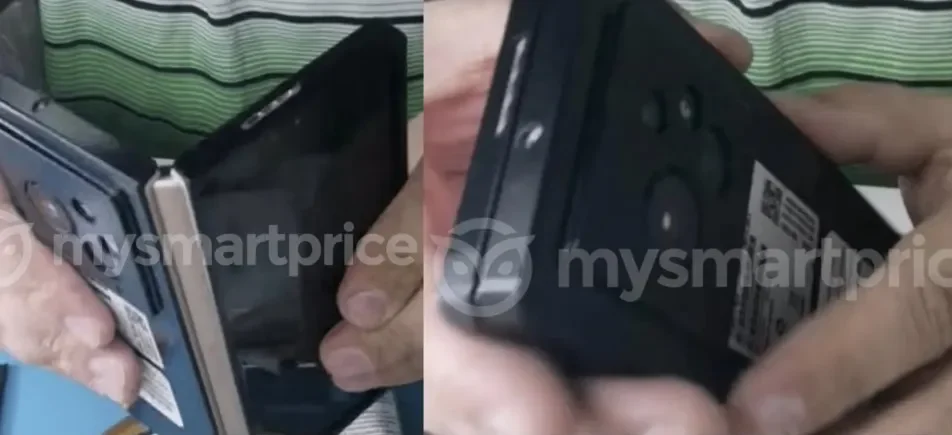
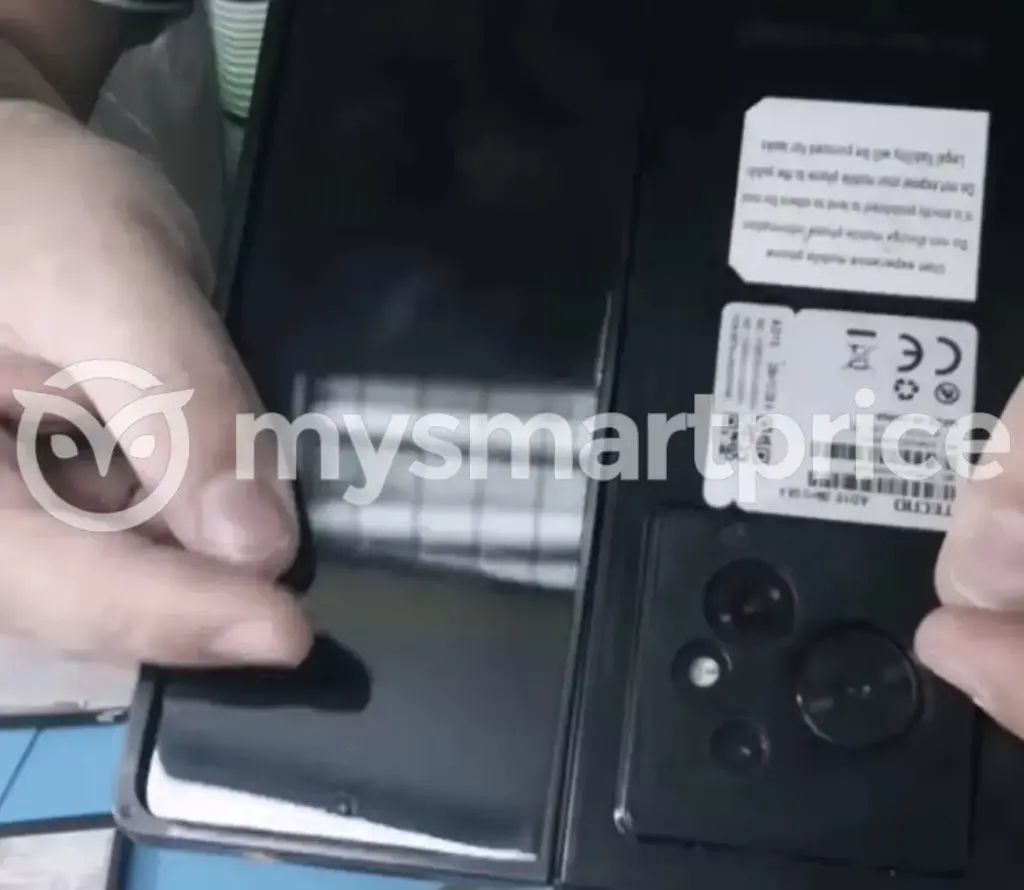
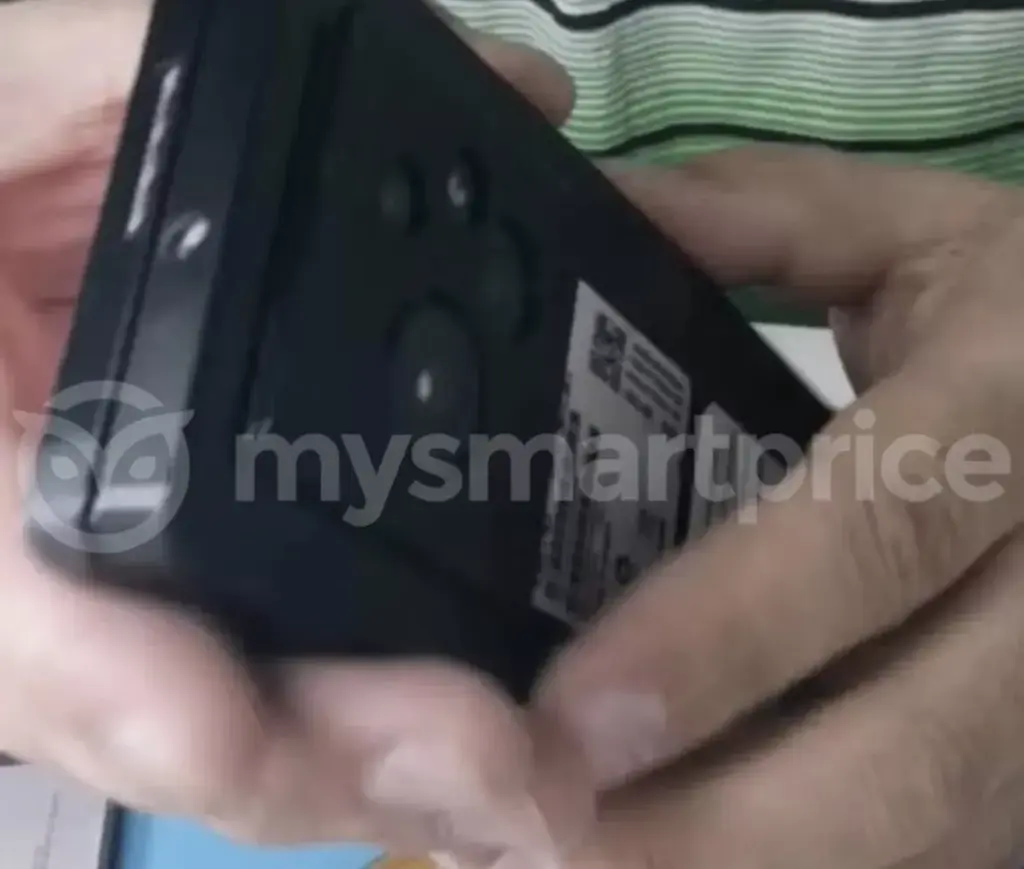
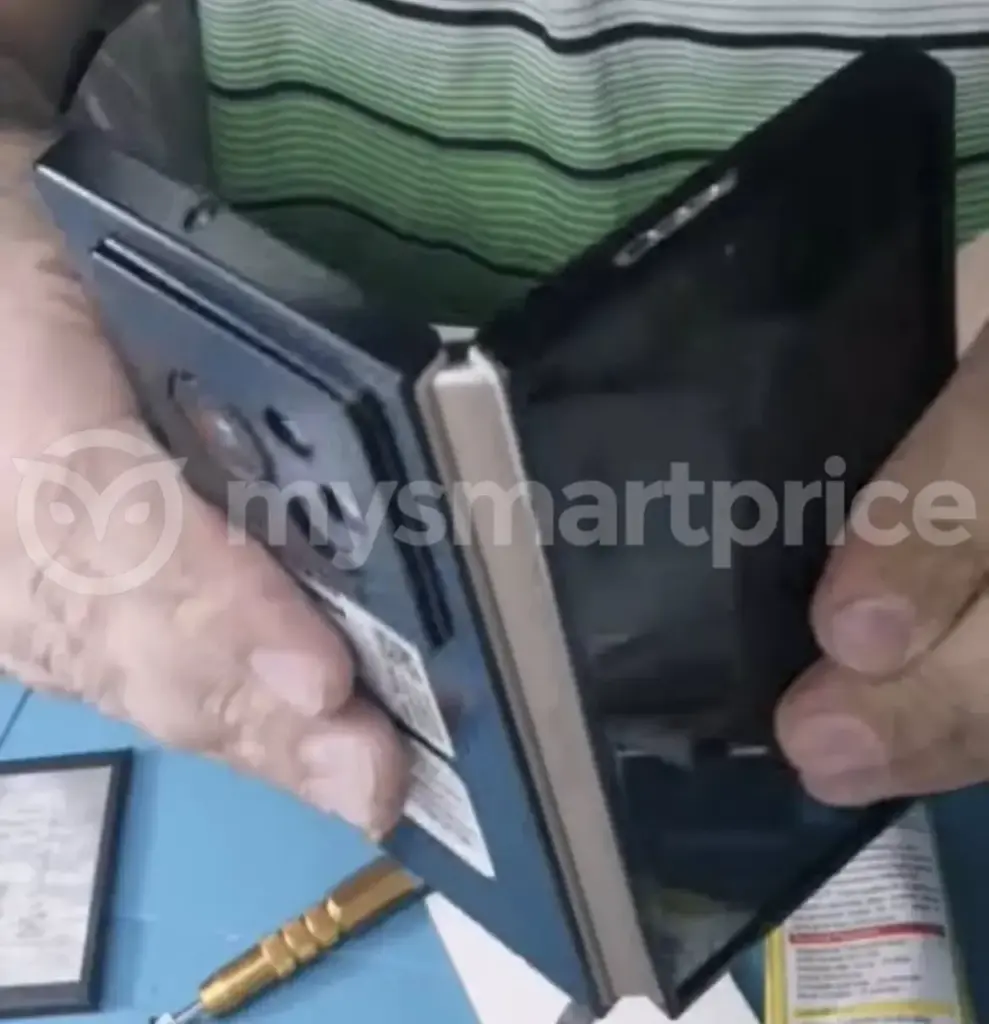
MySmartPrice has found web leaks of new foldable device images. The outlet claims that the phone in the images could be the Phantom V Fold. After the business unveiled its Phantom Vision V idea, a device with a rollable sliding screen, this was announced.
Something interesting about this book-like foldable is its ability to shut completely flat. This is a feat that Samsung’s own foldables can’t do as Samsung continues to innovate on its hinge technology.
The Phantom V Fold also appears to have a display cover with a punch-hole camera. On the device’s rear, there is a three-camera arrangement as well. We were unable to see the primary screen, therefore we are unsure about how severe the crease may be.
The handset is wrapped in a black casing that obscures much of the design, making it difficult to make out much else on it. However, it looks that the Phantom Vision V’s camera sensor arrangement is comparable.
According to leaker Paras Guglani, the Phantom V Fold could be coming sooner than later. Guglani claims Tecno is preparing to launch the device globally on February 28.