Blog

  • How to synchronize 2FA codes with Google Authenticator

    How to synchronize 2FA codes with Google Authenticator

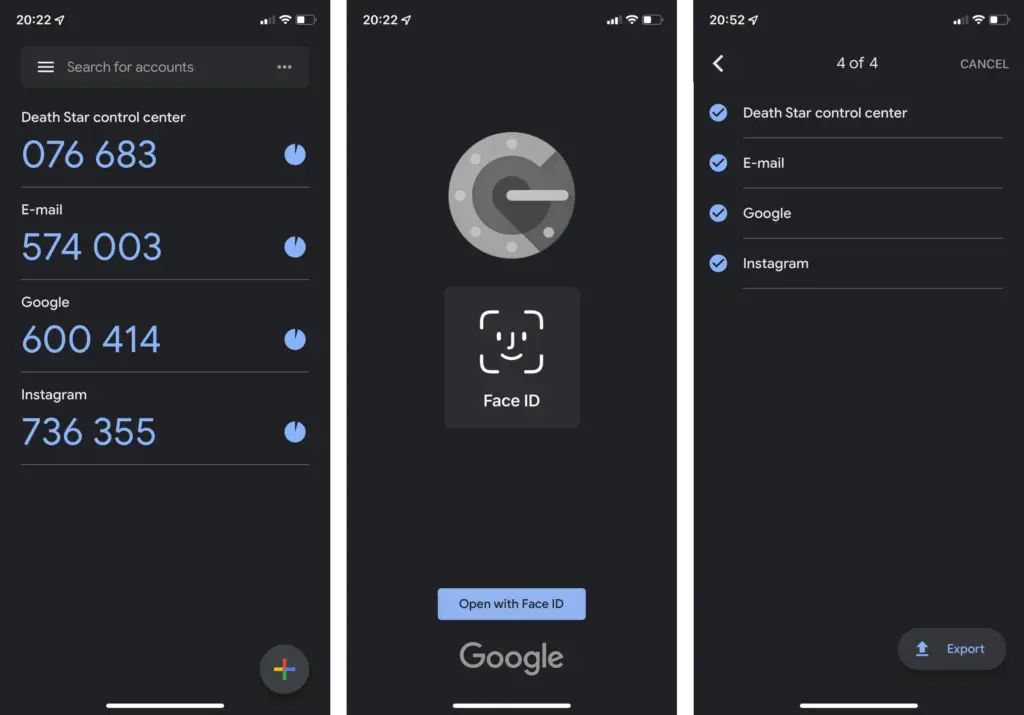
    One of the easiest methods to increase the security of your user accounts is by using Google Authenticator. The ability to synchronize the 2FA generation between phones using the Google Account was recently enabled. Find out how to do it in the following stages.

    Up until recently, it was not able to automatically synchronize the token creation between devices, which was one of the biggest drawbacks of utilizing Google Authenticator. Accounts in the app could be manually exported and imported, but users could momentarily lose access to their accounts if their phone was stolen or misplaced.
    google authenticator

    Synchronize 2FA codes between phones on Google Authenticator

    The new automatic syncing relies on the Google Account associated with the device but is optional in case you don’t want to have your security codes synced on Google’s servers—especially since Google doesn’t enforce another type of confirmation before syncing as Authy does. Having said that here is how you start syncing 2FA tokens using Google Authenticator:

    1. Update or install Google Authenticator (Android | iOS).
    2. On the “Welcome” screen, select the Google account used to synchronize 2FAs. 

    If you skipped the account selection during the first run, activating syncing is as simple as switching an account on any other Google app:

    1. Tap on the profile logo in the top right corner.
    2. Select the Google Account to synchronize 2FA.

    When the 2FA codes are synced with the Google Account, it is indicated in both instances by the green cloud icon in the top right corner. Simply choose the same Google account the next time you open Google Authenticator on a new phone to enable the 2FA generators.

    How to stop syncing 2FA online on Google Authenticator

    If you want to stop syncing code generation in the Google Authenticator, the steps are similar:

    1. Tap on the profile picture in the top right corner.
    2. Select Use without an account.
    3. Confirm the action by tapping on the Continue button.

    Tech companies are slowly starting to implement Passkeys to replace passwords and 2FAs, but two-factor authentication is not going away anytime soon apparently, with even fewer services supporting the new security standard.
  • Free apps of the week

    Free apps of the week

    The following free apps are available from Google Play Store to start a brand-new week. These apps are usually paid, but right now they are available for free for a certain period of time. In other words, installing these won’t cost you a single penny! Before they disappear, take advantage of these offers on your device.

    Be aware that although these apps are currently advertised as being free, there is no way of knowing when these offers will stop. As a result, by the time you finish reading this page or attempt to download them, they may have changed to a paid status. This is problematic because there is no predetermined duration for app promotions on the Google Play Store and such offers may end without prior notice in the same amount of time they were added.

    Here’s a tip: If you come across an app or game on our list that piques your interest but you don’t need it right now, why not install it first before deleting it from your device? Doing so will save that app to your app library, which you can install it later in the future when you need it. It’s a great way to take full advantage of short-lived promotions.

    Android apps available for free for a limited time

    Android apps for productivity and lifestyle

    • Identify Dog Breed Pro [3.8-stars / $0.99]: Ever wondered what breed that dog is at the park? Perhaps this app can help you out.
    • GPS Speed Pro [3.5-stars / $2.99]: An app that keeps track of you wherever you go, while showing your mileage and speed.

    Android games

    • WeaponWar! [4.1-stars / $0.99]: An intense clash of weapons, where you need to win more battles to earn additional upgrades which in turn, make you more powerful.
    • Infinity Dungeon 2 [4.1-stars / $0.99]: Cute little characters make up your party of rag-tag warriors who need to defeat other enemies you encounter.
    • Coin Princess [4.5-stars / $0.99]: A horizontal RPG that requires you to explore castles and dungeons while attempting to remain alive.
    • Cartoonite Multiplayer Builds [4.1-stars / $0.99]: An innovative sandbox racing game that brings racing to a whole new level.
    • Evertale [4.6-stars / $0.99]: A monster-catching RPG where you need to train candidates from your bestiary to become the best in town.
    • Heroes Legend – Epic Fantasy [4.4-stars / $0.99]: What kind of team can you assemble to defeat everybody else that crosses your path?
    • Backrooms [4.5-stars / $0.99]: A first-person puzzler, try to escape from what looks like a crazy maze.
    • Everybody’s RPG [4.3-stars / $0.99]: A pixelated RPG game that brings back memories of old-school gaming, right on your smartphone.
  • Xiaomi MIX 5 live image – design, UD camera & key specs

    Xiaomi MIX 5 live image – design, UD camera & key specs

    The mysterious Xiaomi Mix 5 is now again a hot topic of conversation after reports about it died down last year. The MIX 5 was supposed to launch in 2022, but for reasons that are still a mystery, that plan was scrapped. But a new source boosted the prospect of a 2023 release, raising hopes for the much awaited gadget.

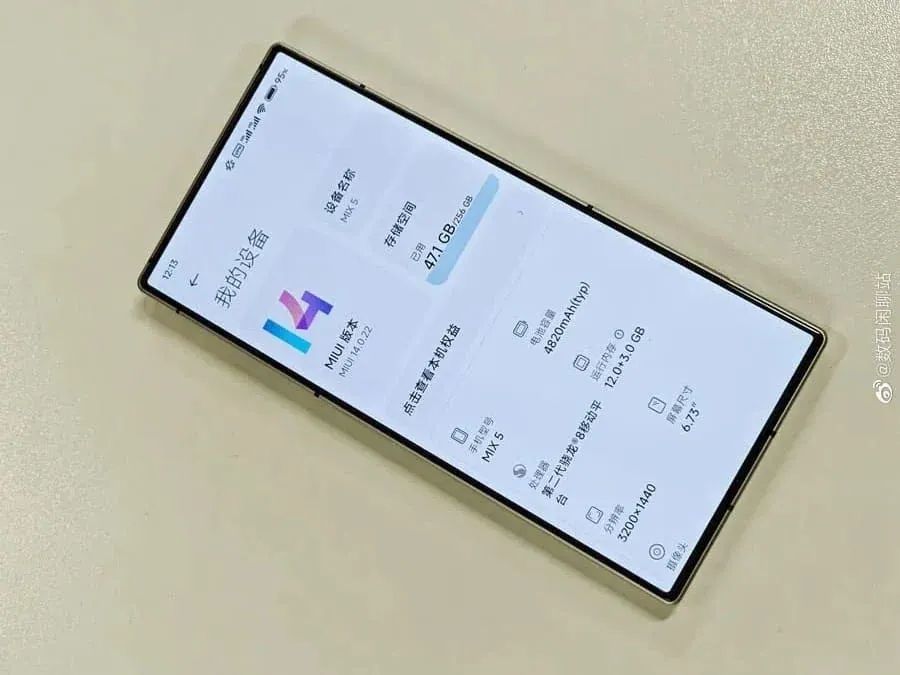
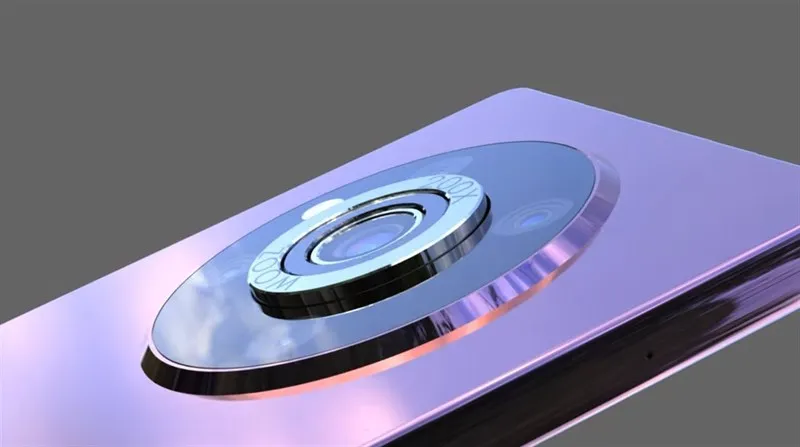
    Popular tipster DCS published a live image on Weibo that was purported to be the Xiaomi MIX 5 in a recent leak. The gadget has a boxy form with symmetrical bezels and an under-display camera, which appears to depart from the typical design language associated with Xiaomi. Intriguingly, the recently unveiled Red Magic 8 Pro gaming smartphone and the MIX 5 look remarkably similar. Given that the antenna lines are in precisely the same locations, it is quite likely that this is a Red Magic 8 Pro upon closer investigation. But on the off chance that this is the real deal, the gadget might have the following specifications.

    xiaomi mix 5

    Specs

    The Xiaomi MIX 5 is expected to have outstanding features, according to a live image that tipster DCS posted on Weibo. According to reports, the smartphone has a huge 6.73-inch display with a resolution of 3200 x 1440 pixels, most likely an AMOLED panel. The MIX 5 is expected to include a Snapdragon 8 Gen 2 SoC under the hood, along with a huge 12GB of RAM and 256GB of internal storage. The smartphone is anticipated to include a substantial 4820mAh battery to run all day. The picture also reveals that MIUI 14, which is based on Android 13, will operate on the MIX 5.

    Overall, these specifications indicate that the MIX 5 will be a powerful and capable device that could be worth waiting for.

    Harware

    In the past, it was rumored that the Xiaomi MIX 5 would come with an impressive 200W fast charging capability. It is unclear if this feature will be included in the upgraded version of the device. Furthermore, earlier reports suggested that the MIX 5 would be equipped with a 48MP front-facing camera and a triple-camera setup on the back. This setup was said to consist of a 50MP OIS lens, a 48MP ultra-wide sensor, and a 48MP telephoto lens with 2x optical zoom. However, there is no official confirmation regarding these camera specifications as of yet. It remains to be seen if the final product will match these rumors or if there will be changes made to the device.

  • Galaxy Watch 6 #leak – new Exynos chip and improved performance

    Galaxy Watch 6 #leak – new Exynos chip and improved performance

    What’s new on Watch 6

    • Samsung’s Galaxy Watch 6 and 6 Classic could see a 10% increase in performance.
    • This may be due to a new Exynos chip deemed the W980.
    • Information regarding its CPU/GPU setup is unknown, however, the previous Exynos W920 featured a two Cortex A55 core CPU and an Arm Mali-G68 GPU.

    Rumors concerning Samsung’s upcoming Galaxy Watch suggest that the device may receive a much-needed performance bump.

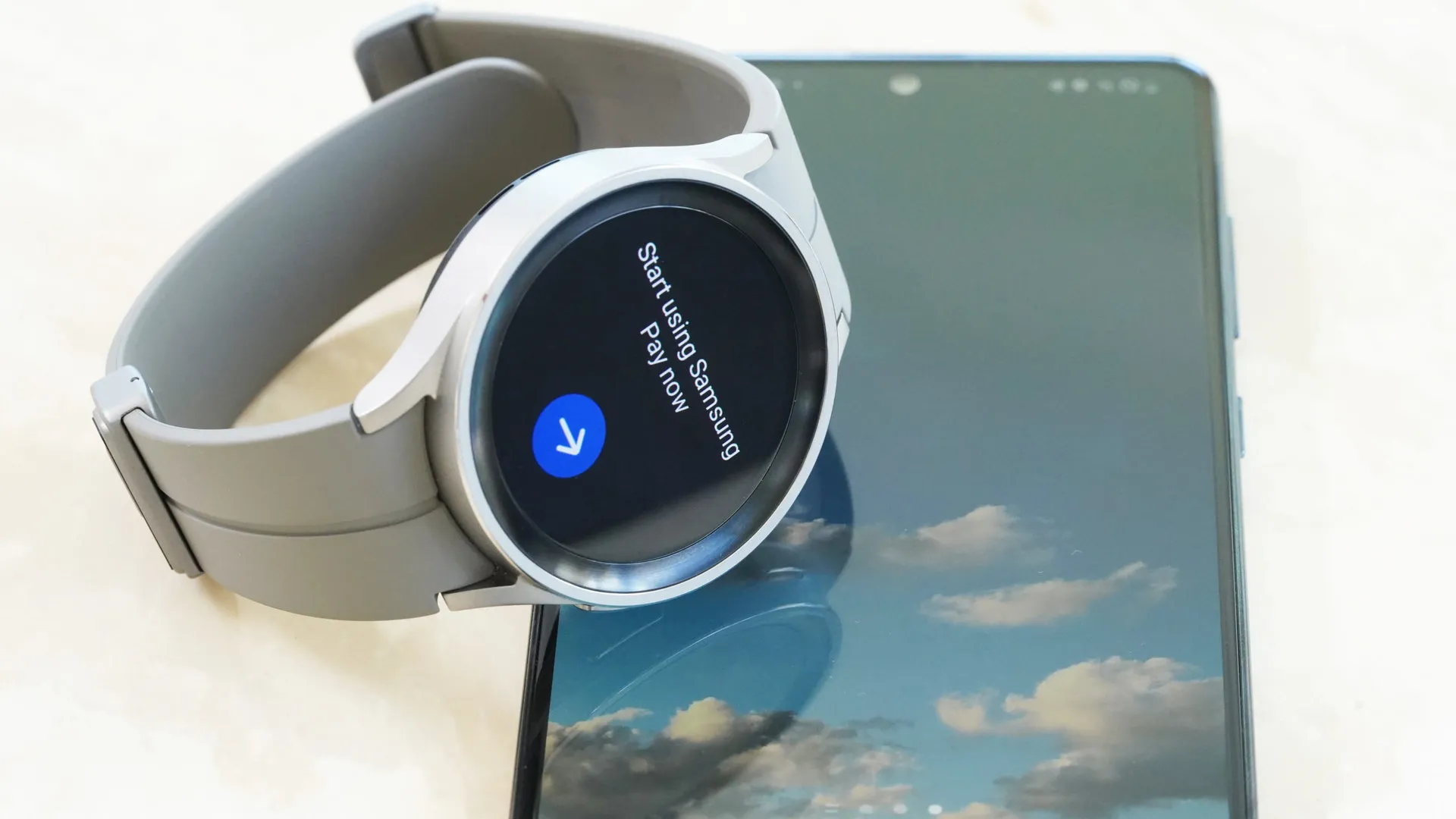
    SamMobile has learned that the Galaxy Watch 6 and 6 Classic from Samsung could include a new Exynos CPU. Exynos W980, a new processor, could give the Watch 6 series a 10% performance boost over Exynos W920.

    The Galaxy Watch 5 (and 4)’s chip, which may soon become obsolete, had two Cortex A55 cores and an Arm Mali-G68 GPU. The Galaxy Watch 4’s performance was improved by 20% thanks to the CPU, while its visual potential was multiplied by about ten by the GPU. Although the rumor doesn’t specify what users may anticipate from the CPU/GPU combination of the W980, the work done by the predecessor may assist give us a hint as to what to watch out for.

    Galaxy Watch 6 #leak

    Also, according to speculations, the new Exynos processor for the watches may be manufactured using a novel 5nm technique, which could affect increased battery life. As a point of comparison, the W920 is also a 5nm processor, but Samsung is said to have improved its manufacturing procedure, which might help the new watch and other incoming Exynos-based gadgets.

    Speaking of the battery, there was a speculation that the Galaxy Watch 6 and 6 Classic may have somewhat bigger batteries. A 300mAh or 425mAh battery may be found in the wearable’s 40mm and 44mm versions, respectively. In light of the 40mm Galaxy Watch 5’s 284mAh battery, the rumored battery capacity increase on the smaller model sounds rather excellent (assuming it turns out to be accurate).

    A couple of weeks ago, leaks surfaced regarding the Watch 6 model’s possible display size increase. Consumers may find a 1.31-inch screen on the 40mm variant, while the 44mm could deliver a 1.47-inch dial. Considering the potential display increases, any improvements to battery life would be welcome, whether from the chipset, battery, or both.

    The Korean OEM’s upcoming introduction of a smartwatch still has some unknowns and unanswered questions, but that’s good. The new Galaxy Watch 6 and 6 Classic could be introduced by the firm in August along with the Galaxy Z Flip 5 and Z Fold 5.

  • #malwarealert Stop using these Android apps immediately

    #malwarealert Stop using these Android apps immediately

    Apps that appear to be normal but are occasionally compromised with malware are extremely common. Users should always update their gadgets, keep an eye out for articles like this one, and take appropriate action. A virus campaign is affecting over 60 well-known apps with a combined install base of over 100 million in the Google Play Store. Some apps’ creators mistakenly incorporated the virus by utilizing a third-party library that included malware-filled sections. These apps are lethal because of a new strain of malware called “Goldoson.” By using these components, app developers can cut down on the time it can take to create particular app components.

    Google asserts in a statement that it takes every precaution to shield users from this threat. A Google representative said in a statement to phonearena, “When we identify apps that violate our policies, we take immediate action. We have informed the developers that changes are required to bring their products into compliance with Google Play standards. Google Play Protect, which can alert users to harmful apps on Android devices, further protects consumers.

    goldoson malware has infected mo

    Is Goldoson a risk?

    Goldoson was discovered by security researchers at the McAfee business, who noted on their blog that the virus may collect GPS coordinates and the names of Bluetooth and Wi-Fi-connected device names. Also, a list of the mobile phone’s apps will be compiled. Moreover, the malware has the capacity to click on background-running advertisements without the user’s awareness or consent.

    The creators and Google are both aware of the infection. Since the developers were just as much of a victim as those who downloaded the infected apps, many of the impacted apps were cleaned up by the developers. However, those who disobeyed Google’s order had their apps removed from the Play Store.

    Delete following apps immediately

    The impacted apps’ developers either patched them or Google removed them from the Play Store, according to the information that is currently accessible. Even if the app is no longer accessible through the Play Store, users must still make sure that they do not have a malicious version of it installed on their devices. Even if the developer has provided a fix, users should still upgrade the software to be secure. The list of applications involved in this attack is provided below. The list prominently displays the quantity of downloads. Also, it demonstrates how Google or the developer changed the app or removed it from the Play Store.

    The list:

    • L.POINT with L.PAY 10M+ Updated
    • Swipe Brick Breaker 10M+ Removed
    • Money Manager Expense & Budget 10M+ Updated
    • TMAP 10M+ Updated
    • Lotte Cinema 10M+ Updated*
    • Genie Music 10M+ Updated*
    • Cultureland version 2 5M+ Updated*
    • GOM Player 5M+ Updated*
    • Megabox 5M+ Removed**
    • LIVE Score Real-Time score 5M+ Updated*
    • Pikicast 5M+ Removed**
    • Compass 9: Smart Compass 1M+ Removed**
    • GOM Audio – Music, Sync lyrics 1M+ Updated*
    • TV – All About Video 1M+ Updated*
    • Guninday 1M+ Updated*
    • Item mania1M+ Removed**
    • LOTTE WORLD Magicpass 1M+ Updated*
    • Bounce Brick Breaker 1M+ Removed**
    • InfiniteSlice Infinite Slice 1M+ Removed**
    • Norae bang 1M+ Updated*
    • SomNote – Beautiful note app 1M+ Removed**
    • Korea Subway Info: Metroid 1M+ Updated*
    • GoodTVBible 1M+ Removed**
    • Happy Mobile Happy Screen1M+ Updated*
    • UBhind: Mobile Tracker Manager 1M+ Removed**
    • Mafu Driving Free 1M+ Removed**
    • Girl singer WorldCup 500K+ Updated*
    • FSP Mobile 500K+ Removed**
    • Audio Recorder 100K+ Removed**
    • Catmera 100K+ Removed**
    • Cultureland Plus 100K+ Updated*
    • Simple Air 100K+ Removed**
    • Lotteworld Seoul Sky 100K+ Updated*
    • Snake Ball Lover 100K+ Removed**
    • Play Geto 100K+ Removed**
    • Memory Memo 100K+ Removed**
    • PB Stream 100K+ Removed**
    • Money Manager (Remove Ads) 100K+ Updated*
    • Inssaticon – Cute Emoticons 100K+ Removed**
    • ECloud 100K+ Updated*
    • SCinema 50K+ Updated*
    • Ticket Office 50K+ Updated*
    • Lotteworld Aquarium 50K+ Updated*
    • Lotteworld Water Park 50K+ Updated*
    • T map for KT, LGU+ 50K+ Removed**
    • Random number 50K+ Updated*
    • AOG Loader 10K+ Removed**
    • GOM Audio Plus – Music, Sync l 10K+ Updated*
    • Swipe Brick Breaker 2 10K+ Removed**
    • Safe Home10K+ Removed**
    • Chuncheon 10K+ Removed**
    • Fantaholic  5K+ Removed**
    • Cinecube 5K+ Updated*
    • TNT 5K+ Removed**
    • Bestcare Health 1K+ Removed**
    • InfinitySolitaire 1K+ Removed**
    • New Safe 1K+ Removed**
    • Cashnote 1K+ Removed**
    • TDI News 1K+ Removed**
    • Eyesting 500+ Removed**
    • TingSearch 50+ Removed**
    • Krieshachu Fantastic 50+ Removed**
    • Yeonhagoogokka  10+ Removed**

    As we have said several times before, we reemphasize again that even if an app has been deleted from the Play Store, it may still be able to steal your personal info and click on ads if it is still installed on your phone or tab. In other words, even if they were allegedly cleaned up by the developer and passed Google’s testing, uninstall any of these apps from any of your mobile devices right away. Do not take chances with your device.

    In the future, spare yourself some time and check the evaluations written by users before installing an app from a new developer. If you notice a user complaining that there are too many adverts on their phone or that the software caused his device’s battery to start draining after installation, these are red flag indications that you should pay attention to. If an app fails the smell test, don’t even bother with it. It’s best to simply ignore them.

  • Huawei Band 8 – topnotch health management features and up to 14 days battery life

    Huawei Band 8 – topnotch health management features and up to 14 days battery life

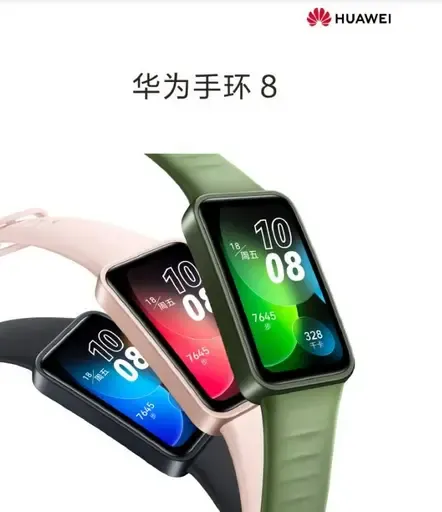
    The Huawei Band 8 is the newest fitness tracker that Huawei has unveiled in China. The item was unveiled alongside the Huawei Enjoy X mid-range phone, the Nova 11 line of smartphones, and the Matebook D 14 and MateBook D 16 notebooks for 2023. Below are a complete list of the Band 8’s features, specifications, and cost.

    huawei band 8 169

    Huawei Band 8 specifications and features

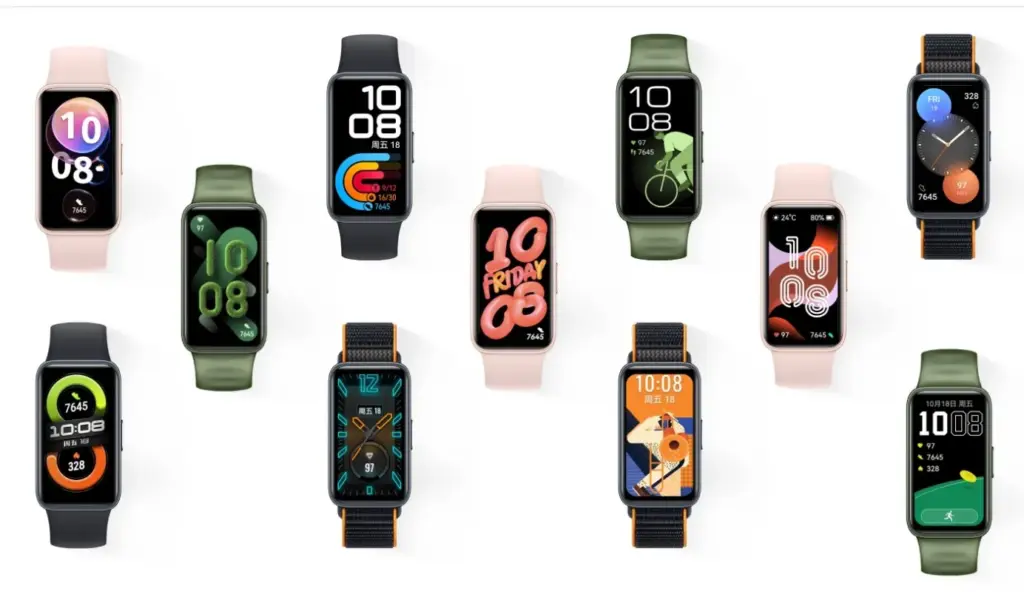
    The company’s lightest and smallest large-screen fitness tracker is the Huawei Band 8. The device has an 8.99mm thickness and weighs only 14 grams, making it somewhat lighter than the previous model. Due to its small bezels, it has a 1.47-inch AMOLED screen with a 368 x 194-pixel resolution, a screen-to-body ratio of 65 percent, and a 2.5D high-quality curved glass screen that gives it a beautiful aesthetic. There are more than 10,000 different watch face designs for the Band 8 fitness tracker.

    Fast charging is supported by the Huawei Band 8; a full charge takes 45 minutes and 5 minutes of charging gives 2 days’ worth of usage. Any worries about the Band 8’s battery life are put to rest by the fact that a fully charged battery can last up to 14 days. It is the first Huawei fitness band that have HarmonyOS 3.1 installed.

    Huawei’s TruSleep 3.0 sleep tracking technology, which is included with the Band 8, has a 10% increase in accuracy over earlier versions. The enhanced algorithm offers users expert and credible sleep advice. In addition, the business has introduced the “Smart Sleep Improvement Plan” in partnership with the China Sleep Research Association to provide users with sleep issues with systematic and individualized sleep interpretation and improvement programs.

    Huawei Band 8

    With HUAWEI TruSeen 5.0 heart rate monitoring technology, the Band 8 has also gotten an upgrade to its heart rate algorithm, increasing accuracy by 10%. It has a function called “7-day resting heart rate” that plots the user’s resting heart rate over the last seven days. In addition to supporting automatic blood oxygen detection, heart health research, women’s health management, and 24/7 stress monitoring, Band 8 has professional health management capabilities.

    It is also the first fitness tracker made by Huawei to use a smart negative screen. Users can access smart scene information such as timetables, hotels, airlines, and trains by swiping the screen to the right, which brings up the negative screen. The gadget can quickly morph from a “smart travel secretary” and into an access control card, traffic card, and smart flash card.

    Huawei Band 8 price and availability

    The standard version of the Huawei Band 8 is priced at only 269 Yuan (~$39), and the NFC version is priced at 309 Yuan (~$45). It will be available for purchase starting April 26 on Huawei Mall, major e-commerce platforms, and authorized experience stores. It comes in four colours: Magic Night Black, Cherry Pink, Emerald Green, and Vibrant Orange.

    Source: gizmochina.com

  • GCAM 8.8 – great potential with a lot of improvements

    GCAM 8.8 – great potential with a lot of improvements

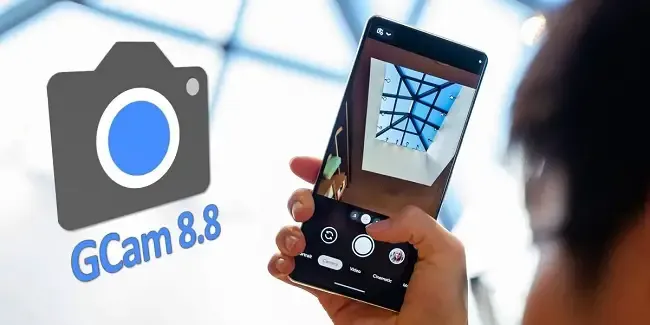
    The best photography applications are found on Google Pixel smartphones, which begs the issue of whether they may also be used on other Android devices. The solution is found in GCam, a customized version of the Google camera that makes camera app capabilities available on mobile devices other than Pixel models. This includes the most recent 8.8 version of Shamim, a robust and extremely flexible program.

    Modders that are committed to providing their own versions of the Pixel camera app in the form of GCam do likewise as Google keeps updating it. For the majority of devices, the most recent version, 8.8, offers a variety of fantastic possibilities. Iterations in the past, such as the one from BSG, were among the first to be made available but lacked the sophisticated tuning possibilities present in the app. Shamim’s 8.8 version, however, offers a lot more customization.

    32 techweek

    Gcam 8.8 unlocks the potential of your mobile

    As soon as Google Camera 8.8 was released, the first modders started to release their own versions of the software, which is still under development. While one of the most well-known modders, Arnova8G2, has yet to release the current version beta, others are steadily updating their improvements. Shamim, whose GCam 8.8 is highly thorough, is one among them.

    Shamim’s 8.8 update brings the app’s foundation up to date with the most recent Google camera version and includes a number of sophisticated settings. Interestingly, it also provides XML configuration options for every user. allowing anyone to quickly and easily customize the GCam to their device. Simply download the XML from the phone and apply it to the GCam settings to accomplish this.

    On most phones, images taken using Shamim’s app have a tendency to be a little dark by default and occasionally have greenish tones. This was noticed after the app was installed on a Xiaomi handset. It is advised to go to Celso Azevedo’s website to find an XML file appropriate for a certain phone.

    Once you download the file to the mobile device, move it to the “SGCAM/8.8.224/XML” folder. Shamim’s GCam will then automatically load the file upon starting and restart with the most appropriate settings for the phone. According to tests, this method works correctly, at least as far as a modified Google camera apk can function. If the XML does not work or requires more precise adjustments, users can delve into the advanced settings until they achieve their desired results.

    Loaded with improvements

    Shamim’s 8.8 stable version is available for download on Celso Azevedo’s webpage. As is often the case with GCam, the app may not function correctly on all Android devices. Users must try their luck and adjust the parameters as much as possible. It is also worthwhile to locate the configuration XML file for the mobile device installing the GCam, as this can save time and typically yields better results.

    For its outstanding quality, the Google Pixel camera app is well-known. Some Android devices have been modified by modders. One such adaptation is GCam. For phones other than Pixels, Shamim’s 8.8 version offers powerful, highly customizable camera software. New and upgraded versions of this app constantly offer increased capabilities and customization choices.

    For those interested in trying this camera app on their Android device, Shamim’s 8.8 stable version can be downloaded from Celso Azevedo’s webpage. Results may vary on different devices, but users can adjust parameters and find the right XML file for better results. GCam is constantly evolving, so Android users can expect even more powerful camera software in the future.

    Overall, the GCam is a great option for anyone looking to improve the camera experience on their non Pixel Android device. And with the latest release, it’s easier than ever to configure the app to your specific phone. Why settle for a bad camera app? Google’s software is great – why not use it on your device? Give the GCam a try today.

  • Public phone chargers are a security risk FBI says

    Public phone chargers are a security risk FBI says

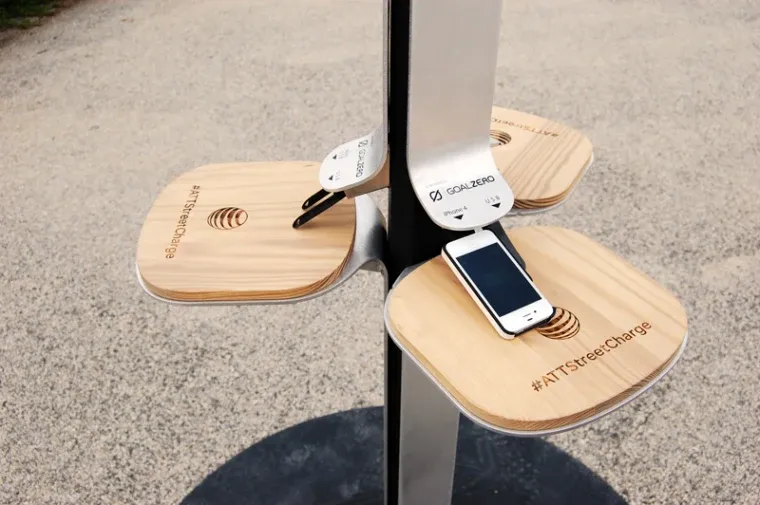
    The FBI has issued a warning on public charges that may be found in malls, airports, and other places and requests that nobody make use of them. When traveling or doing other things, it’s a good idea to utilize your own portable charger or power bank since you’re not confined to one place.

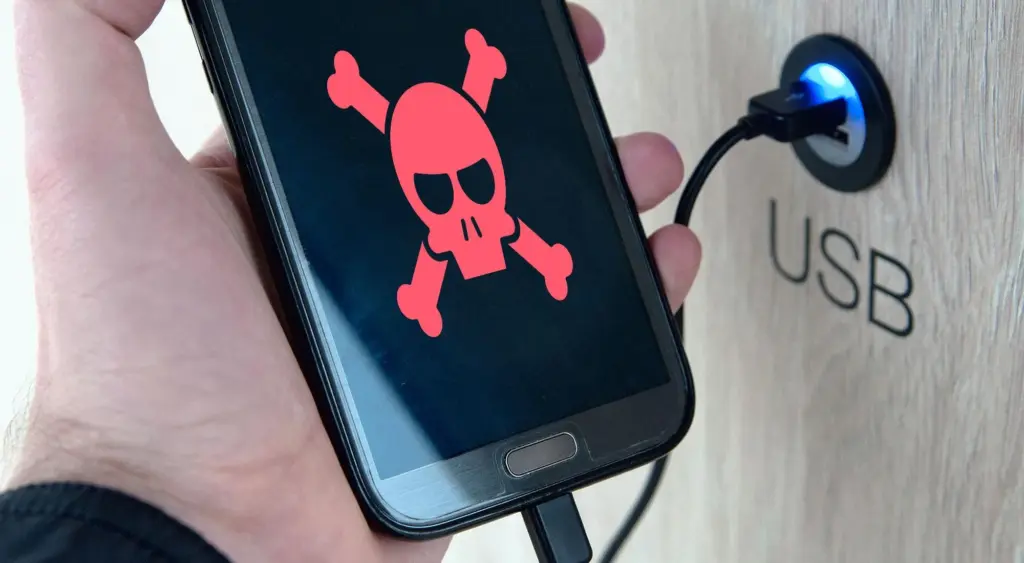
    The FBI claims that criminals have discovered a way to use USB connections available in these places to install malware and monitoring software onto devices. and advises everyone to use an electrical outlet instead and bring their own charger and USB wire.

    security risk

    Juice jacking is the term used to describe this practice. This is how malicious software can be added to public charging stations by hackers. It gives them the ability to view, steal, and even track the data from your mobile devices. Regrettably, iOS devices are not immune to juice jacking; Android smartphones are more likely to be affected.

    So how can juice jacking be prevented? The simplest solution is to always travel with your own USB cord and charger. For this reason, we advise getting a battery pack for your gadget. There are numerous solutions available for this as well.

    This can be avoided

    The simplest method is to use a battery pack. Since you are not required to remain confined to one outlet, you can carry it in your pocket and wander around the mall, airport, or anywhere else. Also, it functions when you need to charge your phone but are not in certain areas.

    Although this is quite frightening, it is quite simple to avoid. It’s difficult to use one of those USB ports when you’re at the airport because they’re normally all occupied. But right now, you need to steer clear of them.

  • Free Android apps of the week

    Free Android apps of the week

    Let’s have a look at some of the free apps and games on the Google Play Store. Now keep in mind that these apps typically have a price tag but are only free for a short period of time. This article will notify you of the special offers for paid apps that are completely free!

    Please be aware that although these apps are advertised as being free at the time of publication, we are unable to predict when these offers will finish, so they may become paid by the time you read this post or attempt to download them. This is problematic because there is no predetermined duration for app promotions on the Google Play Store, and offers may end just as fast as they were placed without any warning.

    If you come across an app or game on our list that piques your interest but you don’t need it right now, consider installing it and then deleting it from your device. This will save it to your app library, allowing you to install it again in the future when you need it. It’s a great way to take full advantage of short-lived promotions.

    Android apps available for free for a limited time

    Android apps for productivity and lifestyle

    • QR & Barcode Scanner Pro [4.8-stars / $1.99]: A separate app for those who do not want to settle for their stock QR and barcode scanner on their smartphones.
    • Speed View GPS Pro [4.9-stars / $1.49]: Track your speed, distance, time, location, and other metrics when you travel.
    • Electron Config Engine [4.4-stars / $2.49]: This is a good companion to have if you are learning chemistry.

    Android games

    • Demon Warrior Premium [4.3-stars / $0.99]: Here is an anti-hero game, where you are in the race to be the best demon possible.
    • Burning Fortress 2 [4.1-stars / $0.99]: Do you have what it takes to keep your fortress safe and sound from incoming enemies?
    • Rogue Hearts [4.1-stars / $0.99]: An isometric dungeon crawler that sees you survive using your gear, abilities, and wits.
    • Surface Trimino [4.1-stars / $0.99]: Your goal is to gain as much of the board’s surface as possible.
    • Monkey Go Happy [4.7-stars / $0.99]: Over 75 puzzles to solve, where you monkey around.
    • Missile Dude [4.7-stars / $1.99]: The more you progress, the bigger and more destructive your weapons get.
  • Data safety is improved by Google by requiring apps to let users delete it

    Data safety is improved by Google by requiring apps to let users delete it

    All apps on Google’s platform will be impacted by a new requirement that is being added to the Play Store. The goal of this new requirement is to provide people more control and privacy over their data.

    All Google Play Store applications that currently support account creation will soon be required to support account deletion as well. The tech behemoth blogged about the new rule modification.

    For apps that enable app account creation, developers will soon need to provide an option to initiate account and data deletion from within the app and online. This web requirement, which you will link in your Data safety form, is especially important so that a user can request account and data deletion without having to reinstall an app.

    As the company mentions, the Data safety section in the Play Store already lets developers provide data deletion options. However, this move is meant to give users “an easier and more consistent way to request them.”

    delete data

    The developer will now have to remove the data connected to that account if you ask for your data to be erased. Hence, temporary account deactivation or deactivating will not be sufficient to comply with the new guideline. Developers must “clearly disclose those data retention procedures” if they need to retain data for justifiable purposes like fraud prevention or legal compliance.

    It appears that the rule change won’t go into effect immediately, however. To give developers enough time to comply with the order, Google is rolling out the policy slowly.

    As a first step, we’re asking developers to submit answers to new Data deletion questions in your app’s Data Safety form by December 7. Early next year, Google Play users will begin to see reflected changes in your app’s store listing, including the refreshed data deletion badge in the Data safety section and the new Data deletion area.

    The company also notes that developers who need more time can file for an extension in Play Console until May 31, 2024.